
Device discovery and management
Discovery is not a read-only survey: when required settings are missing, Device Controllability configures them on the device. A switch becomes usable through a chain: reachable, credentialed, inside the job's scope, added to inventory, then kept Managed. Catalyst Center needs at least an SNMPv2c read credential and SSH. It discovers by CDP, LLDP, CIDR with a seed address, or an IP range.
By Arif, founder of Daveth · Updated
The full 6 min walkthrough is in Daveth Pro (Network). See what the plan opens
What this page answers
Does Catalyst Center discovery change device configuration?
It can. Discovery works with Device Controllability, which configures required network settings on devices when they are missing. Read it in “Start with the part people find out late”
What credentials does Catalyst Center need to discover a device?
Reachability from Catalyst Center, at least one SNMP credential, such as an SNMPv2c read credential, and SSH credentials on the device. Read it in “Reach and credentials”
What are the Catalyst Center discovery methods?
Four: CDP with a seed IP address, a range of IP addresses of up to 4096 devices, LLDP with a seed IP address, and CIDR with a seed IP address. Read it in “Four ways to discover”
Start with the part people find out late
Does discovering a device change anything on it?
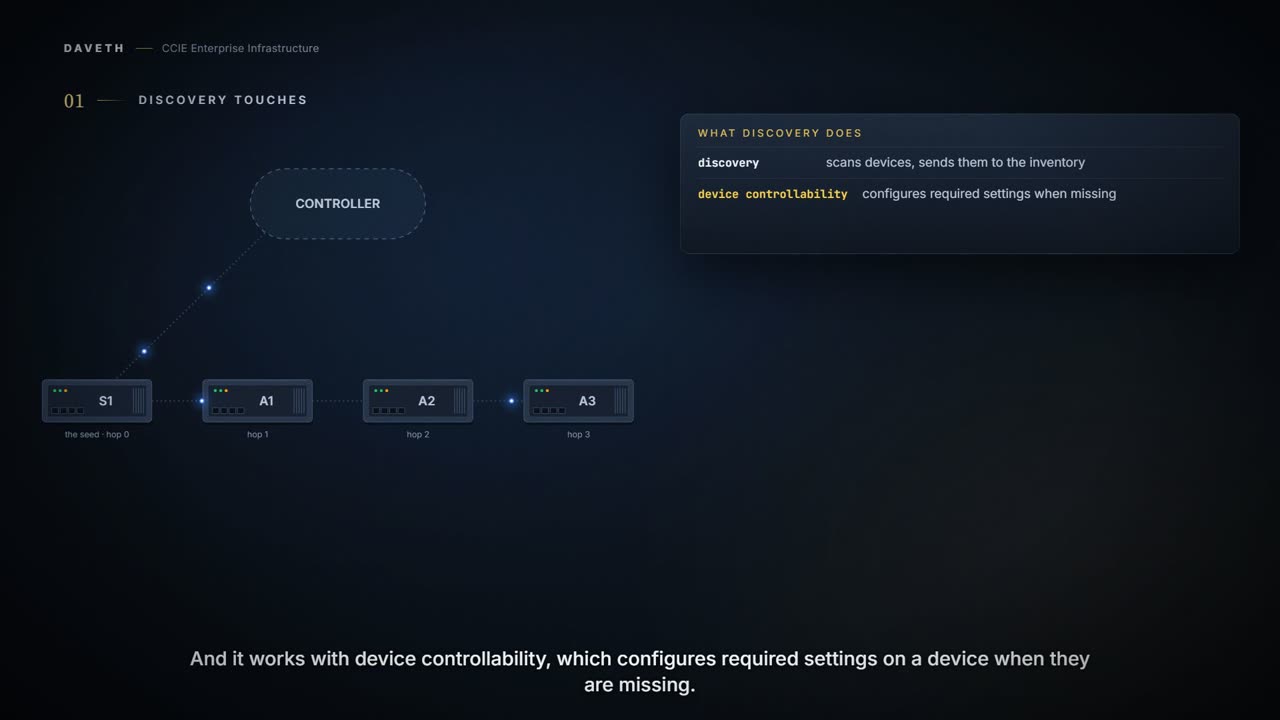
Discovery scans the devices in your network and sends the list of discovered devices to inventory. Discovery also works with Device Controllability to configure the required network settings on devices when these settings are missing from devices.
Catalyst Center writes to your devices. Discovery is not a read-only survey. When required settings are missing, Device Controllability configures them, as part of bringing the device in.
Read that twice if you came here expecting an inventory scan. You let a visitor in to look around, and the visitor noticed the soap dispenser was empty and filled it. Helpful. Well meant. Also not what you thought you were agreeing to when you typed the credentials in.
Where the visitor stops: you can ask a visitor what they touched. Here you cannot, not from this page, because the chapter sends you to a different document for the list of settings it writes. So the useful habit is to know that it writes at all, before you point discovery at a production network rather than after.
Discovery is the only step in the workflow named after looking, and it is also the one that touches.
Not claimed: which settings Device Controllability configures. This chapter points to the Administrator Guide for that, and this lesson has not verified the list. Know that it writes, before you run discovery in production.
The chain
What has to be true before a switch is usable to Catalyst Center?
This course's reading of the guide, as a chain: reachable, credentialed, inside the job's scope, added to inventory, then kept Managed by polling. Every link can break on its own, and most breaks look the same from outside: the device is not where you expected it. Knowing the chain is how you find the broken link instead of guessing.
Reach and credentials
Regardless of the method you use, you must be able to reach the device from Catalyst Center and configure specific credentials and protocols in Catalyst Center to discover your devices. Ensure that at least one SNMP credential is configured on your devices for use by Catalyst Center. At a minimum, this configuration can be an SNMPv2C read credential. To allow Catalyst Center to discover and manage devices, configure SSH credentials on them. These credentials can be configured and saved in the Design > Network Settings > Device Credentials window or on a per job basis in the Discovery window.
Global credentials are the normal case; a job can carry its own for devices that do not match. And one more condition decides whether a scanned device is added at all. In the walk, the SSH account Catalyst Center uses on A3 is privilege 1. Can you see why that is a problem?
Catalyst Center discovers and adds a device to its inventory if at least one of these criteria is met: The account that is being used by Catalyst Center to SSH into your devices has privileged EXEC mode (level 15). You configure the device’s enable password as part of the CLI credentials configured in the Discovery job.
A reachable switch, with the right password, can still stay out of inventory because the account is not privilege 15 and the job has no enable password (steps 2 and 3).
Four ways to discover
How many ways are there, and what stops each one?
There are four ways to discover devices: Use Cisco Discovery Protocol (CDP) and provide a seed IP address. Specify a range of IP addresses. You can include up to 4096 devices in the range. Use Link Layer Discovery Protocol (LLDP) and provide a seed IP address. Use Classless Inter-Domain Routing (CIDR) and provide a seed IP address.
The seed-based methods are where people lose devices. Predict before reading on: a CDP job from S1 at level 2, on a chain of four switches one hop apart. Which appear? Step 1 of the walk asks it.
If you use CDP or LLDP as the Discovery method, you can set the CDP or LLDP level to indicate the number of hops from the seed device that you want to scan. The default, level 16, might take a long time on a large network. If you use CIDR as a discovery method, you can set the prefix length value, which ranges from 20 to 30. The default value is 30.
| Method | You give it | What bounds it |
|---|---|---|
| CDP | a seed IP address | level: hops from the seed (default 16) |
| LLDP | a seed IP address | level: hops from the seed (default 16) |
| CIDR | a seed IP address | prefix length 20 to 30 (default 30) |
| IP address range | a range | up to 4096 devices |
This course's layout of the guide's four methods and their limits, quoted above.
Discovery does not search your network. It walks the neighbours you told it to, as far as you told it to, or it scans the range or prefix you gave it. A3, three hops out, was not missed because of a fault; it was outside what the job asked for. Notice the default goes the other way: level 16 finds more and, on a large network, takes a long time.
Continue the lesson
The whole lesson, with its drawings and its questions. 7 more sections after the ones above.