
Adding devices to fabric
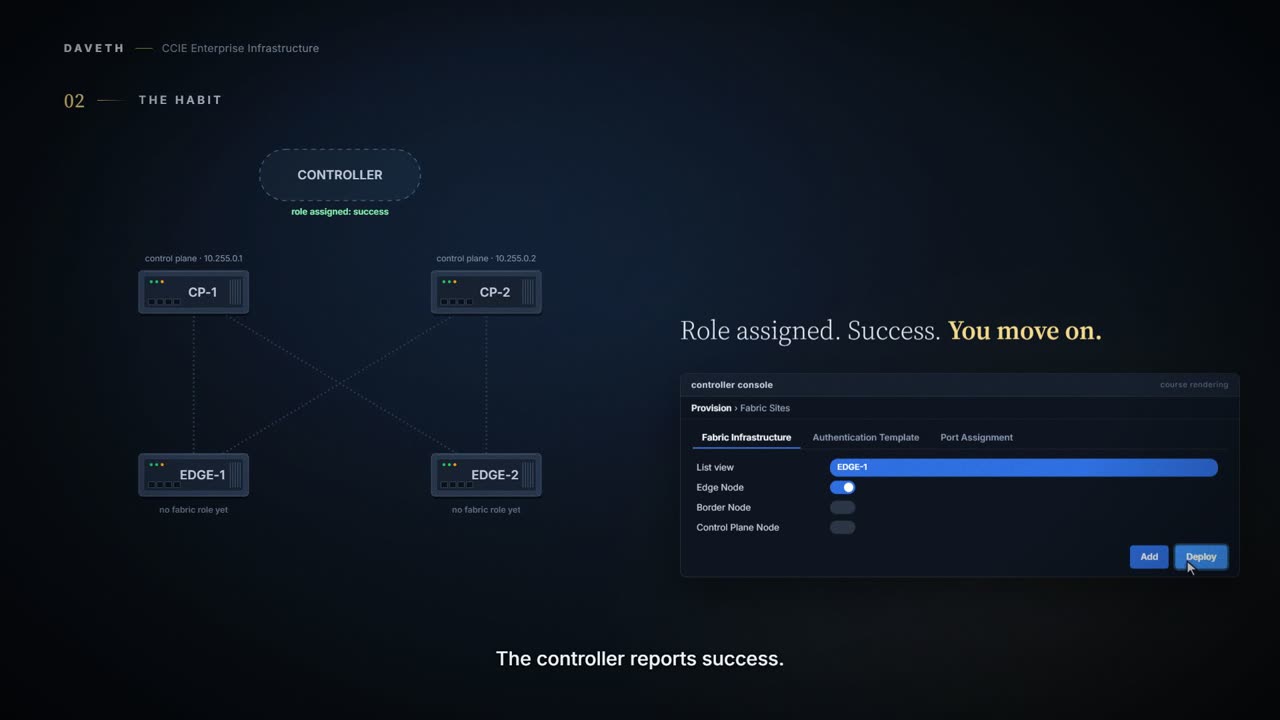
A device can take a fabric role only once it is reachable, credentialed, discovered, in inventory and manageable. When you assign the role, Catalyst Center reports success: it accepted the intent and pushed the configuration. Whether the device now takes part is a question for the device. Every fabric device holds a LISP session with each control plane node, and show lisp session shows it.
By Arif, founder of Daveth · Updated
The full 5 min walkthrough is in Daveth Pro (Network). See what the plan opens
What this page answers
How do you verify a device joined the SD-Access fabric?
Ask the device: every fabric device establishes a LISP session with each control plane node, and show lisp session shows whether it is up. Catalyst Center's success shows intent, not reality. Read it in “Proving it on the device”
Why is the LISP session down on an SD-Access edge node?
It can be normal: a session shows Down on devices with no EID to register, such as an edge node with no endpoints connected or a border that imports no routes into the fabric. Read it in “What an edge with nothing connected reports”
What had to be true first
By the time you can give a device a fabric role, a lot has already had to be true: reachable, credentialed, discovered, in inventory, actually manageable. That chain is 2.1.a.iii's, and its last link is the gate for provisioning. Assigning the role is the step after it, and it is where one habit costs people the most time.
The habit
You assign the role. Catalyst Center reports success. You move on. Catalyst Center is telling you something true: it accepted the intent and pushed the configuration. It is not telling you whether the device is now taking part in the fabric, because that is a question about the device. The controller shows intent. The device shows reality.
Proving it on the device
So ask the device the question the controller cannot answer: is it in live contact with its control plane nodes?
Endpoint Registration in a LISP VXLAN based fabric is through LISP reliable registration. From every fabric device a LISP session is established with each of the control plane nodes in the fabric. To see the LISP session on a fabric device the command show lisp session can be used.
TAC 220361's sample on an edge node, as printed (the page's spacing normalised). Its fabric has one control plane node.
FE2068# show lisp session
Sessions for VRF default, total: 1, established: 1
Peer                           State      Up/Down        In/Out    Users
172.30.250.19:4342             Up         22:06:07     9791/6531   10
Look at the second line: total and established. One session per control plane node, and here each one is Up.
What an edge with nothing connected reports
The LISP session shown as Down can occur on devices that do not have any EID to register with the Control Plane node. Typically that would be border nodes that do not import routes into the fabric or Edge devices without any endpoints connected.
So a freshly assigned edge with nothing plugged in shows its sessions Down, and that is correct. The rule to keep: read Down together with whether the device has anything to register. Steps 1 and 2 of the walk.
An empty guest book at a hotel is not evidence of anything. If nobody has checked in, an empty page is exactly what an empty page should look like. The same empty page, with a queue of guests standing at reception, is suddenly the most interesting thing in the building.
So the status word on its own is one clue and not the whole case. Down plus no endpoints is a switch with nobody to introduce. Down plus endpoints is a switch that has somebody to introduce and is not introducing them. Same word, and only the second one is worth your afternoon.
Where the guest book stops: a receptionist can look up and see the lobby, and this command cannot. It reports sessions and nothing else. Whether there is anything to register is a question you have to go and answer somewhere else, which is the part people skip.
Continue the lesson
The whole lesson, with its drawings and its questions. The rest of this section and 4 more after it.