
Device templates
A device can carry only one device template, and it must hold the device's complete configuration, built from feature templates or entered as CLI. Many devices of the same type share one template, with differences carried by variables: any parameter marked Device Specific. Attach pushes the configuration at once to an operational device, and to one not yet joined when it joins.
By Arif, founder of Daveth · Updated
The full 9 min walkthrough is in Daveth Pro (Network). See what the plan opens
What this page answers
How many device templates can an SD-WAN device have?
One. You can attach only one device template to each device, and it must include the complete configuration for that device. Read it in “One per device, and it has to be everything”
How do SD-WAN device templates handle differences between devices?
With configuration variables: set a parameter's scope to Device Specific, and each device supplies its own value for that variable's key when the template is attached. Read it in “One template, devices that are not identical”
What happens when you attach an SD-WAN device template?
If the device is present and operational, the configuration is sent and takes effect immediately. If it has not yet joined the network, the push is scheduled for when it joins. Read it in “What pressing Attach actually does”
One per device, and it has to be everything
A car-hire company runs fifty branches from a single device template. Nobody logs into those routers to configure them. One rule shapes every decision that follows, and it has two halves: most people remember the first:
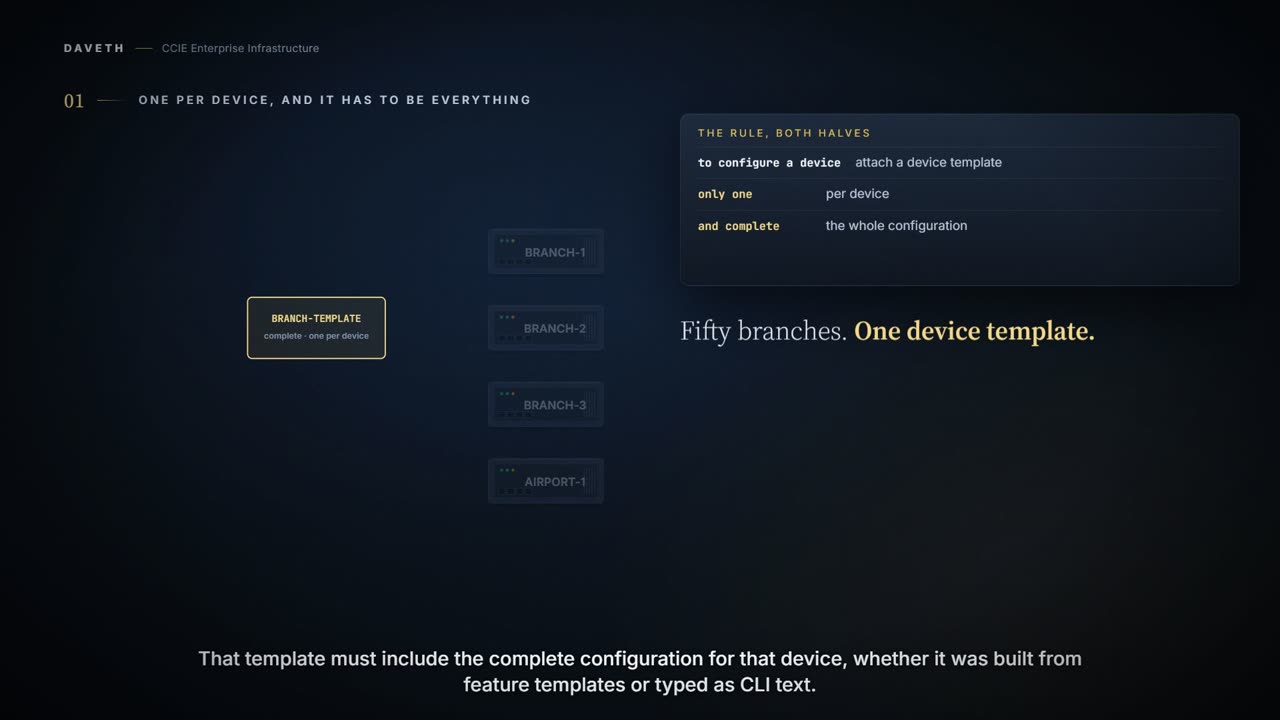
To configure a device on the network, attach a device template to it. You can attach only one device template to each device, and the template, whether created by consolidating individual feature templates or by entering a CLI text-style configuration, must include the complete configuration for that device.
Only one, and it must be complete. Not one per feature. Not a base template with overrides layered on top. One object, carrying the entire configuration of that device.
Hold on to the second half, because it is the half that creates every difficulty in this topic. If the one template must be complete, then there is nowhere to put anything extra, and one of your fifty branches is eventually going to need something extra.
One more constraint before the assembly, because it bounds what you can even attempt:
Each device template is specific to a device type.
A template built for one platform does not go on another, which is sensible: the available features and their parameters are not the same. It also means an estate with three router models has at least three templates before anybody has asked for anything unusual.
What "complete" is checked against
Recall from the previous topic: a feature template is a form, one per feature, that you fill in, and it cannot be attached to anything on its own.
Feature templates are the building blocks of complete configuration for a device. For each feature that you can enable on a device, Cisco SD-WAN Manager provides a template form that you fill out.
A device template is what you get by putting them together:
Device templates contain the complete operational configuration for a device and are created by consolidating feature templates.
So "complete" is not a judgement call: the tool tells you which forms are not optional:
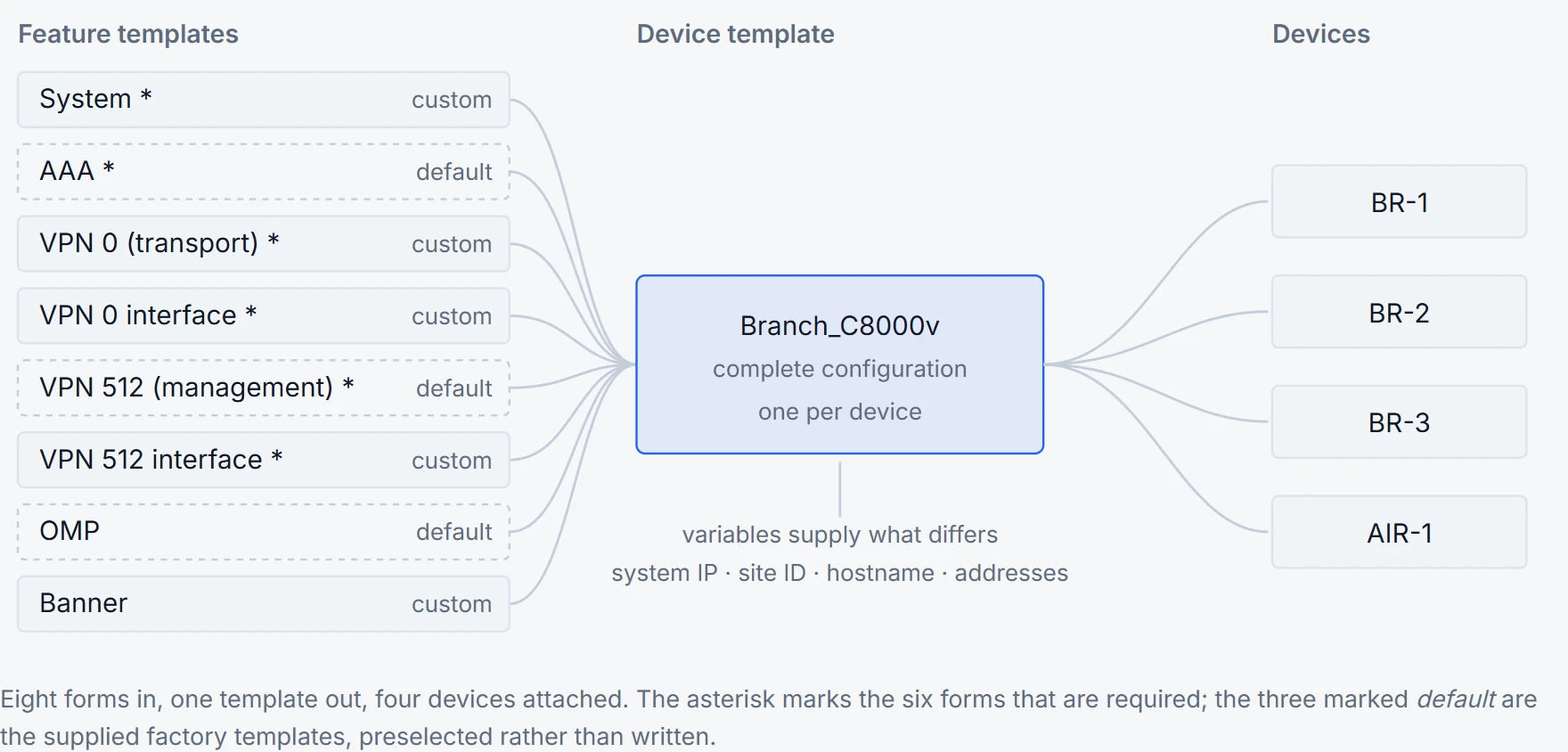
Required templates are marked with *, and optional ones are not. Factory-default templates are preselected. Each mandatory feature template and some optional ones include a factory-default template.
6 of the 9 forms on this platform are required, and a template missing any one of them is not a template you can attach. Three of the forms below are the supplied factory defaults, preselected rather than written by anybody here. One optional form, NTP, is left out entirely, and that will matter shortly.
One template, devices that are not identical
If one object holds the complete configuration and fifty devices share it, what carries the difference between them?
If multiple devices of the same type share the same configuration, you can use the same template for all of them. Differences between devices are handled using configuration variables.
Any parameter on any form can be marked as a variable instead of a fixed value:
Set the parameter scope to Device Specific: For a parameter, select Device Specific to mark it as a variable. Each variable has a unique key.
The values arrive at the moment you attach, not when you build: typed into a table, or brought in wholesale:
Import File: Click Import File to upload a CSV file listing all variables and their values.
And one of those values is checked against the rest of the estate rather than against the form. Read what the page checks for, and notice that it is not a syntax check:
If any devices have the same system IP address, a dialog box appears or an error message is displayed when you click Next.
A duplicated system IP is caught at the moment you attach, which is the last cheap moment to catch it. This is also the clearest illustration of what variables are for: five keys on the branch template, and the entire difference between BR-1 and BR-2 lives in them.
What pressing Attach actually does
Now the part that catches people out, and it is about the device rather than the template:
If the device being configured is present and operational on the network, the configuration is sent to the device immediately and takes effect immediately.
Straightforward enough. But a branch that has been racked and not yet brought up is not an error case here:
If the device has not yet joined the network, the pushing of the configuration to the device is scheduled. When the device joins the network, SD-WAN Manager pushes the configuration immediately after it learns that the device is present in the network.
The attach succeeds against a device that is not there. It is not rejected and it is not silently dropped: the configuration is now waiting, and the moment that device joins, the Manager pushes it without anybody pressing anything.
Read that once more with an operational eye, because it cuts both ways. A change you make while a site is offline is not skipped. It is queued against that site, and it will land the instant somebody plugs it back in: possibly weeks later, possibly by an engineer who was not told a change was pending.
Attaching to many devices at once is a single operation, which is the whole point of the object:
You can attach the same templates to multiple devices, and you can do so simultaneously, in a single operation.
The branch that needs one extra line
The airport desk needs an NTP source the other forty-nine branches do not want. It is one form. The branch template is already attached to AIR-1 and working perfectly.
Before you read on: what do you do?
The first half of the rule refuses the obvious move. There is no second slot, and detaching does not create one; a device carries one template or it carries none.
And the answer is not a clever workaround. It is the page's own next sentence:
If devices of the same type have different configurations, you create separate templates.
That is worth sitting with, because the previous version of this lesson treated copying a template as a mistake you talk people out of. It is not. It is the documented instruction for exactly this case. What makes it a decision rather than a step is what the copy costs, and the page states that too, in a sentence that has nothing to do with tidiness.
Continue the lesson
The whole lesson, with its drawings and its questions. 4 more sections after the ones above.