
CLI templates
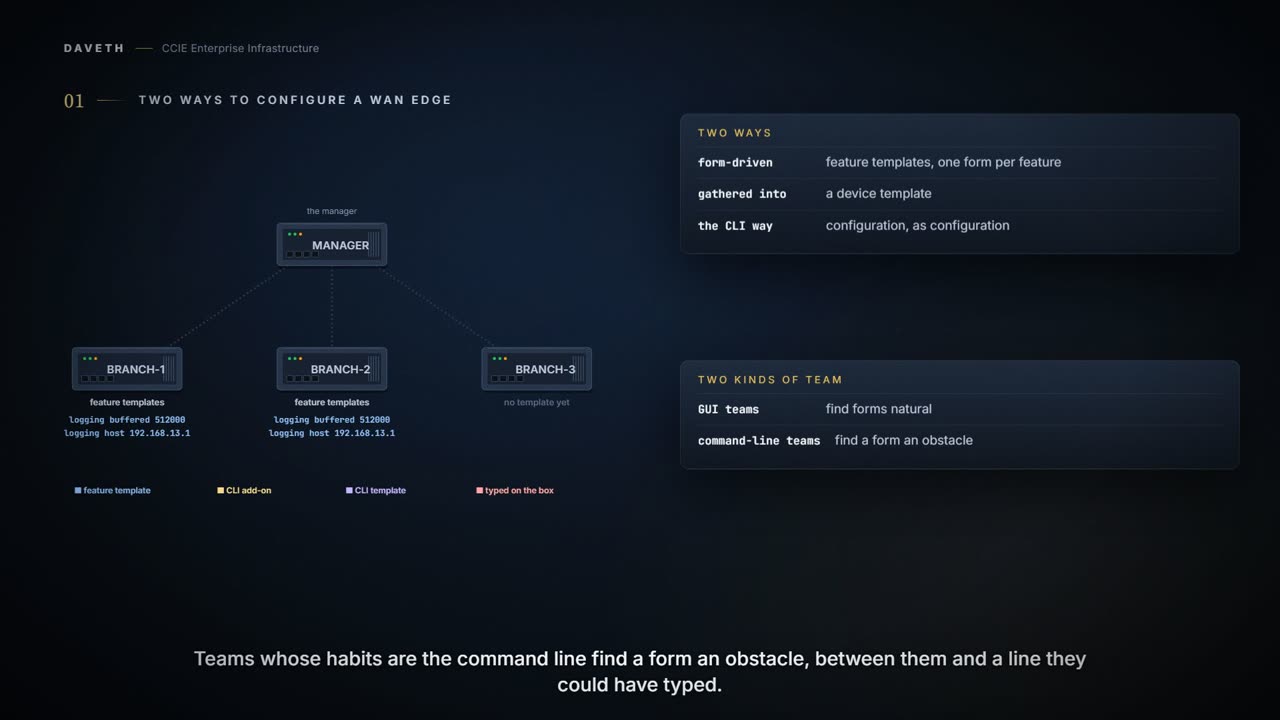
There are two ways to configure a WAN edge: feature templates, one form per feature gathered into a device template, or CLI written as configuration. They meet in the CLI add-on feature template, which sits beside the forms in the same device template and adds commands no form offers. Not every command you know is accepted there, so test each line on a real device first.
By Arif, founder of Daveth · Updated
The full 7 min walkthrough is in Daveth Pro (Network). See what the plan opens
What this page answers
What is an SD-WAN CLI add-on feature template?
A feature template that adds custom device commands not available in standard feature templates. It sits beside the other feature templates in the same device template rather than replacing them. Read it in “The add-on, and who wins”
Which SD-WAN CLI template should you use?
First the CLI add-on feature template, for a command no form offers; second, a device configuration-based CLI template when an add-on cannot carry enough. Read it in “The other variants, and which to reach for”
Two ways to put configuration on a WAN Edge
The form-driven way: feature templates, one form per feature, gathered into a device template. Structured, and the model SD-WAN Manager is built around. The CLI way: you write configuration as configuration.
Teams that live in the GUI find forms natural. Teams whose habits are IOS XE find a form an obstacle between them and a line they could have typed. The two meet in one place, and the question that matters there is: when both set the same thing, which wins?
The add-on, and who wins
The CLI add-on feature template does not replace the forms; it sits beside them in the same device template:
And being able to type CLI here does not make every command you know welcome. A line that works when you are logged into the box is not automatically a line this template accepts, which is why the guide asks you to test each one on a real device before it goes anywhere near a template.
Allows you to add custom device commands not available in standard feature templates. By using a CLI add-on feature template, you can specify the aaa authentication attempts login number command for a device.
Now the contest. A feature template and an add-on both set one value. Predict which one the device runs before you read the rule; step 3 of the walk asks it.
Gives the commands in it priority over those present in the feature templates during merges.
Read the direction carefully, because most people guess it the other way. The add-on wins. The structured, product-native, carefully designed form loses to whatever somebody pasted into a text box.
That is deliberate, and useful: a device template can reuse the shared feature templates and add the few lines one group of branches needs. Notice the rules that come with it:
Are supported only on devices running Cisco IOS XE Catalyst SD-WAN Release 17.2.1r or later. Allow only one CLI add-on template per device template. Require verification of each command by logging in and running it on the intended device before adding it to the CLI add-on feature template. Using unsupported commands cause errors and configuration failures. When you specify commands using the template, always use the commands as per the syntax displayed in the show sdwan running-config output.
One add-on per device template, and every line tested on a real device first, in the syntax the device itself prints. The add-on is powerful, and the guide leaves the checking to you.
A printed recipe with a handwritten note stuck to it, and the house rule is that the note wins. The recipe is neat, it is shared, everybody has a copy. The note is four words somebody added for this one occasion, and when the two disagree the note is what gets cooked.
That combination is what makes it worth respecting: small enough to forget, and important enough to win. The forms are where you will go looking when a device behaves oddly, because the forms are the part that looks like the configuration. The line that actually decided it is in a text box somebody filled in months ago.
Where the recipe stops: a cook reads both and decides. Nothing here does. The two are merged by a rule, not by judgement, so a line that was right for one group of branches applies exactly as written to every device using that template.
The other variants, and which to reach for
There are three variants, each solving a different problem. Which, and is each still one you should use?
| Variant | The problem it solves | Documented order of preference |
|---|---|---|
| CLI add-on feature template | A command no form offers | First, beside the relevant feature template |
| Device configuration-based CLI template | More than an add-on can carry, with only the difference pushed and a preview first | Second, when the first is not sufficient |
| Intent-based CLI template | Writing vEdge syntax for IOS XE devices | Not in the order: to be deprecated |
enables Cisco SD-WAN Manager (vManage 20.1.1 and later) to specify CLI templates using yang-cli, pushes only the difference between device and template configurations to Cisco IOS XE Catalyst SD-WAN devices, and provides a preview of configuration changes before deployment. These templates are used alongside feature templates and policies, including localized and security policies, in Cisco SD-WAN Manager.
Continue the lesson
The whole lesson, with its drawings and its questions. The rest of this section and 4 more after it.