
Trunk Negotiation and VLAN Trunking Protocols
A port's administrative mode is what switchport mode configures; its operational mode is what it is actually doing, access or trunk. The Dynamic Trunking Protocol lets two ends negotiate: a trunk forms when at least one end is set to trunk or dynamic desirable and neither end is access. Two dynamic auto ends wait forever.
By Arif, founder of Daveth · Updated
The full 10 min walkthrough is in Daveth Pro (Network). See what the plan opens
What this page answers
What is DTP (Dynamic Trunking Protocol)?
The messages two ends of a link exchange about whether to trunk. dynamic desirable starts the negotiation, dynamic auto only answers, trunk always trunks, and access never does. Read it in “The switchport mode options”
Which switchport mode combinations form a trunk?
A trunk forms when at least one end is set to trunk or dynamic desirable, and neither end is an access port. Dynamic auto at both ends never starts the negotiation, so no trunk forms. Read it in “Which pairs become a trunk”
What is VTP (VLAN Trunking Protocol)?
A protocol that lets a switch advertise each VLAN configured on it, its number and name, so the other switches learn it. A deletion spreads the same way, which is why many companies switch VTP off. Read it in the lesson
Tuesday, 8 p.m.
Maya is home, and the question from this morning's hallway change is still bothering her. She told both ends to trunk. What would the switches have done if she hadn't?
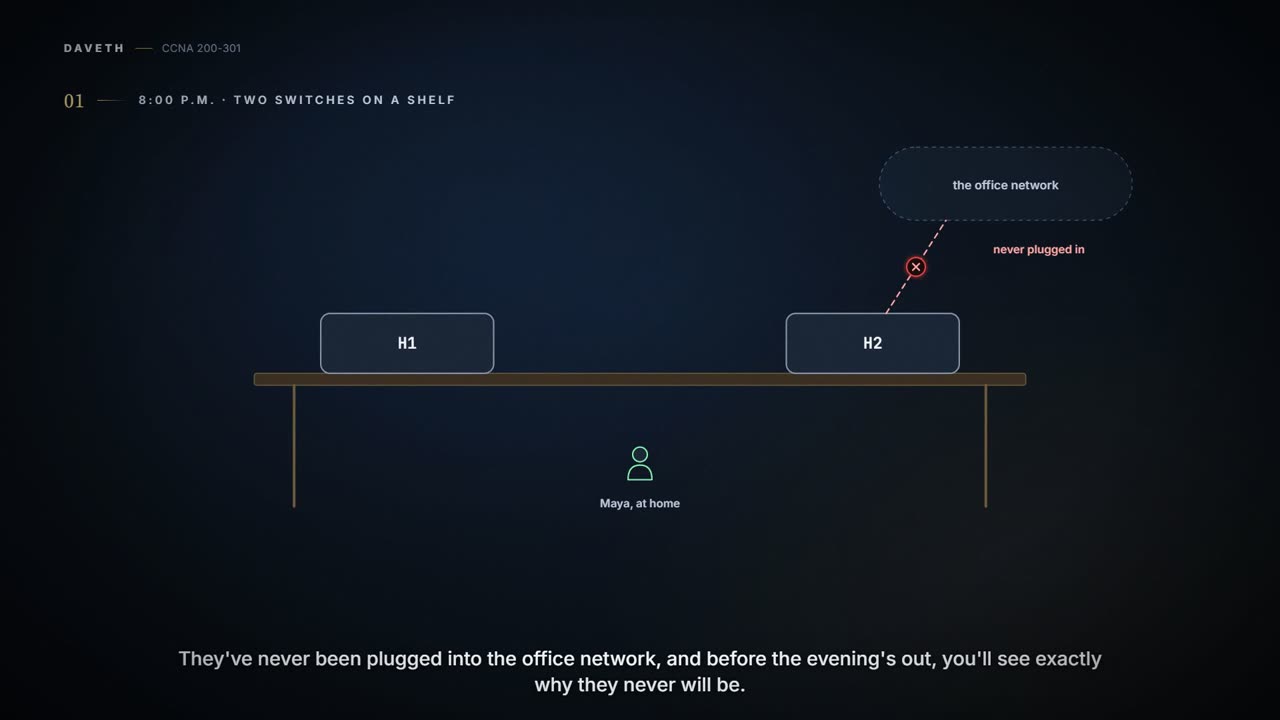
She won't find out on the office switches. On a shelf at home sit two old practice switches, H1 and H2, her home lab. They have never been plugged into the office network, and later on this page you'll see exactly why they never will be. She cables H1's Gi0/1 to H2's Gi0/2 and leaves both switches at their out-of-the-box settings.


Maya's home lab: two practice switches and one cable. It stays off the office network.
The kettle is on. The experiment is two switches and one cable, which is about Maya's idea of a relaxing evening.
Two modes for every port
Every switch port has two trunking modes, and they answer different questions. The administrative mode is what the port is configured to do, set with the switchport mode command. The operational mode is what the port is actually doing right now: an access port or a trunk. The interesting moments are when the two differ.
It acts kind of like a thermostat: the dial says what you asked for, and the thermometer says what the room is actually doing. (Where it stops: a port has no in-between. It's an access port or a trunk.)
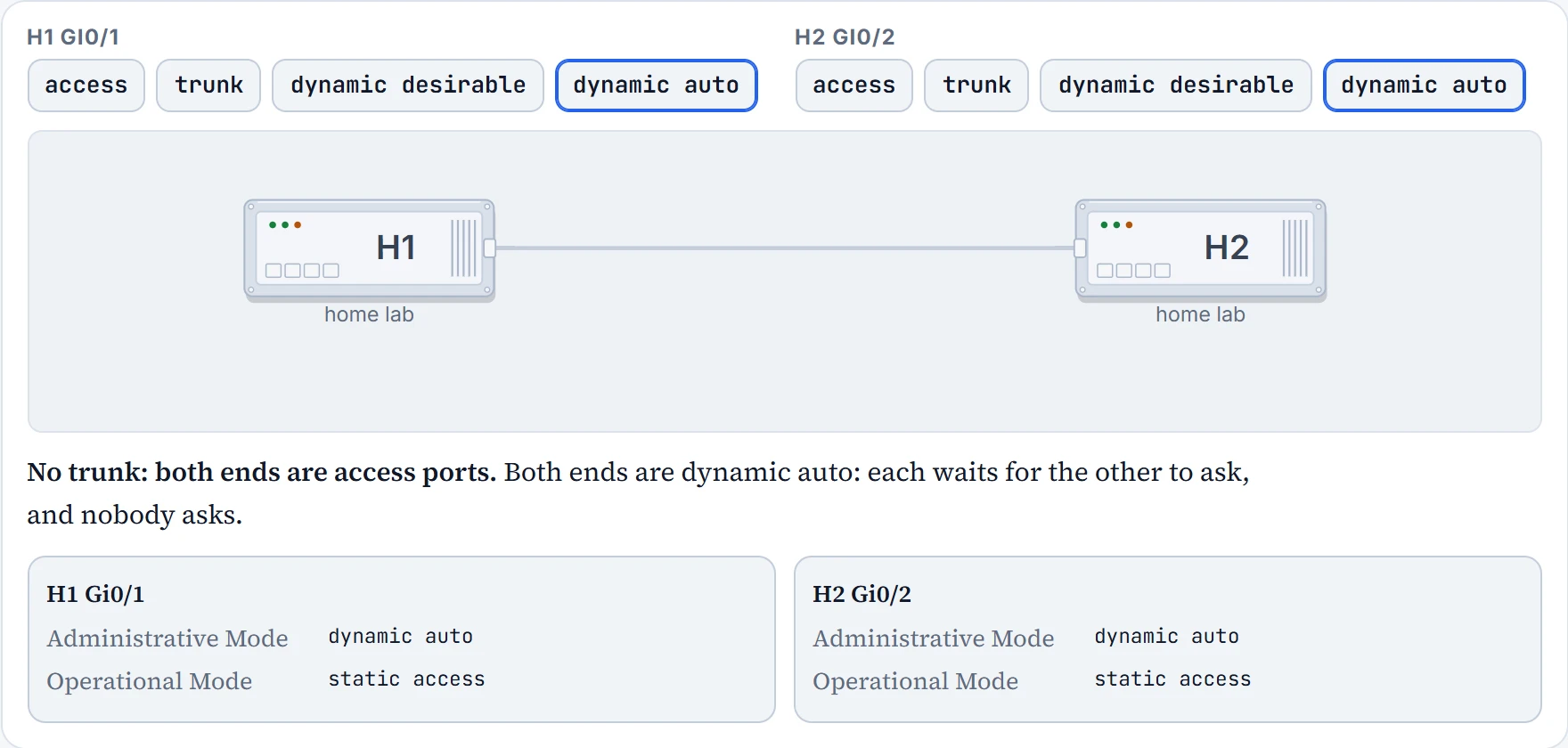
On switches like Maya's, a port's administrative mode out of the box is dynamic auto: it will become a trunk if the other end asks it to. Both of her ports are dynamic auto. Make a call before she looks.
H1# show interfaces gigabit 0/1 switchport
Name: Gi0/1
Switchport: Enabled
Administrative Mode: dynamic auto
Operational Mode: static access
Administrative Trunking Encapsulation: dot1q
Operational Trunking Encapsulation: native
Negotiation of Trunking: On
Access Mode VLAN: 1 (default)
Trunking Native Mode VLAN: 1 (default)
! lines omitted for brevity
H1# show interfaces trunk

H1#
Read the highlighted lines. Administrative Mode: dynamic auto is the setting. Operational Mode: static access is the result: not a trunk. Operational Trunking Encapsulation: native says the same thing from another angle: native refers to the 802.1Q native VLAN. The line above it, Administrative Trunking Encapsulation: dot1q, says 802.1Q is the only trunking type this switch supports; on a switch that supports both, it would say negotiate. And show interfaces trunk, which lists only ports that are trunking now, prints nothing. The cable is fine; the link is up. It just isn't a trunk.
Two switches, both perfectly willing to trunk, both waiting to be asked. The evening could have gone on like that for years.
It's basically like two people at a party who would both dance if asked, and neither asks. (Where it stops: people get braver as the evening goes on. Dynamic auto never asks, however long it waits.)
- what this port is configured to do (Administrative Mode)
- what it is doing now (Operational Mode)
- what the other end is configured to do: run it on H2 too
- that the cable works or frames are crossing: that's 02.8's commands
The switchport mode options
switchport mode has four options, and together they decide whether two switches trunk:
access: always act as an access port, never a trunk.trunk: always act as a trunk.dynamic desirable: start the negotiation ("shall we trunk?"), and answer the other end.dynamic auto: wait quietly, and only answer if the other end starts.
The negotiating is done by the Dynamic Trunking Protocol, DTP: messages between the two ends of the link about whether to trunk. On switches that support both trunking protocols, DTP can also agree which one to use: if both switches support both, they use ISL; otherwise, the one they both support. H1 and H2 support only 802.1Q, like most switches today, so there's nothing to choose there. (On switches that support both, switchport trunk encapsulation sets it, or leaves it to DTP.)
Maya changes one end. H1's port becomes dynamic desirable; H2 stays dynamic auto:
H1# configure terminal
Enter configuration commands, one per line. End with CNTL/Z.
H1(config)# interface GigabitEthernet0/1
H1(config-if)# switchport mode dynamic desirable
H1(config-if)# end
%LINEPROTO-5-UPDOWN: Line protocol on Interface GigabitEthernet0/1, changed state to down
%LINEPROTO-5-UPDOWN: Line protocol on Interface GigabitEthernet0/1, changed state to up
H1#
The link drops and comes straight back, the sign of a port changing from access to trunk. Now the evidence:
H1# show interfaces gigabit 0/1 switchport
Name: Gi0/1
Switchport: Enabled
Administrative Mode: dynamic desirable
Operational Mode: trunk
Administrative Trunking Encapsulation: dot1q
Operational Trunking Encapsulation: dot1q
Negotiation of Trunking: On
Access Mode VLAN: 1 (default)
Trunking Native Mode VLAN: 1 (default)
! lines omitted for brevity
H1# show interfaces trunk
Port        Mode             Encapsulation  Status        Native vlan
Gi0/1       desirable        802.1q         trunking      1

! (three lists of VLANs follow)
H1#
Administrative Mode is what Maya typed, dynamic desirable. Operational Mode is now trunk, with 802.1Q. And show interfaces trunk lists Gi0/1, trunking, native VLAN 1, with its mode as desirable. H1 asked; H2, still dynamic auto, answered. (Negotiation of Trunking: On, in both outputs, says DTP is running on this port.)
One side finally asked. The other was willing all along. Now the cable has a job description.
Last, the setting Maya used on the hallway cable: a static trunk. She changes H1 from dynamic desirable to switchport mode trunk:
H1# configure terminal
Enter configuration commands, one per line. End with CNTL/Z.
H1(config)# interface GigabitEthernet0/1
H1(config-if)# switchport mode trunk
H1(config-if)# end
H1# show interfaces trunk
Port        Mode             Encapsulation  Status        Native vlan
Gi0/1       on               802.1q         trunking      1

! (three lists of VLANs follow)
H1#
No log lines this time: the port was already trunking, so nothing changed on the link. But the Mode column in show interfaces trunk now says on: that's how the command shows a static trunk, set with switchport mode trunk. desirable and auto show a negotiating port.
- this port is trunking now, and how it got there: on, desirable or auto
- its native VLAN
- what the other end is set to: that's the other switch's own output
- which VLANs actually cross the trunk
Which pairs become a trunk
Four modes at each end make 16 pairs. You don't need to memorise them; you need one rule. A trunk forms when at least one end is set to trunk or dynamic desirable, and neither end is an access port. Dynamic desirable starts the negotiation; a static trunk still runs DTP too. Dynamic auto never starts it, so two of them wait forever. An access port has DTP switched off and never trunks.
One pair doesn't fit that tidy picture: access at one end and trunk at the other. Neither end negotiates, and each does exactly what it was told.
The picture below has dynamic auto at both ends: neither asks, so no DTP message is sent and no trunk forms. Access against trunk is the pair to avoid.
| One end \ other end | access | trunk | dynamic desirable | dynamic auto |
|---|---|---|---|---|
access | access | don't | access | access |
trunk | don't | trunk | trunk | trunk |
dynamic desirable | access | trunk | trunk | trunk |
dynamic auto | access | trunk | trunk | access |
Continue the lesson
The whole lesson, with its drawings and its questions. 3 more sections after the ones above.