
PortFast and STP Protection Features
PortFast lets a switch move a port straight from blocking to forwarding, skipping listening and learning, so a PC is online at once. It is only safe on ports with a single end device. BPDU Guard protects those ports: if a BPDU arrives, meaning a switch was plugged in, the switch disables the port. Both are off by default.
By Arif, founder of Daveth · Updated
The full 10 min walkthrough is in Daveth Pro (Network). See what the plan opens
What this page answers
What is PortFast?
A per-port setting that moves a port from blocking straight to forwarding, skipping the listening and learning states. Use it only on ports where you know no switch or other STP-speaking device connects. Read it in “PortFast”
What is BPDU Guard?
A per-port setting that disables a port when a BPDU arrives on it, so a switch plugged into a port meant for one host cannot become root or create a loop. Read it in “BPDU Guard”
How do you configure PortFast and BPDU Guard?
Both are off by default on every interface. For a few ports, turn them on per interface, starting with spanning-tree portfast; the switch warns that PortFast should only go on ports connected to a single host, and it takes effect only while the interface is not trunking. Read it in “Configuring PortFast and BPDU Guard”
Ports that face one device
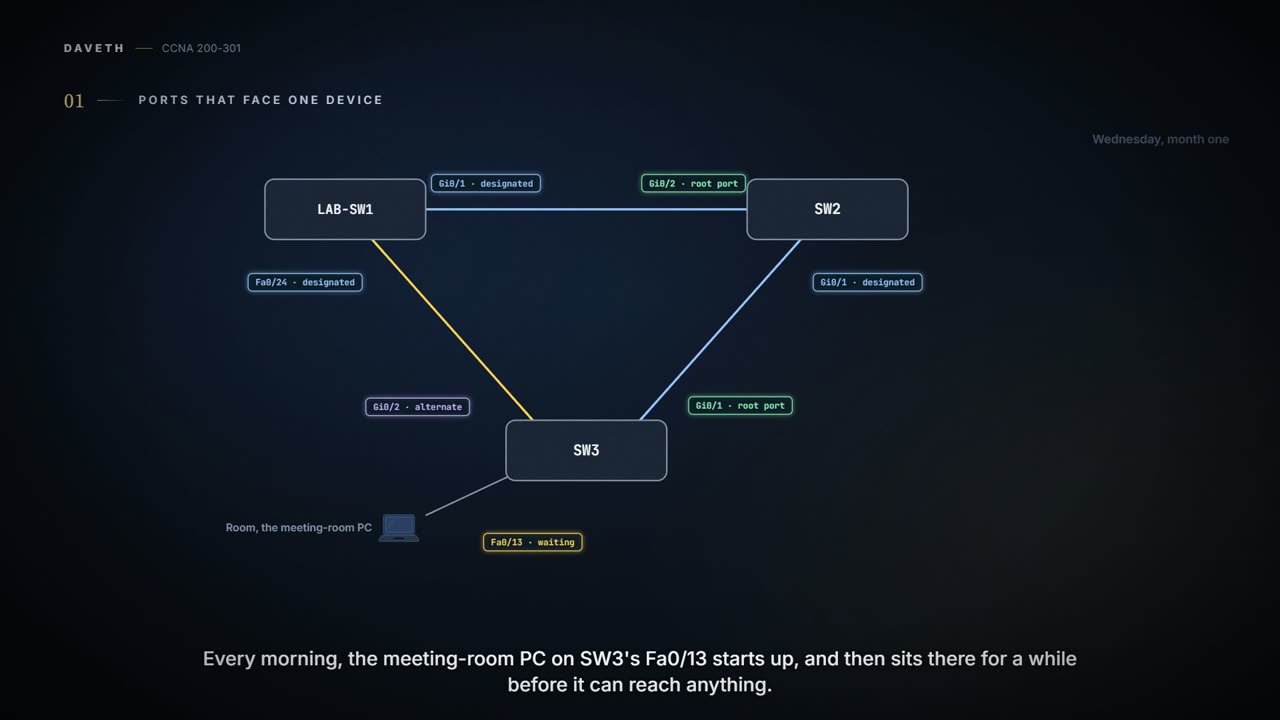
Wednesday, month one. Every morning the meeting-room PC, on SW3's Fa0/13, starts up and then sits there for a while before it can reach anything. SW3 is doing its job: before it forwards on a port, spanning tree makes sure the port can't create a loop. But this port has exactly one PC on it. Nothing on the far end, as it's cabled, can make a loop.
This page covers two small per-port settings: one that lets a port like Fa0/13 skip the wait, and one that disables the port if another switch's spanning-tree messages ever arrive on it.
The PC boots in a minute. Then it waits while spanning tree checks a cable that has only ever had a PC on it.
PortFast
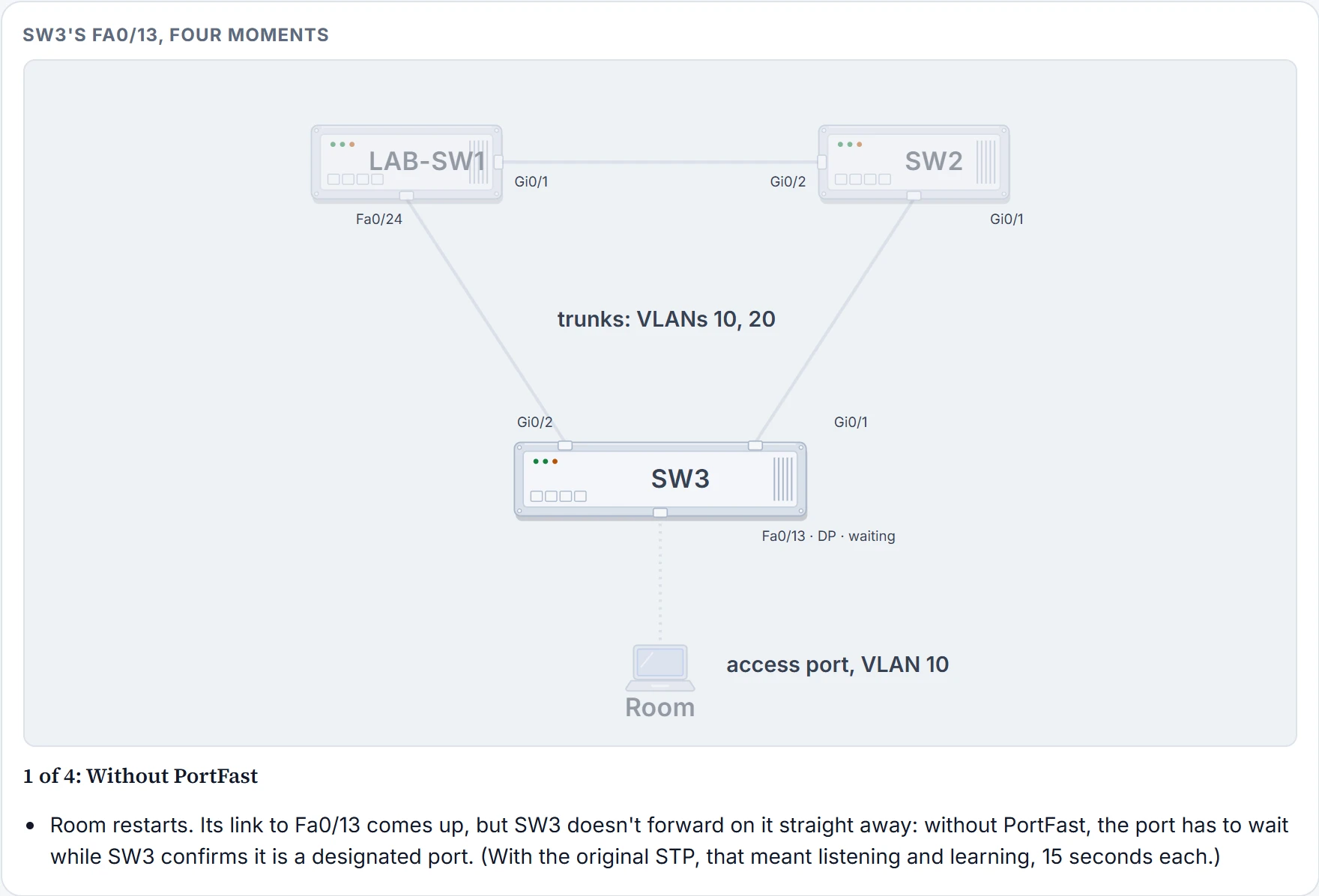
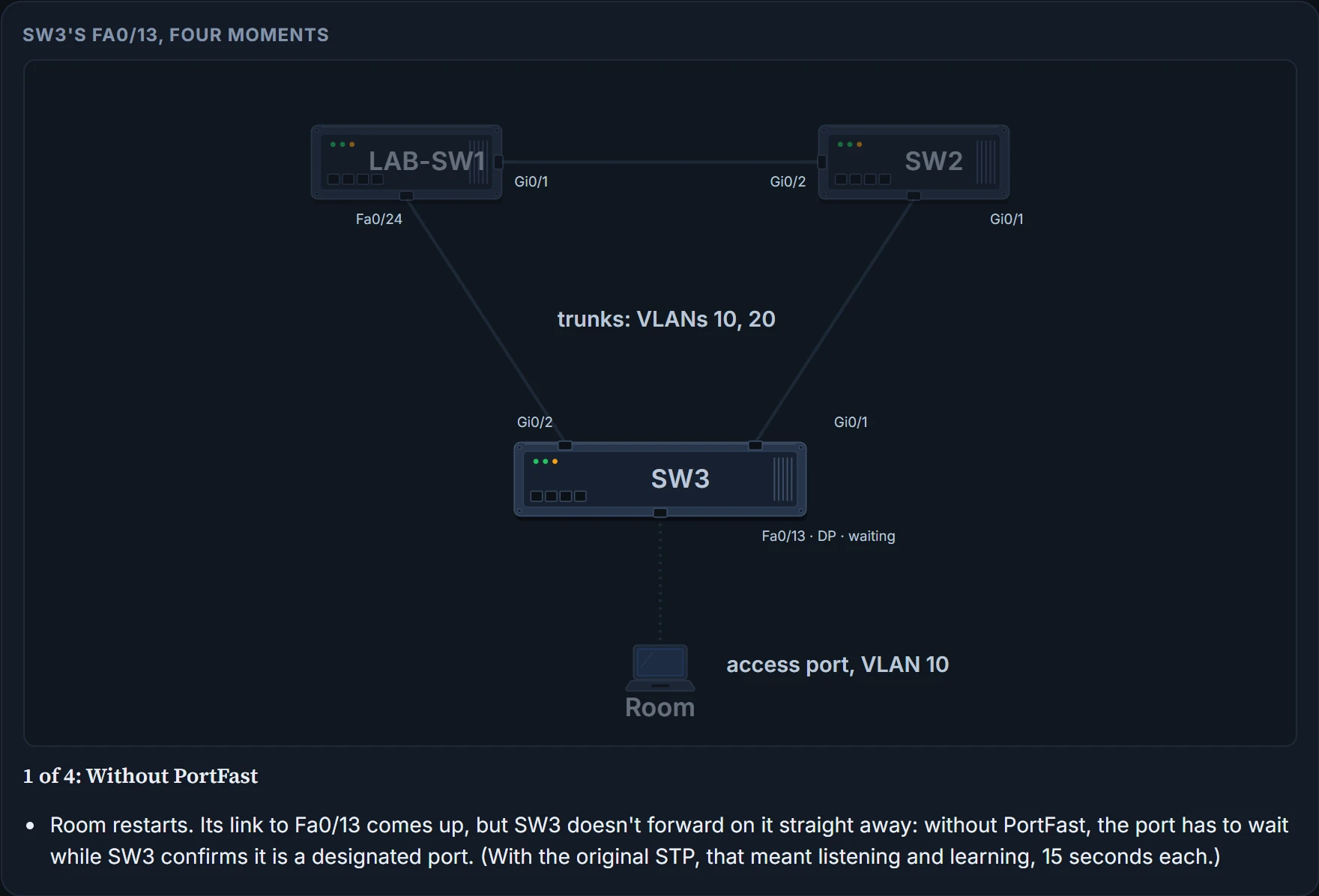
PortFast lets a switch move a port from blocking straight to forwarding, skipping the listening and learning states. Without it, each port waits while the switch confirms the port is a designated port; with the original STP, that's the listening and learning states, 15 seconds each. With PortFast on, when the PC's network card comes up, the port forwards straight away.
The catch: you can only safely turn PortFast on for ports where you know no bridge, switch or other STP-speaking device connects. Otherwise the skipped states can't do their job, which is to stop loops. So PortFast is for ports to end-user devices, like the meeting-room PC.
It's basically like a staff entrance with no security desk: fine for people you know work there, a problem if a stranger walks in with a trolley. (Where it stops: a stranger can be spotted. A switch plugged into a PortFast port looks like any other device until it causes trouble, which is why the next setting exists.)
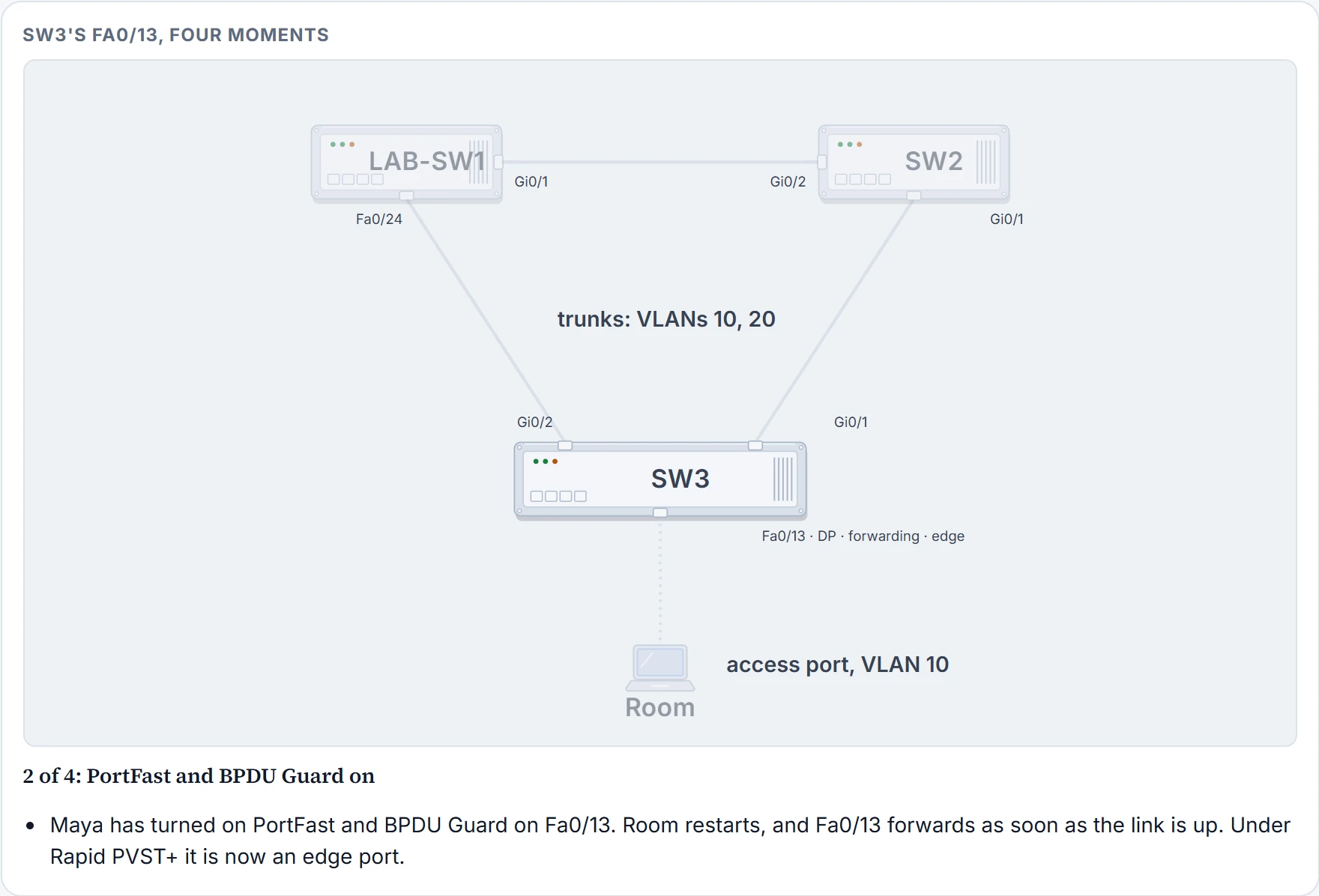
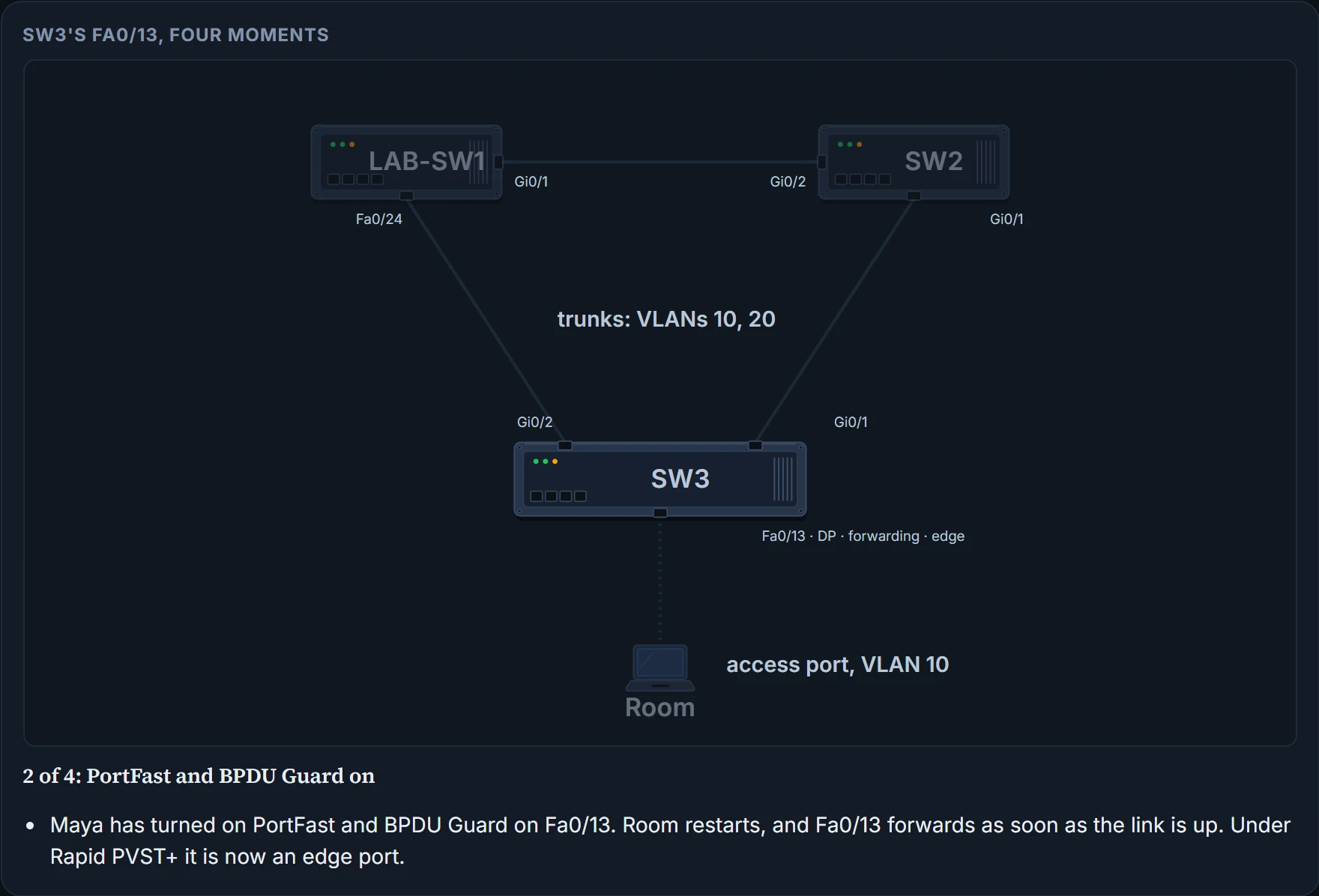
RSTP has the same idea built in. Remember the edge port from 03.3.4: RSTP skips the learning state on point-to-point edge ports. The switch can't see what's plugged into a port: PortFast simply trusts your configuration. These switches make a port an RSTP edge port by enabling PortFast on it. In fact they work out a port's RSTP type from two settings: the duplex it is running (full means point-to-point, half means shared) and whether PortFast is on (which adds edge). A half-duplex port with PortFast would be "shared edge", a combination to avoid because of the loop risk.
BPDU Guard
Spanning tree trusts the BPDUs it hears, and that opens the LAN to a few problems:
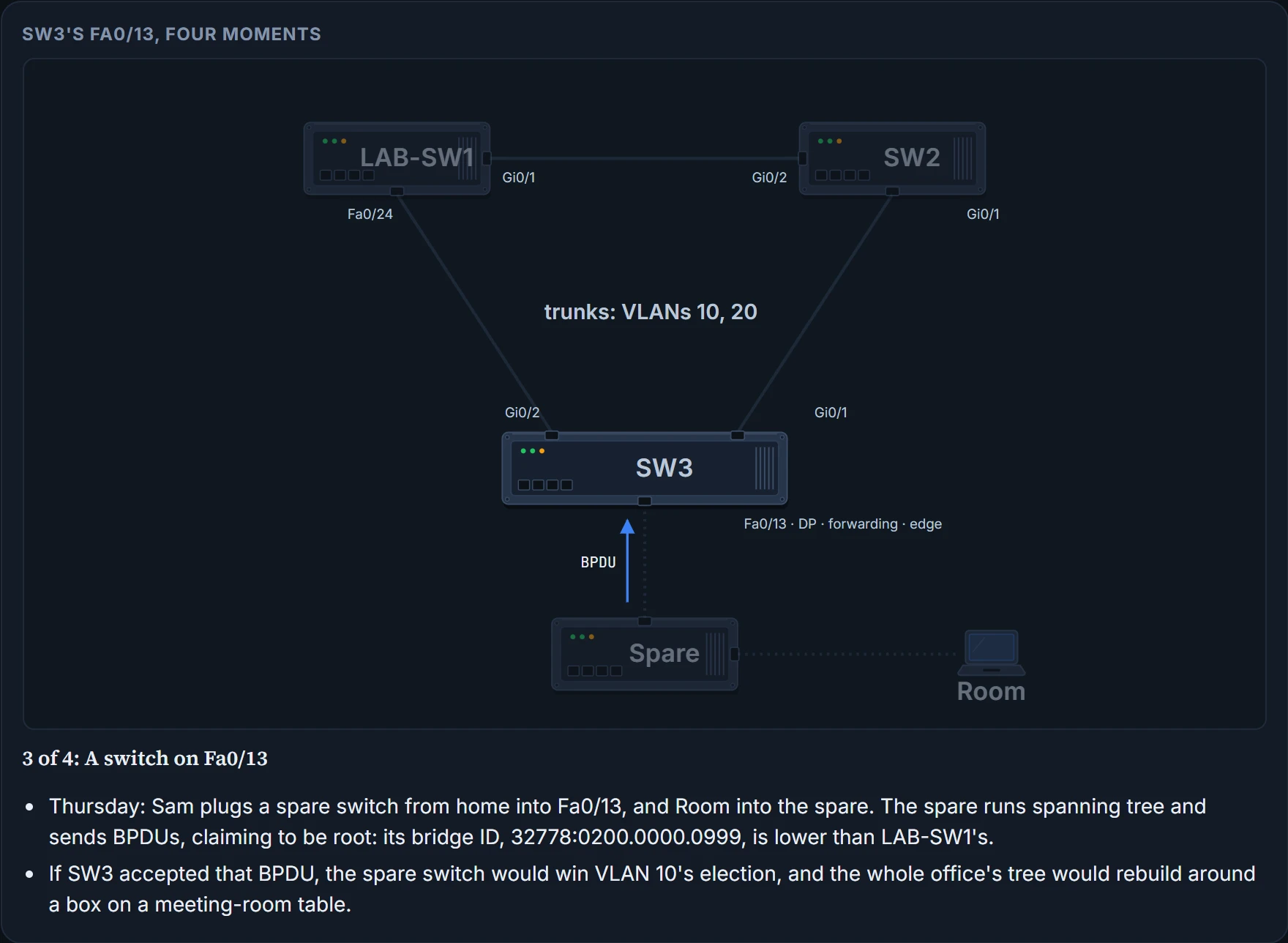
- Someone connects a switch with a low priority to a port and becomes the root. The new tree might perform worse than the one you designed.
- An attacker plugs into ports on several switches, becomes root, and actually forwards much of the LAN's traffic, copying frames with an analyser without anyone noticing.
- A user innocently plugs in a cheap consumer switch that doesn't run spanning tree at all. It won't block any ports, so it could cause a loop.
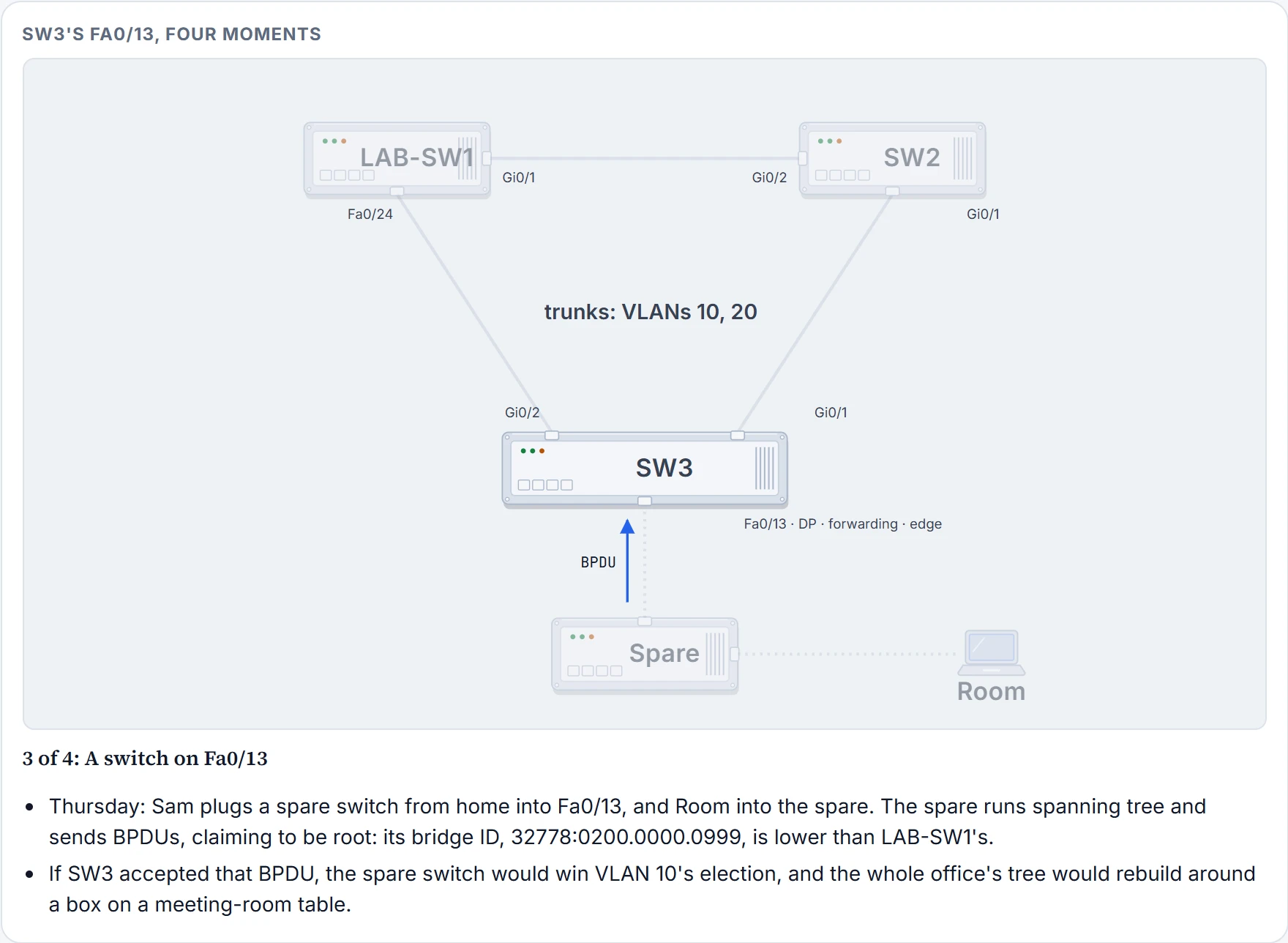
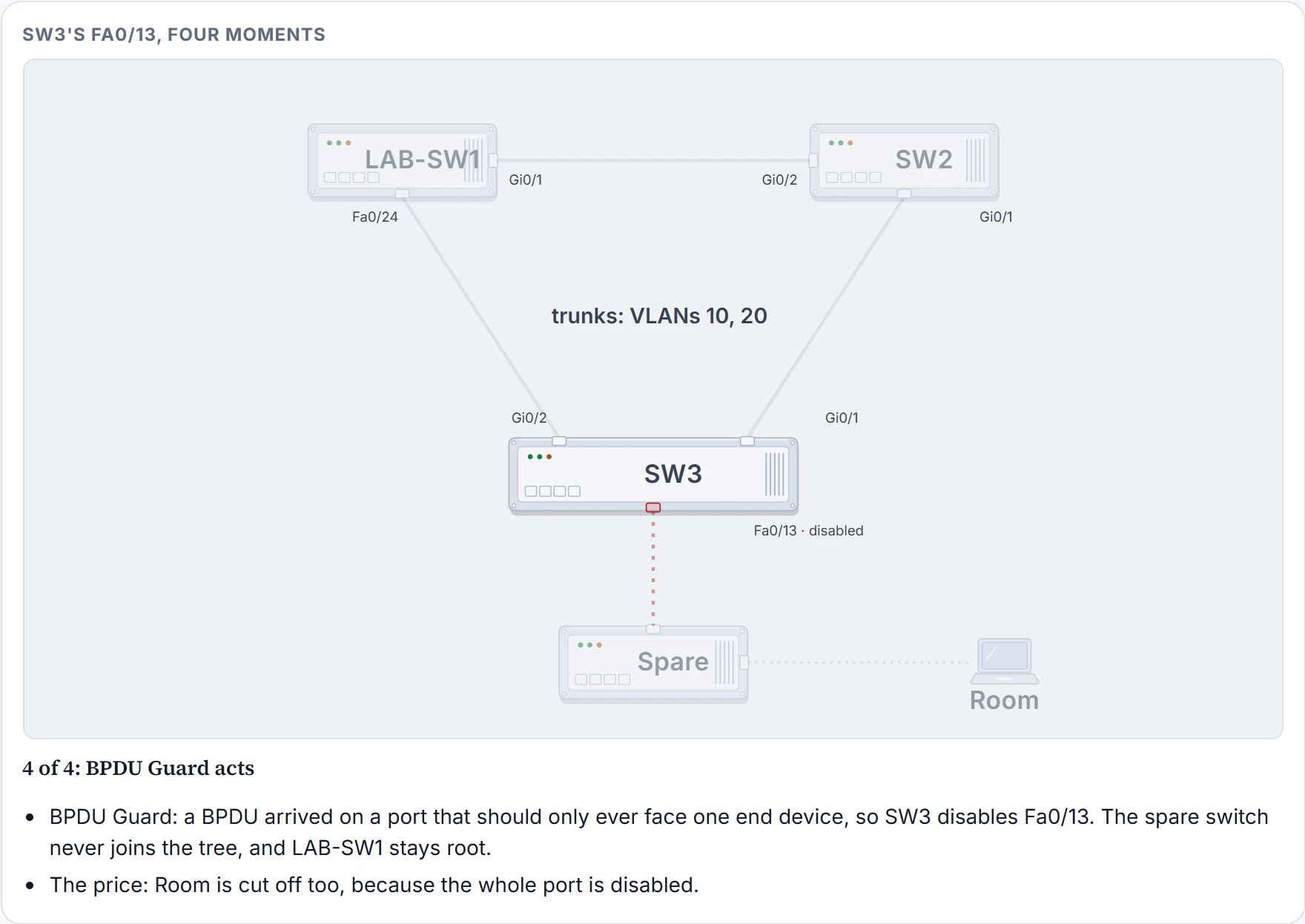
BPDU Guard helps defeat these problems by disabling a port if any BPDU is received on it. That makes it most useful on ports that should only ever be access ports, never connected to another switch. It also protects PortFast: turn both on for the same end-device ports, and if another switch is ever connected to one, the switch can disable the port before a loop is created. A device that doesn't run spanning tree sends no BPDUs, so BPDU Guard reacts to switches that do.
Here is what that looks like on Fa0/13. Here are the four moments, from Wednesday's slow start to Sam's visit on Thursday:
Step 1 of 4
Step 2 of 4
Step 3 of 4
Step 4 of 4
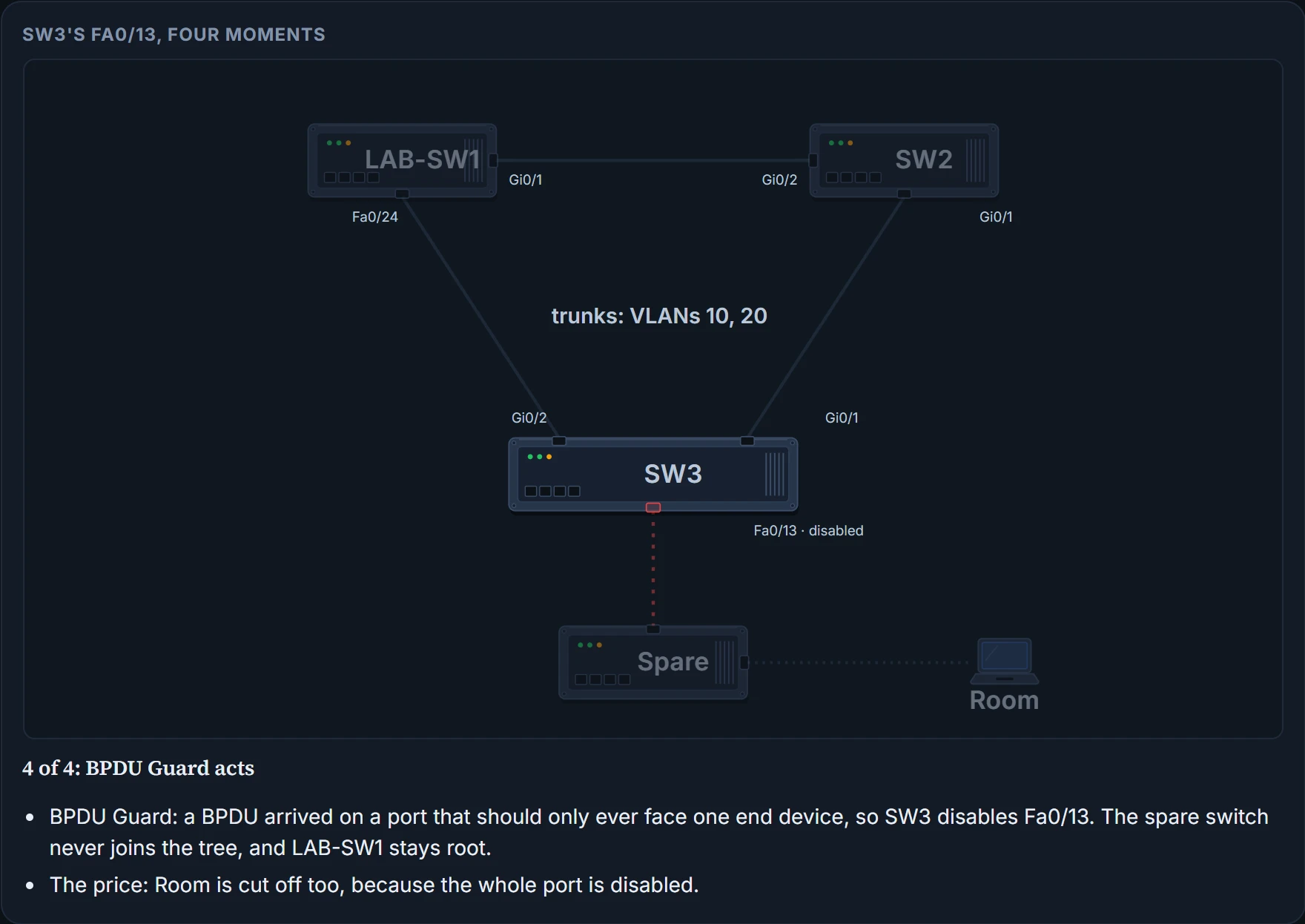
Sam's spare switch had the lowest MAC in the building. It was root for exactly no seconds.
Configuring PortFast and BPDU Guard
Both are off by default on every interface. For a few ports, turn them on per interface. This is what Maya typed on Wednesday, with the warning the switch prints for PortFast:
SW3# configure terminal
Enter configuration commands, one per line.  End with CNTL/Z.
SW3(config)# interface fastEthernet 0/13
SW3(config-if)# spanning-tree portfast
%Warning: portfast should only be enabled on ports connected to a single
 host. Connecting hubs, concentrators, switches, bridges, etc... to this
 interface  when portfast is enabled, can cause temporary bridging loops.
 Use with CAUTION
%Portfast has been configured on FastEthernet0/13 but will only
 have effect when the interface is in a non-trunking mode.
SW3(config-if)# spanning-tree bpduguard enable
SW3(config-if)# ^Z
Read the warning: PortFast should only go on ports connected to a single host. The second message adds that PortFast only takes effect while the interface isn't trunking, which Fa0/13, an access port, isn't.
SW3# show spanning-tree interface fastethernet0/13 portfast
VLAN0010            enabled
- PortFast is configured on Fa0/13 and the interface is up, for VLAN 10: enabled appears only when both are true
- that BPDU Guard is on: this command doesn't mention it
SW3# show spanning-tree interface Fa0/13 detail
 Port 13 (FastEthernet0/13) of VLAN0010 is designated forwarding
   Port path cost 19, Port priority 128, Port Identifier 128.13.
   Designated root has priority 32778, address 0200.0000.1001
   Designated bridge has priority 32778, address 0200.0000.3003
   Designated port id is 128.13, designated path cost 8
   Timers: message age 0, forward delay 0, hold 0
   Number of transitions to forwarding state: 1
   The port is in the portfast mode
   Link type is point-to-point by default
   Bpdu guard is enabled
! Lines omitted for brevity
Continue the lesson
The whole lesson, with its drawings and its questions. The rest of this section and 1 more after it.