
STP Root Bridge and Port Role Selection
Spanning tree makes three decisions in order: which switch is the root, which port on every other switch is its root port, and which port on each link forwards. The root is the switch with the lowest bridge ID, an 8-byte number that starts with a priority you can set; only if the priorities tie does the lowest MAC address decide.
By Arif, founder of Daveth · Updated
The full 12 min walkthrough is in Daveth Pro (Network). See what the plan opens
What this page answers
How is the spanning tree root bridge elected?
The switch with the lowest bridge ID becomes root. Priorities are compared first and the lowest wins, whatever the MACs; only when priorities tie does the lowest MAC address decide. Read it in “Electing the root”
What is the STP bridge ID?
An 8-byte number unique to each switch: a 2-byte priority, which an engineer can set, then a 6-byte system ID based on one of the switch's burned-in MAC addresses. Default priority 32768 plus the VLAN number gives 32778 for VLAN 10. Read it in “The bridge ID and the Hello”
How does a switch choose its root port?
Each switch that is not the root picks one root port: the port through which it has the lowest cost to reach the root. The root itself has no root port. Read it in “Choosing each switch's root port”
Three decisions, in order
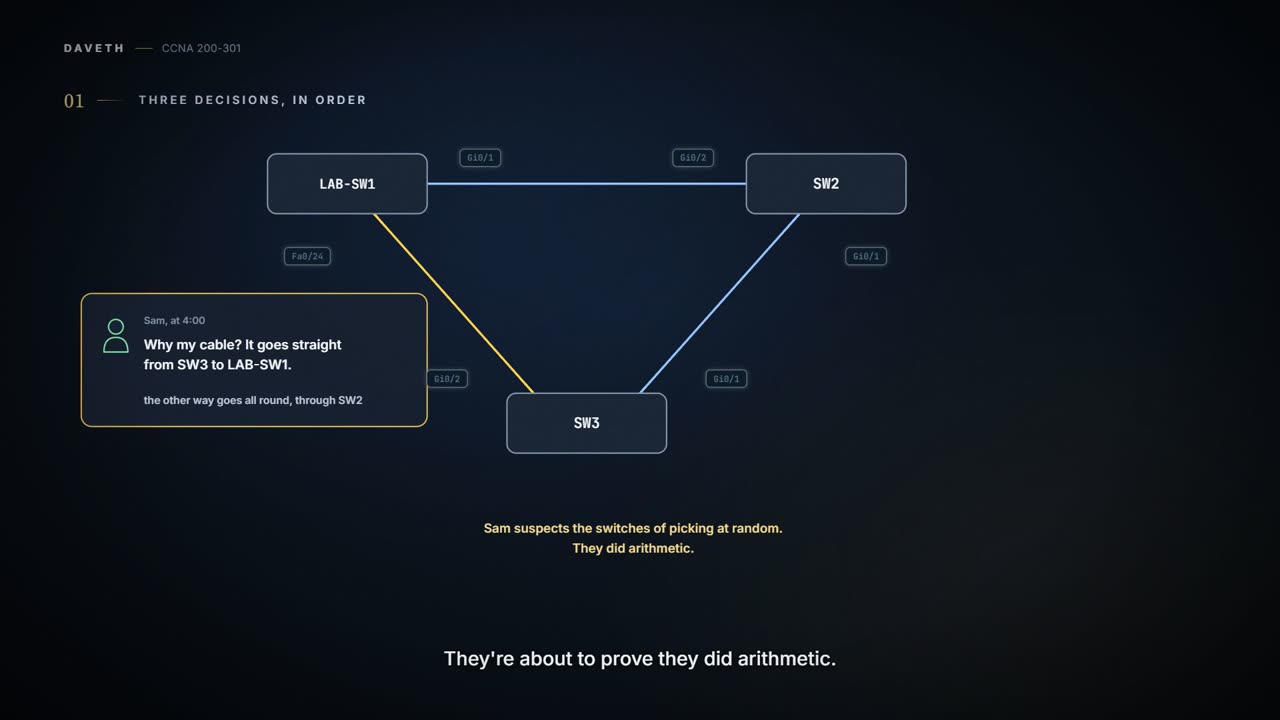
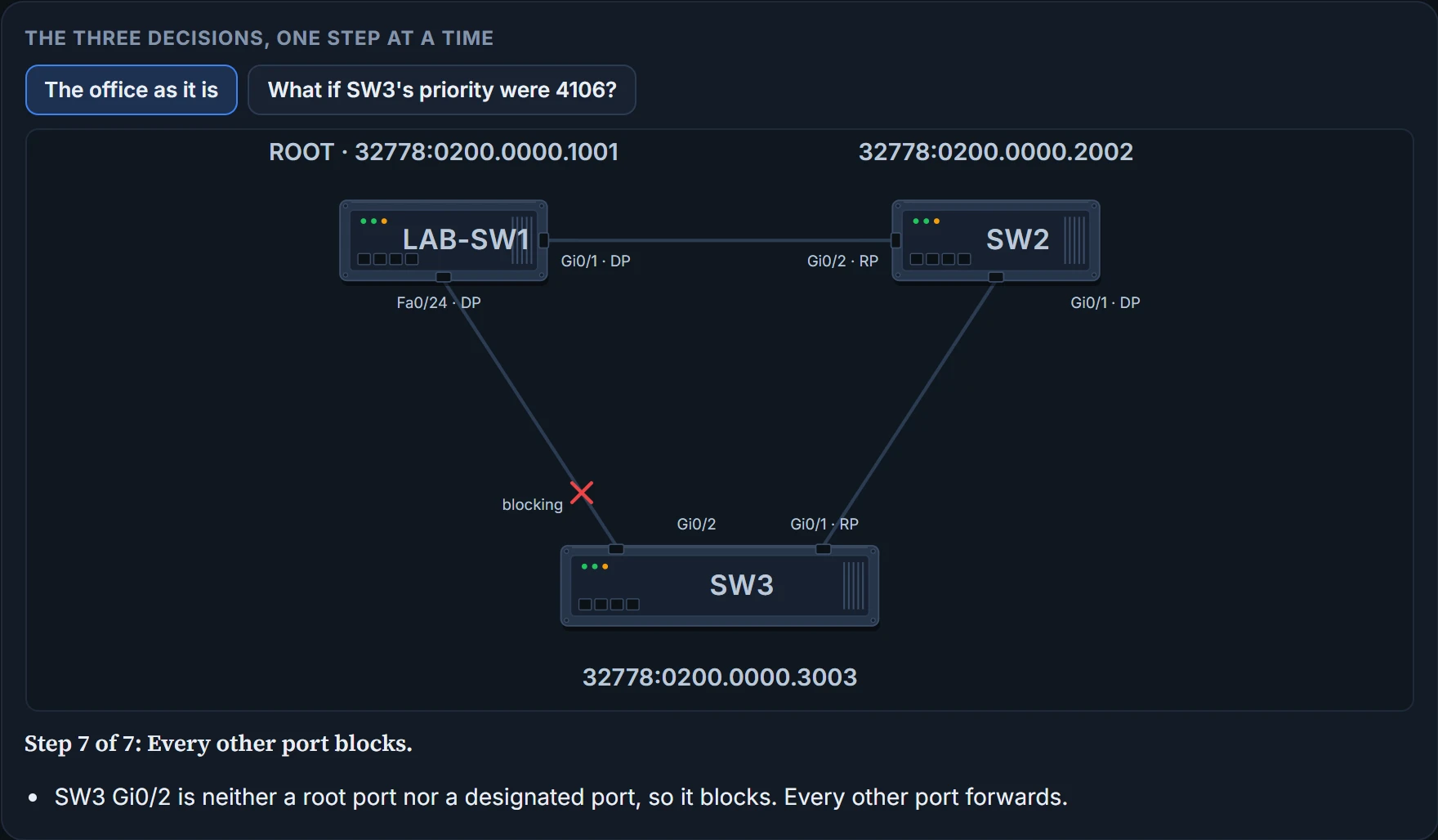
03.3.1 ended with the triangle safe: spanning tree had put SW3's Gi0/2, the end of Sam's cable, in the blocking state for VLAN 10. Sam heard about it at four o'clock on Friday.
"Why my cable?" Sam wants to know. "It goes straight from SW3 to LAB-SW1. The other way goes all round through SW2."
Sam suspects the switches of picking at random. They are about to prove they did arithmetic.
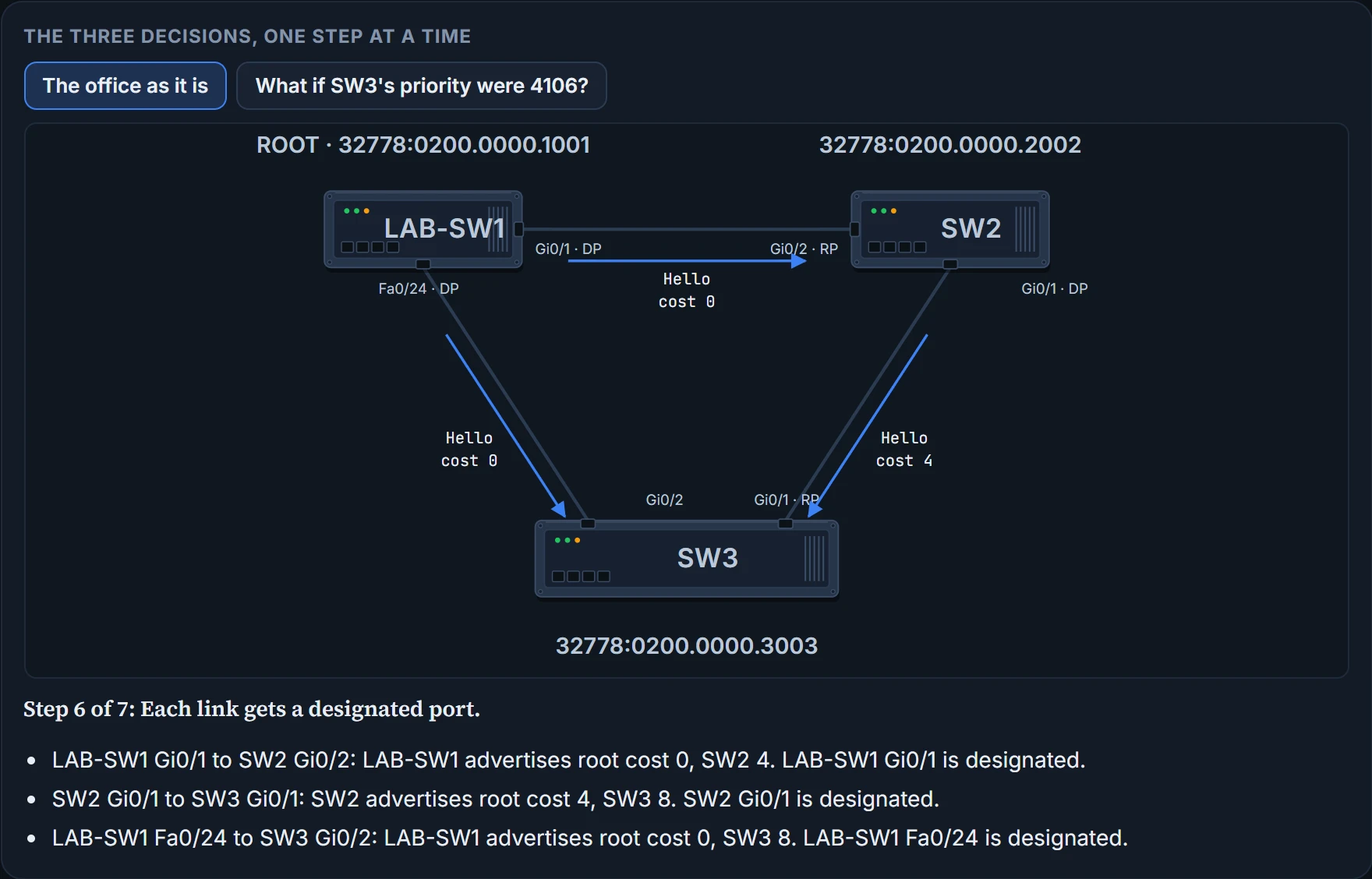
The switches make three decisions, in order: which switch is the root, which port on each other switch is its root port, and which port on each link is the designated port. Every working port that comes out of that with no job blocks. They run this once for each VLAN; this page follows VLAN 10, with the office's own numbers.
The bridge ID and the Hello
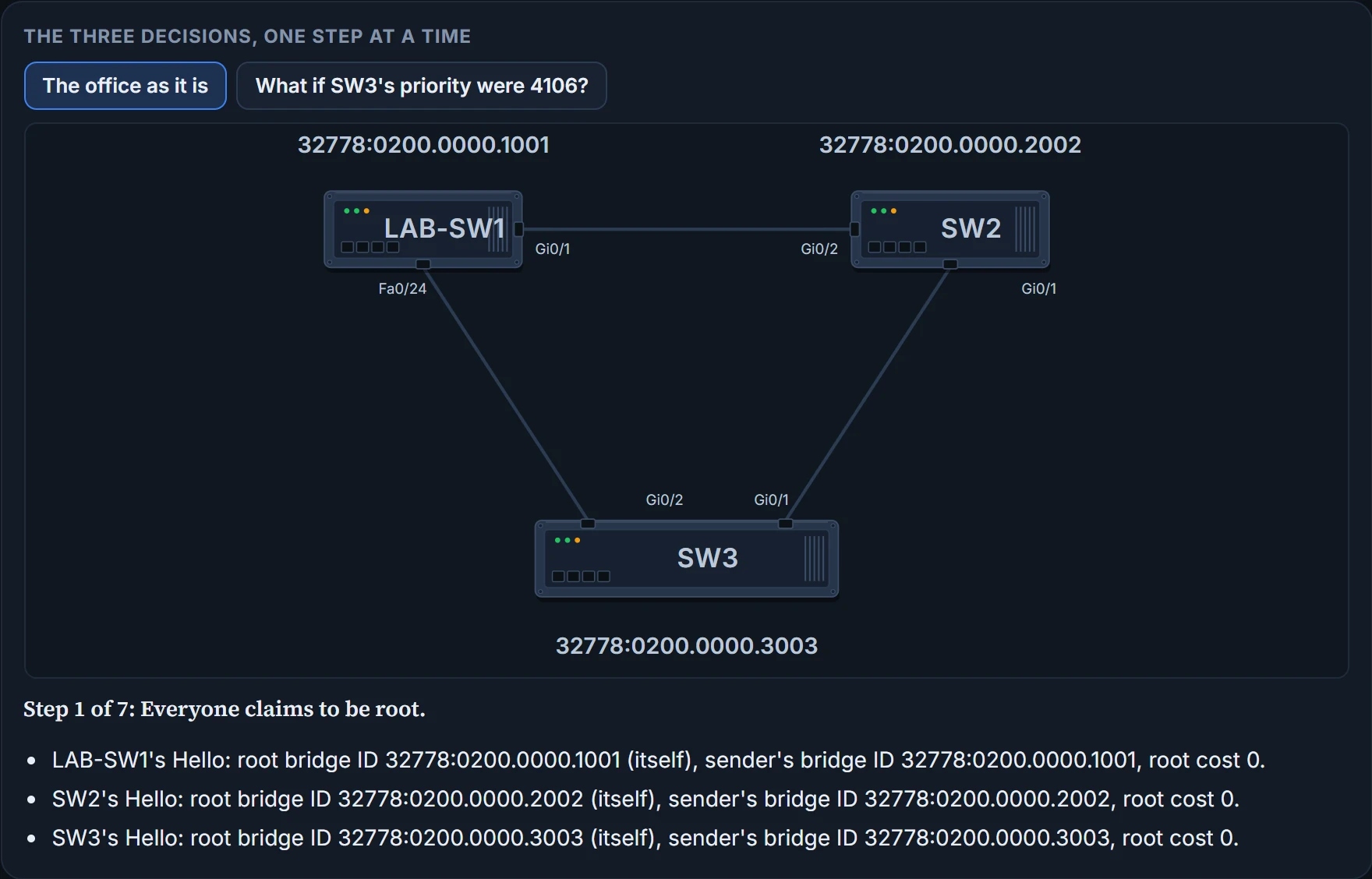
Every switch has a bridge ID (BID): an 8-byte number, unique to that switch. The first 2 bytes are a priority; the other 6 are a system ID, based on one of the switch's own burned-in MAC addresses. Since no two switches share a burned-in MAC, no two share a bridge ID. You'll see a BID written as the priority, a colon, then the MAC: 32778:0200.0000.1001.
It's basically like a raffle ticket with two numbers on it: one you can choose, printed first, and the factory's serial number after it. The first number decides; the serial only matters when two first numbers match. (Where it stops: a raffle is drawn by luck. Here the lowest ticket wins, every time.)
The priority is the part an engineer can set. It goes up in steps of 4096, and a switch adds the VLAN number to it for that VLAN. Nobody has touched the office's switches, so each has the default, 32768, plus 10: priority 32778 for VLAN 10. So the three bridge IDs differ only in their MACs.
Switches swap spanning-tree information in messages called bridge protocol data units, BPDUs, also called configuration BPDUs. The most common one is the Hello BPDU, and it carries these fields:
| Field | What it says |
|---|---|
| Root bridge ID | The bridge ID of the switch the sender of this Hello currently believes to be the root |
| Sender's bridge ID | The bridge ID of the switch sending this Hello |
| Sender's root cost | The cost between the sending switch and the current root |
| Timer values on the root switch | The Hello timer, the MaxAge timer and the forward delay timer |
Keep the first three apart. The root bridge ID is who the sender thinks is root; the sender's bridge ID is who sent this Hello; and the sender's root cost is how far the sender is from that root. When a switch passes a Hello on, it leaves the root bridge ID as it was and fills in the other two with its own BID and its own root cost. The timers belong to the next topic.
A Hello is small talk with a purpose: whoever you are, the first thing you mention is the boss.
Here are the office's three switches, with each bridge ID written by its chassis. Each section below tells you which step to go to, so don't race ahead: the later steps give away the answers. The second button runs the same triangle with SW3's priority lowered, for the end of the page.
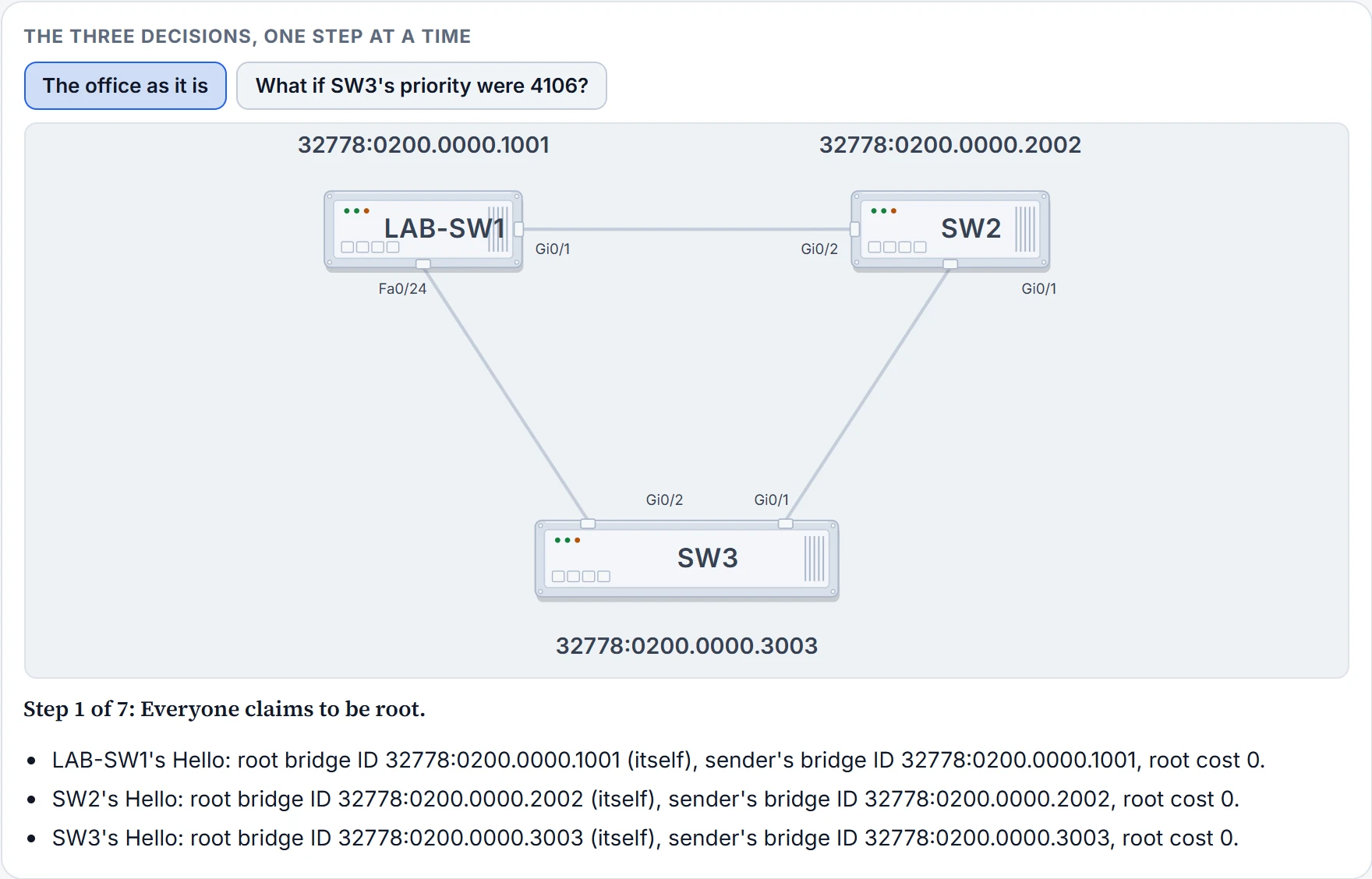
Step 1 of 7
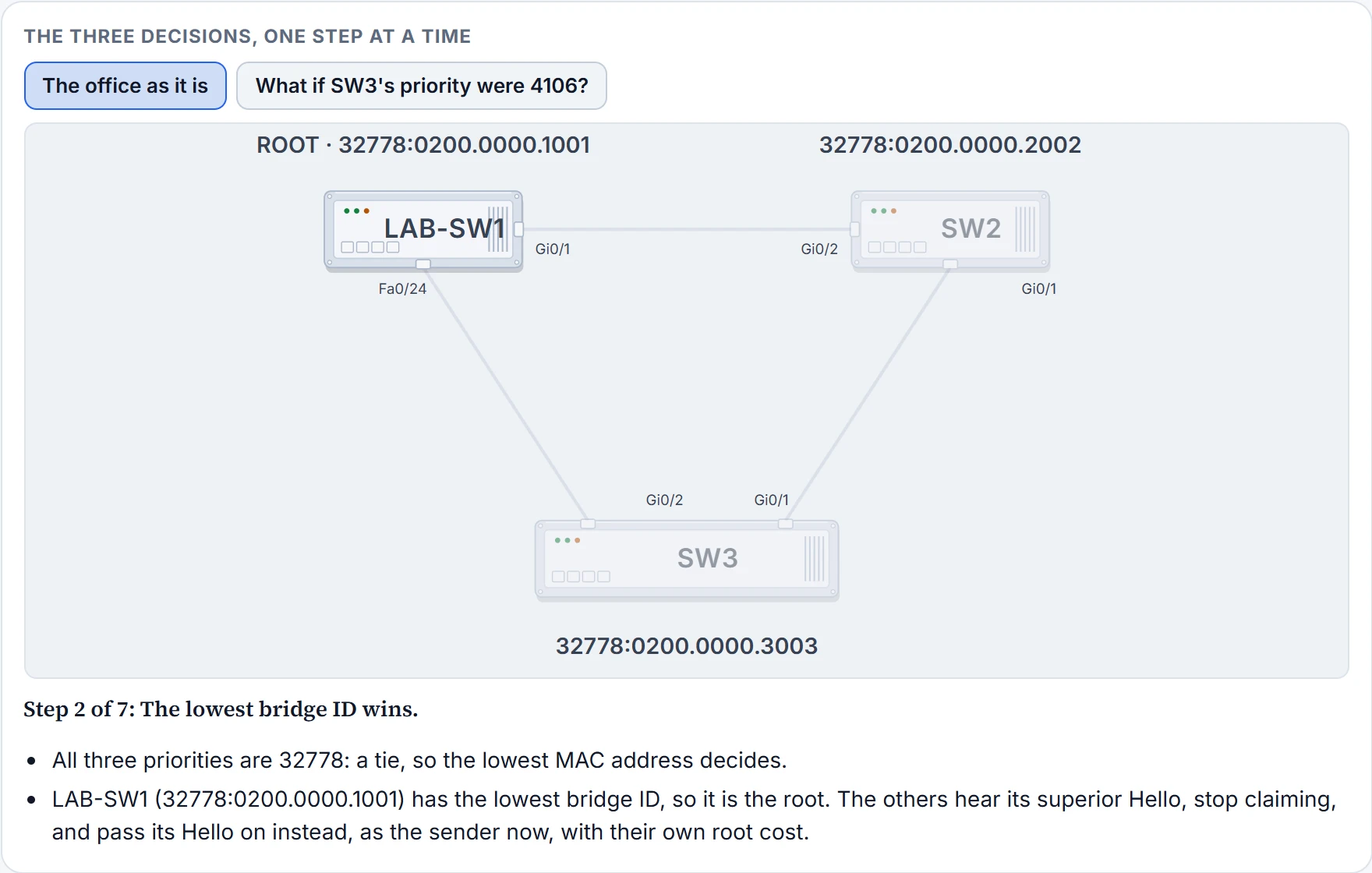
Step 2 of 7
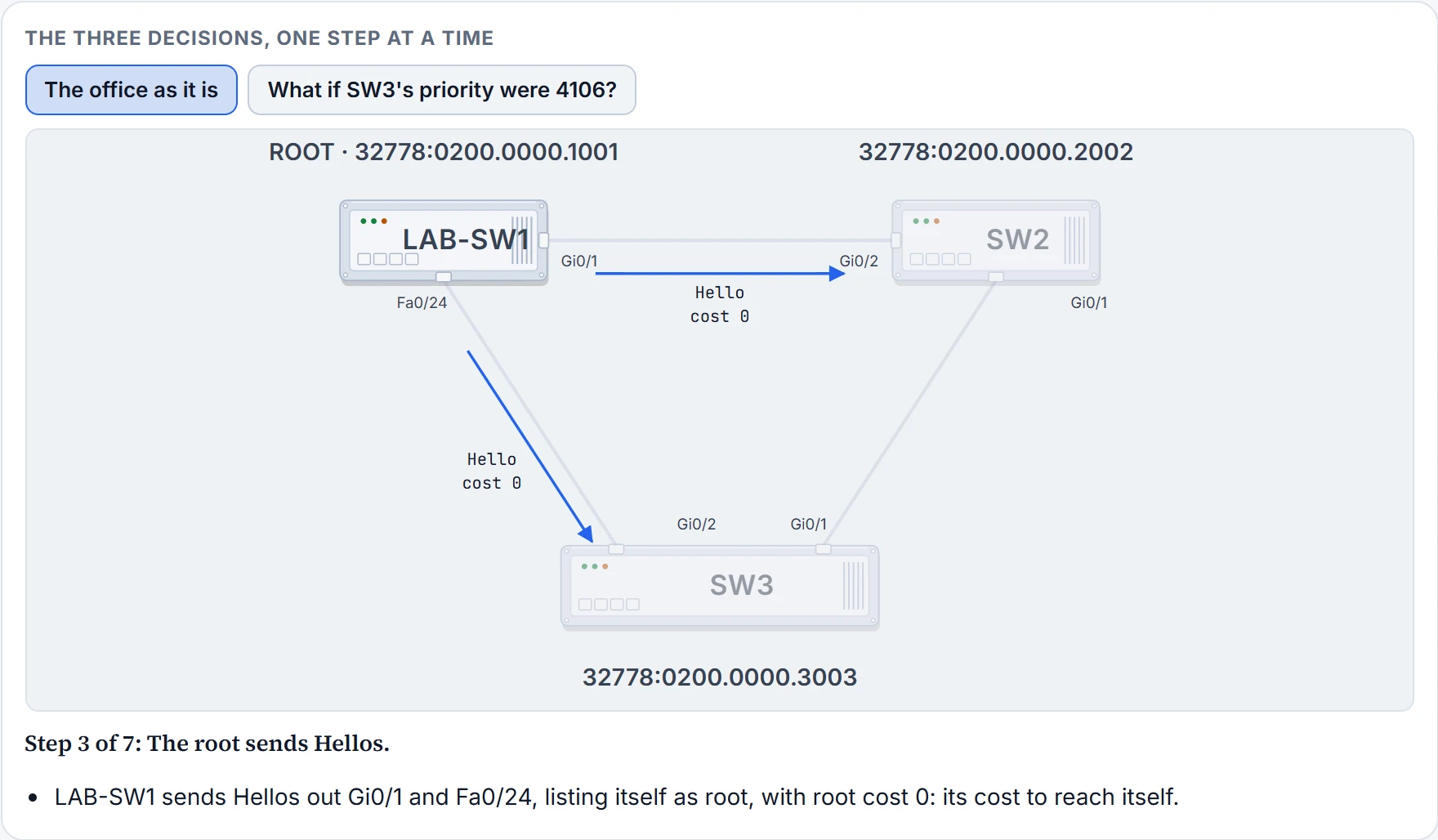
Step 3 of 7
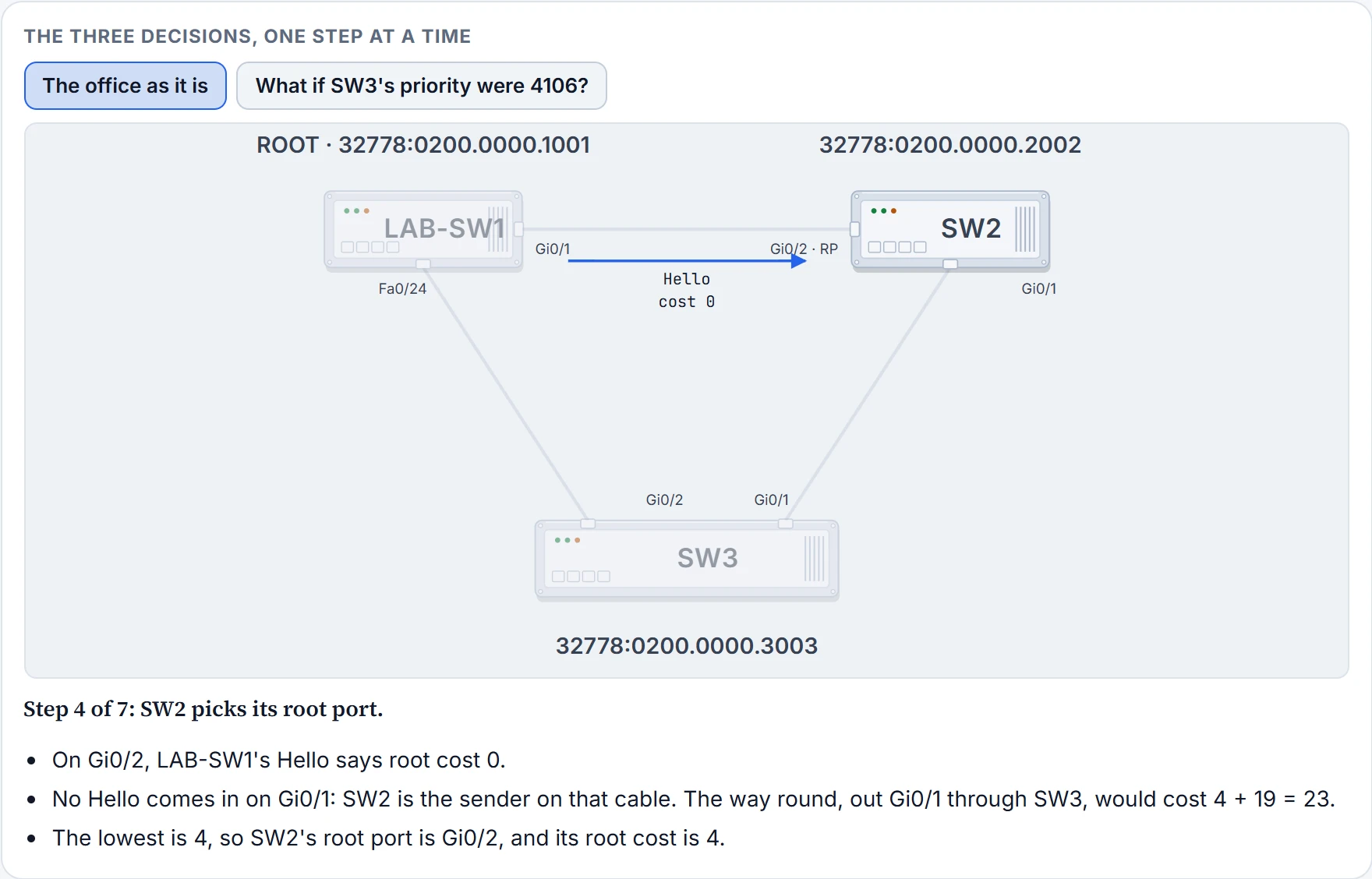
Step 4 of 7
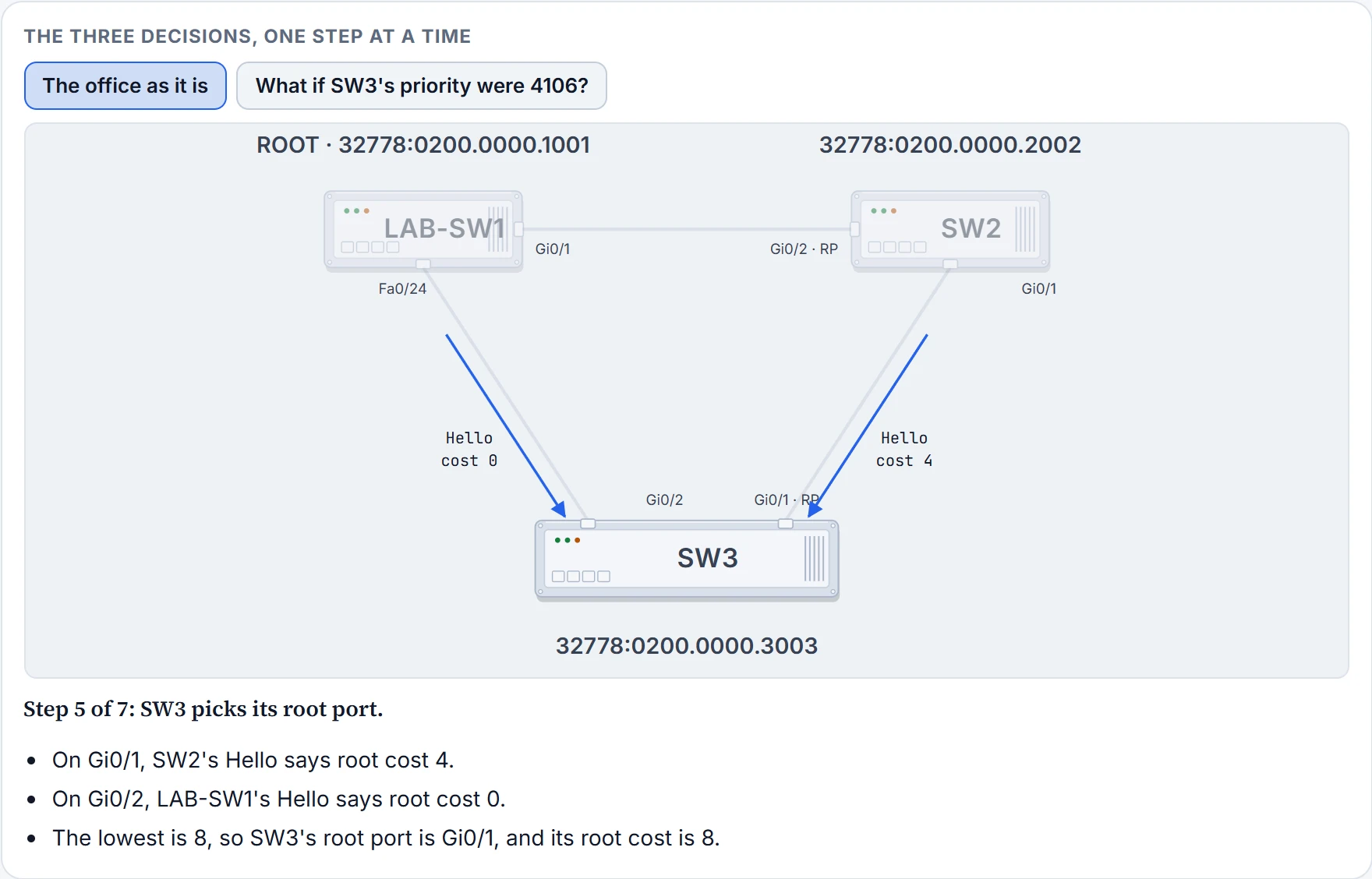
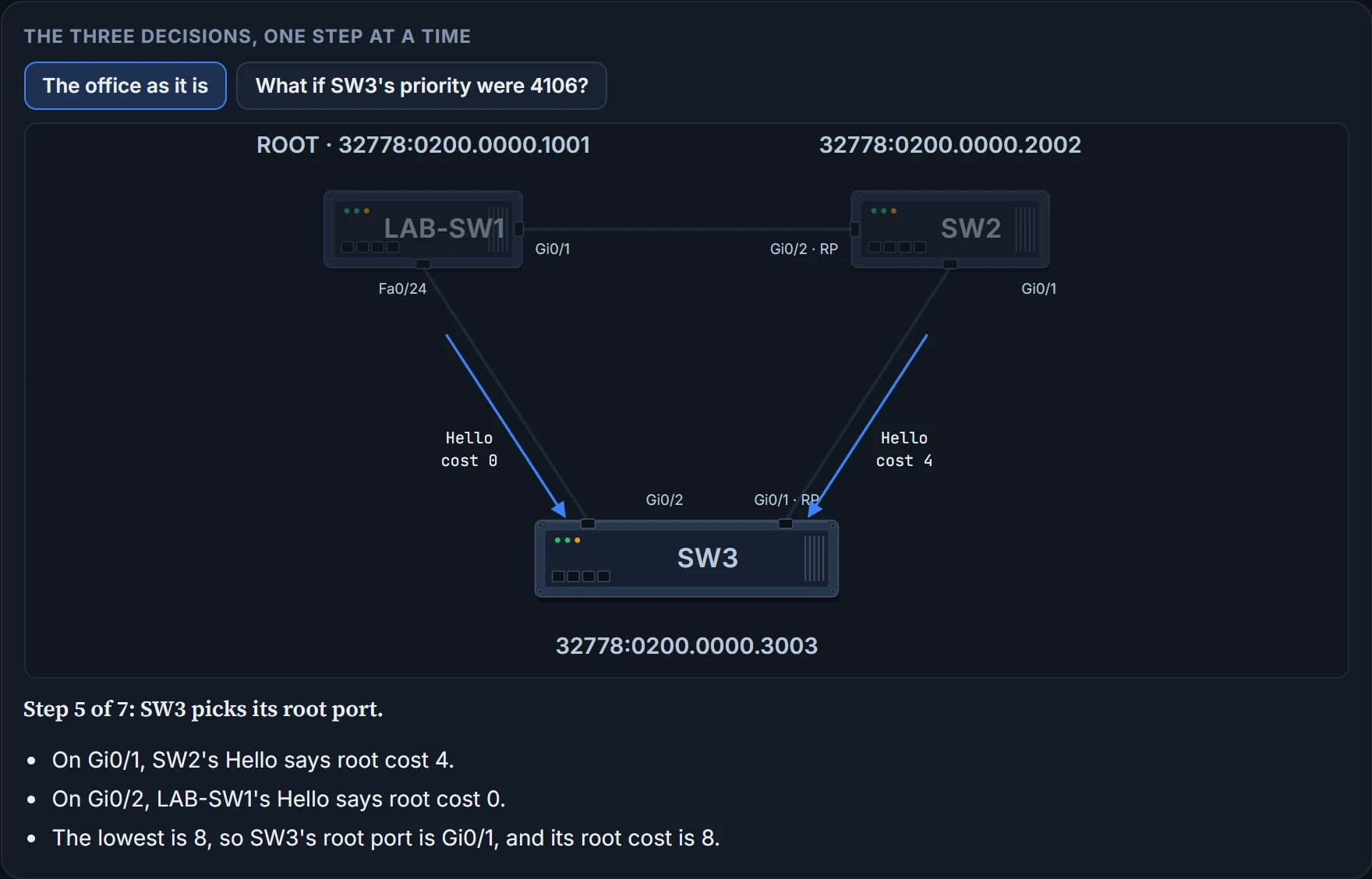
Step 5 of 7
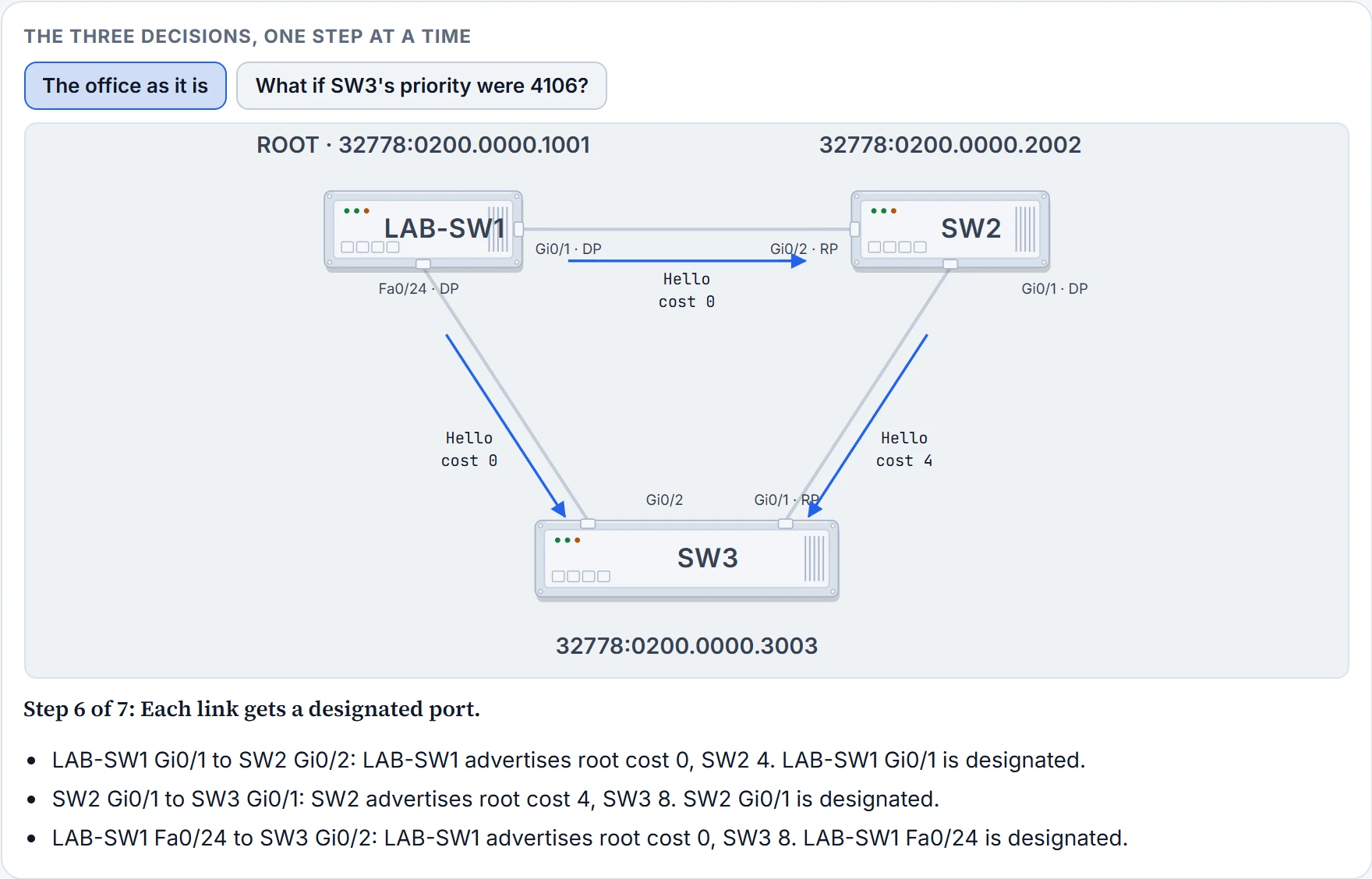
Step 6 of 7
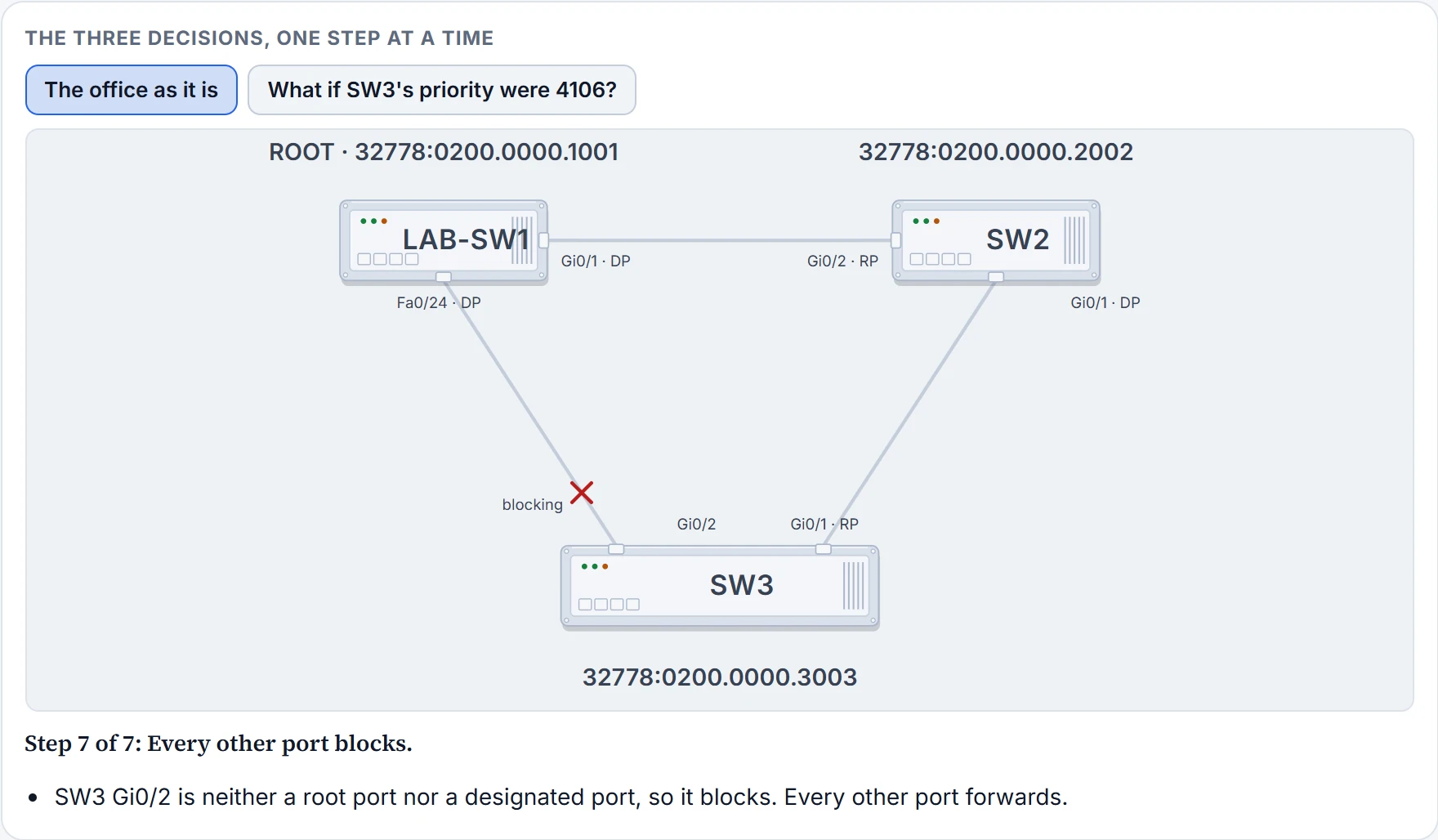
Step 7 of 7
Electing the root
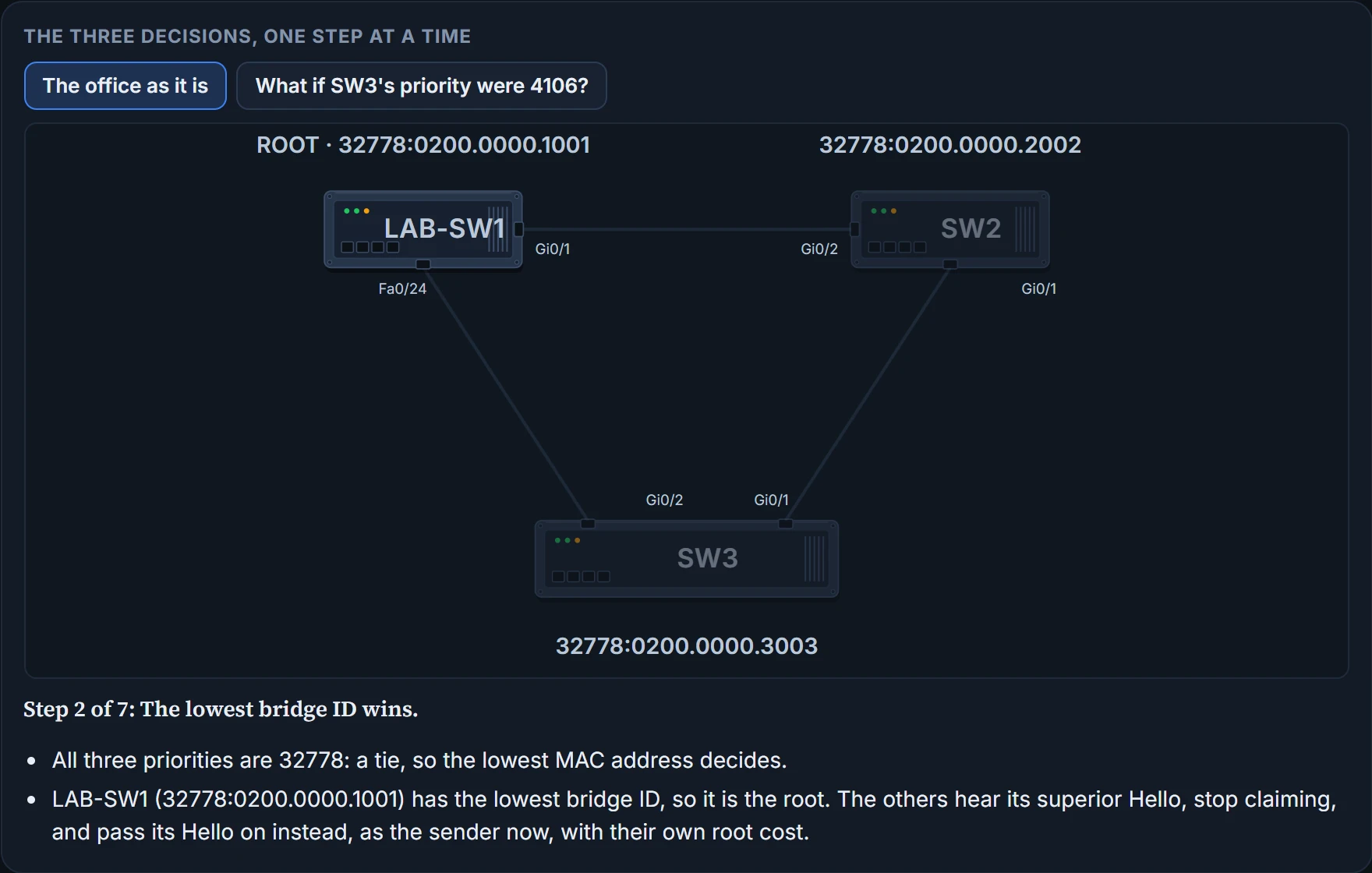
The root switch is the one with the lowest bridge ID. Because the BID starts with the priority, compare the priorities first: the lowest priority wins, whatever the MACs. Only if the priorities tie does the lowest MAC decide, and it always can, since every MAC is different.
The election starts with every switch claiming to be root: each sends Hellos with its own BID as the root bridge ID. When a switch hears a Hello listing a lower BID than the one it believes in, it stops advertising itself as root and starts forwarding that better Hello instead. A Hello whose root BID is lower is a superior Hello; one whose root BID is higher is an inferior Hello. In the end every switch agrees on the lowest BID in the network.
Catch the office halfway and you'd see both at once: SW2 has already heard LAB-SW1's superior Hello and is passing it on, root bridge ID LAB-SW1's, while SW3 hasn't yet and is still claiming to be root itself.
You can think of it as a room full of people working out who is oldest. Everyone starts by saying "me". Compare the birth year first, and only if two people share a year compare the date; anyone who hears an older birthday stops saying "me" and passes that name along instead. (Where it stops: people might argue. A switch gives up the moment it hears a lower BID, and doesn't campaign again unless something changes.)
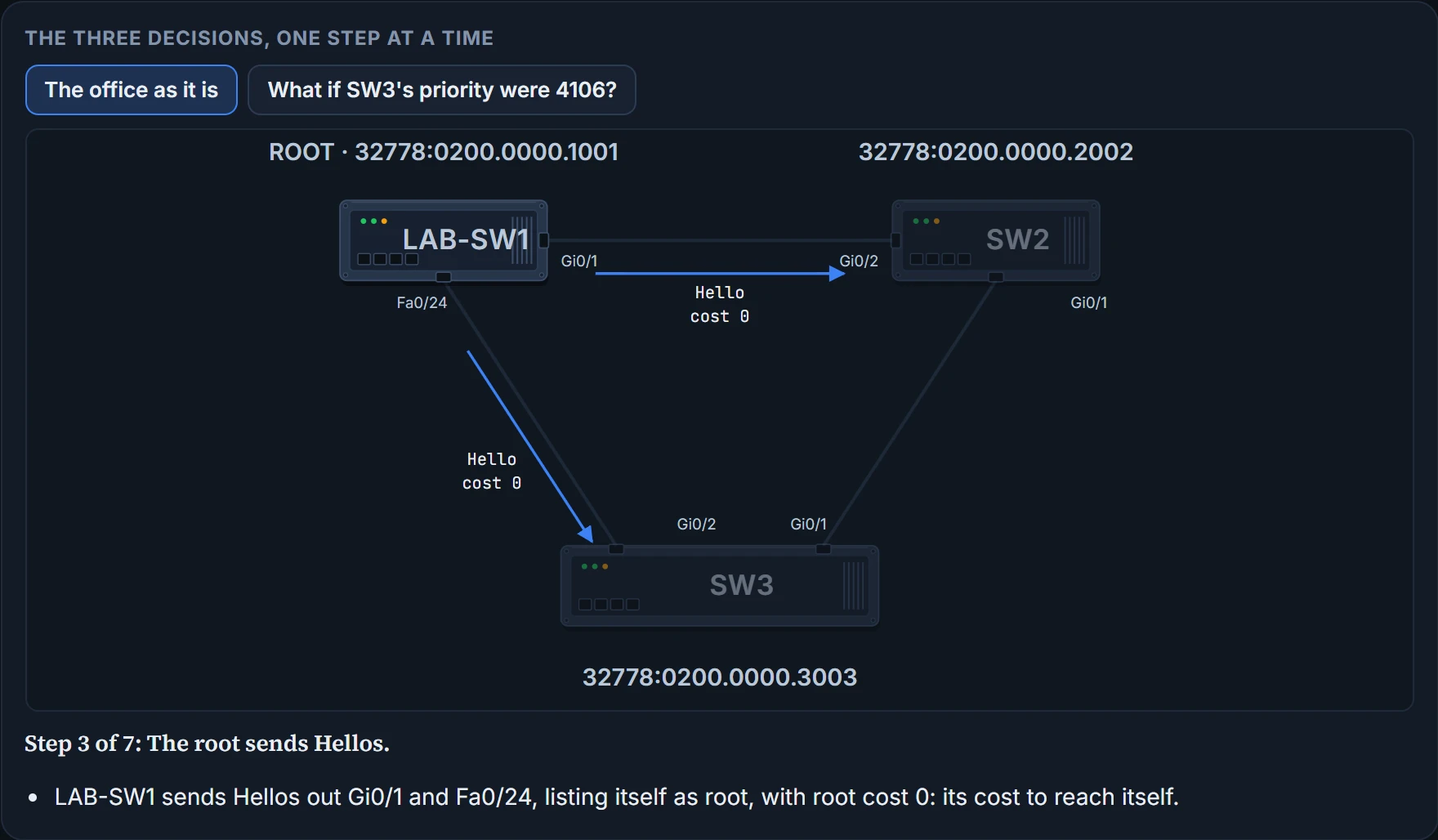
In the office the priorities all tie at 32778, so the MACs decide. LAB-SW1's 0200.0000.1001 is the lowest of the three, so LAB-SW1 is the root. Once it has won: the root sends its Hellos, with root cost 0.
LAB-SW1 won an election without making a single speech. Its MAC address just happened to be the lowest.
Choosing each switch's root port
Next, each nonroot switch picks its one and only root port (RP): the port through which it has the lowest cost to reach the root, its root cost. The root itself has no root port, which gives you a quick test: any switch with a root port isn't the root.
Each port has an STP port cost, a number per port, per VLAN, set by default from the speed the link is actually running at, not the fastest it could run. The office uses two of the defaults: 4 for a port running at 1 Gbps, and 19 for 100 Mbps. Sam's cable runs at 100 Mbps because LAB-SW1's end is a FastEthernet port, so both ends cost 19, even SW3's gigabit Gi0/2. (The next topic has the full list.)
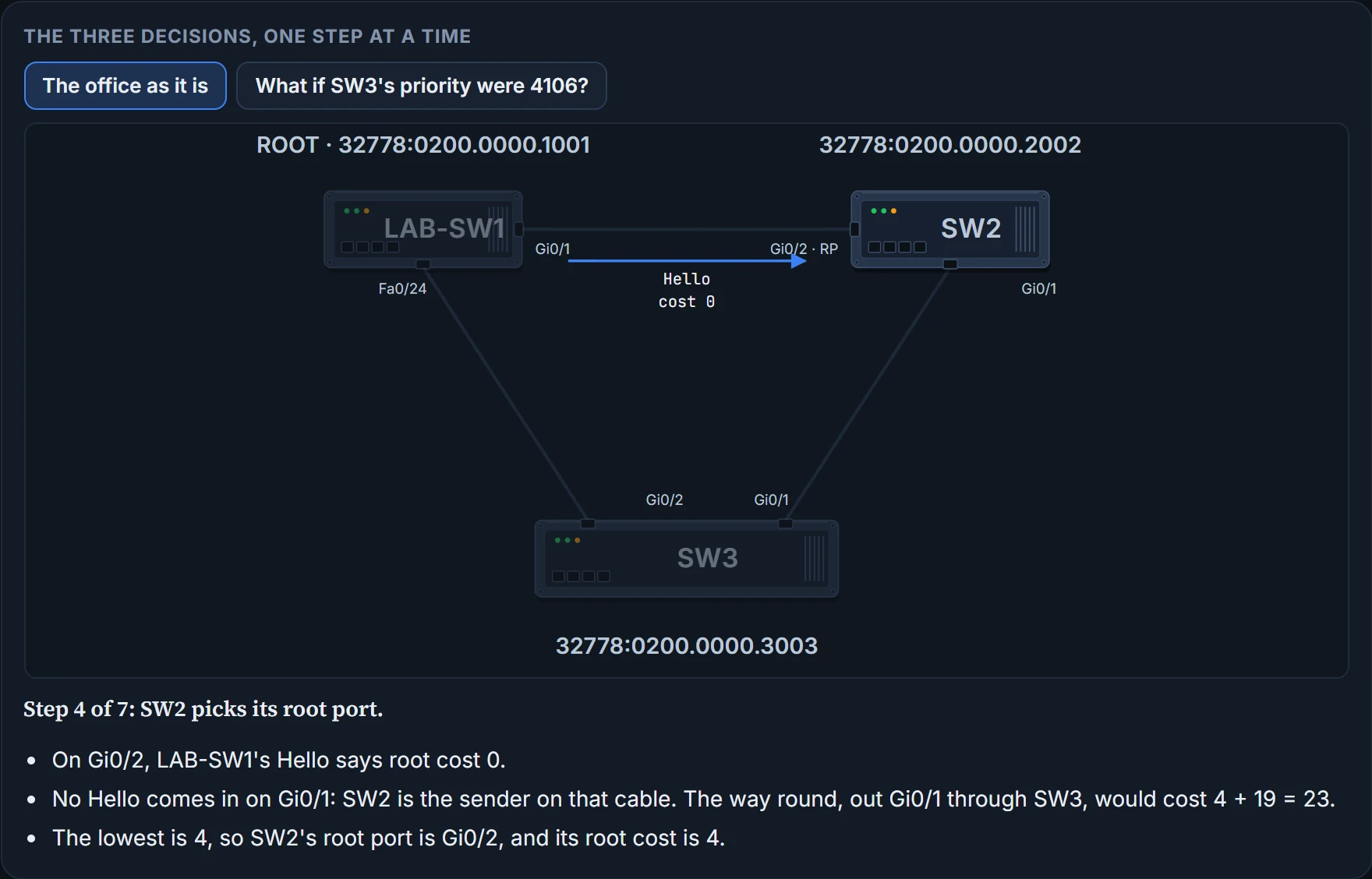
On a diagram you can add up a path's cost yourself: the costs of the ports a frame would leave by, on the way to the root. The ports it arrives on don't count. Switches reach the same answer from the Hellos. The root sends its Hellos with root cost 0, its cost to reach itself. A switch takes the root cost listed in a Hello it receives, adds the cost of the port it received it on, and the lowest total wins.
Step 4 is SW2, the switch nearest the root. On Gi0/2 it hears the root's Hello: 0 + 4 = 4. Nothing arrives on Gi0/1, where SW2 is the one sending Hellos, and the way round, out Gi0/1, through SW3 and over Sam's cable, would cost 4 + 19 = 23. So SW2's root port is Gi0/2, with root cost 4, and from now on SW2's Hellos say 4.
Step 5 is SW3. On Gi0/2, Sam's cable, the root's Hello says 0; SW3 adds its own port cost, 19, for a total of 19. On Gi0/1, SW2's Hello says 4; SW3 adds 4, for 8. So SW3's root port is Gi0/1, with root cost 8. Each root port forwards.
If you've ever picked a route by adding up the tolls rather than the miles, you already think like SW3. The direct road has one big toll, 19; the way round through SW2 has two small ones, 4 + 4. (Where it stops: a driver can look up every toll in advance. SW3 only knows the total each neighbour puts in its Hello, plus the cost of its own port.)
Sam's cable is the shortest way to the root and it still loses. Short isn't the same as cheap.
If two paths tie on root cost, the switch breaks the tie in this order, stopping at the first difference:
- The lowest neighbour bridge ID.
- The lowest neighbour port priority.
- The lowest neighbour internal port number.
All three are about the switch on the other end, not the one choosing, and only the paths that tied take part. The first nearly always settles it. The other two only matter when two switches are joined by more than one cable: then both Hellos come from the same neighbour, with the same BID. Port priority defaults to 128, and lower wins; the internal port numbers simply follow the port order, Fa0/1 lowest.
Continue the lesson
The whole lesson, with its drawings and its questions. 3 more sections after the ones above.