Spanning Tree Protocol: Why It Exists and What It Does

A switch floods a broadcast out every port in the VLAN but the one it came in on, so with a loop of links a copy comes round and gets flooded again, forever: an Ethernet frame has no hop count. The Spanning Tree Protocol prevents that by putting some ports in a blocking state, for each VLAN, so only one path stays in use.

In Daveth Pro (Network)9 min video

By , founder of Daveth · Updated

Opening frame of the video walkthrough of Spanning Tree Protocol: Why It Exists and What It Does

Watch this lesson

9 min · Video walkthrough

In Daveth Pro (Network)

The full 9 min walkthrough is in Daveth Pro (Network). See what the plan opens

What this page answers

What is spanning tree (STP)?

A protocol switches run to stop frames looping. Before using a port for user traffic in a VLAN, the switch checks its STP state: forwarding means use it as normal; blocking means send and receive no user traffic on it in that VLAN. Read it in “What spanning tree does”

Why does a switching loop cause a broadcast storm?

A switch floods a broadcast out every port in the VLAN except the one it arrived on. Round a loop, each copy comes back in and is flooded again, and nothing in an Ethernet frame ever stops it. Read it in “What a loop would do”

Friday, 3 p.m.

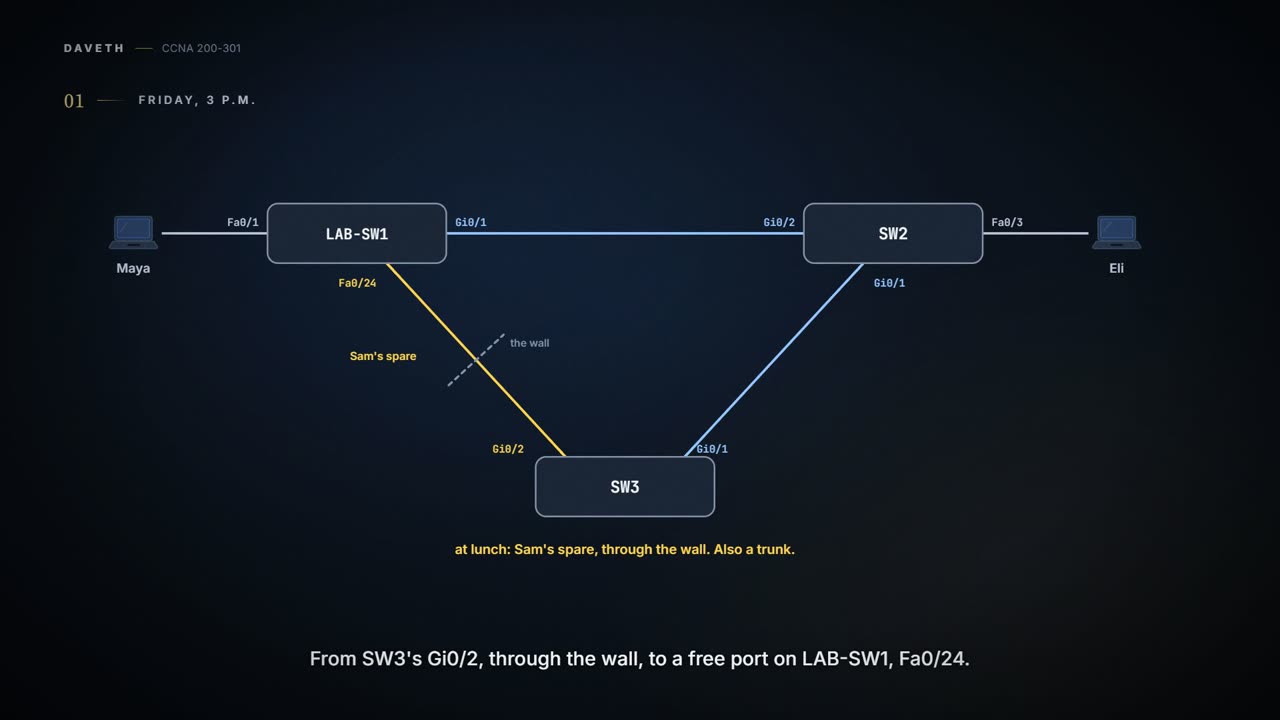
The meeting room got its own small switch this morning, SW3, and Maya cabled it to SW2: SW2's Gi0/1 to SW3's Gi0/1, a trunk like the hallway. At lunch Sam, still keen on spares, ran one more cable, "to be safe": from SW3's Gi0/2, through the wall, to a free port on LAB-SW1, Fa0/24. Also a trunk. Sam didn't mention it.

At 3 p.m. Maya finds it. Three switches, three cables: a triangle. 02.5's what-if said a loop like this would flood the office with copies of one frame, forever. Yet the visitors have been working since lunch and nothing has fallen over. Why not?

What a loop would do

Remember the rule for a broadcast, or a frame to a MAC address the switch has no row for: the switch floods it out every port in that VLAN except the one it came in on. With a triangle of links, a copy can come all the way round and in again, and get flooded again. An Ethernet frame has no hop count to run down, so nothing in the frame ever stops it.

The switches are being obedient. That is exactly the problem.

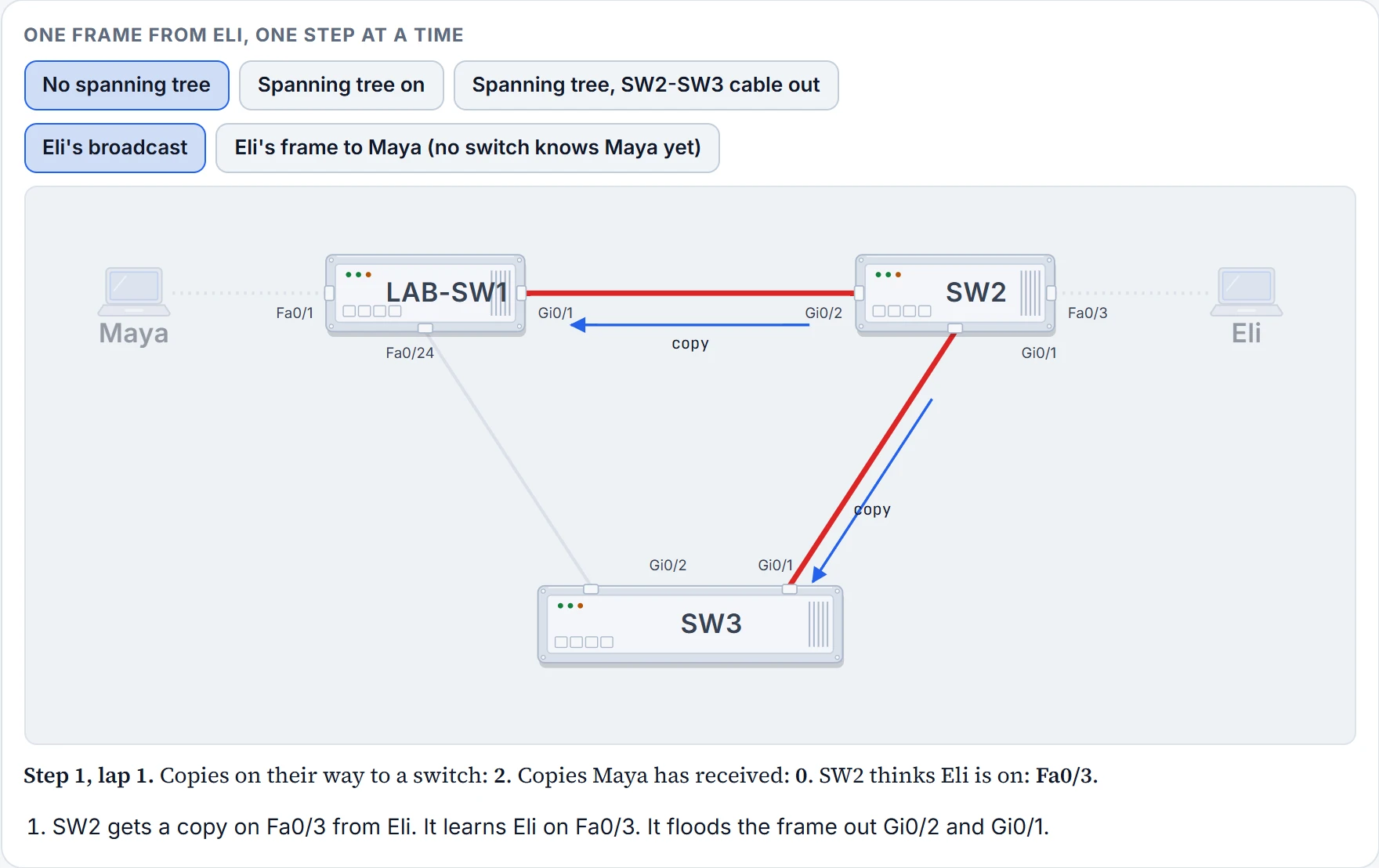
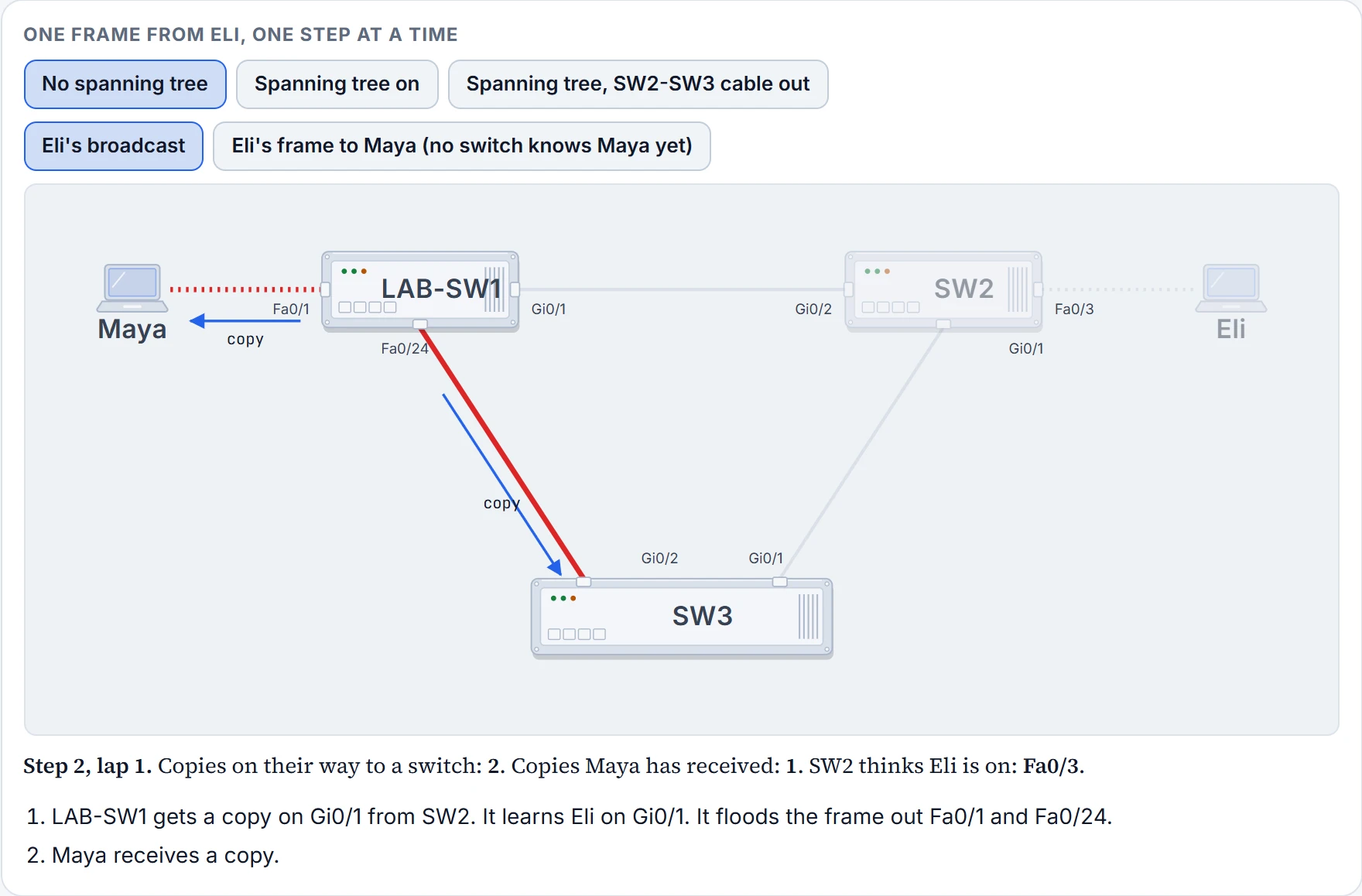
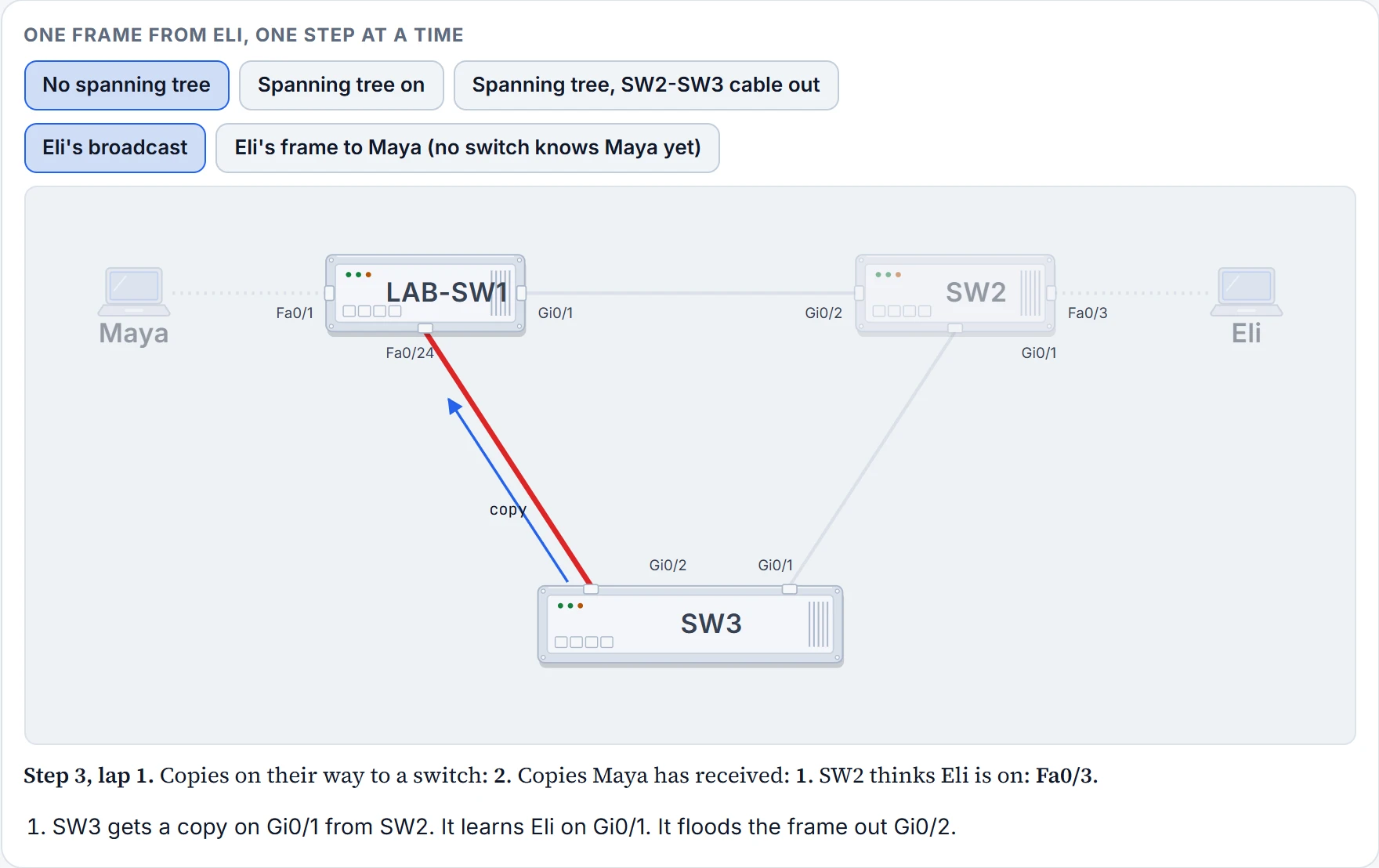
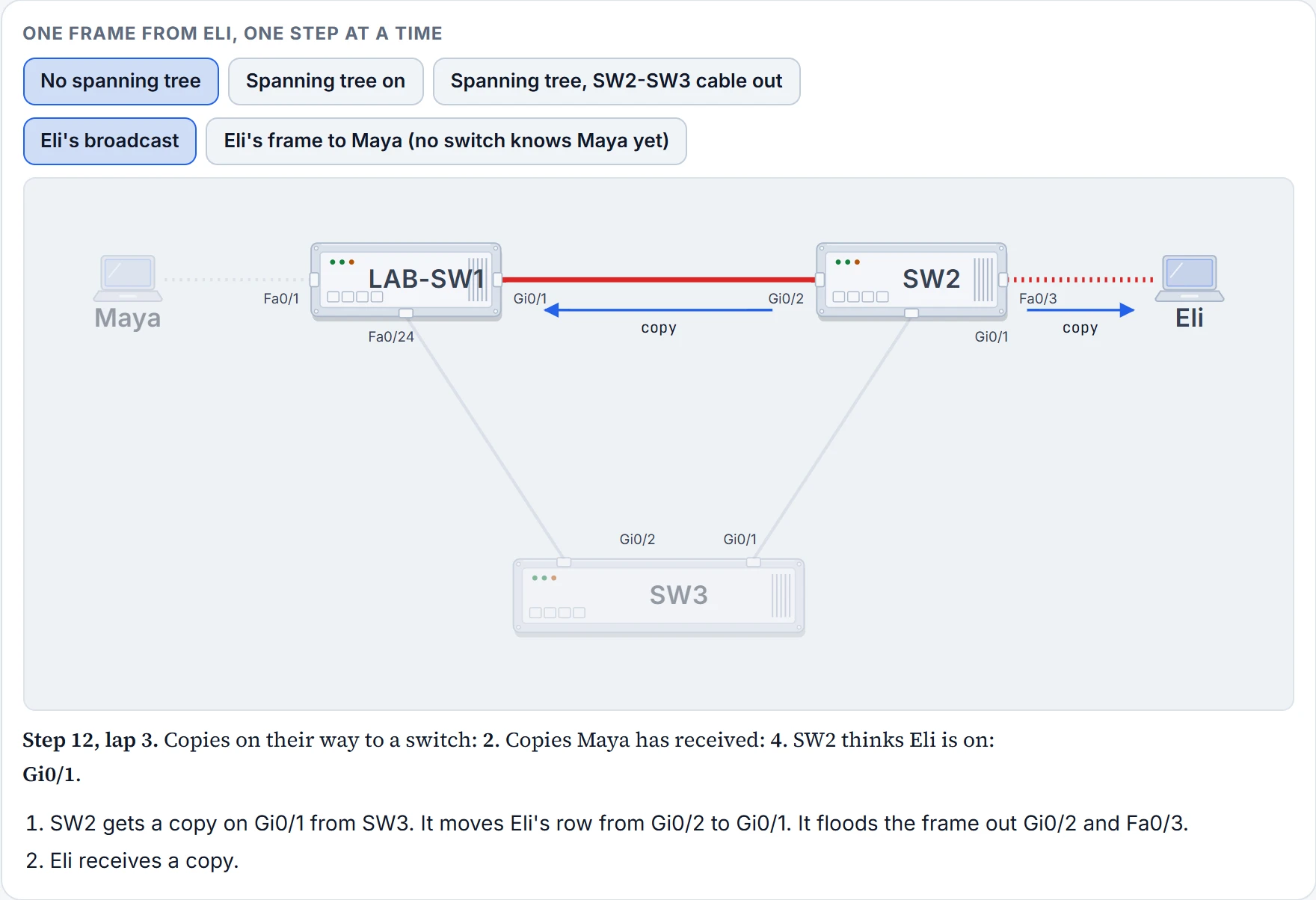
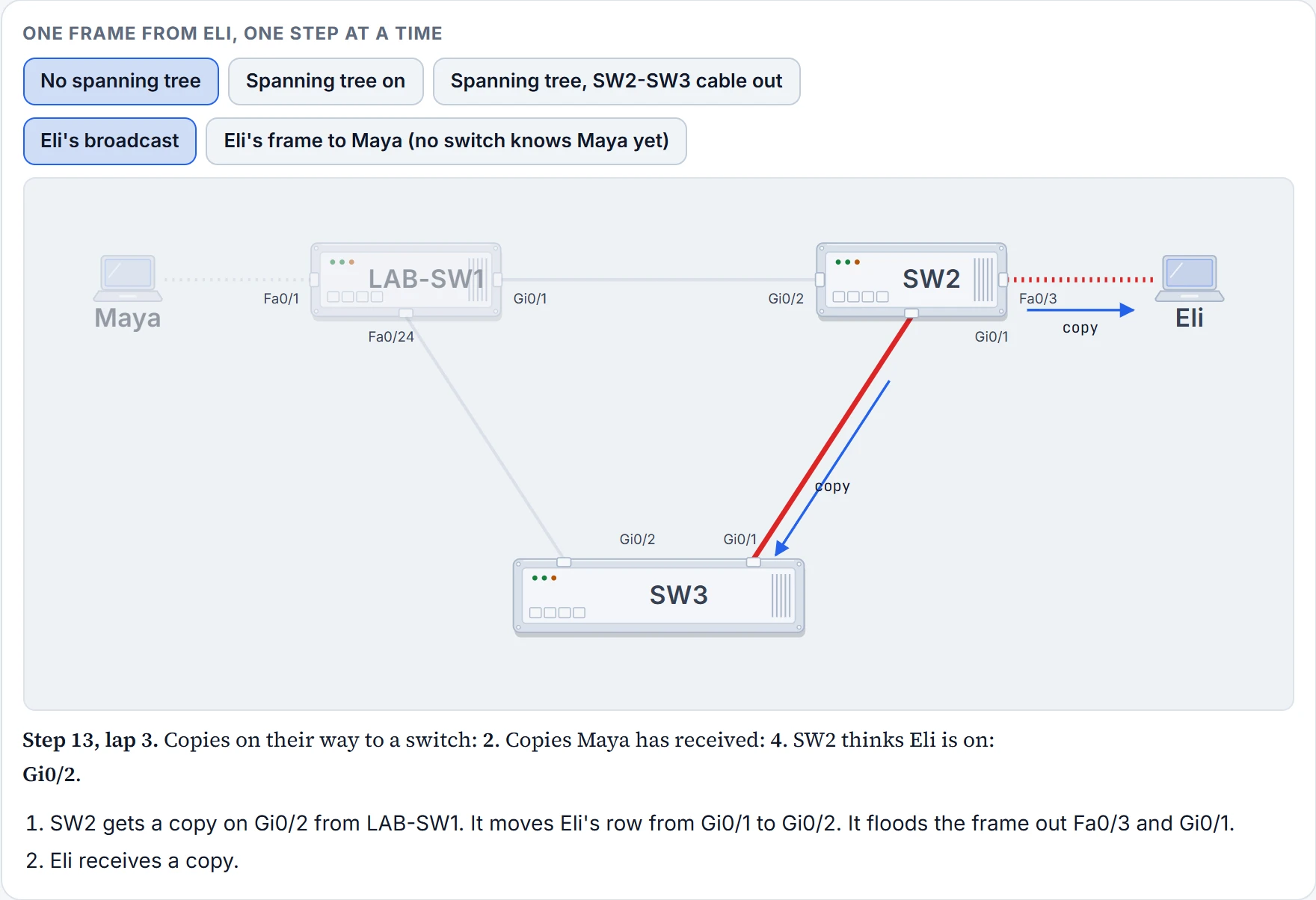
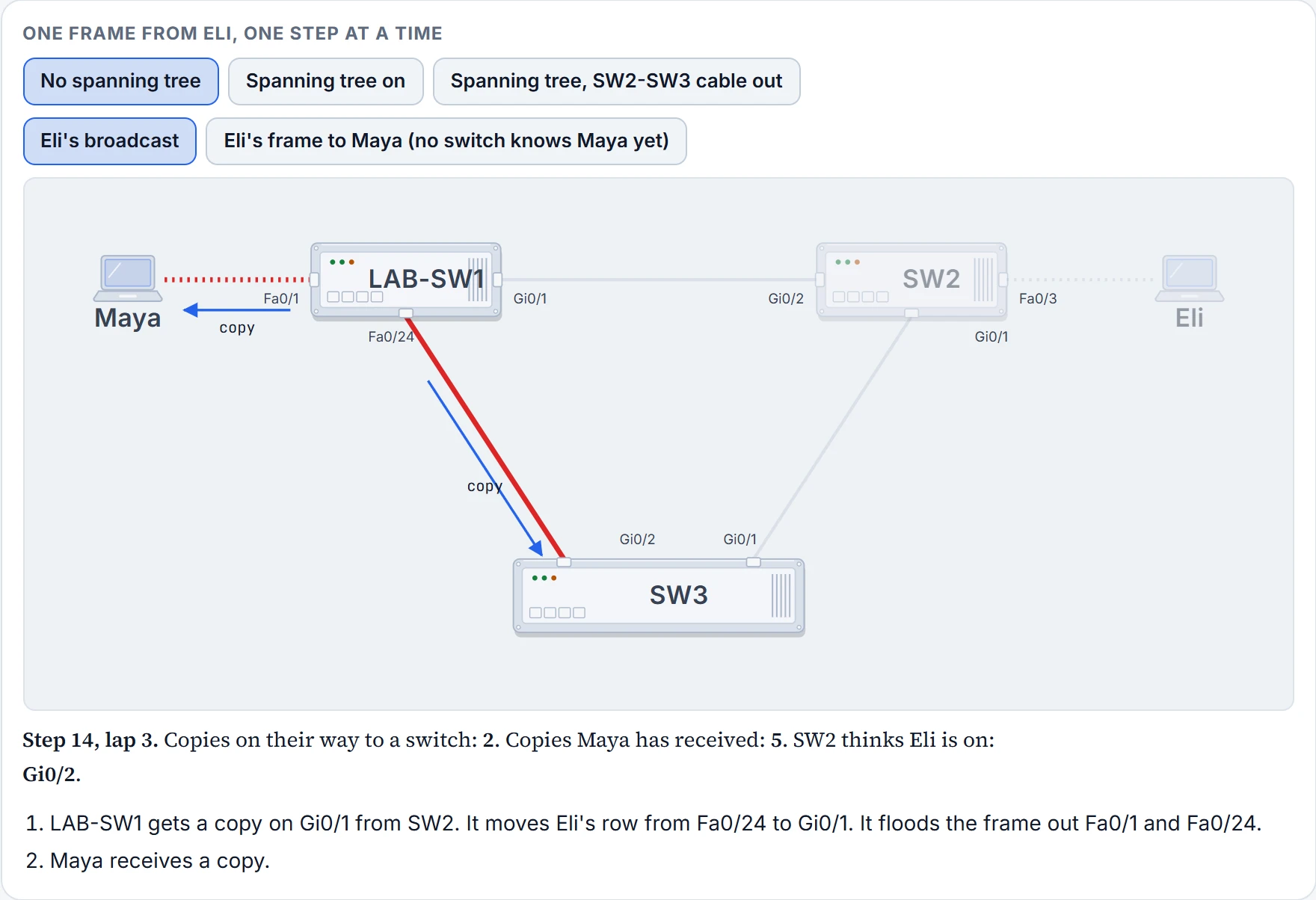
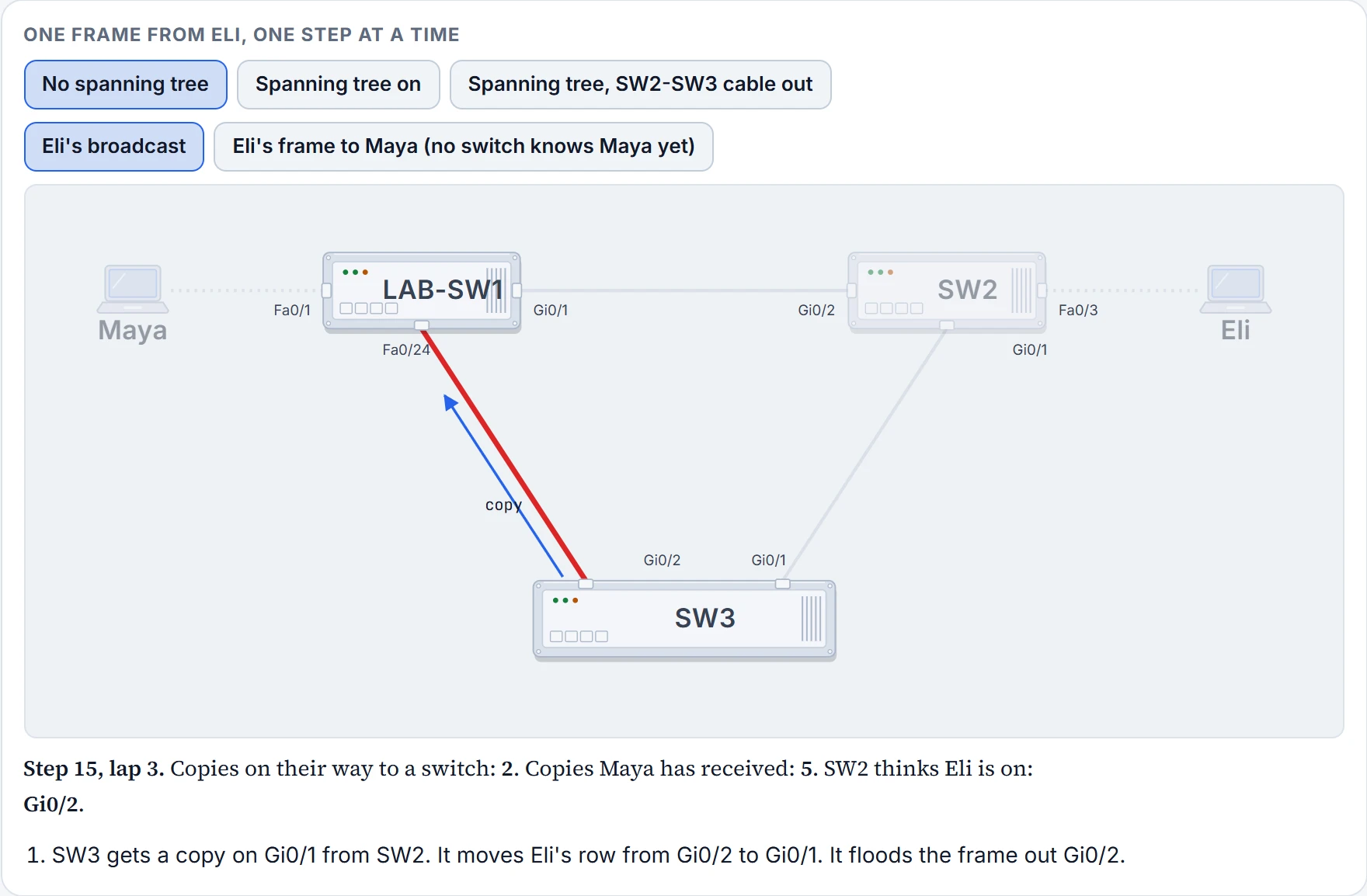
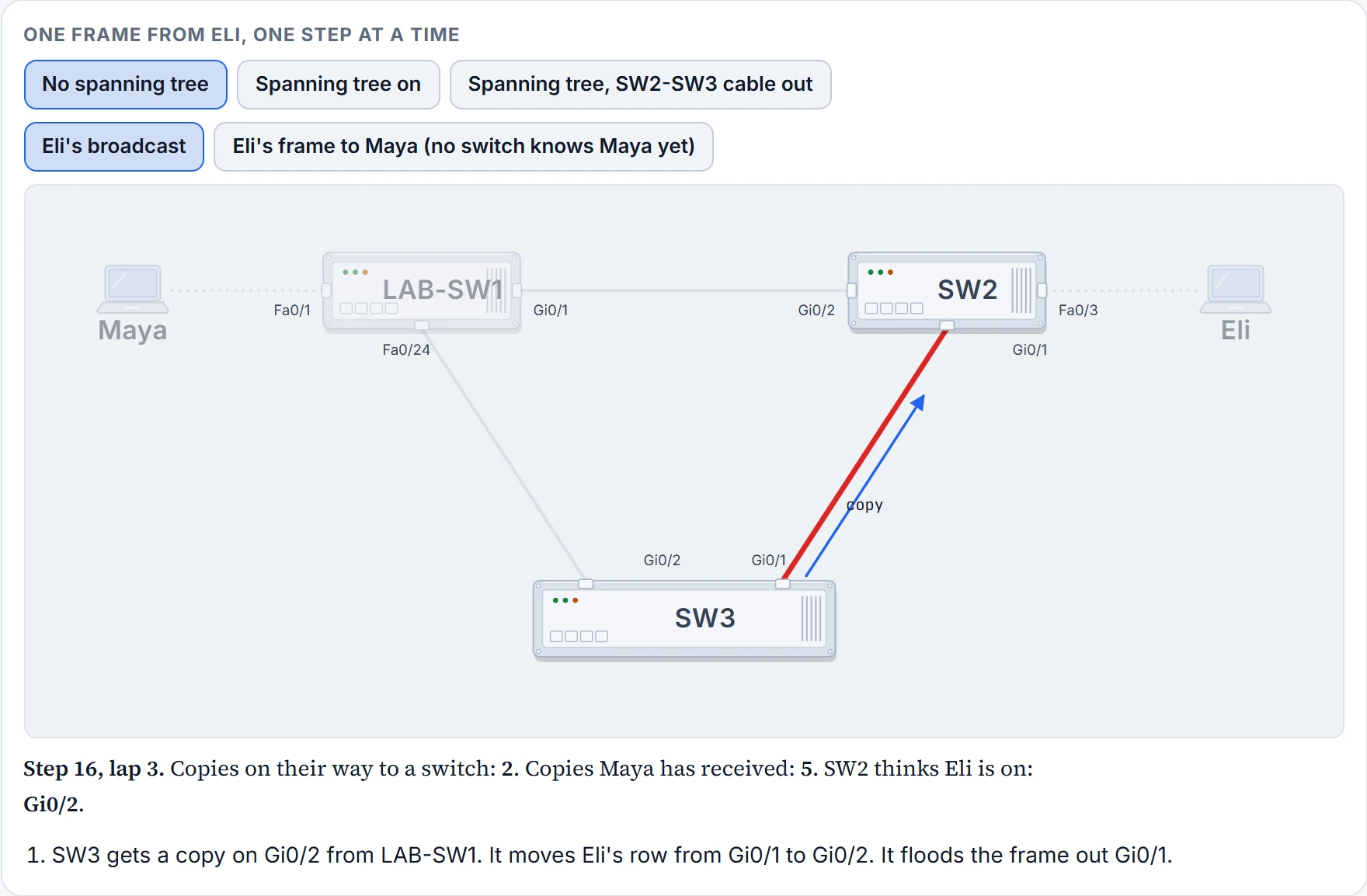
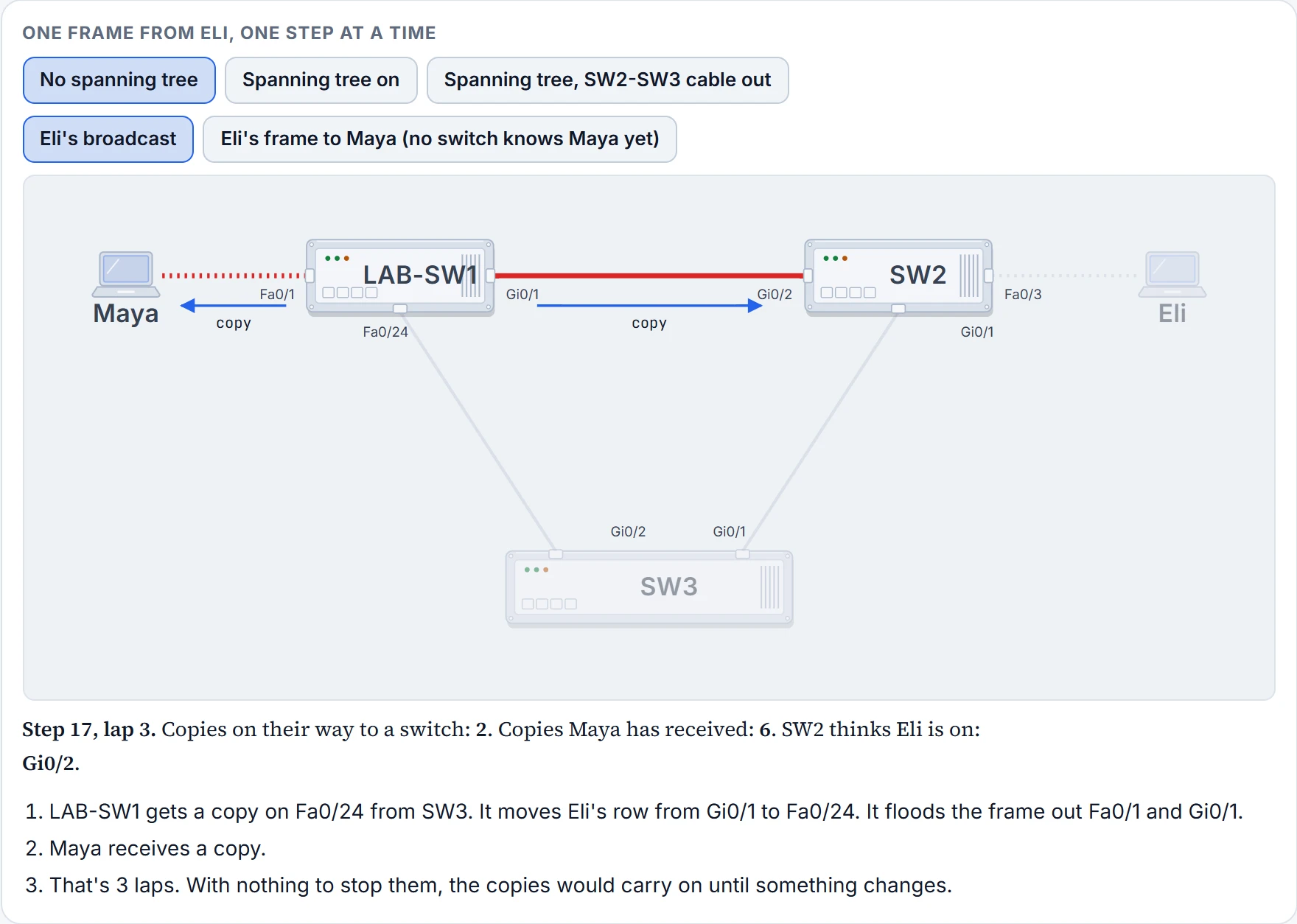
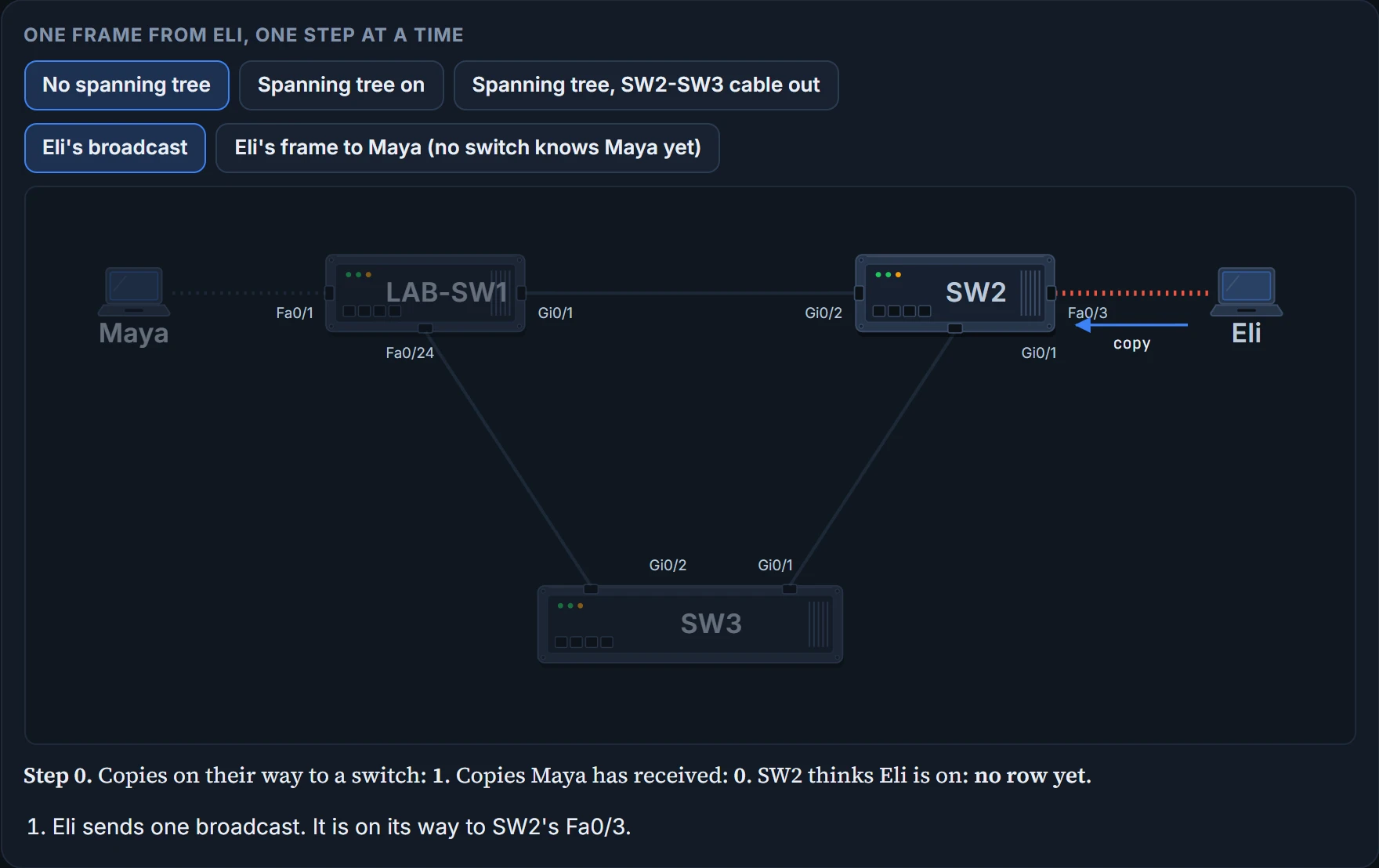
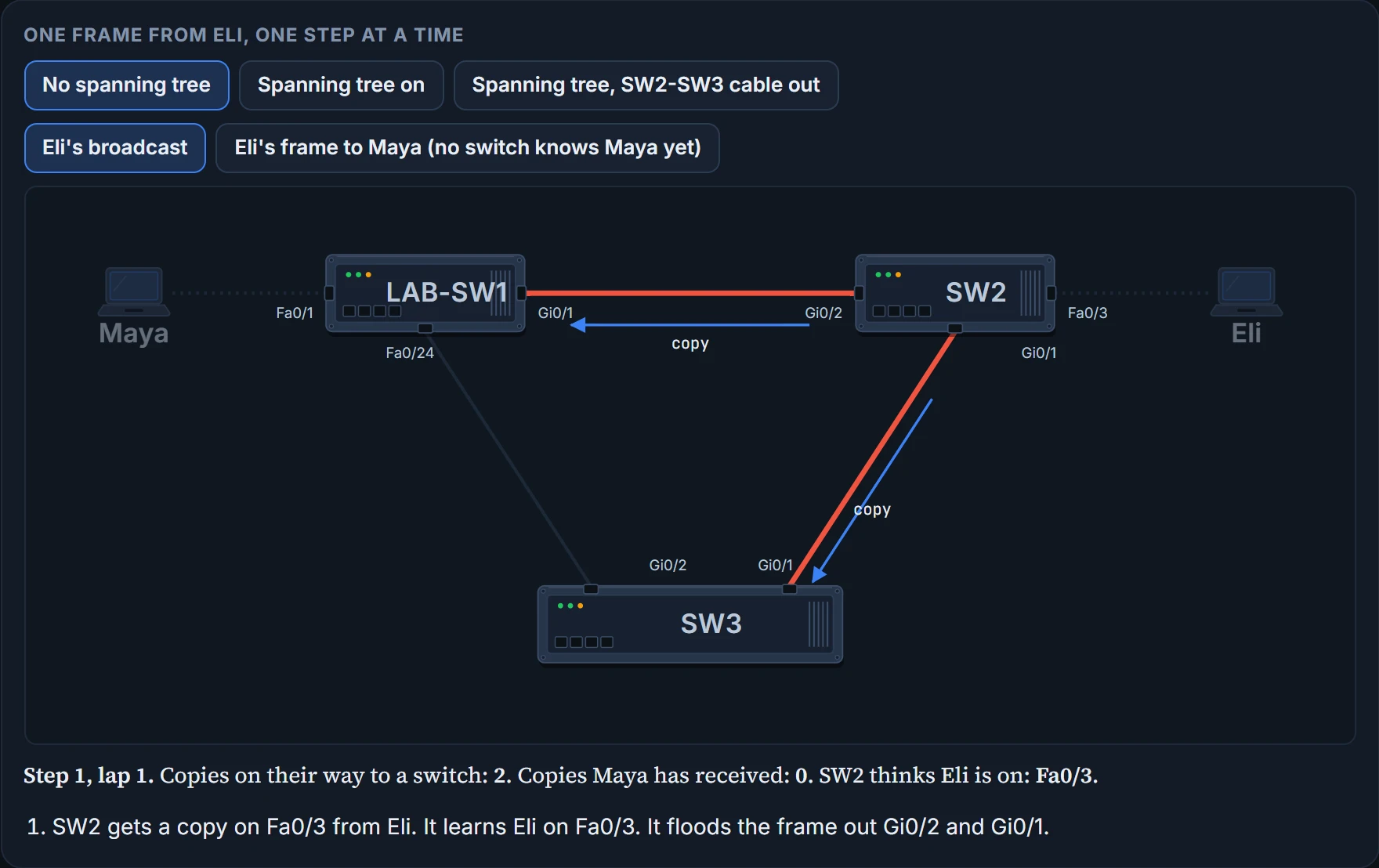
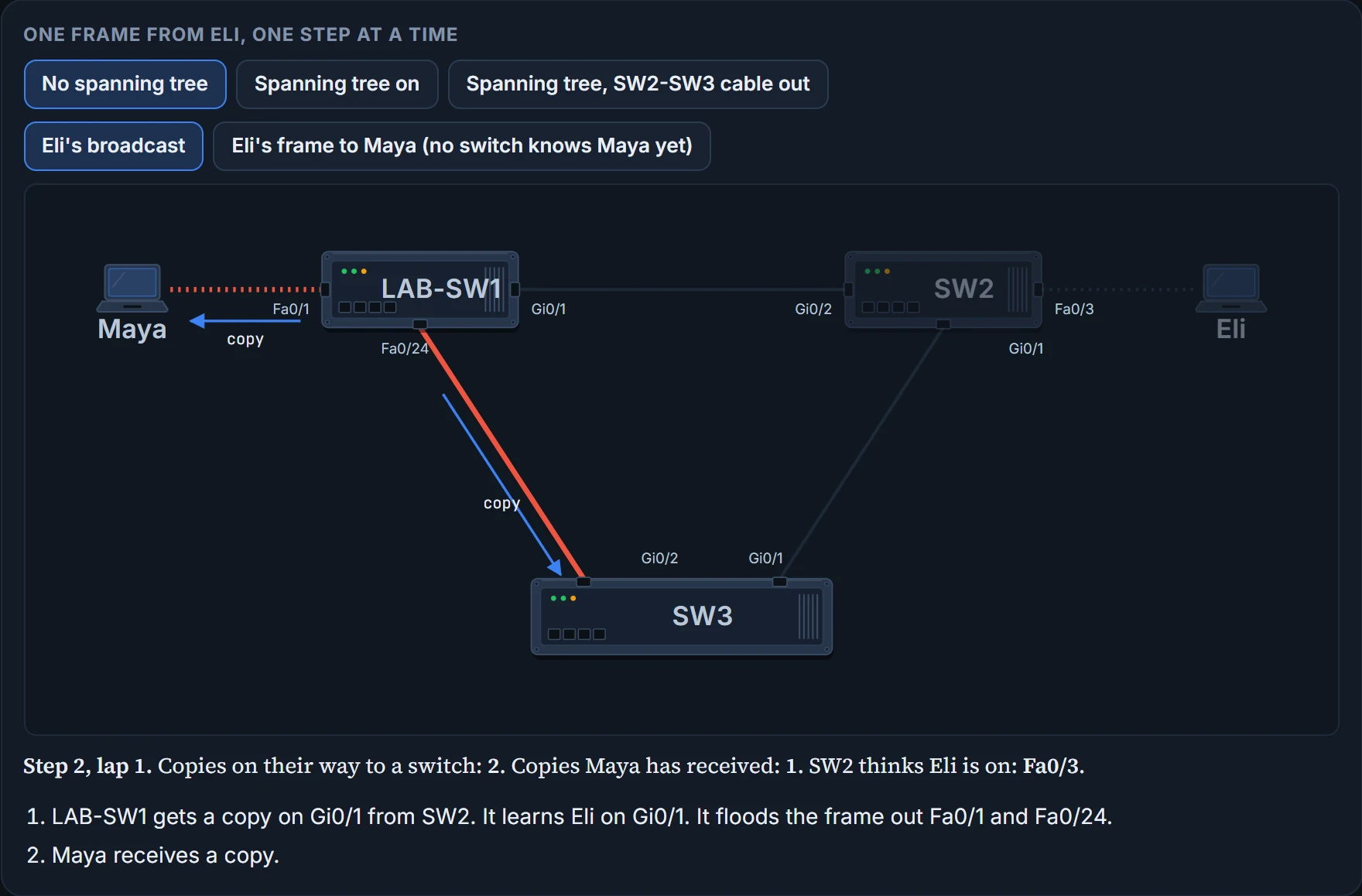
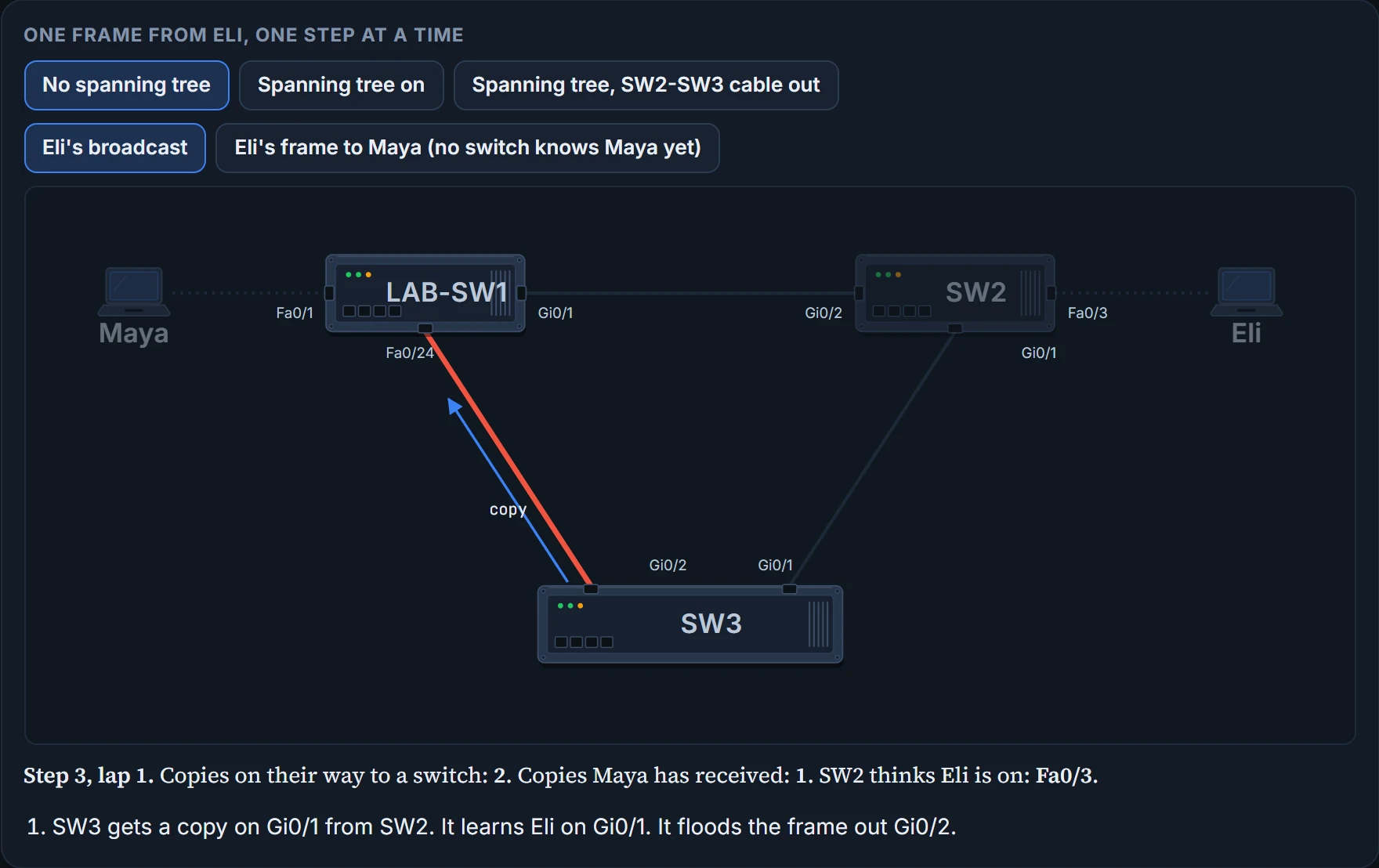
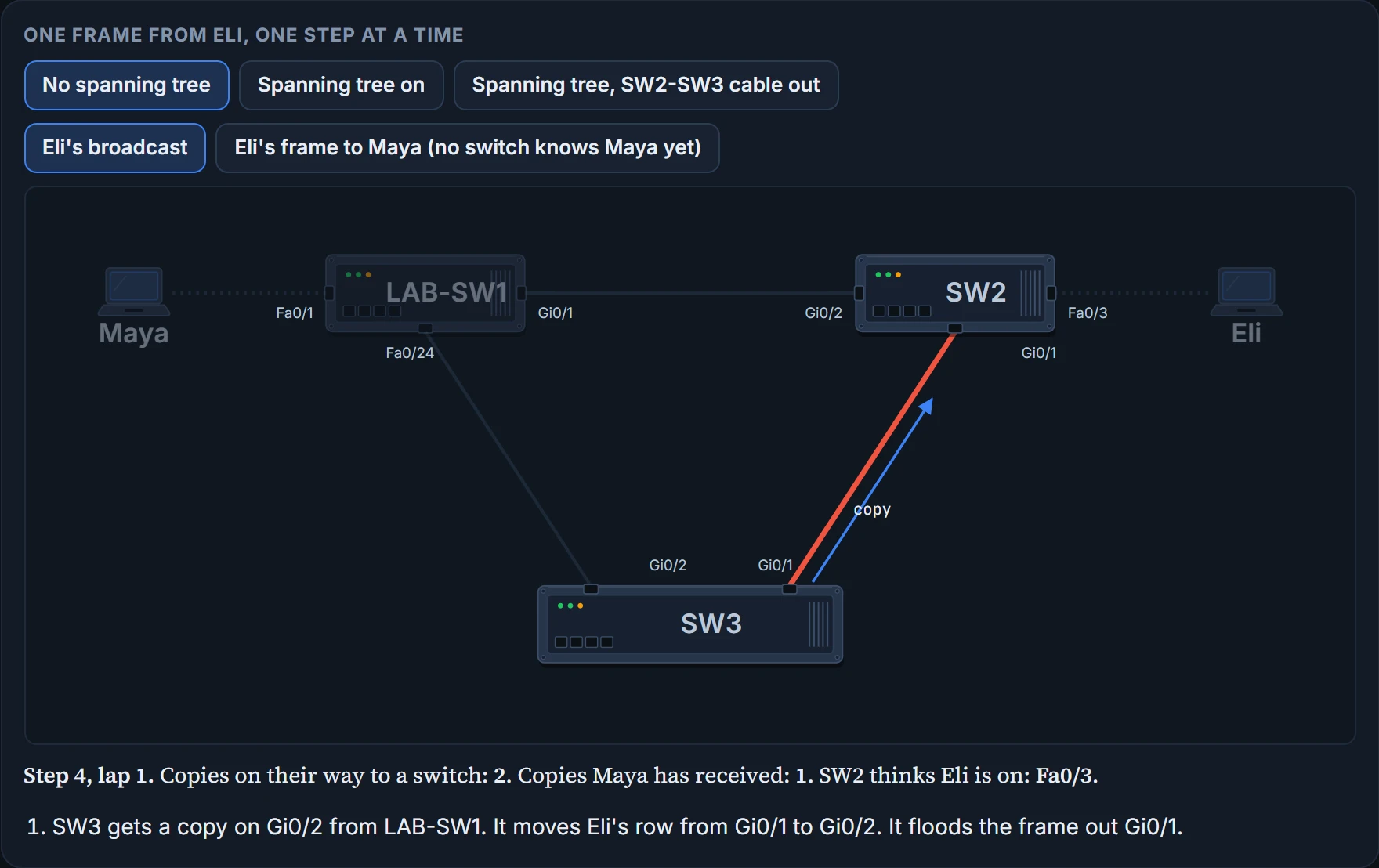
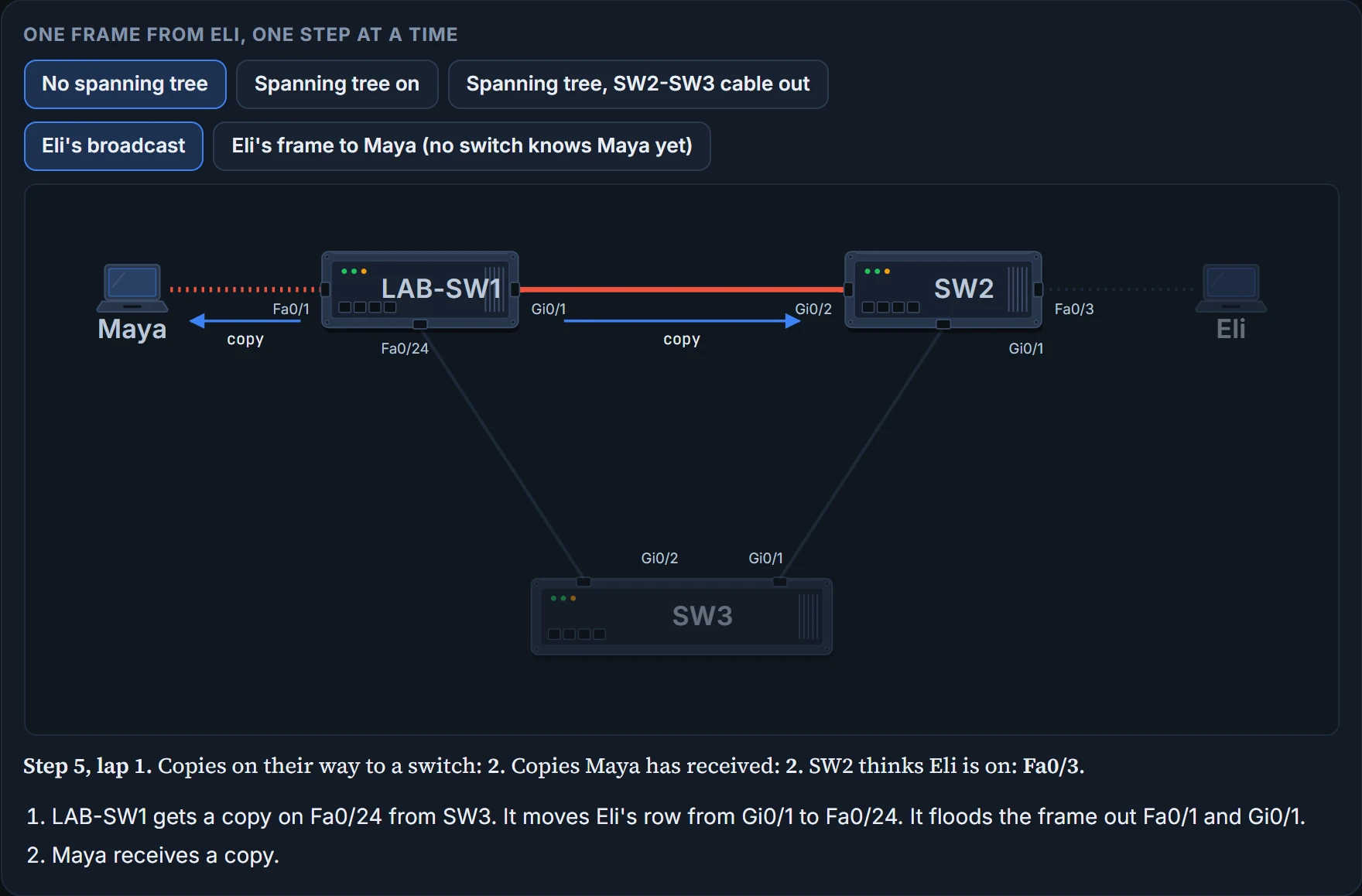
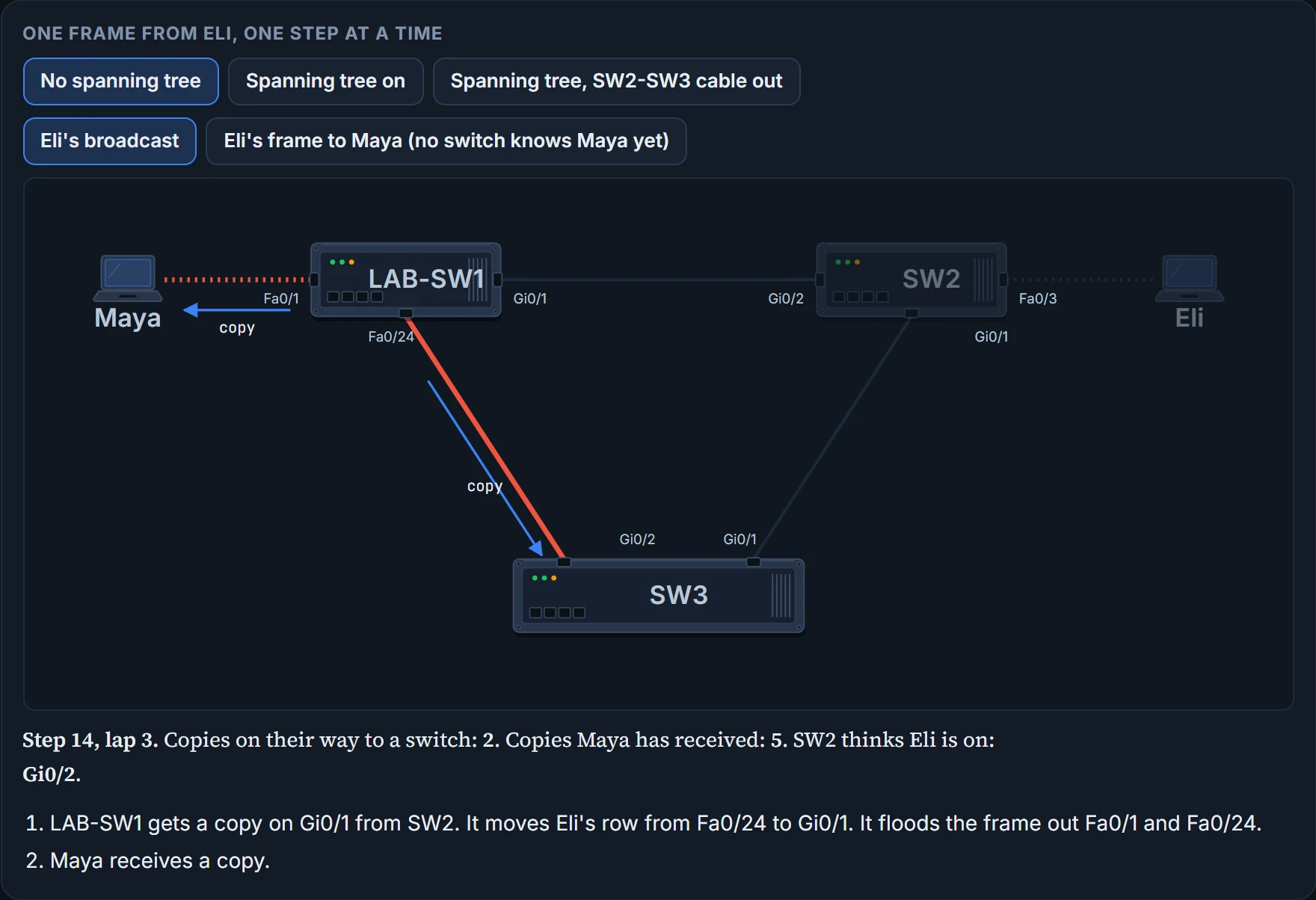
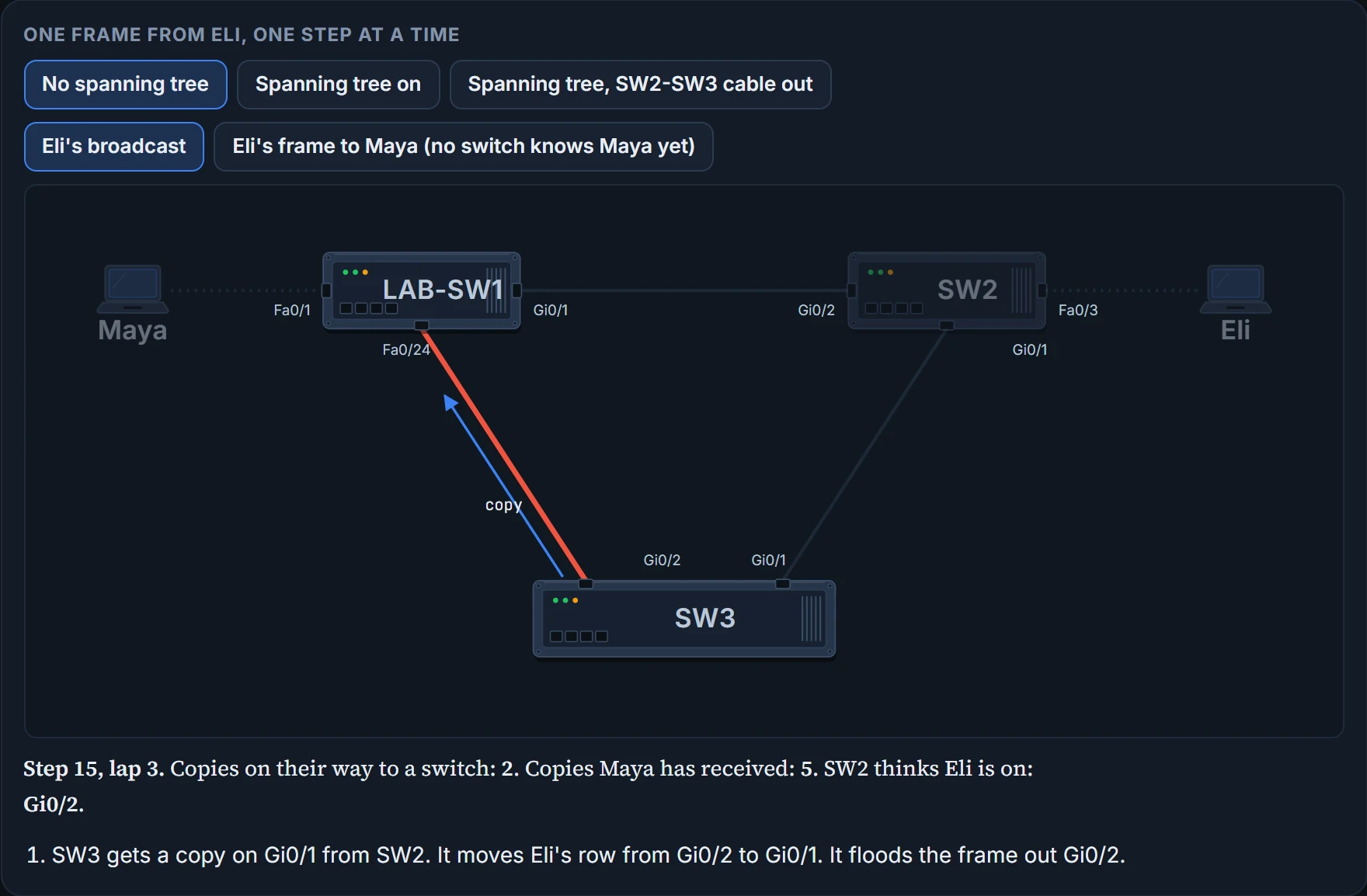
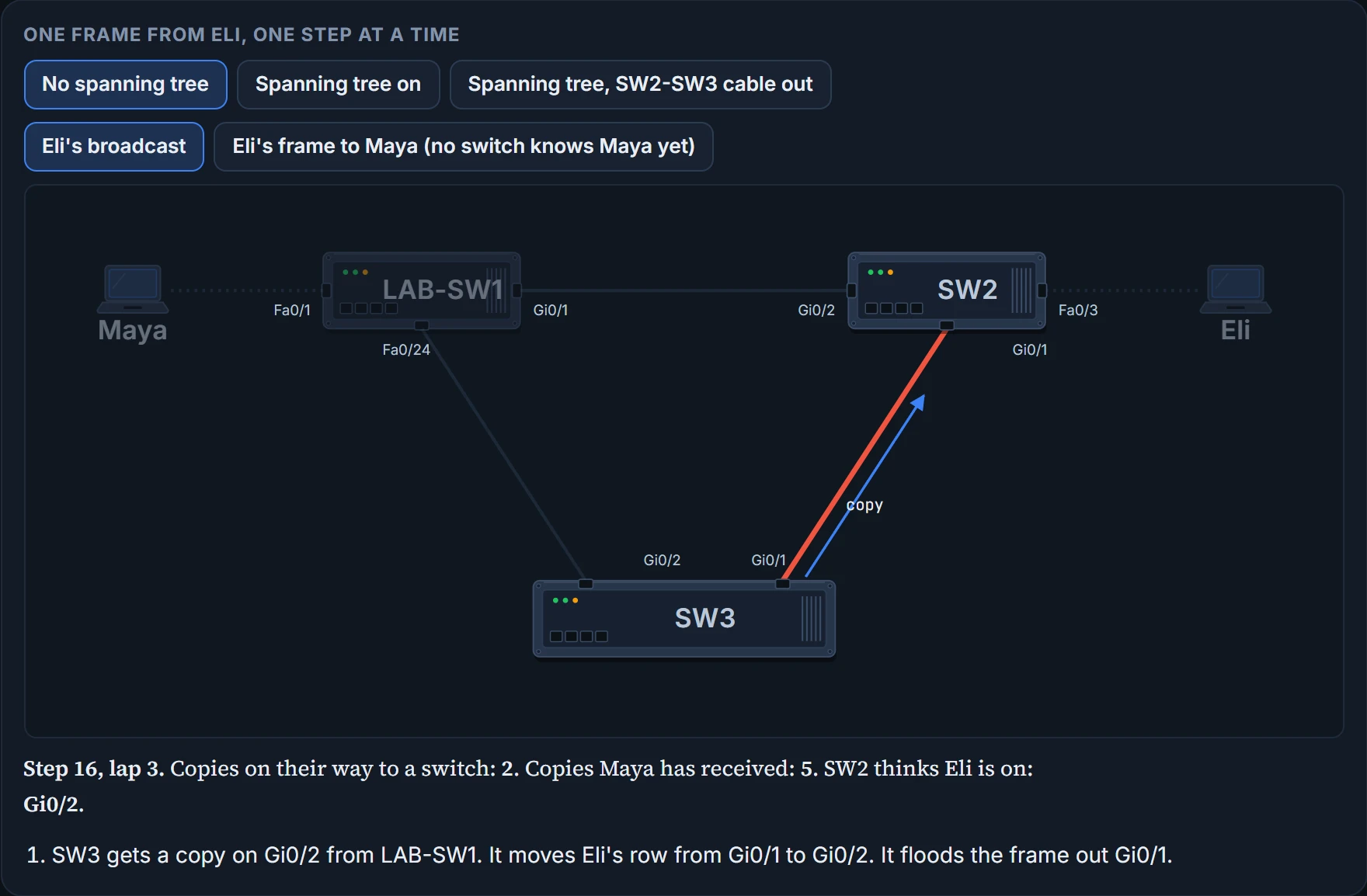
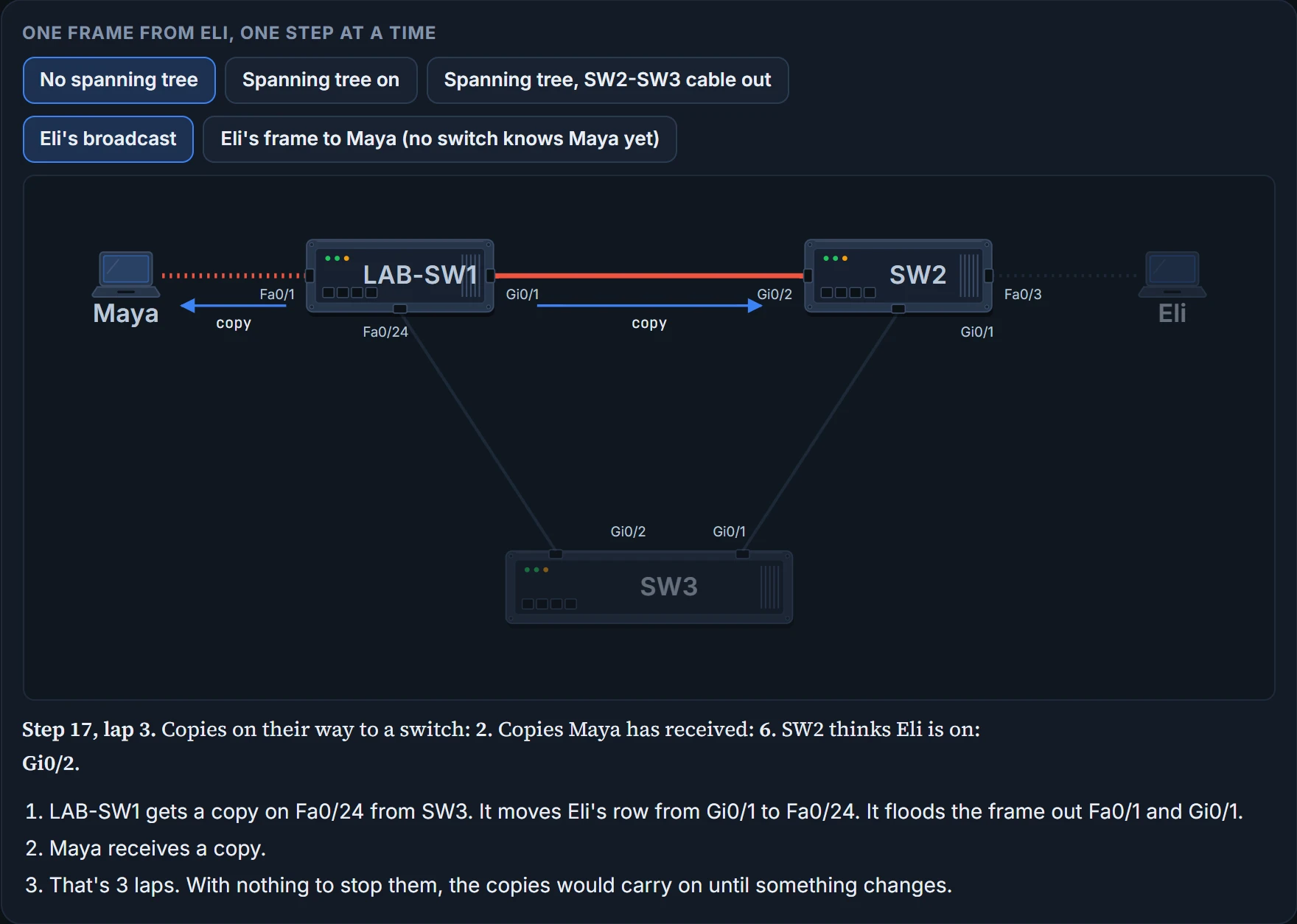
Here is the triangle, with the switches' loop protection switched off, in a simulation. Step one of Eli's frames through it. Each step is one switch receiving one copy and dealing with it:
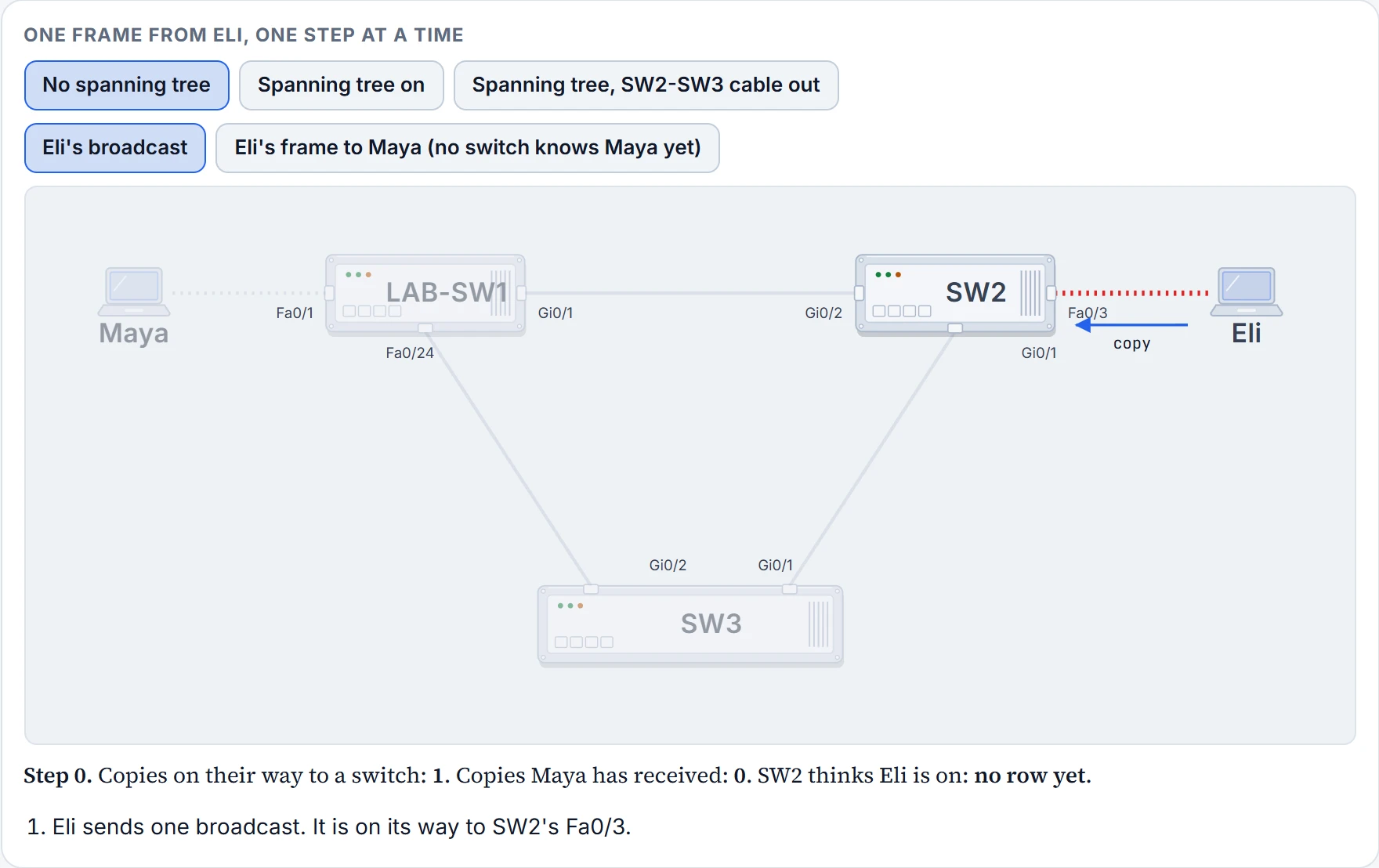
  1. Interactive tool: One frame from Eli, one step at a time Maya LAB-SW1 SW2 Eli SW3 Fa0/1 Gi0/1 Fa0/24 Gi0/2 Fa0/3 Gi0/1 Gi0/2 Gi0/1 copy Step 0. Copies on their way to a switch: 1. Copies Maya has received: 0. SW2 thinks Eli is on: no row yet. Eli sends one broadcast. It is on its way to SW2's Fa0/3.

    Step 1 of 18

  2. Interactive tool: One frame from Eli, one step at a time Maya LAB-SW1 SW2 Eli SW3 Fa0/1 Gi0/1 Fa0/24 Gi0/2 Fa0/3 Gi0/1 Gi0/2 Gi0/1 copy copy Step 1, lap 1. Copies on their way to a switch: 2. Copies Maya has received: 0. SW2 thinks Eli is on: Fa0/3. SW2 gets a copy on Fa0/3 from Eli. It learns Eli on Fa0/3. It floods the frame out Gi0/2 and Gi0/1.

    Step 2 of 18

  3. Interactive tool: One frame from Eli, one step at a time Maya LAB-SW1 SW2 Eli SW3 Fa0/1 Gi0/1 Fa0/24 Gi0/2 Fa0/3 Gi0/1 Gi0/2 Gi0/1 copy copy Step 2, lap 1. Copies on their way to a switch: 2. Copies Maya has received: 1. SW2 thinks Eli is on: Fa0/3. LAB-SW1 gets a copy on Gi0/1 from SW2. It learns Eli on Gi0/1. It floods the frame out Fa0/1 and Fa0/24. Maya receives a copy.

    Step 3 of 18

  4. Interactive tool: One frame from Eli, one step at a time Maya LAB-SW1 SW2 Eli SW3 Fa0/1 Gi0/1 Fa0/24 Gi0/2 Fa0/3 Gi0/1 Gi0/2 Gi0/1 copy Step 3, lap 1. Copies on their way to a switch: 2. Copies Maya has received: 1. SW2 thinks Eli is on: Fa0/3. SW3 gets a copy on Gi0/1 from SW2. It learns Eli on Gi0/1. It floods the frame out Gi0/2.

    Step 4 of 18

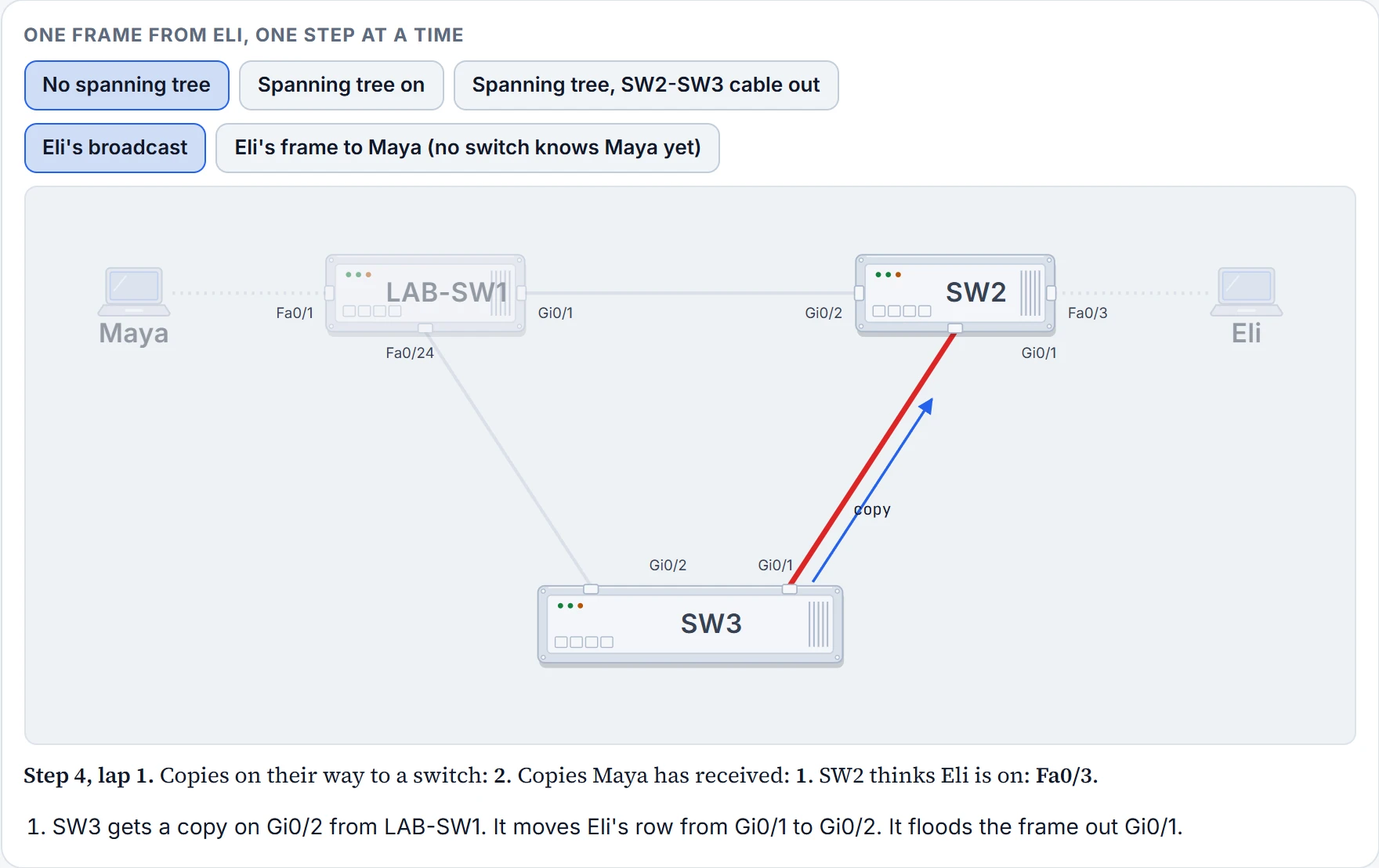
  5. Interactive tool: One frame from Eli, one step at a time Maya LAB-SW1 SW2 Eli SW3 Fa0/1 Gi0/1 Fa0/24 Gi0/2 Fa0/3 Gi0/1 Gi0/2 Gi0/1 copy Step 4, lap 1. Copies on their way to a switch: 2. Copies Maya has received: 1. SW2 thinks Eli is on: Fa0/3. SW3 gets a copy on Gi0/2 from LAB-SW1. It moves Eli's row from Gi0/1 to Gi0/2. It floods the frame out Gi0/1.

    Step 5 of 18

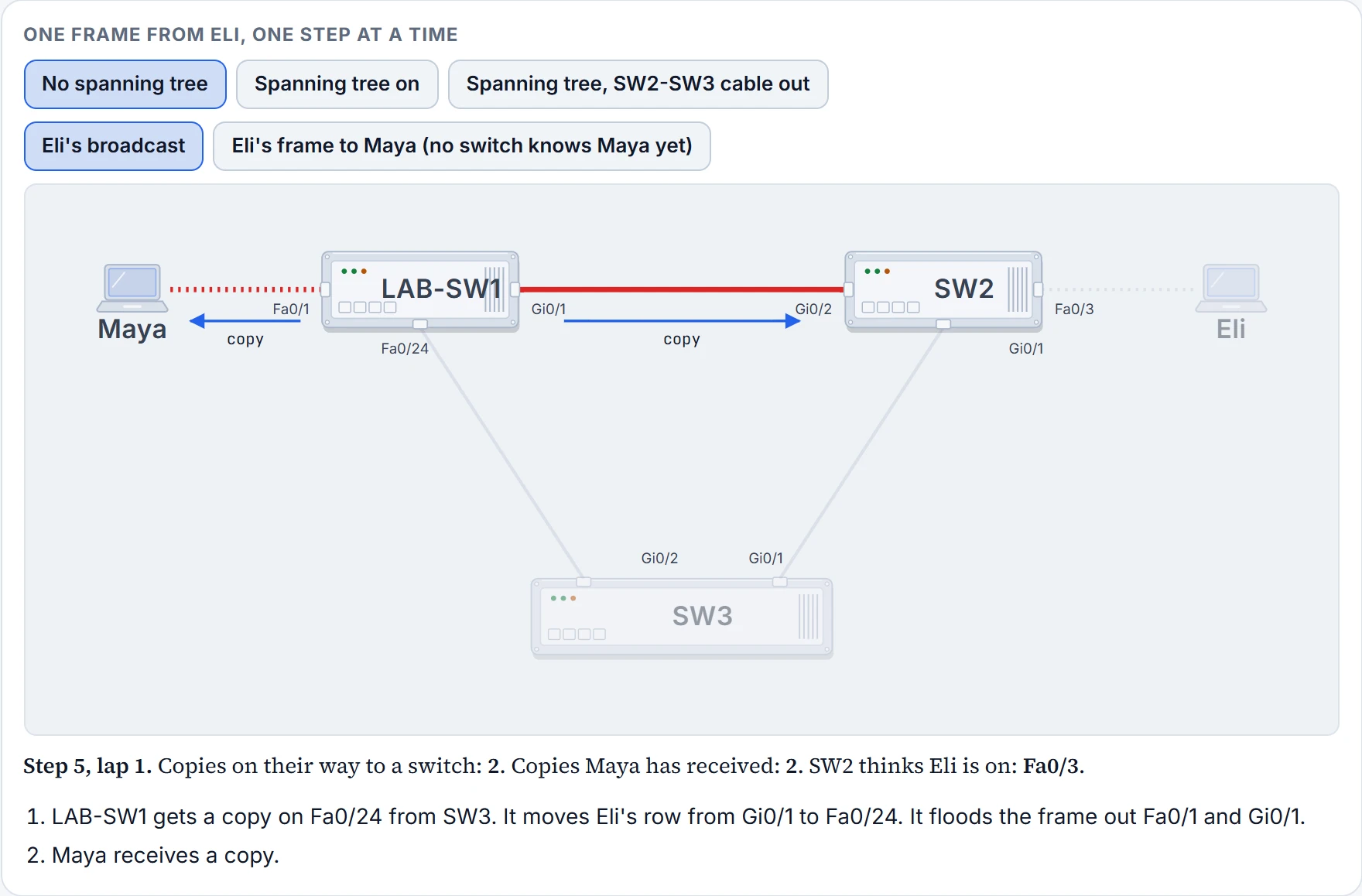
  6. Interactive tool: One frame from Eli, one step at a time Maya LAB-SW1 SW2 Eli SW3 Fa0/1 Gi0/1 Fa0/24 Gi0/2 Fa0/3 Gi0/1 Gi0/2 Gi0/1 copy copy Step 5, lap 1. Copies on their way to a switch: 2. Copies Maya has received: 2. SW2 thinks Eli is on: Fa0/3. LAB-SW1 gets a copy on Fa0/24 from SW3. It moves Eli's row from Gi0/1 to Fa0/24. It floods the frame out Fa0/1 and Gi0/1. Maya receives a copy.

    Step 6 of 18

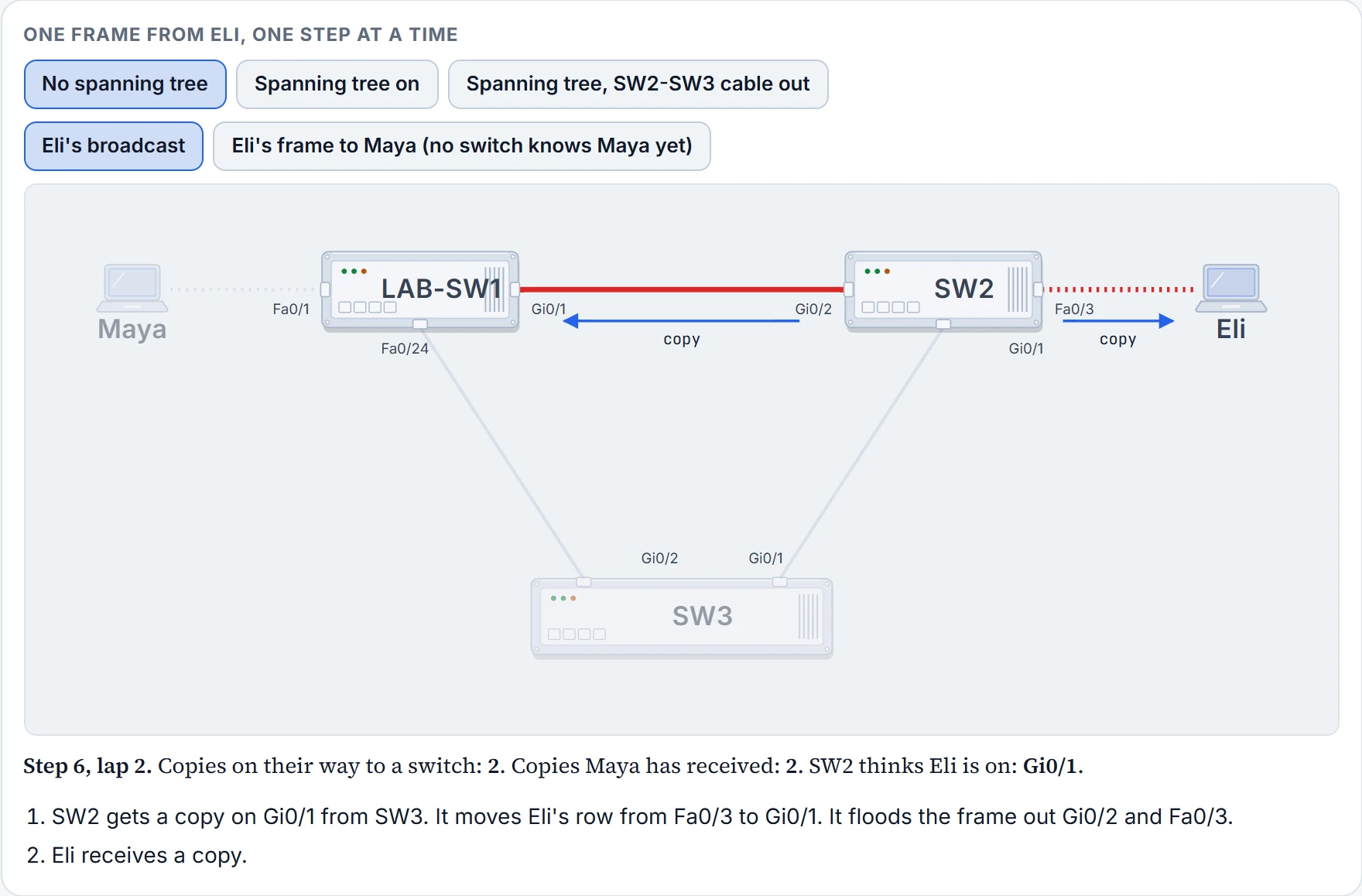
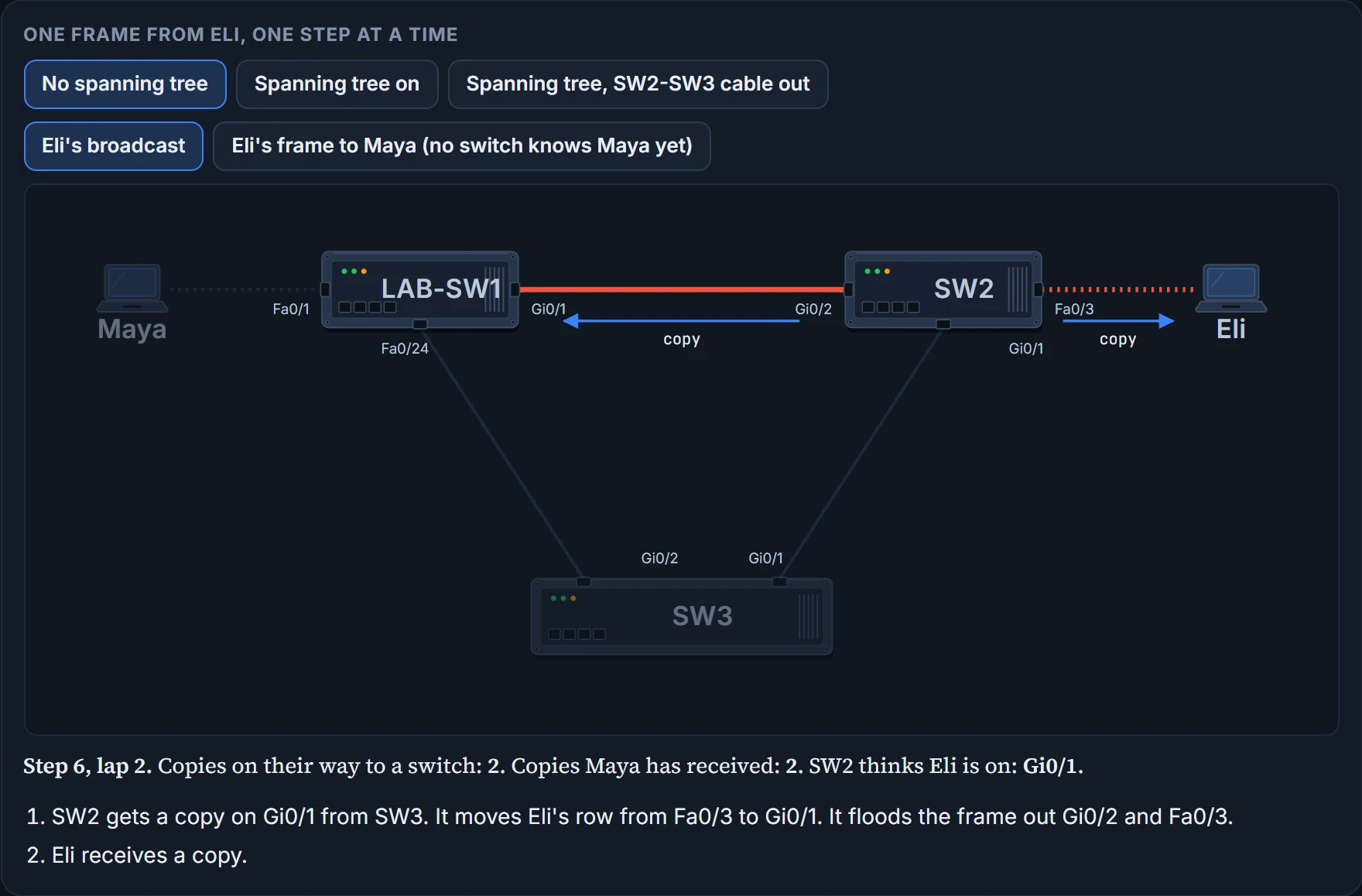
  7. Interactive tool: One frame from Eli, one step at a time Maya LAB-SW1 SW2 Eli SW3 Fa0/1 Gi0/1 Fa0/24 Gi0/2 Fa0/3 Gi0/1 Gi0/2 Gi0/1 copy copy Step 6, lap 2. Copies on their way to a switch: 2. Copies Maya has received: 2. SW2 thinks Eli is on: Gi0/1. SW2 gets a copy on Gi0/1 from SW3. It moves Eli's row from Fa0/3 to Gi0/1. It floods the frame out Gi0/2 and Fa0/3. Eli receives a copy.

    Step 7 of 18

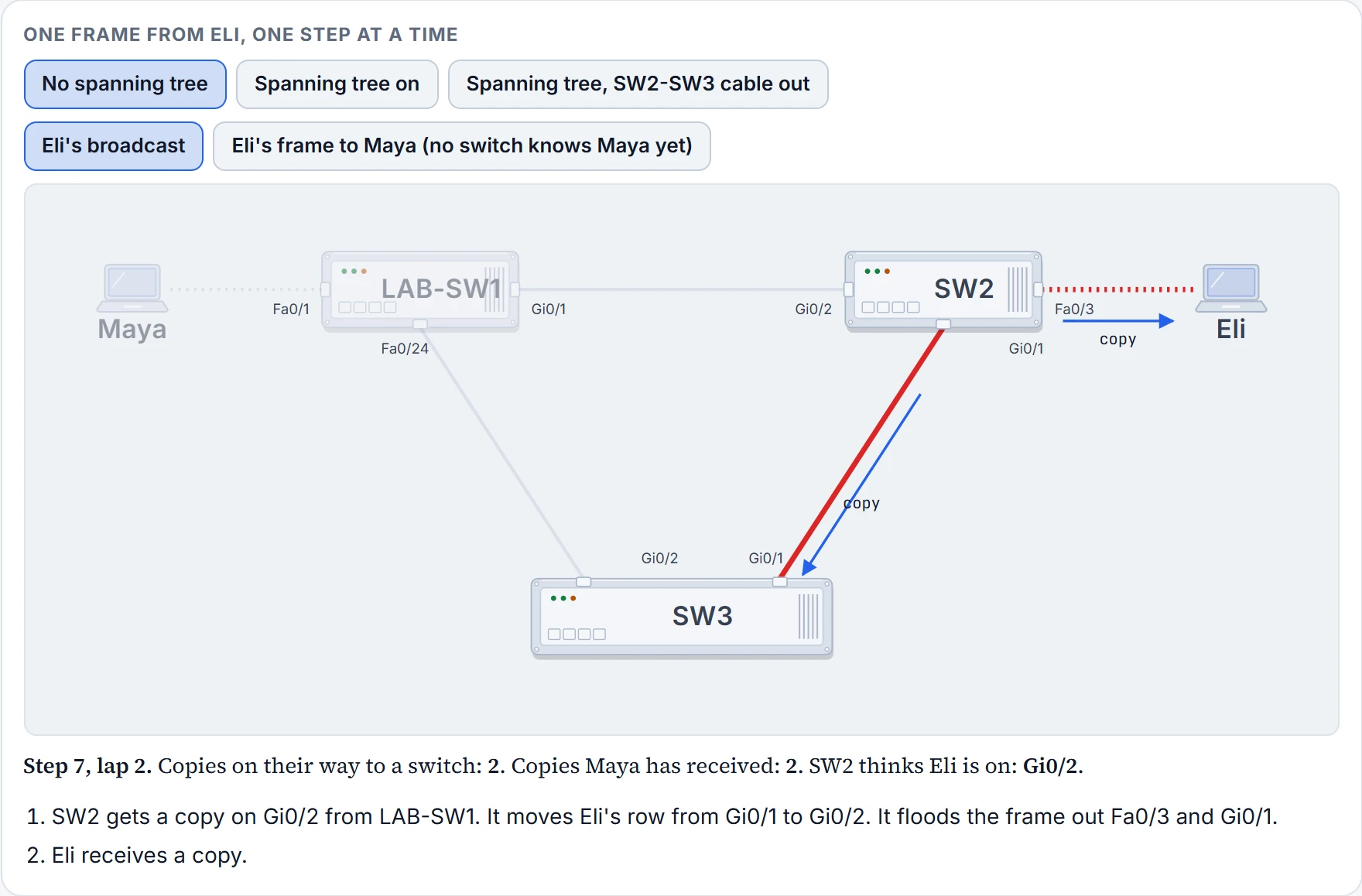
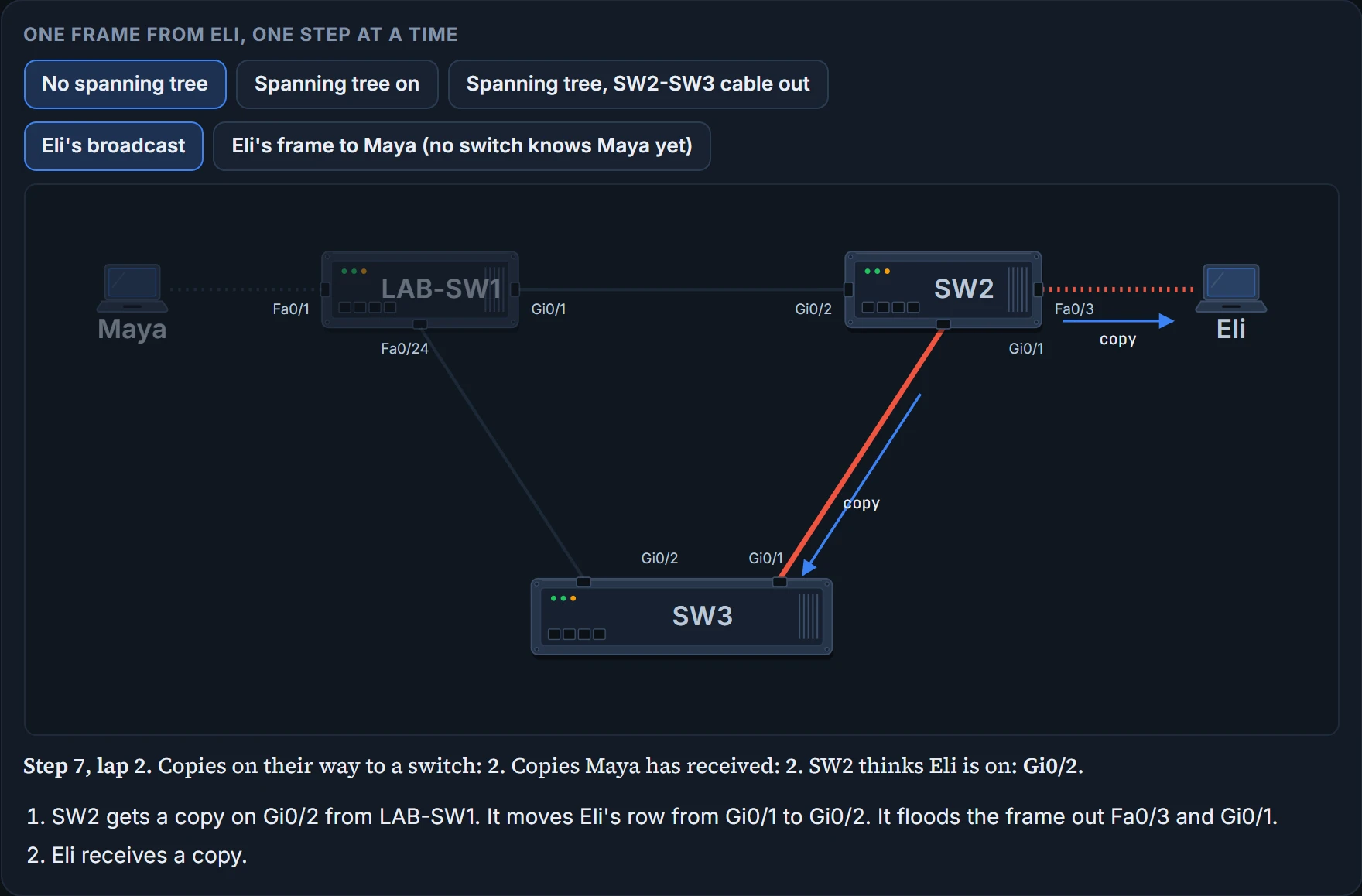
  8. Interactive tool: One frame from Eli, one step at a time Maya LAB-SW1 SW2 Eli SW3 Fa0/1 Gi0/1 Fa0/24 Gi0/2 Fa0/3 Gi0/1 Gi0/2 Gi0/1 copy copy Step 7, lap 2. Copies on their way to a switch: 2. Copies Maya has received: 2. SW2 thinks Eli is on: Gi0/2. SW2 gets a copy on Gi0/2 from LAB-SW1. It moves Eli's row from Gi0/1 to Gi0/2. It floods the frame out Fa0/3 and Gi0/1. Eli receives a copy.

    Step 8 of 18

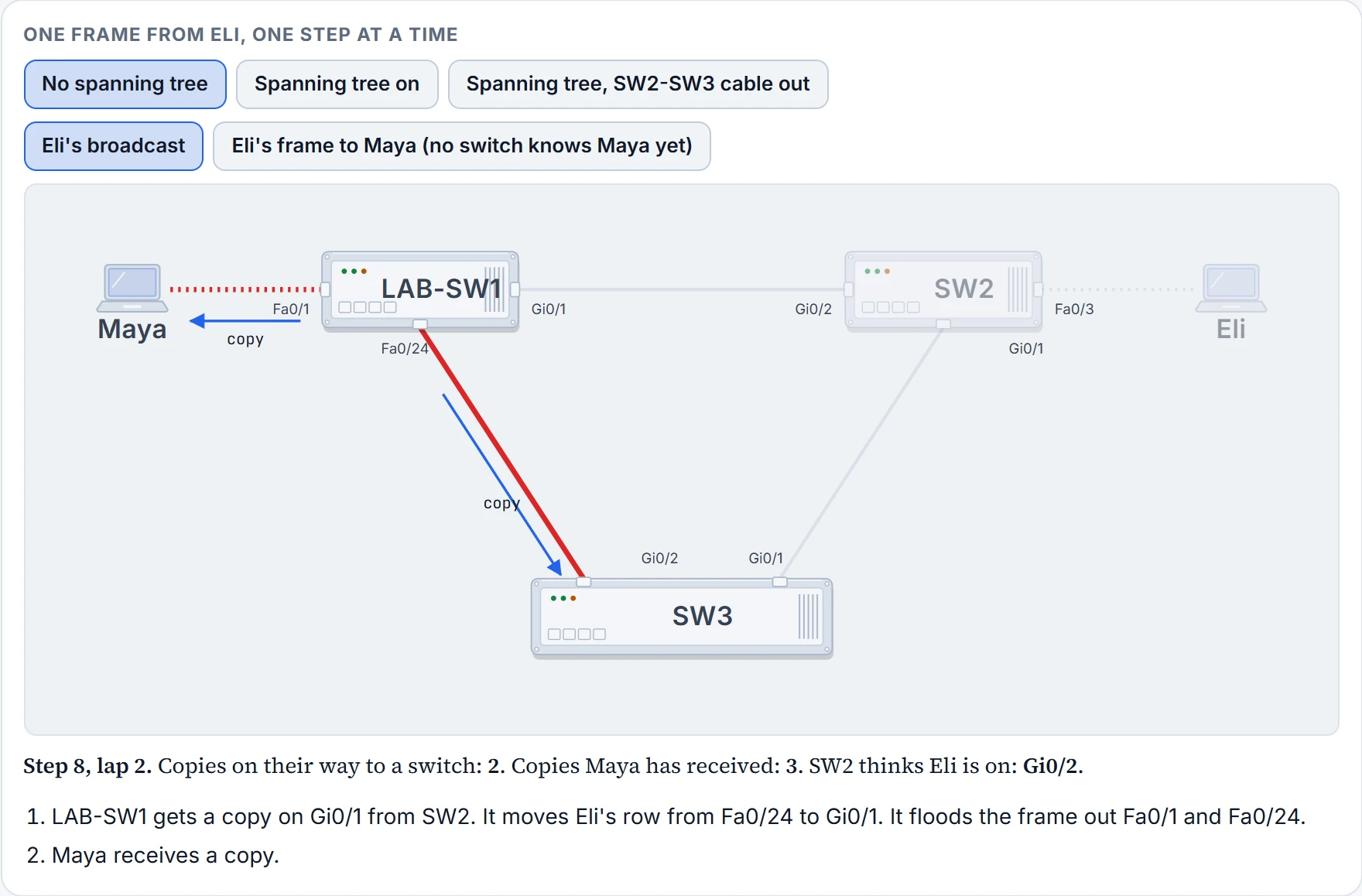
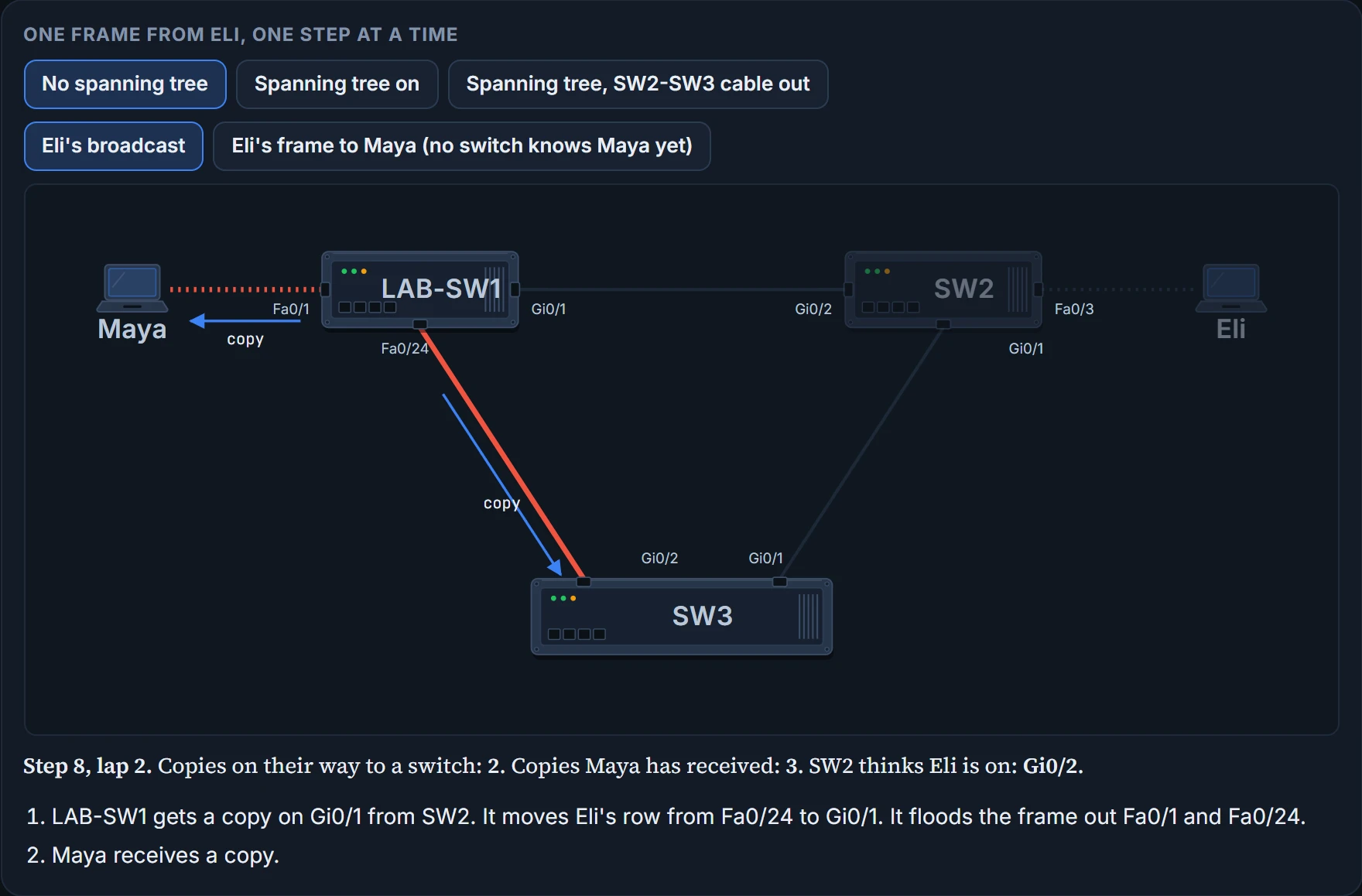
  9. Interactive tool: One frame from Eli, one step at a time Maya LAB-SW1 SW2 Eli SW3 Fa0/1 Gi0/1 Fa0/24 Gi0/2 Fa0/3 Gi0/1 Gi0/2 Gi0/1 copy copy Step 8, lap 2. Copies on their way to a switch: 2. Copies Maya has received: 3. SW2 thinks Eli is on: Gi0/2. LAB-SW1 gets a copy on Gi0/1 from SW2. It moves Eli's row from Fa0/24 to Gi0/1. It floods the frame out Fa0/1 and Fa0/24. Maya receives a copy.

    Step 9 of 18

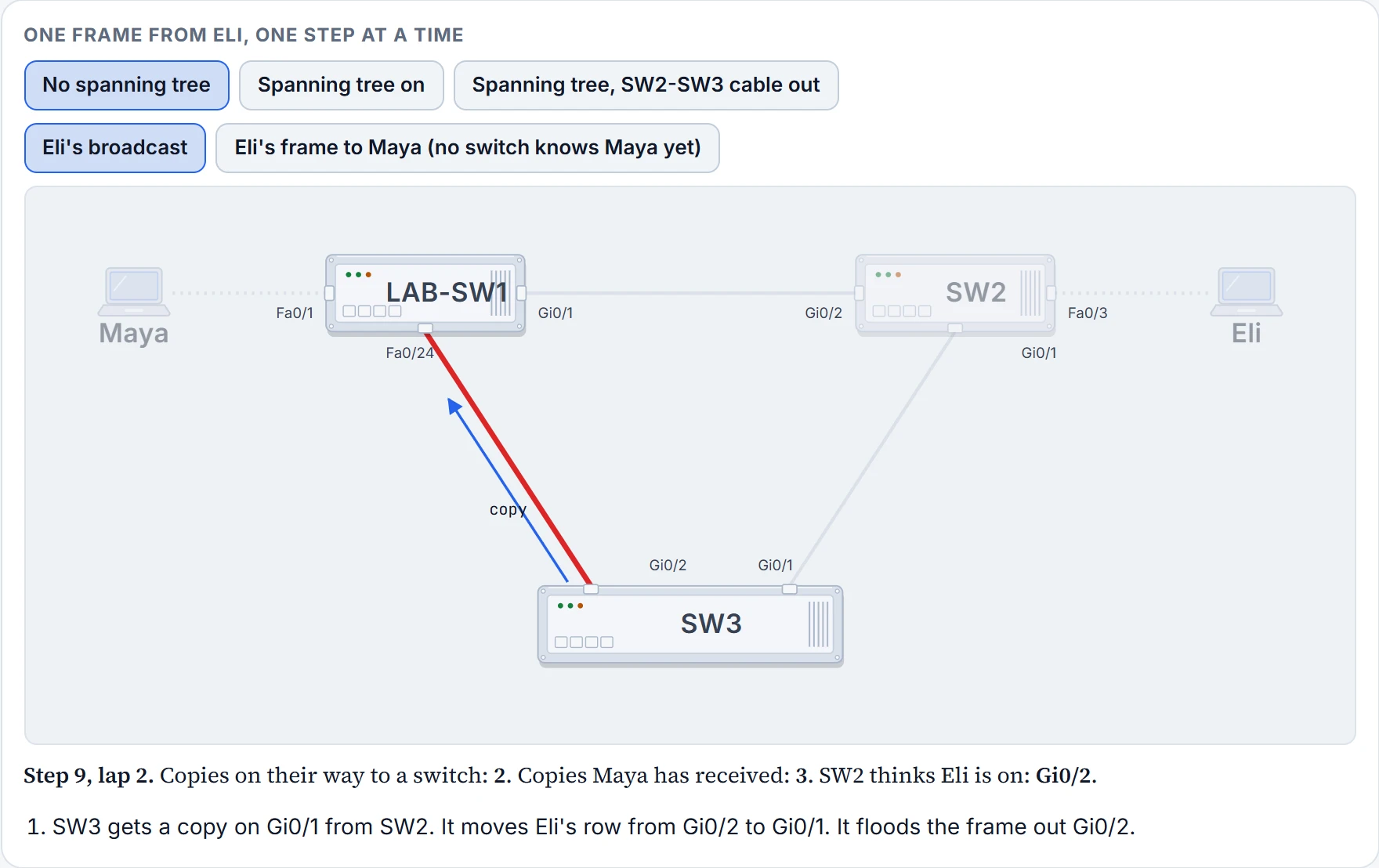
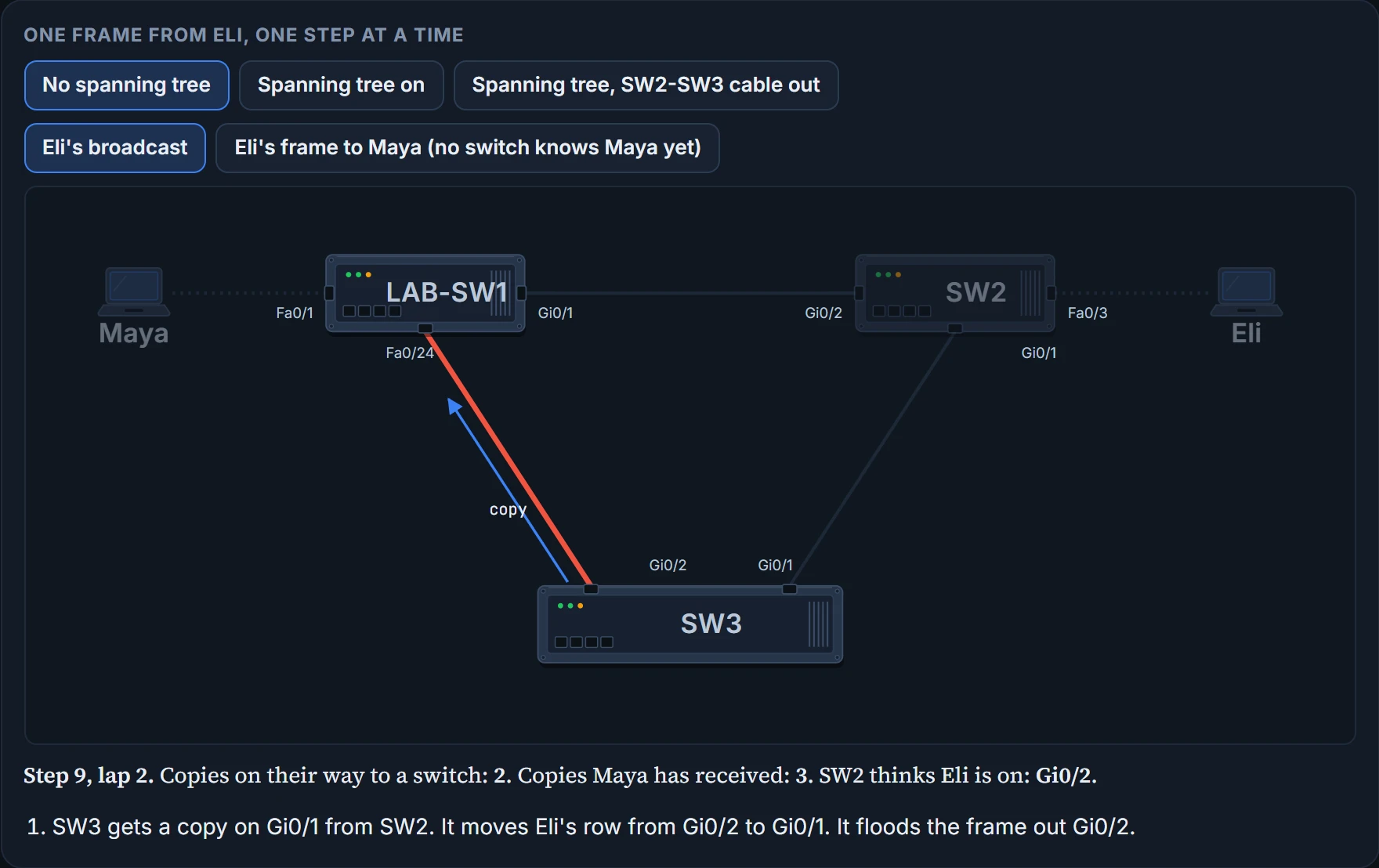
  10. Interactive tool: One frame from Eli, one step at a time Maya LAB-SW1 SW2 Eli SW3 Fa0/1 Gi0/1 Fa0/24 Gi0/2 Fa0/3 Gi0/1 Gi0/2 Gi0/1 copy Step 9, lap 2. Copies on their way to a switch: 2. Copies Maya has received: 3. SW2 thinks Eli is on: Gi0/2. SW3 gets a copy on Gi0/1 from SW2. It moves Eli's row from Gi0/2 to Gi0/1. It floods the frame out Gi0/2.

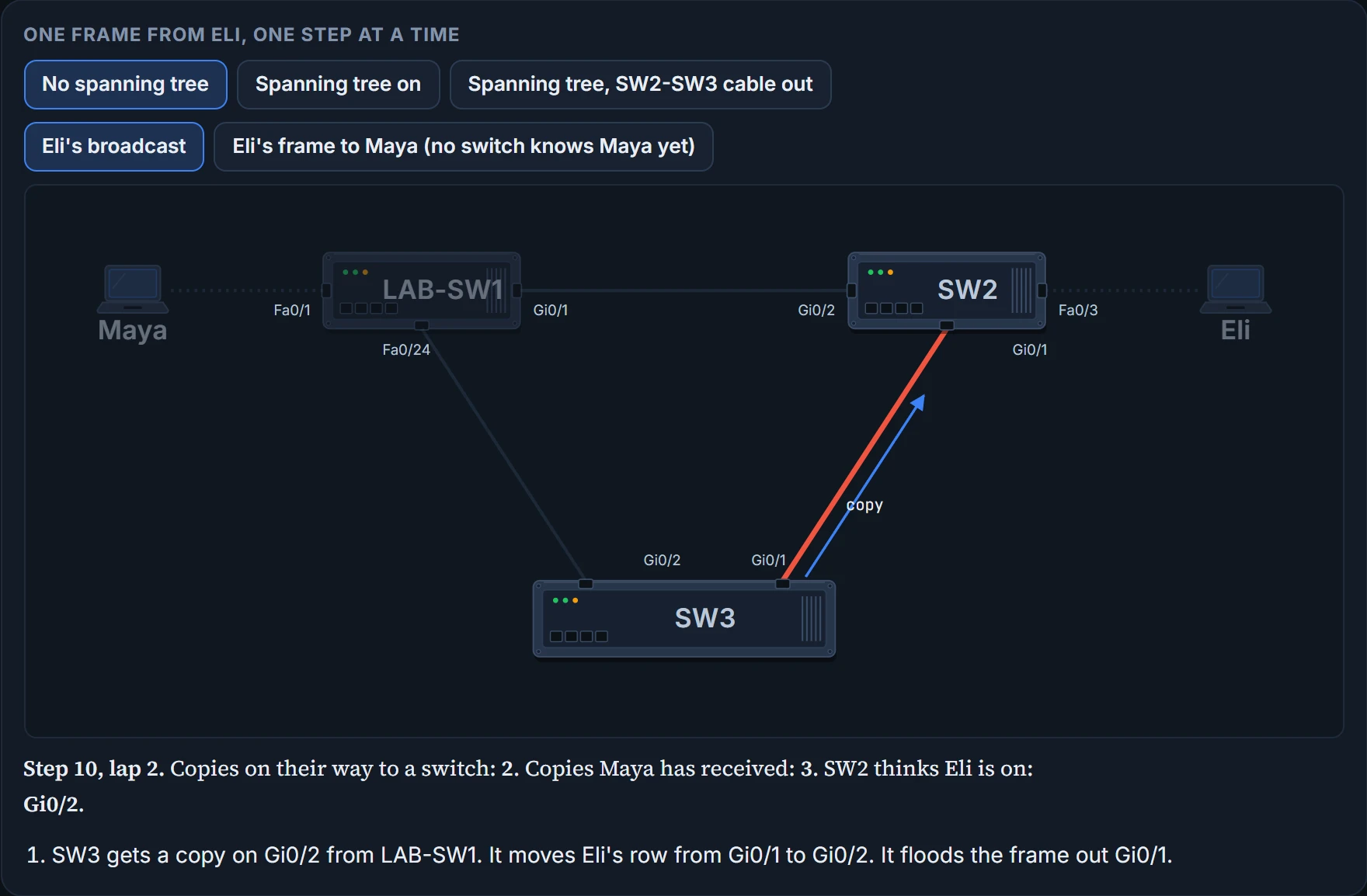
    Step 10 of 18

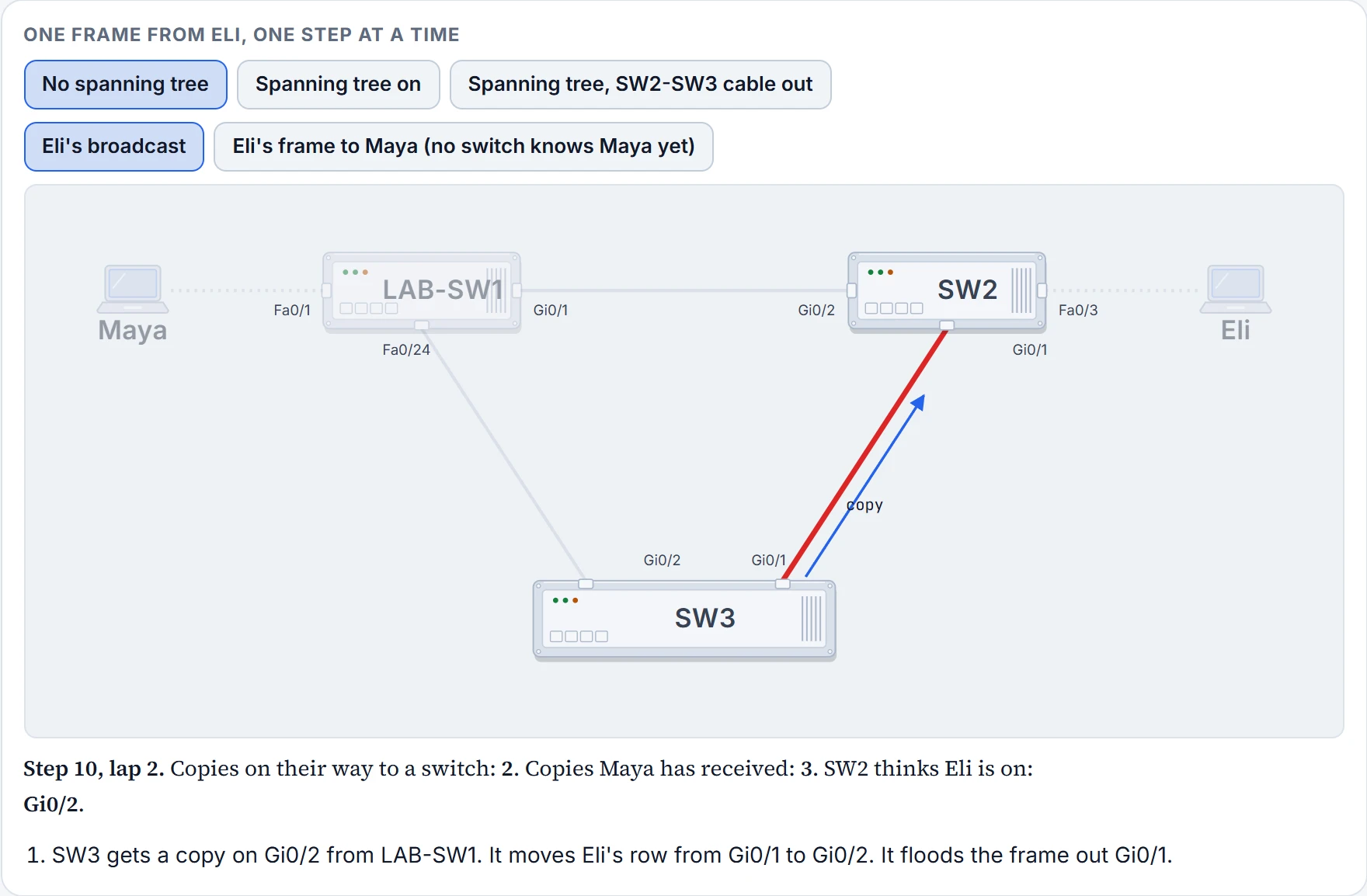
  11. Interactive tool: One frame from Eli, one step at a time Maya LAB-SW1 SW2 Eli SW3 Fa0/1 Gi0/1 Fa0/24 Gi0/2 Fa0/3 Gi0/1 Gi0/2 Gi0/1 copy Step 10, lap 2. Copies on their way to a switch: 2. Copies Maya has received: 3. SW2 thinks Eli is on: Gi0/2. SW3 gets a copy on Gi0/2 from LAB-SW1. It moves Eli's row from Gi0/1 to Gi0/2. It floods the frame out Gi0/1.

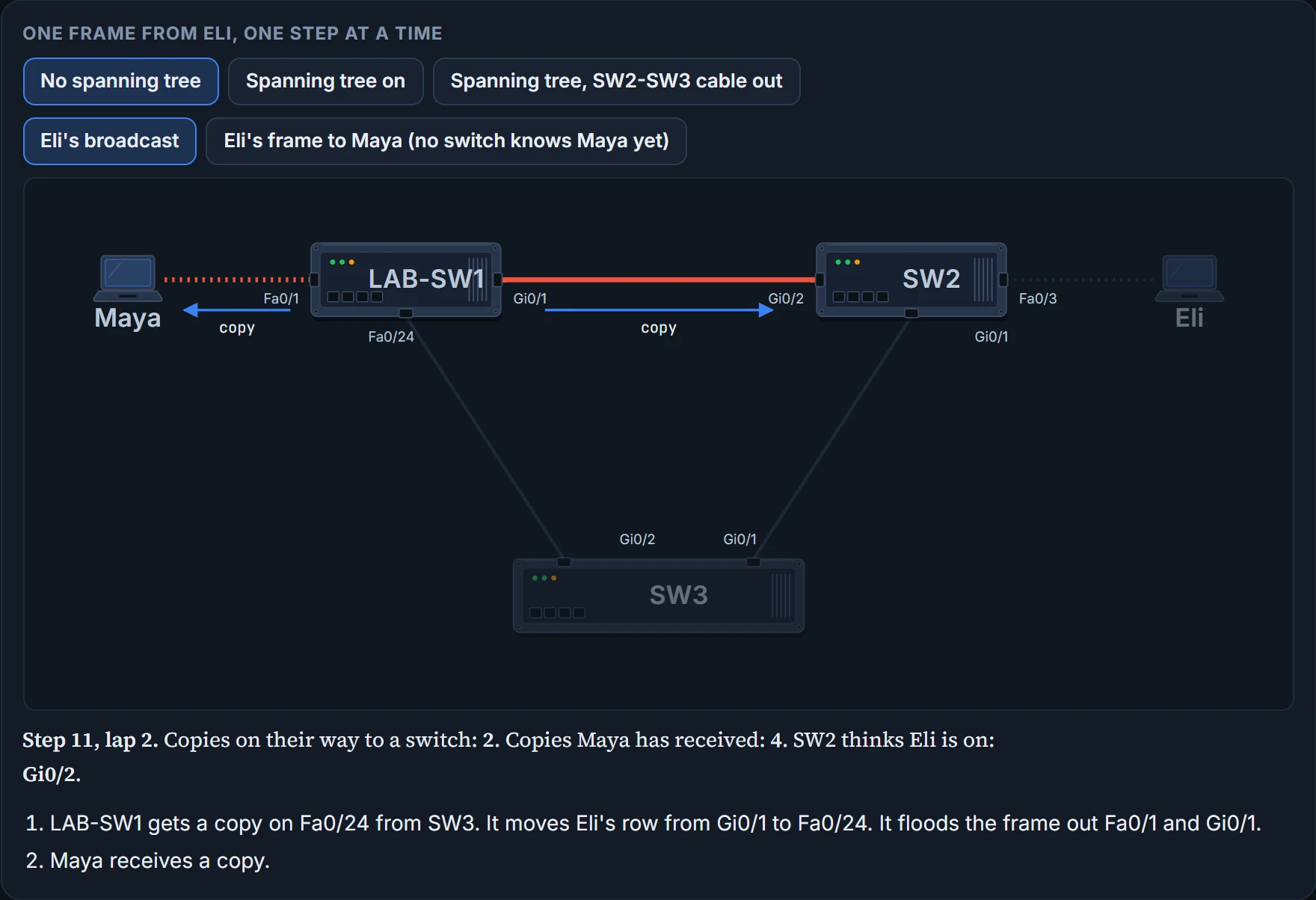
    Step 11 of 18

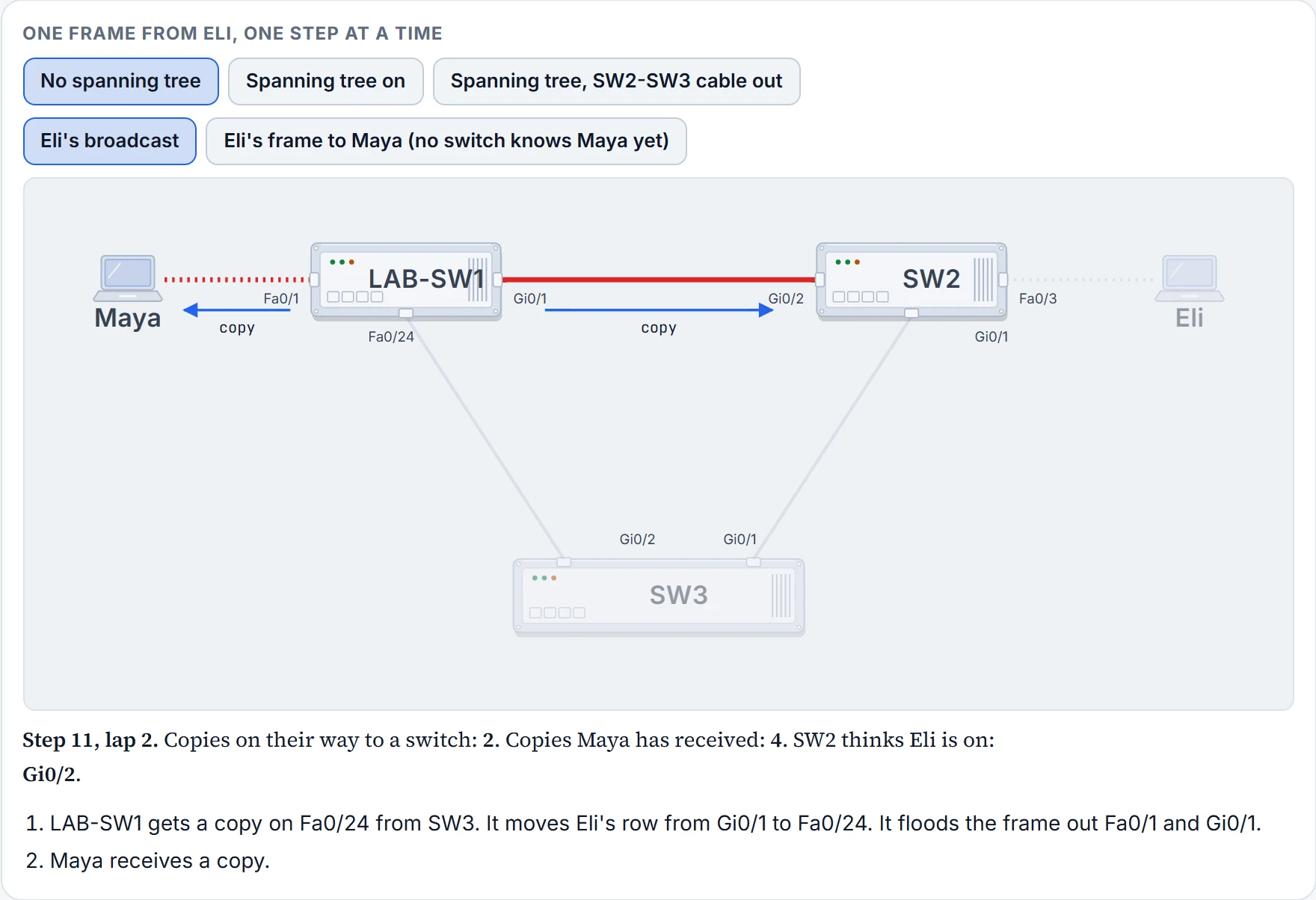
  12. Interactive tool: One frame from Eli, one step at a time Maya LAB-SW1 SW2 Eli SW3 Fa0/1 Gi0/1 Fa0/24 Gi0/2 Fa0/3 Gi0/1 Gi0/2 Gi0/1 copy copy Step 11, lap 2. Copies on their way to a switch: 2. Copies Maya has received: 4. SW2 thinks Eli is on: Gi0/2. LAB-SW1 gets a copy on Fa0/24 from SW3. It moves Eli's row from Gi0/1 to Fa0/24. It floods the frame out Fa0/1 and Gi0/1. Maya receives a copy.

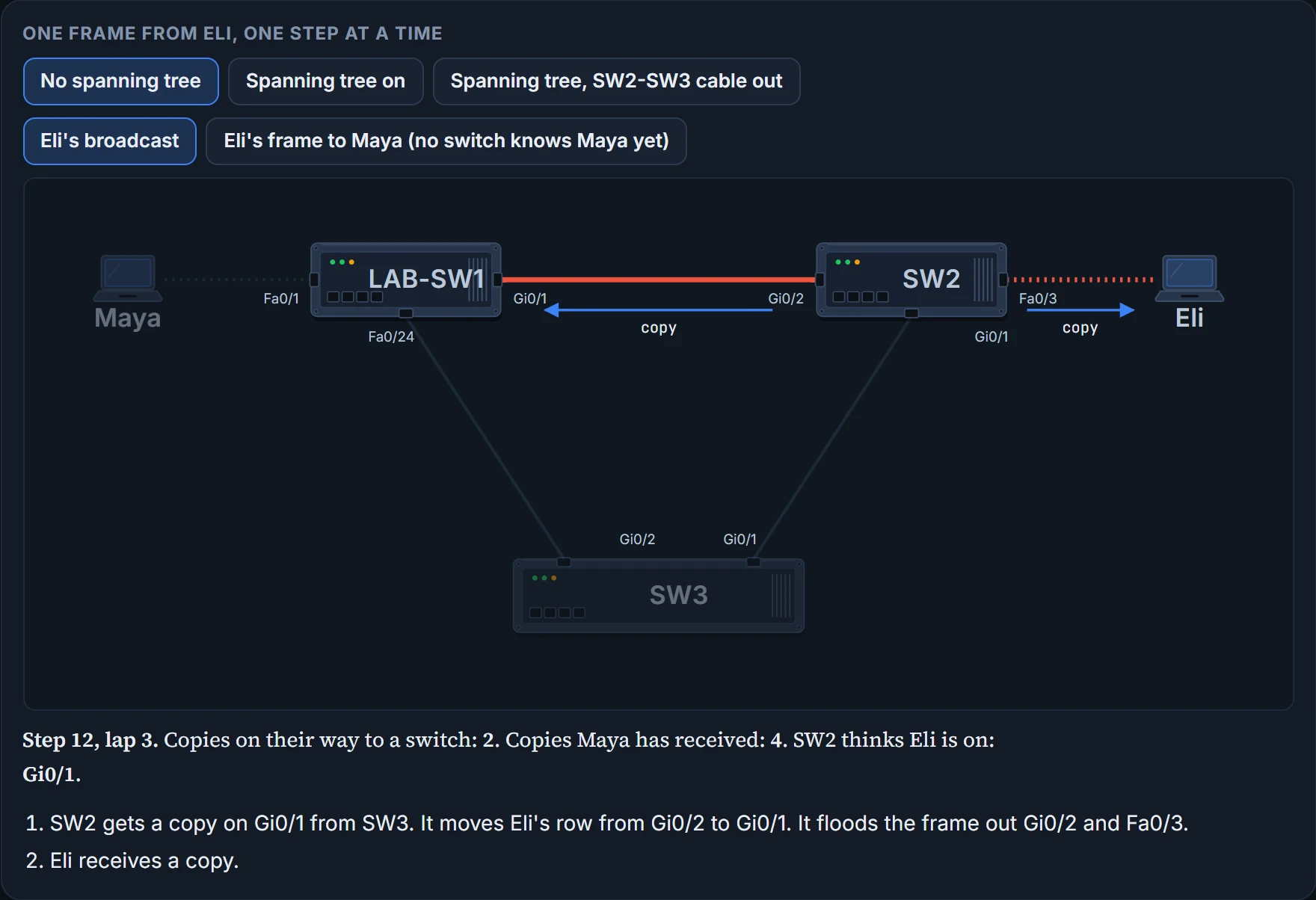
    Step 12 of 18

  13. Interactive tool: One frame from Eli, one step at a time Maya LAB-SW1 SW2 Eli SW3 Fa0/1 Gi0/1 Fa0/24 Gi0/2 Fa0/3 Gi0/1 Gi0/2 Gi0/1 copy copy Step 12, lap 3. Copies on their way to a switch: 2. Copies Maya has received: 4. SW2 thinks Eli is on: Gi0/1. SW2 gets a copy on Gi0/1 from SW3. It moves Eli's row from Gi0/2 to Gi0/1. It floods the frame out Gi0/2 and Fa0/3. Eli receives a copy.

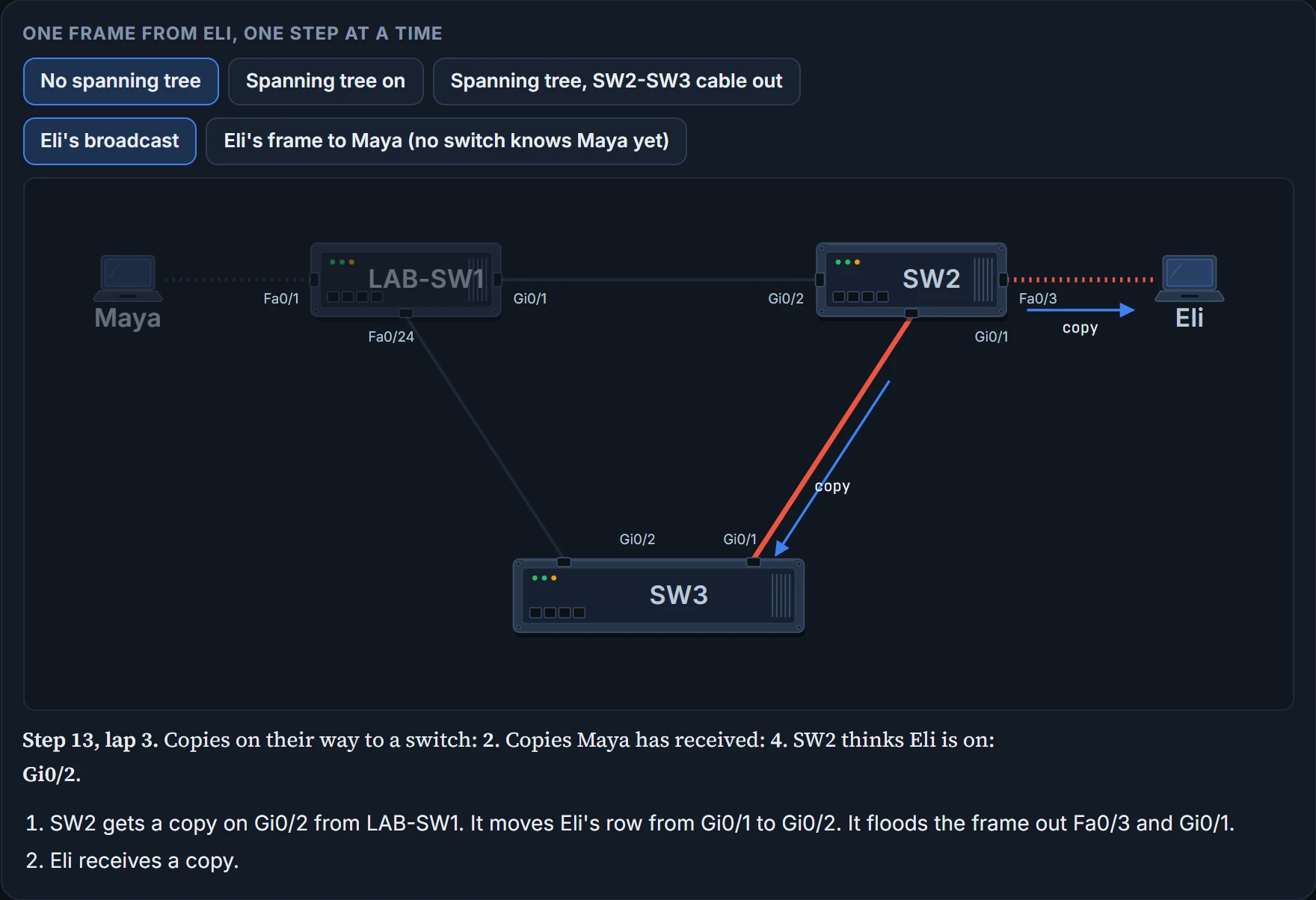
    Step 13 of 18

  14. Interactive tool: One frame from Eli, one step at a time Maya LAB-SW1 SW2 Eli SW3 Fa0/1 Gi0/1 Fa0/24 Gi0/2 Fa0/3 Gi0/1 Gi0/2 Gi0/1 copy copy Step 13, lap 3. Copies on their way to a switch: 2. Copies Maya has received: 4. SW2 thinks Eli is on: Gi0/2. SW2 gets a copy on Gi0/2 from LAB-SW1. It moves Eli's row from Gi0/1 to Gi0/2. It floods the frame out Fa0/3 and Gi0/1. Eli receives a copy.

    Step 14 of 18

  15. Interactive tool: One frame from Eli, one step at a time Maya LAB-SW1 SW2 Eli SW3 Fa0/1 Gi0/1 Fa0/24 Gi0/2 Fa0/3 Gi0/1 Gi0/2 Gi0/1 copy copy Step 14, lap 3. Copies on their way to a switch: 2. Copies Maya has received: 5. SW2 thinks Eli is on: Gi0/2. LAB-SW1 gets a copy on Gi0/1 from SW2. It moves Eli's row from Fa0/24 to Gi0/1. It floods the frame out Fa0/1 and Fa0/24. Maya receives a copy.

    Step 15 of 18

  16. Interactive tool: One frame from Eli, one step at a time Maya LAB-SW1 SW2 Eli SW3 Fa0/1 Gi0/1 Fa0/24 Gi0/2 Fa0/3 Gi0/1 Gi0/2 Gi0/1 copy Step 15, lap 3. Copies on their way to a switch: 2. Copies Maya has received: 5. SW2 thinks Eli is on: Gi0/2. SW3 gets a copy on Gi0/1 from SW2. It moves Eli's row from Gi0/2 to Gi0/1. It floods the frame out Gi0/2.

    Step 16 of 18

  17. Interactive tool: One frame from Eli, one step at a time Maya LAB-SW1 SW2 Eli SW3 Fa0/1 Gi0/1 Fa0/24 Gi0/2 Fa0/3 Gi0/1 Gi0/2 Gi0/1 copy Step 16, lap 3. Copies on their way to a switch: 2. Copies Maya has received: 5. SW2 thinks Eli is on: Gi0/2. SW3 gets a copy on Gi0/2 from LAB-SW1. It moves Eli's row from Gi0/1 to Gi0/2. It floods the frame out Gi0/1.

    Step 17 of 18

  18. Interactive tool: One frame from Eli, one step at a time Maya LAB-SW1 SW2 Eli SW3 Fa0/1 Gi0/1 Fa0/24 Gi0/2 Fa0/3 Gi0/1 Gi0/2 Gi0/1 copy copy Step 17, lap 3. Copies on their way to a switch: 2. Copies Maya has received: 6. SW2 thinks Eli is on: Gi0/2. LAB-SW1 gets a copy on Fa0/24 from SW3. It moves Eli's row from Gi0/1 to Fa0/24. It floods the frame out Fa0/1 and Gi0/1. Maya receives a copy. That'

    Step 18 of 18

Three different things go wrong, and you can watch each one in the counters. First, the copies never stop: after 3 laps there are still two going round, one each way, and they fill the links, crowding out good frames. That's a broadcast storm: one looping frame is enough, and it can be a broadcast, a multicast, or a frame to an unknown MAC. Every host in the VLAN has to process every copy, which slows the hosts down too. Second, SW2's idea of where Eli is keeps changing: it moves Eli's row 4 times, because each returning copy still carries Eli's MAC as its source. That's MAC table instability, and a frame for Eli can go out the wrong port. Third, Maya receives 6 copies of one frame: multiple frame transmission, which can confuse the host. Even Eli's laptop gets copies of its own broadcast back.

If you've ever been given two different home addresses for the same friend in the same minute, you know how SW2 feels. (Where it stops: you'd ask. The switch believes whichever copy came last.)

Eli sent one frame, and the triangle signed Eli up for a subscription.

It only ends when something changes: someone shuts an interface, reloads a switch, or unplugs a cable.

ProblemWhat it is
Broadcast stormsThe forwarding of a frame repeatedly on the same links, using up a large part of their capacity
MAC table instabilityA switch's MAC address table keeps being updated with wrong entries by the looping frames, so frames get sent the wrong way
Multiple frame transmissionA side effect of looping frames: several copies of one frame are delivered to the host it was meant for, confusing it

What spanning tree does

The office is fine because every switch runs the Spanning Tree Protocol, STP. It adds one more check to each port, for each VLAN, before the switch uses it for user traffic. If the port is in the forwarding state, use it as normal. If it's in the blocking state, don't send or receive any user traffic on it in that VLAN.

A blocking port doesn't forward user frames, doesn't learn MAC addresses from frames it receives, and doesn't process them. It still processes STP's own messages, and some other overhead. It works kind of like a locked gate on a path you keep for emergencies: the path is still there. (Where it stops: a locked gate stops everybody. A blocking port still lets STP's own messages through.)

STP has two goals, and it balances them. Don't block so many ports that some devices in a VLAN can't reach others. And don't let frames loop.

On Friday the switches chose SW3's Gi0/2, Sam's cable, to block for VLAN 10. (The rules at the end of this page pick the port; which switch is root, and so why it's SW3's Gi0/2, is the next topic.) With spanning tree on, the same frame goes differently. Eli's frame reaches SW2, which sends copies to LAB-SW1 and SW3. LAB-SW1 floods it to Maya and to SW3. SW3 physically receives that copy on Gi0/2, and ignores it, because Gi0/2 is blocking. Maya gets one copy. SW2 keeps Eli on Fa0/3.

STP's state is a separate fact from the ones you already read in show interfaces status. It doesn't change connected or notconnect, and it doesn't change whether a port is an access port or a trunk. (Gi0/2 says a-100 because Sam's cable lands on LAB-SW1's FastEthernet port, Fa0/24: the gigabit ones are taken.)

SW3# show interfaces status
Port      Name               Status       Vlan       Duplex  Speed Type
Gi0/1                        connected    trunk      a-full a-1000 10/100/1000BaseTX
Gi0/2                        connected    trunk      a-full  a-100 10/100/1000BaseTX
SW3#
  • whether each port is connected, and whether it is an access port (its VLAN) or a trunk
  • whether spanning tree is forwarding or blocking on it: a blocking port still says connected, with the same access or trunk setting

There is a small price. For VLAN 10, the switches simply don't use the SW3-LAB-SW1 cable for traffic: copies still arrive at SW3's Gi0/2, and SW3 throws them away. That's the minor negative side of STP, and it's the reason 03.2.1 bundled parallel cables instead.