
802.1Q Trunking and Native VLAN
A trunk is one link that carries many VLANs between switches. Before sending a frame over it, a switch adds an 802.1Q header holding the frame's VLAN ID, and the receiving switch reads it. 802.1Q inserts 4 bytes after the source MAC address and uses 12 bits for the VLAN ID. Frames in the native VLAN, VLAN 1 by default, cross untagged.
By Arif, founder of Daveth · Updated
The full 11 min walkthrough is in Daveth Pro (Network). See what the plan opens
What this page answers
What is 802.1Q encapsulation?
The IEEE trunking standard: it inserts one extra 4-byte header into the frame's Ethernet header, after the source address, carrying a 12-bit VLAN ID. The addresses themselves do not change. Read it in “802.1Q and ISL”
What is the native VLAN?
The one VLAN on each 802.1Q trunk whose frames cross without a VLAN header, VLAN 1 unless someone changes it. A switch puts any untagged frame it receives on a trunk into its own native VLAN, so both ends must agree. Read it in “The native VLAN”
What is a trunk on a switch?
One link that supports as many VLANs as you need: both switches treat it as part of every VLAN, and tag each frame with its VLAN ID so the receiving switch knows which VLAN it belongs to. Read it in “VLAN tagging”
Monday, 5:30 p.m.
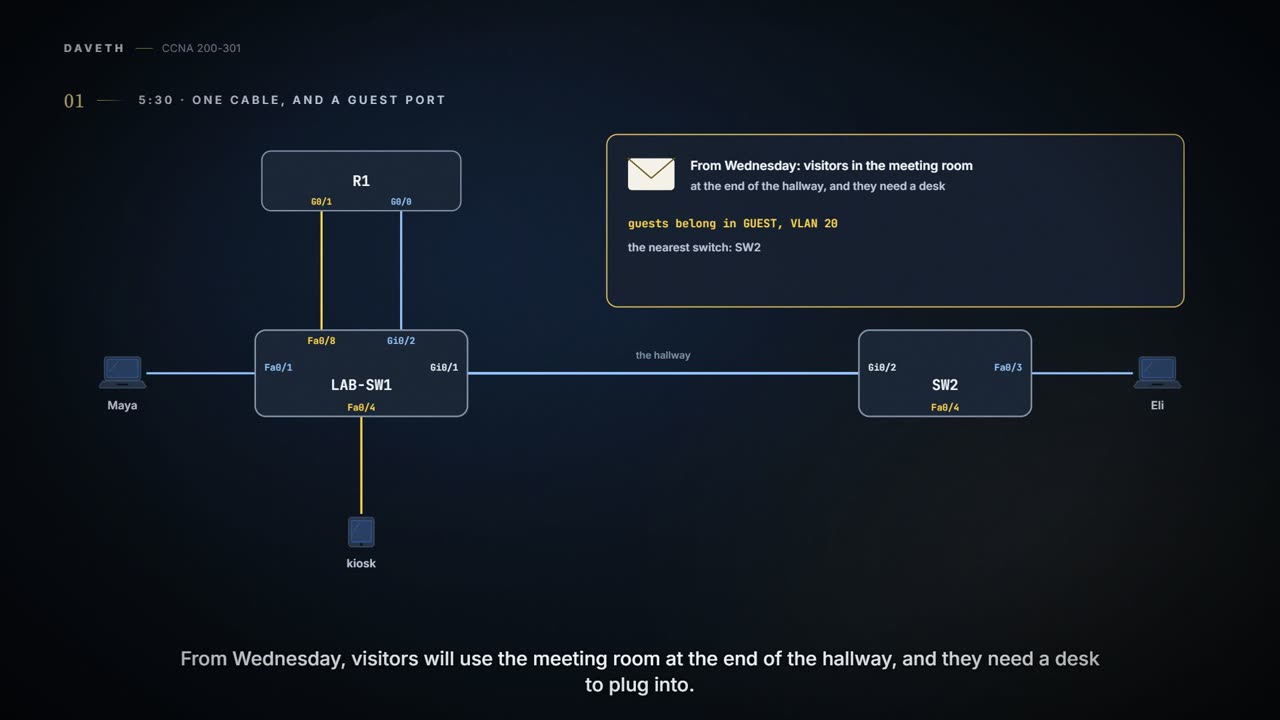
The spare is back in the cupboard, saved. Then an email: from Wednesday, visitors will use the meeting room at the end of the hallway, and they need a desk to plug into. Guests belong in GUEST, VLAN 20, and the nearest switch is SW2, down the hallway.
Maya picks SW2's free port, Fa0/4, for the visitors' desk. Then she stops. The one cable between LAB-SW1 and SW2, LAB-SW1's Gi0/1 to SW2's Gi0/2, is in VLAN 10 at both ends. It carries VLAN 10, and nothing else. A visitor in VLAN 20 on SW2 would be stranded there, with no way to R1 and the internet.
Sam, packing up, asks: "Can't one cable carry both?"
VLANs on more than one switch
On one switch, VLANs are simple: each port is told its VLAN number. Once a VLAN spreads across several switches, there's a new problem: getting its frames from one switch to the next.
The plain answer works. Run one cable between the switches for each VLAN, with each cable fully inside its VLAN: one in VLAN 10, a second in VLAN 20. Eli's frames take the VLAN 10 cable; the visitors' take the VLAN 20 one. It works perfectly.
It just doesn't scale. One cable per VLAN means 10 VLANs need 10 cables between the two switches, and 10 ports on each switch spent on them. 20 VLANs, 20 cables. Maya has one hallway, and she'd like to keep it that way.
If you've ever run a separate extension lead to each appliance in a room, you know how that ends. (Where it stops: extension leads carry power. The trunk is about keeping each VLAN's frames apart on one cable.)
Two VLANs don't need a private cable each. They need the far switch to know which frame is whose.
VLAN tagging
When VLANs span several switches, the links between the switches use VLAN trunking. A trunk is one link that supports as many VLANs as you need: both switches treat it as part of every VLAN.
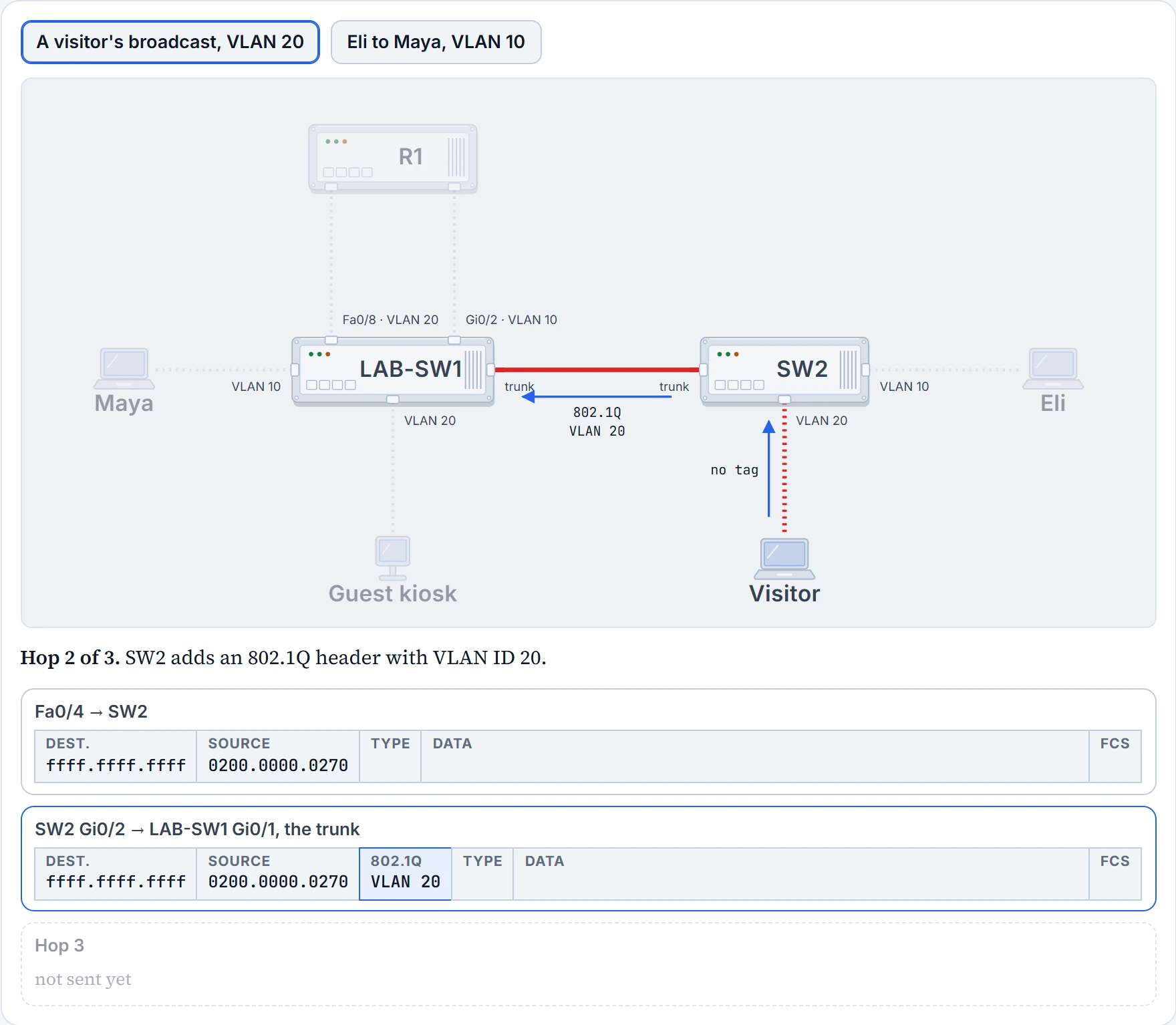
The trick is VLAN tagging. Before a switch sends a frame over the trunk, it adds another header to the frame, a VLAN header, and that header holds a VLAN ID. (The standard that defines it today is 802.1Q; the next section looks inside it.) The receiving switch reads it, so it knows which VLAN the frame belongs to. Then it removes the header and forwards the original frame, only into that VLAN. That's how one cable carries both VLANs and still keeps them apart: a frame in VLAN 10 doesn't go to a device in VLAN 20, and the other way round, as long as both switches are set up alike.
It's basically like the internal-mail envelope between two office buildings: the postroom writes the department on the outside, and the far postroom reads it, opens the envelope and walks the letter to that department. (Where it stops: a switch doesn't wrap the frame. It slips a small header in beside the addresses, as the next section shows.)
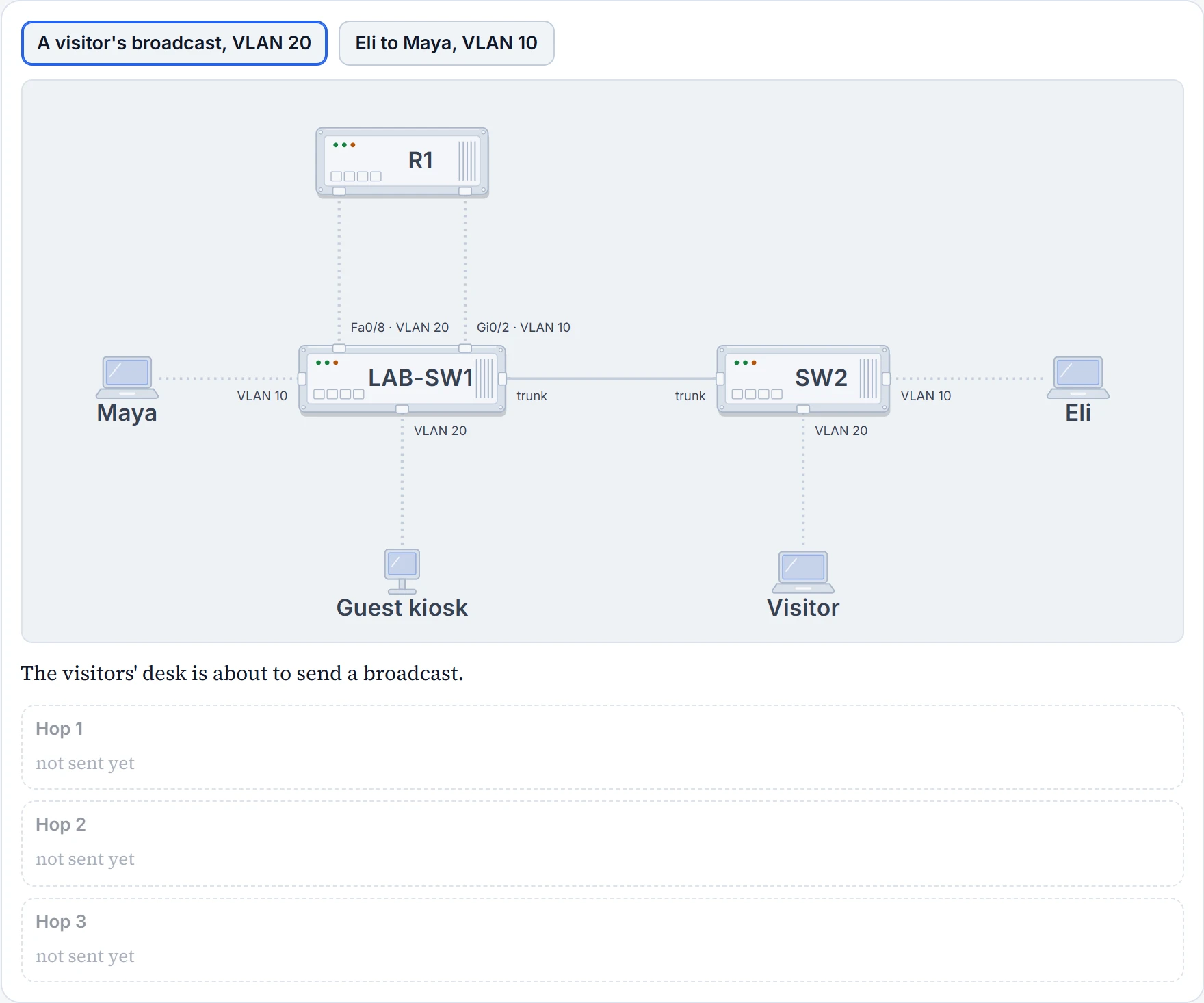
On Wednesday, the visitor's laptop will say hello the way hosts do, with a broadcast.
Step 1 of 4
Step 2 of 4
Step 3 of 4
Step 4 of 4
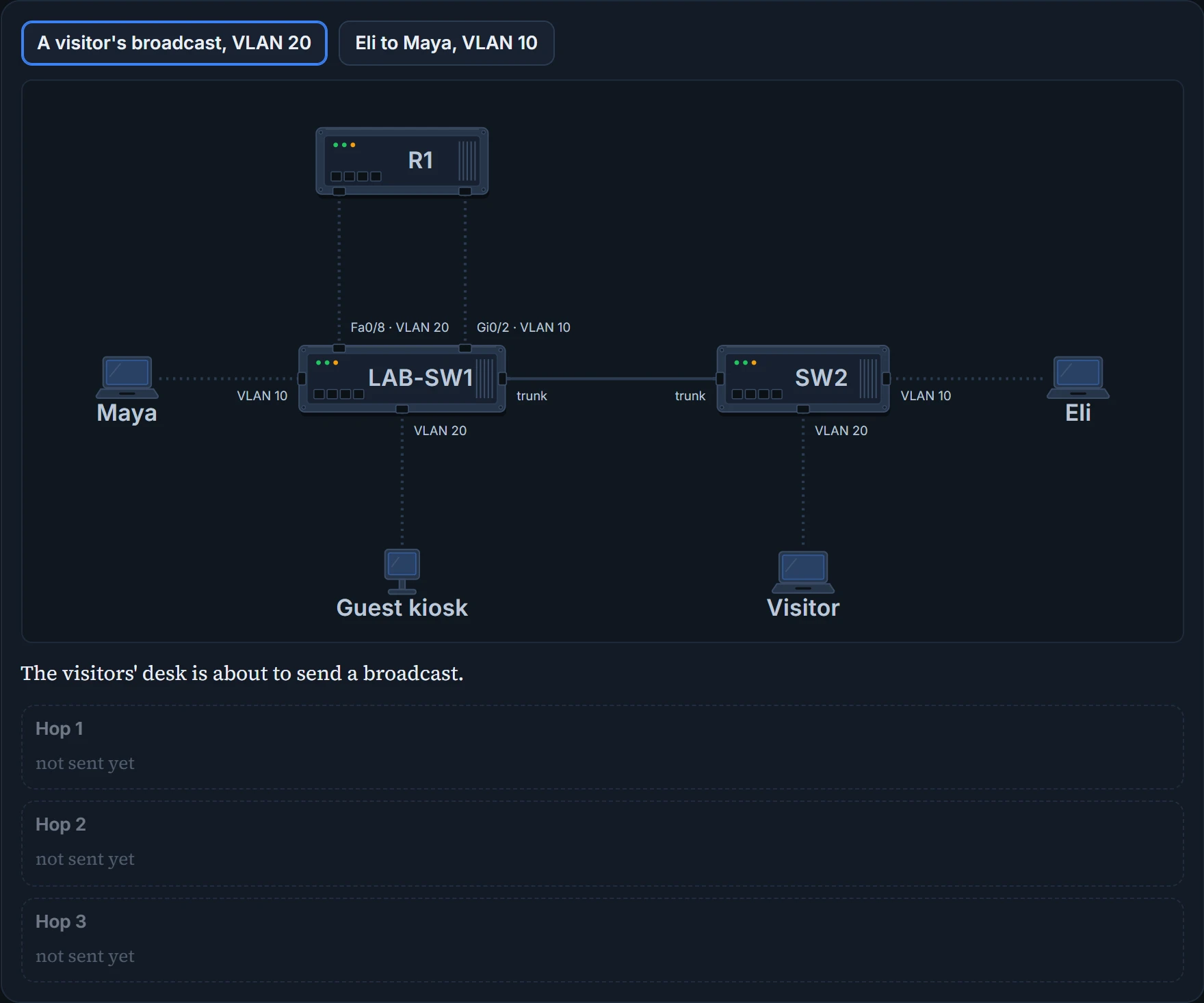
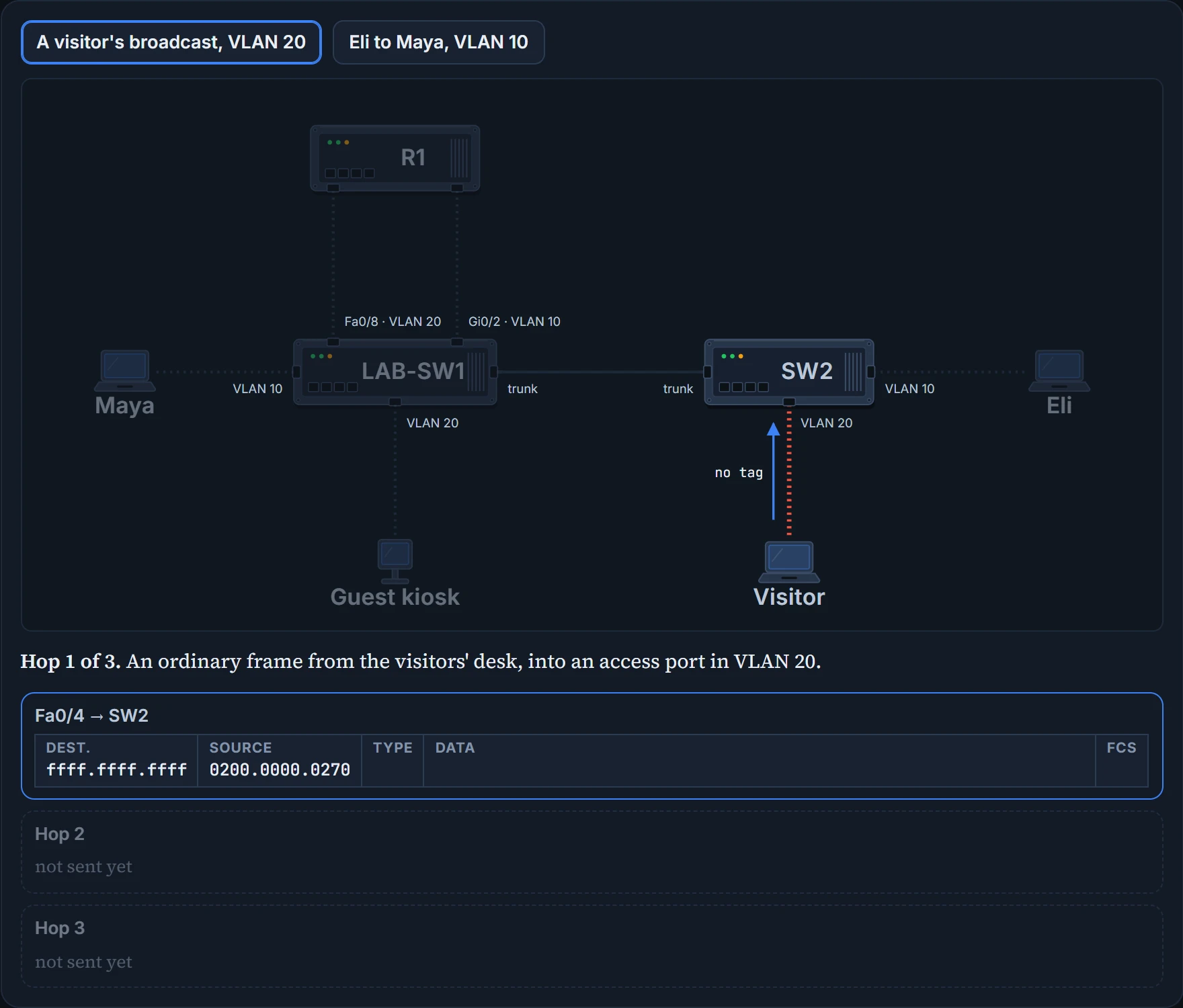
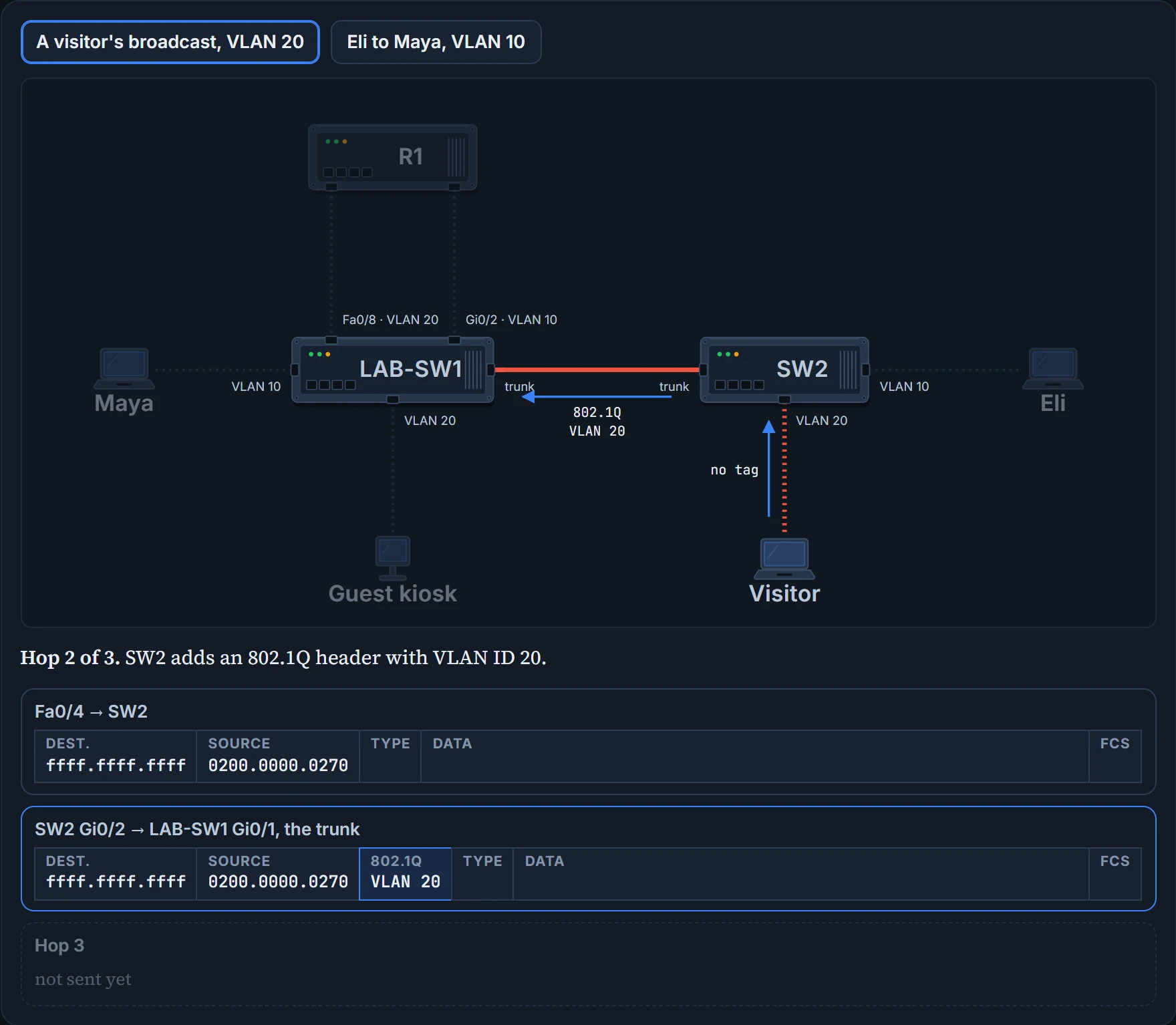
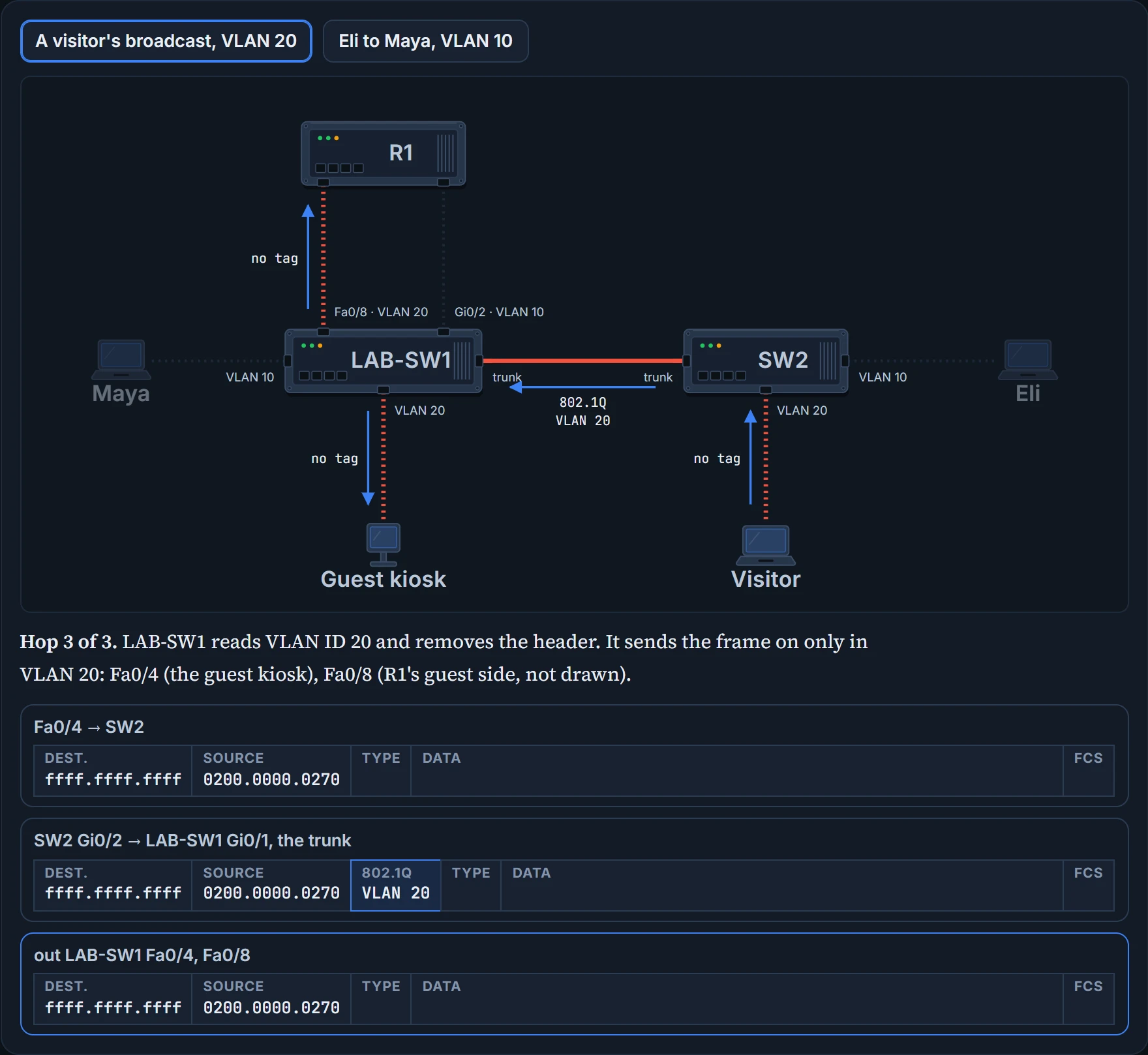
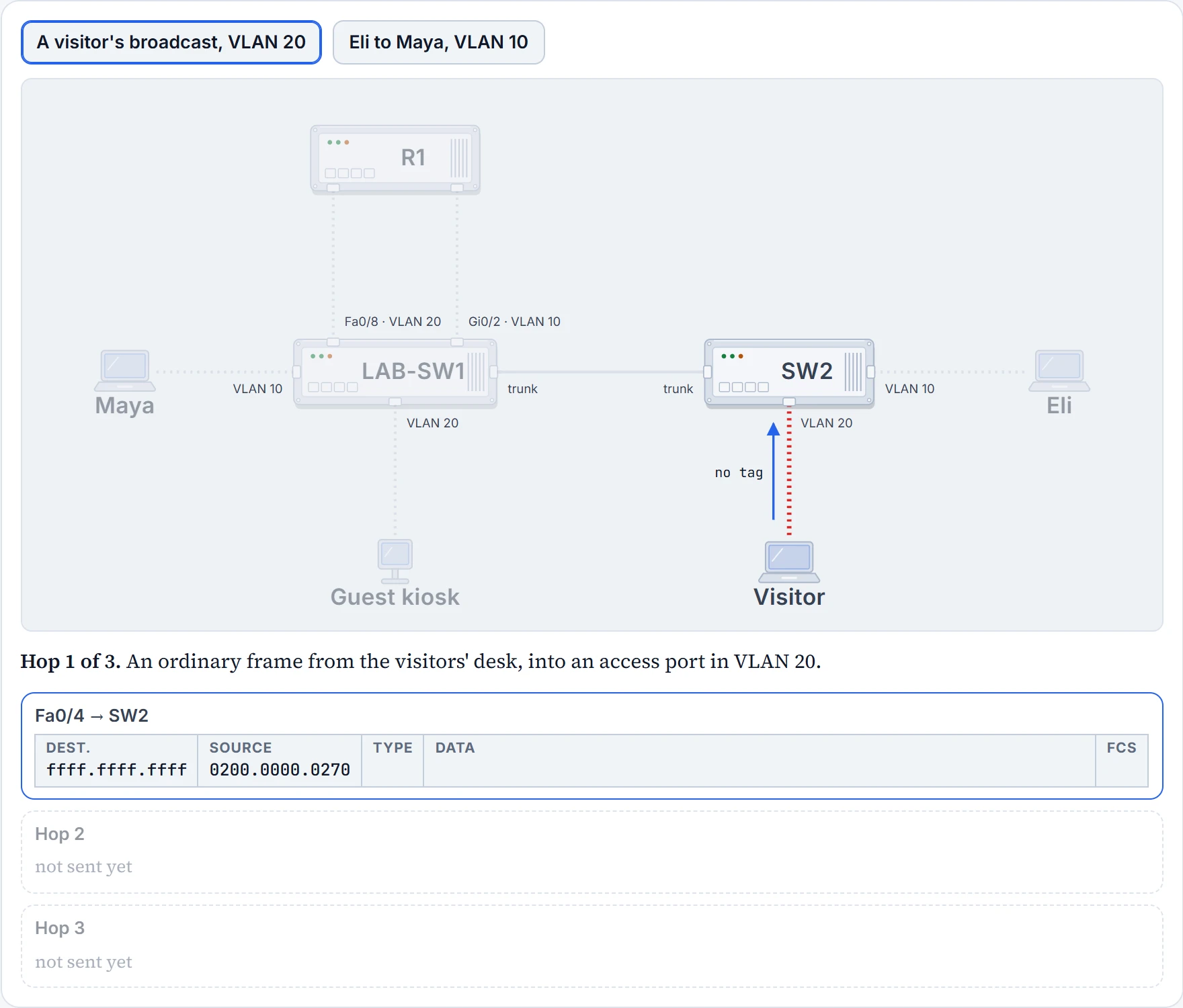
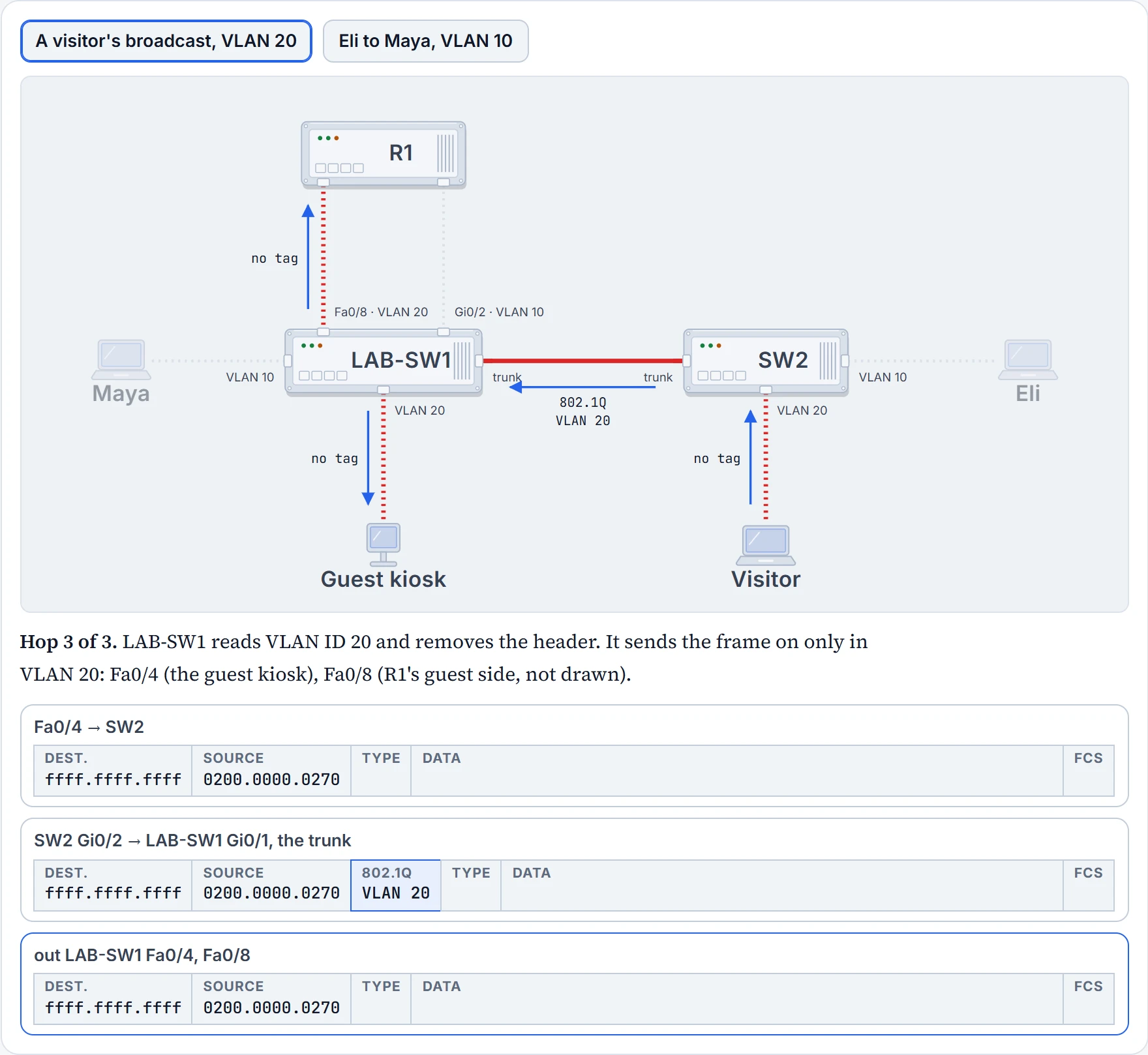
Step it through. The visitor's frame is ordinary on the way into SW2, and ordinary again on the way out of LAB-SW1. Only on the hallway cable does it carry an 802.1Q header, with VLAN ID 20. LAB-SW1 sends it out its VLAN 20 ports, the kiosk's Fa0/4 and R1's Fa0/8, and not out Maya's Fa0/1. Eli's frame to Maya: same cable, VLAN ID 10.
The sending switch floods a broadcast out its own ports in the same VLAN too, not only up the trunk. If the kiosk broadcast, LAB-SW1 would send it out R1's Fa0/8 and up the hallway tagged 20, and not out Maya's Fa0/1.
Eli's laptop never saw the tag. SW2 put it on, and LAB-SW1 took it off before Maya's laptop got the frame.
Same hallway, different rooms. Sharing the corridor didn't merge them.
802.1Q and ISL
Two trunking protocols matter here. ISL (Inter-Switch Link) came first: one vendor created it before the IEEE had defined a standard. Then came the IEEE's 802.1Q. Today 802.1Q is the more popular of the two, and many switches don't support ISL at all.
Both tag each frame with a VLAN ID, and both use 12 bits for it, but the details differ. 802.1Q inserts one extra 4-byte header into the original frame's Ethernet header.


The 802.1Q header goes after the source address, and the addresses themselves don't change. It has several fields, but only one matters here: the 12-bit VLAN ID.
Twelve bits can hold 4096 values, 0 to 4095. Two of them, 0 and 4095, are reserved, so in practice a trunk carries VLAN IDs 1 to 4094. Those split into two ranges. The normal range, 1 to 1005, works on every switch. The extended range, 1006 to 4094, works only on some, depending on how VTP, the VLAN-sharing protocol named in 03.1.2's drawer, is set.
The tag sits beside the Ethernet addresses, not inside Maya's web request. It's a Layer 2 matter.
The native VLAN
802.1Q makes one exception. On each trunk, one VLAN is the native VLAN, VLAN 1 unless someone changes it, and 802.1Q doesn't add a header to frames in the native VLAN. They cross untagged.
So when a switch receives a frame on a trunk with no 802.1Q header, it puts the frame in the native VLAN: its own native VLAN, because nothing in the frame says anything else. That's why both switches must agree on which VLAN is native.
So what is it for? Mainly for devices that don't understand trunking. A switch cabled to one of those can at least send it frames in the native VLAN, which carry no header, so the other device understands them. That gets one VLAN's traffic through, enough for basics such as logging in to a switch over Telnet.
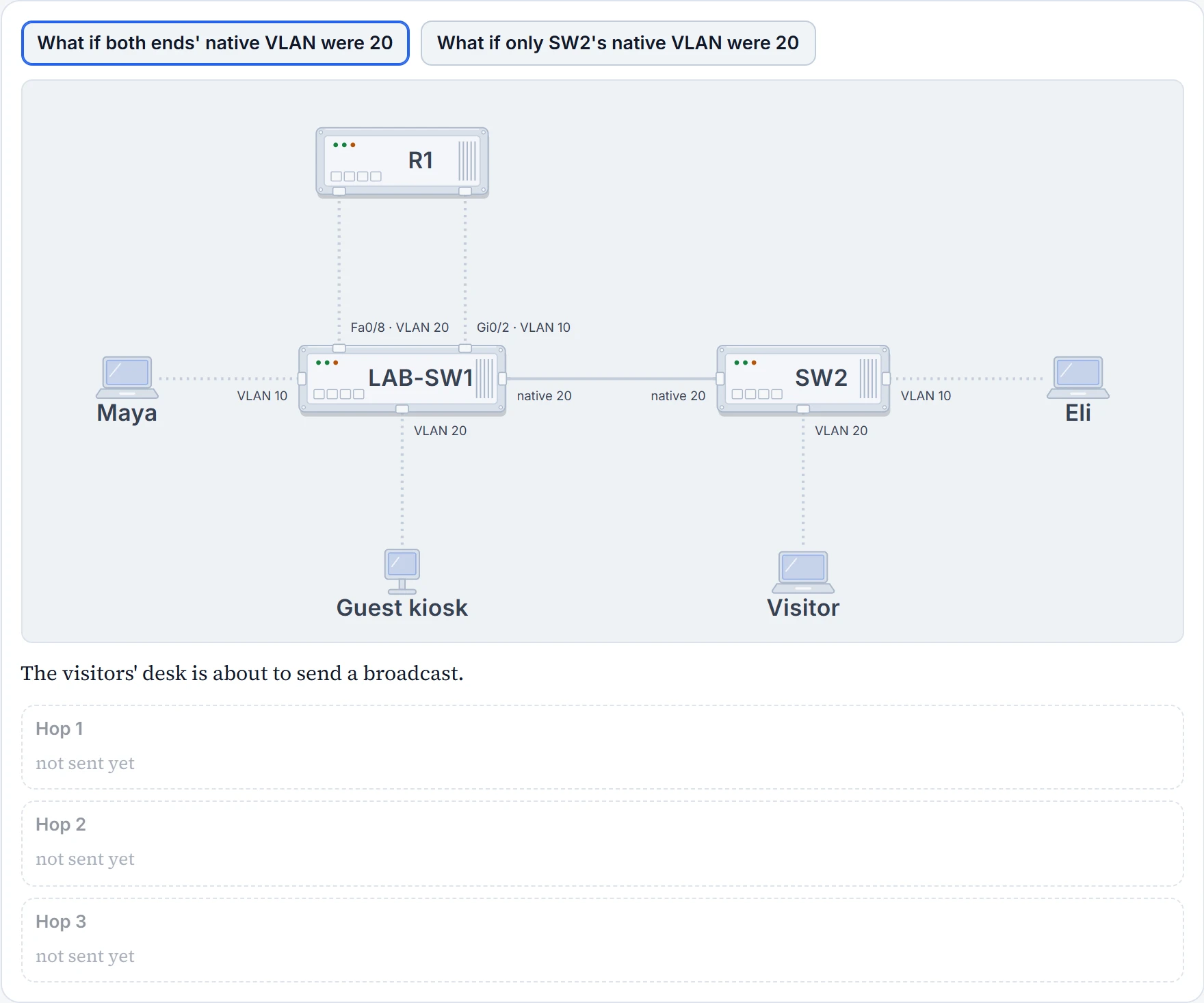
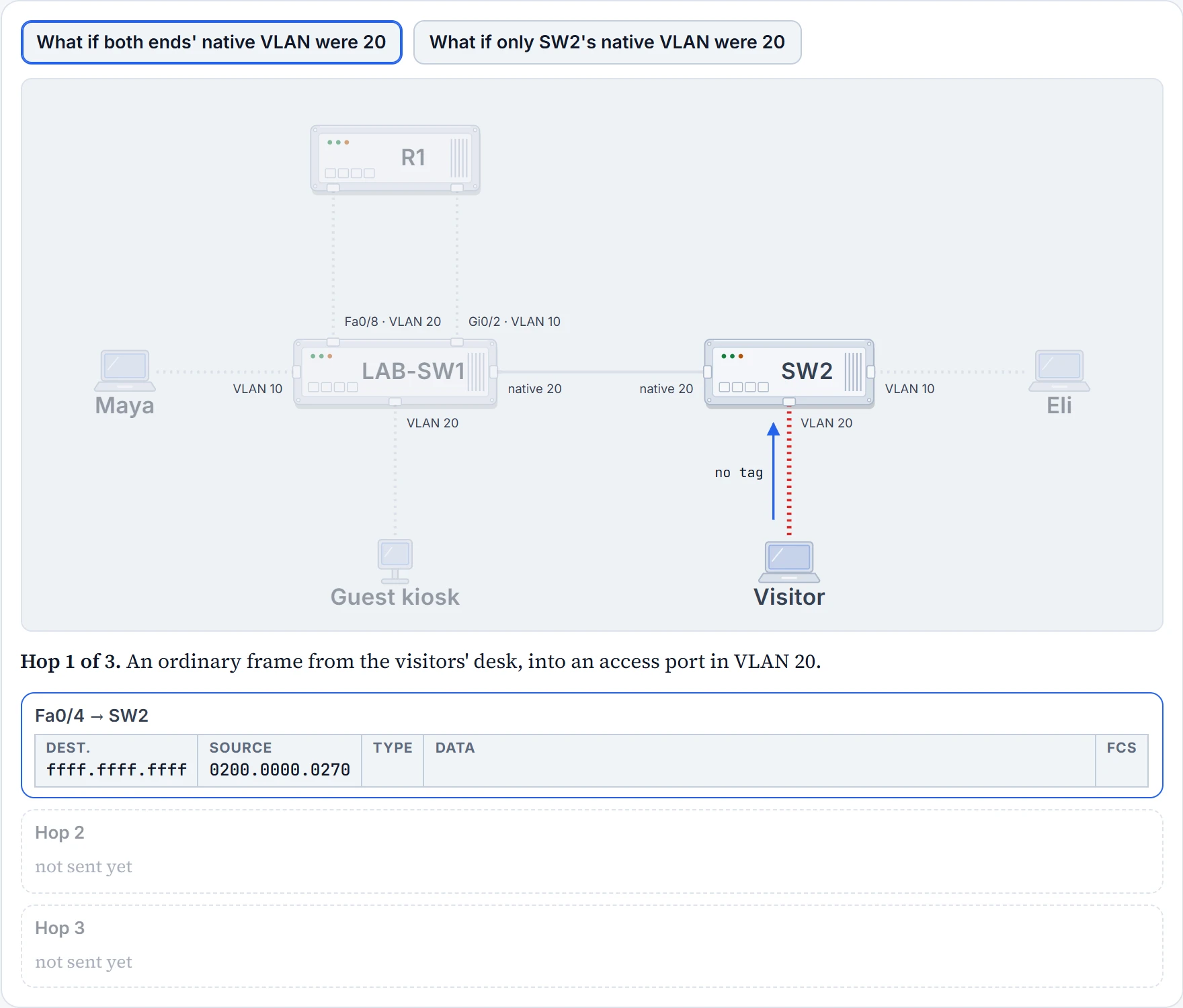
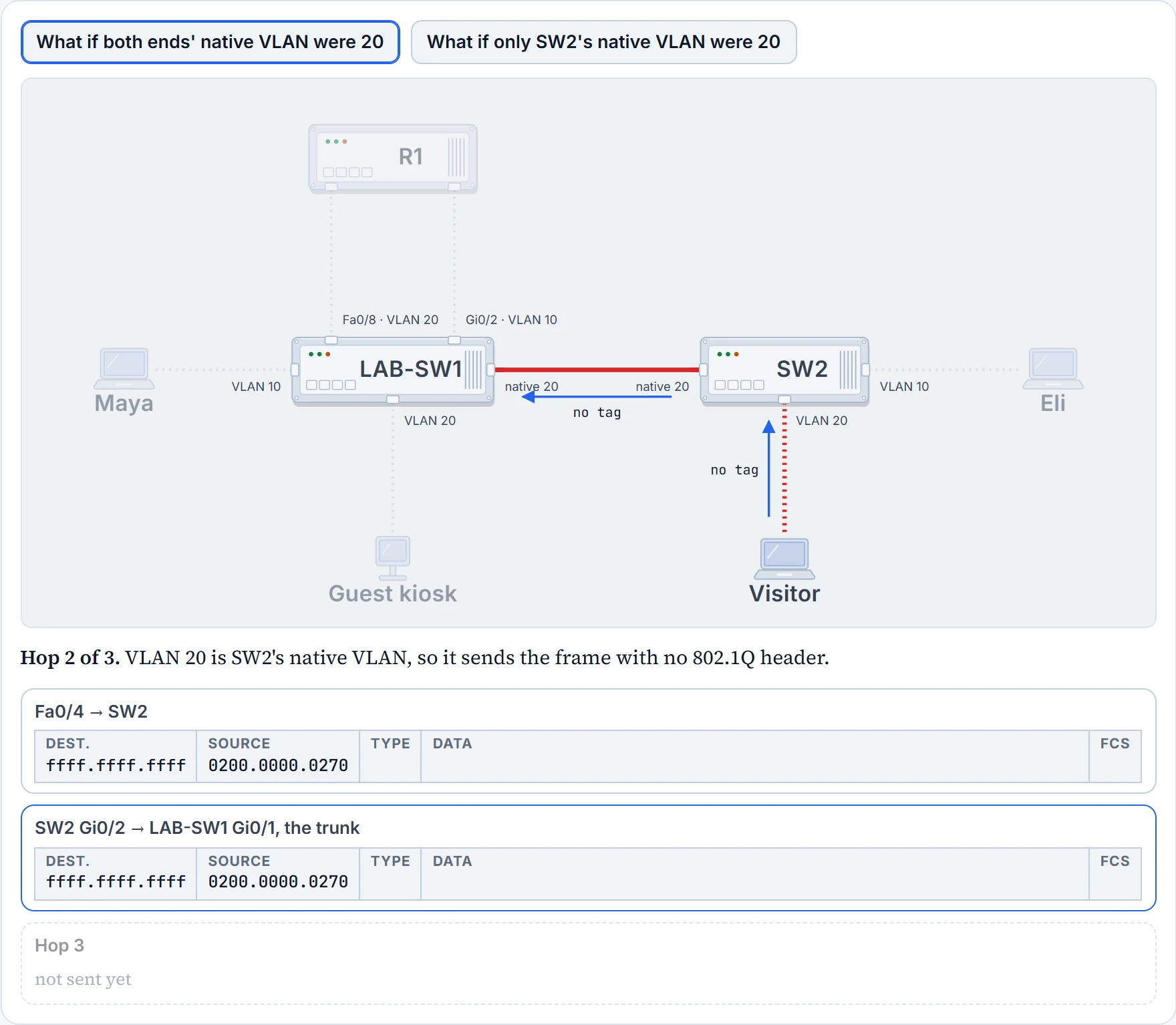
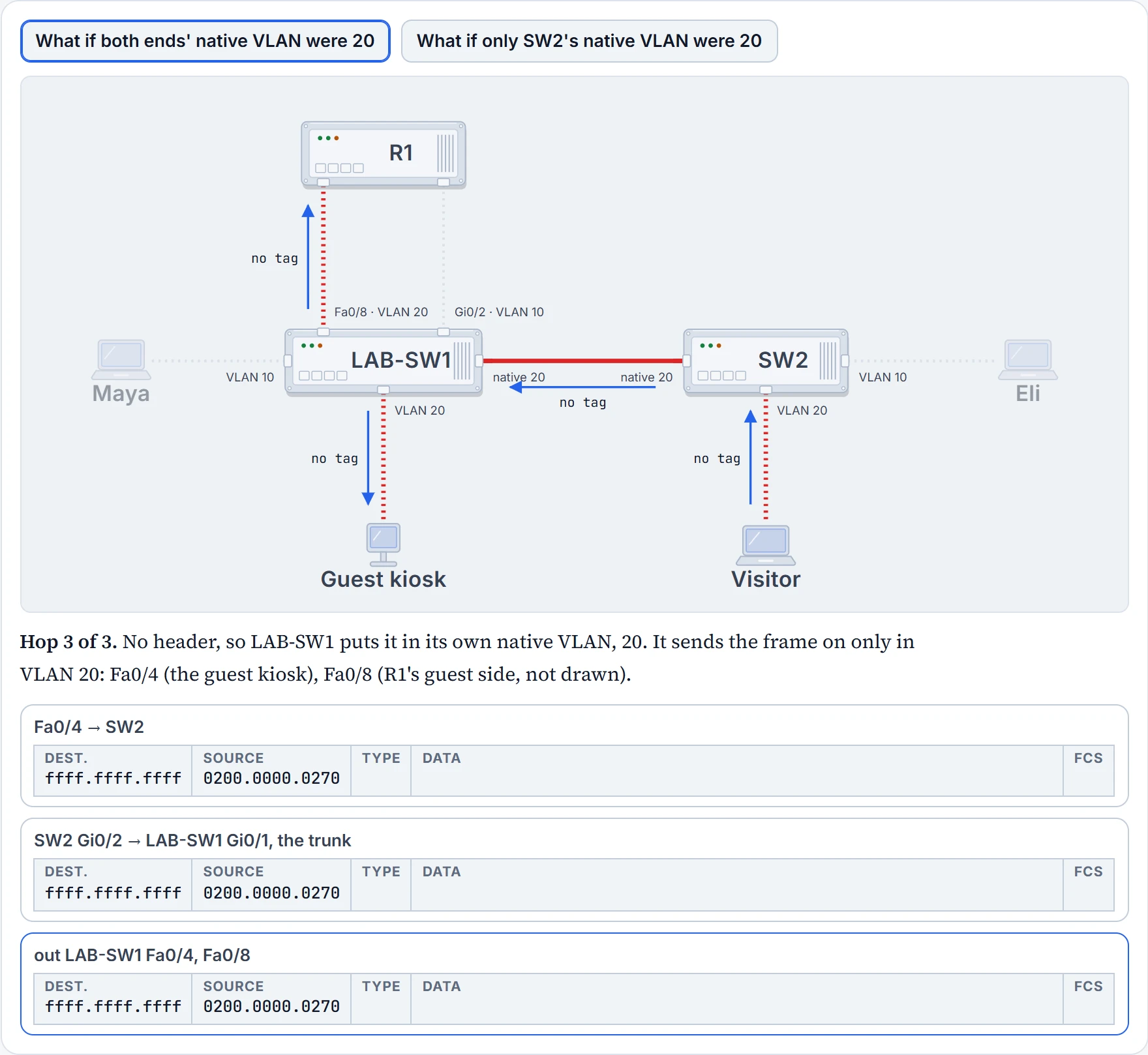
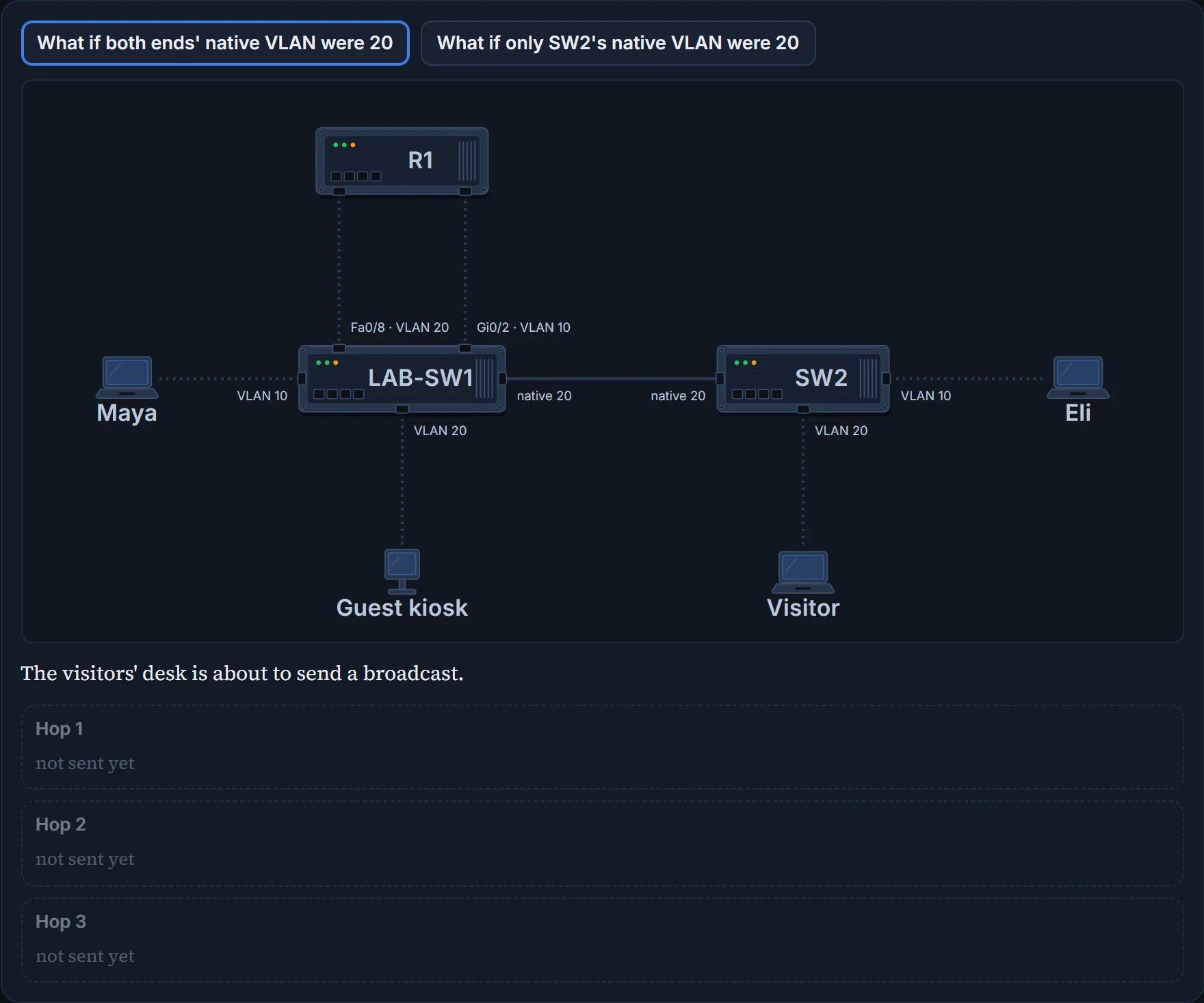
LAB-SW1 and SW2 both keep the default, native VLAN 1, and nothing on Maya's plan sits in VLAN 1. To see what the native VLAN does, change it on paper; the live switches stay as they are. The command is switchport trunk native vlan on the trunk port. First, with both ends set to 20: the visitor's frames would cross with no header, and LAB-SW1 would still put them in VLAN 20. Then with SW2 changed and LAB-SW1 left alone.
Step 1 of 4
Step 2 of 4
Step 3 of 4
Step 4 of 4
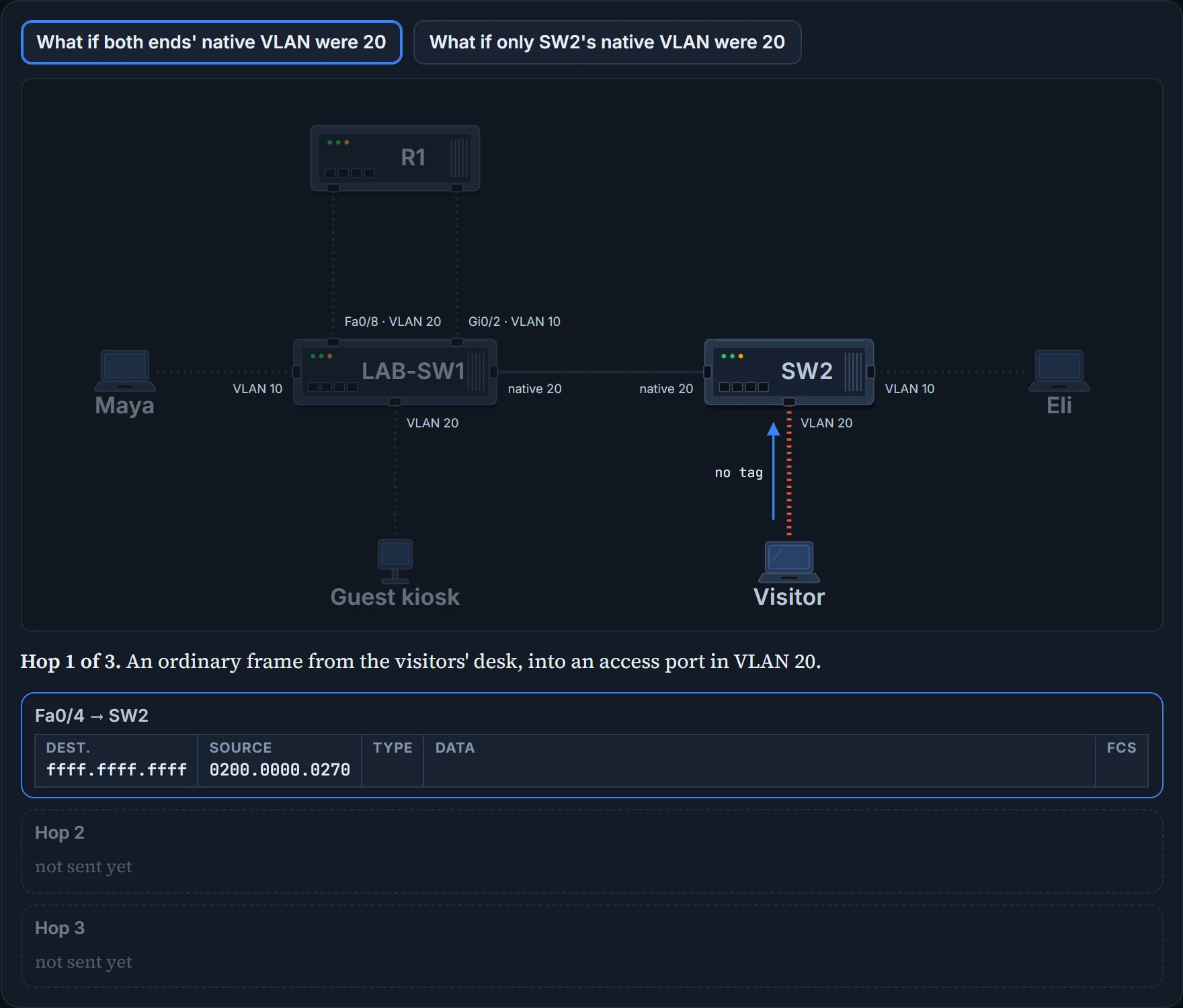
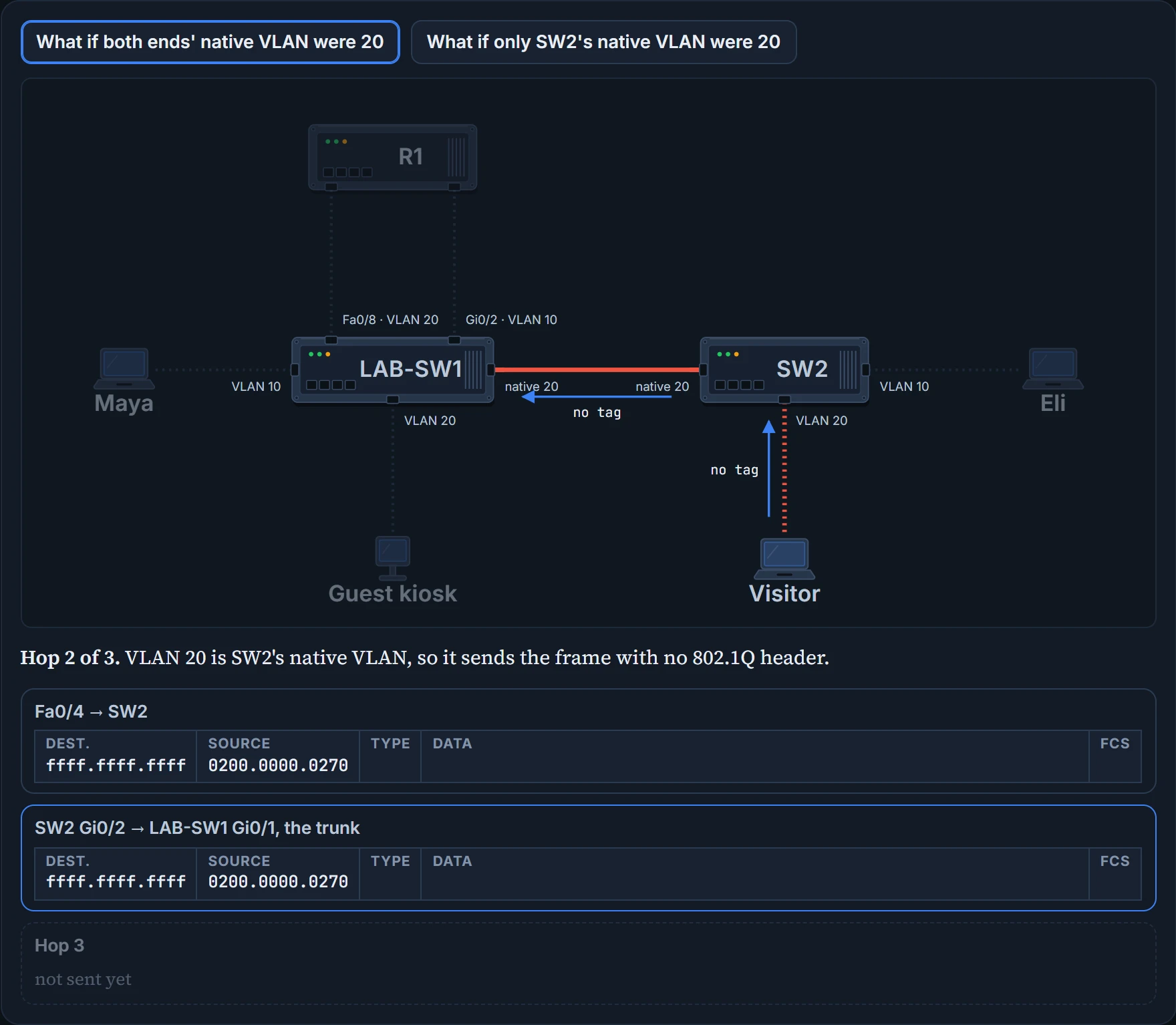
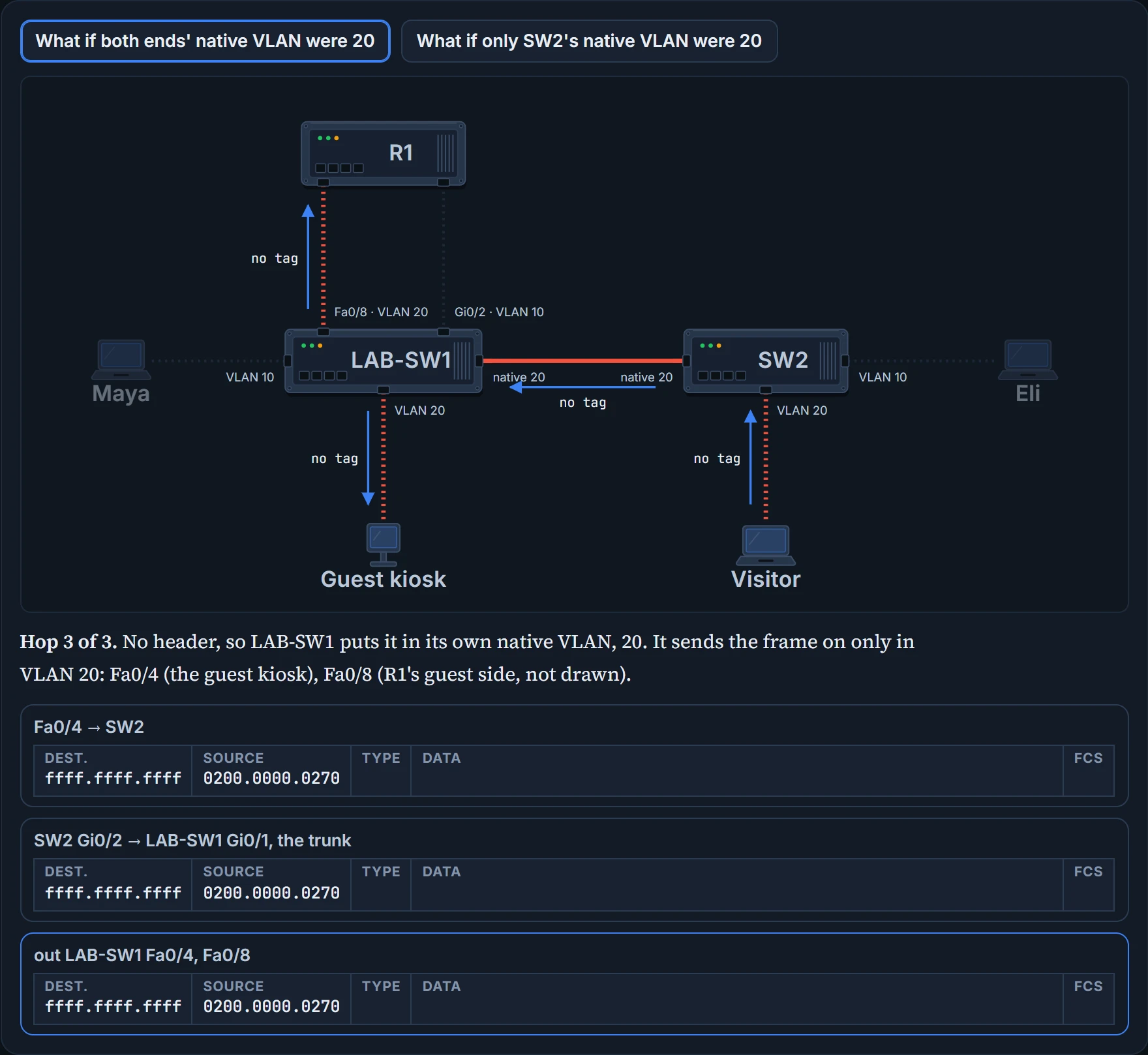
Compare the two cases on the hallway cable: the frame is identical, with no header either way. Only LAB-SW1's setting differs. In the mismatch, LAB-SW1 has no access port in VLAN 1, so the frame reaches nobody, and a frame sent in VLAN 20 has jumped into VLAN 1. That jump is called VLAN hopping. Nothing looks wrong on the cable itself.
Continue the lesson
The whole lesson, with its drawings and its questions. The rest of this section and 2 more after it.