
IP Routing and Forwarding Decisions
IP routing forwards a packet from the host that builds it to the host it is for. A host sends to its default gateway for another subnet. Each router then works through five steps: accept the frame, take out the packet, choose a route, build a new frame for the next hop, and send it. When several routes match, the longest prefix wins.
By Arif, founder of Daveth · Updated
The full 13 min walkthrough is in Daveth Pro (Network). See what the plan opens
What this page answers
How does a router forward a packet?
For every frame it decides whether to process it, takes out the IP packet, compares the destination address with its routing table, wraps the packet in a new frame for the next hop, and transmits it. Read it in “The router's five steps”
What is longest prefix match?
When a destination matches more than one route, the router uses the most specific one: the route with the longest prefix length. It ranks matching routes by that one thing. Read it in the lesson
Why does a router need ARP?
To build the new frame on an Ethernet link, it needs the next device's MAC address. Its ARP table lists IP addresses and their MAC addresses on its connected subnets, and it uses ARP to learn any it lacks. Read it in “The router's ARP table”
One packet, one hop
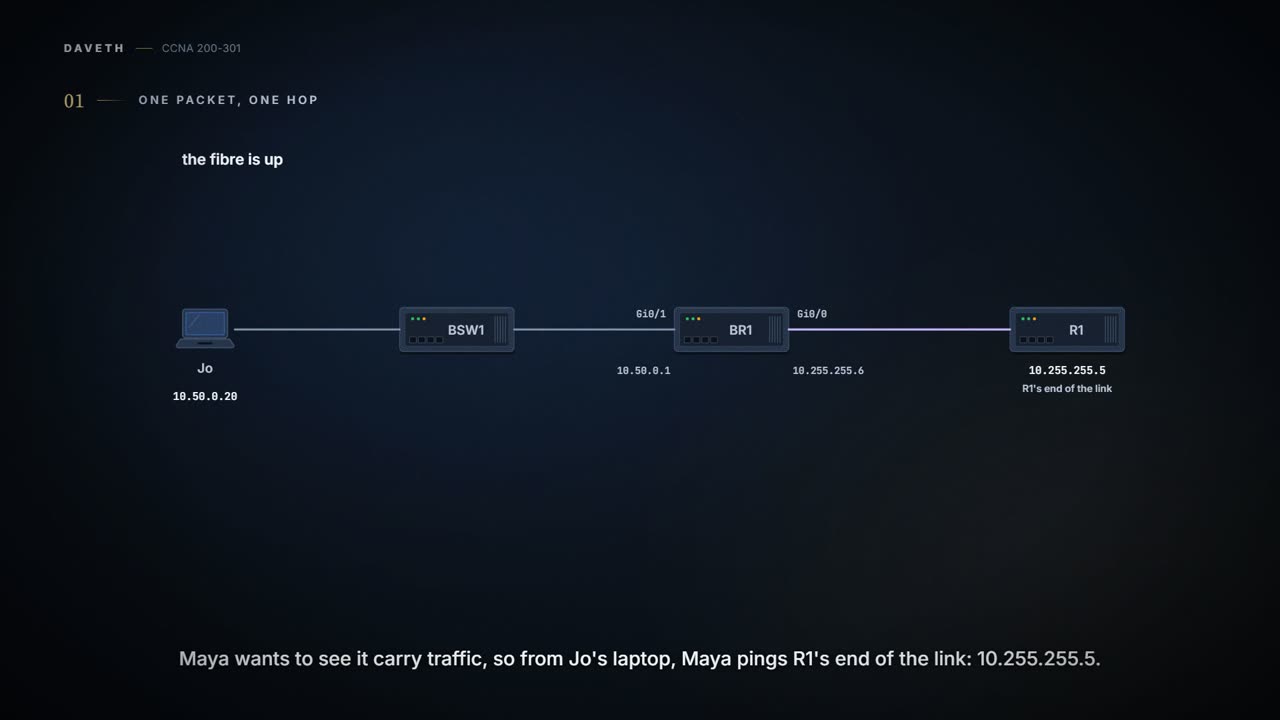
Monday afternoon, and the fibre is up. Maya wants proof it carries traffic, so from Jo's laptop Maya pings R1's end of the link, 10.255.255.5: a ping sends an ICMP echo request, and the target sends back an echo reply (01.8). Replies come back. Jo, watching, asks what actually happened to that packet inside BR1.
IP routing is the process of forwarding IP packets from the host that builds them to the host they're for. It needs Layer 3 logic on the sending host, which picks where the packet goes first, and on every router, which compares the packet's destination address with its routing table. And at each link, the packet travels inside a data-link frame.
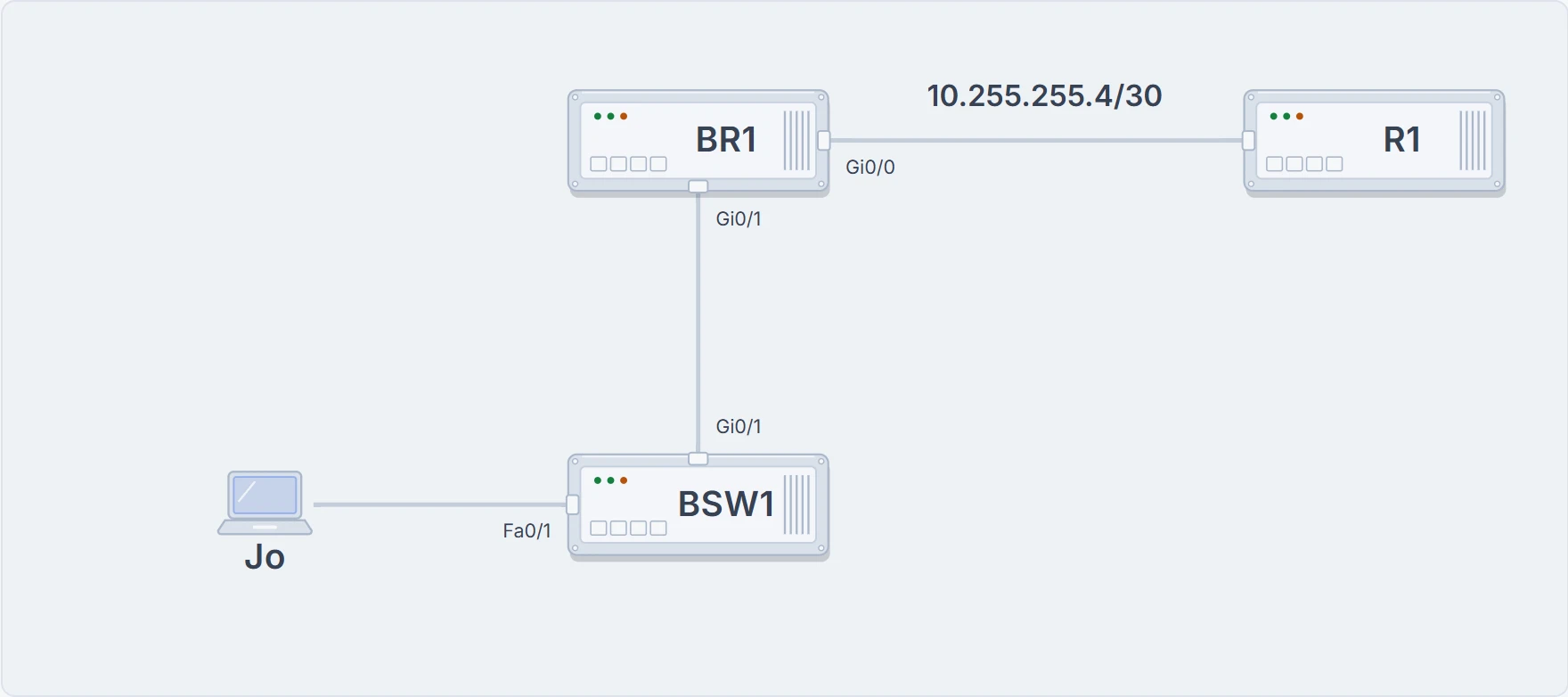
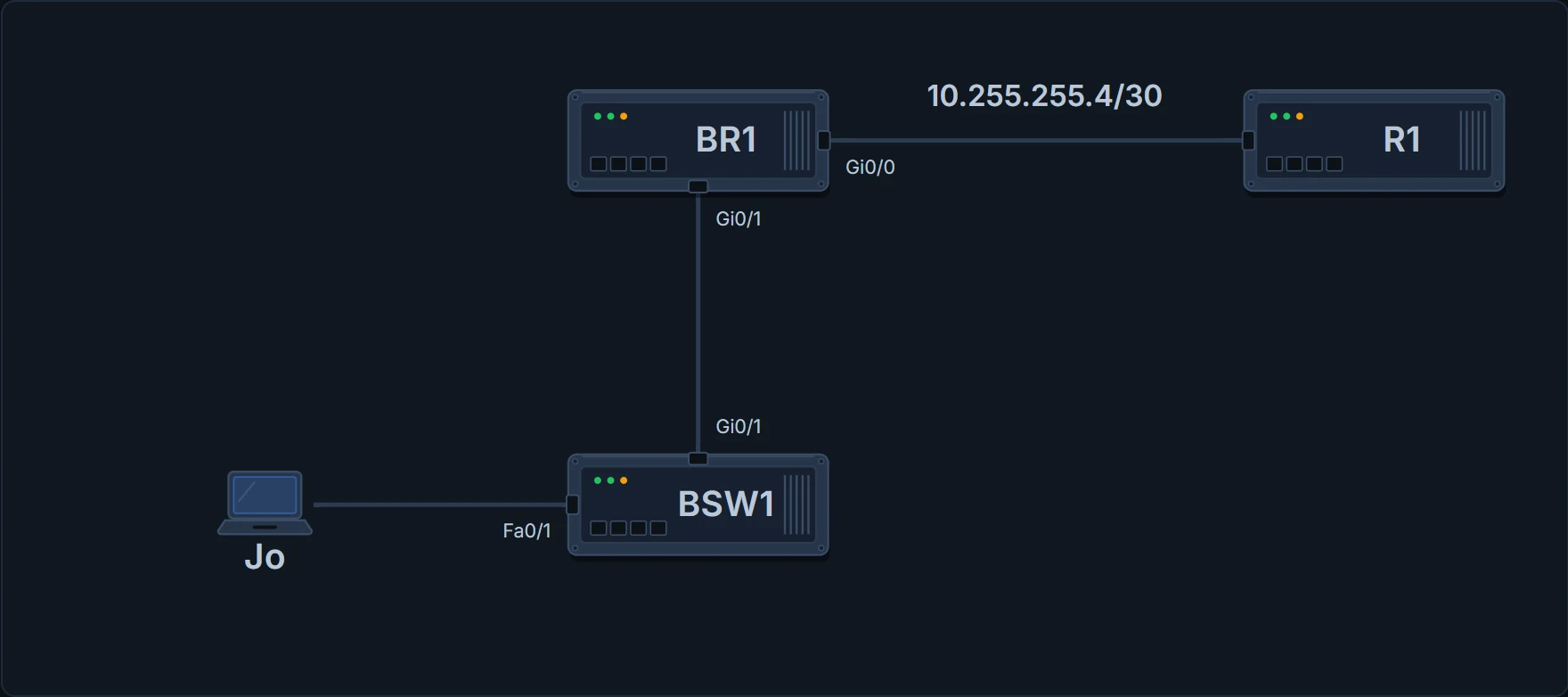
Where the ping goes: Jo's laptop on BSW1 Fa0/1, through BR1 (Gi0/1 in, Gi0/0 out), to R1's 10.255.255.5.
The host decides first. It asks: is the destination in my own subnet? Its address and mask give the range (10.50.0.0 to 10.50.0.255 for the laptop). If the destination is local, it finds that host's MAC, from its ARP table or with ARP, and sends the frame straight to it. If not, it finds its default gateway's MAC (default gateway and default router mean the same) and sends the frame there. 10.255.255.5 isn't local, so the laptop's frame goes to BR1 Gi0/1's MAC, 0200.0000.0510, while the packet inside still says 10.255.255.5. The frame says BR1; the packet says R1.
The router's five steps
Routers have a little more to do than hosts, because the packet arrives wrapped in a frame. For every frame, a router works through five steps:
- Decide whether to process the frame. Process it only if it has no errors (the frame check sequence, FCS, in the trailer) and its destination MAC is the router's own (or a suitable multicast or broadcast address).
- De-encapsulate: take the IP packet out of the frame.
- Make a routing decision: compare the packet's destination IP address with the routing table and find the route that matches. That route gives the outgoing interface and possibly the next-hop router.
- Encapsulate the packet in a new data-link frame for the outgoing interface. Out a LAN interface, that needs the next device's MAC: use ARP as needed.
- Transmit the frame out that interface.
Shorter: receive a frame, take the packet out, decide where it goes, put it in a new frame, send it.
Step 1 filters. A frame that failed the FCS check is discarded, and the router doesn't ask for it again. And a router does receive frames meant for other devices: a LAN switch floods frames for unknown MACs (02.5), so a router ignores unicast frames addressed to other devices' MACs. In step 4, the new frame can be a different kind from the old one: out a serial link it's an HDLC frame (the default) or a PPP frame, and a serial link needs no addressing, since there are only two devices on it. Ethernet does: the new frame needs the right destination MAC. If the route names a next-hop router, the frame goes to that router's MAC; if the route is directly connected, the frame goes to the destination host itself. In step 5, the router may have to wait its turn if other frames are queued for the same interface.
Here's the ping, stop by stop.
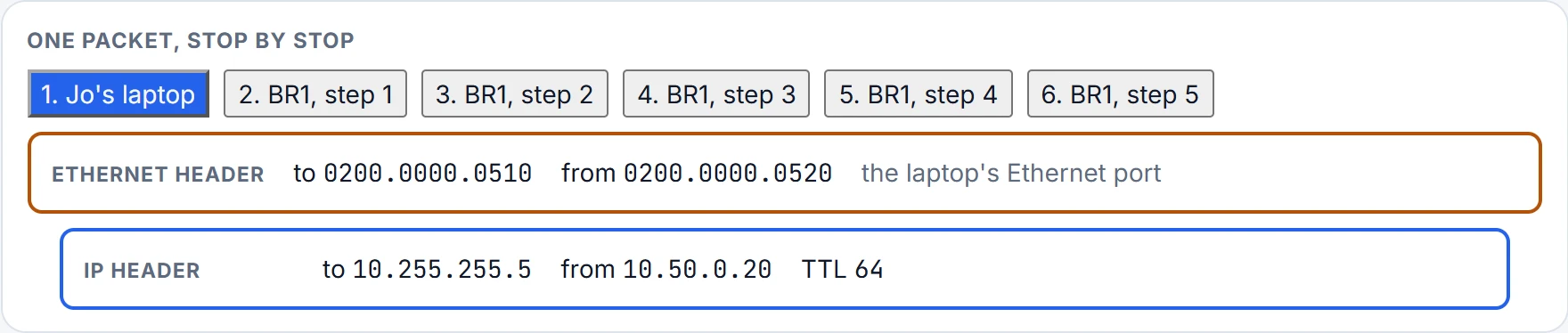
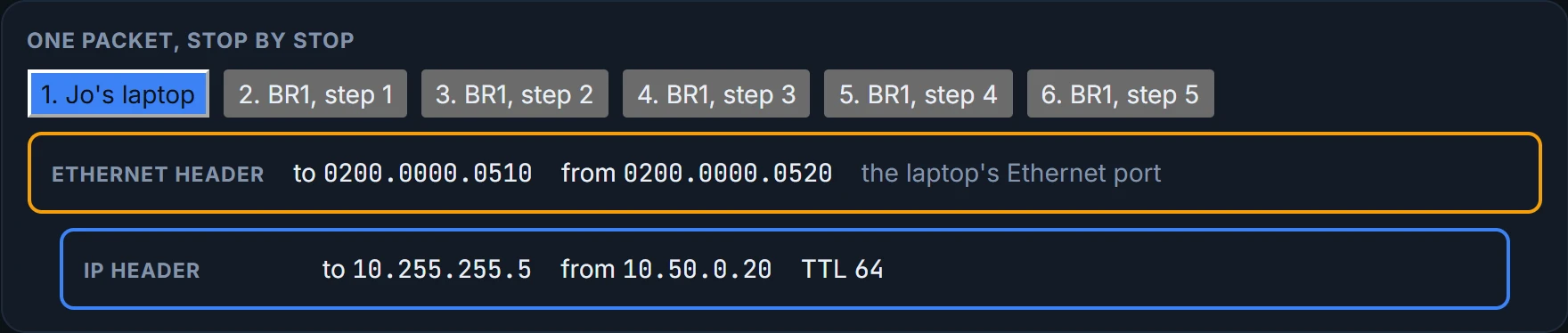
Two things changed on the way through, and one didn't. The frame is new: BR1 threw the old one away and built another, with Gi0/0's MAC as the source and R1's as the destination. The packet's TTL is one lower, as at every router, and a router that brings the TTL down to 0 discards the packet (01.6). The source and destination IP addresses didn't change at all.
At Gi0/1 the frame said BR1 and the packet said R1. At Gi0/0, finally, they agree.
The router's ARP table
Step 4 on Ethernet depends on ARP. The router's IPv4 ARP table lists IP addresses and their matching MAC addresses: its own interfaces', and those of the hosts it has learned in its connected subnets. To forward a packet to a host on one of those subnets, the router puts that host's MAC in the new frame; if there's no entry yet, it uses ARP messages to learn it first (01.7).
BR1# show ip arp
Protocol  Address        Age (min) Hardware Addr   Type   Interface
Internet  10.50.0.1             -  0200.0000.0510  ARPA   GigabitEthernet0/1
Internet  10.50.0.20            0  0200.0000.0520  ARPA   GigabitEthernet0/1
Internet  10.255.255.5          0  0200.0000.0130  ARPA   GigabitEthernet0/0
Internet  10.255.255.6          -  0200.0000.0500  ARPA   GigabitEthernet0/0
BR1#
BR1's own addresses show an age of "-": those entries never time out. Learned entries show the minutes since they were last used, counting up while an entry sits idle: Jo's laptop and R1 are both at 0, because BR1 has just used them for the ping and its reply. By default, an entry is removed after 240 minutes without use, and each use resets its timer to 0. In a lab, clear ip arp empties the learned entries, or just one if you add its address, so you can watch ARP happen again.
Continue the lesson
The whole lesson, with its drawings and its questions. 2 more sections after the ones above.