
OSPF Neighbors, LSDB, LSAs and SPF
OSPF neighbours are routers that run OSPF on the same data link and exchange Hellos. Each Hello lists the router IDs the sender has already heard: a router seen in a Hello reaches init, and 2-way once it sees itself listed. Neighbours then swap their link-state databases until both are full, and keep Hellos flowing; silence for the Dead Interval means failure.
By Arif, founder of Daveth · Updated
The full 14 min walkthrough is in Daveth Pro (Network). See what the plan opens
What this page answers
What are the OSPF neighbour states?
A router heard in one Hello is in init; once each lists the other's router ID it is 2-way; after the database exchange, with several interim states, the pair reaches full. Read it in “The first Hellos”
How do OSPF routers exchange their LSDBs?
They do not send whole databases. Each first sends a list of the LSAs in its LSDB; each then asks for the ones it lacks and receives them, until both databases match and the neighbours are full. Read it in “Swapping databases”
What is the OSPF Dead Interval?
How long a router waits without a Hello from a neighbour before deciding it has failed: by default 4 times the Hello Interval. Read it in “Keeping it going”
Becoming neighbours
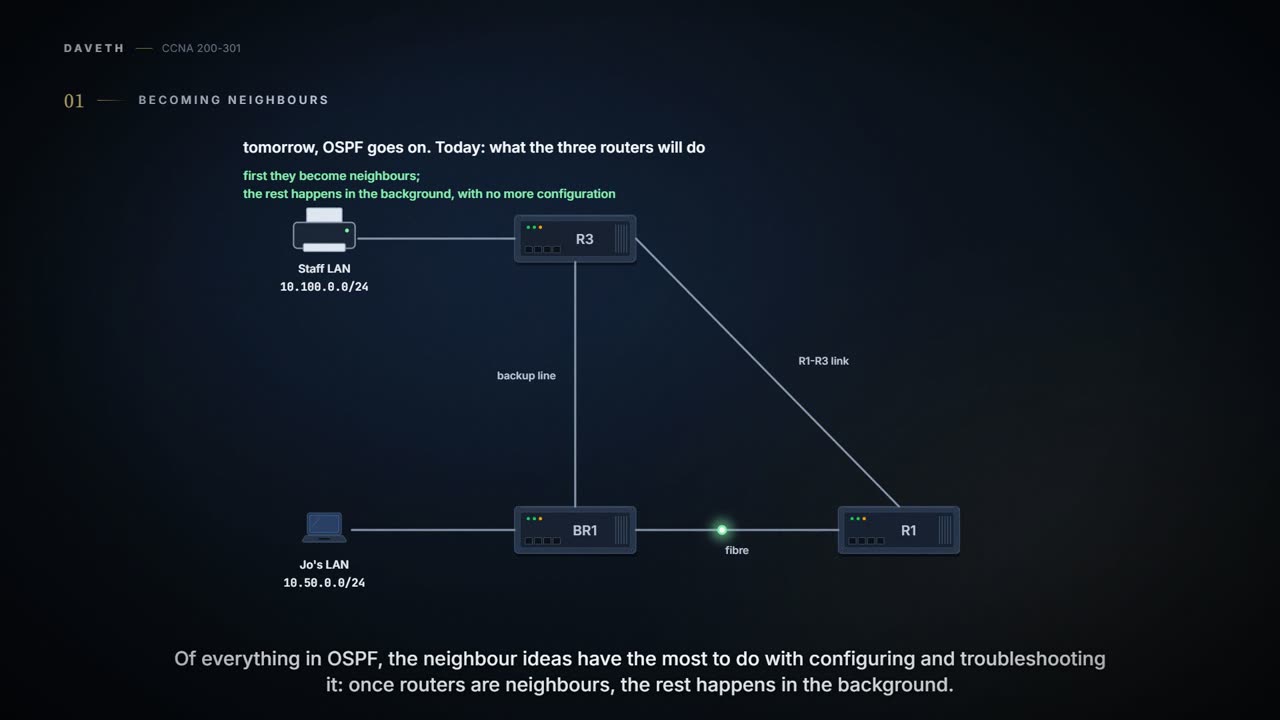
Tuesday, month three, week three. Tomorrow Maya turns OSPF on. Today Ravi wants to walk through, on paper, what the three routers will actually do, because of everything about OSPF on this page, the neighbour ideas have the most to do with configuring and troubleshooting it. Once routers become neighbours, OSPF does the rest in the background: swapping LSAs and calculating routes, with no more configuration.
OSPF neighbours are routers that both run OSPF and sit on the same data link: the same VLAN, the same serial link, or the same Ethernet WAN link. Being on the link isn't enough, though. The routers must send OSPF messages and agree to become neighbours. Each introduces itself with an OSPF Hello message, and if the two have compatible OSPF settings, they form a neighbour relationship. The company has three links between routers, so three pairs: BR1 and R1 over the fibre, BR1 and R3 over the backup line, R1 and R3 over their own link.
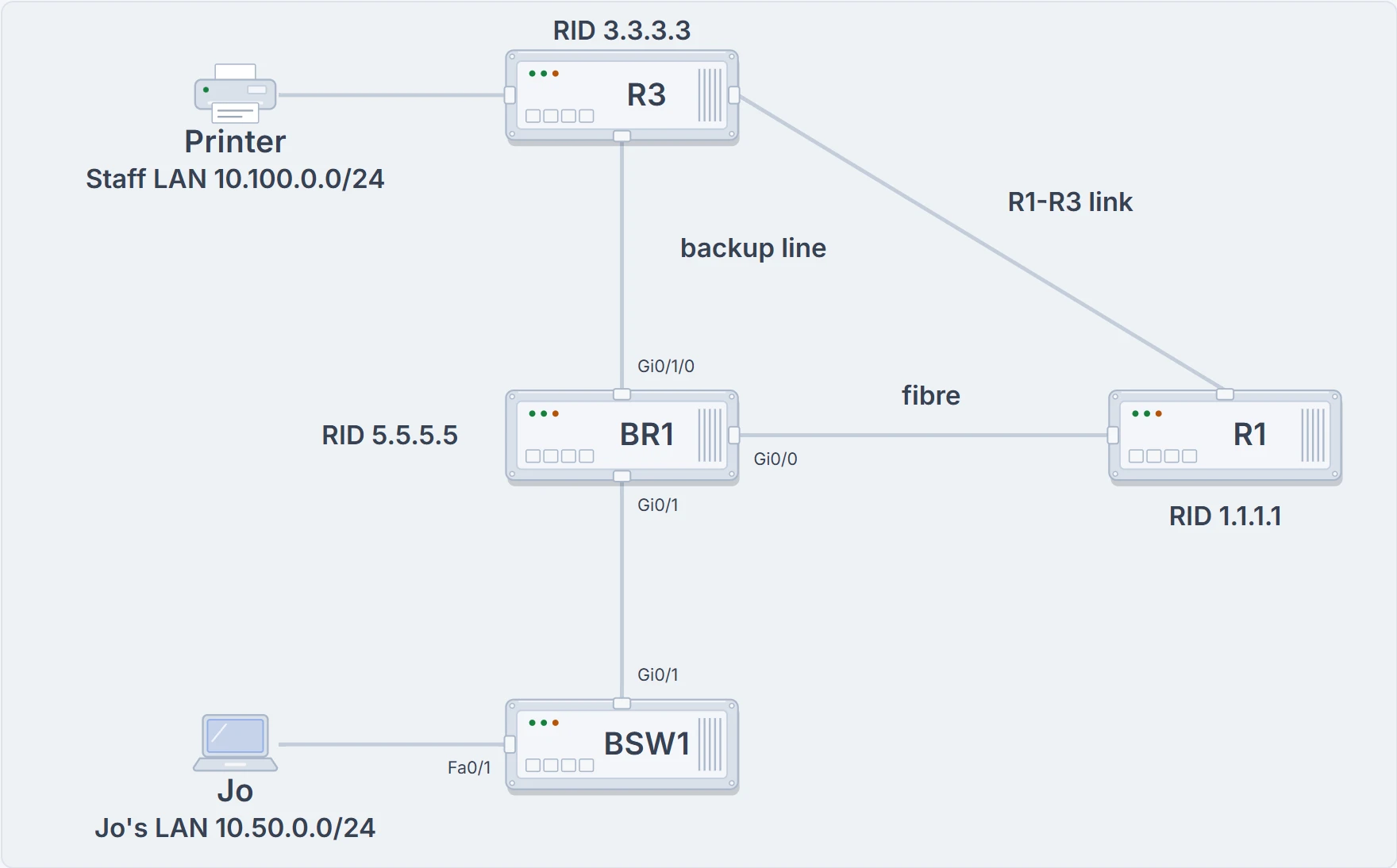
The company with the router IDs Ravi plans: BR1 5.5.5.5, R1 1.1.1.1, R3 3.3.3.3. Three links between routers make three neighbour pairs.
The relationship does two more jobs. It tells a router when a neighbour stops being a good way to send packets: months after R1 and BR1 become neighbours, if that relationship fails, BR1 refloods the LSAs the failure affects and reruns SPF. And it lets OSPF discover new routers by itself, so adding a router doesn't mean reconfiguring every other one: the others hear its Hellos and try to become neighbours.
Each Hello lists the sender's router ID (RID), its unique name in OSPF. A RID is a 32-bit number, so output shows it in dotted decimal, like an IPv4 address. By default the router picks one of its own interface IPv4 addresses as its RID, but a RID can also be set directly; Ravi plans easy ones: R1 1.1.1.1, R3 3.3.3.3, BR1 5.5.5.5 (how to set them comes later). A router with a RID and some interfaces up is ready to meet neighbours on the same subnet. It sends Hellos out each interface, again every Hello Interval (its Hello timer), and hopes to hear Hellos back. A Hello follows the IP header with IP protocol type 89, and goes to multicast address 224.0.0.5, meant for all OSPF-speaking routers; OSPF routers listen on that address, partly to learn about new neighbours.
If you've ever moved house, you know the routine: you spot a neighbour outside, say hello, swap names, and decide whether this one's for a proper chat or just a wave. (Where it stops: OSPF doesn't form impressions; it runs several checks on the information in each Hello.)
The first Hellos
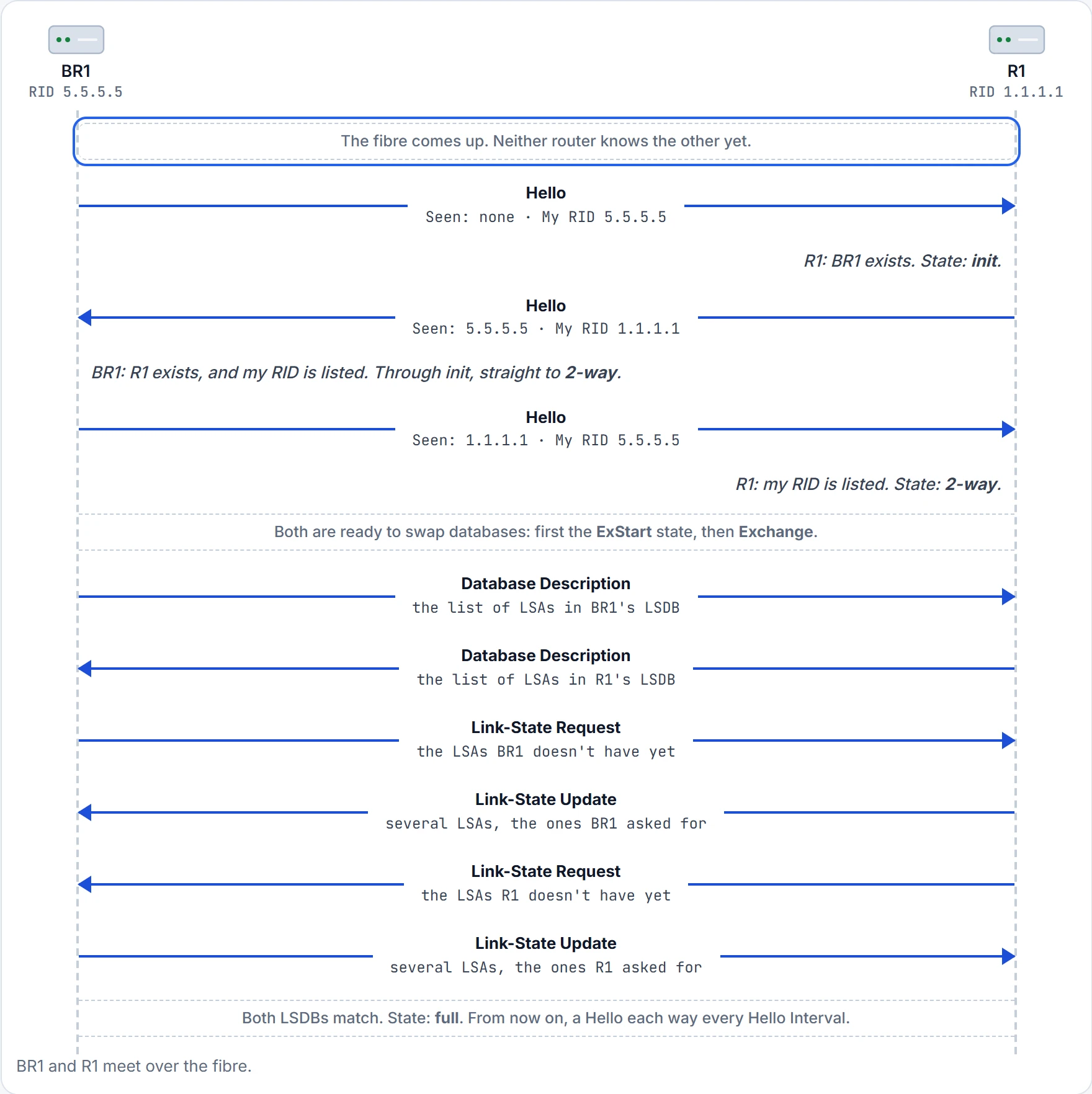
Each router keeps a state for how it sees each neighbour. Besides its RID, each Hello lists the RIDs the sender has already seen Hellos from on that link. Before the fibre comes up, BR1 and R1 know nothing of each other and have no state at all. Then BR1's first Hello reaches R1.
Step 1 of 15 After this step: BR1 sees R1 as no state yet; R1 sees BR1 as no state yet.
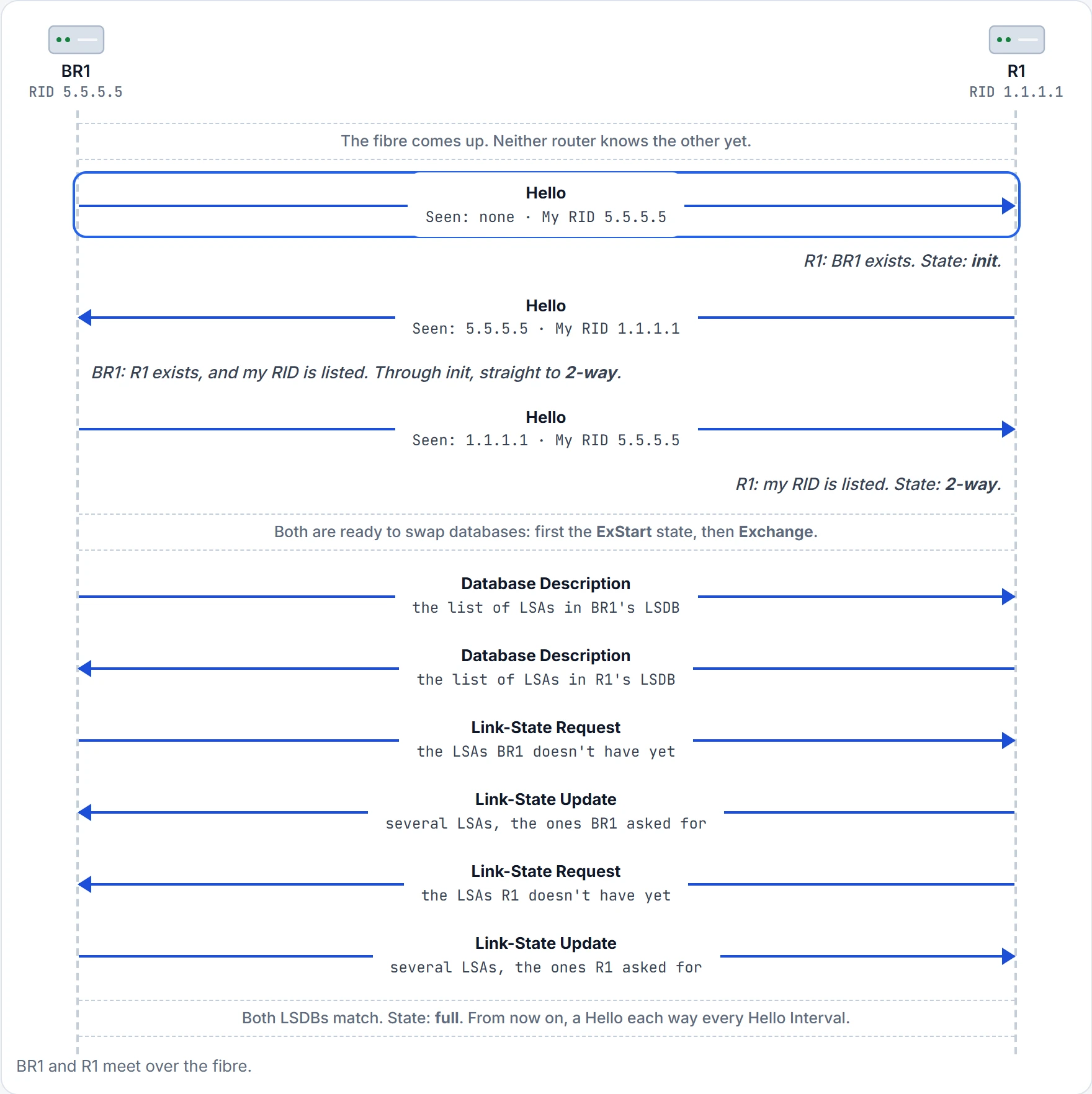
Step 2 of 15 After this step: BR1 sees R1 as no state yet; R1 sees BR1 as init.
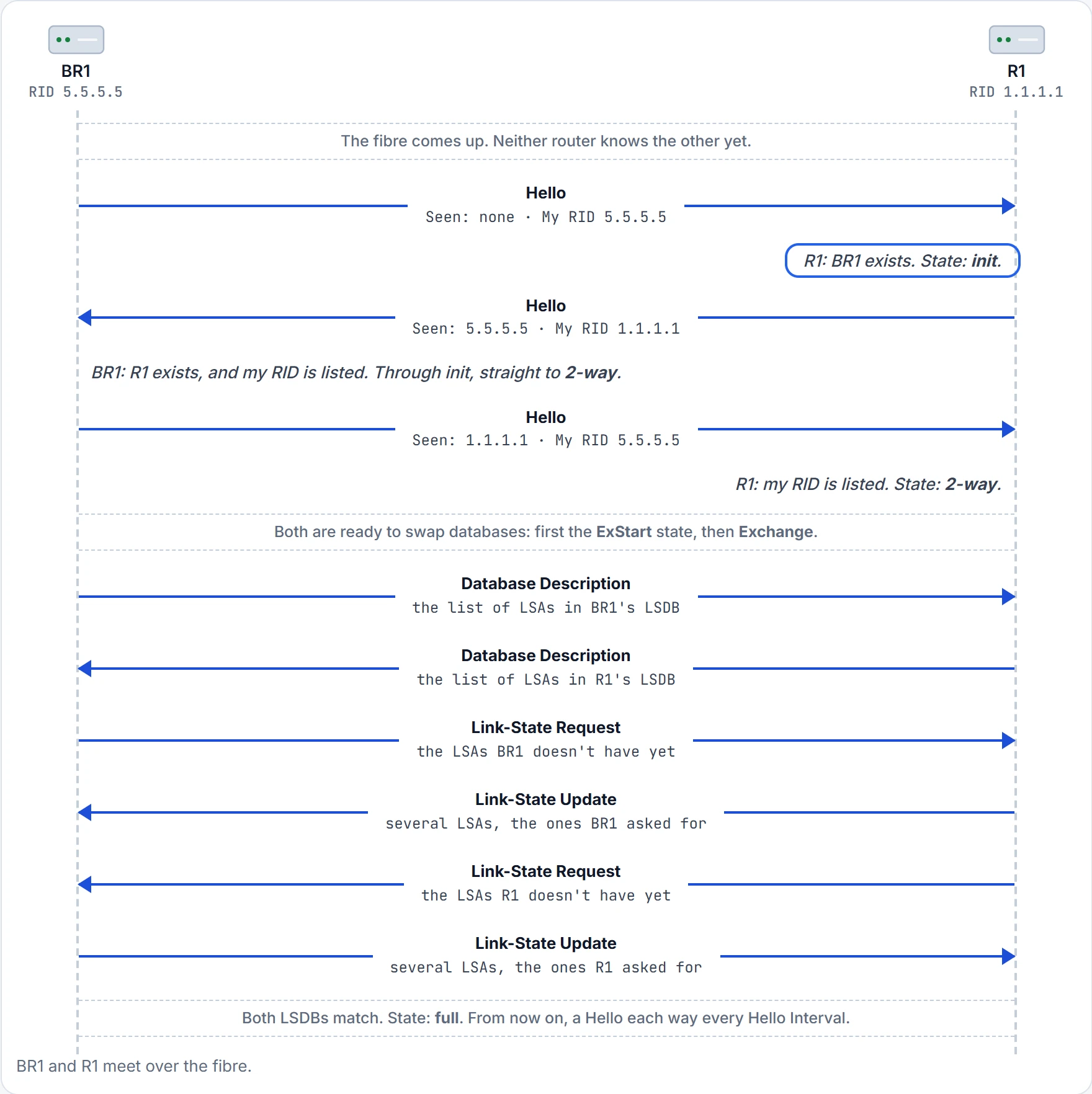
Step 3 of 15 After this step: BR1 sees R1 as no state yet; R1 sees BR1 as init.
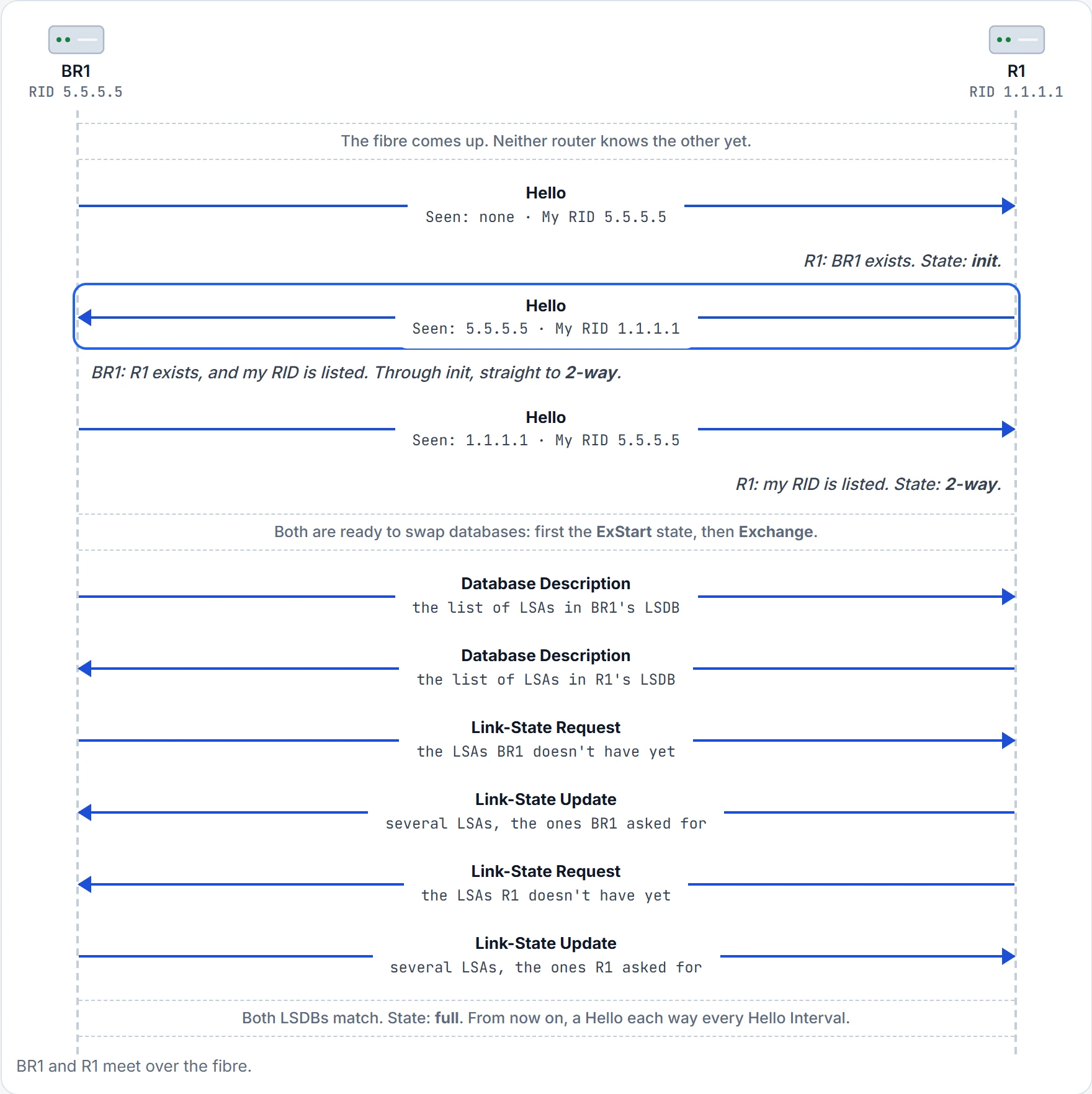
Step 4 of 15 After this step: BR1 sees R1 as 2-way; R1 sees BR1 as init.
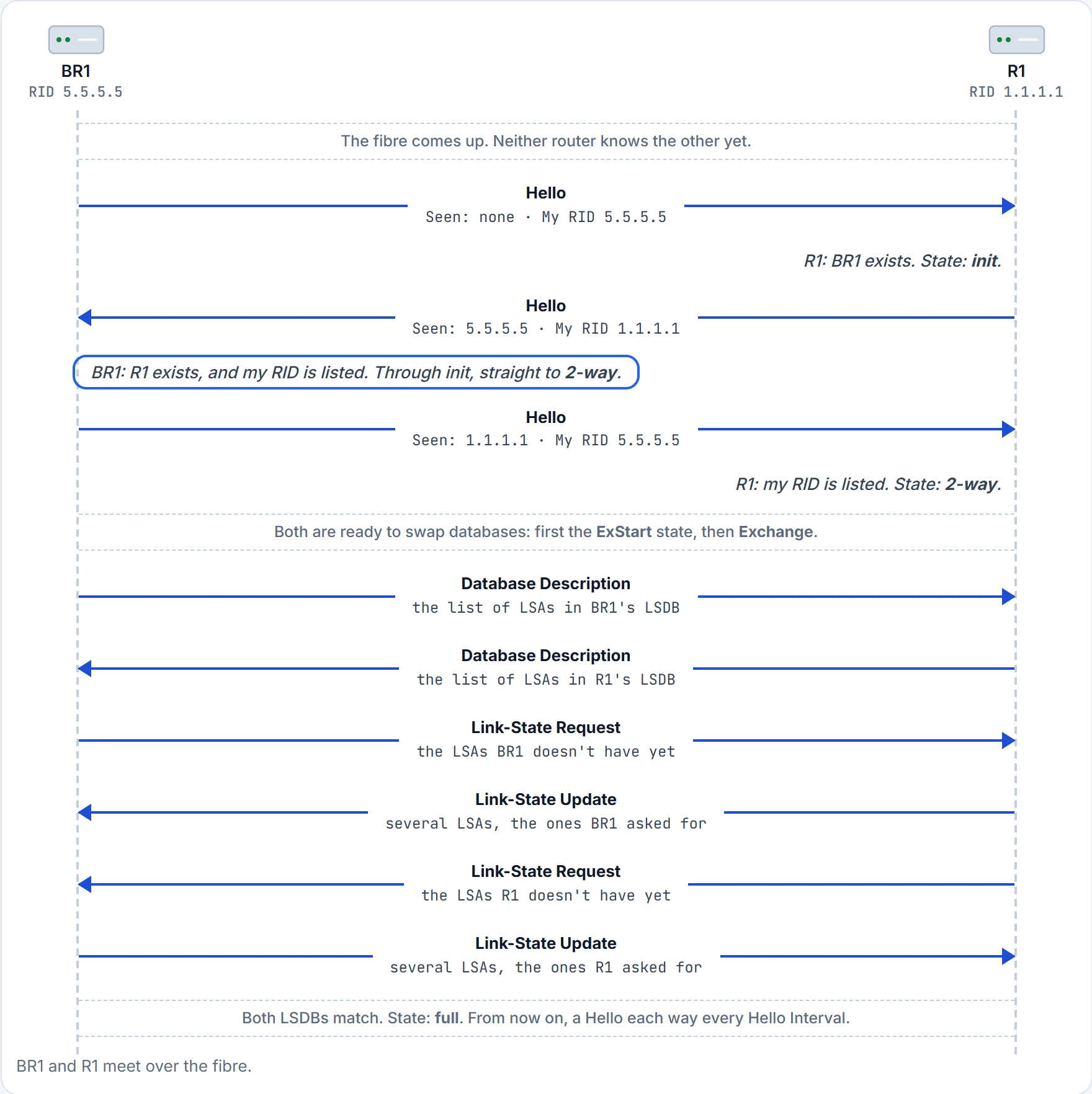
Step 5 of 15 After this step: BR1 sees R1 as 2-way; R1 sees BR1 as init.
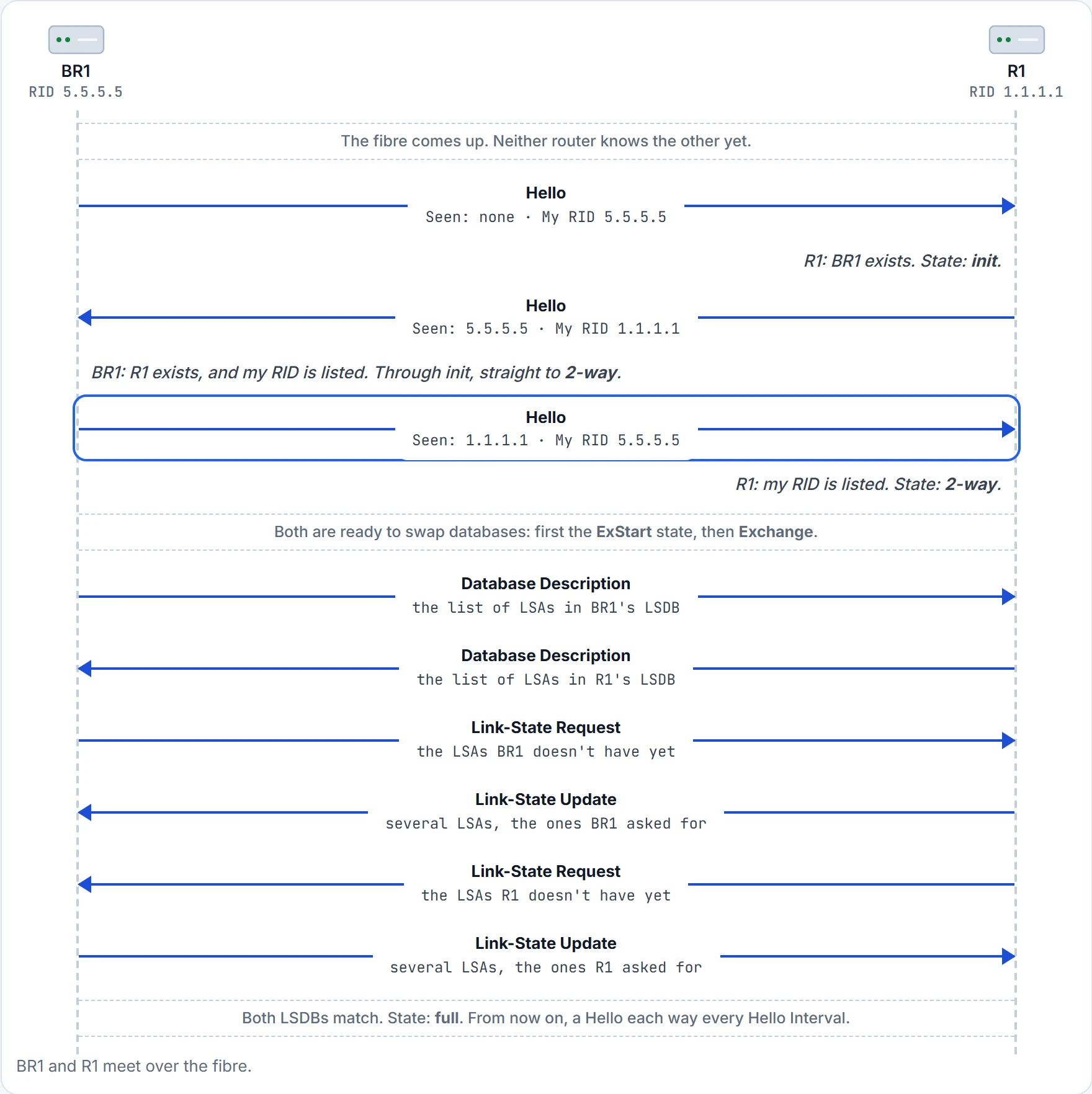
Step 6 of 15 After this step: BR1 sees R1 as 2-way; R1 sees BR1 as 2-way.
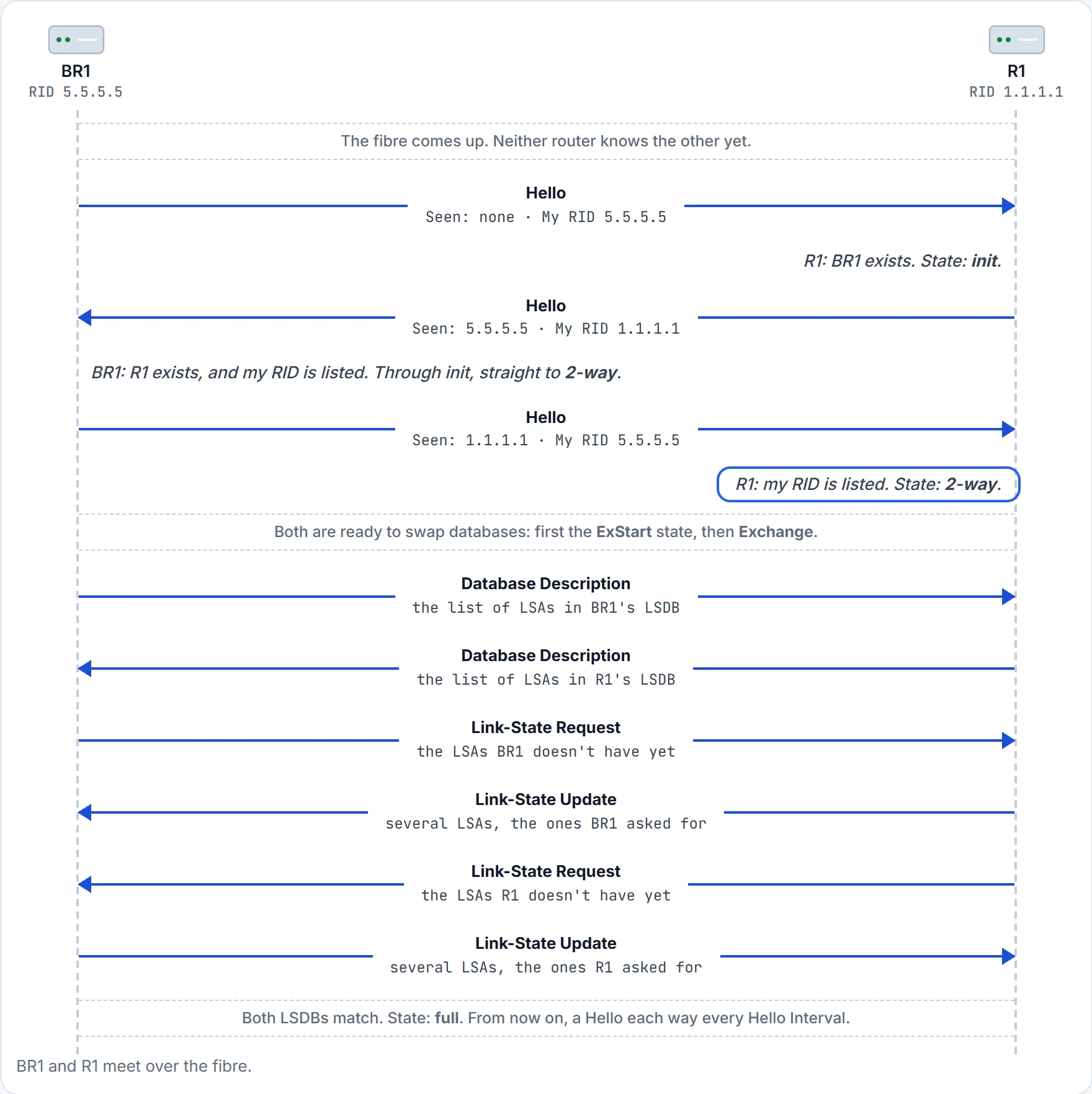
Step 7 of 15 After this step: BR1 sees R1 as 2-way; R1 sees BR1 as 2-way.
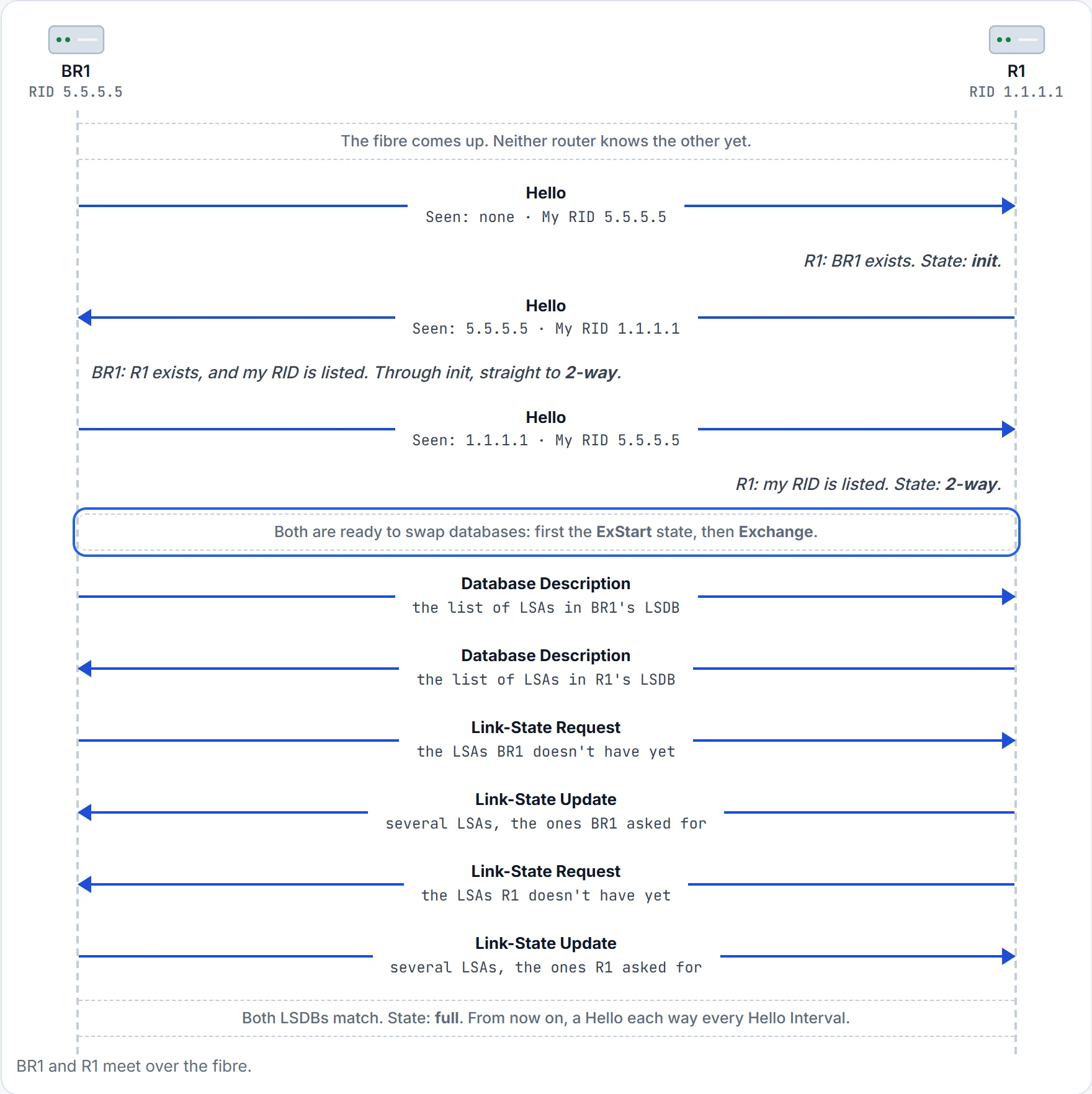
Step 8 of 15 After this step: BR1 sees R1 as ExStart; R1 sees BR1 as ExStart.
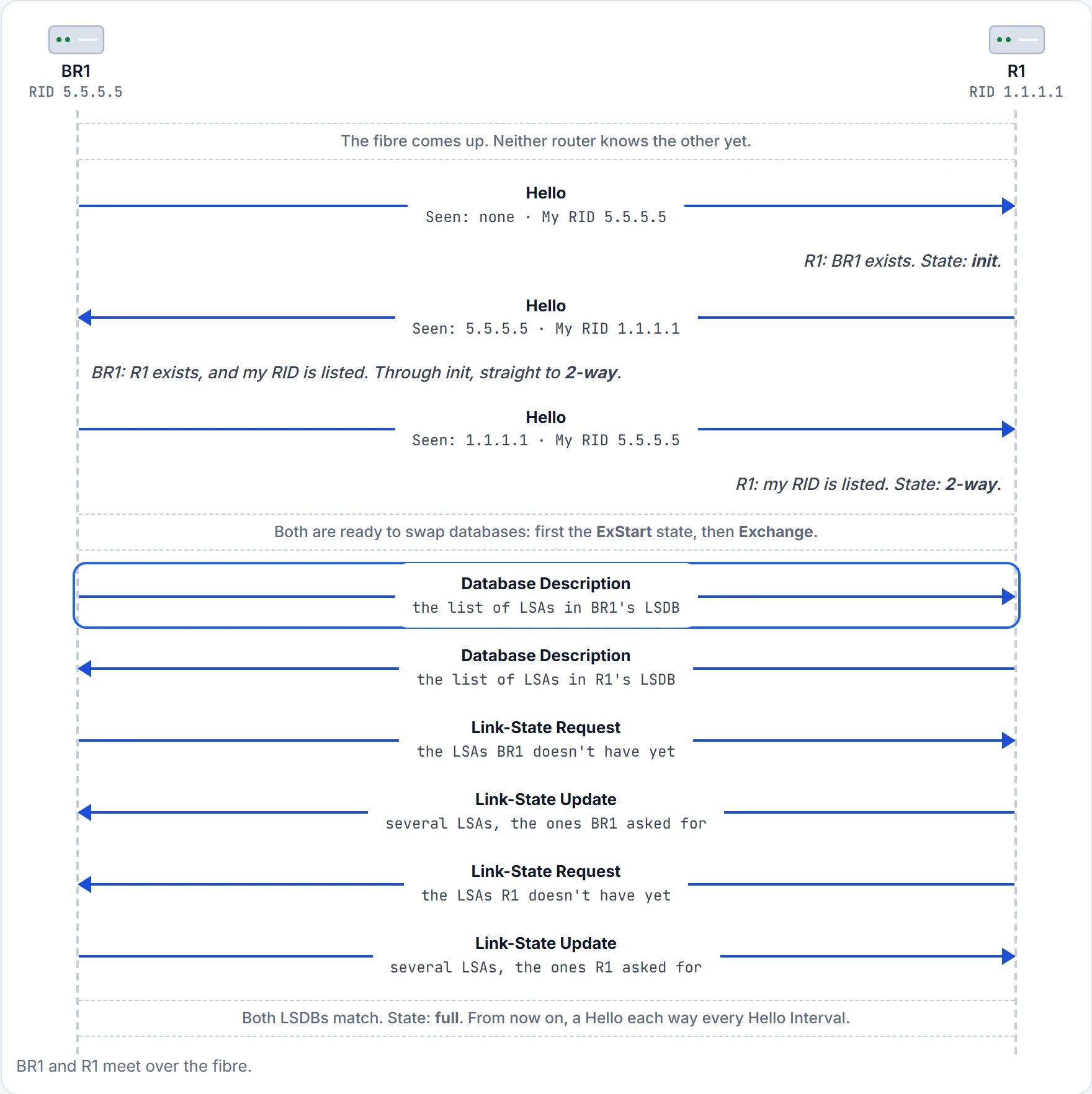
Step 9 of 15 After this step: BR1 sees R1 as Exchange; R1 sees BR1 as Exchange.
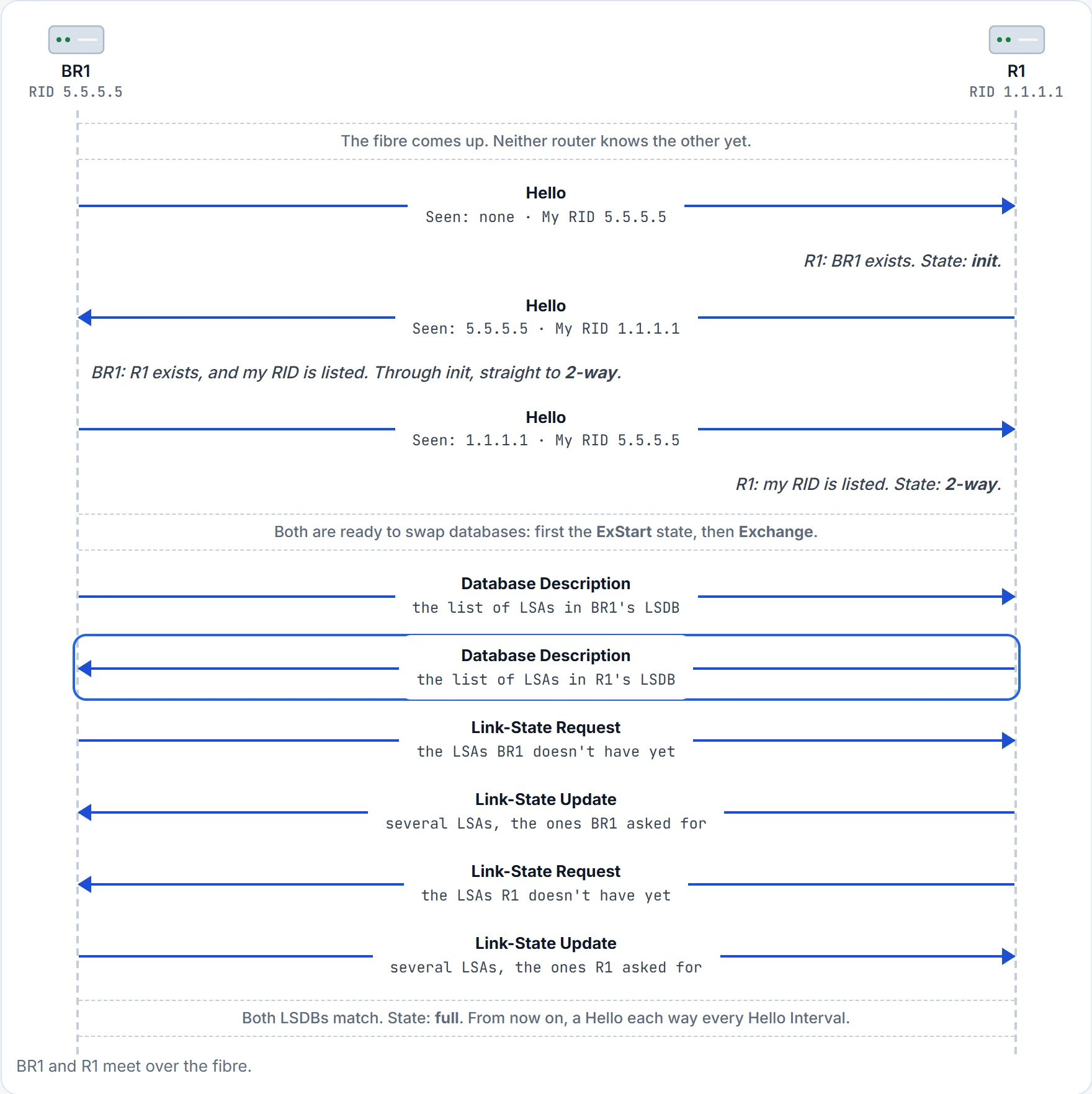
Step 10 of 15 After this step: BR1 sees R1 as Exchange; R1 sees BR1 as Exchange.
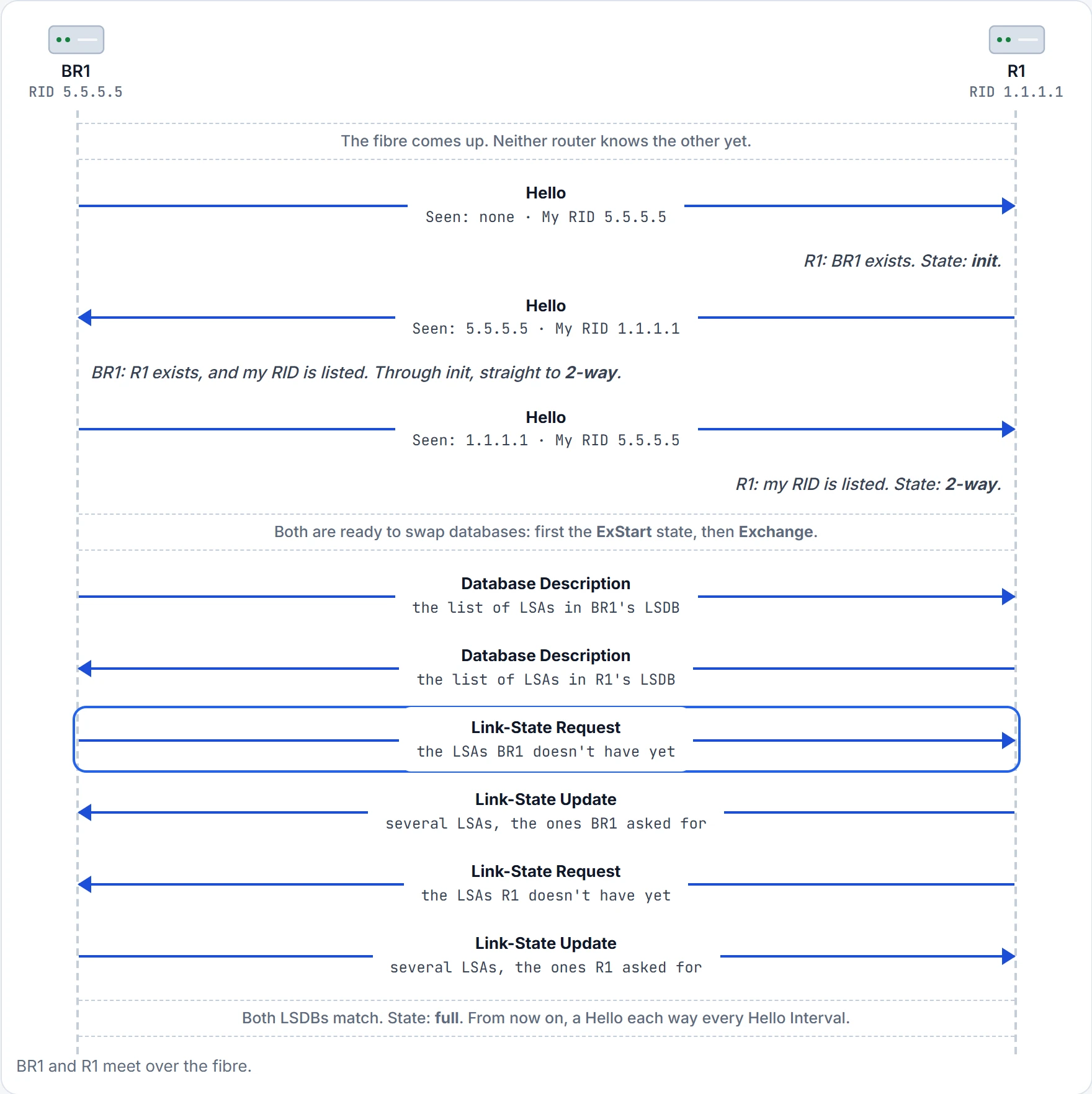
Step 11 of 15 After this step: BR1 sees R1 as Loading; R1 sees BR1 as Loading.
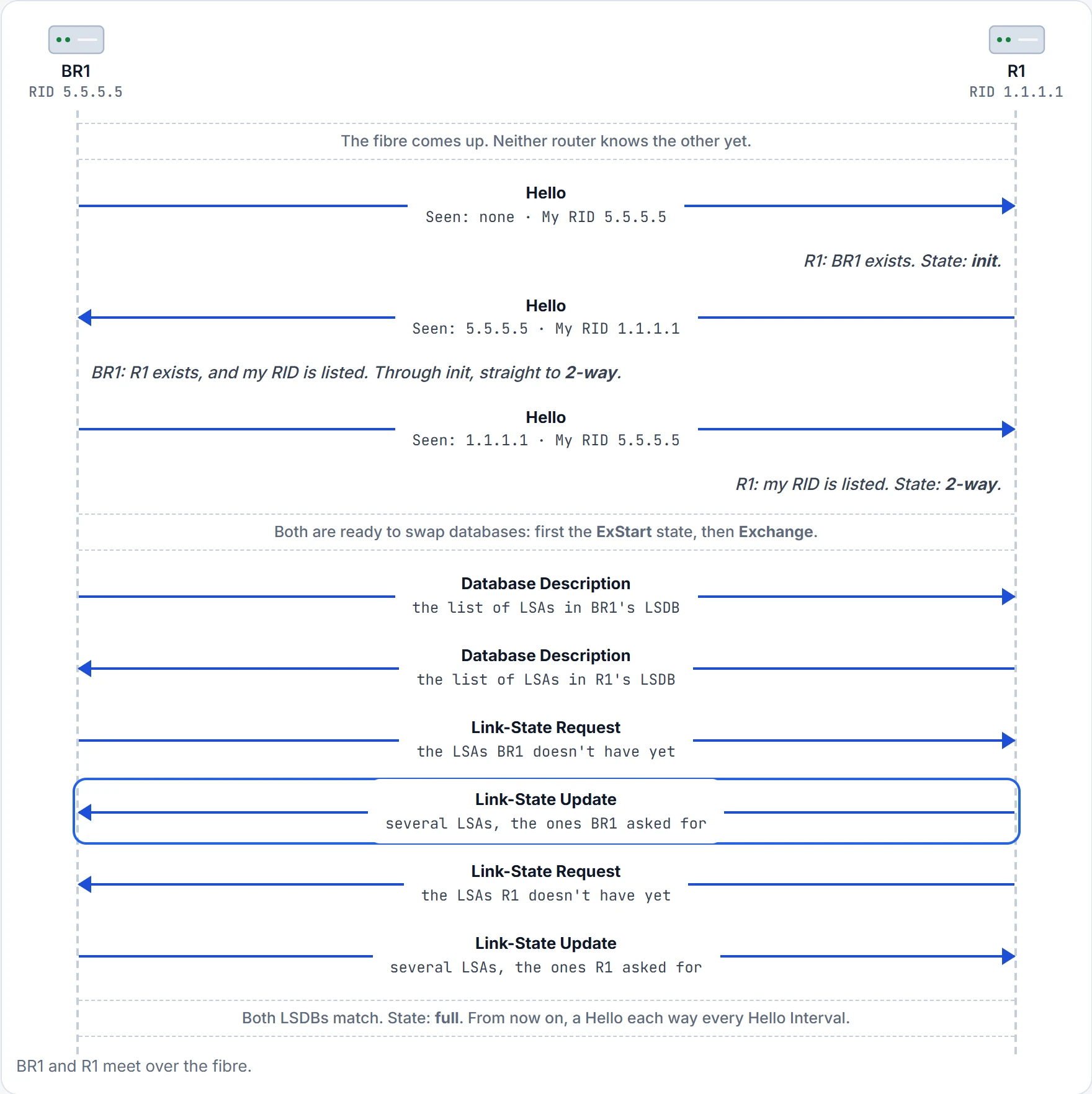
Step 12 of 15 After this step: BR1 sees R1 as Loading; R1 sees BR1 as Loading.
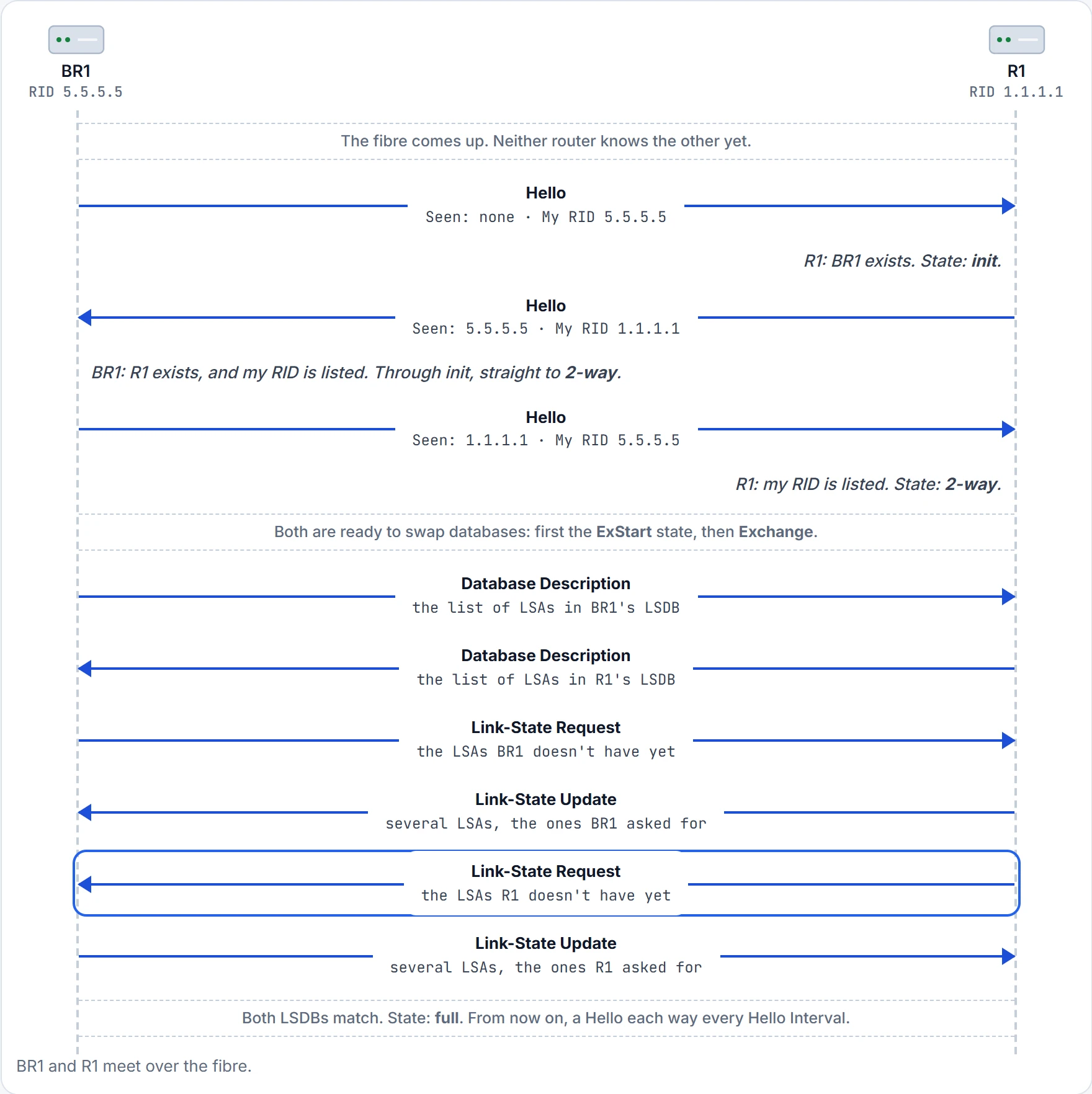
Step 13 of 15 After this step: BR1 sees R1 as Loading; R1 sees BR1 as Loading.
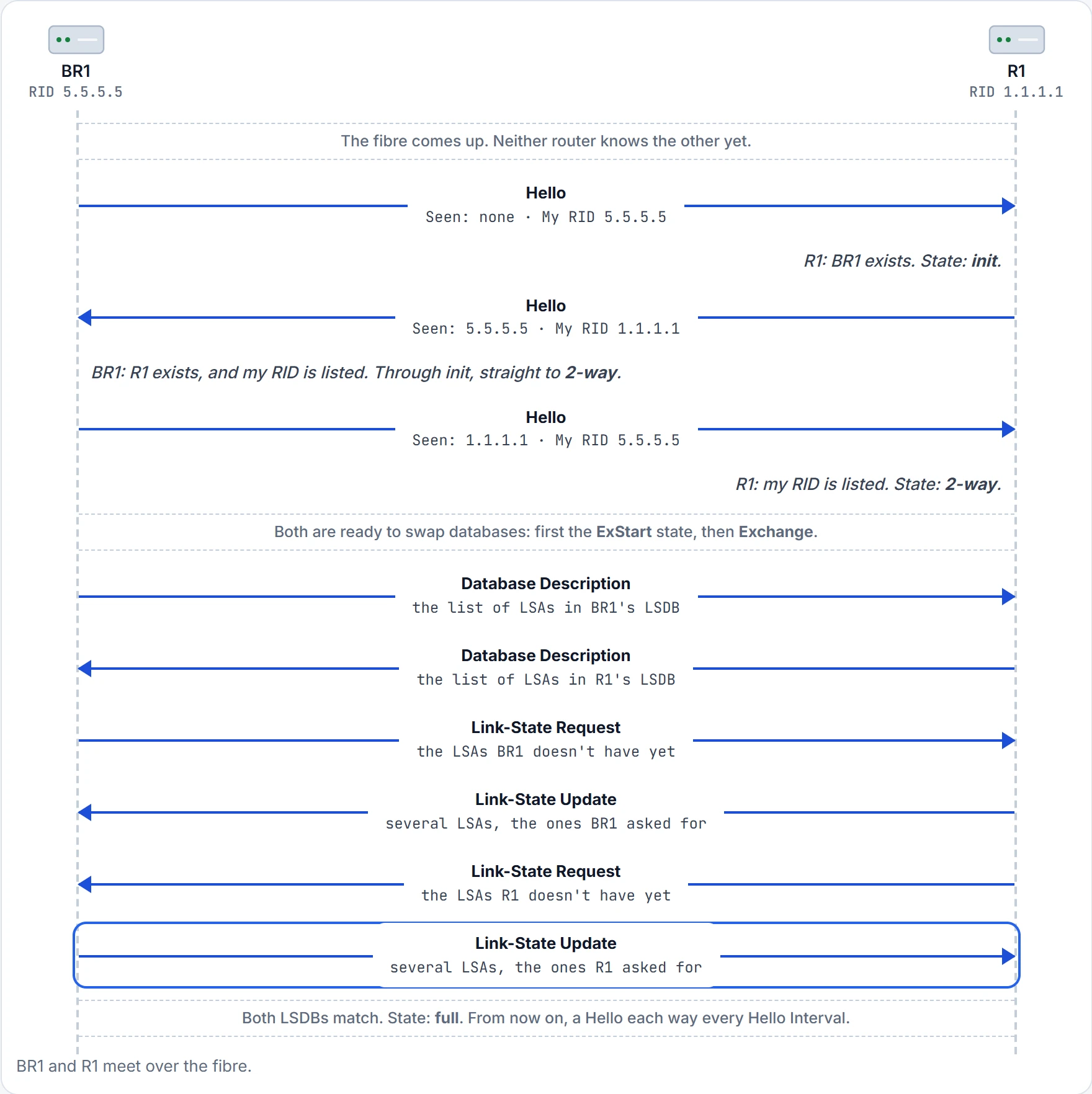
Step 14 of 15 After this step: BR1 sees R1 as full; R1 sees BR1 as full.
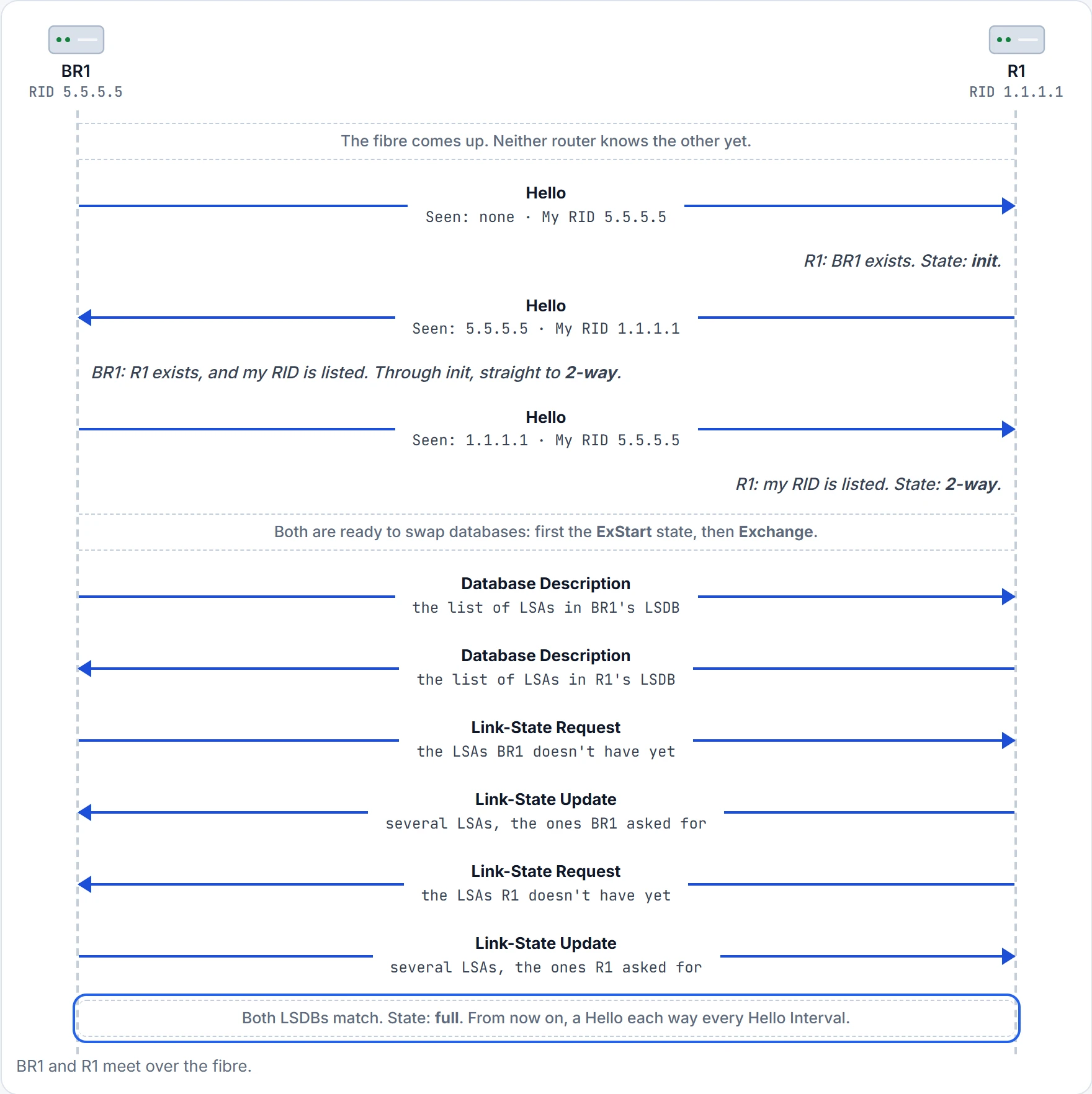
Step 15 of 15 After this step: BR1 sees R1 as full; R1 sees BR1 as full.
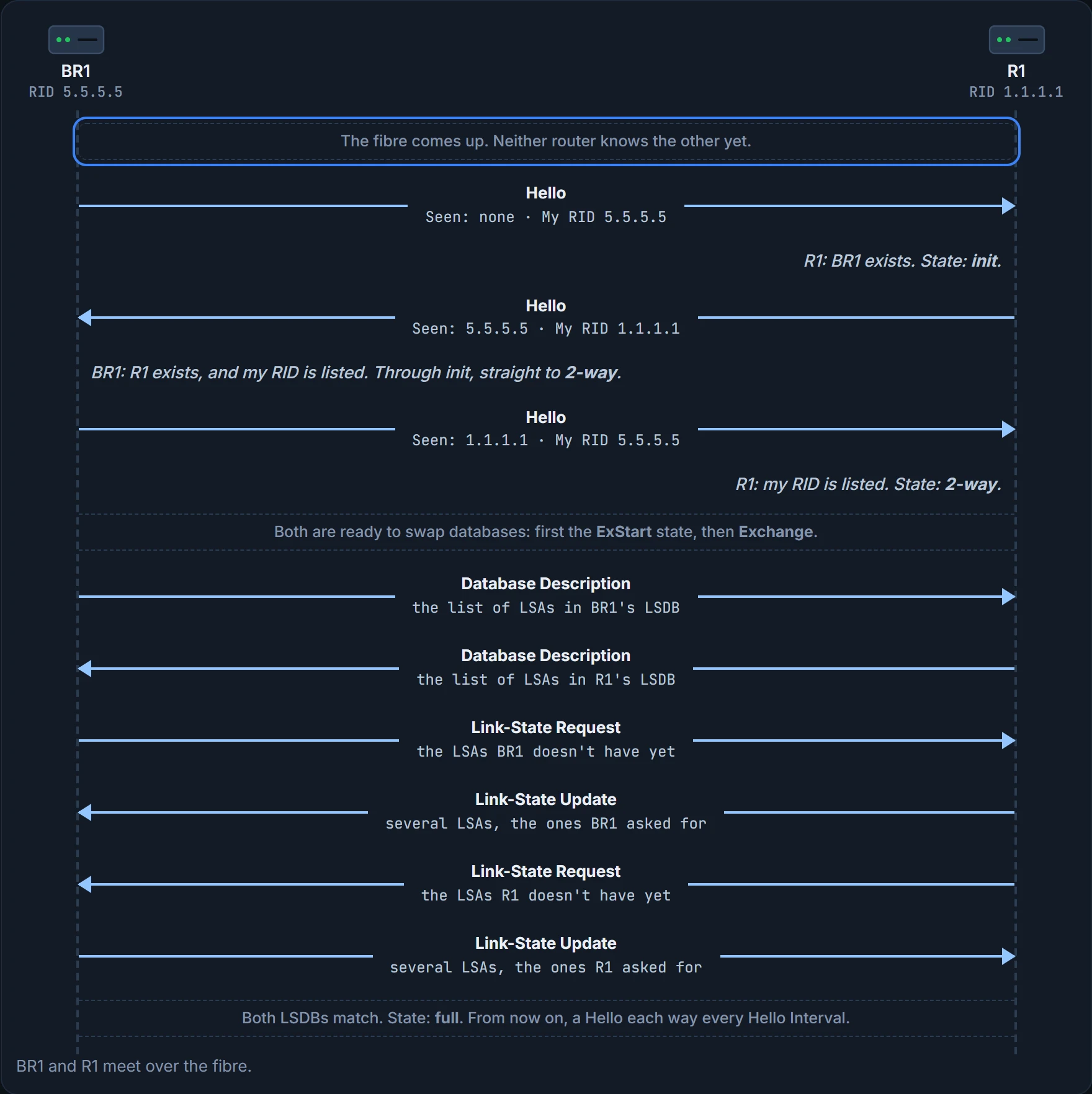
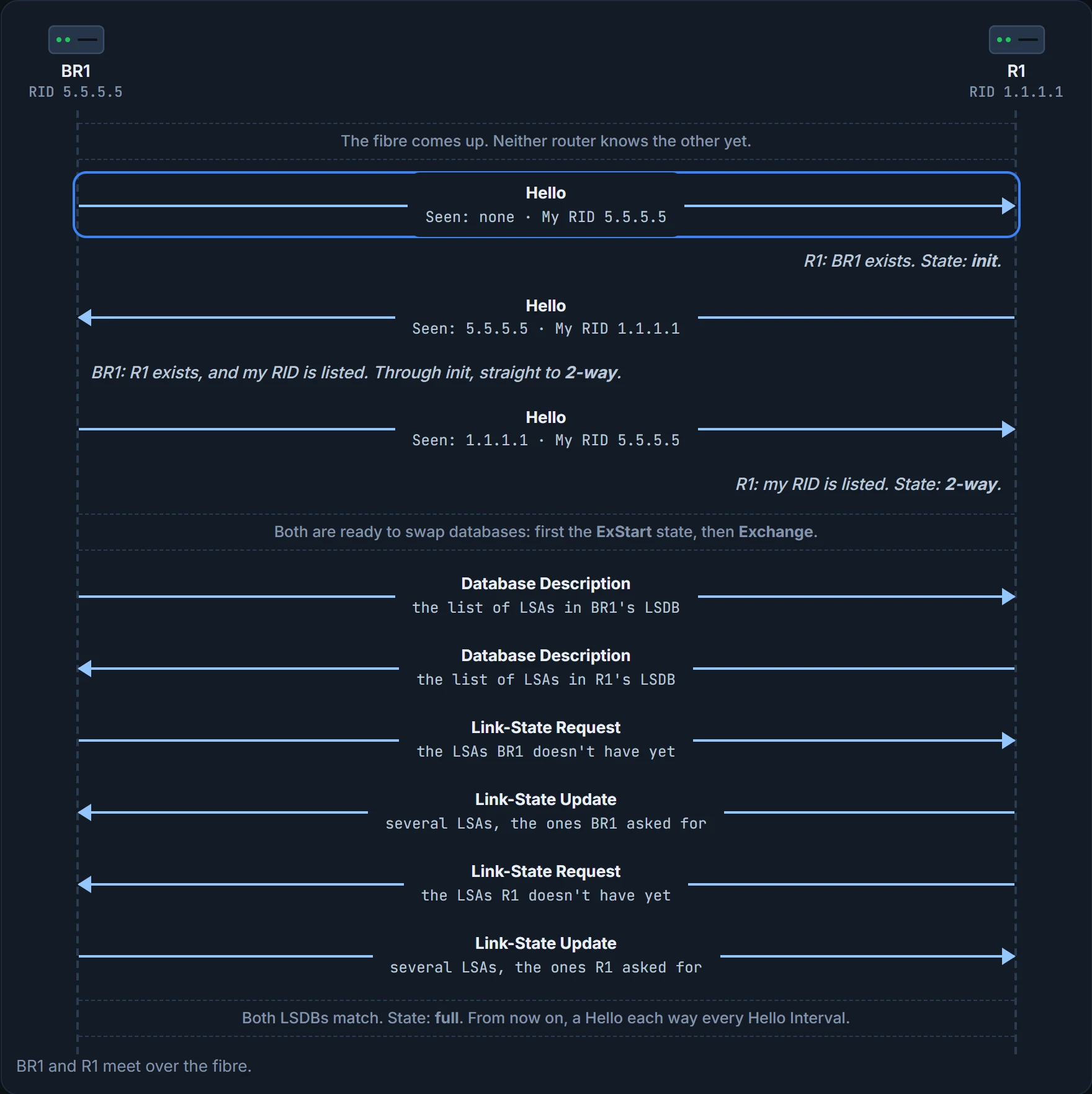
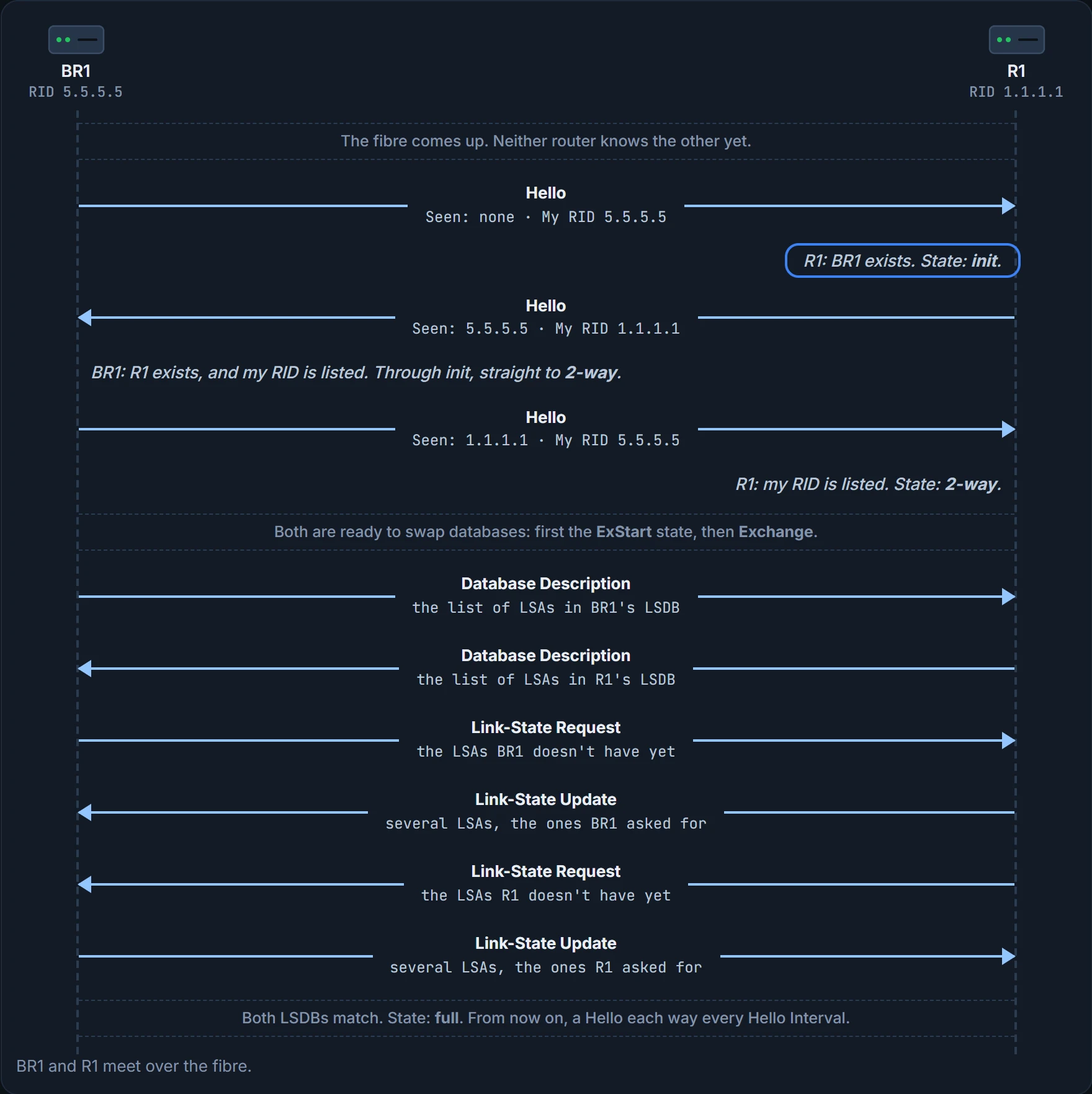
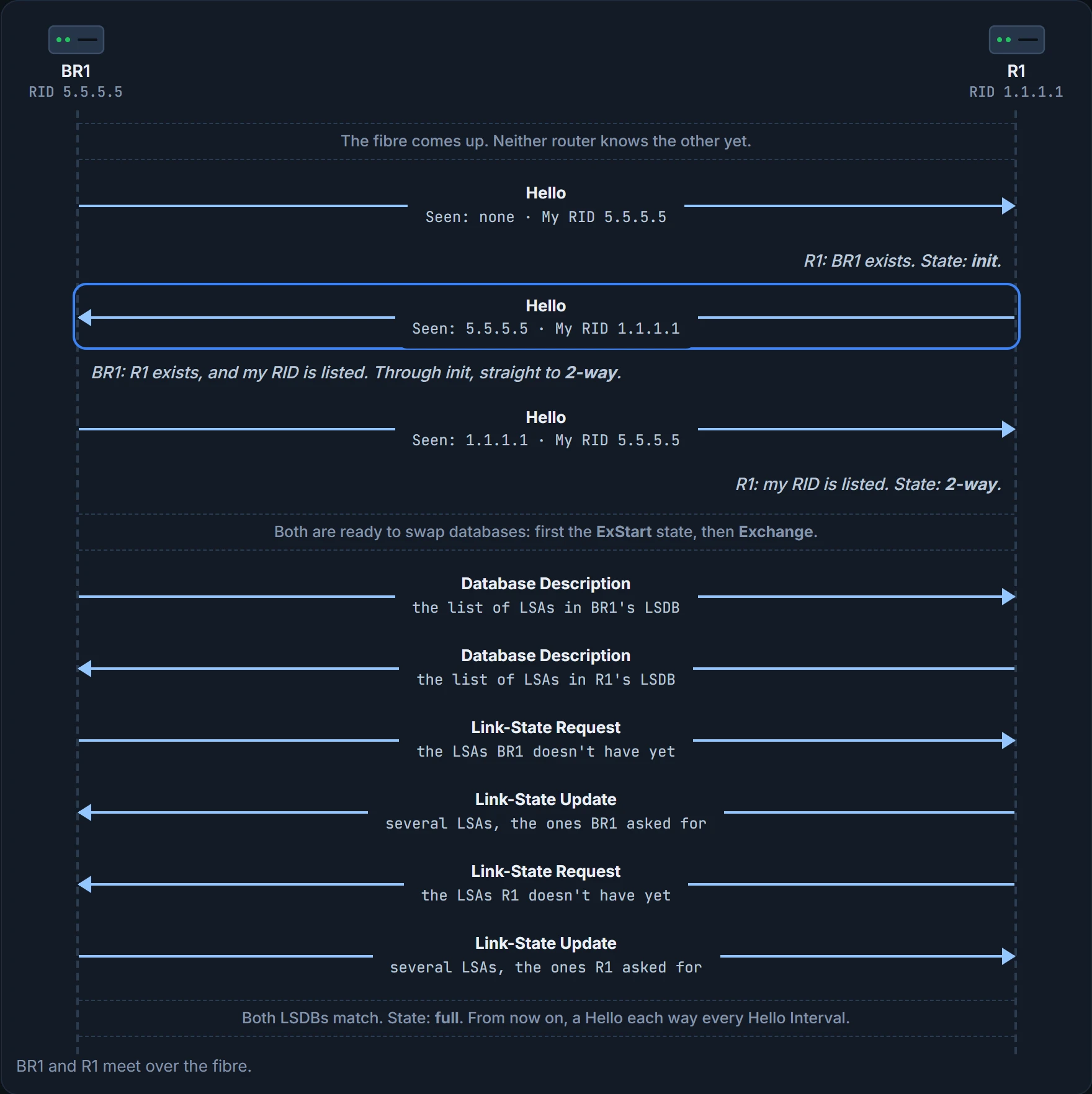
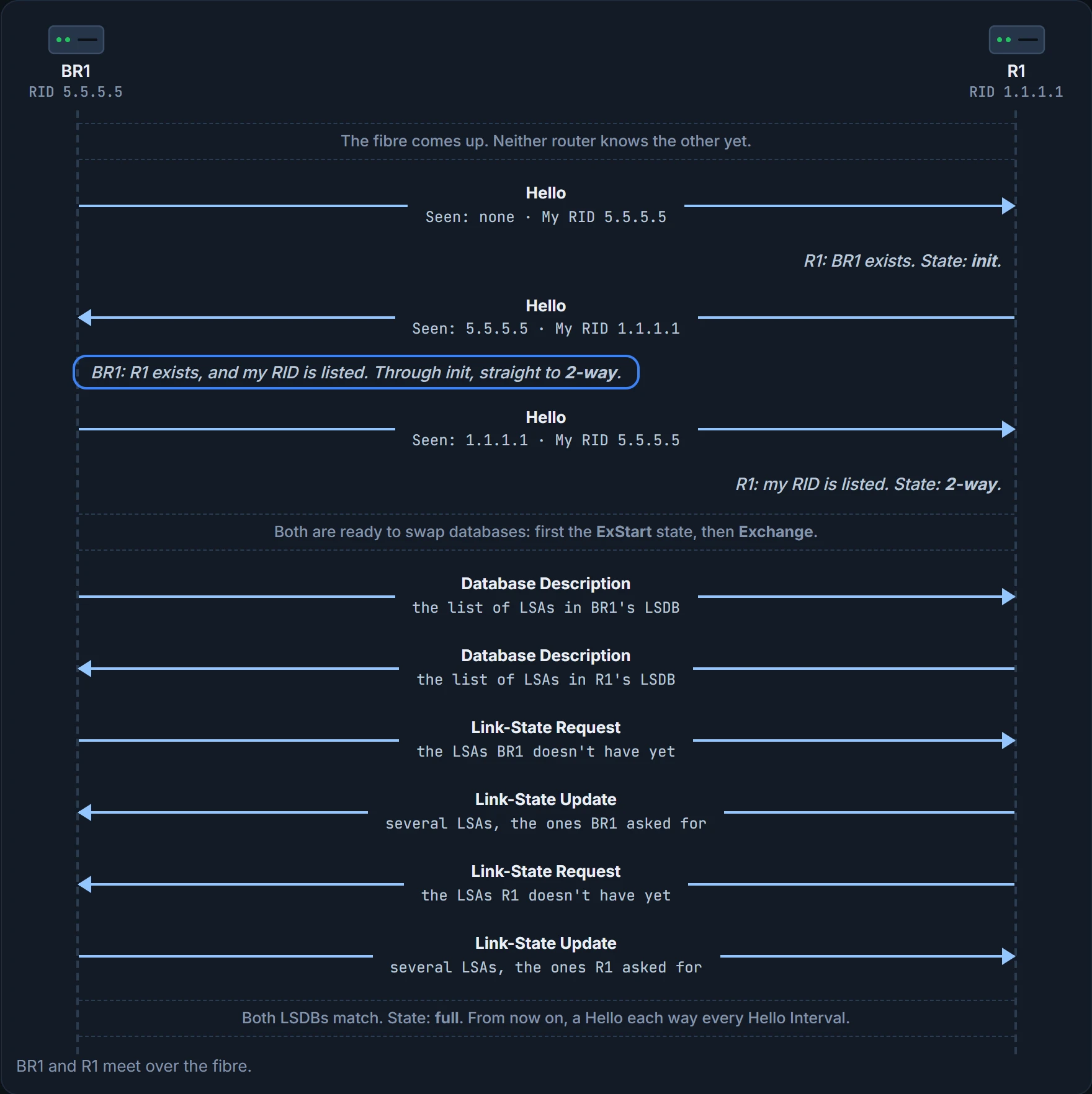
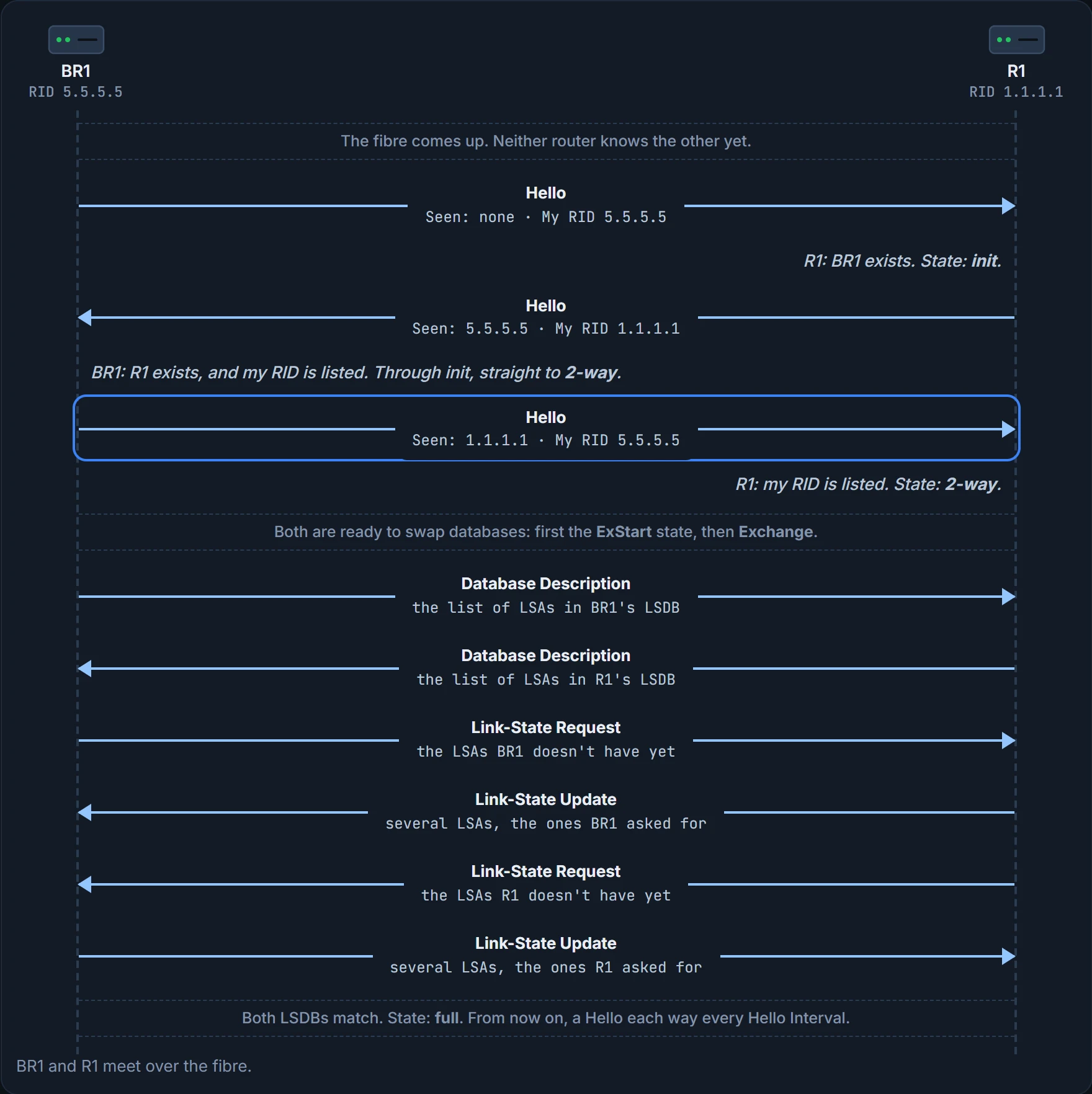
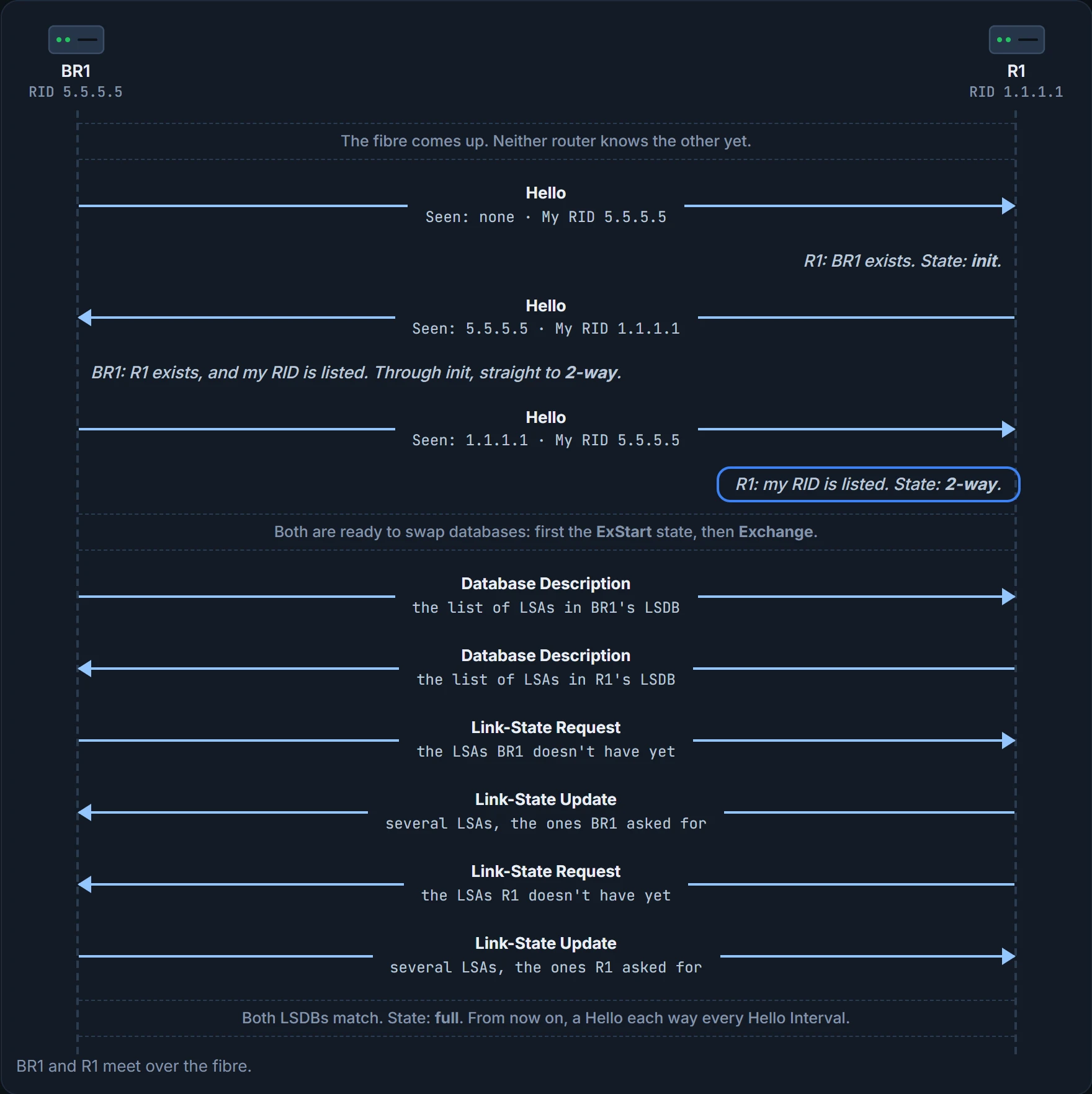
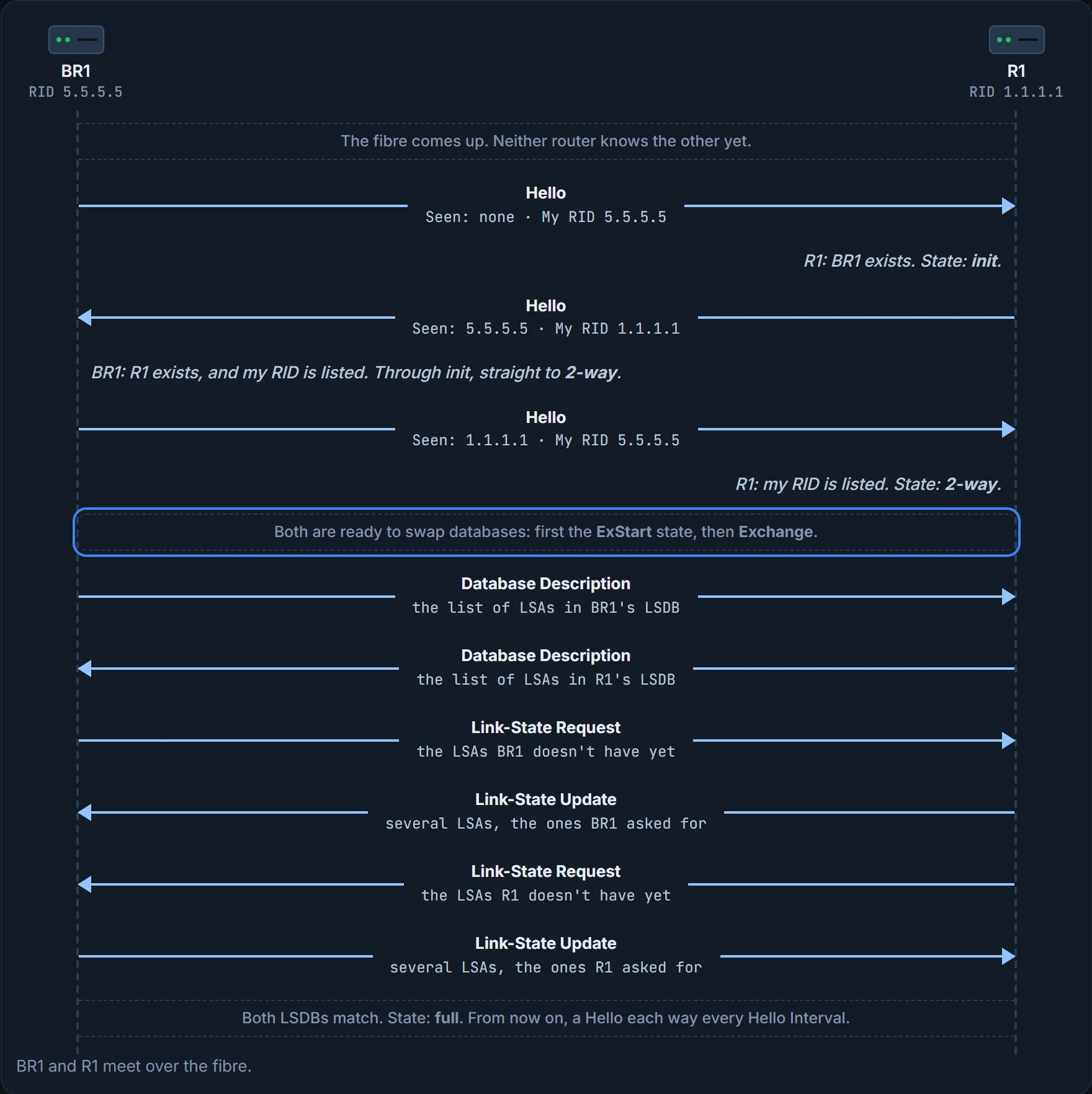
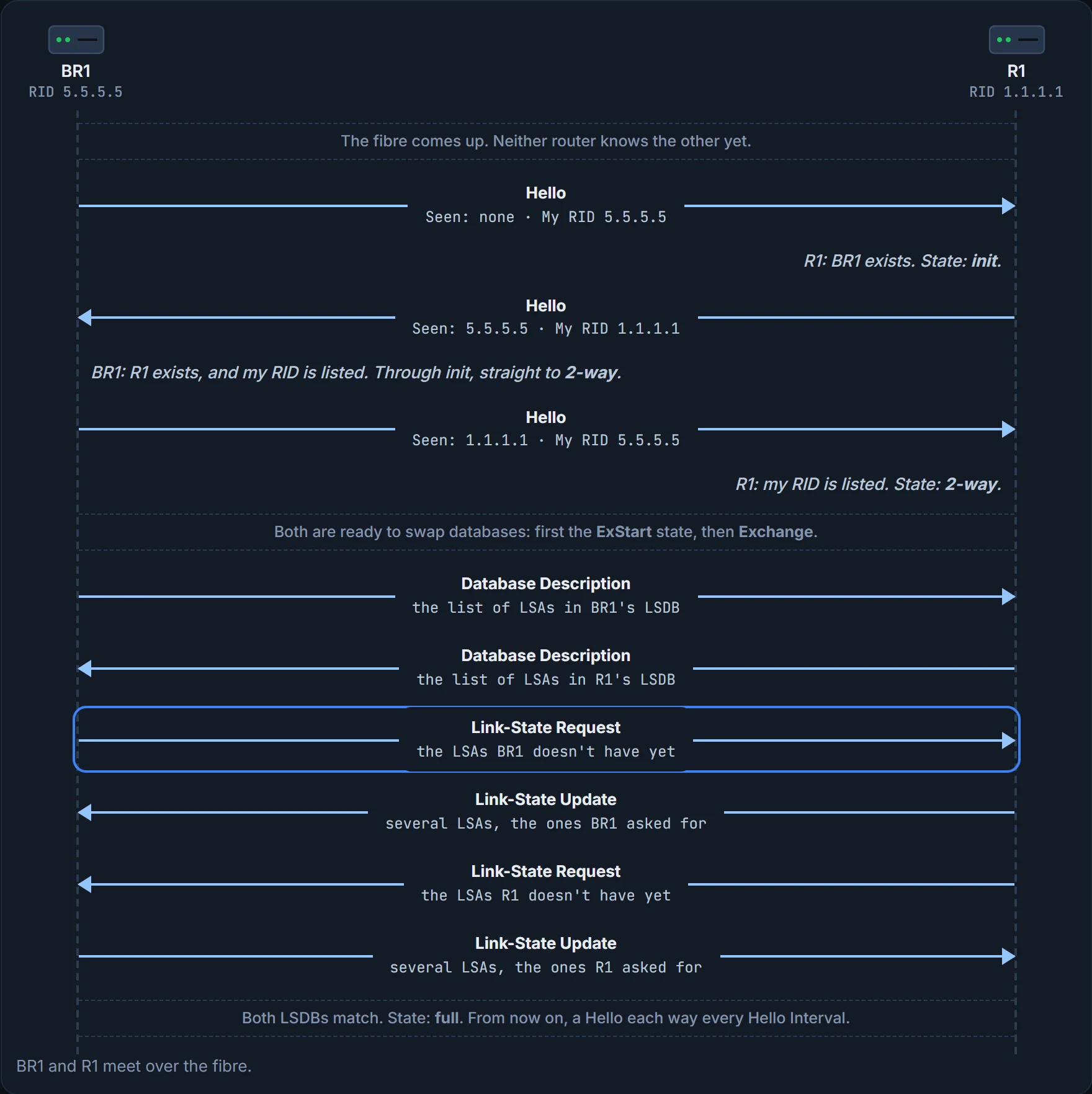
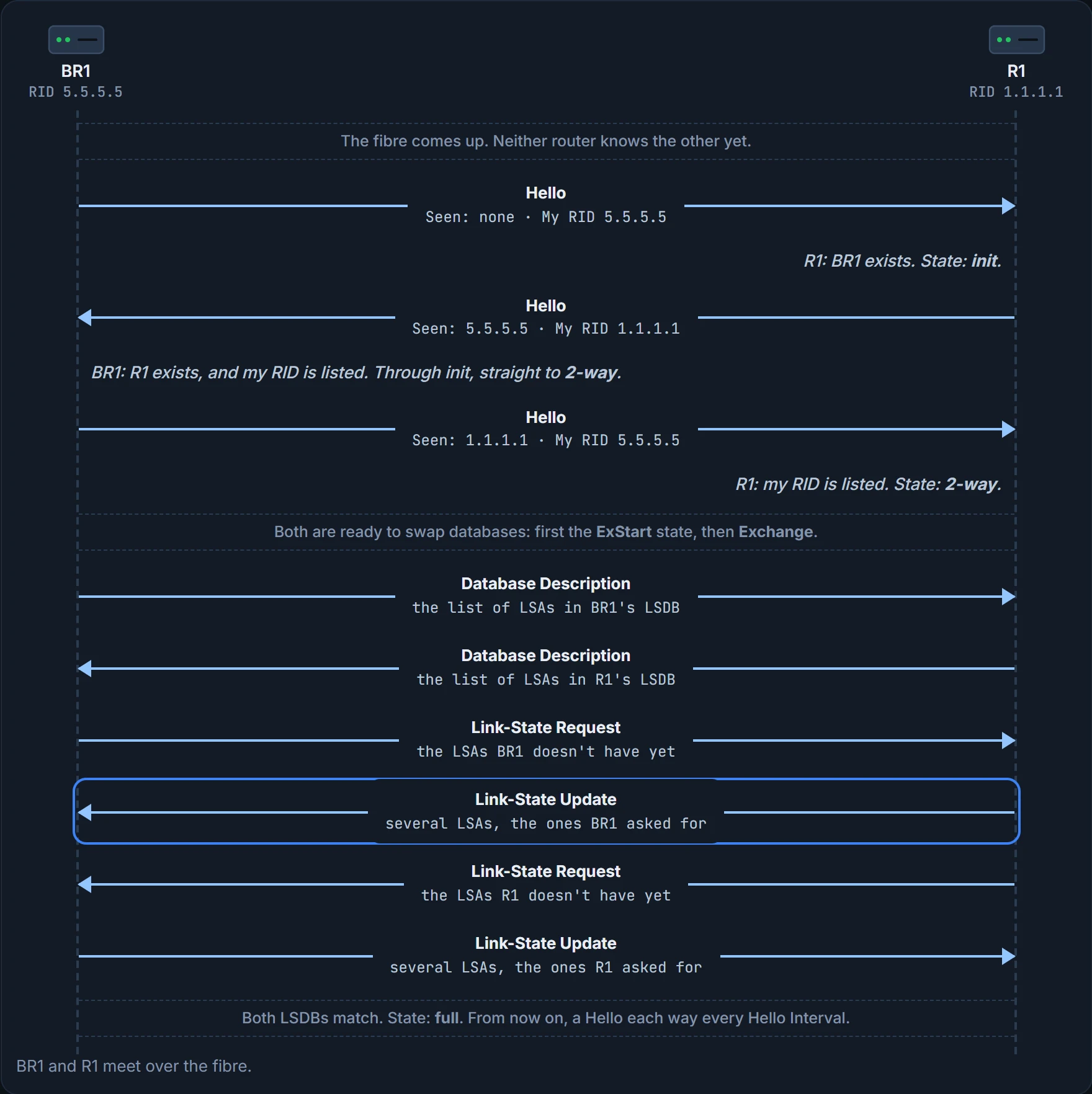
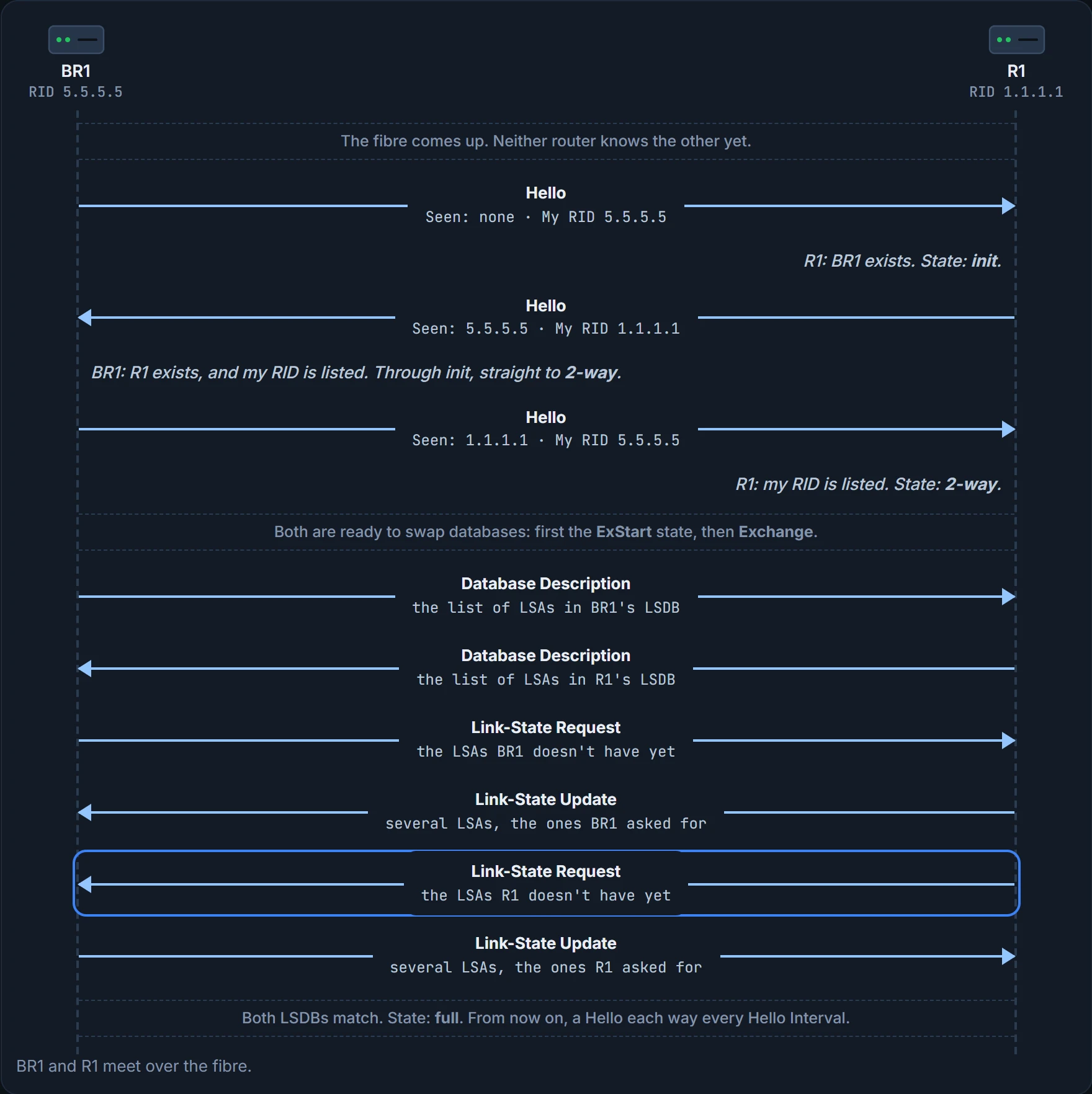
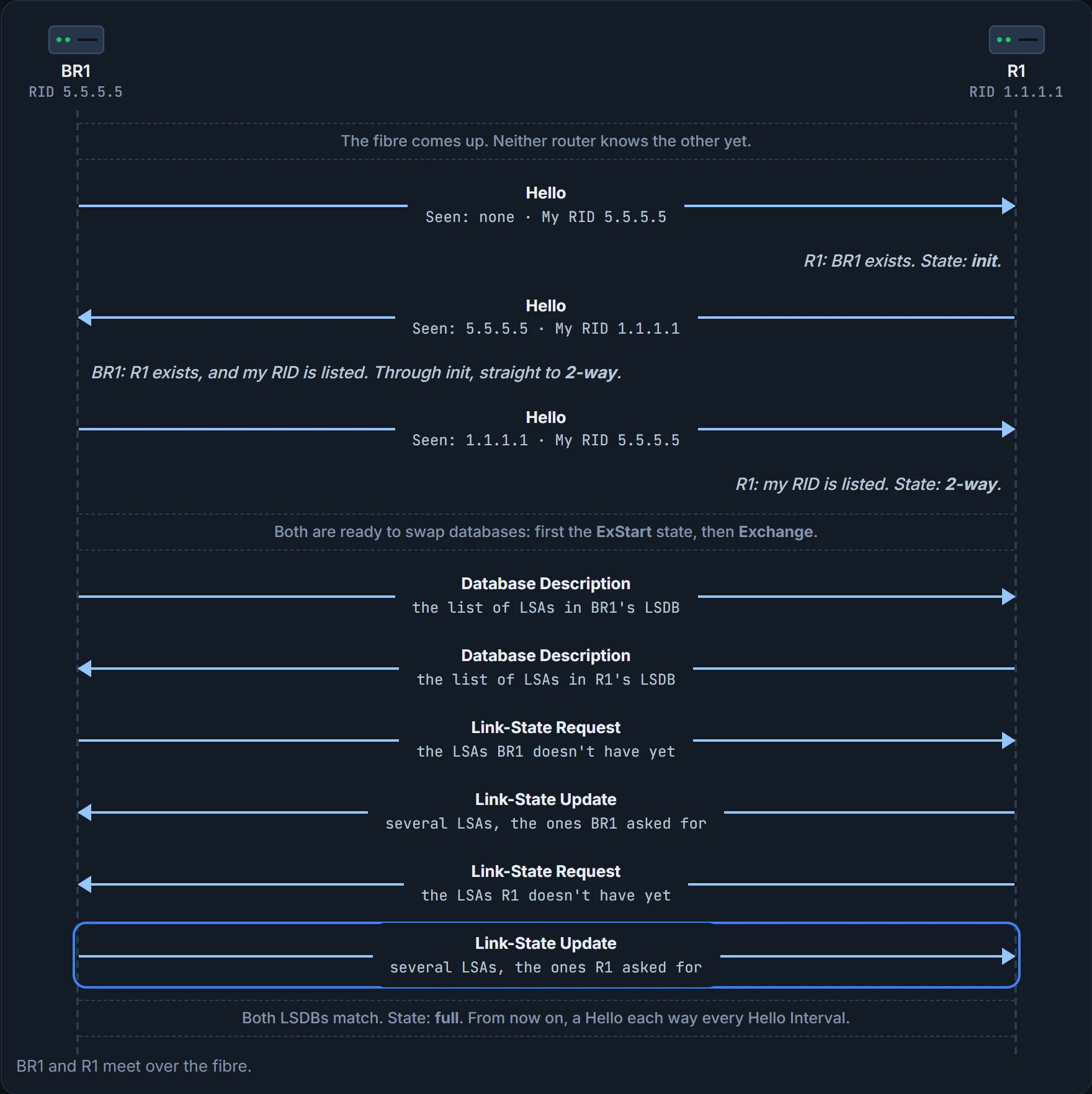
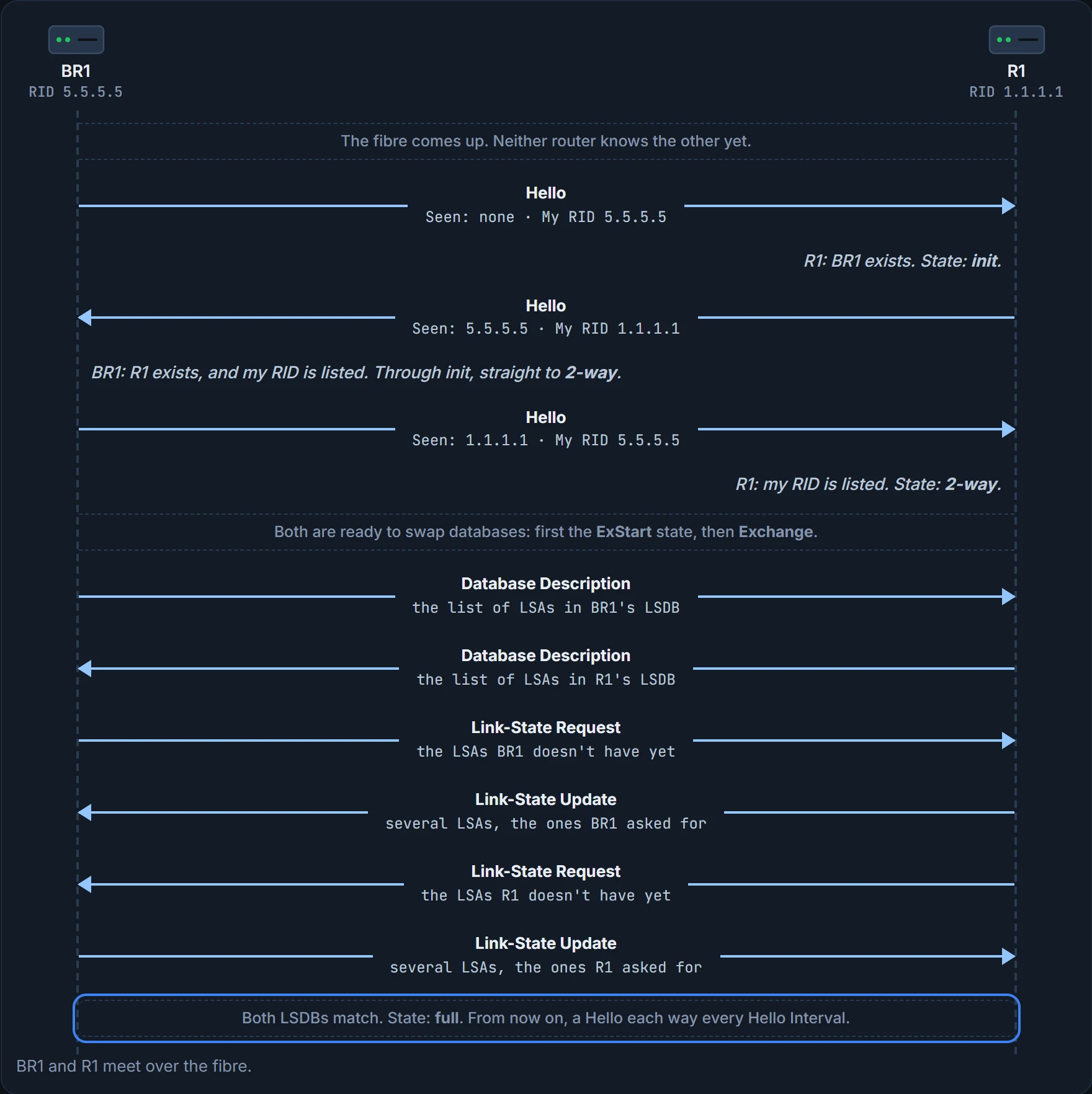
The first seven steps above show it. R1 lists BR1 in init, an interim state. R1's own Hello then lists BR1's RID as seen, so BR1 passes through init and straight on to 2-way; BR1's next Hello lists R1's RID, and R1 moves to 2-way too. The 2-way state matters a lot. At that point:
- The router has received a Hello from the neighbour that lists the router's own RID as seen.
- It has checked every parameter in that Hello and found no problems, so it's willing to be an OSPF neighbour.
- If both routers reach 2-way with each other, both meet all the configuration requirements to become neighbours. They are, effectively, neighbours, ready to exchange their LSDBs.
The rows after that are the database exchange, next.
Once they're neighbours, both routers appear in each other's output of show ip ospf neighbor, the command 05.2.3 puts to work.
Swapping databases
2-way means a router is ready to begin a two-way exchange of its LSDB, so two routers at 2-way can move straight on to it (on an Ethernet link with a DR, only some pairs do, as you'll see below). The exchange can involve several messages and several interim states; the one to remember is the end: the full state.
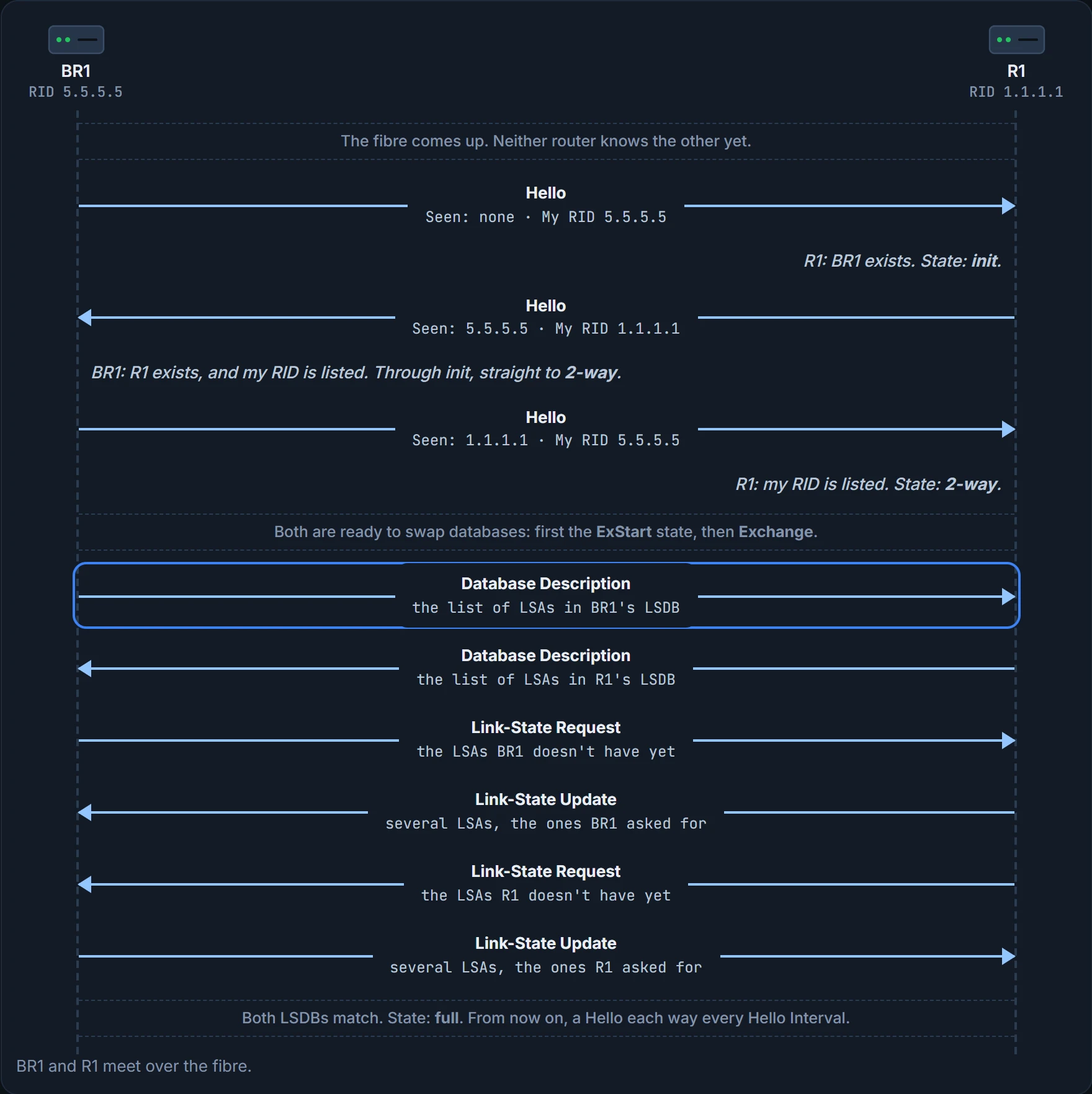
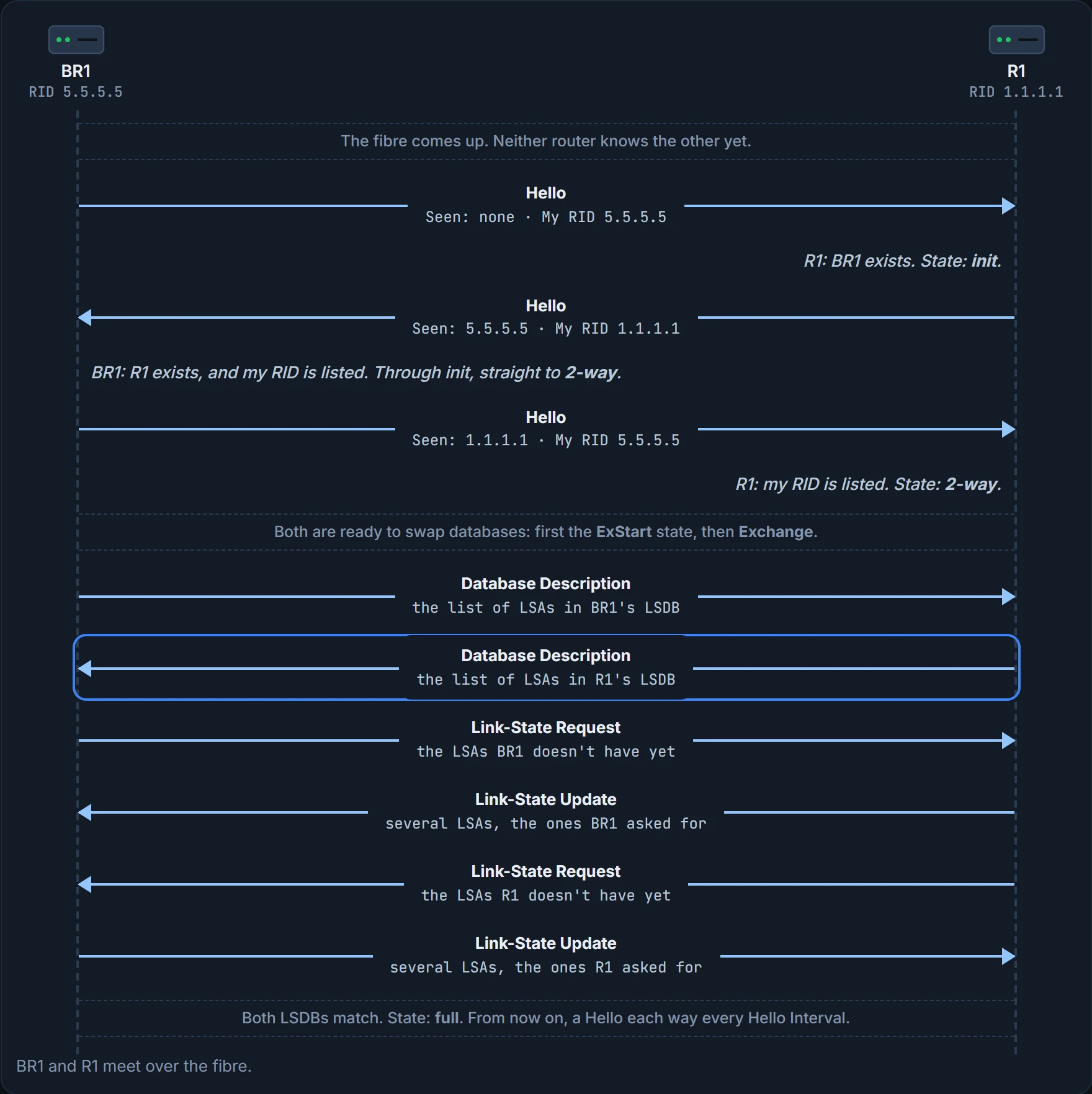
They don't just send each other their whole databases. First each sends a list of the LSAs in its LSDB, just the list, not the LSAs' details, in Database Description (DD) packets. Each checks the list against its own LSDB and asks for only the LSAs it doesn't have, with a Link-State Request. Say R1 sends BR1 a list of 10 LSAs and BR1 finds 6 of them already: BR1 asks for the other 4.
The LSAs themselves travel in Link-State Update (LSU) packets. So an LSU is a packet, and the LSAs inside it aren't packets at all: they're data structures that sit in the LSDB and describe the topology. On the way, the routers pass through the interim states ExStart, Exchange and Loading, and when the LSDBs match they reach full: they've fully exchanged the contents of their LSDBs. That's the rest of the conversation above.
Two routers, one list each, and nobody sends a copy of something the other already has. Most offices never manage that.
Keeping it going
Full is the end of the initial work, not of the relationship. Neighbours keep three small jobs going:
- Hellos. Each router sends a Hello to each neighbour every Hello Interval and expects one back just as often. If a neighbour is silent for the Dead Interval (by default, 4 times the Hello Interval), the router decides that neighbour has failed.
- Flooding changes. When something changes, one or more routers change one or more LSAs and flood them to each neighbour, so the neighbours can update their LSDBs.
- Refreshing. Even in a completely stable network, the router that created each LSA refloods it every 30 minutes (the default). Each LSA has its own timer, counted from when it was created, so there's never one big moment when the network is flooded with LSAs.
Here's a change in the company. If the switch on head office's Staff LAN lost power, R3's LAN interface would go from up/up to down/down. R3 would update its LSA to show that interface down and send it to its neighbours, which send it to theirs, until every router has an identical LSDB again. Then each router uses SPF to recalculate any routes the failed interface affects.
Every copy of the map gets the note about the pothole before anyone picks a new route.
Designated routers on Ethernet
OSPF behaves differently on different kinds of interface, based on a per-interface setting called the OSPF network type. On Ethernet it defaults to broadcast, and then the routers on each subnet elect one as the designated router (DR) and one as the backup DR (BDR), and the database exchange follows different rules than on point-to-point links. How they're chosen comes later in the course; what they do matters now.
Ravi sketches a case bigger than the company: five routers on one Ethernet VLAN, with A elected DR and B BDR. The database exchange doesn't happen between every pair. It happens between the DR and each of the others, with the DR making sure everyone gets a copy of every LSA. The BDR watches the DR and takes over if it fails (and then a new BDR is elected).
It's basically like a meeting where one person keeps the minutes: everyone reports to the minute-taker and gets the full notes back, instead of every pair comparing notes. (Where it stops: people choose their minute-taker; the routers elect the DR themselves, by rules that come later, and a deputy, the BDR, is always ready to take over.)
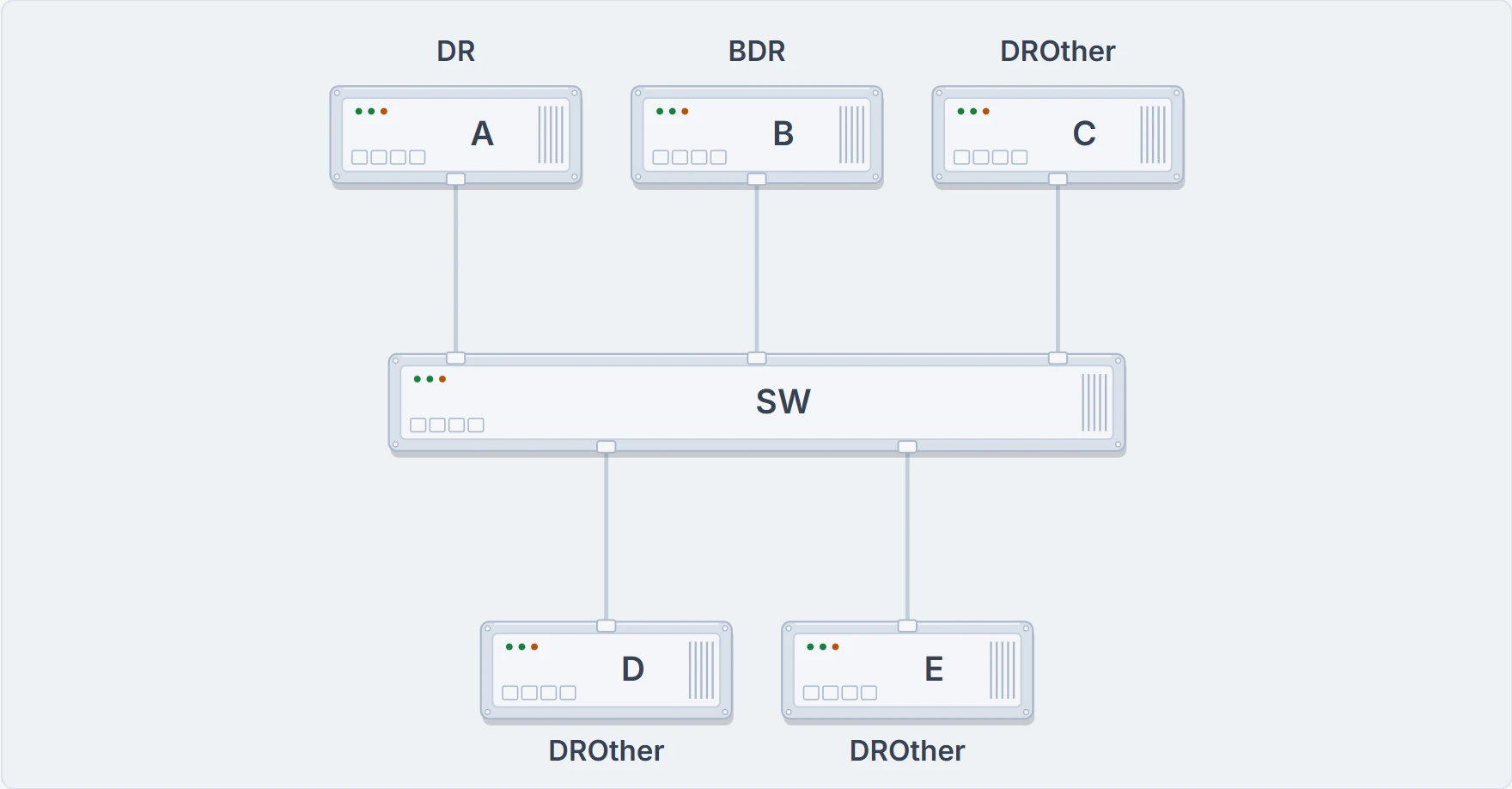
Ravi's sketch: five routers on one VLAN. A is the DR and B the BDR; C, D and E are DROthers.
Multicast makes this efficient on links with more than two routers. The DR can send one set of messages to all the OSPF routers in the subnet at 224.0.0.5, which the IANA (the body behind AS numbers, 05.2.1) reserves as the "All SPF Routers" address. And a router that needs to reach the DR and the BDR (so the BDR stays ready) sends one set to 224.0.0.6, "All SPF DRs", instead of one set to each.
The DR and BDR both do a full database exchange with every other router, so they reach full with all their neighbours. The rest, called DROthers, never exchange LSDBs with each other.
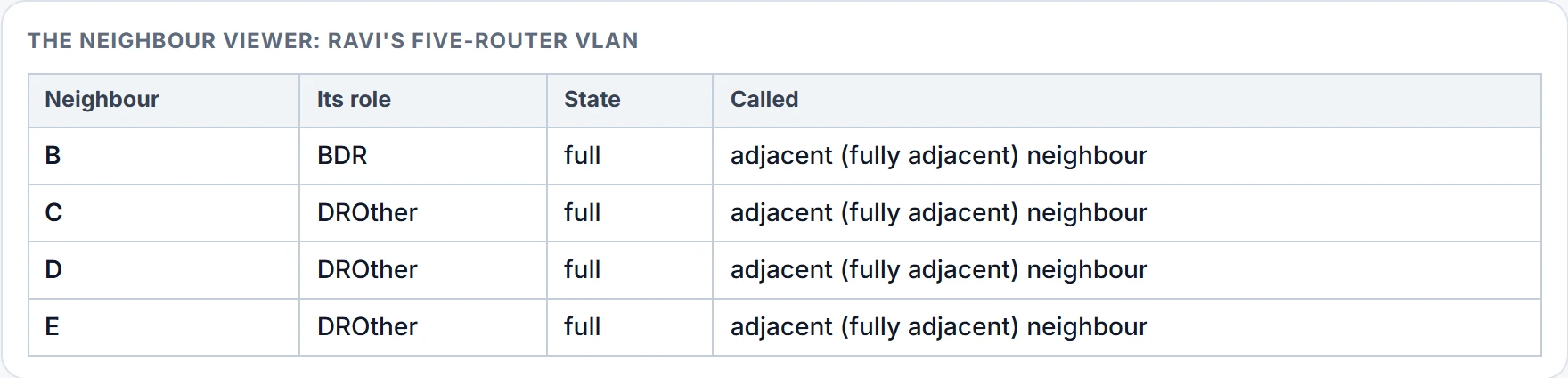
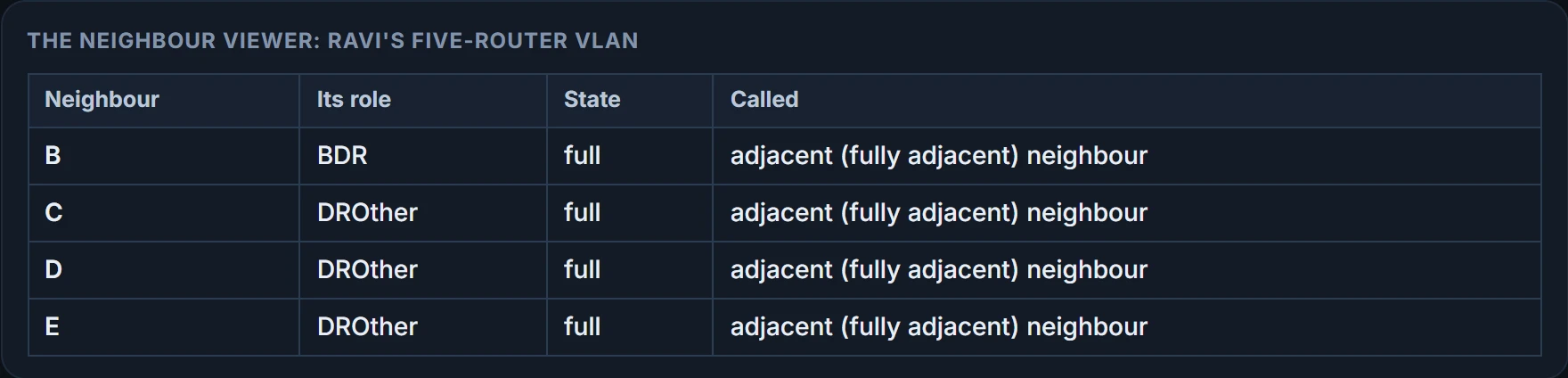
So on a DROther, show ip ospf neighbor lists some neighbours at 2-way, and they stay there in normal operation. OSPF names the difference: every router that reaches 2-way with you (sending Hellos, parameters matching) is a neighbour; the ones that go on to full are adjacent neighbours, or, as the OSPFv2 standard (RFC 2328) also says, fully adjacent neighbours. For the relationship itself, any of them is a neighbour relationship, and one that reaches full is an adjacency.
| State | The neighbour is called | The relationship is called |
|---|---|---|
| 2-way | Neighbour | Neighbour relationship |
| Full | Adjacent neighbour, or fully adjacent neighbour | Adjacency |
D and E are on speaking terms. They just don't swap notes.
The company's links are all Ethernet, so each will elect a DR and a BDR. With only two routers on each link, one is the DR and the other the BDR, and all three pairs reach full.
Continue the lesson
The whole lesson, with its drawings and its questions. 4 more sections after the ones above.