
Spanning Tree Troubleshooting Lab
A hands-on CCNA lab on a loop of three switches. An Ethernet frame has no TTL, so spanning tree has to cut the loop. Predict the tree from the numbers, the bridge IDs and port costs, then prove each port's role, and follow a broadcast that the discarding port stops.
By Arif, founder of Daveth · Updated
The full 10 min walkthrough is in Daveth Pro (Network). See what the plan opens
What this page answers
How do you troubleshoot spanning tree?
Predict the tree from the numbers first, the bridge IDs and port costs, then compare: the root, each switch's root port, and which port on each link forwards or discards. Read it in “Predict the tree from the ledger”
A loop with no TTL
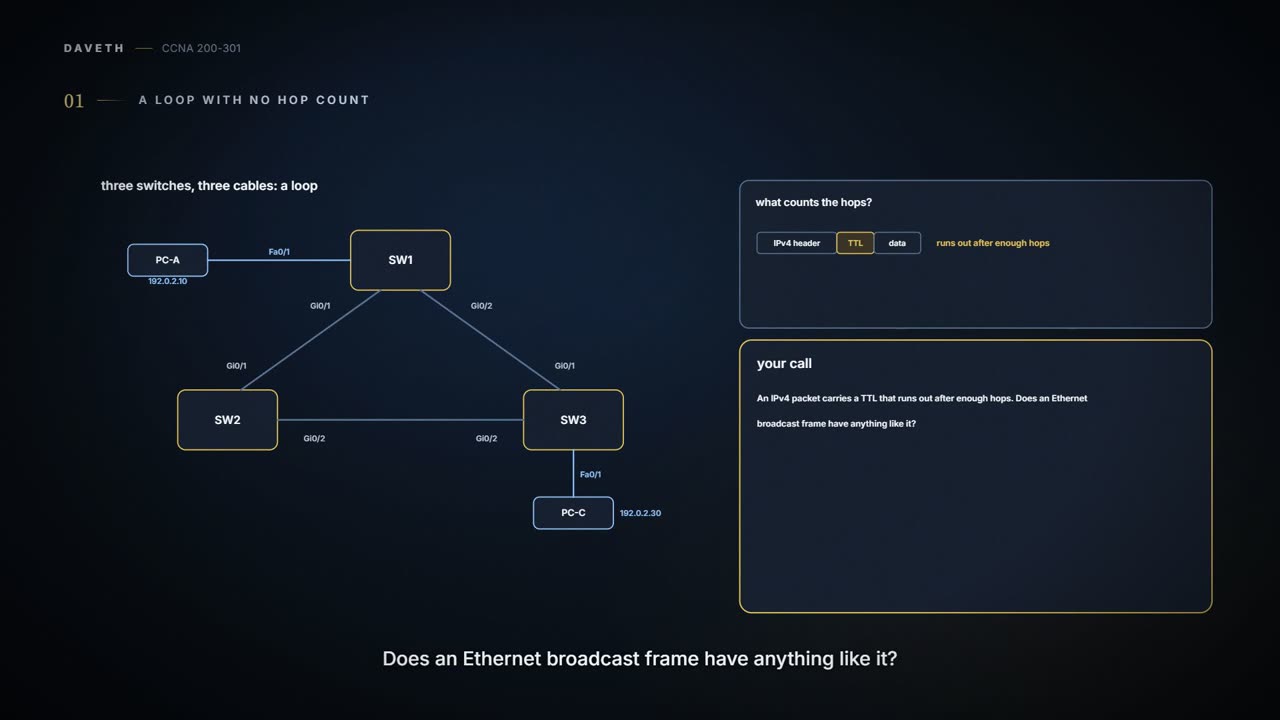
This lab resets the scene: no bundle this time. Three switches, three separate cables, and so a loop: SW1 to SW2 to SW3 and back. Before building it, one question about what stops a frame going round forever.
Nothing in the frame. An IPv4 packet carries a TTL that runs out; an Ethernet frame carries no such count, so a broadcast in a switched loop just keeps going, copied again at every switch. Spanning tree prevents that by leaving one physical path connected but not forwarding.
The parcel found the same hallway three times. It isn't nostalgic; the corridors form a loop. (Where it stops: a frame isn't one parcel; every switch sends out more copies of it.)
Predict the tree from the ledger
The work order: build the triangle so the tree is predictable, predict every port's role, then prove it. The outputs follow the switch command line used throughout this course, in Rapid PVST+ mode; judge yours by meaning.
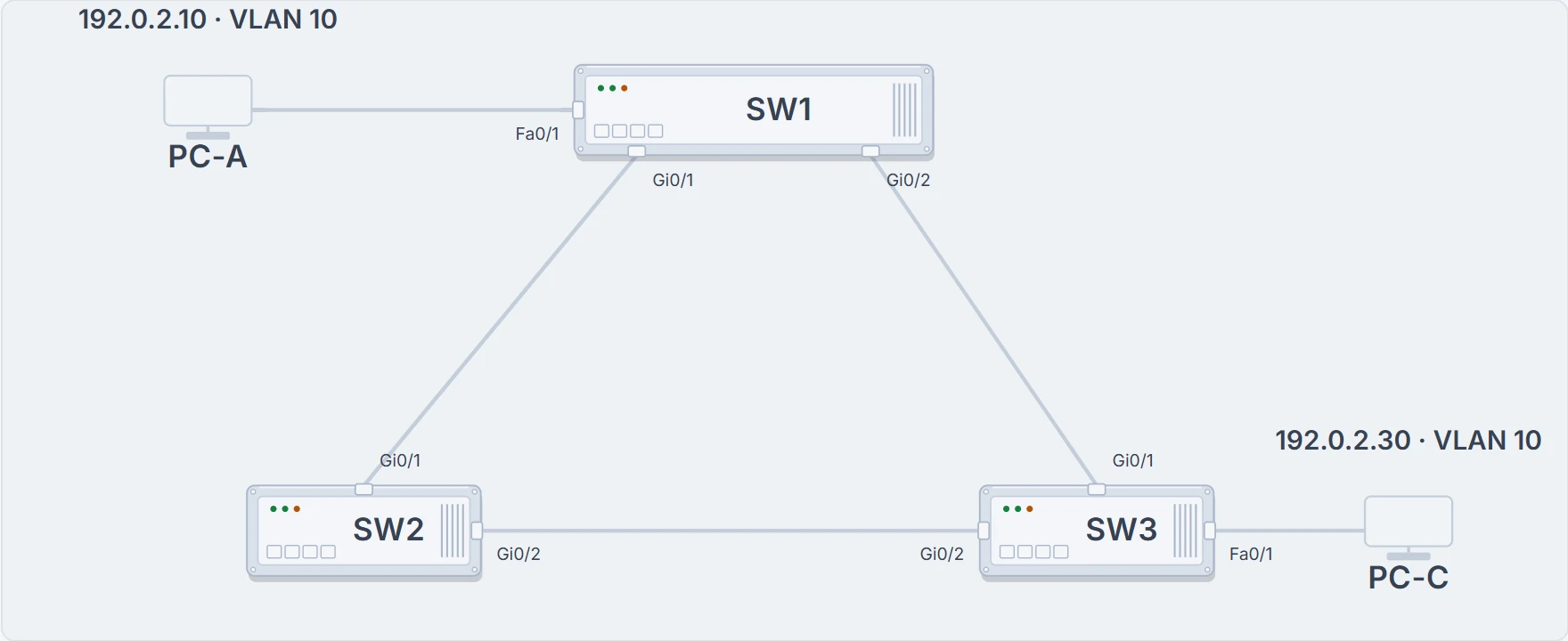
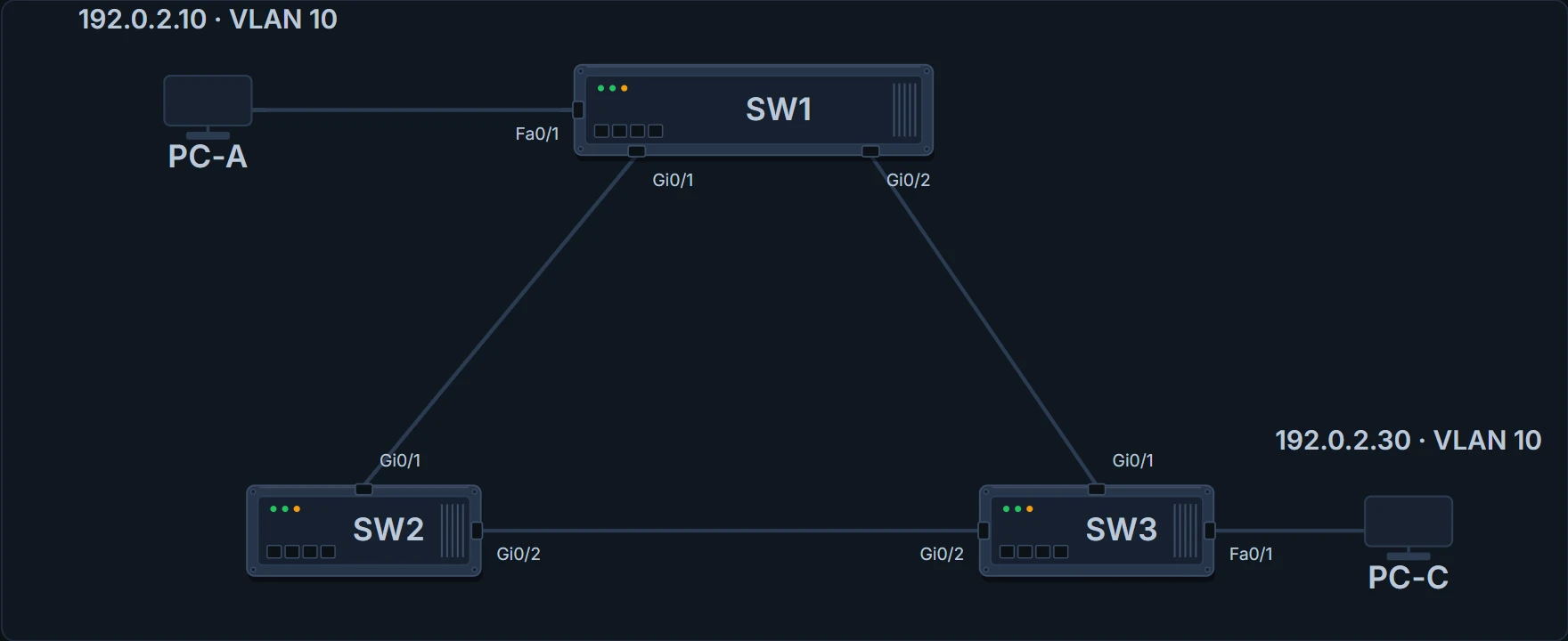
The triangle: three separate links, and a test PC on SW1 and on SW3.
The drawing shows what connects to what. It doesn't show which ports forward; for that you need numbers, and the ledger has them. Priorities are set in steps of 4096, and the switch shows each one with the VLAN number added (the extended system ID).
| Switch | Priority (shown as) | MAC | Links and VLAN 10 costs |
|---|---|---|---|
| SW1 | 24576 (24586) | 0200.0000.00a1 | Gi0/1 to SW2 Gi0/1, cost 4; Gi0/2 to SW3 Gi0/1, cost 4 |
| SW2 | 28672 (28682) | 0200.0000.00b1 | Gi0/1 to SW1 Gi0/1, cost 4; Gi0/2 to SW3 Gi0/2, cost 10 |
| SW3 | 32768 (32778) | 0200.0000.00c1 | Gi0/1 to SW1 Gi0/2, cost 4; Gi0/2 to SW2 Gi0/2, cost 10 |
SW3# configure terminal
Enter configuration commands, one per line.  End with CNTL/Z.
SW3(config)# spanning-tree mode rapid-pvst
SW3(config)# spanning-tree vlan 10 priority 32768
SW3(config)# vlan 10
SW3(config-vlan)# interface FastEthernet0/1
SW3(config-if)# switchport mode access
SW3(config-if)# switchport access vlan 10
SW3(config-if)# interface GigabitEthernet0/1
SW3(config-if)# switchport mode trunk
SW3(config-if)# switchport trunk allowed vlan 10
SW3(config-if)# spanning-tree vlan 10 cost 4
SW3(config-if)# interface GigabitEthernet0/2
SW3(config-if)# switchport mode trunk
SW3(config-if)# switchport trunk allowed vlan 10
SW3(config-if)# spanning-tree vlan 10 cost 10
SW3(config-if)# end
SW1# show spanning-tree vlan 10
VLAN0010
  Spanning tree enabled protocol rstp
  Root ID    Priority    24586
             Address     0200.0000.00a1
             This bridge is the root
             Hello Time   2 sec  Max Age 20 sec  Forward Delay 15 sec

  Bridge ID  Priority    24586  (priority 24576 sys-id-ext 10)
             Address     0200.0000.00a1
             Hello Time   2 sec  Max Age 20 sec  Forward Delay 15 sec
             Aging Time  300 sec

Interface           Role Sts Cost      Prio.Nbr Type
------------------- ---- --- --------- -------- --------------------------------
Fa0/1               Desg FWD 19        128.1    P2p
Gi0/1               Desg FWD 4         128.25   P2p
Gi0/2               Desg FWD 4         128.26   P2p
SW2# show spanning-tree vlan 10
VLAN0010
Spanning tree enabled protocol rstp
Root ID Priority 24586
Address 0200.0000.00a1
Cost 4
Port 25 (GigabitEthernet0/1)
Hello Time 2 sec Max Age 20 sec Forward Delay 15 sec
Bridge ID Priority 28682 (priority 28672 sys-id-ext 10)
Address 0200.0000.00b1
Hello Time 2 sec Max Age 20 sec Forward Delay 15 sec
Aging Time 300 sec
Interface Role Sts Cost Prio.Nbr Type
------------------- ---- --- --------- -------- --------------------------------
Gi0/1 Root FWD 4 128.25 P2p
Gi0/2 Desg FWD 10 128.26 P2pSW3# show spanning-tree vlan 10
VLAN0010
Spanning tree enabled protocol rstp
Root ID Priority 24586
Address 0200.0000.00a1
Cost 4
Port 25 (GigabitEthernet0/1)
Hello Time 2 sec Max Age 20 sec Forward Delay 15 sec
Bridge ID Priority 32778 (priority 32768 sys-id-ext 10)
Address 0200.0000.00c1
Hello Time 2 sec Max Age 20 sec Forward Delay 15 sec
Aging Time 300 sec
Interface Role Sts Cost Prio.Nbr Type
------------------- ---- --- --------- -------- --------------------------------
Fa0/1 Desg FWD 19 128.1 P2p
Gi0/1 Root FWD 4 128.25 P2p
Gi0/2 Altn BLK 10 128.26 P2pSW3 Gi0/2. SW1 has the lowest bridge ID, so it's the root, and its ports are designated. SW2's and SW3's cheapest way to the root is each one's own Gi0/1, at cost 4. On the SW2-SW3 link, both ends advertise a root cost of 4: a tie, which SW2 wins with the lower bridge ID. So SW2 Gi0/2 is designated and SW3 Gi0/2 is alternate. Rapid PVST+ calls that state discarding; the Sts column still abbreviates it BLK. If your output differs, stop and find the bridge ID, cost or cable that differs, rather than editing the prediction. On your own lab, capture show interfaces trunk and show interfaces status on all three switches too.
Follow a broadcast
PC-C, on SW3, sends a broadcast in VLAN 10. Each switch copies it out its forwarding ports in VLAN 10, except the one it came in on. Each card below is one stop, stamped with switch, port and VLAN.
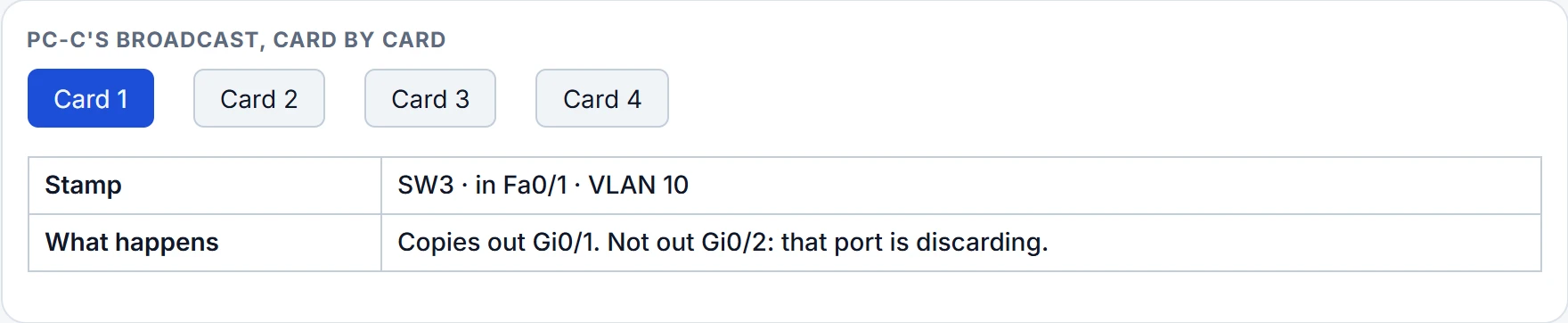
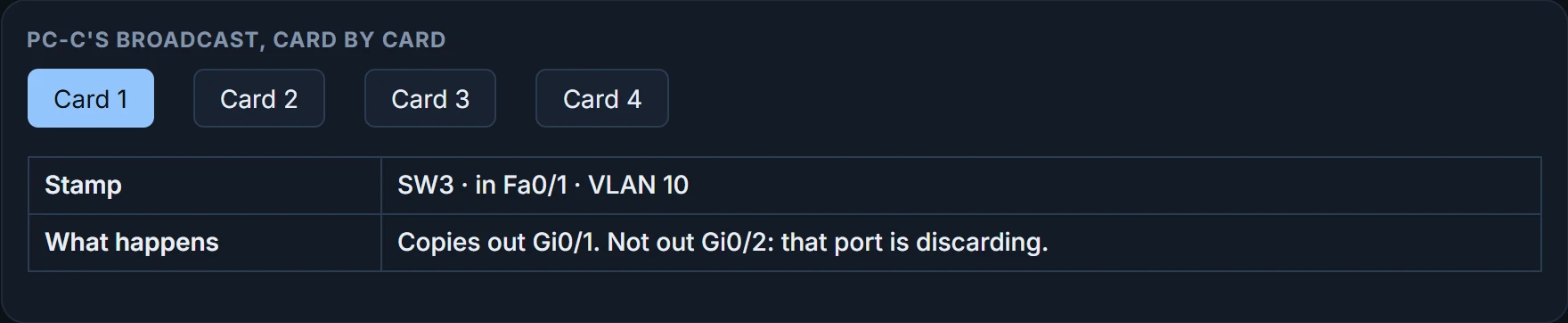
At SW3 Gi0/2. SW3 sends the broadcast out Gi0/1 only; its alternate port turns user frames away. SW1 copies it to SW2 and to PC-A; SW2 copies it out Gi0/2, towards SW3; and there it arrives on the discarding port and goes no further. The cable between SW2 and SW3 is connected the whole time, and SW3 Gi0/2 still receives SW2's BPDUs on it; it just doesn't forward user frames.
The backup road is built, but its gate turns traffic away until it's needed.
Continue the lesson
The whole lesson, with its drawings and its questions. 3 more sections after the ones above.