
Voice VLAN
One cable reaches the desk, with a phone on it and a PC behind the phone, and they belong in different VLANs. switchport voice vlan tells the phone how to send voice, with four keywords: a VLAN ID, dot1p, none and untagged. The phone's own port, trusted or untrusted, decides what happens to the PC's traffic. And the instruction reaches the phone over CDP.
By Arif, founder of Daveth · Updated
The full 6 min walkthrough is in Daveth Pro (Network). See what the plan opens
What this page answers
What does switchport voice vlan dot1p do?
It tells the phone to tag voice with VLAN ID 0 and a priority, and makes the port accept those frames, which it drops by default. It does not put voice in a separate voice VLAN. Read it in “Four keywords, four different instructions”
Why do IP phones stop working after disabling CDP?
The voice VLAN instruction reaches the phone over CDP. With no cdp enable on the desk port, the phone is no longer told which VLAN to use, though every voice line in the configuration is still correct. Read it in “The dependency the configuration never mentions”
What are the switchport voice vlan options?
A VLAN ID, sending voice tagged in that VLAN with priority 5 by default; dot1p, tagged with VLAN 0; none, letting the phone use its own configuration; and untagged. Read it in “Four keywords, four different instructions”
Two devices, one port
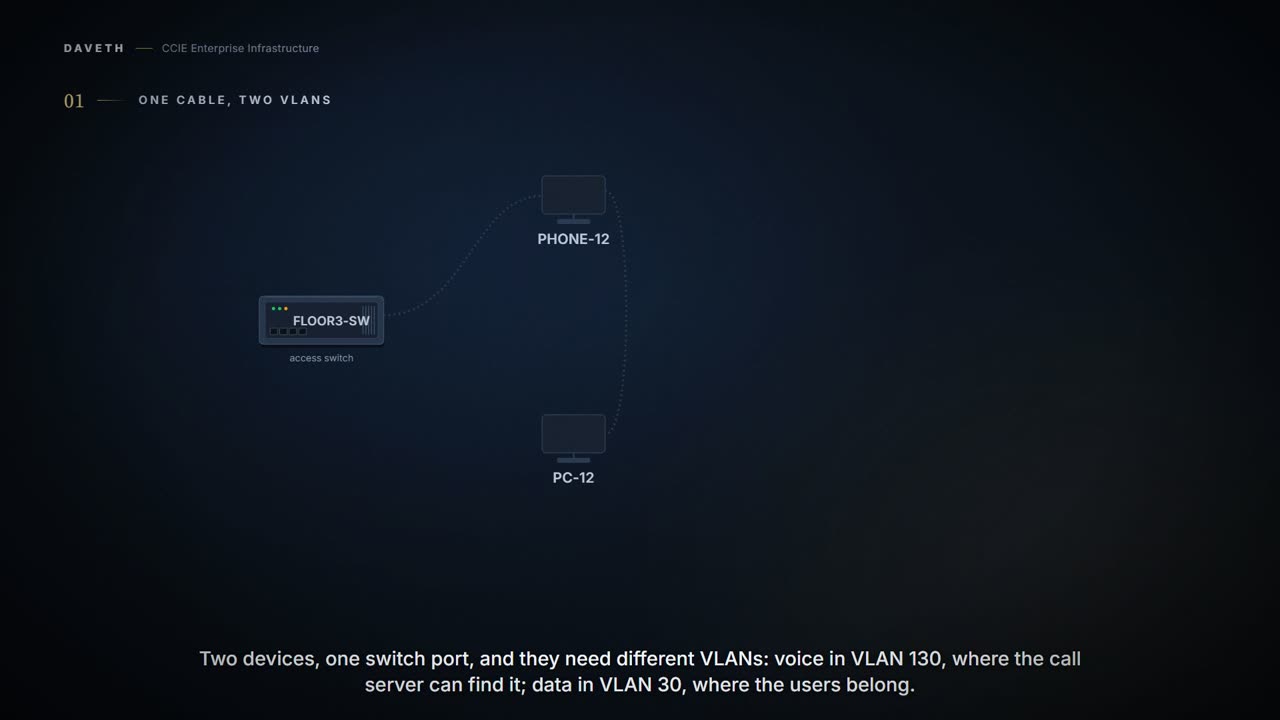
Desk 12 in a solicitors' office has one cable running to it. On the end of that cable is a phone, and plugged into the back of the phone is the fee-earner's PC. Two devices, one switch port, and they have to end up in different VLANs: voice where the call platform and the QoS policy can find it, data where the users belong.
The voice VLAN feature enables access ports to carry IP voice traffic from an IP phone.
Read that sentence for what it does not say. It does not say the switch identifies voice traffic. The switch has no idea what is inside those frames and never looks. What it does is send the phone an instruction, and the phone does what it is told, which means everything on this page hangs on the instruction arriving.
And it is an access port, not a trunk, which surprises people who reason that two VLANs on one port must be a trunk:
Voice VLAN configuration is only supported on device access ports; voice VLAN configuration is not supported on trunk ports. Trunk ports can carry any number of voice VLANs, similar to regular VLANs.
Notice the note under the restriction. A trunk can carry voice VLANs; what it cannot do is be configured with one. The restriction is about where the command may be typed, not about what a trunk can transport, and reading it the other way round is how people end up trunking to a desk.
Configuration, the desk port, read the voice line and the access line together, in the command forms the cited chapter prints.
FLOOR3-SW# configure terminal
FLOOR3-SW(config)# interface Gi1/0/12
FLOOR3-SW(config-if)# switchport mode access
FLOOR3-SW(config-if)# switchport access vlan 30
FLOOR3-SW(config-if)# trust device cisco-phone
FLOOR3-SW(config-if)# switchport voice vlan 130
FLOOR3-SW(config-if)# switchport priority extend cos 0
FLOOR3-SW(config-if)# cdp enable
FLOOR3-SW(config-if)# end
Before you enable voice VLAN, enable QoS on the device by entering the trust device cisco-phone interface configuration command. If you use the auto QoS feature, these settings are automatically configured.
Four keywords, four different instructions
The chapter lists three ways the phone can be told to send voice, and the command has four keywords. Start with the list:
In the voice VLAN tagged with a Layer 2 CoS priority value In the access VLAN tagged with a Layer 2 CoS priority value In the access VLAN, untagged (no Layer 2 CoS priority value)
Now the keywords, and read the second one twice, because it contains its own trap:
vlan-id —Configures the phone to forward all voice traffic through the specified VLAN. By default, the Cisco IP Phone forwards the voice traffic with an IEEE 802.1Q priority of 5. dot1p —Configures the device to accept voice and data IEEE 802.1p priority frames tagged with VLAN ID 0 (the native VLAN). By default, the device drops all voice and data traffic tagged with VLAN 0. none —Allows the phone to use its own configuration to send untagged voice traffic. untagged —Configures the phone to send untagged voice traffic.
The dot1p keyword asks the phone to tag with VLAN 0, and the same sentence says the device drops VLAN-0 traffic by default. Both halves are true: configuring the port for dot1p is what makes it accept what it has just asked the phone to send. Type that keyword on one end of the conversation and not the other and you have asked for traffic you are throwing away.
Computed from the state (what the phone has been told, under dot1p) read the phone sends row. No command prints it in this form.
configured      switchport voice vlan dot1p
CDP on the port enabled
instruction     delivered
phone sends     VLAN 0, tagged
voice CoS       5
voice VLAN 130  present and active
voice works     no
And it still does not carry voice to the call platform, which is the part the keyword's reputation leaves out. dot1p buys a priority on the native VLAN. It does not buy a second VLAN, so anything that lives in the voice VLAN (a call server, a policy, an access list) is not reached by it.
the phone sends voice traffic with Layer 3 IP precedence and Layer 2 class of service (CoS) values, which are both set to 5 by default In all configurations, the voice traffic carries a Layer 3 IP precedence value (the default is 5 for voice traffic and 3 for voice control traffic).
Read the bracket in that second sentence. Voice is 5 and voice control is 3, and they are different numbers for a reason: signalling and media are not the same traffic and do not need the same treatment. What a queue then does with either is 4.4, and this page stops here.
The phone has a port of its own
The PC does not plug into the switch. It plugs into the phone, and the phone decides what to do with what the PC sends before the switch ever sees it. That decision is also configured from the switch, and it has its own default:
In trusted mode, all traffic received through the access port on the Cisco IP Phone passes through the phone unchanged. In untrusted mode, all traffic in IEEE 802.1Q or IEEE 802.1p frames received through the access port on the Cisco IP Phone receive a configured Layer 2 CoS value. The default Layer 2 CoS value is 0. Untrusted mode is the default.
Untrusted is the default, and untrusted means overwrite. A PC that marks its own traffic (a softphone, a video client, anything that thinks it is special) has its marking replaced with CoS 0 on the way through the phone, and nothing tells it so.
trust —Configures the phone access port to trust the priority received from the PC or the attached device. cos value —Configures the phone to override the priority received from the PC or the attached device with the specified CoS value. The default priority is cos 0.
Configuration: the phone port set to trust the PC, in the command forms the cited chapter prints.
FLOOR3-SW# configure terminal
FLOOR3-SW(config)# interface Gi1/0/12
FLOOR3-SW(config-if)# switchport priority extend trust
FLOOR3-SW(config-if)# end
Computed from the state: what the PC's frames carry once the phone has dealt with them: read both rows. No command prints it in this form.
from the PC       phone port  what the switch receives
tagged, CoS 6     trust       CoS 6
untagged          trust       unchanged, no CoS
Now the row that catches people, and it is the second one:
Untagged traffic from the device attached to the Cisco IP Phone passes through the phone unchanged, regardless of the trust state of the access port on the phone.
Untagged traffic passes through unchanged whatever the trust state is. Most of what an ordinary PC sends is untagged, so on most desks this setting changes nothing at all, which is exactly why it is worth knowing where it does bite before you spend an afternoon on it.
The dependency the configuration never mentions
A hardening standard says to disable CDP on user-facing ports. Somebody applies it to this floor, and the phones go quiet. So what did it actually type on the desk port?
Configuration: the one line the hardening standard changed, in the command forms the cited chapter prints.
FLOOR3-SW# configure terminal
FLOOR3-SW(config)# interface Gi1/0/12
FLOOR3-SW(config-if)# no cdp enable
FLOOR3-SW(config-if)# end
That is the only line that changed. Every voice line from the first configuration is still there and still correct. The port still names the voice VLAN, the VLAN still exists, the phone is still plugged in. And the instruction is not going anywhere:
You must enable CDP on the device port connected to the Cisco IP Phone to send the configuration to the phone. (CDP is globally enabled by default on all device interfaces.)
Computed from the state (the instruction, with CDP off) read the instruction row. No command prints it in this form.
configured      switchport voice vlan 130
CDP on the port disabled
instruction     never sent
phone sends     nothing: no instruction reached the phone
voice CoS       none
voice VLAN 130  present and active
voice works     no
That is the whole memory hook, and it is worth saying plainly: no CDP, no voice VLAN. The dependency is invisible in the feature's own configuration, it is enabled by default so it usually goes unnoticed, and it is exactly the kind of thing an edge-hardening standard turns off on purpose. The standard was not wrong to disable CDP; it was wrong to do it on a port with a phone on it without knowing what else that switched off.
And note which way the dependency runs, because it is not what people assume. The switch is not waiting to hear a phone introduce itself. It is announcing the voice VLAN outward, and a phone that never receives that announcement has nothing to be wrong about. Silence the announcement and the phone behaves exactly as an unconfigured phone would.
Two more dependencies sit behind the same line of configuration. The second is the VLAN itself:
The voice VLAN should be present and active on the device for the IP phone to correctly communicate on the voice VLAN. Use the show vlan privileged EXEC command to see if the VLAN is present (listed in the display). If the VLAN is not listed, create the voice VLAN.
Computed from the state, the instruction arriving at a VLAN that does not exist, read the last two rows. No command prints it in this form.
configured      switchport voice vlan 130
CDP on the port enabled
instruction     delivered
phone sends     VLAN 130, tagged
voice CoS       5
voice VLAN 130  not on this switch
voice works     no
And the third is one nobody configures at all, which makes it the easiest to be surprised by:
The Port Fast feature is automatically enabled when voice VLAN is configured. When you disable voice VLAN, the Port Fast feature is not automatically disabled.
Computed from the state, Port Fast on this port, look at who typed it. No command prints it in this form.
voice vlan    configured
Port Fast     enabled
typed by      nobody: the switch enabled it with voice VLAN
On by itself, off by hand. Remove voice VLAN from a port a year later and the port keeps a spanning-tree behaviour that nobody chose and no voice configuration explains, because the line that would have explained it is gone.
From elsewhere: the chapter's own example lines for these steps. Each of these is printed on that page as a single example line beside its step; the chapter publishes no multi-line sample, so none is shown here.
Device# configure terminal
Device(config)# interface gigabitethernet1/0/1
Device(config-if)# trust device cisco-phone
Device(config-if)# switchport voice vlan dot1p
Device(config-if)# switchport priority extend trust
Device(config-if)# end
Device# show interfaces gigabitethernet1/0/1 switchport
Device# show running-config interface gigabitethernet1/0/1
Continue the lesson
The whole lesson, with its drawings and its questions. 6 more sections after the ones above.