
Normal and extended range VLANs
Normal-range VLANs are 1 to 1005, and 1002 to 1005 are reserved for Token Ring and FDDI, media the switch does not support. Extended-range VLANs are 1006 to 4094. The two ranges are stored differently: normal-range VLANs go to vlan.dat in flash, and extended-range VLANs do not, so they survive a reset only if the configuration was saved to startup.
By Arif, founder of Daveth · Updated
The full 5 min walkthrough is in Daveth Pro (Network). See what the plan opens
What this page answers
What is the extended VLAN range?
VLAN IDs 1006 to 4094. Normal-range VLANs are 1 to 1005, and 1002 to 1005 are reserved for Token Ring and FDDI and cannot be removed. Read it in “The two ranges”
Where are VLANs stored on a Catalyst switch?
Normal-range VLANs, 1 to 1005, are written to vlan.dat in flash. Extended-range VLANs are not saved in the VLAN database, so they come back after a reset only if the configuration was saved to startup. Read it in “Where each range is stored”
The gap in the middle
A VLAN ID seems to be only a number: pick a free one and move on. Does it matter which one?
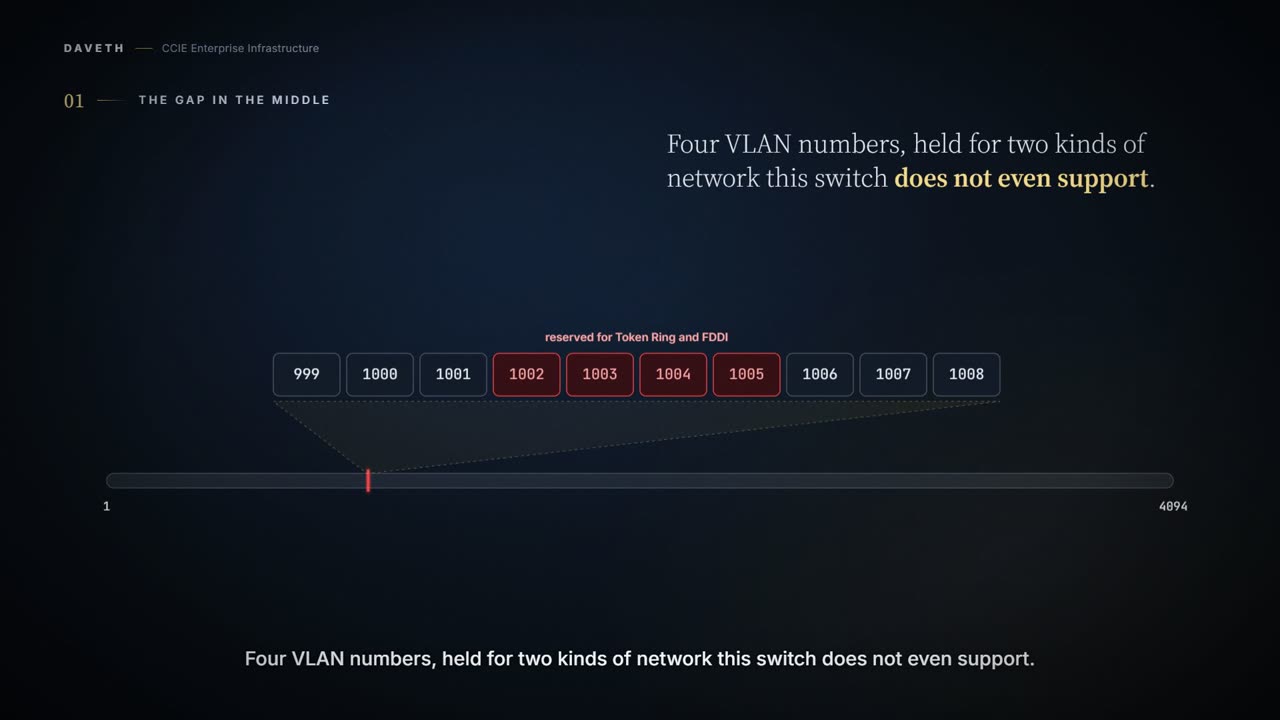
VLAN IDs 1002 through 1005 are reserved for Token Ring and FDDI VLANs. All of the VLANs except 1002 to 1005 are available for user configuration. The device does not support Token Ring or FDDI media.
Four VLAN numbers held for two media the switch, by its own guide, does not support.
(VLAN IDs 1 and 1002 to 1005 are automatically created and cannot be removed.)
They are not free numbers you are asked to avoid; they are occupied. That is the trivia. What matters is that the two ranges behave differently.
The two ranges
Normal-range VLANs are VLANs with IDs from 1 to 1005. Extended-range VLANs are VLANs with IDs from 1006 to 4094.
Read the page carefully, though. A few lines later it gives the normal range again, differently:
Normal-range VLANs are identified with a number between 1 and 1001.
This course's reading: 1005 includes the four reserved numbers; 1001 stops before them. This lesson uses the first form: 1 to 1005, with 1002 to 1005 reserved.
Where each range is stored
Two VLANs created in the same minute, 100 and 2000, and nobody saves. SW1 resets. Which come back?
Configurations for VLAN IDs 1 to 1005 are written to the vlan.dat file (VLAN database), and you can display them by entering the show vlan privileged EXEC command. The vlan.dat file is stored in flash memory.
VLAN IDs in the extended range are not saved in the VLAN database and are not recognized by VTP unless the device is running VTP version 3. For VTP version 1 or 2, you can set the VTP mode to transparent in global configuration mode. You should save this configuration to the startup configuration so that the device boots up in VTP transparent mode. Otherwise, you lose the extended-range VLAN configuration if the device resets.
VLAN 100 comes back; VLAN 2000 does not. A normal-range VLAN survives because it is written to vlan.dat, in flash. An extended-range VLAN survives only if the configuration was saved to startup. You do not feel the difference when you create the VLAN; you feel it at the next unplanned reset.
The guide's rules are written in VTP terms (transparent mode, versions 1 to 3). VTP is off the v1.1 blueprint; this page uses only the storage consequence, and the walk runs SW1 in transparent mode because the guide requires server or transparent mode to create VLANs.
Two lists on a trunk
Can a trunk be told not to carry VLAN 2000?
A trunk port is a member of all VLANs by default, including extended-range VLANs, but membership can be limited by configuring the allowed-VLAN list. You can also modify the pruning-eligible list to block flooded traffic to VLANs on trunk ports that are included in the list.
Two different lists. The allowed-VLAN list decides what the trunk carries, and extended-range VLANs are on it by default and can be removed from it like any other. The pruning-eligible list is the other one.
Continue the lesson
The whole lesson, with its drawings and its questions. The rest of this section and 4 more after it.