
EIGRP adjacencies
EIGRP neighbours find each other by sending hellos to a multicast group out of every interface EIGRP is enabled on. Two switches must agree on the AS number, checked first, and on the K-values, because a metric is comparable only if everyone weights it alike. The hold time is not agreed: each switch announces its own. EIGRP for IPv6 does not need a shared prefix.
By Arif, founder of Daveth · Updated
The full 5 min walkthrough is in Daveth Pro (Network). See what the plan opens
What this page answers
What must match for an EIGRP neighbour relationship?
The AS number, checked first, so a hello from a different AS is ignored, and the K-values, the metric weights every hello carries. Timers need not match: each switch announces the hold time its neighbour should use. Read it in “What must match”
Do EIGRP IPv6 neighbours need to be on the same subnet?
No. EIGRP for IPv6 needs no global address on the interface. The receiver checks that the hello came from a valid link-local source address, then makes the same checks as IPv4, such as the AS number. Read it in “IPv6 on the same link”
How does EIGRP discover neighbours?
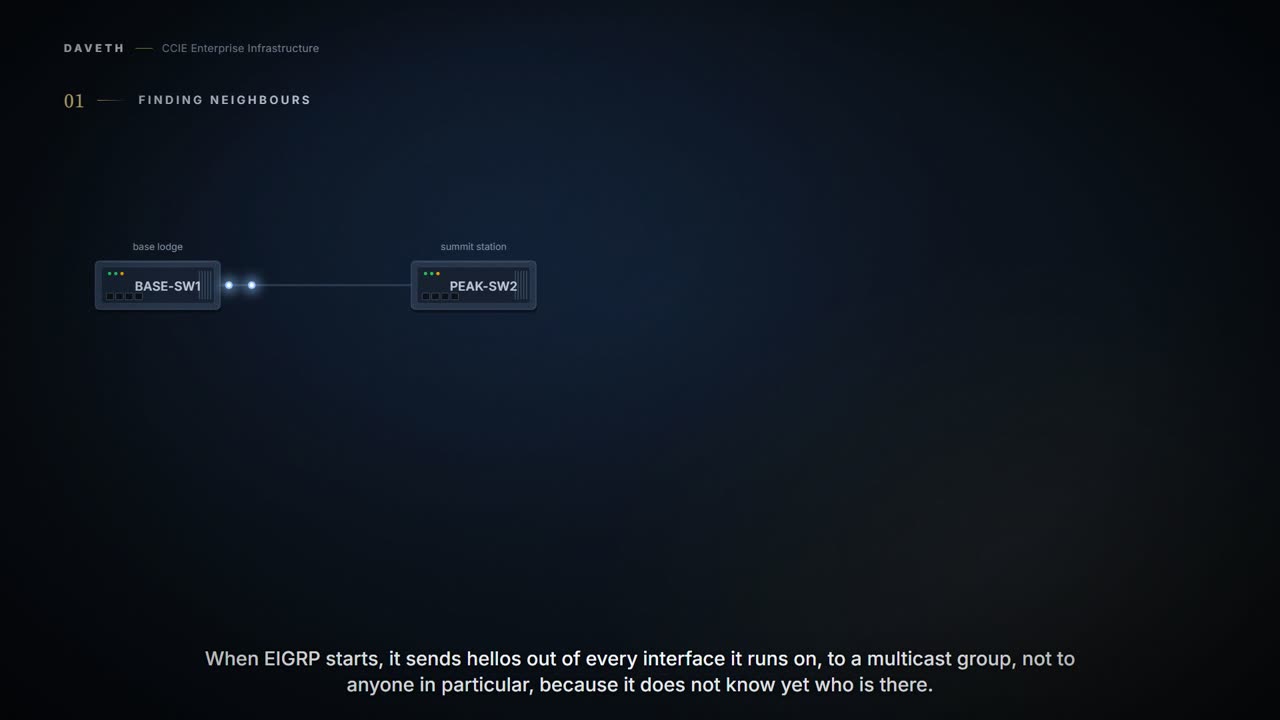
When EIGRP starts it sends hellos out of every interface it is enabled on, addressed to a multicast group, and learns which switches are on its directly attached links without anyone listing them. Read it in “Finding each other”
The adjacency that won't come up
A ski resort runs EIGRP between three Layer 3 switches: BASE-SW1 in the base lodge, PEAK-SW2 at the summit station, and LIFT-SW3 in a new chairlift hut. The new switch in the hut won't become PEAK-SW2's neighbor. What do you check first?
If you reached for the hello and hold timers, that's OSPF talking, and EIGRP never signed up for that lesson. This page works out what two EIGRP switches must share, what they needn't, and then comes back to the hut.
Finding each other
Plain words first. A neighbor is a directly connected switch EIGRP exchanges routes with. A hello is the small packet each one sends to say it's there. The AS number is the number you give the EIGRP process.
Neighbor discovery is how a switch learns, by itself, which other switches are on its directly attached links. Nobody lists them. When EIGRP starts it sends hellos out of every interface it has been enabled on, addressed to a multicast group rather than to anyone in particular, because at that point it does not know who is there to address.
So how does EIGRP know which interfaces to run on?
By the networks you associate with the process. A network statement does two jobs at once, and confusing them is the usual first mistake: it turns EIGRP on for every interface whose address falls inside that network, and it advertises those interfaces' networks to neighbors. An interface no network statement covers is not advertised in any update, and EIGRP never speaks on it.
Configuration: BASE-SW1. The names, numbers and addresses are this course's own.
BASE-SW1# configure terminal
BASE-SW1(config)# router eigrp 20
BASE-SW1(config-router)# network 10.20.0.0
BASE-SW1(config-router)# end
Configuration: PEAK-SW2. The names, numbers and addresses are this course's own.
PEAK-SW2# configure terminal
PEAK-SW2(config)# router eigrp 20
PEAK-SW2(config-router)# network 10.20.0.0
PEAK-SW2(config-router)# end
Computed from the state: what BASE-SW1 puts in its hellos. No command prints it in this form.
interface  AS   K-values    hello  hold advertised
Gi1/0/1    20   1 0 1 0 0   5 s    15 s
Look at the columns: AS 20, K-values 1 0 1 0 0, a 5-second hello and a 15-second hold. Hold those four in mind; the rest of the page is about which of them has to match.
One detail about what happens the moment a new neighbor appears, because it explains a packet you will see in a capture and wonder about. On hearing a hello from somebody it does not know, a switch sends that neighbor a unicast update carrying no routes at all, with an initialisation flag set. The empty update proves unicast delivery works between them; the flag tells the neighbor to send its routes. It is also what recovers the case where a neighbor went down and came back before anyone noticed it had gone.
So once they have swapped hellos, what does BASE-SW1 hold about PEAK-SW2?
Computed from the state: BASE-SW1's neighbors. No command prints it in this form.
neighbor  family address     interface hold it advertised
PEAK-SW2  IPv4   10.20.0.2   Gi1/0/1   15 s
IPv6 on the same link
The summit link was given 2001:db8:20:1::/64 at one end and 2001:db8:20:2::/64 at the other, by mistake. Will EIGRP for IPv6 still form?
Yes, and this is one of the real differences between the two families. EIGRP for IPv6 is turned on per interface and needs no global address on it at all. Two IPv6 neighbors are not required to share a prefix; what the receiver checks is that the hello arrived from a valid link-local source address. After that the checks are the same ones IPv4 makes: the AS number, and the K-values.
Computed from the state: BASE-SW1's neighbors with IPv6 on. No command prints it in this form.
neighbor  family address     interface hold it advertised
PEAK-SW2  IPv4   10.20.0.2   Gi1/0/1   15 s
PEAK-SW2  IPv6   link-local  Gi1/0/1   15 s
Read the IPv6 row: the neighbor's address is its link-local one. The mismatched prefixes are still a mistake to fix, but not one that keeps them from being neighbors.
What must match
Start with the AS number. It is what tags routing information as belonging to this EIGRP process, and it is checked before anything else: a packet from a neighbor whose AS number differs is ignored. Not rejected with a complaint: ignored.
Then the K-values, the weights EIGRP uses to turn bandwidth, delay and the rest into one metric. Every hello carries them, and two switches become neighbors only if they are the same. The reason is worth holding on to: a metric is only comparable if everyone computes it the same way, so EIGRP refuses to peer with anyone who would compute it differently.
Out of the box the weights are k1 and k3 set to 1, and k2, k4 and k5 set to 0: bandwidth and delay count, the rest do not.
Two calculators have to agree on the scoring formula before their answers can be compared at all. Not before the answers can be trusted, before they can be compared: run the same inputs through different formulas and you have two numbers that look alike and mean nothing to each other.
Which is why this one is must-match rather than a preference. A metric is only useful if every router built it the same way, so two routers that disagree about the formula have nothing to say to one another and stop trying.
Where the calculators stop: two people comparing sums can talk it through and find the difference. These two stop talking, and by default nothing is logged when they do.
Now suppose someone pastes a metric weights line onto PEAK-SW2 that they found while reading about tuning. Changing these is genuinely hard to do well and is not something to attempt without a designer who knows the network; here it is about to do something more immediate than change any metric.
Configuration: PEAK-SW2, the pasted line. The names, numbers and addresses are this course's own.
PEAK-SW2# configure terminal
PEAK-SW2(config)# router eigrp 20
PEAK-SW2(config-router)# metric weights 0 2 0 2 0 0
PEAK-SW2(config-router)# end
What does BASE-SW1 make of PEAK-SW2's hellos now?
Computed from the state: what PEAK-SW2 puts in its hellos now. No command prints it in this form.
interface  AS   K-values    hello  hold advertised
Gi1/0/1    20   2 0 2 0 0   5 s    15 s
Gi1/0/2    20   2 0 2 0 0   5 s    15 s
Computed from the state: the summit link through the checks, IPv4. No command prints it in this form.
link                on both  AS     K-values  timers       result
BASE-SW1-PEAK-SW2   yes      match  DIFFER    not compared no: K-values
PEAK-SW2-LIFT-SW3   no       -      -         not compared no: eigrp on the interface
Computed from the state: BASE-SW1's neighbors. No command prints it in this form.
neighbor  family address     interface hold it advertised
no neighbors
Read the check row: on at both ends, AS 20 matches, K-values differ. Both the IPv4 and IPv6 neighbors are gone.
Proves: show ip eigrp neighbors proves which neighbors this switch has discovered, on which interface, and the hold time each of them advertised. Does not prove: why a neighbor is missing, or how long the far end waits for this switch. An AS or K-value mismatch leaves the same empty table, and PEAK-SW2's 15-second wait for BASE-SW1 is only on PEAK-SW2.
Would the dropped adjacency have been logged? No, not by default. Adjacency changes are not logged unless you ask for them, which means the symptom of this mistake is routes disappearing with nothing in the log to say why. Turn neighbor-change logging on; there is no good reason to run without it.
So the failure arrives as an absence, twice over: no neighbour and no message about the neighbour. Somebody pasted one line onto one switch, and what the next person sees is routes that used to be there. Turning the logging on is the cheap half of this lesson.
Configuration: PEAK-SW2, the pasted line removed and logging turned on. The names, numbers and addresses are this course's own.
PEAK-SW2# configure terminal
PEAK-SW2(config)# router eigrp 20
PEAK-SW2(config-router)# no metric weights 0 2 0 2 0 0
PEAK-SW2(config-router)# eigrp log-neighbor-changes
PEAK-SW2(config-router)# end
Continue the lesson
The whole lesson, with its drawings and its questions. 5 more sections after the ones above.