
EIGRP named mode
router eigrp with a name creates a base configuration, not a routing instance, so nothing runs yet. The AS number moved down a level, to the address family, and the name is yours alone: two routers can use different names and still be neighbours. Named mode nests three levels: the address family, a per-interface level under it, and a level for the metric calculation.
By Arif, founder of Daveth · Updated
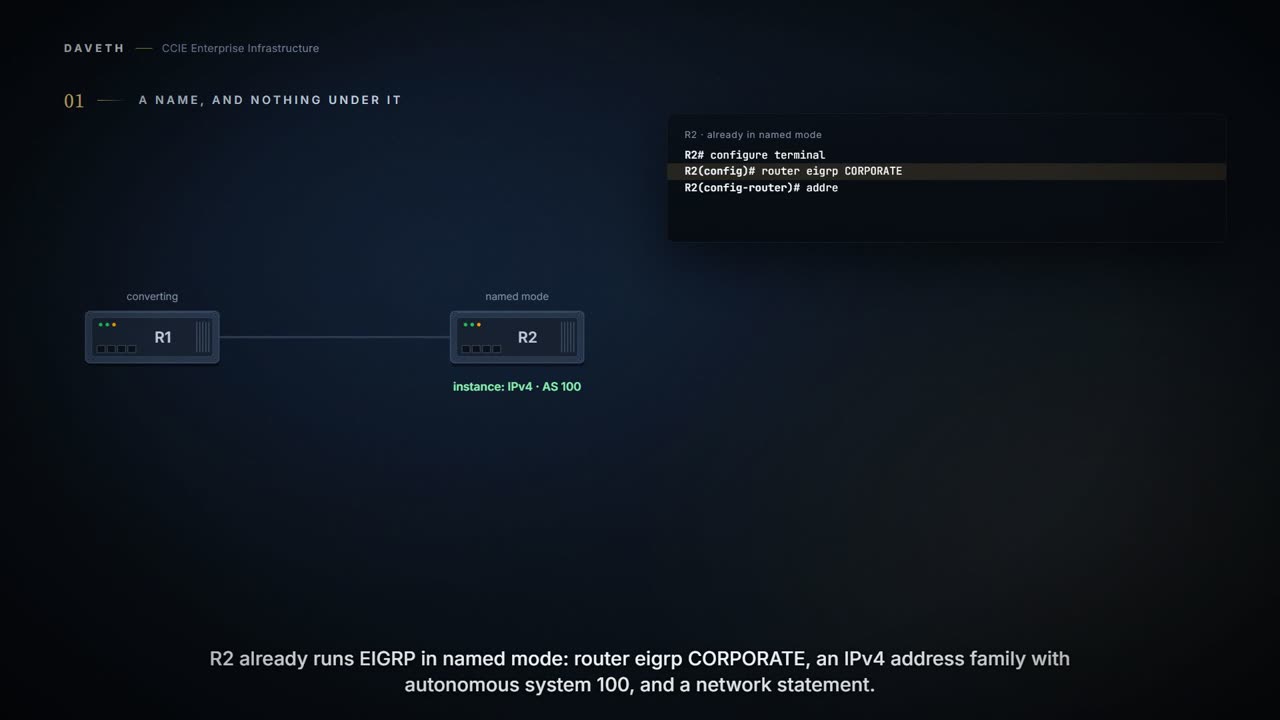
The full 4 min walkthrough is in Daveth Pro (Network). See what the plan opens
What this page answers
Does router eigrp name start EIGRP?
No. A named configuration does not create an EIGRP routing instance by itself; it is a base configuration. An instance runs once an address family is configured with an autonomous system number. Read it in “The command that starts nothing”
Where is the AS number in EIGRP named mode?
On the address family: address-family ipv4 autonomous-system number, or address-family ipv6. The name on the router line is local only, and neighbours need not share it. Read it in “So where did the autonomous system go?”
What are the levels of EIGRP named mode?
The address family, a per-interface level under it for settings about a link, such as a bandwidth percentage, and a topology level for the calculation, such as an offset list. Read it in “The three levels”
The command that starts nothing
Type this on a router and walk away:
R1# configure terminal
R1(config)# router eigrp CORPORATE
R1(config-router)# end
What is running now? Before you answer, look at the neighbor in step 2 of the walk: R2 already runs EIGRP under the same name. Do they peer?
Configuring the router eigrp command with the virtual-instance-name argument creates an EIGRP configuration referred to as the EIGRP named configuration or EIGRP named mode. An EIGRP named configuration does not create an EIGRP routing instance by itself; it is a base configuration that is required to define address-family configurations that are used for routing.
Nothing is running. Not EIGRP with no interfaces, not EIGRP waiting for a network statement: no instance at all. You just entered a configuration mode, gave it a name, and left, having achieved precisely nothing. That is the single fact the rest of named mode hangs on. Read the phrase Cisco chose: a base configuration. Not a process. Something other things go inside, and the things inside are what route.
Classic mode is the contrast, in the same chapter:
The EIGRP autonomous system configuration creates an EIGRP routing instance that can be used for exchanging routing information.
So where did the autonomous system go?
You will have noticed it is missing. In classic mode the number on the router line was the AS. Here you typed a word, and a word is not an AS. It went down a level:
address-family ipv4 [multicast] [unicast] [vrf vrf-name] autonomous-system autonomous-system-number address-family ipv6 [unicast] [vrf vrf-name] autonomous-system autonomous-system-number
And the word you chose is yours alone. It names the block on this router so you can find it again; nobody negotiates it, nobody compares it, and two routers can use entirely different names and still be neighbours. What has to match is the number a level below it.
And notice how the command reference describes that keyword, because it says two things at once:
(Optional) Specifies the autonomous system number. This keyword/argument pair is required for EIGRP named configurations.
Optional in general. Required here. Which follows from the base-configuration sentence: if the name creates no instance, something has to, and the address family is the only level left. So: router eigrp CORPORATE creates the container and routes nothing; address-family ipv4 ... autonomous-system 100 creates the instance that peers and exchanges routes. The name is a label. The address family is where the routing happens. Step 3 of the walk.
The three levels
Named mode nests three levels: the address family, a per-interface level under it, and a level for the calculation itself. Before you see the example, test the rule: a bandwidth percentage limiting what EIGRP may use on one link, and an offset list adding to the metric of matched routes. Which level does each belong in? Is it about a link, or about the calculation?
Now the guide's own example, in its step order with its prompts; the prompts name the levels for you.
The guide's example, as printed, steps 3 to 13. Step 4 offers the IPv4 and IPv6 lines as alternatives; step 6, metric weights, is left out here.
Device(config)# router eigrp virtual-name1
Device(config-router)# address-family ipv4 autonomous-system 45000
Device(config-router)# address-family ipv6 autonomous-system 45000
Device(config-router-af)# network 172.16.0.0
Device(config-router-af)# af-interface gigabitethernet 0/0/1
Device(config-router-af-interface)# passive-interface
Device(config-router-af-interface)# bandwidth-percent 75
Device(config-router-af-interface)# exit-af-interface
Device(config-router-af)# topology base
Device(config-router-af-topology)# offset-list 21 in 10 gigabitethernet 6/2
Device(config-router-af-topology)# no auto-summary
The address family (config-router-af): which family, which VRF, which AS, and the network statements.
Enters address family configuration mode to configure an EIGRP IPv4 or IPv6 routing instance. Specifies a network for the EIGRP routing process.
af-interface (config-router-af-interface): settings for one link, for this family, closed with exit-af-interface.
Enters address family interface configuration mode and configures interface-specific EIGRP commands. Configures the percentage of bandwidth that may be used by an EIGRP address family on an interface.
topology base (config-router-af-topology): settings for the calculation, not any one link.
Configures an EIGRP process to route IP traffic under the specified topology instance and enters address family topology configuration mode. (Optional) Applies an offset to routing metrics.
Check your two answers against the prompts. bandwidth-percent sits beside passive-interface: both describe one link. offset-list sits beside no auto-summary: both change the calculation. Steps 4 and 5 of the walk put them in the same places.
And one line should stop you. Which? network 172.16.0.0, at the address-family level, doing what it always did. Named mode changed the structure, not how you enable EIGRP on interfaces; candidates lose time hunting for its replacement.
One oddity worth knowing, because you will read it: the same guide's step table describes the router line like this:
Enables an EIGRP routing process and enters router configuration mode.
That is classic-mode wording carried into the named-mode steps. The concept section above is the precise statement, and step 4's own purpose, an address family to configure an IPv4 or IPv6 routing instance, agrees with it.
Two things you were already wondering about
First, the AS you typed twice. In 1.2.e the VRF address family made you state an AS with its own autonomous-system command, after router eigrp 1 already carried a number. Why does the address family insist? The command reference says where the number belongs:
It is recommended that you configure an autonomous-system number when the address-family is configured, either by entering the address-family command or the autonomous-system command.
The AS belongs to the instance, and the instance is the address family. Classic mode let the router line double as the AS of its first instance. The moment a second instance appeared, the VRF address family in 1.2.e, that one needed a number of its own: the second AS you typed. Named mode stops the top line pretending to be a number at all, and every instance states its own.
Second, wide metrics, from 1.3.b.ii:
The 64-bit calculations work only in EIGRP named mode configurations. EIGRP classic mode configurations use 32-bit calculations.
Continue the lesson
The whole lesson, with its drawings and its questions. The rest of this section and 5 more after it.