
Classic metrics and wide metrics
Two links between the same routers, one 10 Gbps and one 20 Gbps, and EIGRP may not prefer the faster one: the arithmetic decides. By default only K1 and K3 are on, so the classic metric reduces to 256 times scaled bandwidth plus scaled delay. Scaled bandwidth is ten million divided by the slowest bandwidth in kbps. K values must match or routers never become neighbours.
By Arif, founder of Daveth · Updated
The full 5 min walkthrough is in Daveth Pro (Network). See what the plan opens
What this page answers
What are the default EIGRP K values?
K1 and K3 are 1; K2, K4, K5 and K6 are 0. So by default only bandwidth and delay count in the metric. Read it in “The K values”
What is the EIGRP classic metric formula?
With the default K values it reduces to 256 × (scaled bandwidth + scaled delay). Scaled bandwidth is 10,000,000 divided by the slowest bandwidth on the path in kbps; delay is the sum of the outgoing interface delays in tens of microseconds. Read it in “Now do the division”
What happens if EIGRP K values do not match?
The routers never become neighbours. The hello carries the configured K values, and two routers become neighbours only if they are the same, so metrics are consistent everywhere. Read it in “The rule that keeps two routers from becoming neighbors”
Two links, one twice as fast
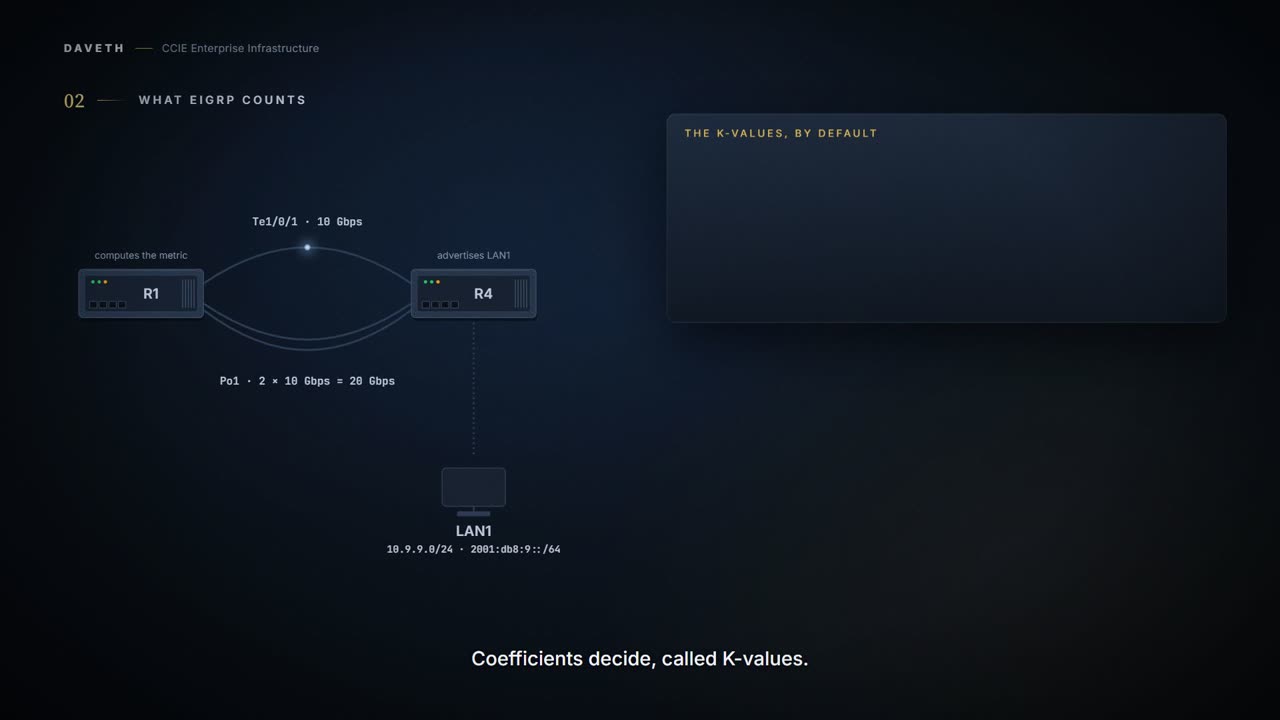
Two links between the same two routers. One is 10 Gbps, the other a 20 Gbps port channel. Would you expect EIGRP to prefer the faster one?
Hold your answer. It comes down to arithmetic, and by the end of this page you can do the division yourself.
Last lesson treated every distance as one comparable number. This is what that number is made of.
The K values
Which properties of a path does EIGRP actually count? Coefficients decide:
This adjustment allows for per-deployment tuning of network behavior. Setting K-values up to 254 scales the impact of the scalar metric on the final composite metric. EIGRP default coefficients have been carefully selected to provide optimal performance in most networks. The default K-values are as follows: K1 == K3 == 1 K2 == K4 == K5 == 0 K6 == 0
Read which ones are switched on. K1 and K3. Everything else is zero.
K1 is used to allow path selection to be based on the bandwidth available along the path. K3 is used to allow delay or latency-based path selection.
So by default EIGRP counts bandwidth and delay, and nothing else. K2 (load), K4 and K5 (reliability) are in the formula, multiplied by zero.
Which is worth saying plainly: by default EIGRP never asks how busy the link feels today. Bandwidth is a number somebody typed, and delay is a number somebody typed. Neither of them changes because the link is having a bad afternoon.
K values are integers from 0 to 128; these integers, in conjunction with variables like bandwidth and delay, are used to calculate the overall EIGRP composite cost metric.
The two sources disagree on the range: the RFC says K values can be set up to 254, the IOS XE guide says integers from 0 to 128. Nothing on this page depends on the ceiling, and neither number is asserted here.
The rule that keeps two routers from becoming neighbors
What happens if two routers weight the metric differently?
The HELLO packet will include the configured EIGRP metric K-values. Two routers become neighbors only if the K-values are the same. This enforces that the metric usage is consistent throughout the Internet.
K values must match, or the two routers never become neighbors. Step 4 of the walk: R4's K1 goes to 2, and R1 and R4 stop being neighbors on both links, with both links up.
This course's reading of why: the feasibility condition from last lesson compares your distance with the neighbor's reported distance. If the two routers used different formulas, those numbers would not be comparable, and the loop-free check would compare nothing.
Mismatched K values can prevent neighbor relationships from being established and can negatively impact network convergence.
The guide's own example, as printed. Device-A changes K1; Device-B keeps the defaults; Device-B logs this.
Device-A(config-router-af)# metric weights 0 2 0 1 0 0 1
Device-B(config-router-af)# metric weights 0 1 0 1 0 0 0
*Apr 26 13:48:41.811: %DUAL-5-NBRCHANGE: IP-EIGRP(0) 1: Neighbor 10.1.1.1 (Ethernet0/0) is down: K-value mismatch
A value of 2 is entered for the k1 argument to adjust the bandwidth calculation. A value of 1 is entered for the k3 argument to adjust the delay calculation.
Read the example closely. The text names only k1 and k3, but Device-A's line also ends in 1, the K6 position. And the example configures serial 0 while the log names Ethernet0/0. The point it makes holds; the sample is not internally consistent.
What the log line proves: the router interpreted something as a K-value mismatch. What it does not prove: that the K values actually differ:
One of two peers has transmitted a “peer-termination” message (a message that is broadcast when an EIGRP routing process is shut down), and the receiving device does not support this message. The receiving device will interpret this message as a K-value mismatch.
So check the K values on both ends before you act on the message.
Now do the division
What is the classic metric, with the defaults?
Use of the default constants effectively reduces the above-mentioned composite cost metric formula to the following default formula: 256*(Scaled Bw + Scaled Delay). The delay is the sum of the outgoing interface delay (in tens of microseconds) to the destination.
The RFC defines the scaled bandwidth as ten million divided by the slowest bandwidth on the path, in kbps (its section 5.6.1.1; the formula is printed with superscripts, so it is restated here, not quoted). Work a few out before reading the table. What happens as the link gets faster?
| Link | Bandwidth, kbps | 10^7 ÷ kbps | Classic delay, ns (RFC) | Wide delay, ns (RFC) |
|---|---|---|---|---|
| 10 Mbps | 10,000 | 1,000 | 1,000,000 | 1,000,000 |
| 100 Mbps | 100,000 | 100 | 100,000 | 100,000 |
| 1 Gbps | 1,000,000 | 10 | 10,000 | 10,000 |
| 10 Gbps | 10,000,000 | 1 | 10,000 | 1,000 |
| 20 Gbps | 20,000,000 | 0.5 (below 1) | 10,000 | 500 |
| 50 Gbps | 50,000,000 | 0.2 (below 1) | 10,000 | 200 |
The division is arithmetic. The two delay columns are the RFC's table, as printed, for the rows it has.
For compatibility with Cisco products, the following table shows the times in nanoseconds EIGRP uses for bandwidth and delay.
Now predict before reading on, from the classic columns only: can classic metrics reliably prefer Po1 over Te1/0/1? Step 1 of the walk asks it.
Look at two columns. The division reaches exactly 1 at 10 Gbps. Anything faster gives a fraction. And the classic delay stops falling at 1 Gbps: 10,000 ns for 1, 10, 20 and 50 Gbps alike. So between a 10 Gbps link and anything faster, the delay terms are identical and the bandwidth term has less than one unit left to give.
The lowest delay that can be configured for an interface is 10 microseconds. As a result, high-speed interfaces, such as 10 Gigabit Ethernet (GE) interfaces, or high-speed interfaces channeled together (GE ether channel) will appear to EIGRP as a single GE interface. This may cause undesirable equal-cost load balancing.
Ten million looked like plenty of room on the day somebody chose it. The formula is exactly as correct as it was that day. It just has nowhere left to go.
Implementation note: When converting the real bandwidth to the composite bandwidth, truncate before applying the scaling factor.
Not claimed: what a router stores for a bandwidth term below 1. The RFC's note says to truncate, but it describes converting the real bandwidth, and neither source works a case above 10 Gbps. And the guide says a 10 GE interface appears to EIGRP as a single GE interface, while the division gives 10 for 1 Gbps and 1 for 10 Gbps. This page does not claim which one a router shows.
Continue the lesson
The whole lesson, with its drawings and its questions. 7 more sections after the ones above.