
Fundamentals of Ethernet LANs
A LAN connects devices near each other, in a room, a building or a campus; a WAN connects sites further apart. An Ethernet LAN needs a switch, Ethernet cables to each device, and a router to reach the WAN; a wireless LAN adds access points. Ethernet itself is a family of IEEE standards whose names all begin 802.3.
By Arif, founder of Daveth · Updated
The full 7 min walkthrough is in Daveth Pro (Network). See what the plan opens
What this page answers
What is a LAN?
A local-area network: devices that are near each other, in the same room, building or campus of buildings, connected together. A WAN connects devices that are typically much further apart. Read it in “LANs, WANs, wired and wireless”
What is Ethernet?
The most popular wired LAN technology, and really a family of standards from the IEEE, for many kinds of copper and fiber cable and speeds from 10 Mbps to 400 Gbps. Every Ethernet standard begins with the number 802.3. Read it in “Many kinds of Ethernet”
LANs, WANs, wired and wireless
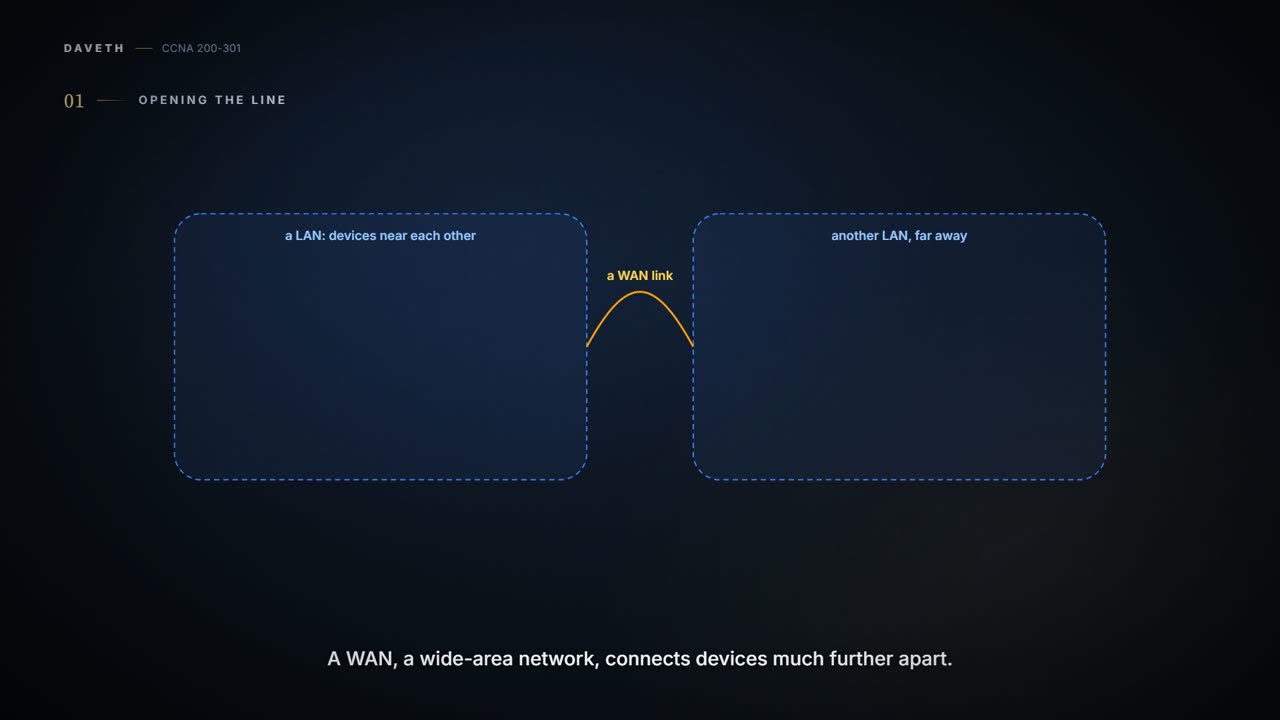
Week one, and the company is moving Maya's team into a new office. Before the boxes arrive, two words to separate. A LAN, a local-area network, typically connects devices that are near each other: in the same room, the same building, or a campus of buildings. A WAN, a wide-area network, connects devices that are typically much further apart, like the links between Maya's office and head office in 01.6. Together, LANs and WANs make up a company's network, and together they do its one job: delivering data from one device to another.
Today's LANs come in two general types. Ethernet LANs use cables. Many of those cables have copper wires inside, so Ethernet LANs are often called wired LANs; Ethernet can also use fiber-optic cables, which carry the data as light through a thin core of glass. Wireless LANs use no cables at all: they send the bits by radio.
Ethernet, the world's most popular wired LAN technology, is really a family of standards, from the IEEE (the Institute of Electrical and Electronics Engineers). Between them they define Ethernet's physical and data-link layers: the cables, the connectors on their ends, the protocol rules, and everything else needed to build an Ethernet LAN.
The drawings so far showed a LAN as one line. The line was doing a lot of unpaid work.
At home: one box, three jobs
Start small, with a SOHO LAN: small office, home office. An Ethernet LAN needs an Ethernet LAN switch, a device with many physical ports that Ethernet cables plug into. The Ethernet cables (any cable built to one of the Ethernet standards) connect the Ethernet devices, or nodes, each into one of the switch's ports. And a router connects the LAN to the WAN, which at home means the Internet.
A typical home today also has a wireless LAN, and most wireless LANs use another device: an access point, or AP. It acts somewhat like an Ethernet switch, in that the wireless devices all communicate through it, and it also connects to the Ethernet LAN. Wireless LAN standards come from the IEEE too, and they begin with 802.11; the everyday name for them is Wi-Fi.
Diagrams draw the router, the switch and the AP as three devices, so you can see the three jobs. But most homes use one box for all of them, often labelled "wireless router" on the packaging, with four or eight switch ports on the back. Maya's home is one of them:
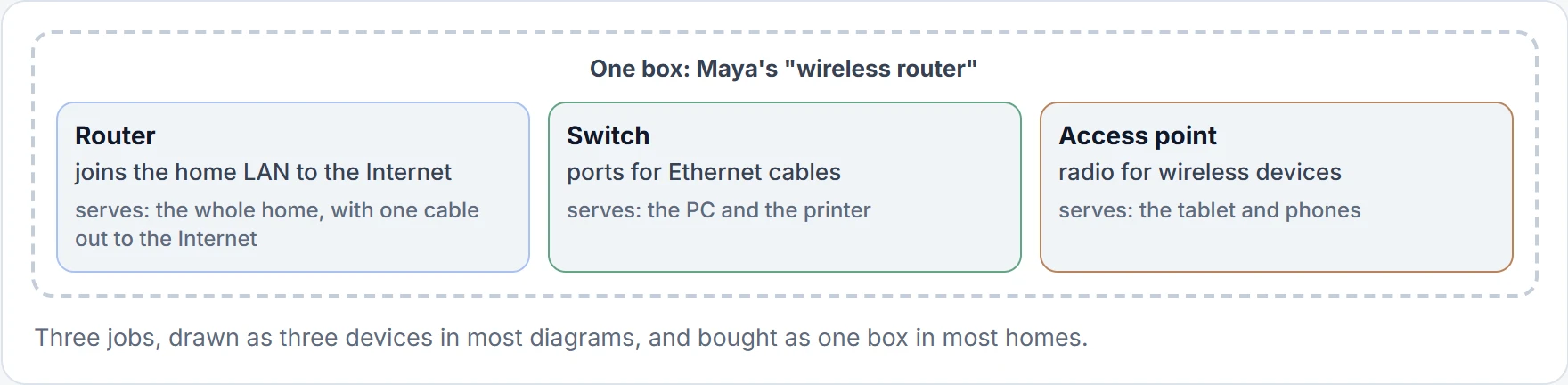
It's basically like a kitchen multi-cooker: one appliance on the counter, but inside it's a pressure cooker, a slow cooker and a steamer. (Where it stops: a multi-cooker does one job at a time. The wireless router does all three at once.)
Maya didn't need to buy three boxes just because the diagram gave each job its own chair.
The new office
The new office is bigger than a home, so the jobs get their own boxes. A switch goes in the office's wiring closet, a small locked room, with a cable to each desk. An access point goes on the meeting-room ceiling for the laptops and phones, and because it's a separate device, it needs a single Ethernet link of its own, back to the office switch. And R1, the office router from 01.6, is cabled to the switch too: that's how the office LAN reaches the WAN.
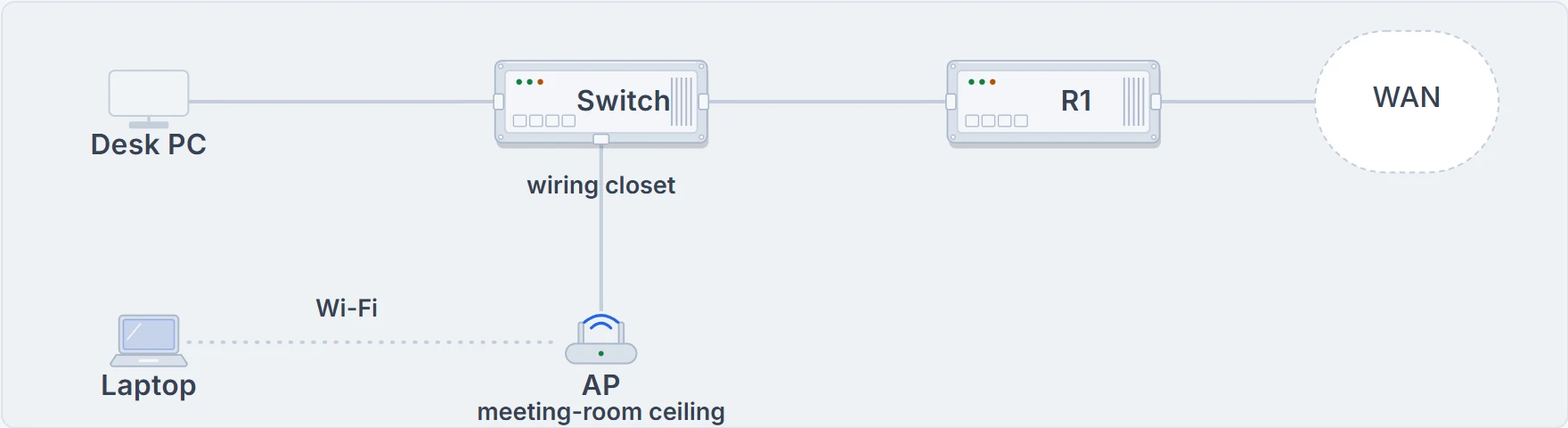
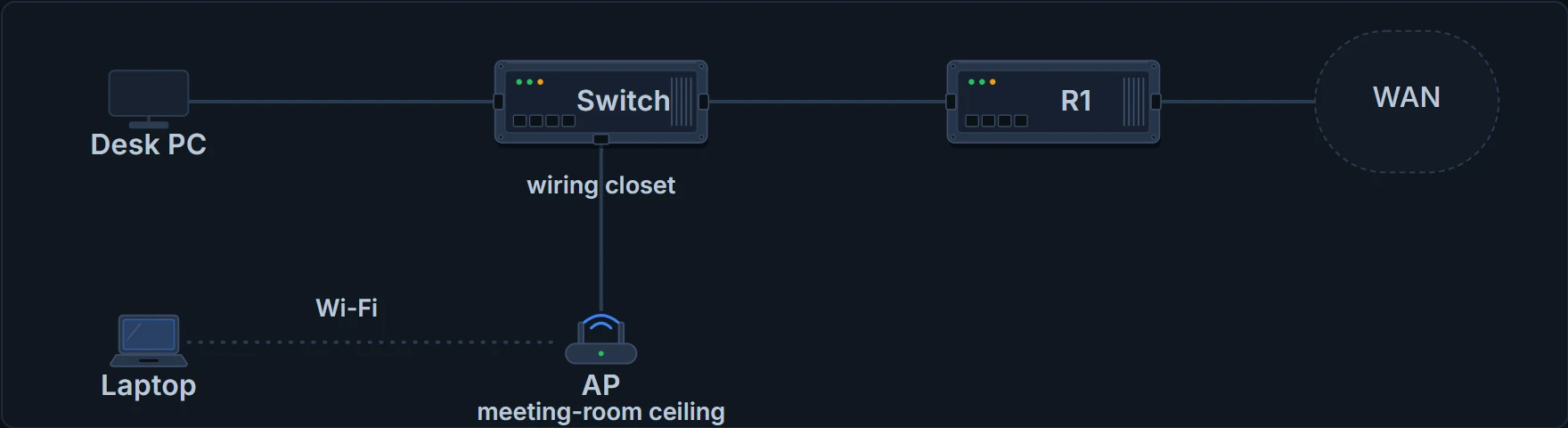
The new office: the switch in the wiring closet, the AP on the ceiling with its own cable back to the switch, and R1 between the switch and the WAN.
Same three jobs as at home. Just more cables, and a label on each box.
Head office: the same jobs, repeated
A company's LANs have the same needs as a home's, on a much larger scale. The switches sit in a locked wiring closet on each floor, and electricians run Ethernet cables from there to the desks and meeting rooms. Most companies also run a wireless LAN in the same space, so people can move around and still work, and for the growing number of devices with no Ethernet interface at all.
Head office is a three-storey building. Each floor has its own switch and its own AP. To let the floors talk to each other, each floor switch connects to one central distribution switch, HQD, on the first floor, next to the building's router, R3:
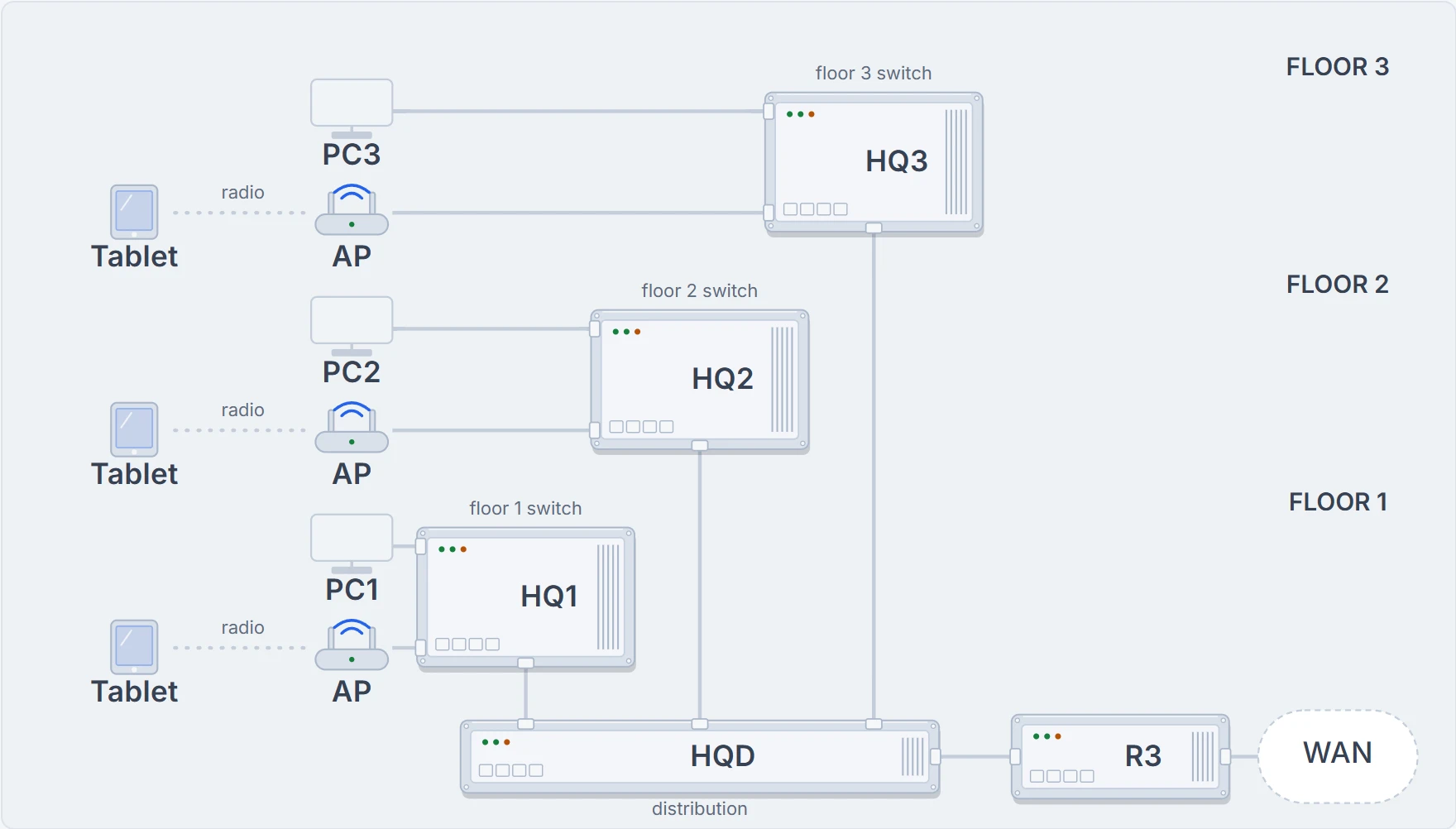
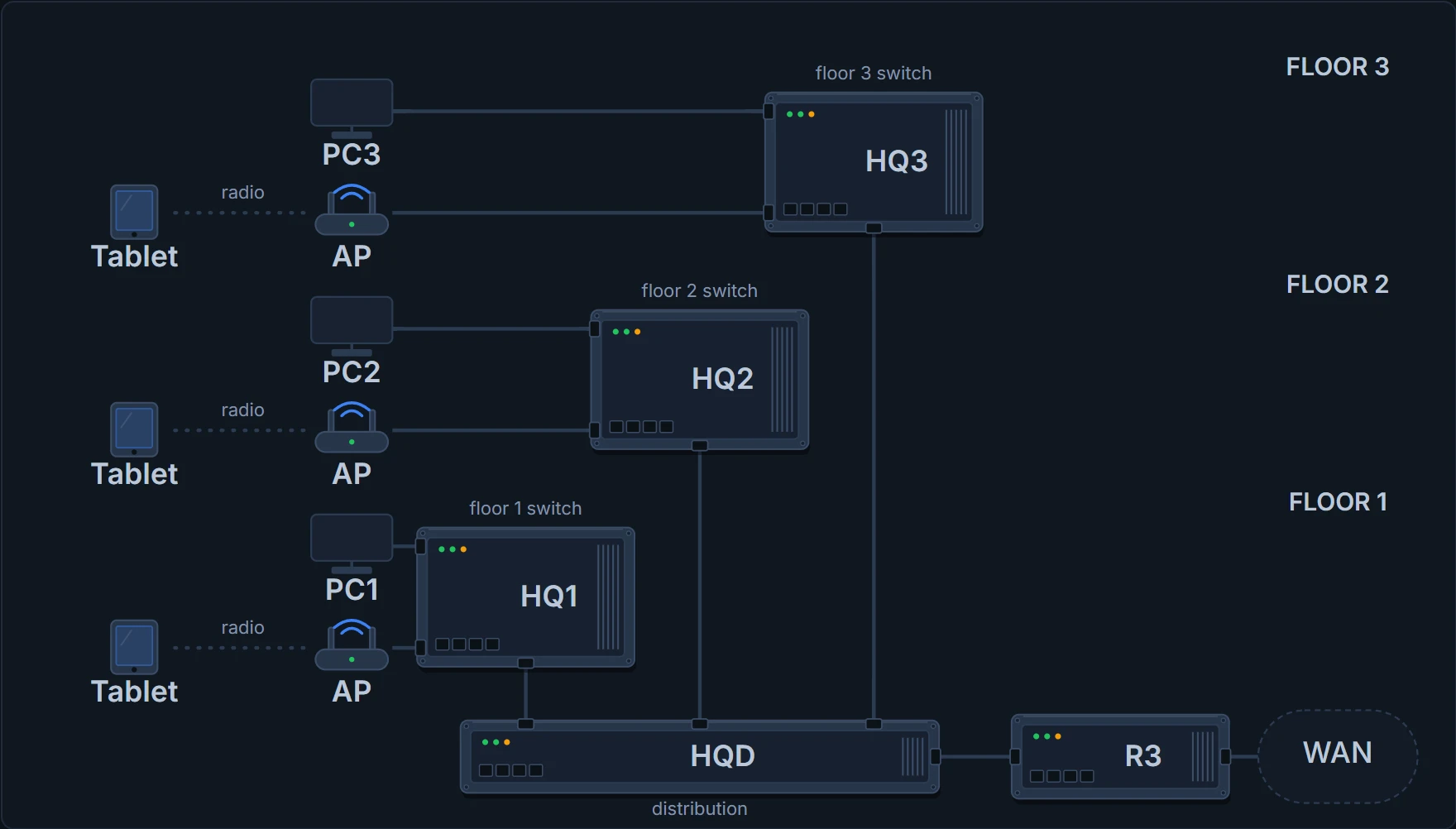
Head office, floor by floor. Each floor switch is cabled down to HQD on floor 1, where R3 connects the building to the WAN, and the rest of the company. The dotted lines are radio.
So when PC3 on the third floor sends data to PC2 on the second, it goes through HQ3, down to HQD, and back up through HQ2. The switches and APs make the LAN itself. The router, R3, connects to both the LAN and the WAN; on the LAN side it just uses an Ethernet interface and an Ethernet cable, like any other node.
Picture yourself phoning from one hotel room to another on a different floor: the call goes through the hotel's switchboard at reception, not straight between the rooms. HQD is the switchboard here, because the floor switches aren't cabled to each other. (Where it stops: a receptionist can listen in and chat. HQD just forwards frames, and frames between two PCs on the same floor don't pass through it.)
Add a floor, add a switch. The job doesn't change; it just gets more colleagues.
Many kinds of Ethernet
The cables in those drawings differ. Ethernet has standards for many kinds of copper and fiber cable, built up over some 40 years, for speeds from 10 megabits per second (Mbps) up to 400 gigabits per second (Gbps), and for different cable lengths. Some Ethernet standards define how to send data over one particular kind of cable at one speed; others define the rules every Ethernet node must follow. They all come from the IEEE, and they all begin with the number 802.3.
The most basic choice is what's inside the cable. UTP cable (unshielded twisted pair) has copper wires, and the devices send data as electrical signals. Fiber-optic cable has long, thin strands of glass, and the devices send data as light, encoding the bits as changes in the light. Fiber is the more expensive option, but it typically allows longer cables between nodes.
Each standard has a formal name, 802.3 plus some letters (the original, 10BASE-T's, is plain 802.3), and a more useful shortcut name. Network engineers need these names to choose what to buy. Here are a few:
| Speed | Common name | Informal IEEE name | Formal IEEE name | Cable, max length |
|---|---|---|---|---|
| 10 Mbps | Ethernet | 10BASE-T | 802.3 | Copper, 100 m |
| 100 Mbps | Fast Ethernet | 100BASE-T | 802.3u | Copper, 100 m |
| 1000 Mbps | Gigabit Ethernet | 1000BASE-LX | 802.3z | Fiber, 5000 m |
| 1000 Mbps | Gigabit Ethernet | 1000BASE-T | 802.3ab | Copper, 100 m |
| 10 Gbps | 10 Gig Ethernet | 10GBASE-T | 802.3an | Copper, 100 m |
Continue the lesson
The whole lesson, with its drawings and its questions. The rest of this section and 2 more after it.