
Ethernet Frames and MAC Addressing
Every Ethernet uses the same frame: a header from the preamble to the Type field, the data, and a trailer. A MAC address is 48 bits, written as 12 hex digits; the first three bytes are the manufacturer's OUI. Unicast addresses name one interface, the broadcast address FFFF.FFFF.FFFF reaches every device on the LAN, and multicast reaches devices that volunteer.
By Arif, founder of Daveth · Updated
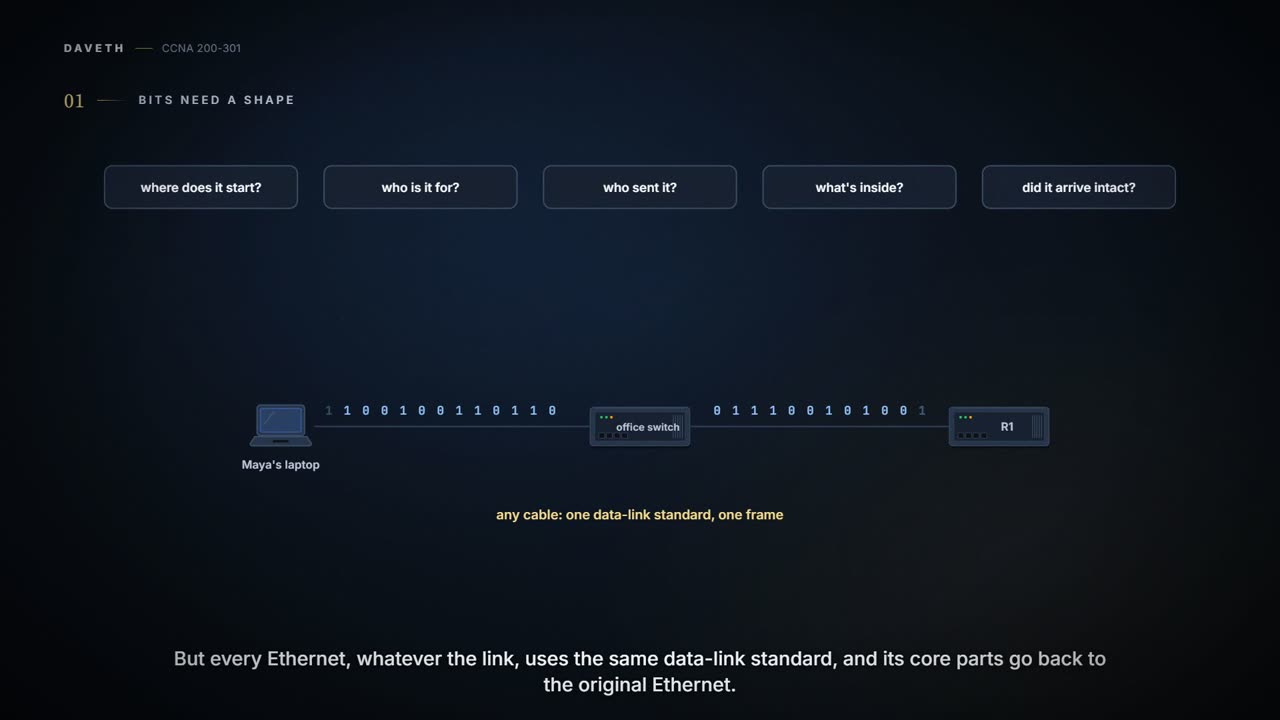
The full 8 min walkthrough is in Daveth Pro (Network). See what the plan opens
What this page answers
What is a MAC address?
An Ethernet address: 6 bytes, or 48 bits, shown as 12 hexadecimal digits. A unicast MAC address stands for one NIC or port, and it is unique because each begins with the manufacturer's OUI, a 3-byte code from the IEEE. Read it in “Who it's to, who it's from”
What is in an Ethernet frame?
An Ethernet header at the front, from the preamble to the Type field, the data in the middle, and an Ethernet trailer at the end. The destination and source MAC address fields say who it is for and who sent it. Read it in “The frame, field by field”
What is the Ethernet broadcast address?
FFFF.FFFF.FFFF. A frame sent to it should be delivered to every device on the Ethernet LAN, as an ARP Request is. Read it in “One, everyone, or a group”
The frame, field by field
The physical standards vary a great deal, as 02.2 showed. But the rest of Ethernet works the same whatever the link, starting with the data-link protocol, one of Ethernet's most significant strengths: every Ethernet uses the same data-link standard, and its core parts go back to the original Ethernet standards. That protocol defines the Ethernet frame. An Ethernet header at the front (from the preamble to the Type field), the data in the middle, and an Ethernet trailer at the end. Ethernet actually defines a few alternative header formats; this is the one commonly used today:


Here is what each field does:
- Preamble (7 bytes): synchronization, so the receiver can lock on to the incoming bits.
- SFD, the Start Frame Delimiter (1 byte): says that the next byte begins the destination address.
- Destination MAC address (6 bytes): the intended recipient of this frame.
- Source MAC address (6 bytes): the sender of this frame.
- Type (2 bytes): what kind of protocol is inside the frame. Today, most likely IPv4 or IPv6.
- Data and pad (46 to 1500 bytes): data from a higher layer, typically a Layer 3 packet (01.4's L3PDU). If the data is shorter than 46 bytes, the sender adds padding to reach the minimum.
- FCS, the Frame Check Sequence (4 bytes): lets the receiving NIC find out whether the frame suffered transmission errors.
That data field sets a limit. The largest Layer 3 packet a medium can carry is its MTU, maximum transmission unit, and because the packet rides inside the data field, 1500 bytes is the largest IP MTU over Ethernet.
Just like when you send a parcel: the label says who it's to, who it's from and what's inside, and the person receiving it checks it wasn't damaged on the way. (Where it stops: a failed FCS says the frame changed, not which bits, and nobody sends it again.)
Who it's to, who it's from
The two address fields do the most obvious work. The sending node puts its own address in the source field and the intended destination's in the destination field, then sends the frame, expecting the LAN as a whole to deliver it to the right device.
Ethernet addresses, also called MAC addresses (Media Access Control: 802.3 defines a part of Ethernet's data-link layer, the MAC sublayer, and the addresses take its name), are 6 bytes, or 48 bits, long. Written as bits they're unreadable, so computers show them as 12 hexadecimal digits: each hex digit stands for 4 bits, using 0 to 9 and then A to F, so two hex digits make one byte. On this page they're written the way some network devices show them, in three groups of four with dots between, like 0200.0000.0210.
Most MAC addresses stand for one NIC or other Ethernet port, so they're called unicast addresses: one address, one interface. That only works if unicast addresses are unique. If two devices on the same LAN had the same MAC address, which one should get a frame sent to it? If you've ever had a neighbour's post land on your mat because two houses shared a number, you know the problem. (Where it stops: you can hand the letter to the right neighbour. The LAN has no way to sort out two devices with one MAC address.)
Ethernet solves that with an administrative process when the devices are made. Before a manufacturer builds Ethernet products, it gets a universally unique 3-byte code from the IEEE, called its OUI, organizationally unique identifier. Every NIC and port it makes gets a MAC address that begins with its OUI, and the manufacturer gives the last 3 bytes a value it has never used with that OUI. As a result, every device's MAC address should be unique:


You can think of it as a supermarket barcode: the first part identifies the manufacturer, the rest its product. (Where it stops: a barcode is the same on each tin of the same beans. A MAC address is meant for one individual interface.)
Ethernet addresses go by many names: LAN address, Ethernet address, NIC address, hardware address, physical address, universal address (the IEEE also says global), or MAC address. Burned-in address, or BIA, is the permanent address the manufacturer encoded, burned in, to the ROM (read-only memory) chip on the NIC. "Universal" is the IEEE's way of saying that a manufacturer-assigned address should be unique among all MAC addresses in the world.
The addresses in Maya's office, like her laptop's 0200.0000.0210 and R1's 0200.0000.0110, are made up for this course. They keep the numbers easy to read, and they don't follow the OUI pattern above; here they're only labels for the course.


Maya's laptop and R1, both cabled to the office switch: one LAN.
One, everyone, or a group
Besides unicast addresses, Ethernet has group addresses, which identify more than one interface. A frame sent to a group address might reach a few devices on the LAN, or all of them. There are two kinds:
- Broadcast: frames sent to this address should be delivered to all devices on the Ethernet LAN. Its value is FFFF.FFFF.FFFF.
- Multicast: frames sent to a multicast address are copied and forwarded by the LAN to the subset of devices on the LAN that volunteer to receive frames for that address.
You've met a broadcast already. 01.7's ARP Request went to the broadcast address, so every device on the office Ethernet got it. The reply, and the data after it, went unicast to one device.
Maya's laptop shouted the question once. Once R1 had answered, the real data didn't need the whole room.
Picture yourself at the office: an announcement over the PA system reaches everyone in the building, while an email to the book-club list reaches the people who signed up for it. (Where it stops: people can ignore an announcement. A broadcast frame is delivered to every device on the LAN, and each one has to look at it.)
Continue the lesson
The whole lesson, with its drawings and its questions. The rest of this section and 3 more after it.