
Port security
Port security limits a port to the MAC addresses allowed on it, learned three ways: typed by hand, sticky, or dynamic. Sticky addresses survive a restart only if the configuration was saved, so after a power cut, check before saving. A violation is not only too many addresses: an address secure on one port seen on another in the same VLAN counts too. The mode decides what the port does.
By Arif, founder of Daveth · Updated
The full 15 min walkthrough is in Daveth Pro (Network). See what the plan opens
What this page answers
Do sticky MAC addresses survive a reload?
Only if they were saved to the configuration file. Saved, the interface does not need to relearn them; unsaved, the port comes back holding nothing. Read it in “The morning after the power cut”
What counts as a port security violation?
A new address on a port already at its maximum, an address learned or configured on one secure interface seen on another secure interface in the same VLAN, and running diagnostic tests with port security enabled. Read it in “What counts as a violation”
What are the port security violation modes?
protect drops unknown sources silently; restrict drops them, sends an SNMP trap, logs and counts; shutdown error-disables the port; shutdown vlan acts per VLAN. Read it in “Four modes, and what each one tells you”
One address, three fates
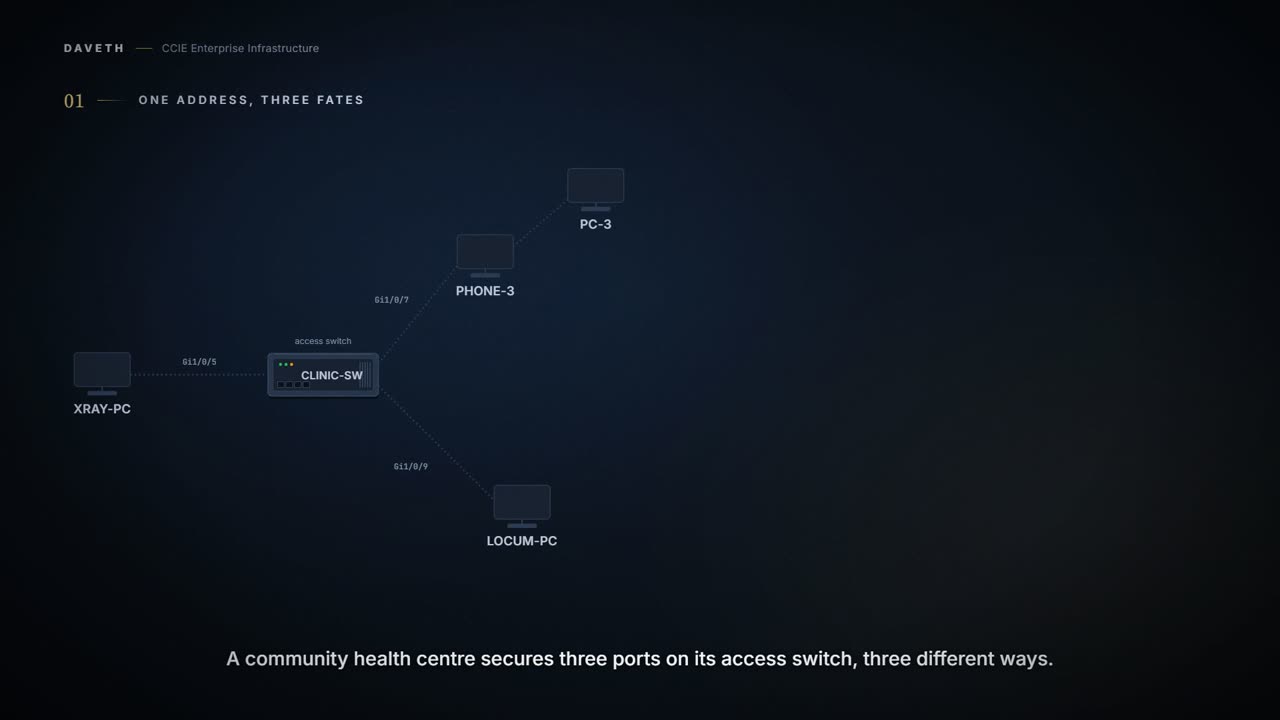
A community health centre secures three ports on its access switch, three different ways. The X-ray room's imaging PC never moves, so its address is typed by hand. Consulting room 3 has a phone with a PC behind it, so the switch is told to learn and keep what it finds. Room 5 is left to learn without keeping. The port settings went in, and were saved, when the switch was installed; the addresses arrived this afternoon, and nobody has saved since. Same feature, three different futures for one address. Which of the three would you expect to still be there tomorrow morning?
You can use the port security feature to restrict input to an interface by limiting and identifying MAC addresses of the stations allowed to access the port. When you assign secure MAC addresses to a secure port, the port does not forward packets with source addresses outside the group of defined addresses.
Limiting and identifying. The limit is a number you set; the identification is a table the switch holds, and the question this lesson is built around is how long that table remembers. Before we get to the modes, the types:
Static secure MAC addresses—These are manually configured by using the switchport port-security mac-address mac-address interface configuration command, stored in the address table, and added to the switch running configuration. Dynamic secure MAC addresses—These are dynamically configured, stored only in the address table, and removed when the switch restarts. Sticky secure MAC addresses—These can be dynamically learned or manually configured, stored in the address table, and added to the running configuration.
Read where each one is stored, because that is the whole difference. A static address is typed and lands in the running configuration. A sticky address is learned and lands in the running configuration. A dynamic address is learned and lands nowhere but the address table, and the page says outright that it is removed when the switch restarts. Read the configuration below with that split in mind: which of these lines would be gone after a reload?
Configuration: the X-ray port, whose access VLAN, 20, was set before this lesson. Everything but the address was typed and saved at installation; the address was typed this afternoon, in the forms these commands take.
CLINIC-SW# configure terminal
CLINIC-SW(config)# interface Gi1/0/5
CLINIC-SW(config-if)# switchport mode access
CLINIC-SW(config-if)# switchport port-security
CLINIC-SW(config-if)# switchport port-security mac-address 0000.0200.0004 vlan access
CLINIC-SW(config-if)# end
From elsewhere: the chapter's own static-address example, on one VLAN of a trunk. The names, numbers and addresses come from elsewhere, not from this scenario.
Device> enable
Device# configure terminal
Device(config)# interface gigabitethernet1/0/2
Device(config-if)# switchport mode trunk
Device(config-if)# switchport port-security
Device(config-if)# switchport port-security mac-address 0000.0200.0004 vlan 3
Sticky learning is the one worth slowing down for, because it is retroactive and because turning it off throws work away. Watch what the second sentence takes back:
The interface converts all the dynamic secure MAC addresses, including those that were dynamically learned before sticky learning was enabled, to sticky secure MAC addresses. If sticky learning is disabled, the sticky secure MAC addresses are converted to dynamic secure addresses and are removed from the running configuration.
Configuration: room 3, told to learn and keep up to two addresses. Its access VLAN, 20, and voice VLAN, 120, are 1.1.c.vi's and were set before this lesson, in the forms these commands take.
CLINIC-SW# configure terminal
CLINIC-SW(config)# interface Gi1/0/7
CLINIC-SW(config-if)# switchport mode access
CLINIC-SW(config-if)# switchport port-security
CLINIC-SW(config-if)# switchport port-security maximum 2
CLINIC-SW(config-if)# switchport port-security mac-address sticky
CLINIC-SW(config-if)# end
From elsewhere: the chapter's sticky example, with a maximum of 50. The names, numbers and addresses come from elsewhere, not from this scenario.
Device> enable
Device# configure terminal
Device(config)# interface gigabitethernet1/0/1
Device(config-if)# switchport mode access
Device(config-if)# switchport port-security
Device(config-if)# switchport port-security maximum 50
Device(config-if)# switchport port-security mac-address sticky
Device(config-if)# end
Computed from the state: what the three ports hold once all three are configured. No command prints it in this form.
port      where       address         vlan  type     saved
Gi1/0/5   X-ray room  0000.0200.0004  20    static   no
Gi1/0/7   room 3      0021.55aa.1101  120   sticky   no
Gi1/0/7   room 3      0021.55bb.2202  20    sticky   no
Gi1/0/9   room 5      0021.55cc.3303  20    dynamic  no: address table only
The morning after the power cut
A substation fault takes the building down overnight, and nobody had saved since the switch was installed. Before you read on, decide which of the three ports comes back holding what it held.
If you save the sticky secure MAC addresses in the configuration file, when the switch restarts, the interface does not need to relearn these addresses.
Computed from the state: the three ports in the morning. No command prints it in this form.
port      where       address         vlan  type     saved
Gi1/0/5   X-ray room  holds nothing
Gi1/0/7   room 3      holds nothing
Gi1/0/9   room 5      holds nothing
All three hold nothing, and the typed address went the same way as the learned ones. That is the sentence most treatments of this feature get wrong, including the first version of this page: static addresses are not a third, permanent category. They are in the running configuration, exactly where sticky addresses are. What separates the three is how they get there (typed, learned and kept, learned and not kept) and what decides whether any of them survives is the save.
And the state a port comes back in is worse than having no port security at all, because the configuration still says the ports are protected. Everything typed and saved at installation is back, line for line: port security on all three, room 3's maximum of two and its sticky learning. Only the addresses are gone. So what does each port do with the first device that sends it a frame? It secures whatever happened to be plugged into it when the power returned.
Part of the trouble is that the word static is doing a job nobody asked it to do. It describes where the address came from, which is your keyboard rather than the wire. It says nothing whatever about how long the entry survives, and a reader who hears permanent in it is reading a promise the word never made.
Two different actions, and only one of them was taken. Typing something puts it in the configuration the switch is running. Keeping it across a reload is a separate command, and a table that looks perfectly correct all afternoon is only tested by the power going off.
Putting it back in the right order
The instinct is to save immediately. Check first. Before you save, ask what moved during the outage. A save at the wrong moment destroys the only evidence of what belonged on each port and writes the wrong devices in permanently, and the next restart makes that the truth. So: re-type what should be typed, let the ports relearn, read what each one holds against what belongs there, and only then save.
Computed from the state: after the repair and a second restart. No command prints it in this form.
port      where       address         vlan  type     saved
Gi1/0/5   X-ray room  0000.0200.0004  20    static   yes
Gi1/0/7   room 3      0021.55aa.1101  120   sticky   yes
Gi1/0/7   room 3      0021.55bb.2202  20    sticky   yes
Gi1/0/9   room 5      holds nothing
Read the last column. The typed address and the two sticky ones come back because they were saved; room 5's address does not, because a dynamic address has nowhere to come back from. Room 5 relearns it the moment the laptop sends a frame, which is the point of leaving it dynamic.
What counts as a violation
Ask what you would count as one, then read the list. Most people name the first and stop:
The maximum number of secure MAC addresses have been added to the address table, and a station whose MAC address is not in the address table attempts to access the interface. An address learned or configured on one secure interface is seen on another secure interface in the same VLAN. Running diagnostic tests with port security enabled.
Three, not two. Count them in the quotation above before you read on. The second is the one that generates the tickets: move a laptop from one secured port to another in the same VLAN and the new port has a violation, with no maximum exceeded anywhere. The third is on the list for completeness and the page says nothing else about it.
Which is exactly what happens here. The locum spends a fortnight covering room 3. Room 3 was holding its two and its maximum was two, so before the laptop can be learned there, the maximum goes to three:
Configuration: room 3 raised to three for the fortnight, the only line that changes, in the forms these commands take.
CLINIC-SW# configure terminal
CLINIC-SW(config)# interface Gi1/0/7
CLINIC-SW(config-if)# switchport port-security maximum 3
CLINIC-SW(config-if)# end
The laptop is learned in room 3 as its third sticky address. Then the fortnight ends and they plug back in at their own desk in room 5. Two ports could error-disable here. Which one does it: the one that is full, or the one with room to spare?
Computed from the state: the violation in room 5. No command prints it in this form.
port        Gi1/0/9 (room 5)
address     0021.55cc.3303
condition   secure elsewhere in the same VLAN
mode        shutdown
port state  err-disabled
Read the condition row, and then the port: error-disabled, with room to spare. Room 5's maximum is two and it was holding one. Nothing was exceeded; the address simply belongs to another secure interface in the same VLAN.
Which is the conversation you will actually have about this feature, so it is worth having the sentence ready: the device is welcome in the building and unwelcome on that port. Nothing is broken and nobody did anything wrong. A port was told how many addresses it may ever see, and a person moving desks is exactly the event that tests the number.
And note that a port counts addresses, not people or machines. One cable can present more than one, which is the whole reason the next section is about a phone with a PC behind it.
Four modes, and what each one tells you
The page introduces them with a sentence that does not match its own list. Count them:
You can configure the interface for one of three violation modes, based on the action to be taken if a violation occurs:
protect—when the number of secure MAC addresses reaches the maximum limit allowed on the port, packets with unknown source addresses are dropped until you remove a sufficient number of secure MAC addresses to drop below the maximum value or increase the number of maximum allowable addresses. You are not notified that a security violation has occurred. In this mode, you are notified that a security violation has occurred. An SNMP trap is sent, a syslog message is logged, and the violation counter increments. shutdown—a port security violation causes the interface to become error-disabled and to shut down immediately, and the port LED turns off. shutdown vlan—Use to set the security violation mode per-VLAN. In this mode, the VLAN is error disabled instead of the entire port when a violation occurs
Three, says the sentence; four follow it, and the table underneath has four rows. Take the four as the modes and the sentence as a slip, but notice it rather than reading past it: the same chapter that miscounts its own list is the one you will be quoting to a colleague.
This table shows the violation mode and the actions taken when you configure an interface for port security. Packets with unknown source addresses are dropped until you remove a sufficient number of secure MAC addresses. The switch returns an error message if you manually configure an address that would cause a security violation. Shuts down only the VLAN on which the violation occurred.
Computed from the state: the chapter's table, with the modes this switch uses marked. No command prints it in this form.
mode           forwards  trap  syslog  counts  shuts down     in use here
protect        no        no    no      no      no             no
restrict       no        yes   yes     yes     no             no
shutdown       no        no    no      yes     yes            yes
shutdown vlan  no        no    yes     yes     the VLAN only  no
Read the trap and syslog columns before you read anything else. Restrict sends both. Shutdown sends neither: it counts the violation and turns the port off. So the familiar framing (protect is quiet, restrict is loud, shutdown is louder still) is wrong on this page. Shutdown is the most disruptive and, by this table, among the quietest.
Computed from the state: what room 5 told anyone about the violation. No command prints it in this form.
port        Gi1/0/9 (room 5)
address     0021.55cc.3303
condition   secure elsewhere in the same VLAN
mode        shutdown
told anyone nothing: no trap, no syslog message
counter     incremented
port state  err-disabled
A dark port and a silent monitoring system: the switch had plenty to say and no way of saying it. That is the joke the feature plays on a Friday afternoon, and it is worth planning around rather than laughing at. Before you leave a port in shutdown, decide who you expect to find out, and how.
When a secure port is in the error-disabled state, you can bring it out of this state by entering the errdisable recovery cause psecure-violation global configuration command, or you can manually re-enable it by entering the shutdown and no shut down interface configuration commands. This is the default mode.
That recovery command is 1.1.a.ii's, with psecure-violation as the cause. A switch with errdisable recovery configured for this cause brings the port back on its own; one without it waits for somebody to bounce the interface. What does the output below change when the mode changes, and what does it leave alone?
Configuration: room 5 moved to restrict, the only line that changes, in the forms these commands take.
CLINIC-SW# configure terminal
CLINIC-SW(config)# interface Gi1/0/9
CLINIC-SW(config-if)# switchport port-security violation restrict
CLINIC-SW(config-if)# end
Computed from the state: the same violation under restrict. No command prints it in this form.
port        Gi1/0/9 (room 5)
address     0021.55cc.3303
condition   secure elsewhere in the same VLAN
mode        restrict
told anyone SNMP trap and syslog message
counter     incremented
port state  up
Read the told-anyone row again: same condition, same dropped frames, and now a trap and a log entry. Restrict is the mode most desk ports should be in: it stops the traffic and it tells somebody.
We do not recommend configuring the protect violation mode on a trunk port. The protect mode disables learning when any VLAN reaches its maximum limit, even if the port has not reached its maximum limit.
Notice the reason in that second sentence. It is not that protect is too quiet for a trunk; it is that protect disables learning when any one VLAN reaches its limit, even though the port has not.
Continue the lesson
The whole lesson, with its drawings and its questions. 5 more sections after the ones above.