
Data Encapsulation and TCP/IP Message Names
Encapsulation is each layer putting its own header, and sometimes a trailer, around the data the layer above handed down. Sending takes five steps, one per layer, and the steps name the pieces: a segment is TCP's header and its data, a packet is IP's header and its data, and a frame adds the data-link header and trailer.
By Arif, founder of Daveth · Updated
The full 6 min walkthrough is in Daveth Pro (Network). See what the plan opens
What this page answers
What is data encapsulation?
Putting headers, and sometimes trailers, around some data. Each layer adds its own information around what the layer above handed down; typically only data-link protocols add a trailer. Read it in “Encapsulation”
What is the difference between a segment, a packet and a frame?
One message named by the layer you look at. A segment is the TCP header and its data, a packet is the IP header and its data, and a frame is the data-link header, its data and the trailer. Read it in “Segment, packet, frame”
Encapsulation
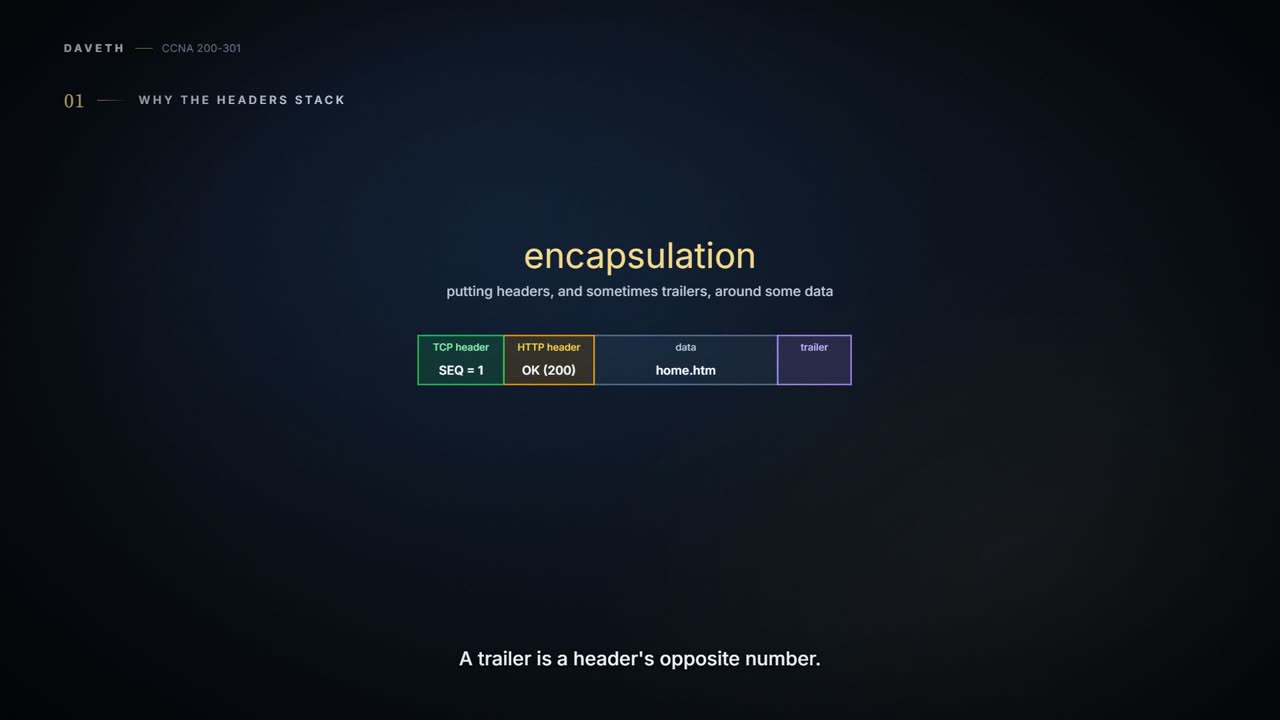
In 01.3, the portal server's reply had HTTP's header in front of the page, and TCP's header in front of that. Each layer put its own information around what the layer above handed down. That has a name: encapsulation, putting headers, and sometimes trailers, around some data.
A trailer is a header's counterpart: headers go at the beginning of a message, trailers at the end. Typically only data-link protocols define trailers.
Posting a letter inside a company is a fair picture of it. You write the letter; put it in an envelope addressed to the right person; put that inside a bigger envelope addressed to the right building; and the courier drops it in a bag for their part of the trip. Each wrapper is read by someone different, for their own job. (Where it stops: real headers are exact fields of bits, and each layer reads just its own.)
By the time the reply reaches the cable, it has collected more labels than a suitcase at check-in. Each label has one job.
Five steps, one per layer
Sending can be seen as five steps. The first four are encapsulation, one for each of the upper four layers; the fifth is physically sending the result. With the five-layer model, that makes one step per layer. Here they are for the portal's reply:
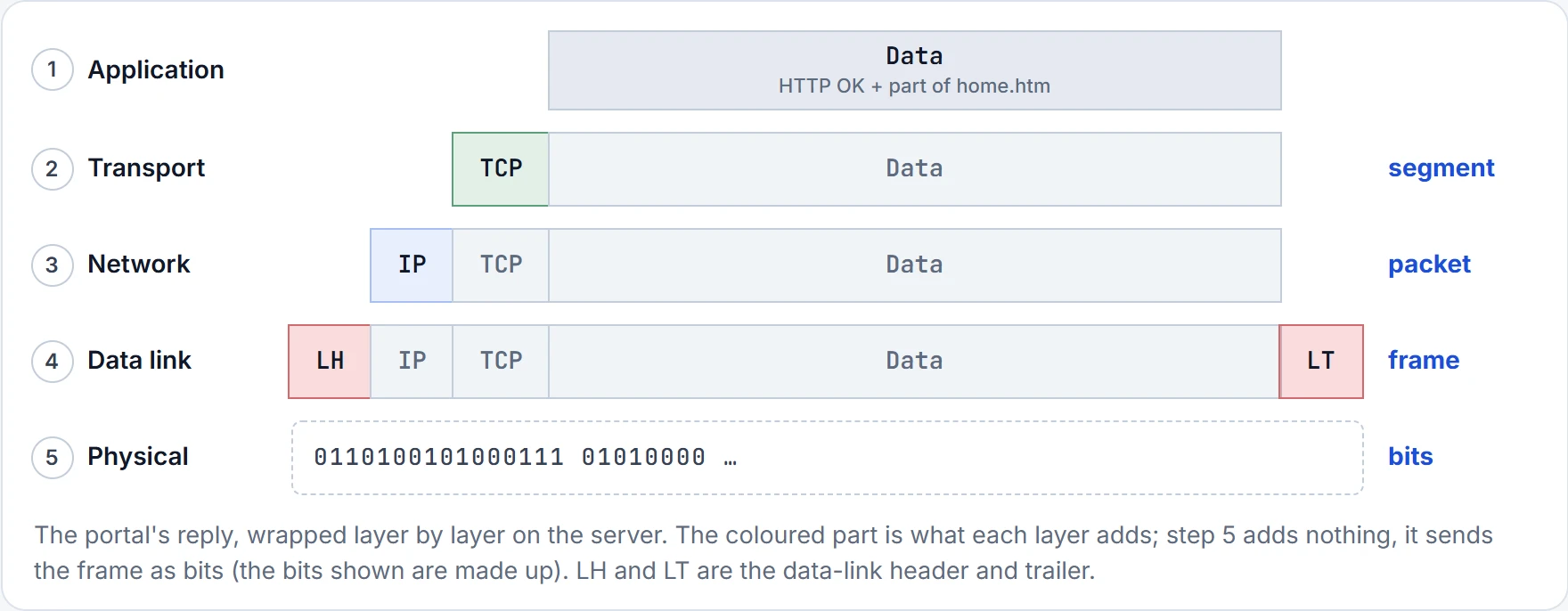
- Application. Create the application data, with any header the application needs. Here that's HTTP's header with its OK, followed by part of home.htm. The figure doesn't give HTTP's header a box of its own; it sits inside Data. The application layer often doesn't need to add a header at all, like 01.3's later messages carrying more of home.htm.
- Transport. Put the application's data inside a transport header. For end-user applications that's typically TCP or UDP; here, TCP.
- Network. Put the transport layer's data inside a network layer header, IP's. IP defines the IP addresses that uniquely identify each computer.
- Data link. Put the network layer's data inside a data-link header and trailer. In the figure, it's the only step that adds both.
- Physical. Send the bits: the physical layer encodes a signal onto the medium, such as a cable, to transmit the frame. It adds no header or trailer.
TCP added its own note. It did not rewrite the portal's page to include networking opinions.
Segment, packet, frame
That's why the steps are worth knowing: they give the pieces their names. People say segment, packet and frame, and each has an exact meaning: one layer's header (and, for a frame, its trailer) plus the data after that header.
- Segment: the transport layer's message, the TCP header and its data.
- Packet: the network layer's message, the IP header and its data.
- Frame: the data link's message, the data-link header, its data and the trailer.
They aren't three different messages. The figure's right-hand column shows it: one reply, named by the layer you're looking at.
People work the same way. The same person is a "customer" at the ticket counter and a "passenger" on the bus. The message is a segment to the transport layer, a packet to the network layer and a frame to the data link, and it's one message the whole time.
From any one layer, everything after its own header is just data: what it carries is typically unimportant to that layer. A packet may hold a TCP header, an HTTP header and part of a web page, but when you're discussing IP you probably care only about the IP header, so everything after it is drawn simply as data.
Calling the whole thing a "packet" in casual speech may get you through lunch. In a diagram, the right word tells people which layer you're looking at.
Continue the lesson
The whole lesson, with its drawings and its questions. 3 more sections after the ones above.