
Peer groups, templates, and dynamic neighbors
Two hundred branches peering with one hub means twelve hundred lines in which one typo is invisible. Peer groups state the policy once and make each neighbour one line. Their famous efficiency is history: update messages were grouped by peer group only in releases before 12.0(24)S, 12.2(18)S and 12.3(4)T. Peer templates split session settings from policy settings and overcome peer group limits.
By Arif, founder of Daveth · Updated
The full 6 min walkthrough is in Daveth Pro (Network). See what the plan opens
What this page answers
What is a BGP peer group?
A set of neighbours that share the same update policies, such as outbound route maps, filter lists and update source. The policy is configured once and each neighbour joins with one line. Read it in “One: group them”
What is the difference between BGP peer groups and peer templates?
A peer group is one bundle. Peer templates split a neighbour's configuration into peer session templates, for general session commands, and peer policy templates, for policy, and overcome some limitations of peer groups. Read it in “Two: template them”
Do BGP peer groups still make updates more efficient?
Not in the way they once did. Update messages were grouped by peer group in releases before 12.0(24)S, 12.2(18)S and 12.3(4)T; current software forms update groups from outbound policy by itself. Read it in “What "more importantly" used to mean”
Twelve hundred lines
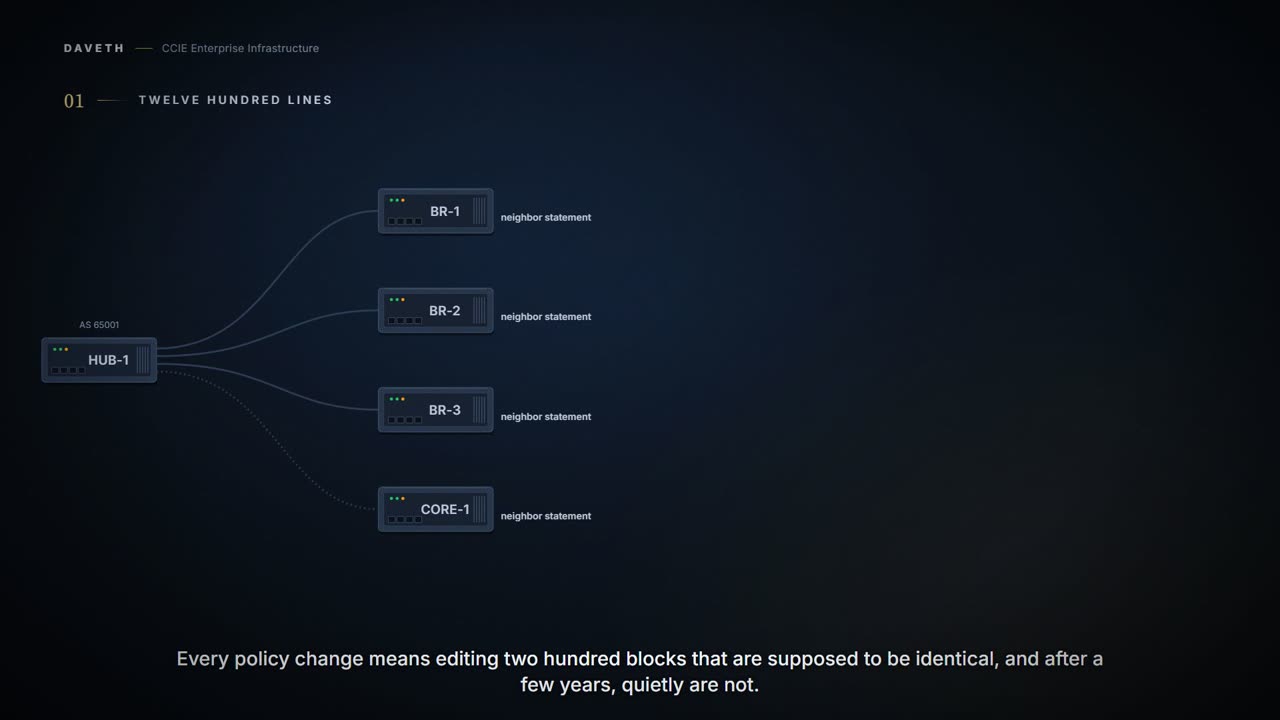
Two hundred branch routers, all peering with one hub. Two hundred neighbor statements, and then, for each one, a remote-as, an inbound route map, an outbound route map, a prefix list, an update-source and a password.
That is twelve hundred lines in which one typo is invisible, and every policy change means editing two hundred blocks that are supposed to be identical and, after a few years of maintenance, quietly are not.
Recall from 1.5.a.0: the full-mesh requirement is why BGP networks grow session counts as the square. This page is the other half of that problem, not how many sessions, but how much configuration, and it has three answers, each removing a different kind of repetition.
One: group them
Often, in a BGP network, many neighbors are configured with the same update policies (that is, the same outbound route maps, distribute lists, filter lists, update source, and so on). Neighbors with the same update policies can be grouped into BGP peer groups to simplify configuration and, more importantly, to make configuration updates more efficient. When you have many peers, this approach is highly recommended.
The policy is stated once and each neighbour becomes one line.
Configuration: a peer group and three members, in the forms these commands take.
HUB-1# configure terminal
HUB-1(config)# router bgp 65001
HUB-1(config-router)# neighbor BRANCHES peer-group
HUB-1(config-router)# neighbor BRANCHES remote-as 65100
HUB-1(config-router)# neighbor 172.21.1.1 peer-group BRANCHES
HUB-1(config-router)# neighbor 172.21.1.2 peer-group BRANCHES
HUB-1(config-router)# neighbor 172.21.1.3 peer-group BRANCHES
HUB-1(config-router)# address-family ipv4 unicast
HUB-1(config-router-af)# neighbor BRANCHES route-map BRANCH-OUT out
HUB-1(config-router-af)# end
Now read Cisco's own emphasis: and, more importantly, because the documentation is pointing past tidiness at something else, and what it is pointing at is the part of this topic most often taught out of date.
What "more importantly" used to mean
In Cisco IOS software releases prior to Release 12.0(24)S, 12.2(18)S, or 12.3(4)T, BGP update messages were grouped based on peer group configurations. This method of grouping neighbors for BGP update message generation reduced the amount of system processing resources needed to scan the routing table.
Read the tense. Were grouped. That sentence sits a few paragraphs below the one everybody quotes, and it puts the efficiency claim in the past.
The old arrangement also had a cost, and the page is candid about it:
All neighbors that shared peer group configuration also had to share outbound routing policies. These limitations could cause the network operator to configure smaller peer groups, which reduced the efficiency of update message generation and limited the scalability of neighbor configuration.
So the mechanism designed to make updates efficient was constraining the configuration that fed it: you could only group neighbours that already shared outbound policy, which meant more groups, which meant less sharing.
Here is the situation that separates the old story from the current one. BR-1, BR-2 and BR-3 are in one peer group, BRANCHES, sharing one outbound route map. BR-3 is in a region that needs a different one, so it gets one: a single line, and it stays in the group.
Before you read on: does the hub build one outbound update for that group, or two?
Existing peer groups are not affected but peers with the same outbound policy configured that are not members of a current peer group can be grouped into an update group. When BGP update groups are configured an algorithm dynamically calculates the BGP update group membership based on outbound policies. Optimal BGP update message generation occurs automatically and independently.
Outbound policies. Not peer groups. And nobody switches it on:
No configuration is required to enable the BGP dynamic update group and the algorithm runs automatically. BGP neighbor configuration is no longer restricted by outbound routing policies, and update groups can belong to different address families.
Computed from the state: before BR-3 gets its own policy. No command prints it in this form.
1 update group, calculated from outbound policy
  group 1  policy BRANCH-OUT/-
    172.21.1.1     peer-group BRANCHES
    172.21.1.2     peer-group BRANCHES
    172.21.1.3     peer-group BRANCHES
    172.21.9.9     peer-group (none)
Computed from the state, and after, one peer group, two update groups. No command prints it in this form.
2 update groups, calculated from outbound policy
  group 1  policy BRANCH-OUT/-
    172.21.1.1     peer-group BRANCHES
    172.21.1.2     peer-group BRANCHES
    172.21.9.9     peer-group (none)
  group 2  policy REGION-OUT/-
    172.21.1.3     peer-group BRANCHES
Those two readings are this course's layout. So what does the router itself print when you ask which neighbours it sends to together? The same page shows it:
Displays information about BGP update groups.
Reproduced line for line: the page's own show ip bgp update-group, from its example network rather than this one.
Router# show ip bgp update-group
BGP version 4 update-group 1, internal, Address Family: IPv4 Unicast
  BGP Update version : 0, messages 0/0
  Route map for outgoing advertisements is COST1
  Update messages formatted 0, replicated 0
  Number of NLRIs in the update sent: max 0, min 0
  Minimum time between advertisement runs is 5 seconds
  Has 1 member:
  10.4.9.21
BGP version 4 update-group 2, internal, Address Family: IPv4 Unicast
  BGP Update version : 0, messages 0/0
  Update messages formatted 0, replicated 0
  Number of NLRIs in the update sent: max 0, min 0
  Minimum time between advertisement runs is 5 seconds
  Has 2 members:
  10.4.9.5 10.4.9.8
Look at what separates the two groups: one line. Update group 1 has Route map for outgoing advertisements is COST1 and one member; update group 2 has no outgoing route map and two members. Now look for a peer group anywhere in that output. There isn't one. The router groups by what it sends, and prints exactly that.
Proves: which neighbours the router has put in each update group, and the outbound route map each group sends with. Does not prove: which peer group or template any of them belongs to (the output never mentions one, which is the point) nor that anything was sent: every counter in the sample is zero.
Look at what did not happen. BR-3 was not ejected from the peer group and nothing was rejected. Peer group membership is what you typed; update group membership is what the router worked out. They coincide when policy is uniform, which is most of the time, which is exactly why the old explanation survives in people's heads.
And notice CORE-1 in the first reading: it is in no peer group at all and shares an update group with the three members, because its outbound policy matches. Membership is the policy.
When a change to outbound policy occurs, the router automatically recalculates update group memberships and applies the changes by triggering an outbound soft reset after a 1-minute timer expires. This behavior is designed to provide the network operator with time to change the configuration if a mistake is made.
A minute, on purpose. The router recalculates, waits, and then resets, so that somebody who has just pasted the wrong route map has time to take it back before every session re-advertises.
For the best optimization of BGP update group generation, we recommend that the network operator keeps outbound routing policy the same for neighbors that have similar outbound policies.
Which is the practical instruction hiding in all of this: the thing to keep uniform is the policy, not the grouping. There is something quietly funny about a feature still recommended for an optimisation it stopped performing two decades ago, in the same document that explains it stopped.
Two: template them
A peer template is a configuration pattern that can be applied to neighbors that share policies. Peer templates improve the flexibility and enhance the capability of neighbor configuration. Peer templates also provide an alternative to peer group configuration and overcome some limitations of peer groups.
What limitation? A peer group is one undifferentiated bundle. A neighbour's configuration has two genuinely different kinds of setting in it, and templates split them:
Peer session templates are used to group and apply the configuration of general session commands that are common to all address family and NLRI configuration modes. Peer policy templates are used to group and apply the configuration of commands that are applied within specific address families and NLRI configuration modes.
Session versus policy. That is the seam, and it is the one that matters at two hundred branches: every branch shares the same session (timers, password, transport) while branches in different regions need different policy. With peer groups you would need two groups and the session settings written into both.
Configuration: a session template, a policy template, and one neighbour inheriting, in the forms these commands take.
HUB-1# configure terminal
HUB-1(config)# router bgp 65001
HUB-1(config-router)# template peer-session BRANCH-SESSION
HUB-1(config-router-stmp)# remote-as 65100
HUB-1(config-router-stmp)# timers 30 300
HUB-1(config-router-stmp)# exit-peer-session
HUB-1(config-router)# template peer-policy BRANCH-POLICY
HUB-1(config-router-ptmp)# route-map BRANCH-OUT out
HUB-1(config-router-ptmp)# exit-peer-policy
HUB-1(config-router)# neighbor 172.21.1.1 remote-as 65100
HUB-1(config-router)# neighbor 172.21.1.1 inherit peer-session BRANCH-SESSION
HUB-1(config-router)# address-family ipv4 unicast
HUB-1(config-router-af)# neighbor 172.21.1.1 inherit peer-policy BRANCH-POLICY
HUB-1(config-router-af)# end
Watch the prompt change. template peer-session enters its own mode, (config-router-stmp), and exit-peer-session leaves it; the policy template does the same as (config-router-ptmp). And notice the policy is inherited inside the address family, because that is where policy lives. One more line looks redundant and is not:
The explicit remote-as statement is required for the neighbor inherit statement to work. If a peering is not configured, the specified neighbor will not accept the session template.
So the neighbour gets its own remote-as even though the session template carries one. That is the page's own example, and it is the line people delete when tidying up.
A peer policy template can directly or indirectly inherit up to eight peer policy templates. The directly applied peer session template will have priority over inherited peer session template configurations.
Count them, because the asymmetry is deliberate: eight policy templates, one session template. A neighbour has one session and sessions do not compose. Policy does. And where they conflict, the directly applied configuration wins over the inherited one: the same precedence you met in 1.4.f.iv's interface-over-router rule.
Now the hard boundary. Read it as a prohibition rather than a recommendation:
A BGP neighbor cannot be configured to work with both peer groups and peer templates. A BGP neighbor can be configured to belong only to a peer group or to inherit policies from peer templates.
Cannot. A neighbour belongs to a peer group or inherits from templates, and there is no third option. This bites during migrations, when somebody adds a template to a network that already uses groups and finds the two will not coexist on the peer they were trying to fix.
And the sentence that says which way the migration is meant to run:
BGP peer routers using peer templates also benefit from automatic update group configuration. With the configuration of the BGP peer templates and the support of the BGP dynamic update peer groups, the network operator no longer needs to configure peer groups in BGP and the network can benefit from improved configuration flexibility and faster convergence.
Peer groups are not deprecated and nothing breaks if you keep them. But the documentation's own position is that templates plus automatic update groups make them unnecessary, and that position is Cisco's, not this course's.
Continue the lesson
The whole lesson, with its drawings and its questions. 5 more sections after the ones above.