
Bash scripting: exit codes, strict mode, safe checkpoint pruning and cron
By default bash treats a failed command as information, not a reason to stop, so a failed cd can leave a cleanup script deleting files in the wrong folder. Every command reports an exit code, 0 for success, and strict mode with set -euo pipefail makes failures and unset variables stop the script.
What this page answers
Why did my bash script delete the wrong files?
cd failed and reported it, and bash simply moved on to the next line, still in the home folder. set -euo pipefail and a required argument would each have stopped it. Read it in “The script that pruned your home”
What is an exit code in bash?
The small number a program hands the shell when it finishes: 0 means success and 1 to 255 mean some kind of failure. The shell keeps the last one in $?, and if, &&, || and while all check whether it was 0. Read it in “Every command reports back”
The script that pruned your home
A teammate wrote a tiny script to keep only the three newest checkpoints of a training run. You run it, but forget to say which run:
$ cat prune.sh
#!/bin/bash
RUN_DIR=/data/runs/$1
cd $RUN_DIR/checkpoints
ls -t | tail -n +4 | xargs rm -rf
$ ./prune.sh
./prune.sh: line 3: cd: /data/runs//checkpoints: No such file or directory
$ ls ~
bin  data  notes.md
Outputs on this page are realistic examples. Commands, bash behaviour and error messages are real.
Your home folder used to have a dozen things in it. Now it has the three most recently changed ones. How did a script about checkpoints delete files in your home folder?
- xargs misread the file names
- cd failed, and the script carried on in the folder it started in
- ls -t listed the wrong folder because of the double slash
Answer. By default, bash treats a failed command as information, not as a reason to stop. cd printed an error and reported failure, and bash simply moved on to the next line, still in your home folder, where it listed everything by age and deleted all but the newest three. Three small defences would each have prevented it:
#!/usr/bin/env bash
set -euo pipefail                         # stop on failures and unset variables
run="${1:?usage: prune.sh RUN_NAME}"      # refuse to run without an argument
cd "/data/runs/$run/checkpoints"          # with set -e, a failed cd ends the script
ls -t | tail -n +4 | xargs -r rm -rf --
The rest of this lesson explains each of those pieces, starting with how bash knows a command failed at all.
Every command reports back
When a program finishes, it hands the shell a small number called its exit code. 0 means success. Anything else, from 1 to 255, means some kind of failure, and programs document what their numbers mean. The shell keeps the last one in $?, and everything that makes decisions in bash (if, &&, ||, while) is really just checking whether that number was 0:
$ grep -q "loss nan" train.log; echo $?
0                                  # found it
$ grep -q "CUDA error" train.log; echo $?
1                                  # not found
$ grep -q "CUDA error" no-such.log; echo $?
grep: no-such.log: No such file or directory
2                                  # grep itself failed
$ nvidia-smi > /dev/null && echo "GPU ok" || echo "GPU problem"
GPU ok
a && b runs b only if a succeeded. a || b runs b only if a failed. And if command; then runs the block when the command's exit code is 0. There's no separate idea of “true” in bash: success is true. Programs that die from a signal get 128 plus the signal number, so 137 means killed by signal 9 (often the out-of-memory killer), and 130 means stopped by Ctrl+c.
Predict. A health check runs grep -q ERROR train.log && echo "found errors" || echo "clean". One day the log file is missing. What does it print?
Answer. “clean”. grep exits with 2 because it couldn't open the file, and || only knows “zero or not zero”. Not finding errors and not being able to look at all are treated the same.
When the difference matters, check the actual number: grep -q ERROR train.log; rc=$?, then handle 0, 1 and 2 separately. Many quiet monitoring bugs are exactly this.
Anatomy of a useful script
Here's a typical AI script: a small hyperparameter sweep that starts six training runs, one per GPU, each with its own log. It uses most of the bash you need day to day: variables, arrays (lists, written with brackets), loops, arithmetic inside $(( )), and & to start a job in the background.
# sweep.sh
#!/usr/bin/env bash
set -euo pipefail

lrs=(1e-4 3e-4 1e-3)
seeds=(1 2)
n=0
mkdir -p logs runs
for lr in "${lrs[@]}"; do
  for seed in "${seeds[@]}"; do
    name="lr${lr}_s${seed}"
    CUDA_VISIBLE_DEVICES=$(( n % 8 )) \
      python -u train.py --lr "$lr" --seed "$seed" --out "runs/$name" > "logs/$name.log" 2>&1 &
    echo "started $name on GPU $(( n % 8 )) as PID $!"
    n=$(( n + 1 ))
  done
done
wait
echo "all runs finished"
A few details carry a lot of weight. The first line, the shebang, tells Linux which program runs the file; /usr/bin/env bash finds bash wherever it's installed. You make the file runnable once with chmod +x sweep.sh. "${lrs[@]}" with the quotes is the safe way to loop over a list. $! is the process ID of the job just started, and wait pauses until all background jobs finish. And n=0 isn't optional: under set -u, using n before giving it a value would stop the script. For options like --dry-run, bash's getopts handles short flags, though past a couple of options Python's argparse is kinder.
Pruning checkpoints safely
Back to the hook's job, done properly. A training run saves a 16 GB checkpoint every 1,000 steps, and 20 of them fill 320 GB. A pruning policy usually combines three rules: keep the newest few (to resume from), keep some milestones (to compare later), and keep the best one by evaluation loss (to ship). Set a policy and see what survives. The loss under each step is that checkpoint's evaluation loss.
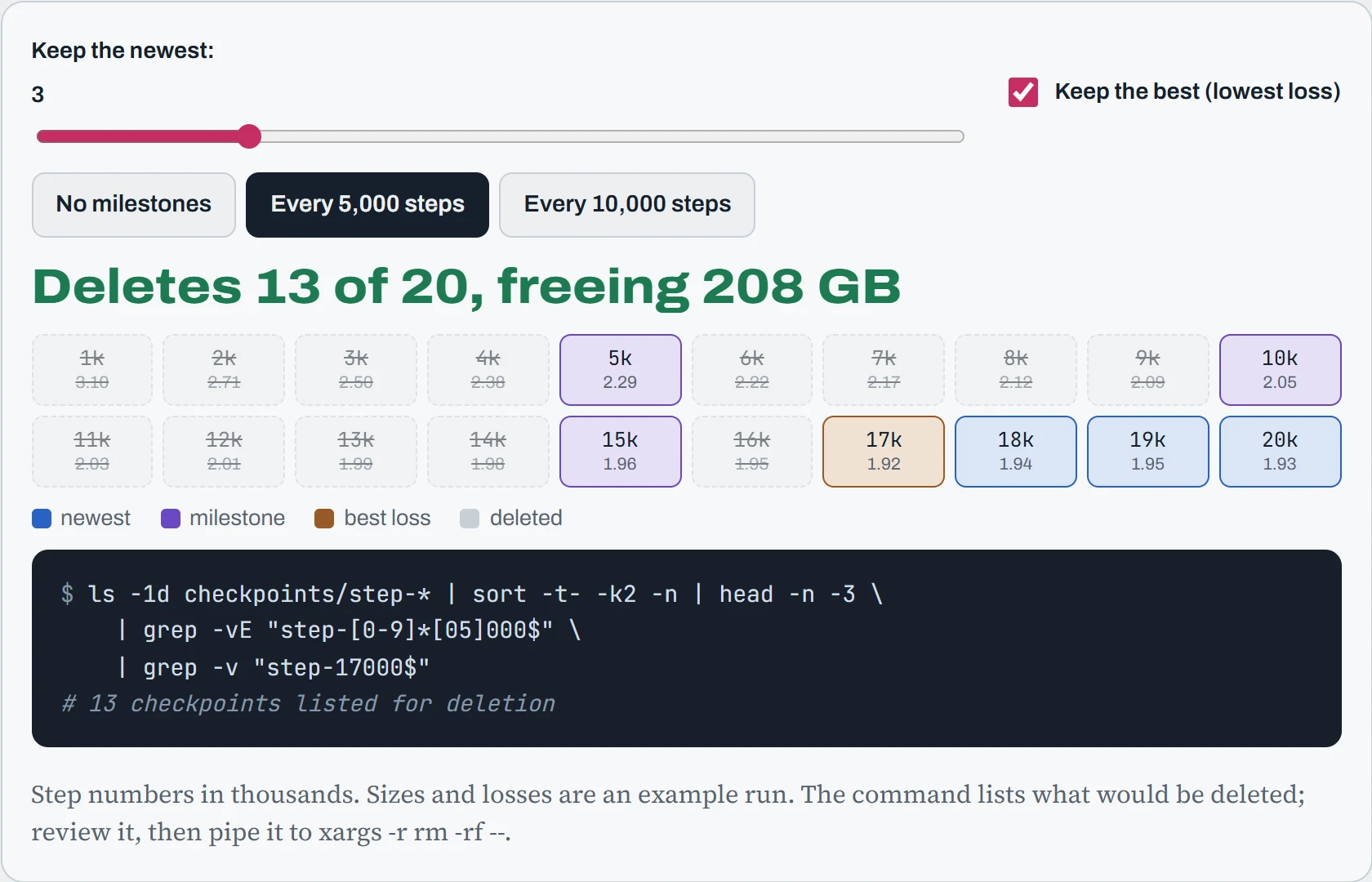
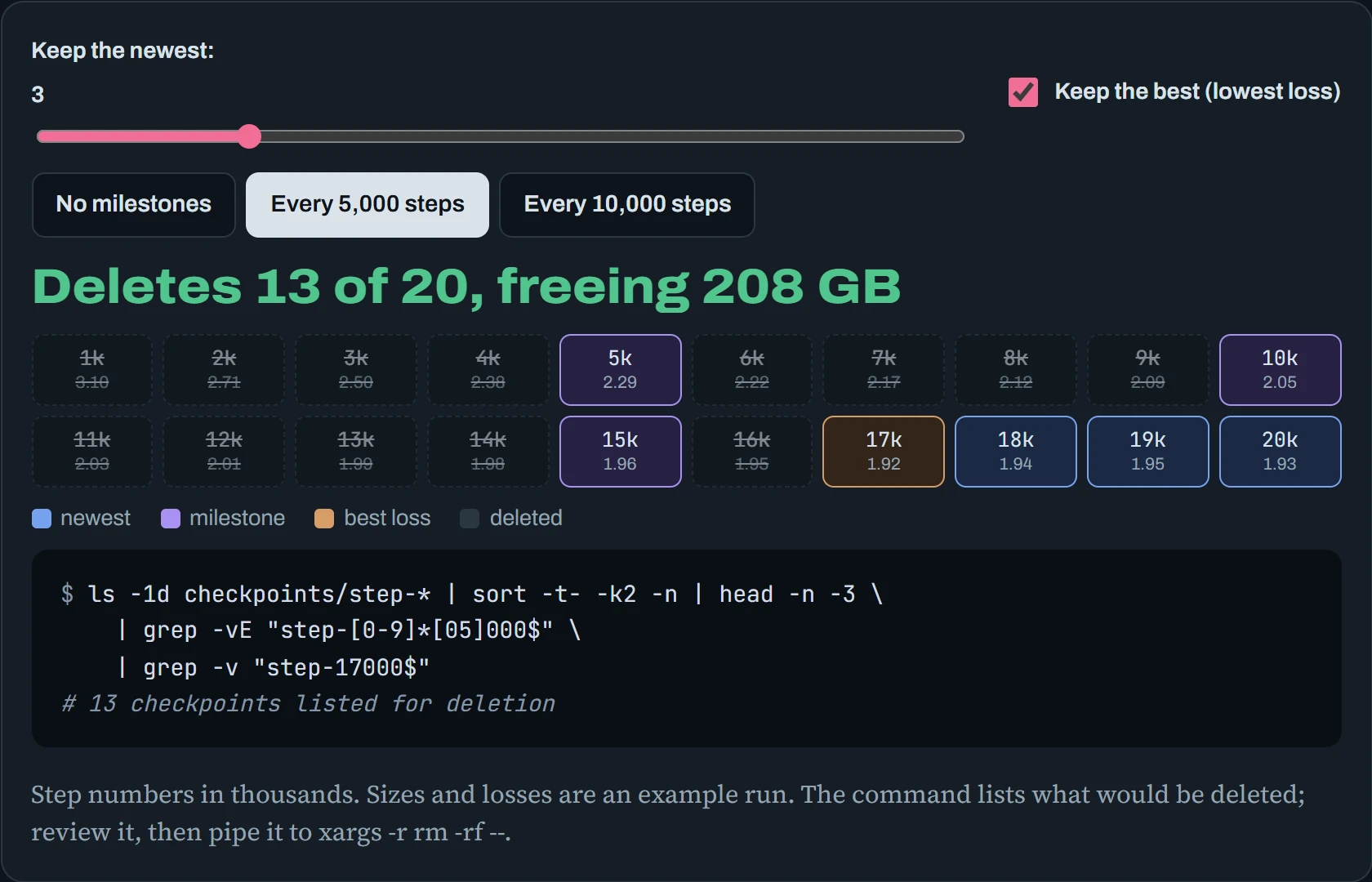
Keep only the newest one, with no rule for the best loss. The best checkpoint, step 17,000, gets deleted, because the run got slightly worse after it. That's the classic pruning accident, and why “keep the best” deserves its own rule. Two more habits make pruning scripts safe. Print what you'd delete before deleting it (a --dry-run mode). And make the script idempotent, meaning running it twice does no more harm than running it once, so a retry or an overlapping run can't eat into what you meant to keep.
Running on a schedule
cron runs commands on a timetable. You edit your personal timetable with crontab -e, and each line is five time fields followed by the command: minute, hour, day of the month, month, and day of the week (0 is Sunday). A * means “every”, */15 means “every 15th”, and 1-5 means “1 to 5”. The drawing below shows when one schedule would next run, counting from Sunday 25 October, 14:05.
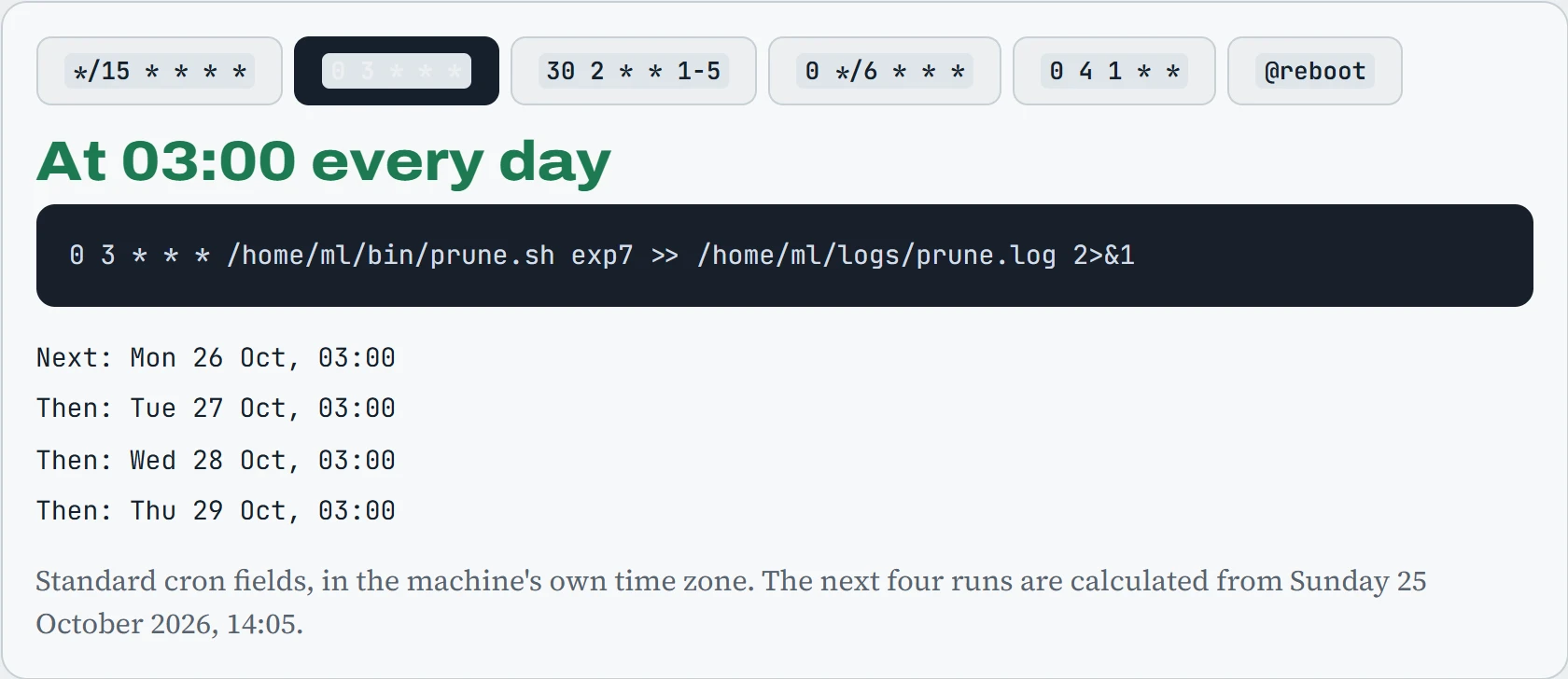
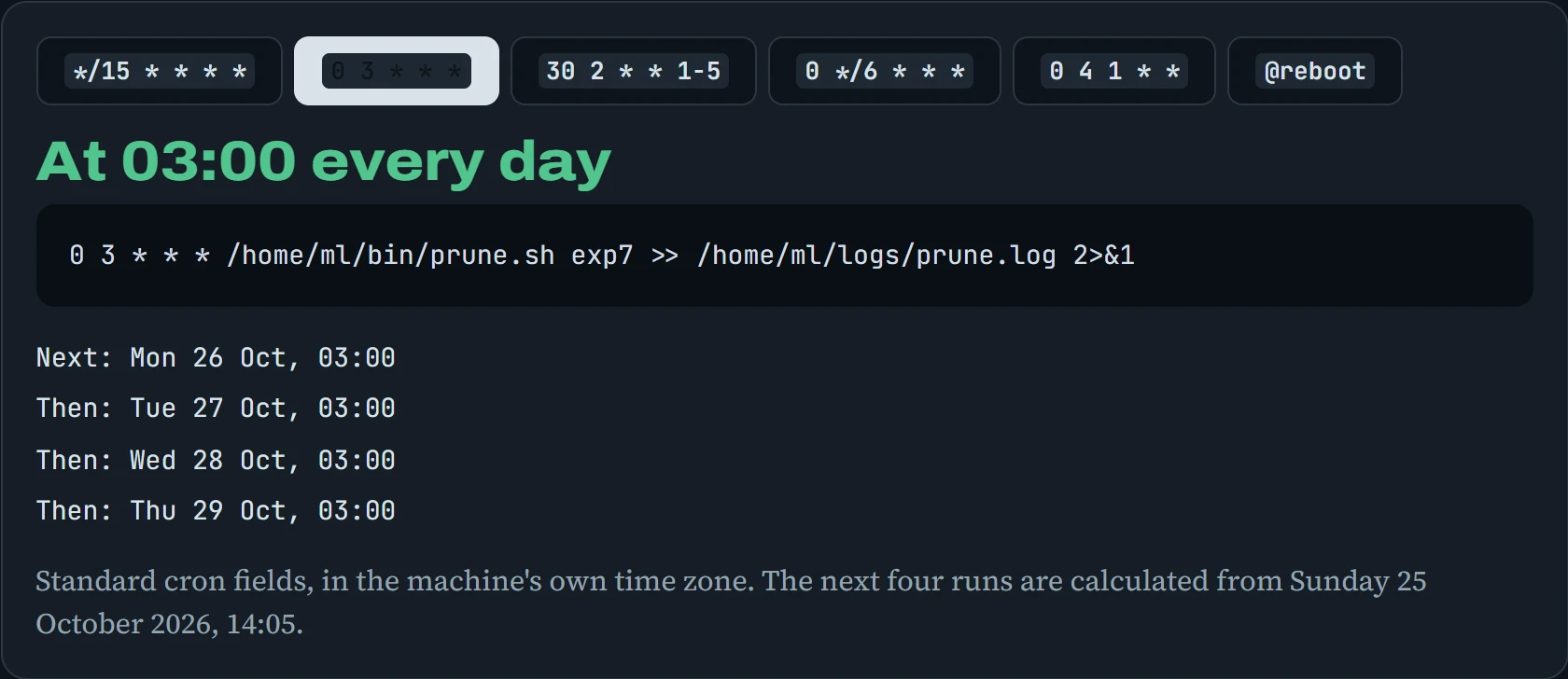
The command part is where cron jobs go wrong, because cron is not your terminal. It starts your command with an almost empty environment: PATH is just /usr/bin:/bin, your .bashrc never runs, no virtual environment is active, and the working folder is your home. Its output goes nowhere useful unless you send it to a file, as in >> ~/logs/prune.log 2>&1. Use full paths for everything. For a one-off job later today, at does the same without a timetable: echo "./prune.sh exp7" | at 23:00. And for anything important, systemd timers (Down the Unit) add logging, catch-up after downtime, and resource limits.
Predict. This line works when you paste it into a terminal: python ~/proj/sync_results.py. You put it in your crontab as 0 3 * * * python ~/proj/sync_results.py. What happens at 03:00?
Answer. Most likely it fails, and you never see why. On many systems there's no plain python command in cron's short PATH at all (only python3), and even if there is, it's the system Python without your project's packages. The error message goes to local mail, which nobody reads.
Write it as 0 3 * * * /home/ml/proj/.venv/bin/python /home/ml/proj/sync_results.py >> /home/ml/logs/sync.log 2>&1. Full path to the right Python (Down the Path), full path to the script, and a log you can read.
Continue the lesson
The whole lesson, with its drawings and its questions. 4 more sections after the ones above.