
Spanning tree, then Rapid spanning tree: how the loop gets cut
A frame has no time-to-live at Layer 2, so a loop floods broadcasts and unknown unicasts round and round until links saturate and switches crash. Spanning tree exchanges BPDUs, elects a root, and blocks redundant ports so one path remains. Classic STP takes about 30 seconds to bring a port to forwarding; Rapid STP's proposal and agreement make it far faster.
By Arif, founder of Daveth · Updated
The full 12 min walkthrough is in Daveth Pro (Network). See what the plan opens
What this page answers
What is a spanning tree topology change notification (TCN)?
A BPDU a switch sends out of its root port when it sees a link change. Each switch upstream acknowledges and relays it to the root, which then sets the topology change flag, and every switch shortens its MAC ageing to the forward delay, 15 seconds. Read it in “4.1 Why a loop is a disaster”
What are the limitations of classic spanning tree?
Slow recovery: with default timers a port takes about 30 seconds to reach forwarding, and every topology change makes switches age out MAC addresses quickly, so traffic floods. TCNs happen per VLAN, so the more hosts in a VLAN, the more they hurt. Read it in “4.1 Why a loop is a disaster”
How does RSTP converge faster than STP?
The same tree, much less waiting: instead of timers, a switch and its neighbour use a proposal and agreement handshake, so a port can move to forwarding at once. Read it in the lesson
4.1 Why a loop is a disaster
Good design adds a second link, so one failure doesn't cut anyone off. But connect switches in a loop, and a broadcast goes round and round, forever. Have you ever noticed how an office rumour keeps coming back round, a little louder each lap? A broadcast in a loop does the same, and nobody ever gets bored of repeating it.
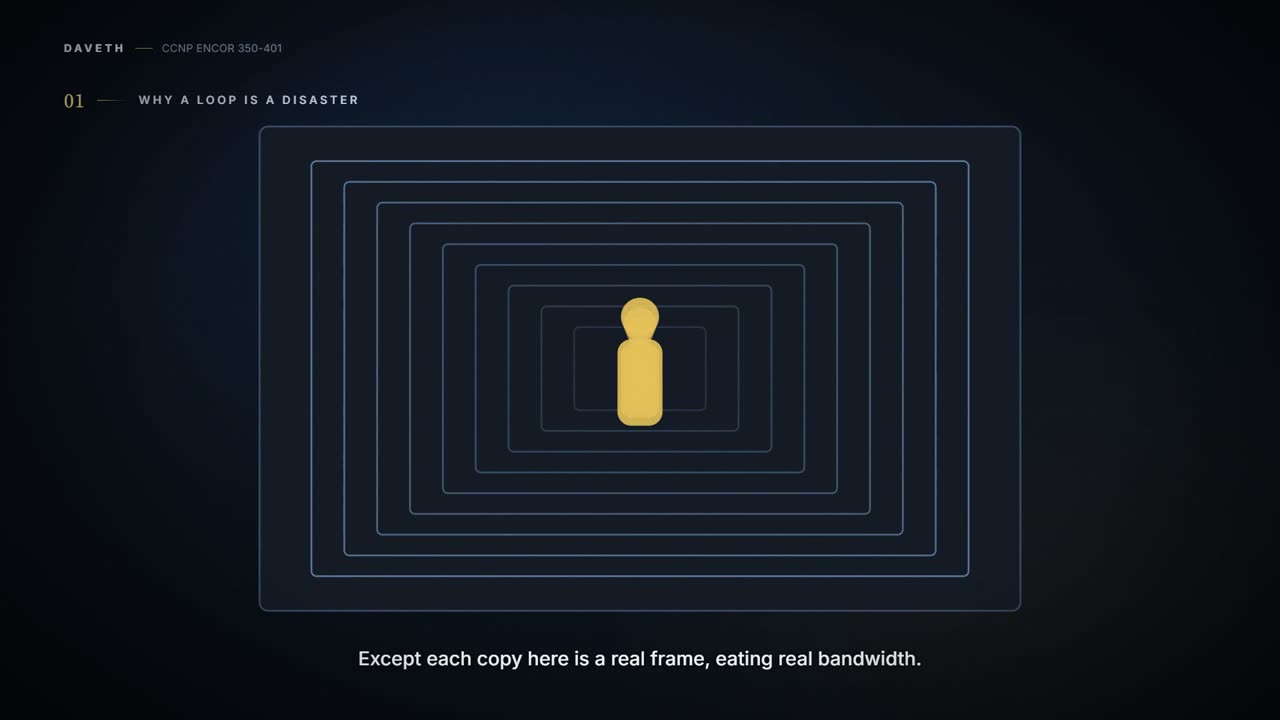
There's no time-to-live at Layer 2: nothing in an Ethernet frame counts down and expires. If you've ever stood between two mirrors in a lift, you've seen the picture: the same reflection, over and over, with nothing in the glass to make it stop. Except each copy here is a real frame, eating real bandwidth. The links saturate, the MAC tables flip-flop as the same frames arrive from different directions, CPU and memory climb, and switches can crash. It isn't only broadcasts: unknown unicast is flooded too, so it loops the same way. And it isn't only IPv4's ARP: IPv6 neighbour discovery rides on multicast, which a loop floods just as badly, so it hurts both families (how switches handle multicast is 03-5).
D1
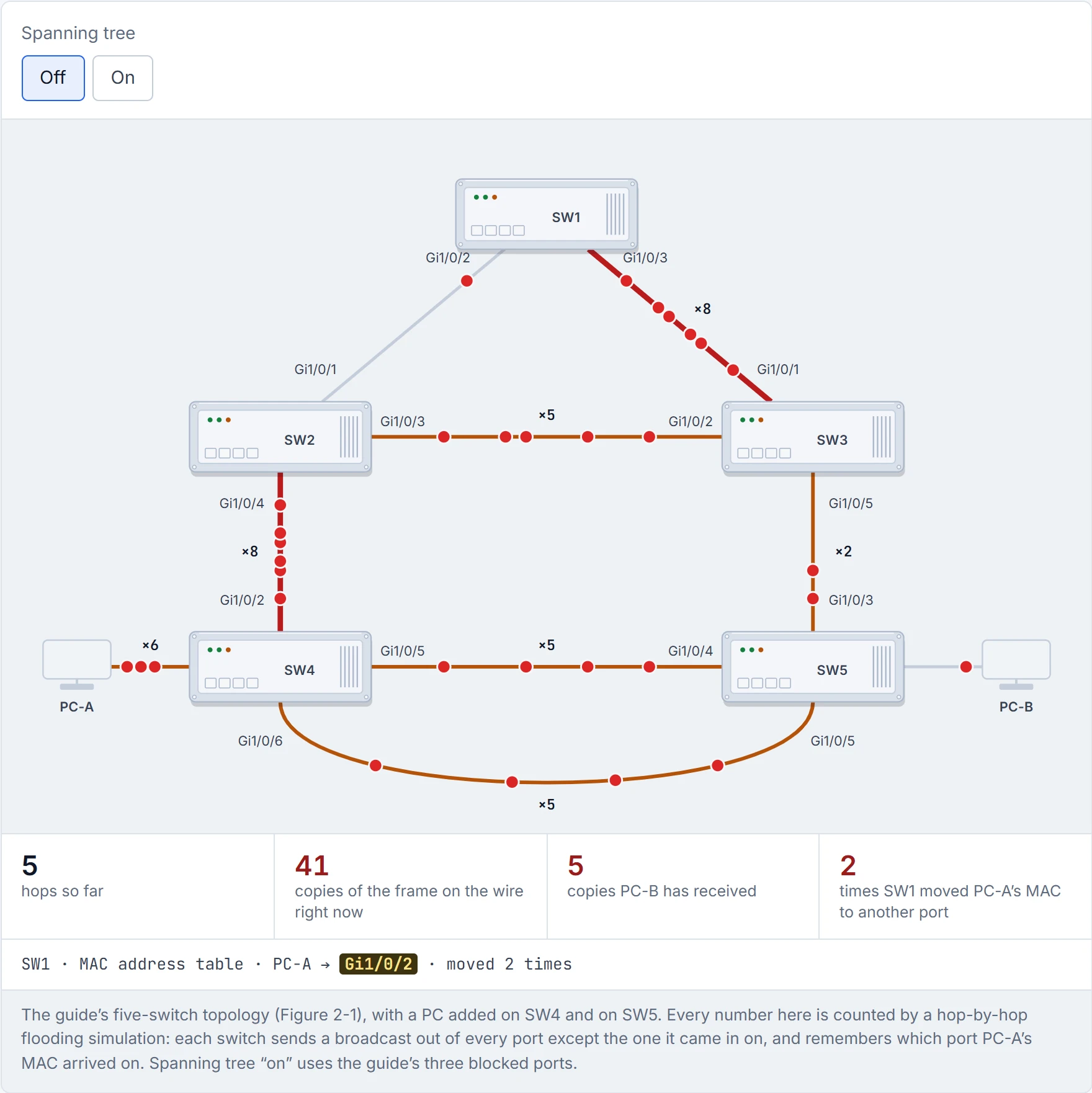
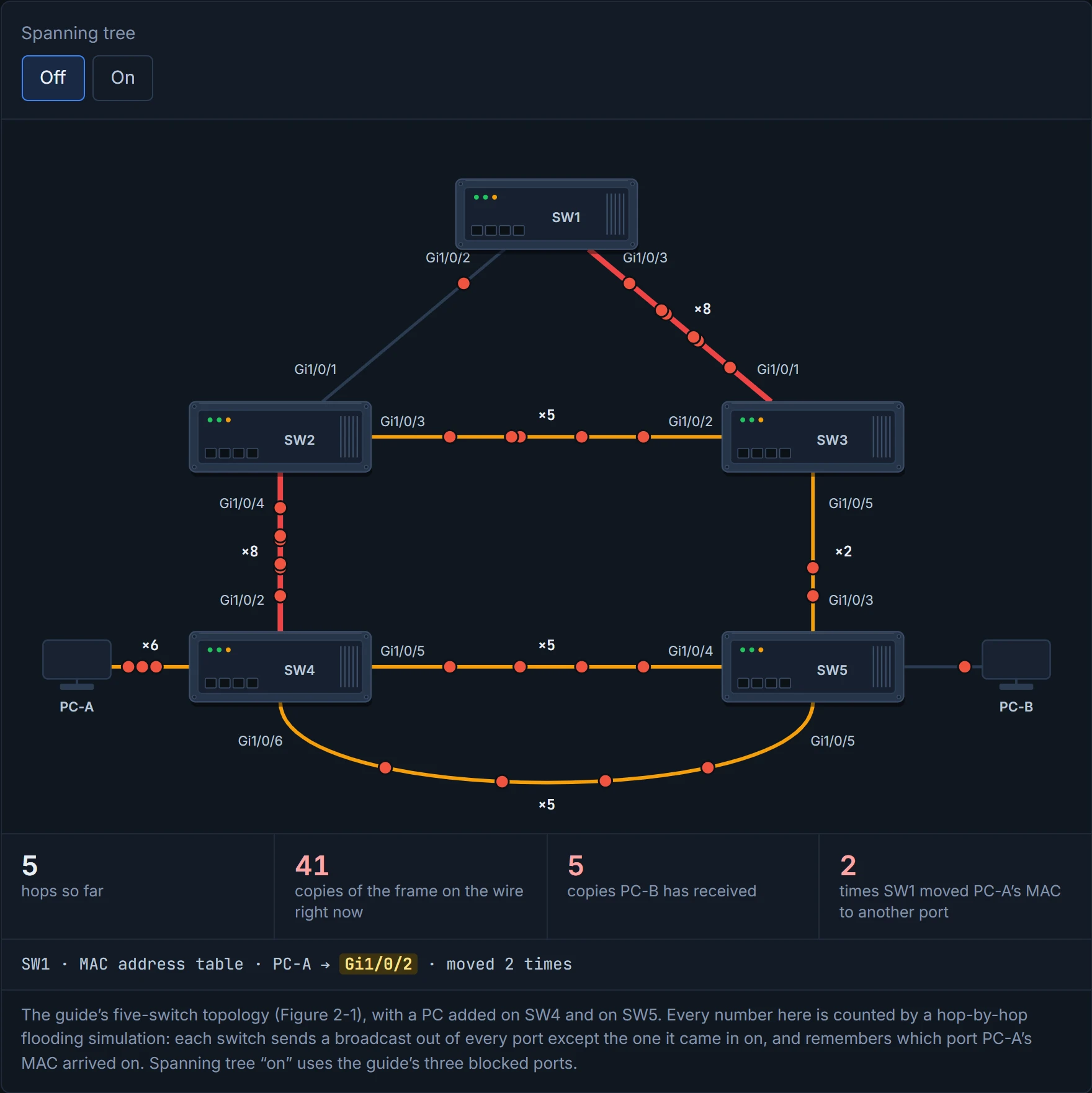
A Layer 2 loop is the only broadcast that gets more popular every time it's repeated.
Spanning tree's answer. Switches learn about each other from messages called BPDUs, elect one switch as the centre, run a tree algorithm, and temporarily block the redundant ports, so there's exactly one path between any two points. In a way, it's just a family tree for switches: one ancestor at the top, and exactly one line from anybody back up to them. Nobody gets to be their own grandparent. The links are still there, ready for when they're needed. You can think of it as a road network where the council closes just enough roads that you can't drive in circles, and reopens one the moment another is dug up.
Spanning tree is the only protocol whose job description is "switch off perfectly good links". It's very good at its job.
It comes in versions: the original 802.1D; Cisco's PVST and PVST+ (one tree per VLAN); 802.1w, RSTP (rapid); and 802.1s, MST. Catalyst switches run PVST+, RSTP and MST, and all three can still talk to plain 802.1D. 802.1D keeps one VLAN loop-free, and it's the foundation the rest are built on, so it comes first. That's roughly equivalent to learning a plain white sauce before cheese sauce and lasagne: the later recipes all start from it, so it's the one you learn first.
In 802.1D, a port moves through states:
- Disabled: shut down.
- Blocking: up, not forwarding, not learning MACs; it only listens to BPDUs.
- Listening: sends and receives BPDUs, still no user traffic, for the forward-delay time.
- Learning: starts filling the MAC table, still no user traffic, for the forward-delay time.
- Forwarding: the normal state.
- Broken: the switch has found a configuration or operational problem on the port (section 4.13 has two examples), and it discards traffic until the problem goes away.
With default timers, a port takes about 30 seconds to reach forwarding. Think about the last time you stood at a crossing on a blind bend: you can't see round the corner, so you wait the full signal rather than guess. The switch is in the same spot: it can't yet know the new port won't make a loop, so it listens and learns first.
Each port has a role (the guide's heading calls these 802.1D port types; same thing):
- Root port (RP): this switch's best way towards the root; one per VLAN per switch.
- Designated port (DP): the port that sends BPDUs down a link to the switches beyond; one per link.
- Blocking port: not forwarding, because of the calculation.
The root bridge is the top of the tree: every one of its ports is forwarding, and every one is designated. Consider it your head office: instructions flow out from it, and every branch knows exactly one road back to it.
The root bridge is the only switch that never has to look up to anyone.
A BPDU goes to the multicast MAC 01:80:c2:00:00:00. There are two kinds: the configuration BPDU, which builds the tree (it carries the root bridge ID, root path cost, sender's bridge ID and the timers), and the topology change notification (TCN) BPDU, which reports changes. The root path cost is the total cost from here to the root.
A bridge ID is how switches compare themselves: a system priority (4 bits, default 32,768), a system ID extension (12 bits: the VLAN number), and the switch's MAC address. If "4 bits, default 32,768" looks impossible: the 4 bits sit at the top of a 16-bit field, above the 12-bit VLAN number, so each step of priority is worth 4,096, and the default is 8 × 4,096. 01-6 tunes it. Lower is better, like a queue ticket: the smallest number is served first.
Then the clock, and it works behind the scenes just like the smoke alarm on your ceiling: a little blink every couple of seconds that says "still here", a limit on how long you'd put up with no blink before deciding the battery's dead, and a wait before you trust the room again. Spanning tree has the same three timers:
- Max age, default 20 seconds: how long a switch keeps believing the last BPDU it heard after they stop arriving. Set with
spanning-tree vlan <v> max-age <s>. - Hello, default 2 seconds: how often BPDUs are sent, configurable from 1 to 10 seconds.
spanning-tree vlan <v> hello-time <s>. - Forward delay, default 15 seconds, spent in listening and again in learning.
spanning-tree vlan <v> forward-time <s>.
(The old word "bridge" means the same as "switch" here.)
D5
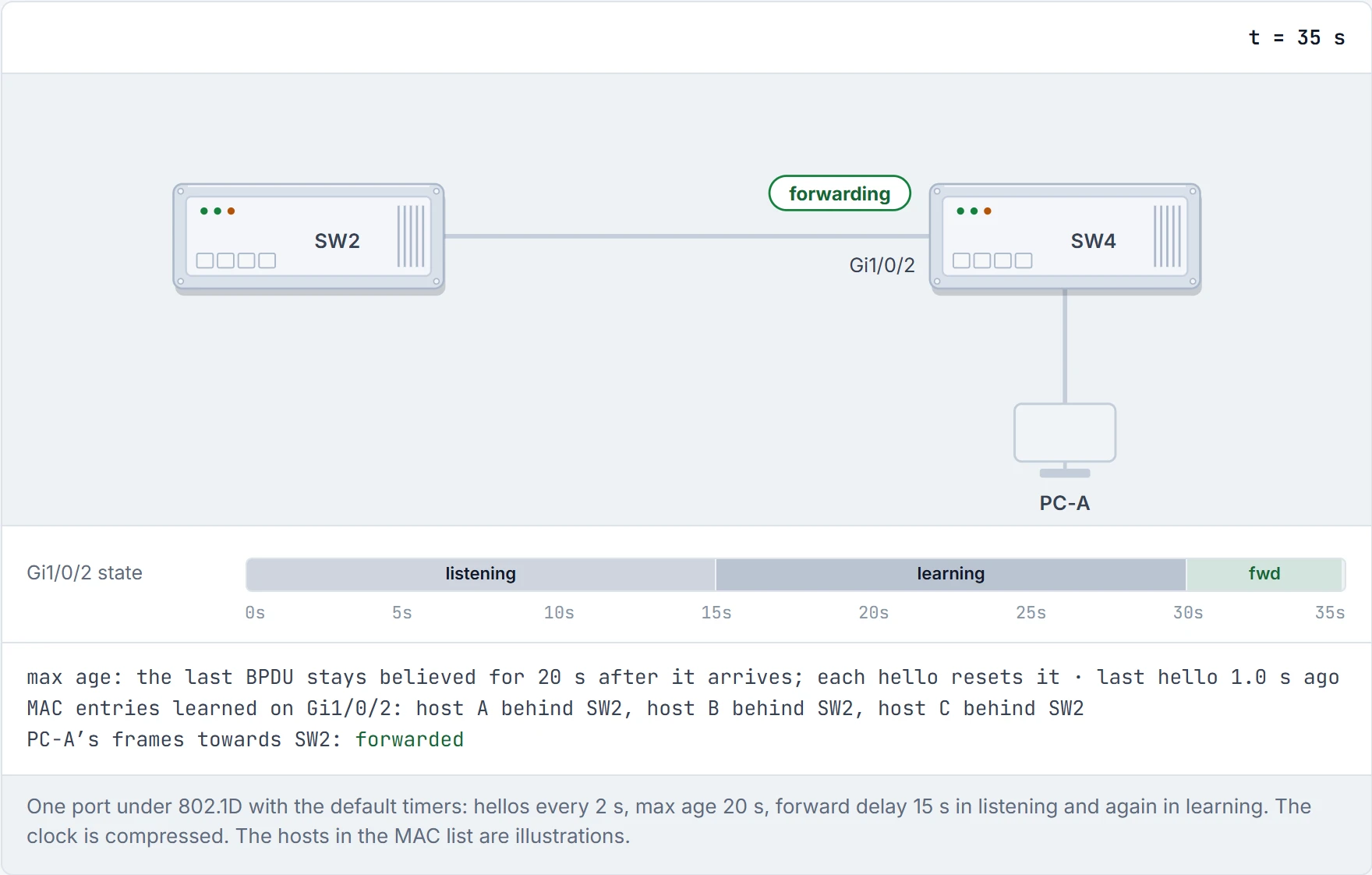
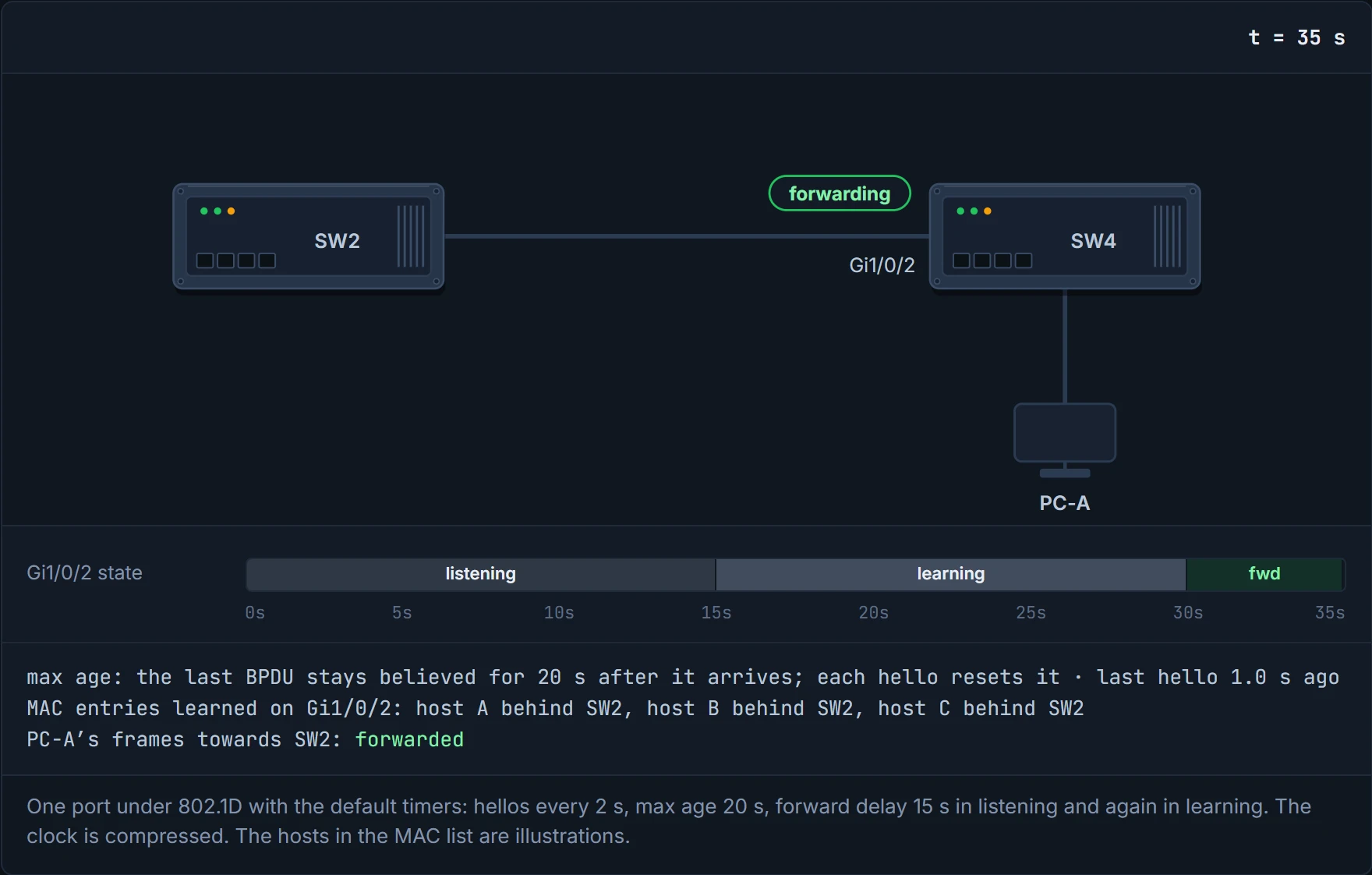
Two seconds between hellos. Switches are far more attentive than most group chats.
Every port has a cost by speed; a path's cost is the sum along it. That's roughly equivalent to a sat-nav adding up travel time: a fast motorway gets a small number, a slow B-road a big one, and the route is whatever adds up smallest, not whatever has the fewest turns. Short mode is the default, a 16-bit value with a 20 Gbps reference; long mode is 32-bit, with a 20 Tbps reference, for faster links.
| Speed | Short | Long |
|---|---|---|
| 10 Mbps | 100 | 2,000,000 |
| 100 Mbps | 19 | 200,000 |
| 1 Gbps | 4 | 20,000 |
| 10 Gbps | 2 | 2,000 |
| 20 Gbps | 1 | 1,000 |
| 100 Gbps | 1 | 200 |
| 1 Tbps | 1 | 20 |
| 10 Tbps | 1 | 2 |
Short mode runs out of room: at 20 Gbps and above, everything costs 1. spanning-tree pathcost method long switches to long mode. Use the same method everywhere, and audit before you change it. It's basically like half your friends measuring the drive in miles and half in kilometres: everybody's "shortest route" is a different road.
In short mode, a 20-gig link and a 10-terabit link both cost 1. It's the only price list where the Ferrari and the family hatchback go for the same money.
Every switch starts out believing it's the root, and advertises itself. When it hears a BPDU, it compares. An inferior BPDU is ignored. A superior one wins: the switch adopts that root and the cost to reach it, and passes that on. It's like a group trying to agree who's oldest: everyone starts by assuming it's them, until someone shows an earlier birthday. Just like when you pass on a message you've been told, a switch that loses doesn't go quiet: it repeats the winner's name to everyone below it.
"Better" means the lower priority, and on a tie, the lower MAC. With defaults, every priority is 32,768, so the lowest MAC wins, and older switches tend to have lower MACs. So the oldest, slowest switch in the building can end up as root by accident. That's why you'll choose it deliberately in 01-6. If you scaled that down to a tied vote at a residents' meeting, it's settling it by whoever lives at the lower house number: it always gives an answer, just not one based on anything that matters.
Spanning tree's default election rewards seniority, not ability. Some offices will find that familiar.
show spanning-tree root shows, per VLAN, the root ID, the cost to reach it, the timers, and this switch's root port. On the root itself the cost is 0, and the root port column is empty.
Notice the priority there: 32769 for VLAN 1, 32778 for VLAN 10. That's 32,768 plus the VLAN number, the system ID extension at work.
D2
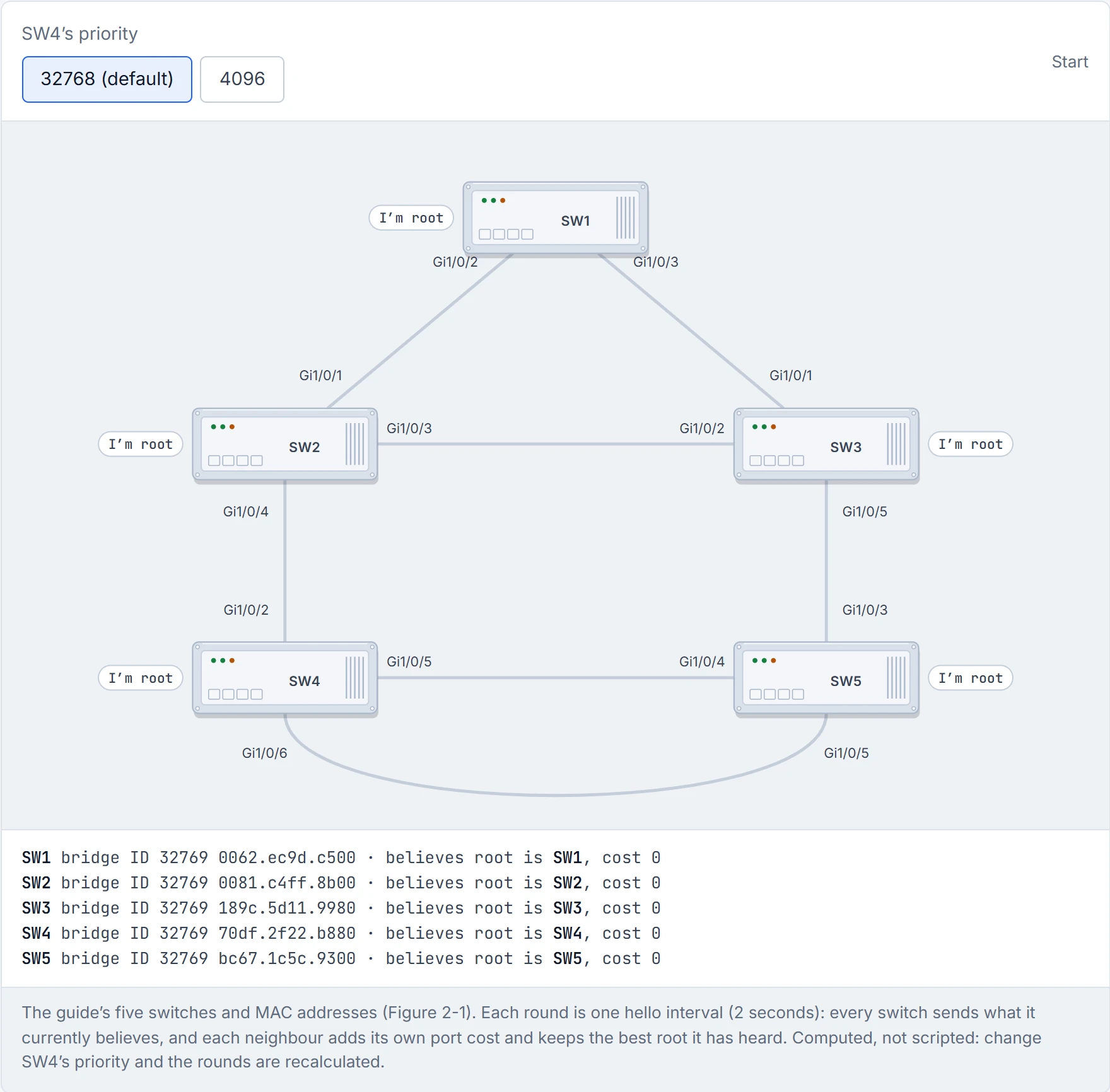
Step 1 of 4 Every switch has just booted, and every one claims to be root: its BPDUs carry its own bridge ID as the root, at cost 0.
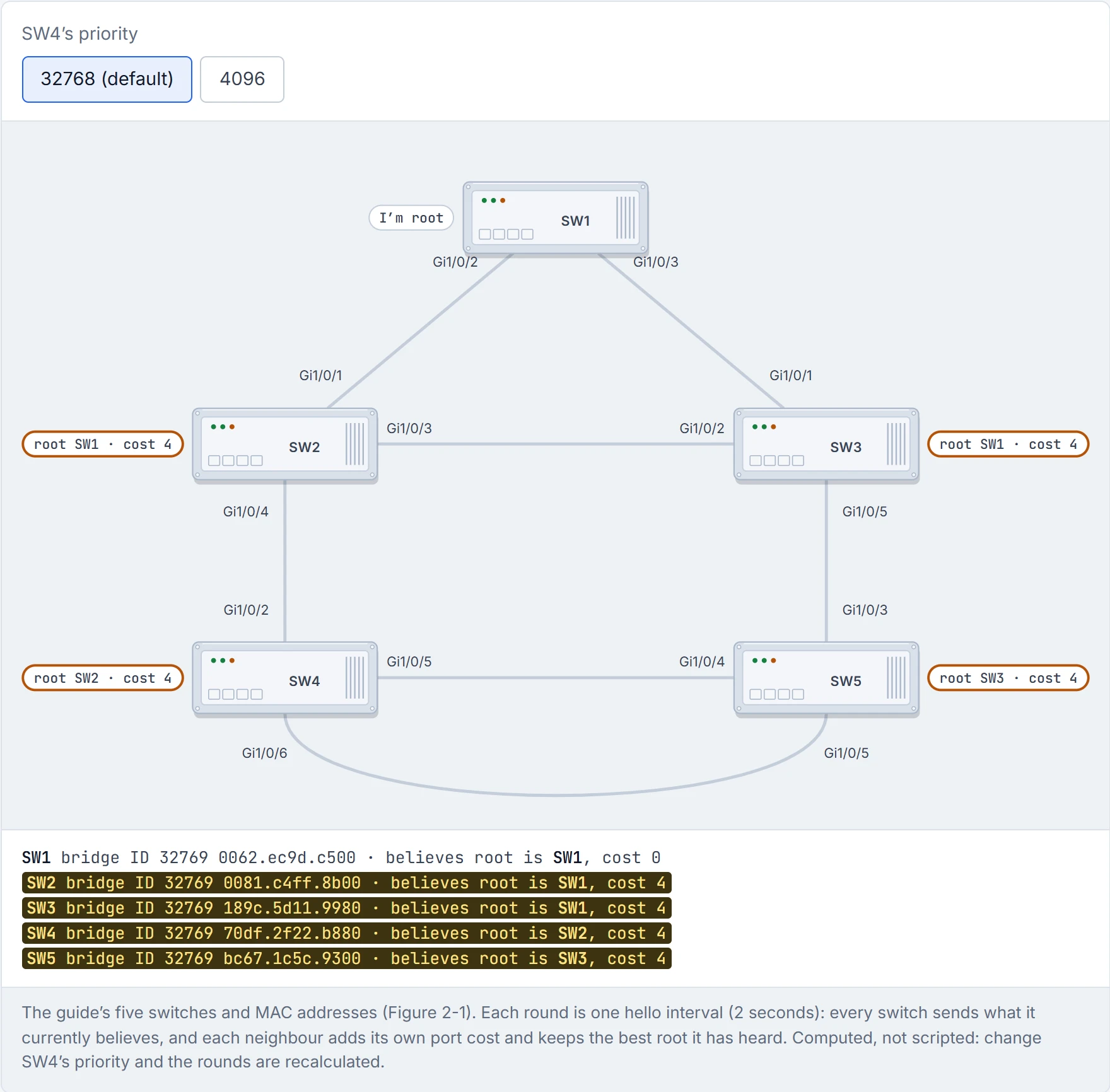
Step 2 of 4 Round 1: SW2 hears SW1’s claim, which beats its own: it now believes SW1, at cost 4. SW3 hears SW1’s claim, which beats its own: it now believes SW1, at cost 4. SW4 hears SW2’s claim, which beats its own: it now believes SW2, at cost 4. SW5 hears SW3’s claim, which beats its own: it now believes SW3, at cost 4. SW1 ignores what it hears from SW2 and SW3: an inferior claim changes nothing.
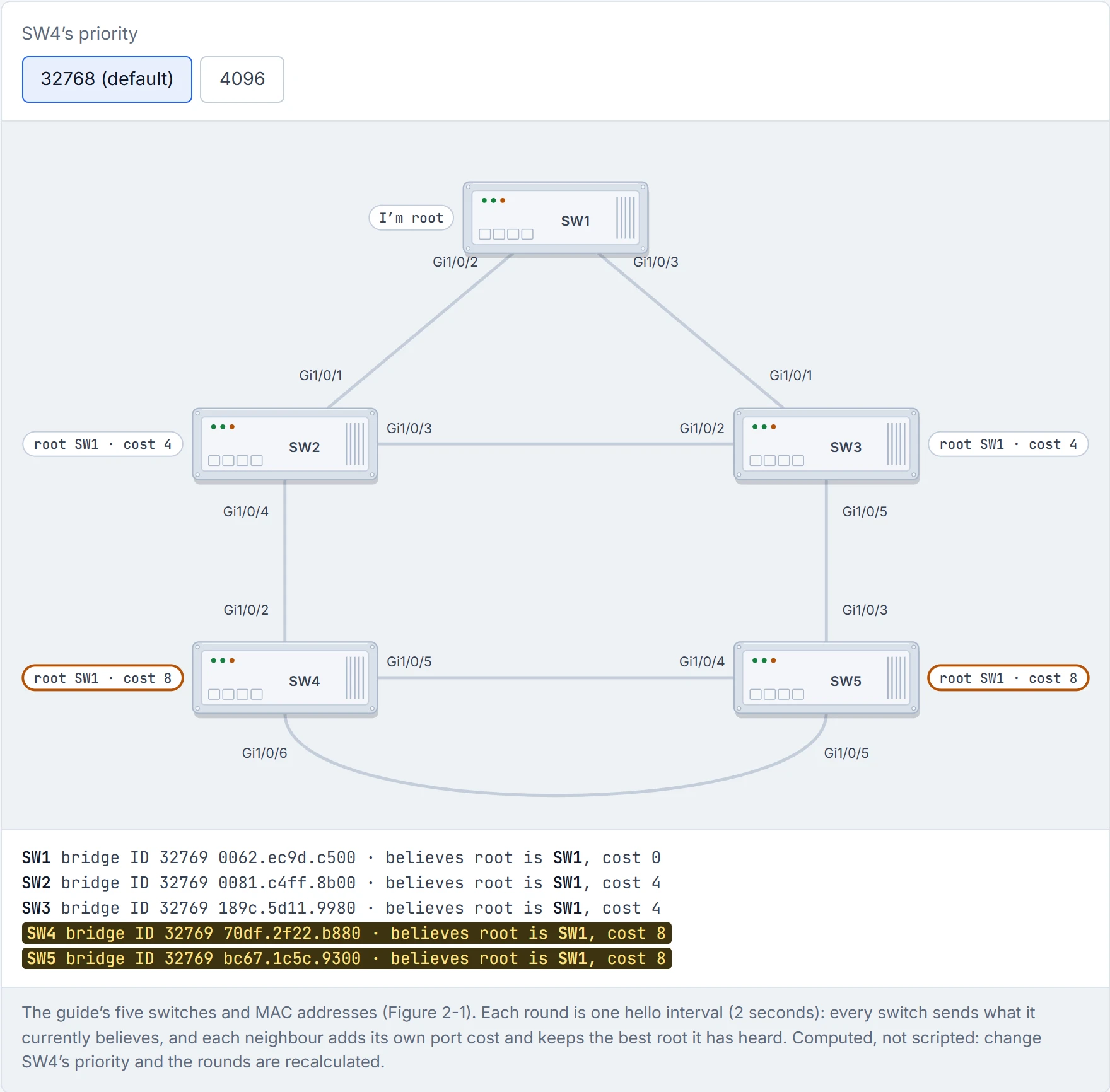
Step 3 of 4 Round 2: SW4 hears SW1’s claim, which beats SW2’s: it now believes SW1, at cost 8. SW5 hears SW1’s claim, which beats SW3’s: it now believes SW1, at cost 8.
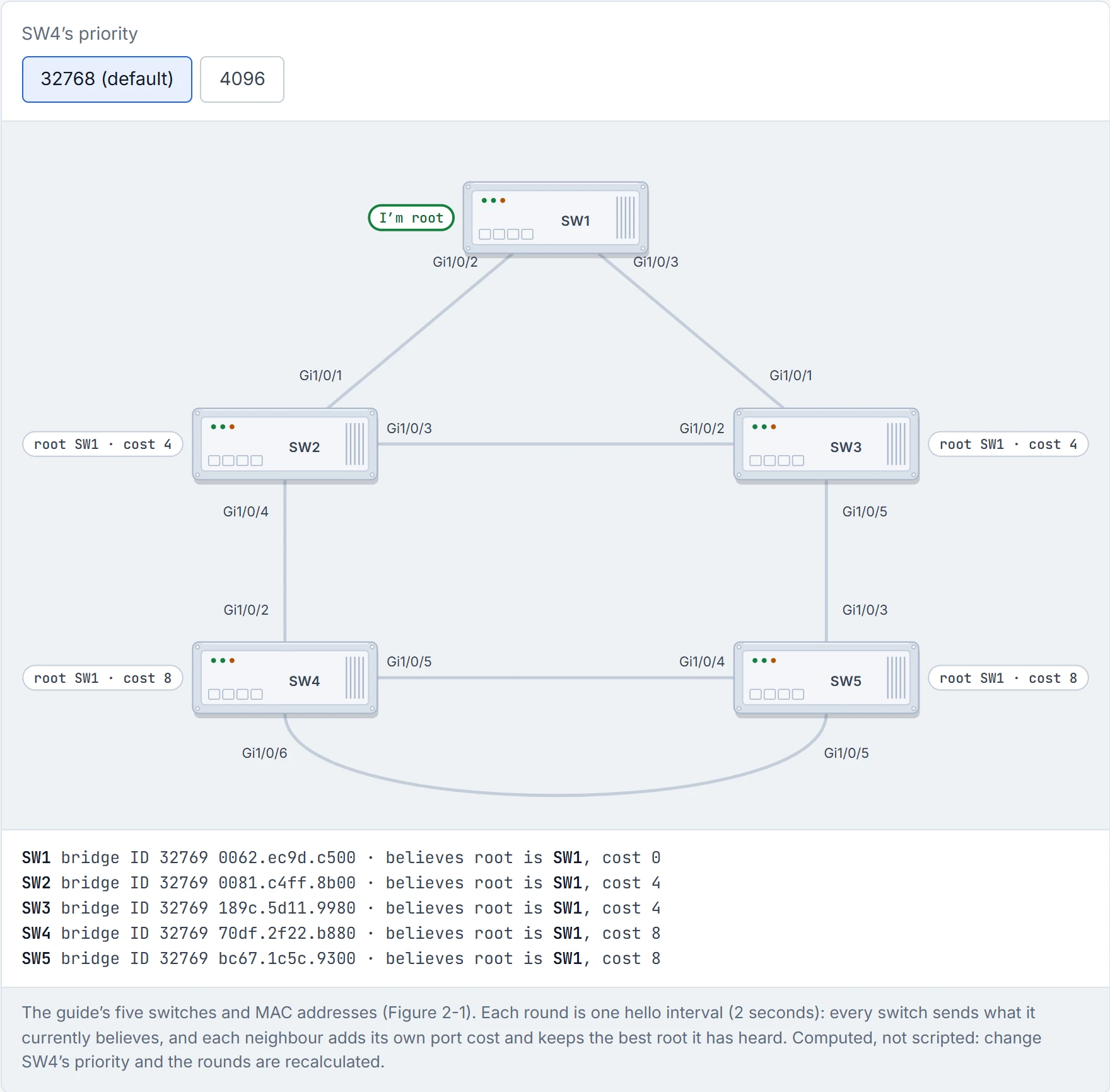
Step 4 of 4 Nothing changed this round, so the election is over: every switch agrees SW1 is root. Every priority is 32769, so it came down to the lowest MAC, 0062.ec9d.c500: the oldest switch wins by accident.
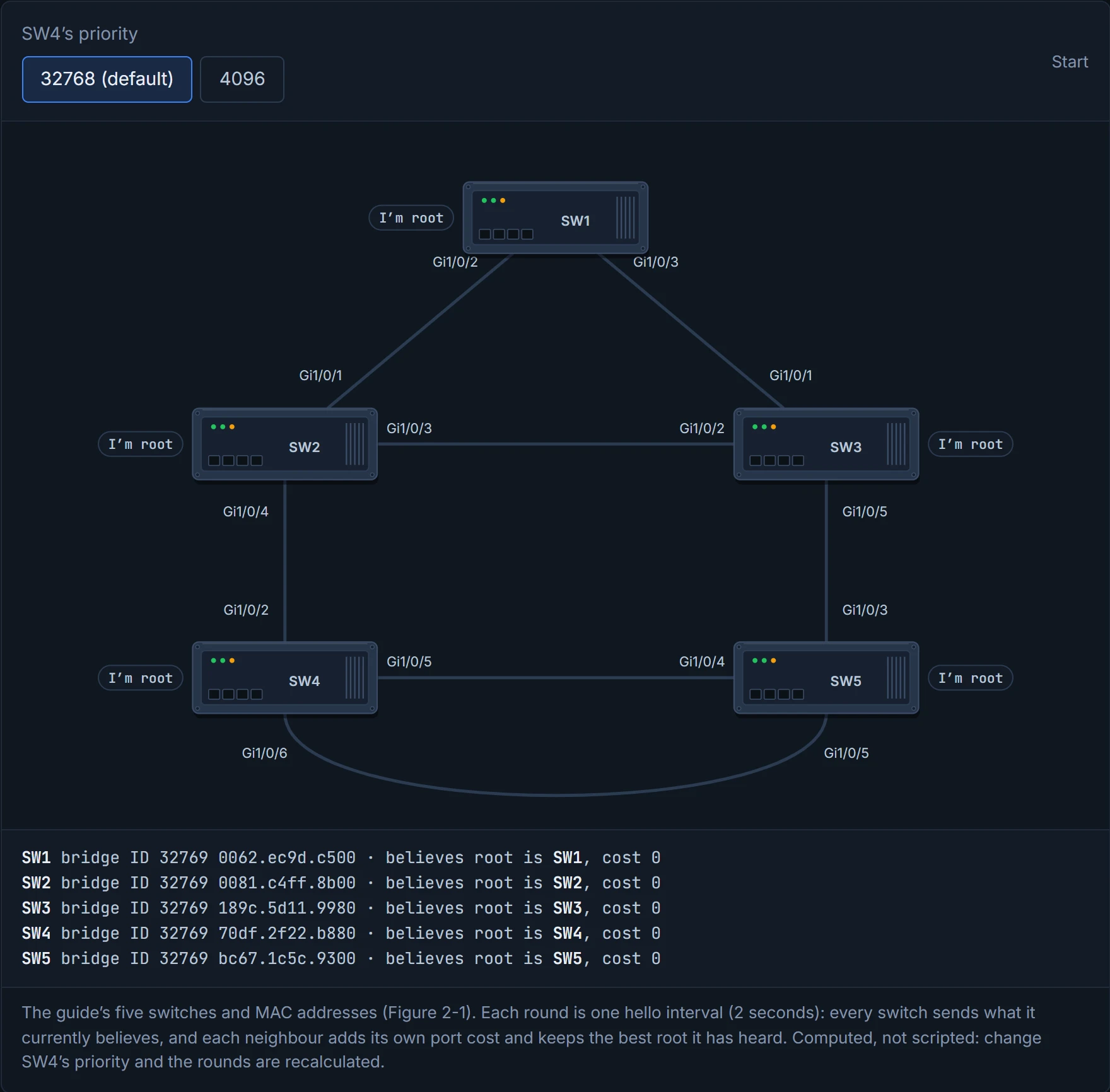
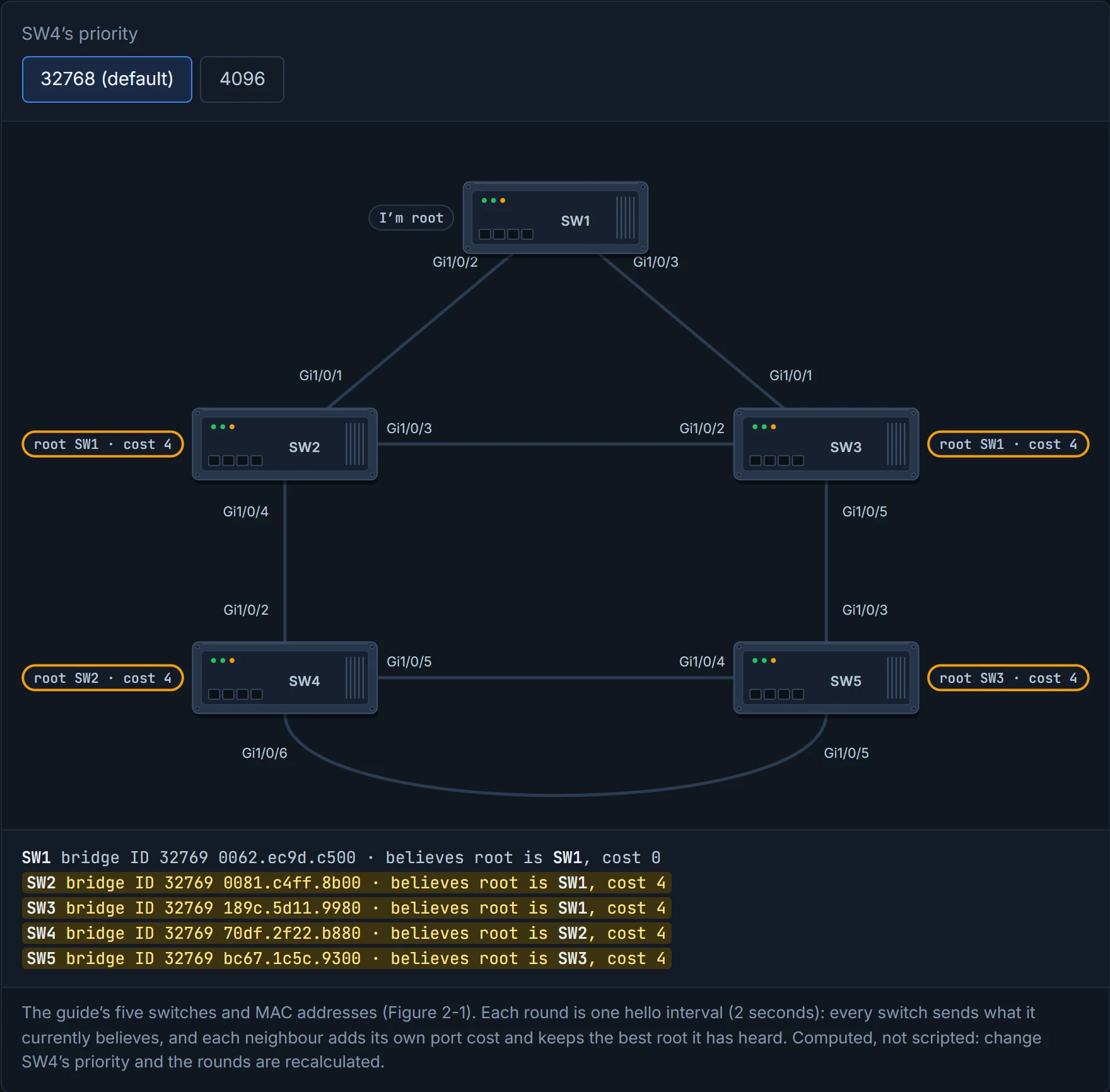
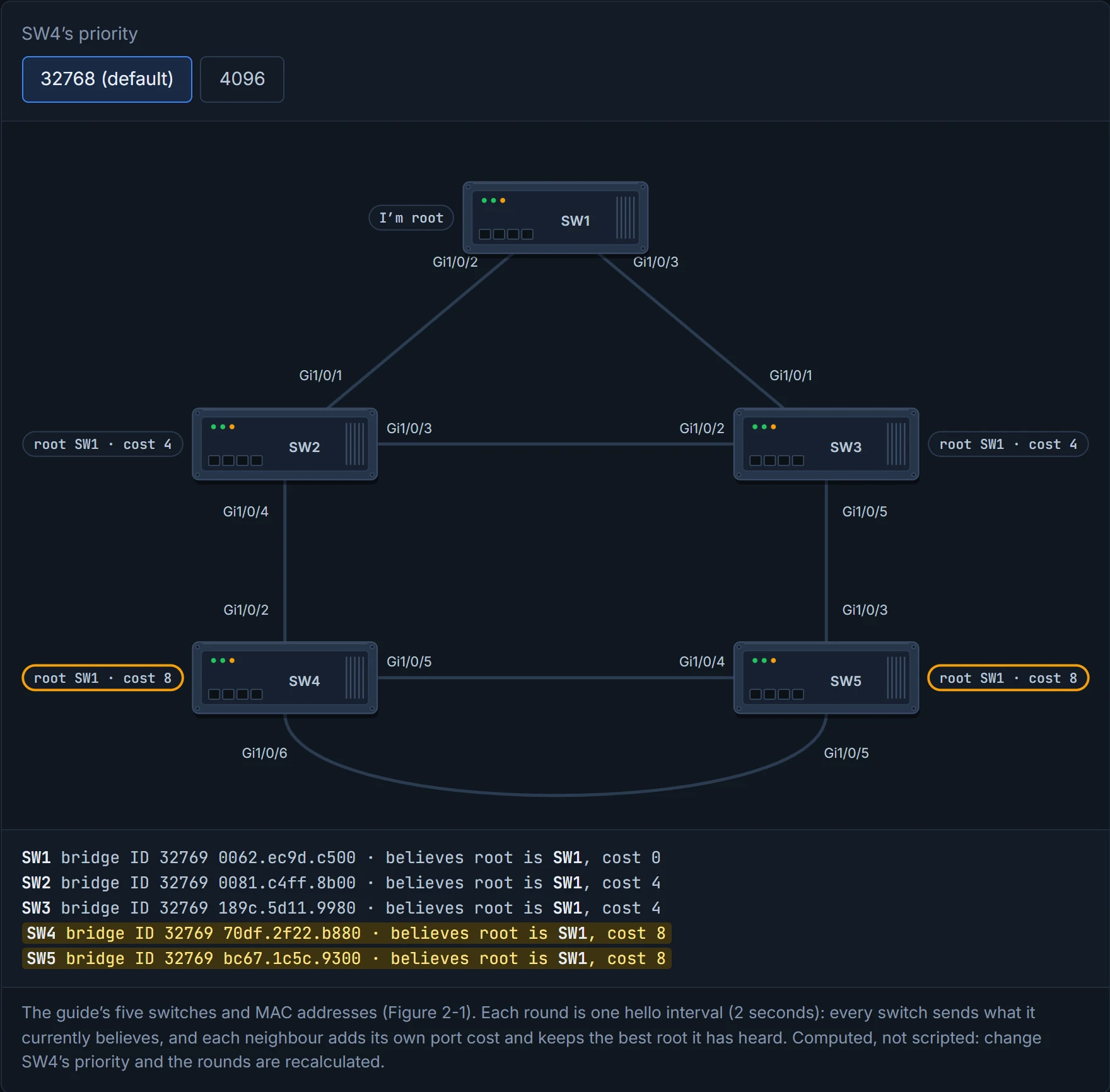
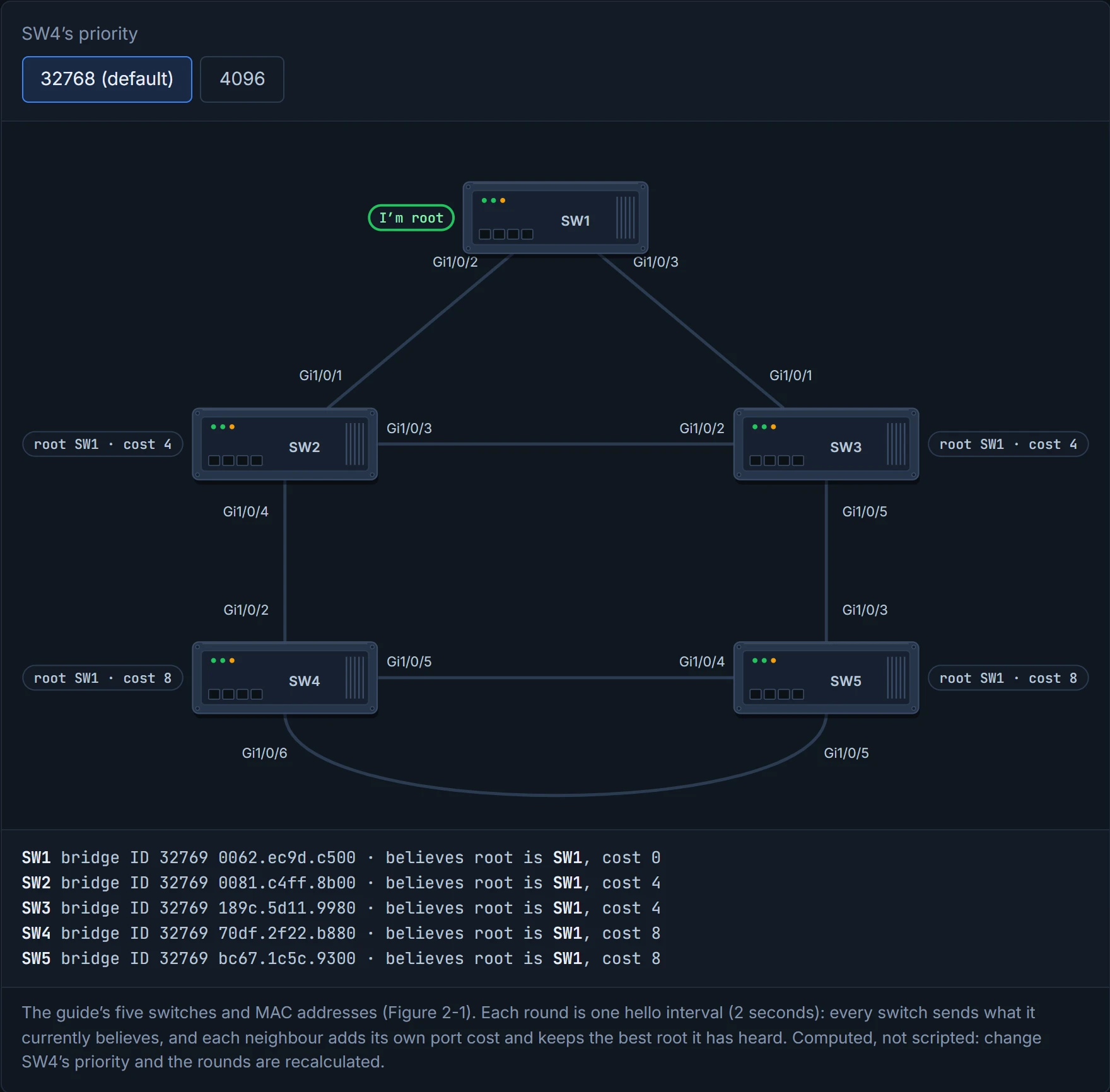
A BPDU carries the sender's cost to the root. The receiver adds its own port's cost to that, and it's zero at the root itself. In the guide's topology, SW2 and SW3 are one 1 Gbps hop from SW1, so cost 4; SW4 and SW5 are two hops, so cost 8.
Each switch's root port is its cheapest way to the root. On a tie, the tie-breakers run in this order:
- lowest path cost;
- lowest system priority of the switch sending the BPDU;
- lowest MAC of that switch;
- lowest port priority on that switch (two links to the same switch);
- lowest port number on that switch.
To find the root in a real network, you follow show spanning-tree root hop by hop, using CDP or LLDP to see which switch is on the far end of each root port. If you've ever followed signposts to a town, one junction at a time, it's that.
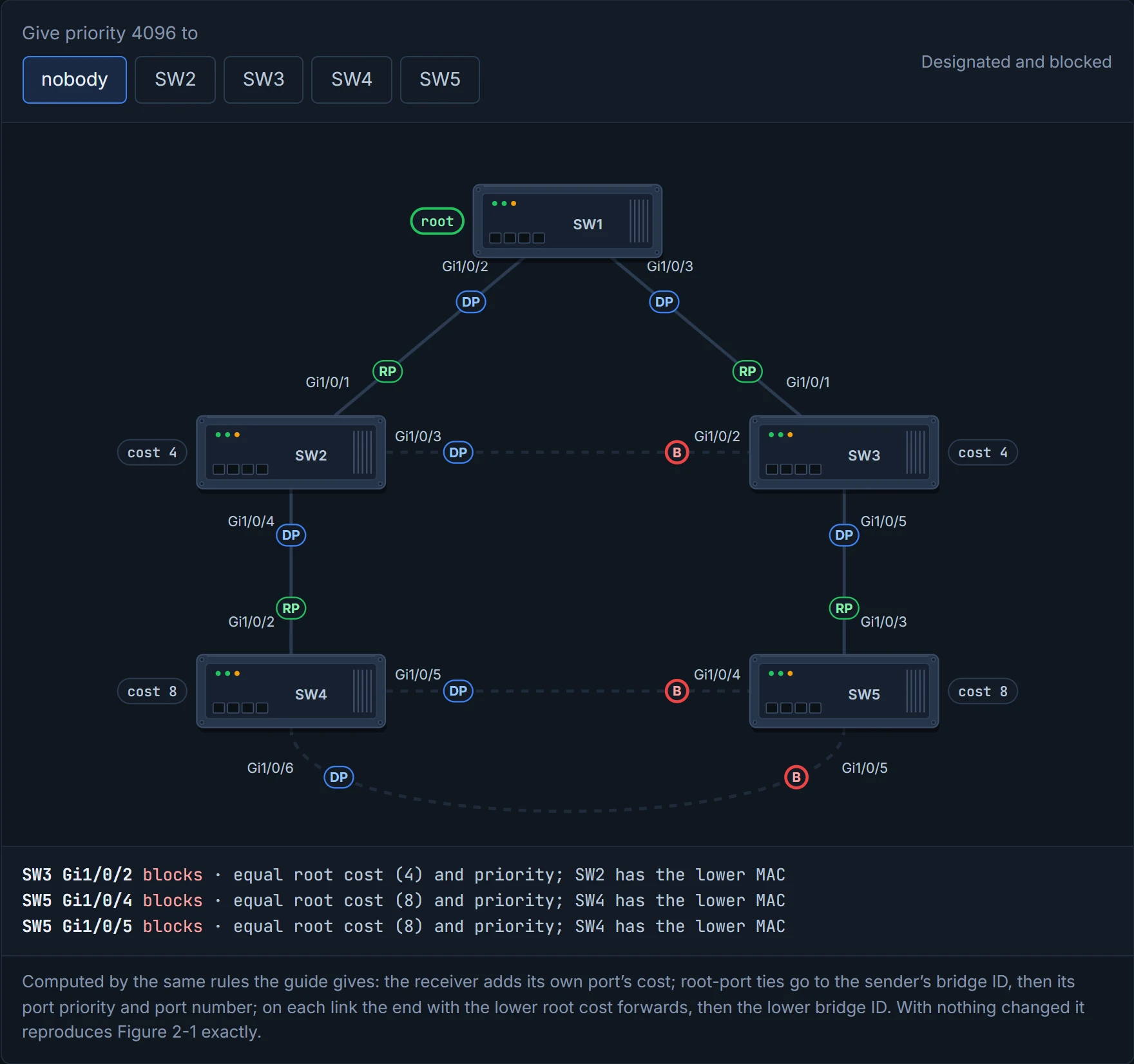
Then the loops get cut. Once the root ports are chosen, every other port starts out designated. Look for links where neither end is a root port: both ends are designated candidates, and only one can forward. In the guide's topology that's three links: SW2 Gi1/0/3 to SW3 Gi1/0/2, and SW4's two links to SW5 (Gi1/0/5 to Gi1/0/4, Gi1/0/6 to Gi1/0/5). A link with a root port at one end, like SW2 to SW4, has nothing to decide: nothing blocks there. On the three that do, the side with the lower root cost forwards; then the lower priority; then the lower MAC.
Predict before you read on: SW2 (0081.c4ff.8b00) and SW3 (189c.5d11.9980), both at cost 4. Which one blocks on the link between them?
SW3: equal cost, equal priority, higher MAC. The same logic blocks SW5's end of both SW4 links, because SW4 has the lower MAC.
show spanning-tree vlan 1 shows it all: the root, this switch's own bridge ID, and every interface's role, state, cost, priority and type. One thing to know before you read the guide's output: its switches run Rapid PVST+ (the first line says Spanning tree enabled protocol rstp), so the role column uses RSTP's names. Altn is RSTP's name for a blocked path to the root; section 4.10 covers it. On SW3, Gi1/0/2 shows Altn BLK: an alternate path to the root, blocked. It acts kind of like a spare key left with a neighbour: not in use, but there when yours goes missing. The Type column says P2p for a point-to-point link, to a PC or an RSTP switch, and P2p Edge where PortFast is on (01-7).
A blocked port isn't broken (the Broken state in section 4.3 is a different thing: a port blocked because something's wrong). An ordinary blocked port is the substitute on the bench, fully fit, waiting for someone to twist an ankle.
On a trunk, show spanning-tree interface gi1/0/1 lists every VLAN on that one port, with its role and state, and detail adds cost, priority, transitions and BPDU counts. This is the command 01-1 pointed at: if a VLAN is missing from that list, a common reason is that it's missing from the trunk's allowed list.
D6
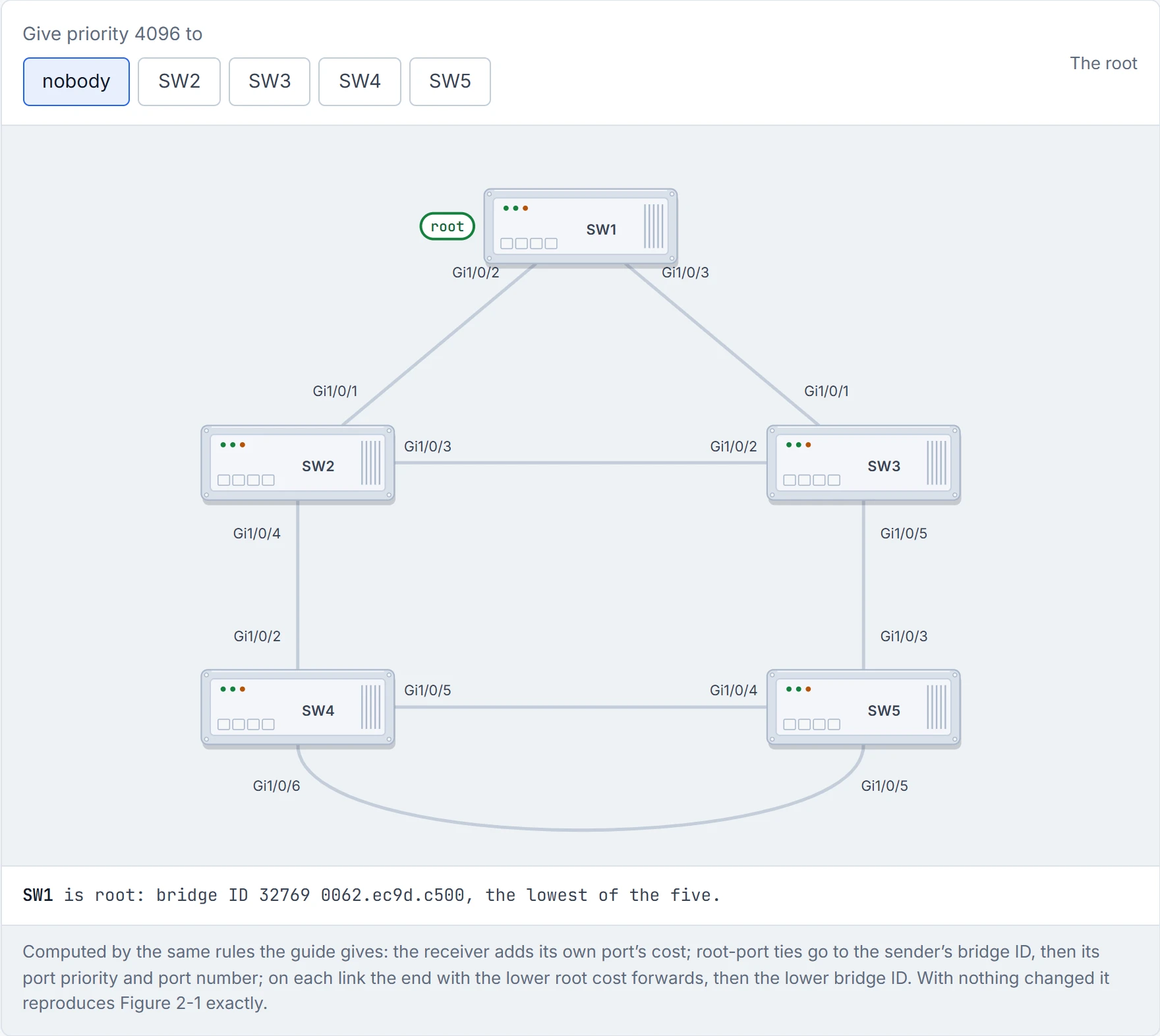
Step 1 of 4 The election is over and SW1 is root. Next, every switch works out what it costs to reach it.
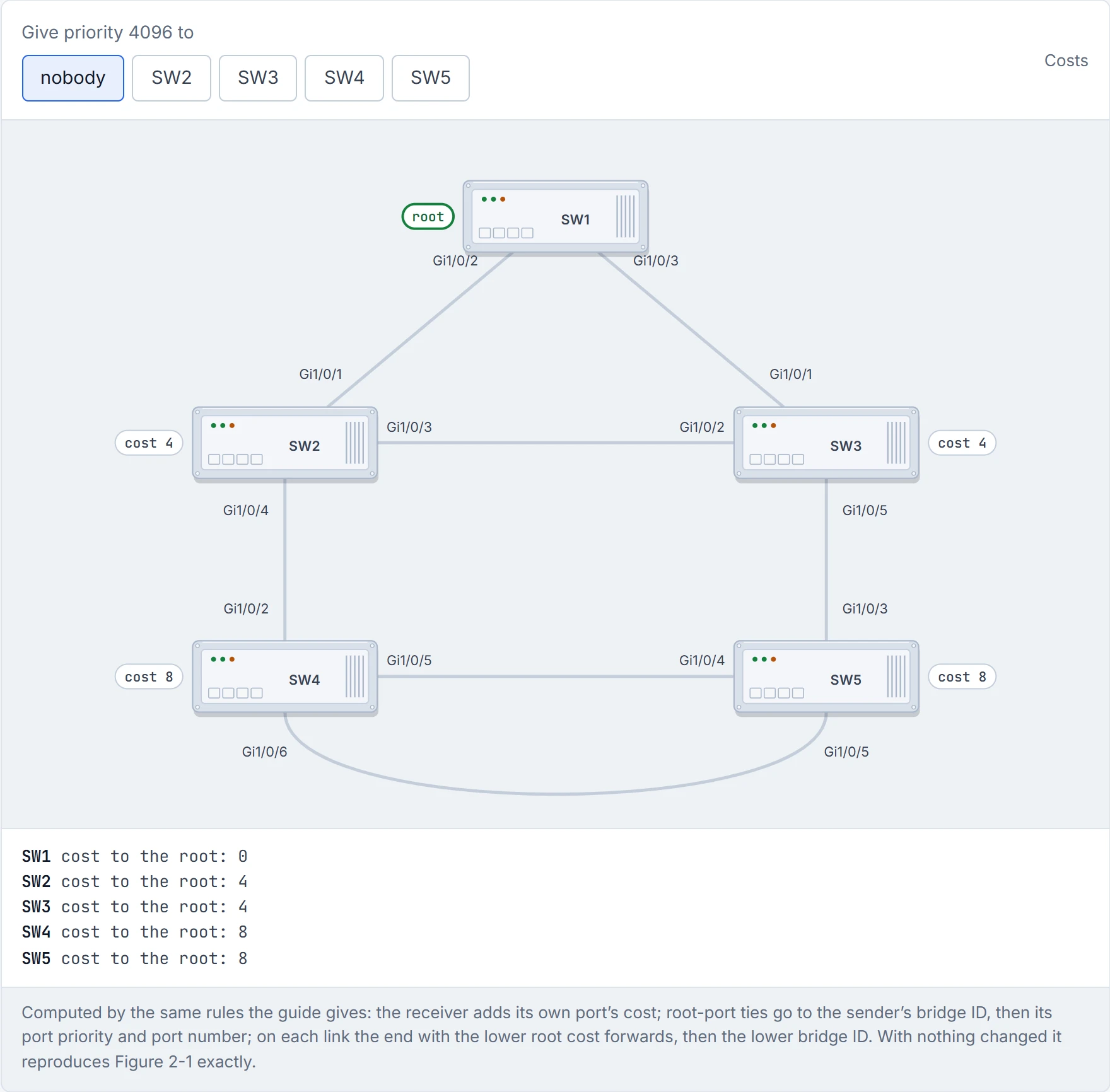
Step 2 of 4 SW1 sends cost 0. Each switch that hears it adds the cost of the port it arrived on (4 for 1 Gbps) and passes its own total on: SW2 4, SW3 4, SW4 8, SW5 8.
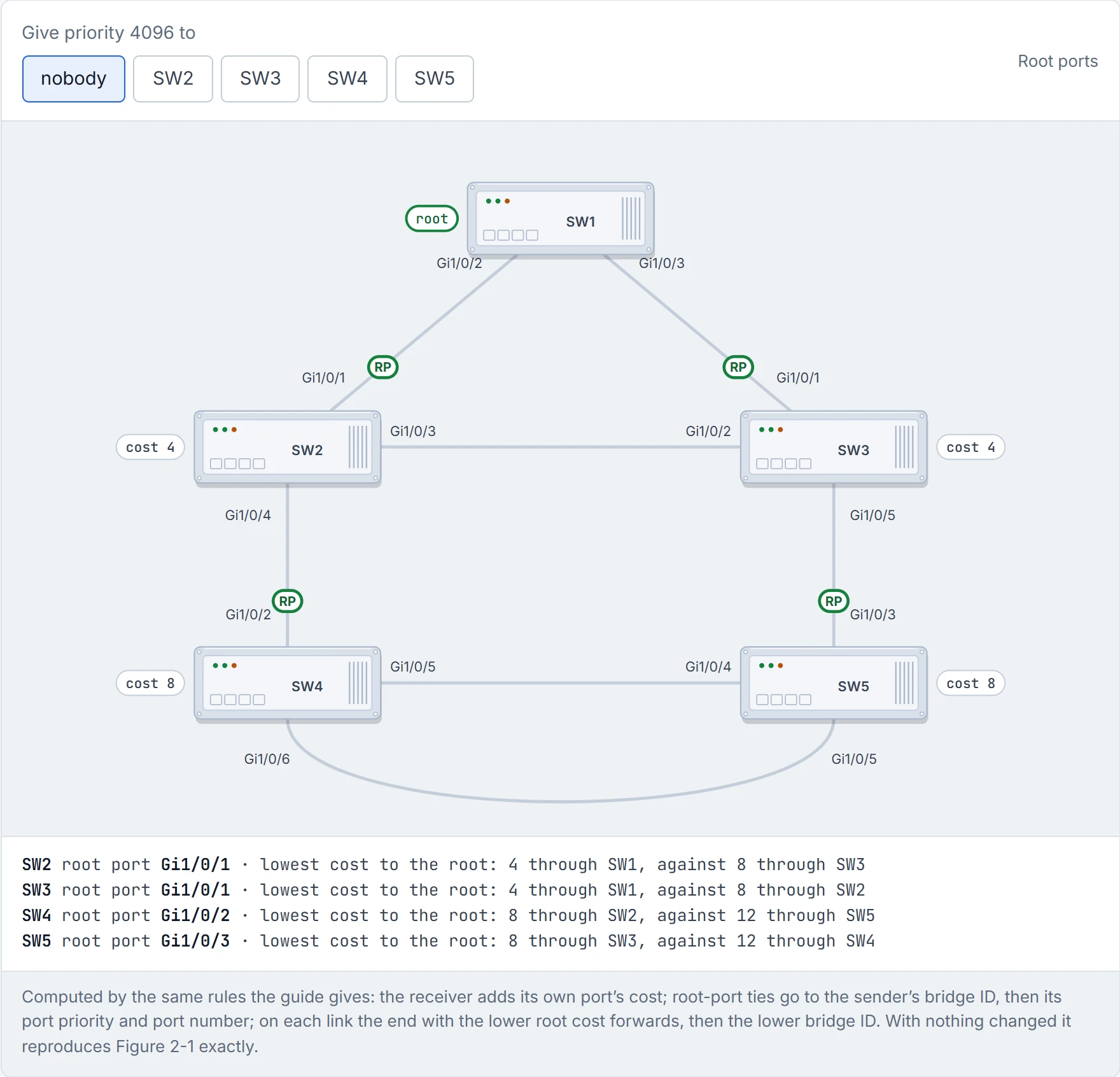
Step 3 of 4 Each switch picks one root port: its cheapest way to the root. The list under the drawing gives the rule that decided each one.
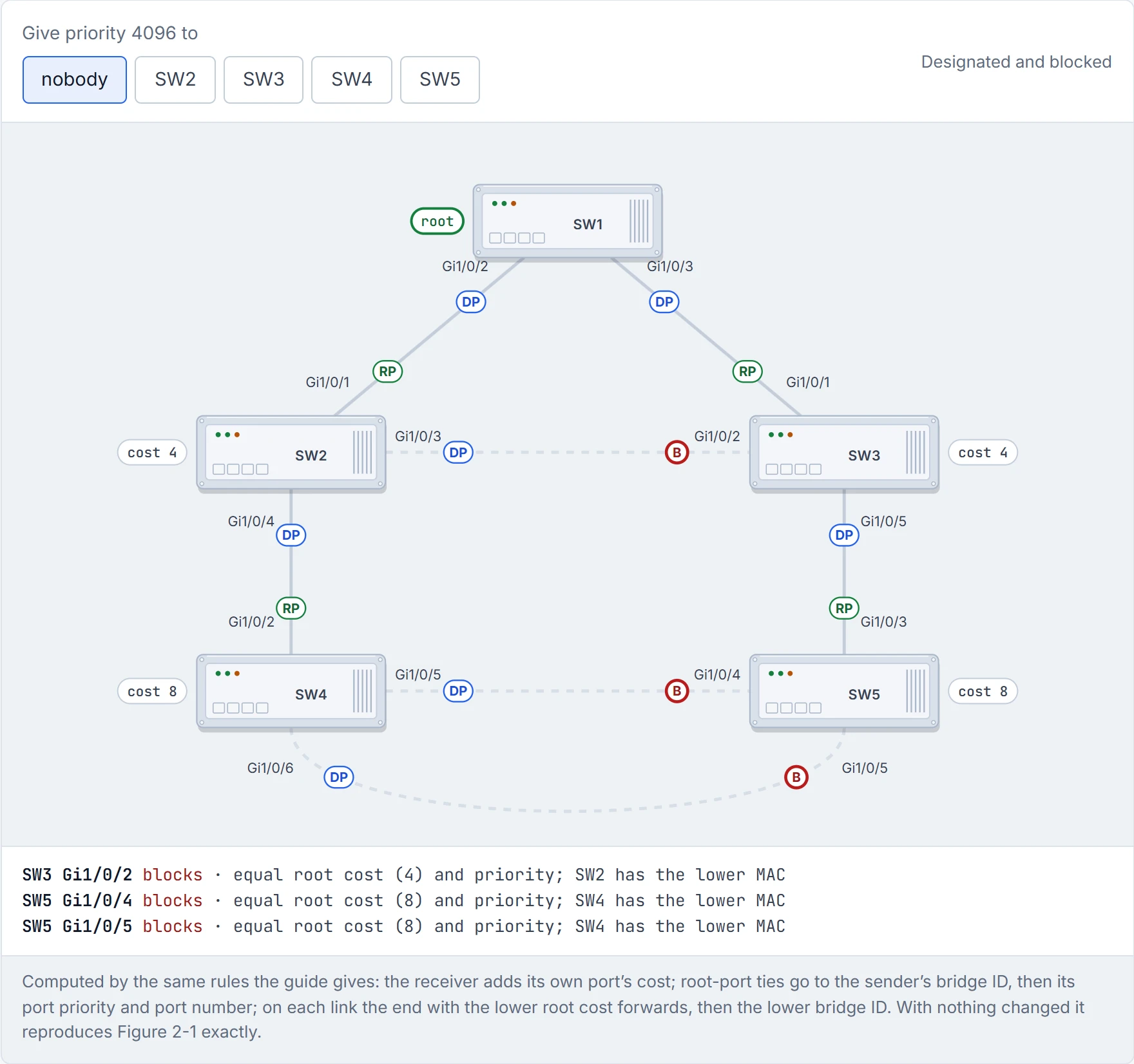
Step 4 of 4 Last, every link gets one designated end that forwards. An end that is neither a root port nor designated blocks: SW3 Gi1/0/2, SW5 Gi1/0/4, SW5 Gi1/0/5. The dashed links are the standby paths.
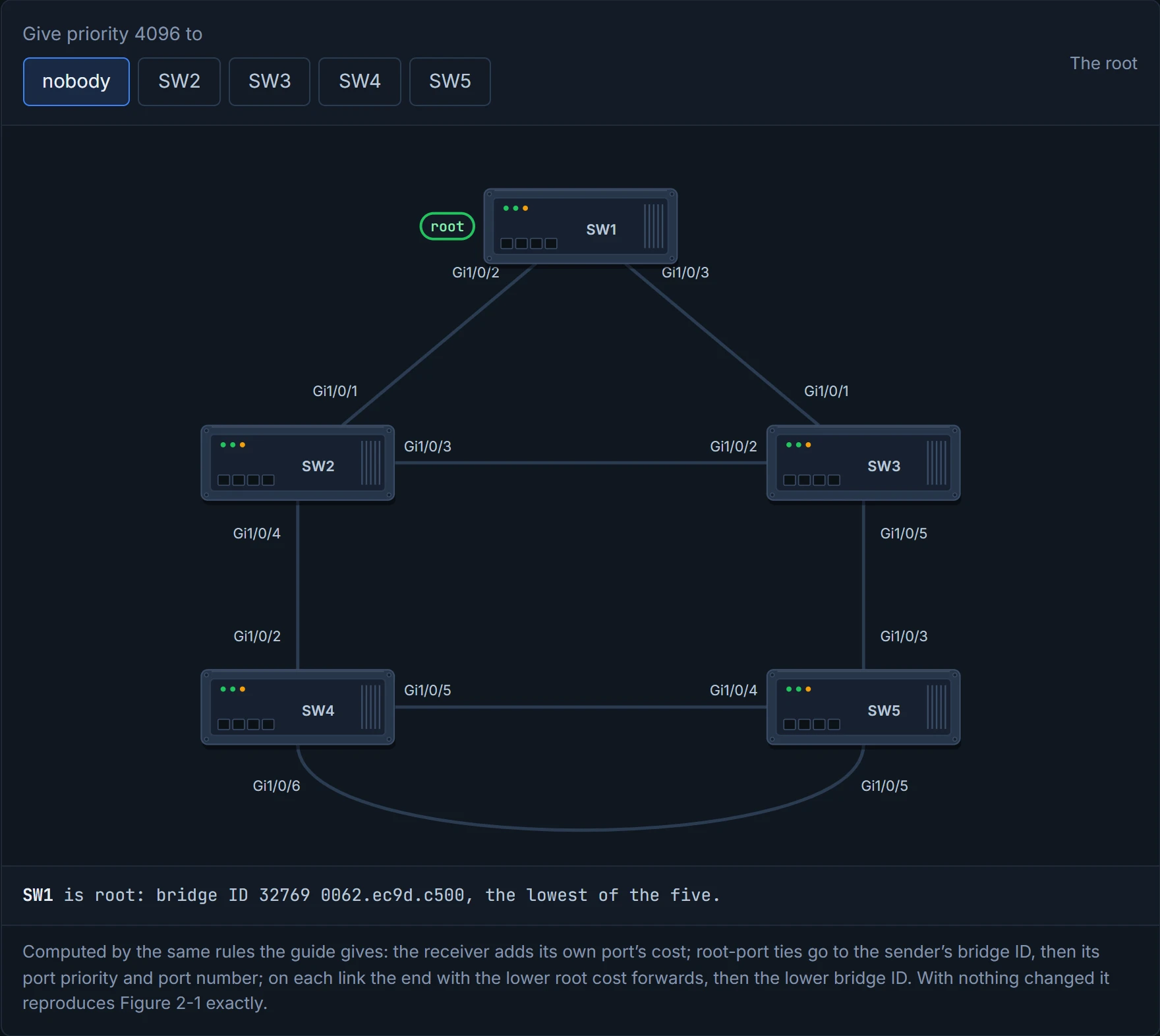
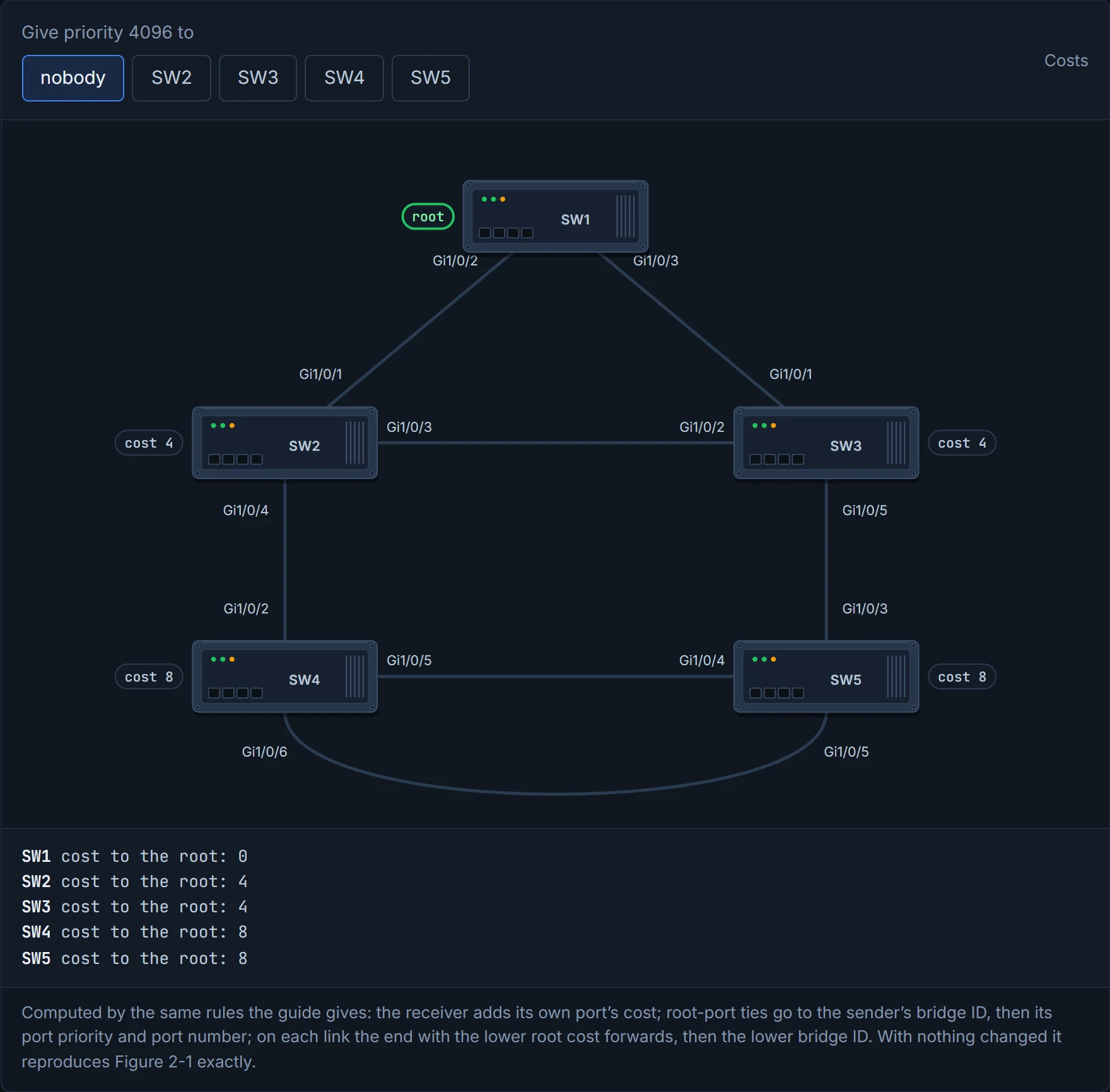
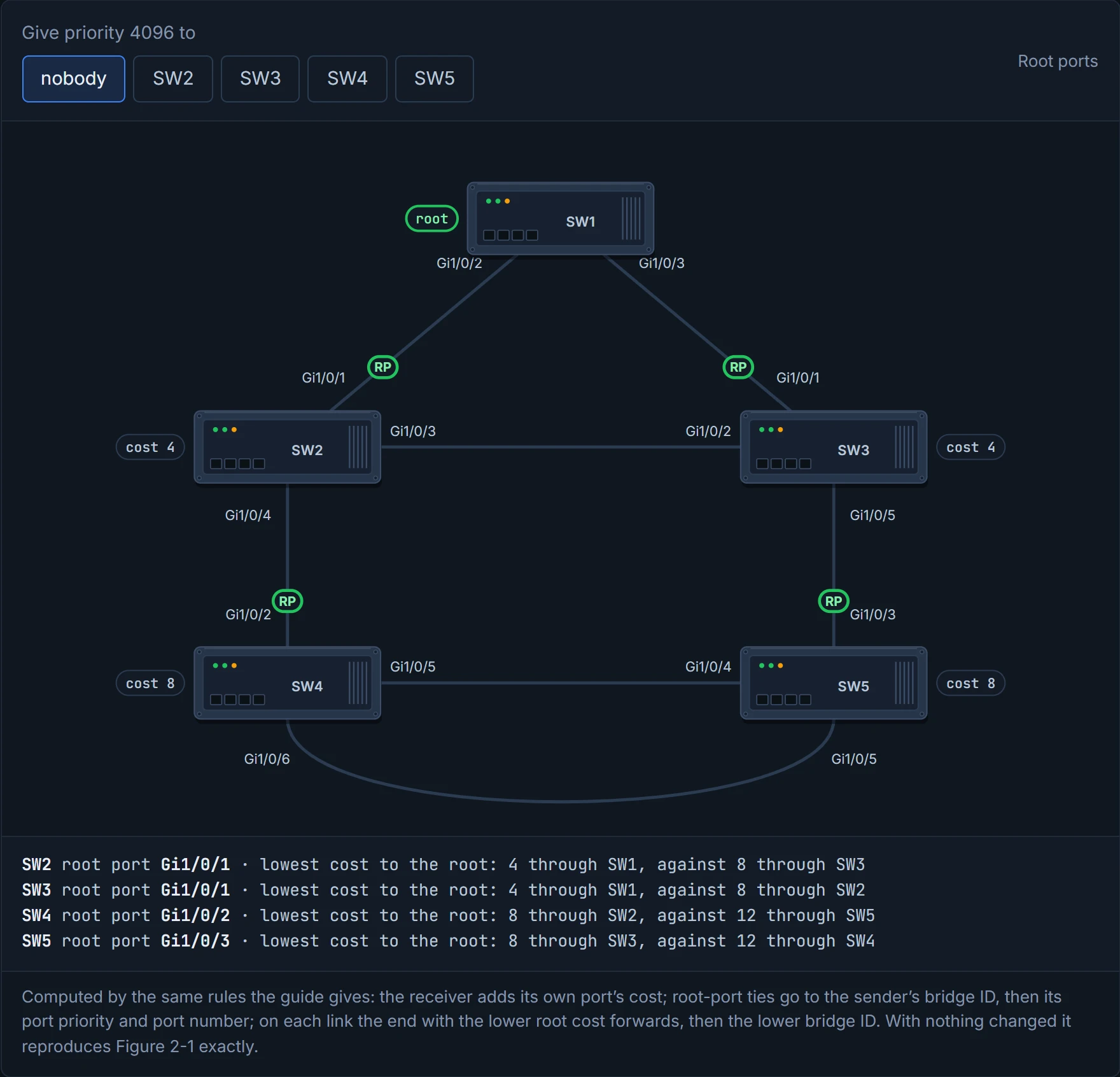
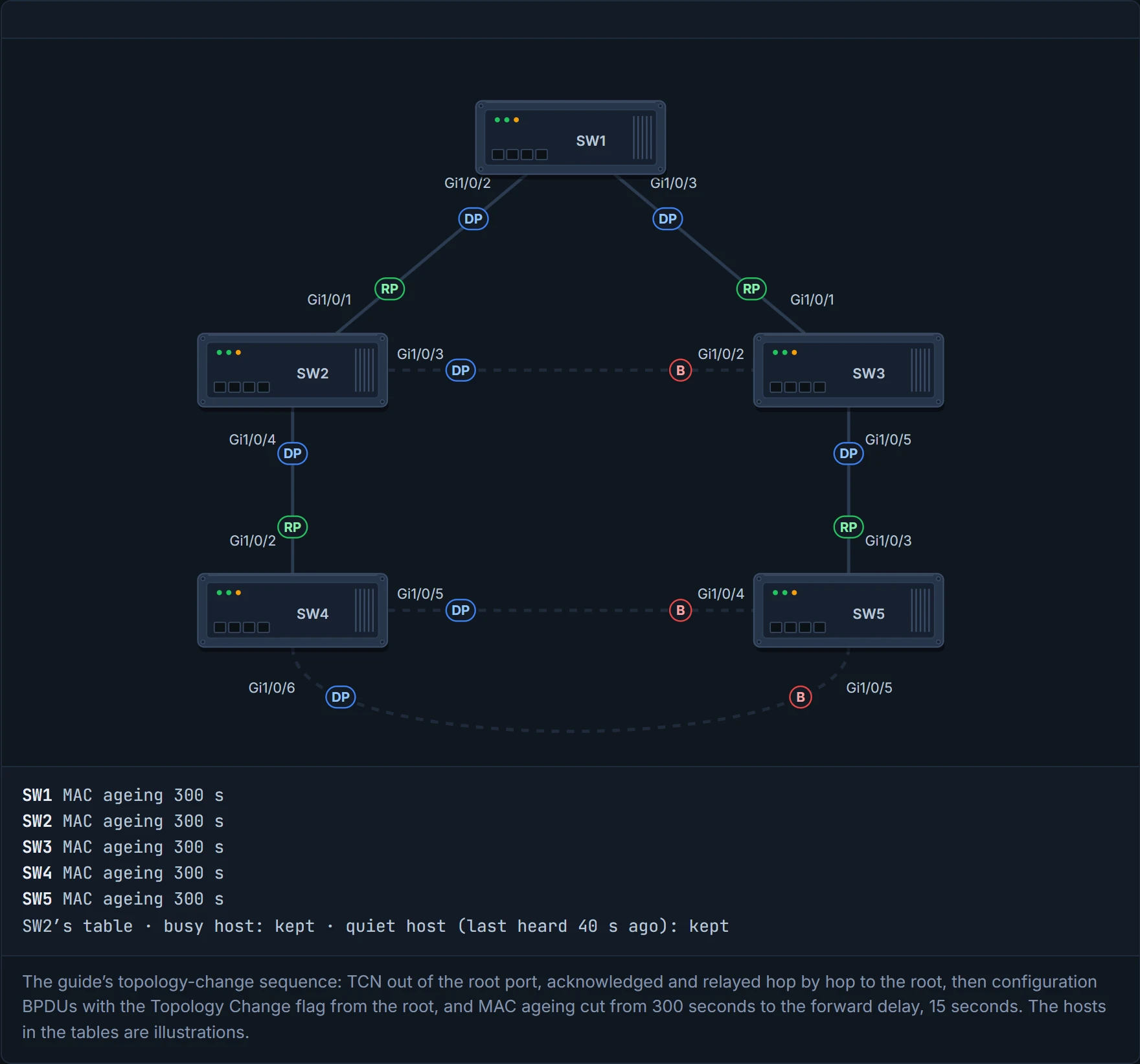
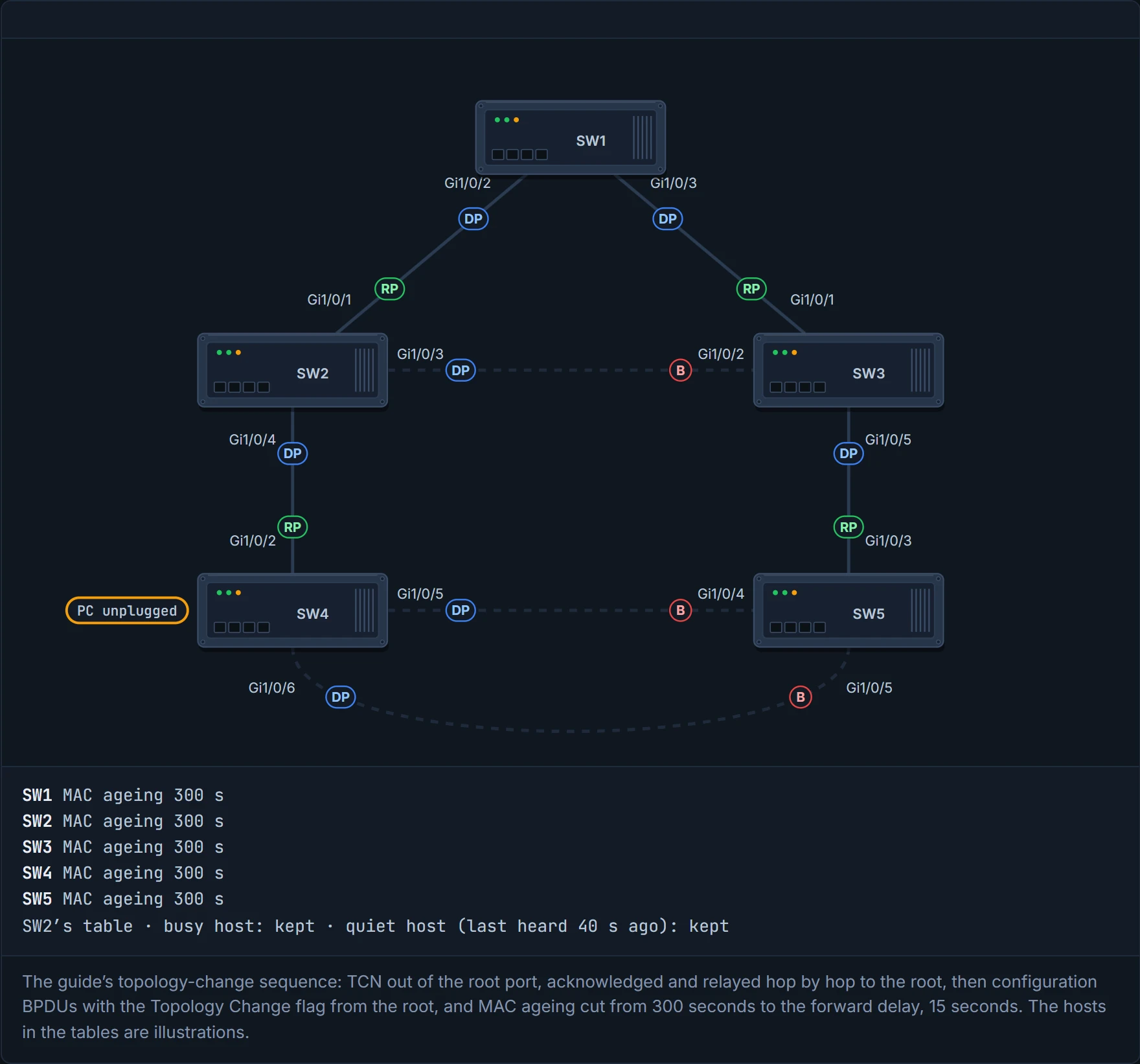
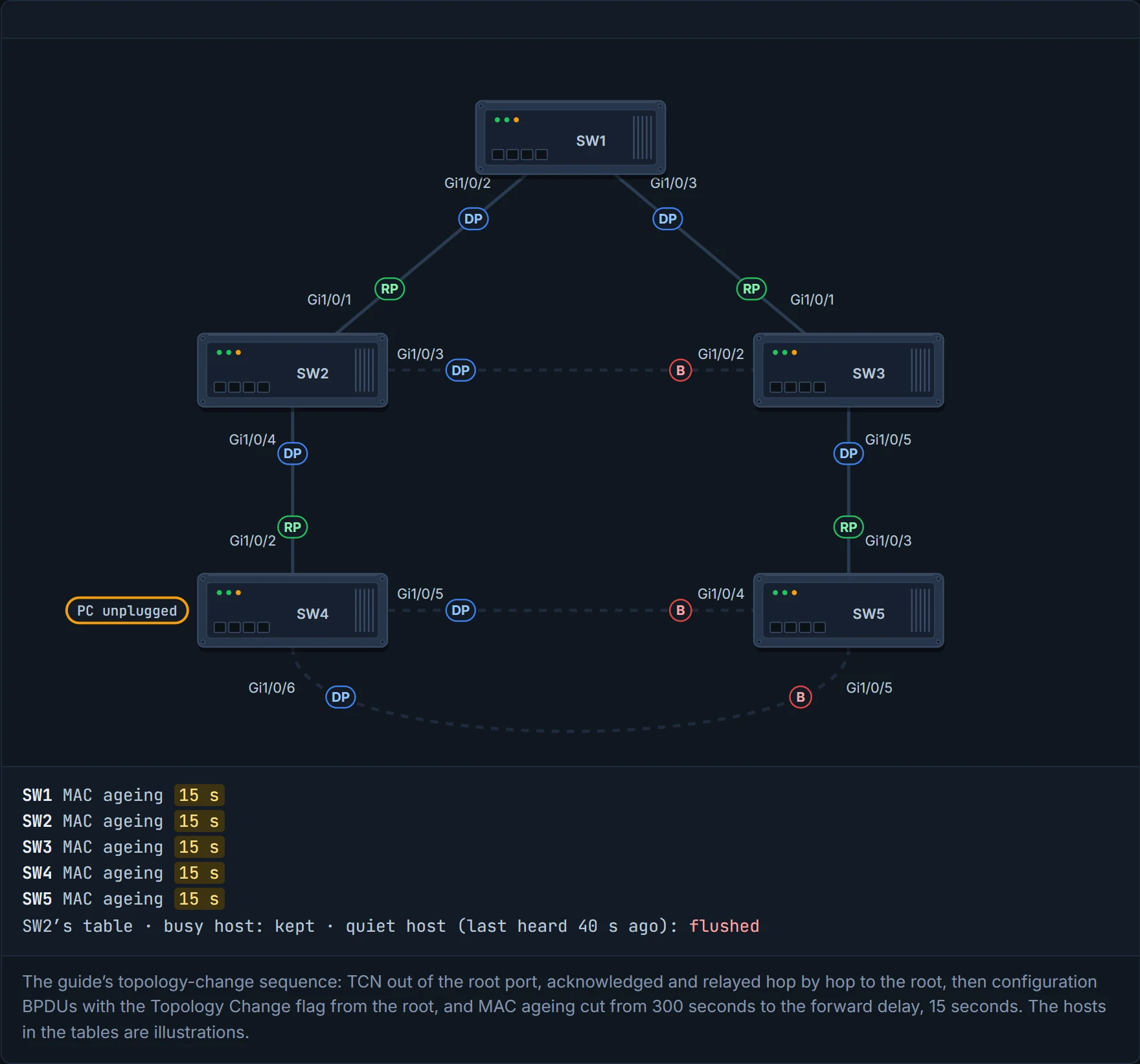
When nothing changes, configuration BPDUs just flow out from the root. When a switch sees a link change, it sends a TCN out of its root port; each switch upstream acknowledges it and relays it to the root. The root then sends configuration BPDUs with the topology change flag set, and every switch shortens its MAC-table ageing to the forward delay, 15 seconds. That flushes entries for hosts that have gone quiet, and keeps the busy ones. Think about the last time you cleared out the fridge: anything nobody's touched lately goes, and the milk everyone uses is back on the shelf within the hour.
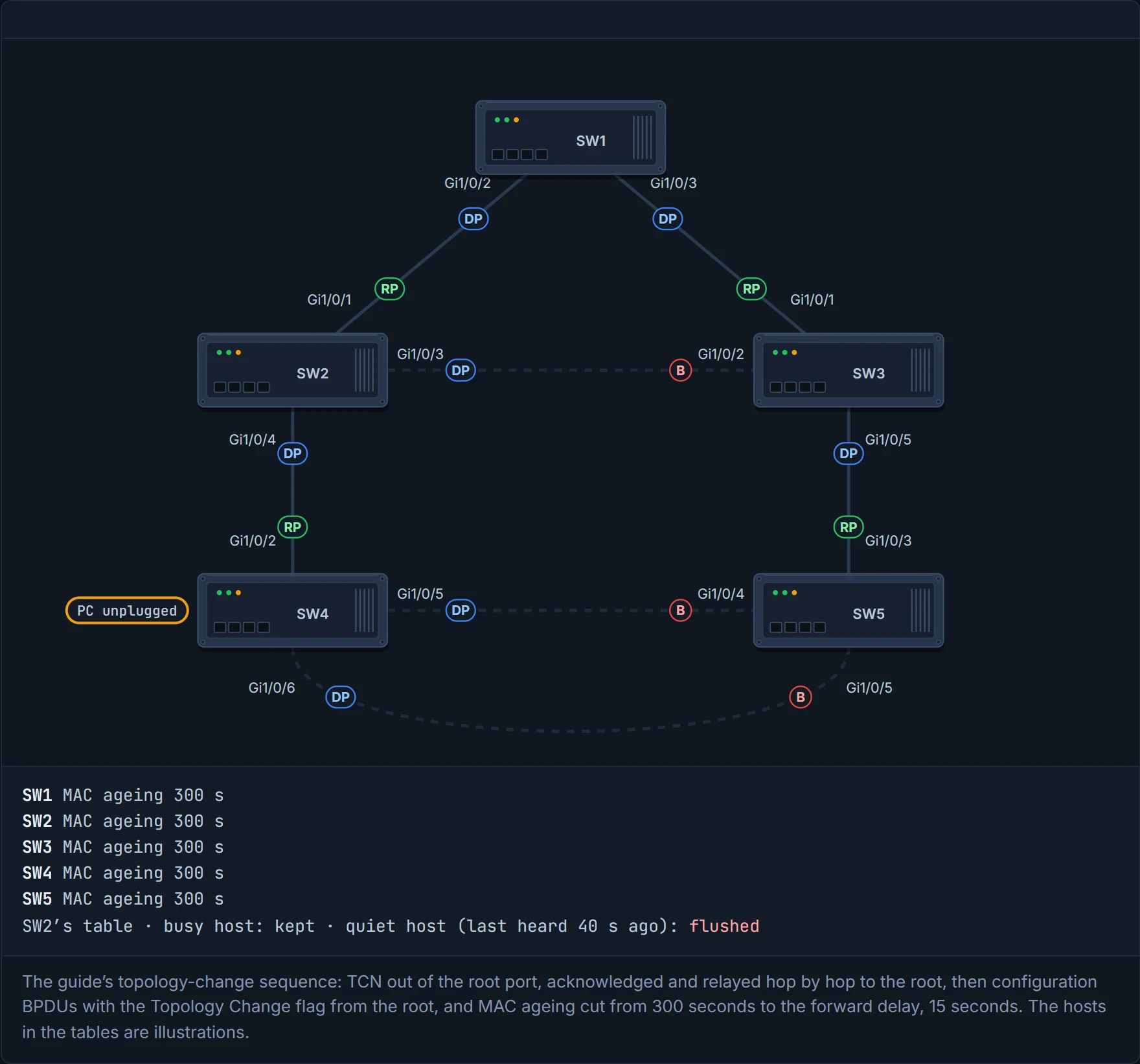
The side effect: while the tables rebuild, there's more unknown unicast flooding. Ageing goes back to its normal 300 seconds after the second configuration BPDU. It's like a building-wide "please confirm your desk" email: reception crosses off anyone it hasn't seen at their desk lately, and announces parcels for those people over the tannoy until they turn up again. The regulars are never crossed off.
TCNs happen per VLAN, so the more hosts in a VLAN, the more a TCN hurts. Check them whenever you're troubleshooting; PortFast (01-7) cuts them down. show spanning-tree vlan 10 detail shows how many topology changes there have been, when the last was, and which port it came from. A count that keeps climbing points to a flapping port or an event on a connected switch: follow it switch by switch. (While the flooding lasts, it can also hurt hosts through their CSMA/CD behaviour, the guide adds.)
D7
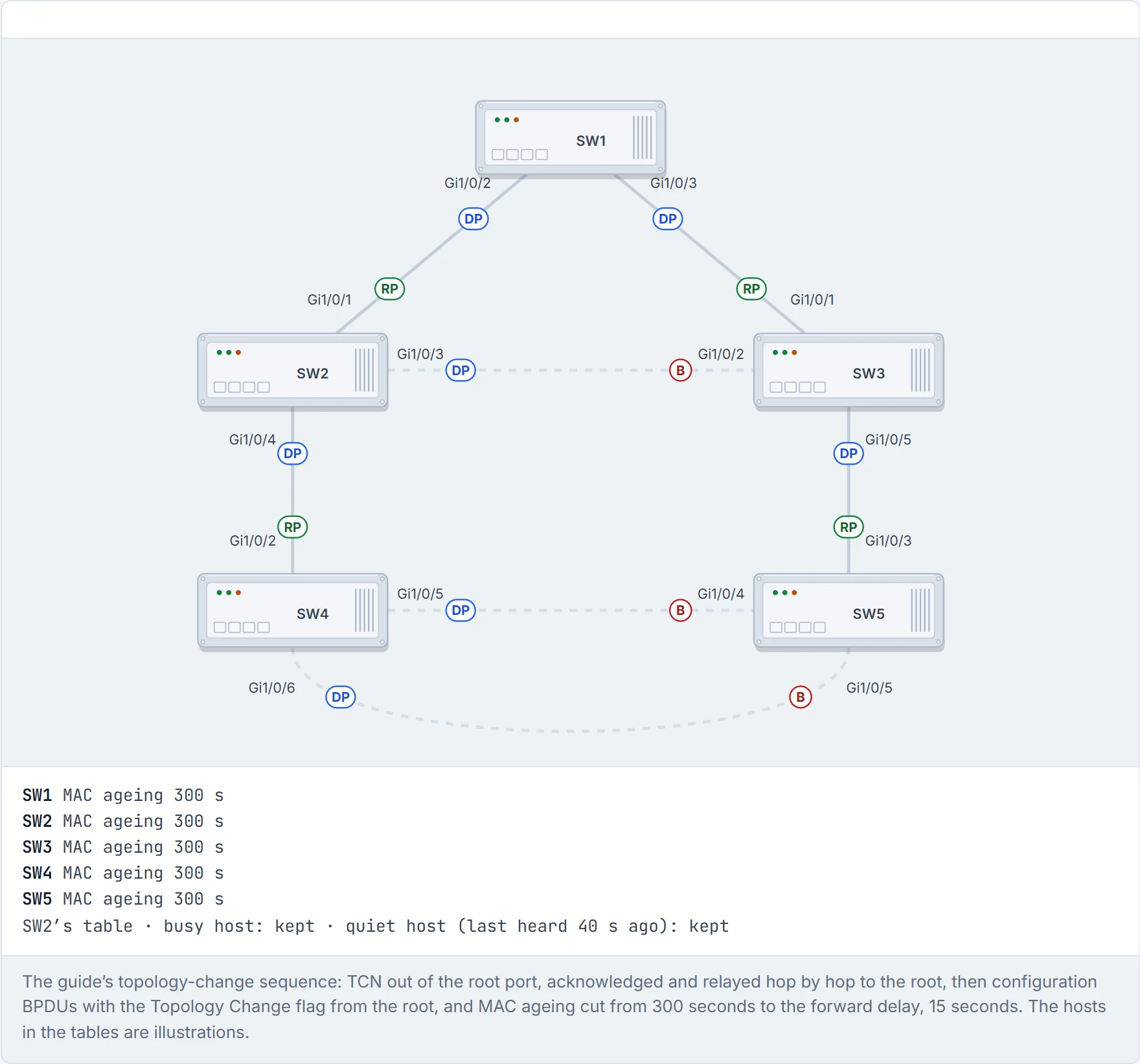
Step 1 of 7 A settled tree. Every switch keeps a learned MAC address for 300 seconds after it last hears from that host.
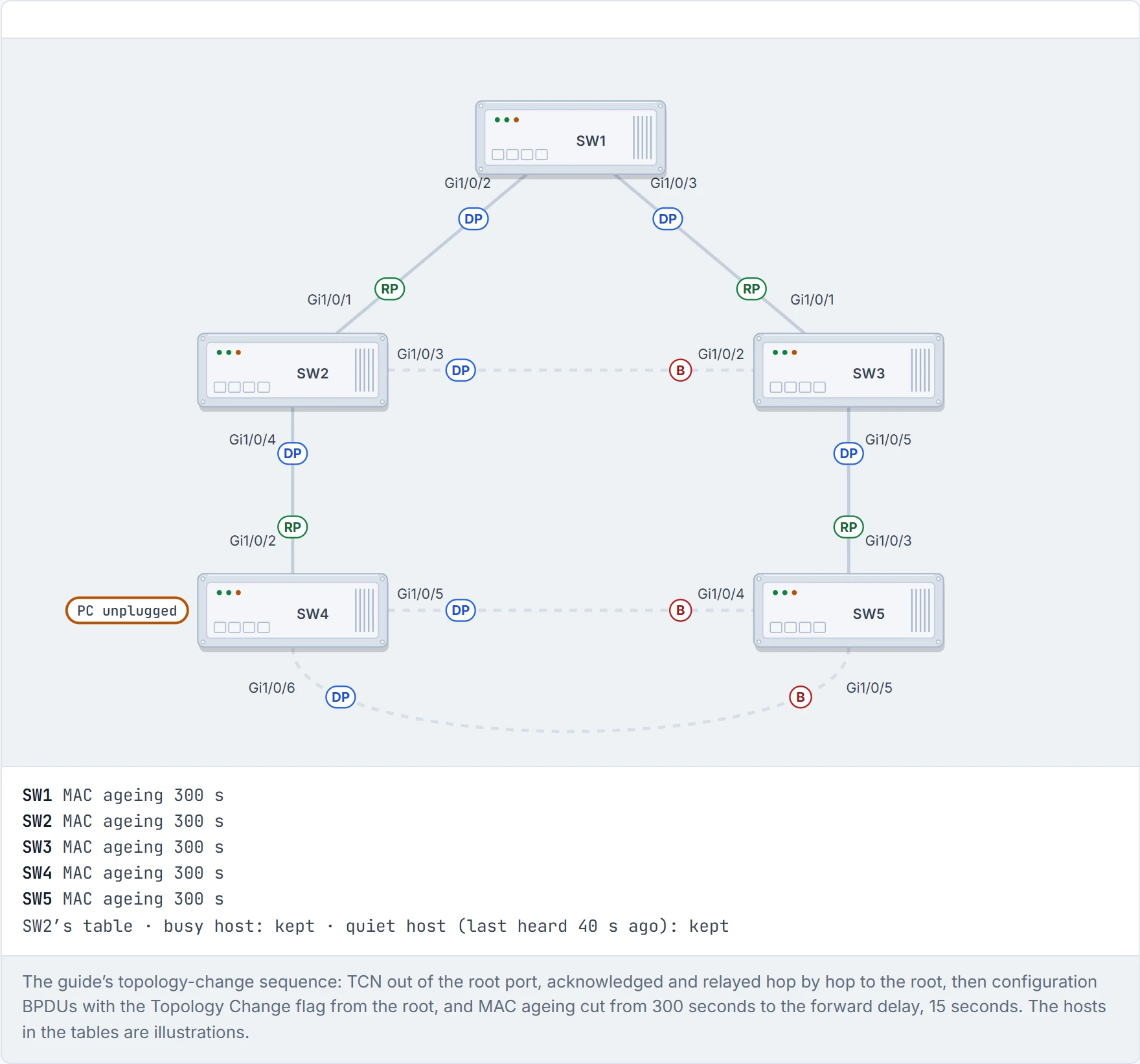
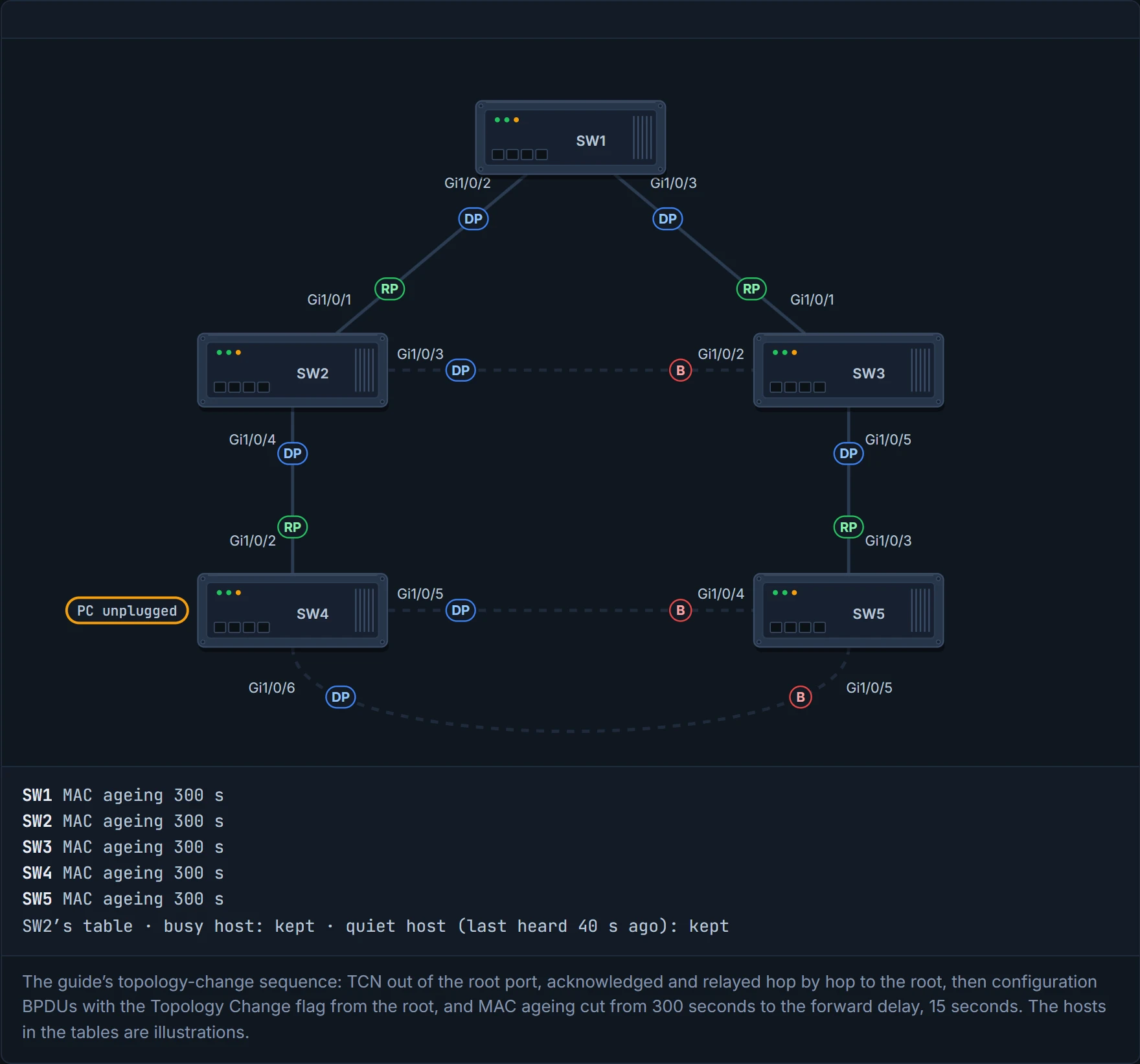
Step 2 of 7 A port on SW4 changes state: a PC is unplugged. SW4 has to tell the root the topology changed.
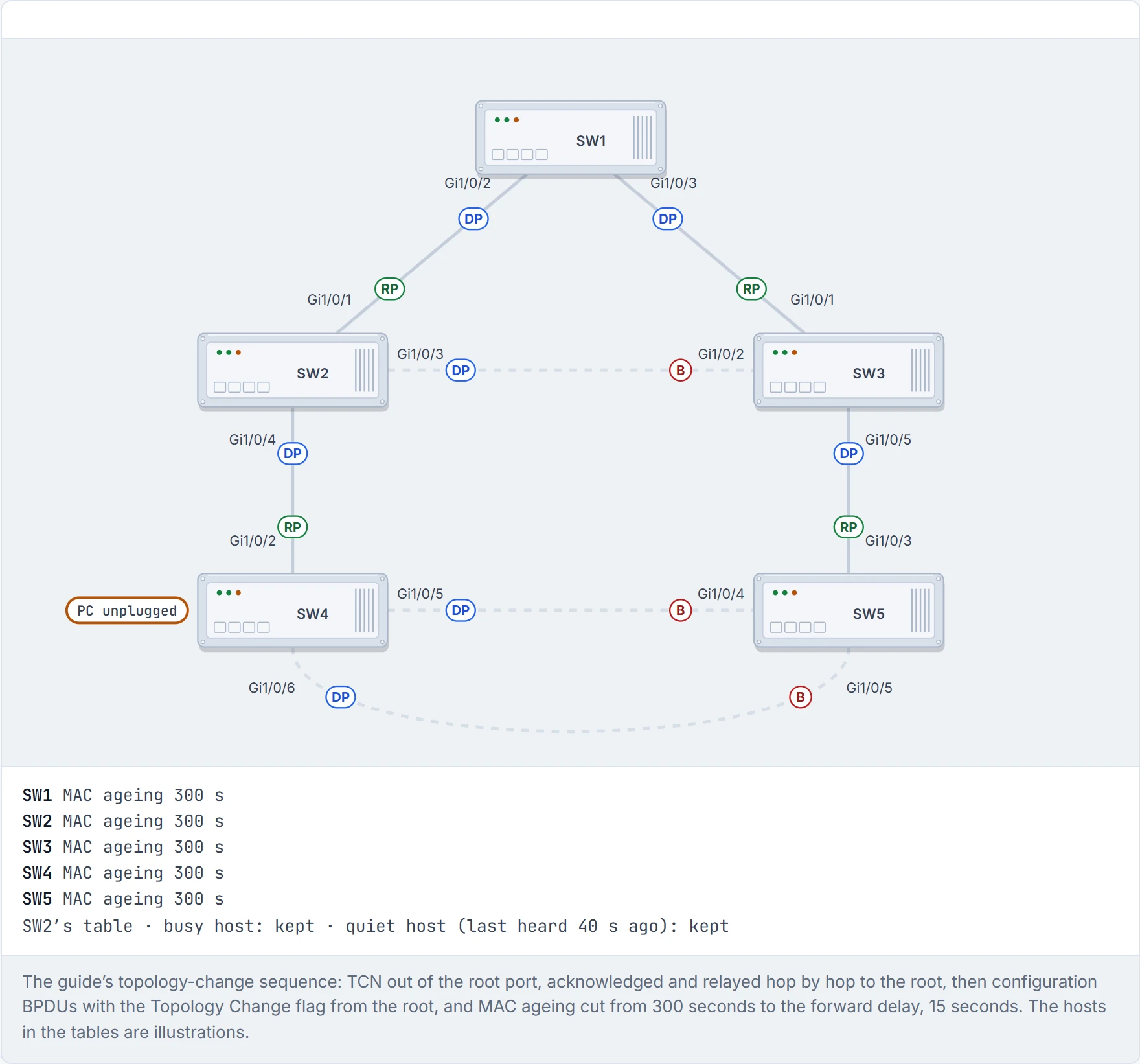
Step 3 of 7 SW4 sends a topology change notification (TCN) out of its root port, Gi1/0/2, towards SW2.
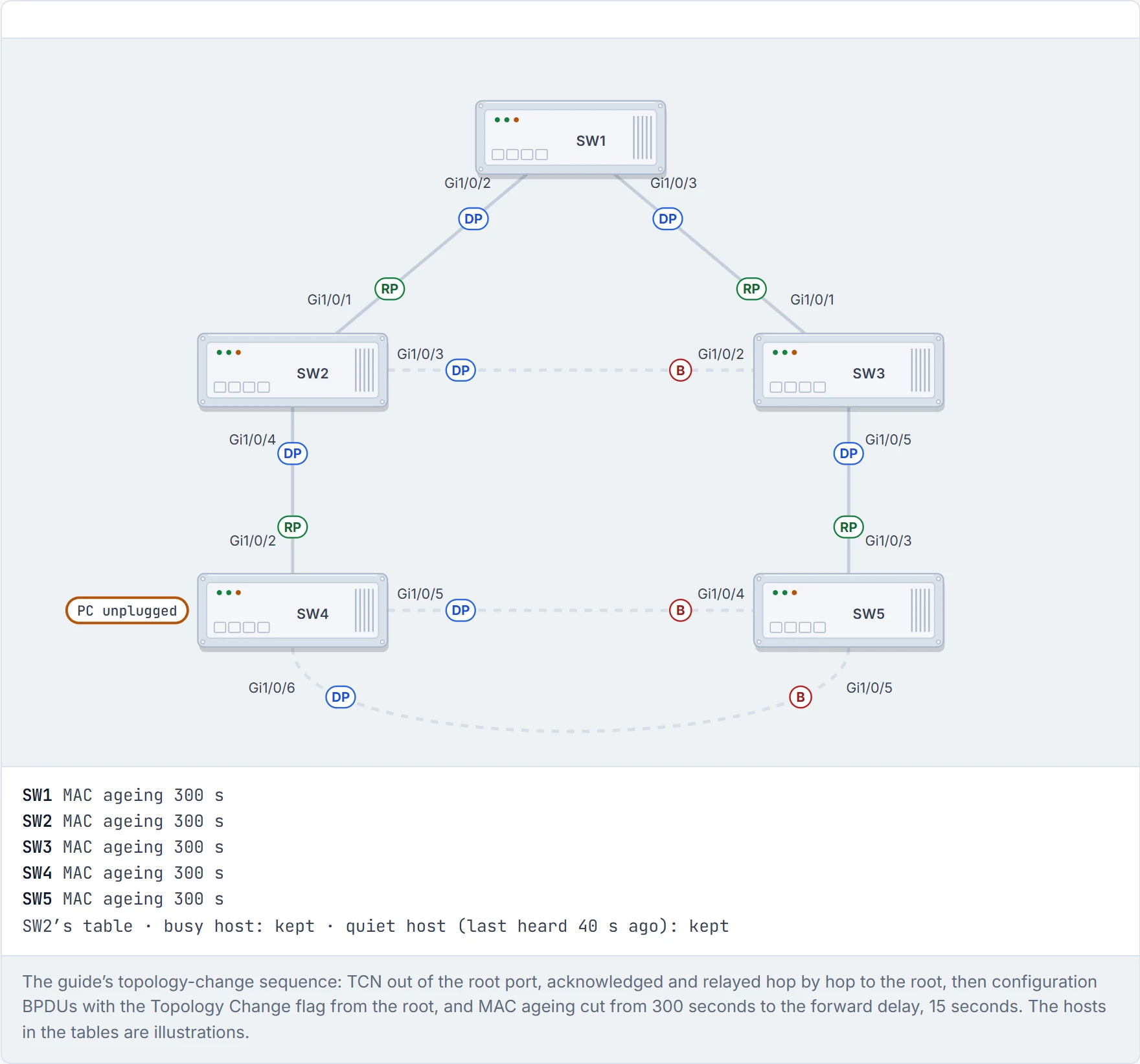
Step 4 of 7 SW2 acknowledges it back to SW4 and relays the TCN out of its own root port to SW1, the root.
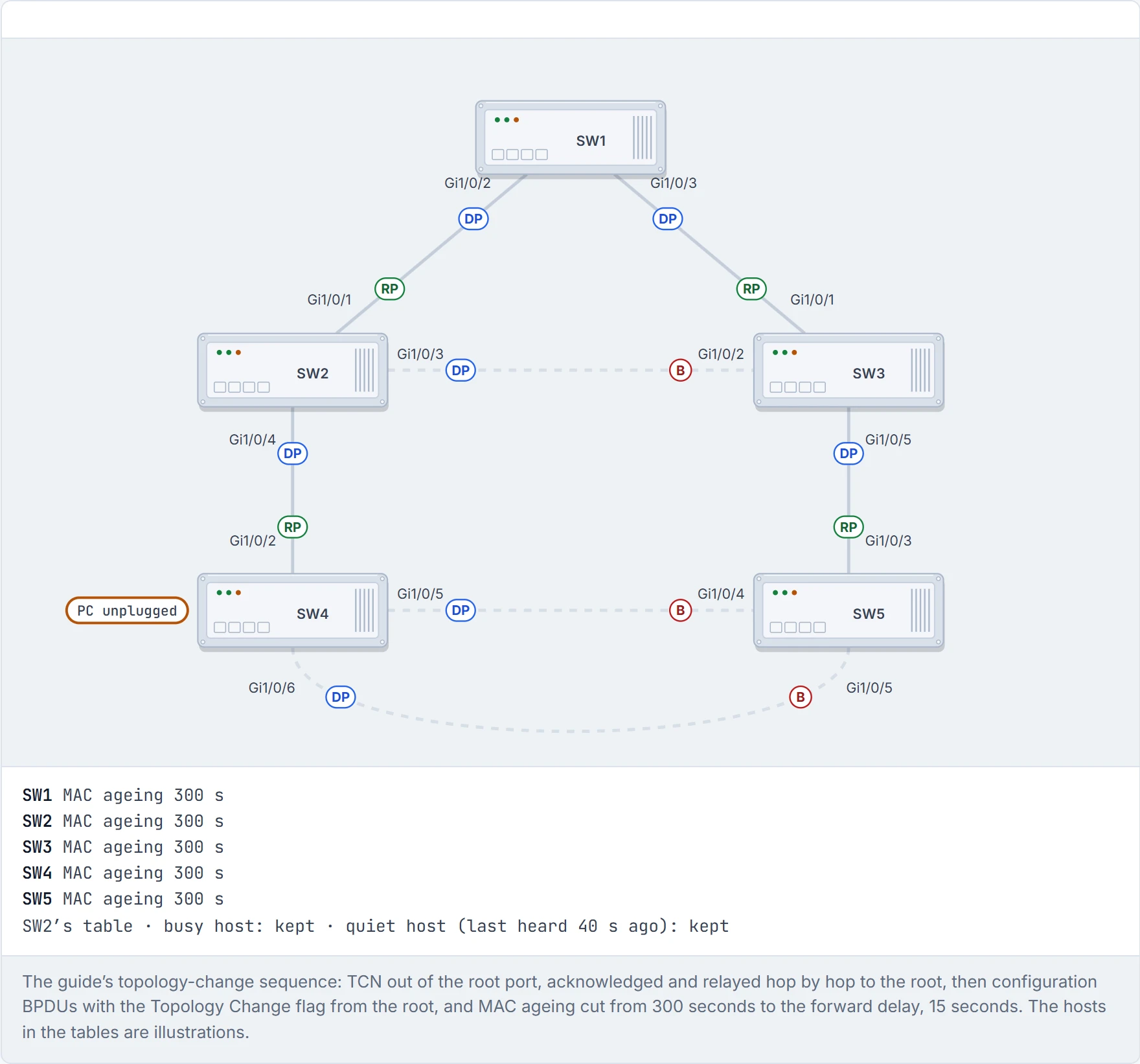
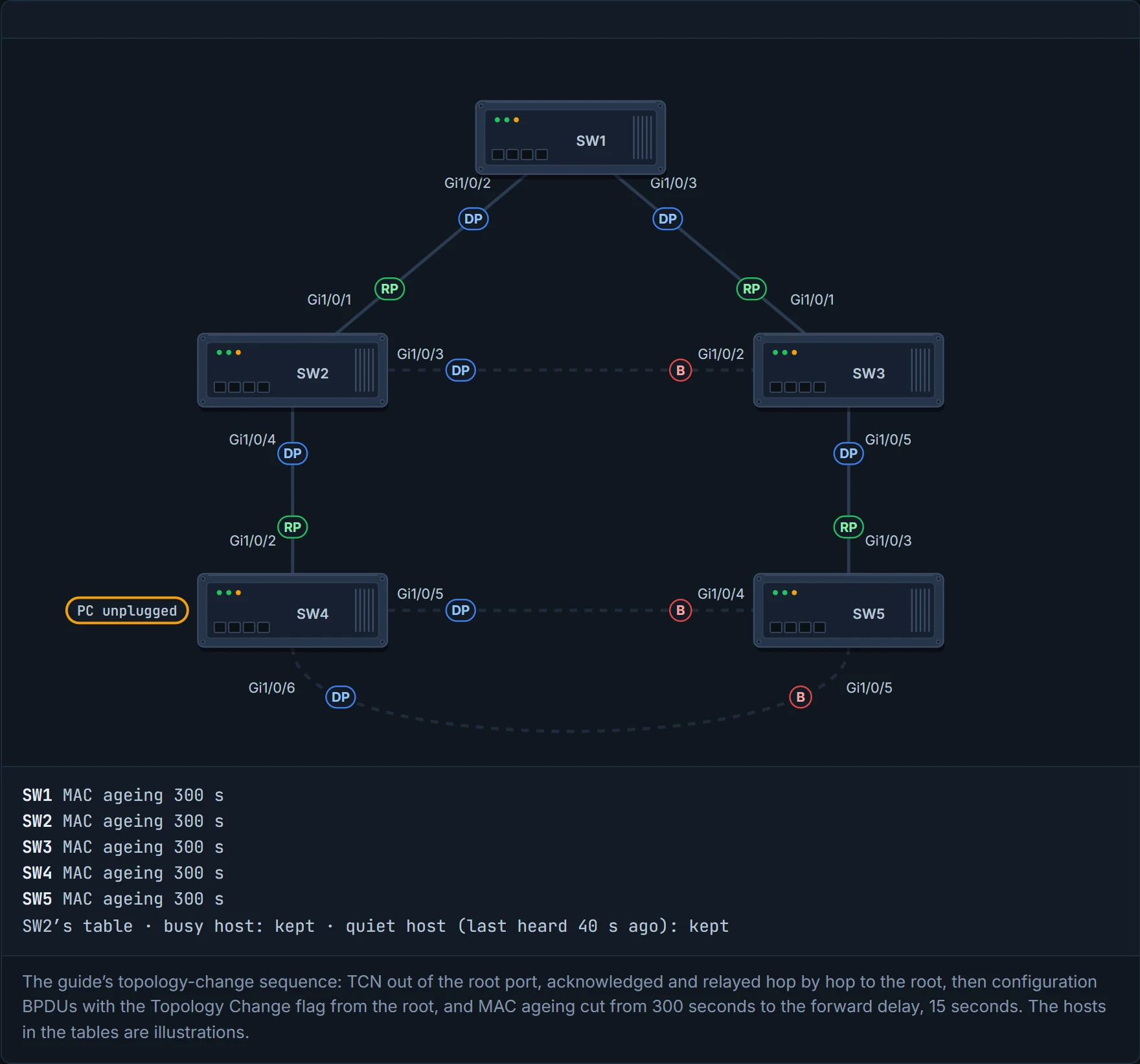
Step 5 of 7 SW1 sends configuration BPDUs with the Topology Change flag set, and every switch passes them down the tree. Every switch in the VLAN hears about it, not just the ones near SW4.
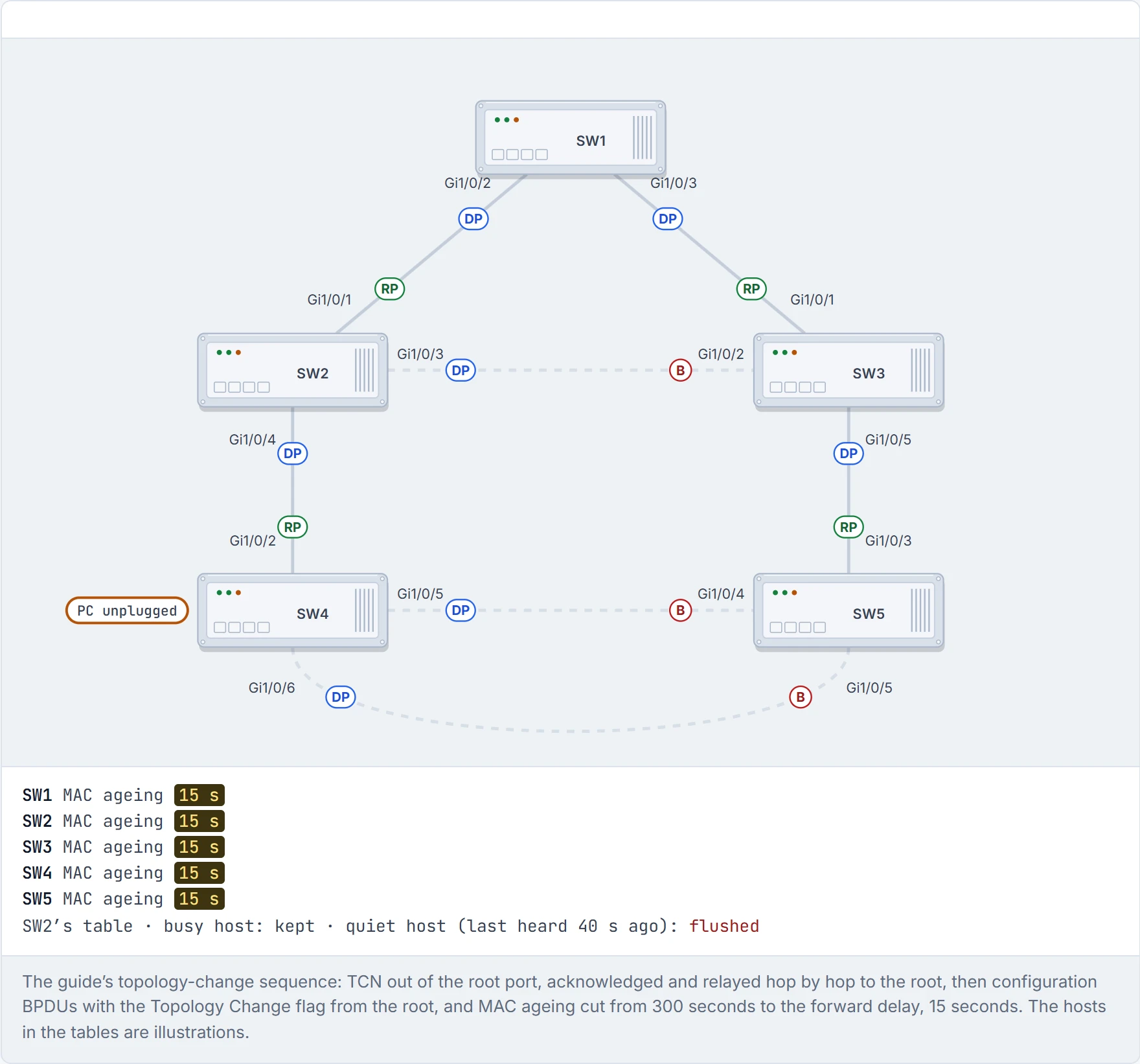
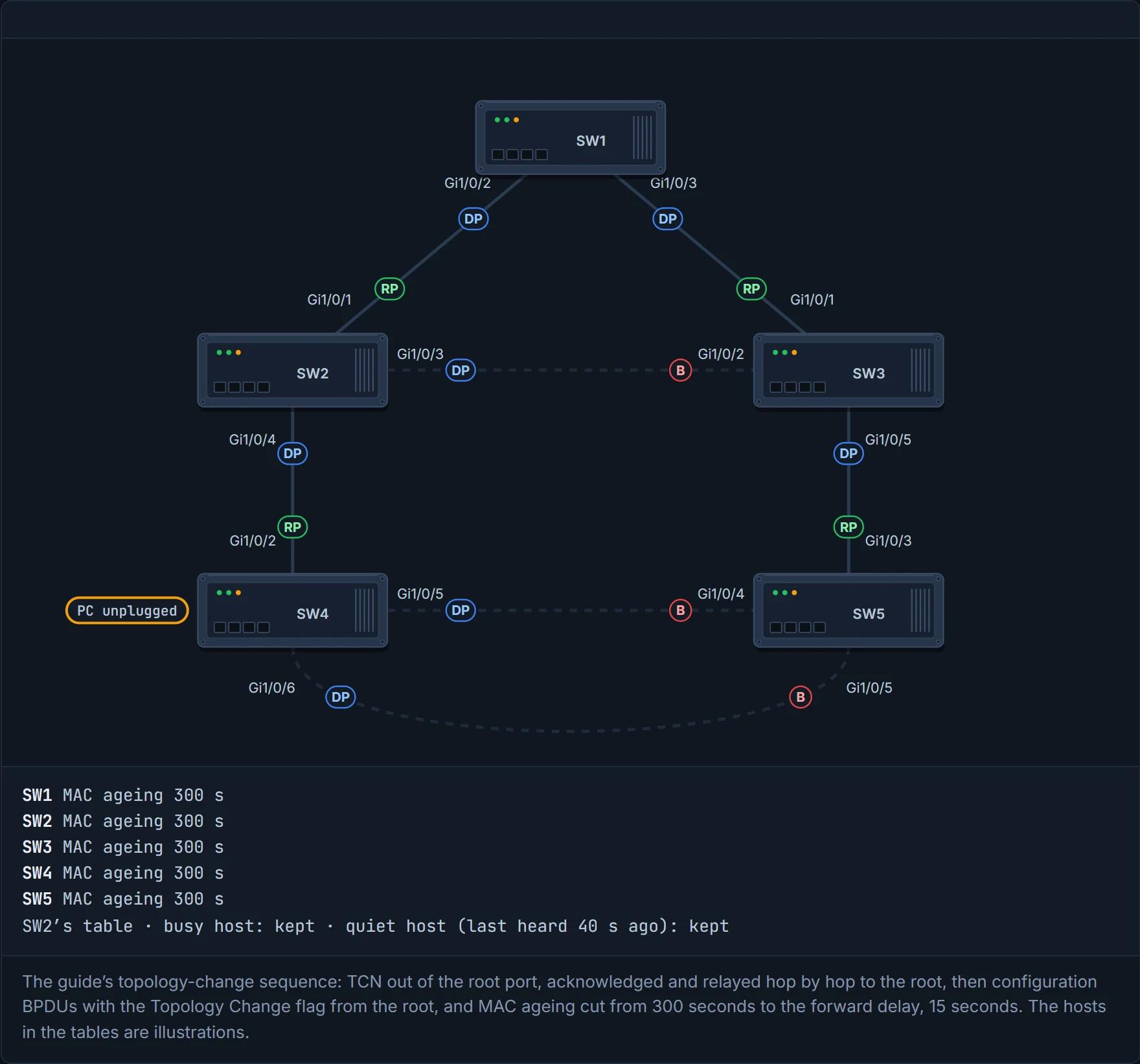
Step 6 of 7 Every switch cuts its MAC ageing to the forward delay, 15 seconds. A host that has been quiet for longer is forgotten; a busy one is relearned from its next frame. Until they’re relearned, frames to the forgotten hosts are flooded as unknown unicast.
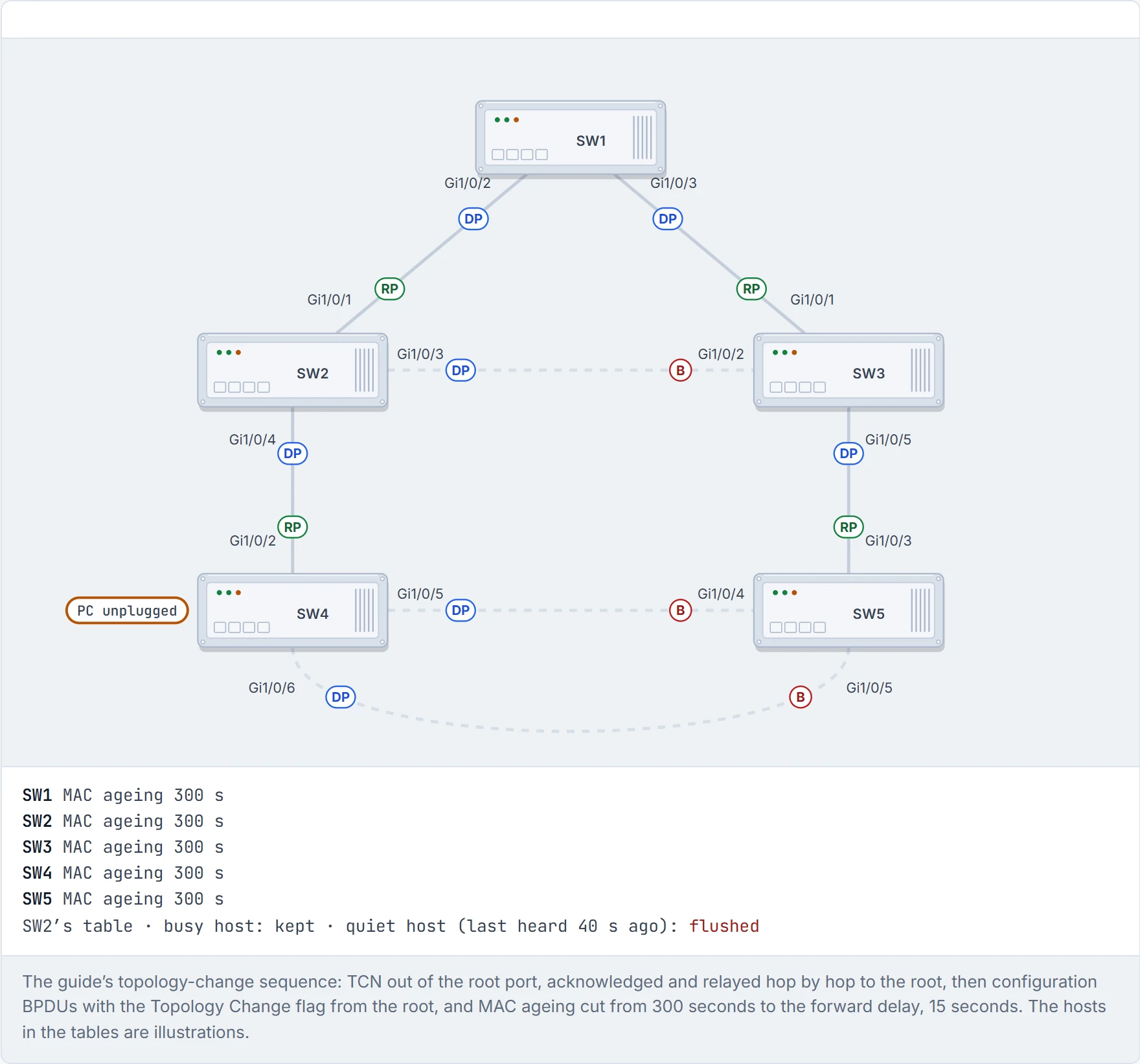
Step 7 of 7 Ageing goes back to 300 seconds after the second configuration BPDU. One unplugged PC cost the whole VLAN a round of flooding, which is why PortFast (01-7), which reduces TCNs from host ports, matters.
A port that flaps all day makes the whole VLAN forget its quiet hosts, every few minutes. It's the colleague who replies-all to cancel a meeting, again.
When a switch loses power or reboots, or a cable is pulled, the port goes down at once, and spanning tree hears about it immediately: a direct failure. The guide walks three cases in its triangle, SW1 (root), SW2 and SW3, with SW3's Gi1/0/2 blocked. Picture yourself in a situation where the main road home is shut: whether you're late depends on whether there's a signposted diversion, or you have to sit and work one out. Predict each one, then read on.
- The SW2–SW3 link fails. SW3's end was blocking anyway, so there's no traffic impact. TCNs still go out, and MAC tables still flush.
- The SW1–SW3 link fails. SW3 has lost its root port, and its only other way out is the blocked port. That has to go through listening (15 s) and learning (15 s) first: about 30 seconds without traffic.
- The SW1–SW2 link fails. SW2 has lost its only path to the root. Before it hears a better one, it declares itself root and advertises that. SW3 ignores those inferior BPDUs until its max age for SW2's old information runs out, 20 s. Then SW1's BPDUs reach SW2 through SW3 (2 s), and SW2's new root port goes through listening and learning. Total: 52 seconds.
And the nasty one: an indirect failure, where the link stays up but BPDUs stop getting through (corruption, a filter). Nothing goes down, so SW3 keeps trusting its cached root port until max age expires (20 s); then SW2's next BPDU arrives (2 s), then listening (15 s), then learning (15 s): 52 seconds again. Imagine if a friend said they'd call you back and then lost signal: you don't know anything's wrong, so you wait the full polite amount before trying someone else.
D3
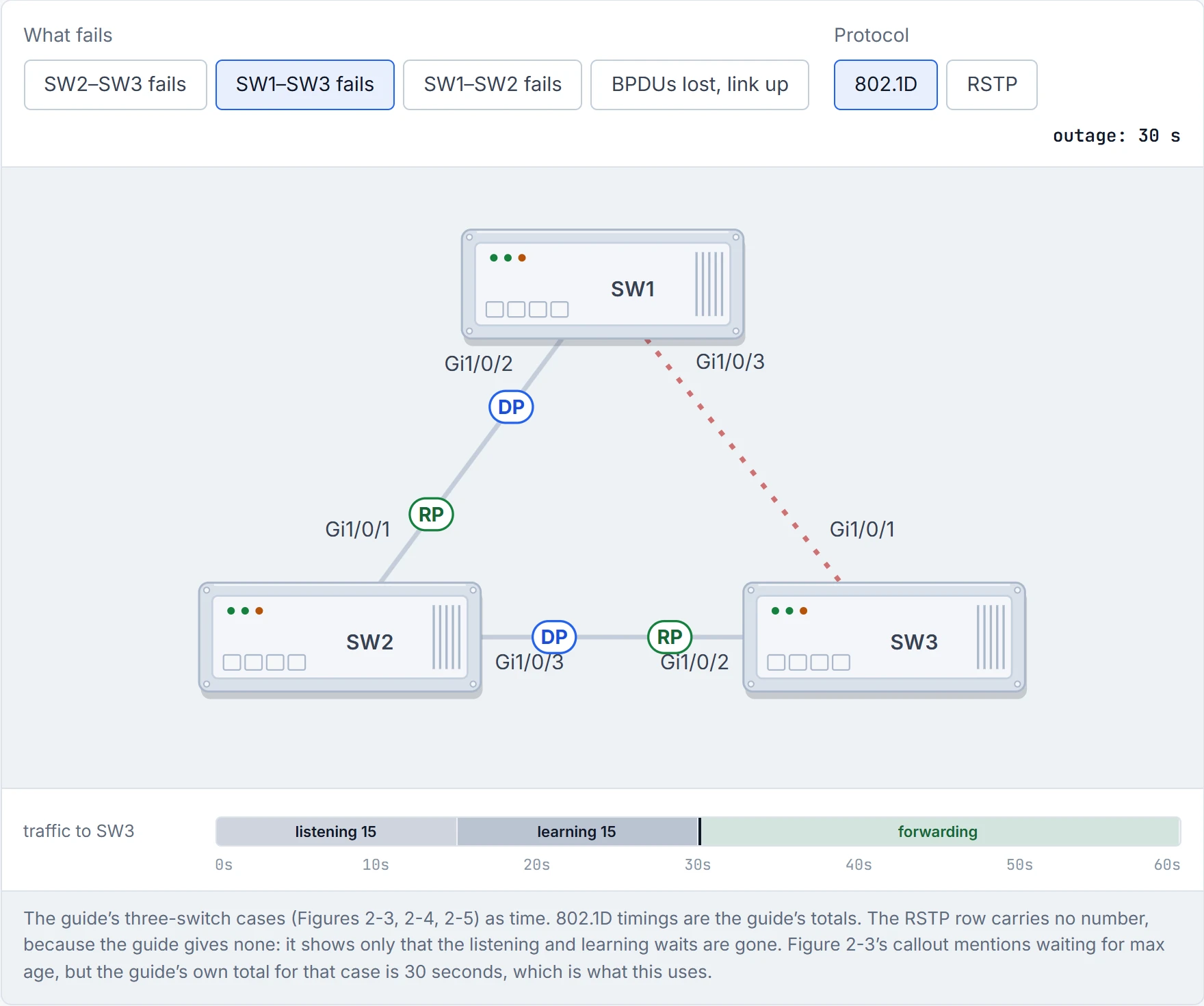
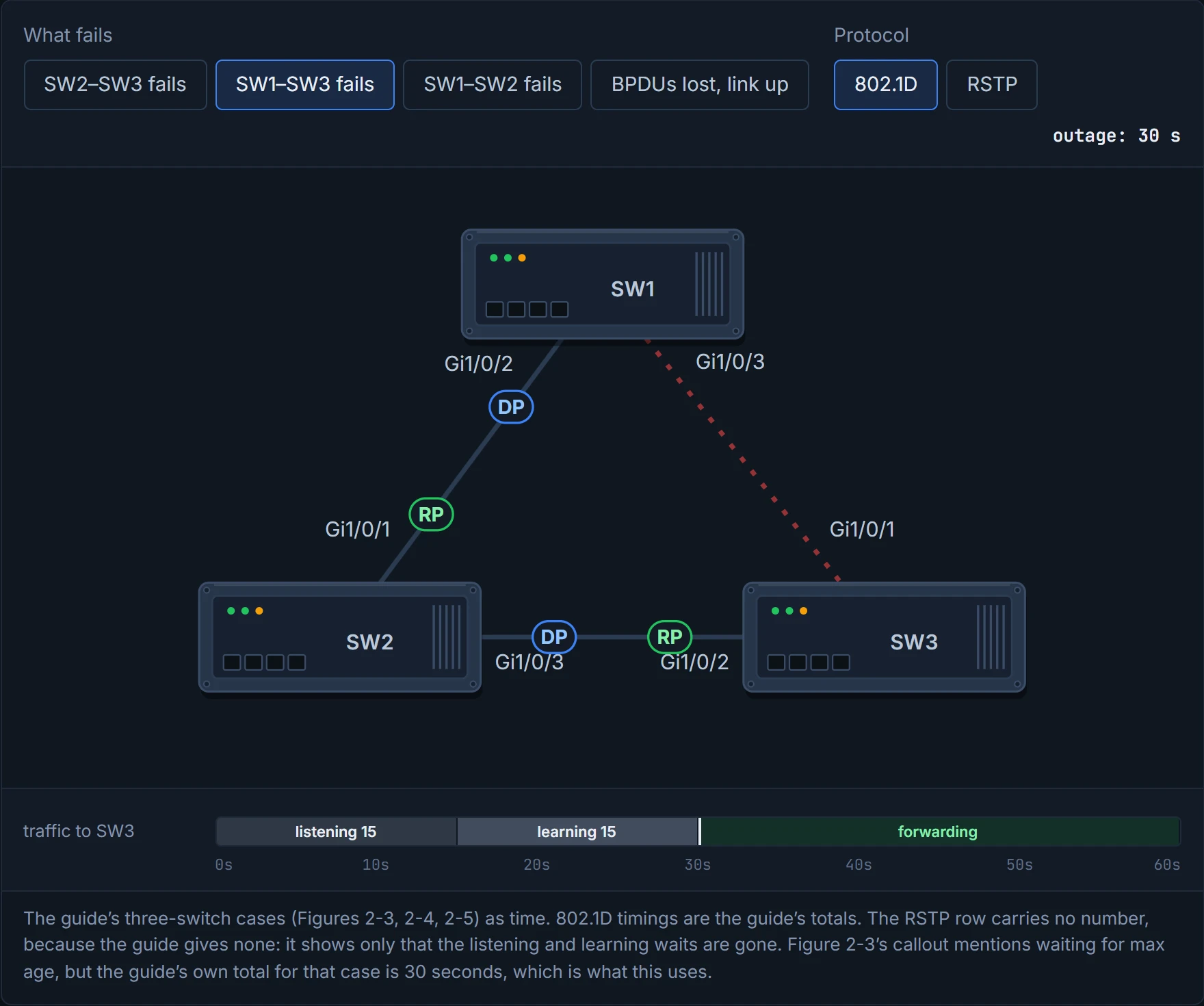
One thing the stopwatch doesn't mean: 802.1D doesn't wait for the whole network to settle before anything moves. Traffic flows once the root is elected and a port has been through listening and learning.
802.1D convergence is measured in seconds. Users measure it in angry emails.
802.1D ran a single tree shared by all VLANs, which doesn't scale when you want VLANs to take different paths. Cisco added PVST and PVST+, one tree per VLAN. Their concepts, with enhancements for faster convergence, were incorporated into 802.1w, RSTP. Cisco runs RSTP per VLAN as Rapid PVST+ (section 4.12). It's basically like the difference between a traffic light on a fixed timer and one with a sensor that sees the road is clear and changes now.
RSTP has just three states:
- Discarding: replaces disabled, blocking and listening.
- Learning: as before.
- Forwarding: as before.
RSTP took the first five states and made three. It's the only time in networking a committee made something simpler.
The roles are the same two, plus two that name the spare paths:
- Root and designated, as before.
- Alternate: a spare path to the root through a different switch (SW3's Gi1/0/2 is one), like the spare key with the neighbour in section 4.7.
- Backup: the guide defines it as a spare link to the same switch, one that "exists only when multiple links connect between the same switches", and can't help if that upstream switch fails. Careful: the guide's own output disagrees. SW5 has two parallel links to SW4, and both show Altn, not backup, before and after SW3–SW5 is shut. Cisco's 9300 guide is narrower: a backup port exists only when two ports are looped together by a point-to-point link, or a switch has two or more connections to a shared LAN segment. So on ordinary switch-to-switch links, expect Altn. In a way, a backup port is a second spare key in the same drawer as the first: lose the drawer and both are gone.
And three port types:
- Edge: a host port that can't cause a loop, the same thing as PortFast.
- Root: the port with the best path cost to the root bridge.
- Point-to-point: full duplex to another RSTP switch.
A port that can only run half duplex (a hub is the example) falls back to 802.1D behaviour.
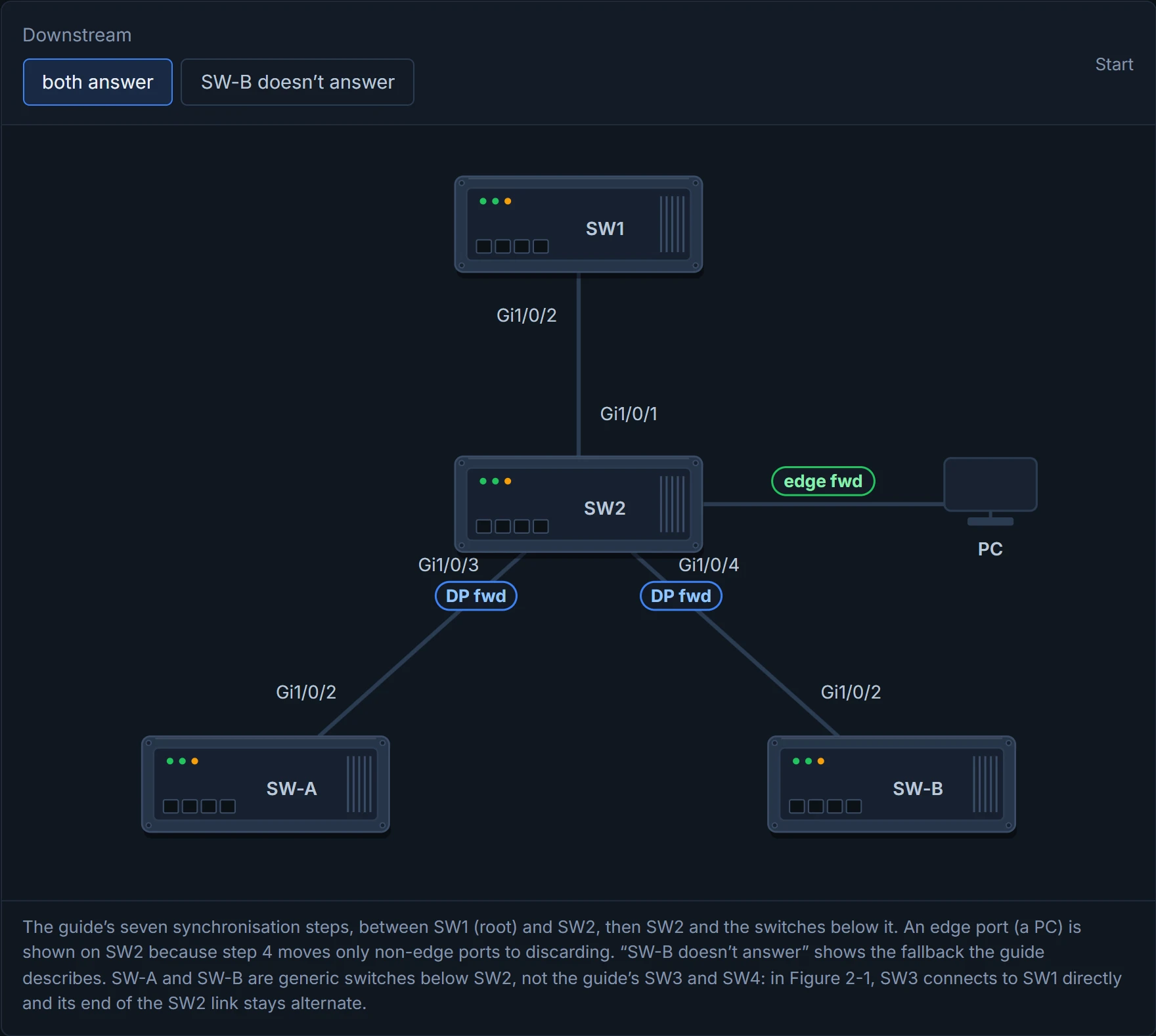
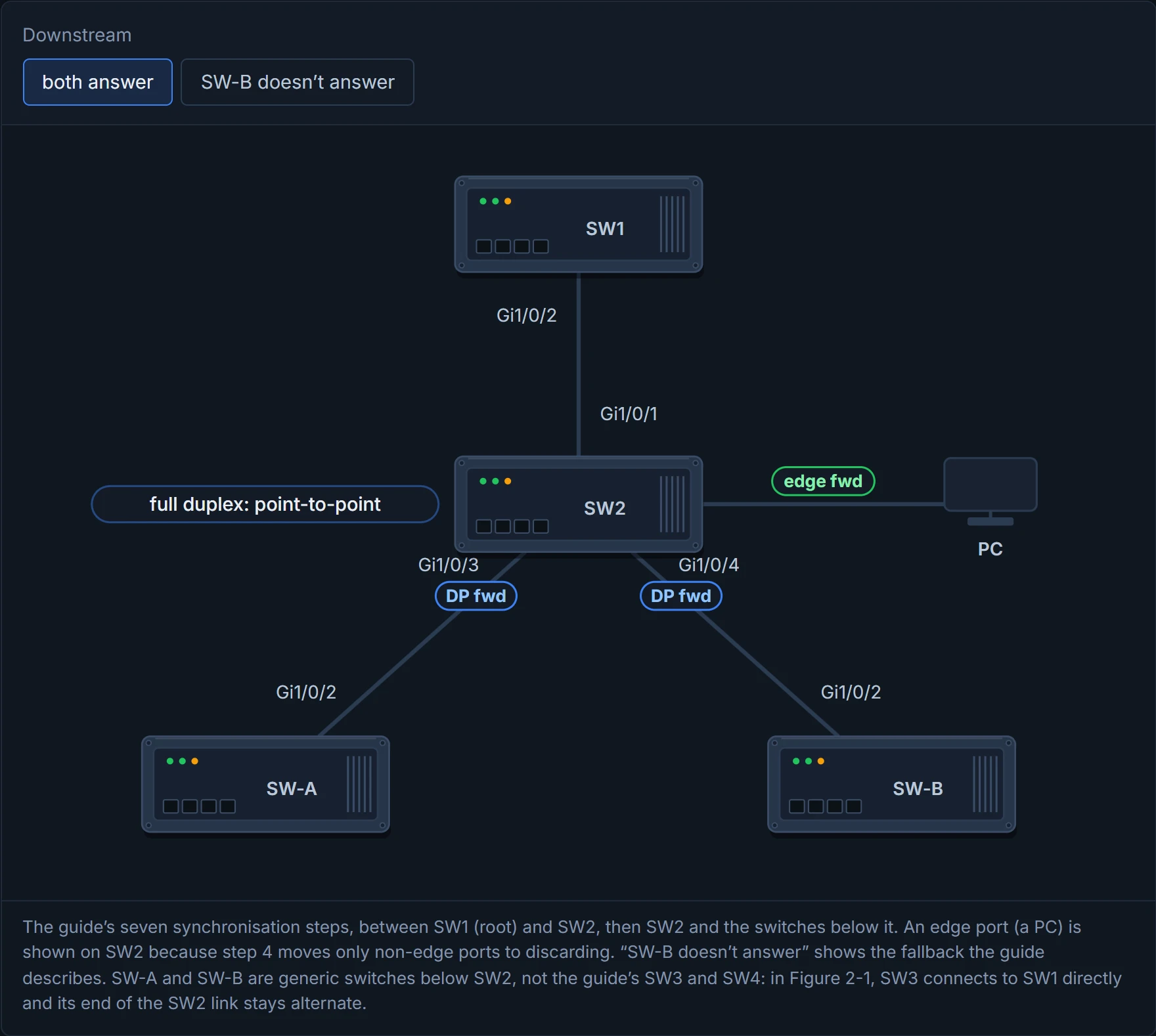
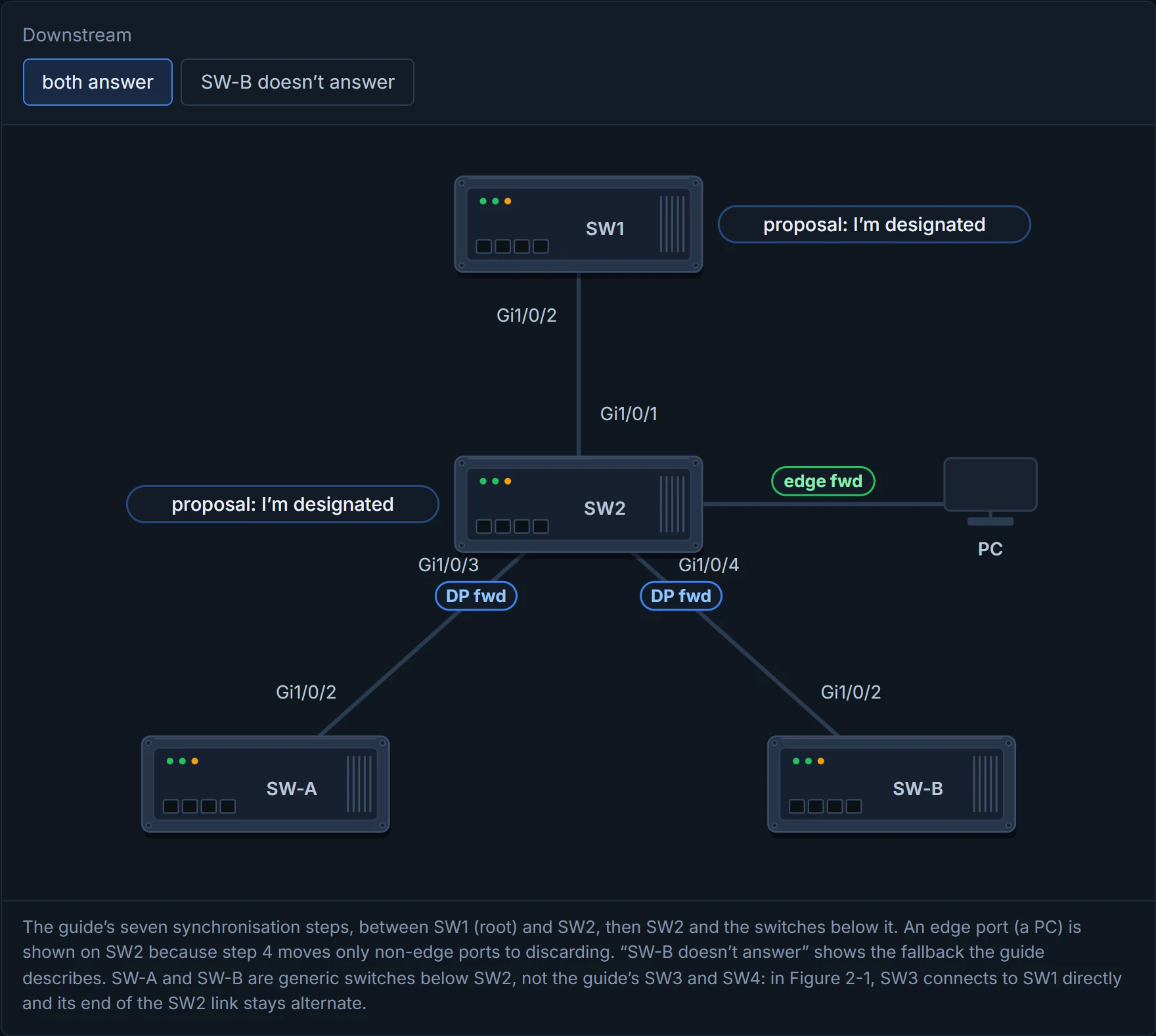
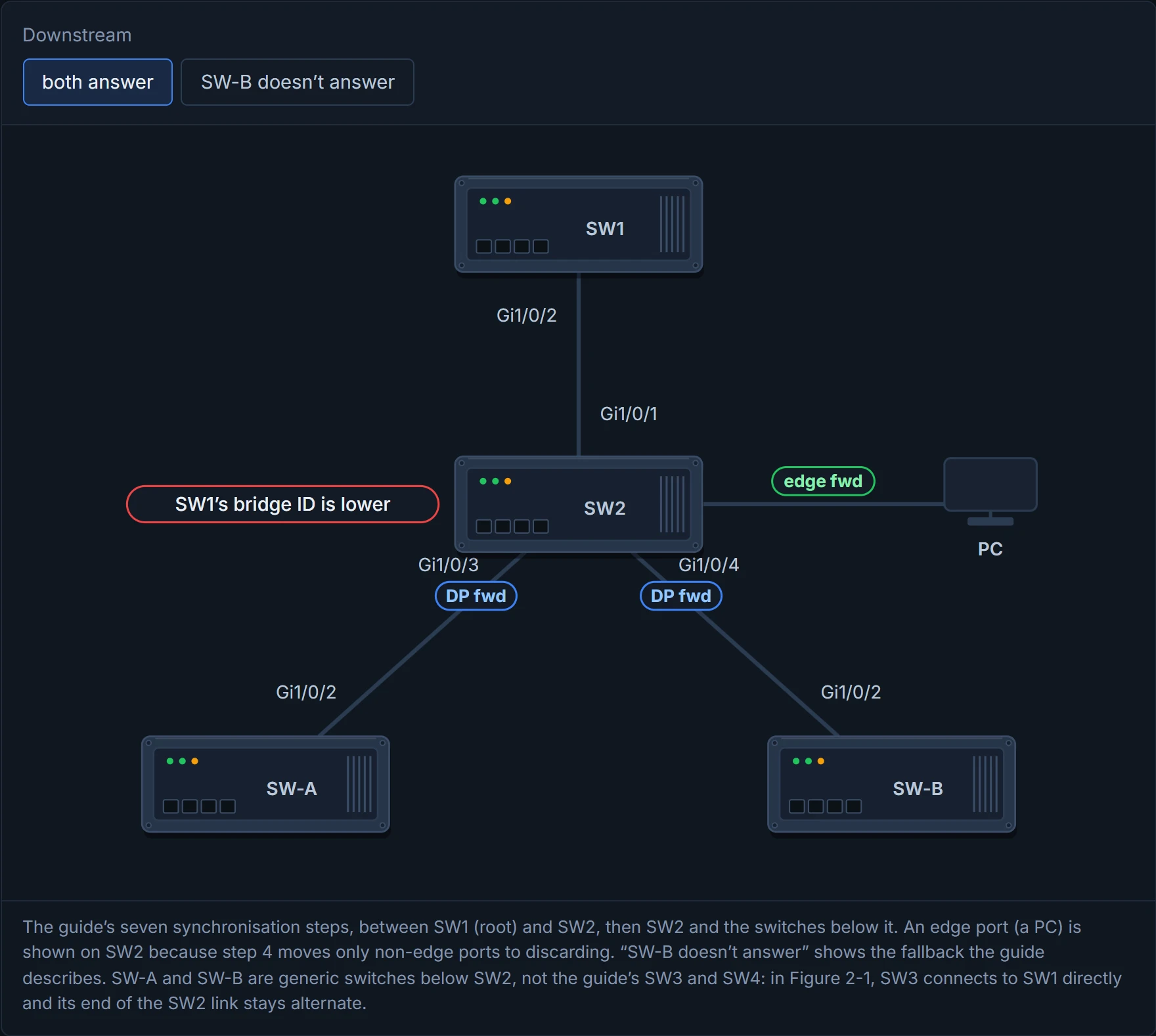
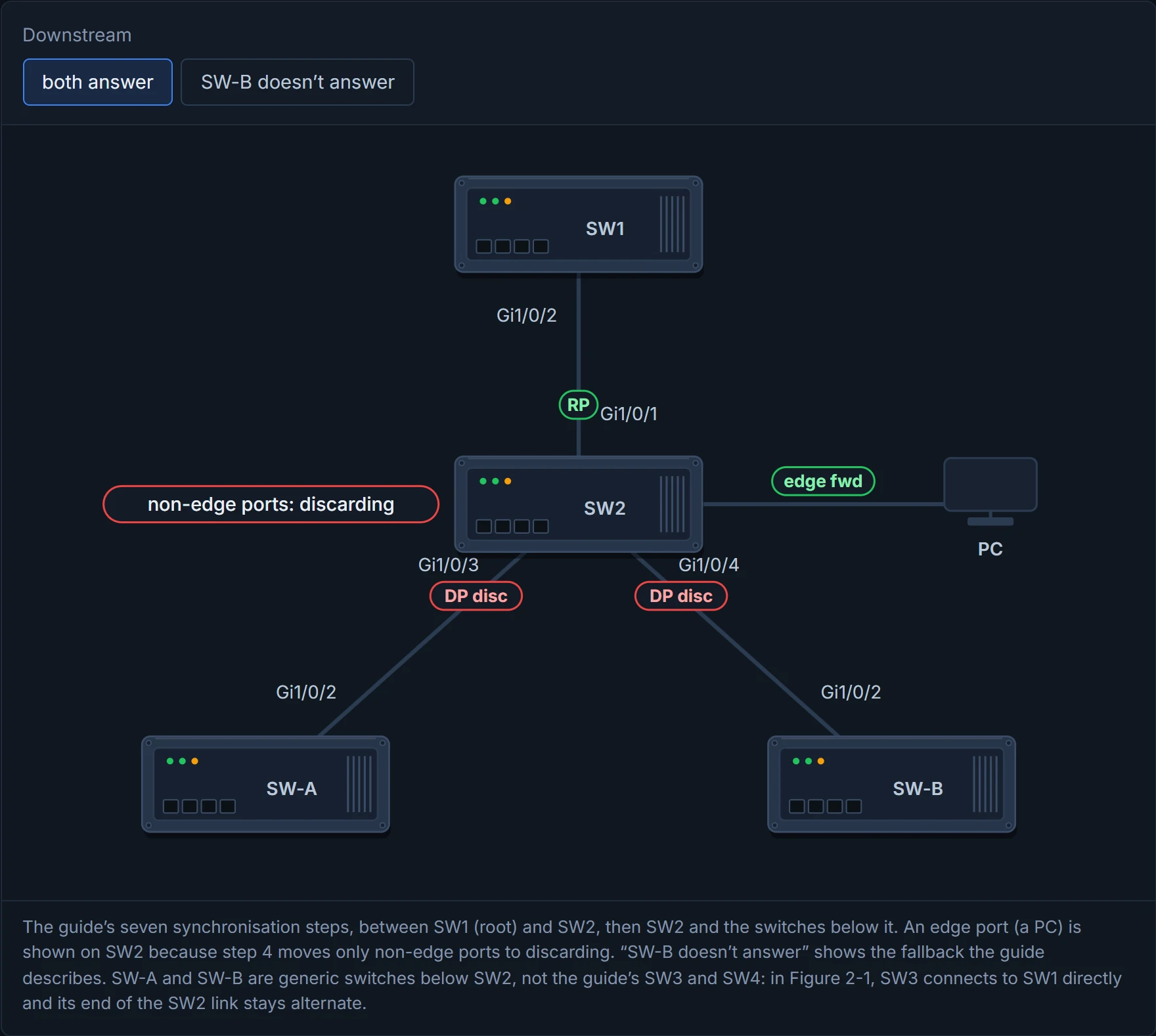
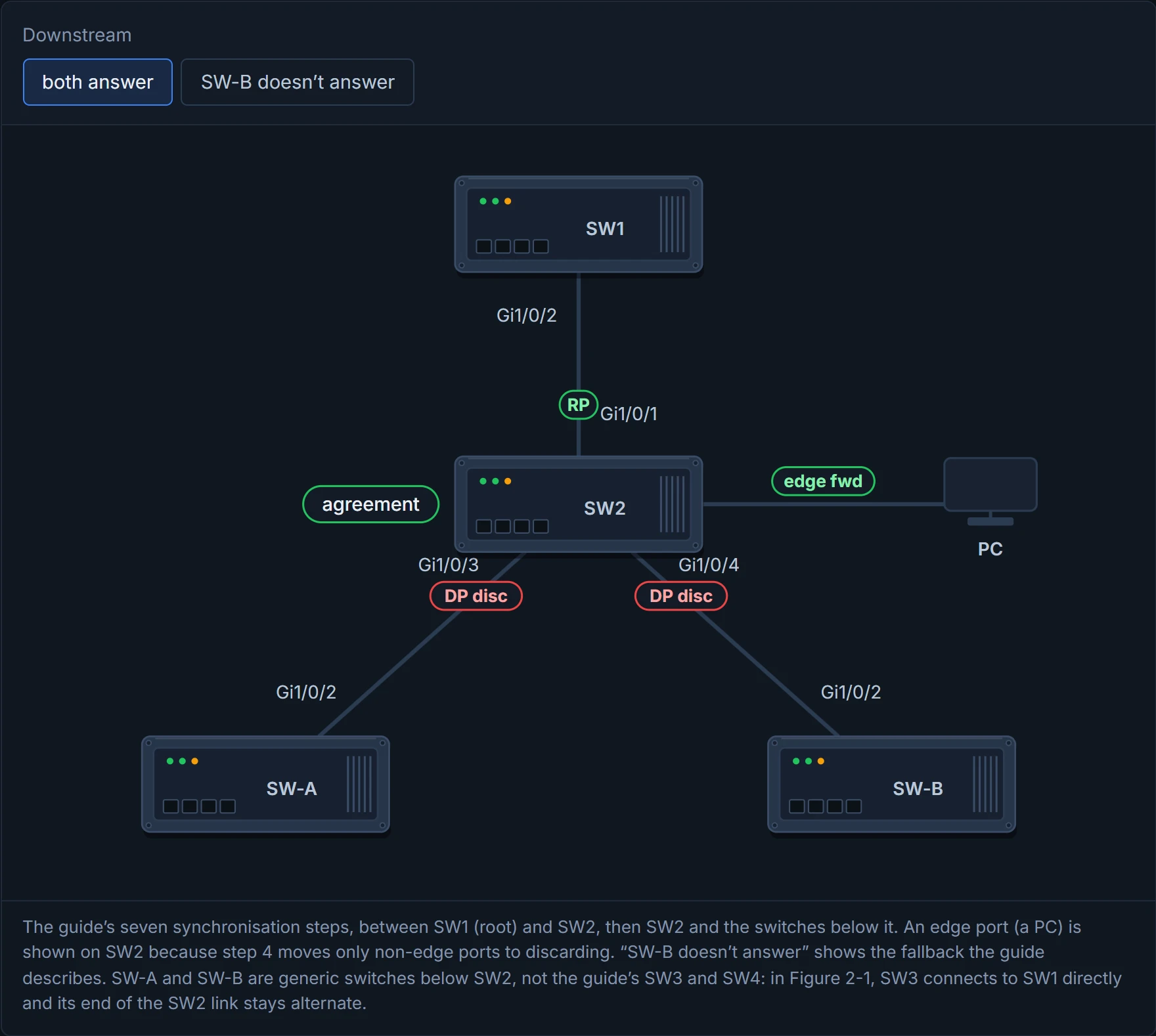
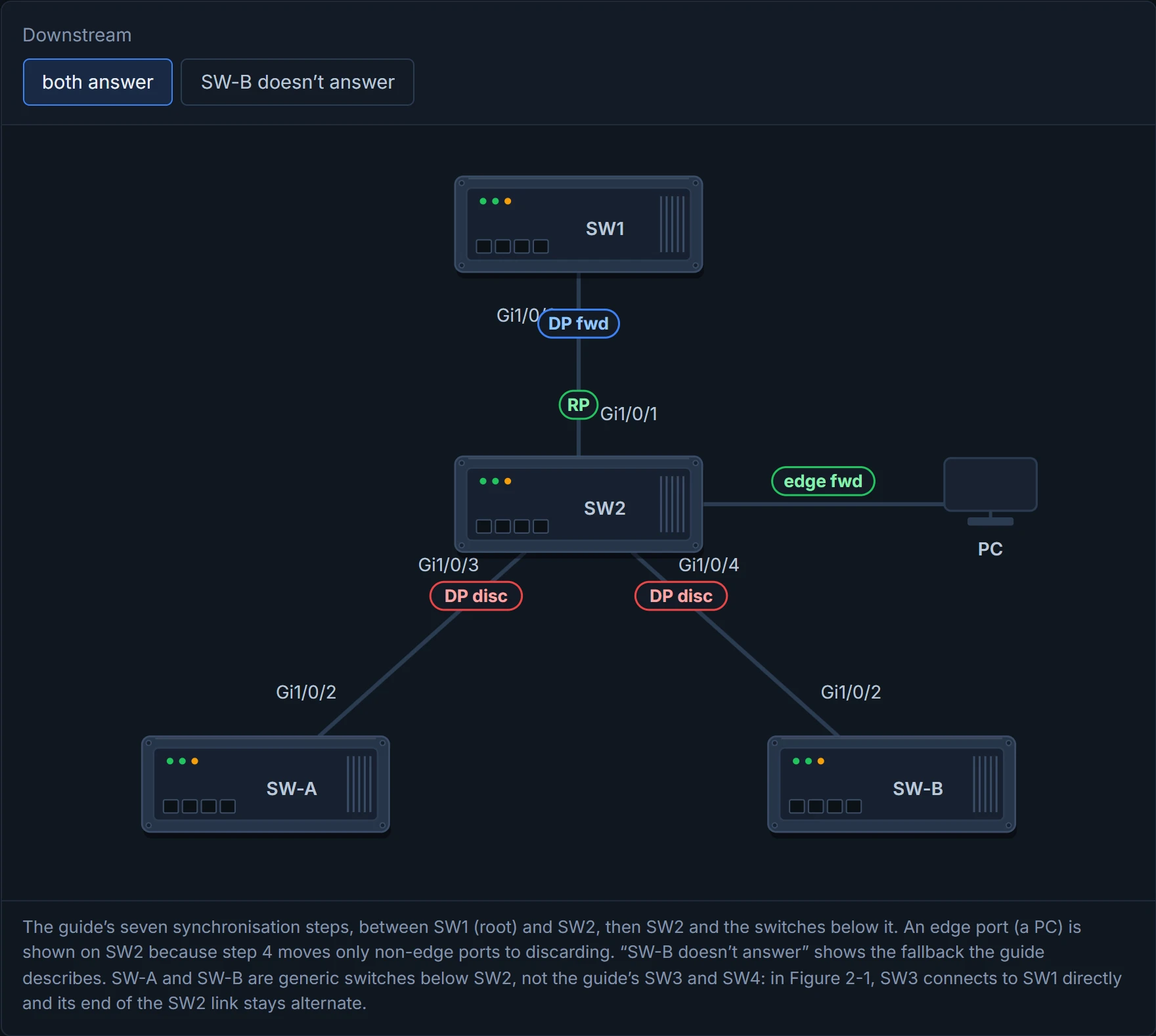
Instead of waiting on timers, RSTP switches ask each other, just like when you meet a car coming the other way on a narrow lane: nobody sits there counting, one of you flashes the lights, the other pulls in, and you both get moving. When two switches connect:
- They check that the link is full duplex, so point-to-point.
- Each proposes that its port should be the designated port.
- They compare bridge IDs (lower priority, then lower MAC) to decide who's superior.
- The inferior switch makes that port its root port, and puts all its other non-edge ports into discarding, so no loop can form while it syncs.
- It sends an agreement back.
- Both ends go straight to forwarding.
- The inferior switch repeats the process with the switches below it.
Step 4 is the clever bit. Think of it as a pipeline where each section closes its own side valves before it lets the flow in, so nothing can leak round in a circle while the handshake travels down the tree. If a downstream switch doesn't answer a proposal, RSTP falls back to the slow 802.1D timers, to stay safe. And if a port gets no RSTP handshake at all, it behaves as 802.1D. That's why a PC can still wait about 30 seconds unless its port is an edge port (01-7).
D4
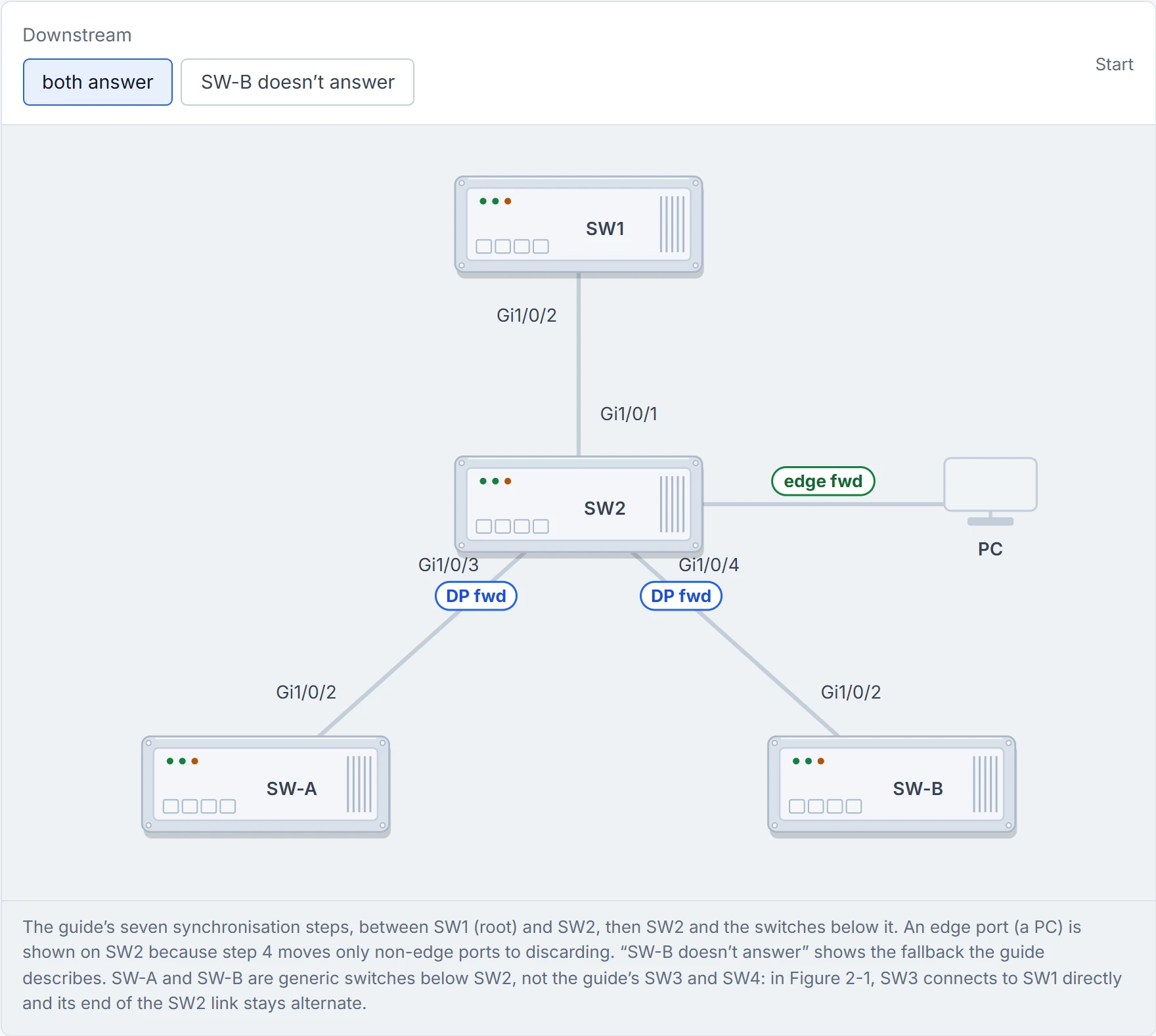
Step 1 of 8 SW2 is forwarding to SW-A and SW-B below it. Now its link to SW1, the root, comes up.
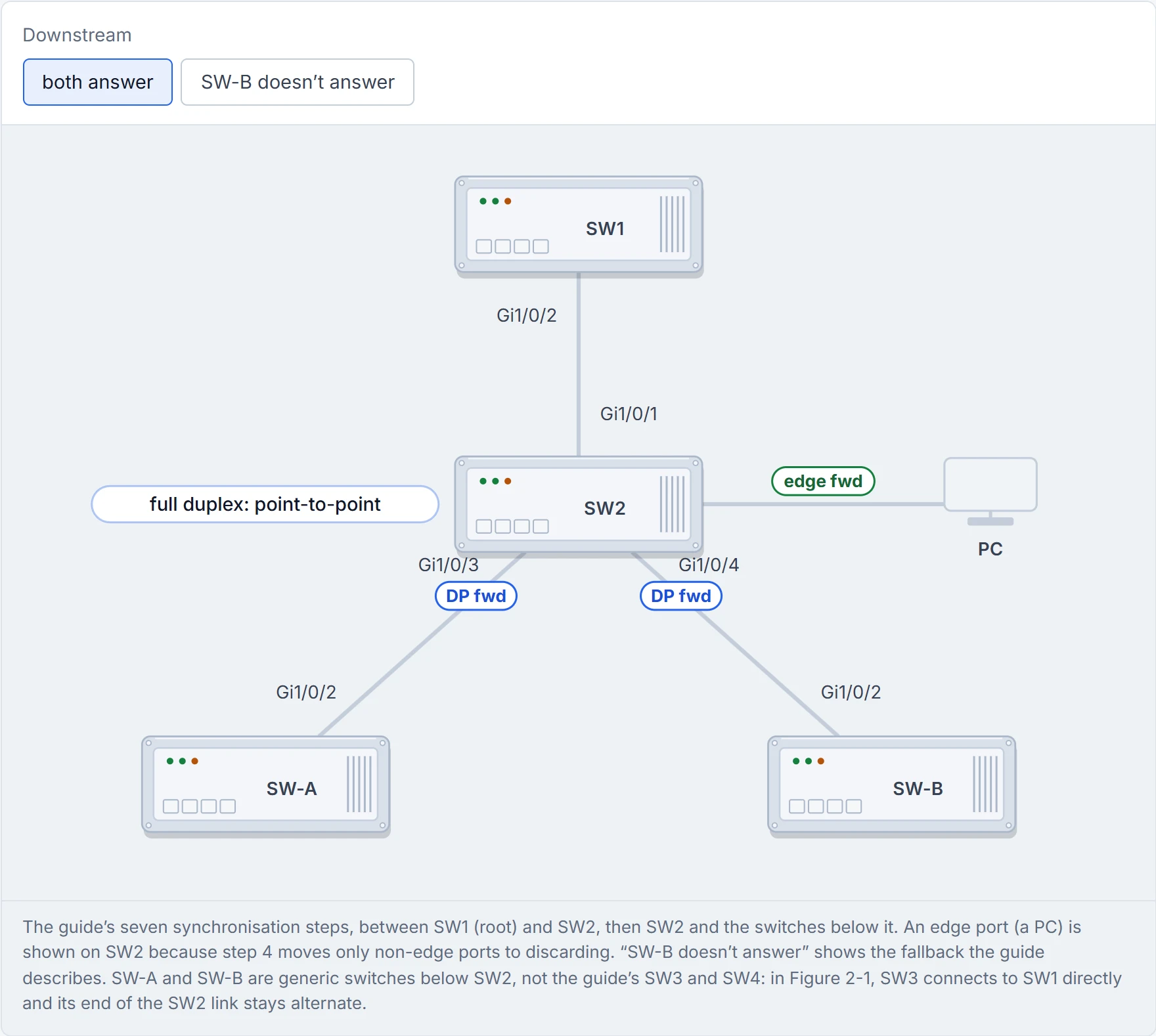
Step 2 of 8 Step 1: both ends check the link is full duplex, so it’s point-to-point.
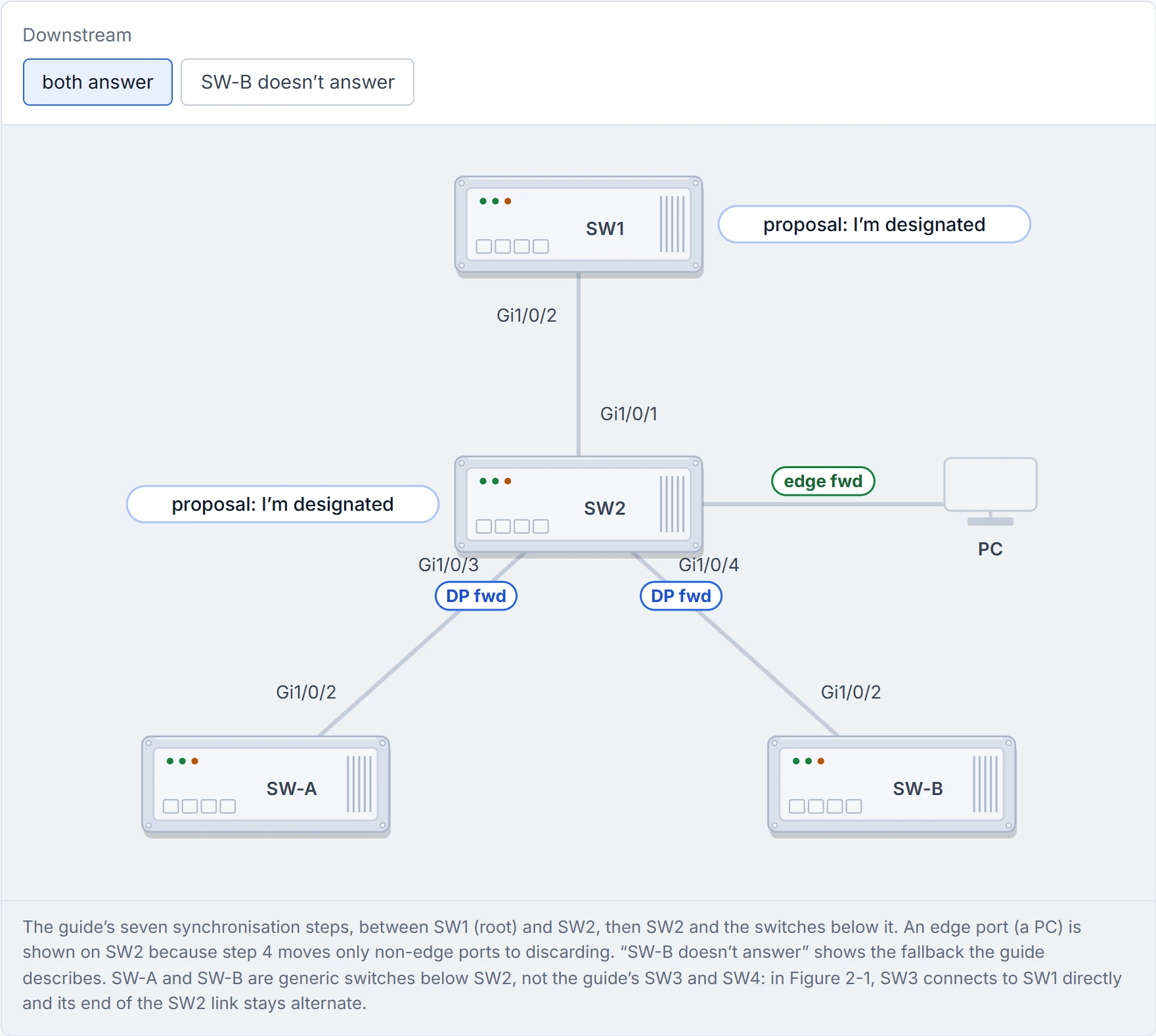
Step 3 of 8 Step 2: each end proposes that its port should be the designated port.
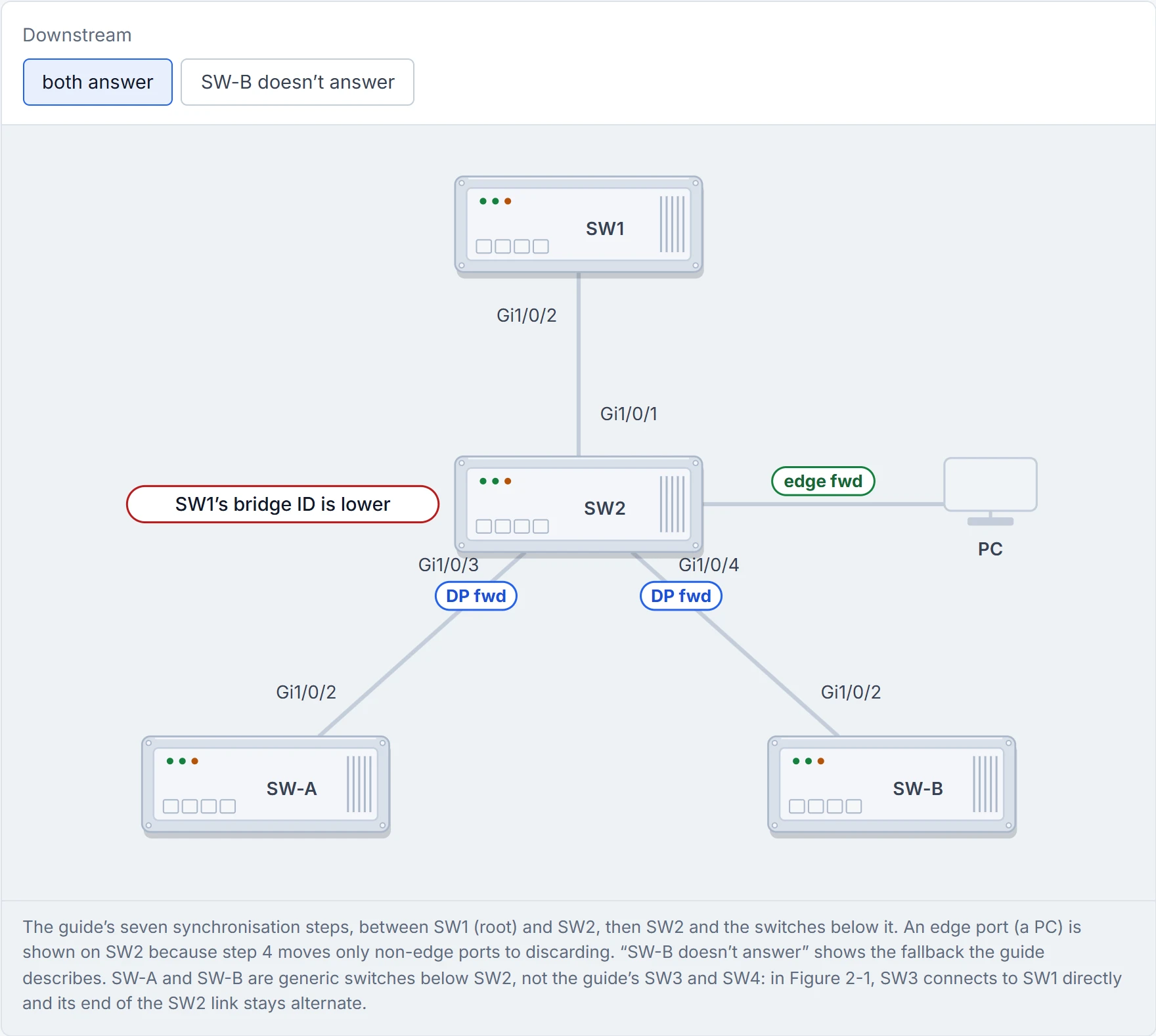
Step 4 of 8 Step 3: they compare bridge IDs, lower priority then lower MAC. SW1 is superior; SW2 is inferior.
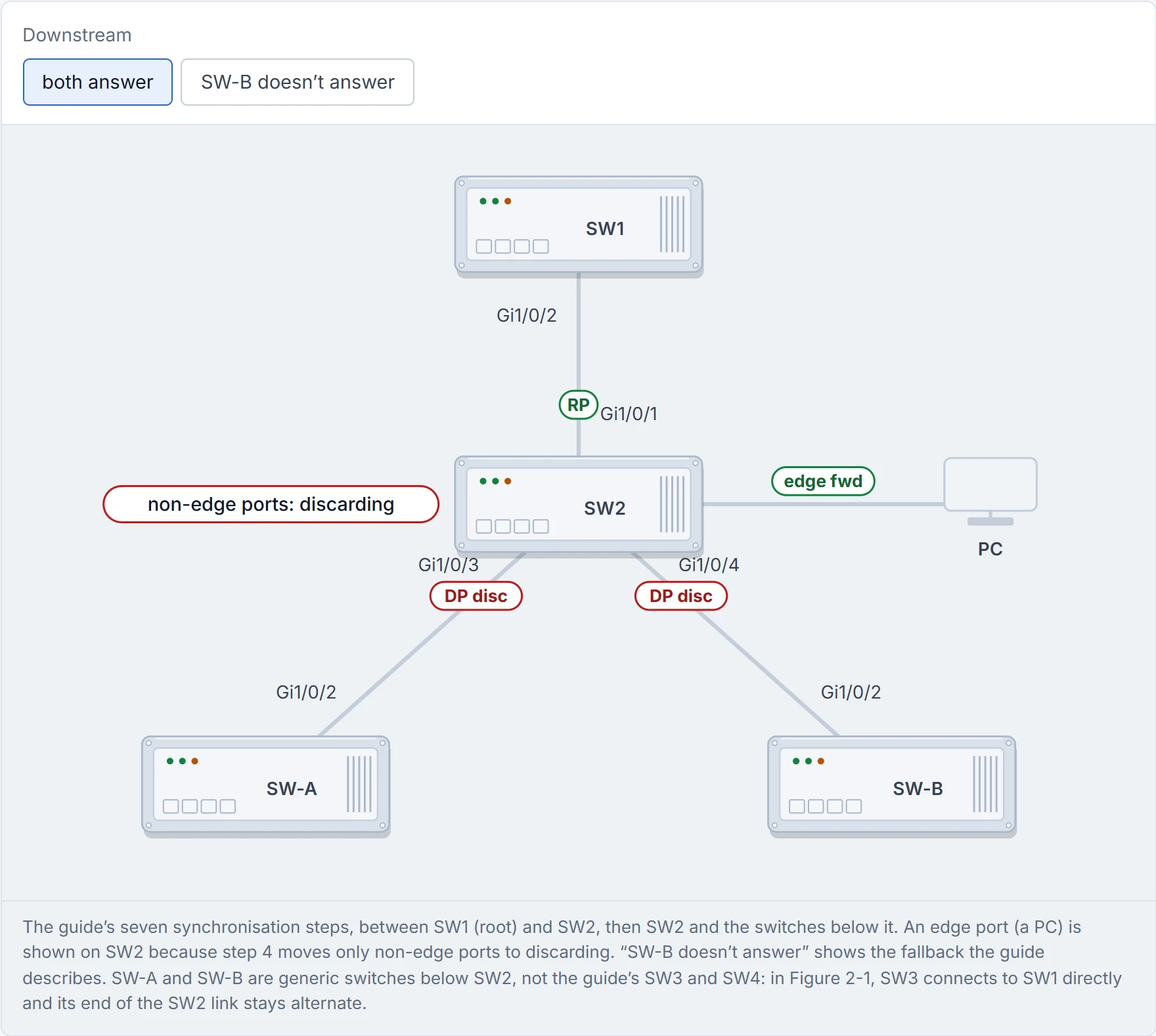
Step 5 of 8 Step 4: SW2 makes Gi1/0/1 its root port and moves every other non-edge port to discarding, so no loop can form while it syncs. The PC’s edge port keeps forwarding.
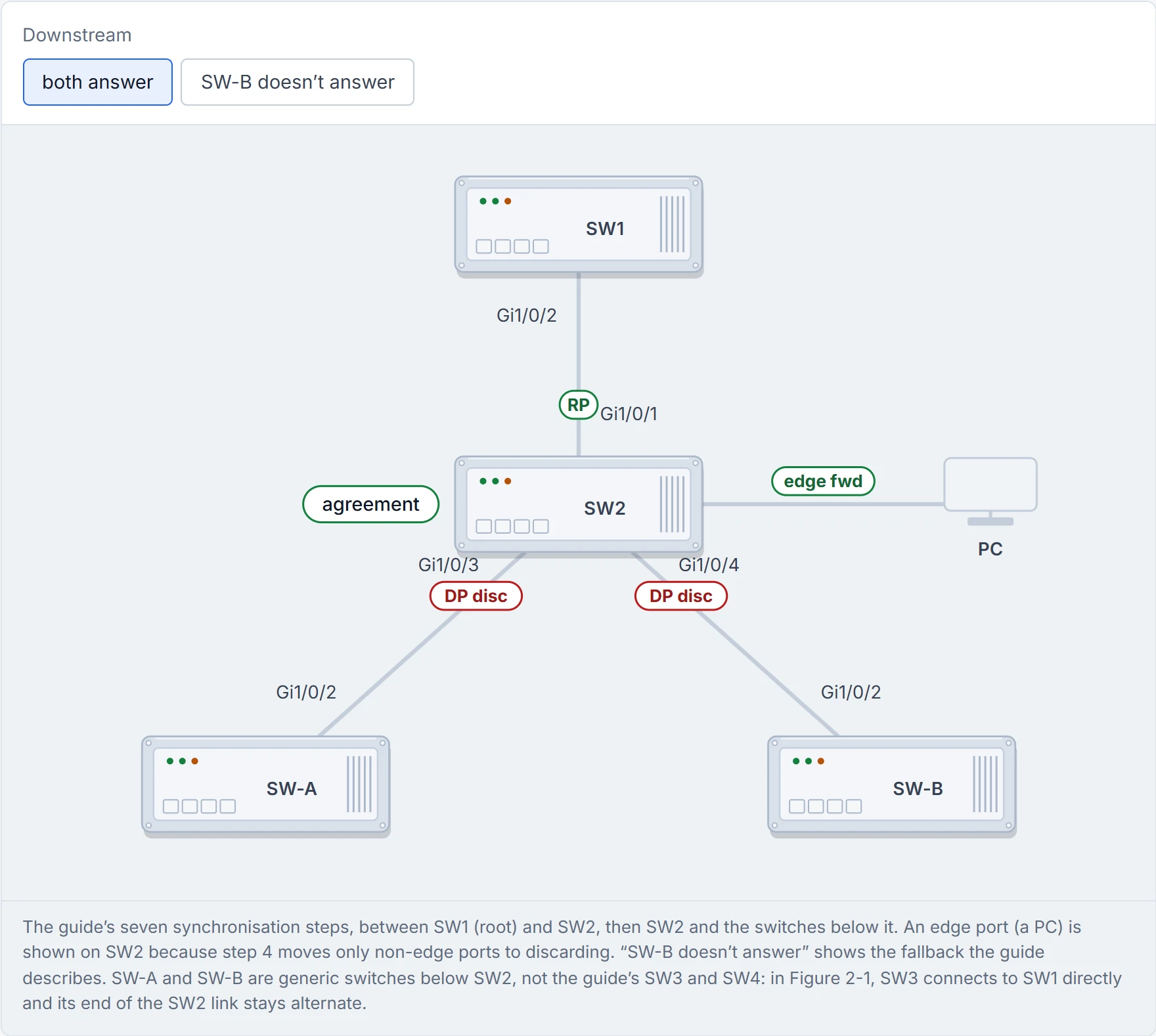
Step 6 of 8 Step 5: SW2 sends an agreement back to SW1.
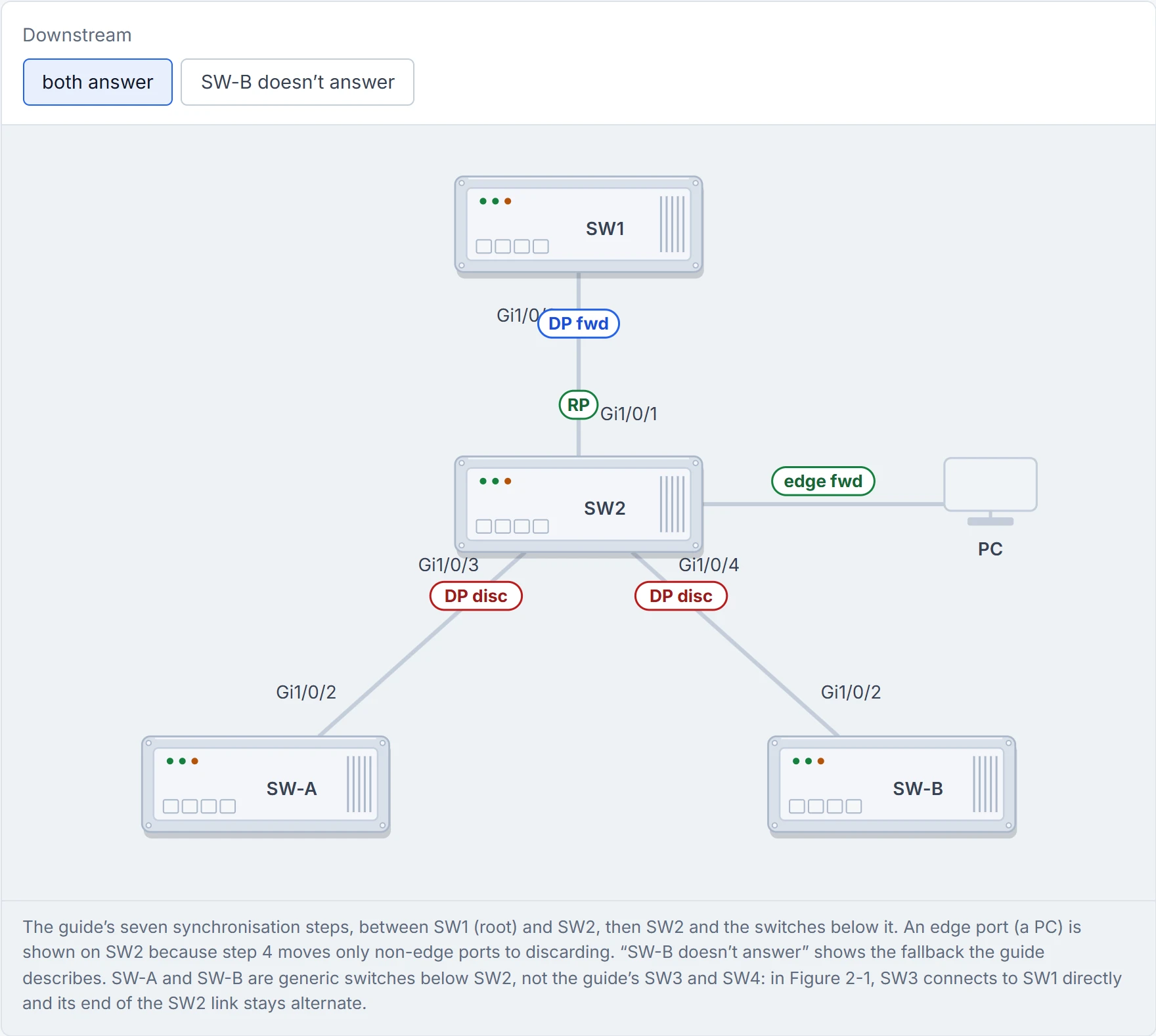
Step 7 of 8 Step 6: both ends go straight to forwarding: no listening, no learning.
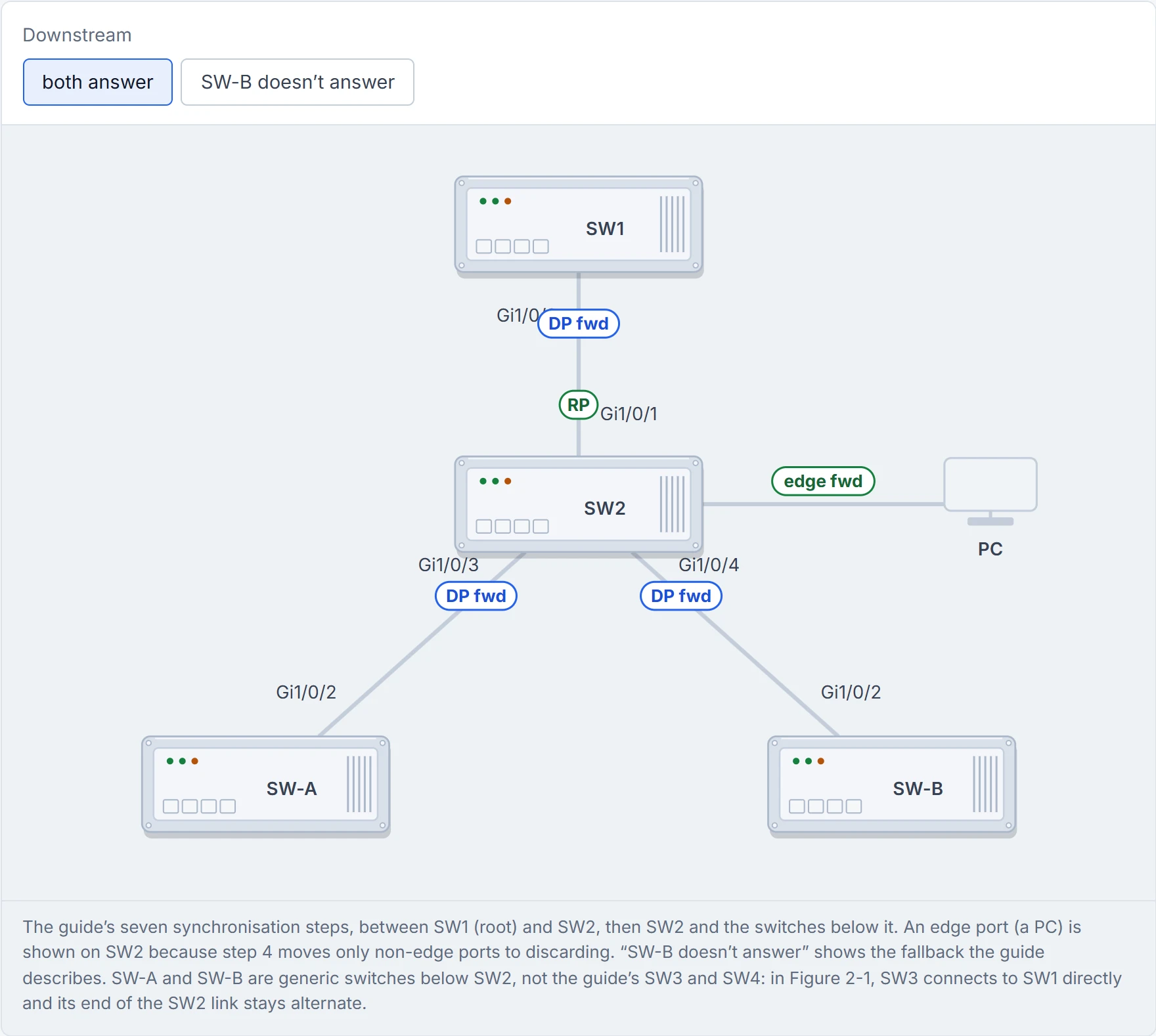
Step 8 of 8 Step 7: SW2 repeats the same handshake with each switch below it, and the tree syncs downwards one link at a time.
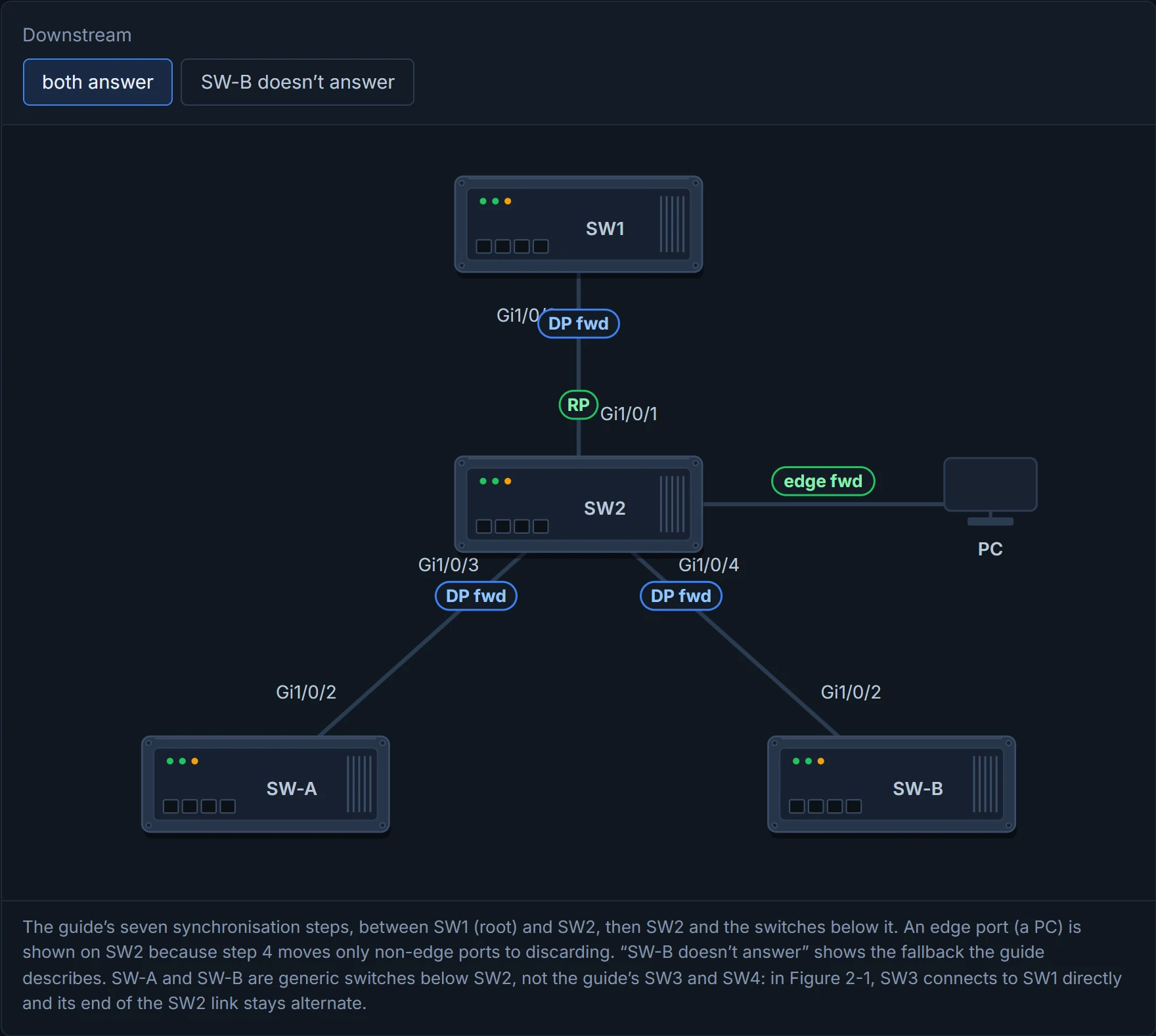
RSTP's big innovation was switches actually talking to each other. Humans are still working on it.
On a Catalyst 9300, Rapid PVST+ is the default mode: RSTP running per VLAN. Have you ever noticed how a new car arrives with the good tyres already on? You didn't fit them, but you still look before a long drive. To set it explicitly:
SW1(config)# spanning-tree mode rapid-pvst
The fastest spanning-tree upgrade you'll ever do is the one the factory already did.
Rapid PVST+ also cleans up faster after a change. Cisco's words: it "immediately deletes dynamically learned MAC address entries on a per-port basis upon receiving a topology change", where PVST+ uses a short ageing time. (C6 was read from a search index and still needs a live re-check.) In the guide's show spanning-tree vlan 1 output, the line Spanning tree enabled protocol rstp confirms the mode. It acts kind of like the little light on the oven: before you blame the recipe, check it's actually on. But the light only proves the oven's setting. It doesn't prove a given port finished the RSTP handshake: a port facing an 802.1D switch or a host with no handshake still takes about 30 seconds. If recovery takes 30 seconds, read that line first, then look at the port.
01-1 said a native VLAN mismatch makes VLANs drop out of show interfaces trunk, and promised the reason here.
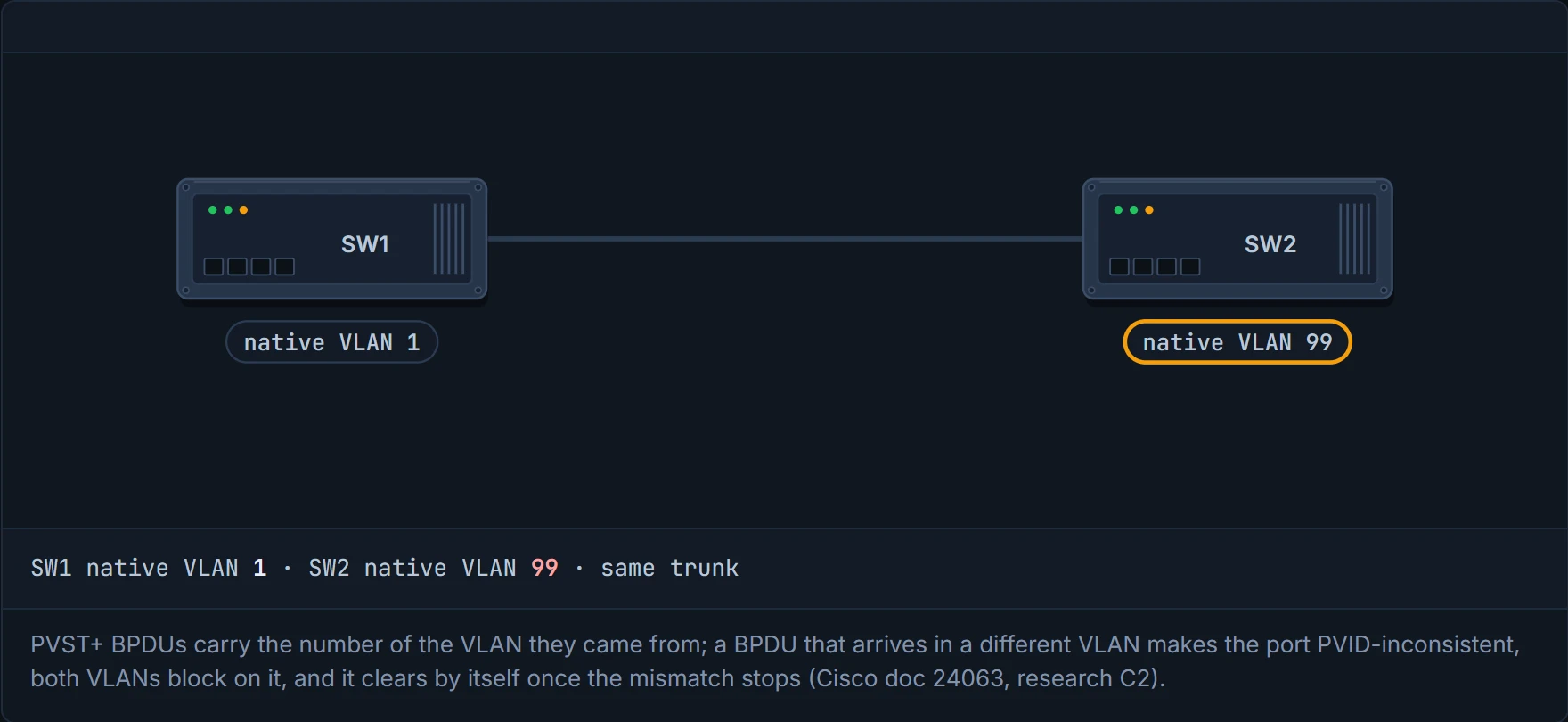
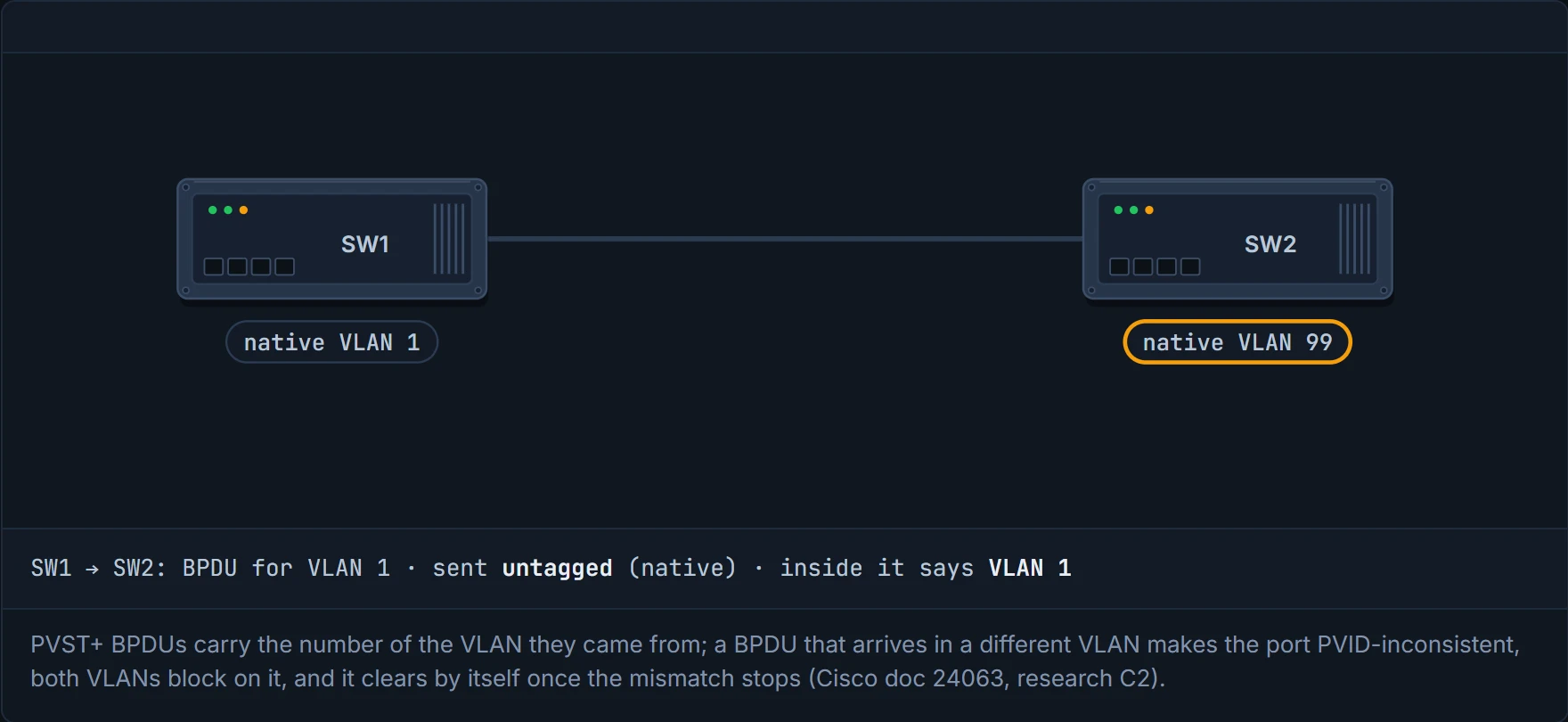
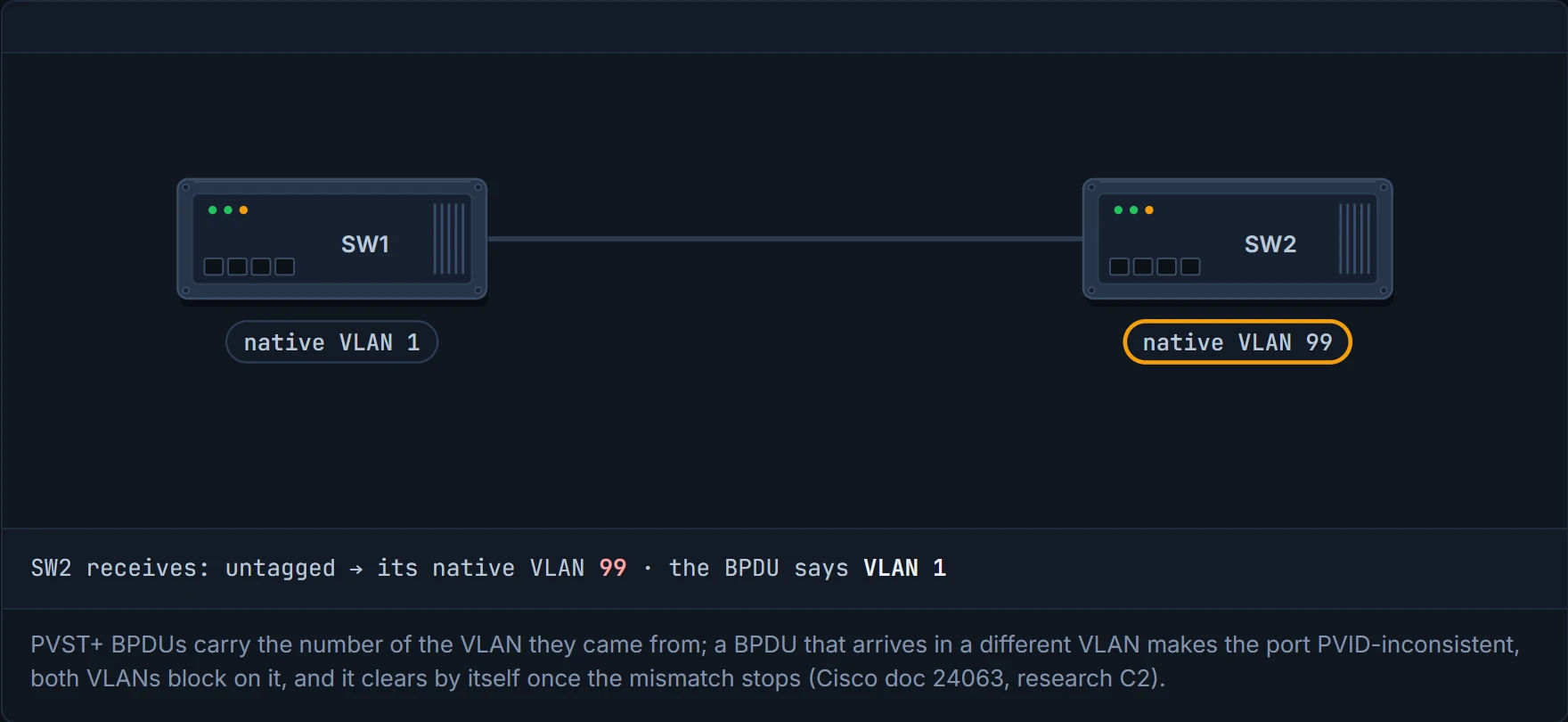
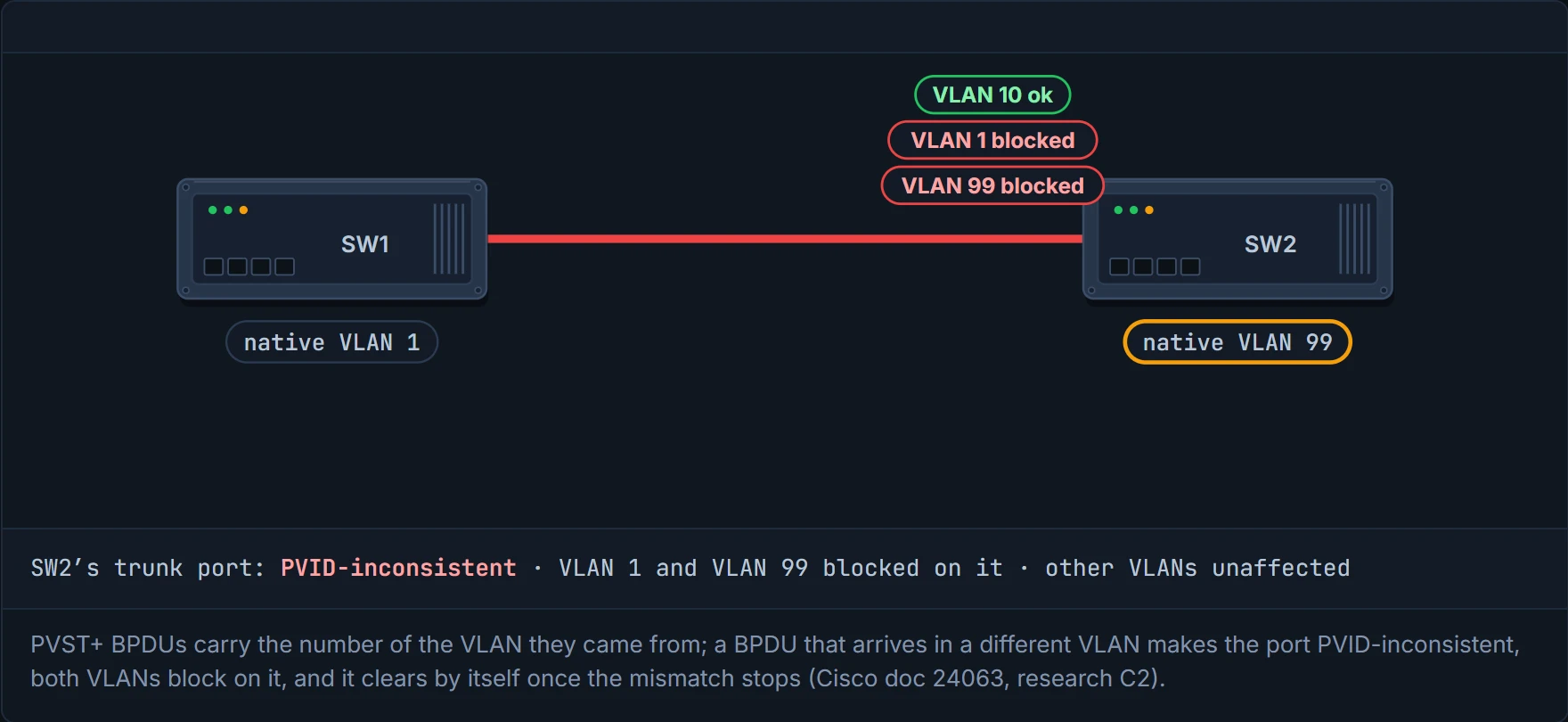
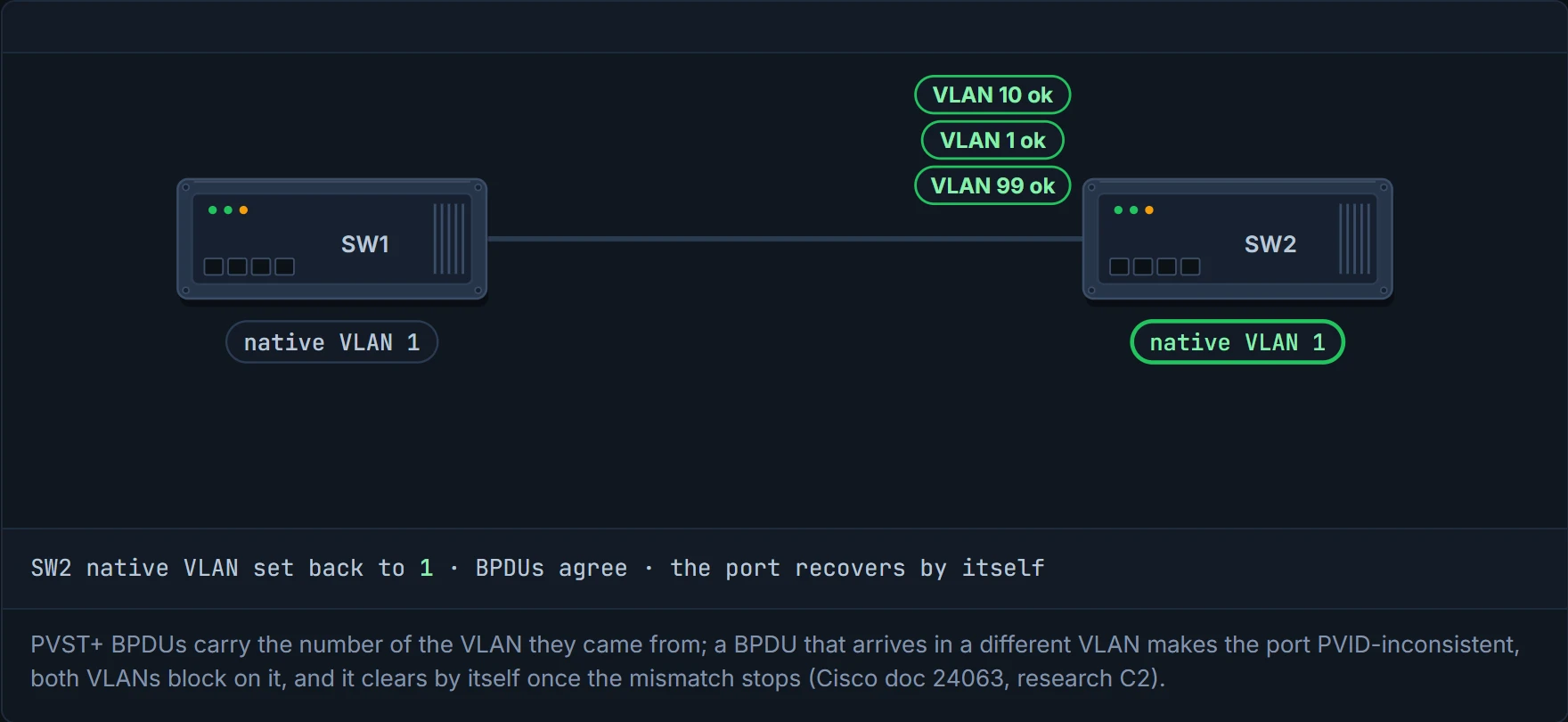
PVST+ tags each non-native VLAN's BPDUs with that VLAN; the native VLAN's go untagged. Every BPDU also carries the number of the VLAN it came from. So if SW1's native VLAN is 1 and SW2's is 99, SW2 receives, in its VLAN 99, an untagged BPDU that says "I'm from VLAN 1". The two don't match. The port goes PVID-inconsistent, and both VLANs are blocked on that port. SW1 has the mirror image (SW2's untagged VLAN 99 BPDU lands in SW1's VLAN 1), so its end blocks too. Fix the native VLANs, the inconsistent BPDUs stop, and it clears by itself. Picture yourself at room 99 with a hotel key card coded for room 1: the lock doesn't guess, it refuses, and it'll work again once someone at the desk fixes the card.
The other one: a trunk on one side and an access port on the other. The access port receives tagged BPDUs it should never see. Spanning tree marks it type-inconsistent and blocks it, and show spanning-tree shows *TYPE_Inc in the Type column: a port configuration mismatch, commonly an incorrect port type or the port mode (access against trunk). It works behind the scenes just like the shaped pins on a plug that won't go into the wrong socket: annoying for a second, and it saves the appliance.
show spanning-tree inconsistentports lists every port blocked for either reason. These are the "broken" state from section 4.3 in action.
D8
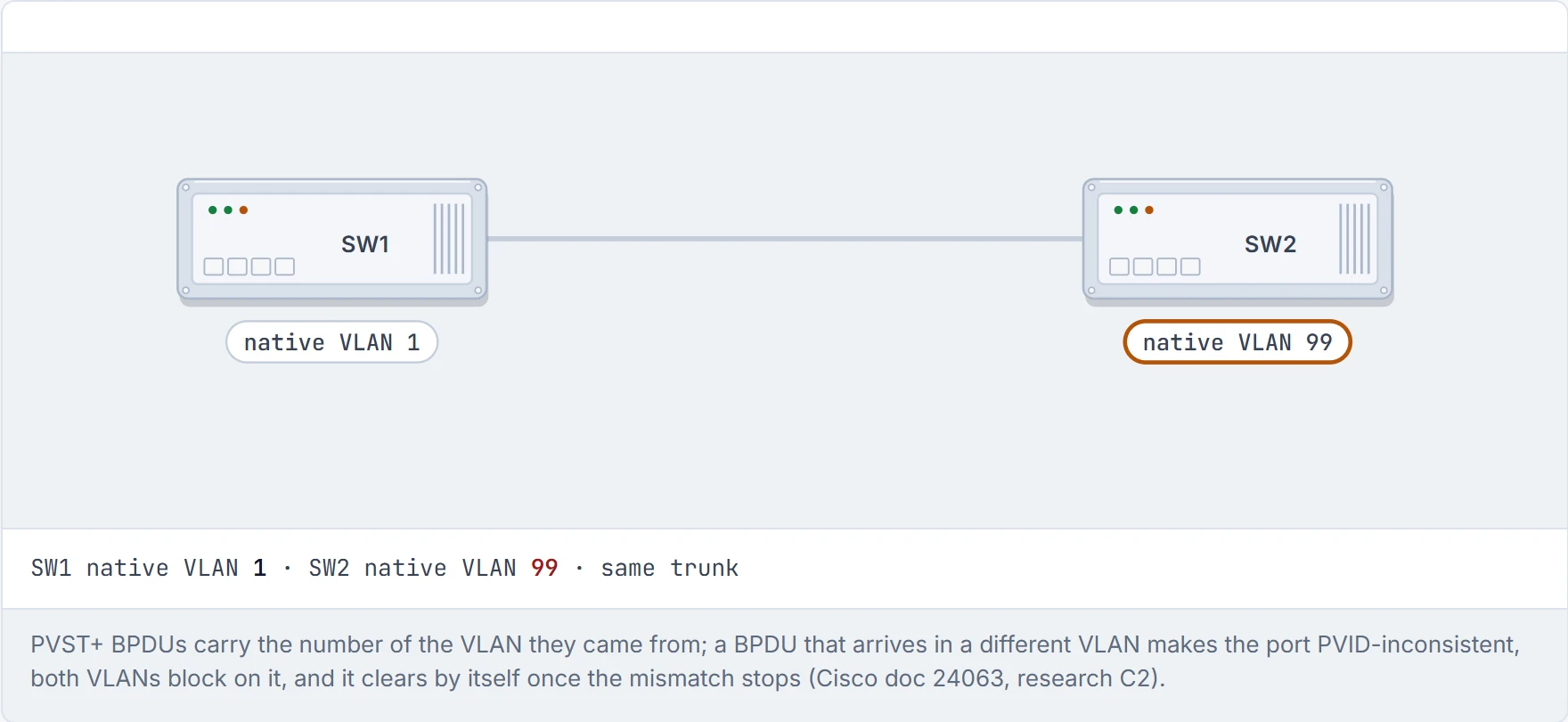
Step 1 of 5 A trunk where someone changed SW2’s native VLAN to 99 and left SW1’s at 1 (the fault from 01-1).
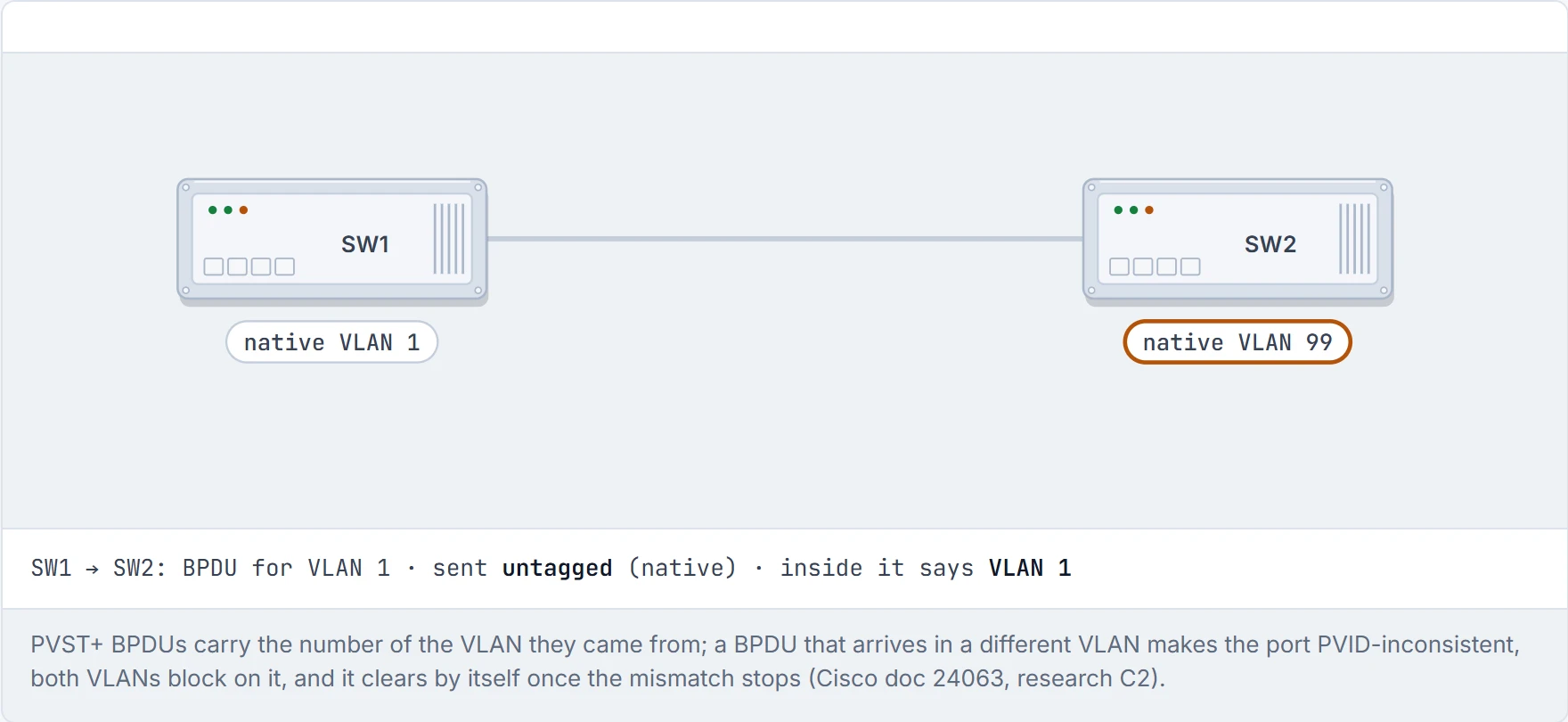
Step 2 of 5 SW1 sends its VLAN 1 BPDU. VLAN 1 is SW1’s native VLAN, so the frame goes untagged, but PVST+ writes the VLAN it came from inside the BPDU.
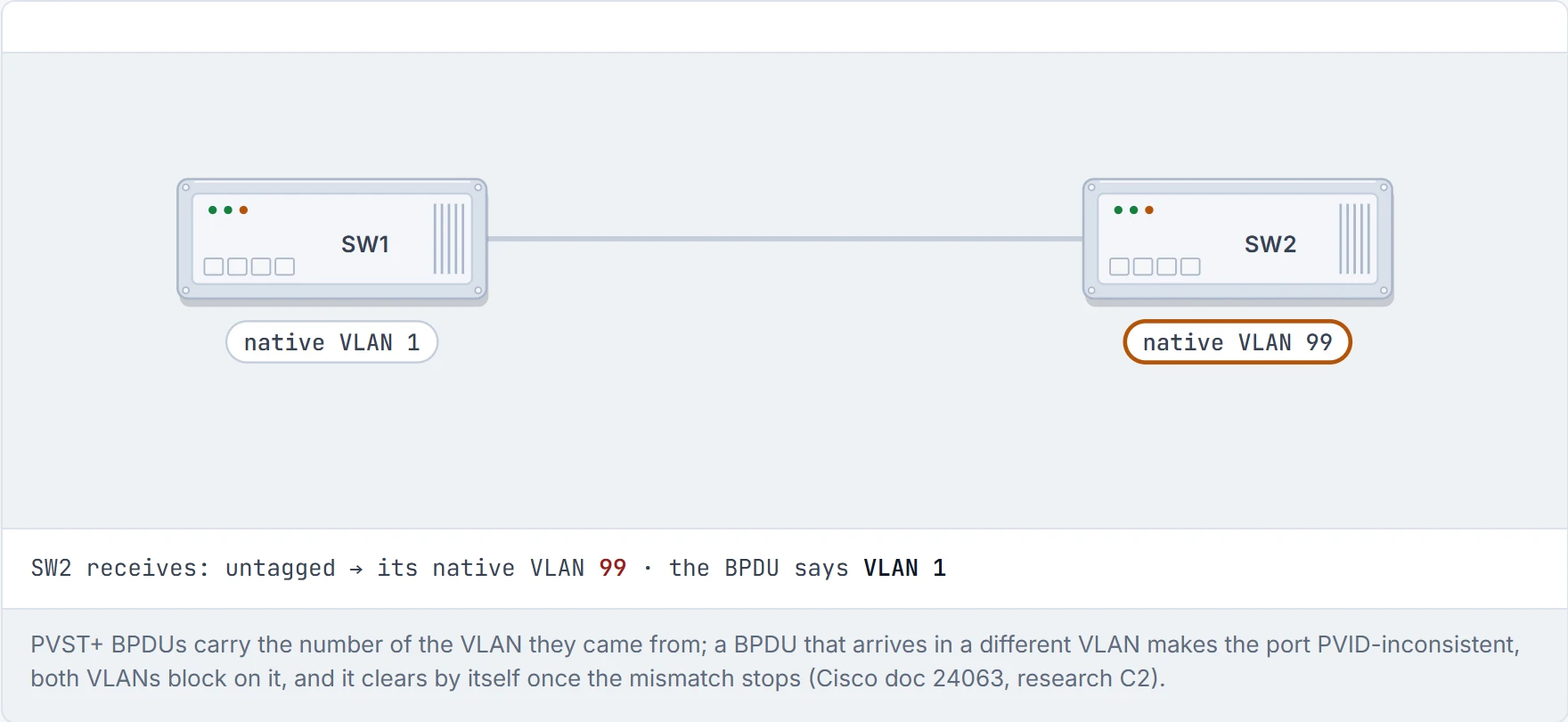
Step 3 of 5 SW2 gets an untagged frame, so it files it under its own native VLAN, 99. But the BPDU inside says it belongs to VLAN 1.
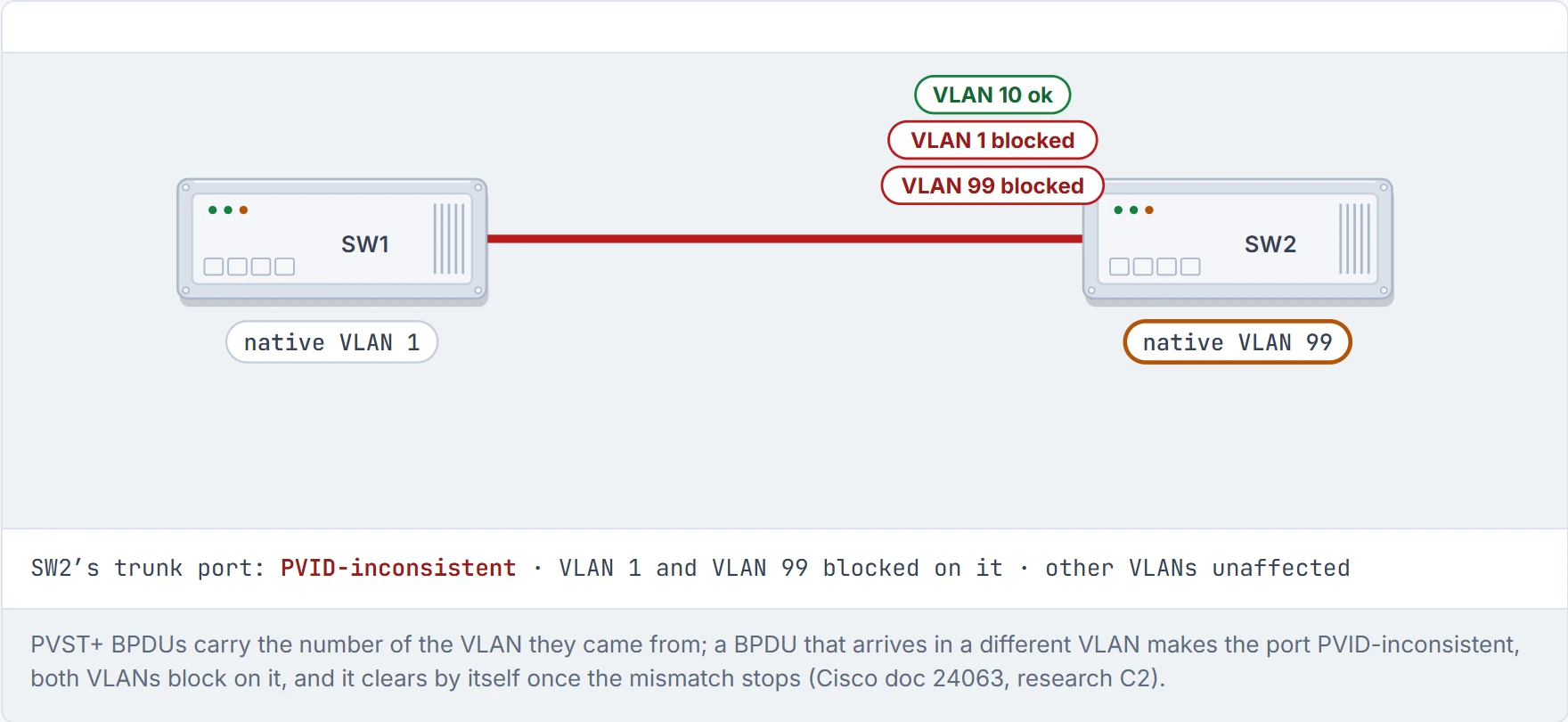
Step 4 of 5 The two numbers disagree, so the port goes PVID-inconsistent and both VLANs are blocked on it. This is why 01-1 saw VLANs 1 and 99 drop out of the last list of show interfaces trunk. SW1 has the mirror image: SW2’s untagged VLAN 99 BPDU lands in SW1’s VLAN 1, so SW1’s end is blocked the same way (the course’s reading of C2, which describes the receiving port).
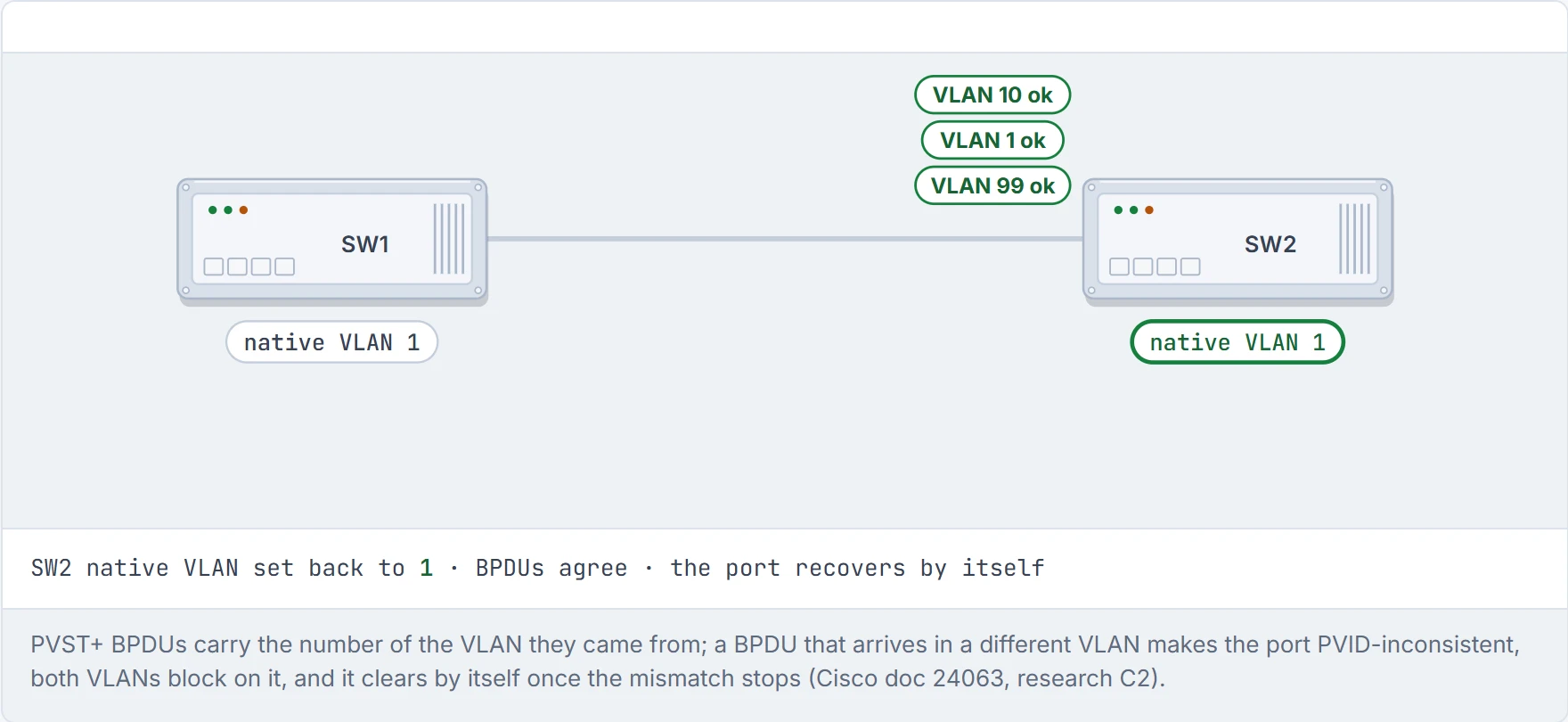
Step 5 of 5 Fix the native VLAN and the BPDUs agree again. The block clears by itself: no shutdown, no reload.
The one day a blocked port is good news: spanning tree caught your typo before your users did.
Commands and configuration
| Task | Command |
|---|---|
| Mode | spanning-tree mode rapid-pvst (9300 default) |
| Timers | spanning-tree vlan <v> {max-age | hello-time | forward-time} <s> |
| Long costs | spanning-tree pathcost method long |
Verification and troubleshooting
| Command | Proves | Does NOT prove |
|---|---|---|
show spanning-tree root | the root per VLAN, cost to it, this switch's root port | which ports block elsewhere; which physical switch the root is (follow CDP/LLDP) |
show spanning-tree vlan <v> | this switch's bridge ID, and each port's role, state, cost, type | that the design is right (root placement: 01-6) |
show spanning-tree interface <if> [detail] | one port's role/state in every VLAN; transitions and BPDU counts | why a VLAN is missing: check the allowed list |
show spanning-tree vlan <v> detail | how many topology changes, when, from which port | the root cause: follow it switch by switch |
show spanning-tree inconsistentports | ports blocked as PVID- or type-inconsistent | which end is misconfigured: compare both |
Spanning tree enabled protocol rstp line | this switch runs Rapid PVST+ for that VLAN | that a given port finished the RSTP handshake; the peer's mode; which ports are edge |
*TYPE_Inc in the Type column | a port configuration mismatch with the neighbour | which setting: check port type and access/trunk mode on both ends |
Funnel (users see 30-50 s outages). Check the mode (rstp?) → check TCN counts (detail) → a climbing count → follow the "from" port → a flapping link, or a host port without PortFast (01-7). Funnel (two VLANs dead on a trunk). inconsistentports → PVID → compare the native VLANs.
Bad instinct: "unblocking" a BLK port by hand. That's the loop you were protected from.
Real-world examples
- An old switch with a low MAC, redeployed into the core, that becomes root and drags traffic through itself; fixed in 01-6.
- A 50-second outage from a cable pulled under a desk, on 802.1D; a moment on RSTP.
- A broadcast storm from a looped cable under a desk, on a network with spanning tree disabled.
Common misunderstandings
| Wrong | Right |
|---|---|
| "Blocked means faulty." | Blocking is the design: a standby path. |
| "The fastest switch becomes root." | The lowest bridge ID does: priority, then MAC. |
| "The root port is on the root bridge." | The root has no root port; all its ports are designated. |
| "Advertised cost includes the sending port's cost." | The receiver adds its own port's cost. |
| "RSTP has a listening state." | Discarding, learning, forwarding. |
| "RSTP must fully converge before anything forwards." | Synced parts forward while others converge. |
| "There are three BPDU types." | Two: configuration and TCN. |
| "802.1D must fully converge before anything forwards." | Traffic flows once the root is elected and ports finish listening and learning. |
| "Two parallel links to one switch make a backup port." | On point-to-point links they show Altn. |
| "A TCN flushes every MAC." | Ageing drops to 15 s, so only quiet entries go. |
In production
Run Rapid PVST+ (the default on 9300s); keep one cost method everywhere; watch TCN counts; don't leave the root to MAC-address luck (01-6); protect edge ports (01-7).
The interactive lesson
The whole lesson, with its drawings and its questions. Free with a Daveth account.