
Spanning tree protection: root guard, PortFast, BPDU guard and filter, loop guard, UDLD
Spanning tree can still be beaten, by a switch turning up where it should not or by a cable that works in one direction only. Root guard stops a port becoming a root port; BPDU guard shuts an edge port that hears a BPDU; BPDU filter stops BPDUs and is rarely needed; loop guard treats silence as suspicious; UDLD checks a fibre link works both ways.
By Arif, founder of Daveth · Updated
The full 9 min walkthrough is in Daveth Pro (Network). See what the plan opens
What this page answers
What is spanning tree root guard?
A port setting, spanning-tree guard root, that stops the port ever becoming a root port. Cisco's documentation says a tripped port goes root-inconsistent, which means blocked; the course guide says err-disabled. Read it in “4.1 What can still loop”
What is BPDU filter?
It stops BPDUs being sent out of a port. Globally, PortFast ports send a few BPDUs when the link comes up, then stop, and lose PortFast if a BPDU arrives. On an interface, the port sends none and ignores those it receives, which is the dangerous one. Read it in “4.1 What can still loop”
What are loop guard and UDLD?
Loop guard treats a port that stops hearing BPDUs as a fault rather than a reason to forward. UDLD checks a fibre link works both ways: each switch sends its system and port ID, and the neighbour repeats them back with its own. Read it in “4.1 What can still loop”
4.1 What can still loop
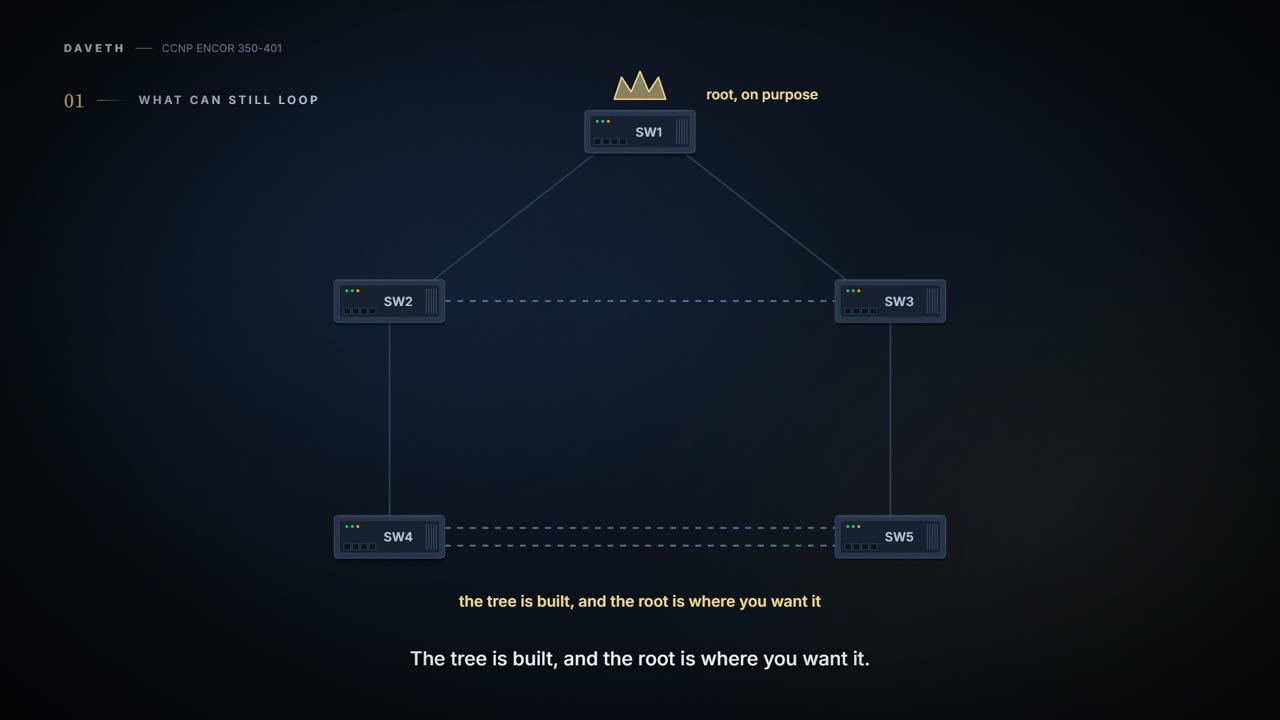
01-5 built the tree and 01-6 put it where you wanted it. It can still be beaten. It's basically like a good lock on the front door: it does its job perfectly, and it can't do a thing about a window someone left open. A frame at Layer 2 has no TTL, so when two active paths exist between two devices, broadcast and multicast go round for ever. The CPU spikes, free memory drops, the switch keeps moving MAC addresses from one port to another, throughput collapses, and switches can crash.
How do you get a loop past spanning tree? Four common ways:
- spanning tree turned off on a switch;
- a misconfigured load balancer sending the same MAC out of several ports;
- a misconfigured virtual switch bridging two physical ports (virtual switches usually don't take part in STP; they're 04-8's);
- a user plugging in a "dumb" switch (an unmanaged one that doesn't run spanning tree) or a hub.
The switch's warning looks like this: %SW_MATM-4-MACFLAP_NOTIF, "Host 70df.2f22.b8c7 in vlan 1 is flapping between port Gi1/0/3 and port Gi1/0/2". It names the MAC, the VLAN and both ports. If you've ever watched a parcel tracker show the same parcel scanned at two depots in the same minute, it's that: the tracker can't say which scan is wrong, but it tells you exactly which parcel and which depots to go and look at. Go and check spanning tree on every switch carrying that VLAN.
The MAC flap message is the switch saying "I keep seeing the same person walk through two doors at once", which is either a loop or a magician. It's never a magician.
In 01-6 you made SW1 root on purpose. Now protect that. Root guard goes on a port and stops that port ever becoming a root port. That stops a switch downstream of it, misconfigured or rogue, from becoming root. It trips when a superior BPDU arrives on the port. You can think of it as a sign on the loading-bay door: "deliveries in, no managers". Deliveries come and go all day. The moment someone walks in announcing they're the new boss, the door shuts.
What happens then? The guide says the port goes err-disabled: err-disabled means the switch has shut the port down for an error, and it stays down until something brings it back (section 4.4). Cisco's documentation says otherwise: the port goes root-inconsistent, which means blocked: nothing passes. And when the superior BPDUs stop, it recovers by itself and moves back to forwarding, with nobody touching it. That recovery comes from Cisco's documentation, not the guide, and this course could read it only in summary form, so treat it as unconfirmed until you see it on a switch. It acts kind of like a bouncer who holds the door shut until the would-be boss leaves, not one who throws away the key. Enabled on an interface, root guard applies to every VLAN that interface carries. (Whether one VLAN's superior BPDU blocks only that VLAN or all of them on the port isn't in the sources read: check before teaching it.)
SW2(config)# interface gi1/0/4
SW2(config-if)# spanning-tree guard root
To see it working, show spanning-tree inconsistentports should list the port as root-inconsistent while it's tripped (the guide shows no root guard output; this is Cisco's behaviour from the summaries, so check the exact 17.9 output).
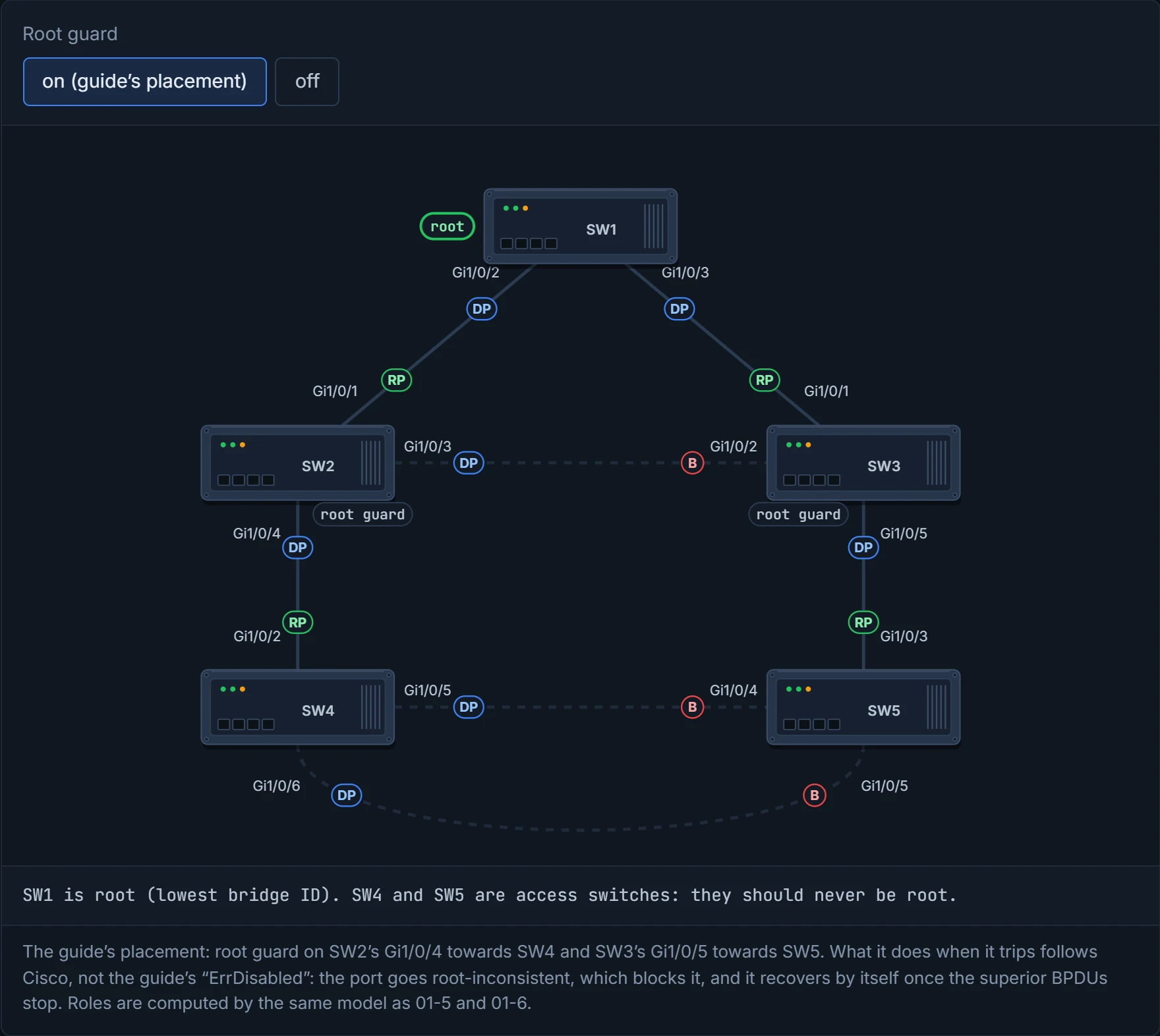
Put it on designated ports toward switches that should never be root. In Figure 3-1, that's SW2's Gi1/0/4 toward SW4 and SW3's Gi1/0/5 toward SW5. SW4 and SW5 can never become root, but if the SW1–SW2 link fails, SW2 still reaches SW1 through SW3, because root guard isn't on that path.
D4
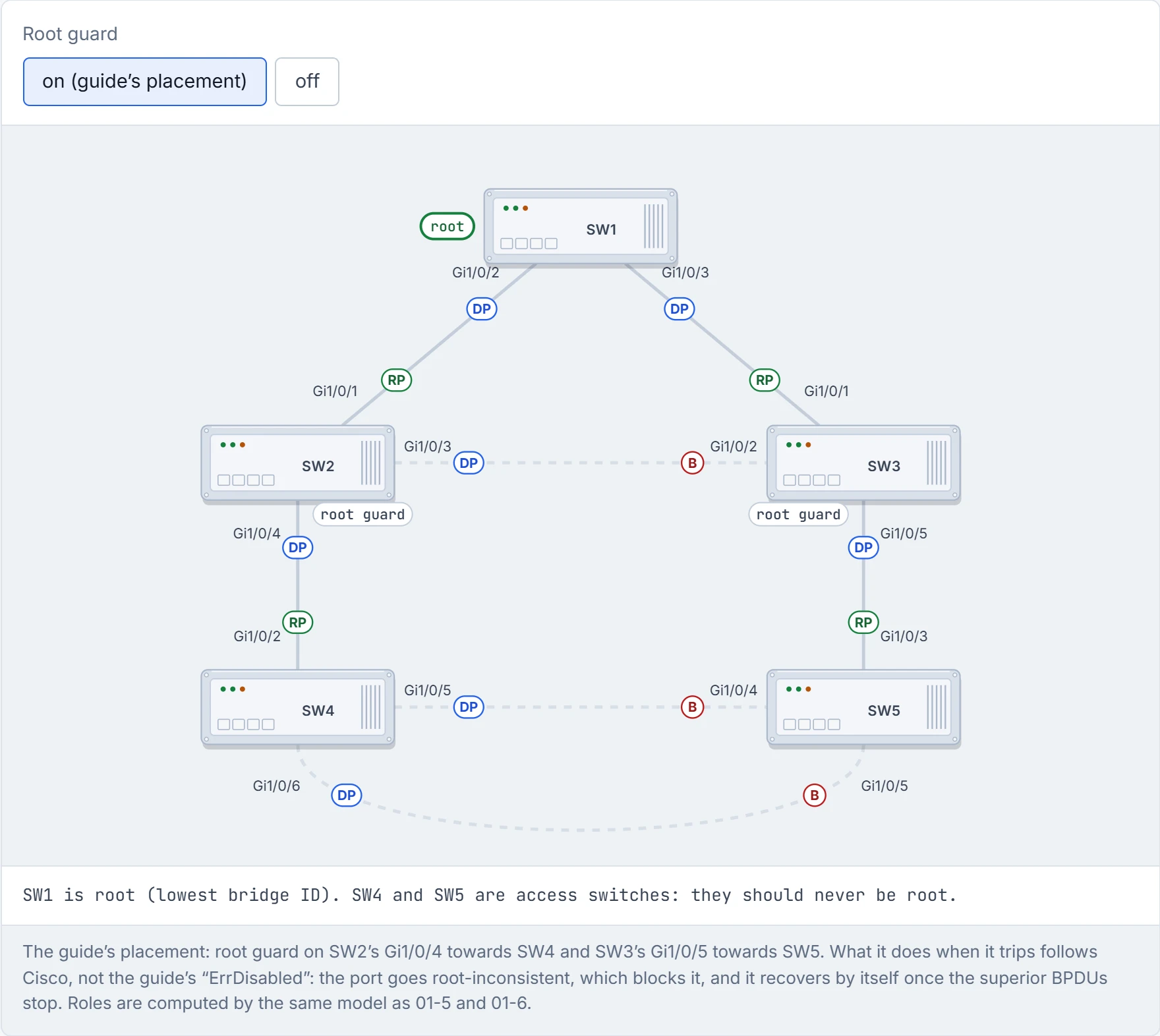
Step 1 of 5 Root guard sits on the two ports that lead down to SW4 and SW5. It changes nothing while those switches behave.
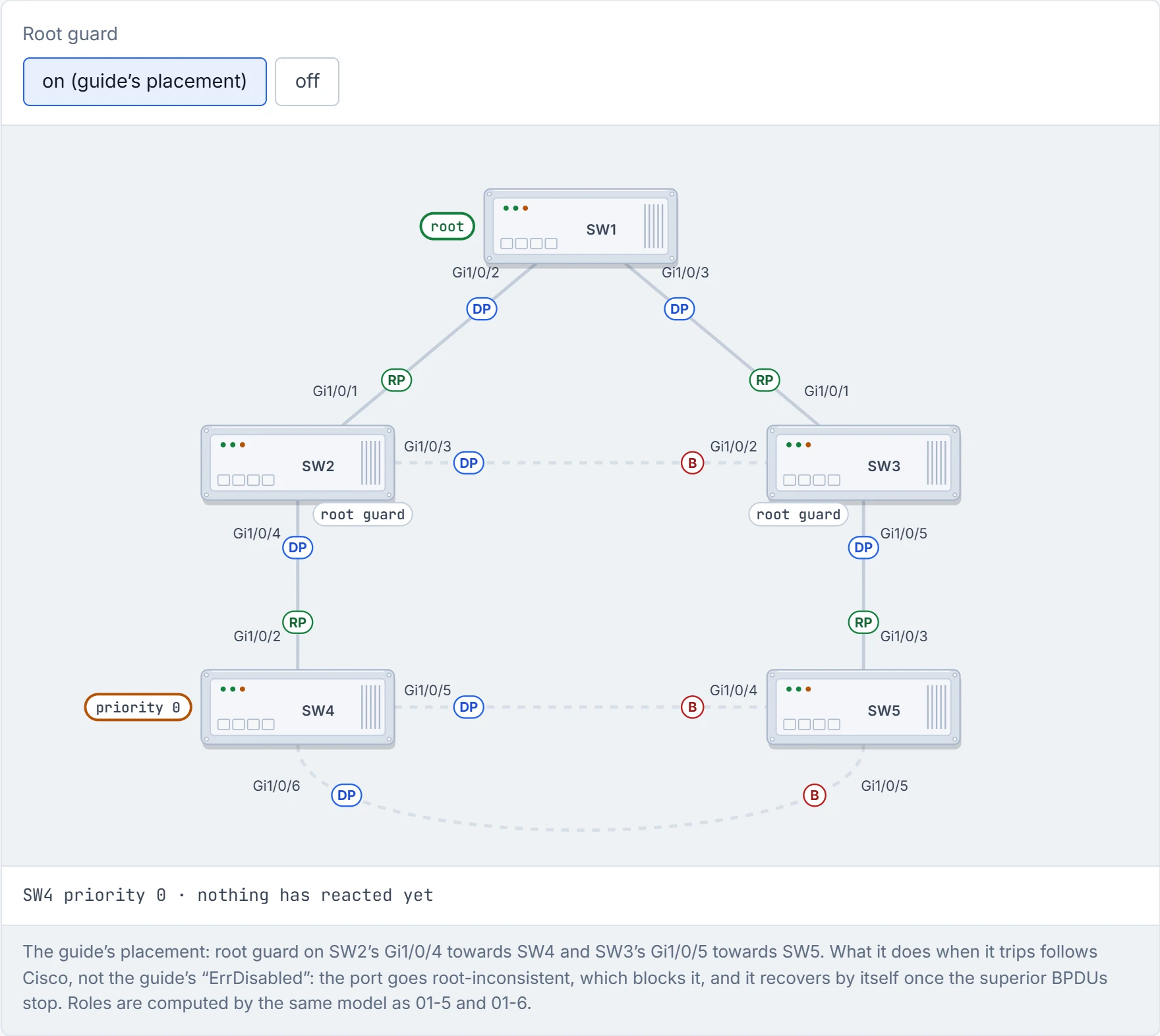
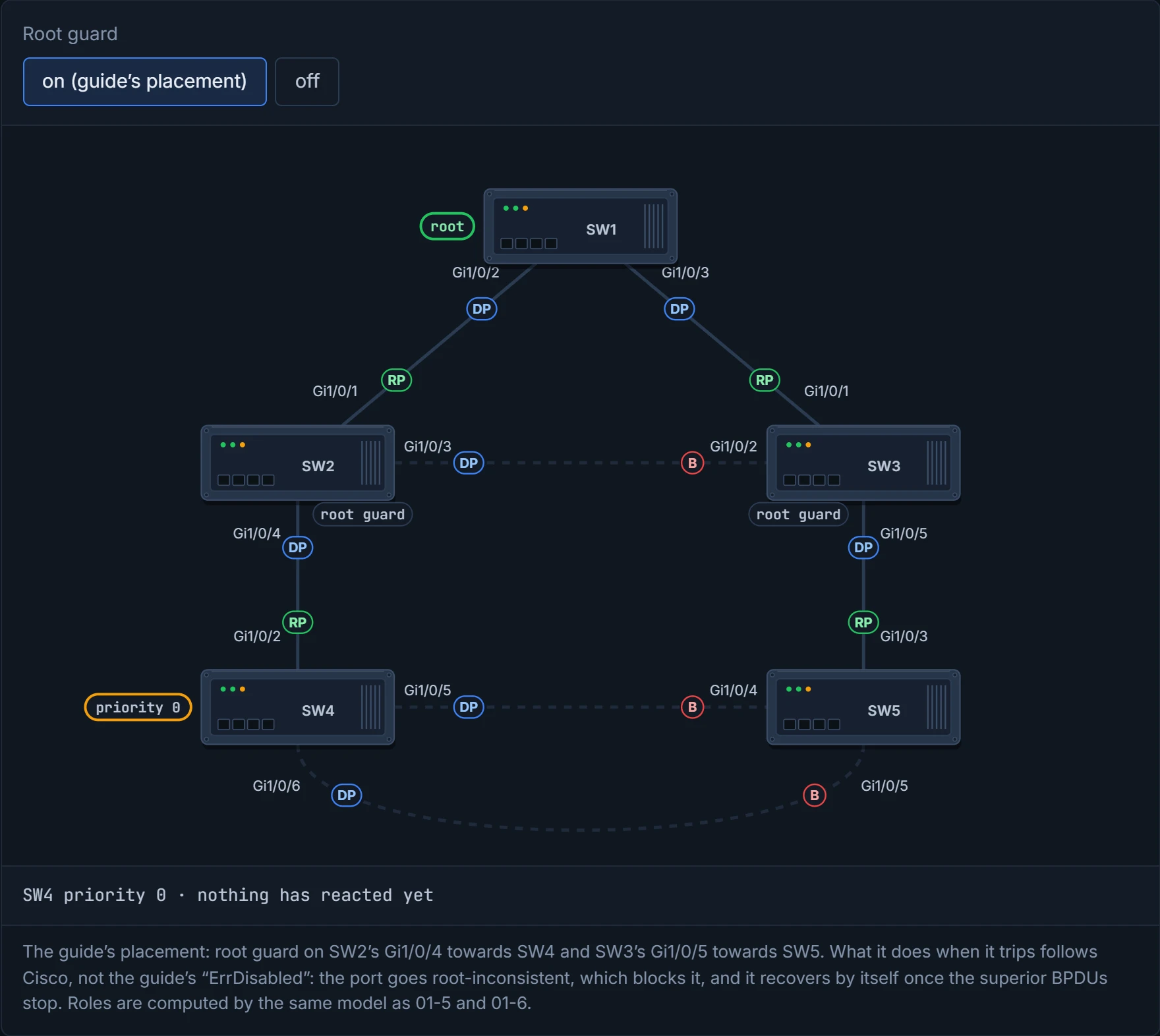
Step 2 of 5 Someone sets SW4’s priority to 0: the lowest possible. SW4 now has the best bridge ID in the network, and says so in every BPDU.
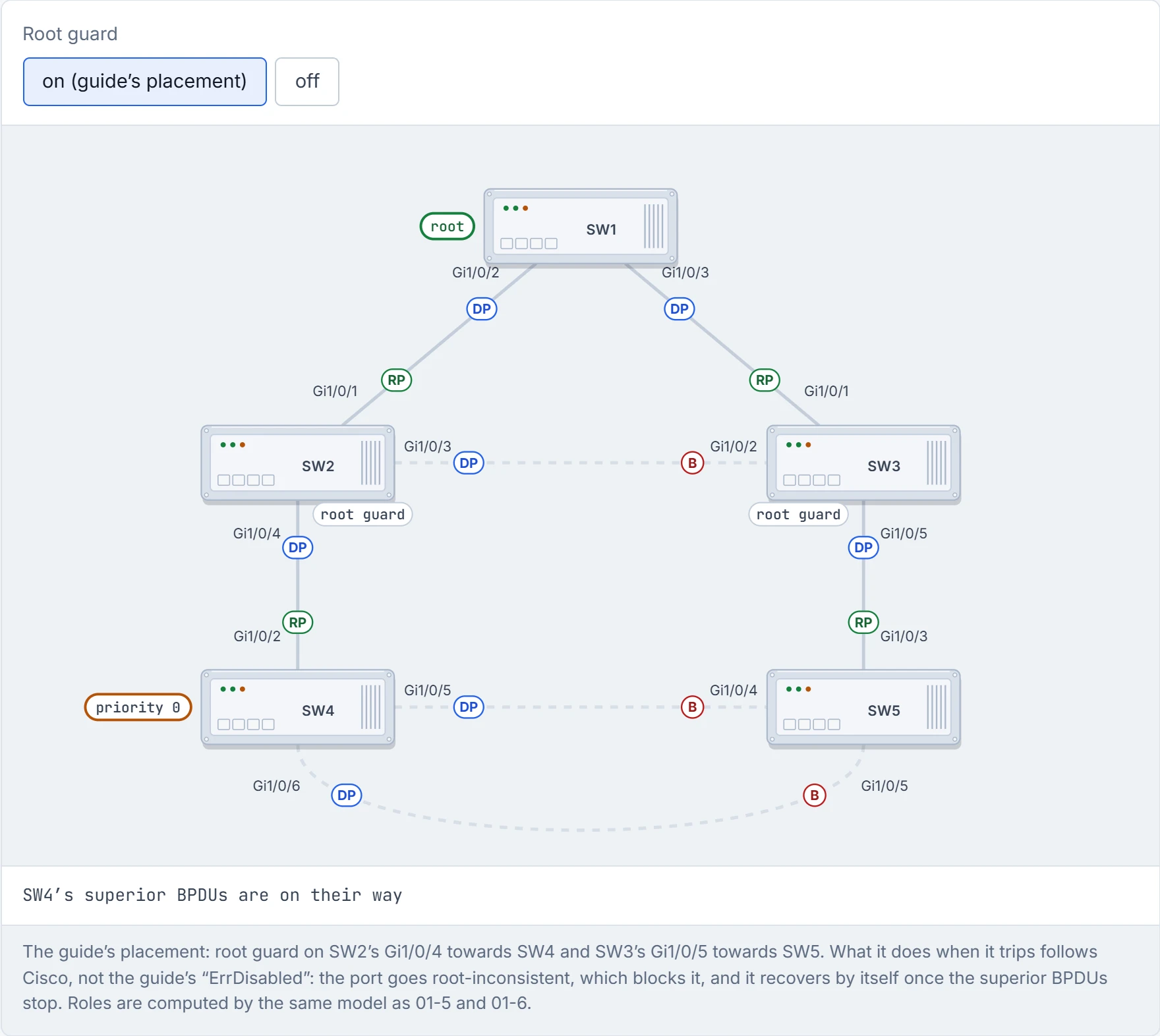
Step 3 of 5 SW4’s superior BPDUs reach SW2’s Gi1/0/4 directly, and SW3’s Gi1/0/5 through SW5.
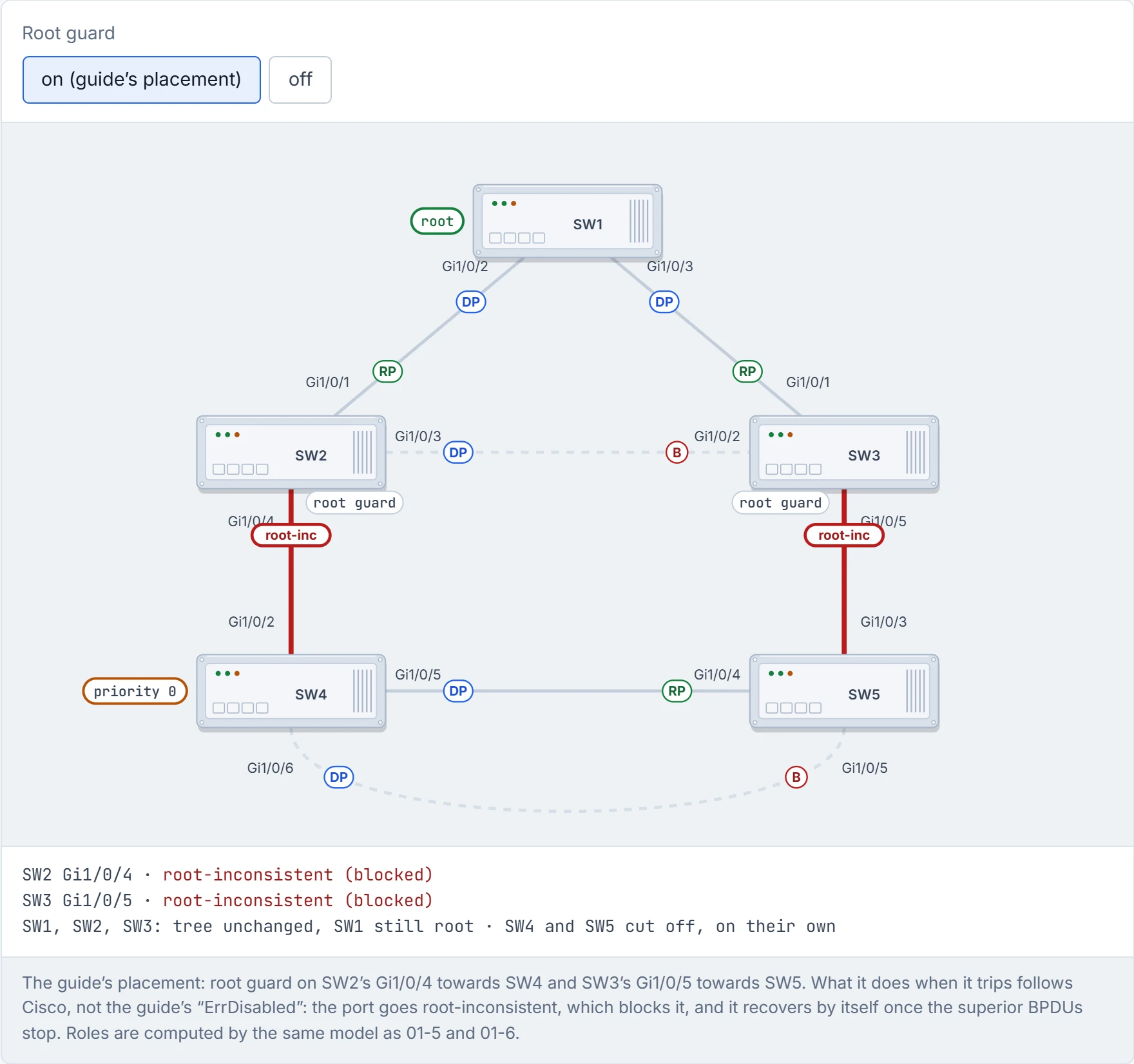
Step 4 of 5 Both guarded ports hear a superior BPDU, which is exactly what root guard exists to refuse. They go root-inconsistent: blocked. SW1 stays root and the core doesn’t move. The price is that SW4 and SW5 are cut off until SW4 is fixed.
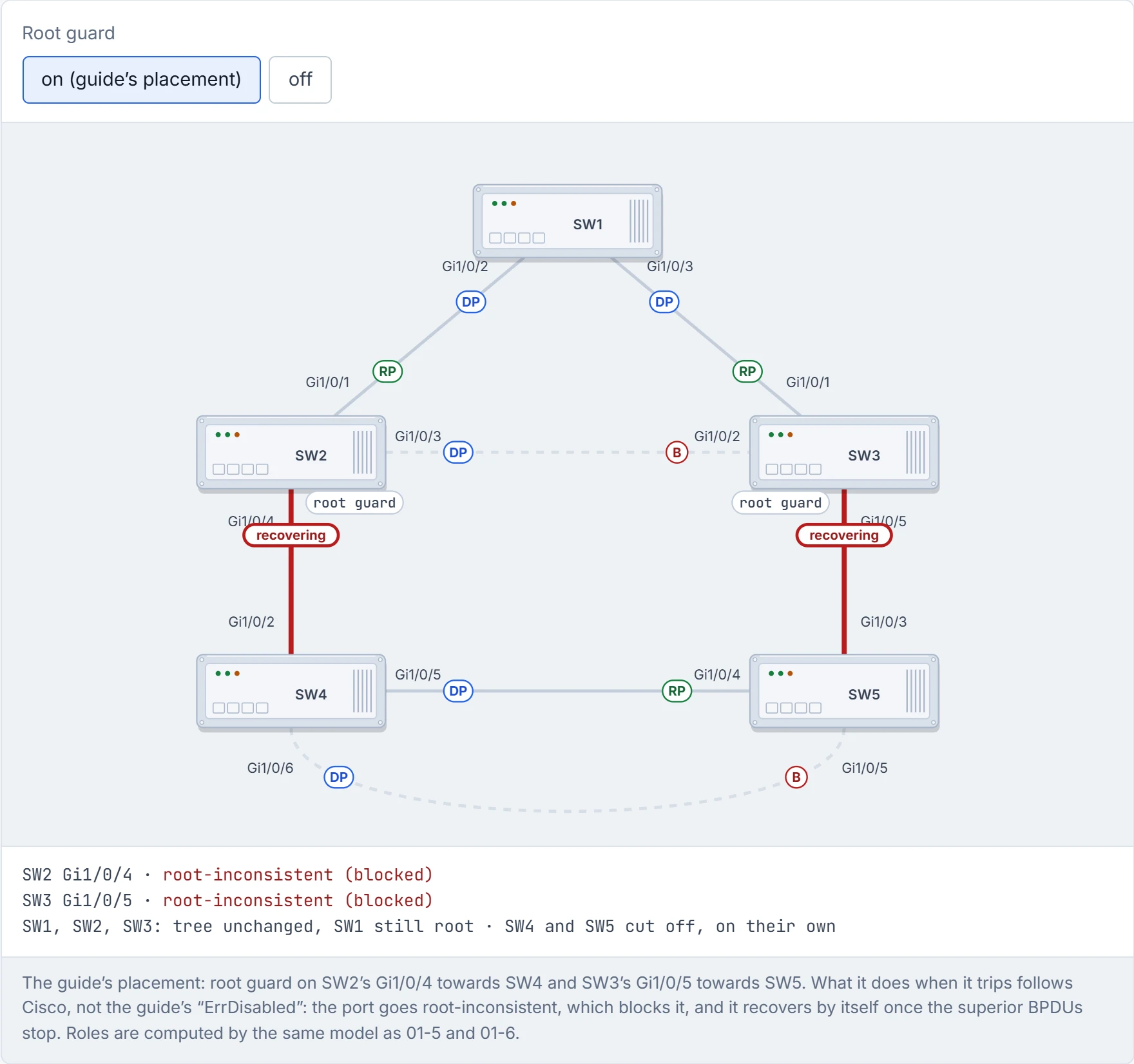
Step 5 of 5 SW4 is fixed and its superior BPDUs stop: both guarded ports recover by themselves, with nothing to type.
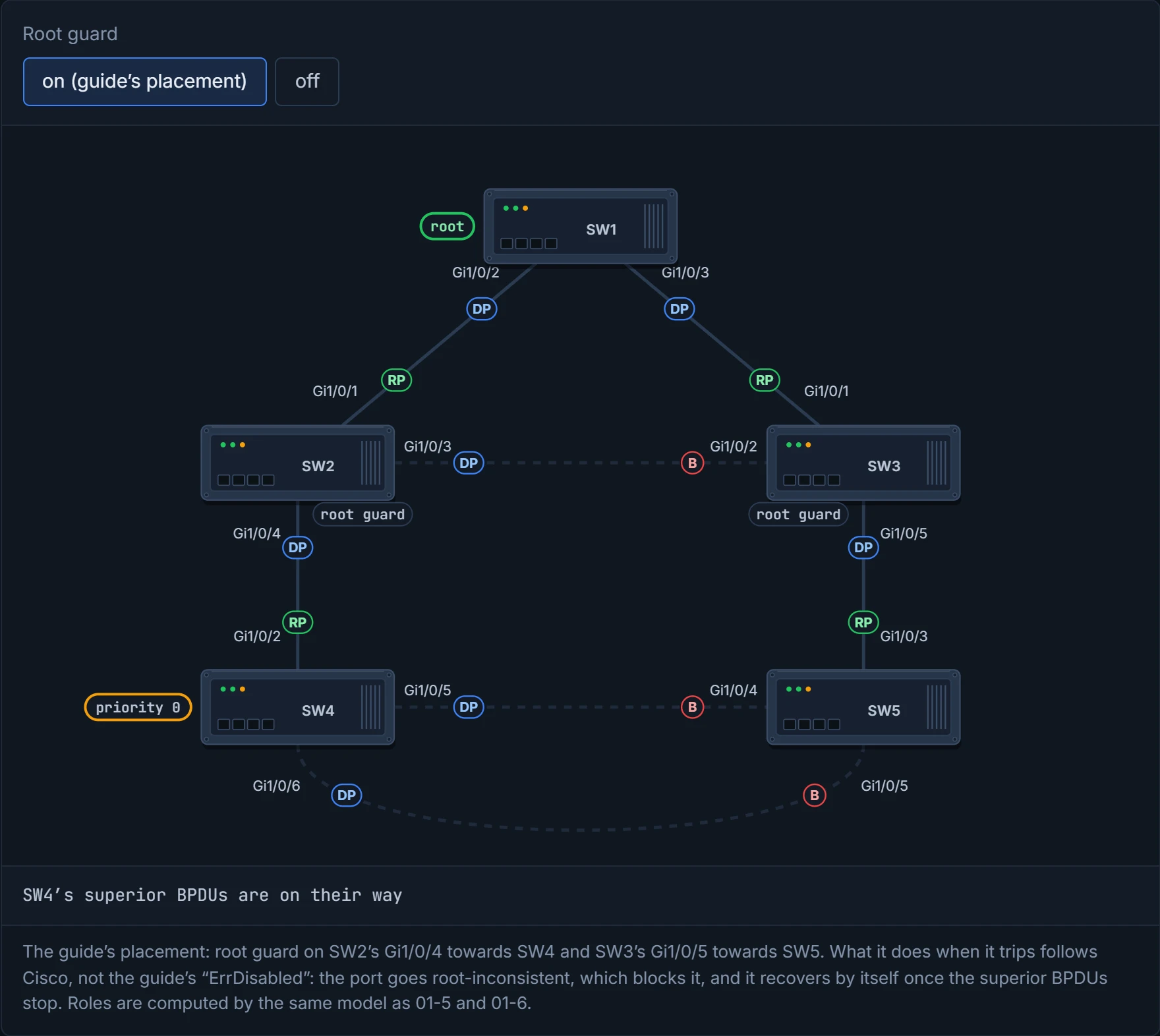
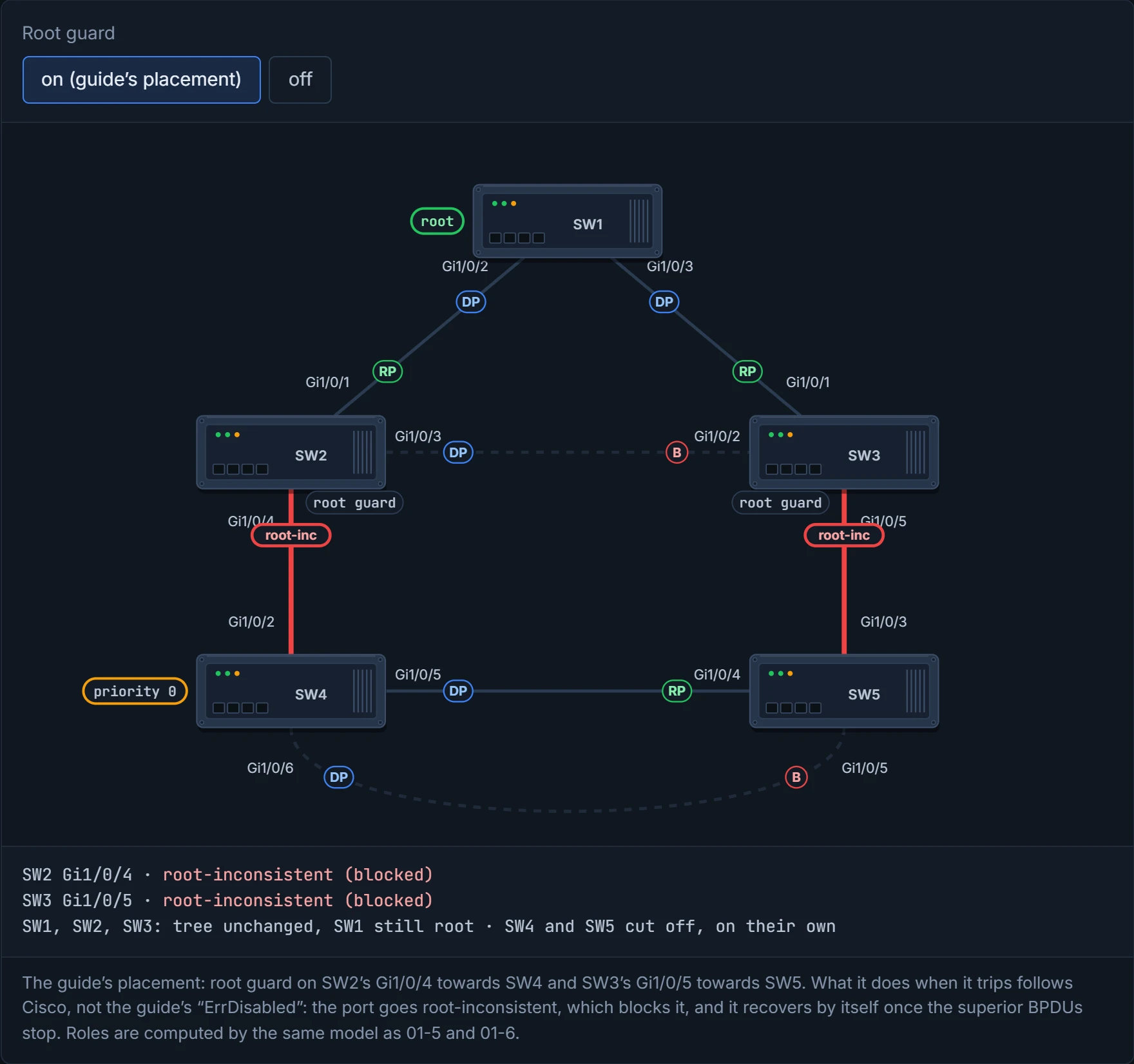
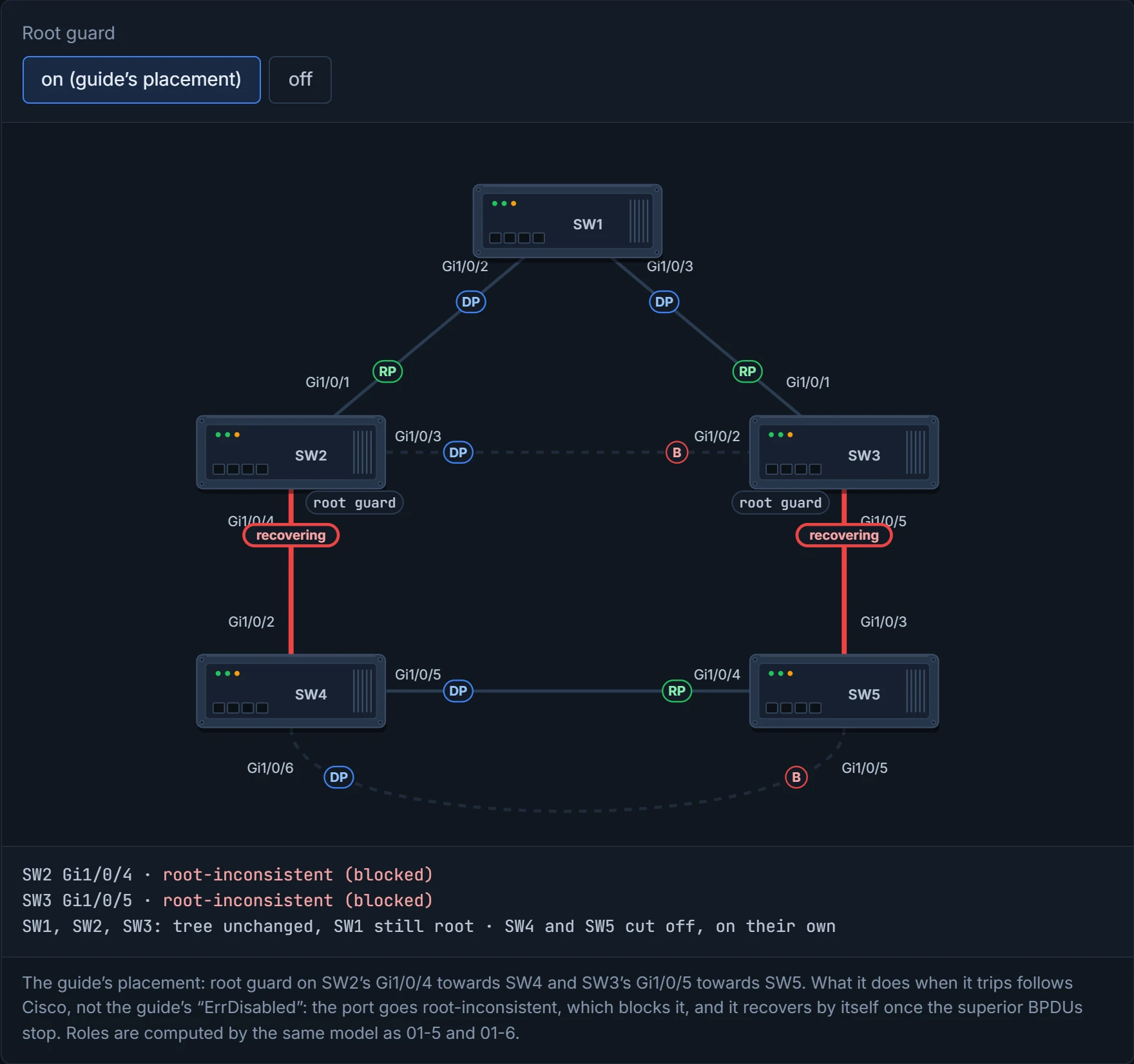
Root guard is for the switch that turns up on day one and announces it's in charge. It gets a very quiet corner until it calms down.
A PC has one link to the network. So a topology change notification every time a PC boots makes no sense, and PortFast stops TCN generation on access ports. (TCNs and the MAC-table flush were 01-5.) It also skips listening and learning and forwards at once, which matters for machines that want DHCP or a PXE boot the moment the link comes up. Think about the last time you plugged a laptop in and it said "no network" for half a minute: that's a port without PortFast, standing at a green light for 30 seconds.
If a PortFast port ever hears a BPDU, it loses PortFast: something that talks spanning tree clearly isn't a PC. Consider it your front-door key left with the neighbour who only ever waters the plants: trusted to come straight in, precisely because they'll never rearrange the furniture. Catch them moving the sofa, and the key comes back.
SW1(config)# interface gi1/0/13
SW1(config-if)# spanning-tree portfast
SW2(config)# spanning-tree portfast default
SW2(config)# interface gi1/0/8
SW2(config-if)# spanning-tree portfast disable
spanning-tree portfast does one port; spanning-tree portfast default does every access port; spanning-tree portfast disable exempts one. The global command warns you as you type it: disable PortFast on ports leading to hubs, switches and bridges, "as they may create temporary bridging loops".
spanning-tree portfast trunk exists too, but only for a trunk to a single host, like a server with one NIC running a hypervisor with VMs in several VLANs. On a link to another switch it can cause a bridging loop.
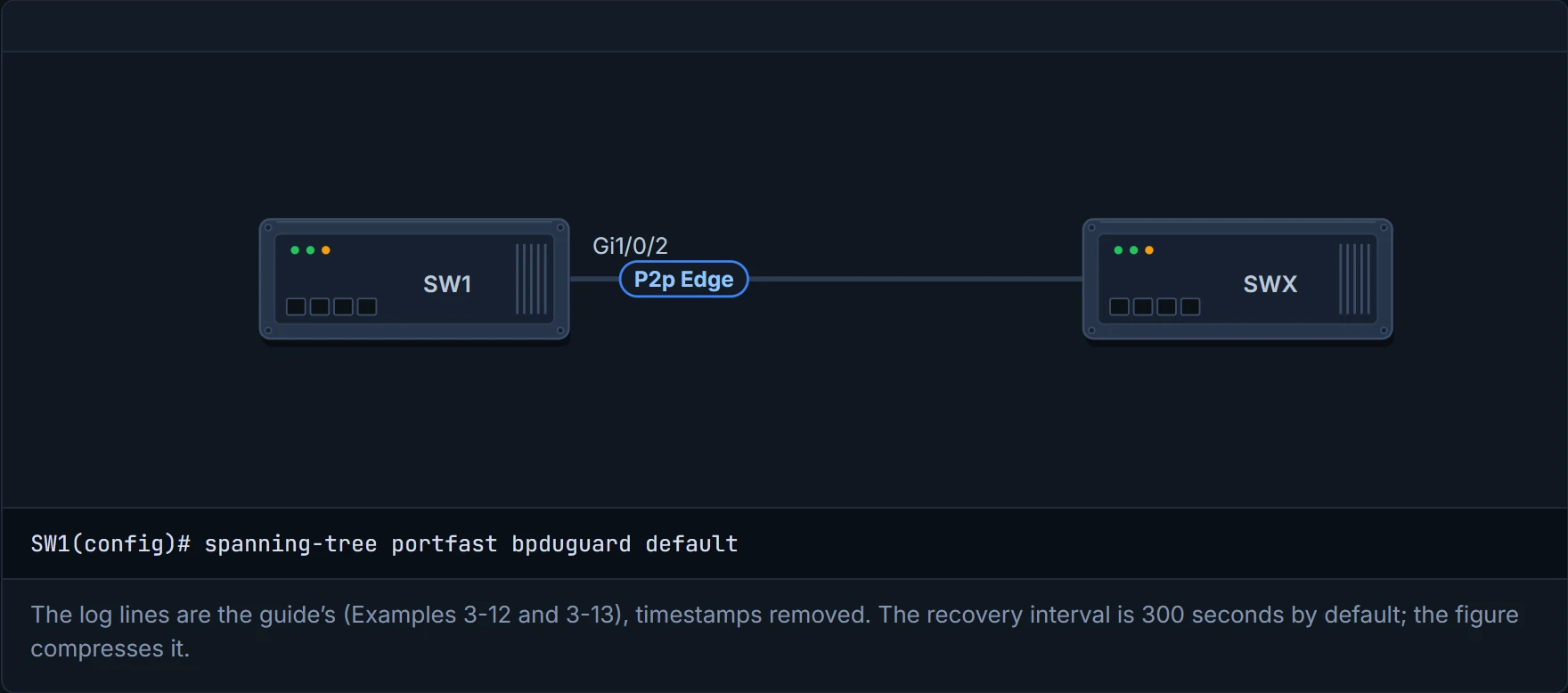
Check it: a PortFast port shows P2p Edge in show spanning-tree vlan 10, and show spanning-tree interface gi1/0/13 detail says "The port is in the portfast mode".
D5
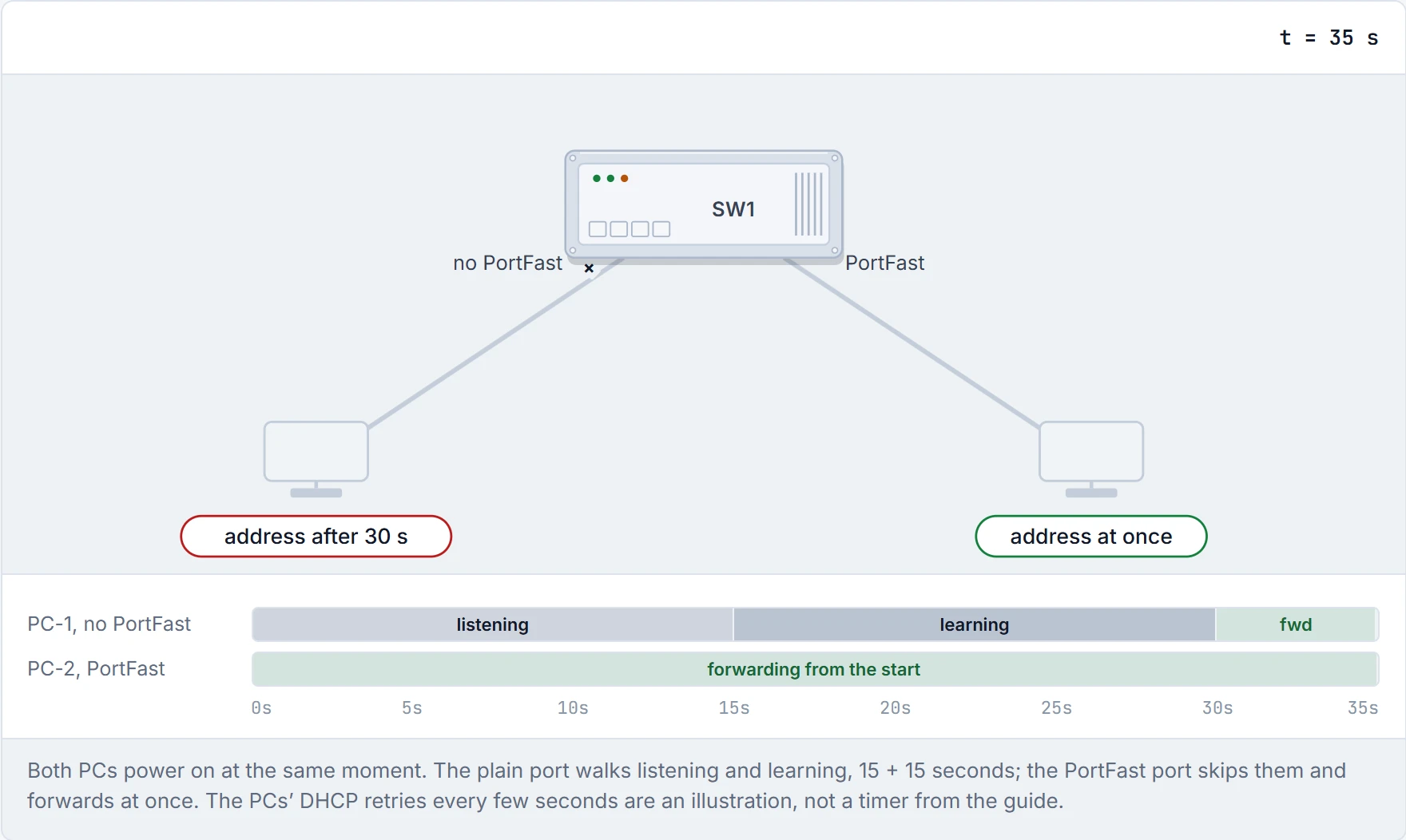
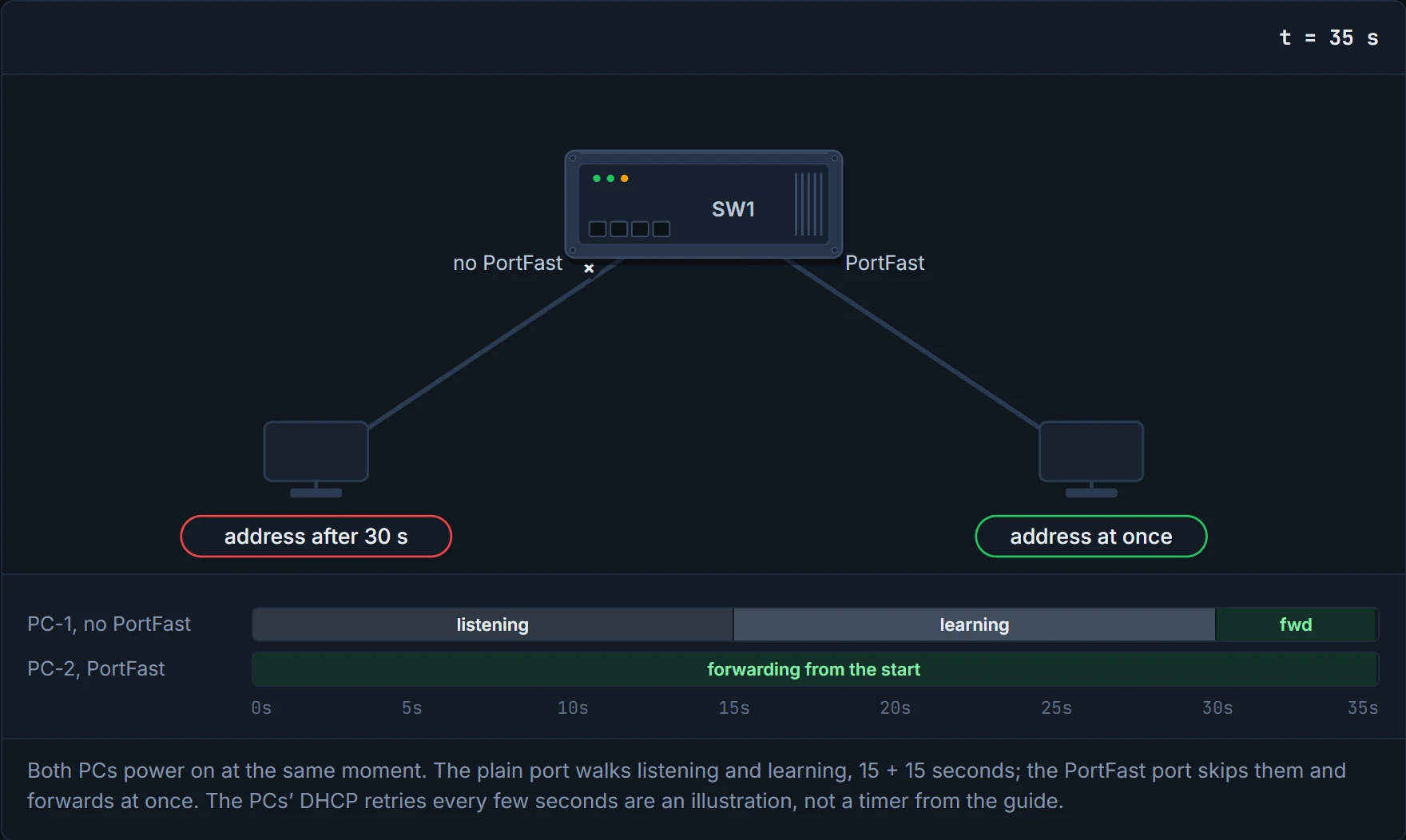
PortFast is the express checkout. Ten items or fewer, and no switches.
PortFast trusts the port to lead to a host. BPDU guard enforces it: a PortFast port that receives any BPDU is shut down, err-disabled. That's the global form. The interface form, spanning-tree bpduguard enable, turns it on for that one port, and the guide's own Example 3-12 trips it on Gi1/0/2, a port described as a link to SW2. (Whether the interface form needs PortFast on the port isn't stated in the guide: check on 17.9.) If someone plugs an unauthorised switch in, it can't make a loop. Just like when you find a stranger's car in your private driveway: nobody waits to see whether the driver seems friendly, it gets clamped.
SW1(config)# spanning-tree portfast bpduguard default
SW1(config)# interface gi1/0/8
SW1(config-if)# spanning-tree bpduguard disable
spanning-tree portfast bpduguard default turns it on for every PortFast port; spanning-tree bpduguard {enable | disable} sets one interface. show spanning-tree interface gi1/0/7 detail shows "Bpdu guard is enabled by default". The usual design: BPDU guard on every host-facing PortFast port.
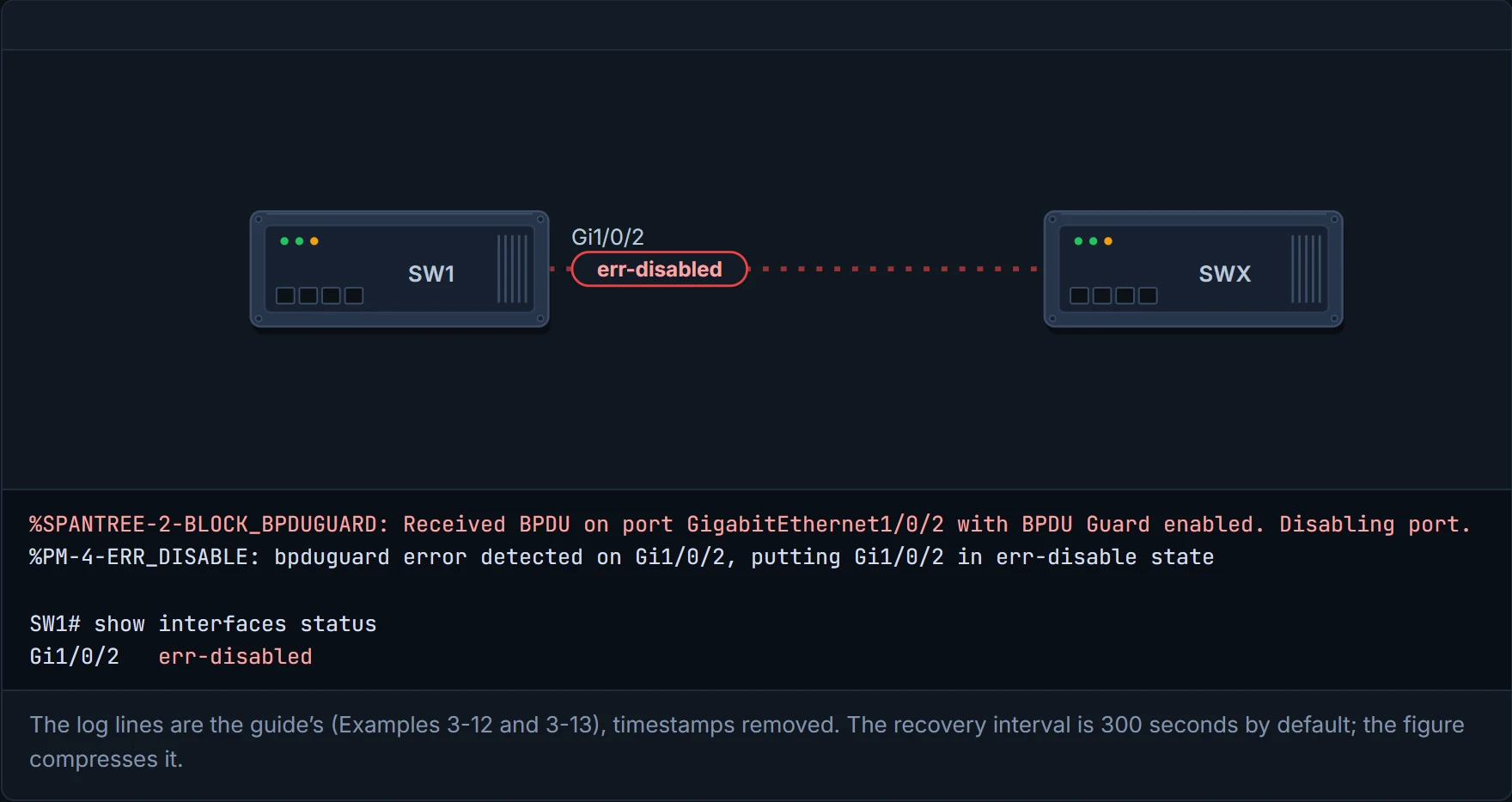
When it trips, you see it:
%SPANTREE-2-BLOCK_BPDUGUARD: Received BPDU on port GigabitEthernet1/0/2 with BPDU Guard enabled. Disabling port.
%PM-4-ERR_DISABLE: bpduguard error detected on Gi1/0/2, putting Gi1/0/2 in err-disable state
and show interfaces status lists Gi1/0/2 as err-disabled.
Unlike root guard, this one stays down. To bring such ports back automatically, turn on error recovery for that cause, errdisable recovery cause bpduguard, and set how often it tries with errdisable recovery interval <seconds>. show errdisable recovery shows bpduguard "Enabled", the timer, and which interfaces come back at the next timeout. If the switch is still plugged in, the port recovers, hears a BPDU and goes straight back to err-disabled. The default interval is 300 seconds. That's roughly equivalent to a circuit breaker in your fuse box: the fault trips it, it stays off, and it's up to you whether you flick it back or fit one that resets itself every five minutes. If the kettle's still faulty, it trips again. (The guide gives a range of 5 to 86,400; Cisco documents a different minimum on other Catalyst lines, so check your platform before relying on either. unconfirmed.)
D6
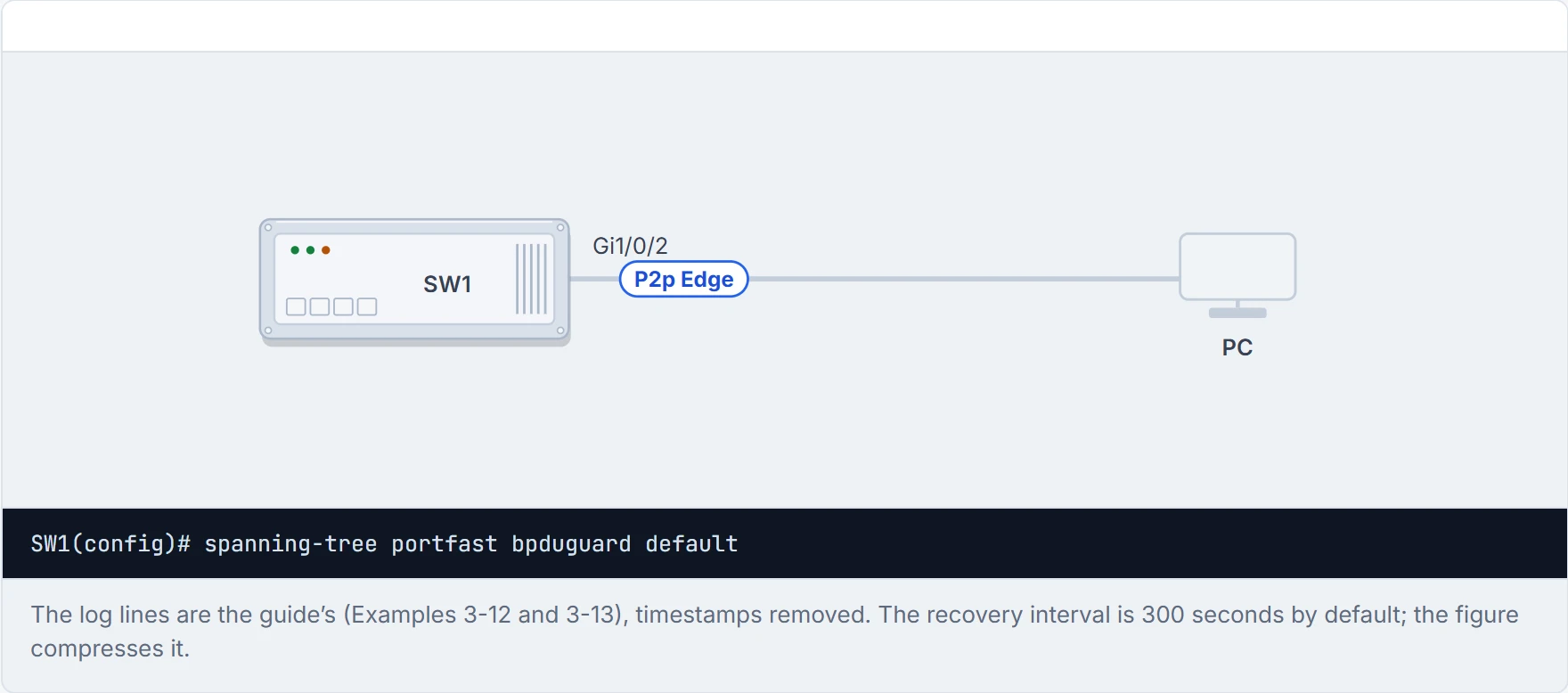
Step 1 of 5 Gi1/0/2 is a PortFast port with a PC on it, and BPDU guard is on for every PortFast port. A PC never sends BPDUs, so nothing happens.
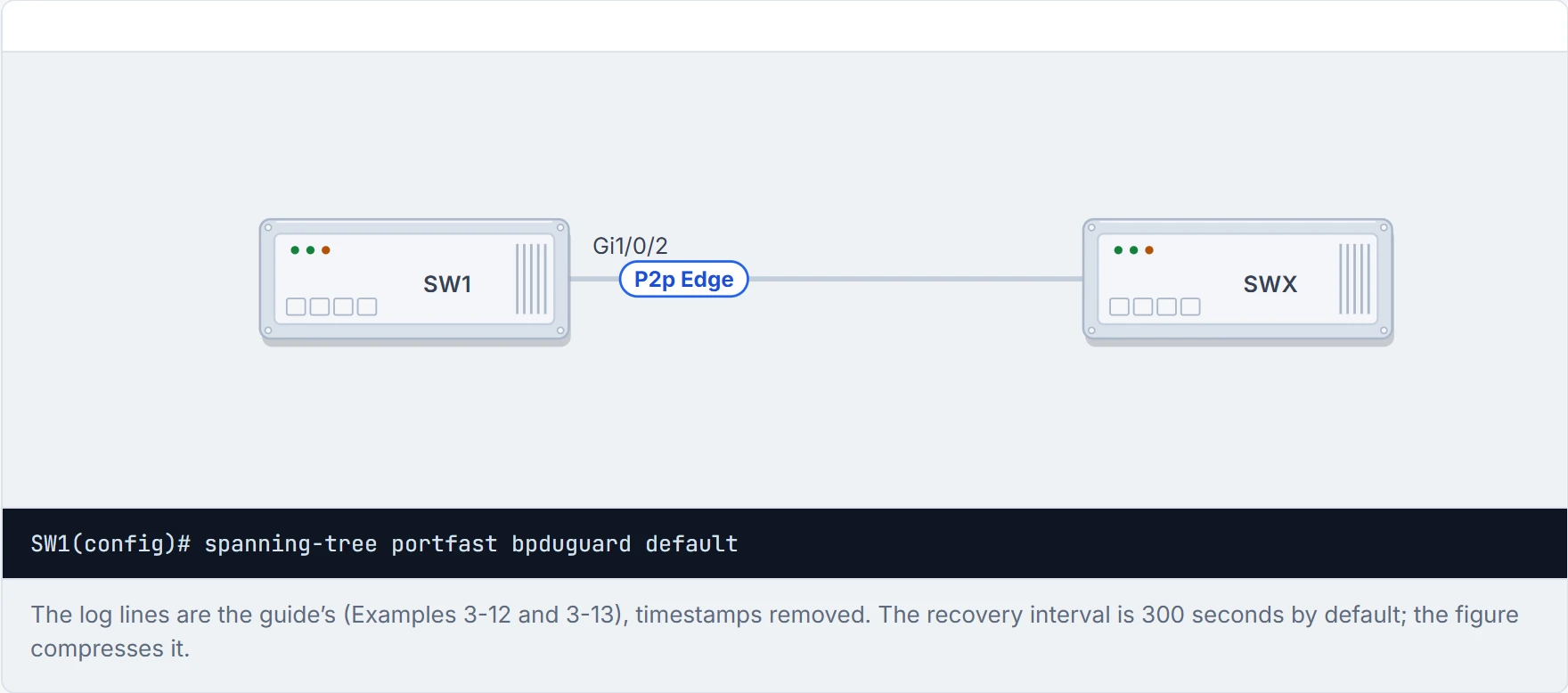
Step 2 of 5 Someone unplugs the PC and plugs in their own switch, SWX. The port comes up as a PortFast port, forwarding at once.
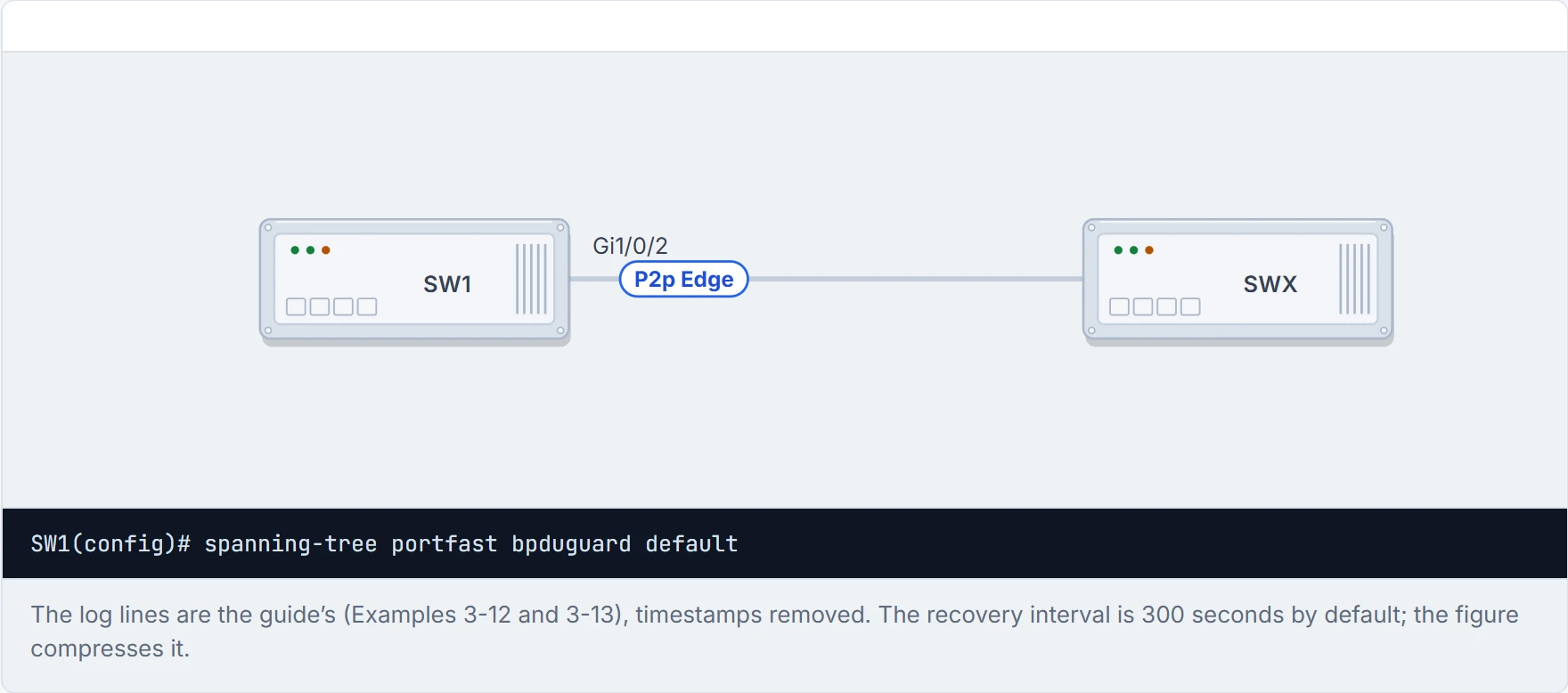
Step 3 of 5 SWX does what switches do: it sends a BPDU.
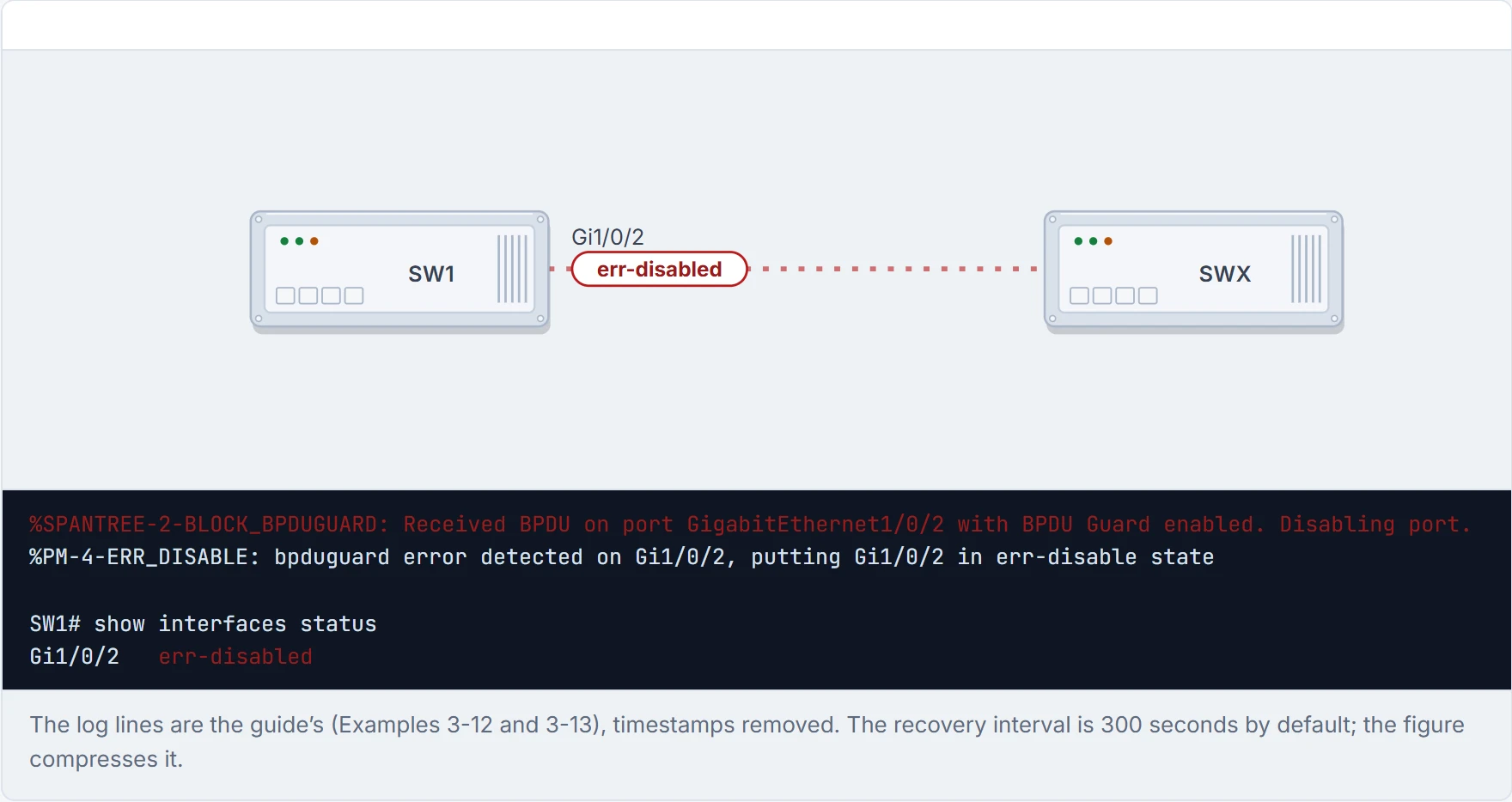
Step 4 of 5 One BPDU is enough. BPDU guard shuts the port down: err-disabled, and it stays that way. No loop can start through it.
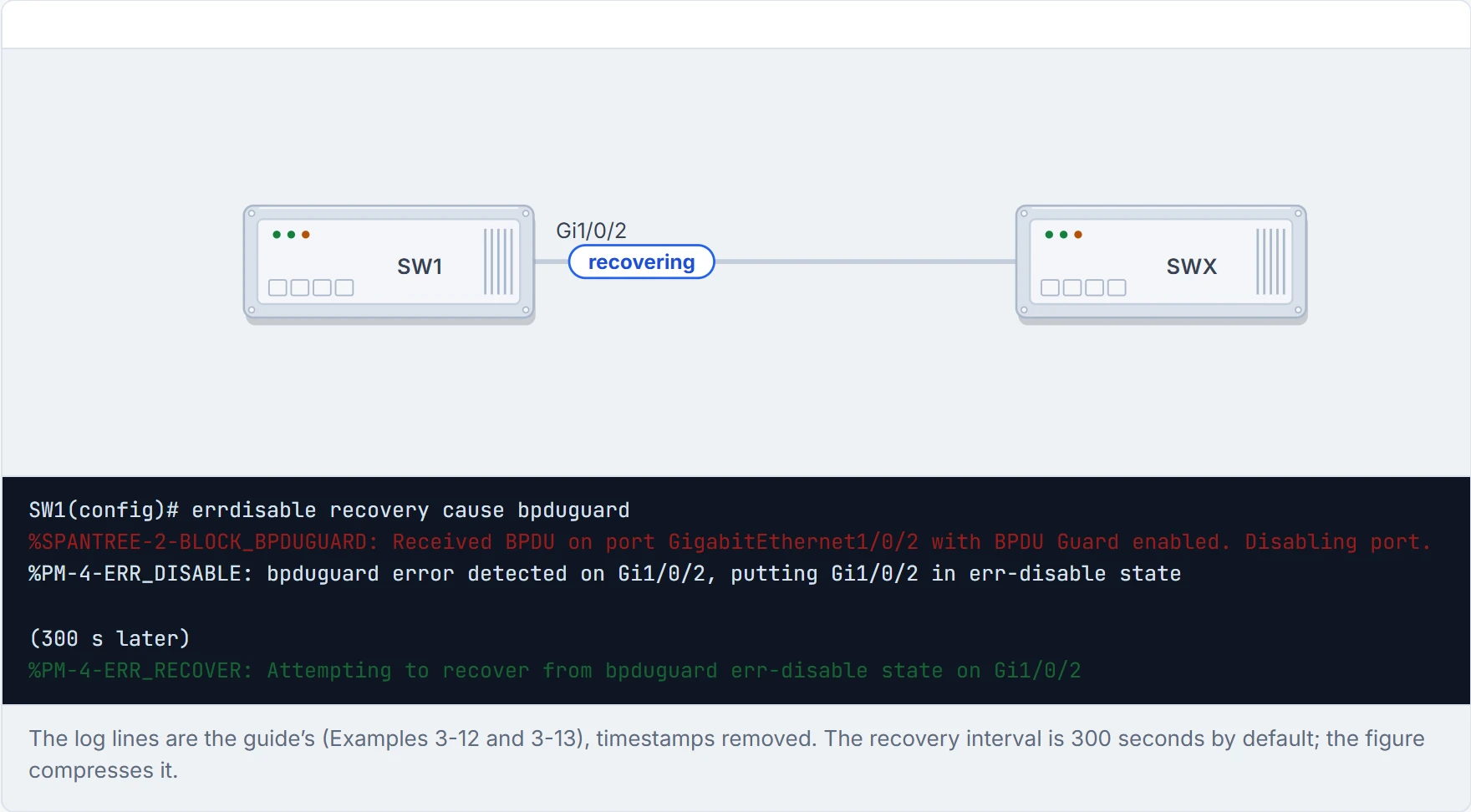
Step 5 of 5 With errdisable recovery cause bpduguard, the switch tries the port again after the recovery interval, 300 seconds by default; if the BPDUs are still arriving, it shuts it down again.
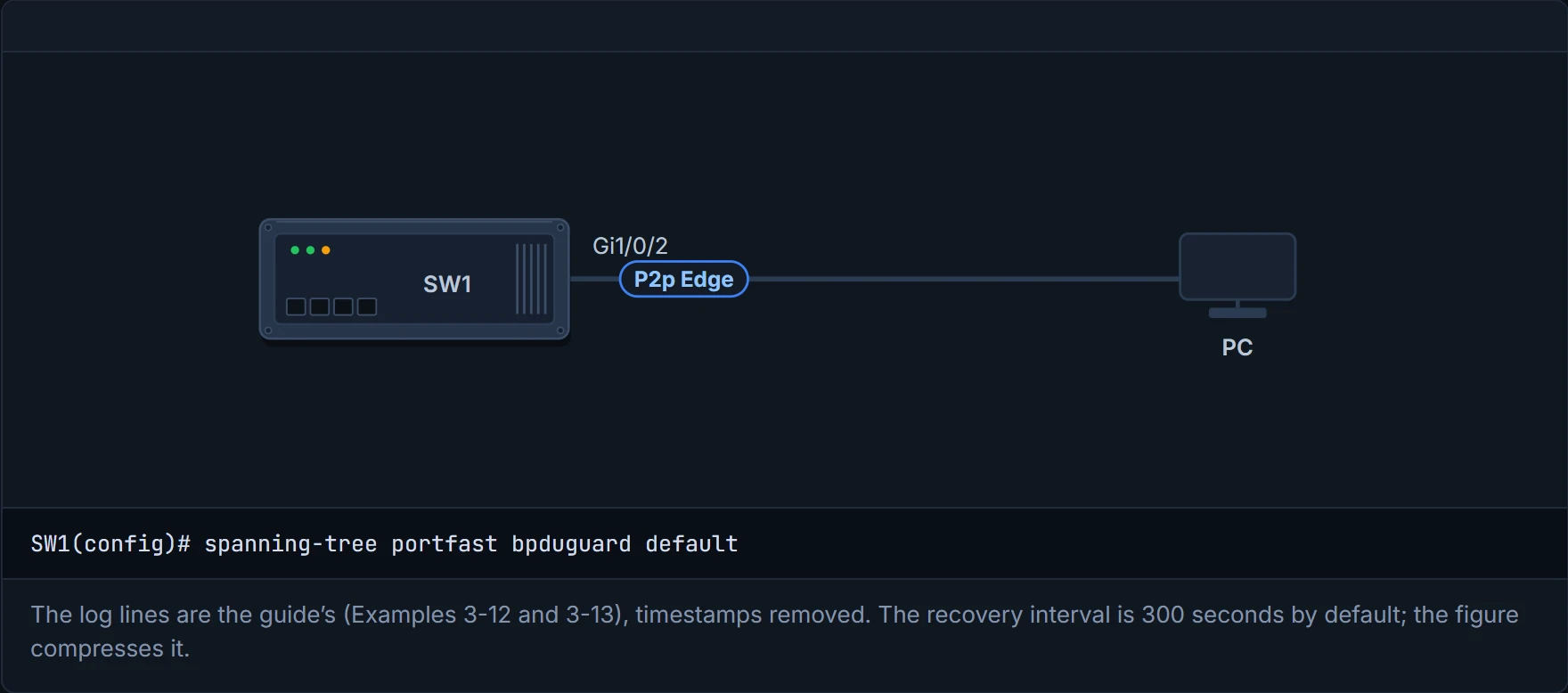
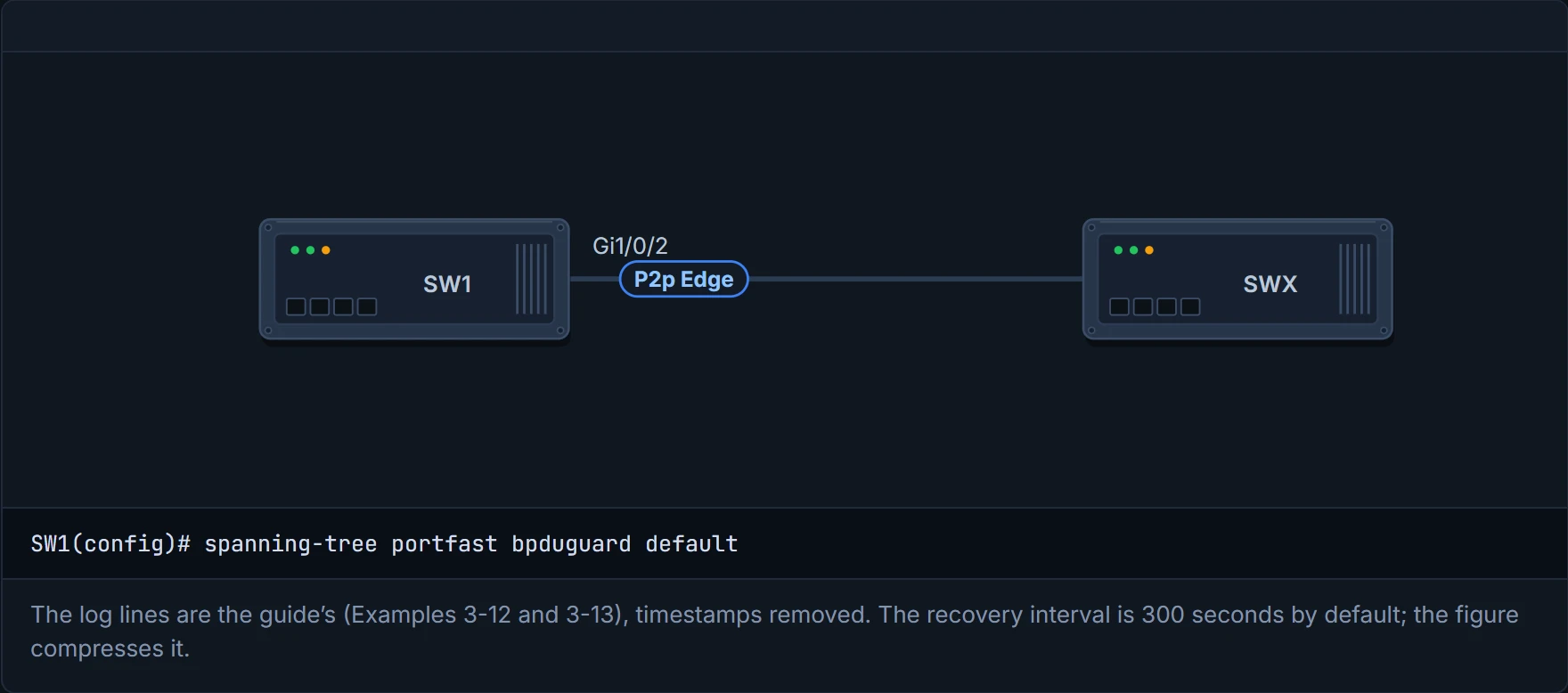
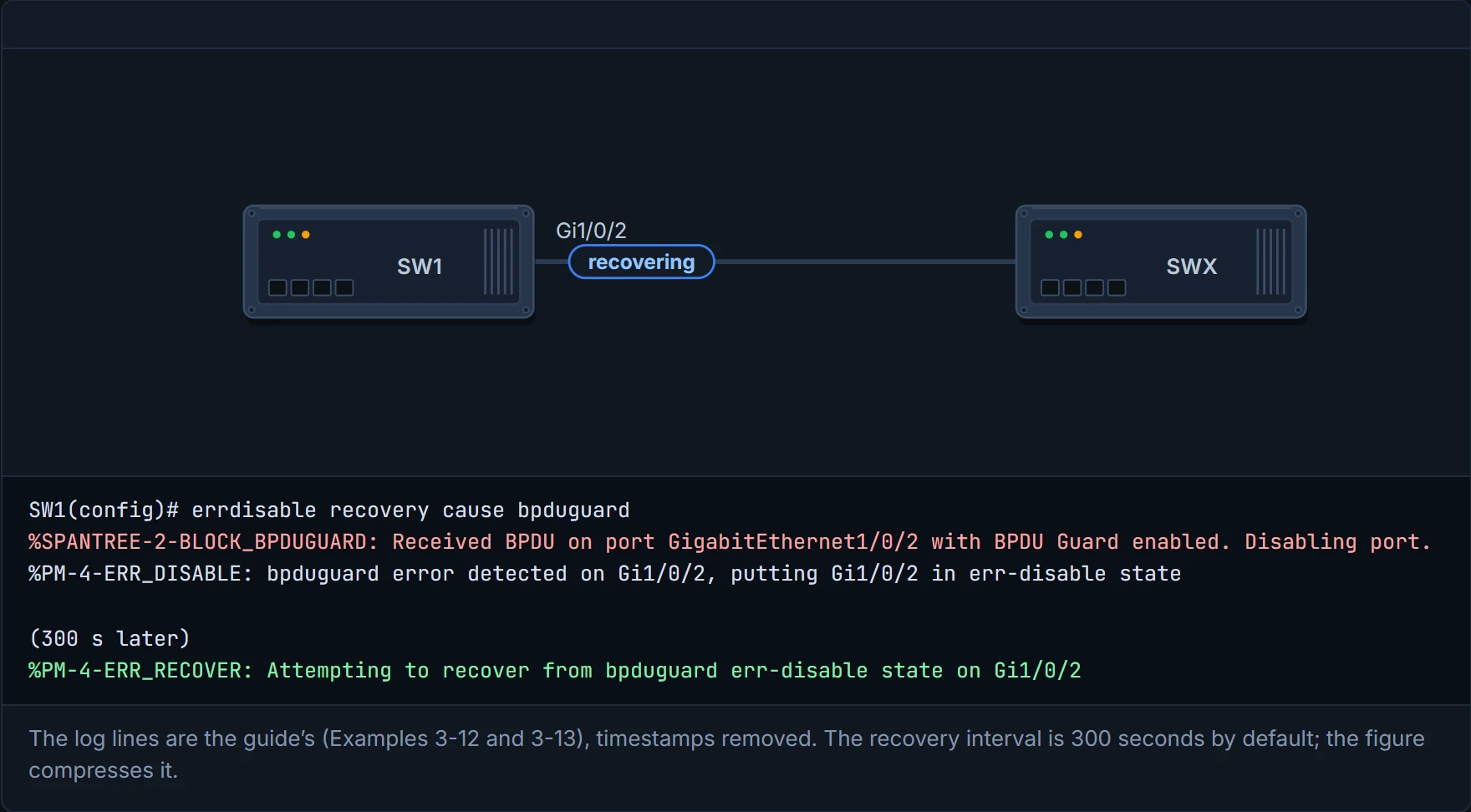
Error recovery without fixing the cause is the "turn it off and on again" of switching, every five minutes, for ever.
BPDU filter stops BPDUs being sent out of a port, and it behaves differently depending on where you turn it on.
- Globally,
spanning-tree portfast bpdufilter default: PortFast ports send a few BPDUs when the link comes up, then stop. If a BPDU arrives, the port loses PortFast and the filtering stops, so spanning tree protects it again. (The guide's version is more specific: "a series of 10 to 12 BPDUs", then a comparison of which switch is preferred; Cisco's summary says only "a few BPDUs at link-up". The two don't quite agree.) - On an interface,
spanning-tree bpdufilter enable: the port sends no BPDUs at all, and ignores the ones it receives. The guide adds that if the remote port has BPDU guard, "that generally shuts down the port". That can't come from this port's BPDUs, because it sends none; it's the guide's sentence, and it's check here. In a way, it's just spanning tree with its fingers in its ears.
show spanning-tree interface gi1/0/2 detail shows "Bpdu filter is enabled", and the "BPDU: sent" counter stops moving: 113, and 113 again. With the global version the counter moves a little as the port comes up, 56 to 58.
The guide's own warning, which is worth taking literally: most designs don't need BPDU filter, and it adds complexity and risk. Interface-level filter is the dangerous one. Picture yourself taping over the smoke detector because the toast sets it off: the kitchen's quieter, and nothing will tell you about a real fire.
D7
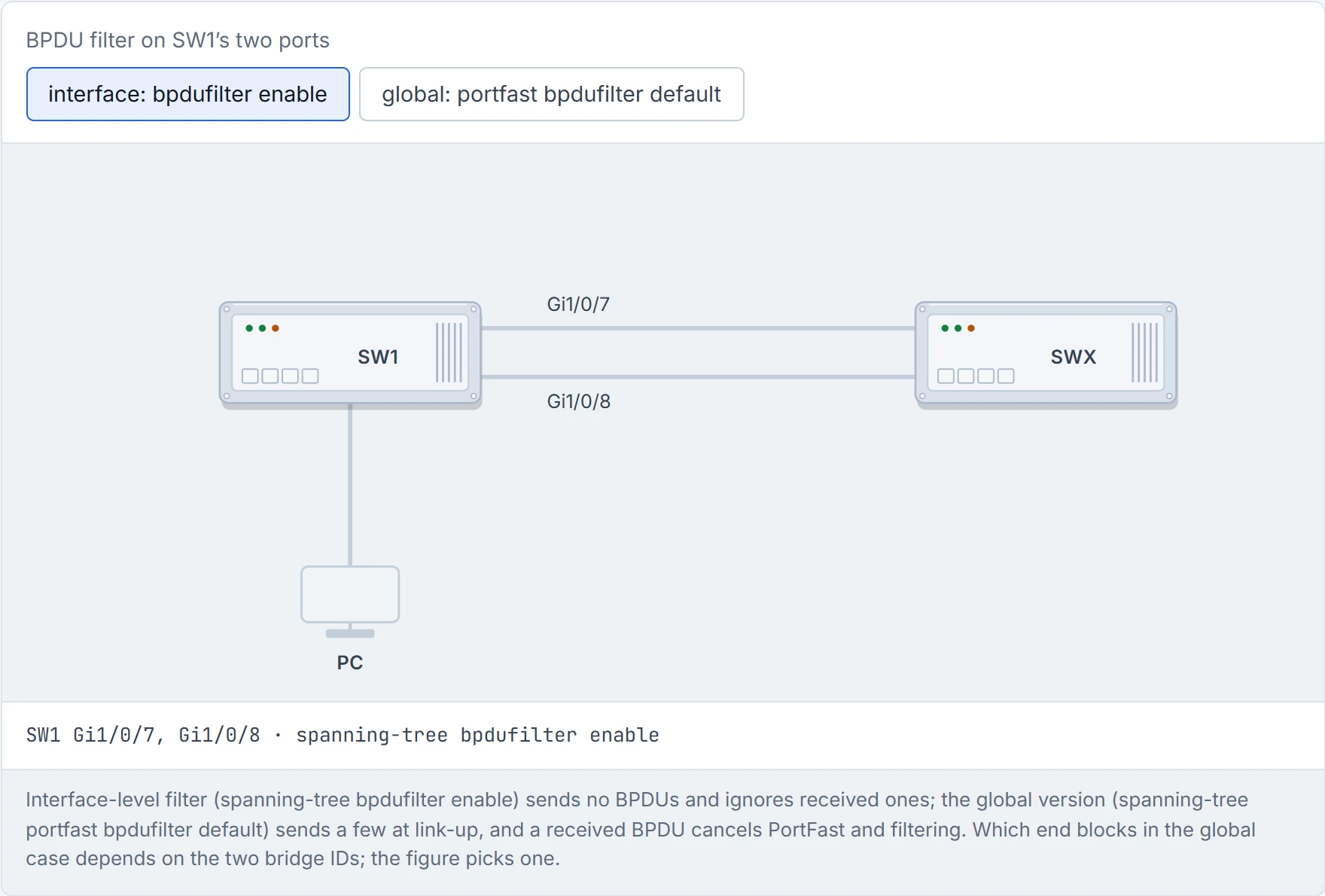
Step 1 of 3 Two access ports on SW1 with BPDU filter. A user brings in their own switch, SWX, and plugs it into both.
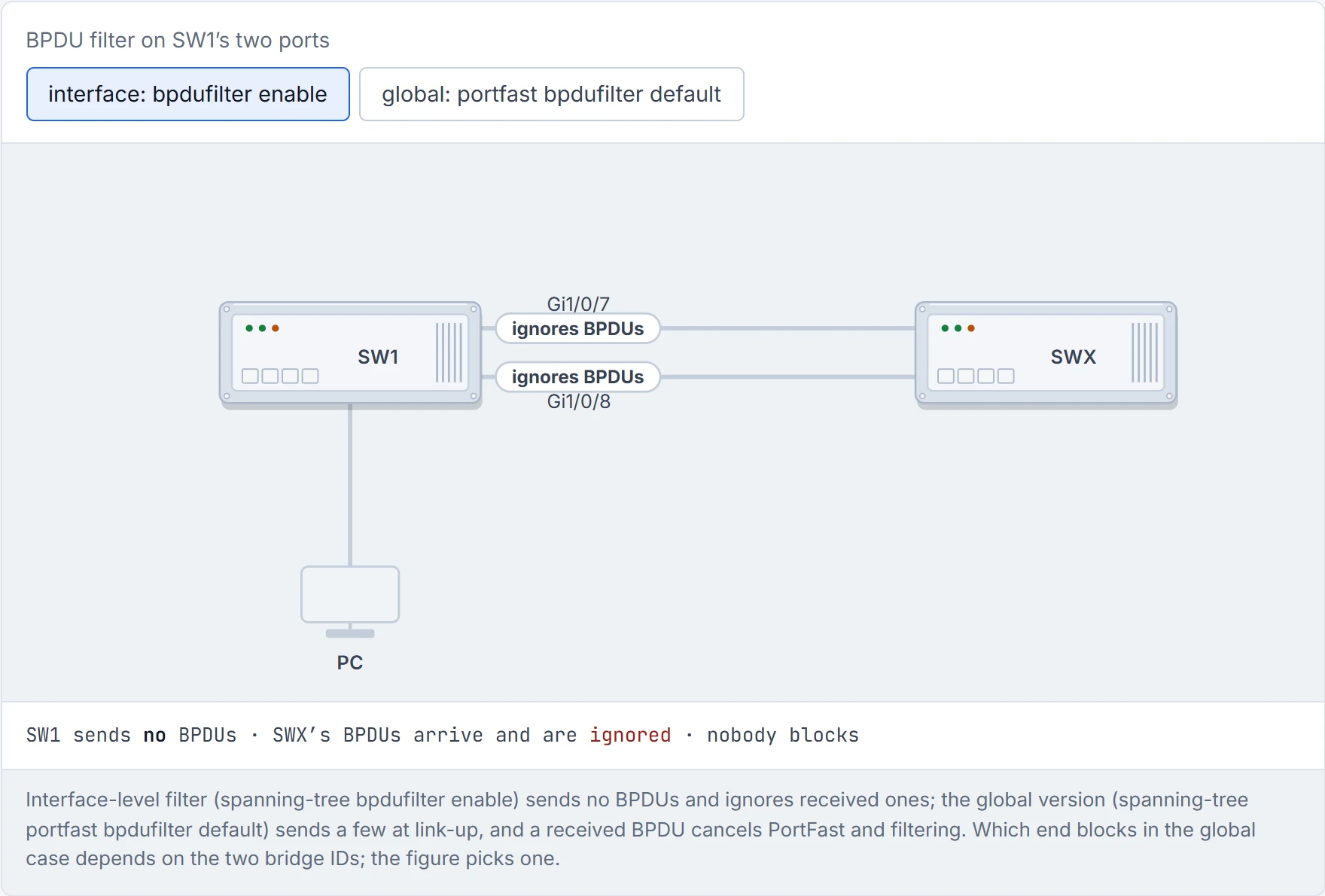
Step 2 of 3 SW1 sends no BPDUs, so SWX never hears it, and SW1 ignores the BPDUs SWX sends. Neither side sees a loop, so neither side blocks anything.
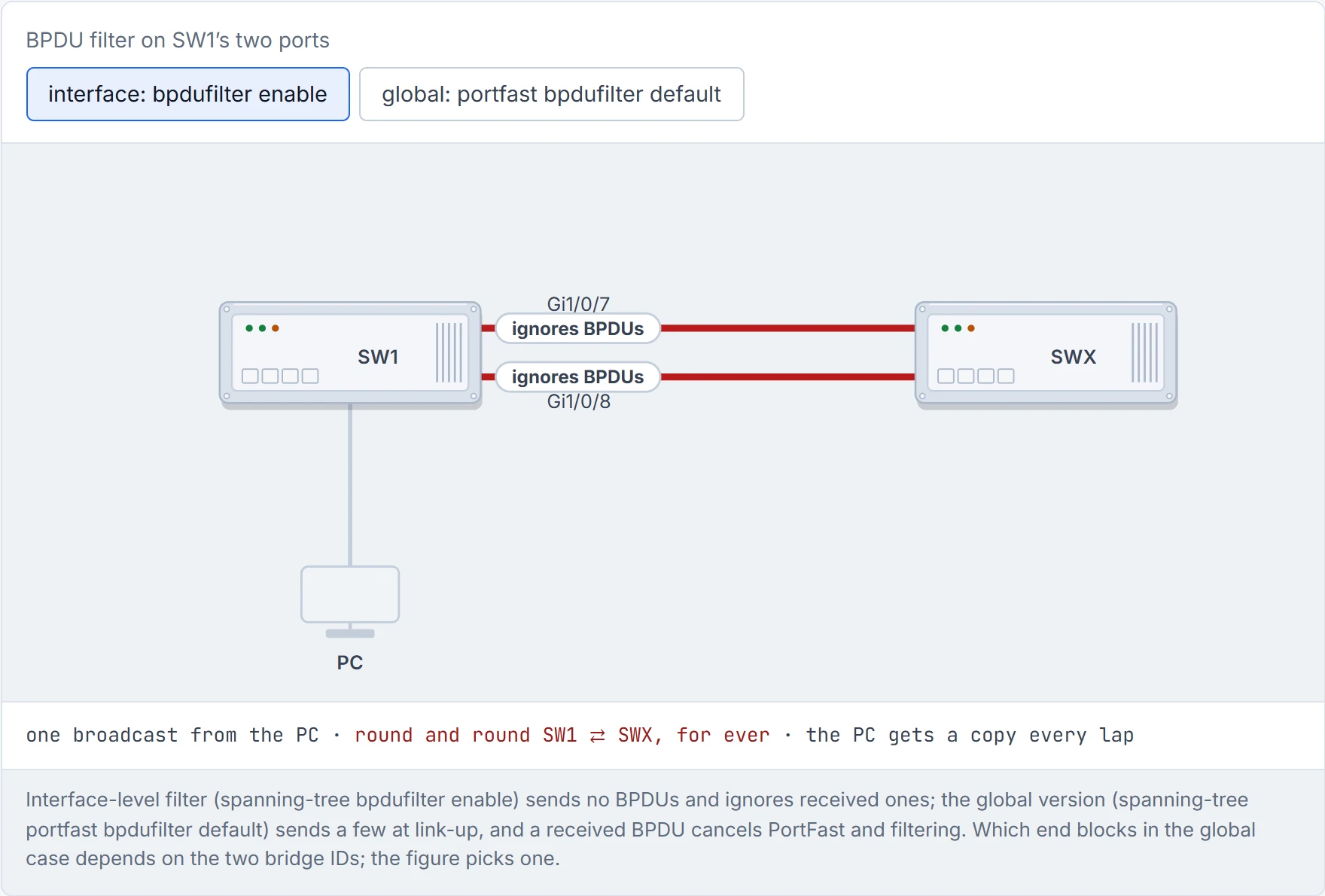
Step 3 of 3 The PC sends one broadcast. SW1 floods it down both cables; SWX floods each copy back up the other one; SW1 floods them again. It never stops: this is the 01-5 storm, and BPDU filter switched off the only thing that would have stopped it.
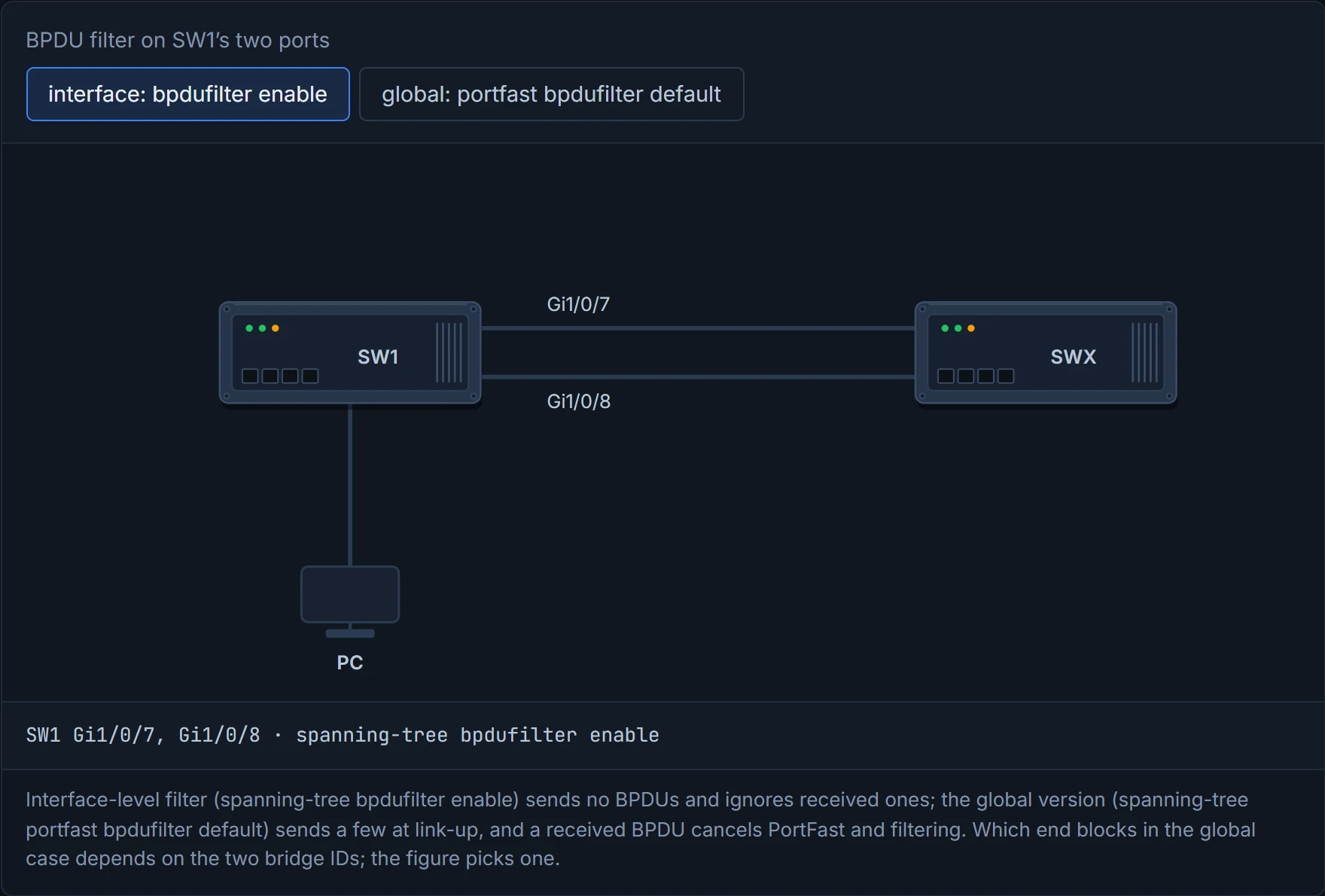
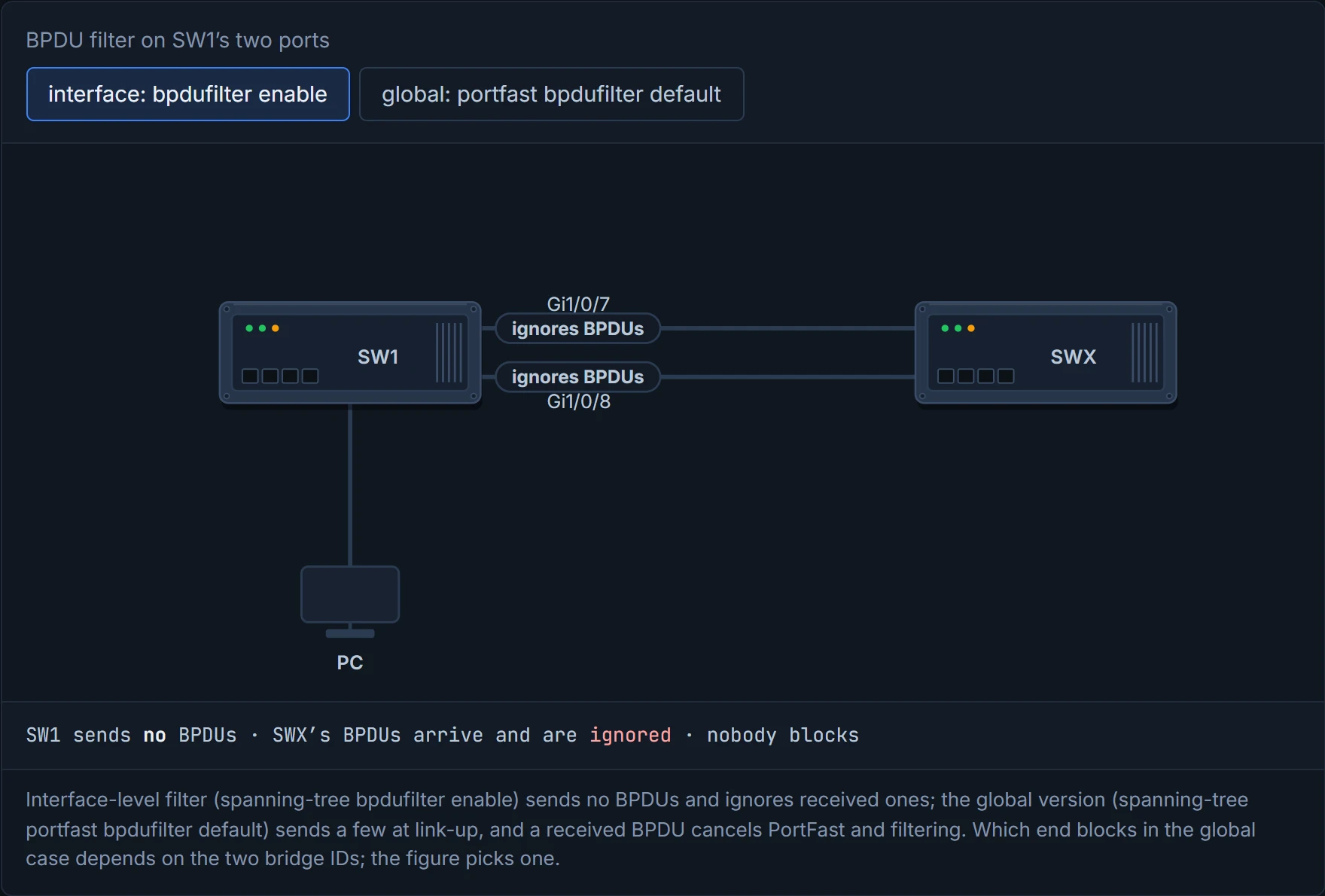
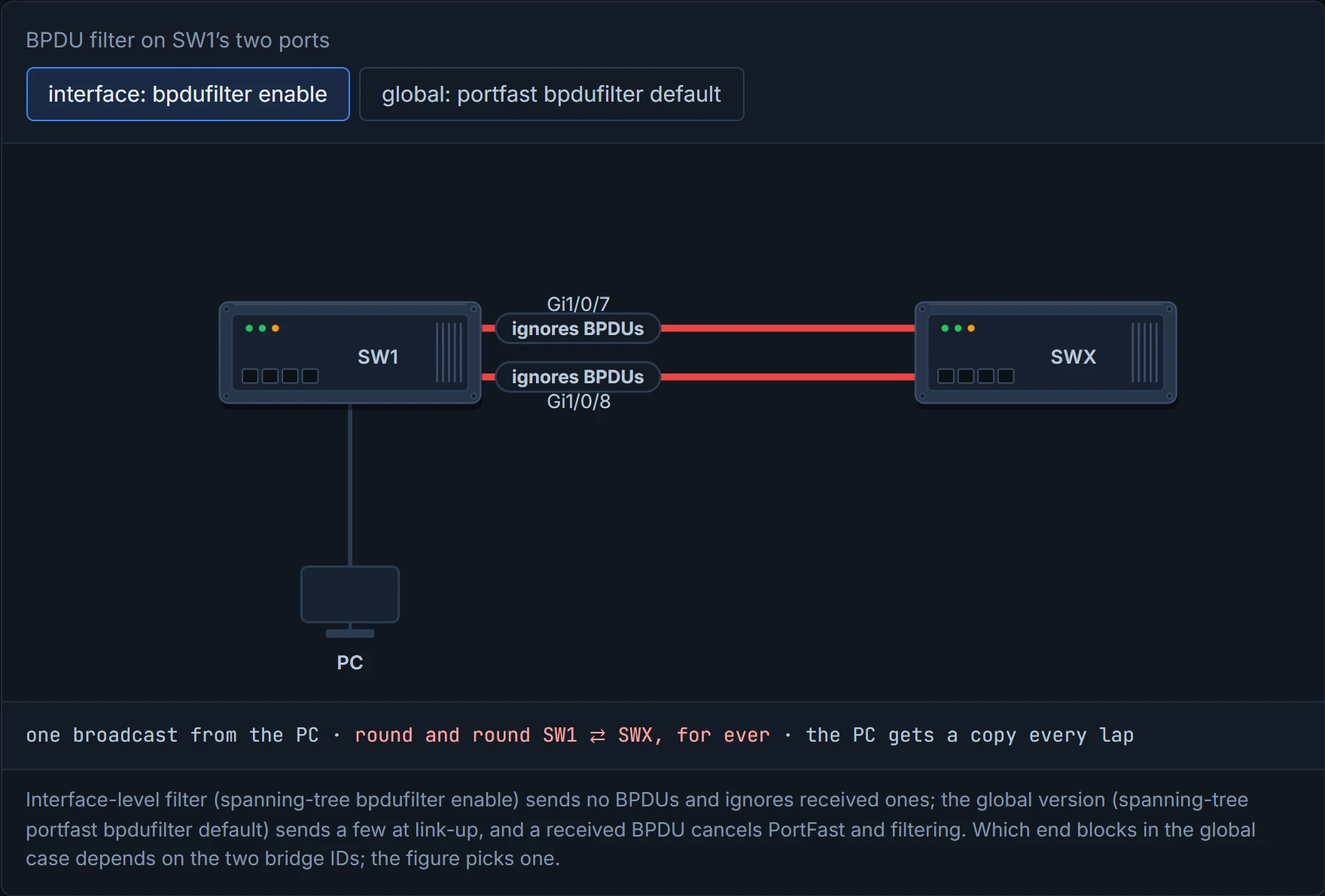
BPDU guard hears a switch and shuts the door. Interface BPDU filter hears a switch and turns the music up.
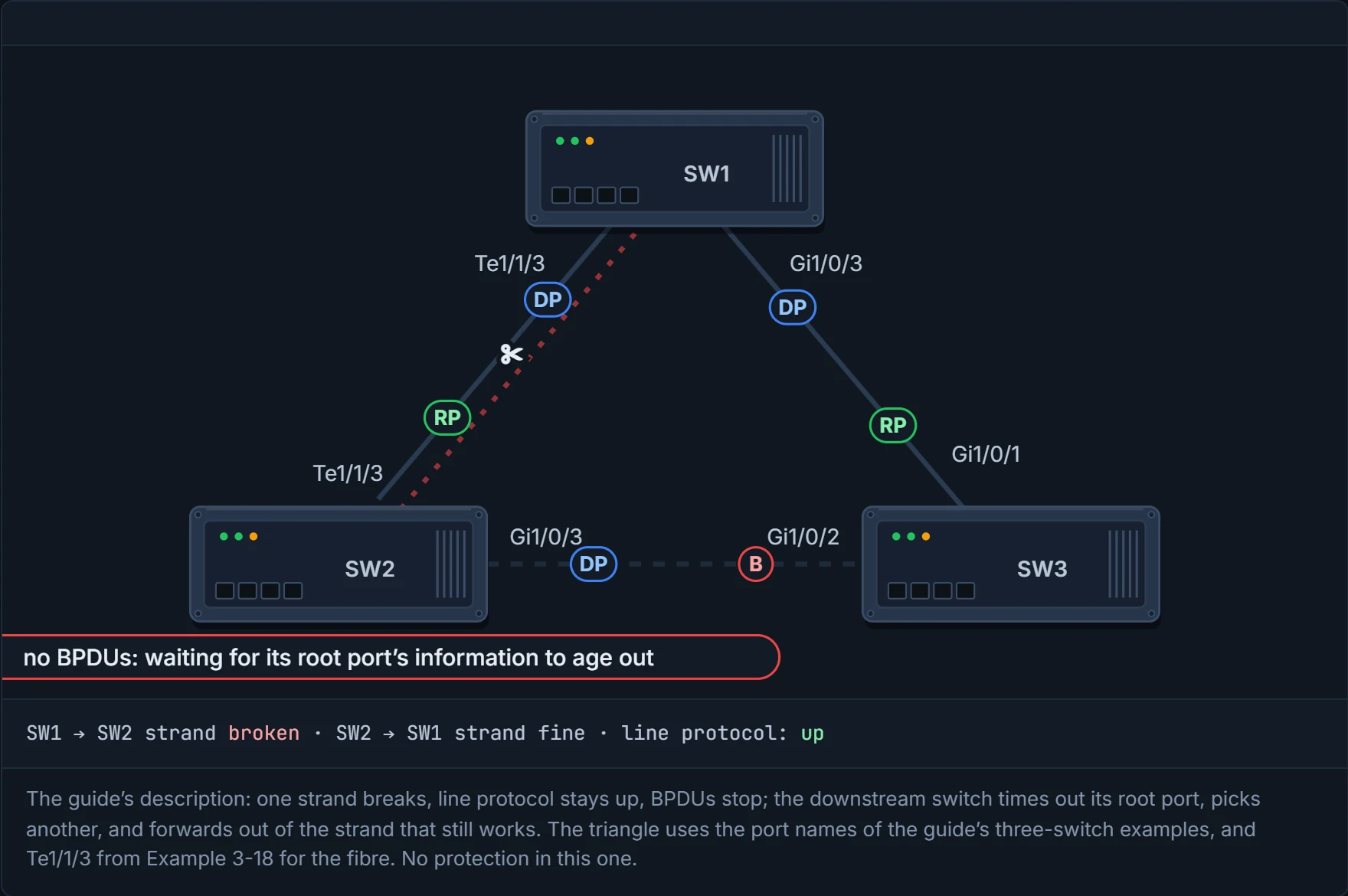
Fibre links use two strands: one sends, one receives, crossed over at the far end. If one strand breaks, the link can still show line protocol up, but BPDUs stop getting through. Have you ever noticed how the scariest faults are the ones where the light stays green? This is the textbook case. The downstream switch waits out its root port's information, picks another port as root port, and starts forwarding out of the strand that still works. That's a loop. It's just like when you're on a phone call where you can hear them but they can't hear you: you keep talking, they assume you've hung up, and they start a whole new conversation with someone else.
Two tools fix it: loop guard and UDLD. It's basically like the two sensible things to do on that phone call: don't assume they've hung up just because they've gone quiet, and keep asking "can you hear me?" until they answer.
D3
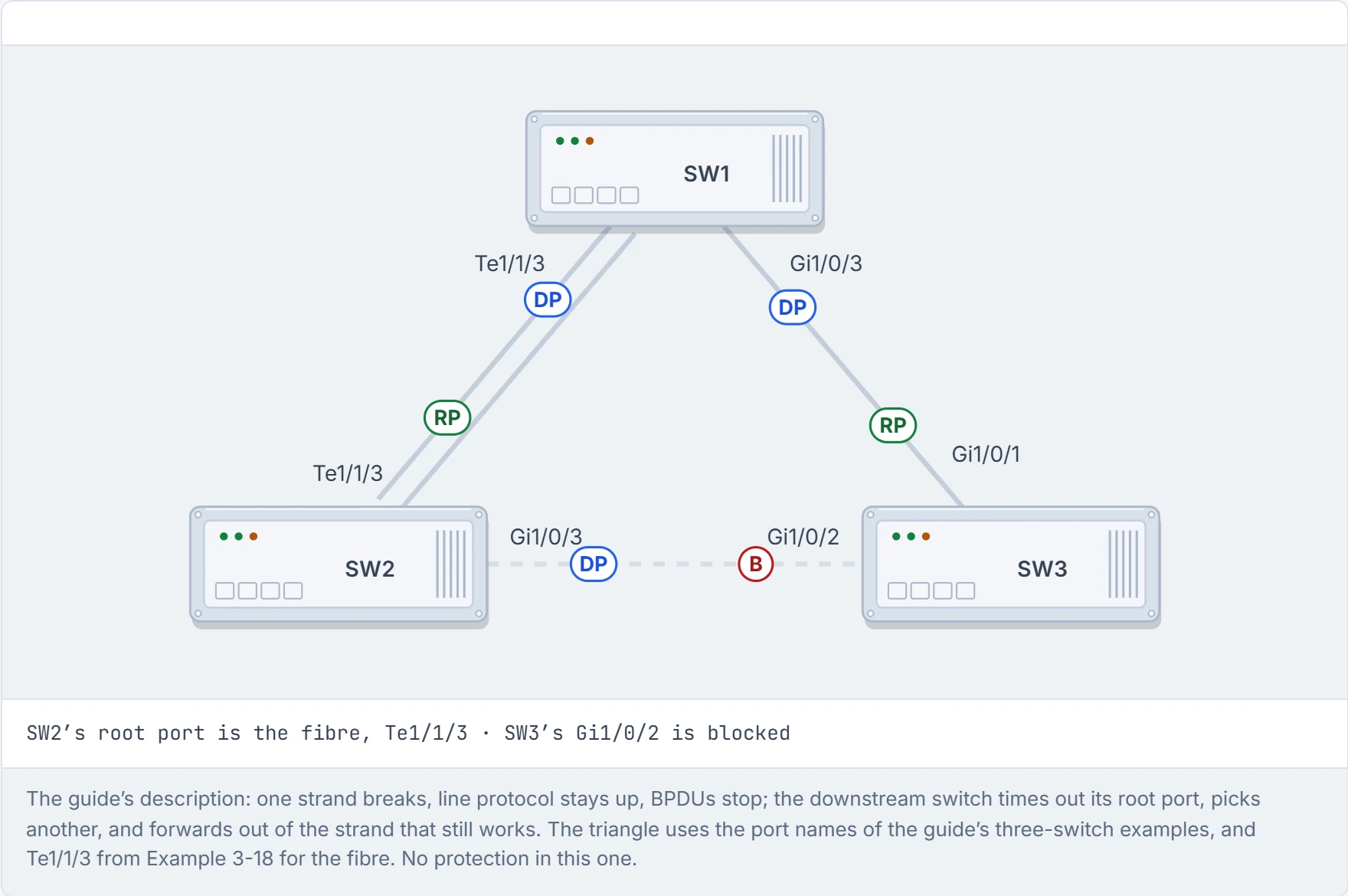
Step 1 of 5 SW1 is root. SW2 reaches it over a fibre with two strands, one each way. The SW2–SW3 link is the standby path, blocked at SW3.
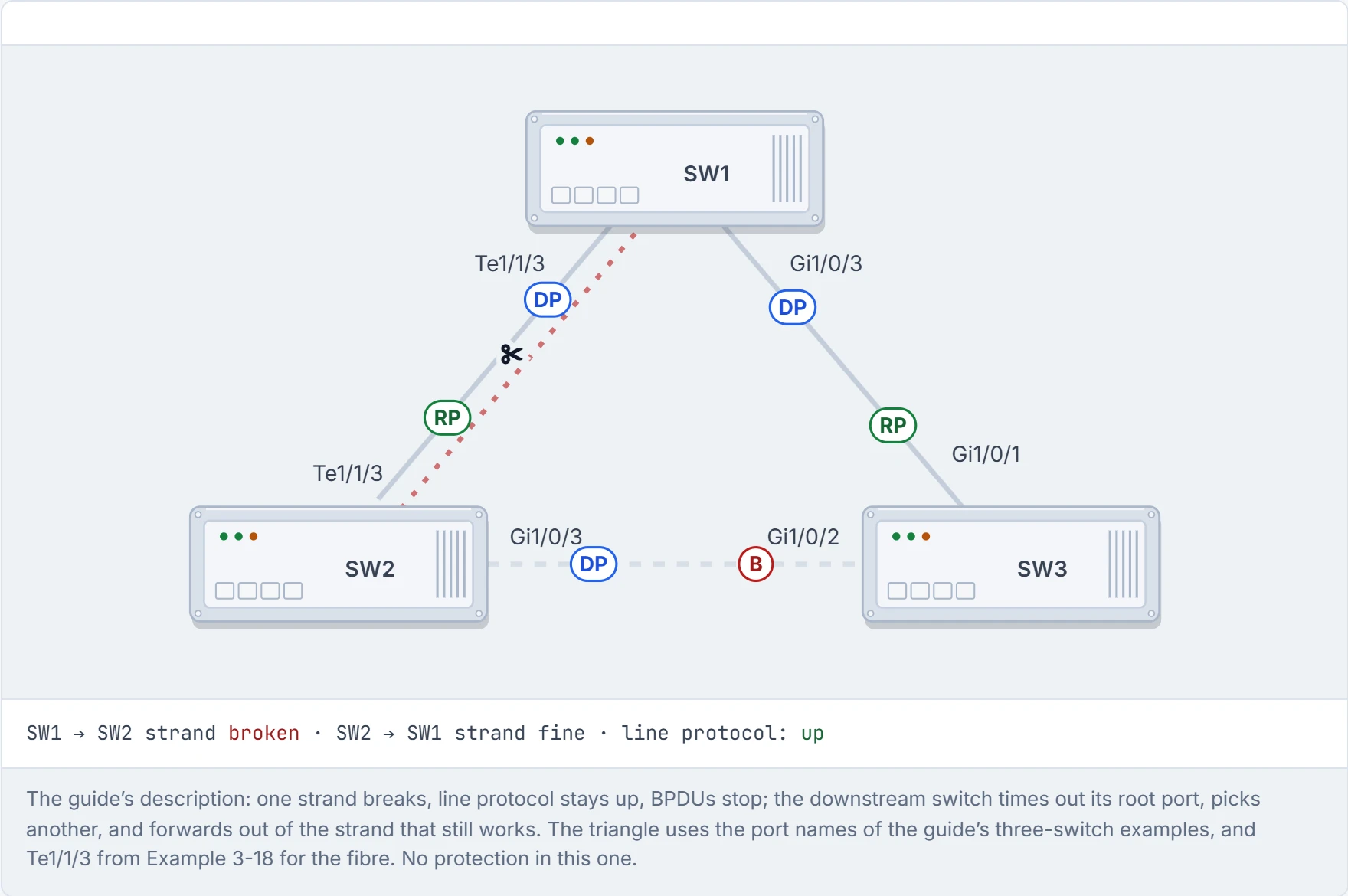
Step 2 of 5 The strand that carries SW1’s frames to SW2 breaks. The link light stays green, because the other strand still works, but SW1’s BPDUs no longer reach SW2.
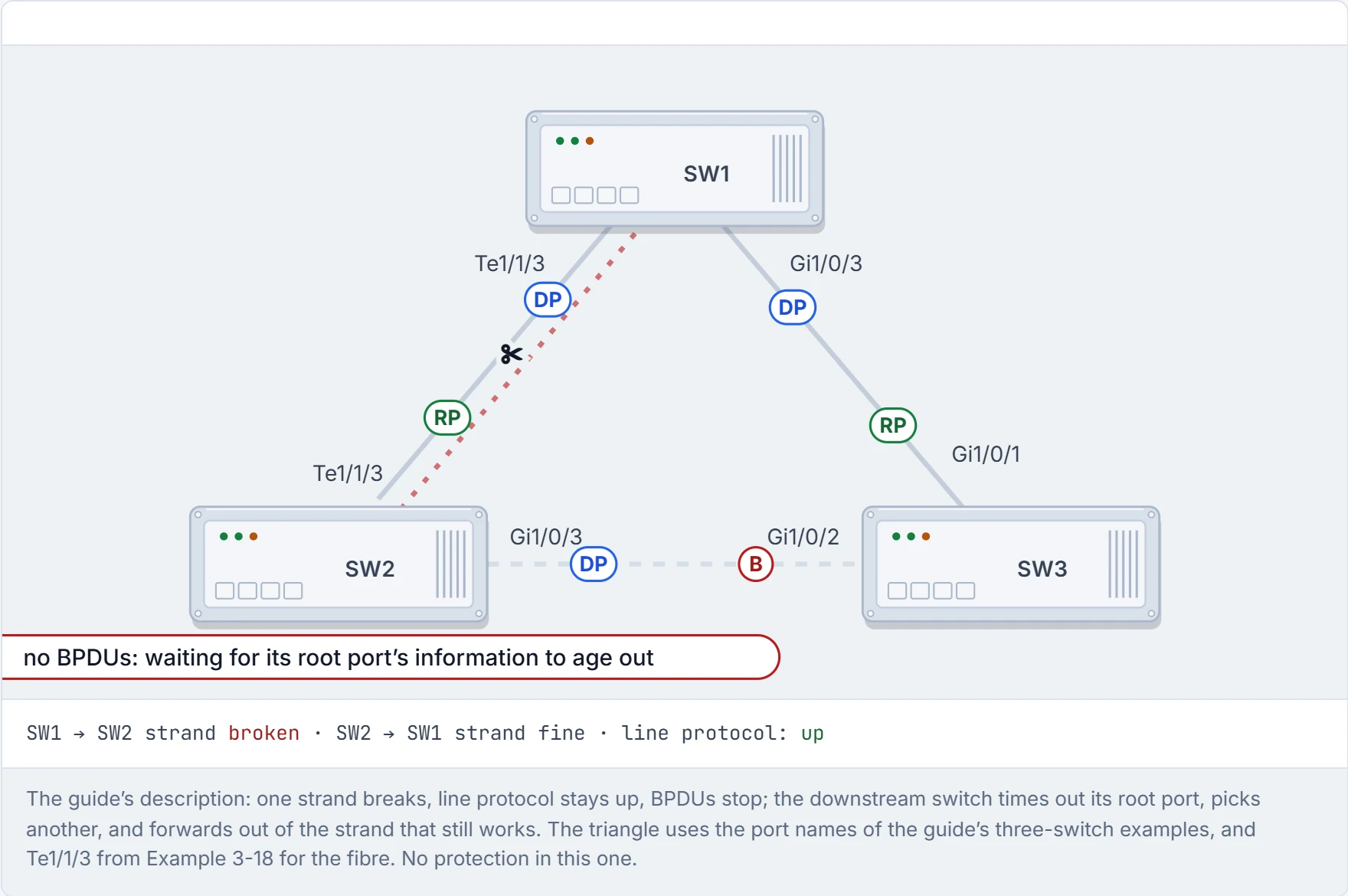
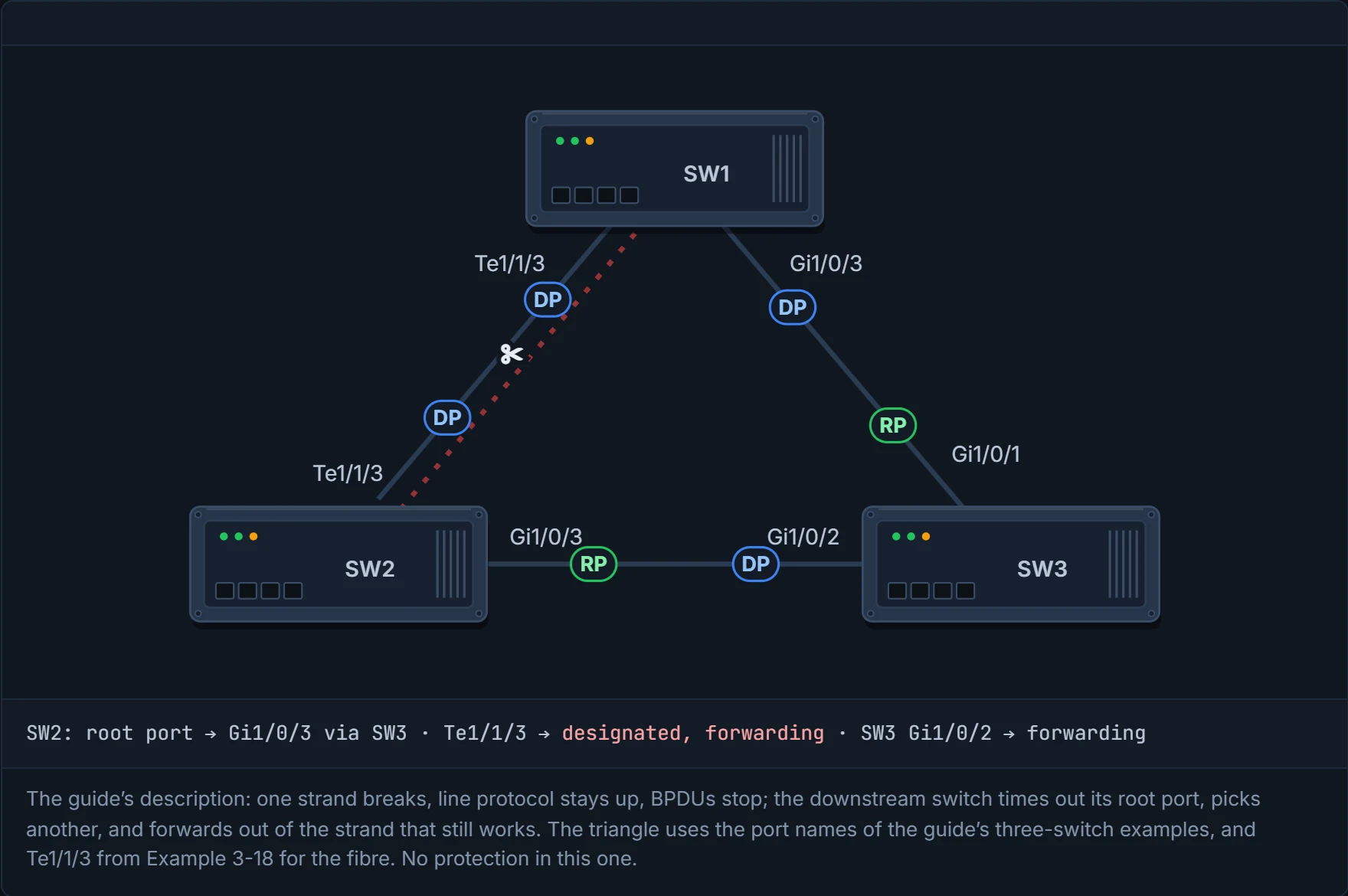
Step 3 of 5 SW2 keeps trusting its root port until that information ages out (with 802.1D timers, max age, 20 seconds; 01-5), then decides the path to the root is gone.
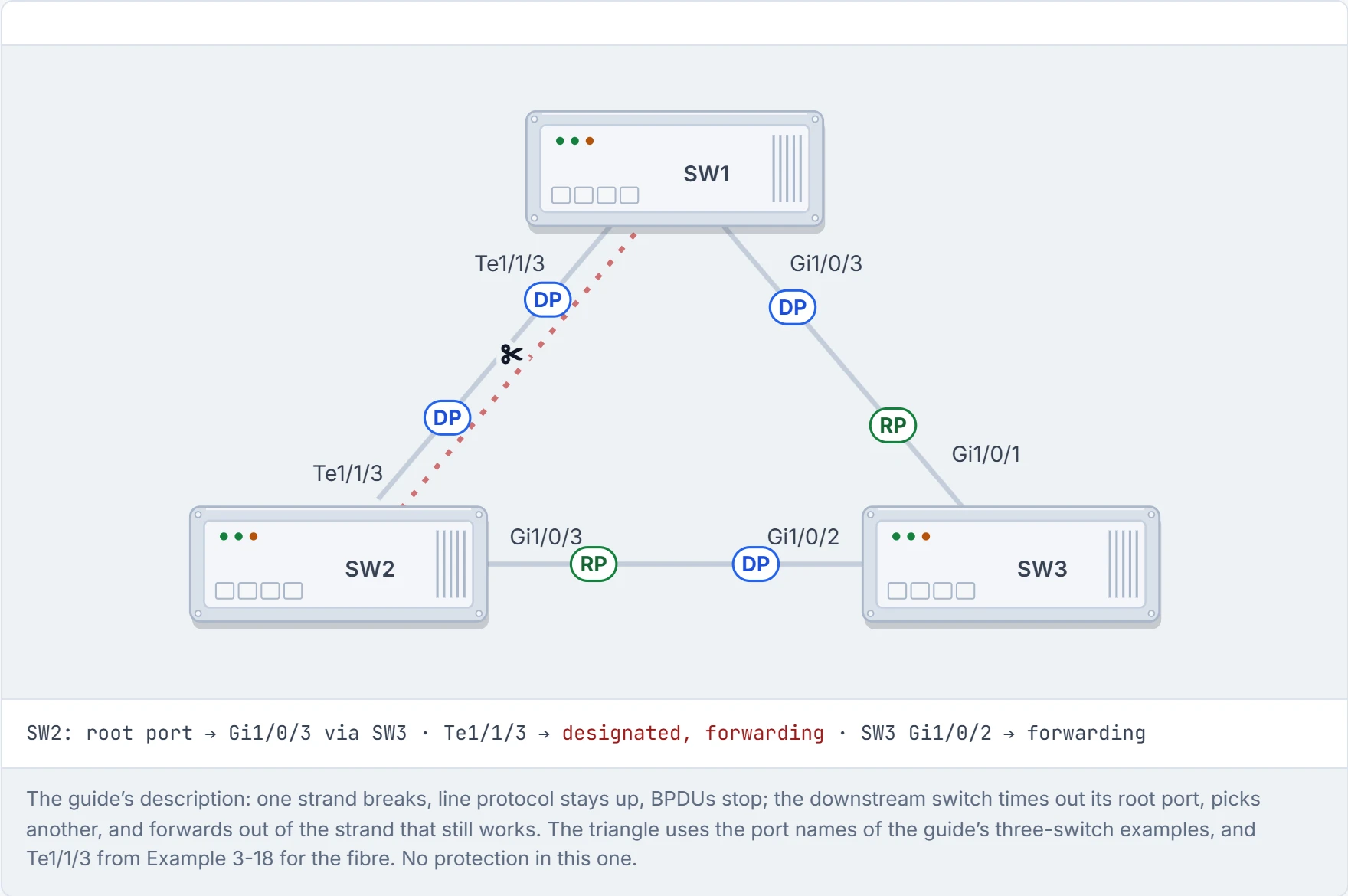
Step 4 of 5 SW2 finds the root through SW3 and makes that its root port. Its fibre port hears nothing, so it becomes designated and starts forwarding, out of the one strand that still works.
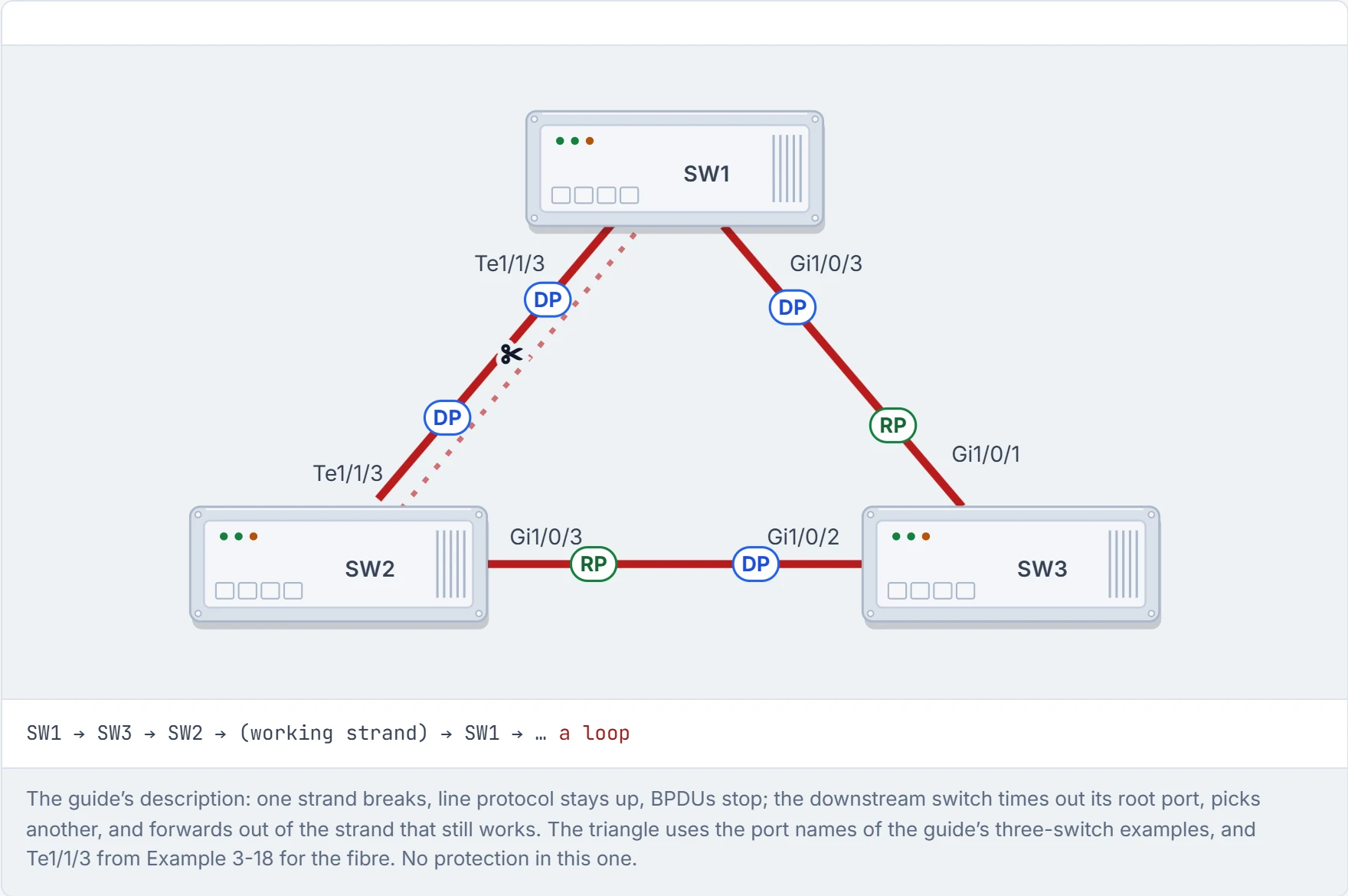
Step 5 of 5 Now a frame can go SW1 → SW3 → SW2 → back to SW1 on the working strand, and round again. Every link is up and spanning tree is running, and there’s a loop.
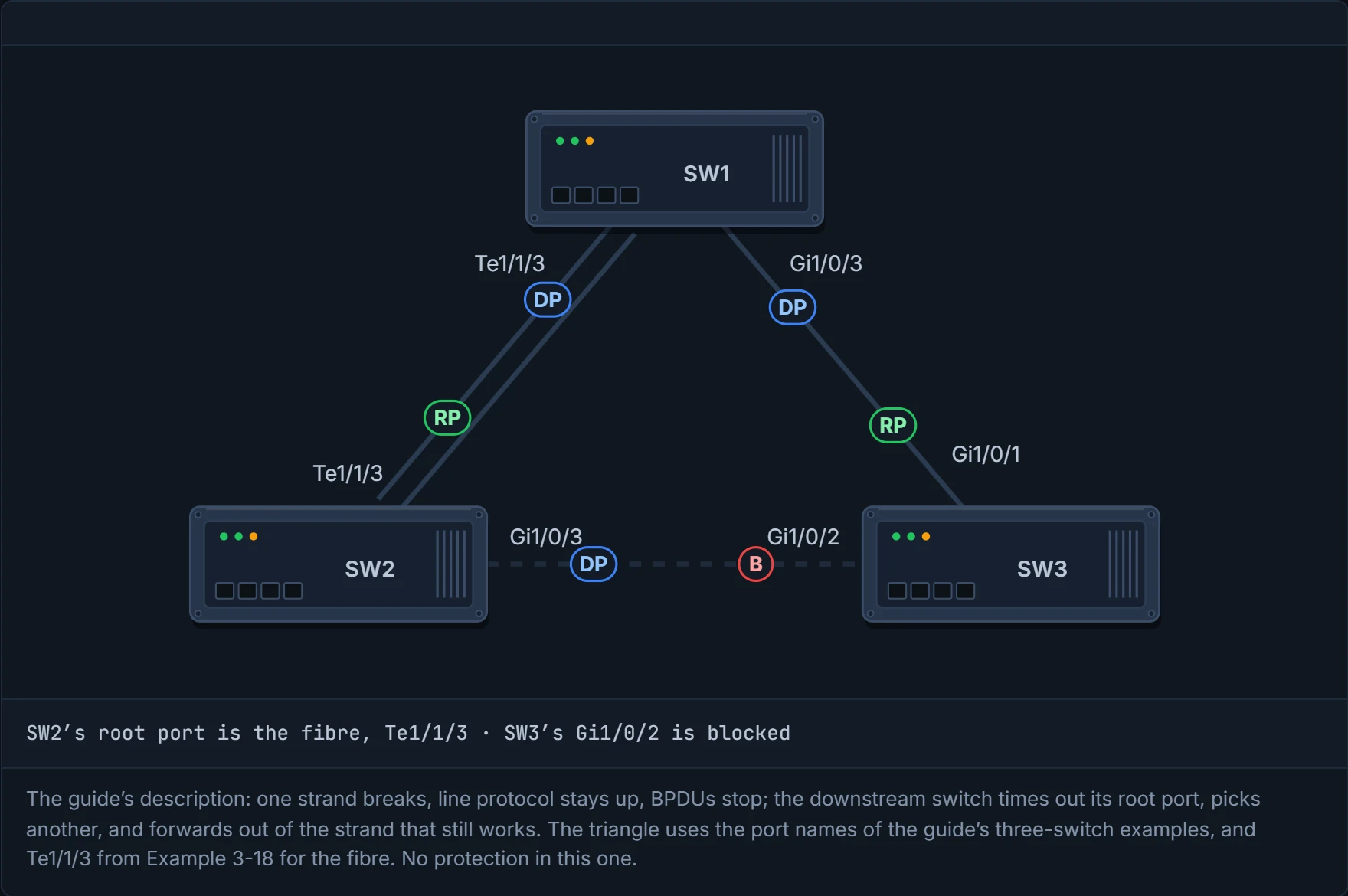
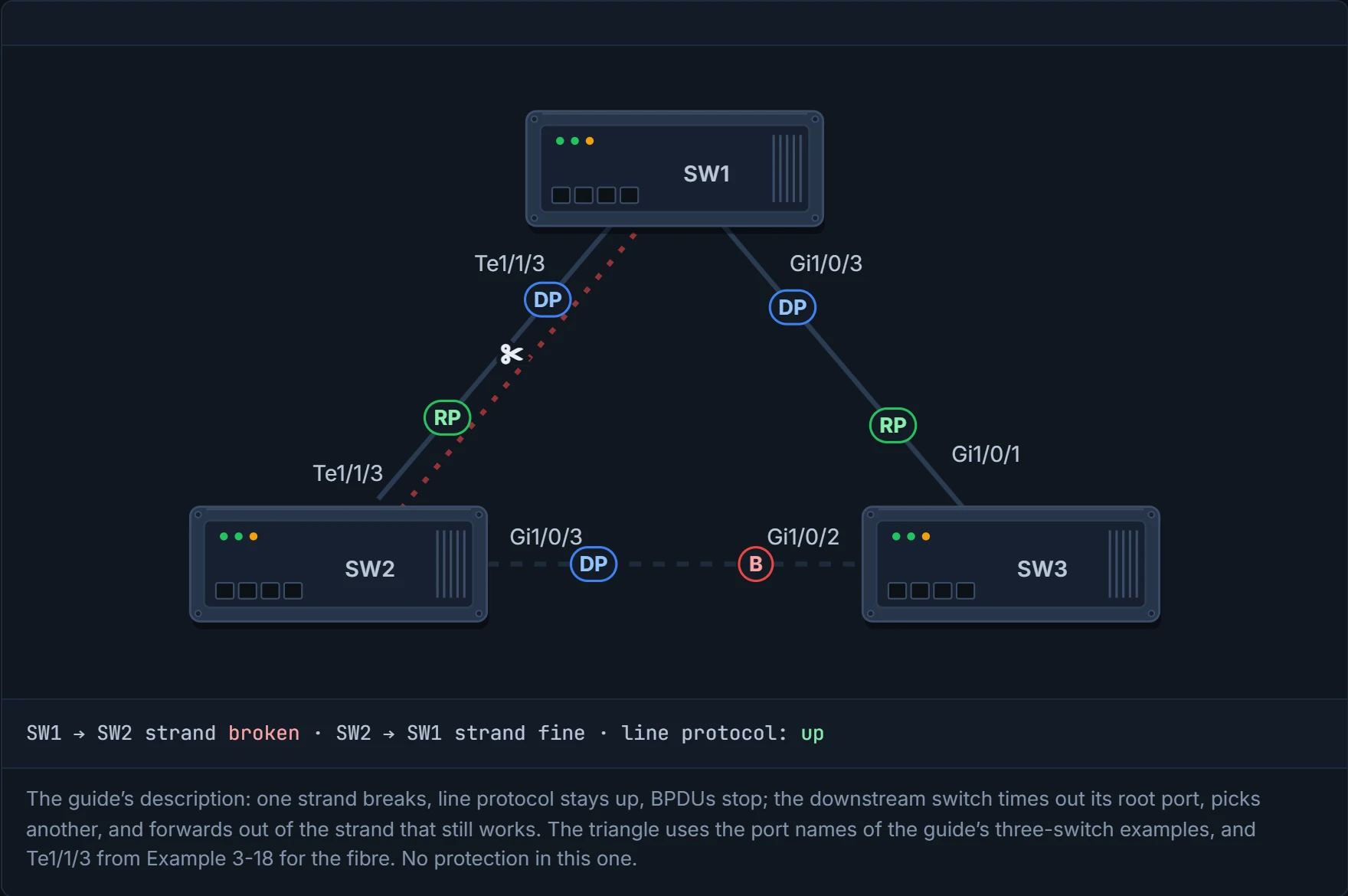
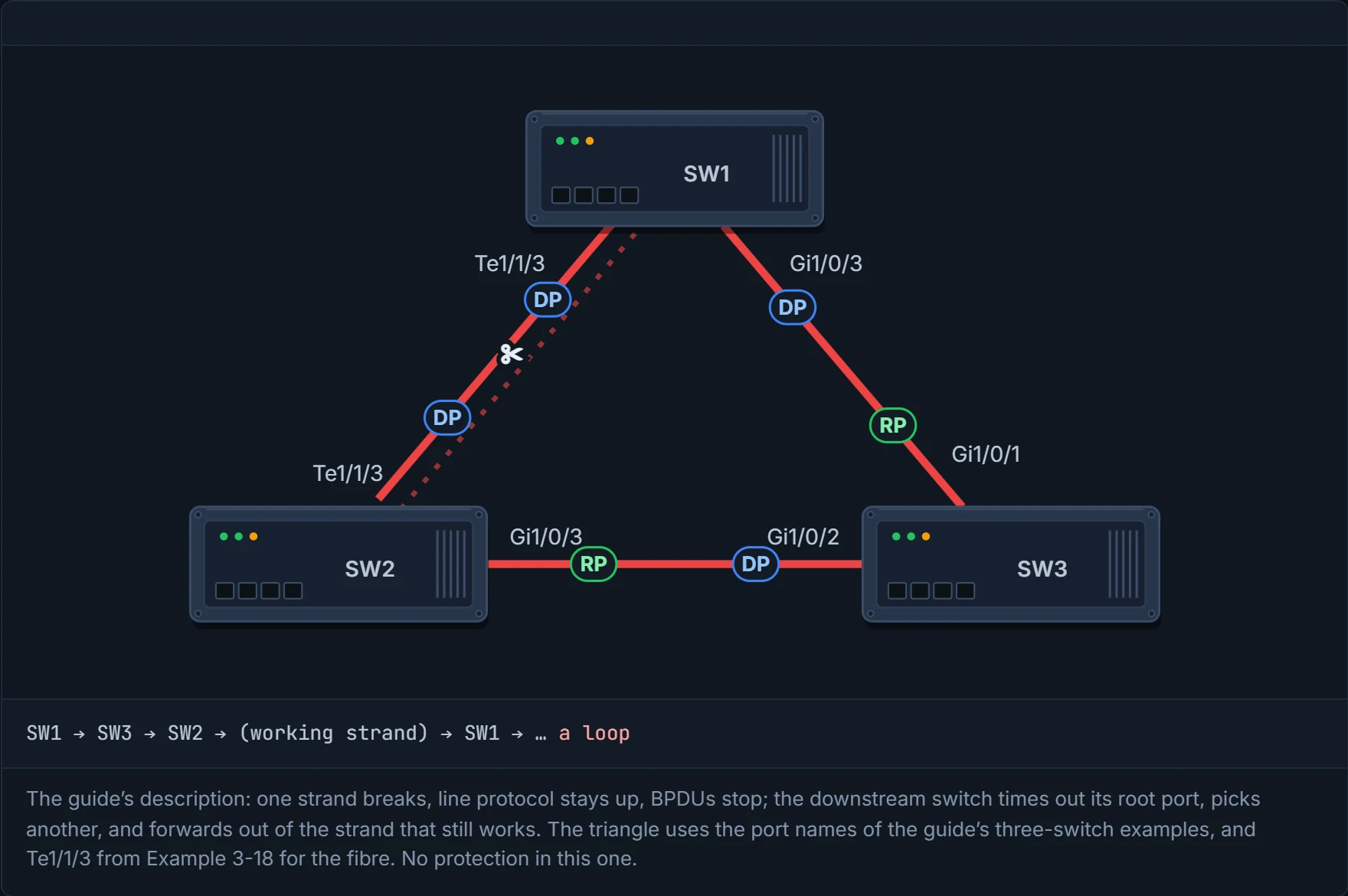
A unidirectional link is the only cable that passes the "is it plugged in?" test and still breaks the network.
Loop guard stops a root port or alternate port from becoming a designated port just because its BPDUs have stopped. Spanning tree normally reads silence as "that path's gone, I'll take over". Loop guard reads it as "something's wrong with this link". You can think of it as the rule for a baby monitor: if it goes quiet, you don't assume the baby's asleep and wander off; you stay put, on alert, until the sound comes back.
Loop guard is the only part of spanning tree that treats silence as suspicious. It'd be a terrible guest at a quiet dinner party.
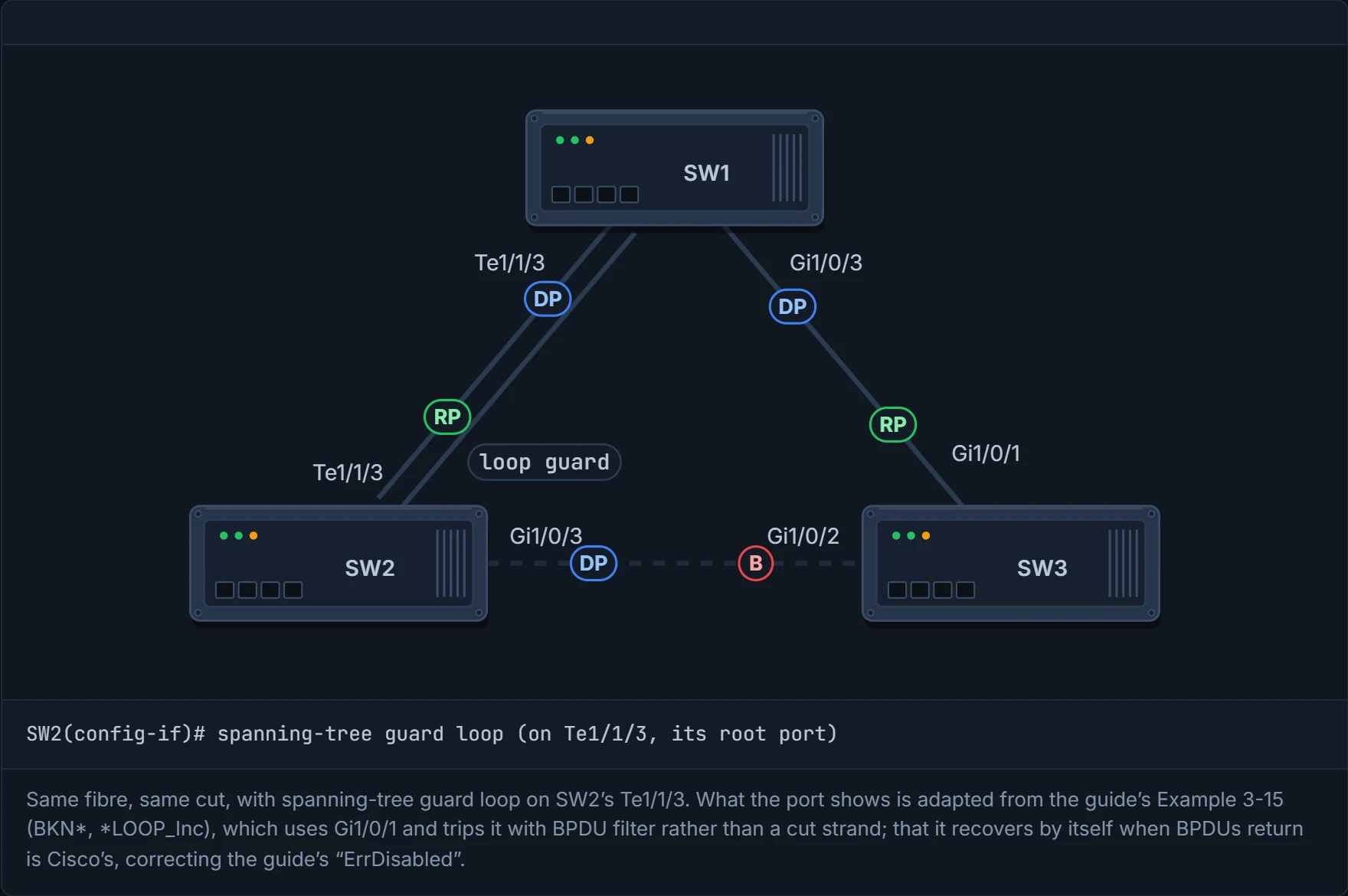
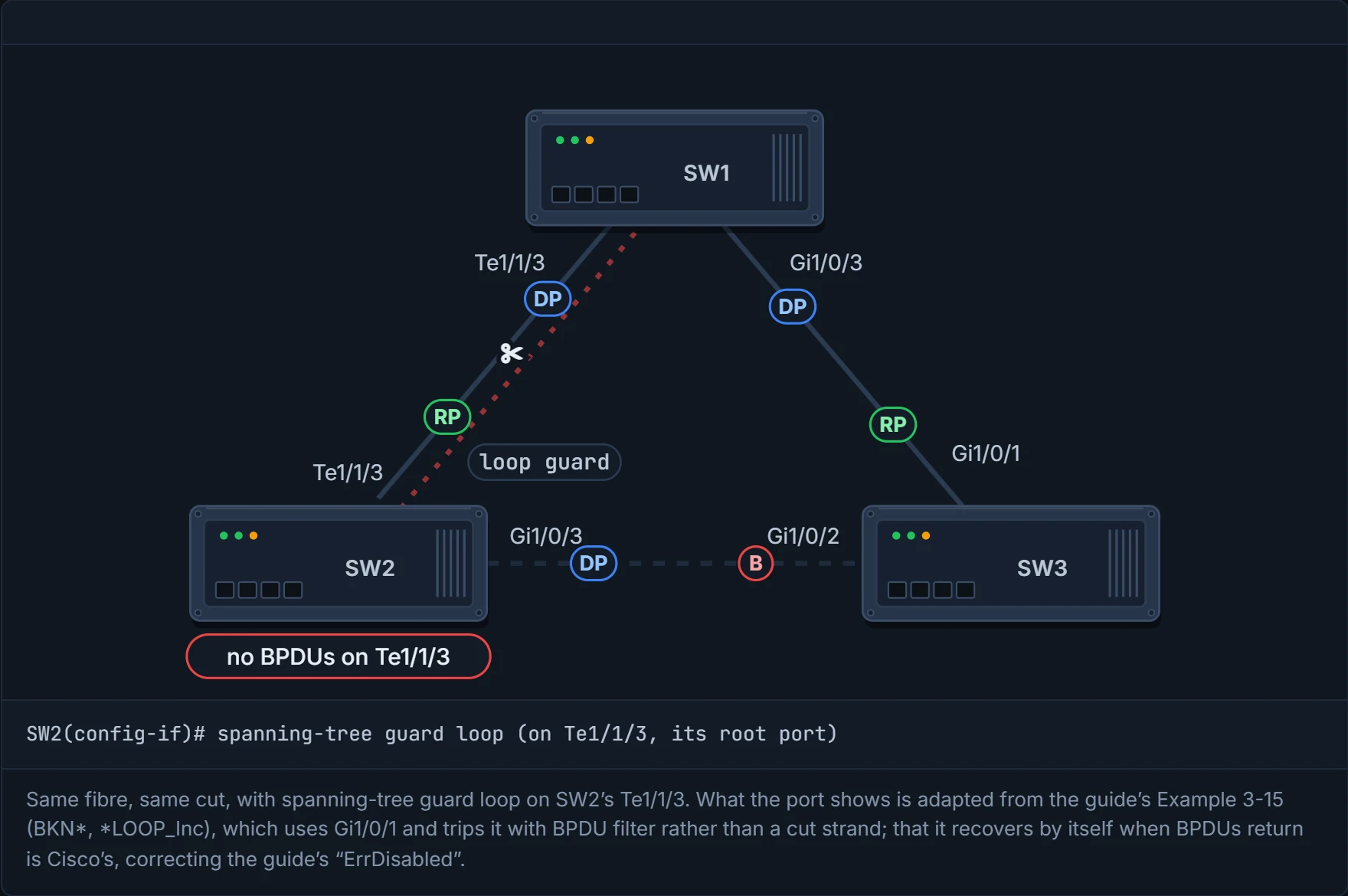
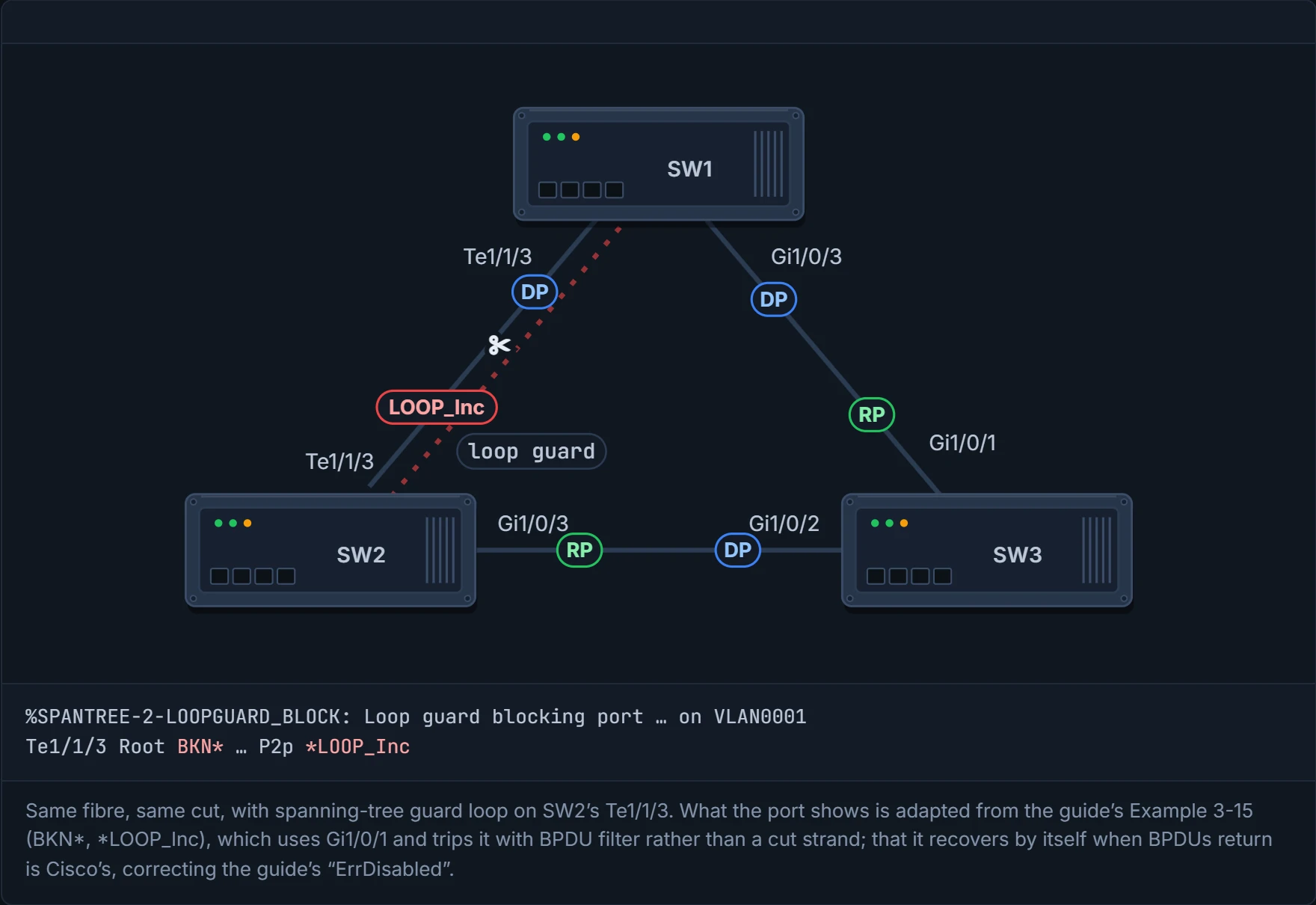
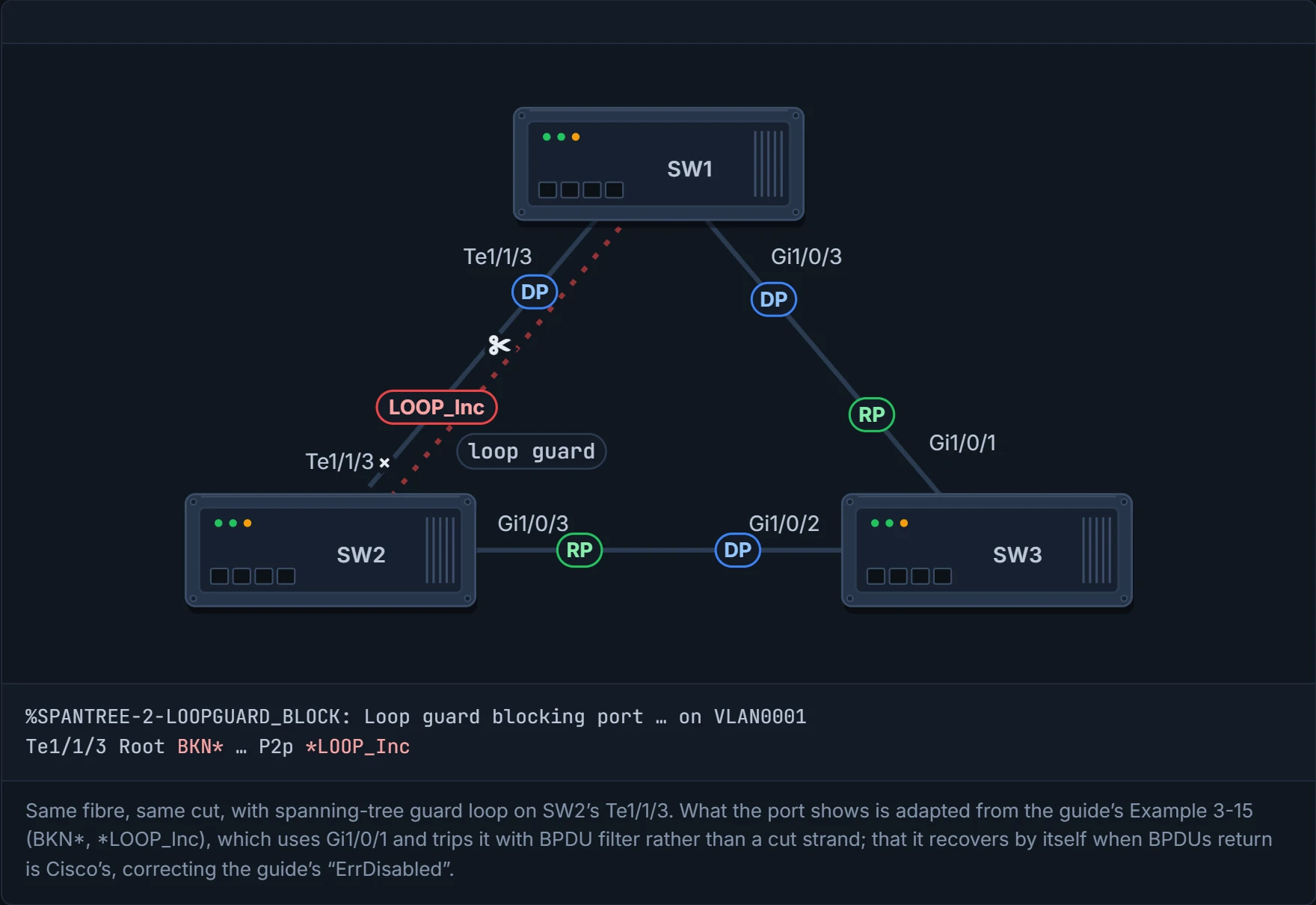
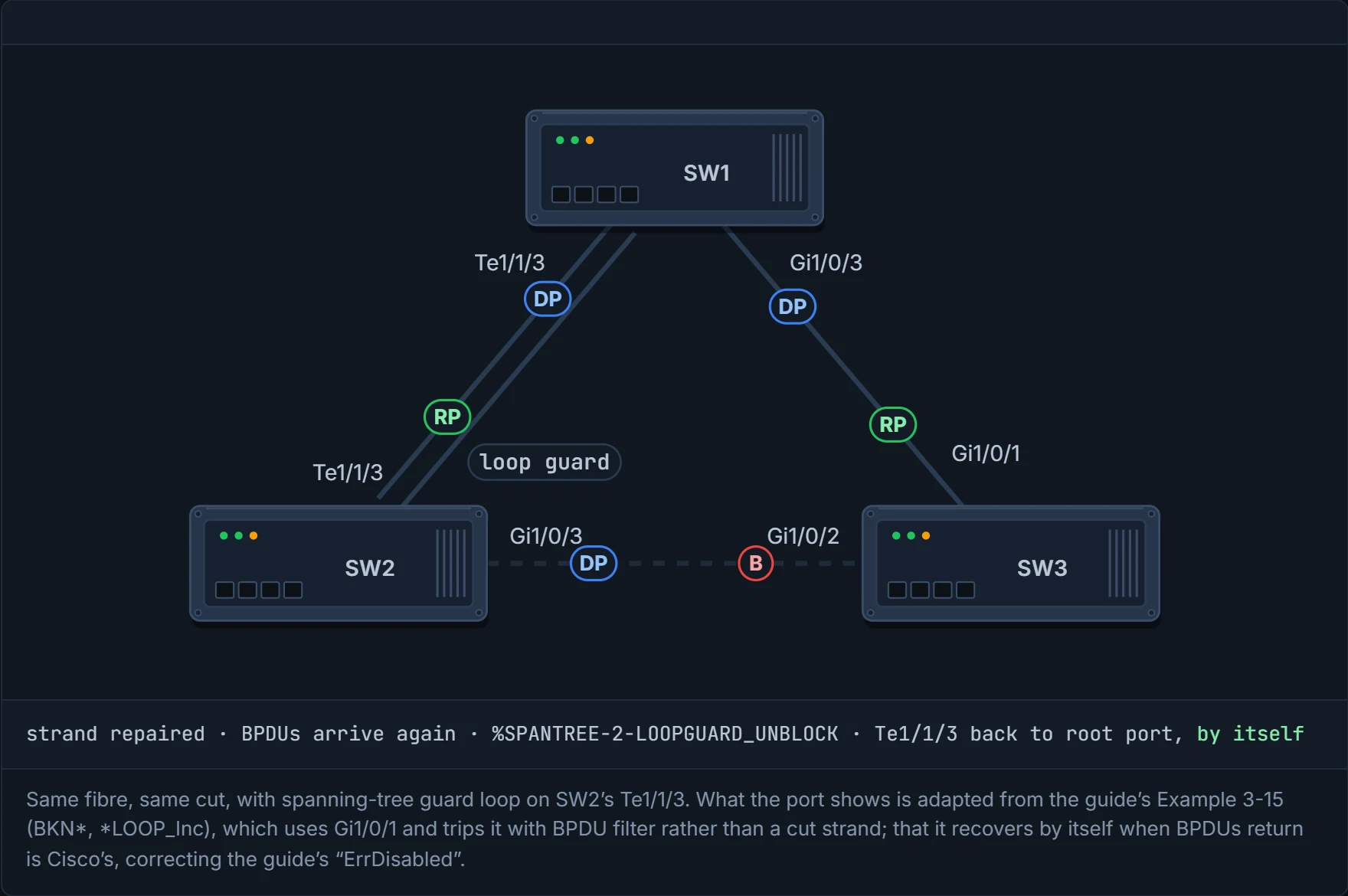
What does it do? The guide's text says err-disabled, but the guide's own Example 3-15 shows BKN* and *LOOP_Inc (below), not err-disabled: that's the main evidence. Cisco's documentation, read here through a search summary, says the same: loop-inconsistent, a blocking state, that recovers by itself when BPDUs arrive again. It's like the friend who doesn't reply to a text: you assume the phone's dead, not that they've moved house, and the moment they text back, everything carries on as normal. In the output, BKN* means the port is broken in spanning tree's sense, blocked because of an inconsistency (the Broken state from 01-5), and *LOOP_Inc names which one.
SW2(config)# interface gi1/0/1
SW2(config-if)# spanning-tree guard loop
spanning-tree loopguard default turns it on globally; spanning-tree guard loop on one interface. Never on a PortFast port: it conflicts with the root/alternate logic. So on an access switch full of PortFast ports, the safe pattern is the interface command on the uplinks only. It only works on point-to-point interfaces, and it's most effective enabled across the whole switched network.
The guide trips it on purpose by filtering BPDUs on SW2's root port:
%SPANTREE-2-LOOPGUARD_BLOCK: Loop guard blocking port GigabitEthernet1/0/1 on VLAN0001
Gi1/0/1             Root BKN*4         128.1    P2p *LOOP_Inc
(The guide types spanning-tree bpdufilter enabled there; the keyword is enable.) show spanning-tree inconsistentports lists the port once per VLAN it carries: VLANs 1, 10, 20 and 99, "Loop Inconsistent". You met that command in 01-5 for PVID and type inconsistency; same list, different reason.
D8
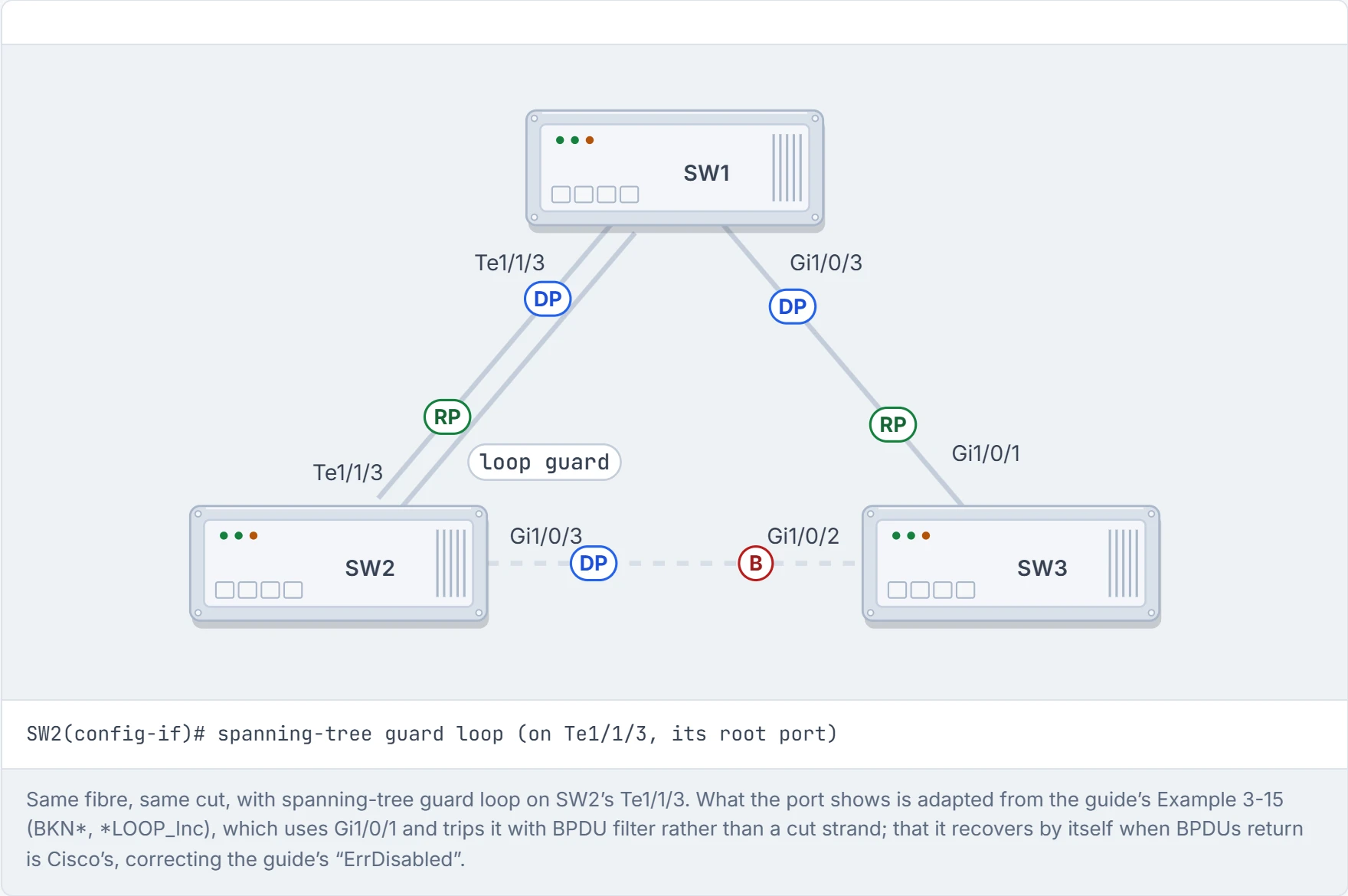
Step 1 of 5 Loop guard is on SW2’s root port, the fibre.
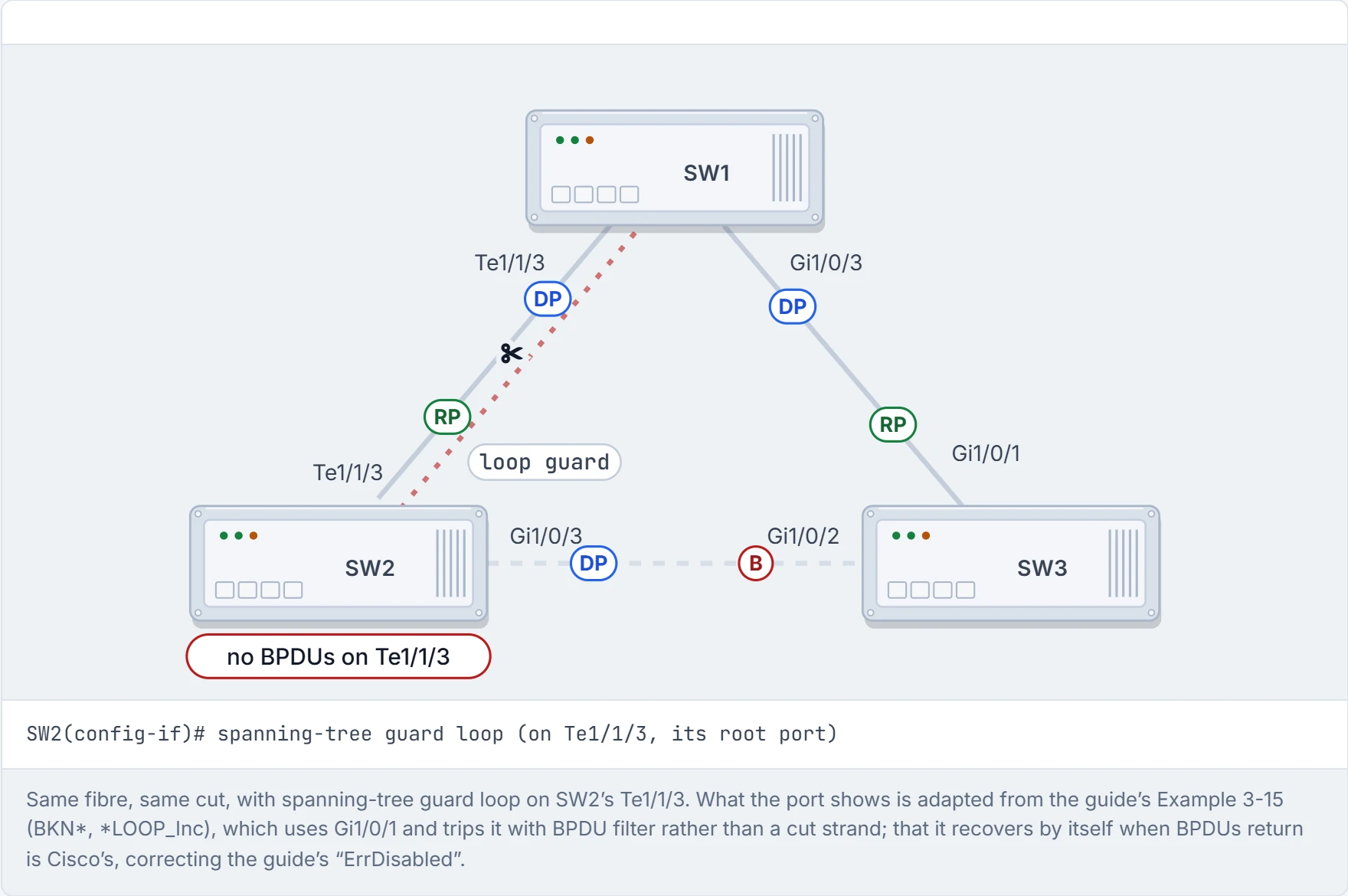
Step 2 of 5 The same strand breaks. BPDUs stop arriving on SW2’s root port.
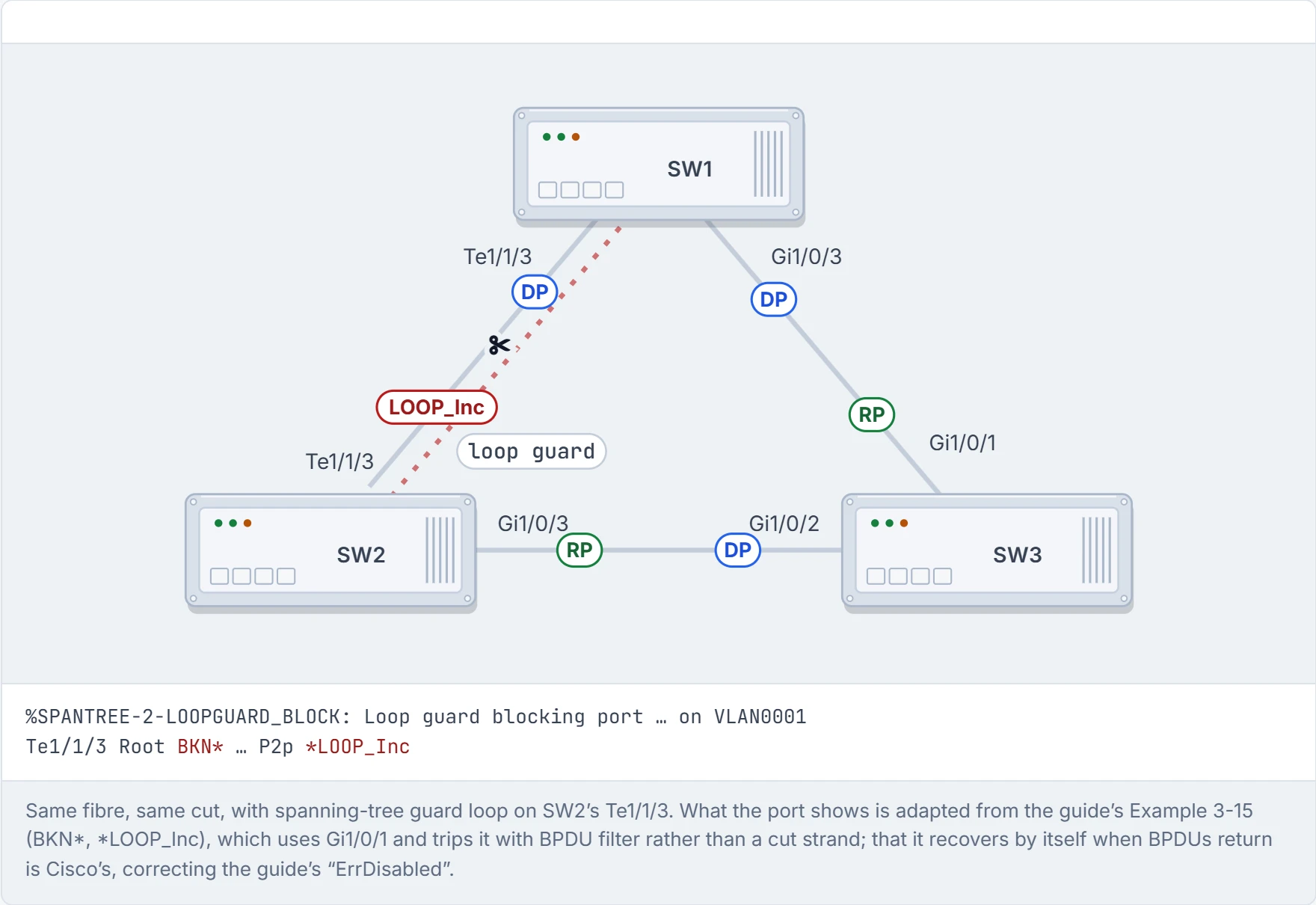
Step 3 of 5 When SW2 gives up on the fibre, loop guard doesn’t let that port become designated. It goes loop-inconsistent and blocks. SW2 still reaches the root through SW3, and no loop can form.
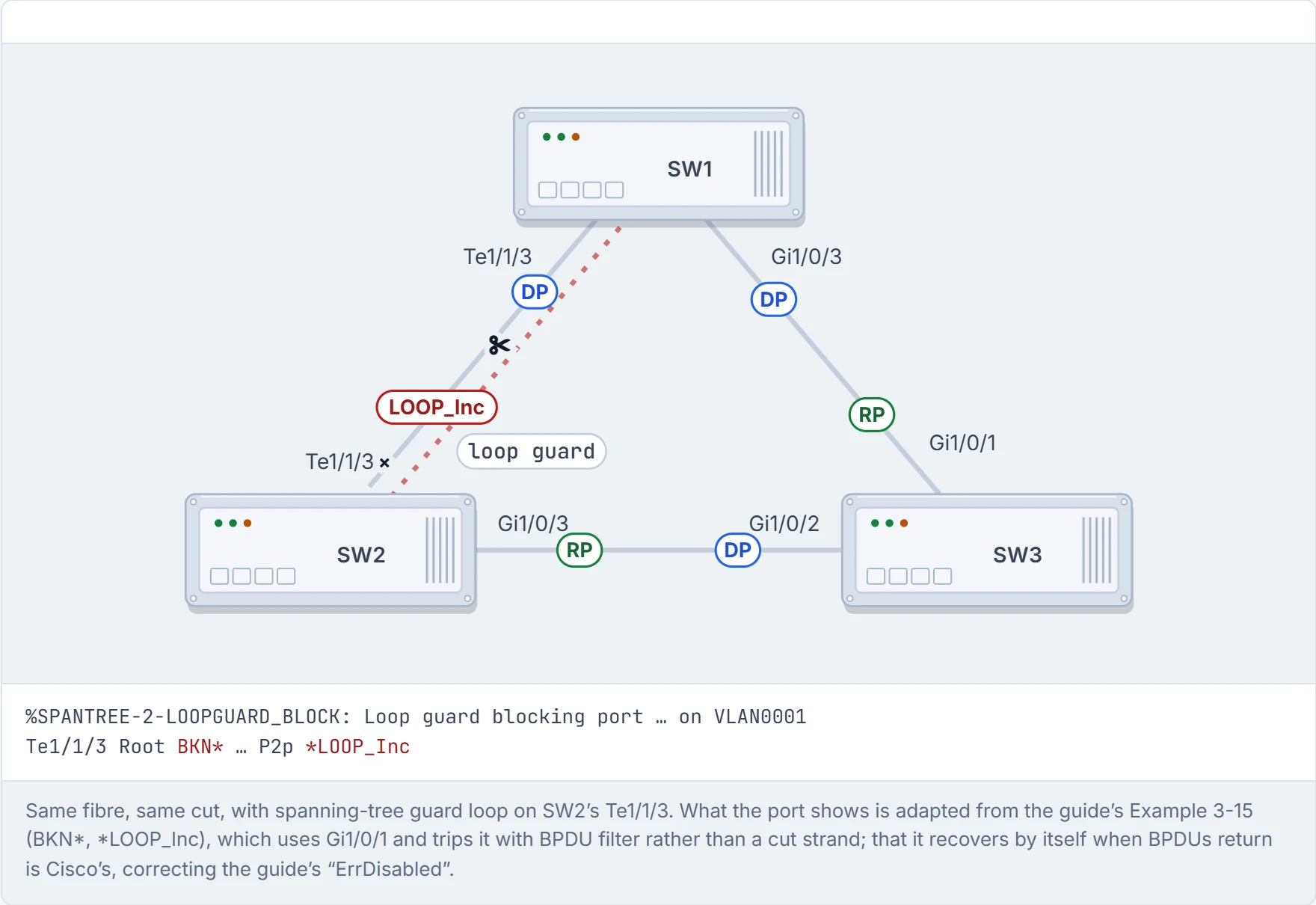
Step 4 of 5 The frame that looped in the last figure goes SW1 → SW3 → SW2 and stops there: SW2’s fibre port is blocked, so it never takes the working strand back to SW1.
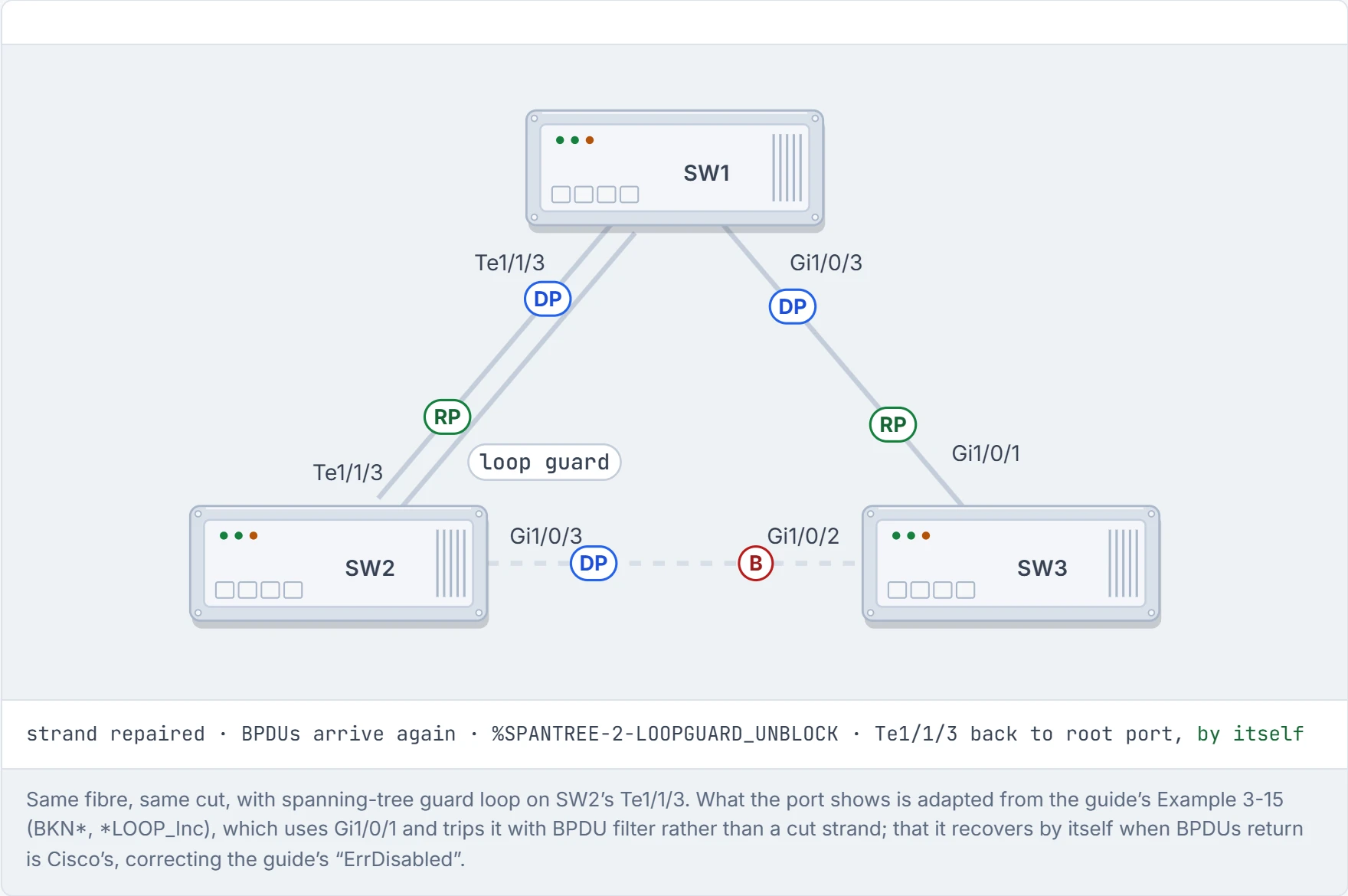
Step 5 of 5 Repair the strand and SW1’s BPDUs arrive again. Loop guard lets the port recover on its own: no shutdown, no no shutdown.
UDLD (Unidirectional Link Detection) checks that a fibre link works in both directions. Each switch sends UDLD packets carrying its system ID and port ID; the neighbour repeats them back along with its own. This goes on for as long as the link is up. It works behind the scenes just like reading a phone number back to someone: "07700… did I get that right?"
UDLD is two switches saying "you still there?" "yes, you still there?" for the life of the cable. Couples on the phone at midnight have nothing on it.
Two modes:
- Normal: if a frame isn't acknowledged, the link is marked undetermined and the port stays up. (Cisco adds that normal mode does disable a port it finds misconnected on fibre; plain silence isn't that.)
- Aggressive: if a frame isn't acknowledged, the switch sends eight more, one a second; if none is answered, the port goes into an error state.
Back to the phone number: if nobody ever answers, normal mode shrugs and carries on, and aggressive mode hangs up. Cisco adds the difference that matters in practice: normal mode catches fibre plugged into the wrong port, and disables it; aggressive also catches one-way traffic, on fibre and twisted-pair links. Use the same mode on both ends. That's roughly equivalent to pilots and air traffic control reading every instruction back: tedious, it only works if both sides follow the same drill, and it's the reason nobody lands on the wrong runway.
SW1(config)# udld enable
udld enable [aggressive] turns it on globally, for SFP-based ports (SFPs are the plug-in fibre modules); udld port disable excludes one; udld recovery [interval] brings ports back, 5 minutes by default; udld port [aggressive] enables it on one port. It has to be on both switches. Check with show udld neighbors, and show udld <interface> for the state, the device IDs (serial numbers) and the port IDs at each end. The guide's SW1 shows Te1/1/3's neighbour as Bidirectional, with a 15,000 ms message interval and a 5,000 ms time-out.
Continue the lesson
The whole lesson, with its drawings and its questions. The rest of this section and 9 more after it.