
EtherChannel: static bundles, LACP and PAgP negotiation, and why a member drops out
Two plain cables between two switches leave one blocked by spanning tree. An EtherChannel bundles them into one logical link, so spanning tree sees one link and traffic spreads across the active members. Build it statically or negotiate it: LACP active starts and passive answers; PAgP desirable starts and auto answers. Every member's settings must match.
By Arif, founder of Daveth · Updated
The full 9 min walkthrough is in Daveth Pro (Network). See what the plan opens
What this page answers
Which LACP and PAgP modes form an EtherChannel?
LACP active forms with active or passive; passive with passive never forms. PAgP desirable forms with desirable or auto; auto with auto never forms. Something has to start the conversation. Read it in “4.1 Why not just plug in a second cable?”
Why does a second link between switches not add bandwidth?
Spanning tree blocks one of two plain cables between two switches to stop a loop. Bundling them into an EtherChannel makes one logical link that spanning tree does not block. Read it in “4.1 Why not just plug in a second cable?”
Why does an EtherChannel member drop out?
Every member must match: port type, Layer 2 or Layer 3; port mode, access or trunk; on a trunk, the native VLAN and allowed VLANs; speed; duplex; and MTU on Layer 3 members. Only LACP port priority may differ. Read it in the lesson
4.1 Why not just plug in a second cable?
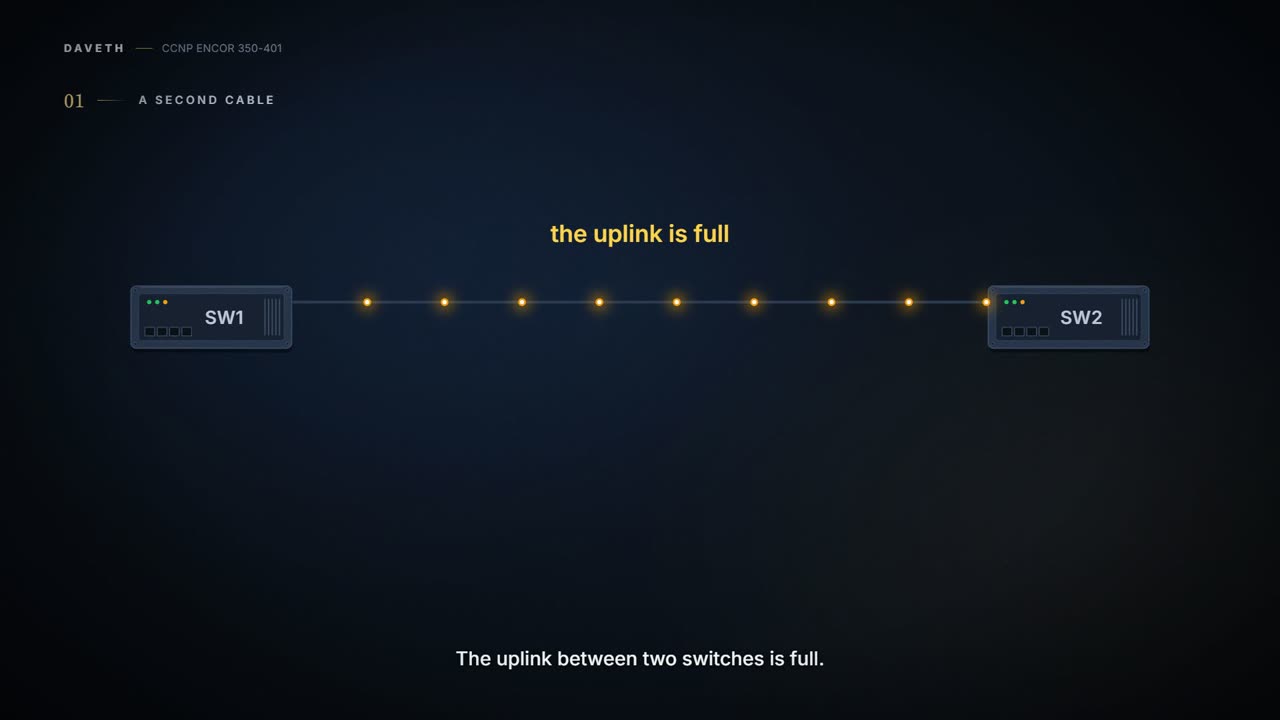
Your uplink between two switches is full. The obvious fix is faster ports, say 10 Gbps instead of 1 Gbps, but most of the time that isn't an option. So you plug in a second cable. Think about the last time you watched a busy shop open a second checkout: twice the tills, and the queue halves.
Except here, the second cable just sits there doing nothing. Spanning tree blocks one of the two ports to stop a loop. (Why it does that is 01-5. For now, just believe the switch: two plain cables between two switches means one of them gets switched off.) It's basically like fitting a second tap to the kitchen sink and finding the plumber has capped it off.
You bought a second lane for the motorway, and the council coned it off on day one.
The fix is to stop letting the switches see two cables. Bundle them into one logical link: an EtherChannel, also called a port channel, which the guide ties to IEEE 802.3ad link aggregation. The physical interfaces inside it are its member interfaces. Spanning tree sees the one logical link, not the cables, so nothing gets blocked. The logical link has the bandwidth of all its active members, and traffic is spread across them.
You can think of it as a multi-lane motorway with one name. The sat-nav routes you onto "the M1", not onto lane 3. Bundles work at Layer 2, as an access or trunk port, or at Layer 3, as a routed interface. On Catalyst switches, "EtherChannel", "EtherChannel bundle" and "port channel" all mean the same thing, and other Cisco platforms just say port channel. In the guide's picture, each switch has one logical interface built from two member interfaces, Gi1/0/1 and Gi1/0/2.
There's a second, quieter benefit. When one member goes down, nothing recalculates: no spanning-tree change and no routing change, as long as at least one member is still up. It's like one lane closing for roadworks. The motorway is still the motorway, and nobody reroutes their whole trip.
D1
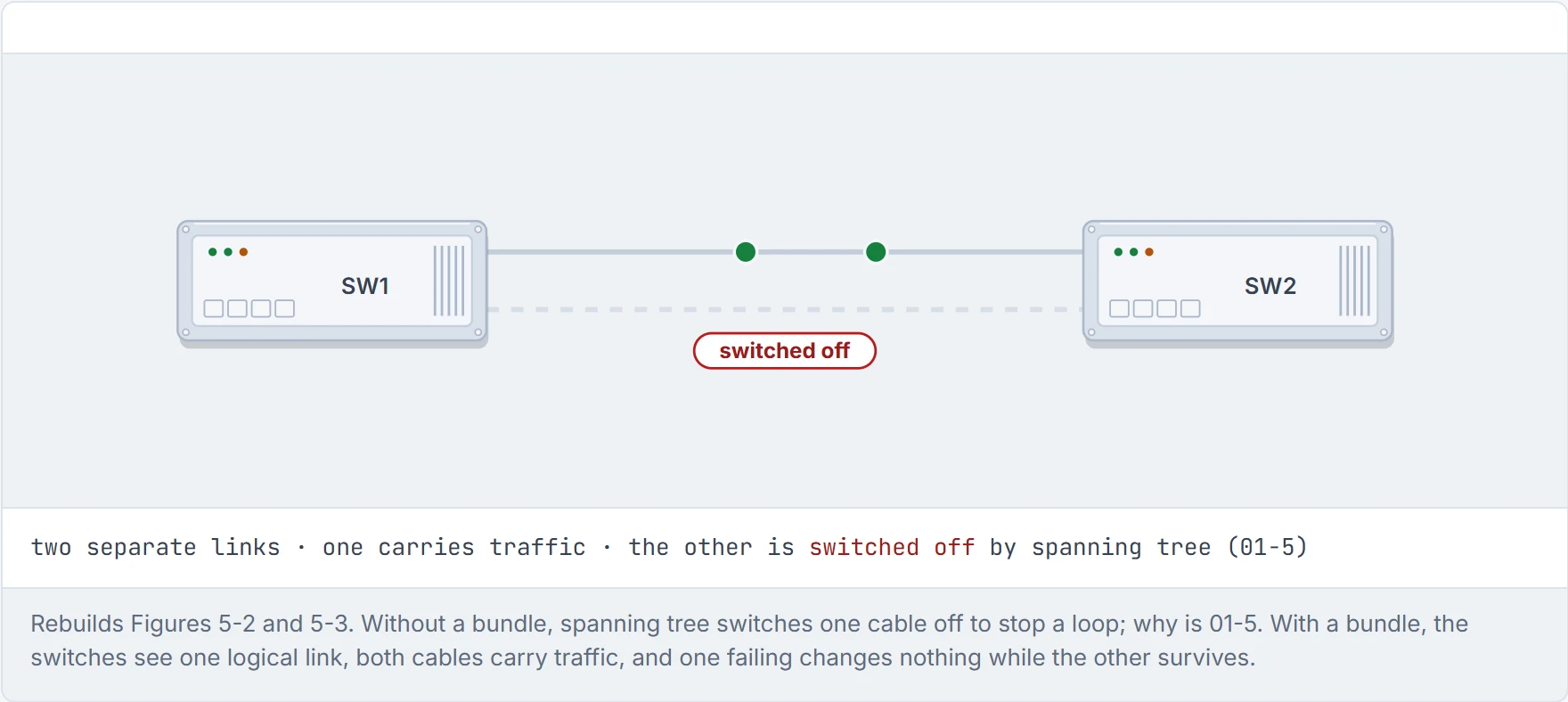
Step 1 of 3 Two plain cables between two switches. Only one carries traffic: spanning tree switches the other off to stop a loop.
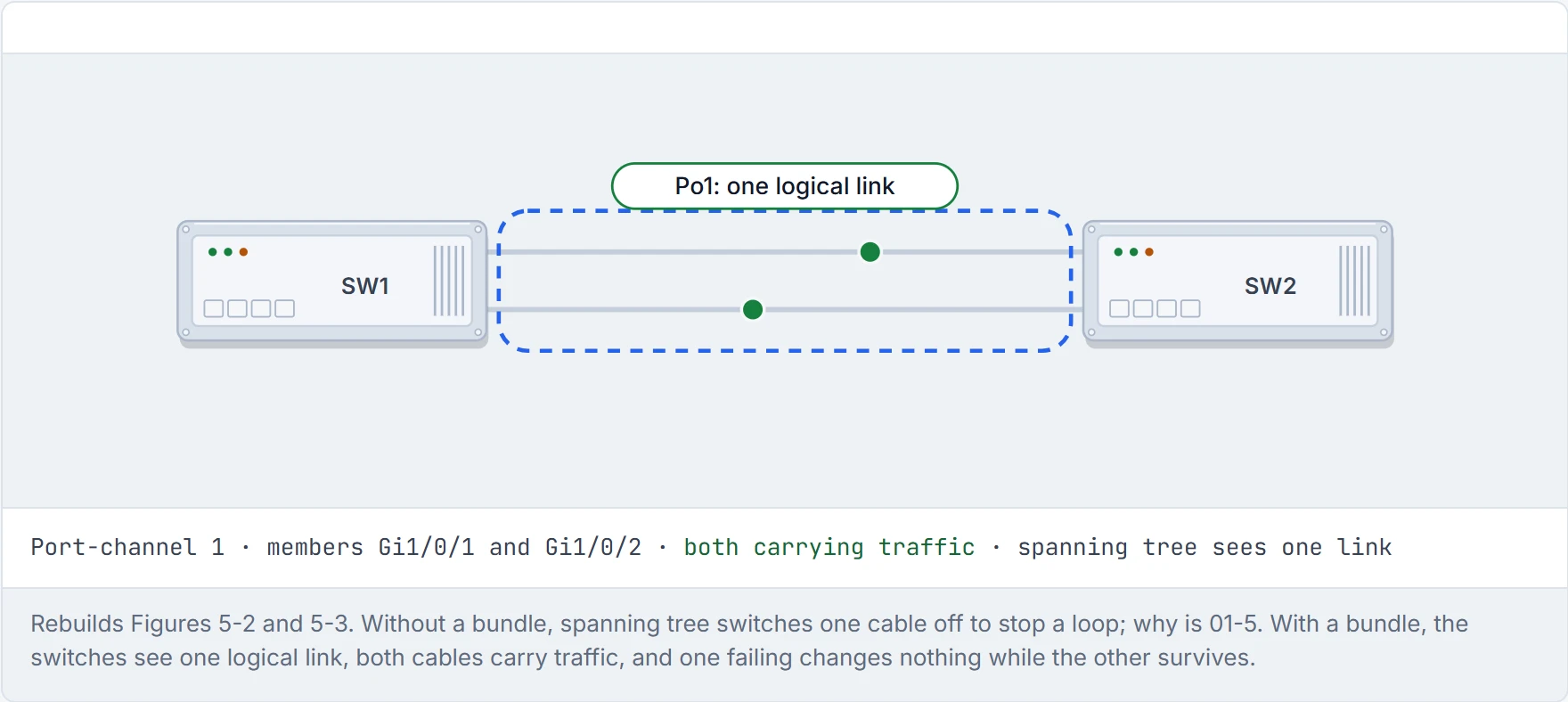
Step 2 of 3 Bundle them into port channel 1. The switches, and spanning tree, now see one logical link, so nothing is switched off, and traffic is spread across both members.
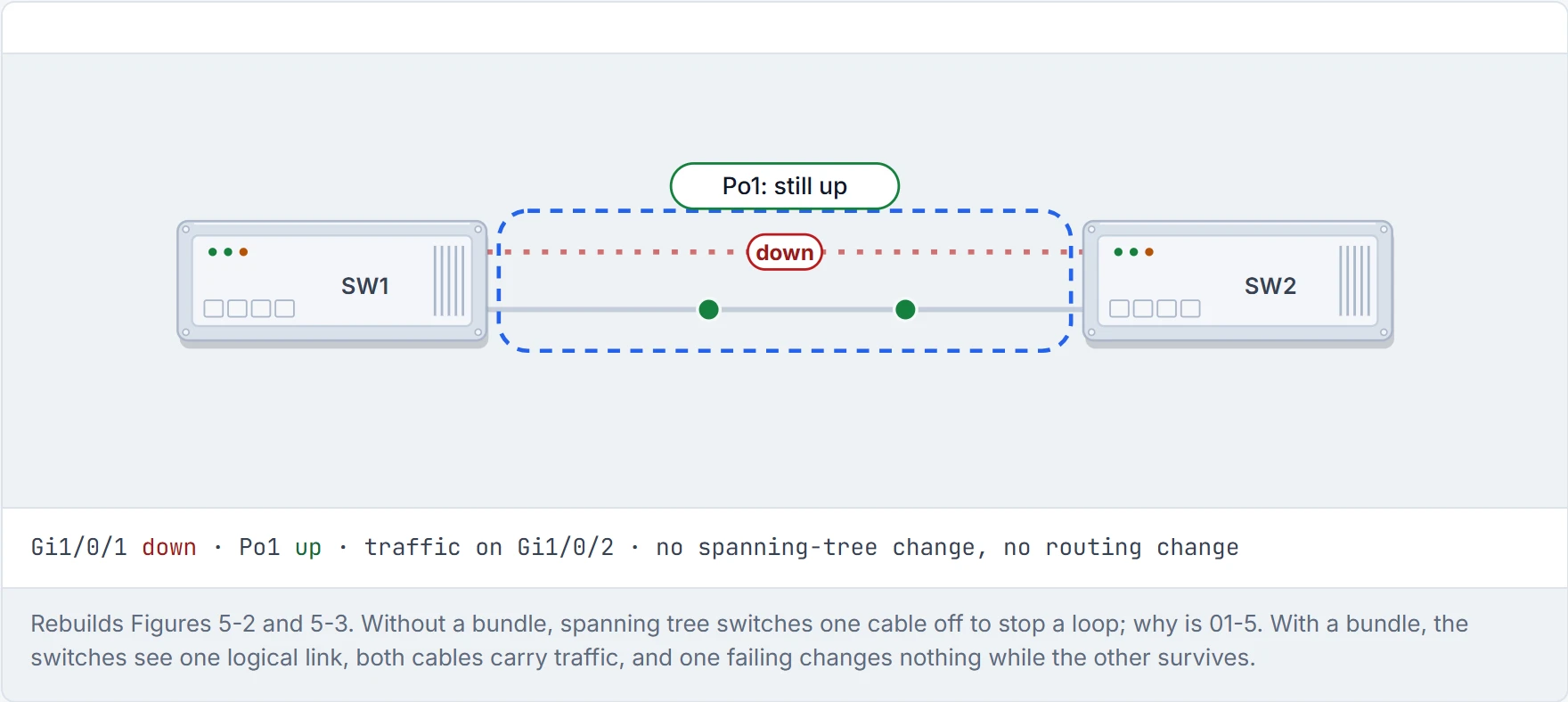
Step 3 of 3 One member fails. The port channel stays up on the survivor, traffic moves over, and nothing recalculates: no spanning-tree change, no routing change, as long as one member is up.
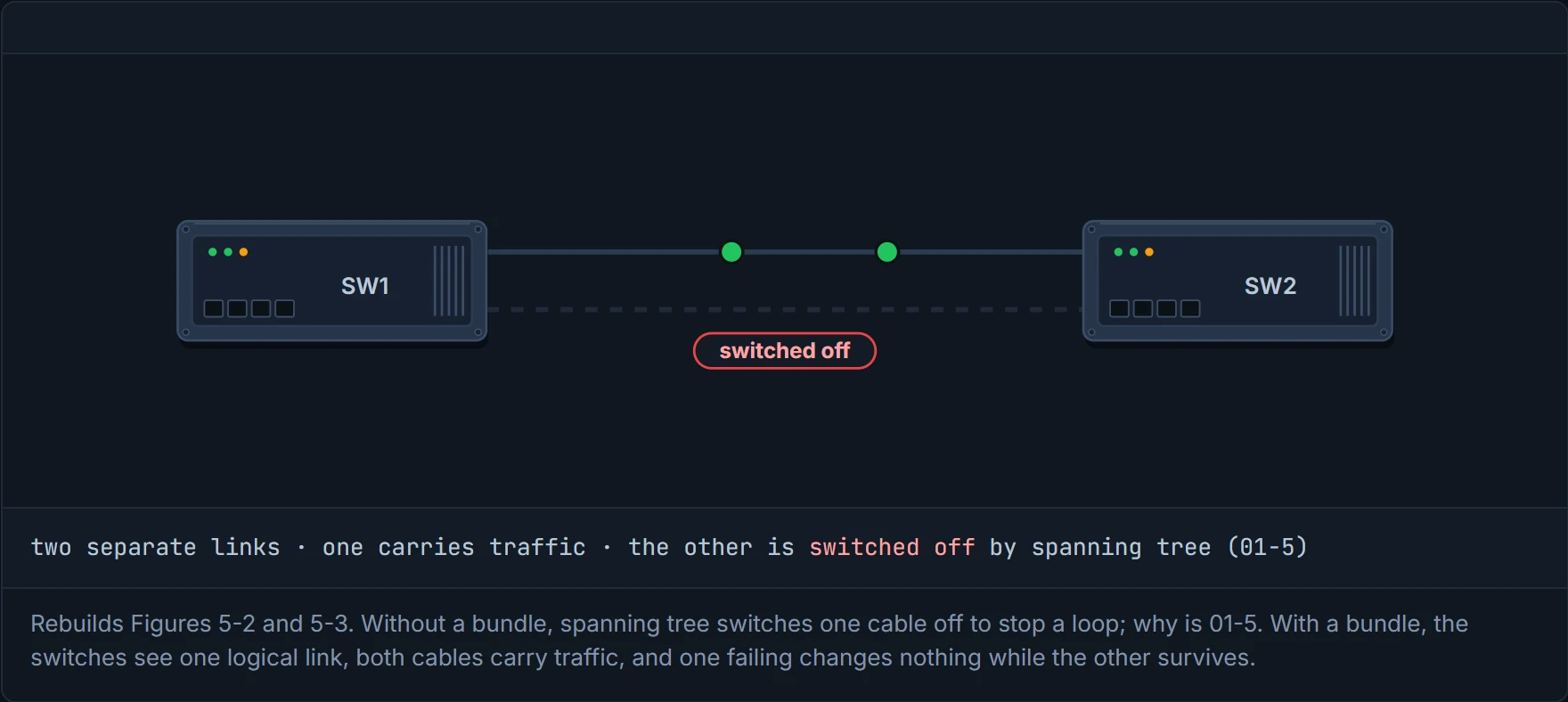
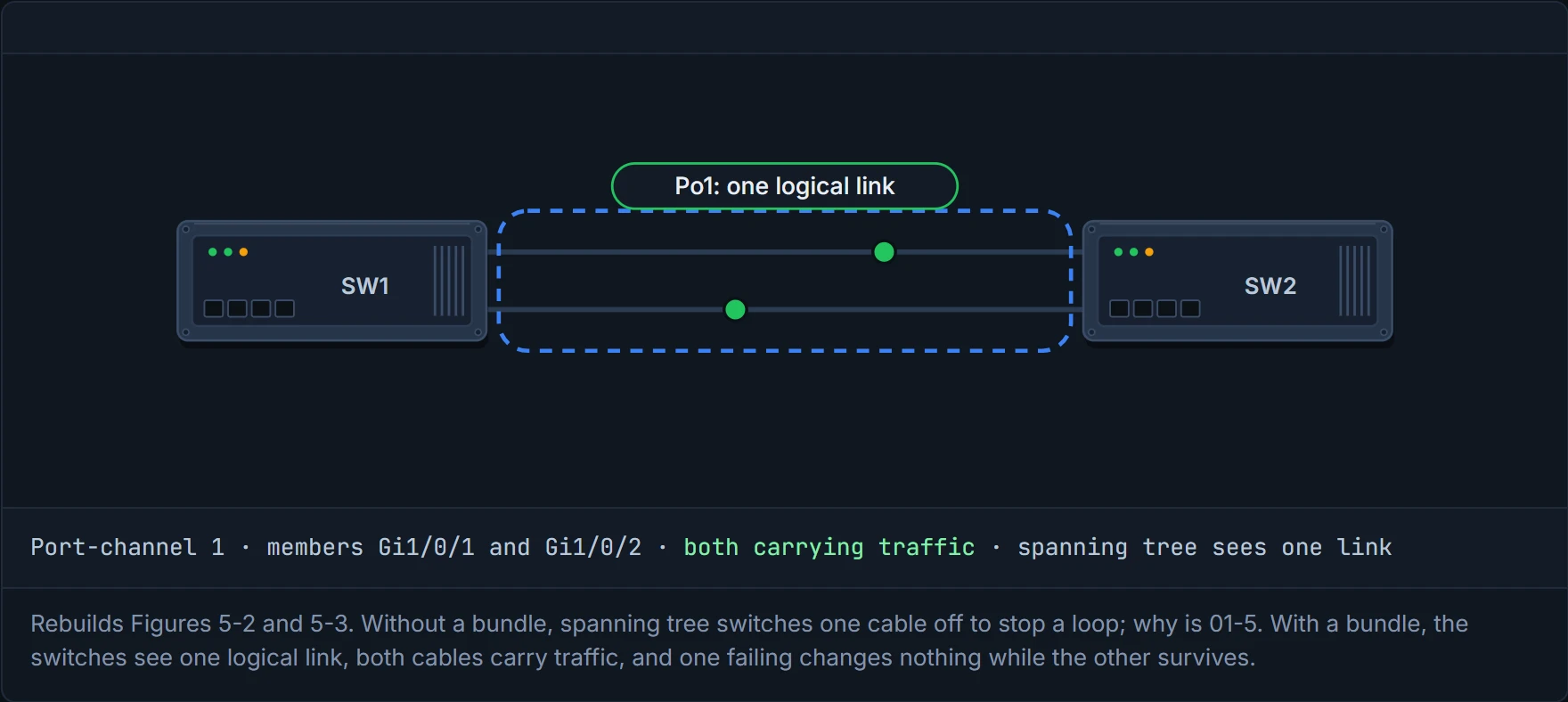
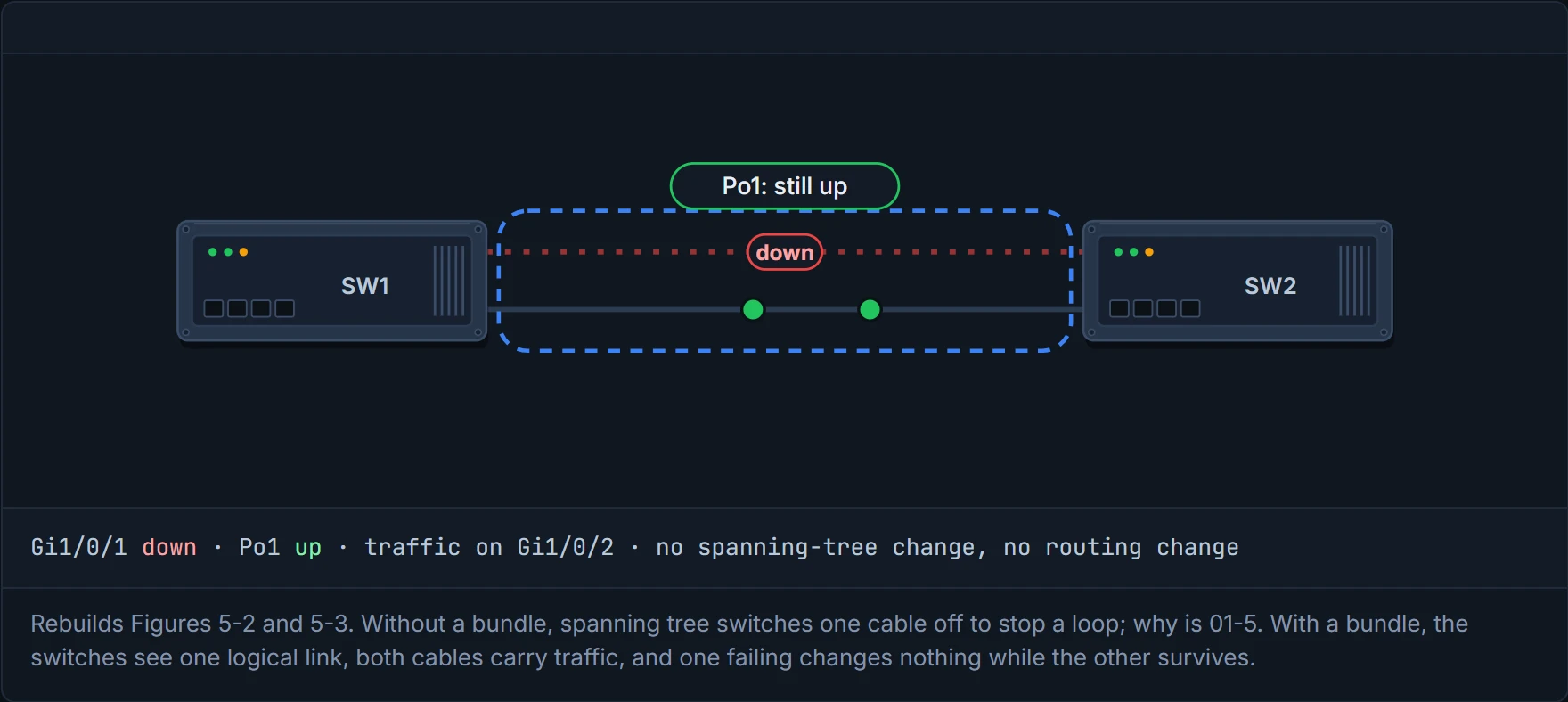
Four cables, one name: the only interface in the building that's a crowd pretending to be one person.
You can form a bundle two ways: statically, by setting it on, or with a protocol that checks the other end. Most engineers prefer the protocol, because it proves end-to-end connectivity on every link.
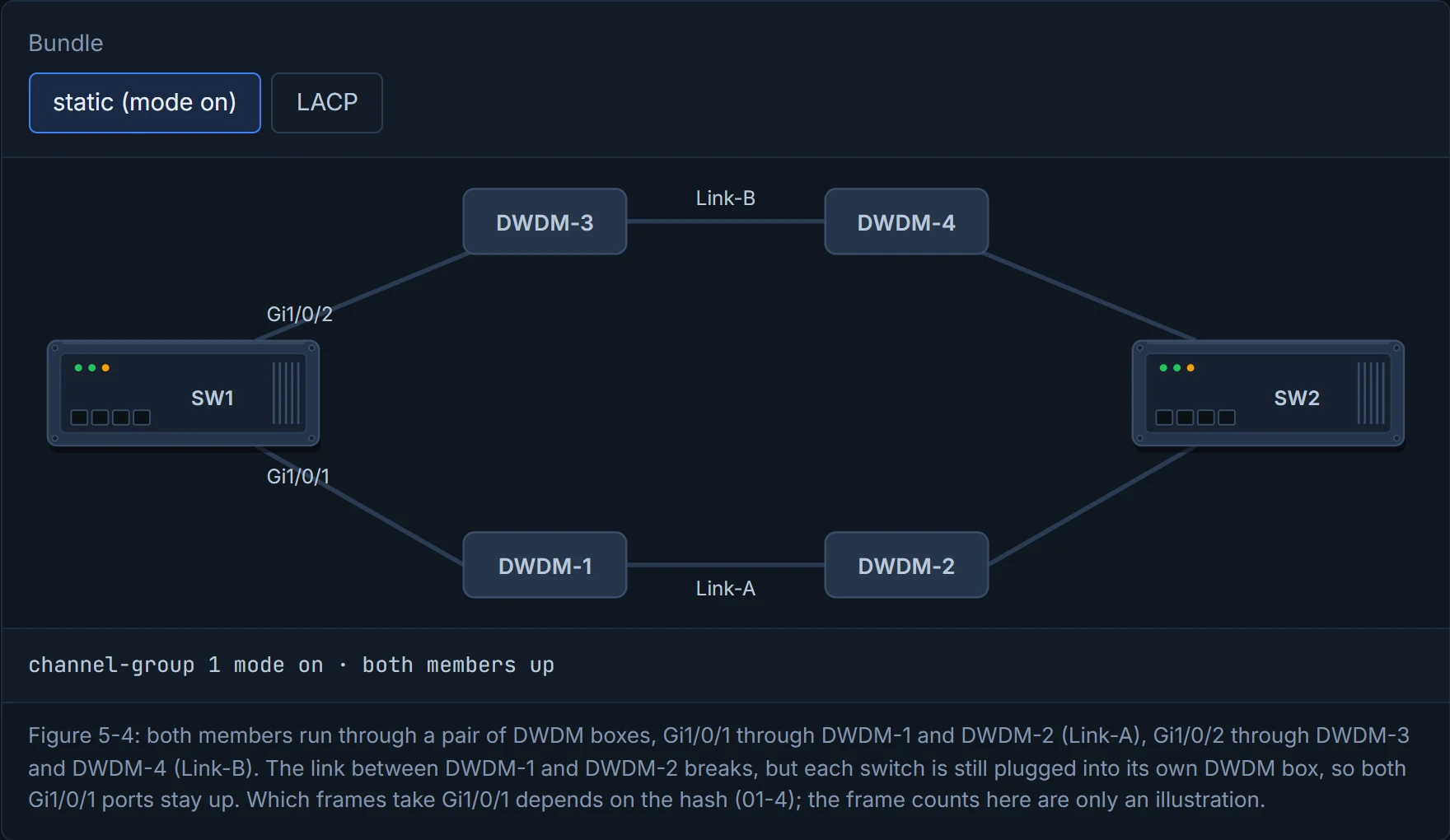
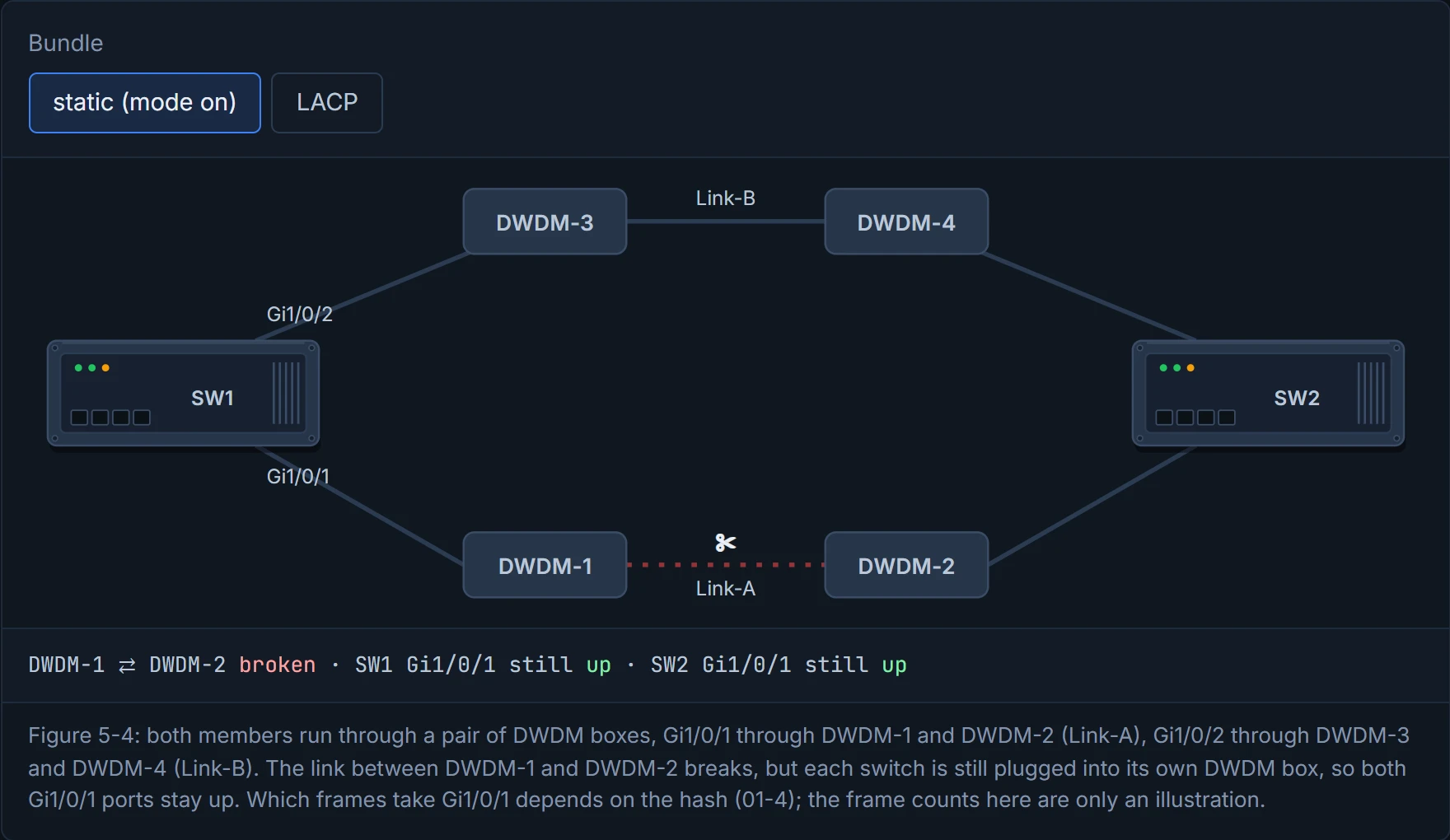
Here's why. A static bundle has no health check. If a cable degrades but its line protocol stays up, the switch keeps sending its share of traffic down it, and you get packet loss that comes and goes. Now picture yourself with something between the switches: a tap, an IPS, a Layer 2 firewall, or an optical DWDM system. The guide's example: the link between DWDM-1 and DWDM-2 breaks, but SW1 and SW2 are still plugged into their DWDM boxes, so their Gi1/0/1 ports stay up. They keep sending "the traffic that is sent out of the Gi1/0/1 interface", whatever share the hash gives it (01-4), into a dead link.
If you've ever had a delivery driver confirm a parcel as "delivered" because they reached the depot, you know this feeling. The first hop is fine, so the switch believes the whole trip is fine. With a dynamic protocol, the switches would notice the other end had gone quiet and take Gi1/0/1 out of the bundle.
D2
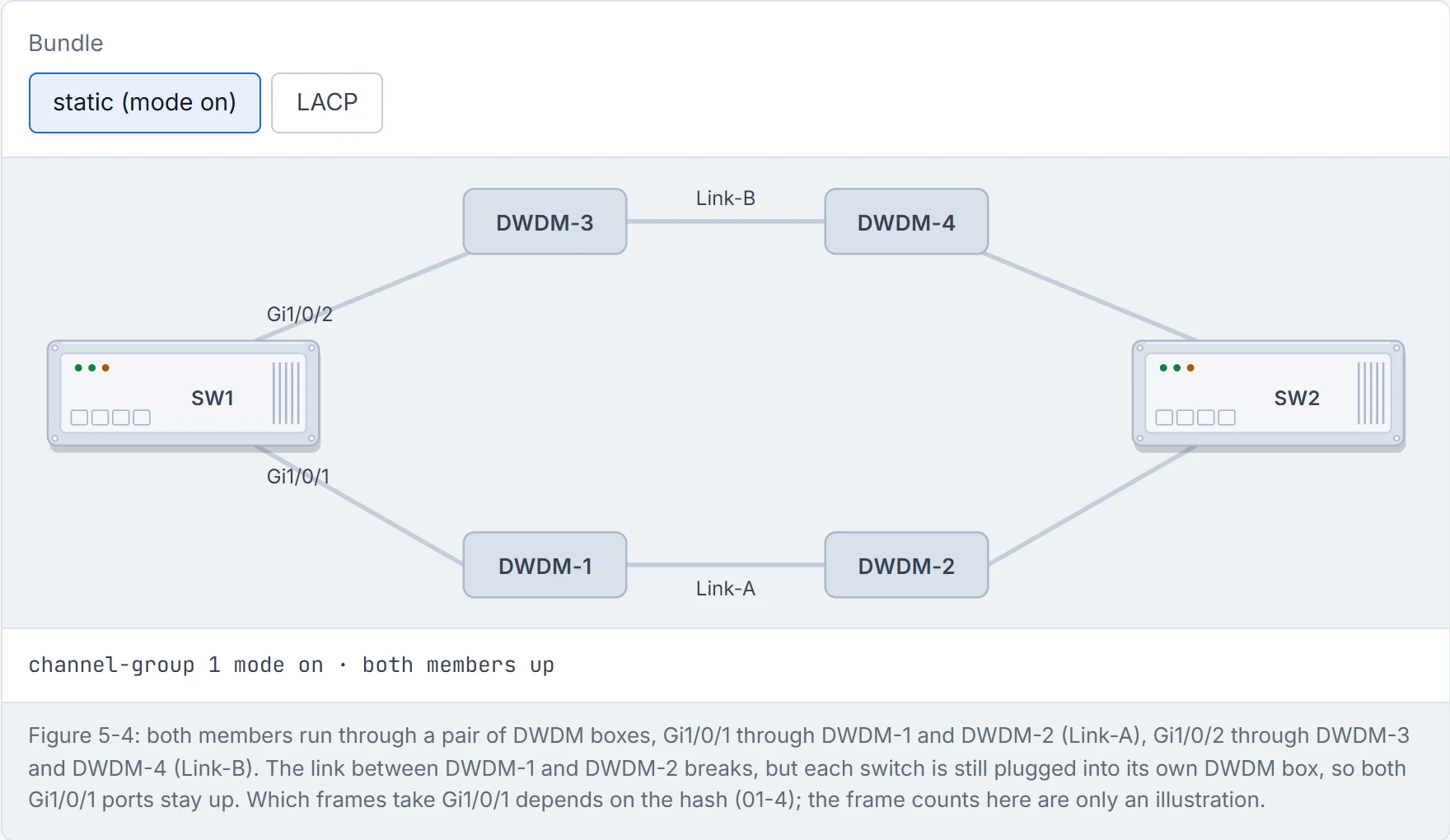
Step 1 of 3 A two-member bundle. Each member goes through its own pair of DWDM boxes: Gi1/0/1 over Link-A, Gi1/0/2 over Link-B (Figure 5-4).
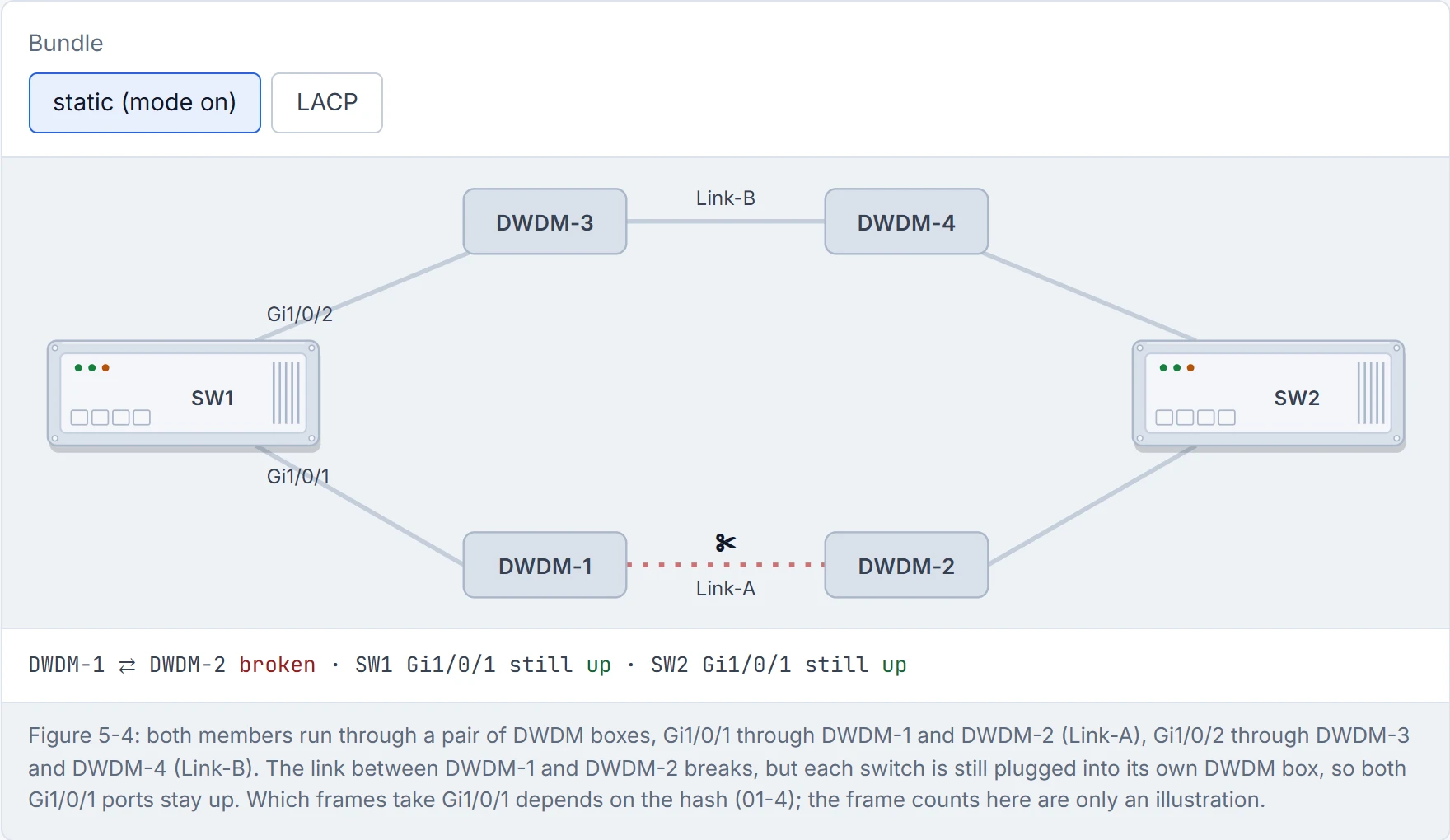
Step 2 of 3 The link between the DWDM boxes breaks. Both switches are still plugged into their own DWDM box, so both Gi1/0/1 ports stay up.
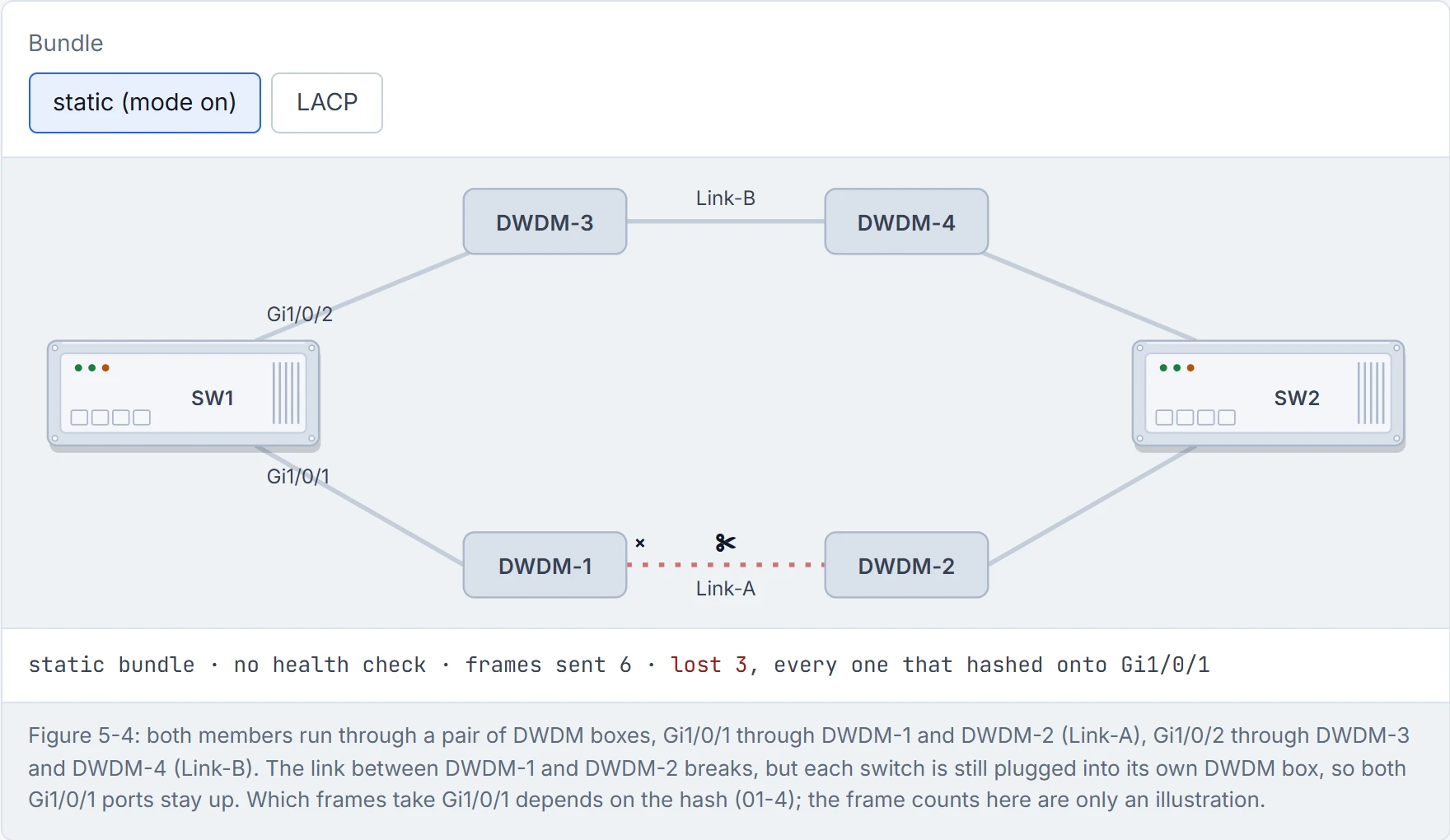
Step 3 of 3 A static bundle has no health check, so SW1 keeps sending whatever share of traffic the hash gives Gi1/0/1 into the break, and nothing on either switch says why.
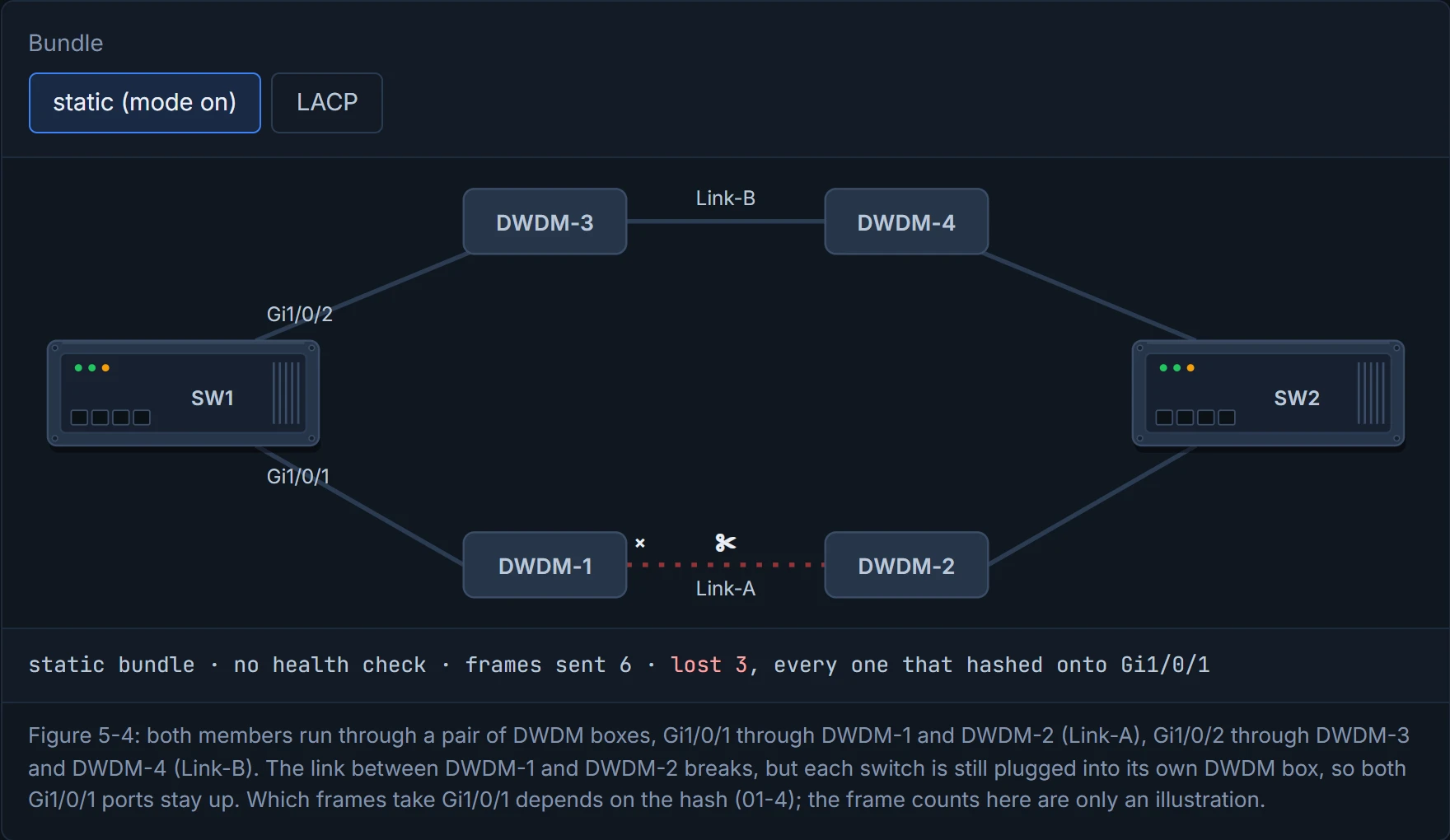
A static bundle has the confidence of someone who's never checked their spam folder.
There are two protocols for this: PAgP, Cisco's own, which came first, and LACP, the open industry standard. Every member uses the same one, on both ends. PAgP sends to multicast MAC 0100:0CCC:CCCC with protocol code 0x0104; LACP sends to 0180:C200:0002.
It's basically the same conversation as DTP in 01-2: someone has to ask. As for the two protocols, that's roughly equivalent to two languages: both sides can be chatty or shy, but they have to speak the same one, or it's just noise.
Predict first, before the list: both ends LACP passive. Bundle?
- PAgP auto: doesn't start anything or send PAgP, but answers if asked. Auto with auto never forms.
- PAgP desirable: starts the conversation and sends PAgP. Forms with auto or desirable.
- LACP passive: doesn't start anything, but answers. Passive with passive never forms.
- LACP active: starts the conversation. Forms with active or passive.
So: passive with passive, no bundle. If you've ever stood at a party next to someone, both waiting to be introduced, you've been an LACP passive port. Same pattern as DTP's auto with auto, and the same lesson: someone has to be the one who asks.
| LACP active | LACP passive | PAgP desirable | PAgP auto | |
|---|---|---|---|---|
| LACP active | bundle | bundle | - | - |
| LACP passive | bundle | no | - | - |
| PAgP desirable | - | - | bundle | bundle |
| PAgP auto | - | - | bundle | no |
LACP and PAgP never mix. on bundles with on; what on does facing a negotiating mode, the guide doesn't say, so D3 reports it as not covered (unconfirmed).
D3
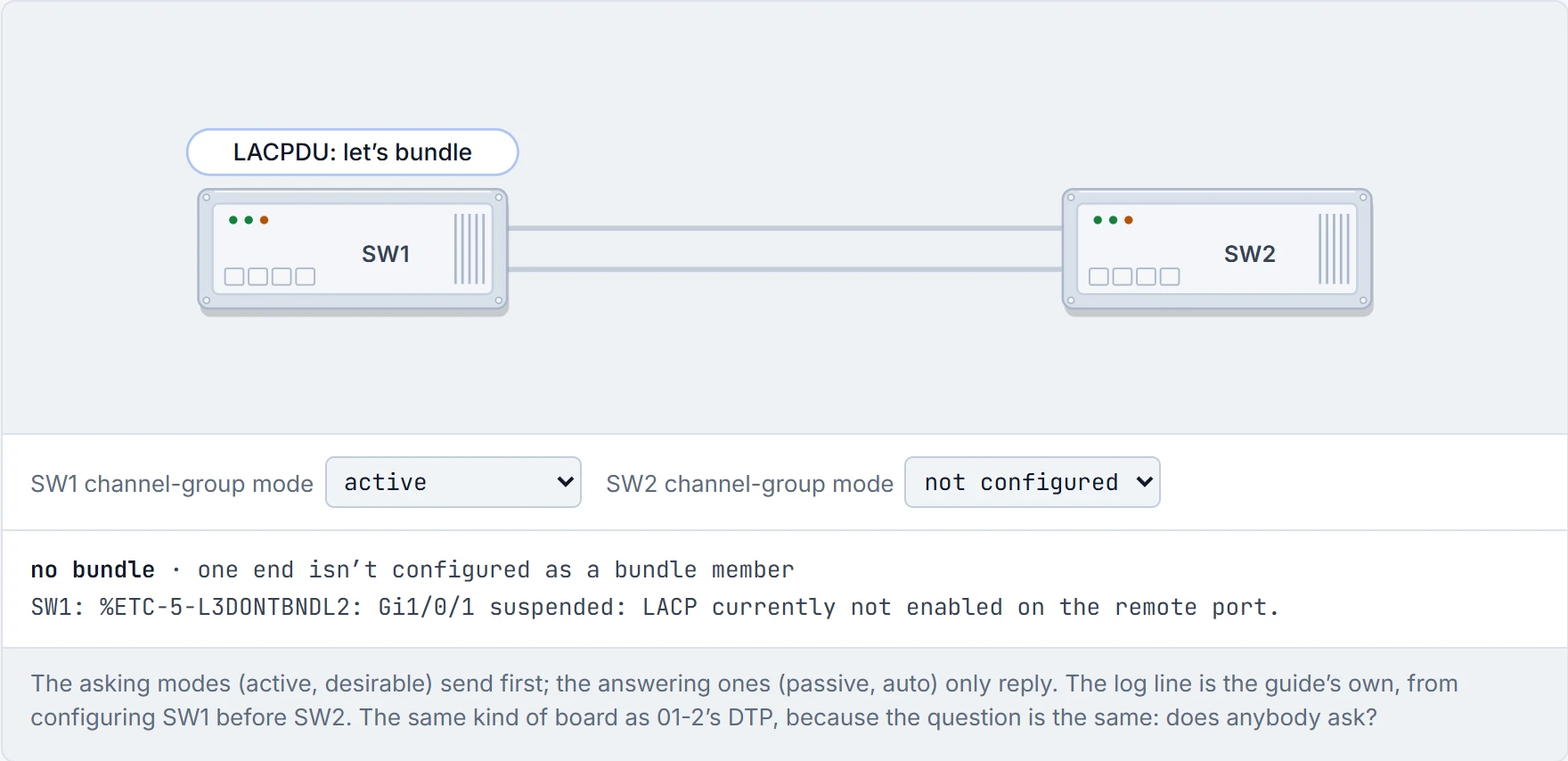
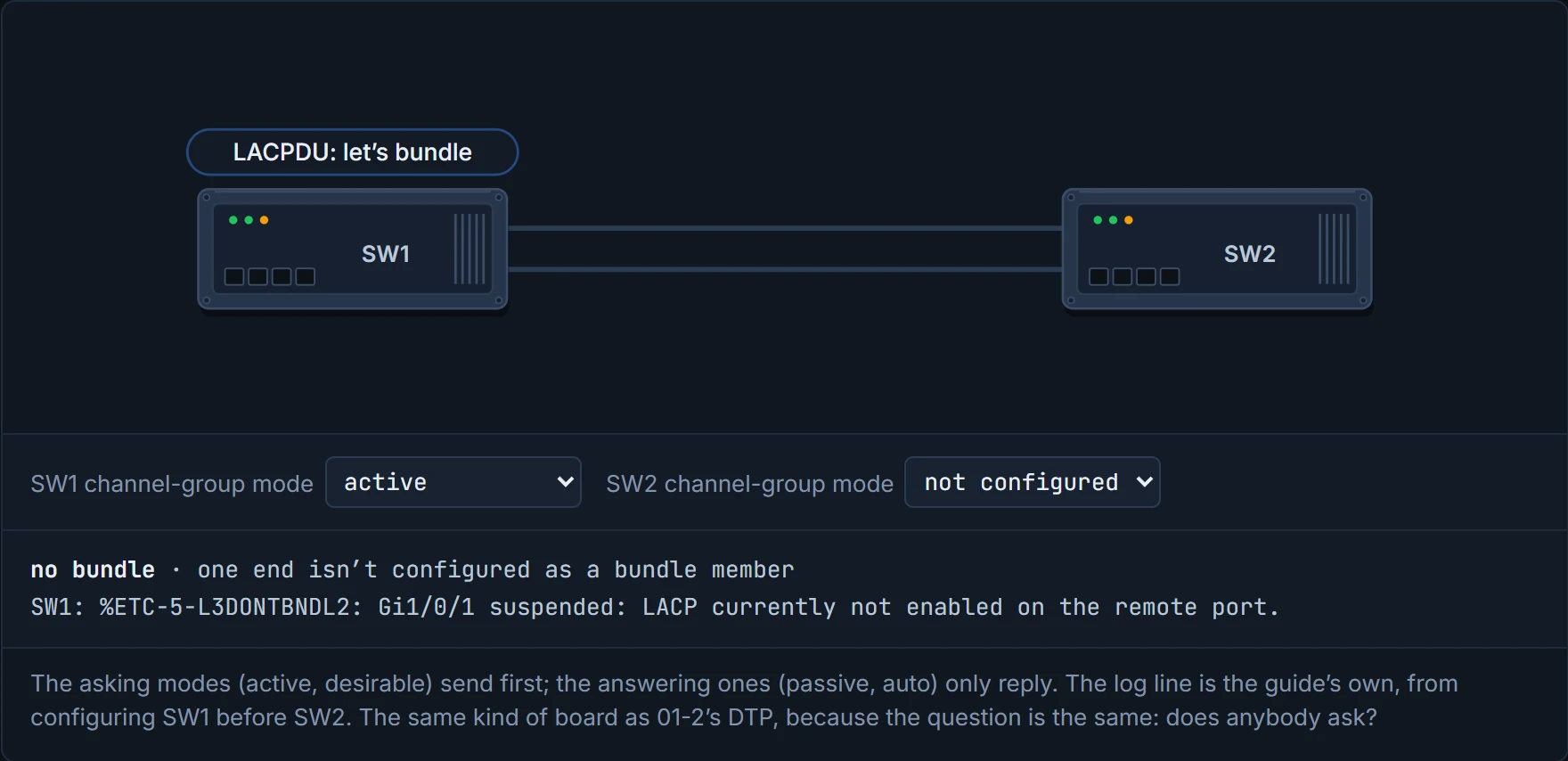
Passive-passive is two very polite switches, each holding the door open for the other. Forever.
You put each member into the bundle from interface mode:
- static:
channel-group <id> mode on - LACP:
channel-group <id> mode {active | passive} - PAgP:
channel-group <id> mode {auto | desirable} [non-silent]
About non-silent: PAgP runs in silent mode by default, which lets it form a bundle with a device that isn't PAgP-capable and rarely sends anything. non-silent makes the port wait until it receives PAgP. The guide recommends it between two PAgP switches, and says it brings the bundle up faster. Consider it your "don't start dinner until I'm home" text: the port waits to hear from the other side before it commits.
Two rules. First, the bundle's settings go on the port-channel interface, not on each member. Second, put the members in the right mode before you bundle them: Layer 2 switch ports for a Layer 2 bundle, no switchport for a Layer 3 one. The members' type decides which kind of bundle you get. Do it like a traveller who picks the beach or skiing before filling the suitcase: what goes in decides which trip it is.
A Layer 2 LACP trunk bundle, the guide's own example:
SW1(config)# interface range gi1/0/1-2
SW1(config-if-range)# channel-group 1 mode active
SW1(config-if-range)# interface port-channel 1
SW1(config-if)# switchport mode trunk

SW2(config)# interface range gi1/0/1-2
SW2(config-if-range)# channel-group 1 mode passive
SW2(config-if-range)# interface port-channel 1
SW2(config-if)# switchport mode trunk
Notice something in the guide's output: between configuring SW1 and SW2, SW1's members show %ETC-5-L3DONTBNDL2: ... suspended: LACP currently not enabled on the remote port. That isn't an error. SW1 is asking, and nobody's answering yet. Once SW2 is set to passive, the members come up and Port-channel1 goes up. Just like when you ring a friend who hasn't got home yet: the phone ringing out isn't a fault, it's just early.
The first log message of every new bundle is SW1 complaining it's been left on read.
A Layer 3 bundle, dual-stack, as port channel 3 (the guide's own Po2 is a separate Layer 2 PAgP bundle, section 4.6). The members become routed ports first, then the addresses go on the port channel:
SW1(config)# interface range gi1/0/5-6
SW1(config-if-range)# no switchport
SW1(config-if-range)# channel-group 3 mode active
SW1(config-if-range)# interface port-channel 3
SW1(config-if)# ip address 10.12.12.1 255.255.255.0
SW1(config-if)# ipv6 address 2001:db8:12::1/64

SW2(config)# interface range gi1/0/5-6
SW2(config-if-range)# no switchport
SW2(config-if-range)# channel-group 3 mode active
SW2(config-if-range)# interface port-channel 3
SW2(config-if)# ip address 10.12.12.2 255.255.255.0
SW2(config-if)# ipv6 address 2001:db8:12::2/64
Check it: show etherchannel summary should show Po3(RU), R for Layer 3 and U for in use, with both members P; show ip interface brief and show ipv6 interface brief show the port channel's addresses; then ping the far end's IPv4 and IPv6 addresses. RU proves the bundle is up and routed; it doesn't prove the far end's addresses are right, which is what the pings are for.
show etherchannel summary lists every bundle with its status and protocol. In the guide's example:
Group  Port-channel  Protocol    Ports
------+-------------+-----------+-----------------------------------------------
1      Po1(SU)         LACP      Gi1/0/1(P)  Gi1/0/2(P)
2      Po2(SU)         PAgP      Gi1/0/3(P)  Gi1/0/4(P)
Look at the port-channel column first. You want SU, and the codes are case-sensitive: S and s mean different things. It's a bit like reading the dashboard lights before opening the bonnet: two letters tell you most of the story.
(Po2 here is the guide's second bundle, PAgP and Layer 2, not the Layer 3 example above.)
| Port-channel flag | Meaning |
|---|---|
| U | in use, working |
| D | down |
| M | not in use: the minimum number of members isn't met (you'll set that in 01-4) |
| S | Layer 2 |
| R | Layer 3 |
The output's legend also lists f (failed to allocate aggregator) and u (unsuitable for bundling) for port channels, and d (default port) and A (formed by Auto LAG); the guide doesn't explain them further, but u and f are worth recognising when a bundle won't form.
| Member flag | Meaning |
|---|---|
| P | bundled, forwarding |
| H | hot-standby: talking LACP but not forwarding (01-4 sets this up) |
| I | "has not detected any LACP activity on this interface and is treated as an individual" (the legend says "stand-alone") |
| w | the legend says "waiting to be aggregated"; Table 5-4 says something else |
| s | suspended |
| r | its module was removed |
SU is the only time "S" and "U" together is good news in networking.
show interfaces port-channel 1 shows the logical interface like any other: its counters, its members, and its bandwidth, which is the sum of the active members. The guide's two 1 Gbps members give BW 2000000 Kbit/sec. Anything that reads the bandwidth, like QoS policies (module 05) and routing-protocol costs (02-3), adjusts when members come and go. Think about the last time you queued while a shop shut one till: the queue's the same queue, it just moves slower, and everyone downstream plans around the new speed.
show etherchannel port gives the full story from the protocol packets, both what this switch sends and what it hears from its partner. It's thorough, and usually more than you need, like the whole bank statement when all you wanted was the balance.
For LACP, show lacp neighbor [detail] shows the neighbour's system ID, its system priority, and whether it's using fast or slow LACP packets (both tuned in 01-4). The system ID is the useful bit: if every member reports the same neighbour system ID, every cable really goes to the same switch. It acts kind of like the return address on every envelope: if one envelope comes back from a different address, one of your cables goes somewhere else. show lacp sys-id shows this switch's own: 32768, 0062.ec9d.c500, the system priority then the MAC. (The guide's text and command table spell it show lacp system-id.) For PAgP, show pagp neighbor shows the neighbour's name, device ID and remote port.
Continue the lesson
The whole lesson, with its drawings and its questions. The rest of this section and 9 more after it.