
OSPF neighbors: hellos, router ID, DR/BDR and the adjacency checklist
Every OSPF router in an area holds the same link-state database and runs SPF over it with itself at the root, so each draws its own tree from the same map. Hellos, mostly to 224.0.0.5, find and keep neighbours and carry everything a neighbour must check. On a shared segment, routers send changes to the DR and BDR at 224.0.0.6, which flood them to everyone.
By Arif, founder of Daveth · Updated
The full 12 min walkthrough is in Daveth Pro (Network). See what the plan opens
What this page answers
What is in an OSPF hello packet?
Everything a neighbour needs to check about the sender, among them its unique 32-bit router ID, its authentication options, and the interface's area ID. Read it in “4.1 What OSPF keeps: one map, and a tree each”
What are the OSPF multicast addresses?
AllSPFRouters, 224.0.0.5, which every OSPF router listens to, and AllDRouters, 224.0.0.6, used to reach the designated routers. A new LSA goes to 224.0.0.6, and the DR floods it to 224.0.0.5. Read it in “4.1 What OSPF keeps: one map, and a tree each”
Why does OSPF elect a DR?
So that on a shared segment every router is fully adjacent only with the DR and BDR, 2n minus 3 adjacencies instead of one per pair; the other pairs stay at 2-Way. Read it in the lesson
4.1 What OSPF keeps: one map, and a tree each
OSPF is the link-state protocol 02-1 described, so here's the short version. It sends its neighbours link-state advertisements (LSAs): the state of each link and its metric. Each router stores them in its link-state database (LSDB) and floods them on exactly as the advertising router sent them, so every router in an area holds an identical, synchronised LSDB. That database is the whole map. Every router runs Dijkstra's SPF over it to build loop-free shortest paths, and after a topology change it recalculates quickly, with little routing traffic.
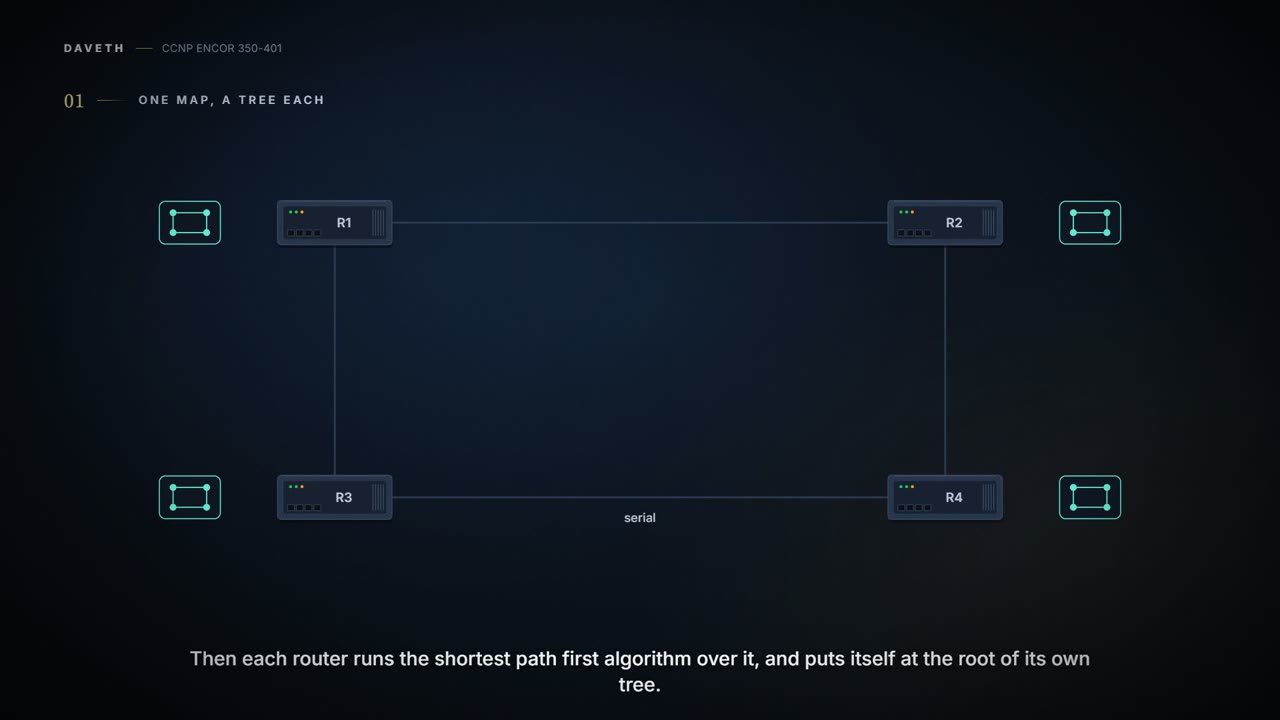
What the guide's Figure 8-1 adds is this: each router puts itself at the root of its own shortest path tree (SPT). Same map, different trees. You can think of it as the same road atlas in every car, with each driver highlighting the route from their own front door. In the figure, R1's tree has no R3–R4 serial link, and R4's has no R1–R3 link. A tree like that makes the network look as if it had no redundancy. It doesn't mean that: the highlighter marks only the shortest routes, the atlas (the LSDB) still holds every road, and after a change the tree is redrawn, maybe quite differently.
Every OSPF router believes it's the centre of the universe, and thanks to SPF, every one of them is right.
OSPF scales with areas (02-4 teaches them; this is the outline): a two-tier design in which Area 0, the backbone, is the area every other area must connect to. Non-backbone areas advertise their routes into the backbone, and the backbone advertises them, along with its own, into the other areas. It's basically like a company with departments: each floor knows its own layout desk by desk, and the main corridor on the ground floor is the only way from one department to another. An area's detailed topology is hidden from outside it, so once there are several areas, LSDBs are identical only within an area, which saves traffic and memory. (Areas are 02-4's topic; this lesson stays in Area 0.) A router can also run several OSPF processes, each with its own database, and routes don't cross between them without redistribution. The process number is locally significant: process 1 on one router and process 1234 on the next still become neighbours.
OSPF doesn't ride on TCP or UDP. It sits straight on IPv4 as protocol 89, a number IANA reserves for it. And it uses multicast wherever it can, which acts kind of like a building's two intercom channels: one every flat listens to, AllSPFRouters, 224.0.0.5 (MAC 01:00:5E:00:00:05), and one only the caretakers hear, AllDRouters, 224.0.0.6 (MAC 01:00:5E:00:00:06), for talking to the designated routers. Hold on to the second one; section 4.5 is what it's for.
OSPF skipped TCP and brought its own acknowledgement packet. Trust issues, but reliable ones.
Five packet types do all the work. If you've ever merged recipe books with someone you moved in with, you've run this exchange: first "hello", then each reads out their contents page (DBD), then "can I see your lasagne?" (LSR), the recipe itself (LSU), and "got it" (LSAck).
| Type | Name | Job |
|---|---|---|
| 1 | Hello | find neighbours and check they're still there; sent periodically on every OSPF interface |
| 2 | Database description (DBD, or DDP) | summarise the LSDB's contents while an adjacency is first formed |
| 3 | Link-state request (LSR) | ask a neighbour for the parts of its database that look newer than yours |
| 4 | Link-state update (LSU) | carry the LSAs themselves, normally in answer to an LSR |
| 5 | Link-state acknowledgement (LSAck) | acknowledge flooded LSAs, which is what makes flooding reliable |
Notice that only one of the five carries LSAs: a DBD lists, an LSR asks, an LSU delivers, and the acknowledgement is why nothing is assumed delivered.
Hellos find neighbours and keep them, and in most cases they go to 224.0.0.5. Consider it your conference lanyard card, the kind that also prints your department, your meeting times and who you've already met: everything a neighbour needs to check about you is on it:
| Field | What it carries |
|---|---|
| Router ID (RID) | the sender's unique 32-bit ID |
| Authentication options | none, clear text or MD5 |
| Area ID | the interface's area: 32 bits, written dotted (0.0.1.0) or decimal (256), the same number |
| Interface address mask | the mask of the sending interface's primary address |
| Interface priority | its priority for the DR election |
| Hello interval | how often it sends hellos, in seconds |
| Dead interval | how long it waits for a neighbour's hello before declaring it down |
| DR and BDR | the addresses of the segment's DR and BDR |
| Active neighbours | every OSPF neighbour it has heard on the segment within the dead interval |
The first field is the router's name. The router ID (RID) is a 32-bit number unique within the OSPF domain, per process, and between processes on one router; when output says "Neighbor ID", it means the neighbour's RID. Where does it come from? In order: the router-id command, if you configured one; otherwise the highest IP address of any up loopback; and with no loopback up, the highest IP address of any active, up physical interface. It's chosen when the OSPF process initialises. And then it stays. Add a higher loopback later and nothing happens: interface changes are noticed only when the process restarts. Just like when you move house, your passport keeps the old address until you actually apply for a new one: the router knows about its new loopback straight away, but OSPF's name only changes when the process is restarted.
That's why the guide recommends setting it. A fixed RID makes troubleshooting easier and reduces the LSAs generated when an RID would otherwise change. It's four octets, usually an address on the router, though it doesn't have to be. Set it with router-id, then clear ip ospf process restarts OSPF so the new RID takes effect.
D1
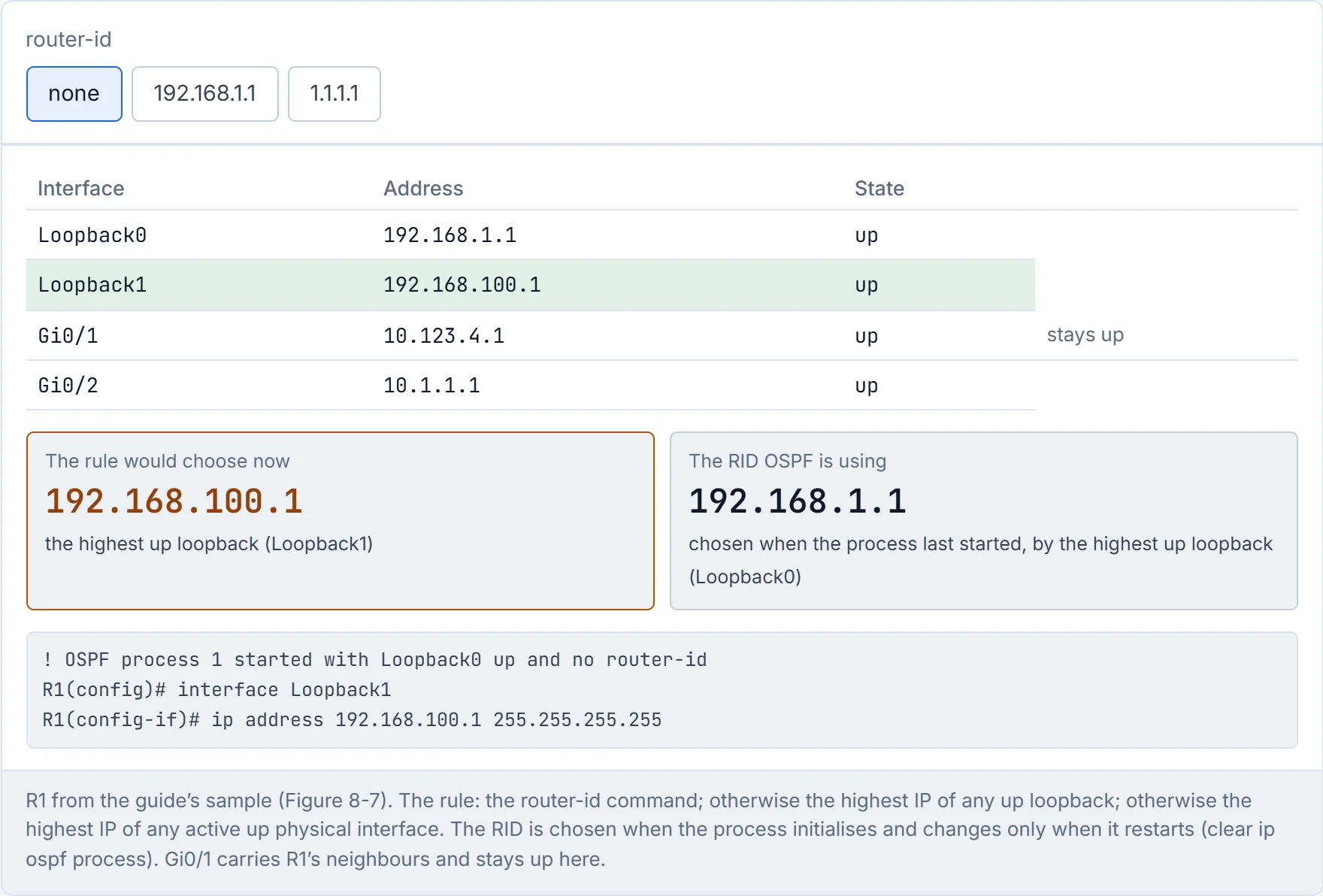
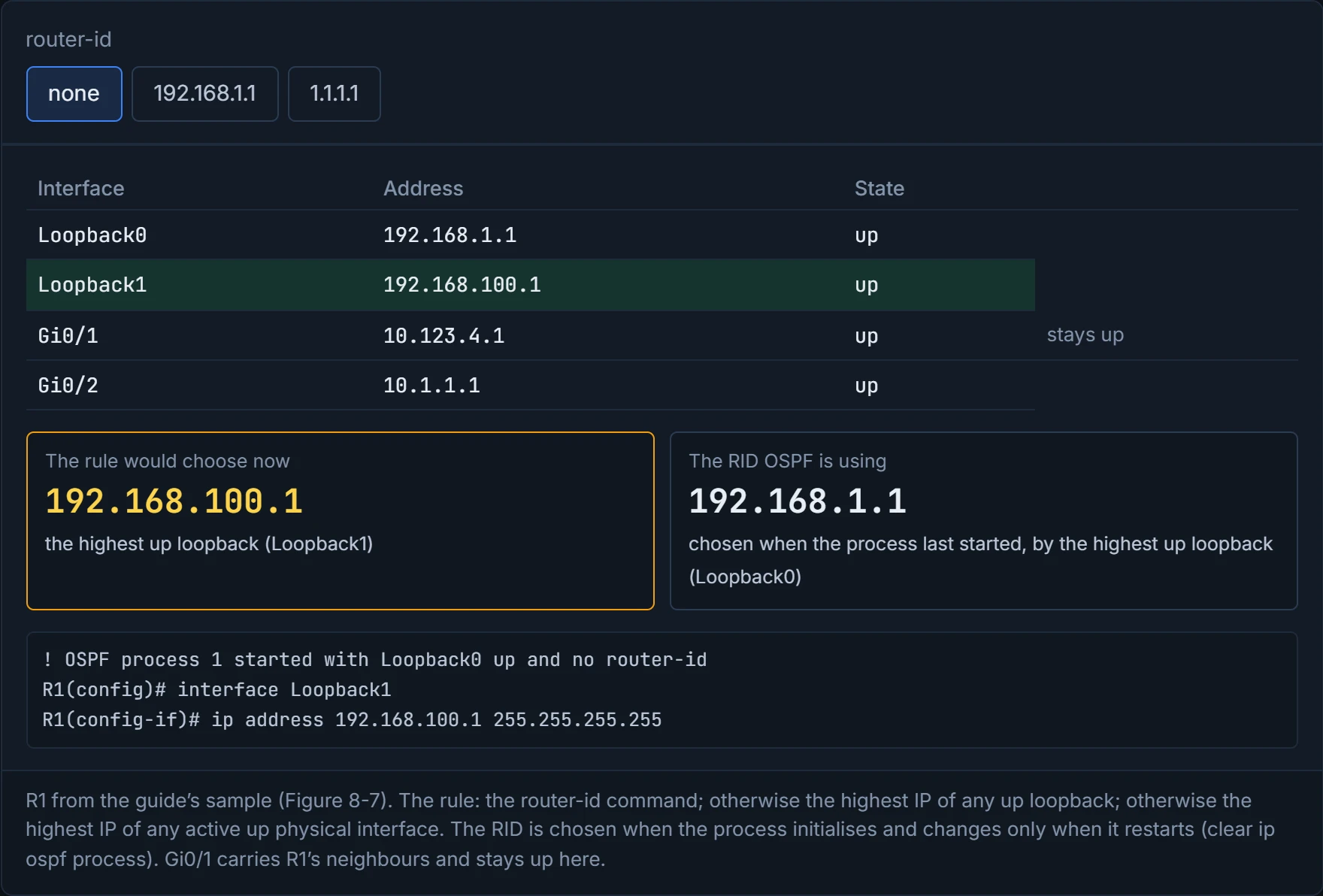
OSPF picks its name once, at birth, and won't change it even when you hand it a better one, until you restart it.
Two words the guide keeps apart. A neighbour is any router on an OSPF-enabled link that you've discovered through hellos. An adjacent neighbour is one you've also synchronised your database with. Getting from one to the other runs through these states:
| State | Meaning |
|---|---|
| Down | nothing heard yet: the starting state |
| Attempt | NBMA networks only, where neighbours are configured: nothing heard recently, still trying |
| Init | a hello has arrived from the neighbour, but two-way communication isn't established |
| 2-Way | two-way communication; if a DR or BDR is needed, it's elected here |
| ExStart | the first step of an adjacency: the two decide which is master and which is slave for the exchange |
| Exchange | the routers describe their LSDBs to each other with DBD packets |
| Loading | LSRs ask the neighbour for the newer LSAs spotted during the exchange |
| Full | fully adjacent |
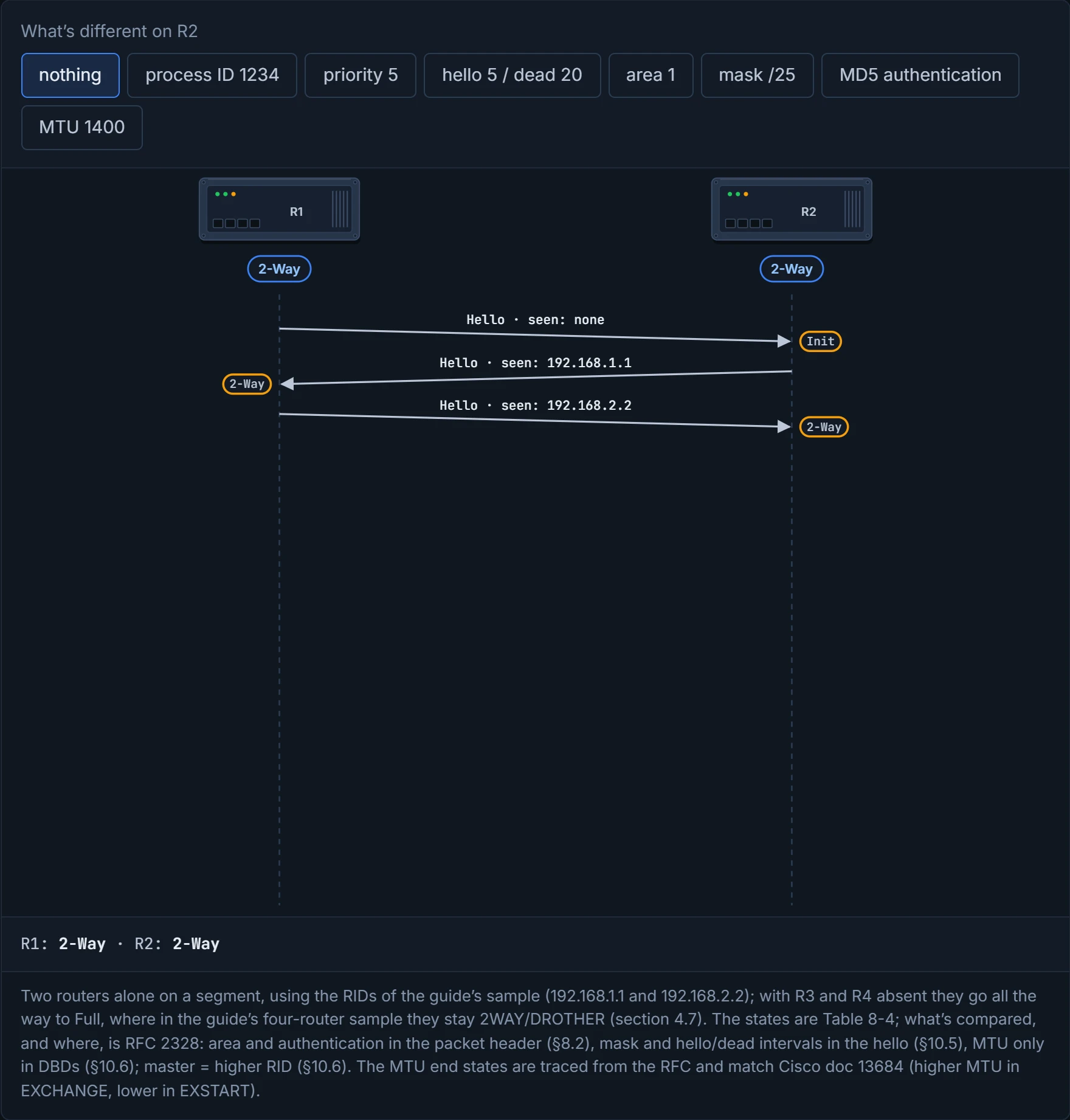
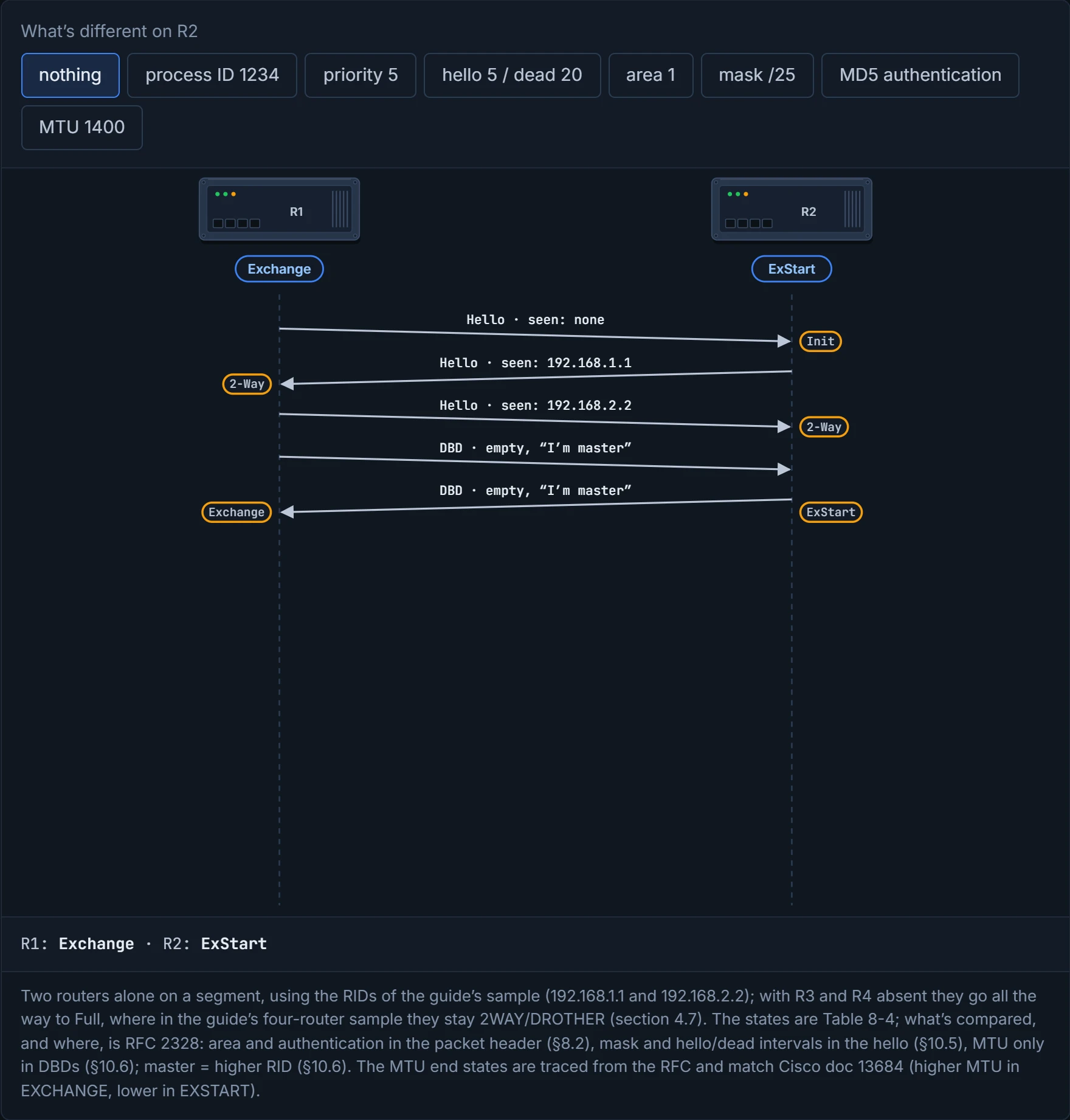
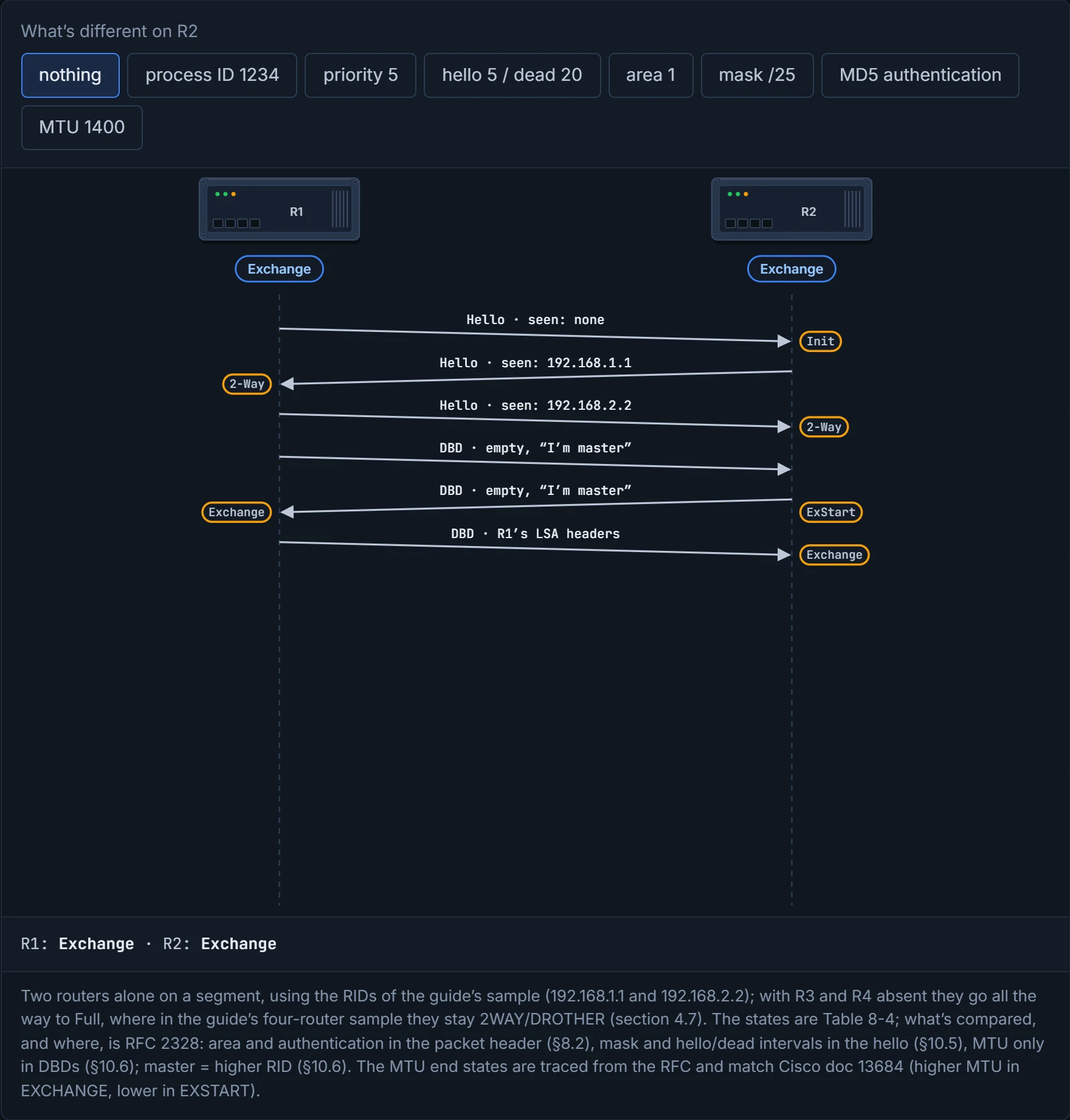
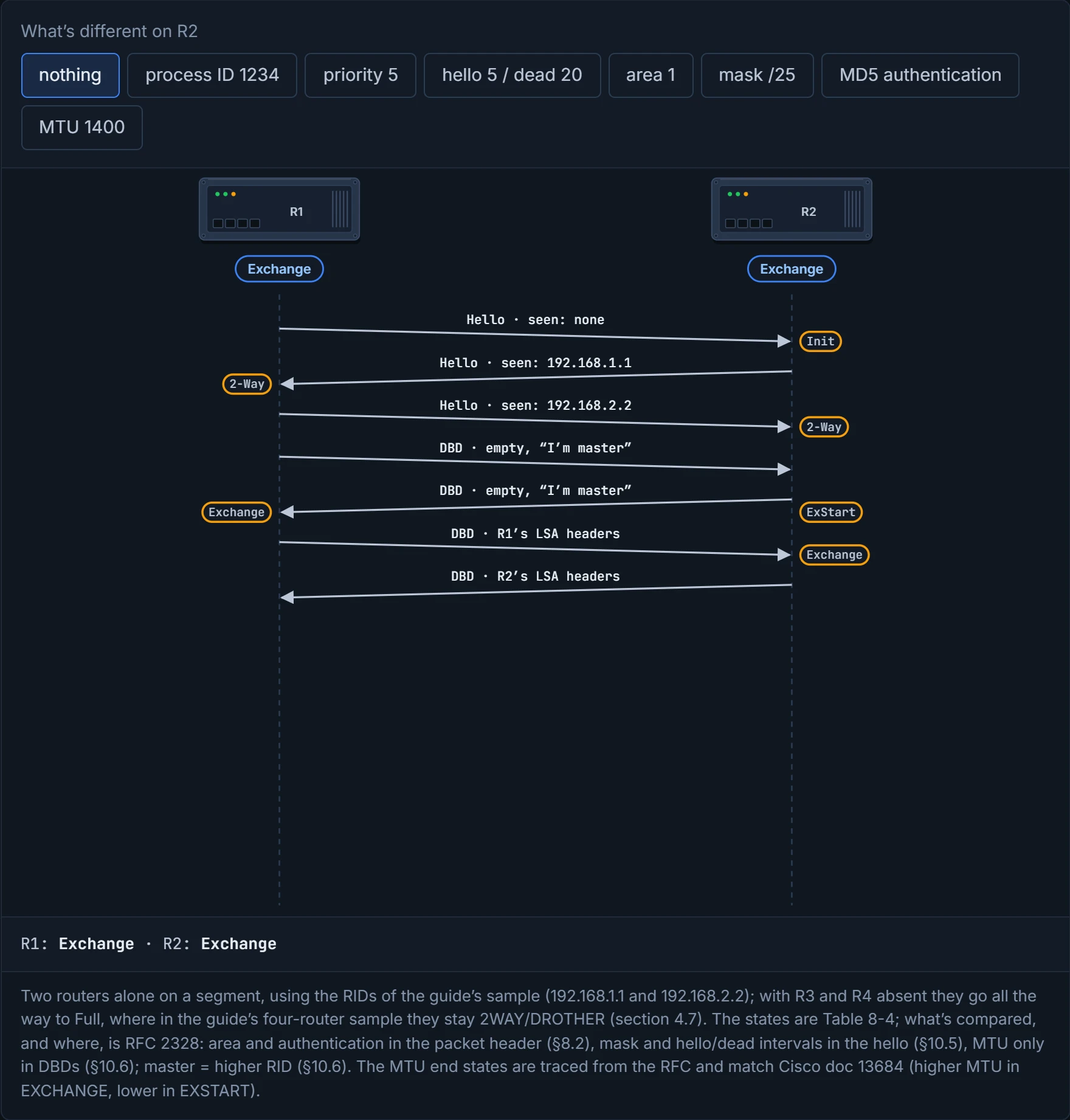
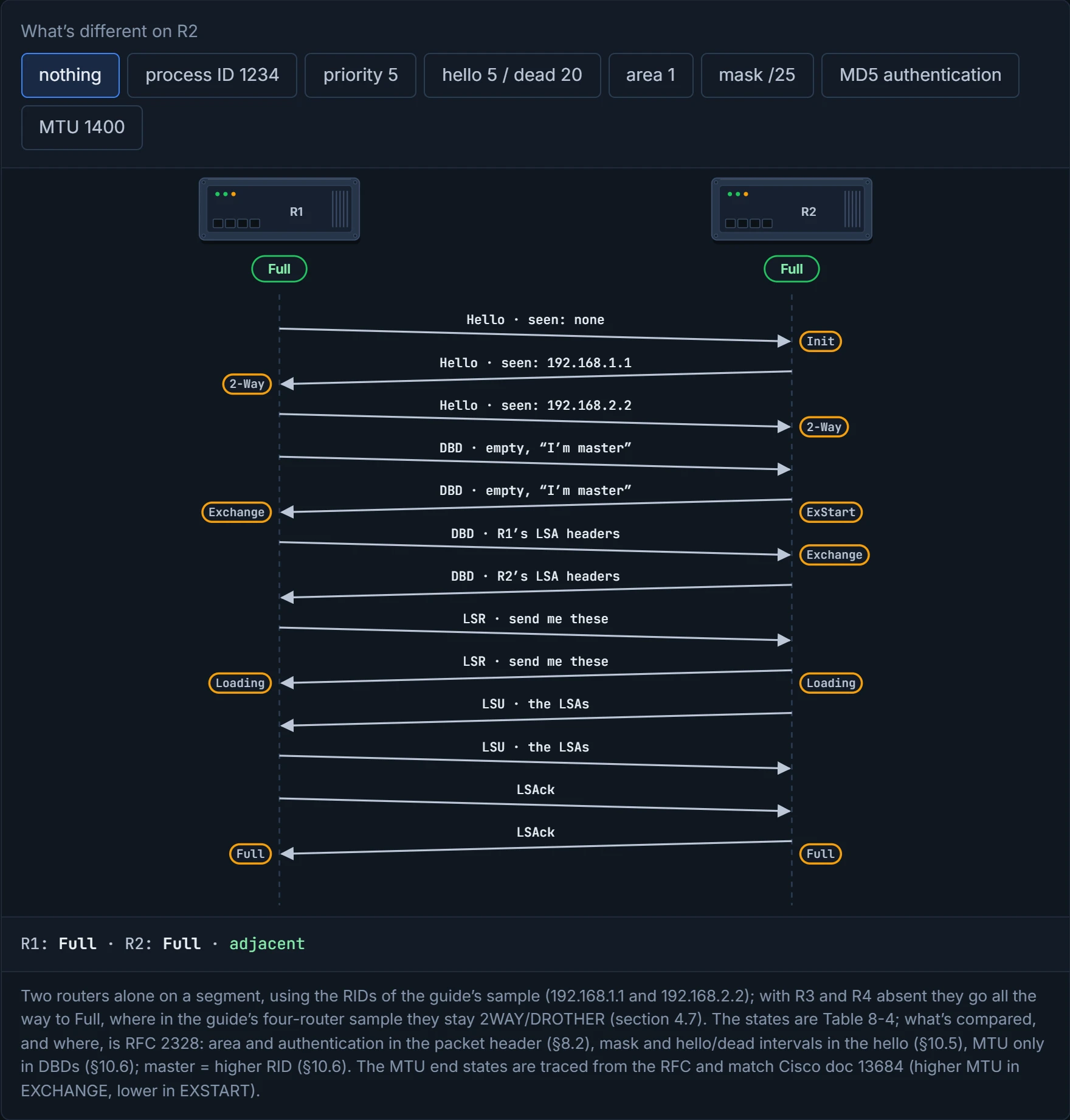
The step from Init to 2-Way is the clever bit. Every hello lists the neighbours its sender has heard. When R2 first hears R1, R2 is at Init: it can hear R1, but R1's hello doesn't list R2 yet. As soon as a hello from R1 lists R2, R2 knows the conversation goes both ways, and moves to 2-Way. Think about the last time you waved at someone across a car park: you only know they've seen you when they wave back at you, not just in your direction. Then, in ExStart, one router leads the database comparison and the other follows. Picture yourself in a situation where you and a friend check a shopping list together: you agree who reads the items out and who ticks them off. The router with the higher RID becomes master and leads.
Before any of that, each router checks the other's hello against its own settings. The guide's list of what a neighbourship needs:
- the RIDs are unique between the two, and should be unique across the whole domain to prevent errors;
- the interfaces share a common subnet: the hello is sent from the primary address, and the mask in it gives the network ID;
- the MTUs match, because OSPF doesn't support fragmentation, as the guide puts it (RFC 2328: OSPF has no fragmentation of its own and avoids IP fragmentation);
- the area ID, DR enablement, hello and dead timers, authentication type and credentials, and area type flags (stub, NSSA) all match for the segment. (DR enablement is the network type, which is 02-3; area types are 02-5.)
Before reading on, predict: R2's MTU is 1400 and R1's is 1500. Will they become neighbours, and if not, where do they stop? D2 lets you check.
The guide lists them together, but they don't fail together, and that's the most useful thing in this section. The area ID and authentication are checked in the packet header; the mask, the hello and dead intervals and the stub flag are checked in the hello itself. Any mismatch there drops the hello, so neither router ever lists the other: there's no neighbour entry at all. (On point-to-point links the mask isn't compared; network types are 02-3's.) In a way, it's just a hotel front desk: a wrong name or a missing booking and you never get a key. The MTU is different. It isn't in the hello; it travels in the database description packets. So two routers with different MTUs wave happily, reach 2-Way, start the database exchange and stall there, because the router with the smaller MTU rejects the other's DBDs. That's the guest who clears the desk without a problem and only discovers upstairs that the luggage won't fit in the room. Cisco's troubleshooting document shows what you'll see: the router with the higher MTU sits in EXCHANGE, the one with the lower MTU sits in EXSTART, retransmitting its first DBD, and it logs that the neighbour has larger interface MTU. (Traced through the RFC, that's the picture when the smaller-MTU router is master; if it's the slave, both can sit in ExStart.) The fix is matching MTUs; ip ospf mtu-ignore turns the check off, and Cisco calls it only needed in rare instances. Some things never matter: the process ID, or a difference in priority, which only changes who becomes DR. The rest of the checklist: a hello from a different subnet is dropped at the header check, because its source isn't on the receiving interface's network, so again no neighbour entry. A mismatch in DR enablement (network type) is 02-3's subject, and what a duplicate RID looks like on IOS XE isn't confirmed here (unconfirmed).
An MTU mismatch is the relationship problem OSPF only discovers after the second date.
D2
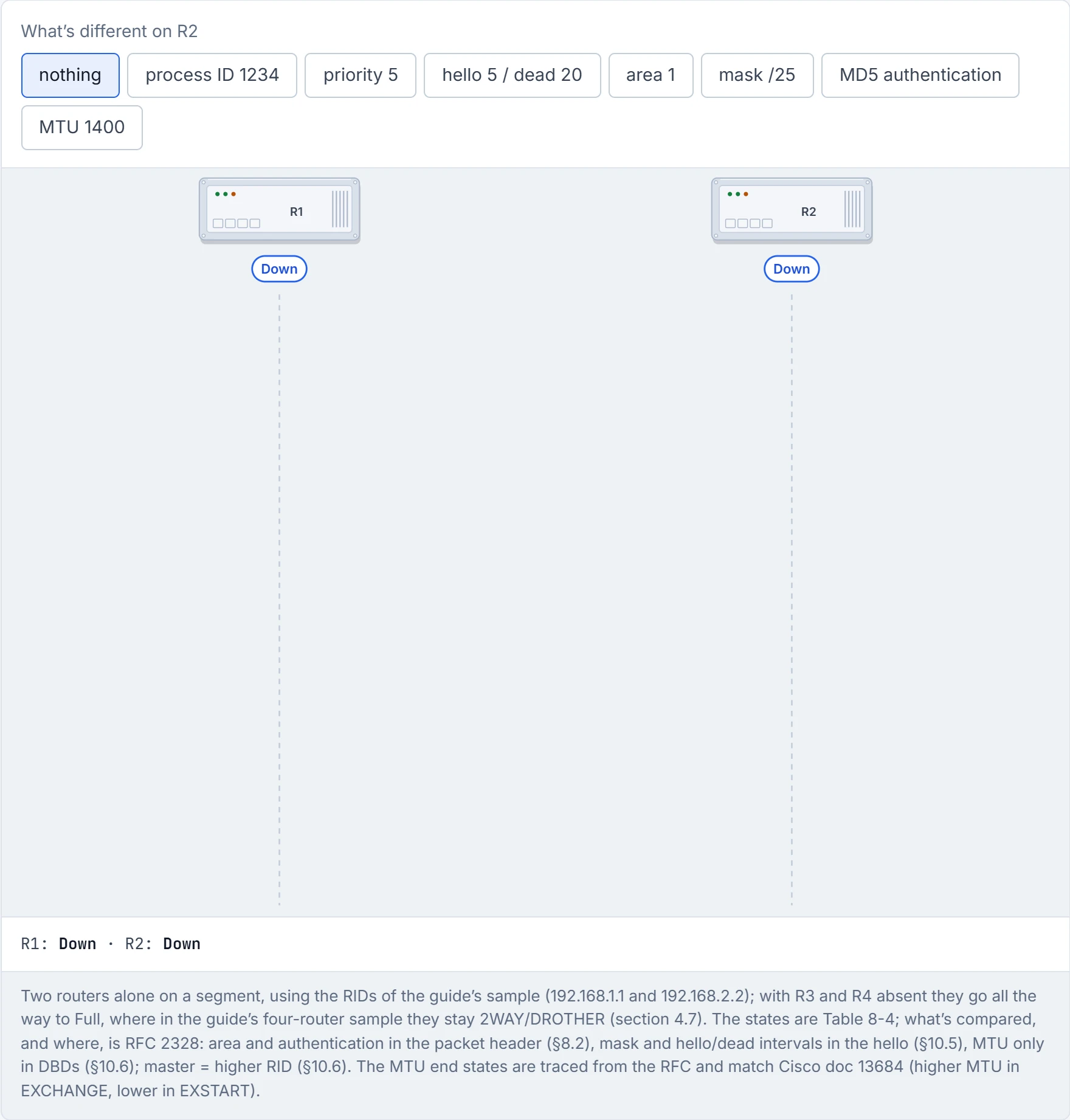
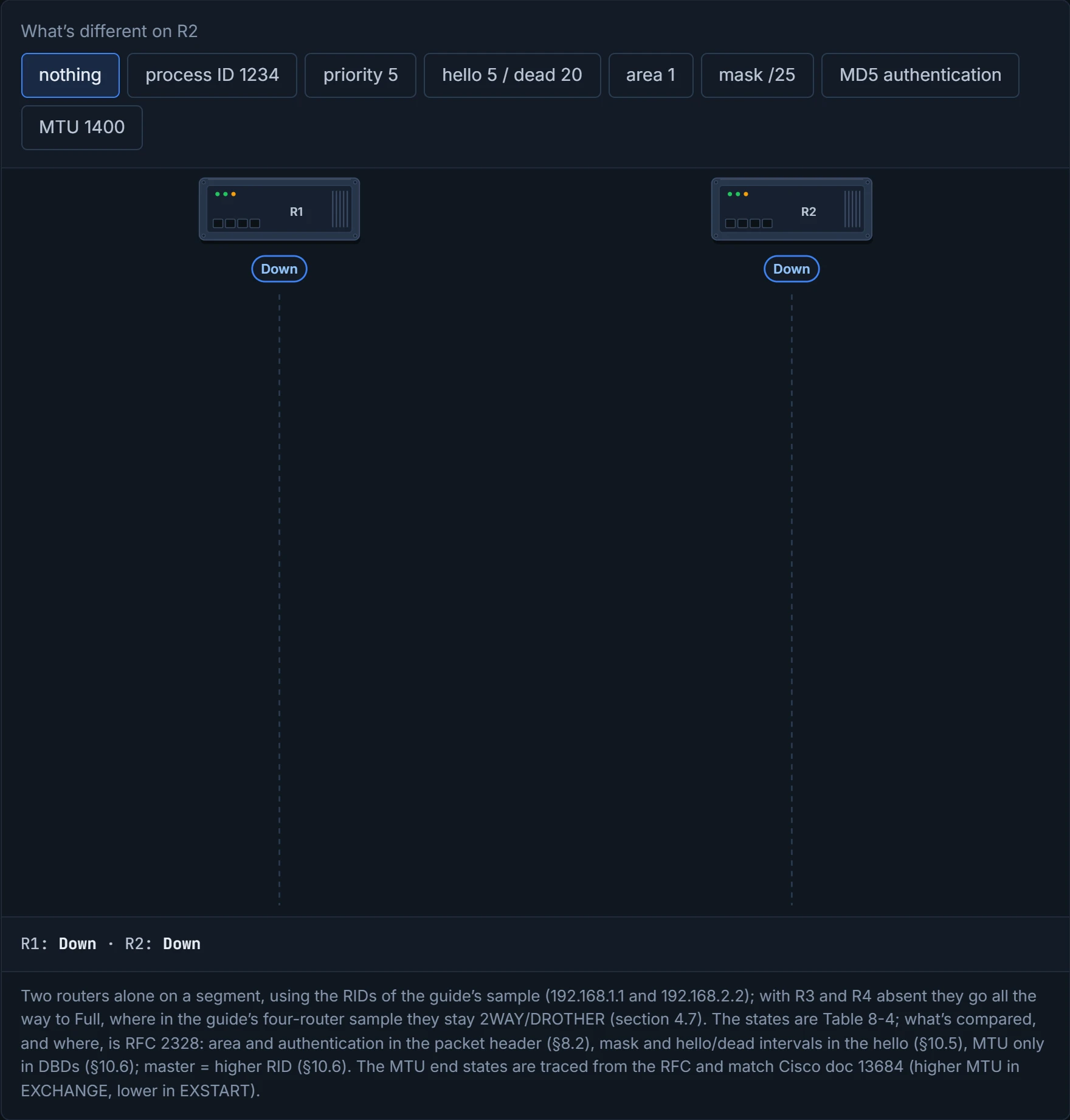
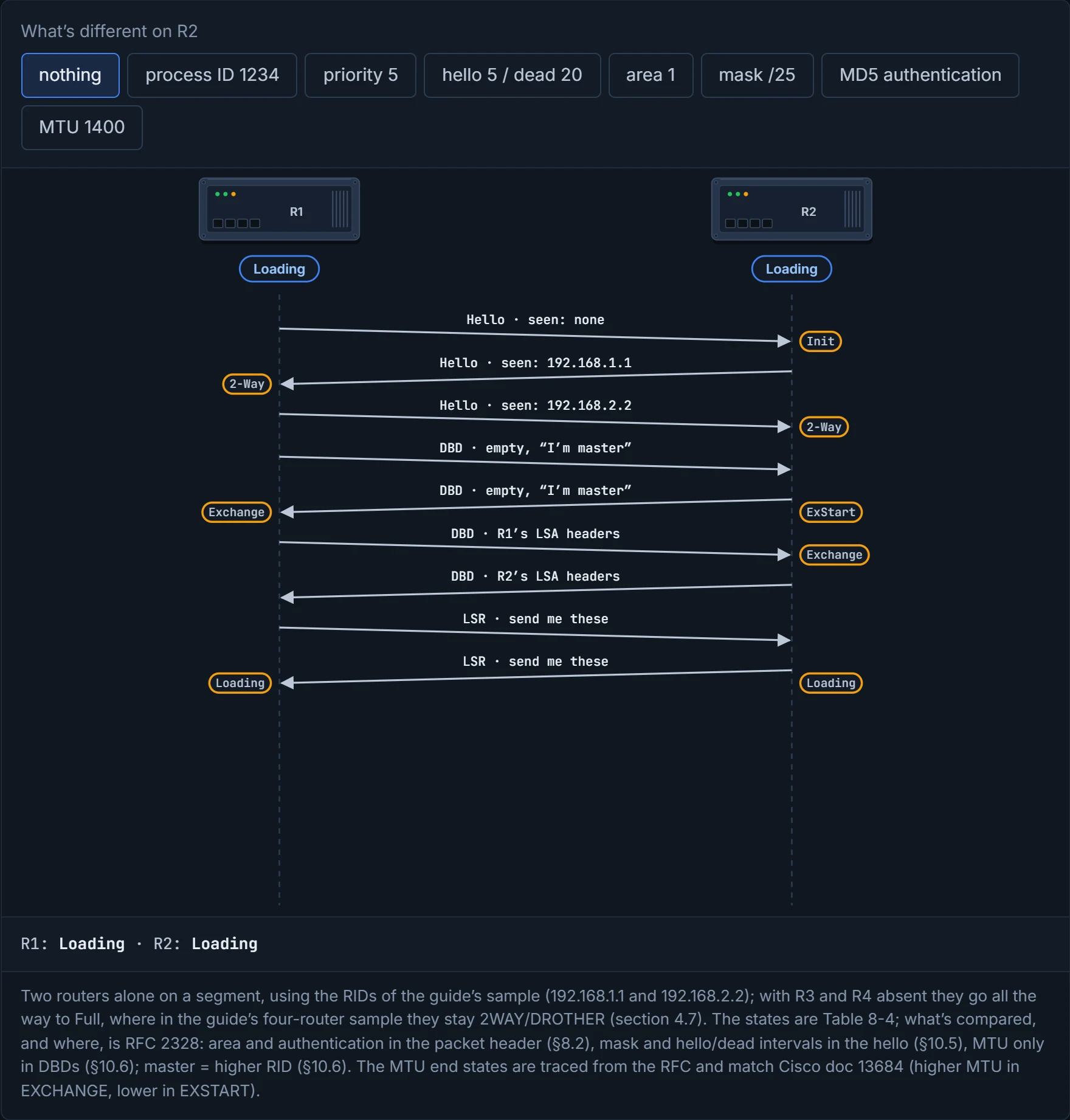
Step 1 of 10 R1 and R2 share 10.123.4.0/24 with OSPF on both. Neither has heard the other.
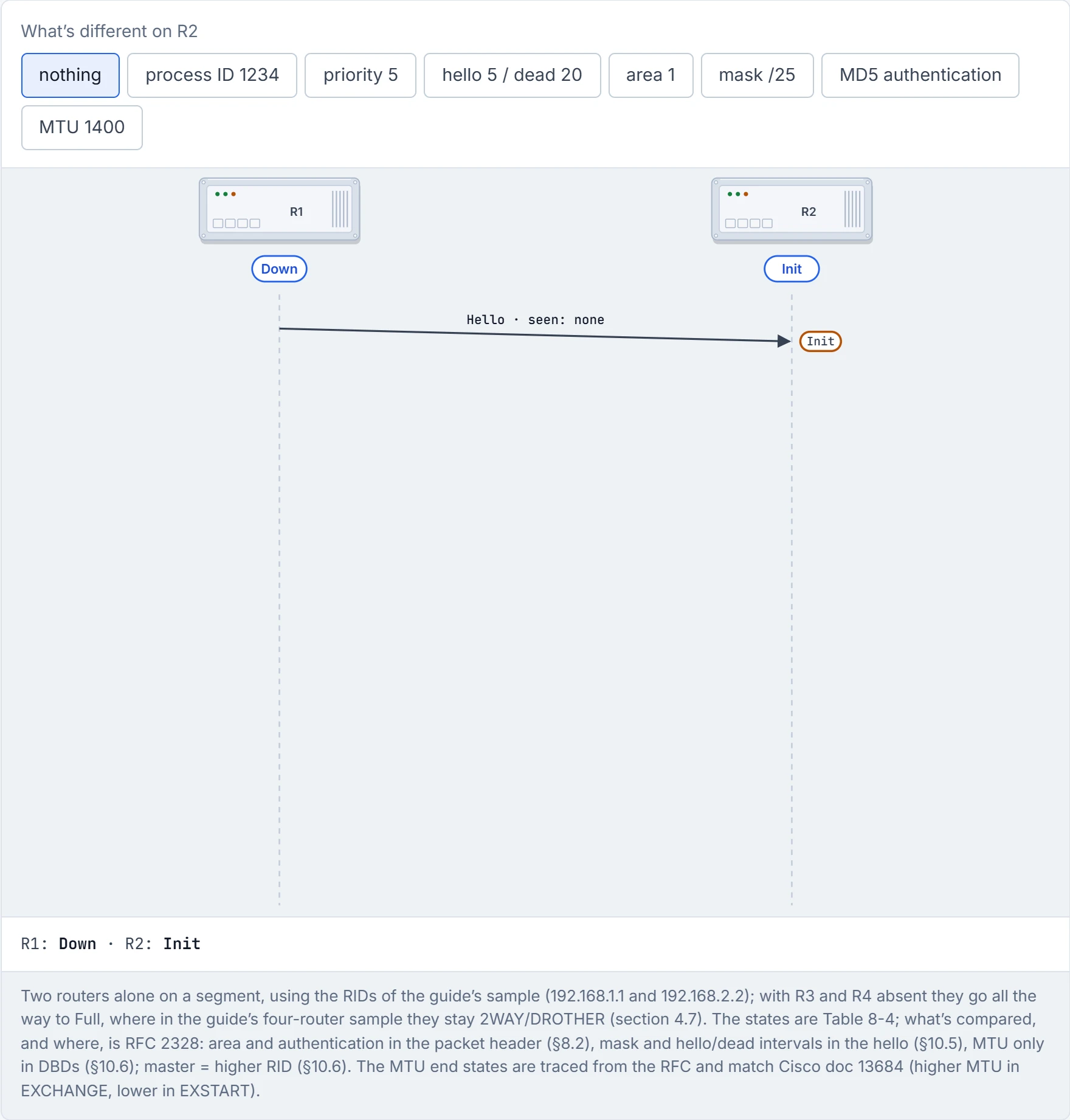
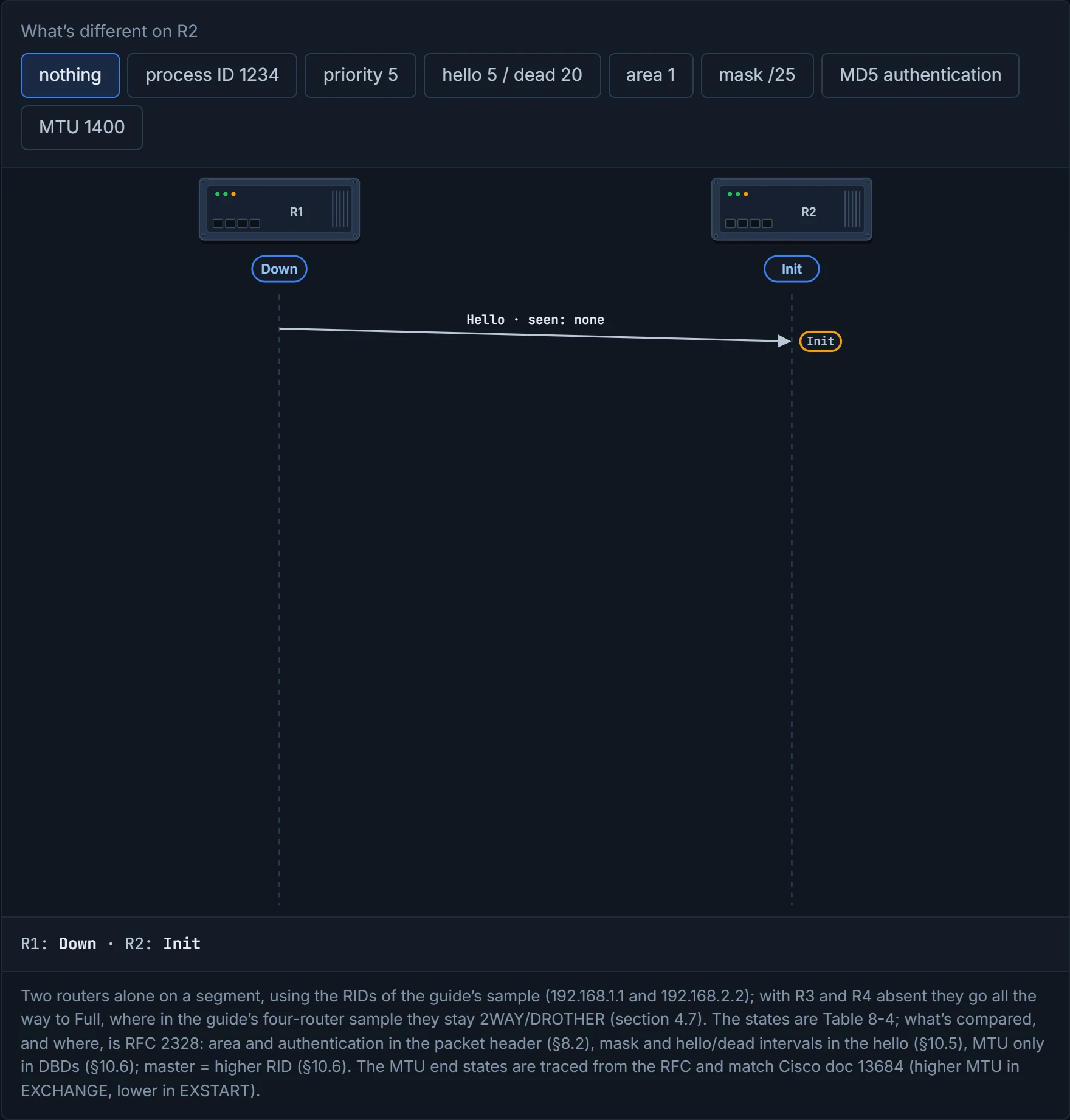
Step 2 of 10 R1’s hello lists no neighbours yet. R2 records R1 at Init: it can hear R1, but R1 doesn’t list R2.
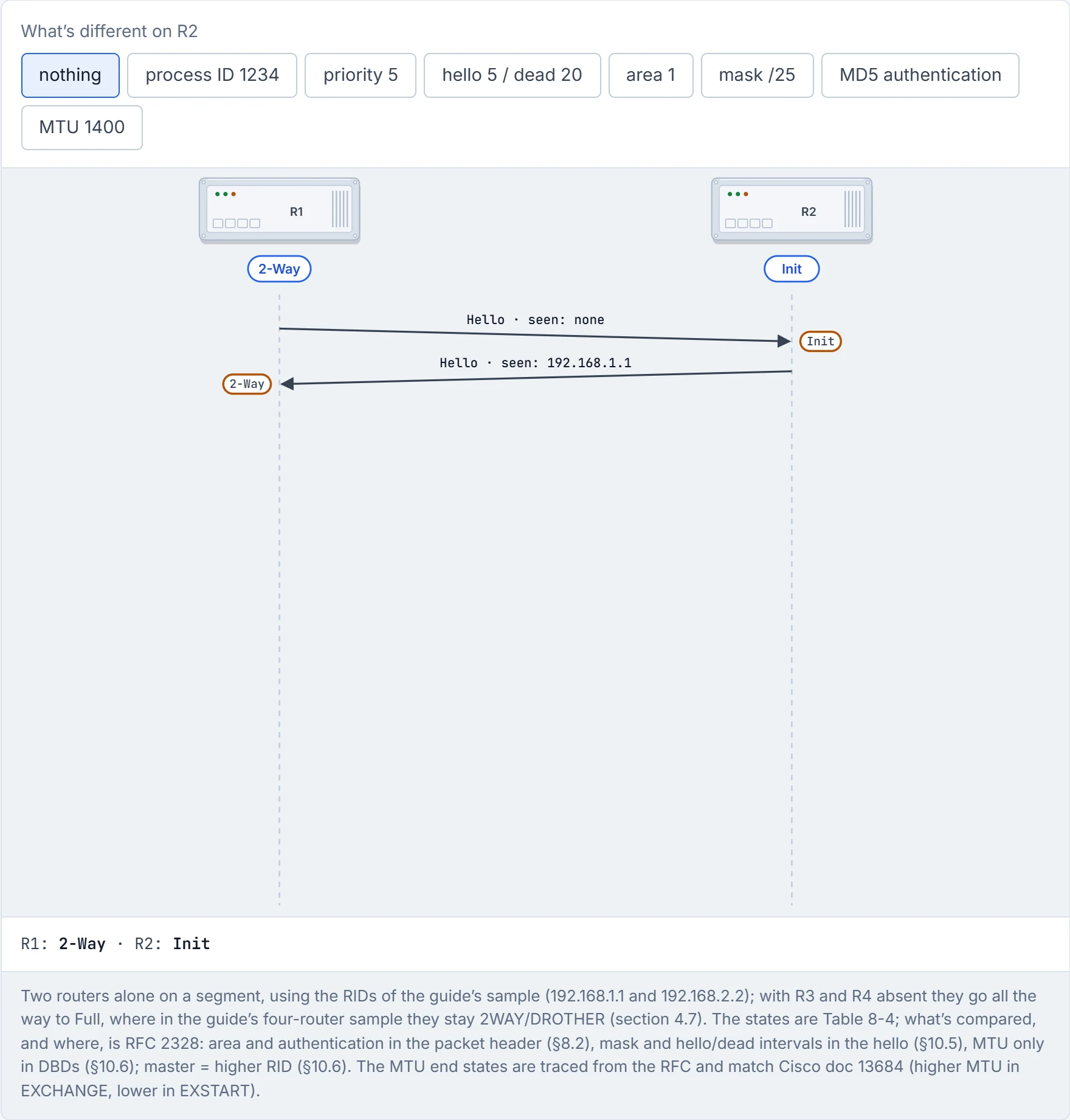
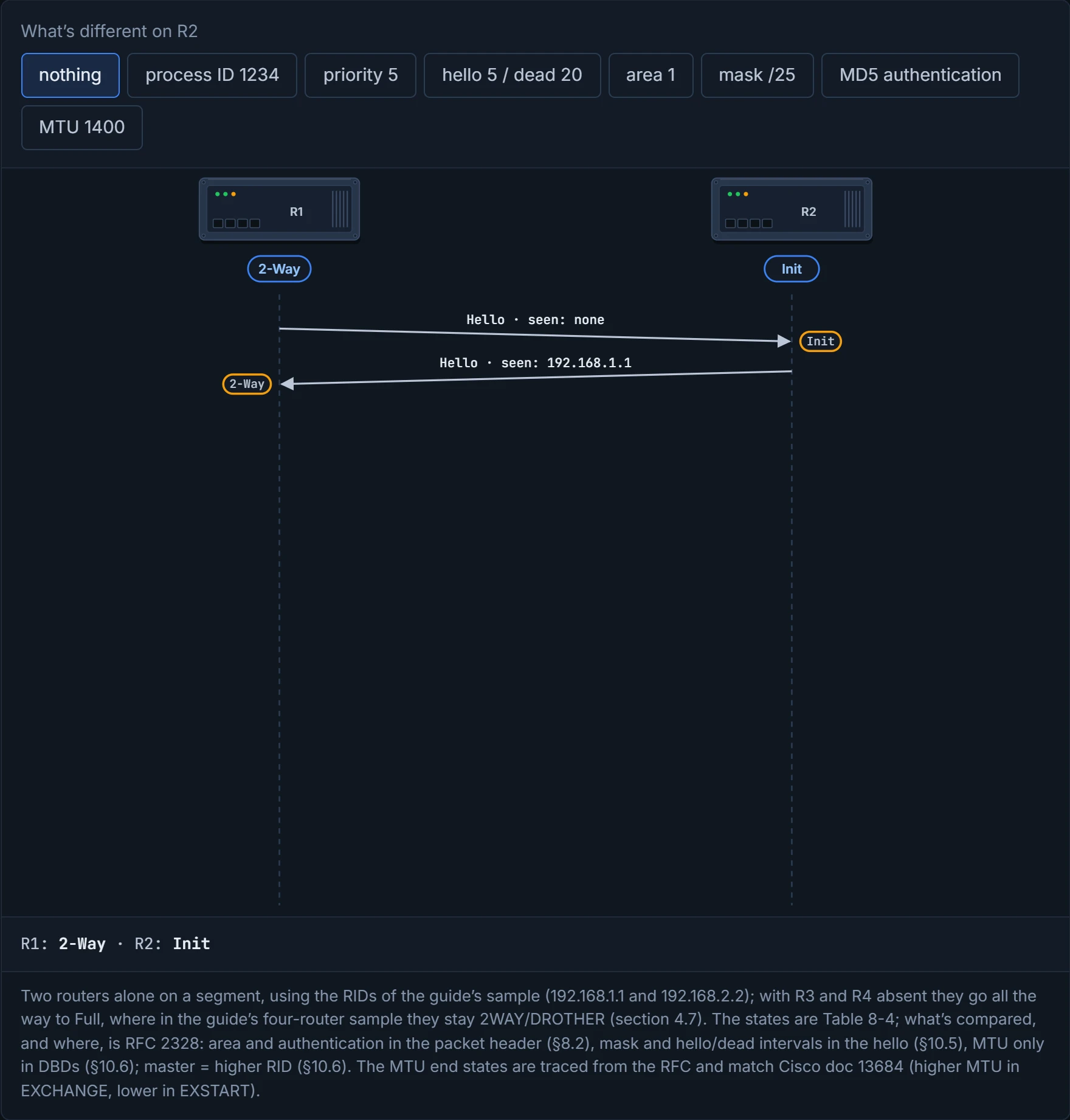
Step 3 of 10 R2’s hello lists R1. R1 records R2 and finds itself in the list: two-way already, so R1 goes straight to 2-Way.
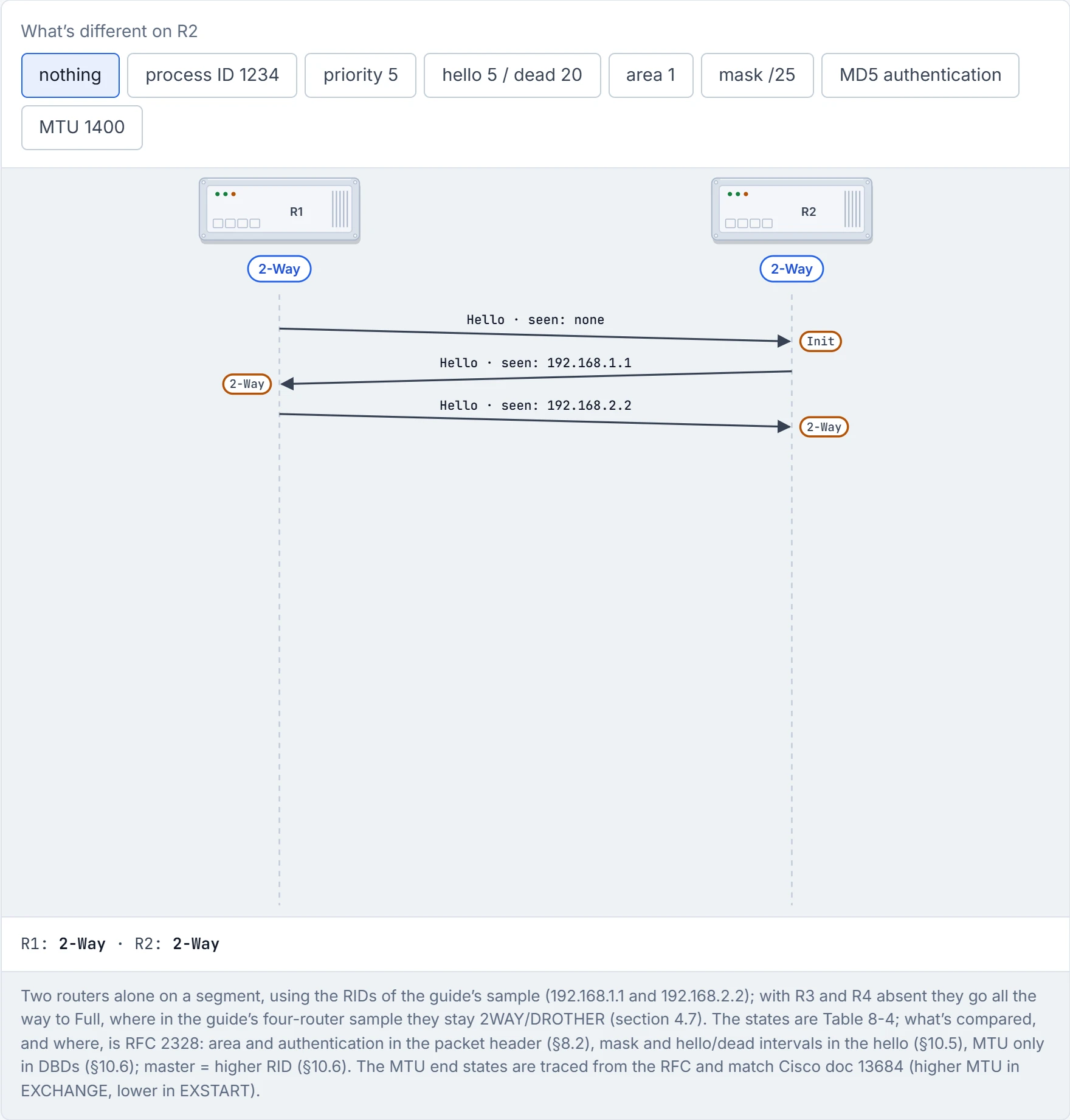
Step 4 of 10 Now R2 finds itself in R1’s hello: 2-Way on both sides. On a broadcast segment the DR and BDR are elected here (02-3).
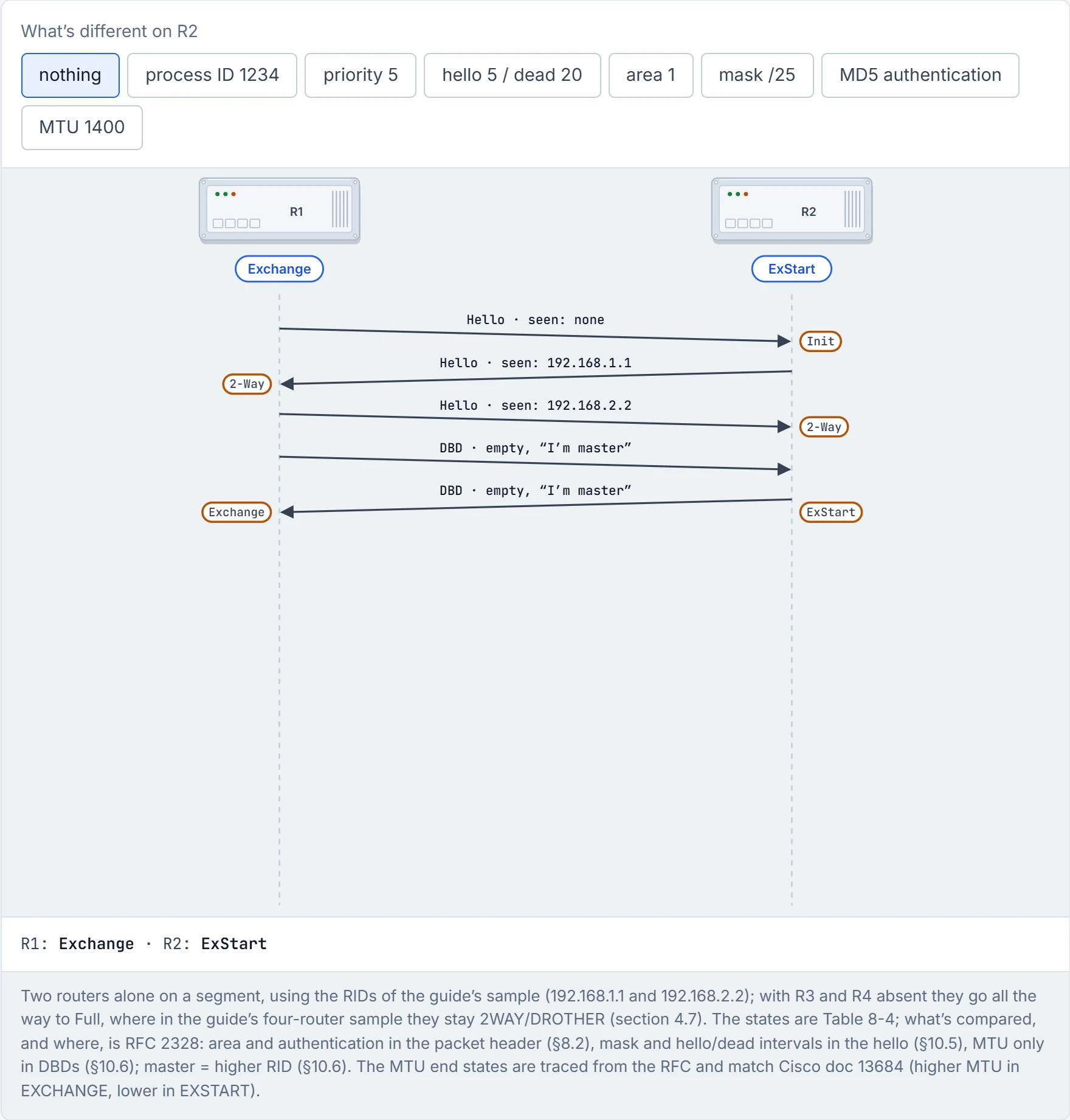
Step 5 of 10 ExStart: each sends an empty DBD claiming to be master. The higher RID wins, so R2 (192.168.2.2) is master; R1 accepts that, becomes the slave and moves to Exchange straight away (RFC 2328 §10.6).
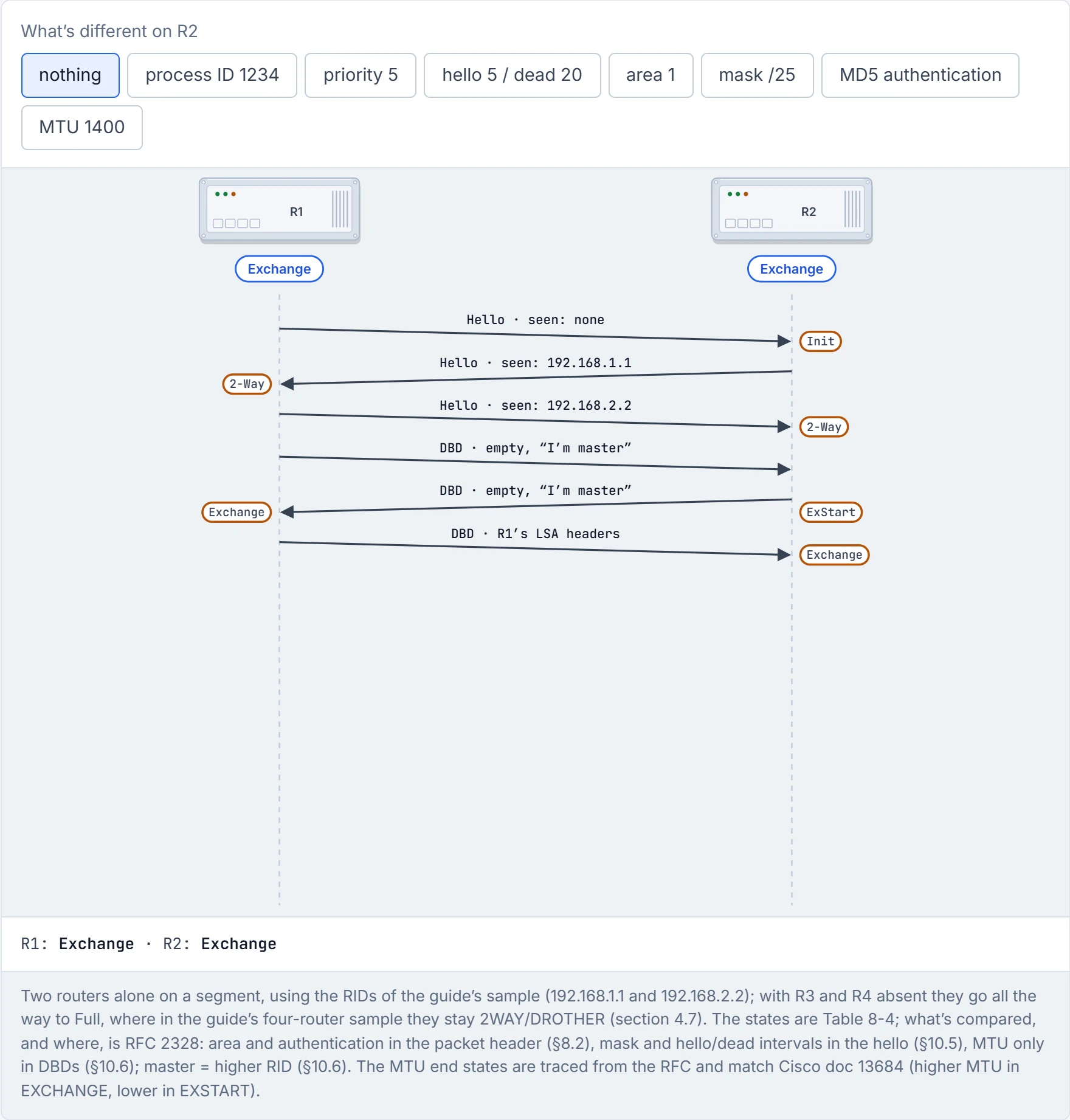
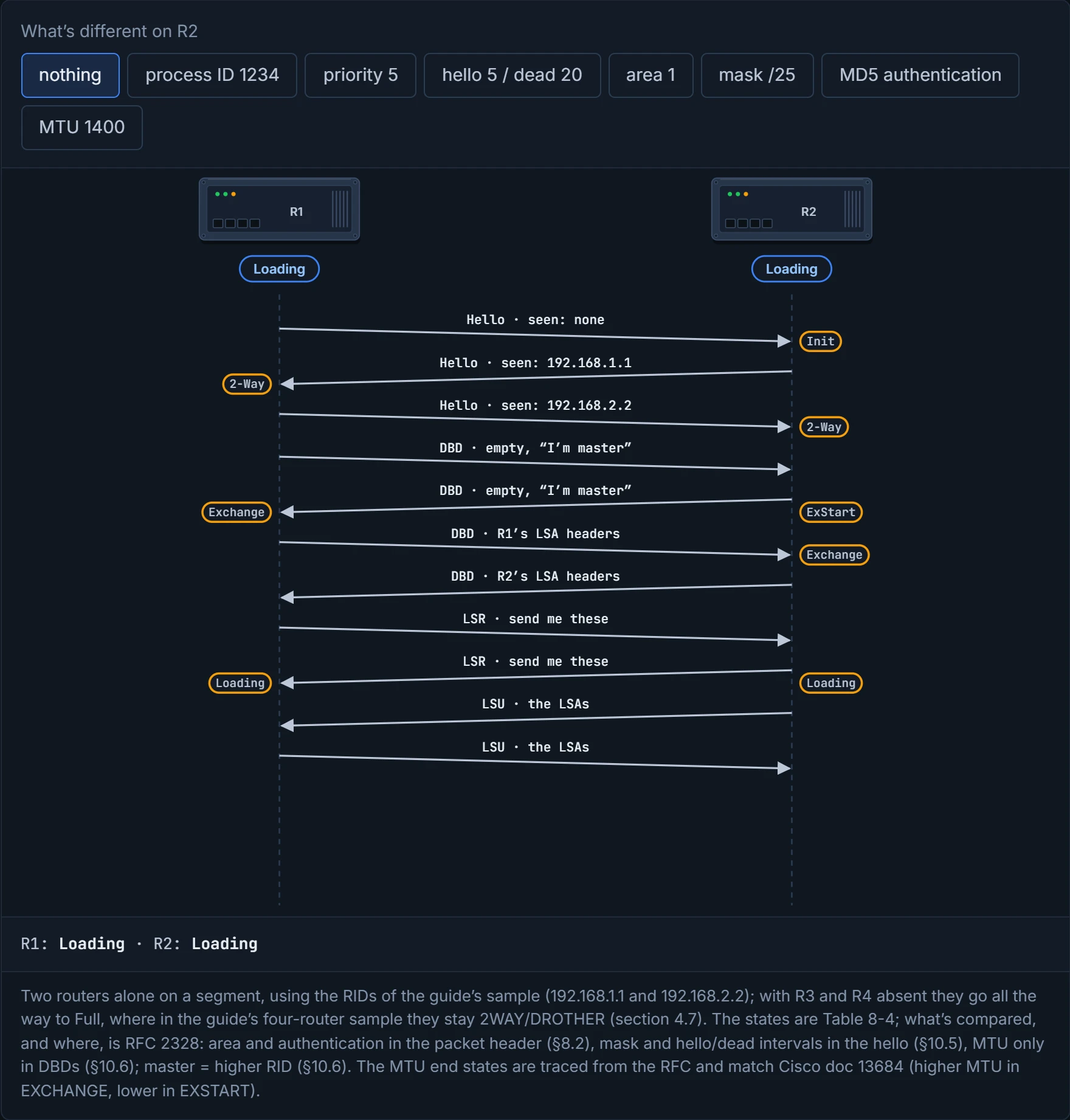
Step 6 of 10 R1, the slave, answers with a DBD listing the LSAs it holds. That tells R2 its master claim stuck: R2 moves to Exchange too.
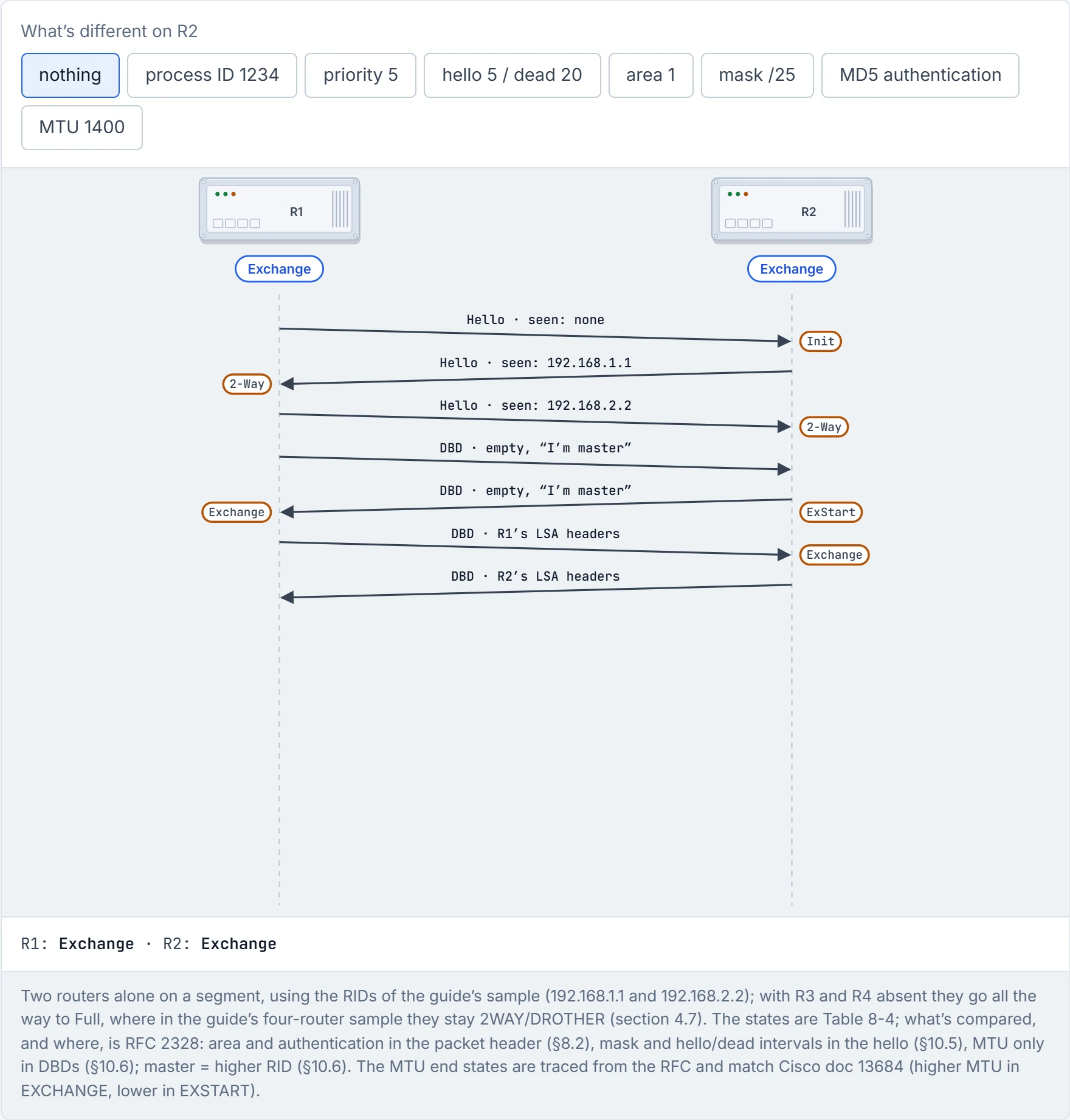
Step 7 of 10 R2 lists its LSAs. Each now knows which of the other’s LSAs it lacks: at least the one describing the other router’s own links.
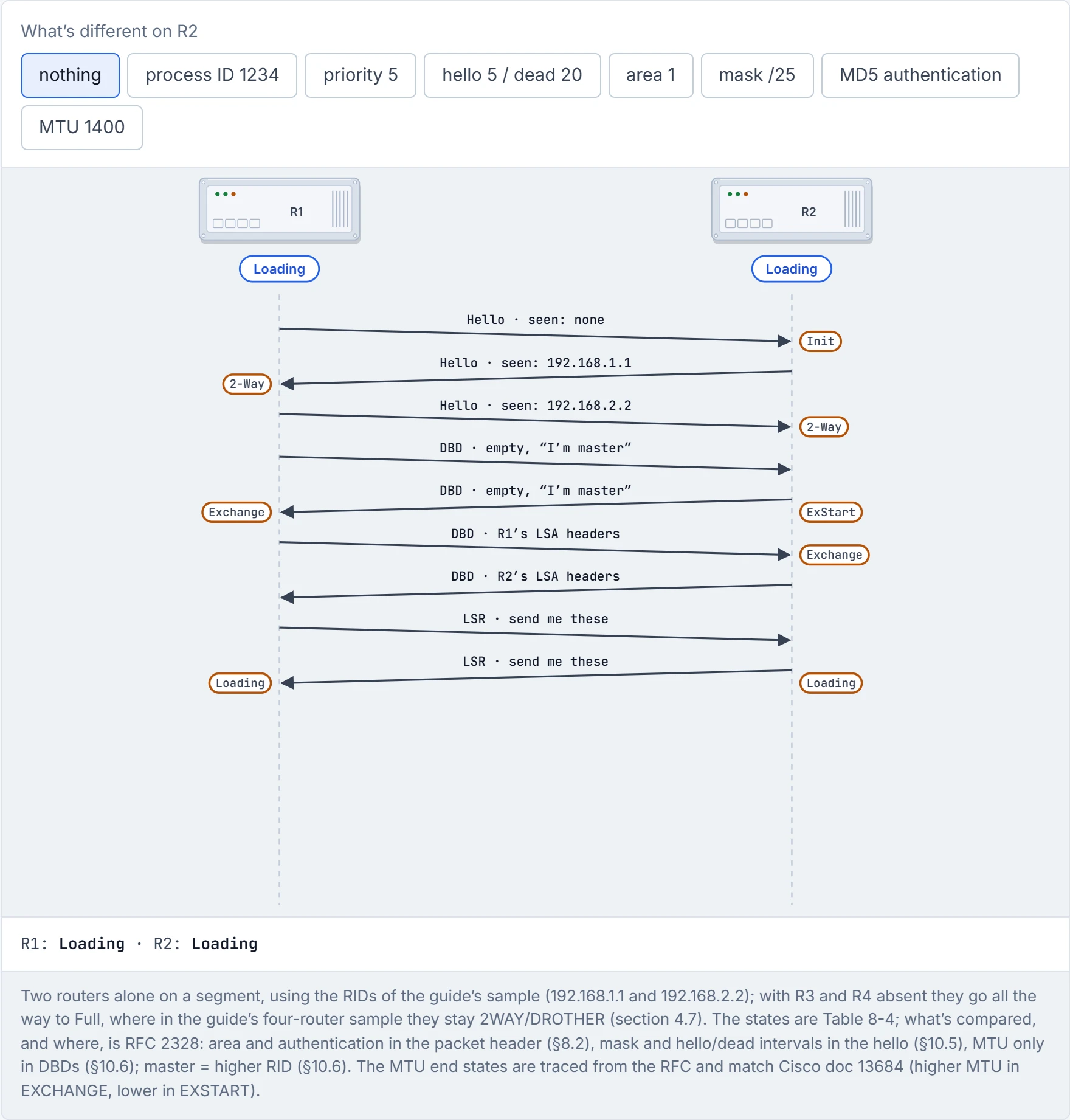
Step 8 of 10 Loading: each asks for what it’s missing with a link-state request.
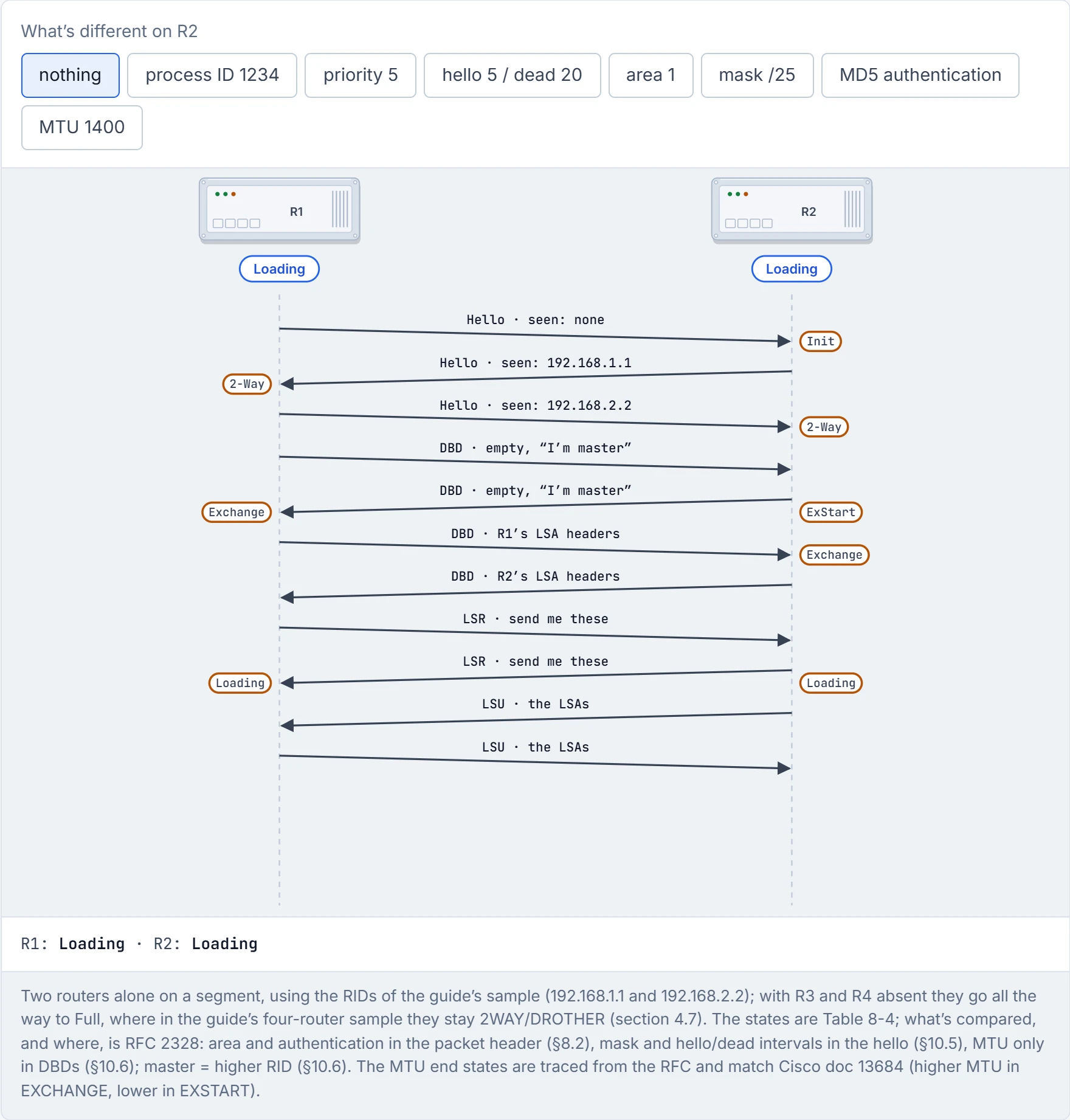
Step 9 of 10 Each answers with a link-state update carrying the LSAs themselves.
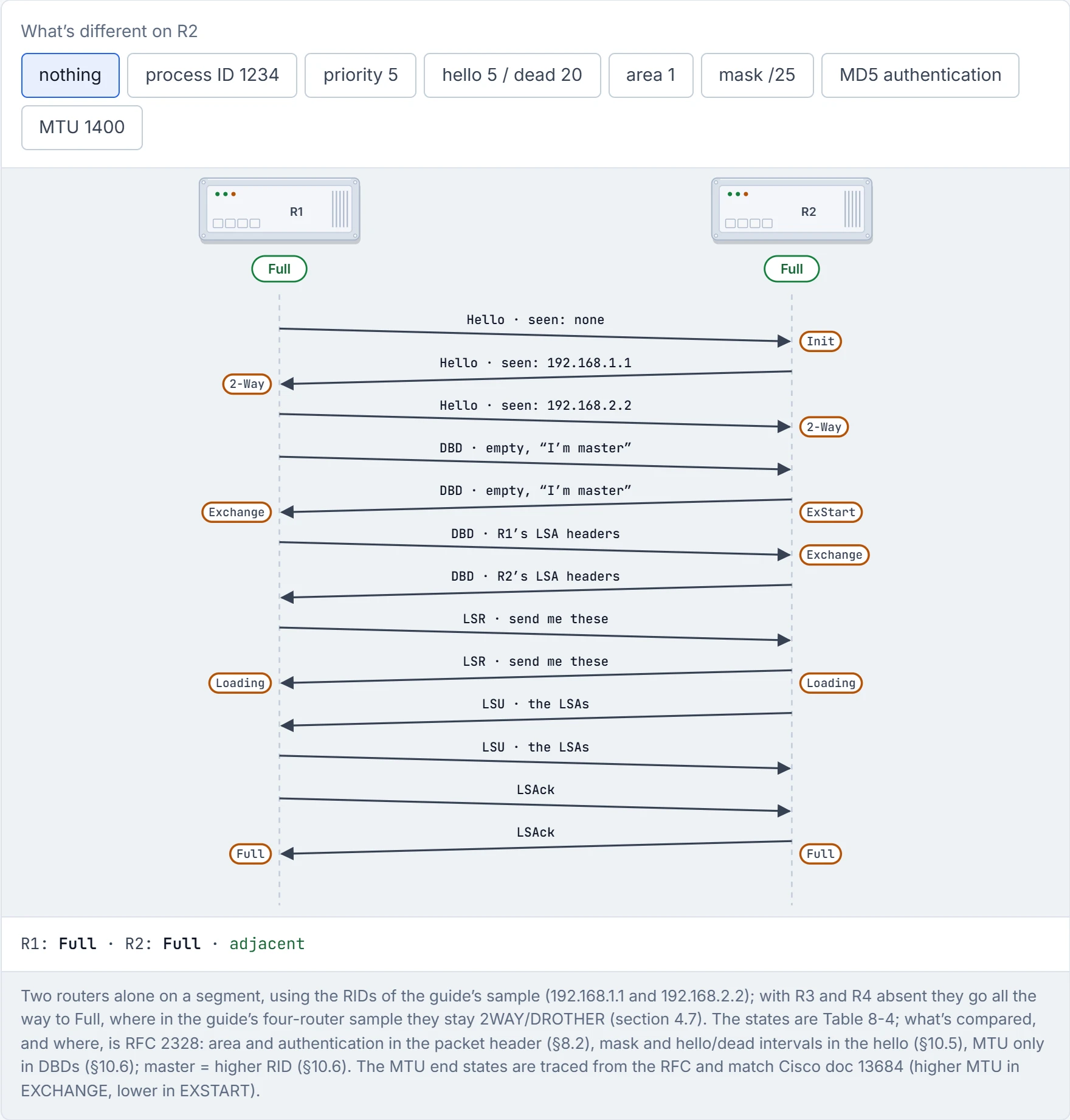
Step 10 of 10 Each acknowledges what it received, and the databases match: Full.
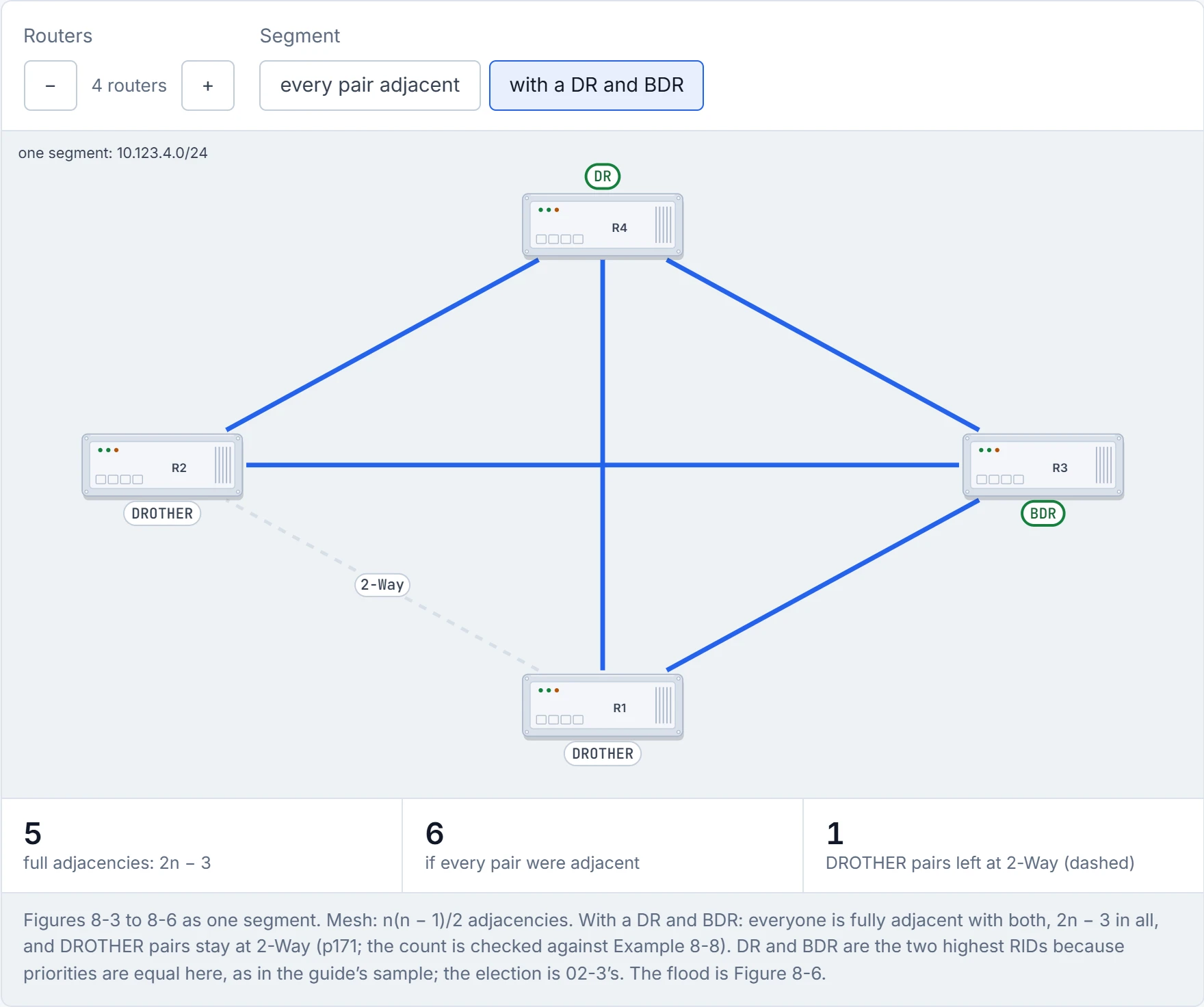
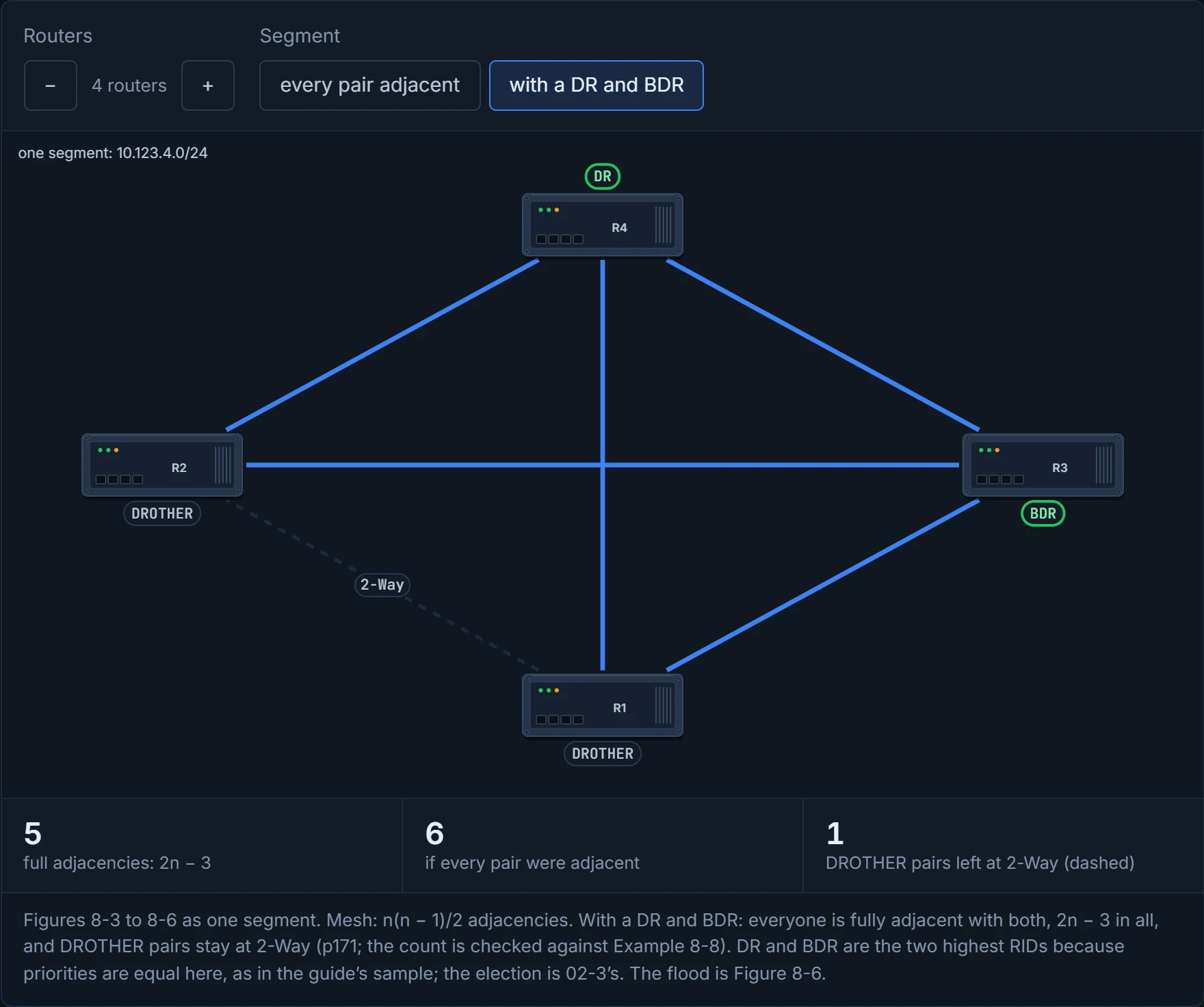
Put four routers on one Ethernet segment and let every pair become adjacent: that's six adjacencies, and six sets of database flooding. The count is n(n − 1)/2: five routers make 10, six make 15, and every one costs bandwidth, CPU and memory. (The guide's figure calls the growth exponential. It's quadratic, which is still bad enough.) Have you ever noticed how a family group chat turns into chaos once everyone starts replying to everyone? That's a segment where every pair talks.
OSPF's fix is a designated router (DR) acting as a pseudonode, a virtual router standing in for the segment. Routers form full adjacency with the DR, not with each other, and the DR floods updates to the segment; with a DR alone, four routers need three adjacencies. Losing the DR would mean forming new adjacencies and new LSAs, and possibly losing routes for a while. So there's a backup designated router (BDR), also fully adjacent with everyone precisely so the handover is quick: if the DR fails, the BDR becomes the DR, and then a new BDR is elected. With the BDR counted, four routers have five full adjacencies, 2n − 3 in general, where a full mesh needs n(n − 1)/2.
Every other router is a DROTHER, and DROTHERs don't become fully adjacent with each other. They stop at 2-Way. That's the design working, not a fault.
Two DROTHERs on one segment sit at 2-Way forever, like neighbours who nod every morning and have never swapped keys. Nobody's fallen out; they just have a building manager.
A new LSA crosses the segment in three steps, and it works behind the scenes just like a block of flats with a post room:
- The router that learned something sends the LSA to AllDRouters, 224.0.0.6: only the DR and BDR process it. (The flat hands its letter to the post room.)
- The DR acknowledges it to the sender by unicast. (The post room signs for it.)
- The DR floods it to AllSPFRouters, 224.0.0.5: everyone on the segment. (The post room delivers to every door.)
Who became DR in the guide's sample (section 4.7)? R4, with R3 as BDR, because all priorities were equal and they had the highest RIDs. The election itself, priority, and why a better router arriving later doesn't take over are 02-3's.
D3
router ospf process-id creates the process. The ID is locally significant, though people usually keep it the same everywhere for consistency. Then you choose the interfaces, one of two ways.
The network statement, network ip-address wildcard-mask area area-id, picks interfaces by their primary IPv4 address, with a wildcard mask as tight or as loose as you like, and places them in an area. The common misconception is that it advertises networks. It doesn't advertise anything: it enables OSPF on the matching interfaces, and each enabled interface is then advertised in an LSA. It's a guest list with wildcards on it: "anyone from 10.x" lets in whoever matches, and it's the introduction the host makes, the LSA, that announces them once they're inside. If one interface matches statements for two different areas, the most explicit statement, the longest match, wins, just like when you leave two notes for a courier, "parcels for the building go to reception" and "parcels for flat 4 go to the door": the more specific note decides. The interface's connected network goes into that area's LSDB; a secondary address goes in only if it matches a network statement for the same area.
On the guide's four sample interfaces (Table 8-5: Gi0/0 10.0.0.10/24, Gi0/1 10.0.10.10/24, Gi0/2 192.0.0.10/24, Gi0/3 192.10.0.10/24), each of these enables OSPF on all four:
| Style | Statements (all under router ospf 1, area 0) |
|---|---|
| one per address | network 10.0.0.10 0.0.0.0 … one for each of the four addresses |
| one per subnet | network 10.0.0.0 0.0.0.255, network 10.0.10.0 0.0.0.255, network 192.0.0.0 0.0.0.255, network 192.10.0.0 0.0.0.255 |
| two wide ranges | network 10.0.0.0 0.255.255.255, network 192.0.0.0 0.255.255.255 |
| everything | network 0.0.0.0 255.255.255.255 |
network 0.0.0.0 255.255.255.255 area 0 is OSPF's "yes to everything". Fine in a lab; in production it's how the printer VLAN starts sending hellos.
The interface command, ip ospf process-id area area-id [secondaries none], goes on the interface itself. It takes the secondary networks too, unless you add secondaries none. It's explicit, but scattered, and harder to manage as the interfaces multiply; where both methods are used, the interface command wins the area assignment. A note taped to the door beats the building's general rule.
Passive interfaces. An OSPF-enabled segment is an open door: someone plugs in an unauthorised router and injects false routes. A passive interface's network still goes into the LSDB, but the interface sends no hellos and processes no OSPF packets it receives, so it forms no adjacency. In a way, it's just a shop window: everyone can see what's on display, because the network is advertised, but nobody comes through the door to talk. passive-interface interface-id makes one passive, passive-interface default makes them all passive, and no passive-interface interface-id opens one again.
The guide's sample uses all of it (Figure 8-7, Example 8-6): four routers on 10.123.4.0/24, each RID equal to its loopback (192.168.1.1 to 192.168.4.4). R1 and R2 enable everything with network 0.0.0.0 255.255.255.255 area 0 and make Gi0/2 passive. R3 uses one network statement per address. R4 uses ip ospf 1 area 0 on each interface. R3 and R4 start with passive-interface default and reopen Gi0/1.
Three commands, three stages, and each proves only its own. Think about the last time you tracked a parcel: "dispatched" is real news, but it isn't "delivered". Same here.
Is OSPF running where I think? show ip ospf interface [brief | interface-id]. The detailed form shows, per interface: the address and area and how it was attached ("Attached via Network Statement"), the process and RID, the network type and cost, the transmit delay (1 second), R1's own state and priority, the DR and BDR with their addresses, the timers (Hello 10, Dead 40, Wait 40, Retransmit 5; they're 02-3's), the neighbour counts, and a line per adjacency: Adjacent with neighbor 192.168.3.3 (Backup Designated Router). On R1's Gi0/1: State DROTHER, Priority 1, DR 192.168.4.4, BDR 192.168.3.3, and Neighbor Count is 3, Adjacent neighbor count is 2. The brief form, on R1:
R1# show ip ospf interface brief
Interface    PID   Area            IP Address/Mask    Cost  State Nbrs F/C
Lo0          1     0               192.168.1.1/32     1     LOOP  0/0
Gi0/2        1     0               10.1.1.1/24        1     DR    0/0
Gi0/1        1     0               10.123.4.1/24      1     DROTH 2/3
Continue the lesson
The whole lesson, with its drawings and its questions. The rest of this section and 9 more after it.