
eBGP prefixes: advertising, reading the BGP table, and IPv6
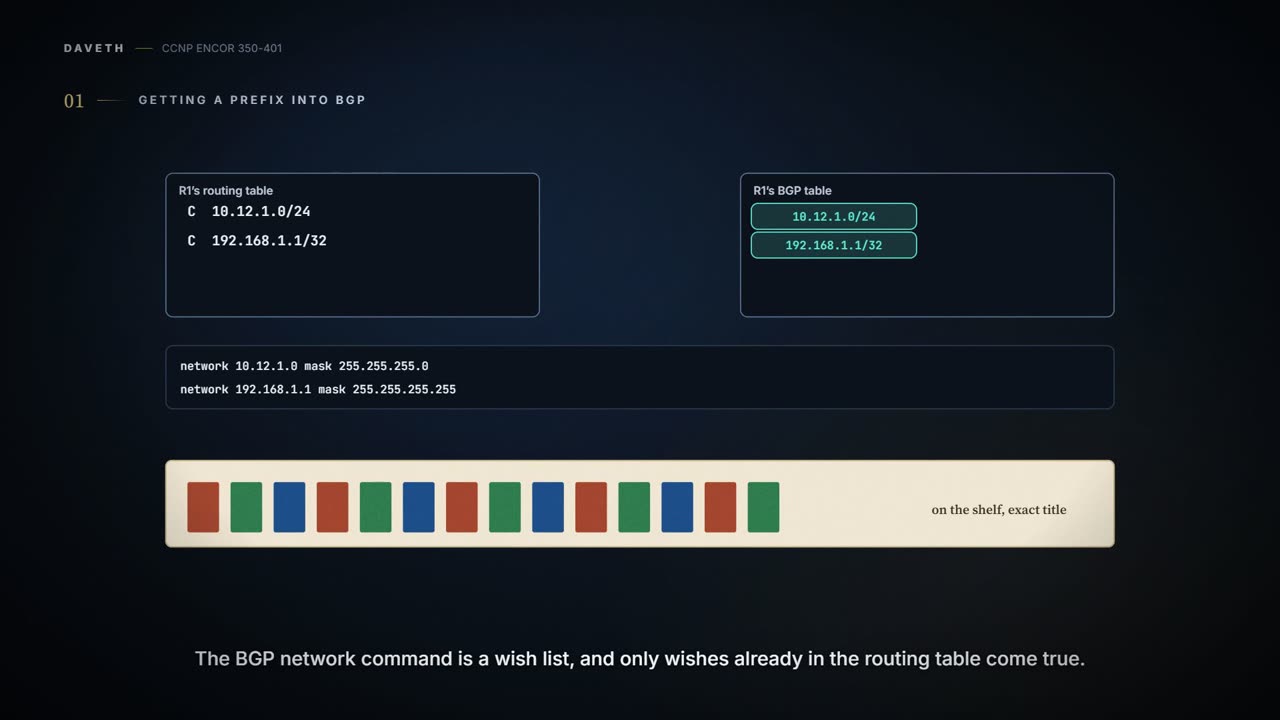
A BGP network statement does not enable BGP on an interface: it names a prefix to put in the BGP table, the Loc-RIB, and only if an exact match, prefix and mask, is already in the routing table. BGP then sets the route's attributes from where it came from, and advertises only the best path for each prefix.
By Arif, founder of Daveth · Updated
The full 8 min walkthrough is in Daveth Pro (Network). See what the plan opens
What this page answers
How do you advertise a network in BGP?
network network mask subnet-mask under the address family. BGP installs the prefix only if the routing table holds an exact match, prefix and mask, such as a connected network or a route from another protocol. Read it in “4.1 Getting a prefix into BGP”
Why does a BGP network statement not work?
Because the routing table has no exact match for it: the network command is a wish list, and only prefixes already in the routing table with the same mask come true. Read it in “4.1 Getting a prefix into BGP”
4.1 Getting a prefix into BGP
A BGP network statement doesn't do what OSPF's does. It doesn't enable BGP on an interface; it names a prefix to install in the BGP table, the Loc-RIB. BGP then looks in the global routing table for an exact match, prefix and mask: a connected network, a secondary connected network, or a route from any routing protocol. It's basically like a library catalogue: you can only list a book that's actually on the shelf, and under its exact title.
The BGP network command doesn't switch anything on. It's a wish list, and only wishes already in the routing table come true.
As the prefix goes into the Loc-RIB, BGP sets its path attributes by where it came from:
| Source in the RIB | Next hop | Origin | Weight | MED |
|---|---|---|---|---|
| Connected network | 0.0.0.0 | i (IGP) | 32,768 | not set by this rule; shown as 0 (Example 11-6) |
| Static route or routing protocol | the RIB's next hop | i (IGP) | 32,768 | the IGP metric |
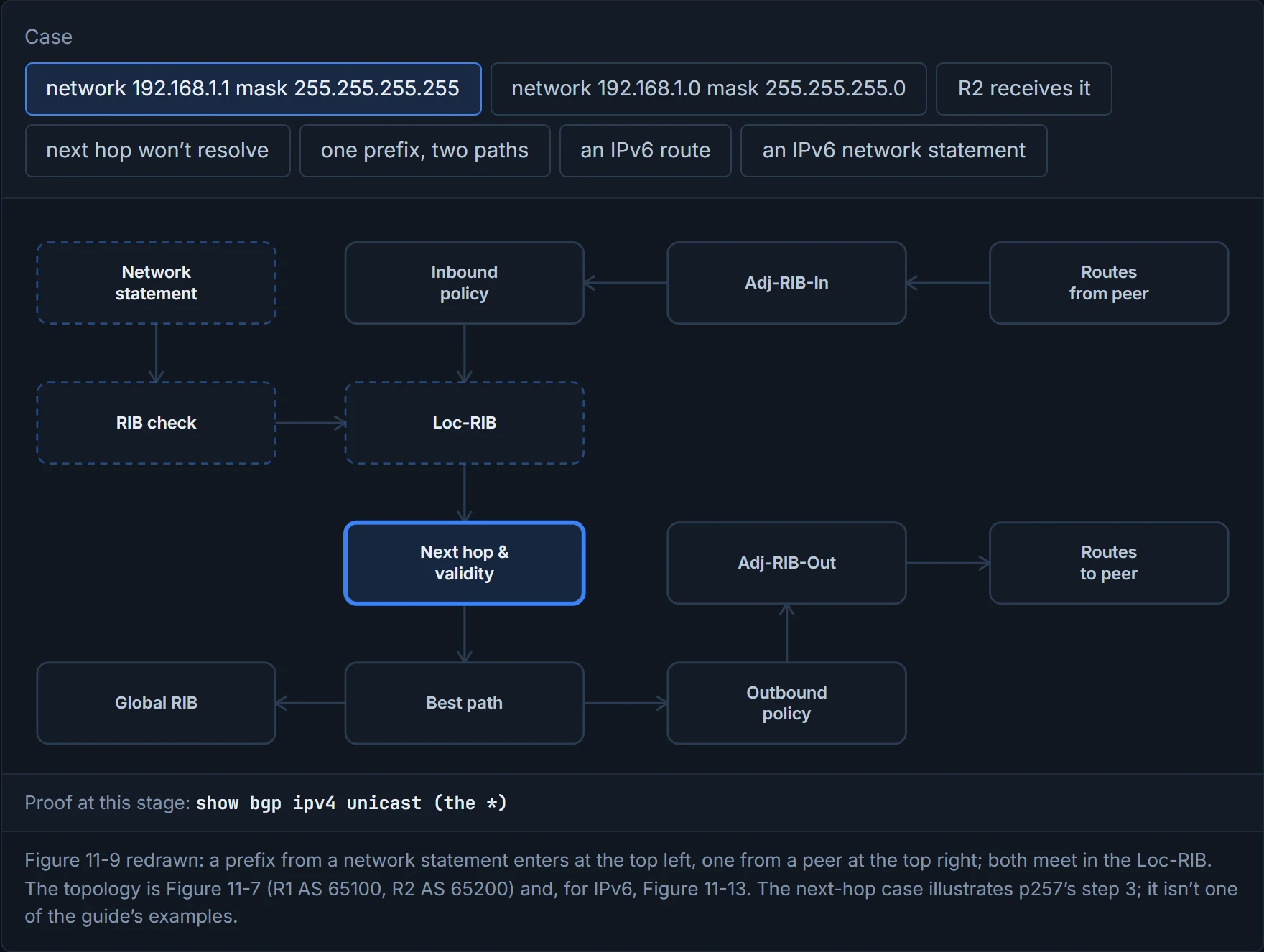
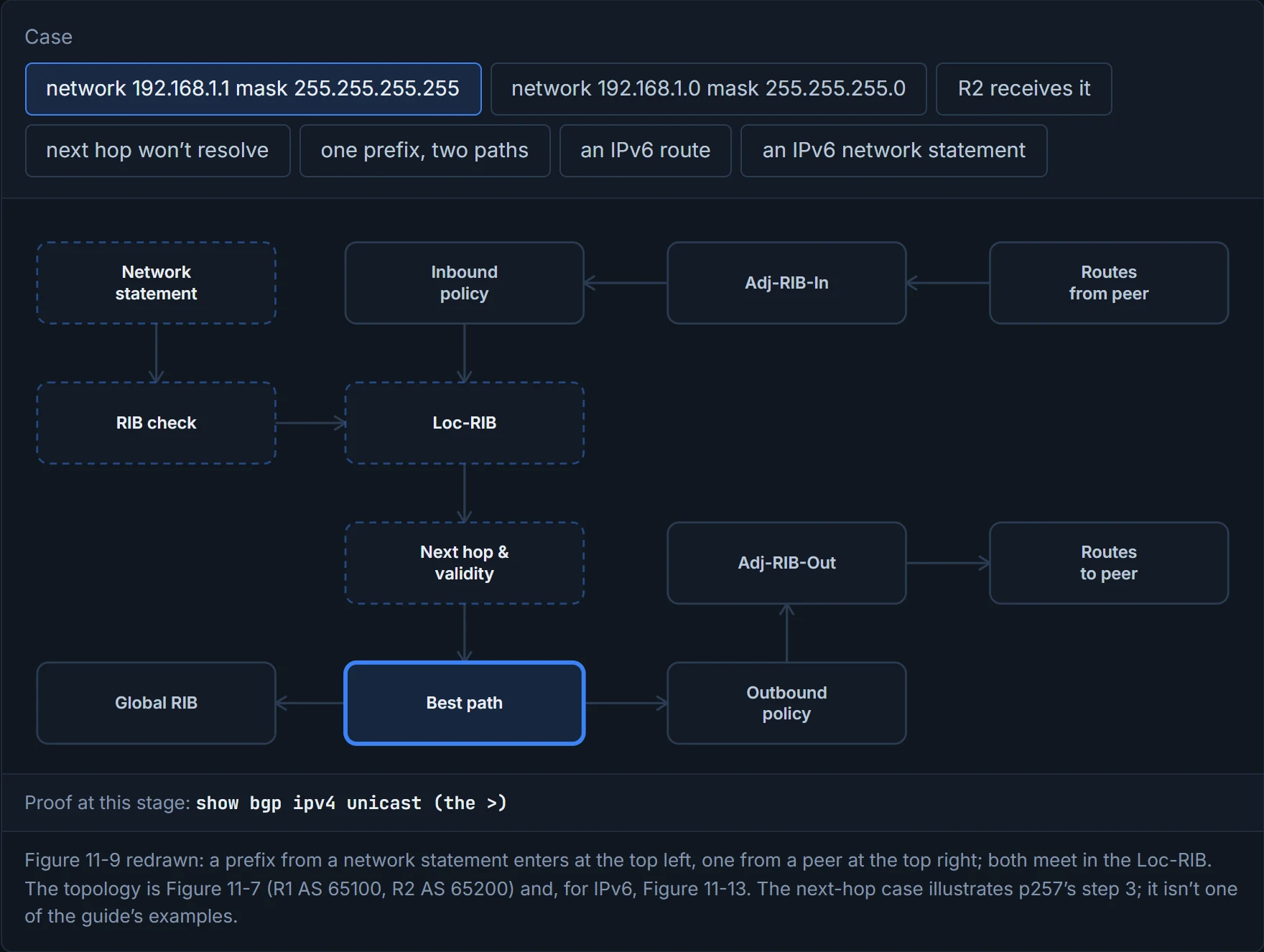
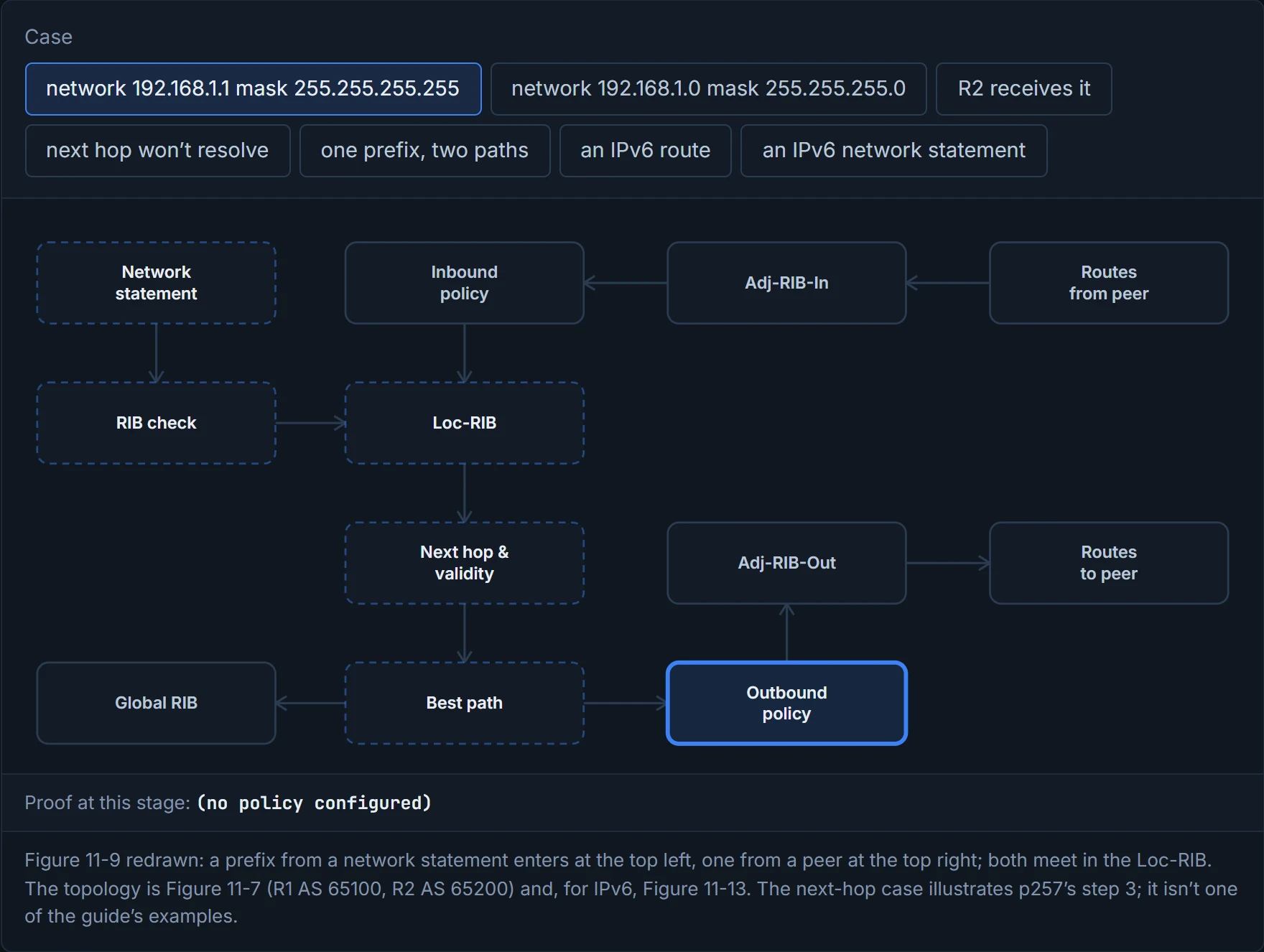
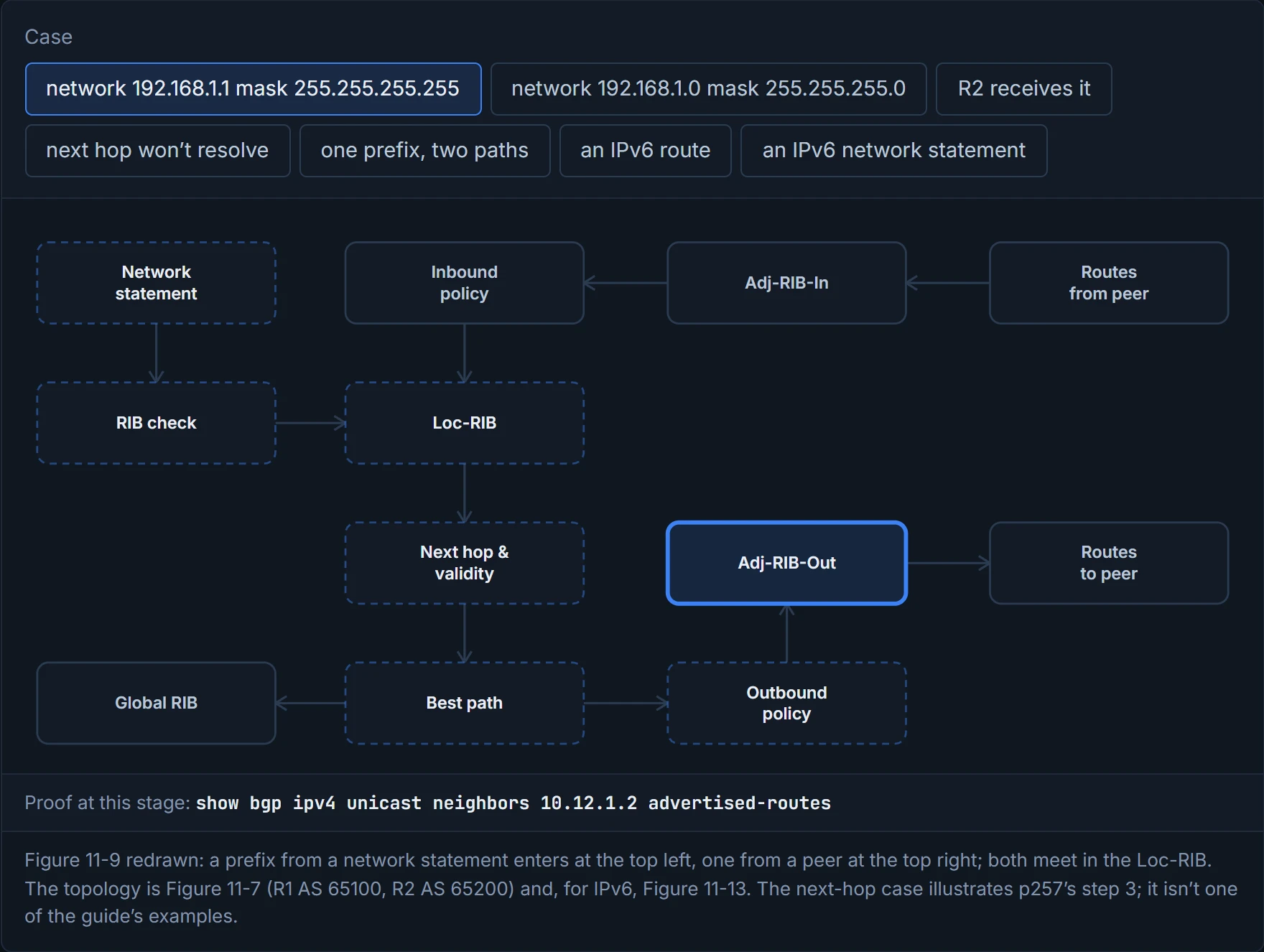
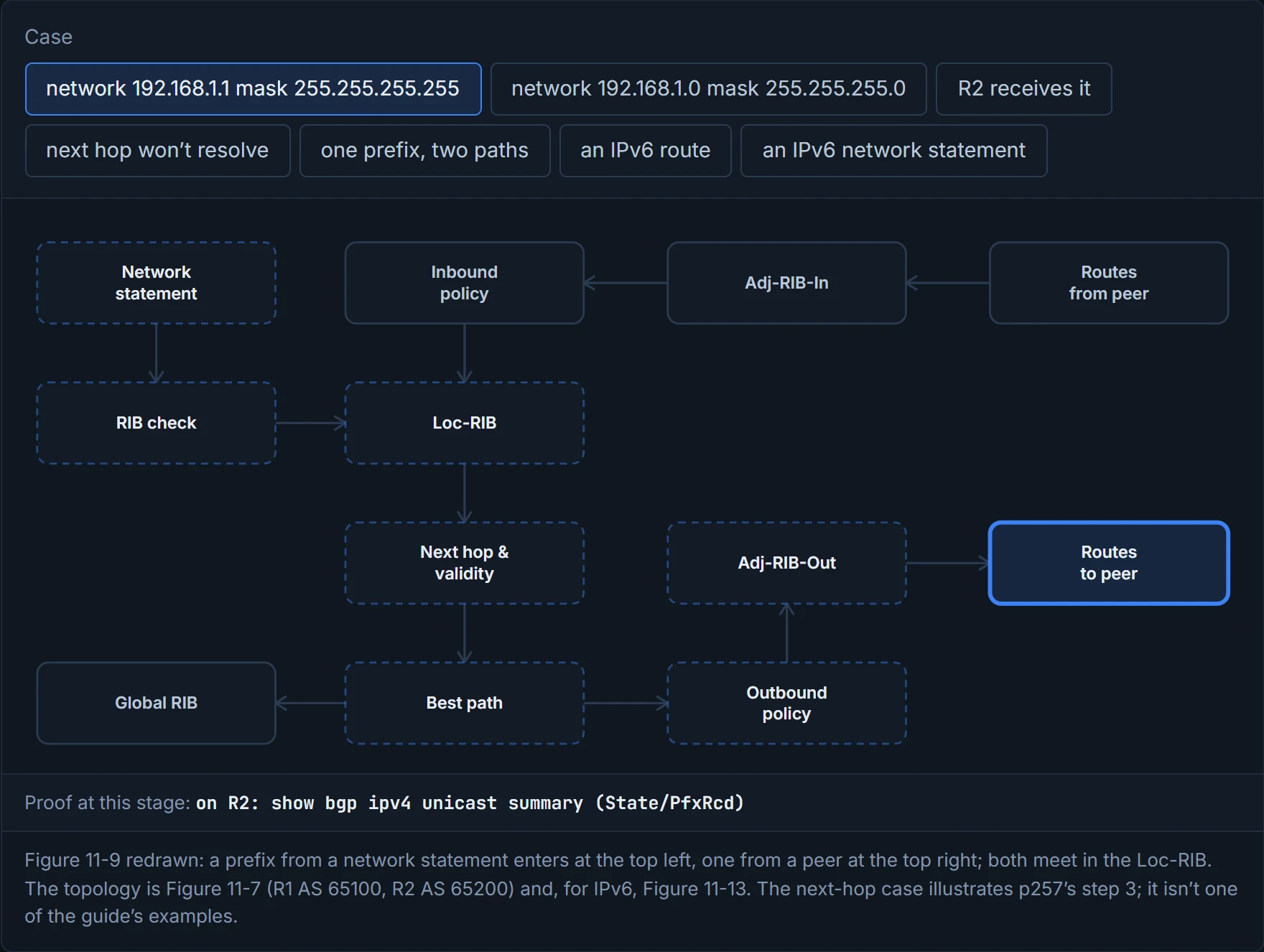
Not everything in the Loc-RIB is advertised. Each route first passes a validity check (the NLRI is valid and its next hop resolves in the routing table), then the outbound policy for the peer, which leaves it in the Adj-RIB-Out; then it's sent, and a next hop of 0.0.0.0 is replaced by the address of the BGP session (Figure 11-8). Think about the last time you signed a note to your family just "me": that works inside the house, but the moment it's posted, somebody has to write a real address on the envelope. And however many paths the Loc-RIB holds for a prefix, BGP advertises only the best path.
The command is network network mask subnet-mask [route-map route-map-name], under the address family; the route map can set attributes as the prefix goes in (02-12 covers route maps). In Figure 11-7, each router advertises its loopback and the shared link:
R2
router bgp 65200
 no bgp default ipv4-unicast
 neighbor 10.12.1.1 remote-as 65100
 address-family ipv4
  network 10.12.1.0 mask 255.255.255.0
  network 192.168.2.2 mask 255.255.255.255
  neighbor 10.12.1.1 activate
R1 advertises network 10.12.1.0 mask 255.255.255.0 and network 192.168.1.1 mask 255.255.255.255. With the default IPv4 family left on, those lines can sit straight under router bgp, as R1's configuration in Example 11-12 does.
BGP keeps three tables for its prefixes and their attributes:
- Adj-RIB-In: the NLRIs exactly as received, before inbound policy. IOS empties it once the policies have run, to save memory.
- Loc-RIB: everything originated locally or received from peers. Routes that pass the validity and next-hop checks go to the best-path algorithm, and the Loc-RIB is what feeds the IP routing table.
- Adj-RIB-Out: the NLRIs after outbound policy, one per peer.
Consider it your email: an inbox of what arrived before your filters ran, the folders where you keep what you decided to keep, and an outbox for each contact holding exactly what you chose to send them. RFC 4271 draws the same three for its model, with one difference: its Loc-RIB holds only the routes already selected, where the guide's holds every path, which is why Example 11-6 can show 10.12.1.0/24 twice.
IOS empties Adj-RIB-In as soon as it's done with it, which is more organised than anything most of us have ever done with an inbox.
A received route goes through five steps:
- Stored in the Adj-RIB-In as received; the inbound policy for that neighbour is applied.
- The Loc-RIB is updated, and the Adj-RIB-In cleared.
- The validity check: is the route valid, and does its next hop resolve in the routing table? If not, it stays in the Loc-RIB and goes no further.
- The best path is chosen (02-11), and only it goes on.
- It's installed in the routing table, the outbound policy runs, what survives is stored in the Adj-RIB-Out, and it's advertised.
It acts kind of like airport security: every passenger goes through the same checkpoints in the same order, and some get stopped at the first one. The trick with a missing prefix is working out which checkpoint. The memory hook: named, matched, stored, checked, chosen, sent, and a command for every station.
Before you look at D1, predict: R1's routing table has 192.168.1.1/32, and someone types network 192.168.1.0 mask 255.255.255.0. What does R2 receive?
D1
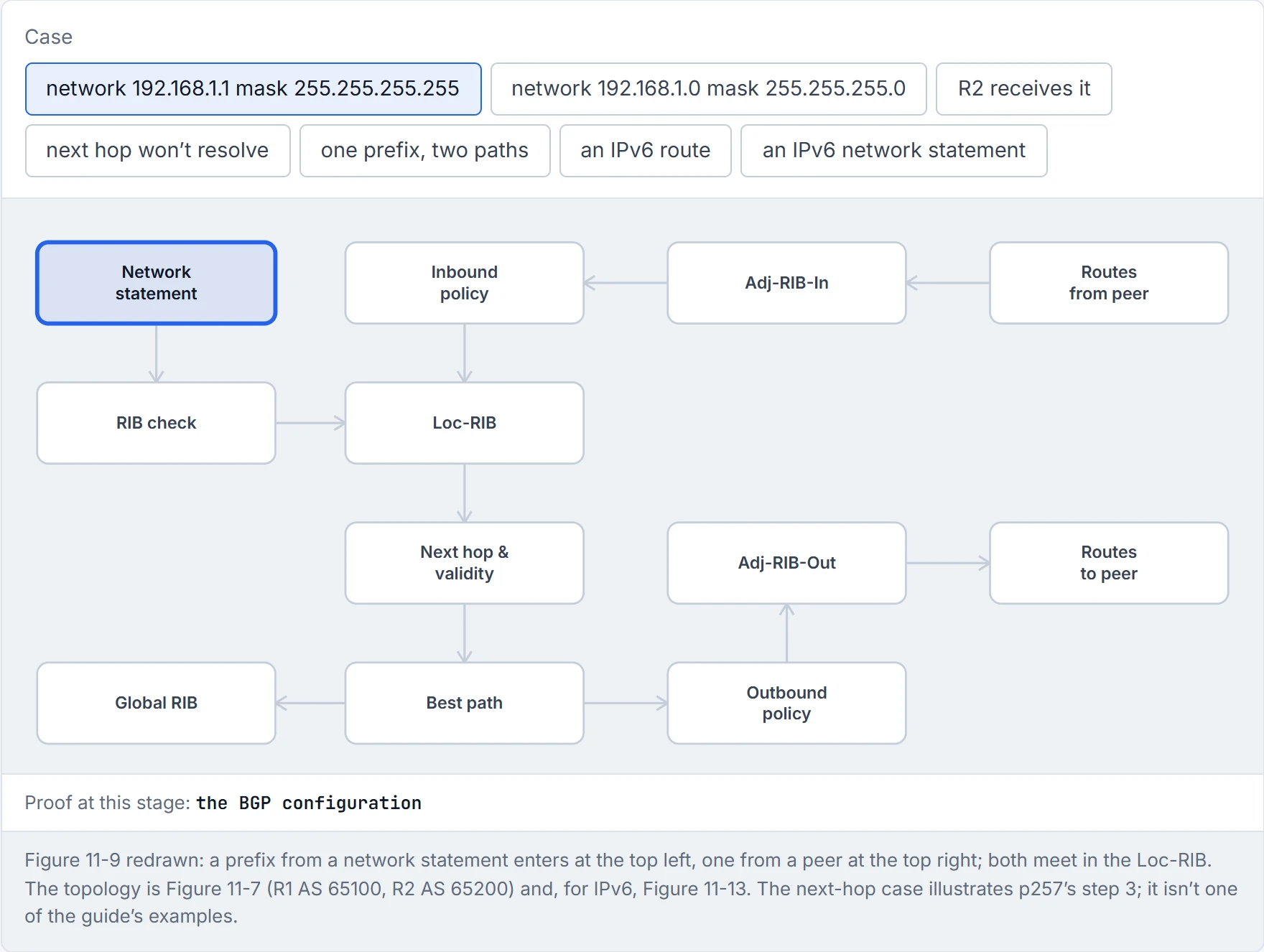
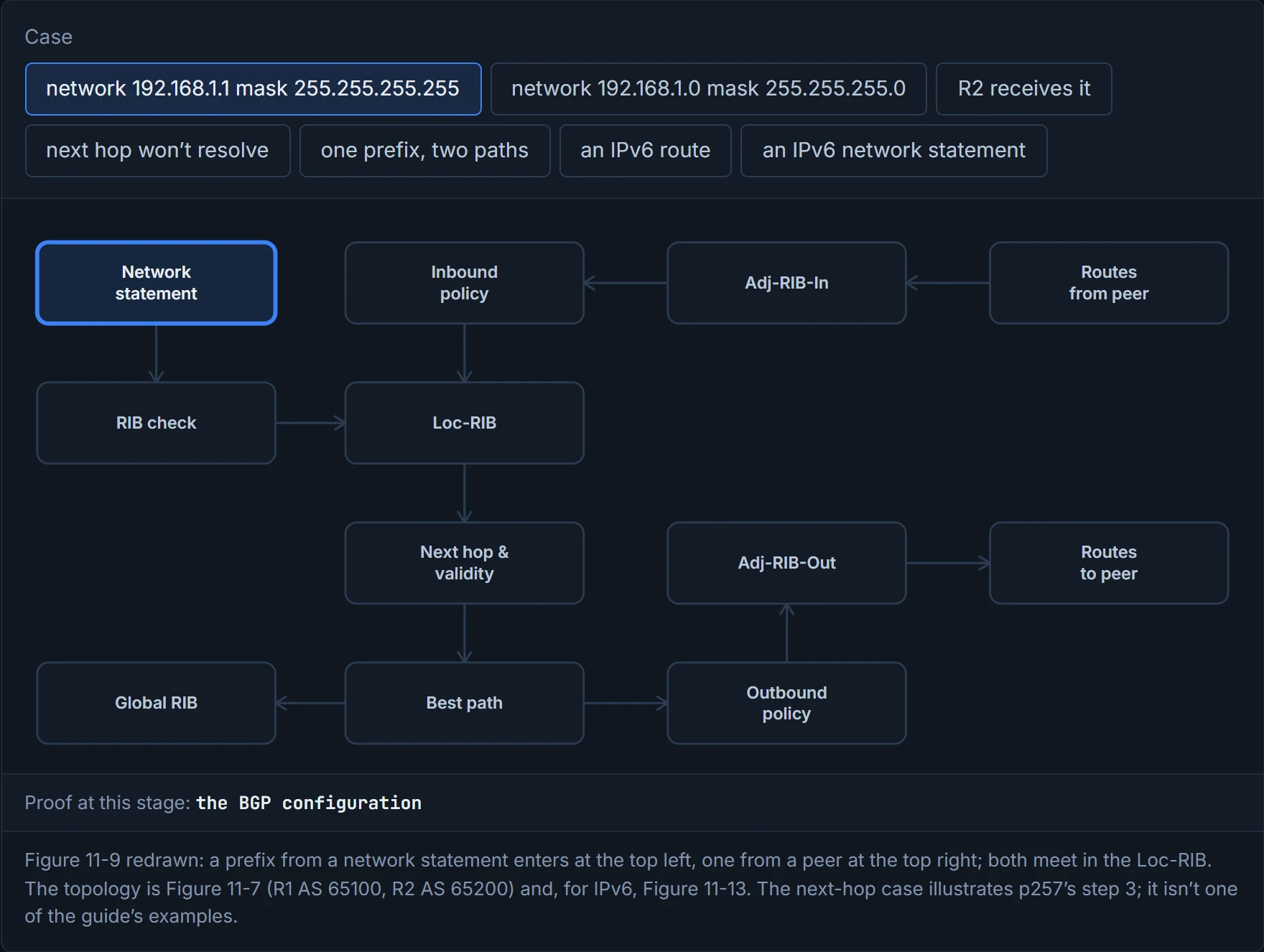
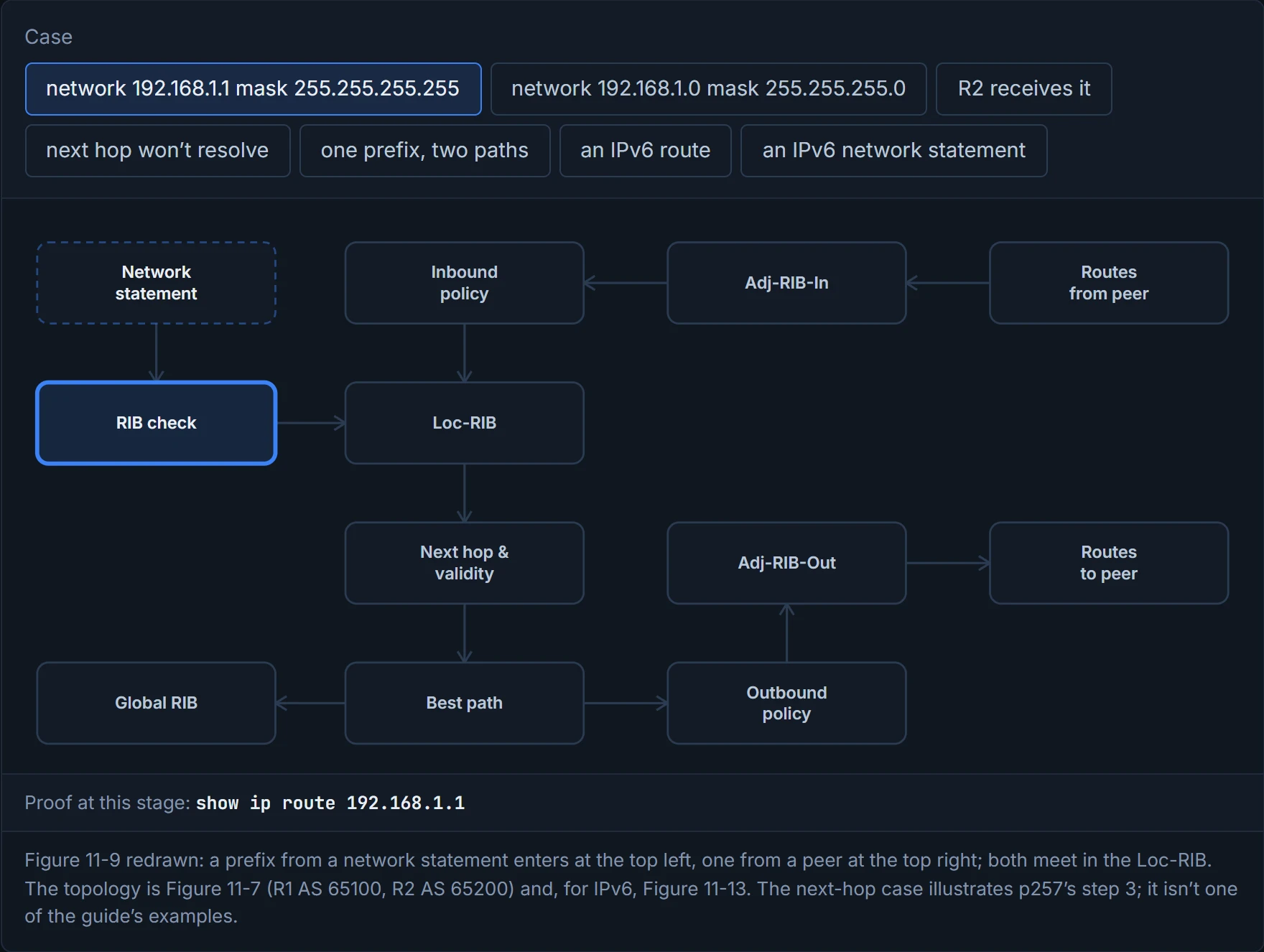
Step 1 of 8 R1 has network 192.168.1.1 mask 255.255.255.255 under the IPv4 family (Example 11-5).
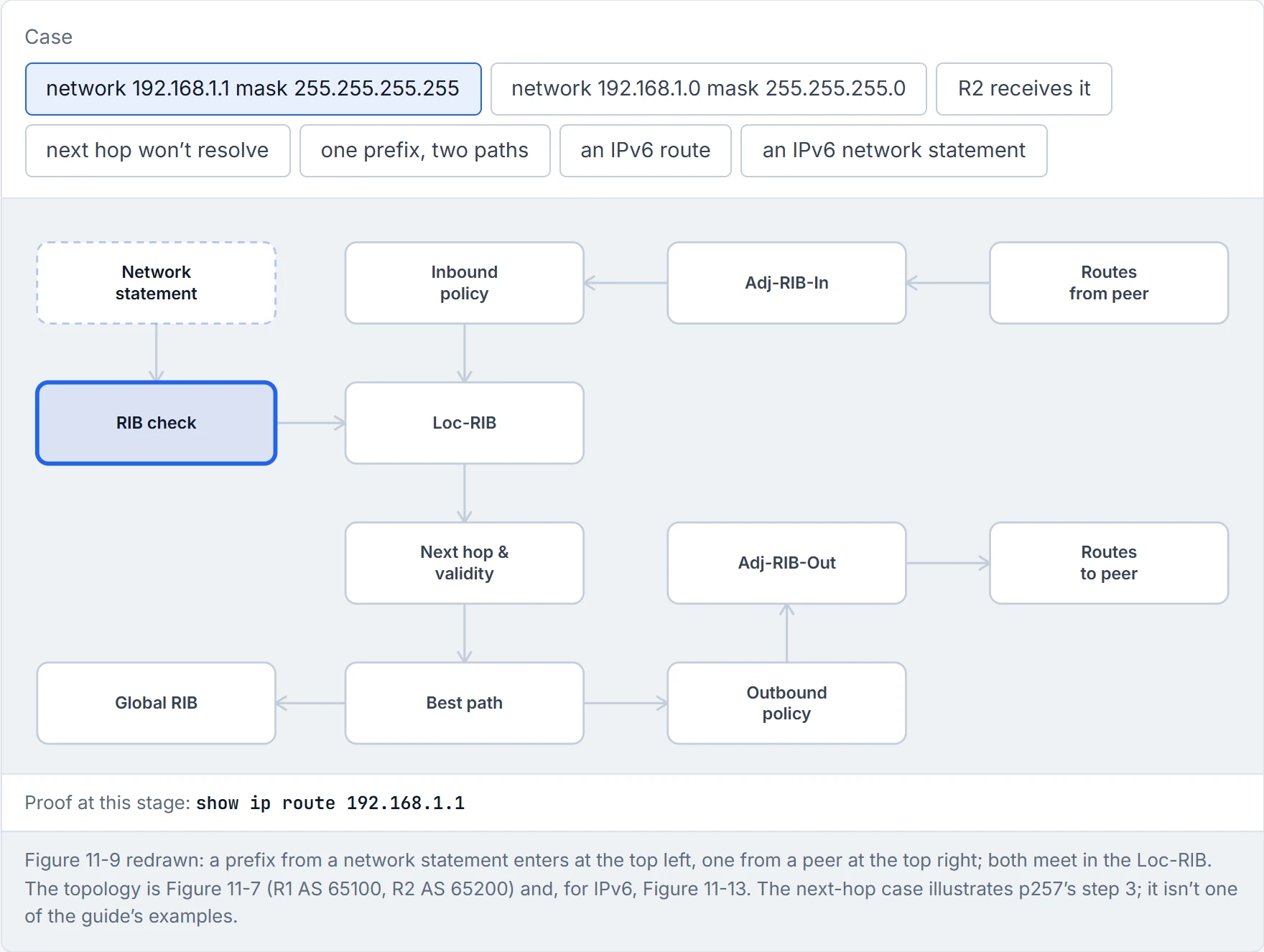
Step 2 of 8 BGP looks for an exact match in the routing table: 192.168.1.1/32, R1’s connected loopback. Found.
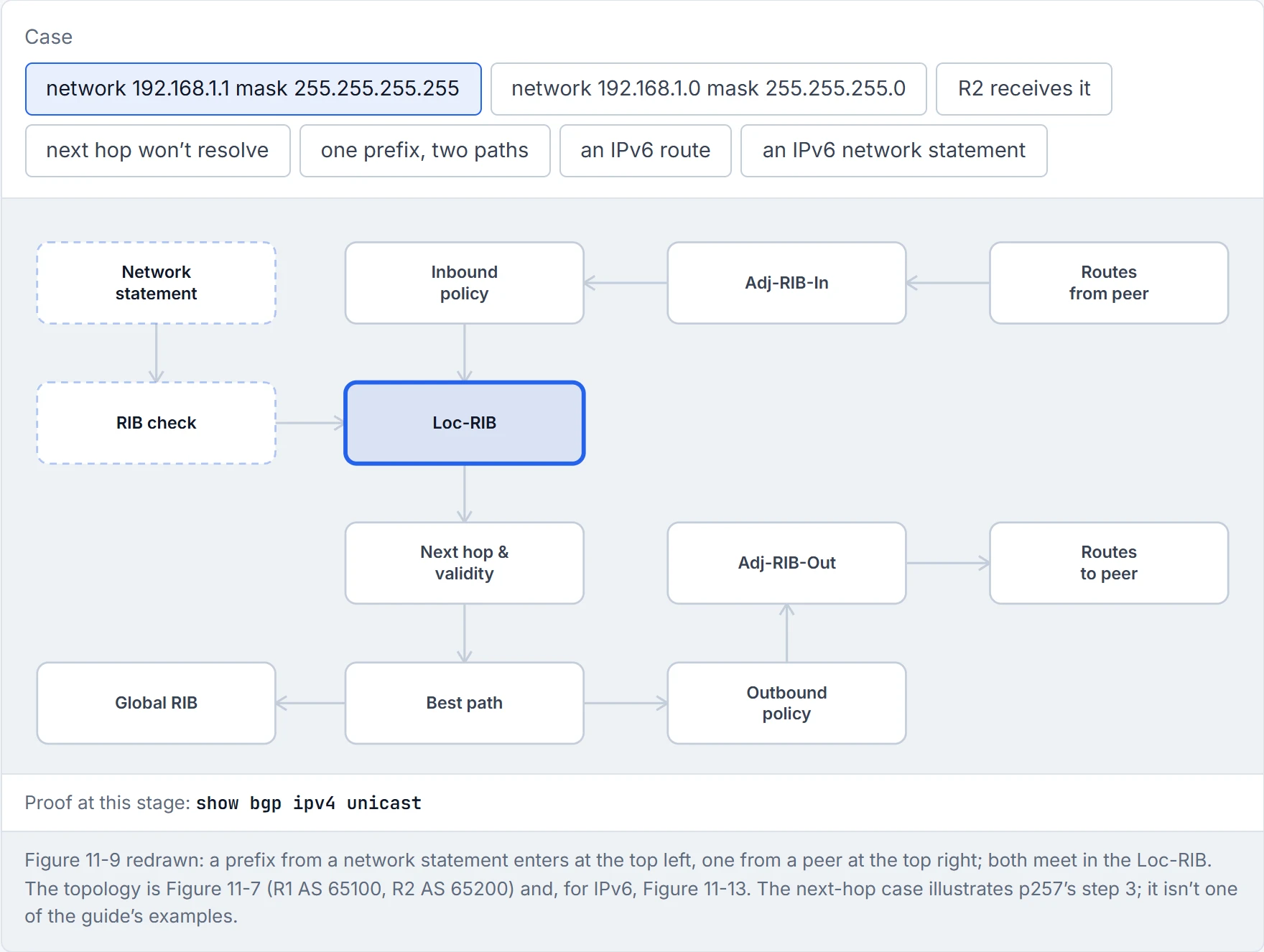
Step 3 of 8 Into the Loc-RIB, with next hop 0.0.0.0, origin i and weight 32,768, as a connected network.
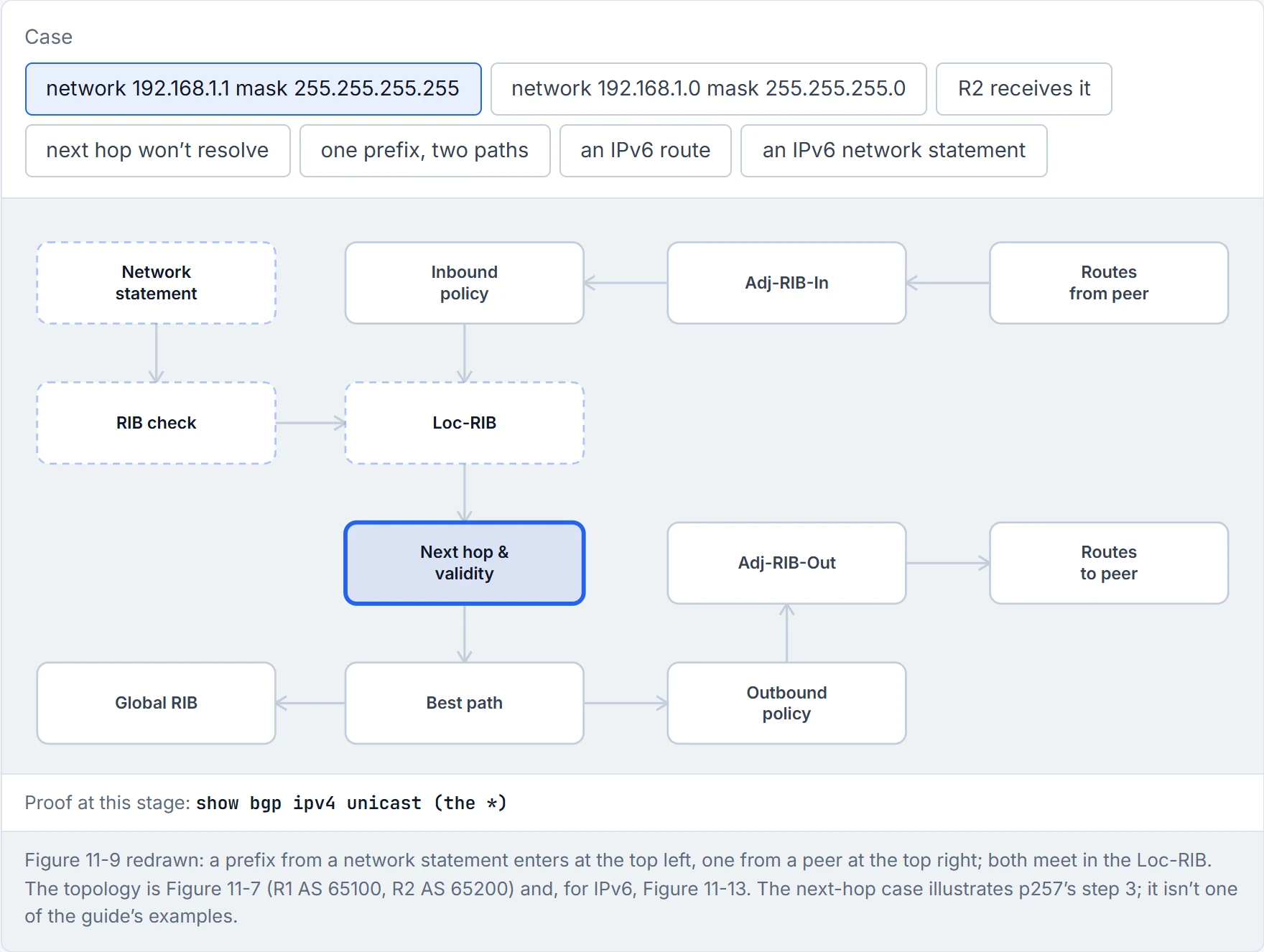
Step 4 of 8 The validity check: a valid NLRI with a resolvable next hop.
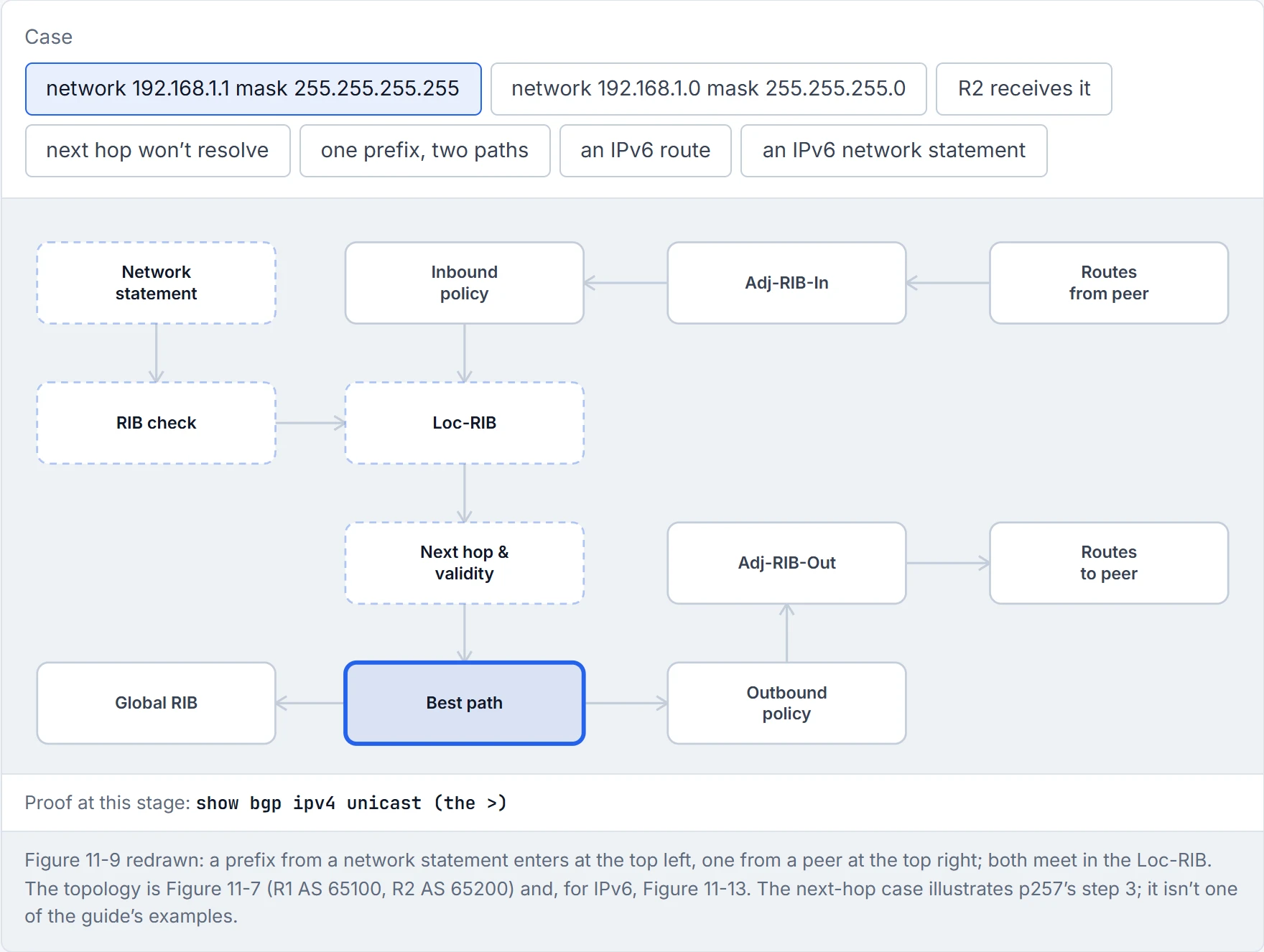
Step 5 of 8 It’s the only path, so it’s the best one: the >. Only best paths are advertised. Figure 11-8’s path for a local route goes straight on to the outbound policy; the routing table already has the connected route.
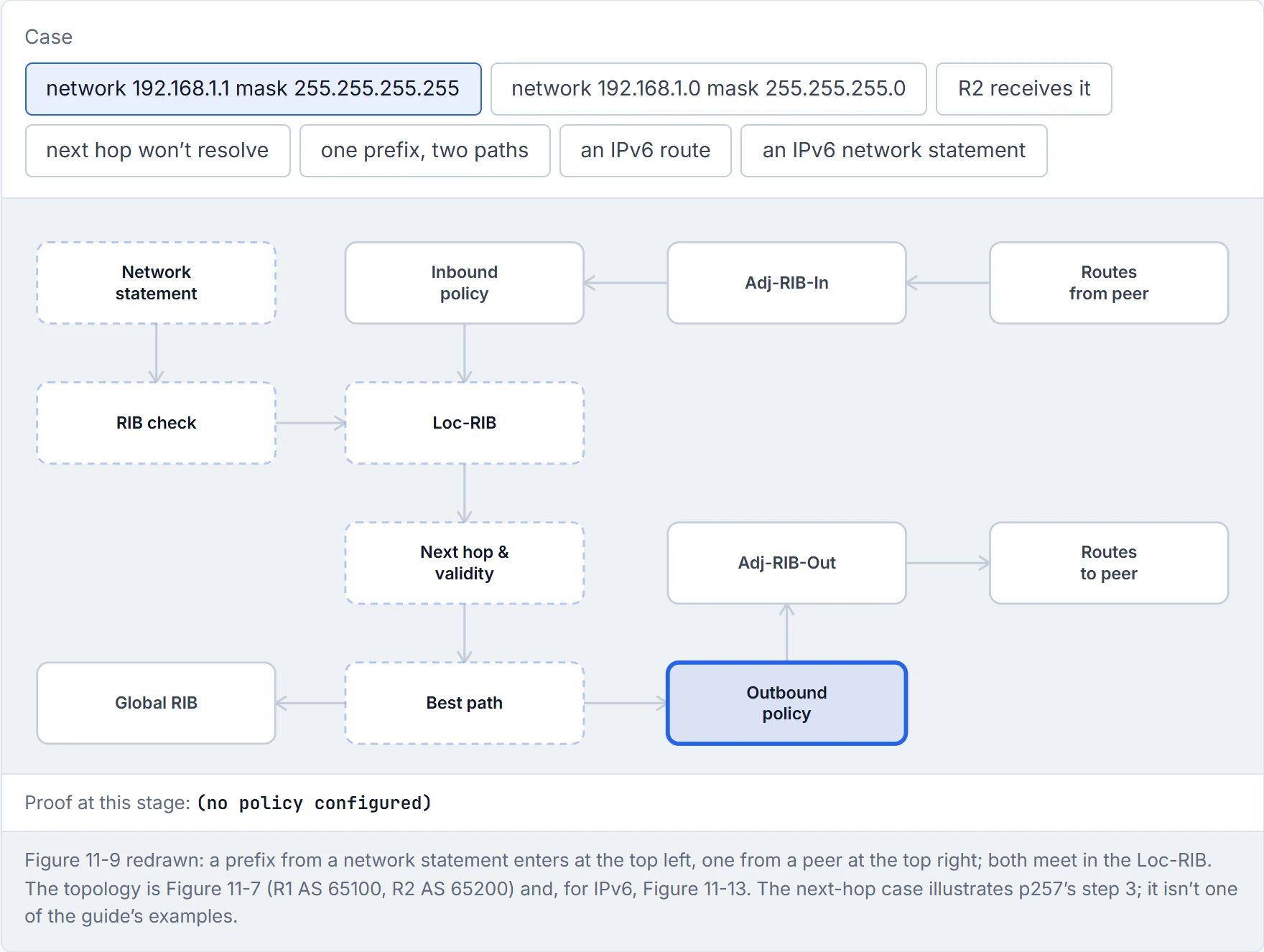
Step 6 of 8 Outbound policy for R2: none is configured, so the route passes.
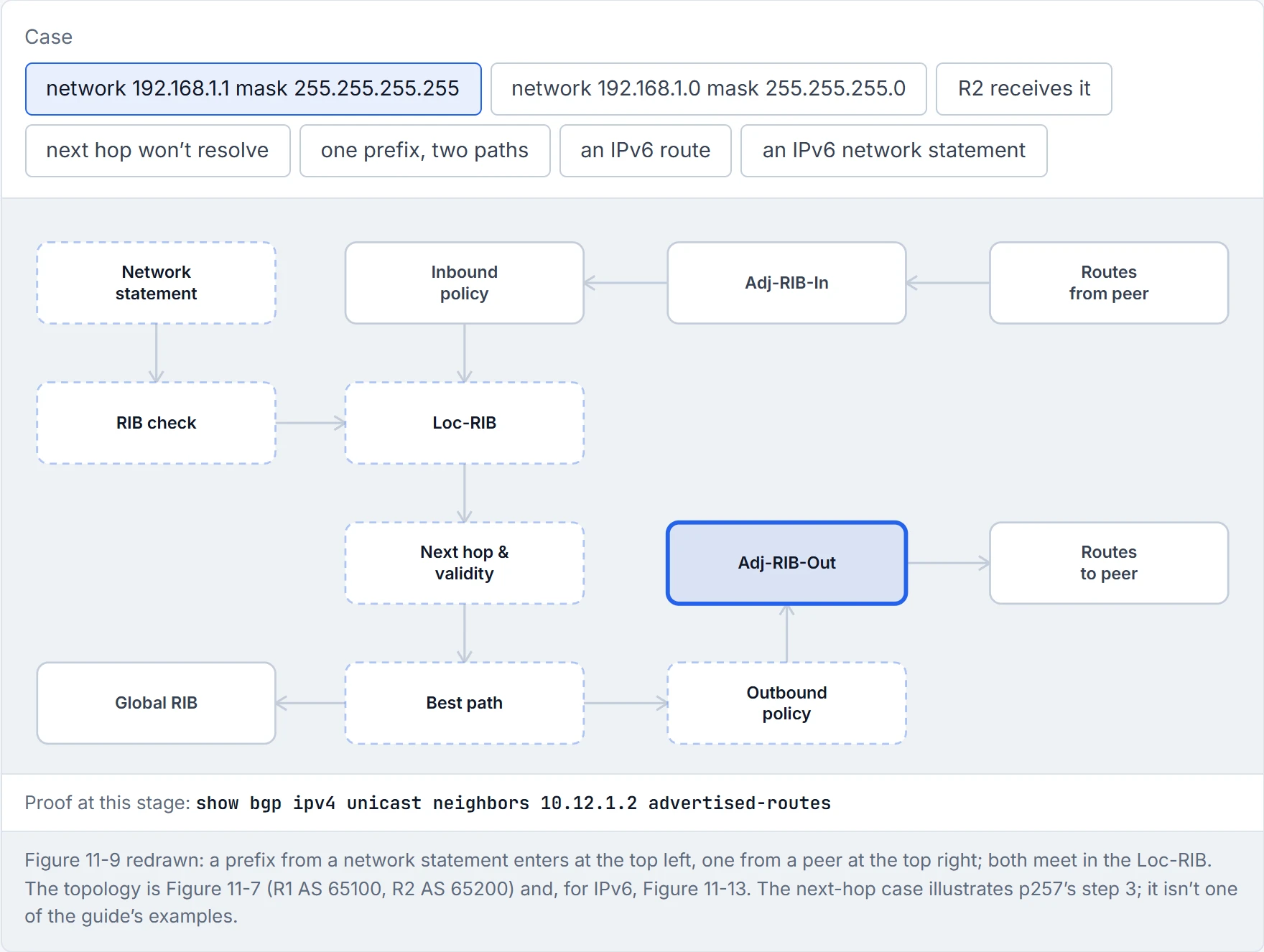
Step 7 of 8 Stored in R2’s Adj-RIB-Out. The next hop still reads 0.0.0.0 here (Example 11-8).
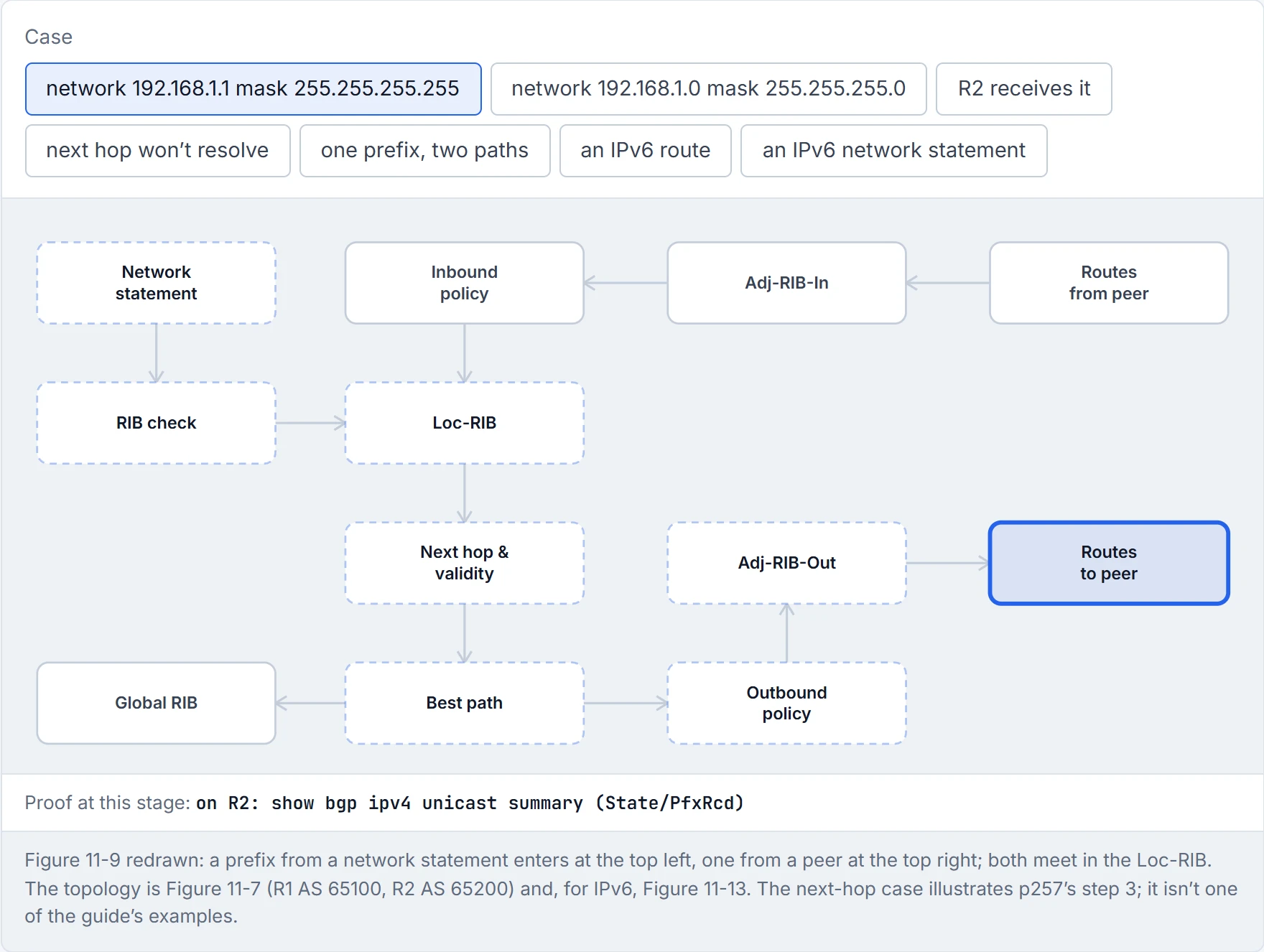
Step 8 of 8 Sent to R2, with the 0.0.0.0 next hop replaced by the session address, 10.12.1.1. R2’s summary counts it.
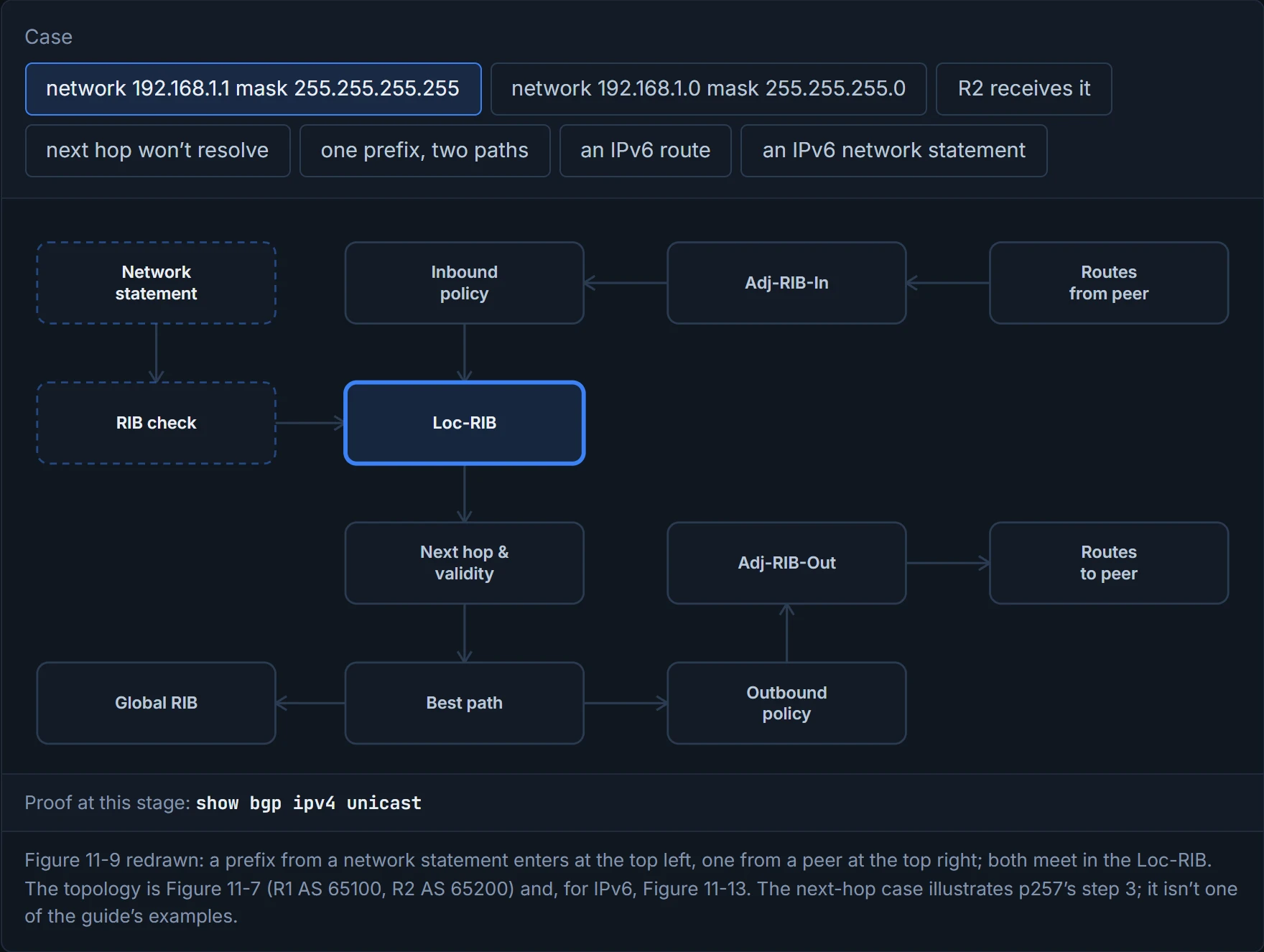
show bgp ipv4 unicast shows the Loc-RIB; every entry has at least one path and may have several. Example 11-6, on R1:
     Network          Next Hop            Metric LocPrf Weight Path
 *   10.12.1.0/24     10.12.1.2                0             0 65200 i
 *>                   0.0.0.0                  0         32768 i
 *>  192.168.1.1/32   0.0.0.0                  0         32768 i
 *>  192.168.2.2/32   10.12.1.2                0             0 65200 i
Picture yourself reading a train timetable: each column answers a different question, and you only need the right column for your question. Table 11-4 gives the columns:
| Column | Means |
|---|---|
| Network | the prefix; * valid, > the best path; a second path for the same prefix leaves this blank |
| Next Hop | the next-hop attribute (well-known mandatory) |
| Metric | the MED (multi-exit discriminator), optional non-transitive |
| LocPrf | local preference, well-known discretionary |
| Weight | a Cisco attribute, significant only on this router |
| Path | the AS_Path (well-known mandatory, used for loop prevention and best path), then the origin (well-known mandatory): i IGP, e EGP, ? redistributed |
So 10.12.1.0/24 is here twice: R1's own network statement (next hop 0.0.0.0, weight 32768) and R2's advertisement of the same link (path 65200). The local one has the >; why is 02-11's question. And the routing table keeps its connected route either way: AD 0 beats eBGP's 20.
R1's own routes carry weight 32768, a number that means a great deal to R1 and nothing at all to anyone else: weight never leaves the router.
show bgp ipv4 unicast 10.12.1.0 shows every path for one prefix with its attributes: "Paths: (2 available, best #2)", R2's path marked "valid, external" and the local one "sourced, local, best" (Example 11-7); show bgp afi safi detail does the same for the whole table. Three more views finish the proof:
- What you sent a peer:
show bgp ipv4 unicast neighbors 10.12.1.2 advertised-routes, that peer's Adj-RIB-Out. The next hop still reads 0.0.0.0 here; it changes as the route leaves (Example 11-8). It's just like when you keep the receipt for a parcel: it proves what left the shop, not what arrived. - How many arrived: State/PfxRcd in
show bgp ipv4 unicast summary: 2 from R2 in Example 11-9. - What made it into forwarding:
show ip route bgp:B 192.168.2.2 [20/0] via 10.12.1.2, AD 20 for eBGP (Example 11-10).
The BGP session and what it advertises are "two separate components": BGP will advertise any route that's in the routing table, wherever it came from. In Figure 11-10, R1 learns R3's loopback from EIGRP, R4's from a static route and R5's from OSPF (Example 11-11), and advertises them all to R2. Imagine if a department store sold goods from three different suppliers under one roof: you buy them all at the same till, and the label still tells you how each one arrived. R1 uses network statements for R3's and R4's loopbacks and redistribute ospf 1 for OSPF's routes (Example 11-12).
R1's BGP table shows where each came from (Example 11-13):
| Prefix | Came from | Next hop | Metric (MED) | Origin |
|---|---|---|---|---|
| 192.168.3.3/32 | EIGRP, network statement | 10.13.1.3, from the RIB | 3584, EIGRP's metric | i |
| 192.168.4.4/32 | static, network statement | 10.14.1.4 | 0 | i |
| 192.168.5.5/32 | OSPF, redistributed | 10.15.1.5 | 11, OSPF's metric | ? |
| 10.15.1.0/24 | R1's OSPF link, redistributed (the guide doesn't explain this entry; check that redistribute ospf picks up OSPF's connected networks) | 0.0.0.0 | 0 | ? |
The AS_Path is blank on R1, because the routes start in its own AS; R2 sees each with path 65100, plus the MED and the origin code. Have you ever noticed how a bakery labels the bread it baked itself differently from the loaves it buys in and re-wraps? Both are sold by the same shop; i and ? tell you which way R1 got each one.
Redistributing BGP into an IGP means pouring the guide's 780,000+ Internet routes into protocols it says can wobble below 20,000. That's inviting the whole country to a house party.
The guide's note puts both directions bluntly: it calls redistributing IGP routes into BGP "completely safe", and says redistributing BGP routes into an IGP should be done with caution, because BGP handles Internet-size tables and IGPs can become unstable with fewer than 20,000 routes.
MP-BGP lets BGP carry more than IPv4: IPv6, and MPLS Layer 3 VPNs too. RFC 4760 adds the address family model and two attributes, MP_REACH_NLRI (reachable prefixes) and MP_UNREACH_NLRI (withdrawals). Both are optional and non-transitive, so an older router that doesn't understand them simply ignores them, "and will not pass it to other BGP speakers". If you scaled that down to a letter with one paragraph in a language you don't read, you'd skip that paragraph and read the rest, which is exactly what an older router does.
Everything else is the same path vector protocol: the same rules, the same TCP port 179, and the capabilities agreed in the OPEN. The AFI names the protocol and the SAFI whether the prefix is for the unicast or the multicast table: IPv4 unicast is AFI 1, SAFI 1; IPv6 unicast is AFI 2, SAFI 1. You can think of it as a railway adding a new kind of carriage to the same trains: same track, same timetable, one new label on the side.
IPv6 arrived in BGP as two attributes that old routers are politely allowed to ignore, which is how most of us handle new features too.
Figure 11-13 is the IPv6 topology: R1 (AS 65100), R2 (AS 65200), R3 (AS 65300), with link-local addresses from FE80::/10 set by hand to FE80::1, FE80::2 and FE80::3 on each router's links.
Every rule from 02-9 and section 4.1 applies. The TCP connection that carries the session can be IPv4 or IPv6, whatever the routes are; but on IOS the IPv6 address family doesn't exist until you create it, so it must be initialised and the neighbour activated in it. A router with only IPv6 addresses also needs its router ID set by hand to let sessions form, and the guide keeps its IPv4 loopback format (192.168.2.2 on R2). Carrying IPv6 prefixes over an IPv4 session is possible but takes extra configuration the guide leaves out. Peer on global addresses: a link-local address that isn't set by hand is derived from the MAC, so a hardware swap or a cabling move gives the neighbour a new address and the session fails.
Continue the lesson
The whole lesson, with its drawings and its questions. The rest of this section and 9 more after it.