
SNMP v2c and v3
The monitoring system says a router is dead and you can SSH to it: whose side is wrong? Start with reachability: SNMP uses UDP 161 for polls and 162 for traps and informs. SNMPv2c needs a matching community string, which an ACL can restrict. SNMPv3 nests users into groups with views and adds three security levels: noAuthNoPriv, authNoPriv and authPriv.
By Arif, founder of Daveth · Updated
The full 18 min walkthrough is in Daveth Pro (Network). See what the plan opens
What this page answers
What ports does SNMP use?
UDP port 161 for general messages and UDP port 162 for traps and informs. A device opens them only once snmp-server host, user, community or manager is configured. Read it in “Alive, and not answering”
What are the SNMPv3 security levels?
noAuthNoPriv, a plaintext username and plaintext messages; authNoPriv, hashing that also checks integrity, with messages still in plaintext; and authPriv, hashing plus encryption. On the CLI they are noauth, auth and priv. Read it in “SNMPv3: users inside groups, groups with views”
What is the difference between SNMP traps and informs?
Both are messages the router sends without being asked, to UDP 162. Traps are unreliable and informs are reliable. When configuring the host, say traps or informs: the default is traps. Read it in “Notifications: the other direction”
Alive, and not answering
The last lesson ended on a question. SRV1 heard HQ-C2's messages again because HQ-C2 sends. SNMP turns that round: the monitoring system on SRV1 asks, and the router answers, or doesn't. So when the monitoring system says a router is dead, and you can SSH to that router while you read the alert, whose side is wrong?
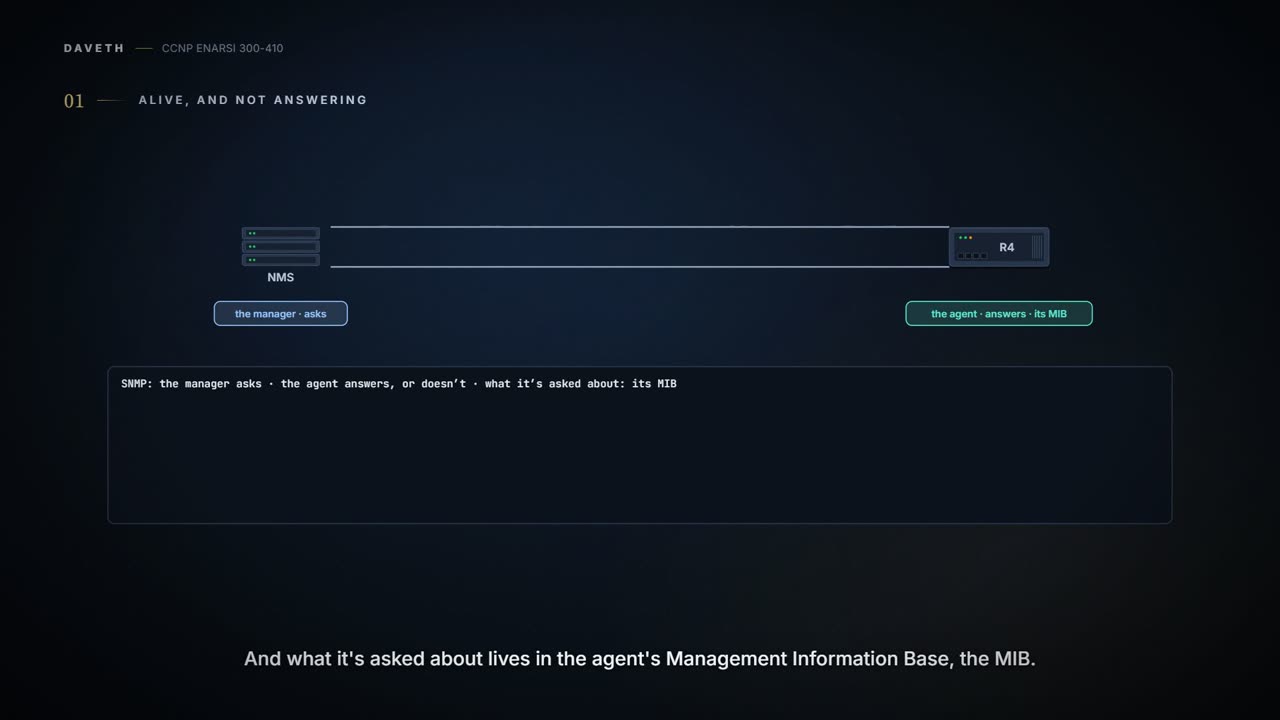
Start with the dull answer, because it's sometimes the right one. Whether you're running SNMPv2c or SNMPv3, the agent has to be able to ping the server, the network management server, or NMS. If Layer 3 connectivity isn't there, the NMS can't get at the information in the agent's Management Information Base, the MIB. Two words there do a lot of work: the agent is the router being asked, and the MIB is what it's asked about.
Then the ports. SNMP uses UDP port 161 for general messages and UDP port 162 for traps and informs, the messages the router sends without being asked. Traps are the unreliable ones and informs the reliable ones; a later section says why. If an access list denies those ports, there's no SNMP between the NMS and the agent, whatever else is right. You've met both kinds of list that matter here: an interface ACL, and the control-plane policy on HQ-E1 that let SRV1's polls in by class.
Now the trap in that first check. A ping that works proves the path in both directions for ICMP. It doesn't prove UDP 161 gets through, and it doesn't prove the agent is listening. A device opens ports 161 and 162 only once one of snmp-server host, user, community or manager is configured, and show udp shows them listening. A router with no SNMP configuration at all is very much alive and has nothing on 161.
So "dead" from a monitoring system means one thing for certain: it asked, and it didn't get the values it wanted. The rest of this lesson is the list of reasons, and nearly all of them have the same shape. Two ends were configured, by different people, on different days, and each setting on one end has a twin on the other.
We haven't confirmed on a router that its SNMP ports stay closed until one of those commands is configured.
SNMPv2c: one word, sent first
Here's R4, an SNMPv2c router, all of it:
R4# show run | section snmp
snmp-server community CISCO RO 10
snmp-server enable traps cpu threshold
snmp-server host 10.1.100.100 informs version 2c CISCO
snmp ifmib ifindex persist
R4# show ip access-lists
Standard IP access list 10
 10 permit 10.1.100.100
Four lines of configuration, and the first one does most of the work.
The first pair is the community string. For the NMS to read from the agent, or write to it, the read community, or the read/write community, has to match between the NMS and the agent. R4's read-only community is CISCO. Community strings work as embedded passwords, and a manager's community has to match at least one of the device's. RO means the manager can retrieve objects and can't change them. So a manager with cisco in lower case, or with CISCO but trying to write, is the wrong half of a pair.
The second check is about who may use the word. If you're using ACLs to say which NMS, by IP address, may retrieve objects from the MIB, the list has to name the server's address accurately. The 10 at the end of the community line is that list, and ACL 10 permits only 10.1.100.100 to read from the MIB with the read-only community CISCO.
So, before you touch the figure:
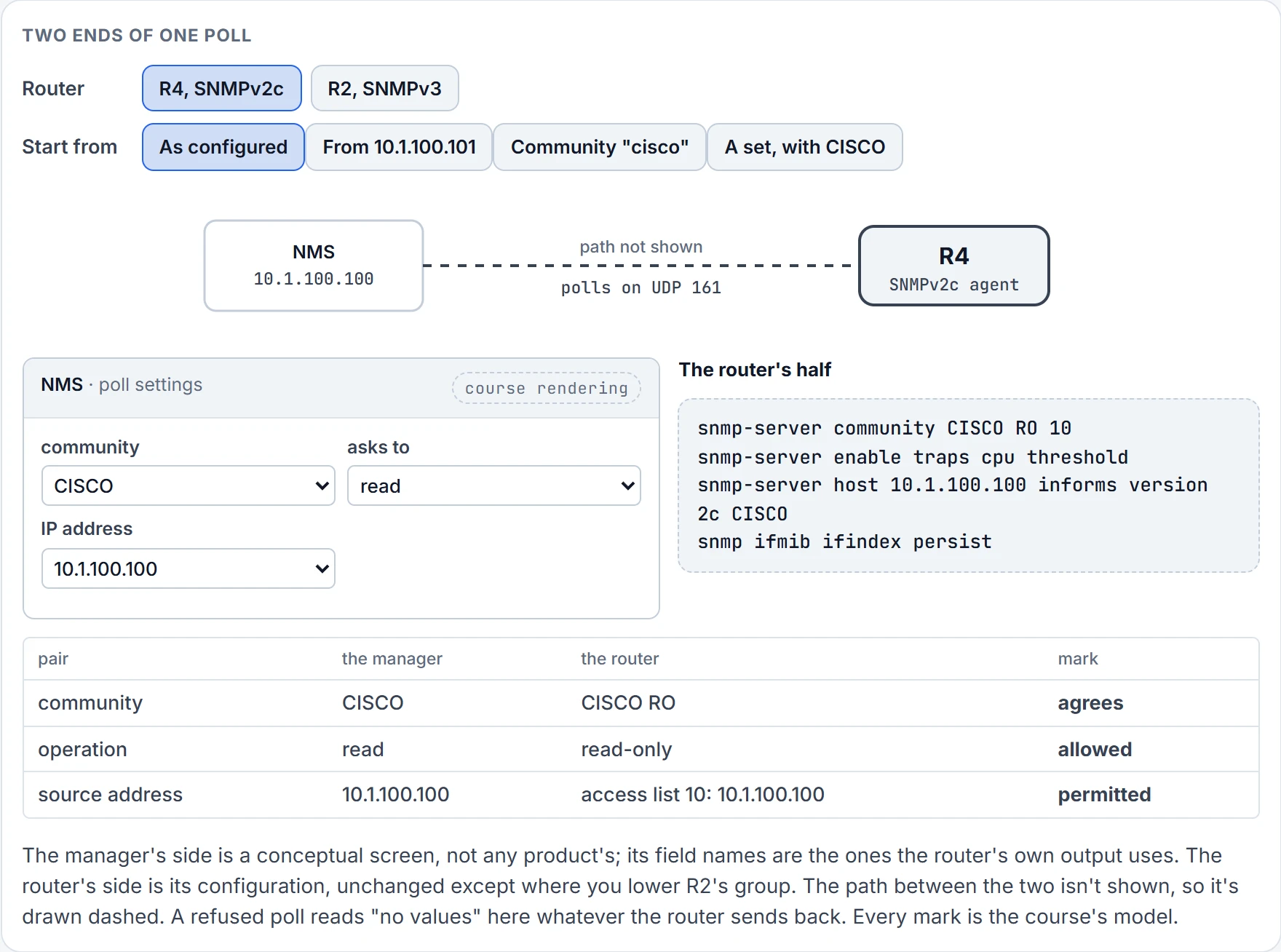
No values. The right word from the wrong address gets nothing. The same goes for a community in lower case, and for a write with a read-only community. Each is a different pair, and each gives the manager the same thing.
That's the whole of v2c's security: a word that matches, from an address the list allows. It's a version of SNMP that uses community strings, and the word travels in the clear; nothing in v2c hides it.
Notifications: the other direction
Everything so far was the manager asking. The router also speaks first, when something happens. If the agent is configured to send traps or informs, verify four things: traps are enabled, the right host (NMS) address is configured, the right SNMP version is configured, and the right community string is configured. And if you don't want every trap sent, it is imperative that you pick the right ones.
Read R4's two notification lines against that list. snmp-server enable traps cpu threshold turns on one kind, CPU threshold notifications. snmp-server host 10.1.100.100 informs version 2c CISCO says SNMPv2c informs go to the NMS at 10.1.100.100 with the community CISCO. Four checks, four answers on one line: enabled, host, version, community. For a host to get most notifications, you need both: at least one snmp-server enable traps and the host line.
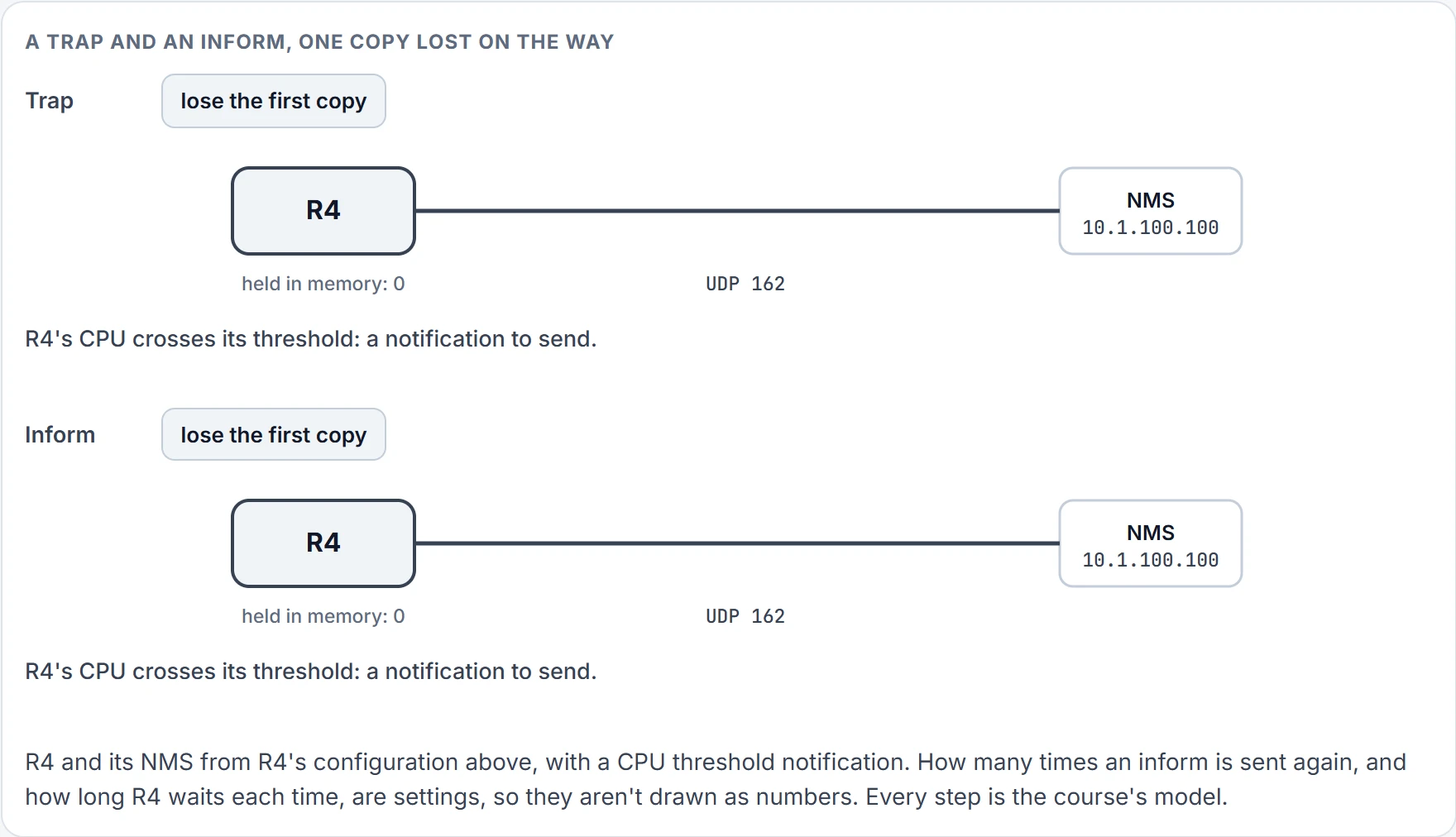
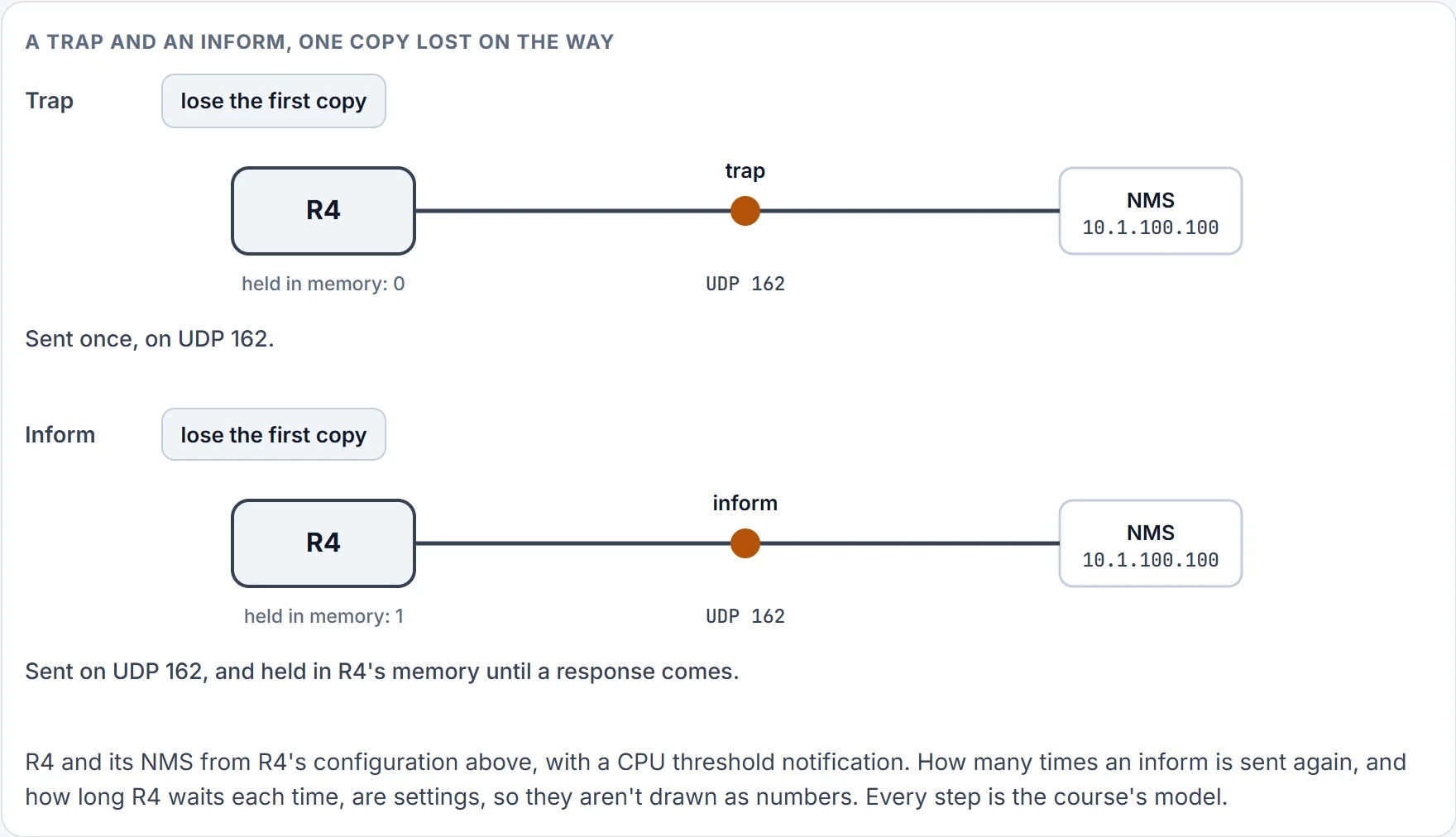
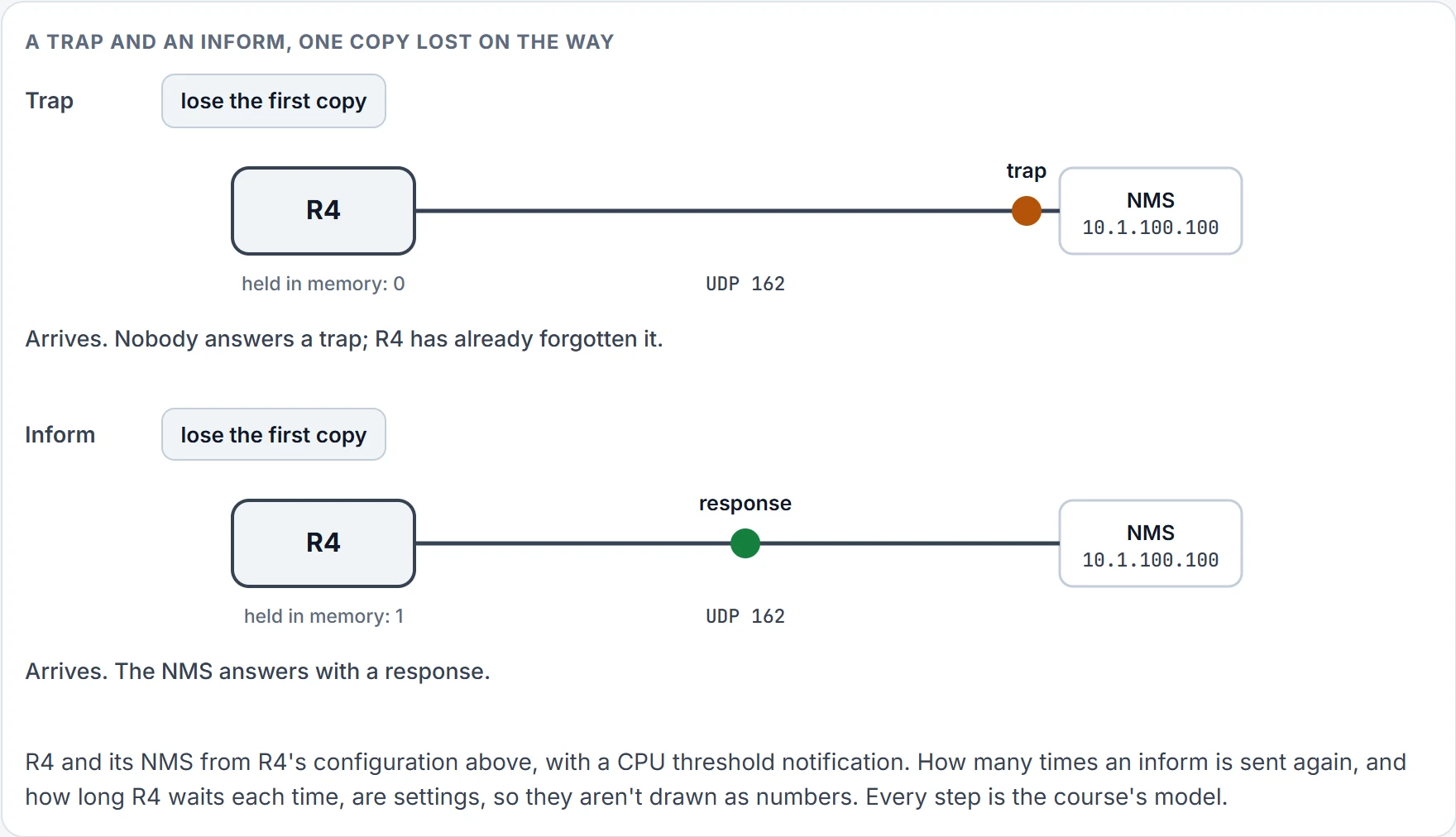
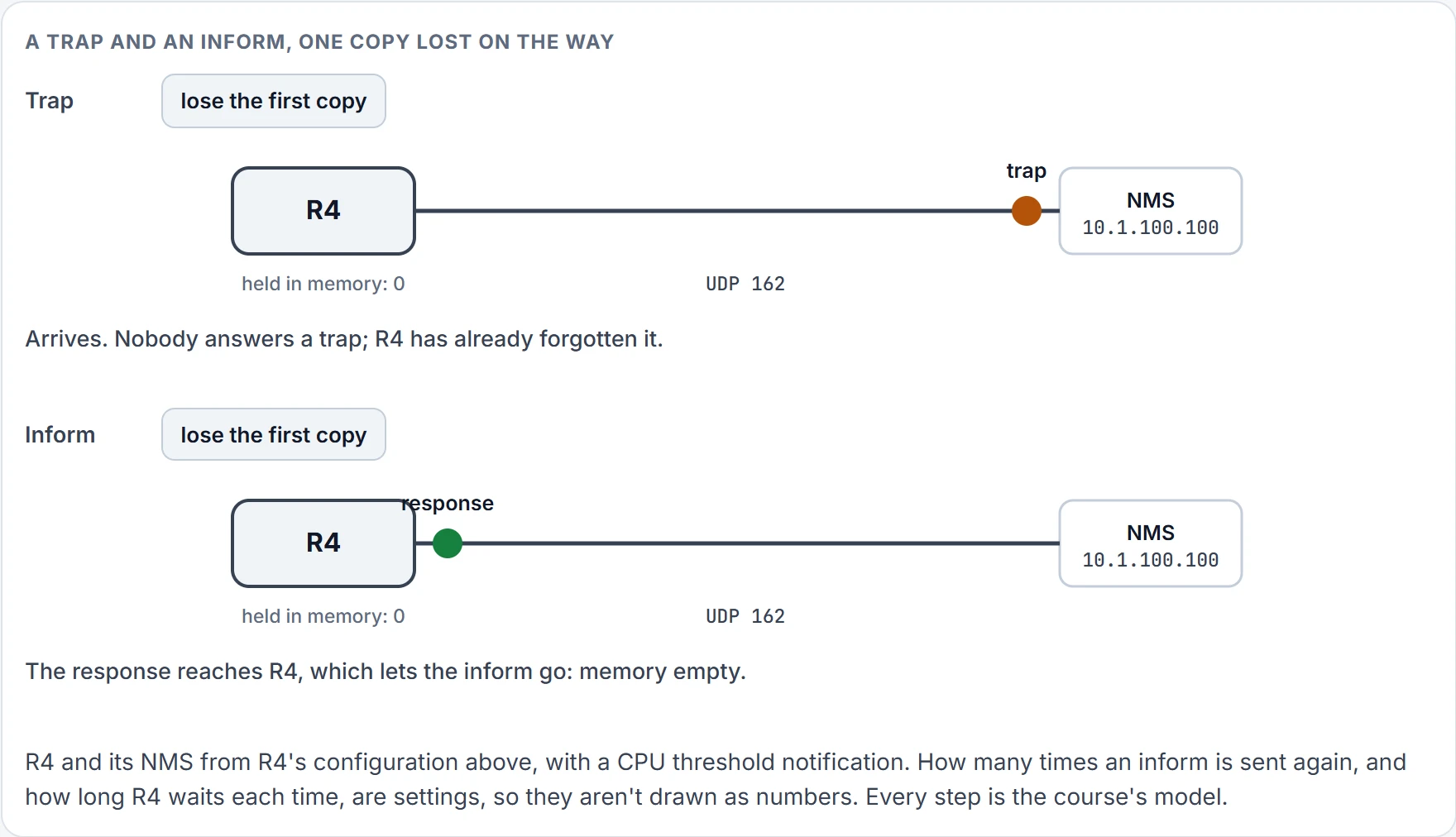
Trap or inform is a real choice, and R4 chose informs. Here's what that buys.
Step 1 of 4
Step 2 of 4
Step 3 of 4
Step 4 of 4
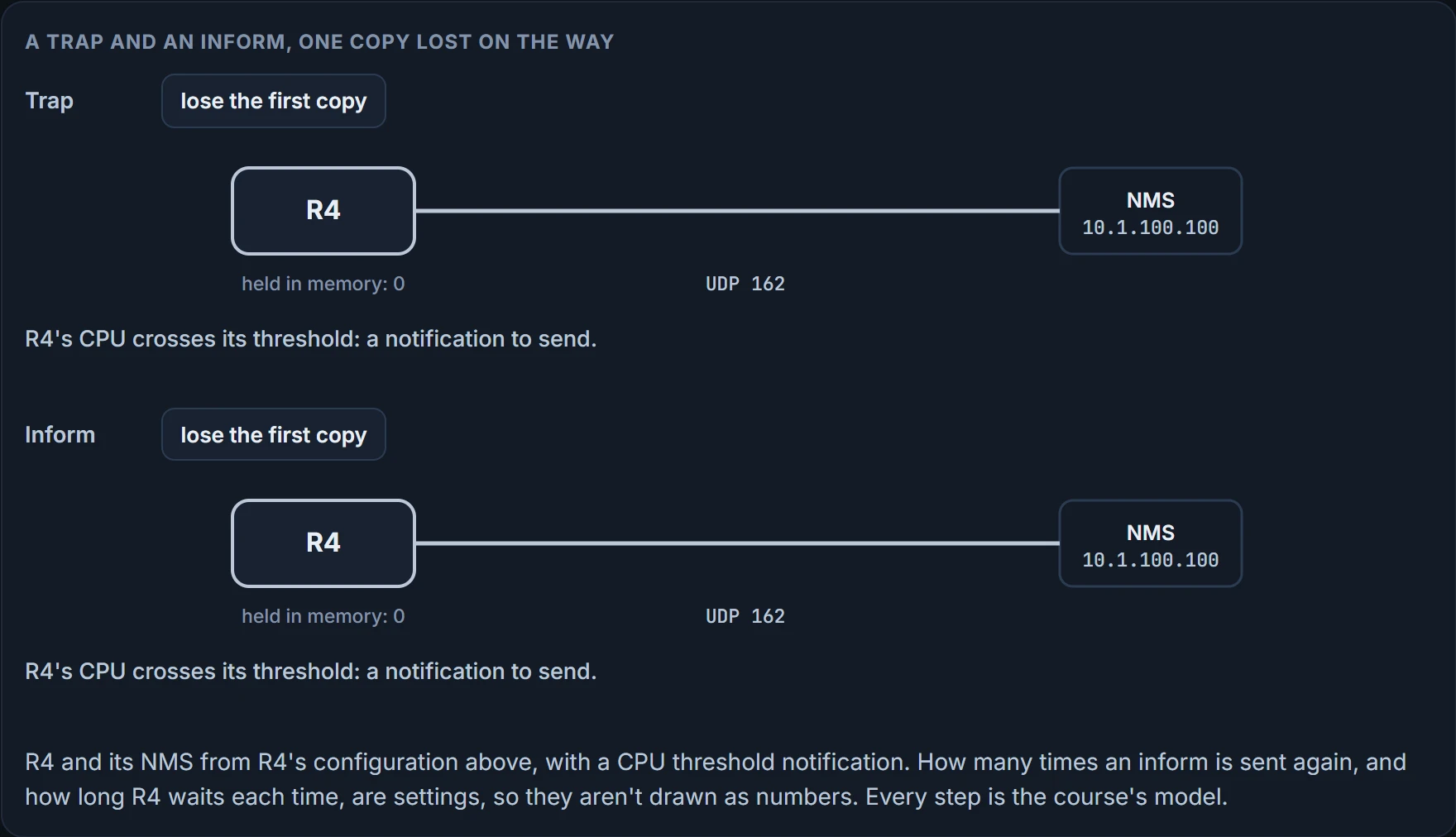
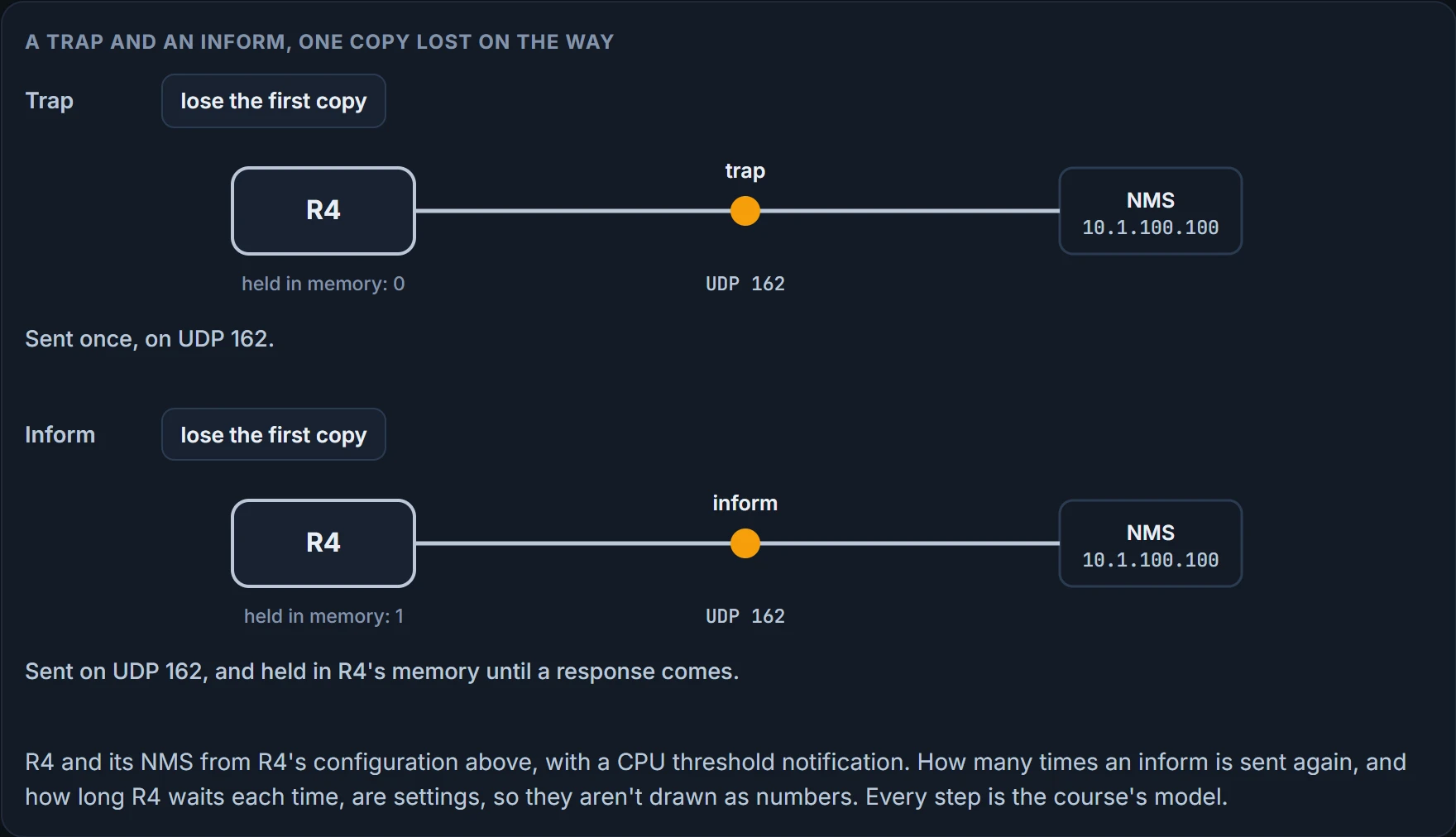
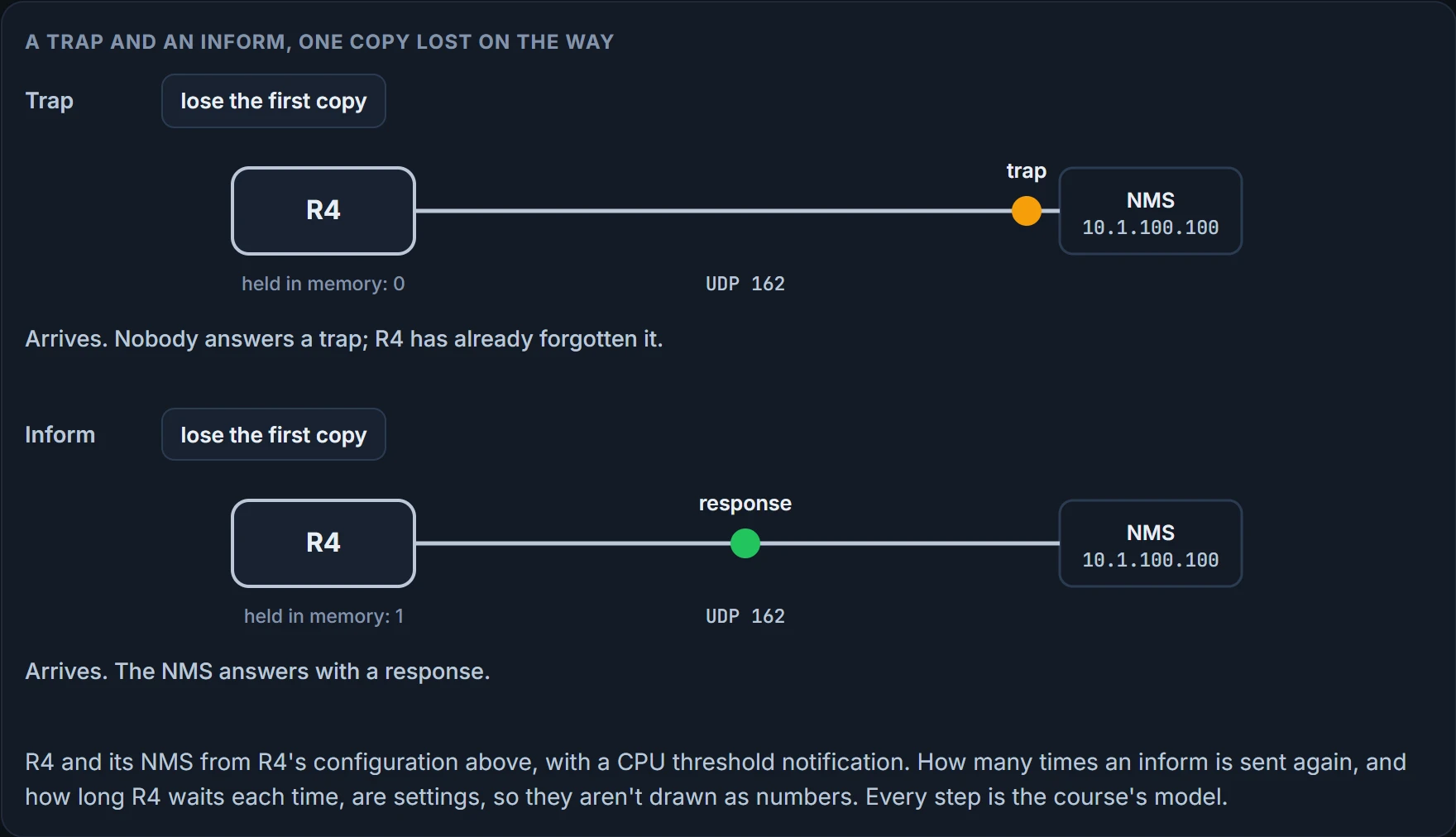
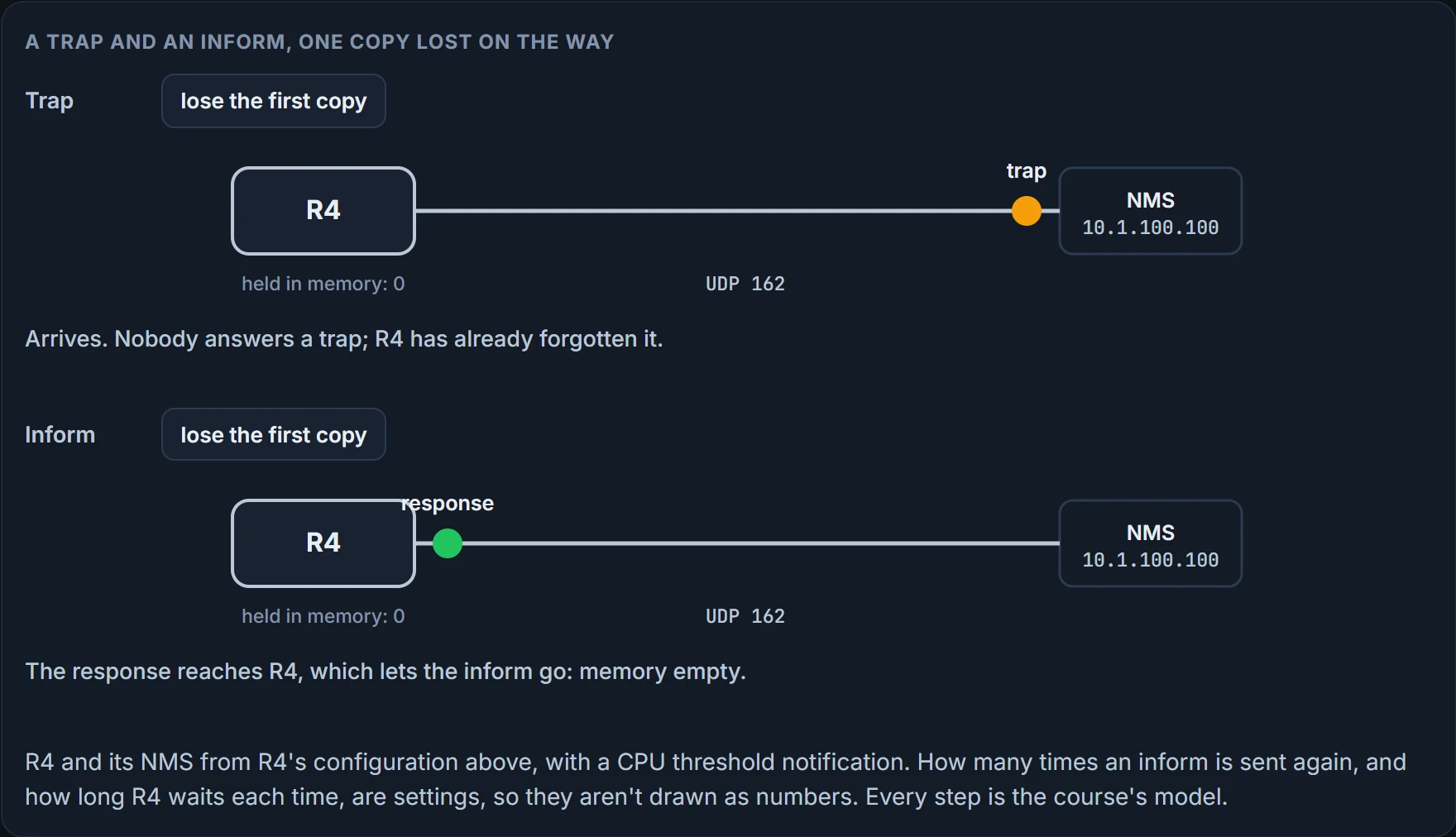
A trap is sent once and forgotten: the receiver doesn't acknowledge it, so the sender can't know it arrived. An inform is acknowledged with a response; until that comes, the router holds it in memory, and it may send it again. So informs are more likely to arrive, and they cost more, in the router's memory and on the wire. If a manager missed one trap during a link flap, nobody resent it.
Two defaults bite here. Leave version off the host line and it's version 1, and version 1 can't send informs. And for SNMPv3 hosts, traps, not informs, are what you get unless you say otherwise.
show snmp host shows the agent's half of all this. This one is from the SNMPv3 router you'll meet next, so it reads ahead a little:
SW2# show snmp host
Notification host: 10.1.100.100    udp-port: 162     type: trap
user: NMSERVER     security model: v3 priv
Host 10.1.100.100, UDP port 162, the type trap, the user NMSERVER and the security model v3 priv. The first line is the four v2c checks' answers in other words; the second line is the next section's.
We haven't confirmed on a router the version 1 default, or how long and how often an inform is retried.
SNMPv3: users inside groups, groups with views
SNMPv3 is a large improvement in security, with better authentication and encryption. It also has more parts, and they have to fit together.
You create users, with their authentication and encryption settings, and nest them into groups; a group defines which servers may read or write the objects in the agent's MIB. If the users, views and groups aren't nested properly, SNMPv3 won't work as expected. Here's R2, an SNMPv3 router:
R2# show run | section snmp
snmp-server group NMSREADONLY v3 priv read MIBACCESS access 99
snmp-server view MIBACCESS sysUpTime included
snmp-server view MIBACCESS ifAdminStatus included
snmp-server view MIBACCESS ifOperStatus included
snmp-server user NMSERVER NMSREADONLY v3 auth sha MYPASSWORD priv aes 256 MYPASSWORD
snmp-server host 10.1.100.100 version 3 priv NMSERVER cpu
snmp ifmib ifindex persist
SW2# show ip access-lists
Standard IP access list 99
 10 permit 10.1.100.100
Read it in its own order. The group, NMSREADONLY, is SNMPv3 at priv, may read the view MIBACCESS, and is limited by access list 99. The view is three objects. The user NMSERVER sits in NMSREADONLY, with SHA and a password for authentication and AES-256 and a password for encryption. So NMSERVER gets read-only access to the objects in MIBACCESS, from the NMS at 10.1.100.100.
The three levels. SNMPv3 supports three security levels, and you'll see them written two ways:
| Short word | Full name | Authentication | The messages |
|---|---|---|---|
| noAuth | noAuthNoPriv | a username in plaintext | plaintext |
| auth | authNoPriv | hashing, which also checks integrity | still plaintext |
| priv | authPriv | hashing, as above | encrypted in transit |
noAuth authenticates with a plaintext username and passes every message in plaintext. auth uses hashing for authentication and integrity checking, and still passes every message in plaintext. priv uses hashing for both, and encryption algorithms to encrypt the messages in transit. On the CLI the keywords are noauth, auth and priv, and noauth is the noAuthNoPriv level. Asked which level gives you a hash such as SHA and encryption such as AES, the answer is authPriv.
The rule for levels: the level set for the group, for the users and for sending traps must match what's used on the server. In R2's configuration authPriv is used throughout, the priv keyword in the commands, so authentication and encryption are both in use. Hold on to that word "match". A later section tests it.
The algorithm and password pairs. When authenticating, the hashing algorithm must match, and so must the password, or authentication fails. When encrypting, the encryption algorithm and its password must match, or the NMS can't decrypt what it receives. On R2 that's SHA for the hash, AES-256 for encryption, and MYPASSWORD for the password. Two pairs, each with two halves: an algorithm and a secret.
The view. A view names the MIB objects the NMS may reach. Put the wrong objects in it and SNMPv3 won't give you the results you want. MIBACCESS holds sysUpTime, ifAdminStatus and ifOperStatus. A manager asking R2 for anything else is asking outside the view.
The list. If ACLs say which NMS may retrieve objects, they have to name the servers' addresses accurately; ACL 99 permits only 10.1.100.100. On R2 the list sits on the group, so it covers every user in it.
Notifications, v3. Verify that traps are enabled, the host address, the version and the security level, and that you said traps or informs, where the default is traps. If you don't want every trap, specify the right ones. And specify the right SNMPv3 username for authentication and encryption. R2's host line sends CPU-related SNMPv3 traps to 10.1.100.100, protected by the user NMSERVER. That's the show snmp host output from the last section: type trap, user NMSERVER, model v3 priv.
Reading the agent's half. Three show commands print what the configuration lines became.
R2# show snmp group
groupname: NMSREADONLY
security model:v3 priv
contextname: <no context specified>
storage-type: nonvolatile
readview : MIBACCESS
writeview: <no writeview specified>
notifyview: *tv.00000000.00000000.10000000.0
row status: active         access-list: 99
The group is NMSREADONLY, the model v3 priv, which is authPriv, the read view MIBACCESS, and only servers in access list 99 may read the view's objects. Two lines are worth a second look. No write view: this group can't set anything. And the notify view nobody configured, *tv. and a string of hex. snmp-server host generates a notify view for the user and adds it to the user's group, and the advice is to leave that to the software. The host line made it.
SW2# show snmp user
User name: NMSERVER
Engine ID: 800000090300001C57FEF601
storage-type: nonvolatile active
Authentication Protocol: SHA
Privacy Protocol: AES256
Group-name: NMSREADONLY
NMSERVER, SHA for authentication, AES-256 for privacy, which is encryption, in the group NMSREADONLY. There's also the Engine ID, 800000090300001C57FEF601. The section after next is about why that line matters.
SW2# show snmp view
...output omitted...
MIBACCESS sysUpTime - included nonvolatile active
MIBACCESS ifAdminStatus - included nonvolatile active
MIBACCESS ifOperStatus - included nonvolatile active
v1default iso - included permanent active
v1default internet - included permanent active
...output omitted...
MIBACCESS includes sysUpTime, ifAdminStatus and ifOperStatus; the other views are ones the router keeps for itself.
What none of the three proves: that the manager has the same user, level, algorithms and passwords. They print the agent's half of each pair. The other half is on the manager's screen, and the figure in the v2c section has R2 on its second tab.
We haven't confirmed on a router that a host line generates the notify view this way.
Continue the lesson
The whole lesson, with its drawings and its questions. 4 more sections after the ones above.