
Switch Port Security
A switch forwards frames from whatever is plugged in. Port security limits which MAC addresses may use a port and how many, by default one. Set the port statically to access or trunk, then switchport port-security; a violation is handled by one of three modes: protect discards quietly, restrict also logs, and shutdown, the default, err-disables the port.
By Arif, founder of Daveth · Updated
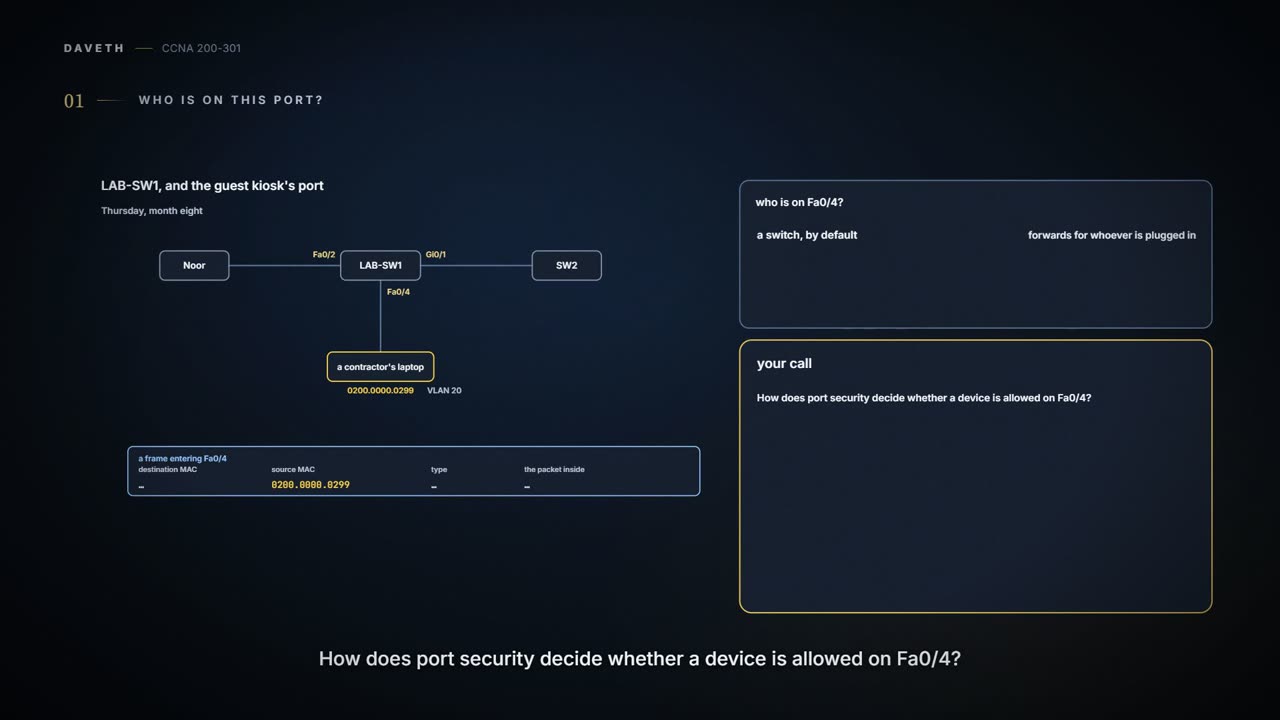
The full 12 min walkthrough is in Daveth Pro (Network). See what the plan opens
What this page answers
How do you configure port security?
switchport mode access or trunk, set statically, then switchport port-security, which enables it with every default. Optionally change the maximum, the violation mode, and the allowed or sticky MAC addresses. Read it in “Setting it up”
What are the port security violation modes?
All three discard the offending frames. Protect does nothing more; restrict also sends log and SNMP messages; shutdown, the default, also puts the interface in err-disabled state, discarding all traffic. Read it in “Three ways to say no”
Who is on this port?
Thursday, month eight. Lena's audit (08.1.1) found the office wiring closet left open. This morning showed that a port matters as much as a closet: a visiting contractor unplugged the guest kiosk from LAB-SW1 Fa0/4 and plugged in a laptop to get online. It worked at once. A switch learns and forwards frames from whatever turns up (02.5), and nothing on LAB-SW1 asks who is on a port. Noor, on Fa0/2, spotted it.
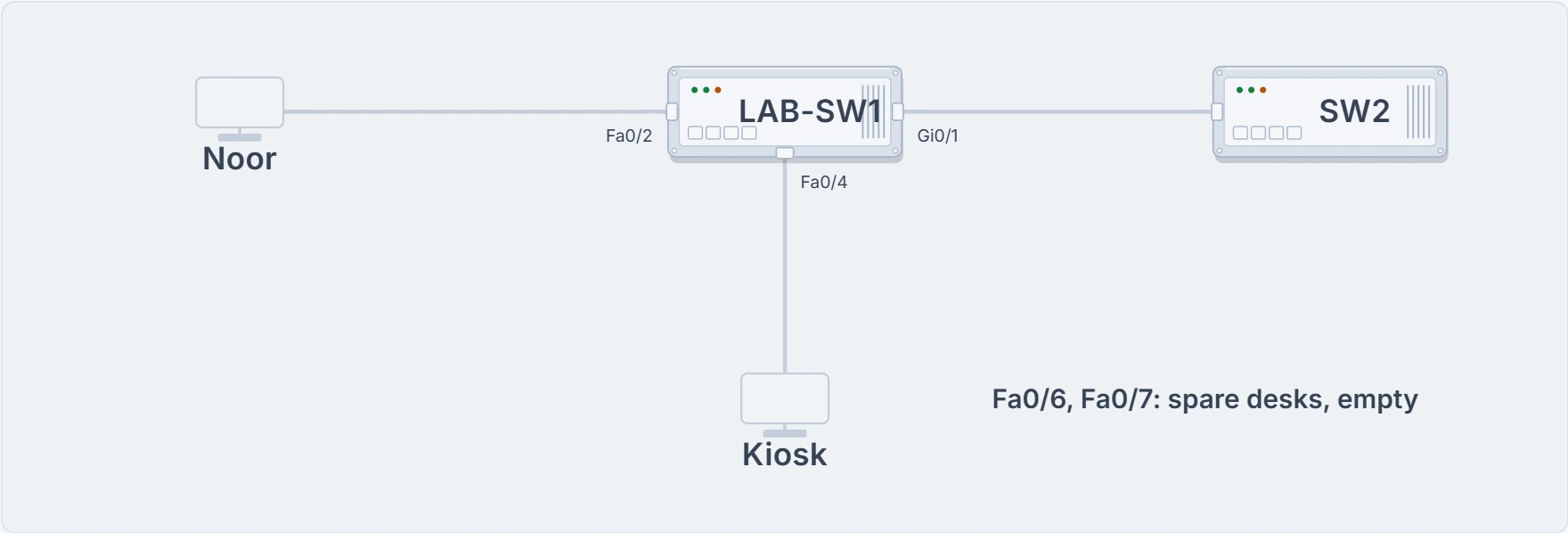
LAB-SW1 and its neighbours on this page: Noor on Fa0/2, the guest kiosk on Fa0/4 (VLAN 20), SW2 down the hallway on Gi0/1.
Port security restricts a switch port to the devices you expect, which cuts the risk of someone connecting a laptop to a port they shouldn't. It identifies devices by the source MAC address of the Ethernet frames they send. It doesn't care whether a frame came from a device plugged straight in or was forwarded by another switch: LAB-SW1 could check the source MACs of frames arriving from SW2 on Gi0/1 in just the same way, though a port facing another switch sees the MACs of every device behind it, so it needs a bigger maximum, sized to what's behind it.
The rules are set per port. Each port has a maximum number of different source MAC addresses, 1 unless you change it. The switch examines every frame that enters the port and keeps a list and a count of the source MACs it has seen. A frame with a new MAC that would push the count past the maximum is a violation. The switch discards the offending frames, then does whatever else the violation mode says; the default goes much further, and stops all traffic on the port.
Which MACs are allowed? Three ways, and they mix. With a maximum of three, you could configure all three MACs; configure none and let the port learn the first three it sees; or configure one and let it learn two. Finding every device's MAC is a chore, so there's a middle way, sticky learning: the port learns the MACs itself and adds each one to the running-config, as if you had typed it.
You can think of it as a reception desk with a badge list: Fa0/4 has one chair and one badge on the list, and a second badge trips the rule. (Where it stops: a receptionist can look at a face; the switch reads only the source MAC address in each frame.)
Setting it up
Six steps, and only the first two are required:
- Step 1: switchport mode access or switchport mode trunk. Port security works on access and trunk ports, but the port must be set statically; a port left to decide on trunking for itself can't use it.
- Step 2: switchport port-security, which enables it with every default.
- Step 3 (optional): switchport port-security maximum number, to change the default maximum of 1.
- Step 4 (optional): switchport port-security violation {protect | restrict | shutdown}, to change the default action, shutdown.
- Step 5 (optional): switchport port-security mac-address mac-address, once for each MAC you want to configure.
- Step 6 (optional): switchport port-security mac-address sticky, to sticky-learn MACs.
Maya did Fa0/4 that afternoon, over SSH (02.7). The port was already in VLAN 20 (03.1.2). Maya set it to static access first, enabled port security, left the maximum at its default of 1, and turned on sticky learning. Then Noor plugged the kiosk back in, and its first frame became a line of config.
LAB-SW1# configure terminal
Enter configuration commands, one per line. End with CNTL/Z.
LAB-SW1(config)# interface FastEthernet0/4
LAB-SW1(config-if)# switchport mode access
LAB-SW1(config-if)# switchport port-security
LAB-SW1(config-if)# switchport port-security mac-address sticky
LAB-SW1(config-if)# end
LAB-SW1# show running-config interface fa0/4
Building configuration...
interface FastEthernet0/4
 switchport access vlan 20
 switchport mode access
 switchport port-security
 switchport port-security mac-address sticky
 switchport port-security mac-address sticky 0200.0000.0240
end
LAB-SW1# copy running-config startup-config
Destination filename [startup-config]?
Building configuration...
[OK]
LAB-SW1#
Port security doesn't save sticky addresses for you. The sticky line lives in the running-config only, so a reload would lose it, and Fa0/4 would be back to learning: with a maximum of 1, whichever device sent the first frame would be the one allowed. LAB-SW1 has been caught this way before: in week one, a power cut undid a rename nobody had saved (02.6, 02.7). Hence copy running-config startup-config.
What this proves: Fa0/4 has port security with the kiosk's MAC, 0200.0000.0240, stuck in the config, and the config is saved. What it doesn't: that anything else will be refused. Nothing has tried yet.
Had Maya configured the kiosk's MAC instead (step 5), the result would be the same: with a maximum of 1, a frame from any other source MAC means one MAC too many, and the default action disables the port. Sticky just saved looking the MAC up.
LAB-SW1# show mac address-table secure interface fa0/4
          Mac Address Table
-------------------------------------------

Vlan    Mac Address       Type        Ports
----    -----------       --------    -----
  20    0200.0000.0240    STATIC      Fa0/4
Total Mac Addresses for this criterion: 1
LAB-SW1# show mac address-table dynamic interface fa0/4
          Mac Address Table
-------------------------------------------

Vlan    Mac Address       Type        Ports
----    -----------       --------    -----
LAB-SW1#
Once a port uses port security, the switch no longer lists its MACs as dynamic, even when it learned them: it treats them as static entries. show mac address-table dynamic lists nothing for Fa0/4. show mac address-table secure lists the MACs on ports that use port security, and show mac address-table static lists those plus any other static entries.
Two kinds of port need more thought. A port with an IP phone needs a maximum of at least two, one for the phone and one for the PC behind it: if Maya ever secures Sam's Fa0/5 (03.1.5), a maximum of 1 would count the laptop as one too many. And on an EtherChannel, the configuration goes on the port-channel interface, not on the physical ports in it.
Three ways to say no
What counts as a violation depends on the port. With a maximum of two, it's the moment configured plus learned MACs would pass two. With every allowed MAC configured, it's any frame from a MAC that isn't on the list. All three violation modes discard the offending frame; they differ in what else they do.
| switchport port-security violation … | protect | restrict | shutdown |
|---|---|---|---|
| Discards the offending traffic | yes | yes | yes |
| Sends log and SNMP messages | no | yes | yes |
| Puts the interface in err-disabled state, discarding all traffic | no | no | yes |
Protect says no quietly. Restrict says no and writes it down. Shutdown says no and closes the whole desk.
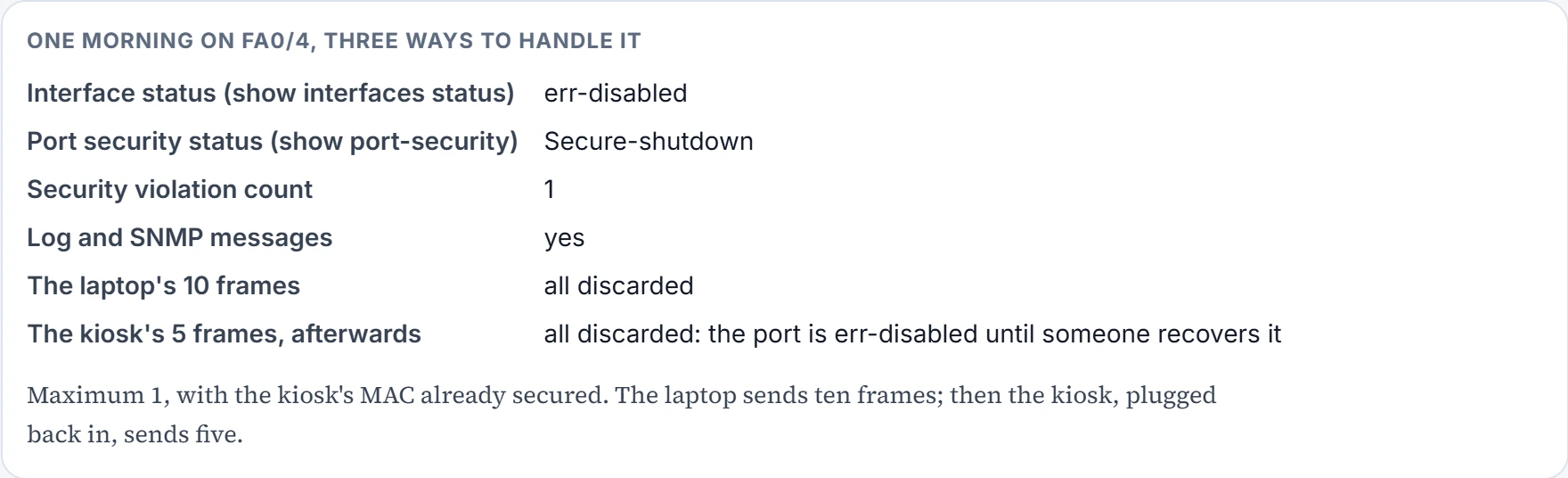
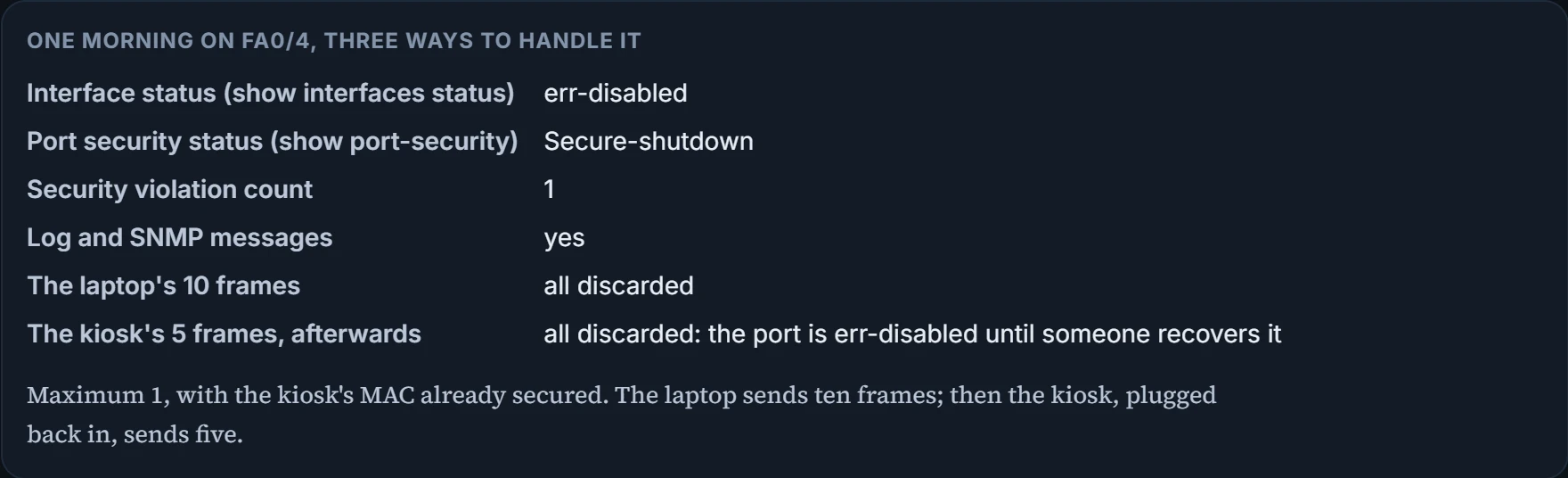
Fa0/4 kept the default, shutdown. On Friday morning the contractor tried again: ten frames from the laptop, 0200.0000.0299, and then, once someone noticed, Noor plugged the kiosk back in and it sent five.
Continue the lesson
The whole lesson, with its drawings and its questions. 3 more sections after the ones above.