
Securing Network Devices and Password Policies
A router's configuration can reveal its passwords. service password-encryption marks old-style passwords type 7, which tools easily reverse, so it only slows the curious. enable secret stores a hash instead, which the router can check without keeping the password; with both enable secret and enable password configured, only the secret works.
By Arif, founder of Daveth · Updated
The full 15 min walkthrough is in Daveth Pro (Network). See what the plan opens
What this page answers
Are type 7 passwords secure?
No. service password-encryption encrypts old-style passwords and marks them type 7, but tools that turn a type 7 value back into the password are easy to find, so it slows down the curious, not a knowledgeable attacker. Read it in “Clear text, and nearly clear”
What is the difference between enable secret and enable password?
enable password stores clear text or reversible type 7; enable secret stores a hash. With both configured, only the enable secret opens enable mode and the enable password is ignored. Read it in “Two ways into enable mode”
Why does enable secret store a hash?
A hash, MD5 by default, is easy to compute one way and very hard to reverse. The router stores the hash of the secret, hashes whatever is typed at the prompt, and compares, so it never keeps the password itself. Read it in “A secret nobody can read back”
Clear text, and nearly clear
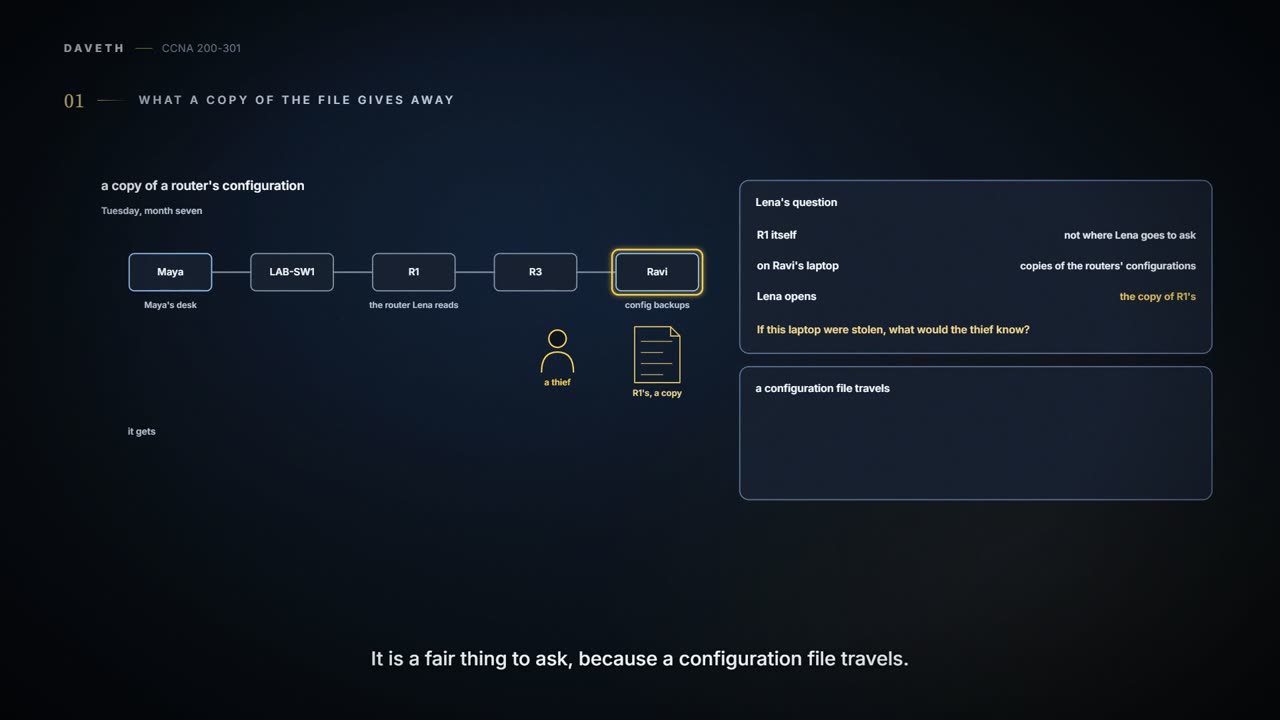
Tuesday, month seven. Lena's next question is about R1, and they don't log in to R1 to ask it. They open the copy of R1's configuration that Ravi keeps on a laptop, the kind of backup R1 was once restored from (05.2.6). "If this laptop were stolen, what would the thief know?"


R1 at the office, reached from Maya's desk through LAB-SW1 (by Telnet, until the fix), or at its console; the copy of its configuration sits on Ravi's laptop at head office.
R1# show running-config | include password|secret|username
service password-encryption
enable secret 5 <an MD5 hash, not shown>
enable password 7 <a type 7 value, not shown>
username maya password 7 <a type 7 value, not shown>
 password 7 <a type 7 value, not shown>
 password 7 <a type 7 value, not shown>
R1# show running-config | section line vty
line vty 0 4
 password 7 <a type 7 value, not shown>
 login
 transport input telnet ssh
R1#
show running-config | include password|secret|username keeps only the lines containing any of those words (the match is case-sensitive), so it drops the line headers: the first indented password belongs to line con 0, the second to the vty lines, as show running-config | section line vty, which prints just that part of the configuration, confirms. What this proves: how R1 stores each password. What it doesn't: what the passwords are, or who knows them; this page never shows a password, a hash or an encoded value, and neither should a report.
The oldest kind of password command stores the password as clear text: the password command on the console and vty lines, username … password, and enable password. Clear text turns up wherever the file does: on a printout, in a backup copy on a server or a laptop, or on an engineer's screen. An early attempt at a fix was the service password-encryption global command: it encrypts exactly those passwords, and marks each one with a 7. Clear text is type 0; some commands show the 0 and some don't.
Type 7 is weak. Tools that turn a type 7 value back into the password are easy to find, so it slows down the curious, not a knowledgeable attacker. And turning it off undoes nothing at once: after no service password-encryption, each password stays type 7 until someone changes it, and only then is it stored as clear text again. If you've ever hidden a spare key under a plant pot, that's type 7: out of casual sight, and the first place anyone who knows will look. (Where it stops: a thief still has to visit the house. A type 7 password can be read by anyone holding a copy of the file, anywhere, at any time.)
Three words keep this straight. Encoding only changes how a value is written, and anyone can undo it; encryption can be undone with the right key, and type 7 is encryption in name but so easily undone that it is barely more than encoding; a hash can't be turned back into the password directly, only checked against, though a weak hash can be cracked by guessing and hashing until something matches. That last idea is behind everything else on this page.
Two ways into enable mode
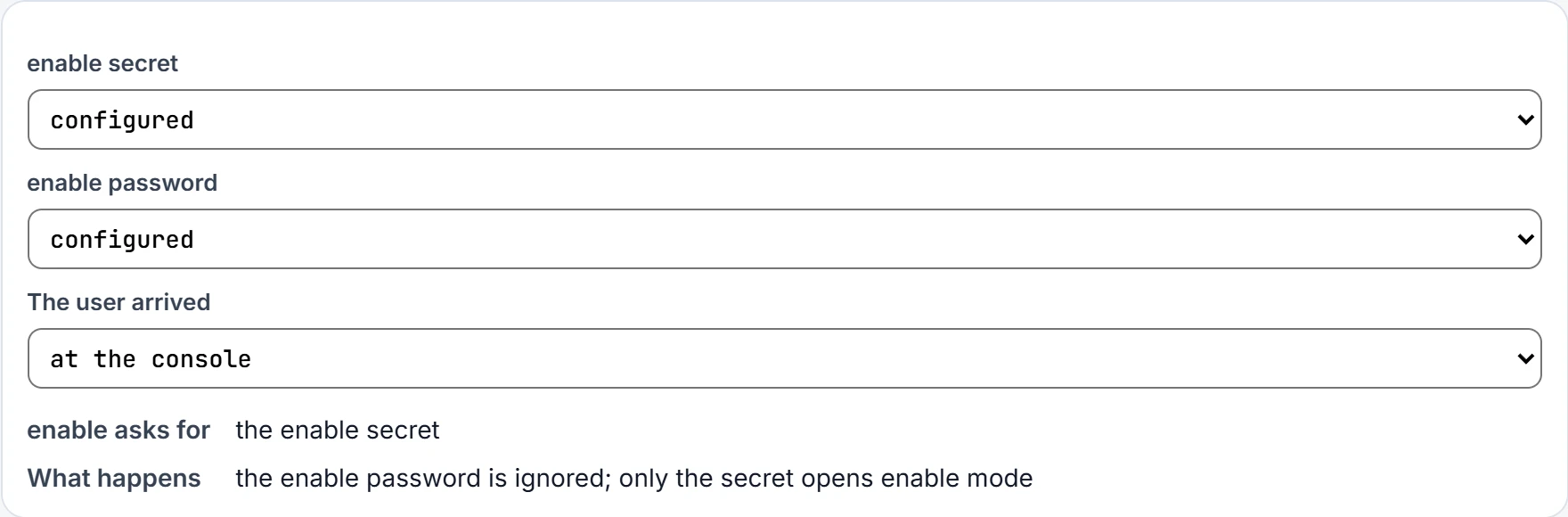
In the earliest days, enable password set the password for reaching enable mode, stored as clear text or as easily reversed type 7. A new command, enable secret, replaced it, but the old command was never removed, so a router can have one, the other, both or neither. R1 has both.
The rules: with both configured, only the enable secret opens enable mode, and the enable password is ignored. With only one, that one works. With neither, which is the default, a console user goes straight into enable mode with no prompt, and a Telnet or SSH user is refused, with no password they could type (02.6). For about twenty years the advice has been simple: use enable secret, and ignore enable password.
A secret nobody can read back
enable secret never stores the password at all. It stores a hash: the result of running the password through a formula, MD5 by default, that is easy to compute one way and computationally difficult to reverse. "Computationally difficult" is a polite way of saying the designers hope nobody will spend the time.
Each input gives its own result, so the router can check without knowing: it hashes the secret once and stores the hash (step 1); when someone types enable and a password, it hashes what they typed (step 2); if the two hashes match, the password was right (step 3). In the configuration, the stored hash appears with a 5 in front, for MD5. From enable mode you can remove the secret with no enable secret, without typing it, or replace it by entering enable secret again, but nobody can view the original.
MD5 is over thirty years old. Computers are faster and researchers have found ways to attack it, so someone holding a type 5 hash has an easier time than they would have once. In the 2010s, newer router and switch software added two hashes that use SHA-256: type 8 (PBKDF2) and type 9 (scrypt), chosen with algorithm-type. (An earlier PBKDF2 type, 4, came and went.) Use the strongest type the device supports. There is only ever one enable secret: configuring it again, with any algorithm, replaces the old one.
| Type | What is stored | Can it be turned back into the password? | Comes from |
|---|---|---|---|
| 0 | clear text | yes | password, username password, enable password |
| 7 | encrypted by service password-encryption, easily decrypted | yes | the same three, once the service is on |
| 5 | MD5 hash (older, easier to crack) | not directly: it is checked against, though weak hashes can be cracked by guessing | enable secret, username secret (the default) |
| 8 | PBKDF2, using SHA-256 | not directly: it is checked against, though weak hashes can be cracked by guessing | algorithm-type sha256 |
| 9 | scrypt, using SHA-256 | not directly: it is checked against, though weak hashes can be cracked by guessing | algorithm-type scrypt |
| Command | Type | Algorithm |
|---|---|---|
| enable [algorithm-type md5] secret … | 5 | MD5 (the default) |
| enable algorithm-type sha256 secret … | 8 | SHA-256 |
| enable algorithm-type scrypt secret … | 9 | SHA-256 |
| username name [algorithm-type md5] secret … | 5 | MD5 (the default) |
| username name algorithm-type sha256 secret … | 8 | SHA-256 |
| username name algorithm-type scrypt secret … | 9 | SHA-256 |
Continue the lesson
The whole lesson, with its drawings and its questions. 3 more sections after the ones above.