
Standard IPv4 ACLs
A standard ACL matches only the source address, so planning its location and direction comes first. Each line is access-list number permit or deny, a source and an optional wildcard, with numbers 1 to 99 or 1300 to 1999, and the list is then enabled on an interface in one direction. Its implicit deny can block traffic nobody meant to touch.
By Arif, founder of Daveth · Updated
The full 12 min walkthrough is in Daveth Pro (Network). See what the plan opens
What this page answers
How do you configure a standard access list?
Type access-list number permit or deny, the source, and an optional wildcard, with a number from 1 to 99 or 1300 to 1999; without a wildcard a line matches one address. Then enable it on an interface in one direction. Read it in “Typing it in”
Plan first
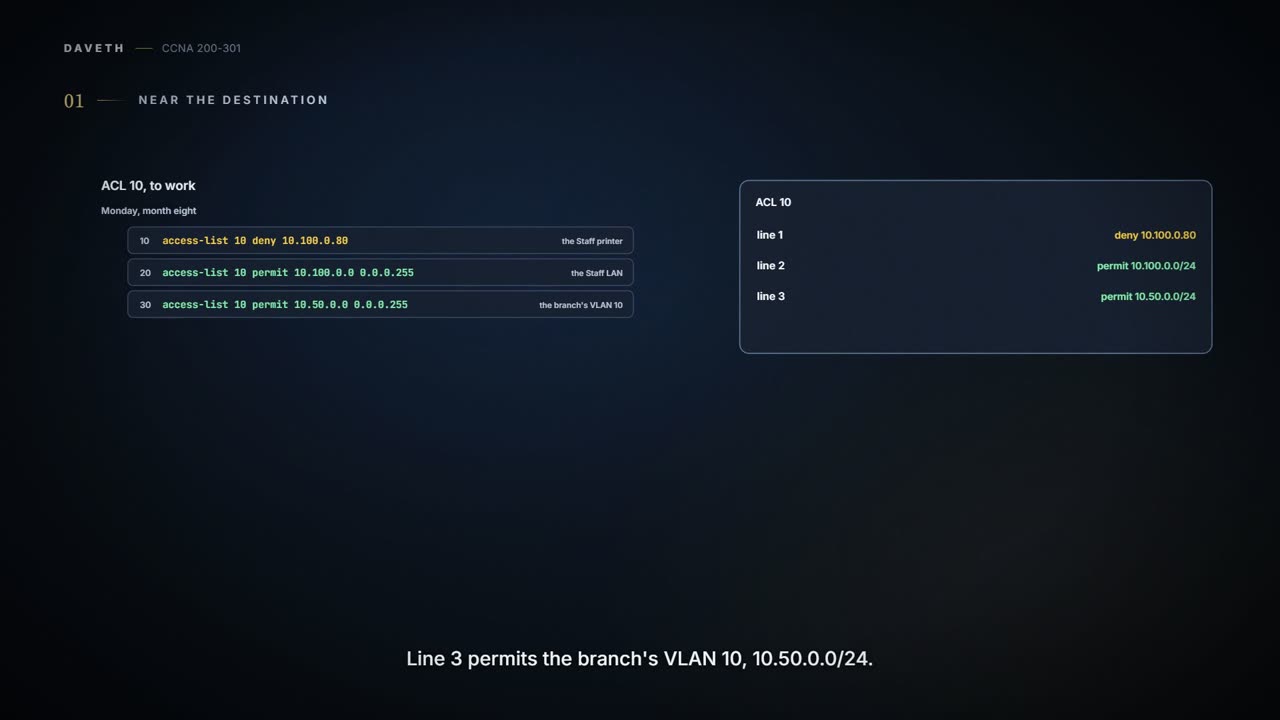
Monday, month eight. Ravi puts ACL 10 to work, as 08.2.1 left it: line 1 denies the Staff printer, 10.100.0.80; line 2 permits the Staff LAN, 10.100.0.0/24; line 3 permits the branch's VLAN 10, 10.50.0.0/24. (The router numbers them 10, 20 and 30, as the output below shows.) The job has three steps: plan the location and direction, configure the access-list lines, then enable the ACL on the interface.
Planning comes first because a standard ACL can only match a packet's source. Placed near the source, it would stop that source reaching everything, not just the server you meant to protect. So standard ACLs should be placed near the destination. PAY1 sits on VLAN 98, and R3 is VLAN 98's gateway, 10.98.0.1, on a subinterface of its trunk to HQD: Gi0/0/3.98 (a new port in this story).
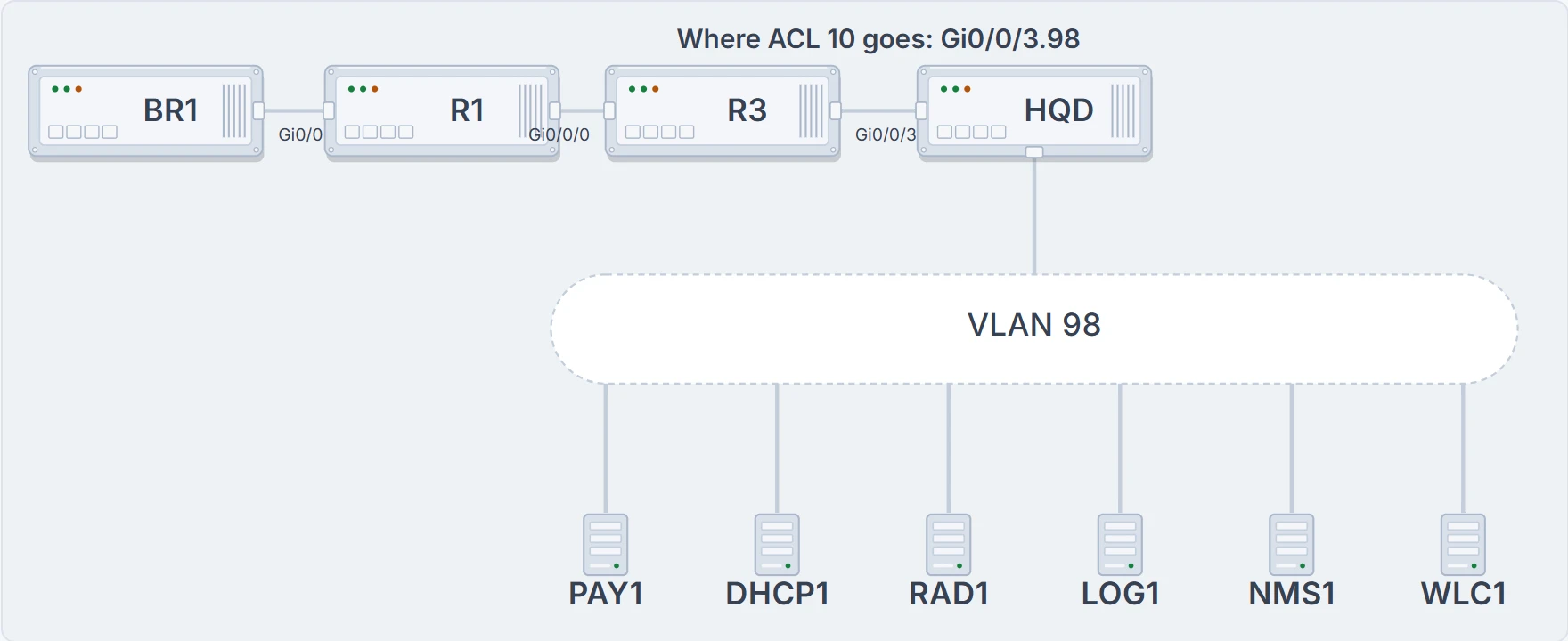
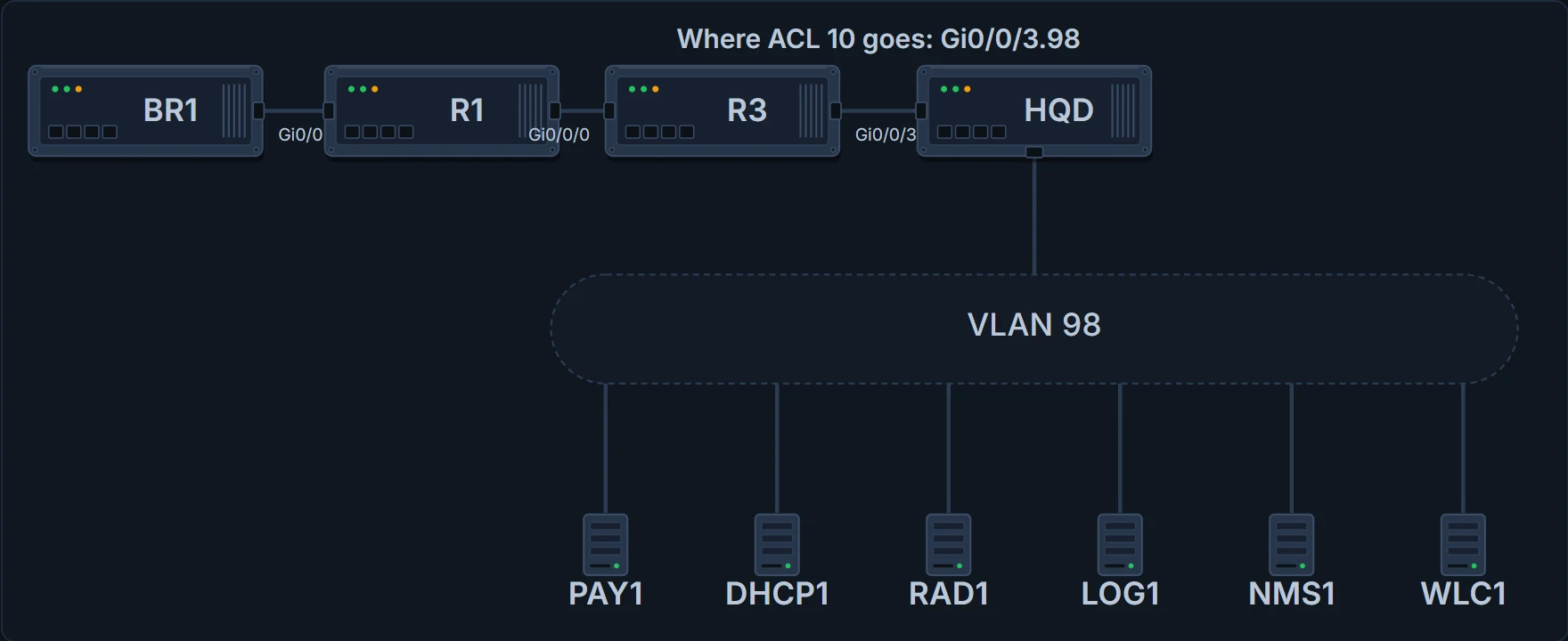
BR1, R1 and R3; R3's trunk Gi0/0/3 to HQD; VLAN 98 below, with PAY1, DHCP1, RAD1, LOG1, NMS1 and WLC1. ACL 10 goes on Gi0/0/3.98. Not drawn: DHCP2, the DNS server and BK1, also on VLAN 98.
Outbound, then: after the routing decision, as packets leave R3 toward VLAN 98. Ravi also notes which sources the ACL will see going that way: the Staff LAN, the branch, and anything else R3 routes toward VLAN 98.
Typing it in
The command is access-list number {permit | deny} source [wildcard] [log], with a number from 1 to 99 or 1300 to 1999. The wildcard is optional: without one, the line matches a single address, as line 1 does (the older form, deny host 10.100.0.80, means the same). Ravi enables it at seven, before anyone is in:
R3# configure terminal
Enter configuration commands, one per line. End with CNTL/Z.
R3(config)# access-list 10 remark PAY1: no printer; Staff LAN and branch staff only
R3(config)# access-list 10 deny 10.100.0.80
R3(config)# access-list 10 permit 10.100.0.0 0.0.0.255
R3(config)# access-list 10 permit 10.50.0.0 0.0.0.255
R3(config)# interface GigabitEthernet0/0/3.98
R3(config-subif)# ip access-group 10 out
R3(config-subif)# end
R3#
access-list is a global command, so the prompt stays at (config) for every line, and show running-config lists the lines just as they were typed. The remark line keeps a note with the ACL for whoever reads it next; it matches nothing. The line that switches it on comes last: ip access-group 10 out, typed under the interface, names the ACL and the direction. Until that line, ACL 10 was written but not applied, and filtered nothing.
What this proves: ACL 10 exists with three lines, and it is enabled outbound on Gi0/0/3.98. What it doesn't: that the lines match what Ravi meant, or that only PAY1's traffic leaves through that interface. ACL 10 ends without a permit any, so anything the three lines don't mention falls to the implicit deny.
One ACL, every server
The calls start at nine. Branch guests can't get addresses. Ravi and Jo can't log in to BR1: RAD1 is silent, so BR1 falls back to its local list, where only the sealed emergency account exists (08.1.3). NMS1 shows BR1 and R1 as not answering, though both are up, and BR1's syslog messages have stopped arriving on LOG1. Head office's access points have lost WLC1, so Staff and Guest Wi-Fi are down, and new names stop resolving. PAY1, meanwhile, is fine.
The pattern is in the ACL's position. Gi0/0/3.98 is the way to every server on VLAN 98, not just PAY1, and a standard ACL can't check the destination, so ACL 10 now decides who may reach DHCP1, RAD1, LOG1, NMS1, WLC1 and the DNS server too. Anything from a source it doesn't list falls to the implicit deny: BR1's relayed guest requests from 10.50.1.1; BR1's TACACS+ requests, SNMP replies and syslog, all from its fibre address, 10.255.255.6; R1's SNMP replies from 10.255.255.1; the access points on 10.99.0.0/24; head office guests asking the DNS server for names; and the answers internet name servers send back to the DNS server. R3's own syslog to LOG1 still arrives, because an outbound ACL doesn't filter packets the router creates itself, and NMS1's polls go out because they leave VLAN 98, arriving on Gi0/0/3.98 rather than going out of it. Check each one:
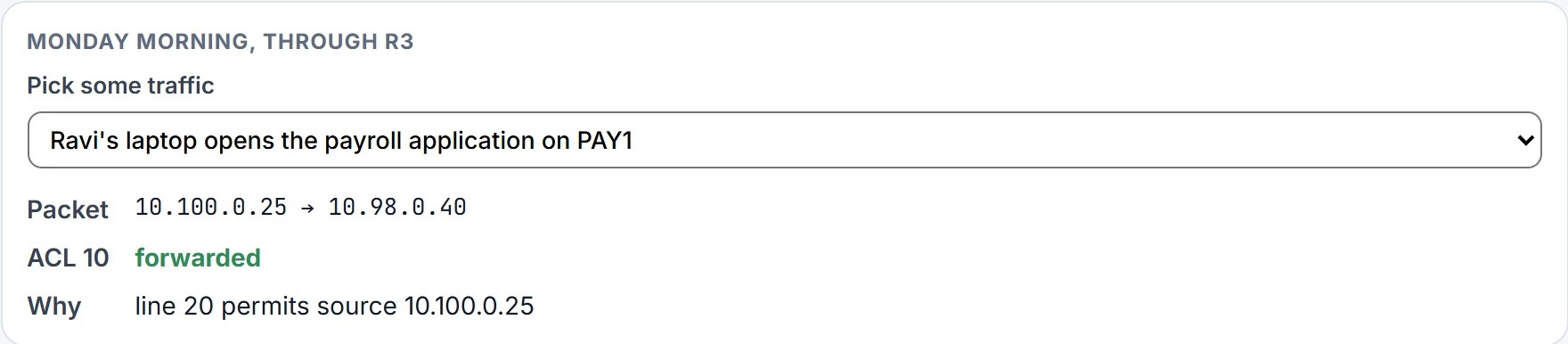
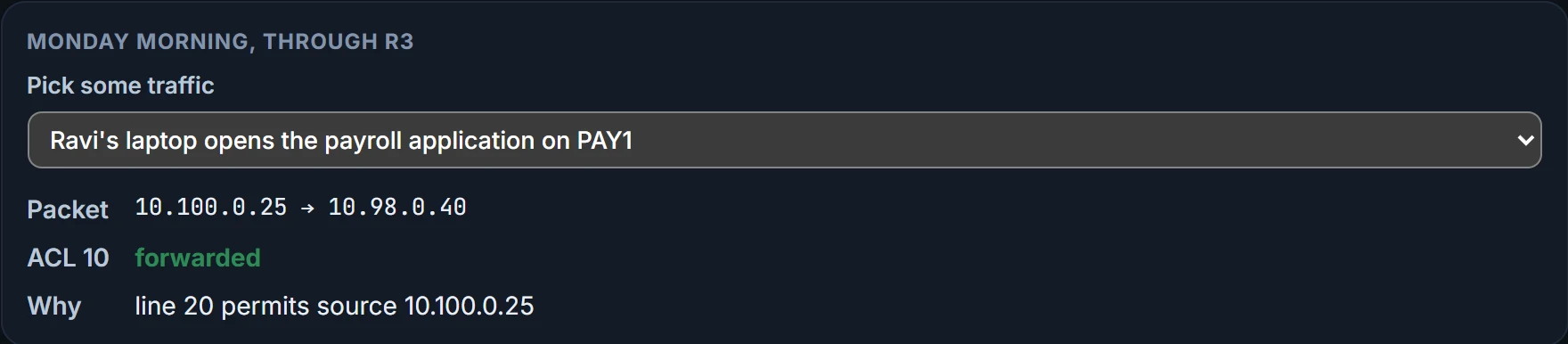
| Traffic | Source | ACL 10 on Gi0/0/3.98, out |
|---|---|---|
| Ravi's laptop opens the payroll application on PAY1 | 10.100.0.25 | forwarded (line 20) |
| The Staff printer tries PAY1 | 10.100.0.80 | discarded (line 10) |
| Jo's laptop opens PAY1 from the branch | 10.50.0.20 | forwarded (line 30) |
| BR1 relays a branch guest's DHCP request to DHCP1 | 10.50.1.1 | discarded (implicit deny) |
| BR1 checks a login with RAD1 (TACACS+) | 10.255.255.6 | discarded (implicit deny) |
| R3 sends its own syslog message to LOG1 | 10.98.0.1 | not checked (R3's own packet) |
| NMS1 polls BR1 (the request, leaving VLAN 98) | 10.98.0.70 | not checked (inbound, not outbound) |
| BR1 answers NMS1's poll | 10.255.255.6 | discarded (implicit deny) |
| BR1 relays a VLAN 10 laptop's DHCP request to DHCP1 | 10.50.0.1 | forwarded (line 30) |
| A head office access point talks to WLC1 | 10.99.0.21 | discarded (implicit deny) |
| BR1 sends a syslog message to LOG1 | 10.255.255.6 | discarded (implicit deny) |
| R1 answers NMS1's poll | 10.255.255.1 | discarded (implicit deny) |
| A head office guest asks the DNS server for a name | 10.200.0.115 | discarded (implicit deny) |
| An internet name server answers the DNS server | 192.0.2.53 | discarded (implicit deny) |
Ravi locked the payroll office and, by the same key, the post room, the lift and the canteen.
Continue the lesson
The whole lesson, with its drawings and its questions. 3 more sections after the ones above.