
Threats, Vulnerabilities, Exploits and Mitigation
Four words describe what can go wrong. A vulnerability is a weakness that could compromise security; an exploit is a tool that uses one; a threat is someone with an exploit who means to use it; a mitigation closes the weakness. Many attacks exploit the trust networks place in addresses, by spoofing them, and most start with reconnaissance.
By Arif, founder of Daveth · Updated
The full 22 min walkthrough is in Daveth Pro (Network). See what the plan opens
What this page answers
What is the difference between a threat, a vulnerability and an exploit?
A vulnerability is a weakness that could compromise security; an exploit is a tool that uses a particular vulnerability; a threat is the actual potential for harm, someone with an exploit who means to use it. A mitigation closes the weakness. Read it in “The auditor's first question”
What is a spoofing attack?
Faking an address or a reply that the network trusts: a packet's source IP address, a frame's source MAC, or a DHCP or DNS reply. A spoofed source address makes the target reply to that address instead of to the attacker. Read it in “Lying about addresses”
What is a reconnaissance attack?
Gathering details before an attack: public records such as domain registrations and DNS, then ping sweeps to find which addresses answer, then port scans to find which services each live host runs. Read it in “Looking, not touching”
The auditor's first question
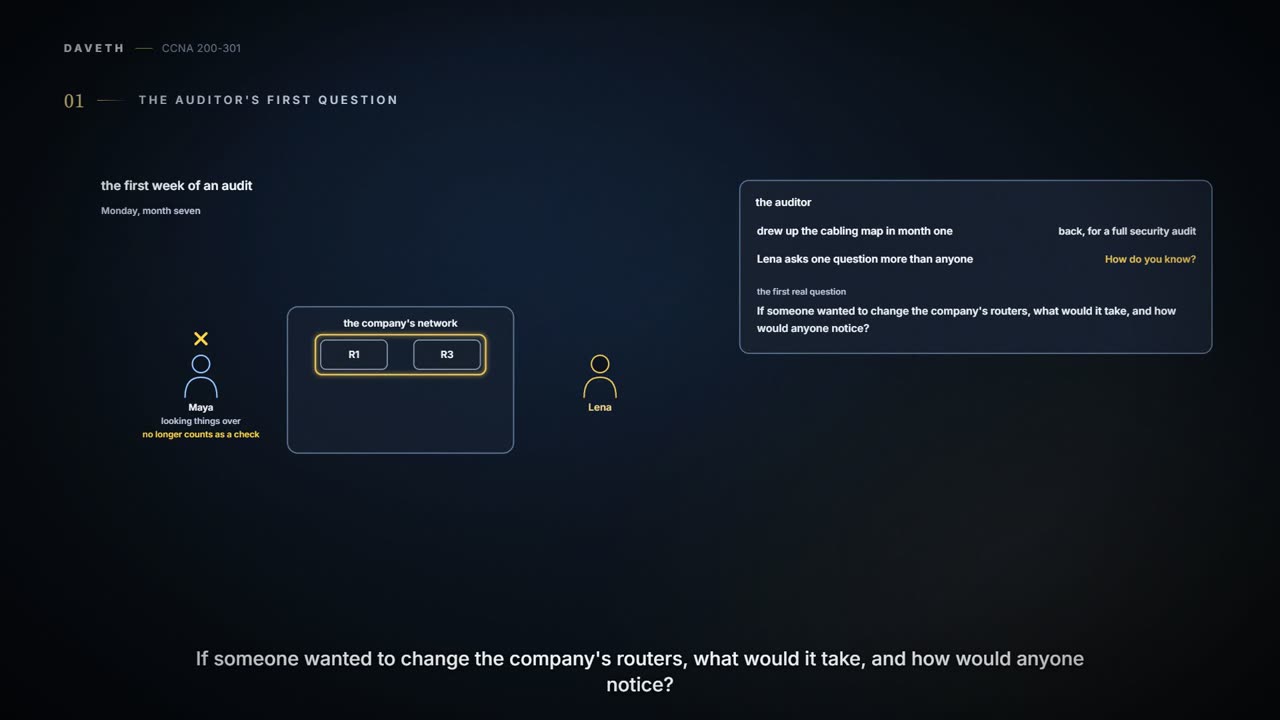
Monday, month seven. The auditor who drew up the cabling map back in month one (03.4.1) is back, this time for a full security audit, because the company has grown past the point where "Maya checks it" counts. Lena asks one question more than anyone else: "How do you know?" Their first real question is bigger: if someone wanted to change the company's routers, what would it take, and how would anyone notice?
A network that let only known, trusted users reach only what they should would still not be completely safe: a trusted user can misbehave too. And no company runs that closed box anyway. It connects to the internet, to partners and suppliers, to staff laptops and phones that come and go, to guests on the Wi-Fi, and Wi-Fi reaches anyone within range of its signal, invited or not. Every connection added for convenience makes the boundary harder to keep closed. Before choosing any defence, you find the vulnerabilities, weigh the exploits that exist, and work out where the threats could come from. Four words describe what can go wrong:
- a vulnerability is a weakness that could compromise security, such as the integrity of data or how a system performs;
- an exploit is a tool that uses a particular vulnerability; it isn't very effective against anything else, or by itself;
- a threat is the actual potential for harm: someone with an exploit who means to use it against the vulnerability;
- a mitigation technique is anything that counters it: a stronger lock, a sturdier frame, an alarm.
You can think of it as a warehouse. Solid walls all round would keep everything safe, and the owner out too, so a window goes in for convenience. The window is the vulnerability; a crowbar is an exploit; a burglar holding the crowbar is the threat; bars and an alarm are mitigations. (Where it stops: a warehouse has a handful of openings you can walk round and count. A network has thousands of possible weaknesses, many of them in software nobody has read.)
The key under the mat isn't the burglar; it just makes the burglar's day much shorter.
Lena's first four findings, in those terms:
| Finding | The vulnerability | An exploit | A mitigation |
|---|---|---|---|
| R1's vty lines still accept Telnet | logins cross the network in plain text | capturing a login on the path | SSH only, as on R3 (07.3.4) |
| The office wiring closet is left open | anyone can reach LAB-SW1's console | plugging a laptop into the console | a lock, with badge access |
| Two staff answered a phishing email | people trust an official-looking request | the fake "IT maintenance" email | awareness and training |
| Staff choose short, easy passwords | a password that is easy to guess | a dictionary or brute-force attack | a password policy, and a second factor |
Notice what the table doesn't say: that anyone has done any of it. A vulnerability and an exploit are only a threat once someone means to use them, and none of Lena's findings is evidence that anyone has. Notice too that each mitigation closes one weakness; none of them makes the company safe on its own. The harm, if it came, would take one of three shapes: things stop working (availability, as in a denial of service), things are changed without permission (integrity, as in a tampered configuration), or things are seen by the wrong people (confidentiality, as in a captured password).
Lying about addresses
Networks trust addresses. A packet's source IP address is expected to be the sender's own, and so is a frame's source MAC; a DHCP or DNS reply is expected to come from the real server. Spoofing attacks exploit that trust by faking the values. A packet with a spoofed source address makes the target reply to that address instead of to the attacker: to some other host if it exists; if not, the reply is dropped further on. In a plain spoofing attack, the attacker doesn't care where the replies go. Spoofed MAC addresses can put false entries in switches' MAC tables and hosts' ARP tables, and DHCP requests from spoofed MACs can use up every address a DHCP server has to lease.
A denial-of-service (DoS) attack uses up a resource so the real users can't have it. The classic is a SYN flood: spoofed TCP SYNs make a server hold half-open connections that never complete, until its connection table is full. Pings, UDP floods and TCP connections can all be used, wherever a system is vulnerable to that kind of traffic. In a distributed DoS (DDoS), the attacker first infects many computers with malware; each becomes a bot that seems to work normally, until a master control tells them all to attack one target at once.
A reflection attack points the replies somewhere on purpose. The attacker sends packets to a live host, the reflector, with the victim's address as the source, so the reflector's replies land on the victim; several reflectors send the victim several copies. On its own, that sends the victim roughly what the attacker sends. If the reflector's replies are much larger than the requests, it's an amplification attack: a small effort from the attacker becomes a flood at the victim, eating bandwidth all the way. Some mechanisms of DNS (01.8) and NTP (07.3.1) have been used for record-breaking amplification.
A man-in-the-middle attack is quieter: the attacker slips into the path between two hosts to eavesdrop, or to change what passes. One way uses ARP. A host broadcasts an ARP request for, say, its gateway; every host on the LAN hears it; the real gateway replies; and the attacker replies a moment later with its own MAC. Hosts keep the most recent reply, so the victim's ARP table is poisoned. The attacker heard the real reply too, so it knows where to pass the traffic on, and poisoning the gateway the same way brings the replies through it as well: it sits in the middle both ways, and nothing looks wrong. Head office's guest Wi-Fi is its own VLAN, 200, away from staff (03.5.2), but guests on it are still on one LAN with each other. Here are all four:
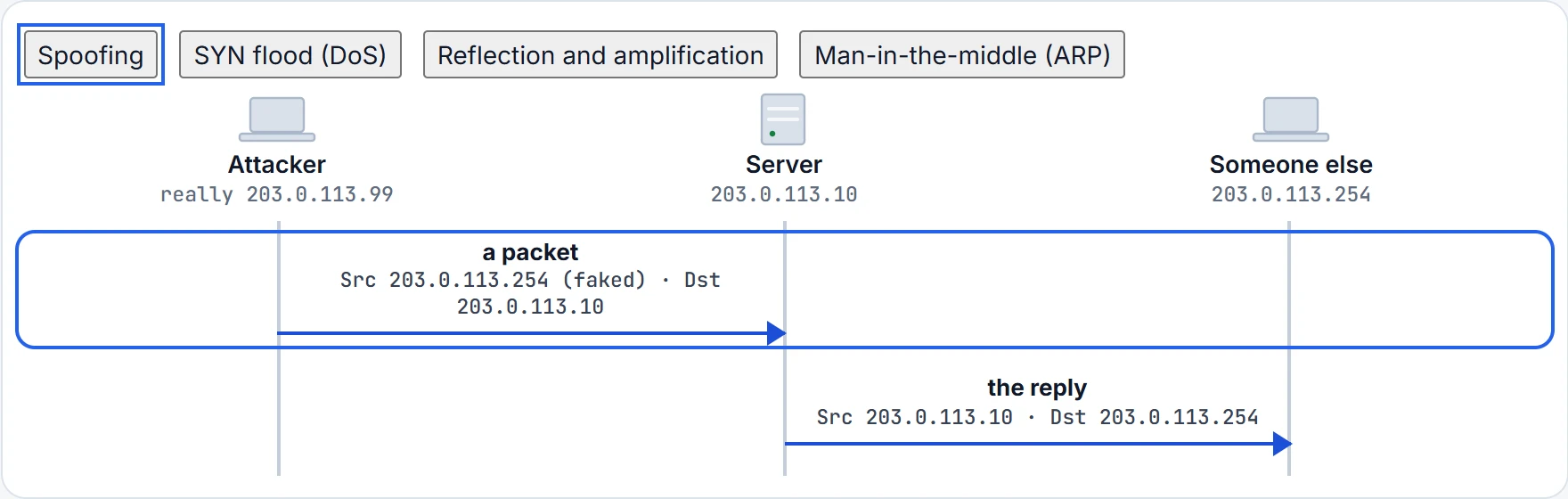
Step 1 of 2 The attacker writes someone else's address, 203.0.113.254, in the source field. The source field no longer shows where it really came from.
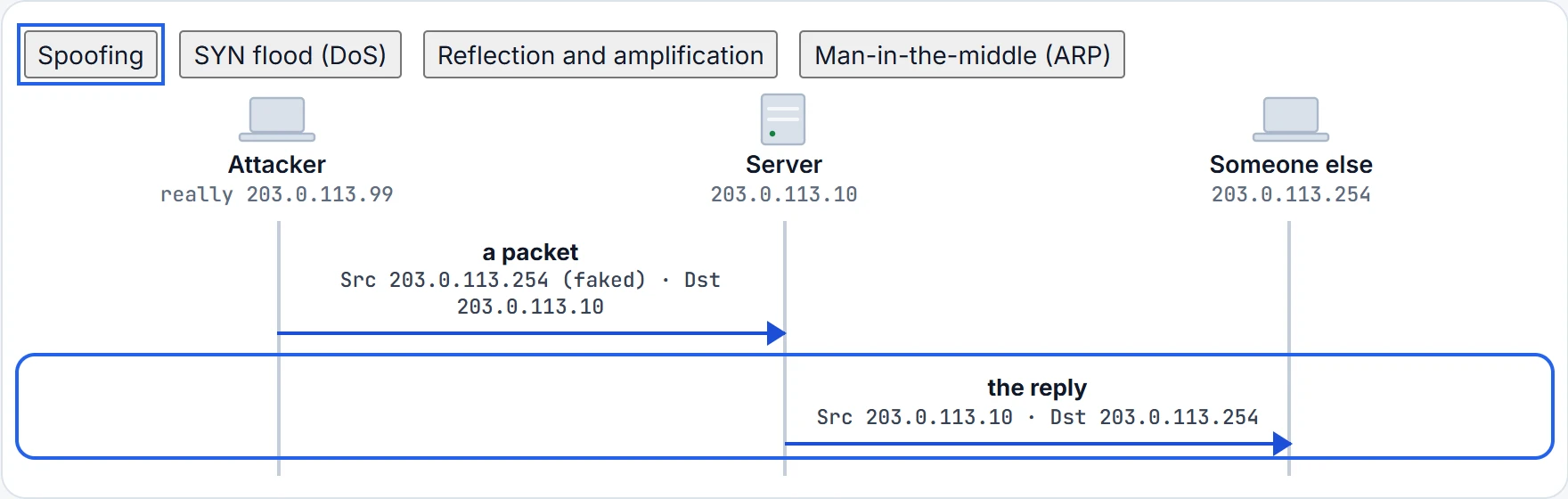
Step 2 of 2 The server replies to the source it was given. The reply goes to 203.0.113.254, not the attacker: if that host exists, it gets a packet it never asked for; if not, the reply is dropped further on.
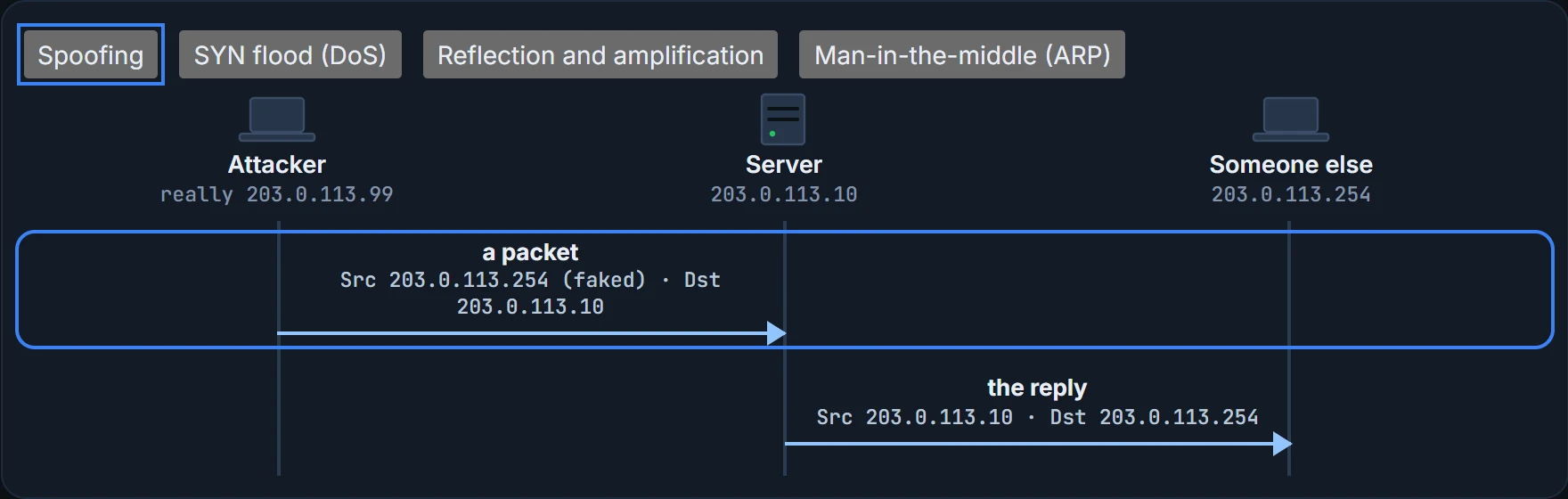
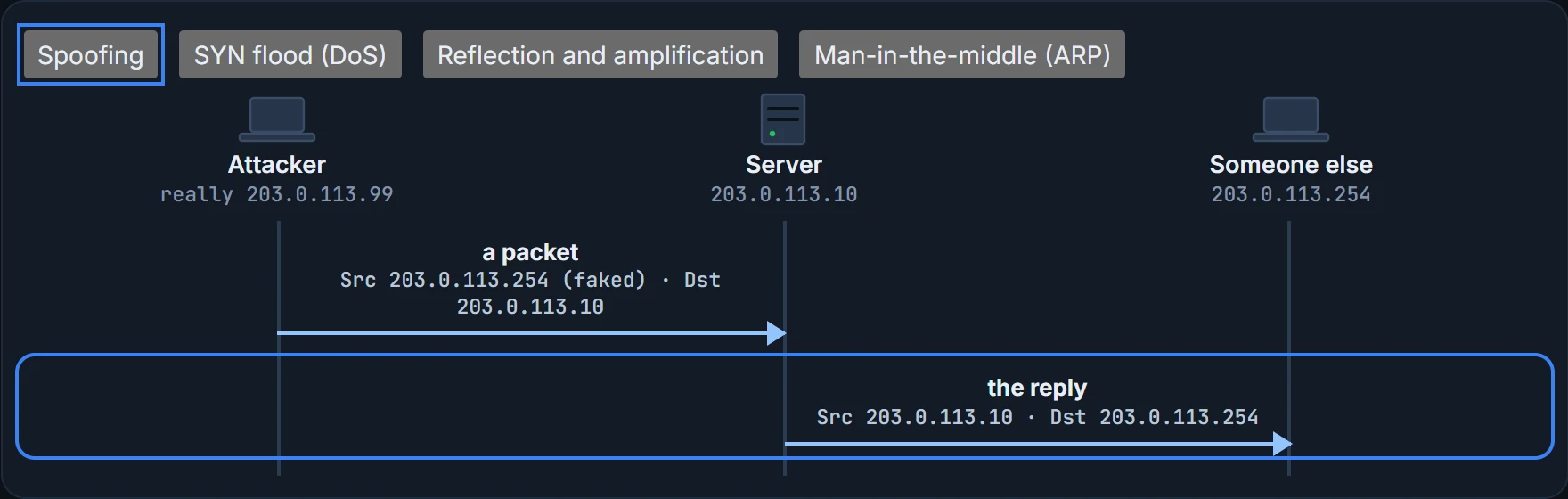
What the steps above prove: which address each packet carries, and so where each reply really goes. What it doesn't: how an attacker does any of it. That's deliberate; the defences are what matter here.
| Goal | DoS / DDoS | Reflection | Amplification | Man-in-the-middle |
|---|---|---|---|---|
| exhaust a service or resource; crash the target | yes | no | no | no |
| trick an unwitting host into sending traffic to the target | no | yes | yes | no |
| eavesdrop on traffic | no | no | no | yes |
| modify traffic passing through | no | no | no | yes |
Looking, not touching
Before an attack, an attacker may want to find vulnerabilities first. A reconnaissance attack gathers details: public records first, such as who owns a domain, its contacts, mail servers and name servers, and which addresses it uses (nslookup and dig ask DNS, and whois asks the domain registration records), then ping sweeps to find which addresses answer, then port scans to find which TCP and UDP ports answer on each live host, because an answering port means a service is running.
Reconnaissance isn't a true attack, because nothing is exploited: it collects information so that vulnerabilities can be found and used later. That's exactly what Lena means by "How do you know?": the ISP's report is evidence that someone looked at R3 on Sunday. It isn't evidence that anyone got in.
A buffer overflow attack targets software that doesn't keep data inside the memory it set aside for it. Sent more data than it expects, a vulnerable system can overflow the buffer into other memory, crashing a service or the whole system; worse, a carefully built message can carry code that the system then runs without realising. The defence is in the software: fixed versions remove known flaws, so keep them updated.
Malware is malicious software, and the three classic kinds differ in how they spread. A trojan horse hides inside software that looks legitimate; once installed, it runs attacks of its own, and it spreads only through people: opening attachments, downloading software, inserting USB drives. A virus injects itself into other applications, and spreads when people carry those applications to other systems. A worm spreads by itself, through other systems' vulnerabilities, again and again.
| Kind | Packaged inside other software | Injects itself into other software | Spreads on its own |
|---|---|---|---|
| Trojan horse | yes | no | no |
| Virus | no | yes | no |
| Worm | no | no | yes |
The defences are ordinary and work together: keep software updated, give users only the rights they need, run protection on the endpoints, keep backups, and watch for what gets through.
Continue the lesson
The whole lesson, with its drawings and its questions. 4 more sections after the ones above.