
Network Device Management Access
A router's command line is reached from the console, the Aux port or the vty lines used by Telnet and SSH. Telnet sends everything as plain text, the password included; SSH encrypts it. So the vty lines get login local and transport input ssh, and access-class with an ACL limits which source addresses can even reach the login prompt.
By Arif, founder of Daveth · Updated
The full 18 min walkthrough is in Daveth Pro (Network). See what the plan opens
What this page answers
How do you configure SSH-only access on a Cisco router?
On the vty lines, use login local for a username and password from the router's own list and transport input ssh to accept SSH and nothing else. access-class with an ACL then limits which addresses can connect. Read it in “SSH only, and only from here”
Why use SSH instead of Telnet?
Telnet sends everything as plain text, the password included, so anyone who captures the traffic can read it, silently. SSH encrypts all of it. Read it in “SSH only, and only from here”
Three ways in
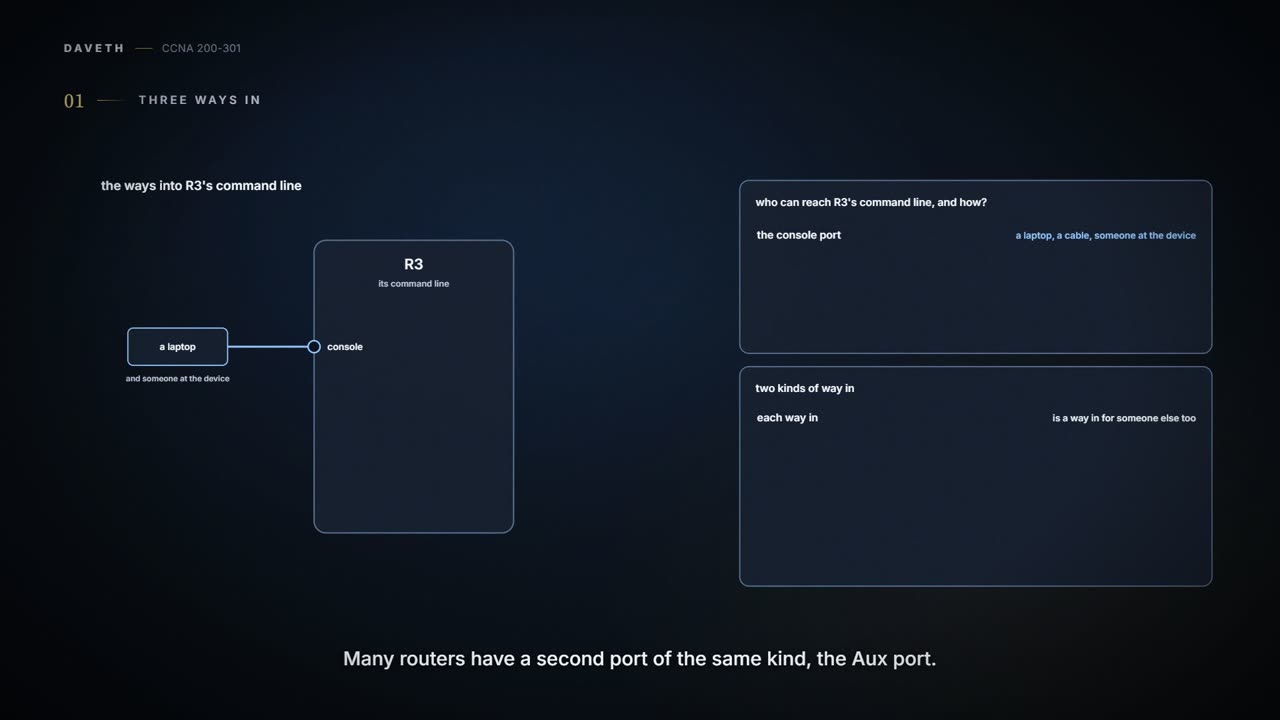
Wednesday, month six, week two. The upgrade is done, and Ravi turns to the other item on the list: who can reach R3's command line, and how. There are three ways in, and 02.6 met them all. The console port takes a cable from a laptop standing at the device. Many routers also have an Aux port, which works like the console but is meant for a modem and a phone line, so someone can dial in; R3's has nothing attached. And Telnet and SSH sessions arrive on the vty lines, the virtual lines a router or switch keeps for remote sessions (02.7): each Telnet or SSH user takes one.
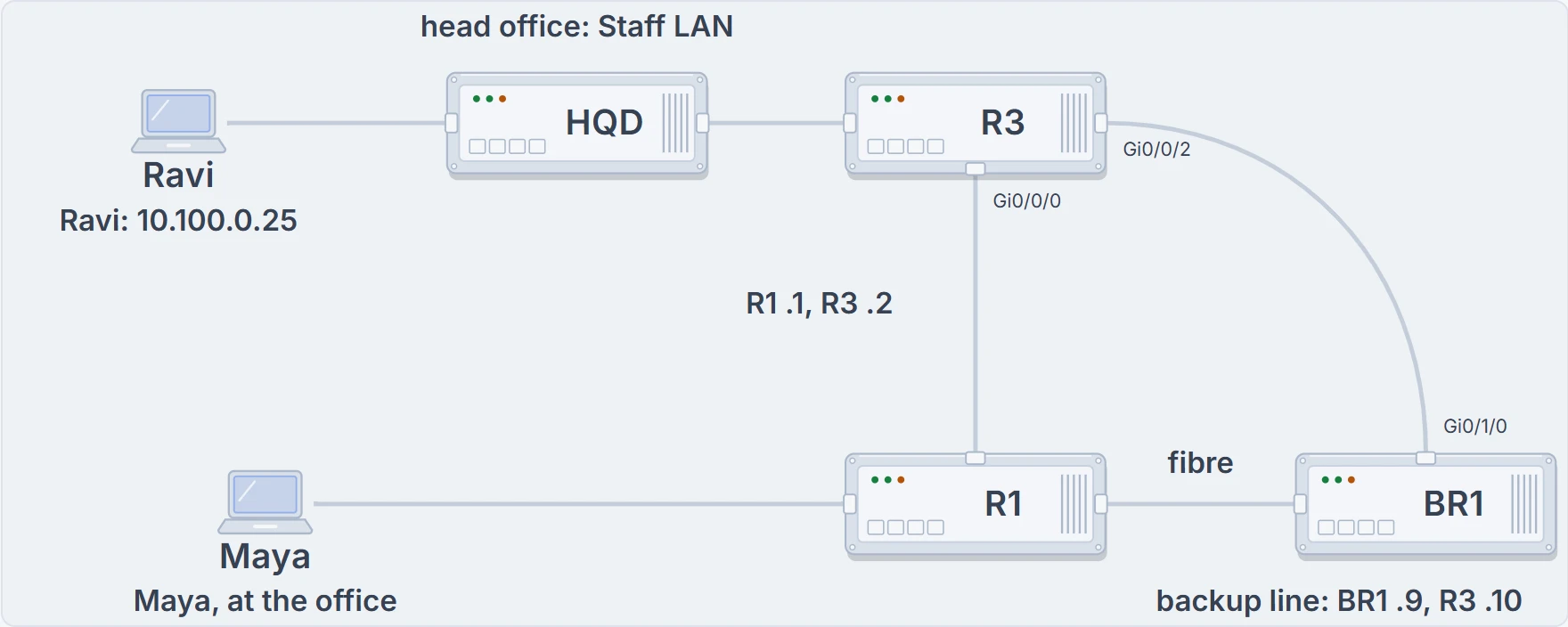
The paths into R3's vty lines: Ravi's laptop on the Staff LAN, through HQD, head office's distribution switch; R1, whose end of their link is 10.255.255.1; and BR1, on the fibre to R1 and on the backup line to R3, whose end of that line is 10.255.255.9.
Telnet and SSH travel over the IP network, so they need the device's IP settings working and a path to it, even from the device's own LAN; for a Layer 2 switch, that's its management address and ip default-gateway (02.7). The console needs only a cable and someone standing at the device, so it's the way in for first setup, and for recovery when the network, or the device's own configuration, is the problem. Here's what R3 has on its vty lines today:
R3# show running-config | section line vty
line vty 0 4
 login local
 transport input telnet ssh
R3#
show running-config | section line vty lists just the vty part of the configuration. Lines 0 to 4 ask for a username and password from R3's local list (login local), and transport input telnet ssh accepts both protocols. R3's configuration shows no other vty range; a switch's shows two, 0 4 and 5 15 (02.7), and a filter has to go on every range there is. What this proves: the lines would accept Telnet and SSH from any address, and ask for a username and password. What it doesn't: that SSH works (it also needs keys), or who has logged in; show ssh lists the SSH sessions.
SSH only, and only from here
Telnet sends everything as plain text, the password included, so anyone who can capture the traffic can read it; SSH encrypts all of it (02.7). If you've ever sent a postcard, you know everyone who handles it can read it: Telnet is that postcard, password and all. (Where it stops: a postcard passes through a few hands you could name. Telnet can be read silently by anyone on the path, and nobody can tell it happened: the man-in-the-middle attack 02.7 named.) So Telnet goes: transport input ssh accepts SSH and nothing else. The choices are ssh, telnet, both (all, or telnet ssh), and none.
Next, who may even ask. R3 can apply an ACL to its vty lines with access-class: access-class 5 in checks the source address of every Telnet or SSH connection coming in against ACL 5. ACL 5 is a one-line standard list, the kind 07.2.2 used for NAT (ACL 1 is NAT's, so this one takes a new number): access-list 5 permit 10.100.0.25 0.0.0.0, where the wildcard 0.0.0.0 means that one address exactly. access-class takes a list's name just as well as its number.
A filtered connection never reaches a login prompt: R3 turns it away before any password is asked for. Every ACL ends with an unwritten deny, so whatever the list doesn't permit is refused, and someone guessing passwords doesn't even get a prompt to guess at. You can think of access-class as a bouncer with a list: if you're not on it, you never reach the desk where passwords are asked. (Where it stops: a bouncer looks at faces. The ACL reads only the source address, so anyone sending from a permitted address still gets the prompt, and the password is the next check.) Ravi's change, made from the laptop at 10.100.0.25:
R3# configure terminal
R3(config)# access-list 5 permit 10.100.0.25 0.0.0.0
R3(config)# line vty 0 4
R3(config-line)# transport input ssh
R3(config-line)# access-class 5 in
R3(config-line)# end
R3# copy running-config startup-config
Destination filename [startup-config]?
Building configuration...
[OK]
R3# show running-config | section line vty
line vty 0 4
 access-class 5 in
 login local
 transport input ssh
R3#
What this proves: the vty lines now accept SSH only, and only from addresses ACL 5 permits, and the change is saved. What it doesn't: that nobody else needed in; a vty filter can lock out the people who manage the router, which is why the console stays as the way back.
access-class also has an out direction, with an odd twist. access-class 6 out filters the telnet and ssh commands a vty user (someone logged in to R3 over Telnet or SSH) types to go on somewhere else, and for out, a standard ACL checks the destination address, not the source. Filtering the way in is by far the more important and the more common of the two.
The key can be correct and the guest list can still say no.
Maya can't get in
Mid-afternoon, Maya, at the office, needs R3. Maya logs in to R1 and uses the router's own SSH client, the way Maya reached R3 from BR1 in month three (05.1.7): ssh -l maya 10.255.255.2, where -l names the login user and R3 asks for the password. (The telnet client is simpler still: telnet and the address.)
R1# ssh -l maya 10.255.255.2
! (R3 closes the connection at once: no Password: prompt appears)
R1# ping 10.255.255.2
Type escape sequence to abort.
Sending 5, 100-byte ICMP Echos to 10.255.255.2, timeout is 2 seconds:
!!!!!
Success rate is 100 percent (5/5), round-trip min/avg/max = 1/1/2 ms
R1#
What this proves: the path from R1 to R3 works in both directions, and R3 refuses the SSH connection before any password. What it doesn't: why; transport input and ACL 5 are both suspects until the configuration is read. Here it's ACL 5. A router's telnet or ssh client uses the address of the interface it sends from as its source, so R3 sees 10.255.255.1, R1's end of the link, and ACL 5 permits only Ravi's laptop. Hopping from a router to its neighbour like this stays inside connected subnets, so it works even when routing is broken. Ravi adds R1's address:
R3# configure terminal
R3(config)# access-list 5 permit 10.255.255.1 0.0.0.0
R3(config)# end
R3# copy running-config startup-config
Destination filename [startup-config]?
Building configuration...
[OK]
R3# show access-lists 5
Standard IP access list 5
    10 permit 10.100.0.25
    20 permit 10.255.255.1
! Maya tries again, from R1:
R1# ssh -l maya 10.255.255.2
Password:
R3> enable
Password:
R3# show ssh
Connection Version Mode Encryption  Hmac       State           Username
0          2.0     IN   aes128-cbc  hmac-sha1  Session started maya
%No SSHv1 server connections running.
R3# exit
R1#
What this proves: ACL 5 now permits both addresses; Maya's SSH from R1 reaches a password prompt and the login works; show ssh lists Maya's session: version 2.0, inbound, encrypted, with the username. exit (or quit) ends the session and puts Maya back on R1. What it doesn't: that every other path in works; one test proves one path.
Maya's afternoon shows the rule for any failed login. Three gates stand between a person and the command line:
- the network: a working path both ways, which ping tests (on a switch, show interfaces vlan, from 02.7, also shows whether its management interface is up);
- the service: the device accepting that protocol from that address: transport input, access-class, and the SSH setup itself;
- the identity: the username and password, checked against the local list or an AAA server. Local usernames keep a lab like Maya's self-contained; a central AAA server (02.7) gives every device one list of people while it's reachable, so a tested local fallback matters.
Each gate hides the ones behind it: until the service answers, a wrong password can't show itself. Here is what Maya sees with every gate open:
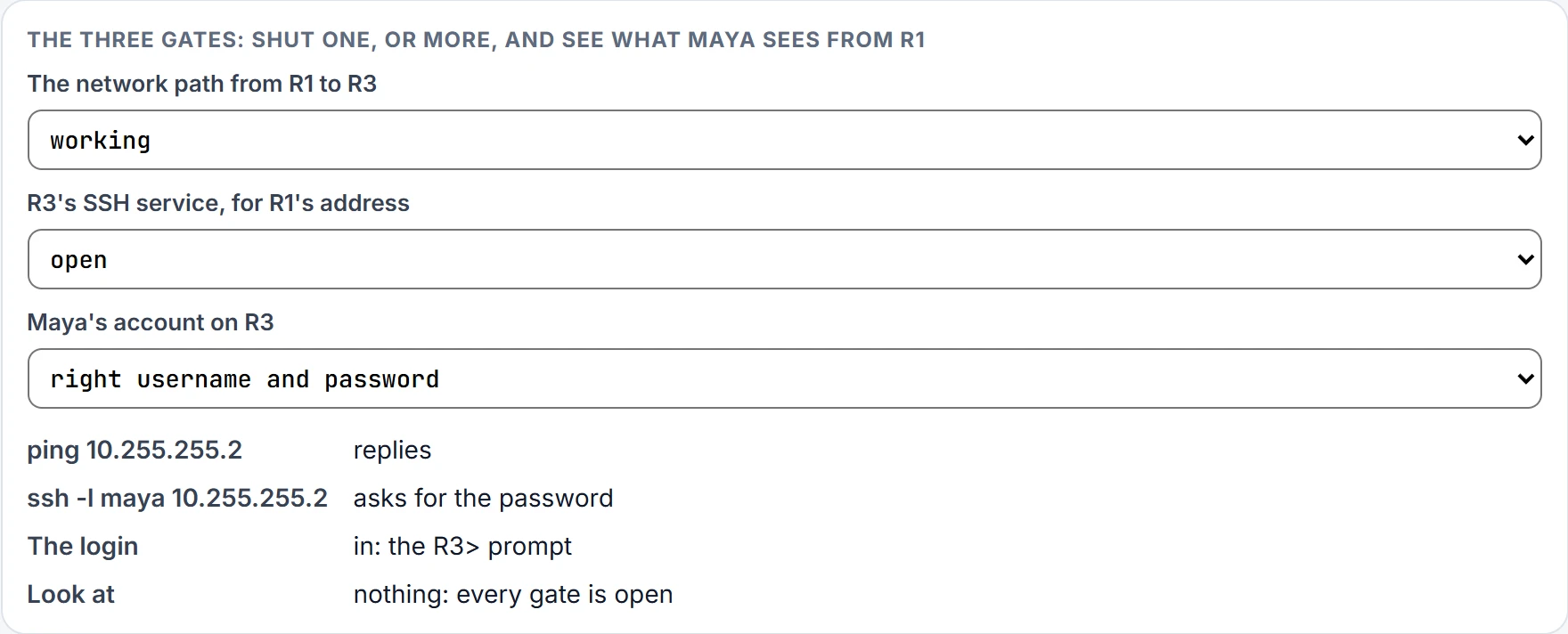
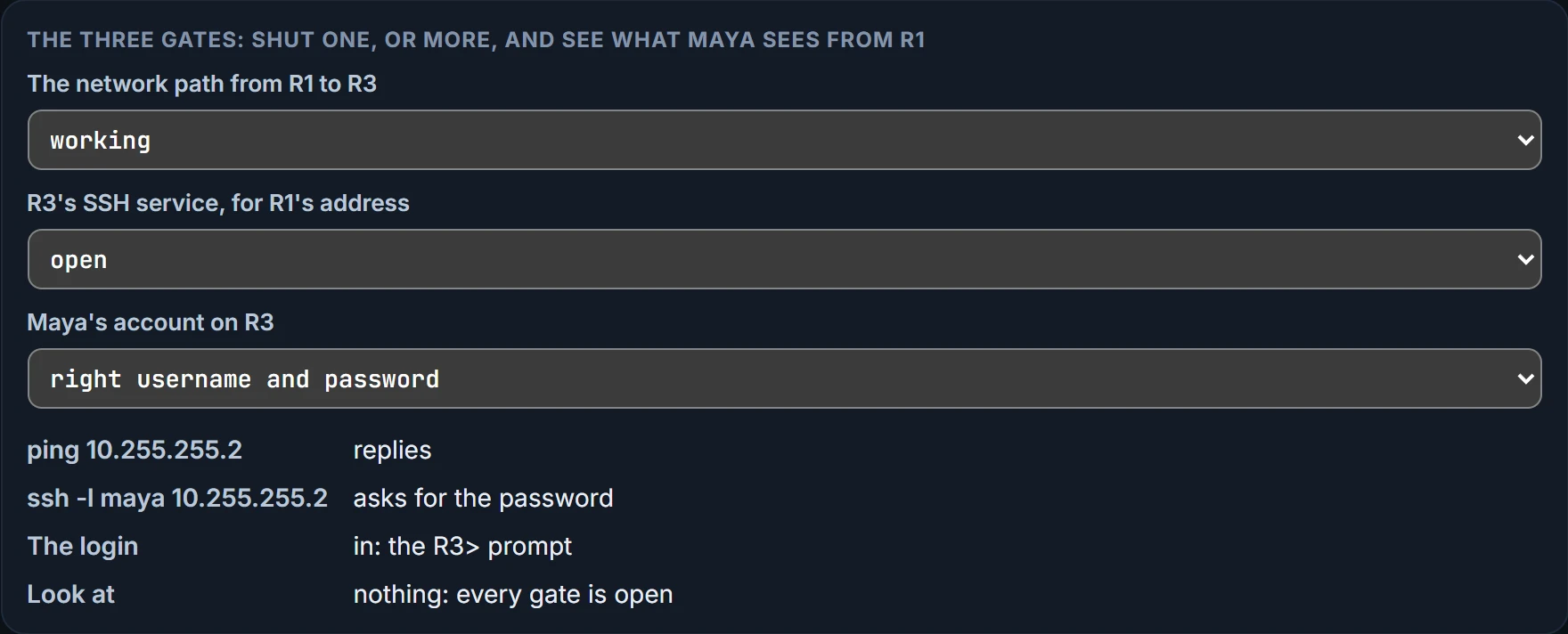
A working ping doesn't prove anyone can log in, and a login prompt doesn't prove the password is right. Read the first thing that fails, and look at that gate.
The receptionist, the hallway and the key are three different problems.
Continue the lesson
The whole lesson, with its drawings and its questions. 2 more sections after the ones above.