
Cisco IOS Files, Images, Upgrade, Configuration Register and Password Recovery
IOS is one image file in flash, so an upgrade means copying a new image into flash and making the router boot it. At every start the router runs a self-test, runs the bootstrap from ROM, loads an operating system and then the startup-config. Which image loads depends on the configuration register, usually 0x2102, and any boot system commands.
By Arif, founder of Daveth · Updated
The full 21 min walkthrough is in Daveth Pro (Network). See what the plan opens
What this page answers
How do you upgrade a Cisco IOS image?
Download the image, put it where the router can reach it, such as a TFTP or FTP server or a USB drive, copy it into flash, point boot system at it, save the configuration and reload. Read it in “Copying the new image”
What does the configuration register do?
Some of its bits set things such as the console speed and which operating system the router loads. The usual value, 0x2102, leaves the console at 9600 bps and tells the router to load its image as the boot system commands say, or the first in flash. Read it in the lesson
Which IOS image does a router boot?
With register 0x2102 and boot system commands in the startup-config, the image they name; with no boot system commands, the first image file in flash. Read it in “Which image wakes up”
What is ROMMON?
A small special-purpose system a router can load instead of its normal image, used for jobs like password recovery. It can send and receive IP packets to fetch an image, but it does not route. Read it in “One file, one version”
One file, one version
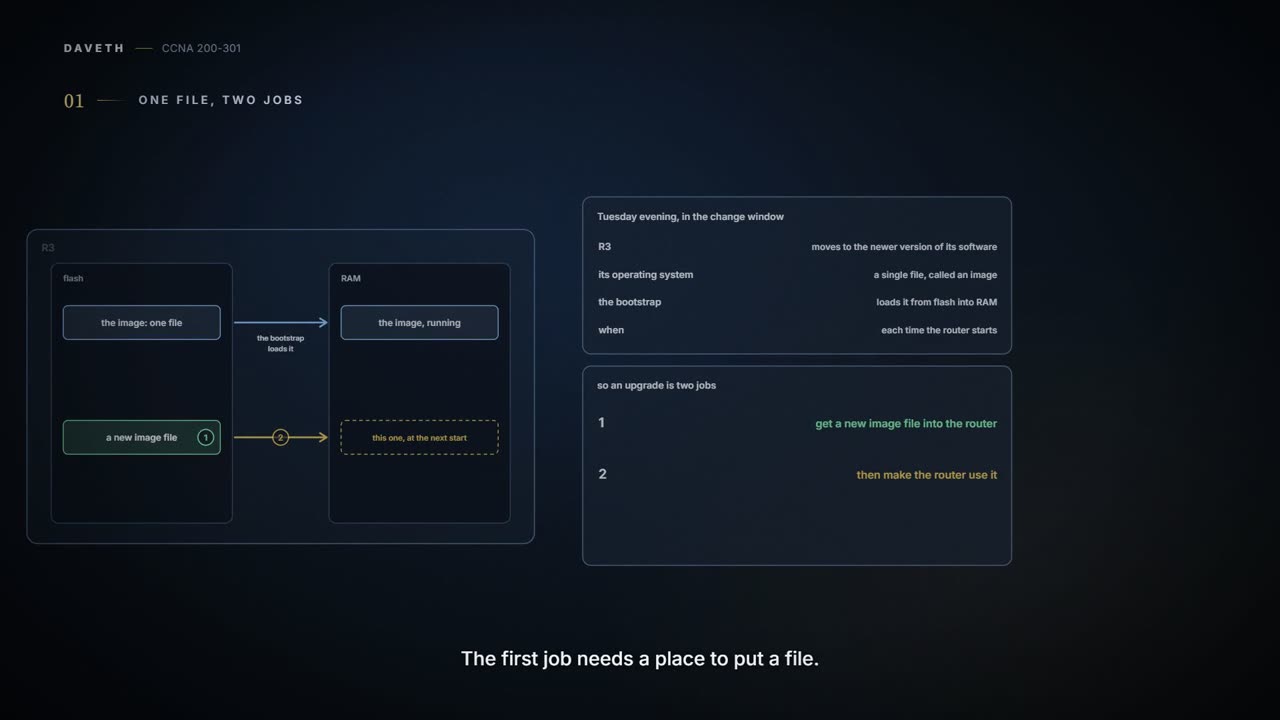
Monday, month six, week two. Ravi plans to move R3 to the vendor's newer software version in Tuesday evening's change window. 02.7 showed the bootstrap loading the operating system from flash into RAM. That operating system is a single file, an image, so upgrading means getting a new image file into the router and making the router use it.
The operating system organises every storage device into a file system with a name ending in a colon: flash0: for the flash memory, usbflash0: for a USB drive, nvram: for NVRAM. Flash suits this job: it keeps files through a power cut and has no moving parts. show file systems lists them all, including some that aren't storage at all:
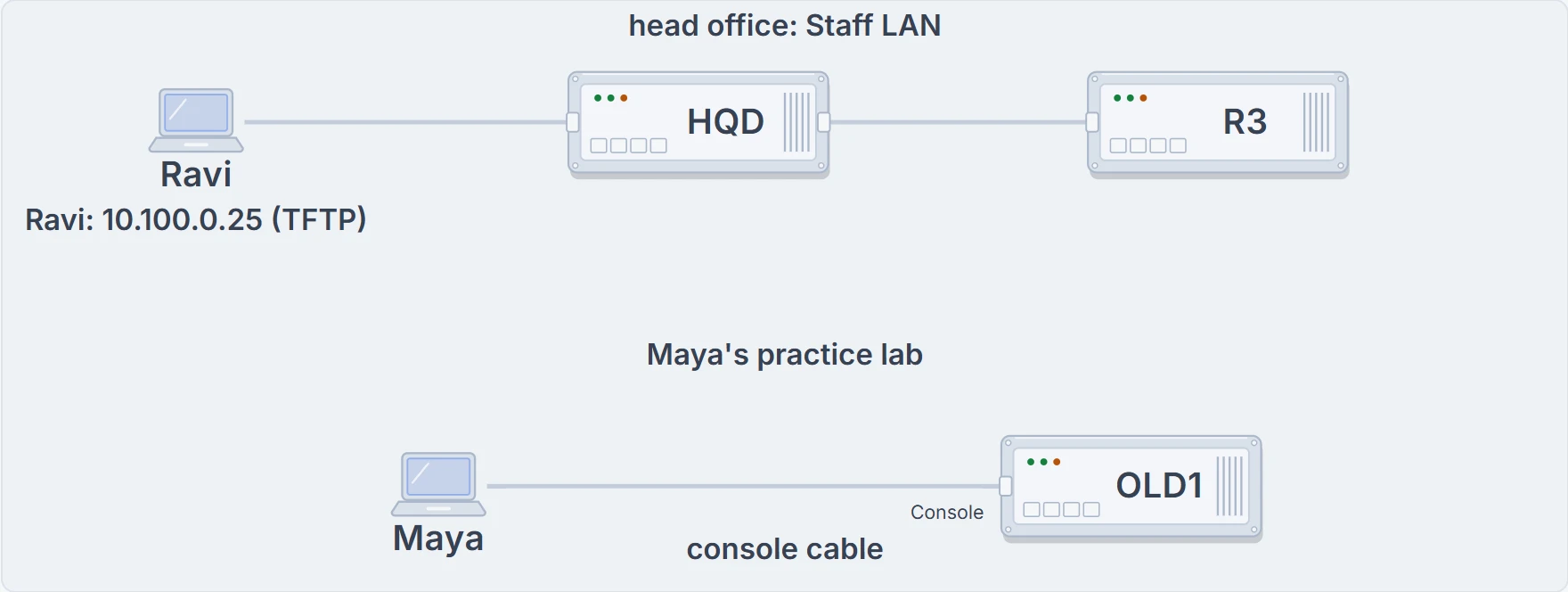
Head office: Ravi's laptop on the Staff LAN runs a TFTP server for the copy, through the switch HQD to R3. Maya's practice lab at home: Maya's laptop on OLD1's console port.
R3# show file systems
File Systems:
       Size(b)       Free(b)      Type   Flags   Prefixes
             -             -    opaque      rw   system:
             -             -   network      rw   tftp:
*    256487424     149136938      disk      rw   flash0: flash:#
        262136        253220     nvram      rw   nvram:
             -             -   network      rw   ftp:
             -             -   network      rw   scp:
    7794737152    7483719680  usbflash      rw   usbflash0:
! (the rest of the list is left out)
R3# dir flash0:
Directory of flash0:/
    1  -rw-   104193476                    rtr-image-3.1.bin
    2  -rw-     3157010                    licence-1
! (the date and time columns are left out)
256487424 bytes total (149136938 bytes free)
R3#| Type | What it stands for | Example prefix |
|---|---|---|
| disk | flash memory built in or on a card | flash0: |
| usbflash | a USB flash drive | usbflash0: |
| nvram | NVRAM, where the startup-config lives | nvram: |
| network | files on servers, reached with a protocol | tftp:, ftp:, scp: |
| opaque | internal file systems for the device's own use | system: |
A file's formal name starts with its file system: flash0:rtr-image-3.1.bin, or with a directory, flash0:/dir/file; more flash0:/dir/file shows a file's contents. The * marks the default file system, and the flags say whether it can be read (r) and written (w). Many commands name files indirectly instead: show running-config reads system:running-config, show startup-config reads nvram:startup-config, and show flash lists the default flash file system. dir lists any local file system; show flash and dir flash0: list the same files, each with its size. At the bottom, show flash gives bytes available and bytes used, while dir gives bytes total and bytes free. What this proves: R3 has one image, rtr-image-3.1.bin, a licence file, and about 149 MB free in flash. What it doesn't: which image R3 is running right now; show version tells you that.
Copying the new image
An upgrade starts with getting the right image from the vendor's download site, usually over HTTP or FTP. People keep the vendor's file names, because they carry the version. Then it goes somewhere the router can reach: a TFTP or FTP server, or a USB drive in the router. A router can even load an image from a server at boot, but the best practice is to copy it into flash, which stays with the router. Routers usually can't boot from an image on a USB drive, though. Ravi copies R3's configuration to the laptop first, and plans to leave the old image in flash as the way back. The new image, rtr-image-3.2.bin, 118 MB, sits on the laptop's TFTP server for the afternoon.
copy tftp flash asks for what it needs, showing a default in square brackets that Enter accepts. Along the way it checks: the server's address or name; the file's name; the file's size, compared with the free space in flash; whether the server really has that file; and whether to erase old files. Then it copies, and checks a checksum, a value worked out from the data, to make sure nothing went wrong in transit. One trap: to keep the offered destination name, press Enter. Typing y or yes names the file "y" or "yes".
R3# copy tftp flash
Address or name of remote host []? 10.100.0.25
Source filename []? rtr-image-3.2.bin
Destination filename [rtr-image-3.2.bin]?
Accessing tftp://10.100.0.25/rtr-image-3.2.bin...
Loading rtr-image-3.2.bin from 10.100.0.25: !!!!!!!!!!!!!!!!!!!!!!!!!!!!!!!!!!!!!!!!
! (more of the progress marks are left out)
[OK - 118430720 bytes]
118430720 bytes copied in 212.604 secs (557048 bytes/sec)
R3# verify /md5 flash0:rtr-image-3.2.bin 3f9a5c1e7b2d48a6c0e19f7d5b3a8e21
! (the progress dots are left out)
Verified (flash0:rtr-image-3.2.bin) = 3f9a5c1e7b2d48a6c0e19f7d5b3a8e21
R3#
A copy without errors proves the file arrived as the server had it; it doesn't prove the server had the real thing. For that, the vendor publishes an MD5 hash of each image, a code worked out from the whole file. verify /md5 works out the same code from the file in flash; given the published value at the end, it compares them for you, and without it, it just prints the hash for you to compare character by character. What this proves: the file in flash matches the hash the vendor published, so it hasn't changed. What it doesn't: that R3 will use it; nothing has told R3 to start this file yet. (MD5 is an old algorithm; where the vendor offers a stronger check, use that too.)
The same copy works with FTP. copy ftp flash asks the same questions, or a URI, a file's full address written as protocol://server/file, puts it all on one line: copy ftp://user:password@server/file flash. The copy command takes the source first and the destination second. The bare destination flash names no file, so the router asks for a name; flash:rtr-image-3.2.bin would skip the question. The user name and password can live in the configuration instead, with ip ftp username and ip ftp password, so the URI doesn't carry them. With TFTP and FTP the router is the client, and neither encrypts anything. The Secure Copy Protocol (SCP) turns the roles round and encrypts: the router is the SCP server, you don't use copy on the router at all, and an SCP client on a computer sends the file (a command-line one may be the best choice), naming the user, the router's address and the destination file, then asking for the password. The router needs SSH working, a user with privilege level 15 (the username command with privilege 15), which puts that user straight into enable mode at login, and ip scp server enable. SCP uses SSH to authenticate the user and encrypt the transfer.
Which image wakes up
Every time a router powers on or reloads, it goes through four steps:
- a power-on self-test (POST) finds the hardware and checks that it works;
- the bootstrap program is copied from ROM into RAM and run;
- the bootstrap chooses an operating system, loads it into RAM and hands over control;
- once the normal image is running, it loads the startup-config from NVRAM into RAM as the running-config (it could come from elsewhere, but it almost always comes from NVRAM).
Steps 1 and 2 have no choices: they work, or the router doesn't start. Step 3 does: unlike a laptop, a router can have several images to choose from. Besides its normal images, a router can load ROMMON, a small special-purpose system used for jobs like password recovery; it can send and receive IP packets to fetch an image, but it doesn't route.
The choice starts with the configuration register: 16 bits, written as 4 hex digits (0x marks a hex value), that the router reads at boot, before the operating system and the startup-config are loaded. Details vary between router platforms; on classic routers, some bits set the console speed, and the usual value, 0x2102, leaves it at 9600 bps and tells the router to load its image. The config-register global command sets it. The new value is saved as soon as you press Enter, with no copy running-config startup-config needed, but it only takes effect at the next reload. config-register 0x2100, for example, would make the router start ROMMON next time.
You can think of the register as a note taped inside the router, read at the very start of every boot. (Where it stops: a note is read by whoever passes. The register is read at one fixed moment, as the router starts, and each of its bits means something different.)
A boot field of 0 is a signpost that sends the router sightseeing in ROMMON instead of going to work. Scenic, but not much routing gets done.
The last hex digit, the boot field, decides what happens next, together with any boot system commands in the startup-config:
- boot field 0: load ROMMON;
- boot field 1: load the first image file in flash;
- boot field 2 to F: try each boot system command in the startup-config, in order, until one works; if none does, or there are none, load the first image file in flash;
- if everything else fails, load ROMMON, from which you can recover by copying an image into flash.
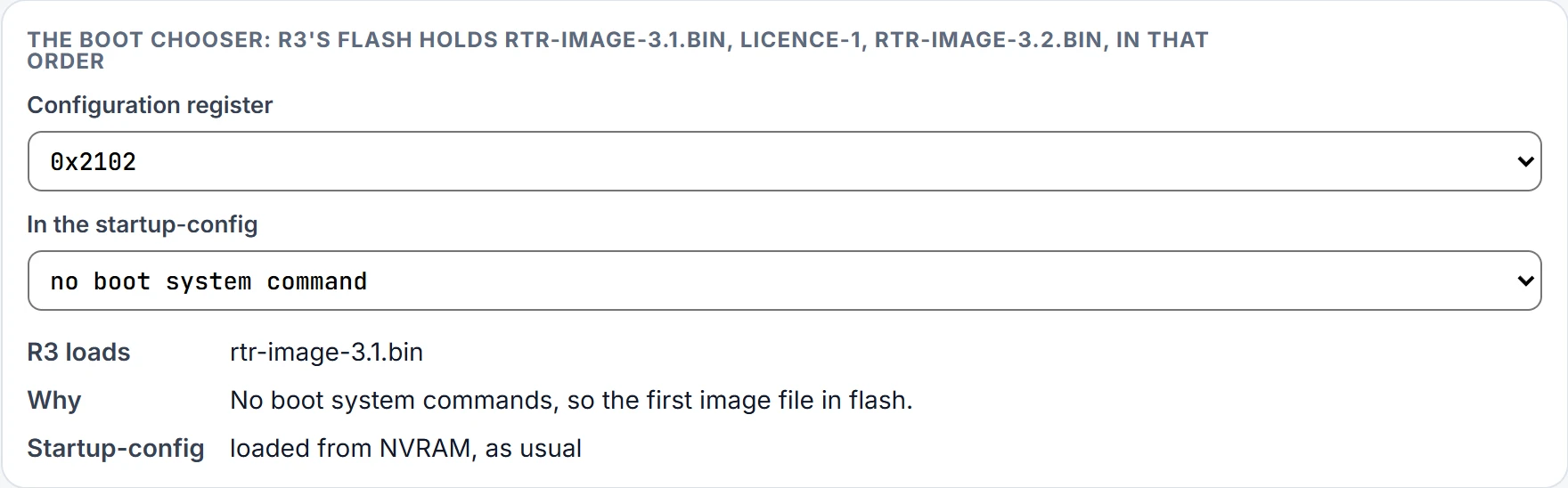
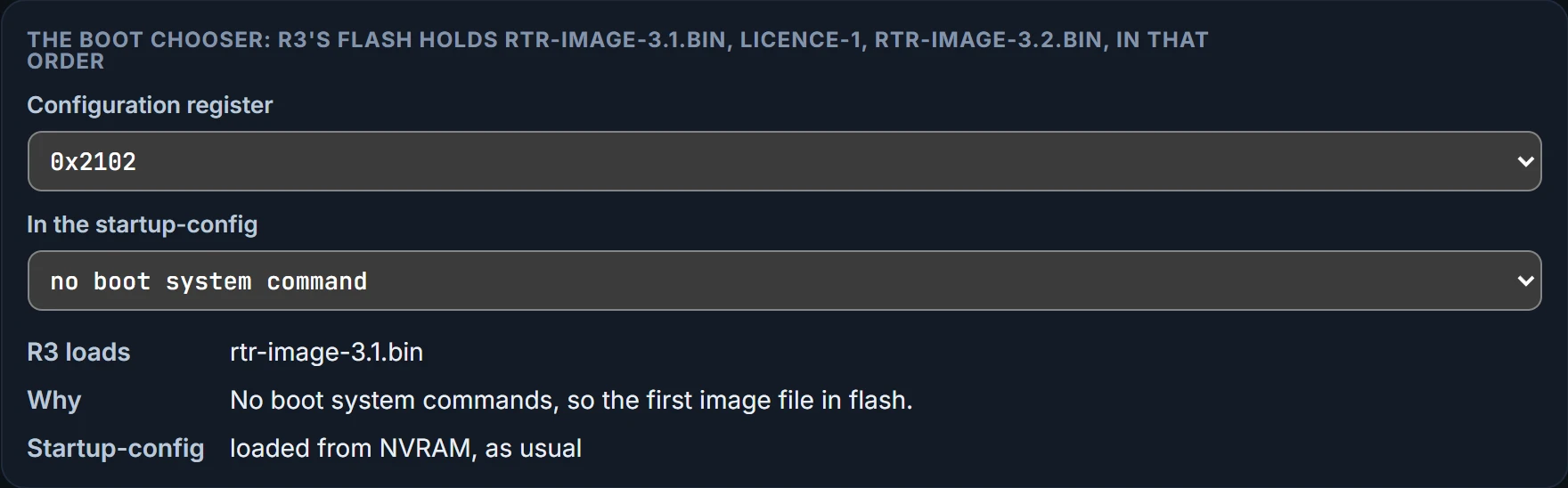
"First" means the lowest-numbered image file in the router's default flash file system; routers don't search every file system. A router straight from the factory has no boot system commands and a register of 0x2102, so it loads the first image in flash. So will R3, unless Ravi says otherwise: rtr-image-3.1.bin is file 1. Here is the factory combination, 0x2102 with no boot system command:
Continue the lesson
The whole lesson, with its drawings and its questions. The rest of this section and 2 more after it.