
Syslog
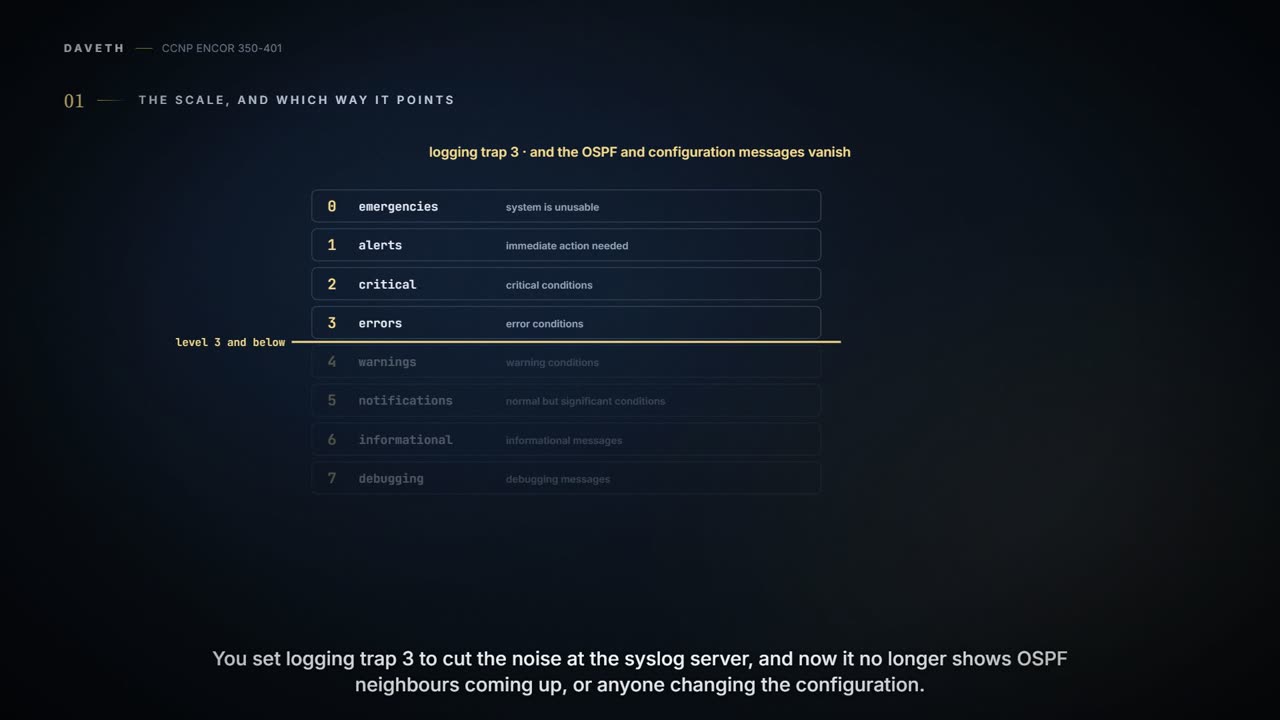
Devices send log messages to the console, the logging buffer and off-box syslog collectors. Every message has a severity from 0, emergencies, to 7, debugging, and a logging setting takes its level and every numerically lower one. So logging trap 3 sends only levels 0 to 3, and notifications at level 5, such as OSPF neighbours coming up, stay home.
By Arif, founder of Daveth · Updated
The full 7 min walkthrough is in Daveth Pro (Network). See what the plan opens
What this page answers
What are the Cisco syslog severity levels?
0 emergencies, 1 alerts, 2 critical, 3 errors, 4 warnings, 5 notifications, 6 informational, 7 debugging. A logging level takes that level and every numerically lower one. Read it in “4.1 The scale, and which way it points”
Why does logging trap 3 hide OSPF messages?
Because logging trap 3 passes only levels 0 to 3. OSPF adjacency changes and configuration changes are logged at level 5, notifications, so they no longer reach the syslog server. Read it in “4.1 The scale, and which way it points”
4.1 The scale, and which way it points
You set logging trap 3 to cut the noise at the syslog server, and now it no longer shows OSPF neighbours coming up or anyone changing the configuration. Why? Keep that one in mind.
Devices produce a lot of useful information, and they can send it to three places: the console, the logging buffer and off-box syslog collectors, each with the same or different message types. Every message has a severity, and the guide adds that the levels can be changed:
| Level | Keyword | Meaning | syslog name |
|---|---|---|---|
| 0 | emergencies | system is unusable | LOG_EMERG |
| 1 | alerts | immediate action needed | LOG_ALERT |
| 2 | critical | critical conditions | LOG_CRIT |
| 3 | errors | error conditions | LOG_ERR |
| 4 | warnings | warning conditions | LOG_WARNING |
| 5 | notifications | normal but significant conditions | LOG_NOTICE |
| 6 | informational | informational messages | LOG_INFO |
| 7 | debugging | debugging messages | LOG_DEBUG |
The number that matters is the one you configure on a destination. It takes that level and every numerically lower one: "By default, the console receives debugging messages and numerically lower levels". You can think of it as a volume knob: turn it up to 7 and everything comes through, turn it down to 3 and only errors and worse get out. So logging trap 3 passes 0 to 3, and a message at 5 (notifications) stays home. That's the answer to the opening puzzle: an OSPF neighbour reaching FULL and a configuration change are both 5 (below), while a link going down (the figure's %LINK-3-UPDOWN, an illustrative sample) is 3 and would still get through.
A Cisco message tells you its own severity in the header: %facility-severity-MNEMONIC: description, where the facility is what the message is about (SYS, SNMP), the severity is the digit 0 to 7, and the mnemonic names the message. The guide's %OSPF-5-ADJCHG: Process 1, Nbr 1.1.1.1 on Ethernet0/1 from LOADING to FULL, Loading Done is facility OSPF, severity 5, mnemonic ADJCHG; %SYS-5-CONFIG_I: Configured from console by console is 5 too. It's like the colour-coded label on a hospital file: before you read a word, you know which department and how urgent.
Syslog is the only alarm system where turning the number down makes it quieter and more urgent at the same time.
The guide starts with the buffer: enable it, set its level, make it bigger. logging buffered ? shows the options: a level (0-7 or its name) and a size from 4096 bytes upward. The guide's router defaults to 4096 bytes, which "can get overwritten quite quickly"; a Catalyst 9300 at 17.9 defaults to 102400 bytes. So the default is a platform fact, not a protocol one: check yours.
The guide sets the buffer to 100000 bytes at debugging (Example 24-34), turns console logging off with no logging console, runs debug ip ospf hello, and reads the debug output back with show logging. That's the 07-2 habit made concrete: the debug lands in memory, where you read it when you choose, instead of on the console, where it competes with everything else. The buffer works like a dashcam: it keeps the most recent stretch and quietly records over the oldest. (A dashcam's card survives the crash; whether the buffer survives a reload isn't in the sources here, so don't count on it: the host is the copy that lives elsewhere.)
show logging proves more than it seems to. Its header says, per destination, whether it's on and at which level ("Console logging: disabled", "Buffer logging: level debugging, 11 messages logged"), and the buffer's size. It doesn't prove the buffer still holds the message you want: that depends on how fast it fills. Likewise logging buffered debugging proves the buffer accepts everything; it doesn't prove anything is in it yet.
Predict before D1: with a Catalyst's console default (debugging), no server configured, and the buffer at debugging as the guide sets it, which destinations get the OSPF debug line?
D1
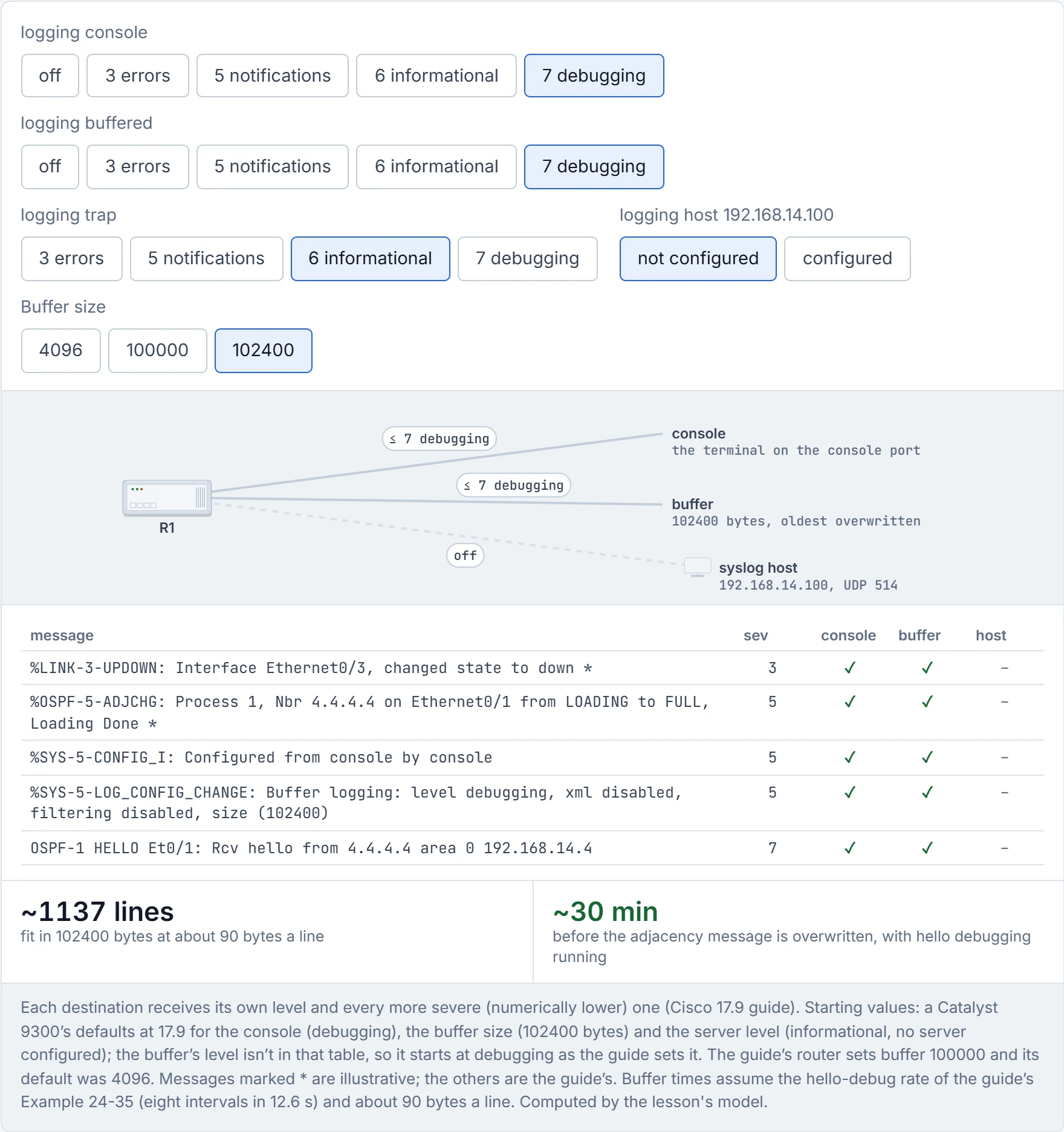
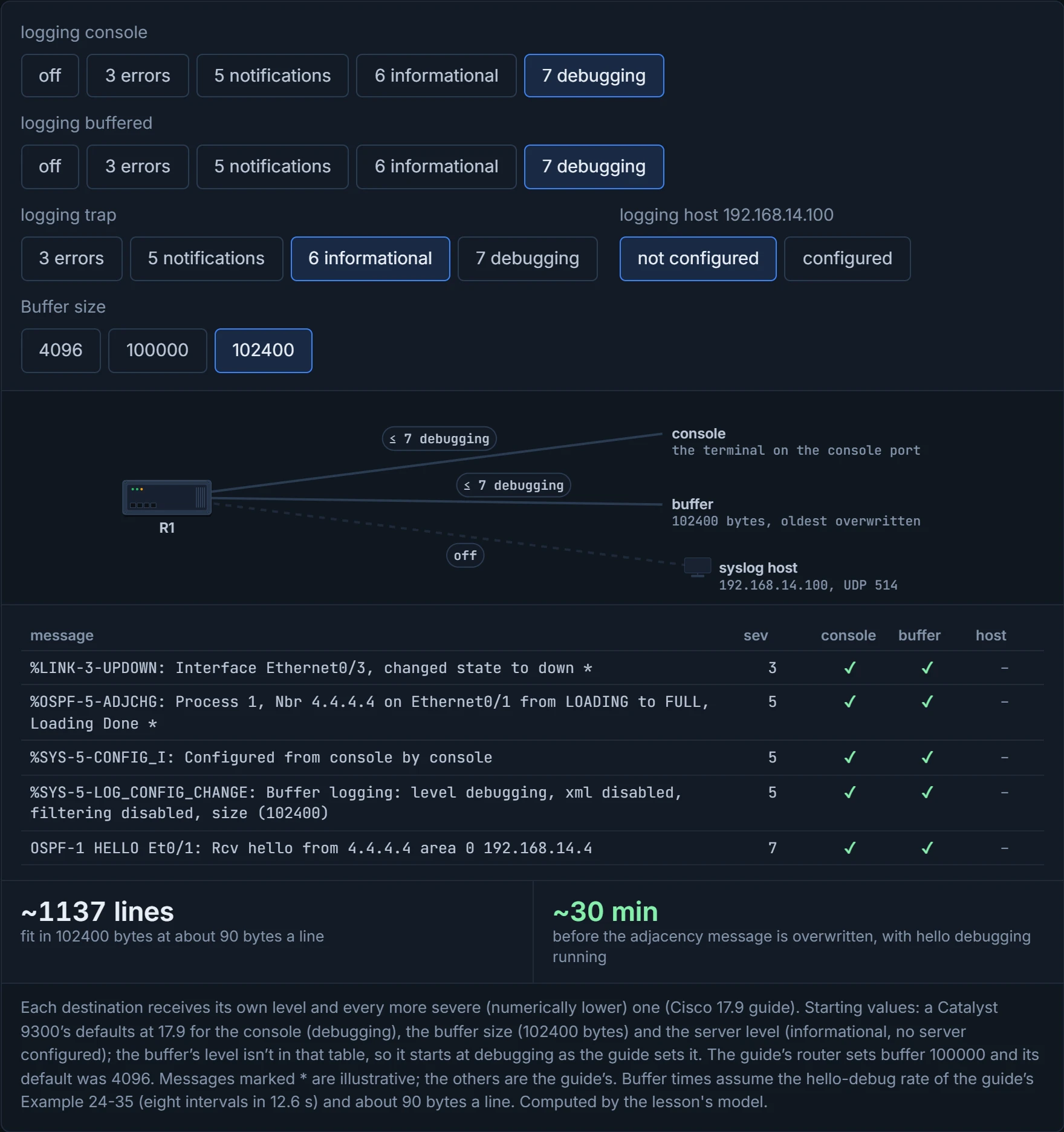
The console and the buffer, and the console is exactly where you don't want it. At 4096 bytes and the guide's hello-debug rate, the buffer holds about 45 lines, a little over a minute of debugging; at 100000 bytes, about half an hour. If you've ever scrolled back in a group chat that only keeps the last hundred messages, you've met the 4096-byte buffer.
A 4096-byte logging buffer is roughly one minute of OSPF hello debugging, which is also roughly how long it takes to type show logging after something breaks.
For an off-box collector, the steps are the same shape: point at the host, set its level. The guide's R1: logging host 192.168.14.100 and logging trap 7; show logging then reports "Trap logging: level debugging" and "Logging to 192.168.14.100 (udp port 514 ...)". Messages go to the host on UDP 514 by default, and the port can be changed.
Two things to know about that. First, the host's level is a separate knob: before the guide's logging trap 7, show logging read "Trap logging: level informational", and informational is the server default on a 9300 too. At 6, debug output (7) never leaves the box, which is why the guide raised it. Second, UDP gives no delivery guarantee: the syslog transport "does not provide any mechanism to detect and correct loss of datagrams". A syslog message is like a postcard: cheap, quick, and nobody tells you if it fell out of the van.
The guide also insists on the clock: configure the date and time before sending logs anywhere, or the time stamps won't line up and you can't correlate events; NTP is how. L1's defaults table lists time stamps as disabled, yet the guide's output is stamped throughout, so check your own configuration; service timestamps log datetime msec gives log messages a date and time to the millisecond. Just like when you piece together a story from several witnesses: if their watches disagree, the order of events is guesswork. (NTP itself is 03-1.)
The syslog server has the complete history of your network, faithfully timestamped with whatever date the router believes, which without NTP can be a date from the last century.
Putting it together, a sensible arrangement looks like this:
- Console: off or low (
no logging console, or errors and worse), because console output competes with the router's work and is lost when you disconnect, like a whiteboard wiped at the end of the meeting. - Buffer: large and detailed (debugging when you're troubleshooting), because it's local, fast and readable later with
show logging. - Host: the level your operations team will actually read, usually informational or notifications, because it's the long-term record and it's shared.
The guide ends on the same note: how deep to go "is ultimately up to the network operations team". Consider it your kitchen rule: what goes on the counter where plates go out, what goes in the fridge and what goes in the logbook are three different decisions. And terminal sessions have their own knob, logging monitor, shown in show logging as "Monitor logging"; L1 lists terminal monitor beside it, which is how a session asks for them.
Setting every destination to debugging is the syslog equivalent of forwarding all your email to your phone, your fridge and your mother.
A log is a record of what the device decided to say, filtered by what you told it to keep. It's a bit like a security camera's recording: excellent evidence of what's in frame, and silent about everything outside it.
Continue the lesson
The whole lesson, with its drawings and its questions. The rest of this section and 9 more after it.