
Flexible NetFlow
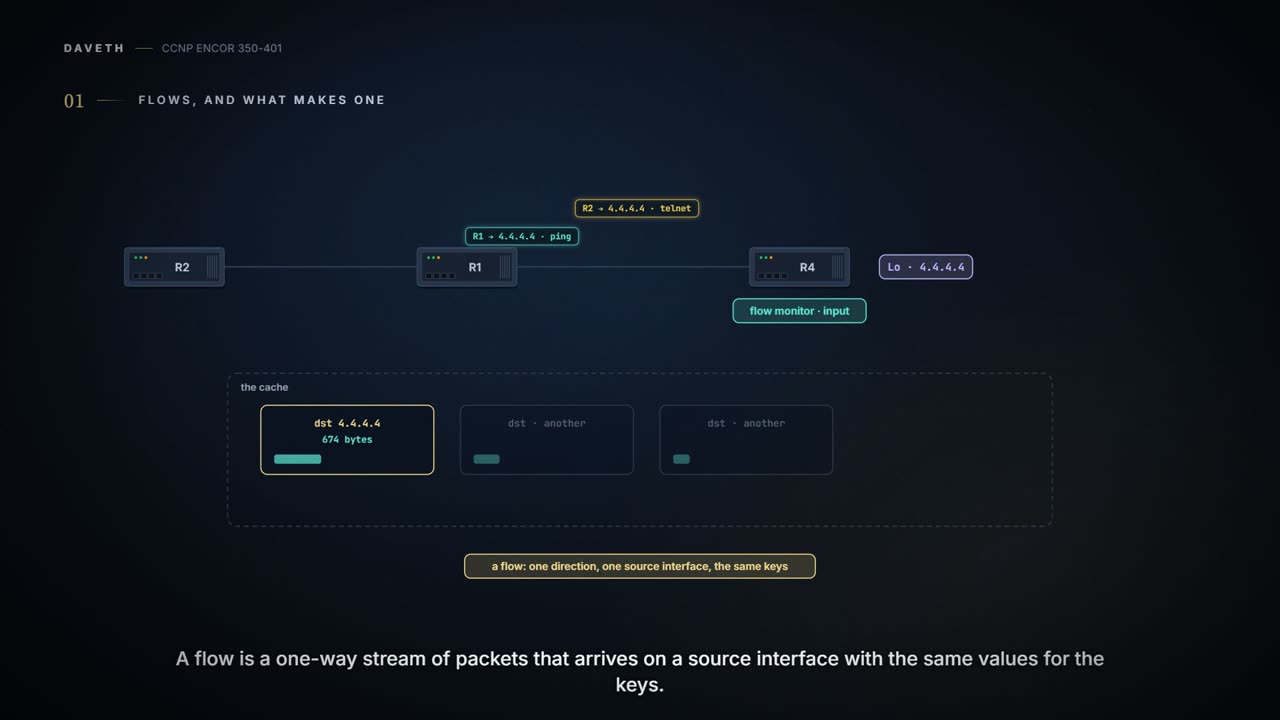
NetFlow gathers statistics about traffic flows into a memory cache and exports them to a collector. A flow is a unidirectional stream of packets with the same values for the key fields; non-key fields are just collected. Flexible NetFlow splits the job into parts: a flow record names the keys with match and the collected fields with collect, an exporter, and a monitor applied to interfaces.
By Arif, founder of Daveth · Updated
The full 8 min walkthrough is in Daveth Pro (Network). See what the plan opens
What this page answers
What is NetFlow?
A feature that gathers statistics about traffic flows, for billing, checking traffic and troubleshooting. It captures statistics into a memory cache and exports them to a collector, in both directions on an interface. Read it in “4.1 Flows, and what makes one”
What is the difference between NetFlow key and non-key fields?
All key fields must match for a packet to count in a flow, so they define the flows; a non-key field is only collected, and a change in its value does not create a new flow. match picks key fields, collect picks non-key fields. Read it in “4.1 Flows, and what makes one”
4.1 Flows, and what makes one
Your CUSTOM1 cache shows 674 bytes to 4.4.4.4. Who sent them? Hold on to that one.
NetFlow gathers statistics about traffic flows, for billing, for checking traffic flows well, for troubleshooting; it needs two things configured, capture (statistics into a memory cache) and export (to a collector). The cache uses memory, and its default size is platform-specific, so check before enabling it on an older box. It captures in both directions, ingress and egress; the guide's Table 24-8 lists what version 9 collects each way, from IP to IP and IP to MPLS on the way in to MPLS to IP on the way out.
A flow is "a unidirectional stream of packets that arrives on a source interface and has the same values for the keys". The key fields decide which flow a packet belongs to: "All key values must match for the packet to count in a given flow". Non-key fields are just collected: "A change in the value of a nonkey field does not create a new flow". You can think of it as a sorting office: the key fields are the labels on the pigeonholes, and the non-key fields are the notes written on each one, a tally among them.
Traditional NetFlow's keys are fixed: source and destination address, source and destination port, Layer 3 protocol, ToS and input interface, seven fields. Change any one, a different ToS marking say, and it's a new flow. If you've ever sorted post by full address rather than by street, you know how quickly the pigeonholes multiply.
A NetFlow cache entry is the only report where the same traffic with a different ToS marking earns its own line, like a guest who changed jackets and got a second name badge.
On the guide's router, traditional NetFlow is three commands and an interface: ip flow-export version 9, ip flow-export destination 192.168.14.100 9999, then ip flow ingress and ip flow egress on Ethernet0/1. Three show commands verify it:
show ip flow interfaceproves which interfaces collect and in which direction; not that anything was captured.show ip flow exportproves the destination and version, and counts what was exported; "0 flows exported" means nothing has left yet, not that nothing was captured.show ip cache flowproves what's in the cache now: two active flows in the guide's output, with the timeouts ("Active flows timeout in 30 minutes", "Inactive flows timeout in 15 seconds").
ip flow-top-talkers with top 10 and sort-by bytes gives a quick ranking, shown with show ip flow top-talkers. It's a bit like a leaderboard: handy at a glance, and it tells you who's winning, not why.
Cisco's 17.9 Catalyst chapter covers Flexible NetFlow, not these commands, so treat section 4.2 as the guide's router and build the rest with the parts below. Just like when you move from an old car to a new one: the driving is the same, and you still read the new manual before touching the dashboard.
The guide's router captured two flows and exported none, and tells you both, faithfully, on two different screens.
Flexible NetFlow splits the job into reusable parts:
| Part | Does |
|---|---|
| flow record | which fields are keys (match) and which are collected (collect) |
| flow exporter | where and how the cache is sent: destination, transport, version |
| flow monitor | a record plus a cache, and optionally exporters; applied to interfaces |
| flow sampler | looks at some packets instead of all |
Several monitors can watch the same traffic at once, so two departments can slice it their own ways. Security drove much of the adoption: Flexible NetFlow can track any part of the IP header, build a separate cache per type of flow, and filter ingress traffic to a single destination; the guide adds export to several collectors and forensics for DoS attacks and worm spread. Sampling trades accuracy for load: less memory and CPU, but "something could be missed". It works like a tasting spoon: enough to judge the soup, not enough to count the peas.
The record. match picks key fields; collect picks non-key fields. The record is like the form you design before a survey: its questions decide what you can ask of the answers later. Table 24-10 lists the fields that mimic traditional NetFlow: ToS, protocol, addresses, ports, input interface and sampler ID as keys; AS numbers, next hop, masks, TCP flags, output interface, byte and packet counters and first/last time stamps as non-keys. The records can be predefined (record ? offers netflow and netflow-original) or your own; plain show flow record lists them all. The guide's CUSTOM1 keys on the IPv4 destination alone and collects bytes and packets:
flow record CUSTOM1
 description Custom Flow Record for IPv4 Traffic
 match ipv4 destination address
 collect counter bytes
 collect counter packets
Predict before D1: key on the destination and the source. How many flows do these 24 packets make?
D1
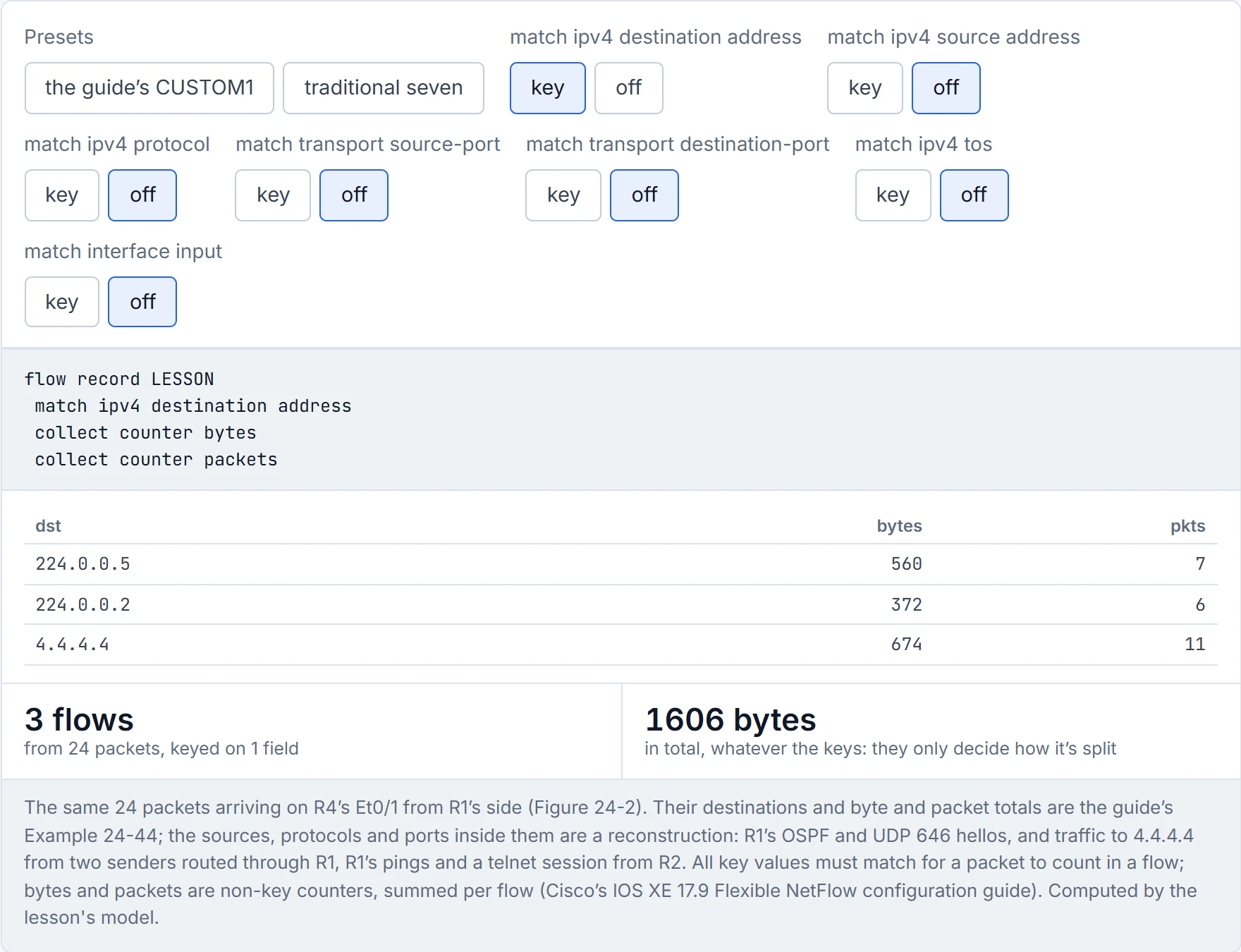
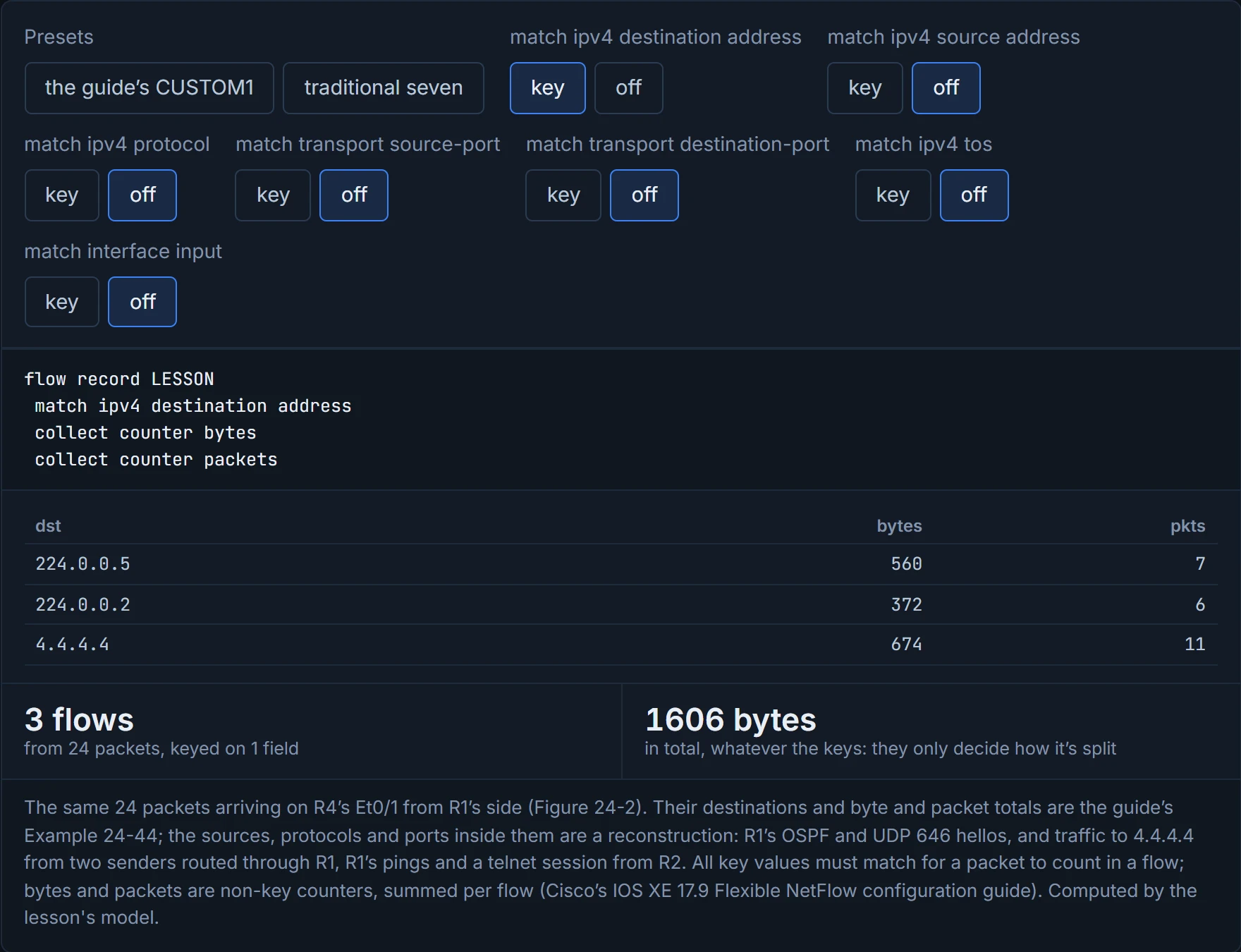
Four. And that answers section 4.1: keyed on destination alone, the cache can't say who sent the 674 bytes to 4.4.4.4; here they're R1's pings and R2's telnet session, routed through R1. Add the source and they separate. Add all seven traditional keys and you still get four, because nothing else differs; the byte total never changes, only how it's split.
"Flexible" NetFlow will happily export version 9, version 10 or version 5, which is flexible in every direction including backwards.
The exporter: a name, a description, destination 192.168.14.100, export-protocol netflow-v9, transport udp 9999. show flow exporter CUSTOM1 proves the settings (protocol, destination, source, ports); it doesn't prove the collector is listening, like a courier booking that fixes the address and the service but can't promise anyone's home to sign. show run flow exporter shows what you typed except defaults: the guide's export-protocol netflow-v9 doesn't appear there because it's the default. v9 is the default; IPFIX (version 10) and v5 are supported too.
The monitor: each needs a record, and each has its own cache laid out by that record. The guide adds cache timeout active 60 and, in the next step, exporter CUSTOM1. Before any interface uses it, show flow monitor CUSTOM1 shows the cache "not allocated" and the exporter "(inactive)": proof that the parts are linked, not that anything is flowing.
The interface: ip flow monitor CUSTOM1 input on Ethernet0/1 and Ethernet0/2; a monitor can be applied input, output or both. Then show flow monitor CUSTOM1 cache shows the entries and, in its header, how many flows were added and aged, and by which timeout. For IPv6 the same monitor idea applies with match ipv6 ... in the record and ipv6 flow monitor ... input on the interface; Layer 2 has datalink flow monitor.
The timeouts. In a normal cache, entries are aged out by the active and inactive timeouts, and an aged entry is removed and exported. A flow that's gone quiet for the inactive timeout, 15 s by default, is exported; a long-lived flow is exported every active timeout while it lasts, 1800 s by default. The guide says its 60-second setting exports "the cache ... every 60 seconds"; strictly it's long-lived flows every 60 s, while quiet ones go 15 s after their last packet. Consider it your shift report: the long job gets an update every half hour at the default, and a quick job gets reported once, when it's done.
Predict before D2: at the 1800-second default, when does a transfer sending from 0 to 199 s first reach the collector?
D2
At 214 s, 15 s after its last packet at 199 s: at the default, a long transfer is invisible to the collector while it runs. With the guide's 60 s it arrives about once a minute (60, 121 and 182 s, each new entry timed from its own first packet), then once more when it goes quiet.
With the 1800-second active timeout, NetFlow will tell you about the half-hour backup that saturated your WAN link, eventually.
Flow data is a summary, and every summary has a resolution. It's like reading a bank statement: the totals are exact, and the story behind each line is up to you.
| Output | Proves | Doesn't prove |
|---|---|---|
show flow record CUSTOM1 | the record's keys and collected fields, and how many monitors use it ("No. of users") | that the keys can answer your question |
show run flow exporter | the settings you configured | defaults such as the v9 protocol, which it omits |
show flow exporter CUSTOM1 | destination, protocol, source and ports | that the collector receives or understands it |
show flow monitor CUSTOM1 | the record, exporter and timeouts are linked | that traffic is being collected (the cache may be "not allocated") |
show flow monitor CUSTOM1 cache | the flows in the cache now, and how many aged by which timeout | what has already been exported, or anything the keys merged |
show ip cache flow (traditional NetFlow) | the flows in the cache now, with the active and inactive timeouts | what has already left: show ip flow export counts that |
show ip flow top-talkers | who sends the most, by the chosen sort, top N | why, or anything outside the top N |
| an entry keyed on destination | the bytes and packets to that address, on the monitored interfaces in the monitored direction | who sent them |
| sampled data | a statistical picture | that a particular packet or short flow was seen |
Continue the lesson
The whole lesson, with its drawings and its questions. The rest of this section and 9 more after it.