
SPAN, RSPAN, ERSPAN
To see what is on the wire, a switch can mirror traffic to an analyzer. Local SPAN copies to a port on the same switch; RSPAN carries the copy across trunks in a dedicated VLAN to another switch; ERSPAN puts it inside GRE and routes it to an IP address anywhere. Local copies to a port, RSPAN to a VLAN, ERSPAN to an IP address.
By Arif, founder of Daveth · Updated
The full 8 min walkthrough is in Daveth Pro (Network). See what the plan opens
What this page answers
What is the difference between SPAN, RSPAN and ERSPAN?
Local SPAN mirrors to a port on the same switch; RSPAN sends the copy across trunks in a dedicated VLAN to another switch; ERSPAN puts it inside GRE and routes it to an IP address anywhere. Read it in “4.1 Why mirror, and three ways to do it”
How do you configure SPAN?
monitor session session-id source with an interface or VLAN, and rx, tx or both, then a destination. A trunk source carries every VLAN, so monitor session session-id filter vlan narrows it. Read it in “4.1 Why mirror, and three ways to do it”
4.1 Why mirror, and three ways to do it
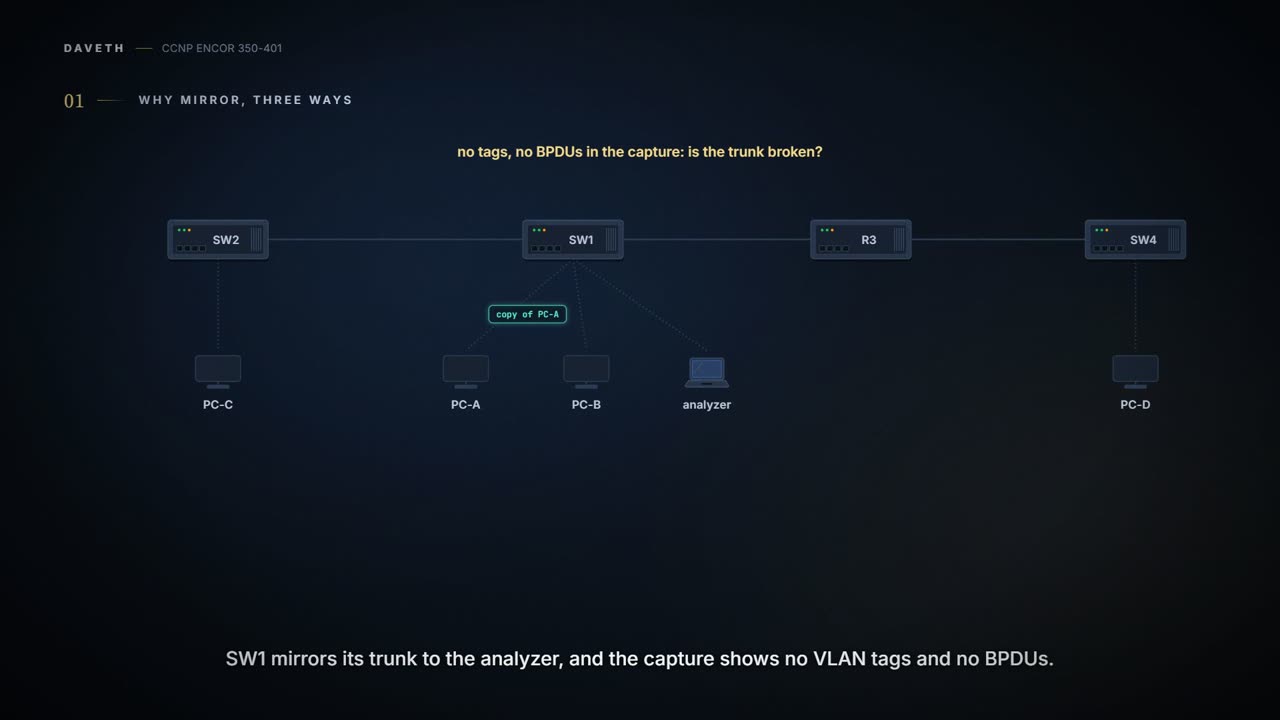
SW1 mirrors its trunk Gi1/0/10 to the analyzer, and the capture shows no VLAN tags and no BPDUs. Is the trunk broken? Keep that in mind for section 4.2.
The guide's point is that every problem has three sides: the local device, the remote device, and what's actually on the wire. To see the wire you can split the light on an optical link, mirror packets on a device to an extra port, or put a switch in the path and mirror there. It's like asking the sound engineer for a feed from the desk: you hear exactly what's playing, and nothing you do to your copy reaches the audience.
Catalyst switches give three forms:
| Kind | The copy goes | Configured on |
|---|---|---|
| local SPAN | to a port on the same switch | one switch |
| RSPAN | across trunks in a dedicated VLAN to another switch | the source and destination switches |
| ERSPAN | inside GRE, routed to an IP address anywhere | the source switch (and a destination that removes the GRE) |
Cisco's own definitions are the same: local SPAN is "entirely within one device", RSPAN puts sources and destinations "on different devices", and ERSPAN "consists of an ERSPAN source session, routable ERSPAN GRE-encapsulated traffic, and an ERSPAN destination session". Local copies to a port, RSPAN to a VLAN, ERSPAN to an IP address. If you've ever handed a photocopy across the desk, sent one by internal mail and posted one abroad in an envelope, you've done all three: always a copy, only the delivery changes.
SPAN hands you a copy of your traffic minus its VLAN tags unless you ask nicely, and then makes sure nothing on the analyzer port can ever reply.
The source can be one or more switch ports, a port channel, or a VLAN (traffic received for the VLAN's hosts, not the SVI); ports can be switched or routed. You can't mix source ports and source VLANs in one session. The command is monitor session session-id source {interface interface-id | vlan vlan-id} [rx | tx | both], with both the default; several sources go in one line with commas or a hyphen range, or by repeating the command. A trunk source carries every VLAN, which is noisy; monitor session session-id filter vlan vlan-range narrows it.
The destination: monitor session session-id destination interface interface-id. Three things to know about it:
- What's copied. By default the native form, untagged, without Layer 2 protocols such as STP BPDUs, CDP, VTP, DTP, PAgP or LACP;
encapsulation replicatesends packets "with the same encapsulation (untagged or IEEE 802.1Q) that they had on the source port", which is why the guide's Example 24-47 uses it on a trunk source: to keep the Layer 2 QoS markings. That's section 4.1's answer: the trunk is fine, the session just isn't replicating. Replicate is local SPAN only (section 4.3). - What it accepts. Normally nothing: incoming traffic is disabled.
ingress {dot1q vlan | untagged vlan}lets an analyzer that needs its own connection (reached over RDP, say) send and receive too: withdot1q vlanits packets must carry that VLAN's tag, withuntagged vlanthey're accepted untagged into that VLAN. - What it plays. It takes no part in STP and the other Layer 2 protocols, so take care not to build a loop through it.
It's like a one-way mirror in an interview room: everyone on the other side can watch, and nobody can walk through it.
The guide mirrors PC-A and PC-B to the analyzer (Example 24-45), a trunk source filtered to VLAN 123 with replicate (Example 24-47), and PC-A to PC-B's port with ingress for RDP (Example 24-48). show monitor session proves what the session is configured to do: type, sources and direction, destination, encapsulation, ingress, filters. It doesn't prove the analyzer receives it.
The destination can overflow, like a funnel under a fire hose: ten-gigabit sources into a gigabit destination can lose packets. Mirror both directions of one busy gigabit port and you can offer twice what a gigabit destination carries; and in some configurations the destination gets more than one copy of the same packet. A port can't be a source and a destination at once.
Work it out from the table in section 4.1 before D1: which mode needs configuration on two switches, and which one's copy crosses R3?
D1
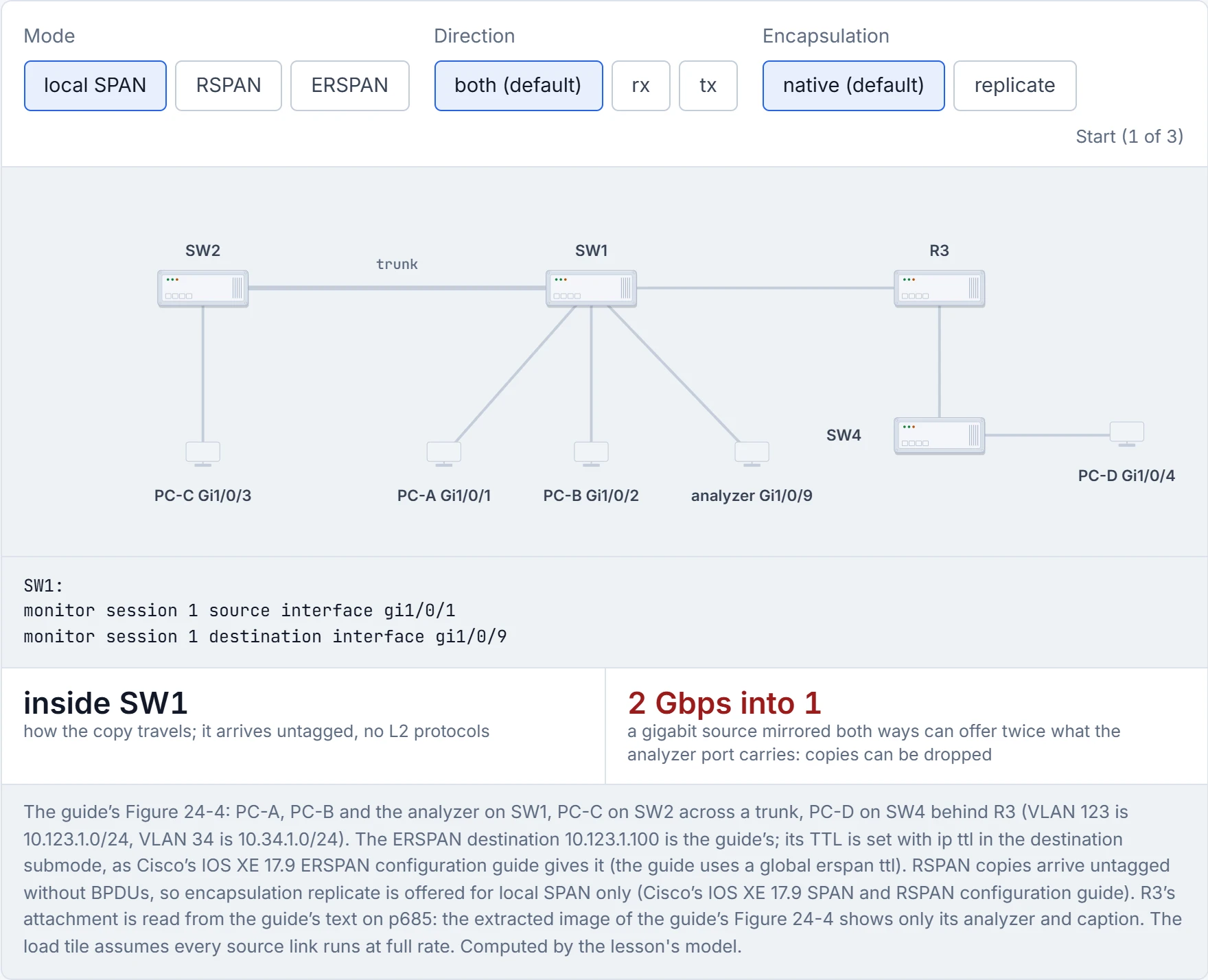
Step 1 of 3 Mirror PC-A (SW1 Gi1/0/1) to the analyzer.
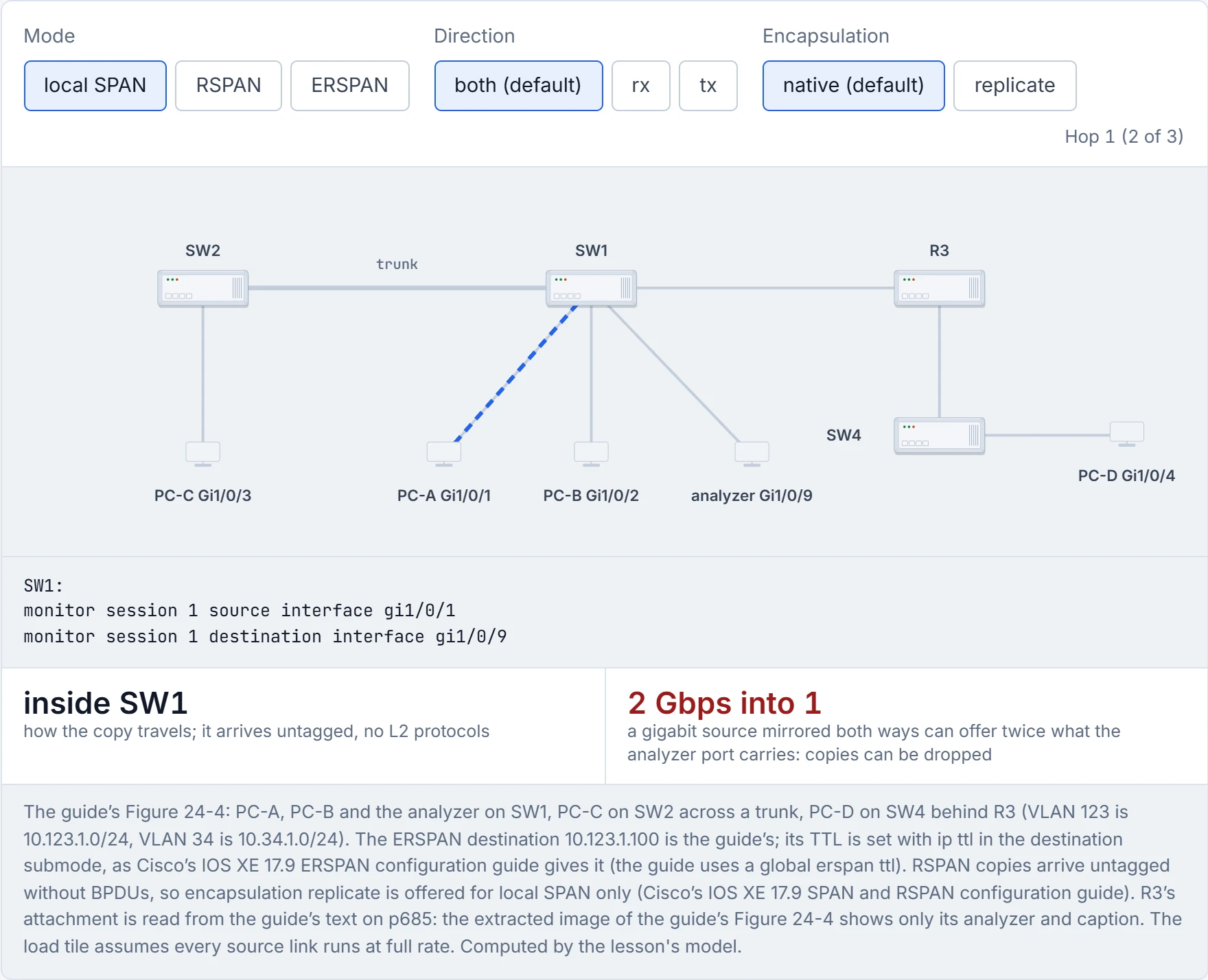
Step 2 of 3 SW1 takes the frames on Gi1/0/1, the source port, in both directions (the default).
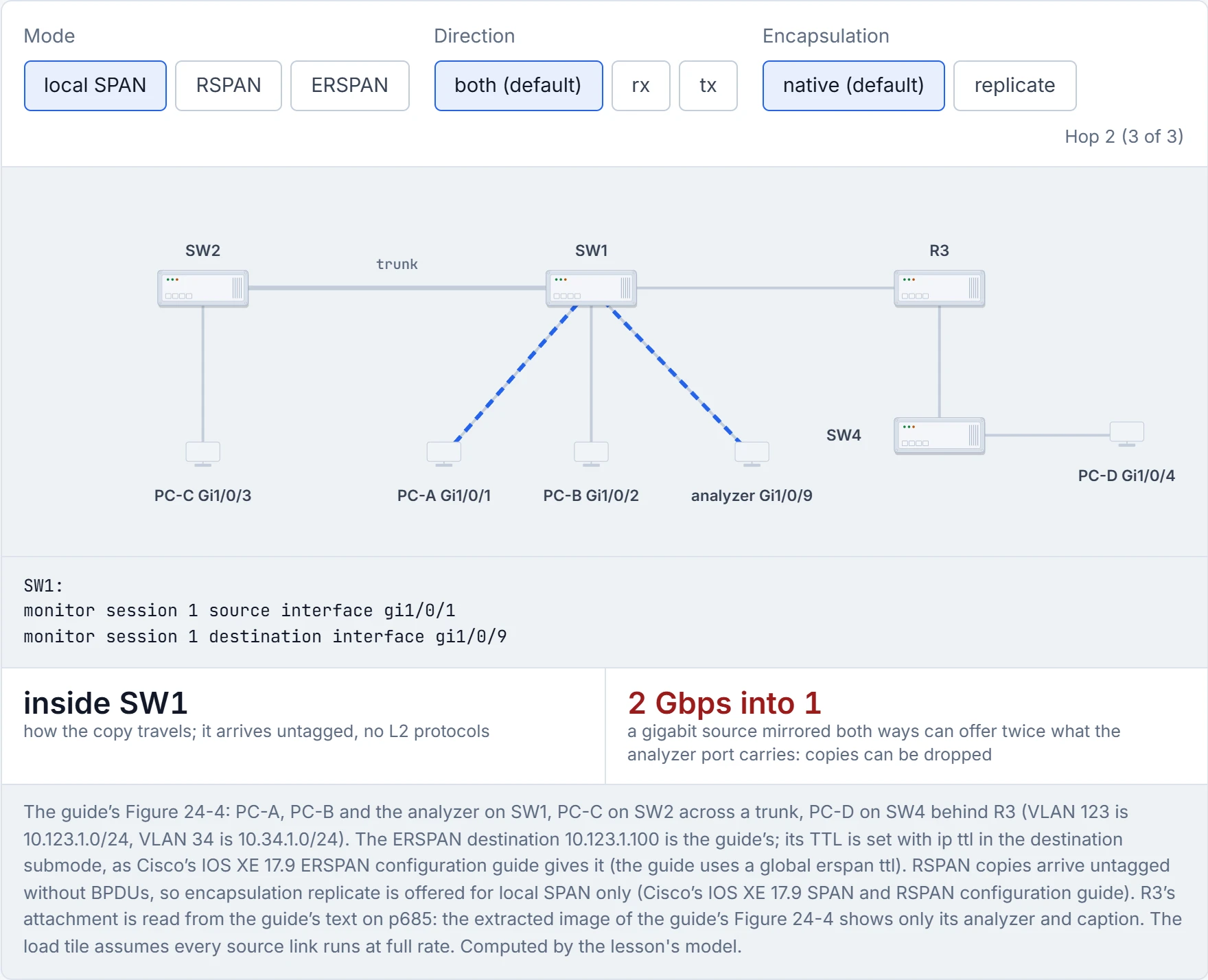
Step 3 of 3 SW1 copies them out Gi1/0/9, the destination, to the analyzer.
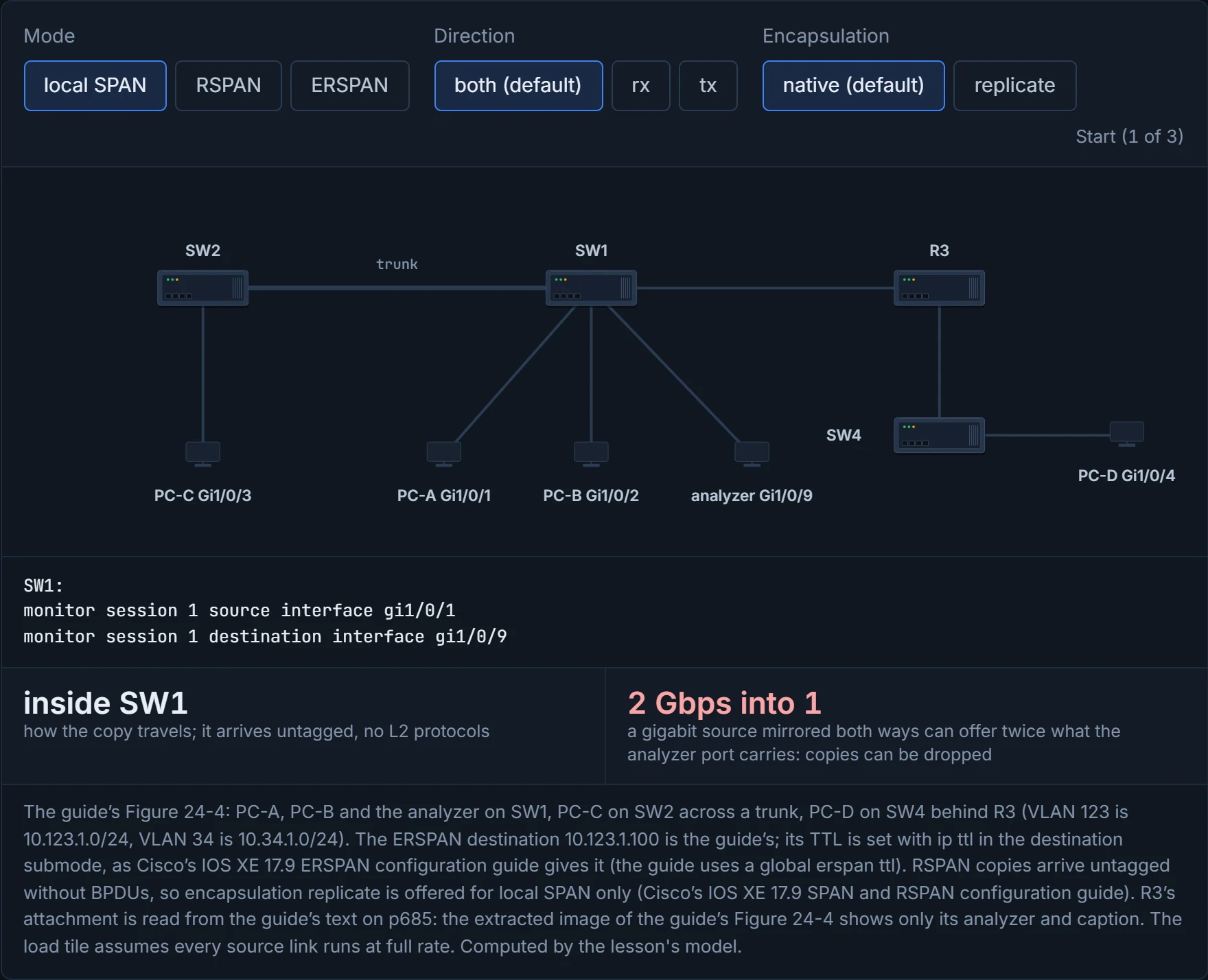
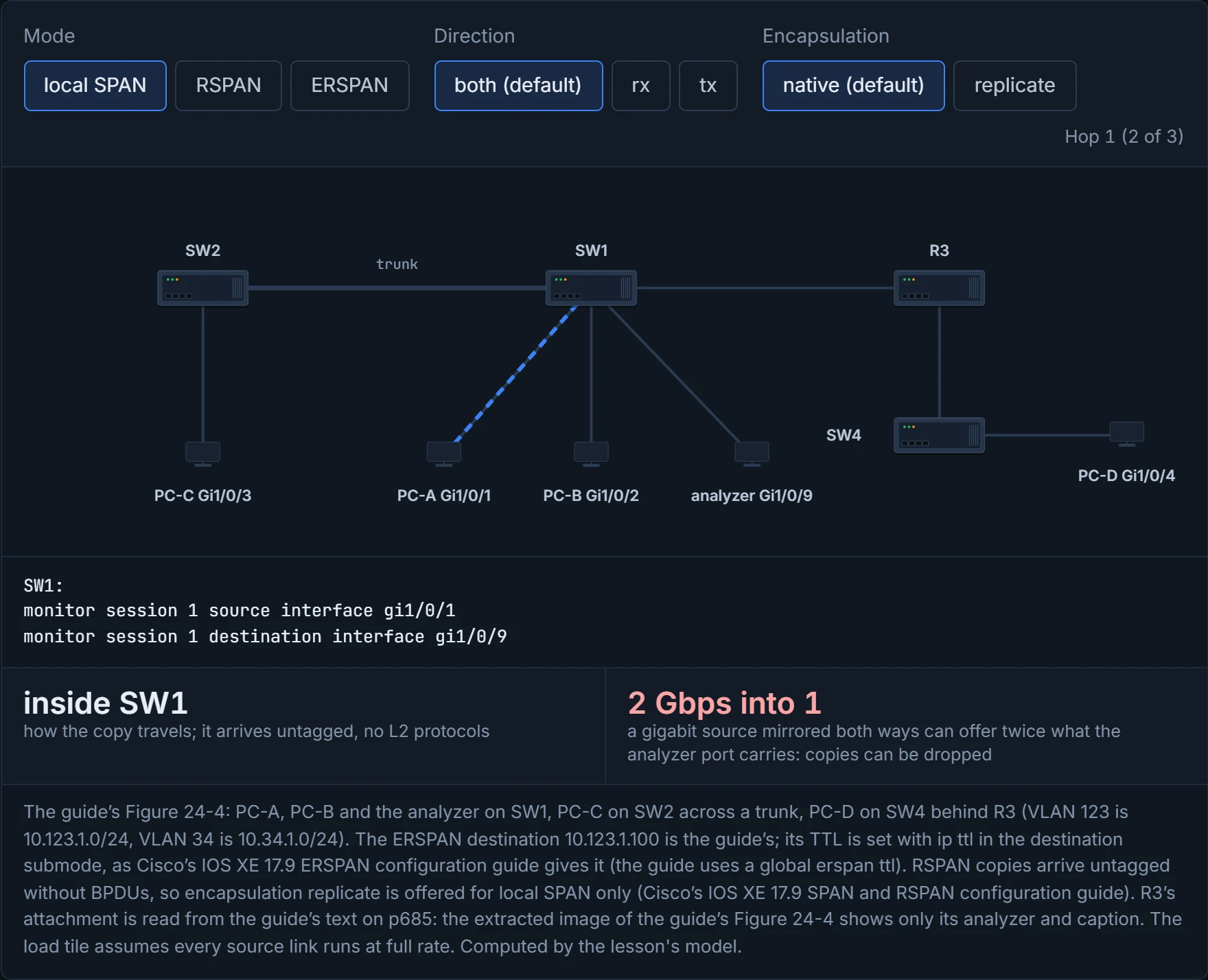
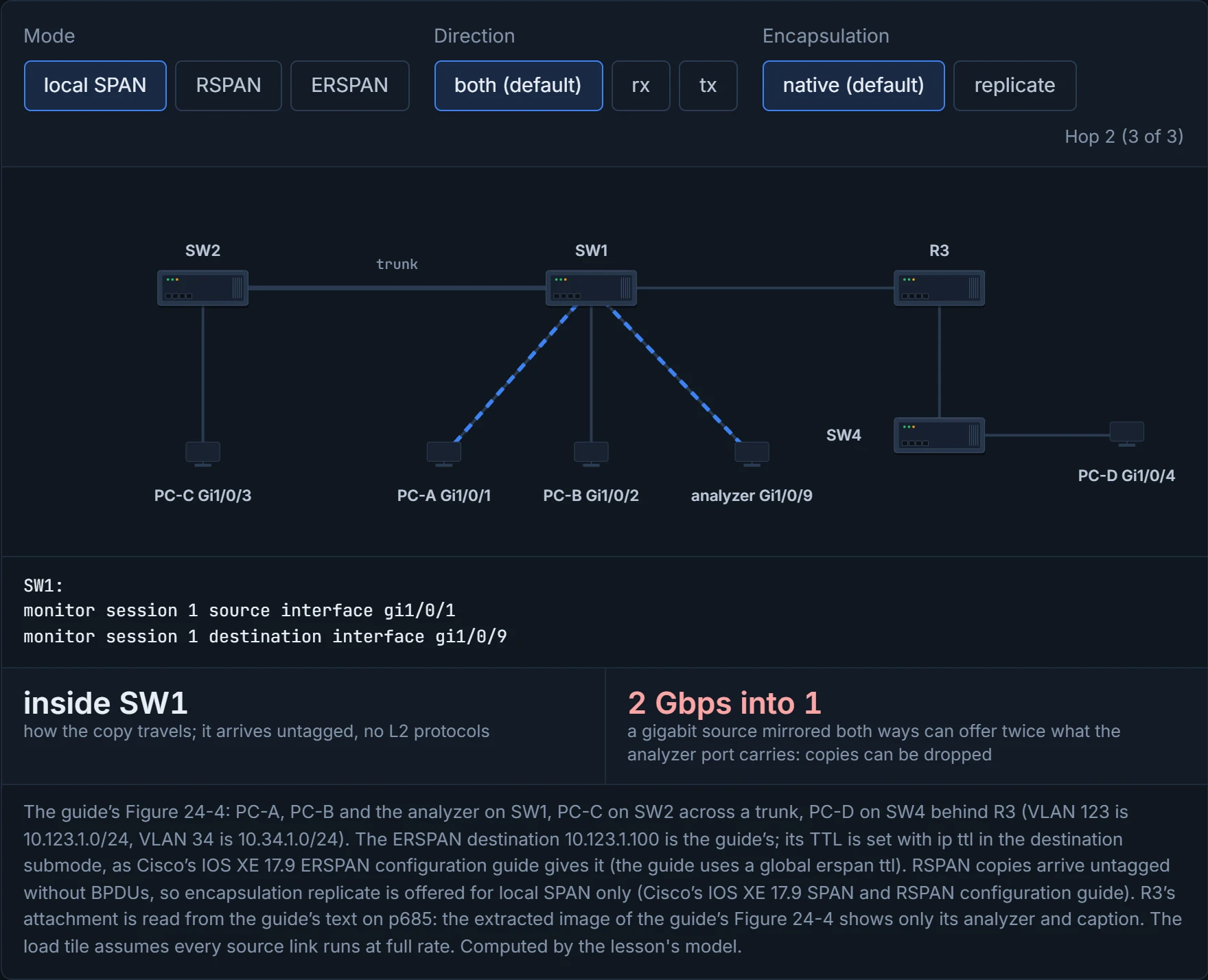
RSPAN needs both switches; ERSPAN crosses R3, because it's routed. The load tile is red from the start, because D1 opens on "both": that's the p686 warning in numbers.
A SPAN destination port takes no part in spanning tree, accepts no traffic and listens to no one, which makes it the most introverted port on the switch.
When the analyzer can't move, RSPAN carries the copy to it in a VLAN reserved for SPAN. That VLAN behaves differently: no MAC addresses are learned on it, and its traffic floods out every port in it, so keep it on the trunks between the source and destination switches. It can't be VLAN 1 or 1002-1005. Think of it as a lane on a shared road reserved for deliveries: only deliveries use it, and every delivery still takes road space.
What arrives is thinner than the original: "The original VLAN ID is lost because it is overwritten by the RSPAN VLAN identification. Therefore, all packets appear on the destination port as untagged", and "RSPAN does not support BPDU packet monitoring or other Layer 2 device protocols". encapsulation replicate is for local SPAN; it can't bring the tags back over RSPAN.
The build:
SW1, SW2:  vlan 99
            name RSPAN_VLAN
            remote-span
SW2:       monitor session 1 source interface gi1/0/3
           monitor session 1 destination remote vlan 99
SW1:       monitor session 1 source remote vlan 99
           monitor session 1 destination interface gi1/0/9
The session number is local, but using the same one on both switches avoids confusion. show monitor session on SW1 reports a "Remote Destination Session" with "Source RSPAN VLAN : 99"; on SW2, a "Remote Source Session" with "Dest RSPAN VLAN : 99". That proves each end's half is configured; it doesn't prove VLAN 99 is allowed and forwarding on the trunks between them, or that copies reach Gi1/0/9. The copy crosses the trunk and can starve normal traffic, and STP runs on the RSPAN VLAN, whose BPDUs mustn't be filtered. Just like when you see the delivery lane back up on a busy day: the rest of the road slows too.
RSPAN is the only VLAN that's forbidden from learning anyone's MAC address, which is also the secret of its success.
ERSPAN sends the copy through Layer 3, so you can capture at a remote site anywhere with IP reachability. On the source switch:
monitor session 1 type erspan-source
 description SOURCE-PC-D-TRAFFIC
 source interface GigabitEthernet1/0/4 rx
 filter vlan 34
 destination
  ip address 10.123.1.100
  erspan-id 2
  origin ip address 10.34.1.4
  ip ttl 32
  exit
 no shutdown
The destination submode takes the analyzer's IP address, a unique erspan-id, and the origin address the GRE packets come from; the session needs no shutdown to run, which E1 puts last, after leaving the destination submode (the guide enters it before destination). Routing matters too: disabling ip routing (or ipv6 unicast-routing) "stops ERSPAN traffic flow". The guide sets the TTL with a global erspan ttl 32; on a 9300 at 17.9 the TTL and DSCP are ip ttl and ip dscp in the destination submode. A trunk source can be filtered by filter {ip access-group ... | ipv6 access-group acl-name | mac access-group acl-name | sgt ... | vlan vlan-ID} (sgt is a TrustSec group tag: 08-7). The copy travels "GRE-encapsulated", so whatever is at 10.123.1.100 has to take the wrapper off, an analyzer that reads ERSPAN or an ERSPAN destination session on a switch (supported on the 9300 since 16.11.1). It's a bit like sending a parcel inside a courier bag: the bag carries the address, and someone at the other end has to open it to reach what's inside.
The guide verifies with show monitor session erspan-source session; E1 lists show monitor session erspan-source detail and show monitor session [number]. The output proves the type, whether the session is administratively enabled, the source ports and direction, the destination IP, the ERSPAN ID and the origin; it doesn't prove the source is up, that traffic is matched, that there's a route, or that the GRE packets arrive and can be read. E1's header is Type II by default, Type III with header-type 3. Consider it your postage label: correct on the parcel says nothing about whether the depot is open.
ERSPAN will faithfully route a copy of every packet across your WAN to 10.123.1.100, whether or not anything there has ever heard of GRE.
On a Catalyst 9300 at 17.9:
| Limit | 9300 at 17.9 | The guide |
|---|---|---|
| sessions | 66 in all, at most 8 source sessions | gives only a floor: "at least two" |
| a source port in two sessions | allowed ("separate or overlapping sets of SPAN source ports") | not allowed |
| a destination port in two sessions | not allowed | not allowed |
| ports and VLANs in one session | not allowed | not allowed ("only one of the following") |
Continue the lesson
The whole lesson, with its drawings and its questions. The rest of this section and 9 more after it.