
Virtual switching, and how packets reach a VM fast
A virtual switch is a software Layer 2 switch inside a server: VMs reach each other and the physical network through it, by their virtual NICs. A server can run several vSwitches, but traffic cannot flow directly between them and they cannot share a physical NIC. Because every packet costs CPU in software, OVS-DPDK, PCI passthrough and SR-IOV speed the path up.
By Arif, founder of Daveth · Updated
The full 7 min walkthrough is in Daveth Pro (Network). See what the plan opens
What this page answers
What is a virtual switch (vSwitch)?
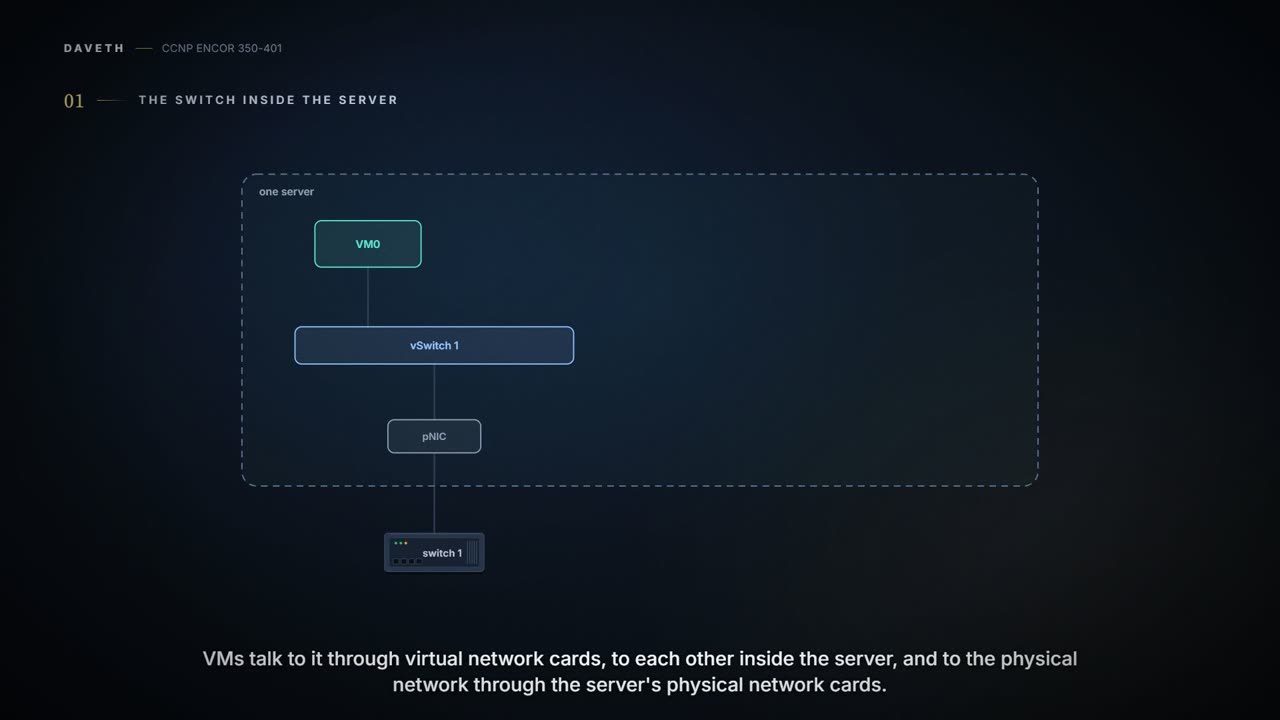
A software-based Layer 2 switch that operates like a physical Ethernet switch, letting VMs talk to each other inside the server through their vNICs and reach the physical network through the server's physical NICs. Read it in “4.1 The switch inside the server”
Can two vSwitches on one host talk directly?
No. A server can have several vSwitches, but traffic cannot flow directly from one to another within the same host, and they cannot share the same physical NIC. Read it in “4.1 The switch inside the server”
4.1 The switch inside the server
The VMs in 04-7 still need a network. "A virtual switch (vSwitch) is a software-based Layer 2 switch that operates like a physical Ethernet switch" (quiz Q4's answer: a software version of a physical Layer 2 switch); it lets VMs, through their virtual NICs (vNICs), talk to each other inside the server and reach the physical network through the server's physical NICs (pNICs). The vSwitch works like a building's internal post room: letters between flats never leave the building, and anything for outside goes out through the front door.
Two rules shape everything after this. You can create several vSwitches on one server (so quiz Q5's "only one" is false), but "network traffic cannot flow directly from one vSwitch to another vSwitch within the same host, and the vSwitches cannot share the same pNIC". The popular ones: Cisco Nexus 1000VE, Cisco Application Virtual Switch, Open vSwitch (OVS), IBM DVS 5000v and the vSphere Switch.
Look at Figure 27-5 with those rules in mind. vSwitch 1 reaches the physical network, vSwitch 2 has no pNIC at all, and the only thing on both is a virtual firewall, the NGFWv (what a next-generation firewall inspects: 08-5). So traffic from VM1 to the outside, or to VM0, "needs to flow through the virtual next-generation firewall". That's the design: a firewall you can't walk around. You can think of it as a building where one wing's only corridor goes through the security desk.
Before running D1, predict: the NGFWv stops. Of the VMs on vSwitches 1 and 2, which can still reach Switch 1?
D1
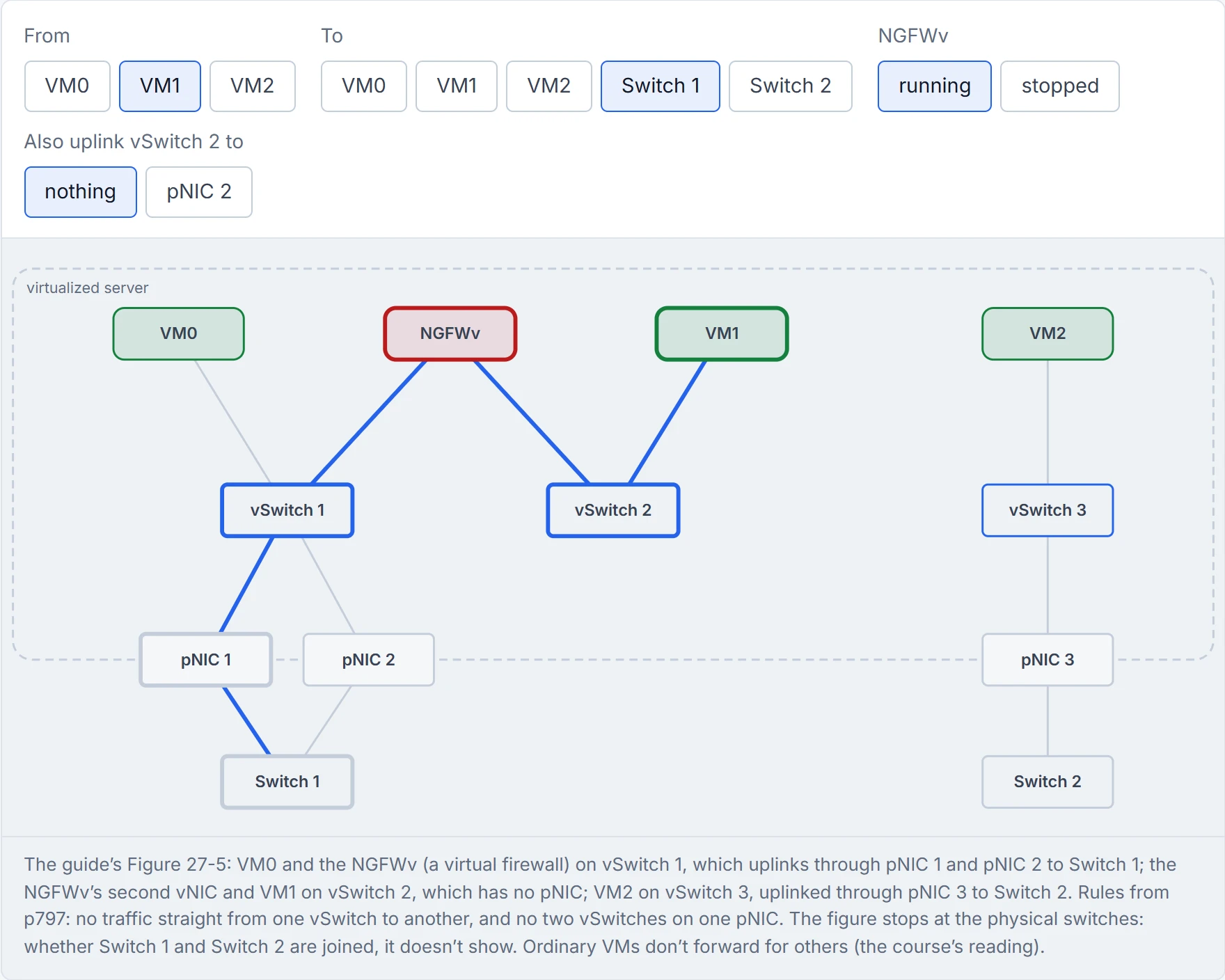
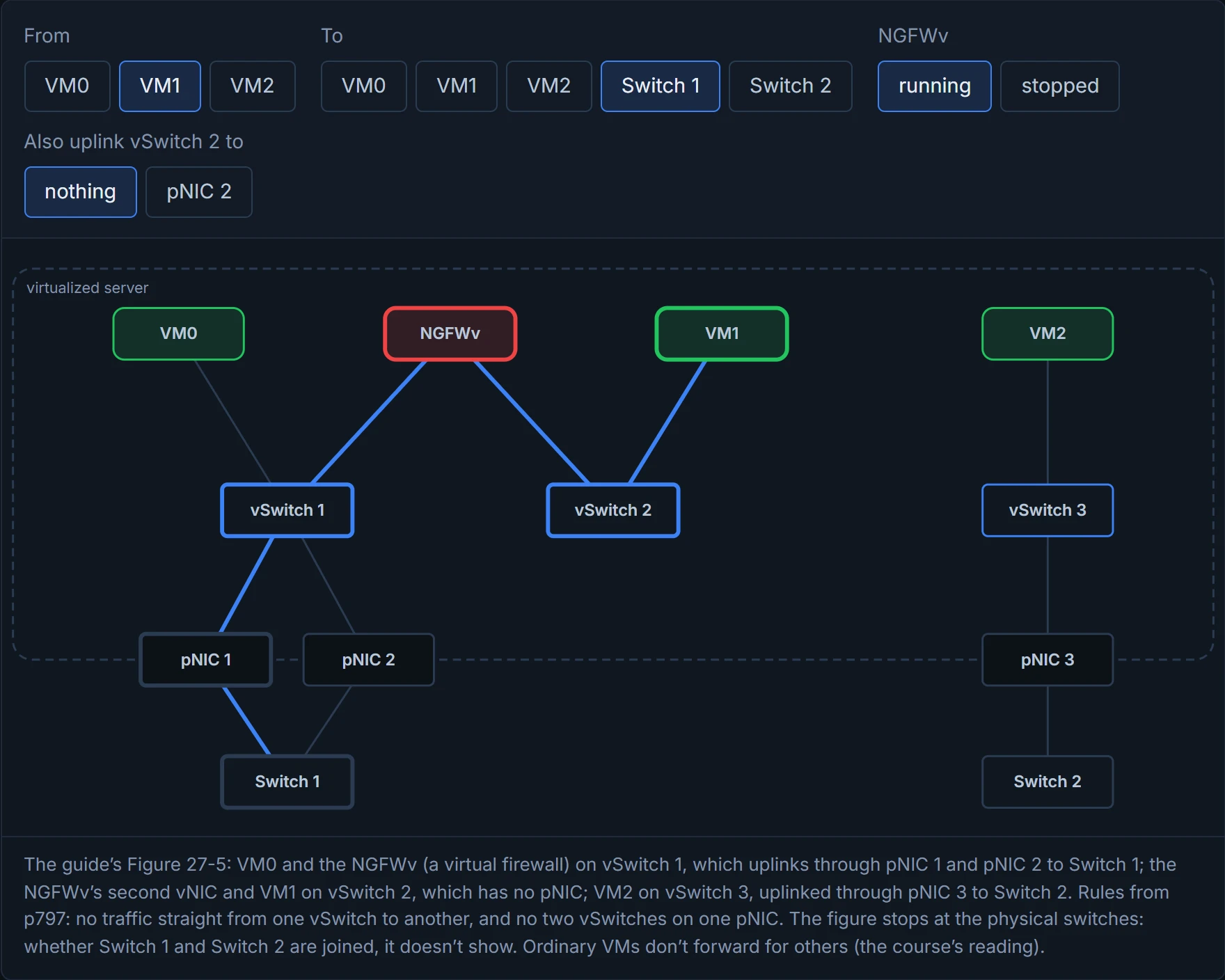
Two vSwitches in the same server that can't talk to each other directly is the most realistic thing in this chapter; every office has two departments that only speak through a third.
A standard vSwitch lives in one host, so in a cluster "every vSwitch ... needs to be configured individually in every virtual host". Distributed virtual switching "aggregates vSwitches together from a cluster of virtualized servers and treats them as a single distributed virtual switch". The benefits the guide lists: one place to manage the vSwitch configuration for every host; a VM's networking statistics and policies move with it during a live migration; and the same configuration everywhere. It runs like a chain of shops with one head office setting the prices, instead of every branch manager writing their own labels.
Configuring the same vSwitch by hand on forty hosts is how networking teams discovered that copy and paste has a typo rate.
The live-migration benefit ties back to 04-7: when a VM moves, its networking statistics and policies move with it. If you've ever moved to a new branch of your bank and found your account settings already there, that's the idea.
Quiz Q6 says containers don't need vSwitches; that's false. "Like VMs, containers rely on vSwitches (also known as virtual bridges)". Docker creates a bridge the guide calls Docker0 by default (Docker's own documentation names the default network bridge, and on Linux the device is usually shown in lower case) and gives it 172.17.0.1/16; the subnet can be customized, and user-defined bridges can be used as well. Every container gets a virtual Ethernet interface (veth) on Docker0, which "appears to the container as eth0", addressed from the bridge's subnet (Figure 27-6). It's like a shared house with an internal phone line: every room has an extension, and they can all ring each other.
The limit: containers "can then communicate with each other only if they are within the same node"; reaching containers on other nodes takes routing at the OS level or an overlay network, and a second Docker node left at its defaults ends up with the same addressing as the first, which has to be sorted out node by node. The guide's better answer is an orchestrator such as Kubernetes. Docker's own documentation says the same about crossing hosts, and adds that a bridge network "has an IPv4 subnet and, optionally, an IPv6 subnet". It's a bit like two houses with identical extension numbers: fine inside each house, confusing the moment they try to call each other.
Every default Docker host thinks it's 172.17.0.1, which is the container world's version of every hotel room being called "Room 1".
A VNF, a virtual network function, is "the virtual or software version of a physical network function (NF) such as a firewall", and it typically runs on a hypervisor as a VM; the NGFWv is one. Two traffic shapes: north-south comes in from the wire, goes to a VNF and back out; east-west goes from one VNF to another inside the server, perhaps through several (service chaining), before leaving; and a VNF can use both, north-south for users and east-west to a VNF that only collects statistics or logs. The guide says these patterns "are important to understand when deciding which technology to use". Then the terms: I/O is a computer's traffic with the outside world, an I/O device is something like a NIC, and a device driver is the program that lets the CPU talk to it; an IRQ is a device telling the CPU it has data, and the CPU "saves its current state, temporarily stops what it’s doing, and runs an interrupt handler"; DMA lets a device write to memory "bypassing the CPU"; the kernel runs in protected kernel space, apps in user space. An interrupt is like a doorbell: every ring means stopping what you're doing and walking to the door.
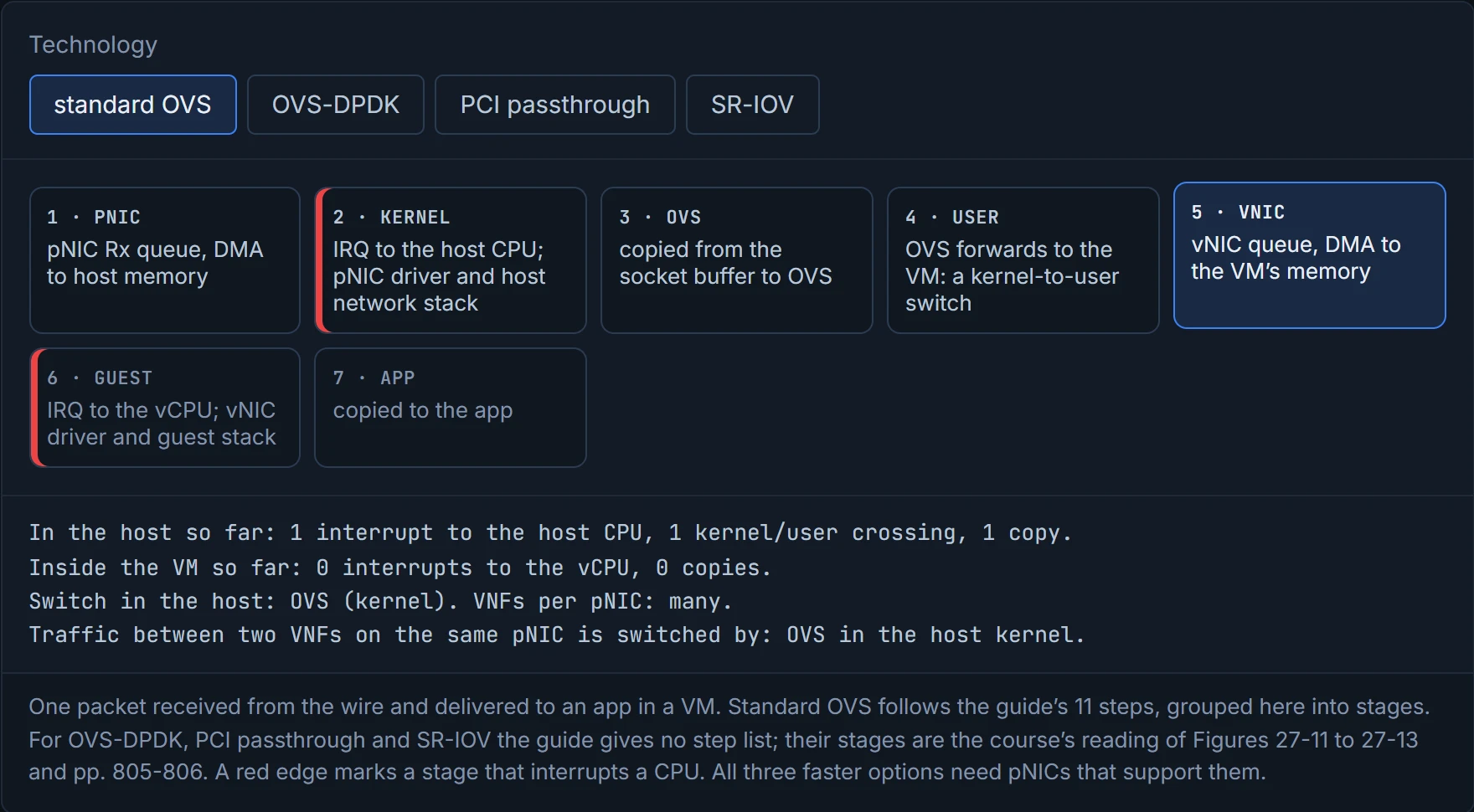
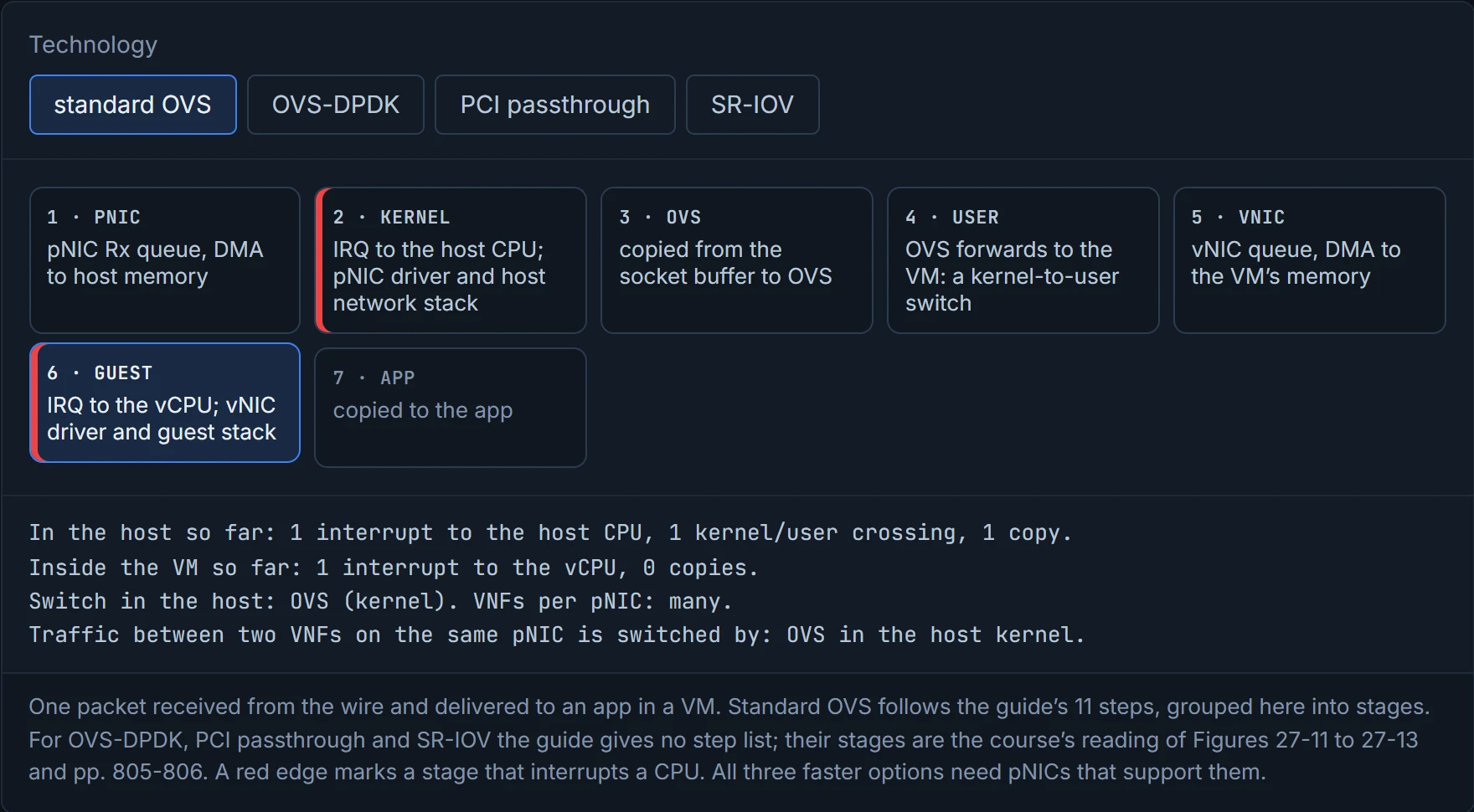
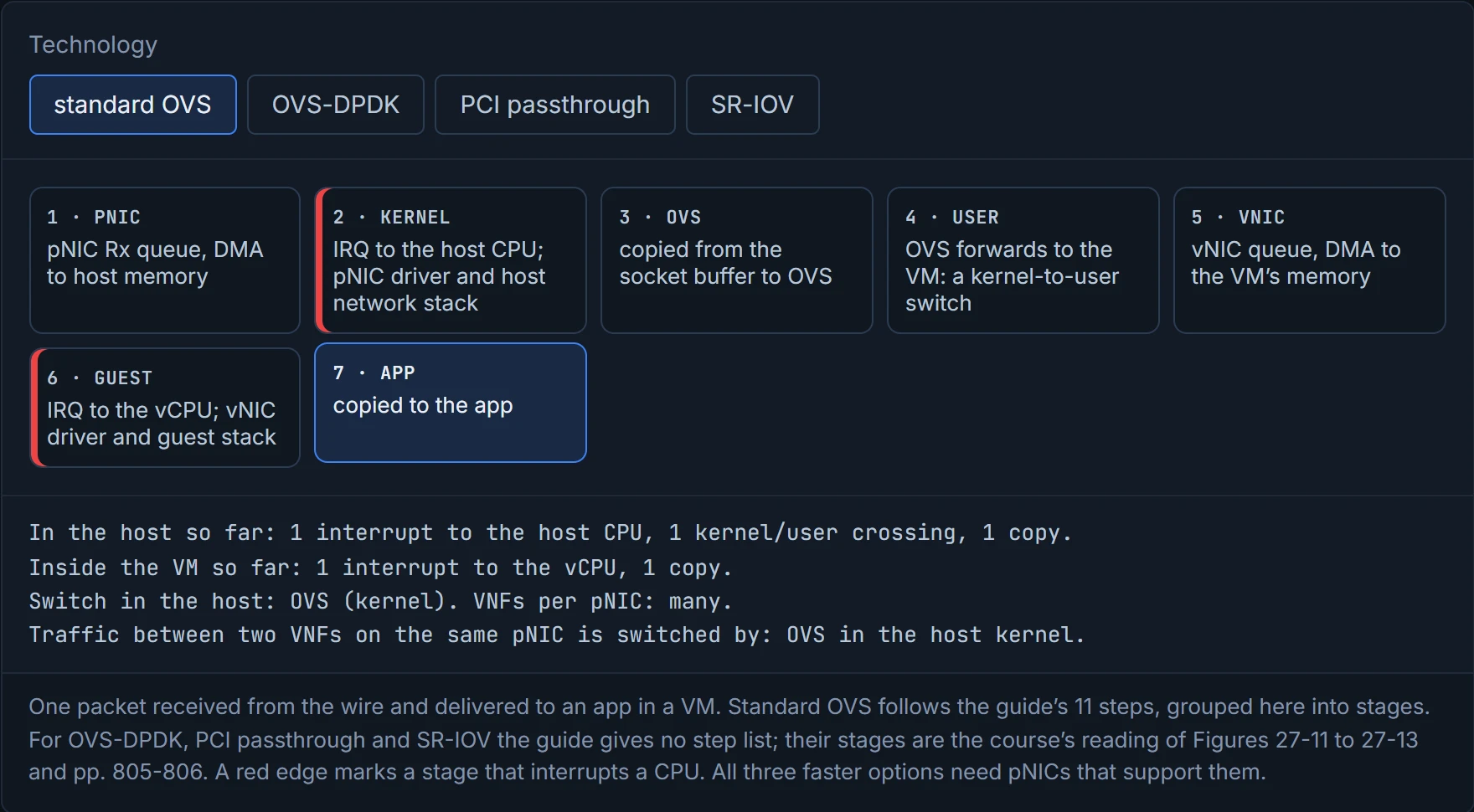
Without virtualization, a packet goes from the pNIC through kernel space to an app in user space (Figure 27-9). In a virtualized server, "there are pNICs and virtual NICs (vNICs) and a hypervisor with a virtual switch in between them", and that layer "creates bottlenecks and reduces I/O packet throughput". The guide's 11 steps for standard OVS show why: the pNIC DMAs the packet into memory and interrupts the CPU; the driver pushes it up the host's network stack; it's copied to OVS; OVS forwards it to the VM, "switching the packet between the kernel and user space, which is expensive in terms of CPU cycles"; then, inside the VM, the vNIC does the whole thing again, interrupt and all, before the app gets a copy (Figure 27-10). And: "The number of interrupts increases when using high-speed NICs (for example, 40 Gbps) and the packet size is small", because more packets have to be processed per second, and every interrupt means stopping, saving state, handling it and restoring. If you've ever tried to cook while the doorbell rang for every single parcel, you know the problem.
D2
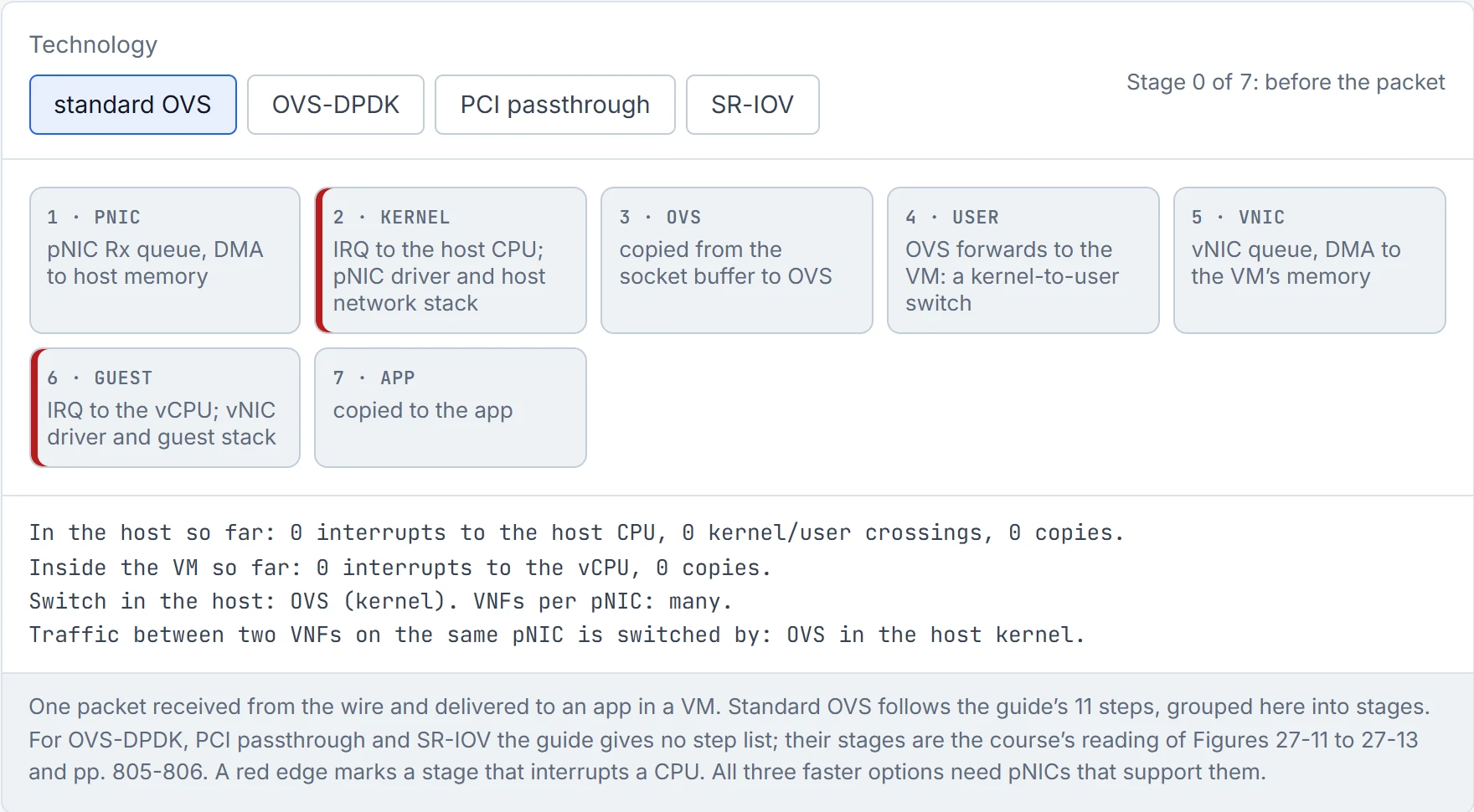
Step 1 of 8 standard OVS: 7 stages from the wire to the app.
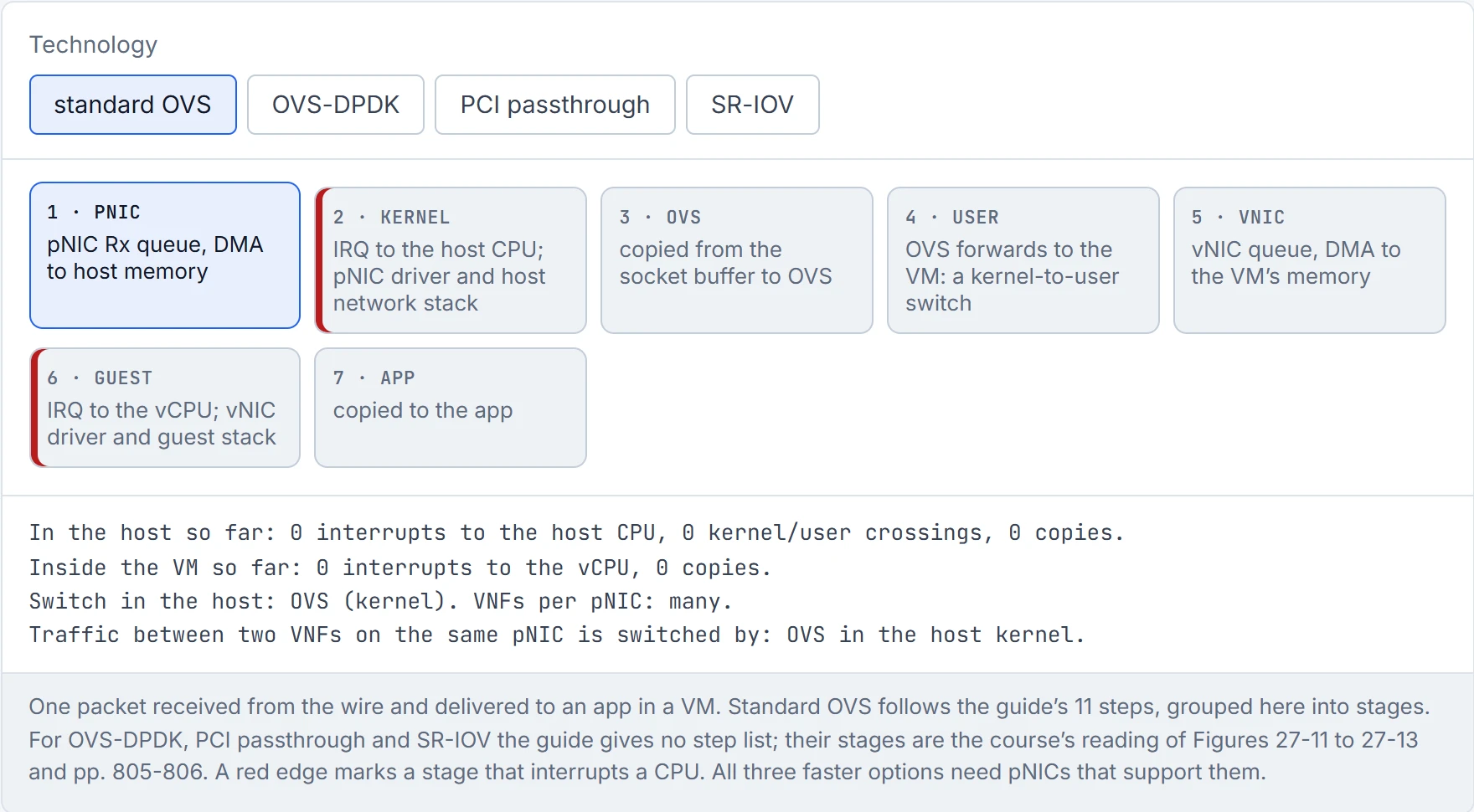
Step 2 of 8 PNIC Rx queue, DMA to host memory.
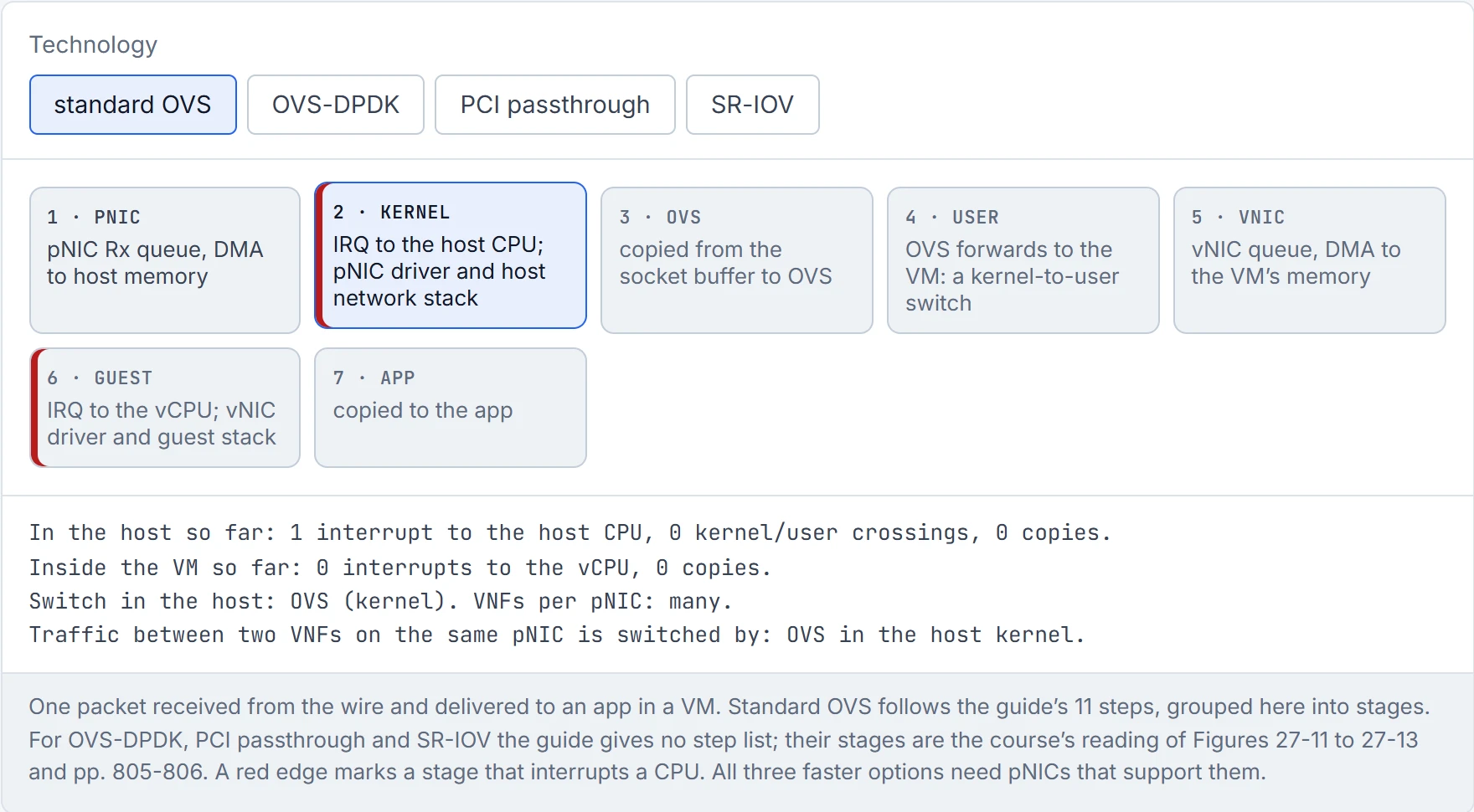
Step 3 of 8 The pNIC interrupts the host CPU: it saves its state, stops what it was doing and runs the pNIC driver, which pushes the packet up the host network stack into a socket buffer. The number of these interrupts rises with fast NICs (40 Gbps) and small packets.
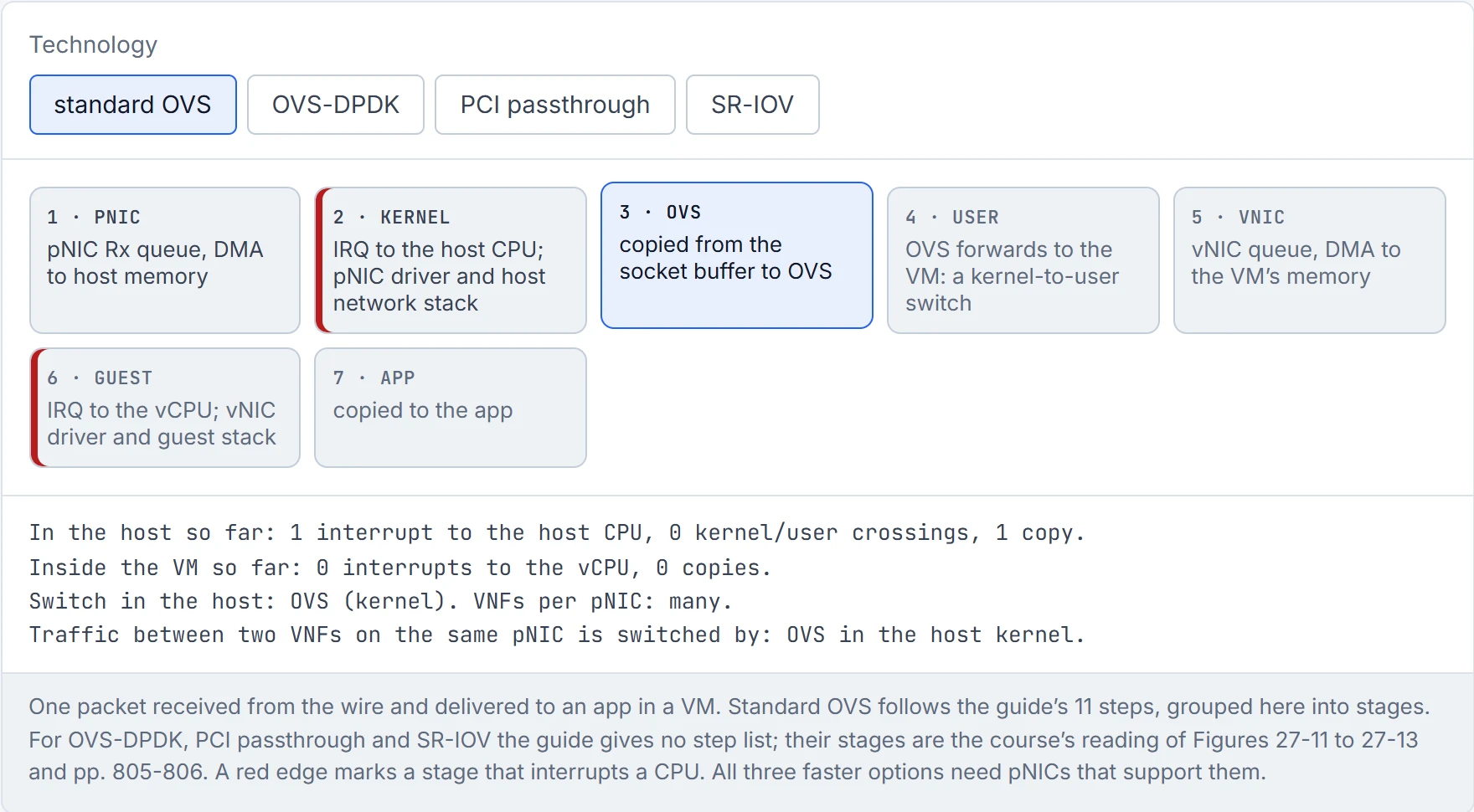
Step 4 of 8 Copied from the socket buffer to OVS.
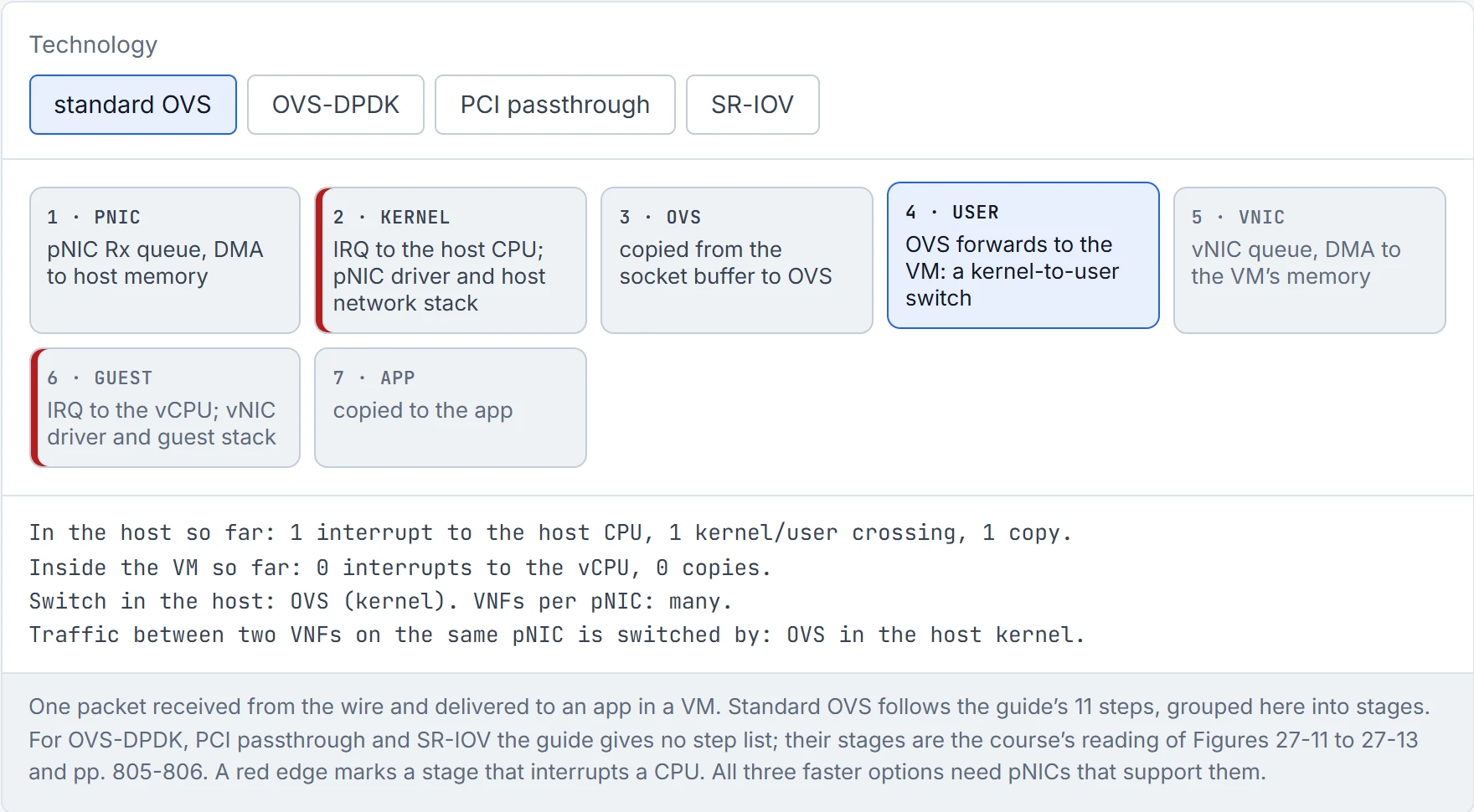
Step 5 of 8 OVS forwards the packet to the VM, which means switching it between kernel space and user space: "expensive in terms of CPU cycles".
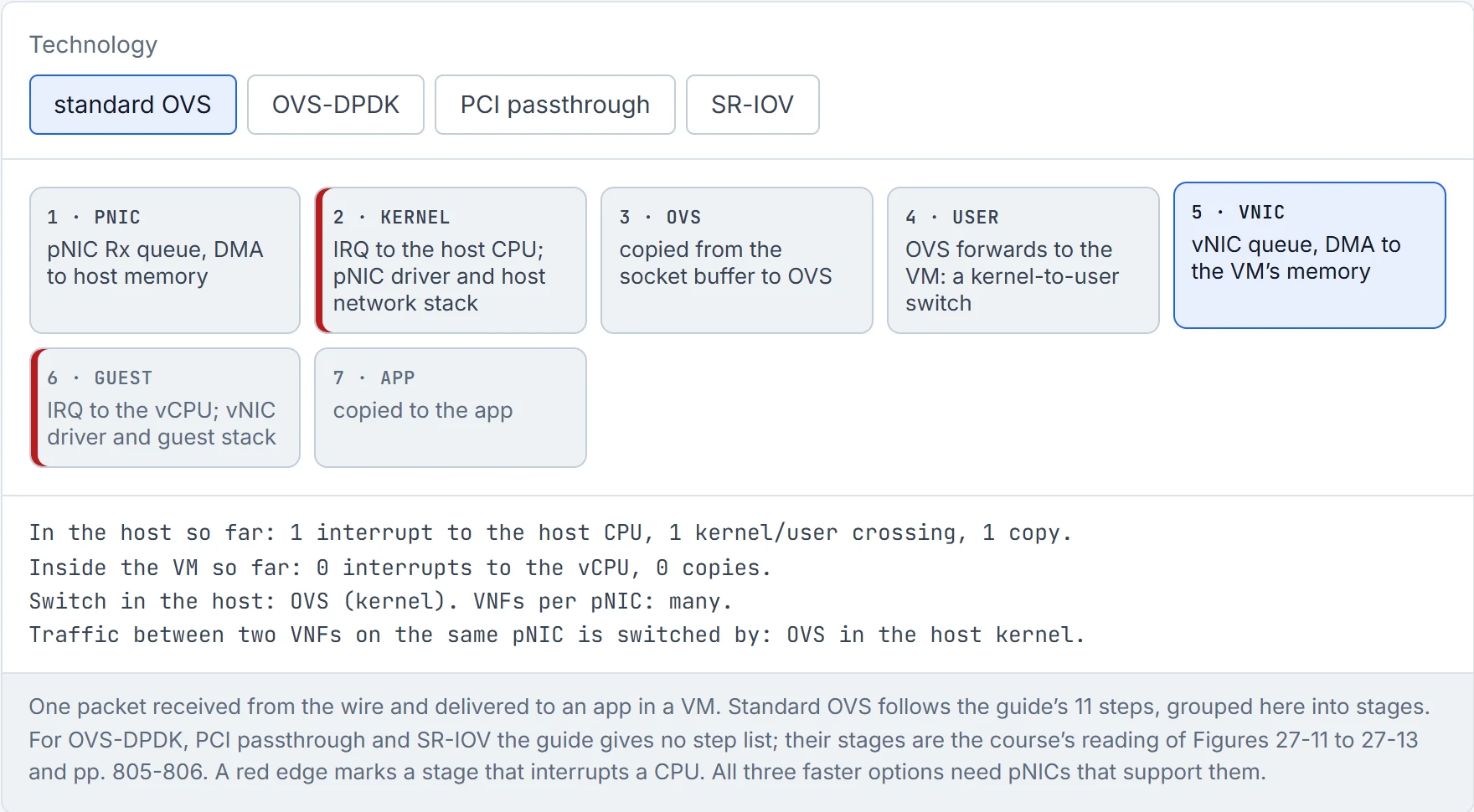
Step 6 of 8 VNIC queue, DMA to the VM’s memory.
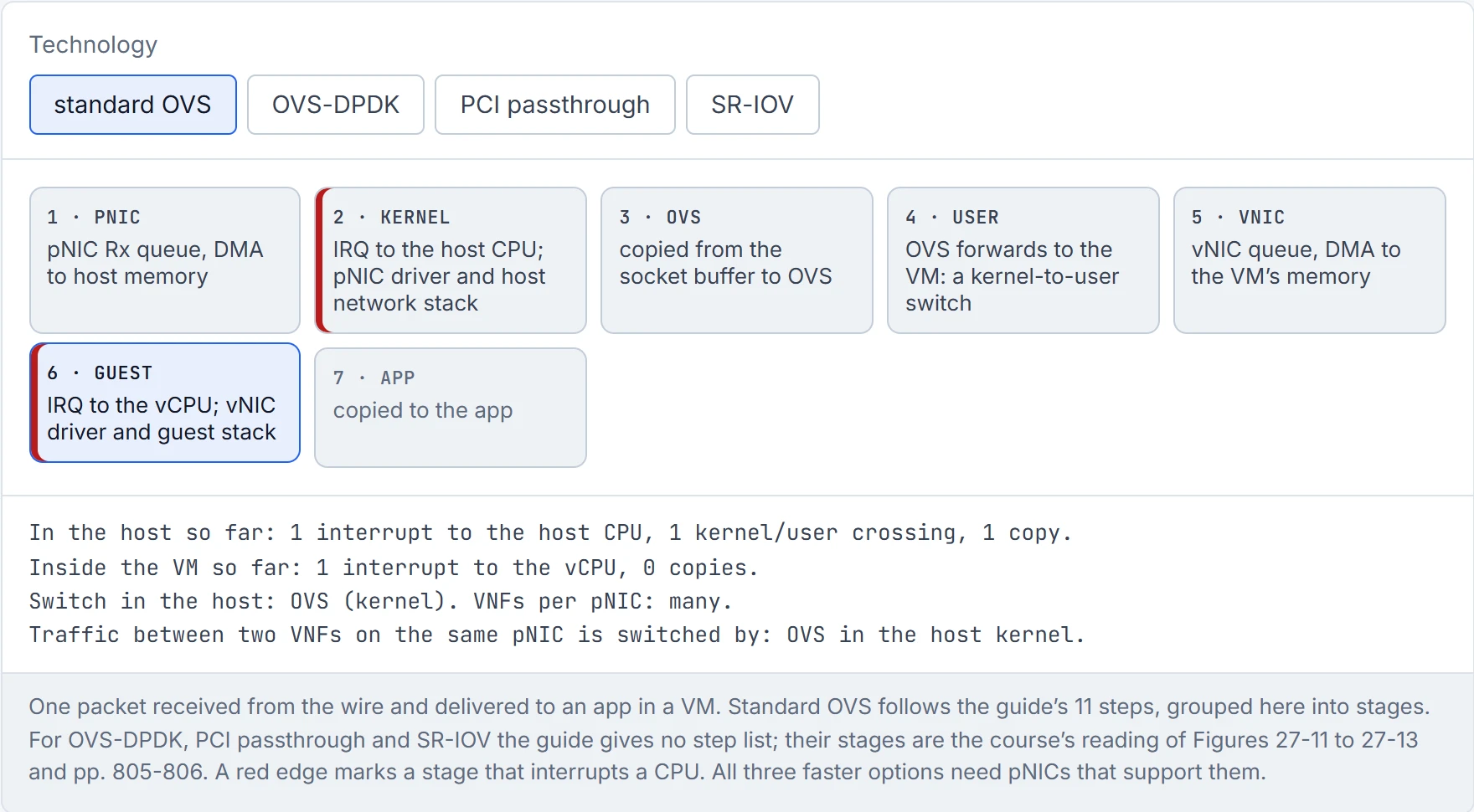
Step 7 of 8 Inside the VM the whole thing happens again: the vNIC interrupts the vCPU and the guest driver and stack take over.
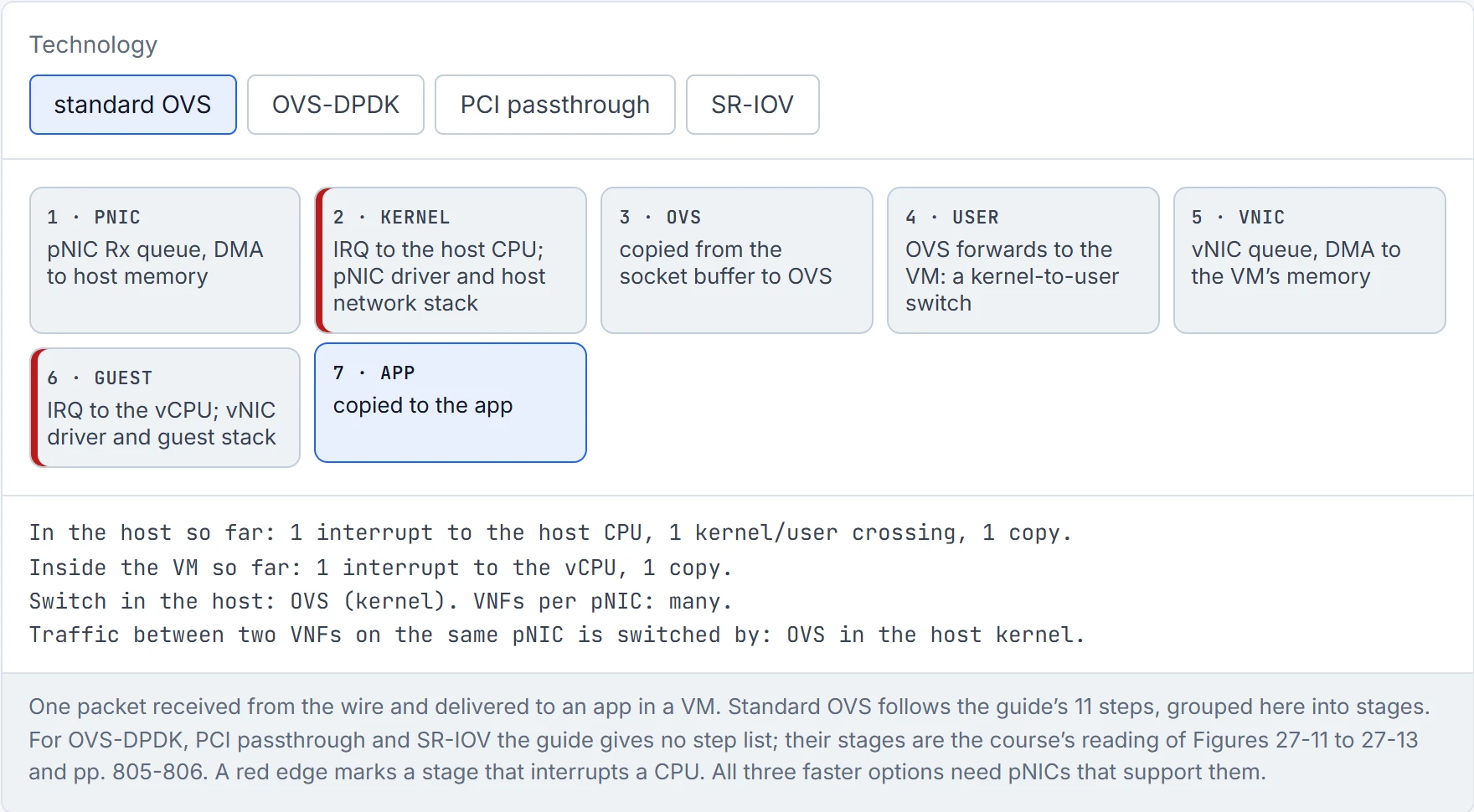
Step 8 of 8 Delivered to the app. Interrupts to the host CPU, the host network stack and the kernel/user crossing are what the other three technologies, OVS-DPDK, PCI passthrough and SR-IOV, remove.
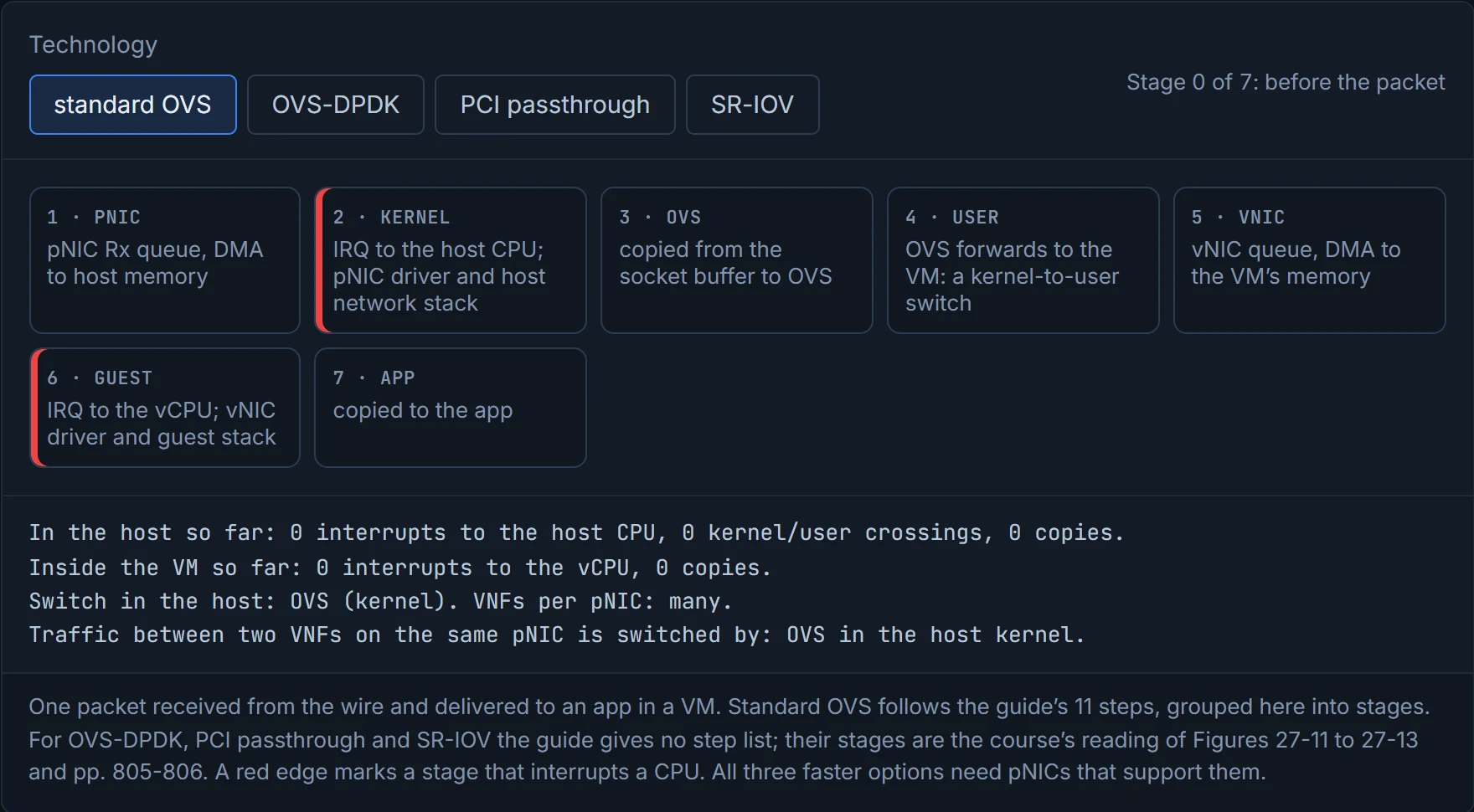
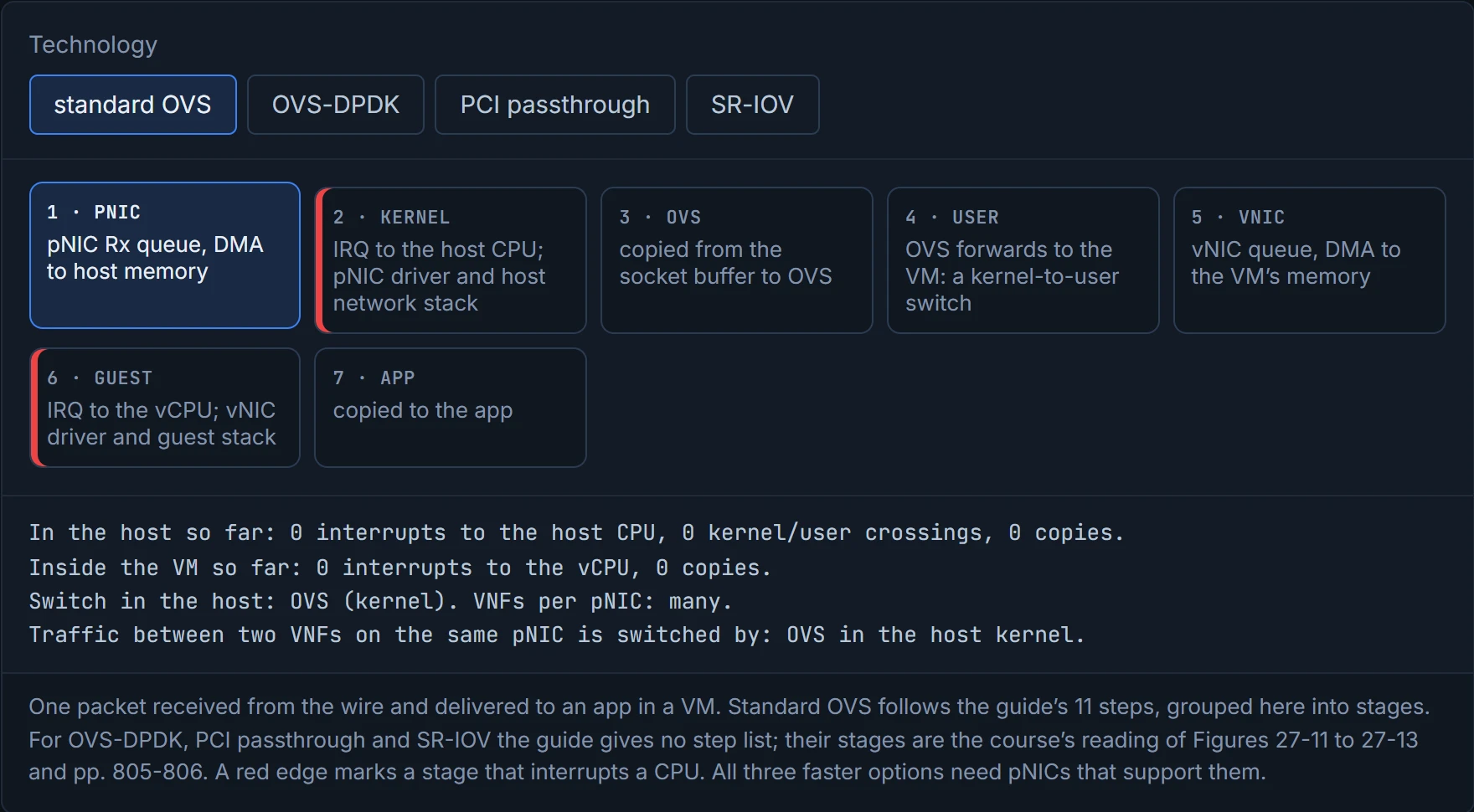
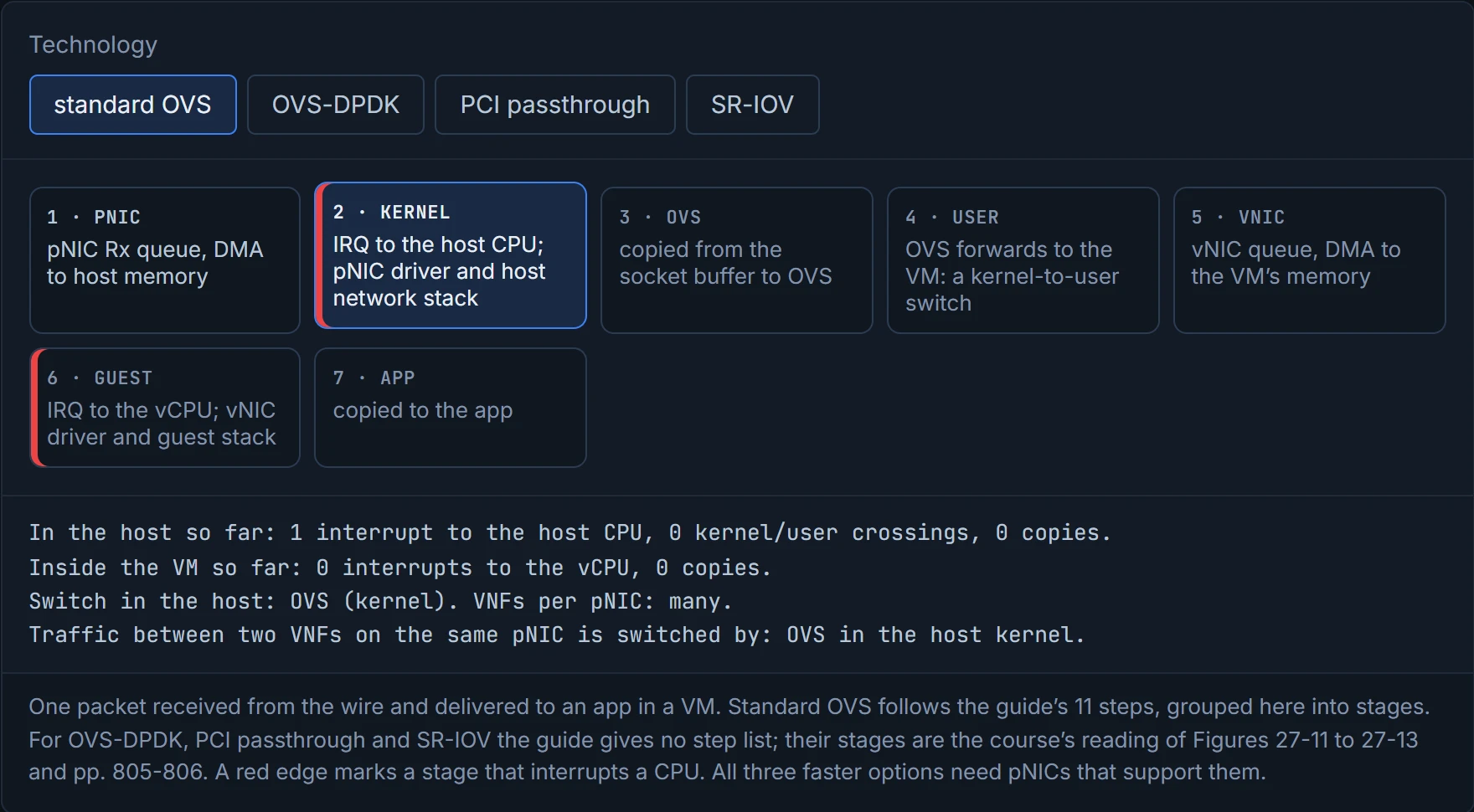
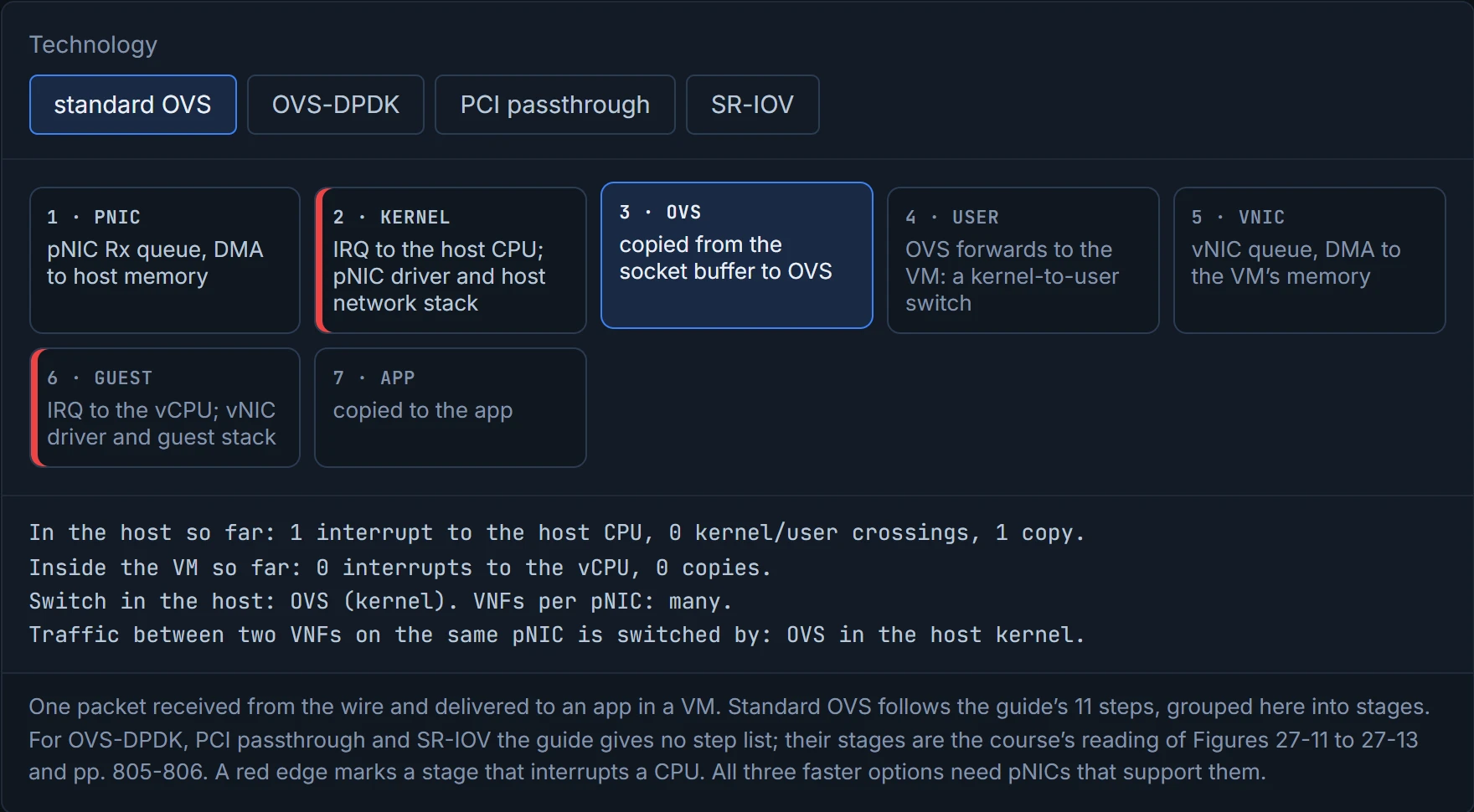
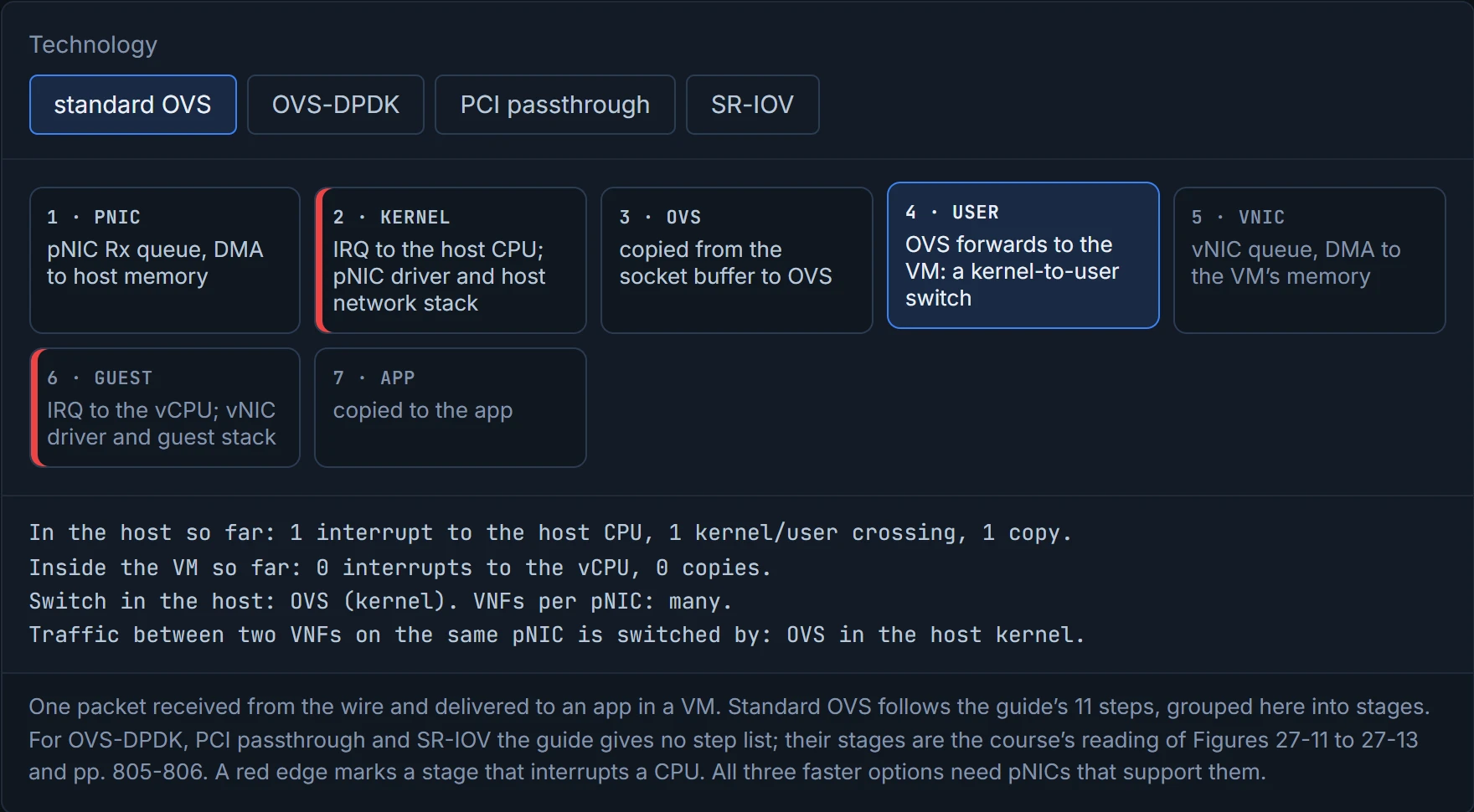
At 40 Gbps of small packets, the CPU spends so much time answering the door that dinner never gets finished.
The guide's answer is three technologies, and all of them need a pNIC that supports them:
| What it removes | What it costs | |
|---|---|---|
| OVS-DPDK | the host's interrupts and network stack, keeping a software switch: OVS runs "entirely in user space", and the DPDK Poll Mode Driver "polls for data that comes into the pNIC"; the packet is already in user space, so it's switched straight to the VNF | "one or more CPU cores dedicated to polling" |
| PCI passthrough | the hypervisor: the VNF gets "direct access" to a pNIC. The guide's advantages: "Exclusive one-to-one mapping", bypassed hypervisor, direct access to I/O resources, reduced CPU utilization, reduced latency, increased I/O throughput | "the entire pNIC is dedicated to a single VNF", so the number of VNFs is limited by the number of pNICs |
| SR-IOV | the hypervisor, like passthrough, but many VNFs share one pNIC: the pNIC emulates several PCIe devices, virtual functions (VFs), on its physical function (PF), and each VNF uses a VF by PCI passthrough (quiz Q10) | the guide names no downside; like the others, it needs a pNIC that supports it |
DPDK's own guide says its poll-mode drivers work "without relying on interrupts (except for Link Status Change notifications)". Polling is like a tenant checking the mailbox constantly instead of waiting for the doorbell: no interruptions, but somebody is always standing at the mailbox.
Continue the lesson
The whole lesson, with its drawings and its questions. The rest of this section and 9 more after it.