
Hypervisors, virtual machines and containers
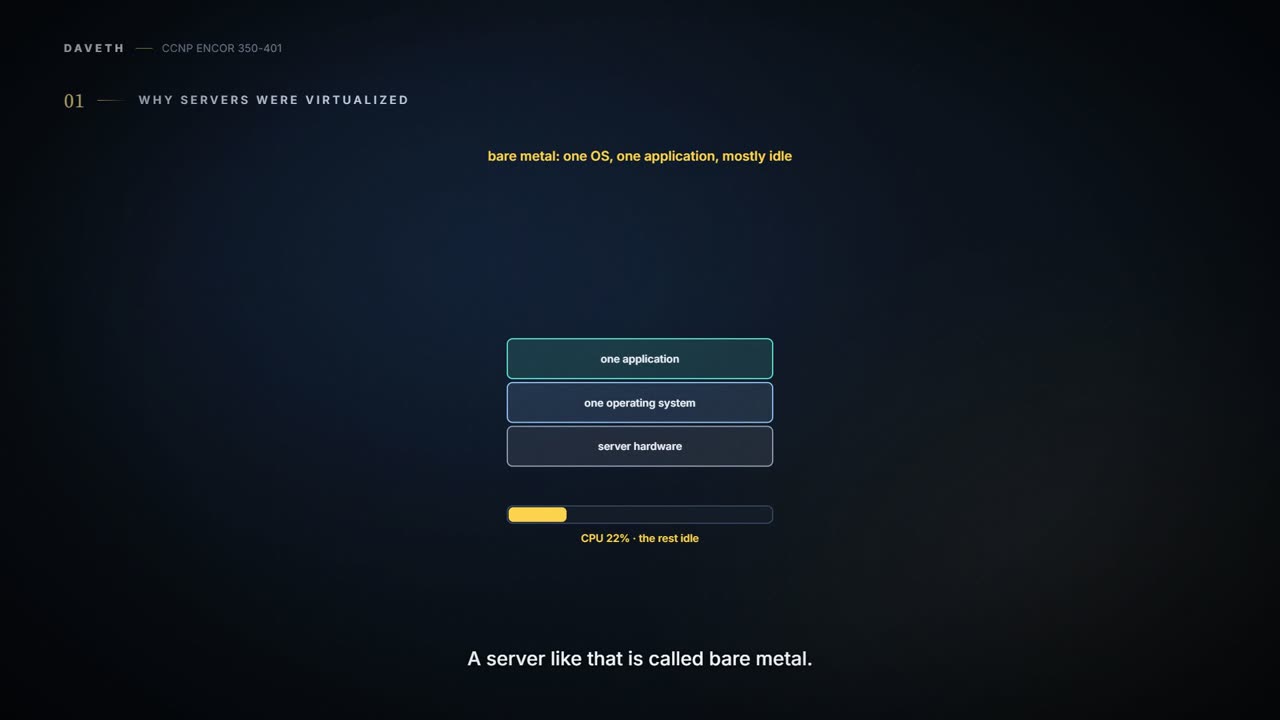
Bare-metal servers typically used only 10% to 25% of their CPU. A hypervisor creates several virtual machines on one server, each a software emulation of a physical server with its own operating system. A type 1 hypervisor runs directly on the hardware; a type 2 runs on a host OS. A container carries only the app and its libraries and shares the host OS kernel.
By Arif, founder of Daveth · Updated
The full 6 min walkthrough is in Daveth Pro (Network). See what the plan opens
What this page answers
What is the difference between a type 1 and a type 2 hypervisor?
A type 1 hypervisor, also called bare metal or native, runs directly on the system hardware. A type 2 runs on a host operating system, which it requires. The guide defines them by what they run on, not by speed. Read it in the lesson
What is the difference between a virtual machine and a container?
A VM carries the app, its libraries and a guest OS and takes minutes to start. A container carries only the app and libraries, shares the host OS and kernel, and starts in seconds, so a host OS failure reaches every container. Read it in “4.1 Why servers were virtualized”
4.1 Why servers were virtualized
The waste came first. Physical servers typically ran "a single operating system with a single application and using only about 10% to 25% of the CPU resources". A server like that, one OS for one user, is a bare-metal server, and VMs and containers exist to fill the rest of it. A bare-metal server is like a seven-seat car driven to work with one person in it every day: the seats are paid for either way.
10% to 25% CPU is the server equivalent of a gym membership: fully paid, occasionally used.
The chapter's own definition: server virtualization "is the process of using software to create multiple independent virtual servers (virtual machines) or multiple independent containerized operating systems (containers) on a physical x86 server", and doing it with containers is also called containerization. You can think of it as splitting a big house into flats: the building is the same, and more people live in it.
"A virtual machine (VM) is a software emulation of a physical server with an operating system" (quiz Q1). To the app inside, it looks like a real server, with CPU, memory and NICs. The software that creates VMs and does the hardware abstraction that lets them run at the same time "is known as a hypervisor" (Figure 27-1 shows it between the server and the VMs); the guide's popular ones are VMware vSphere, Microsoft Hyper-V, Citrix XenServer and Red Hat KVM. Each VM carries its own guest OS, like a flat with its own kitchen: nobody else's cooking gets in the way, but every flat pays for its own oven.
There are two types (Figure 27-2):
| Type | Runs on | Also called | Typical use |
|---|---|---|---|
| type 1 | "directly on the system hardware" | "bare metal" or "native" | servers, by the course's reading of the guide's server examples |
| type 2 | a host OS, which it "requires ... to run" (the guide's example: VMware Fusion) | - | "client devices" |
A type 2 hypervisor acts kind of like a sublet: you rent your room from a tenant, so if the tenant has to leave, you're out too. Type 1 is renting straight from the landlord. Watch one word: the guide uses "bare metal" for two things, a server with no hypervisor at all (section 4.1) and a type 1 hypervisor, which runs on the bare hardware. If a question asks which hypervisor is called bare metal, it's type 1.
Type 2 is the one on your laptop, which is why your laptop fan sounds like a server under load whenever you start a VM.
VMs "can be migrated from one server to another while preserving transactional integrity during movement". Live migration is like a parent carrying a sleeping child from the car to their bed without waking them: the work carries on, only the place changes.
The guide gives two advantages: before hardware work such as a memory upgrade, the VMs move off "with no downtime"; and for high availability, if a server fails, its VMs "can be spun up on other servers in the network" (Figure 27-3). The second isn't really a move: whatever the VM was doing died with the server, and it starts again elsewhere. It's a bit like a hotel whose boiler breaks: they find you a room across town, but your unpacking starts from scratch.
A VM migration is the only house move where the furniture arrives before anyone notices it's gone.
"A container is an isolated environment where containerized applications run. It contains the application, along with the dependencies that the application needs to run" (quiz Q2). It isn't a small VM, and the guide is blunt that containers should not be referred to as “lightweight VMs”. The difference is the OS: a VM includes a guest OS, which typically carries components the app doesn't need, and it's up to the developer to strip them out; containers "share the underlying resources of the host operating system and do not include a guest OS", and so they "are therefore lightweight (small in size)" (Figure 27-4). So containers are lightweight; they just aren't VMs. A VM virtualizes a server; a container's "abstraction is the application or the components that make up the application". If VMs are flats with their own kitchens, a container is a bit like a room in a shared house: one kitchen (the host OS), everyone's own cupboard (their libraries), and a lock on every door.
Calling a container a lightweight VM is like calling a room in a shared house a small flat: the estate agent forgot to mention there's no kitchen.
Containers start from container images: "A container image is a file created by a container engine that includes the application code along with its dependencies", and images "become containers when they are run by the container engine". Because the image carries everything, it's portable, and it removes two old problems: "applications working on one machine but not another", and apps failing because a library they need isn't part of the OS. It's just like a flat-pack wardrobe that comes with every screw and the right key: it goes together the same way in any room.
Engines create, run and manage containers. "The most popular container engine is the Docker engine"; the guide also lists rkt, the Open Container Initiative, LXD (from Canonical), Linux-VServer and Windows Containers. One correction: the Open Container Initiative isn't an engine, it "develops specifications for standards on Operating System process and application containers". And one update: the rkt project "has ended", but quiz Q3 still counts rkt, Docker and LXD as engines and the vSphere hypervisor as not one, so answer it that way. Figure 27-4 labels a box "Container Runtime" while the text talks about engines; the guide doesn't separate the two, and neither do its questions.
The memory hook: a VM brings its own OS; a container borrows the host's; type 1 stands on the hardware, type 2 stands on an OS.
Beyond the guide. A Catalyst 9300 on IOS XE 17.9 can host containers if it has an SSD fitted: "Application hosting supports only Docker applications", and they reach the network through the management port or front-panel ports. That's outside the guide and the blueprint; it's here because the 9300 is the platform this course uses.
Put the stacks side by side and every difference falls out of which layer sits under which (Figures 27-1, 27-2, 27-4). Read them like a pair of floor plans: once you see where the walls are, you know which rooms share a kitchen:
| VM | container | |
|---|---|---|
| carries | app, libraries, guest OS | app and libraries |
| shares | the hypervisor and the hardware (and, with type 2, the host OS) | the host OS and the hardware |
| starts | the OS loads first, "usually takes minutes" | uses the running kernel, "typically takes a few seconds" |
| a failure in its own OS | stops only that VM | there's no own OS; the shared host OS stops them all |
Continue the lesson
The whole lesson, with its drawings and its questions. The rest of this section and 9 more after it.