
JSON (and XML)
JSON is text: an object in braces holds key/value pairs, each key in double quotes, a colon, a value, commas between pairs. A value can be a string, a number, true, false, null, an object or an array, an ordered list in square brackets, and they nest. Write it so any strict parser accepts it and it means what you intended.
By Arif, founder of Daveth · Updated
The full 8 min walkthrough is in Daveth Pro (Network). See what the plan opens
What this page answers
What is the JSON format?
Text made of objects, in braces, holding key/value pairs with each key in double quotes, and arrays, ordered lists in square brackets. Values are strings, numbers, true, false, null, objects or arrays, nested as deep as needed. Read it in “4.1 The building blocks”
4.1 The building blocks
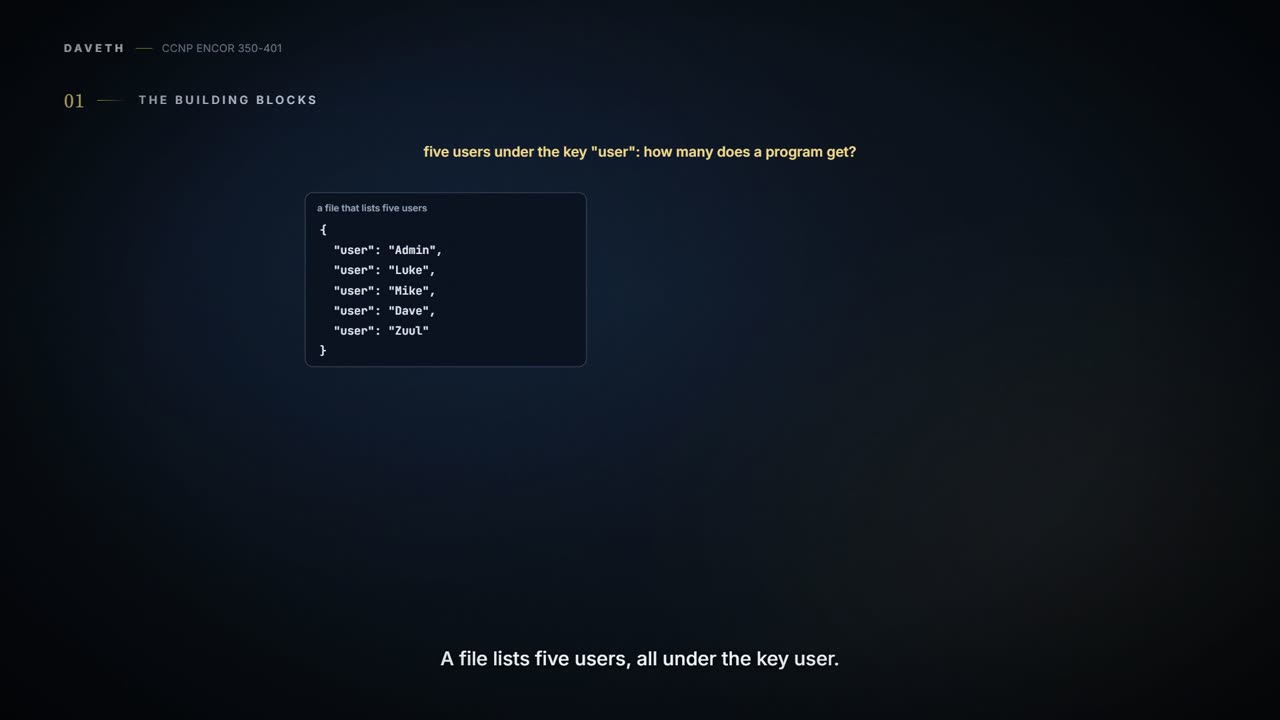
Figure 28-23's JSON_Example.txt lists five users under the key "user". How many users does a program reading it get? Keep that for section 4.2.
JSON is text. An object starts with { and ends with } and holds key/value pairs; Example 28-3 shows the form: each key in double quotes, a colon, a value, commas between pairs. It works like a filing cabinet with labelled drawers: you find a value by its label, and each label is one drawer.
A value can be a string, a number, true, false, null, another object, or an array: an ordered list in square brackets, like the numbered steps on a flat-pack instruction sheet. Objects and arrays nest inside each other, and either can be empty, {} or []. So the guide's "JSON stores all its information in key/value pairs" is only half the story: arrays hold values in order with no keys, and a whole JSON document can be any single value, even just 42 or null.
| Value | Written | Example |
|---|---|---|
| string | double quotes; \", \\ and \n inside | "sandboxdnac.cisco.com" |
| number | optional minus, digits, optional fraction and exponent | 443, -1, 0.5, 1e3 |
| true / false / null | lowercase words | true, null |
| object | { "key": value, ... } | {"name": "root"} |
| array | [ value, ... ] | [{"name": "root"}, {"name": "Jason"}] |
JSON has exactly one way to write true, and it's lowercase, which is the first thing it teaches anyone arriving from Python.
Parsers are strict, like a customs officer with a form: one box filled in wrong and the whole form goes back. The rules both parsers enforced:
- keys and strings in plain double quotes; single quotes, and curly quotes pasted from a document, are rejected;
- a comma between items, never after the last one, in objects and arrays alike, and never two in a row;
- no comments;
true,false,nullin lowercase; Python'sTrueandNoneare rejected;- keys are quoted strings, and case matters: "user" and "User" are two keys;
- one value per document: two objects one after the other is an error.
Inside a string, a double quote or a backslash must be escaped, as \" and \\, and a line break is written \n: a real line break typed inside a string is an error. It's like quoting someone who is quoting someone else: the inner quotation marks need marking so the reader knows the sentence hasn't ended. The guide's own device reply has one, "<status><general code=\"SUCCESS\"/></status>".
Numbers follow a pattern: an optional minus sign, digits with no extra leading zero, then an optional fraction and exponent. -1, 0, 0.5 and 1e3 are fine; +1, .5, 5., 0x1F and 01 are all rejected. Whitespace between tokens (spaces, tabs, line breaks) is ignored, so a one-line object equals the indented one; but an invisible non-breaking space between tokens, or a byte-order mark before the text, is rejected. The standard counts only four characters as whitespace (space, tab, line feed and carriage return), which is why the non-breaking space fails between tokens; inside a string it's just a character. The byte-order mark depends on how the text arrives: the standard forbids adding one to JSON sent over a network and lets a parser ignore one. Node rejects it, and so does Python on a decoded string or a file opened as utf-8; Python accepts it in raw bytes, or from a file opened as utf-8-sig.
Then there's the rule the parsers don't enforce. Figure 28-23's file has the key "user" five times, and both parsers accept it, keeping only the last value: a program gets {"user": "Zuul"}. That's section 4.1's answer: one user. It's like a form where five people write their name in the same box: the office reads whatever is on top. The standard says names "SHOULD be unique" and calls what software does with repeats "unpredictable": many keep the last pair, others refuse the object or report every pair. Python can be told to see all five and refuse. Never rely on any of those behaviours: don't repeat a key.
The two screenshots also tell a story. Figure 28-23's file is the earlier commit, "Create JSON_Example.txt"; Figure 28-22's is the later "Update", with Zuul's line gone and the comma before it left behind: "user": "Dave", then }. Deleting the last pair and forgetting its comma is the classic way a trailing comma is born.
Work it out from section 4.2's rules before D1: of the six mistakes in the knob, which ones still parse?
D1
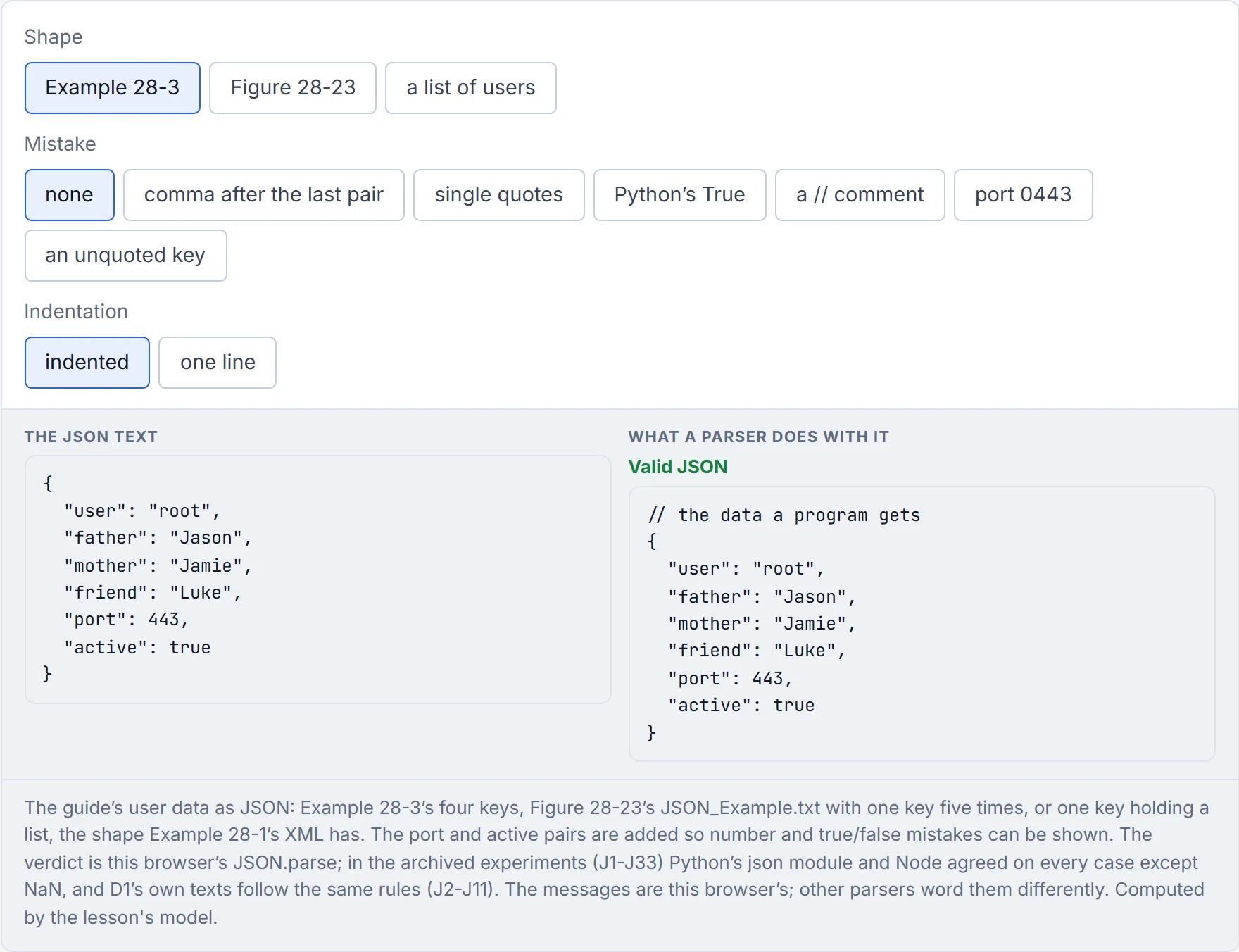
None of the six. The repeated-key file parses and quietly loses four users, which is worse. And "Python accepted it" isn't proof of valid JSON: Python's parser also accepts NaN, which Node rejects and the standard doesn't permit; json.dumps(..., allow_nan=False) refuses to write it.
| What you see | Proves | Doesn't prove |
|---|---|---|
| a parser accepts the text | the syntax is valid for that parser | that it means what you meant: duplicates, wrong types and wrong shapes all parse |
| a parser rejects it with a position | the first mistake is at or before that position | that it's the only mistake: parsing stops at the first |
| Python's json accepts it | Python can read it | that every parser will: Python accepts NaN |
python -m json.tool prints it cleanly | the syntax is valid for Python | that no key repeats: it drops duplicates silently |
| it looks right indented | nothing: whitespace between tokens is ignored | anything about the brackets, commas or escapes |
Figure 28-22's trailing comma is the smallest possible mistake, one character left behind by a deleted line, and it costs the whole file.
Example 28-1's XML holds four <user> elements, each with a <name>: a list of users. The guide says Example 28-3 represents "the same username example", but it doesn't: it's one object with four different keys, user, father, mother and friend. It's a family tree dressed up as a register. The faithful JSON is one key holding an array of objects, like a class register with one row per pupil:
{
  "users": [
    {"name": "root"},
    {"name": "Jason"},
    {"name": "Jamie"},
    {"name": "Luke"}
  ]
}
That's also how a fifth user should go into JSON_Example.txt: a new element in an array, not the same key again. An array works like a shopping list: order is kept, nothing needs its own label, and you can add a line at the end without crossing anything out.
The guide's family-tree JSON gives root a father, a mother and a friend, which is lovely for root and no use at all to a loop looking for users.
Real API replies are JSON. The token API answers {"Token": "..."}, and the device API an object whose "response" key holds an array of devices. Read Figure 28-9's types carefully: lastUpdateTime is a number, location is null, but interfaceCount is "10" and lineCardCount "9", strings. Compare those as sent and "10" > "9" is False, because strings compare character by character; convert first and 10 > 9 is True. It's like filing house numbers as words in a phone book: "10" lands before "9", and the street order is gone.
Even the token is JSON inside. The string on p827 is three parts separated by dots; the first two are base64url-encoded JSON, {"typ":"JWT","alg":"HS256"} and a payload with the username and an expiry time. The guide says to "Think of it as a hash that is generated from the supplied login credentials"; only the third part is a keyed hash, over the first two, and those two are readable by anyone who decodes them, more like a signed note in an envelope anyone can open (what that means for security is 09-4's question).
A Python dictionary and a JSON object can look identical: quiz Q8's dnac = {"host": "sandboxdnac.cisco.com", "port": 443, ...} is a dictionary because it's Python code with an assignment, although its braces would parse as JSON too. JSON is a text document or an HTTP body. When Python writes JSON (09-7 reads Python code that does this), json.dumps turns True and None into true and null, and an integer key 1 into the string "1".
The guide's device reply sends interfaceCount as "10", so the first script that sorts devices by interface count will rank a nine-port box above a ten-port one, and be perfectly consistent about it.
XML wraps each value in tags, like a gift in a box with its label written on the lid and again on the base: a start tag <name>, the value, an end tag </name> with the same name after a slash. Example 28-1 parses as a <users> root with four <user> children, and Example 28-2, with no indentation at all, still parses. The rules are just as strict: an end tag that doesn't match its start tag is an error, tag names are case-sensitive, a document has exactly one root element, and a bare & is an error. An empty element can close itself, as in <general code="SUCCESS"/>. Picture yourself closing a stack of labelled boxes: every lid has to go on the box it came off, in order.
Continue the lesson
The whole lesson, with its drawings and its questions. The rest of this section and 9 more after it.