
Agent and agentless orchestration tools
Configuring a thousand devices by hand invites misconfiguration, so orchestration tools apply one change everywhere, though automation can also copy a bad change everywhere. Agent-based tools, Puppet, Chef and SaltStack, keep software on each managed device that talks to a central server. Agentless tools, Ansible, Puppet Bolt and Salt SSH, need nothing installed, which suits switches that cannot run third-party software.
By Arif, founder of Daveth · Updated
The full 8 min walkthrough is in Daveth Pro (Network). See what the plan opens
What this page answers
What is the difference between agent-based and agentless automation tools?
Agent-based tools, Puppet, Chef and SaltStack, keep software on each managed node that talks to a central server. Agentless tools, Ansible, Puppet Bolt and Salt SSH, connect to devices without anything installed on them. Read it in “4.1 Why tools at all”
What is Ansible?
An agentless orchestration tool: it needs no software on the managed devices, and its changes are written in playbooks, files in YAML. The lesson reads one line by line. Read it in “4.1 Why tools at all”
4.1 Why tools at all
Your switches can't run third-party software. Which of the six tools in this lesson can manage them? Keep it for section 4.3.
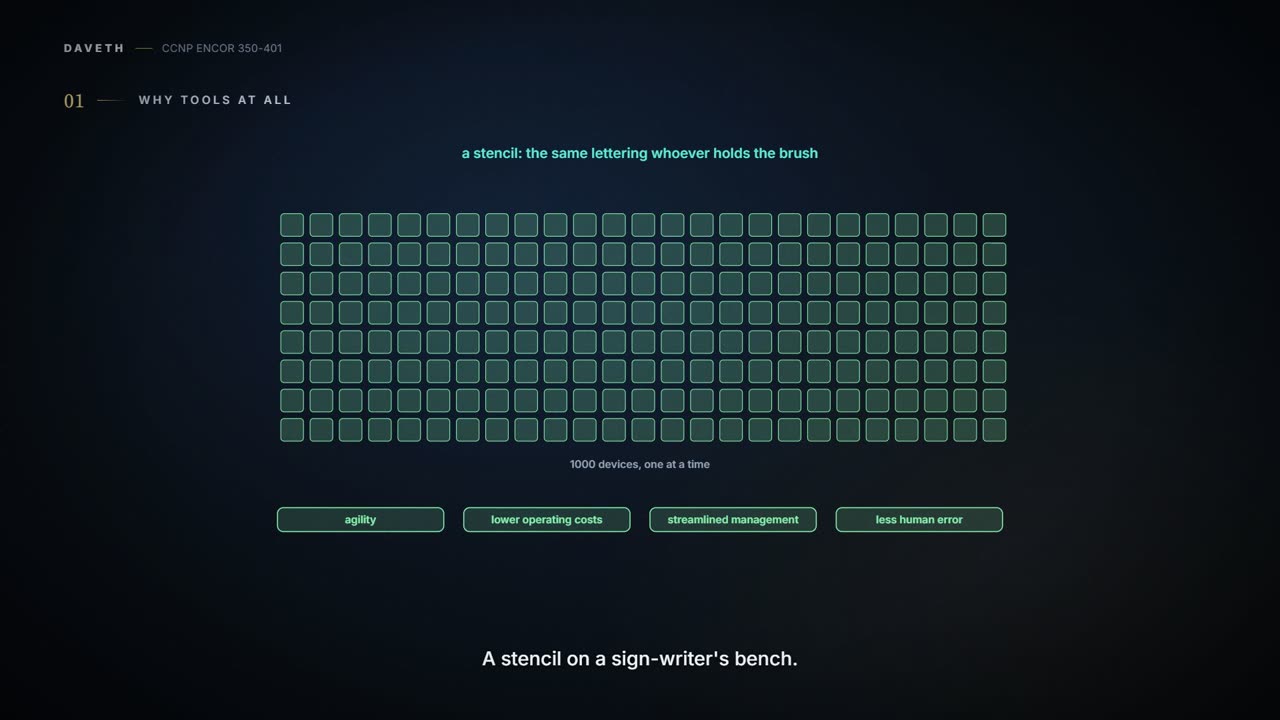
The guide's case is arithmetic: an operations team "configuring 1000 devices manually by logging into each device individually is likely to introduce misconfigurations, and the process will be very time-consuming", and the usual targets are names and addresses, QoS, access lists, usernames and passwords, SNMP and compliance. The payoff it lists: "Increased agility", "Reduced opex", "Streamlined management" and "Reduced human error". It works like a stencil on a sign-writer's bench: the lettering comes out the same whoever holds the brush.
The guide adds the warning that goes with it: "automation can be dangerous if it duplicates a bad process or an erroneous configuration". If you've ever photocopied a page with a typo on it, you know how quickly one mistake becomes a hundred.
The guide lists its network lifecycle, PPDIOO, as Prepare, Plan, Design, Implement, "Observe", Optimize on p877, while its own Figure 29-9 and answer key say "Operate", the right one, which is the most fitting error possible in a lifecycle about checking your work.
An agent-based tool keeps software on each managed node that talks to a central server. The guide's two models: "Push models push configuration from a centralized tool or management server, while pull models check in with the server to see if there is any change in the configuration, and if there is, the remote devices pull the updated configuration files down to the end device". It's like thermostats in every room: each one checks the setting and corrects the room by itself, but you had to fit a thermostat everywhere first.
Puppet uses a puppet master (server) and puppet agents on the devices; changes are stored in PuppetDB, and Puppet can "periodically verify the configuration on devices", alert on a change and put it back. Which way does configuration flow? The guide says it both ways: "shared between the puppet master and puppet agents" on p866, and, in its list of what Puppet and Chef have in common, "Both leverage a pull model". Pull is the model: the agent checks in. Its code is manifests (.pp files) inside modules, written in a DSL "largely based on the Ruby language"; Example 29-6's NTP_Server.pp says ensure => 'present', meaning the NTP server must stay in the running configuration. A monolithic install handles up to 4000 nodes; compile masters take it to 20,000, and beyond that it also needs a standalone PE-PostgreSQL database (Table 29-3). Modules are shared on Puppet Forge.
Chef has a workstation where you write recipes (Ruby, .rb) grouped in cookbooks, a Chef server that stores them (knife upload sends them), and on each node a Chef client plus OHAI, which reports the node's state; the client asks the server for the recipes it needs, a pull. The guide has the server compare that state with the recipe; Chef's own documentation puts the work on the node, with Chef Infra Client converging it. The guide's four deployments are Chef Solo, client and server, Hosted Chef (cloud) and Private Chef (on premises); Chef's docs describe chef-solo as running the client "in a way that doesn't require Chef Infra Server". The names are the guide's, which is what the exam uses, and the "kitchen" tests recipes before they reach production nodes, which the guide itself compares to a food company's test kitchen.
SaltStack has a master and minions, is "built on Python", and the master sends commands to minions in parallel over the 0MQ messaging library, and reacts to events: beacons on minions tell the master's reactor when something differs from the desired state. Grains are facts gathered on the minion; pillars are data stored on the master that only assigned minions can read. Grains work like a name badge each minion wears; pillars work like a locked drawer that only the named minions can open. Commands name a target, a module.function and an argument, so salt '*' cmd.run 'ls -l /etc' runs on every managed node, and Minion* targets by glob.
Chef's own metaphor has a kitchen, recipes and cookbooks, so a failed deployment is, technically, a burnt dinner.
"Unlike the automation tools covered in the previous section of this chapter, Ansible is an agentless tool. This means that no software or agent needs to be installed on the client machines that are to be managed". It connects over SSH for most devices, or WinRM, and doesn't need an administrative account on the client. "Agentless" still depends on the target. A server needs Python "to run Ansible-generated Python code", but "network modules do not require Python on the managed device": they "are executed on the Ansible control node". Ansible pushes by default; ansible-pull "Changes Ansible clients from the default push model to the pull model". A control station sends everything; Ansible's own documentation calls it the control node, "A system on which Ansible is installed", and each device a managed node. It's like a visiting engineer: nothing to fit in each room, but nothing gets fixed until someone sends them round.
Puppet Bolt is Puppet without a master or agents: it connects over SSH or WinRM when you run it. A plain command is just run; a script or task is copied to a temporary directory, run, captured and removed, "as if it were never copied there". Salt SSH runs Salt commands without a minion, but "the remote system must have SSH enabled and Python installed" (Salt's docs add the exception: "unless using the -r option to send raw ssh commands"), and it copies a lightweight Salt into a temporary directory it may delete afterwards; it's "considerably slower" than 0MQ. Both work like a visiting engineer who brings a toolbox, usually taking it away again, and Salt SSH's engineer needs a socket for their own drill.
That answers section 4.1, as far as the guide goes. It shows two ways onto a switch: Puppet's cisco_ios module "leverages SSH to connect to devices", so the switch hosts no puppet agent, and Ansible's network modules, which run on the control node. For Chef and SaltStack it doesn't say, and Salt SSH needs Python on its target unless it sends raw commands. The real question for 6.7 is what has to run on the managed node, and where: on the device, somewhere else on its behalf, or only for the length of a run.
The chapter's own answer key says the agent-based tools are "B and C. Chef and SaltStack", when B is Puppet Bolt, which is a bit like the textbook marking its own homework wrong.
A playbook is "A set of plays for remote systems"; a play is "A set of tasks applied to a single host or a group of hosts"; a task is "A call to an Ansible module". It works like a football playbook, the guide's own image: each play gives every player a task. Playbooks are YAML, which the guide expands as "Yet Another Markup Language"; the YAML specification's own name is "YAML Ain't Markup Language", a recursive acronym.
The chapter's YAML examples parse: the genre list, the employee records and the playbook as printed. The Salt roster needs care: its three lines appear flush left on p888 (the chapter's other YAML examples, keep their indentation, so that's most likely how it prints), and that way it still parses but nests nothing (managed is empty and host, user are separate keys); indented, as Salt's own roster example is, it works. The rules that trip people: indentation is spaces, never tabs (a tab "cannot start any token"); a value that starts with {{ must be quoted, which is why Example 29-13 writes host: "{{ ansible_host }}" (unquoted, YAML reads { as the start of an inline mapping, so {{ ansible_host }} becomes a mapping inside a mapping, and PyYAML stops with "found unhashable key"); a colon followed by a space inside a value needs quotes; and in PyYAML bare no, on and yes become booleans, so quote them when you mean the word. A list is like a shopping list, one - item per line; a dictionary is like a filing card of key: value lines.
Example 29-13 configures GigabitEthernet2 with the ios_config module, and ansible-playbook ConfigureInterface.yaml runs it; the PLAY RECAP's changed=1 says one change was made. Two things in that example are out of date. It uses connection: local, which Ansible's IOS guide now calls deprecated in favour of ansible.netcommon.network_cli; and it stores the password in the playbook, where the same guide says "Never store passwords in plain text". ansible-vault, in the guide's own Table 29-6, "Encrypts YAML files that contain sensitive data". Today's cisco.ios.ios_config also has no host, username or password arguments: the connection details move to inventory variables, and save_when can save the configuration instead of a separate write memory task.
| Output | Proves | Doesn't prove |
|---|---|---|
ok=1 changed=1 in PLAY RECAP | the task ran and pushed something | that the change is right, or that a second run would report 0: ios_config compares exact lines, so a line the running-config never shows (like no shutdown) is pushed every time |
ok=4 changed=3 (the guide's run of its EIGRP playbook, Example 29-14) | four tasks succeeded and three reported a change; the fourth was the save, which ios_command reports as ok | that the saved configuration holds the change: check show startup-config (next row) |
show startup-config after the run | the saved configuration contains the change | that every targeted host did the same: read each host's recap |
salt '*' cmd.run 'ls -l /etc' output | each minion that answered ran it | that every minion answered |
The chapter's quiz has an Ansible question about "TAML", which doesn't exist, and a playbook with the password testtest, which unfortunately does.
Table 29-7 puts the four main tools side by side, and D1 adds the two agentless siblings. Think of it as the spec sheet on four cars: useful for ruling things out, silent on how each feels to drive:
| Puppet | Chef | Ansible | SaltStack | |
|---|---|---|---|---|
| Architecture | Puppet masters and puppet agents | Chef server and Chef clients | Control station and remote hosts | Salt master and minions |
| Language | Puppet DSL | Ruby DSL | YAML | YAML |
| Terminology | Modules and manifests | Cookbooks and recipes | Playbooks and plays | Pillars and grains |
| Large scale | Yes | Yes | Yes | Yes |
| Agentless version | Puppet Bolt | N/A | Yes | Salt SSH |
Continue the lesson
The whole lesson, with its drawings and its questions. The rest of this section and 9 more after it.