
Catalyst Center and SD-WAN Manager APIs, and reading their responses
Both controllers offer northbound REST APIs with JSON, and both make you log in first, but the details differ. Catalyst Center's token API returns a token for the X-Auth-Token header; SD-WAN Manager offers a JWT login and an older session login with a cookie. A failed session login returns a login page, so a script that checks only the status code can be fooled.
By Arif, founder of Daveth · Updated
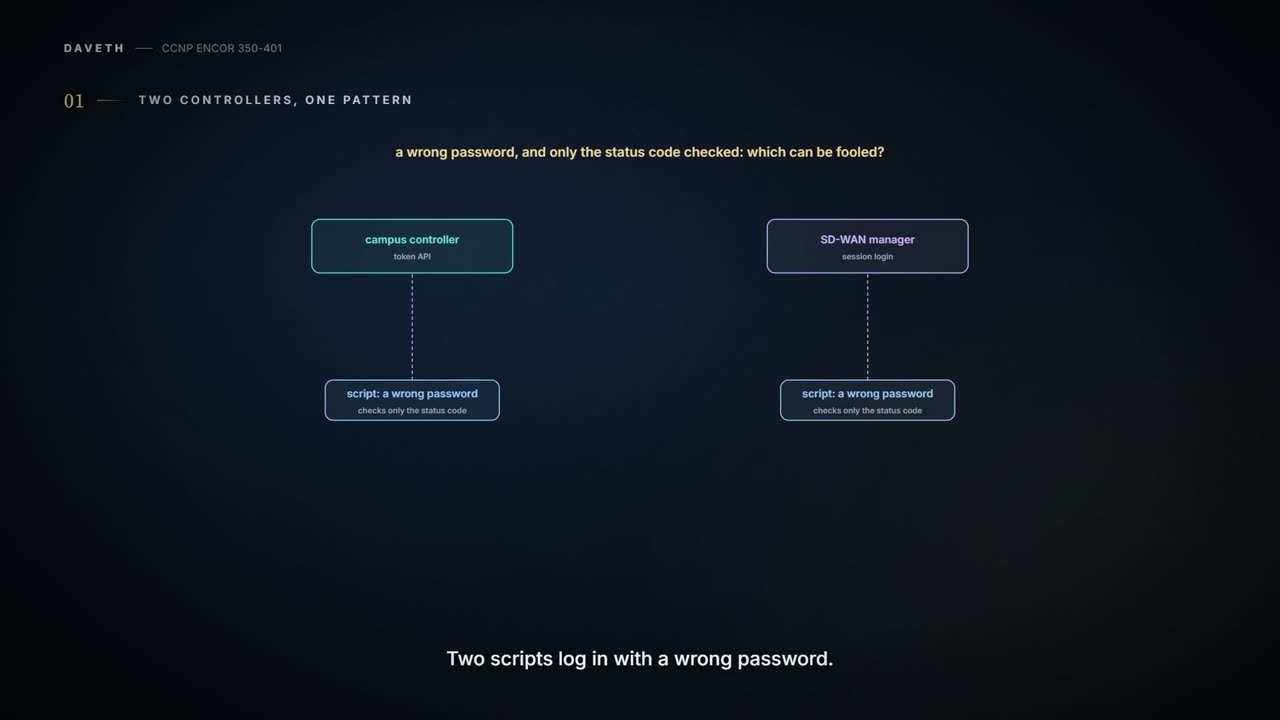
The full 7 min walkthrough is in Daveth Pro (Network). See what the plan opens
What this page answers
What is the Catalyst Center Intent API?
Catalyst Center's northbound REST API, which exposes its capabilities using HTTPS verbs, GET, POST, PUT and DELETE, with JSON. Events go out eastbound to handlers, and integrations are westbound. Read it in “4.1 Two controllers, one pattern, different details”
4.1 Two controllers, one pattern, different details
Two scripts log in with a wrong password: one to Catalyst Center's token API, one to SD-WAN Manager's session login. Both check only the status code. Which one can be fooled? Guess before the table below settles it; section 4.3 explains why.
Both controllers offer northbound REST APIs with JSON, and both make you log in first: "Leveraging Cisco SD-WAN APIs is a bit different from using the Cisco DNA Center APIs, but the two processes are quite similar". Catalyst Center names its API families by direction: "The Intent API is a Northbound REST API that exposes specific capabilities of the Catalyst Center platform", using "HTTPS verbs (GET, POST, PUT, and DELETE) with JSON structures"; events and notifications go out eastbound to handlers you set up; integrations are westbound. (Cisco also describes a southbound multivendor SDK elsewhere; it isn't on the pages read here, so check its current form before relying on it.) It's like two front desks in the same company: both check you in, but one hands you a key card and the other a cloakroom ticket.
| Catalyst Center | SD-WAN Manager | |
|---|---|---|
| log in | POST /dna/system/api/v1/auth/token, Basic auth | POST /jwt/login from 20.18.1; the session login POST /j_security_check |
| a failed login | 401 "Invalid Credentials" | JWT: 401; session login: an HTML login page in the body |
| what you get | a token in the JSON body | JWT: a token and a csrf claim; session: a JSESSIONID cookie |
| send it as | the X-Auth-Token header | session: the cookie, plus X-XSRF-TOKEN on POSTs (after 19.2) |
| it lasts | 1 hour | JWT: 30 minutes by default, up to 7 days; session: 30 minutes idle, 24 hours at most |
| device list | GET /dna/intent/api/v1/network-device | GET /dataservice/device |
| devices are in | "response" | "data" in the guide's release; the current reference draws a bare array |
The guide's screenshots are older than both products' current documentation: its Catalyst Center paths (/api/system/v1/auth/token, /api/v1/network-device) date from 2018, its vManage replies from 2019, and DevNet's current published paths are the ones above. If you've ever followed a recipe from an old cookbook, you know the method still works; you just check the oven settings first.
Between the guide and the blueprint, Cisco DNA Center became Catalyst Center and vManage became SD-WAN Manager, which is the only change in this lesson that didn't need a new API call.
"The Cisco DNA Center controller expects all incoming data from the REST API to be in JSON format", and the credentials go in a POST with basic authentication to the Token API. Cisco documents two answers: 200 "Successful Token Generation", with the token in "Token", and 401 "Invalid Credentials". The guide adds that the token "is usable only for the current authenticated session"; Cisco's page gives the length: it "remains valid for 1 hour". It works like a car-park ticket stamped for an hour: fine until the hour is up, so a long script must log in again. (09-1 teaches the header and the token pattern themselves.)
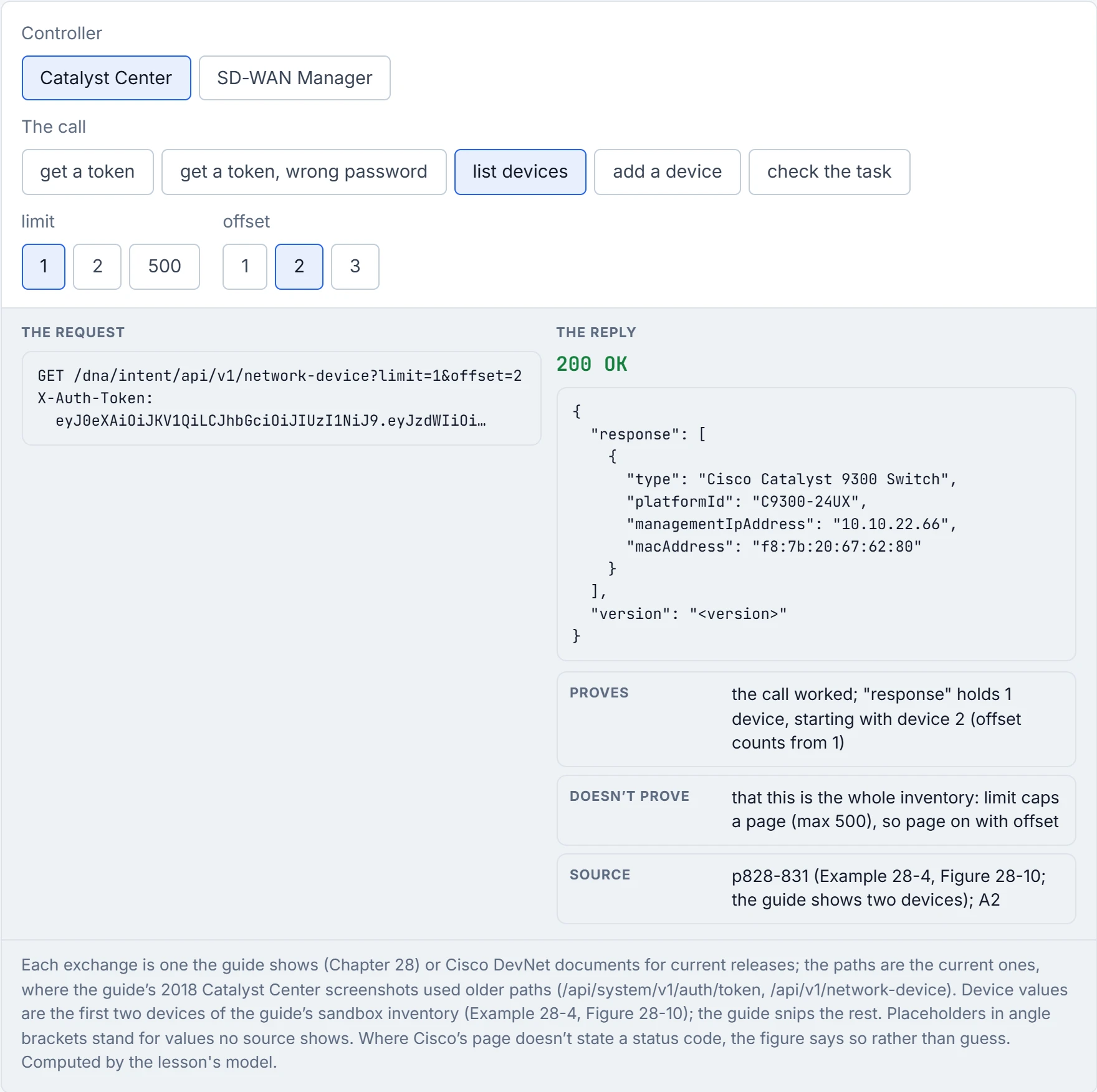
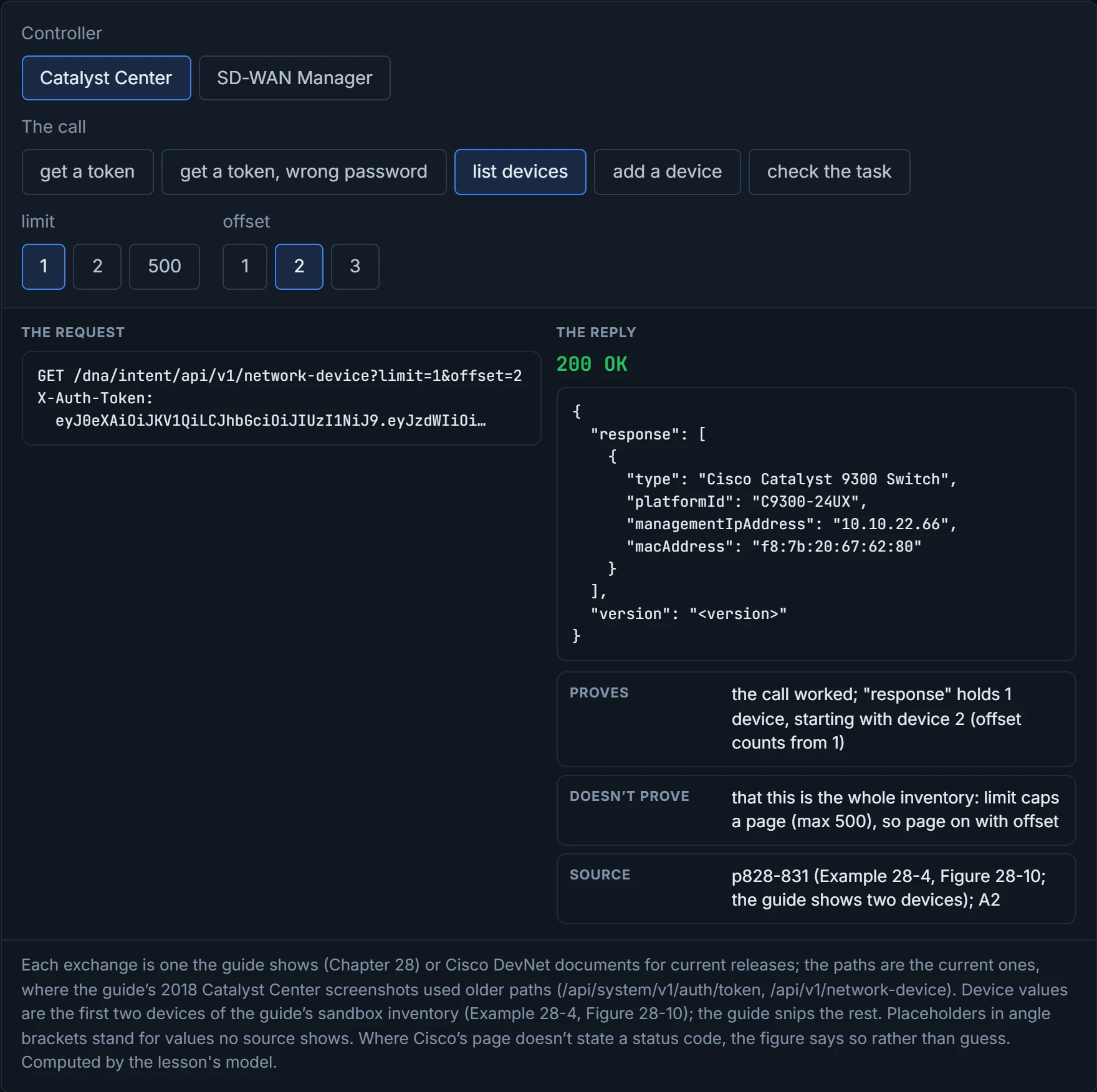
The device inventory comes back wrapped: an object whose "response" key holds the list, one object per device, with keys like hostname, managementIpAddress, platformId and softwareVersion. Paging is built in. ?limit=1&offset=2 returned only the second device in the guide's sandbox, a Catalyst 9300 with MAC f8:7b:20:67:62:80. Cisco's reference explains why the numbers work that way: offset is "offset >= 1 [X gives results from Xth device onwards]", and limit is "Min: 1, Max: 500". Think of it as a library shelf: offset is the book you start at, counting from 1, and limit is how many you take off the shelf.
The token lasts an hour, which is exactly long enough for a script to work in testing and fail in the middle of the real run.
SD-WAN Manager 20.18.1 and later offer a JWT login: POST username and password to /jwt/login, get back a token and a csrf claim, and "If a user fails to authenticate successfully, the system returns an HTTP 401 error". The guide's older login, still documented, is a session login with a form, not Basic auth: a POST to the Authentication API with Content-Type application/x-www-form-urlencoded and the fields j_username and j_password. What comes back is "a Java session ID, which is displayed as JSESSIONID", sent on every later call. It's like a cloakroom ticket: you don't show your ID again, you show the ticket, and the building remembers the rest.
That answers section 4.1. The session login is the one a status check can't settle: "If a user fails to authenticate successfully, the response body contains an HTML login page", and "The API client must check the response body for the <html> tag to determine if authentication was successful". Cisco's page gives no status code for either outcome, so a script that trusts the code alone has nothing documented to stand on. The guide reads its own screenshot's 200 as proof: "The HTTP status code 200 OK indicates a successful POST to vManage with the proper credentials"; Cisco's guidance is to read the body as well.
Two more rules for the session login. POSTs need a second token after 19.2, a cross-site request forgery (XSRF) token: get it from /dataservice/client/token and send it as X-XSRF-TOKEN; for GETs it's optional. It works like the second signature a bank asks for on a large cheque: it shows the request came from your own session (09-4 covers why that matters), not a forged page. And the device list, in the guide's release, is under "data", beside a "header" of column and view metadata; the current reference draws the reply as a bare array of devices, so check your release. A session times out after 30 minutes idle and lasts 24 hours at most; log out with POST /logout.
SD-WAN Manager's session login can answer a wrong password with its own login page, the API version of a receptionist who, when your badge fails, silently hands you the visitor form again.
You've seen which login needs its body read. Predict before D1: a script adds a device to Catalyst Center and gets a 2xx back. Is the device in the inventory yet?
D1
Not yet. Adding a device to Catalyst Center returns "response": {"taskId": …, "url": …}, and the code that fits is 202: "The request was accepted for processing, but the processing has not been completed". The work happens afterwards. The current task API, GET /dna/intent/api/v1/tasks/{id}, reports a status of PENDING, FAILURE or SUCCESS, with endTime once it's done and a resultLocation for the details; the older /task/{taskId}, with isError and failureReason, is marked Sunset. It works like a dry cleaner's ticket: handing in the shirt isn't the same as it being clean, so you come back with the ticket and ask. The logins in D1 read as section 4.3 said: Catalyst Center's 200 means a token, 401 means refused; SD-WAN Manager's JWT login has a documented 401 too; its session login is the one to read by the body.
| Reply | Proves | Doesn't prove |
|---|---|---|
Catalyst Center 200 with "Token" | the credentials were accepted | that the token still works an hour later |
| Catalyst Center 401 | the credentials were refused | which part was wrong |
200 with "response": [...] | the call worked; that page of devices | that it's the whole inventory: limit caps the page |
202 with taskId | the request was accepted as a task | that it succeeded: read the task's status |
SD-WAN session login, a JSESSIONID and no login page | a session exists | that POSTs will work: they need X-XSRF-TOKEN |
SD-WAN session login returning <html> | the login failed | which cause: a wrong password, a locked account or something else |
the guide's 200 with "data" and "header" | in that release, the devices are in "data" | the shape on yours: the current reference draws an array |
Continue the lesson
The whole lesson, with its drawings and its questions. The rest of this section and 9 more after it.