
IPv6 First-Hop Security
A laptop sending router advertisements, or answering DHCPv6 requests, can mislead a whole LAN, and the switch knows nothing about it until you describe each port. RA guard and DHCPv6 guard apply policies that name a port's role. The binding table, filled by IPv6 snooping, records which addresses live on which port, and source guard validates the source of IPv6 traffic.
By Arif, founder of Daveth · Updated
The full 18 min walkthrough is in Daveth Pro (Network). See what the plan opens
What this page answers
What is IPv6 RA guard?
A switch feature that analyzes router advertisements and filters out unwanted ones from unauthorized devices. A policy in host mode or router mode says what is plugged into the port, applied with ipv6 nd raguard attach-policy. Read it in “RA guard: what is plugged into this port?”
What is DHCPv6 guard?
A feature very similar to DHCP snooping for IPv4: it stops rogue DHCPv6 servers handing out addressing. Its policy, from ipv6 dhcp guard policy, sets device-role client or server, applied with ipv6 dhcp guard attach-policy. Read it in “DHCPv6 guard: the same question, the other server”
What is the IPv6 binding table?
A database of the IPv6 neighbours connected to a switch, with their link-layer addresses and prefix bindings. IPv6 snooping fills it by reading ND and DHCP messages, and features such as source guard use it. Read it in “A table of who lives where”
One frame from one laptop
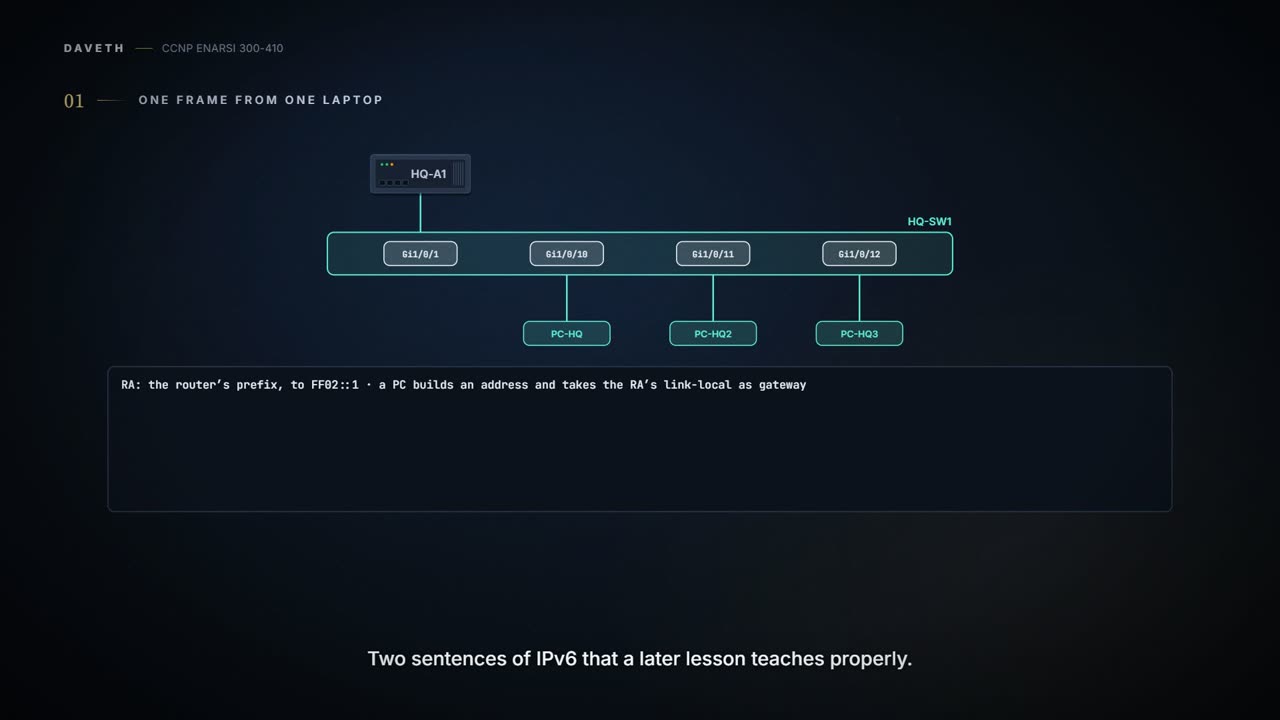
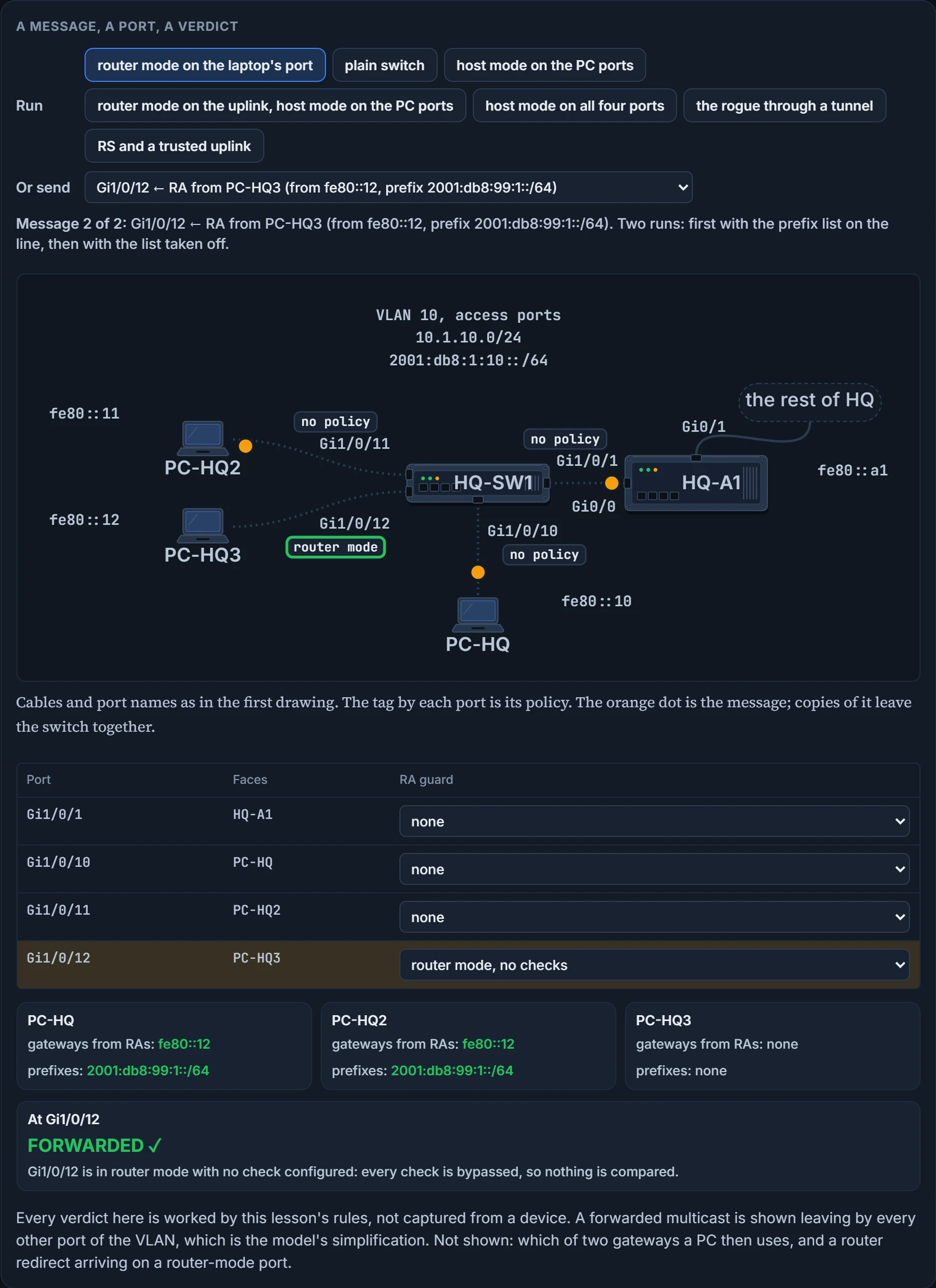
Go down to the Accounts LAN. Every drawing so far has shown it as a blob between HQ-A1 and PC-HQ. Open the blob. It's a switch, HQ-SW1: HQ-A1 on Gi1/0/1, and three laptops on Gi1/0/10, Gi1/0/11 and Gi1/0/12.
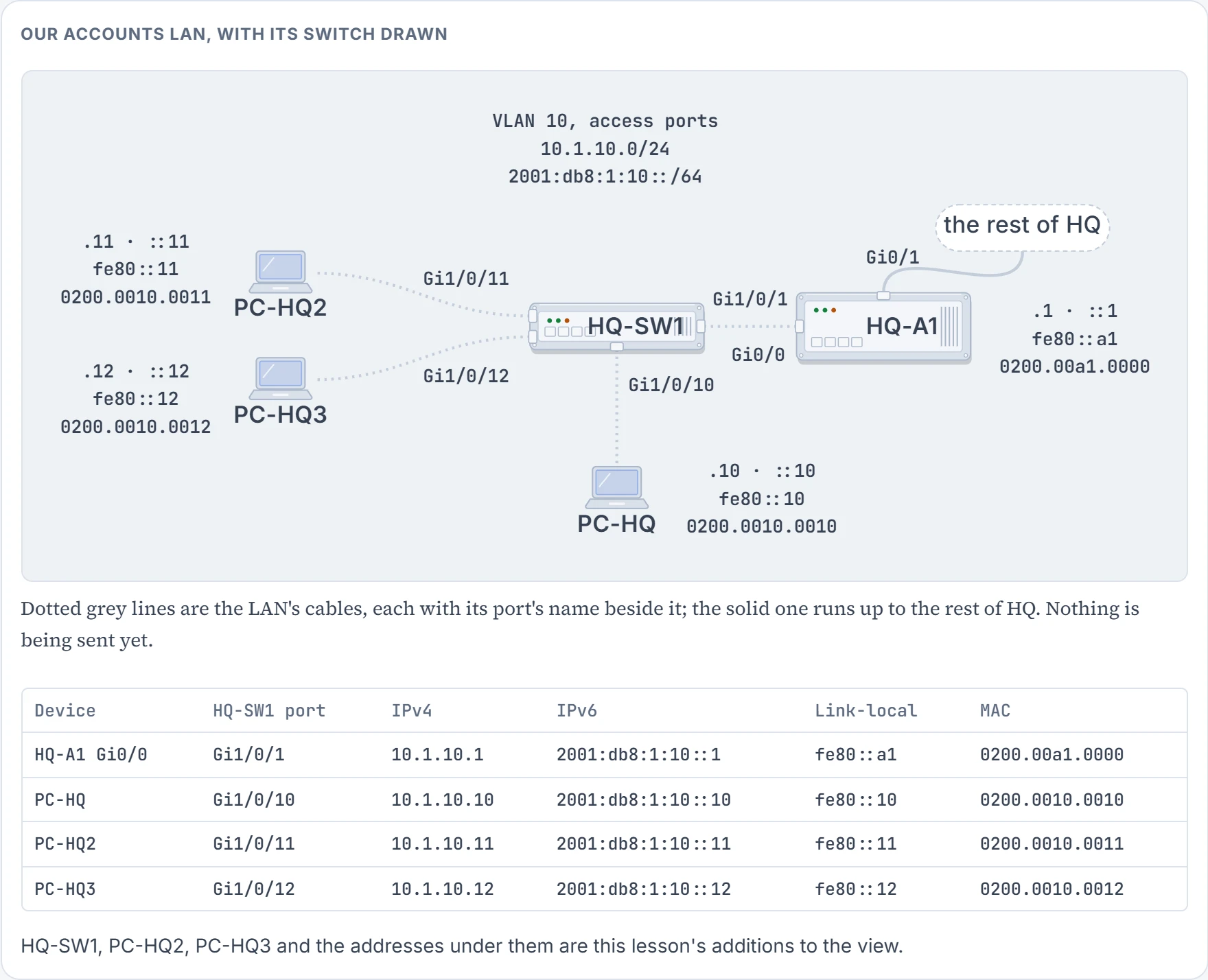
All four ports are access ports in VLAN 10, the Accounts LAN: 10.1.10.0/24 and 2001:db8:1:10::/64. Both families run here, and nearly everything below concerns one of them: these are IPv6 features, and no rule in this lesson reads an IPv4 packet.
You need two sentences of IPv6 that a later lesson teaches properly. Routers use RAs, router advertisements, to announce themselves on the link. An RA identifies the prefix the router is using; a PC that receives it builds an address in that prefix and uses the link-local address the RA came from as its default gateway; and the RA is sent to FF02::1, the all-nodes address every IPv6 interface listens on.
On our LAN the router is HQ-A1. Its RAs come from fe80::a1 and carry 2001:db8:1:10::/64. PC-HQ's hand-set gateway, 2001:db8:1:10::1, stays. From the RAs each PC also holds fe80::a1: the same router, by its link-local address.
Now PC-HQ3. Nobody is attacking anything. Its owner switched on connection sharing for a phone, and the laptop began doing what a router does: it sends RAs of its own, from fe80::12, offering 2001:db8:99:1::/64, a prefix that exists nowhere in our plan.
All three other ports. Nothing in an RA says "I'm allowed to be a router", and a switch with no instruction treats it as one more multicast frame for the VLAN. In this lesson's model, PC-HQ and PC-HQ2 each now hold two default gateways learned from RAs, fe80::a1 and fe80::12, and an address in each prefix.
So the honest answer to "any laptop can announce itself as the router, why isn't that chaos?" is that on this switch, right now, it is.
What stops it has a family name, IPv6 First-Hop Security. The exam objective names five of its features; two more sit beside them, seven names in all: the binding table, IPv6 snooping, RA guard, DHCPv6 guard, source guard, destination guard and prefix guard. The first hop is the switch port a host plugs into. That's why none of this lives on a router: the router may well hear the rogue RA too, but the switch has already delivered it to every PC. Only the port the frame comes in on can stop it. Ask every one of the seven the same two things. What does it stop? And what does it consult to decide?
We haven't confirmed on a device, for this section: that HQ-A1 sends its RAs unprompted, which a later lesson has to show; and how a PC chooses between two gateways.
RA guard: what is plugged into this port?
RA guard is a feature that analyzes RAs and can filter out unwanted RAs from unauthorized devices. Some RAs may be unwanted, or "rogue", and RA guard is what you use to block or reject them.
How does HQ-SW1 know PC-HQ3 is unauthorized? It doesn't. It knows nothing about PC-HQ3. You tell it about the port. RA guard requires a policy, configured in RA guard policy configuration mode, and the policy says what kind of device is plugged in. Two modes are available, host mode and router mode:
- Host mode. All RA and router redirect messages arriving on the port are disallowed. No analysis: a host has no business sending either one.
- Router mode. In this mode the switch compares what you configured with what the received RA carries. Once the content is validated, the RA is forwarded to its destination; if it isn't validated, the RA is dropped.
trusted-port, a line in the policy: all RA guard policing is disabled for what arrives on that port.
In router mode each thing the switch can compare is optional, and a check you don't configure is bypassed. Two of the checks matter today:
| Policy line | What it verifies in an arriving RA |
|---|---|
match ra prefix-list name | the advertised prefixes, against a prefix list of authorized ones |
match ipv6 access-list name | the sender's IPv6 address, against an access list of authorized devices |
The other four compare the hop limit, the two configuration flags and the router preference an RA advertises. A router-mode policy with none of those lines validates nothing, and forwards every RA arriving on its port.
Now direction, which is where people get hurt. RA guard is configured inbound on an interface: it is supported only in the ingress direction, and not in the egress direction. A policy judges what arrives on its own port. It has no opinion about what leaves by that port. And the feature is enabled interface by interface, so a port with no policy isn't examined at all.
HQ-A1's, and only HQ-A1's. Its RA arrives on Gi1/0/1, where no policy is attached, so nothing examines it. It then leaves by the three PC ports, and their host-mode policies say nothing, because leaving isn't arriving. PC-HQ3's RA arrives on Gi1/0/12, a host-mode port, and is dropped there, before it reaches any other port.
It arrives on a host-mode port and is dropped like any other RA. The policy did what it was told: there are now no routers on the Accounts LAN, including the router. The role describes the device on the port. It isn't a strictness dial.
The same mistake has a quieter half. When RA guard is configured on ports, router solicitations (RS), the message a host sends to find out whether any routers are on the link, are not replicated to those ports; to replicate them, every port that faces a router must be set to the router role. So host mode on the uplink costs twice: HQ-A1's RAs are dropped, and the PCs' solicitations never reach HQ-A1 to ask for one. An uplink with no RA guard policy isn't one of "those ports", and still gets them.
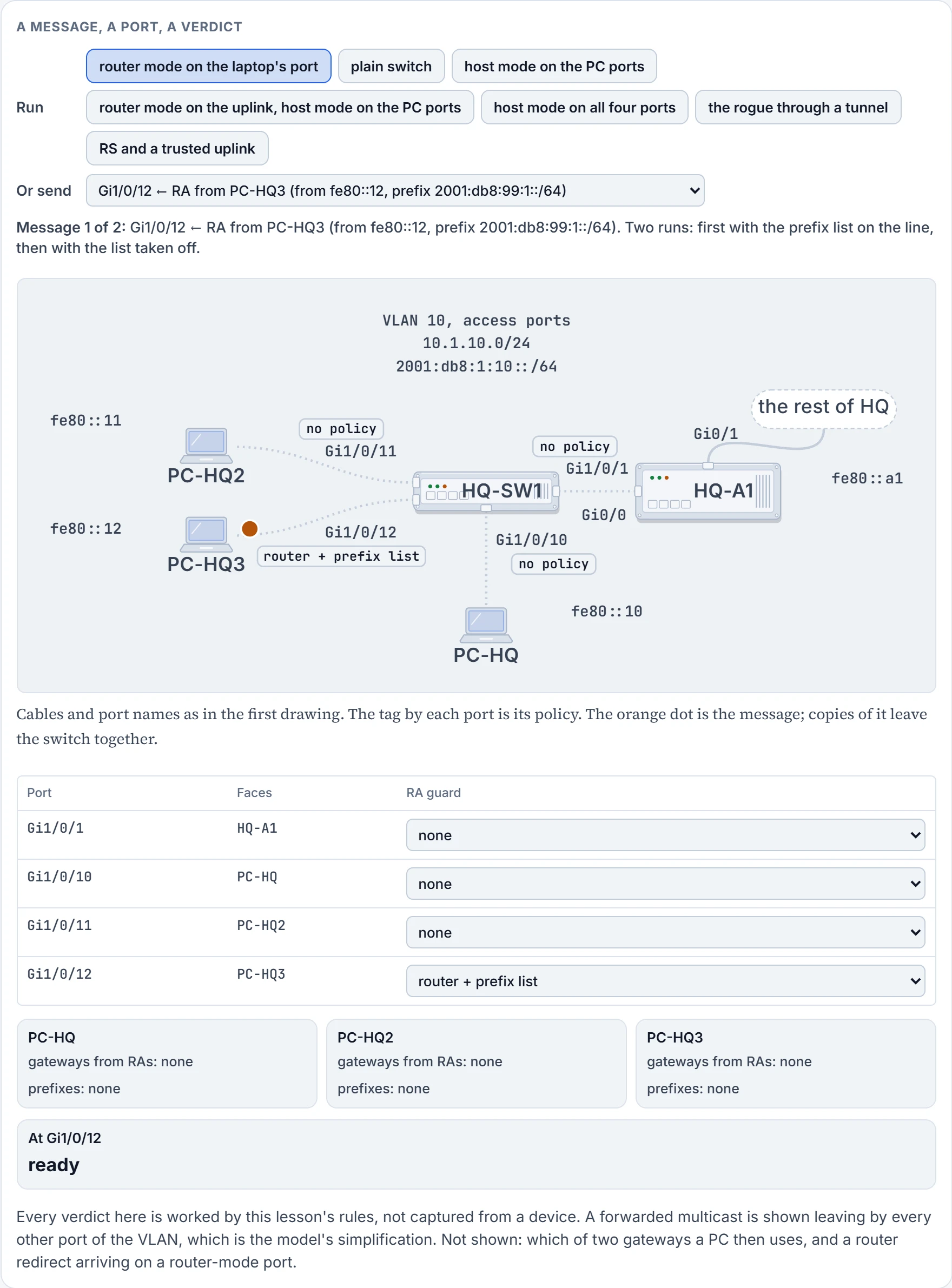
Step 1 of 9 Ready. Gi1/0/12 ← RA from PC-HQ3 (from fe80::12, prefix 2001:db8:99:1::/64).
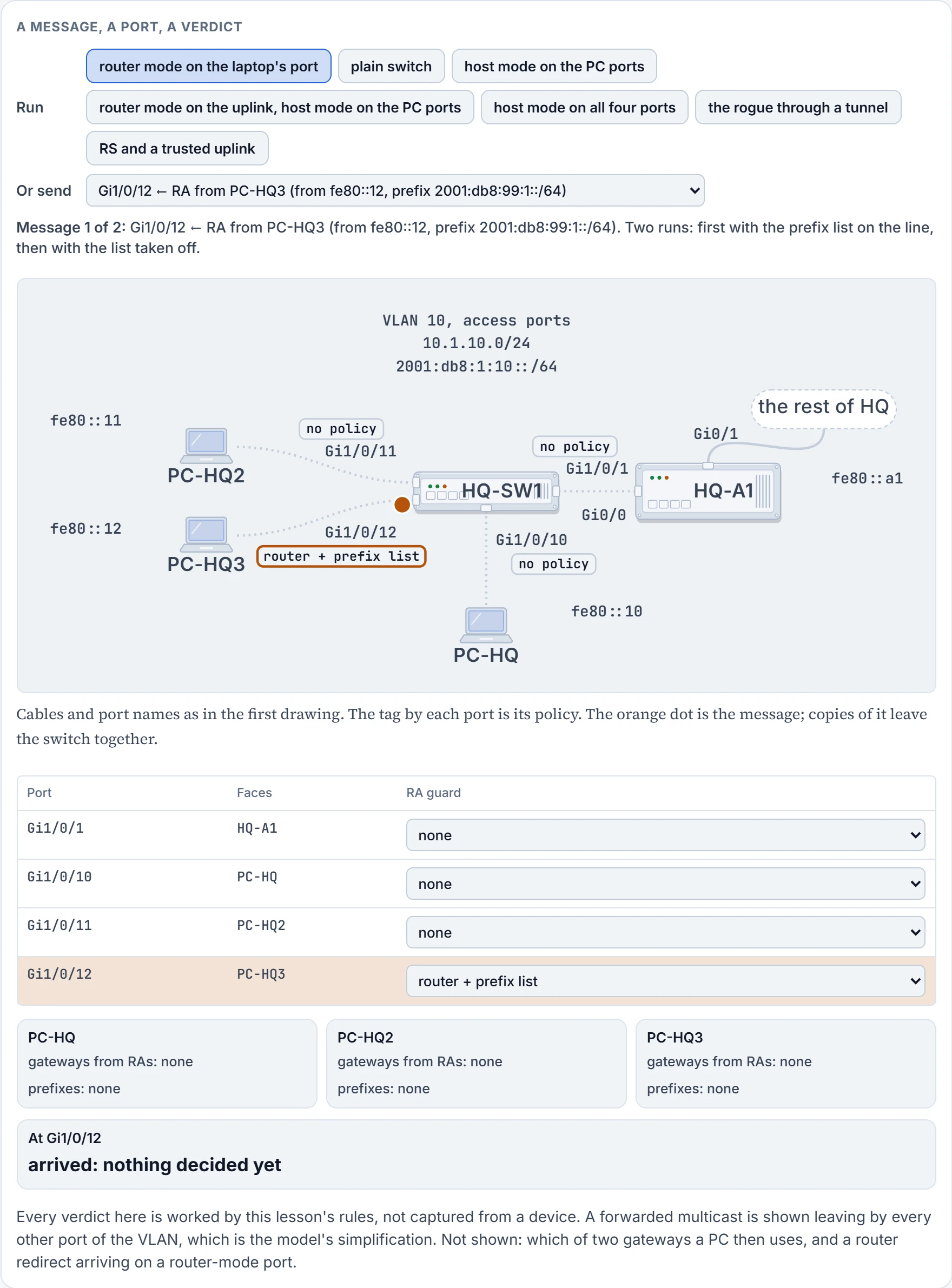
Step 2 of 9 It arrives on Gi1/0/12. That port's policy is the only one that will be asked: these features judge what comes in, and have no opinion about what goes out.
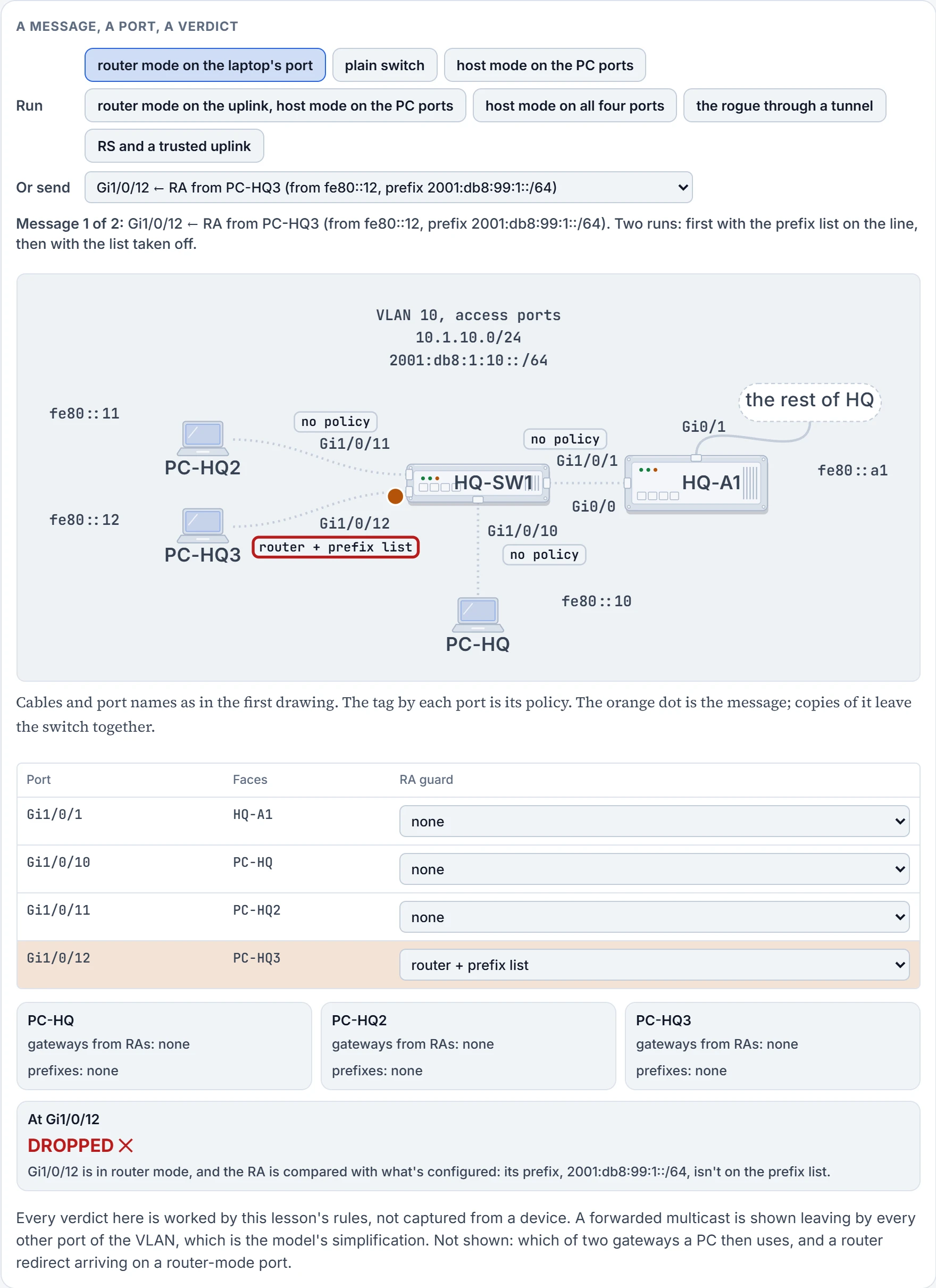
Step 3 of 9 Decided at Gi1/0/12: dropped.
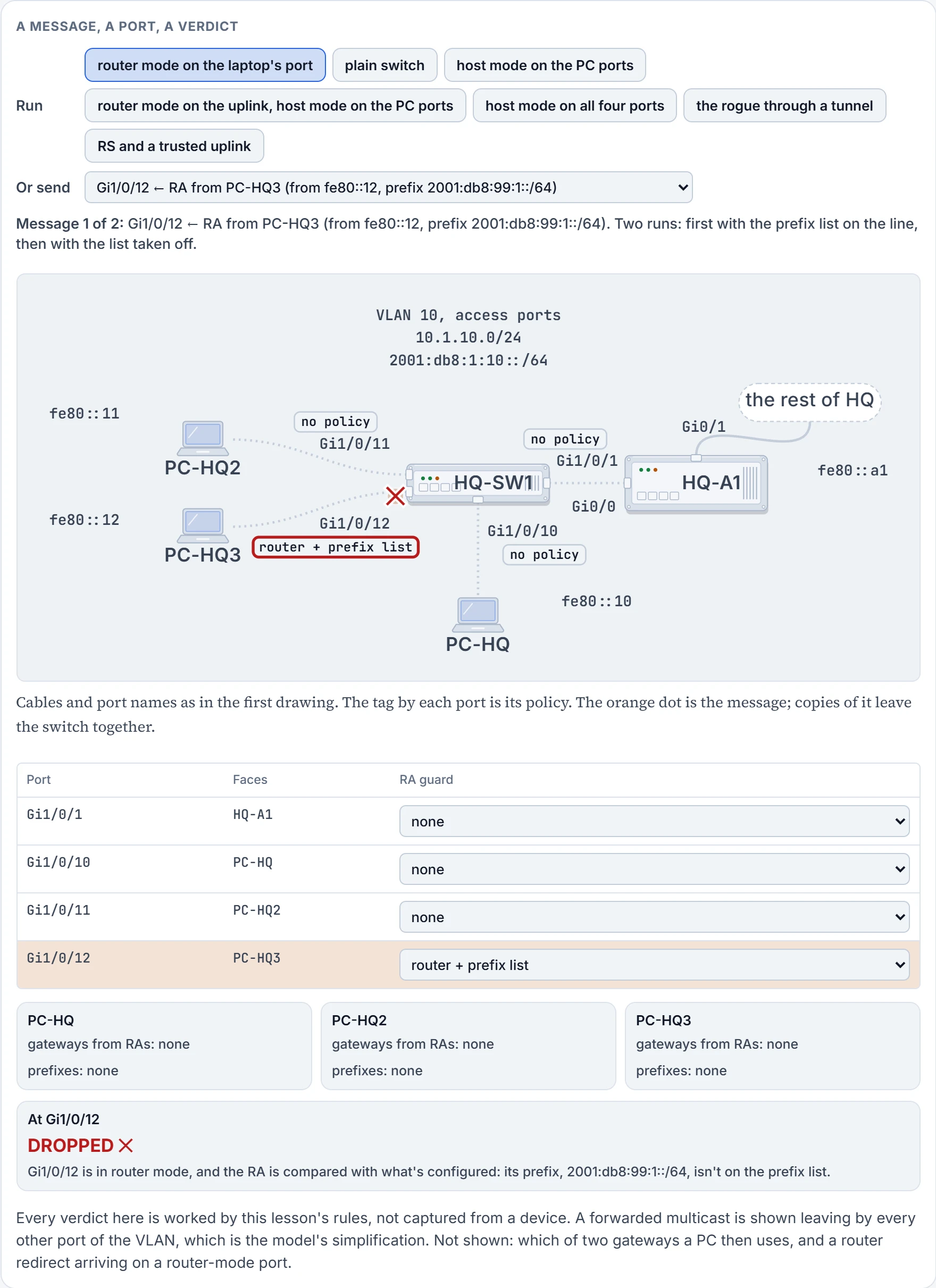
Step 4 of 9 Dropped at Gi1/0/12. No other port ever sees it.
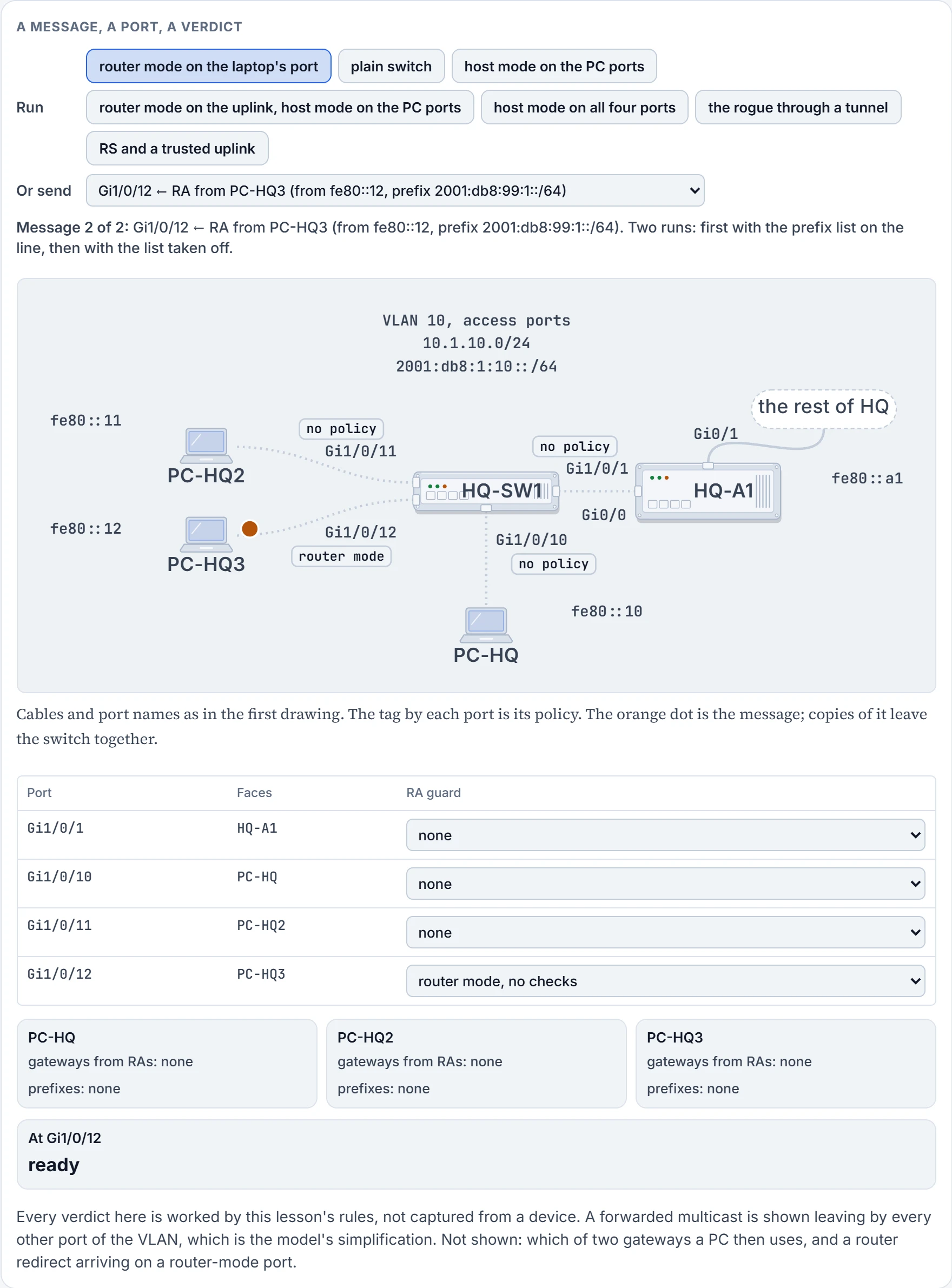
Step 5 of 9 Ready. Gi1/0/12 ← RA from PC-HQ3 (from fe80::12, prefix 2001:db8:99:1::/64).
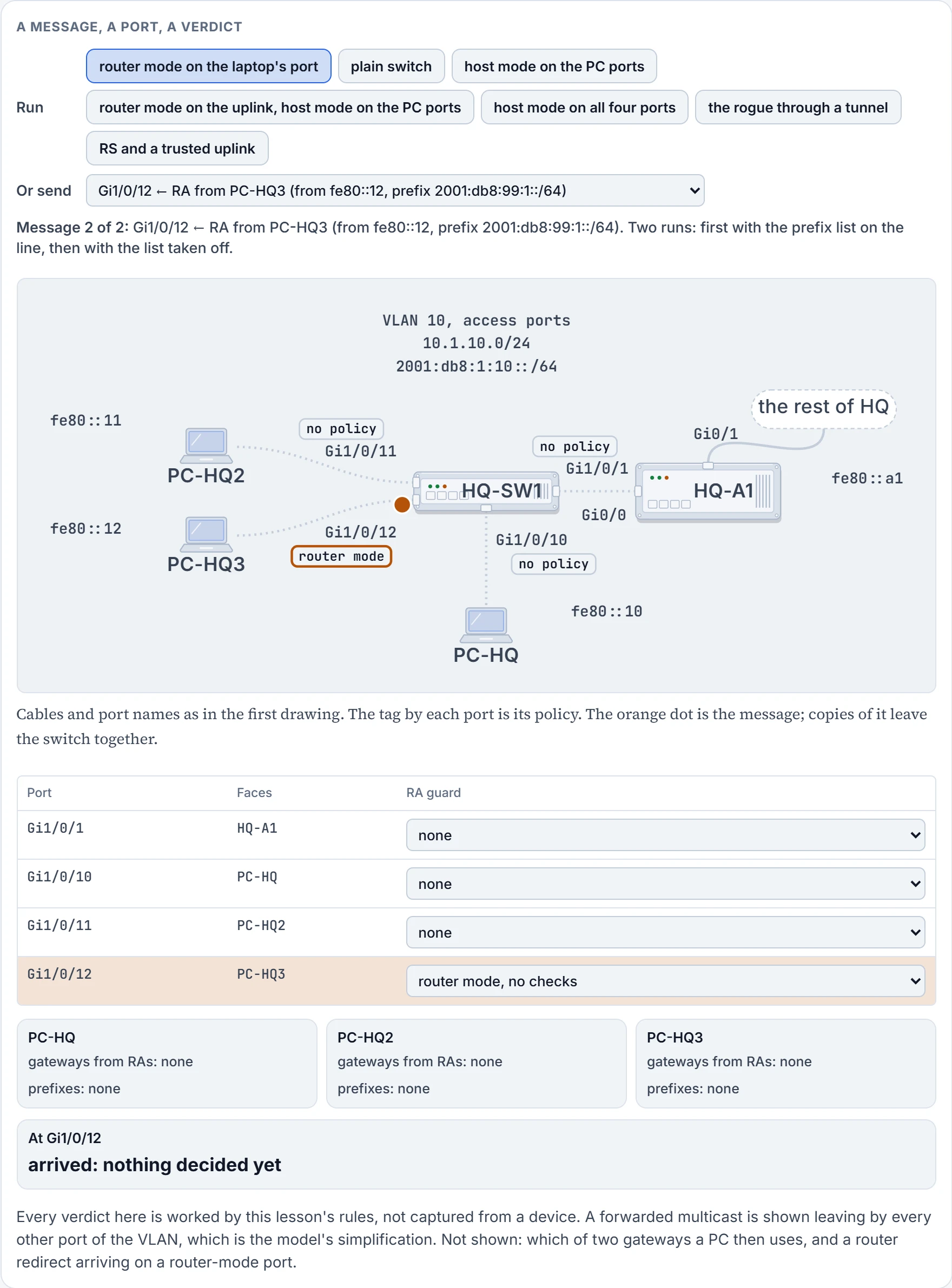
Step 6 of 9 It arrives on Gi1/0/12. That port's policy is the only one that will be asked: these features judge what comes in, and have no opinion about what goes out.
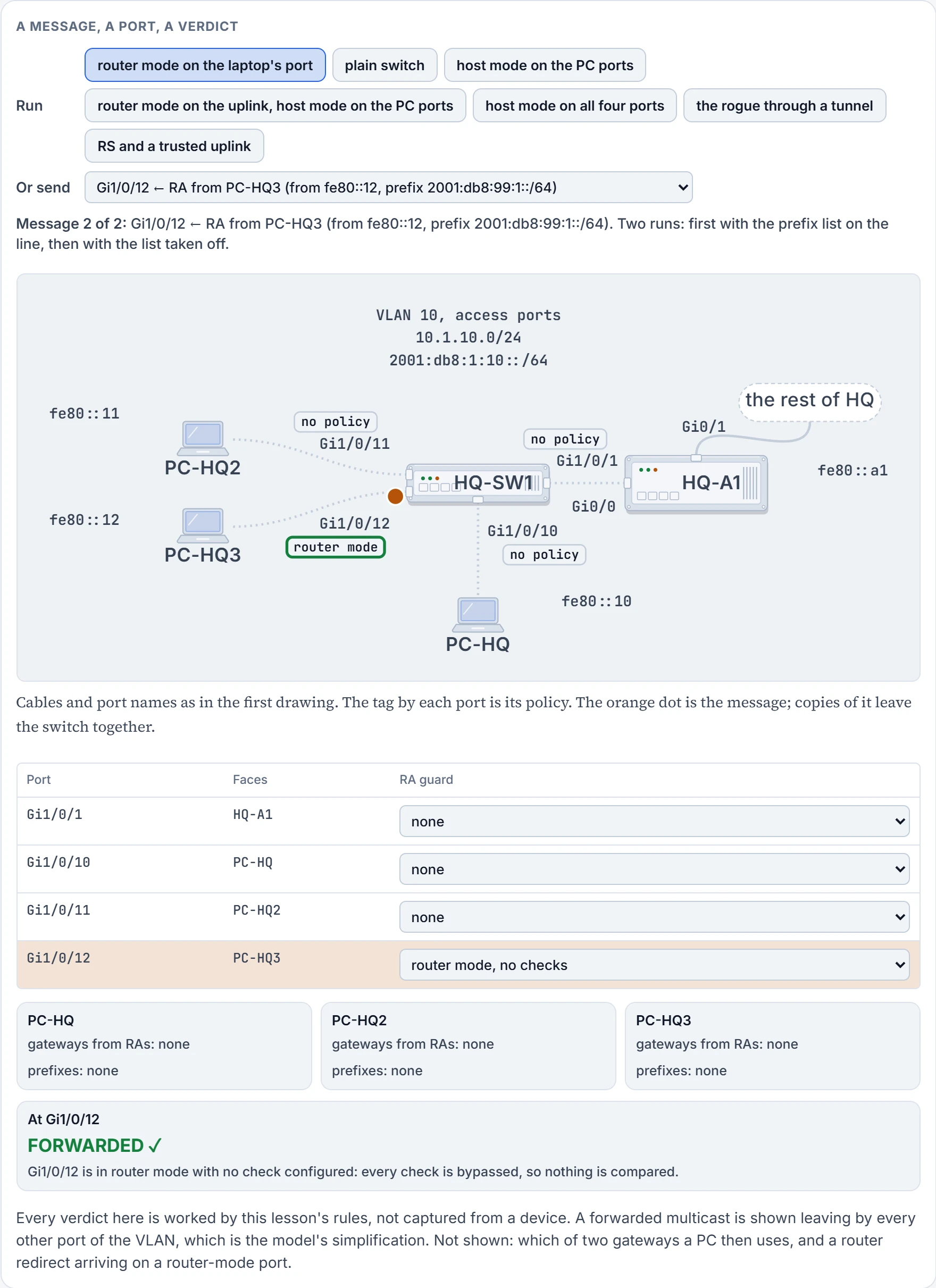
Step 7 of 9 Decided at Gi1/0/12: forwarded.
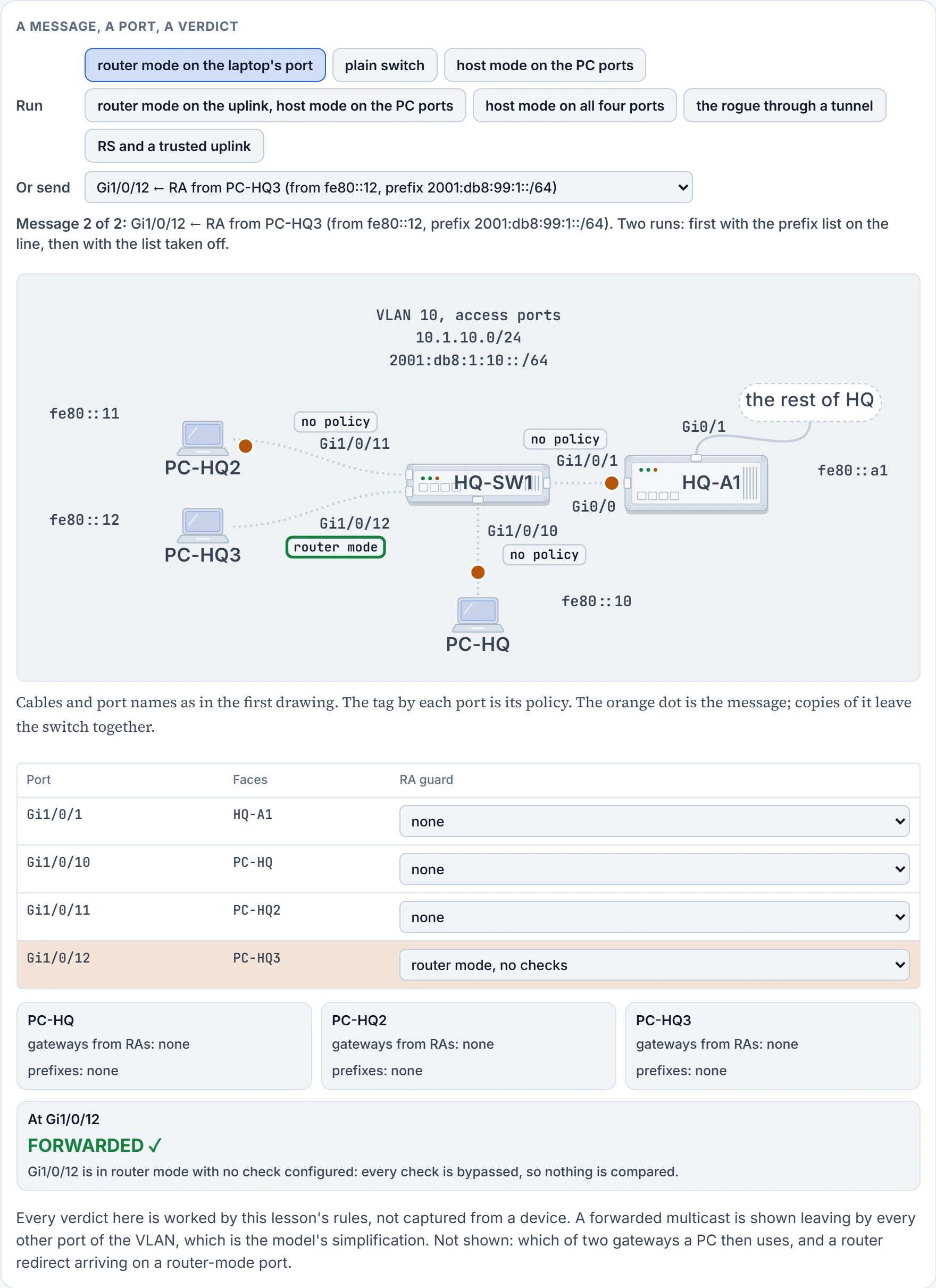
Step 8 of 9 Forwarded: a copy leaves by each of the other three ports, Gi1/0/1, Gi1/0/10, Gi1/0/11. Their policies aren't asked.
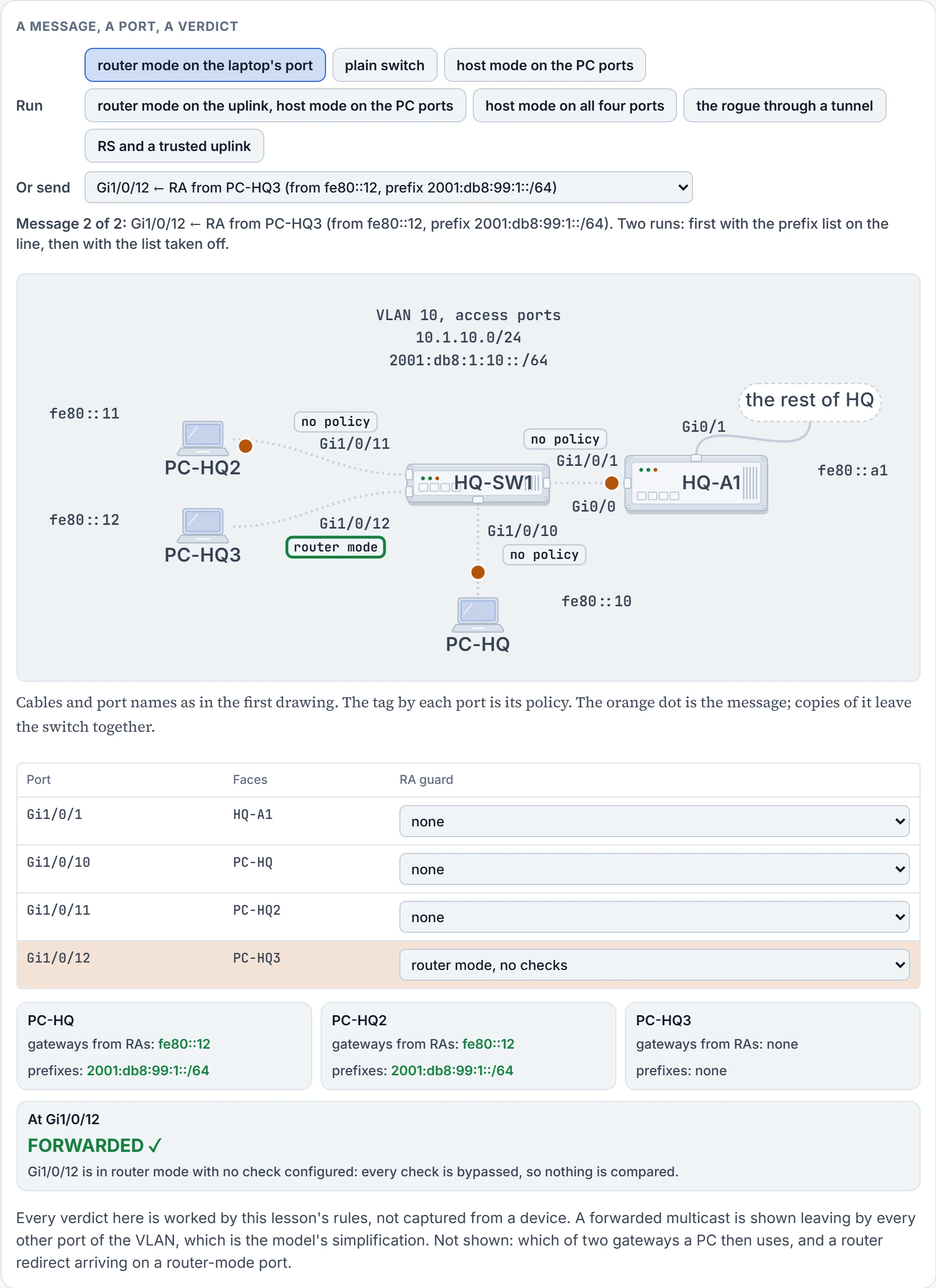
Step 9 of 9 Each PC that received it adds fe80::12 to its gateways and takes an address in 2001:db8:99:1::/64. PC-HQ now lists: fe80::12.
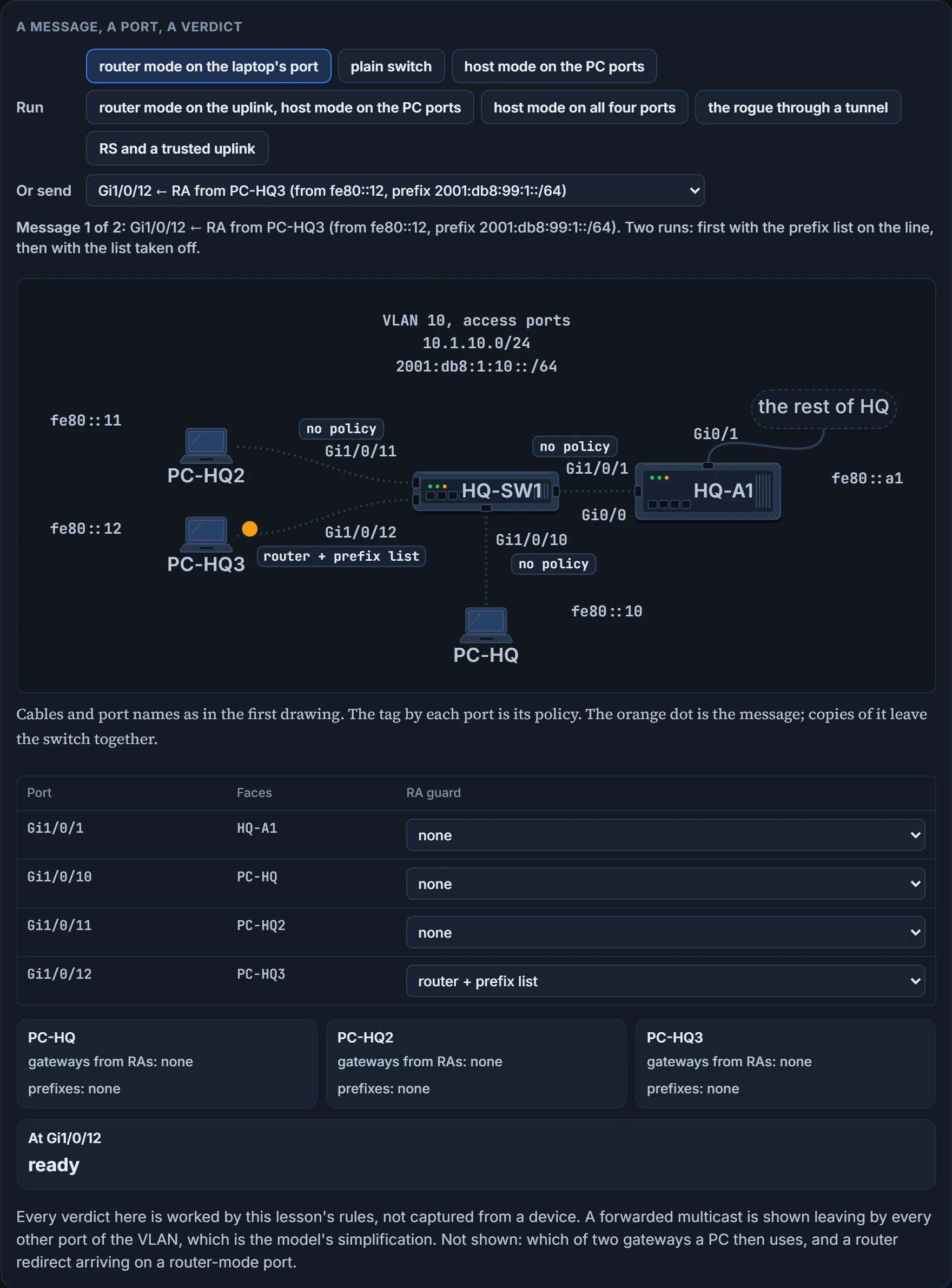
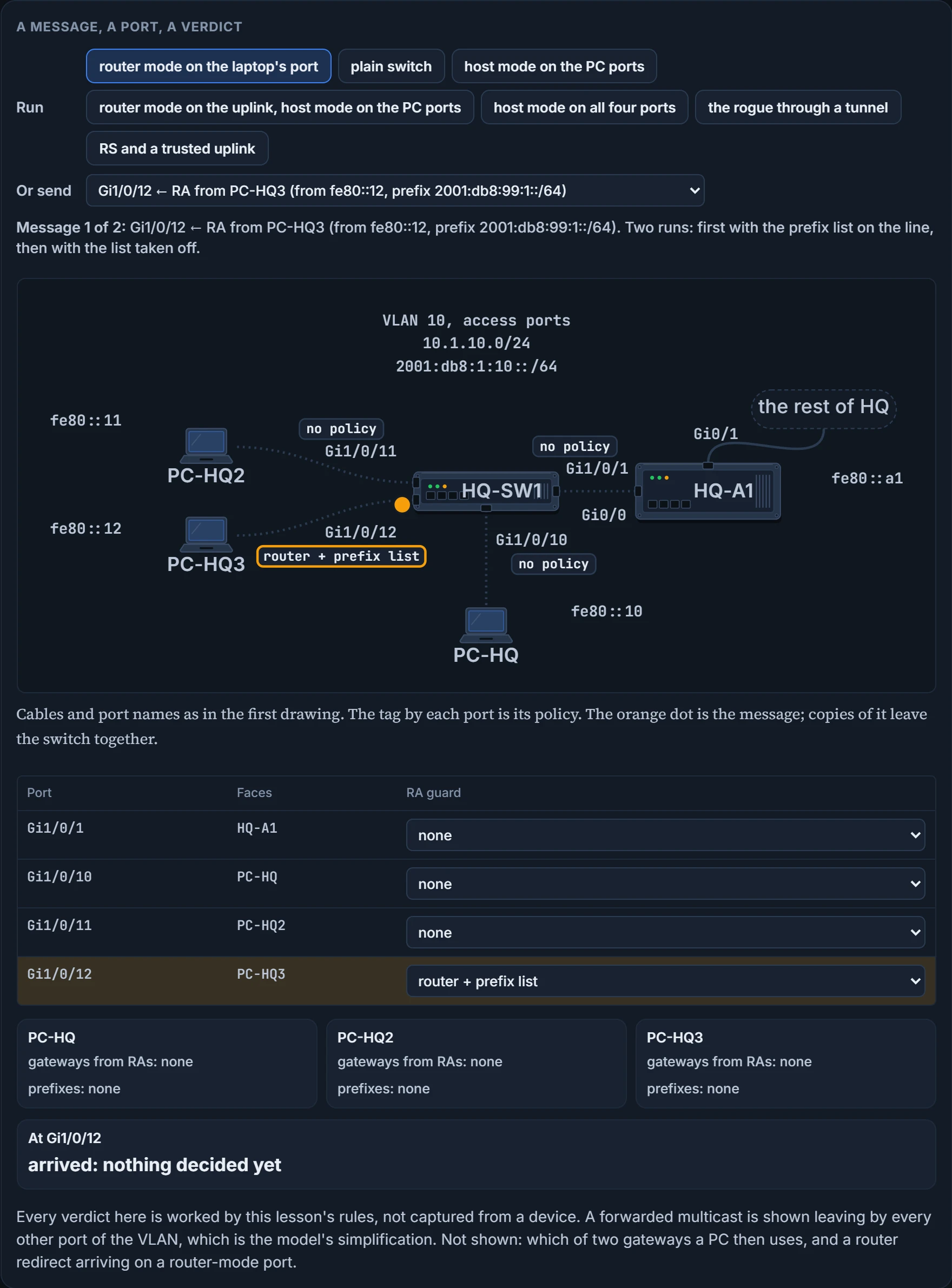
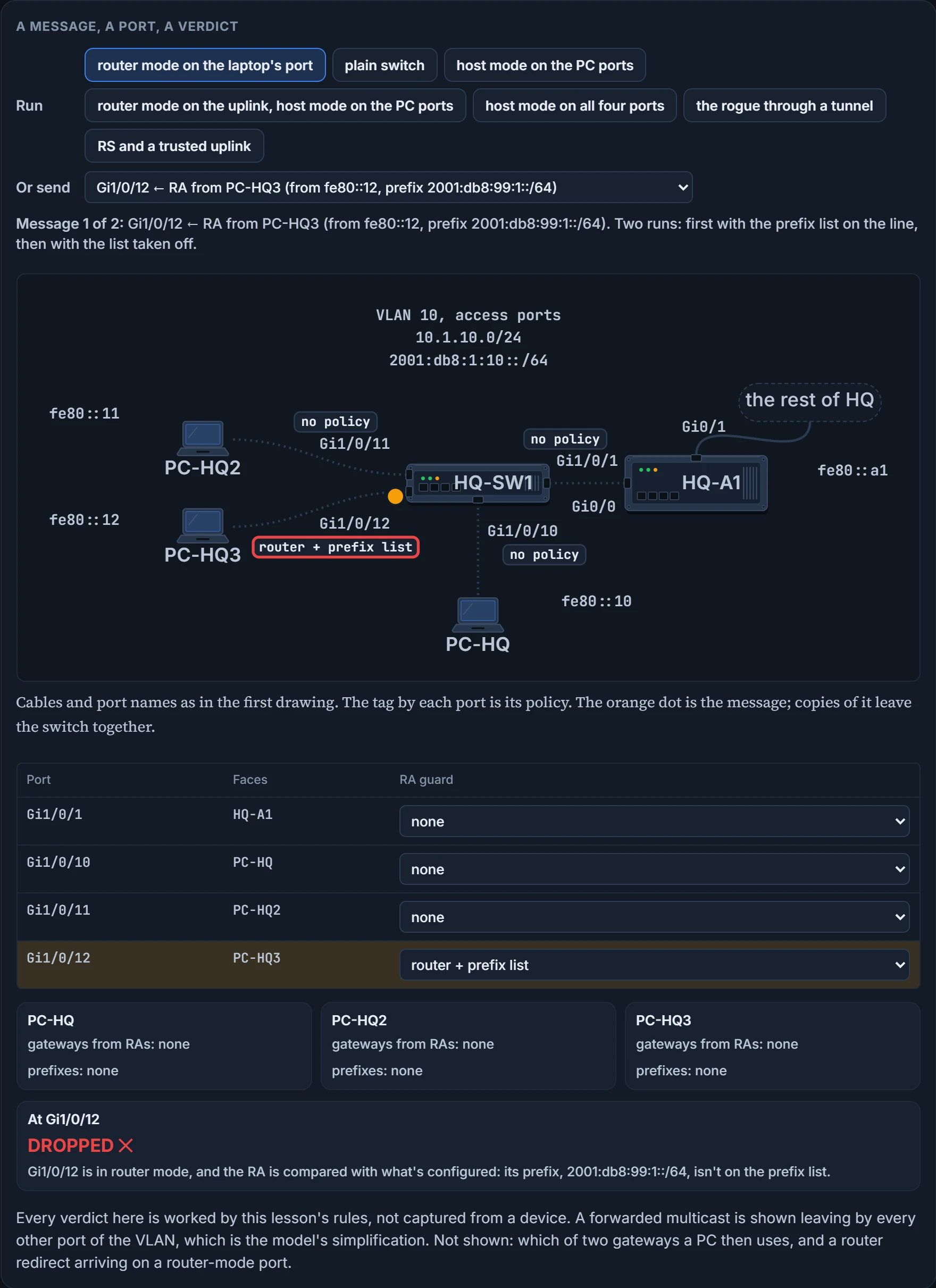
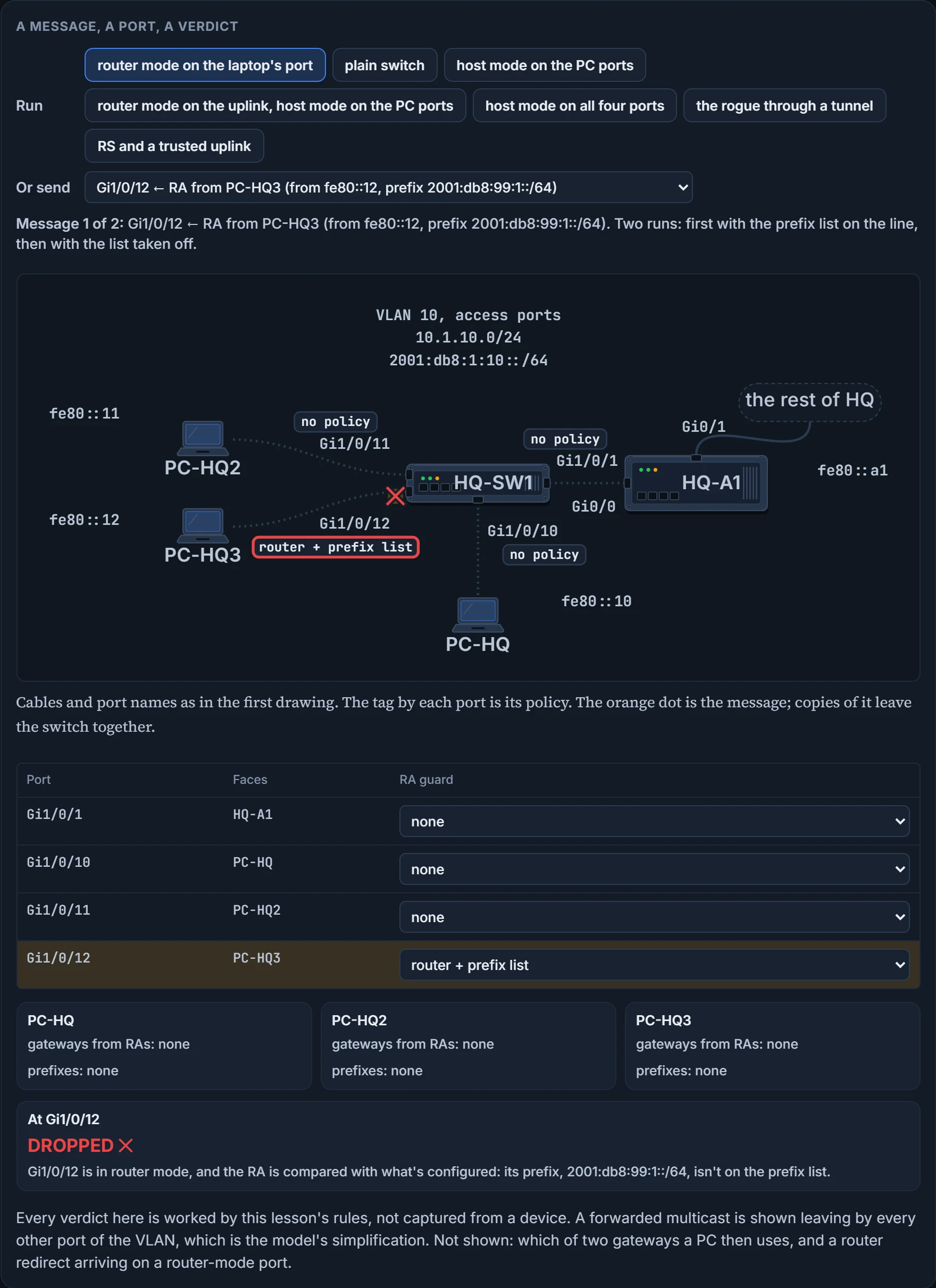
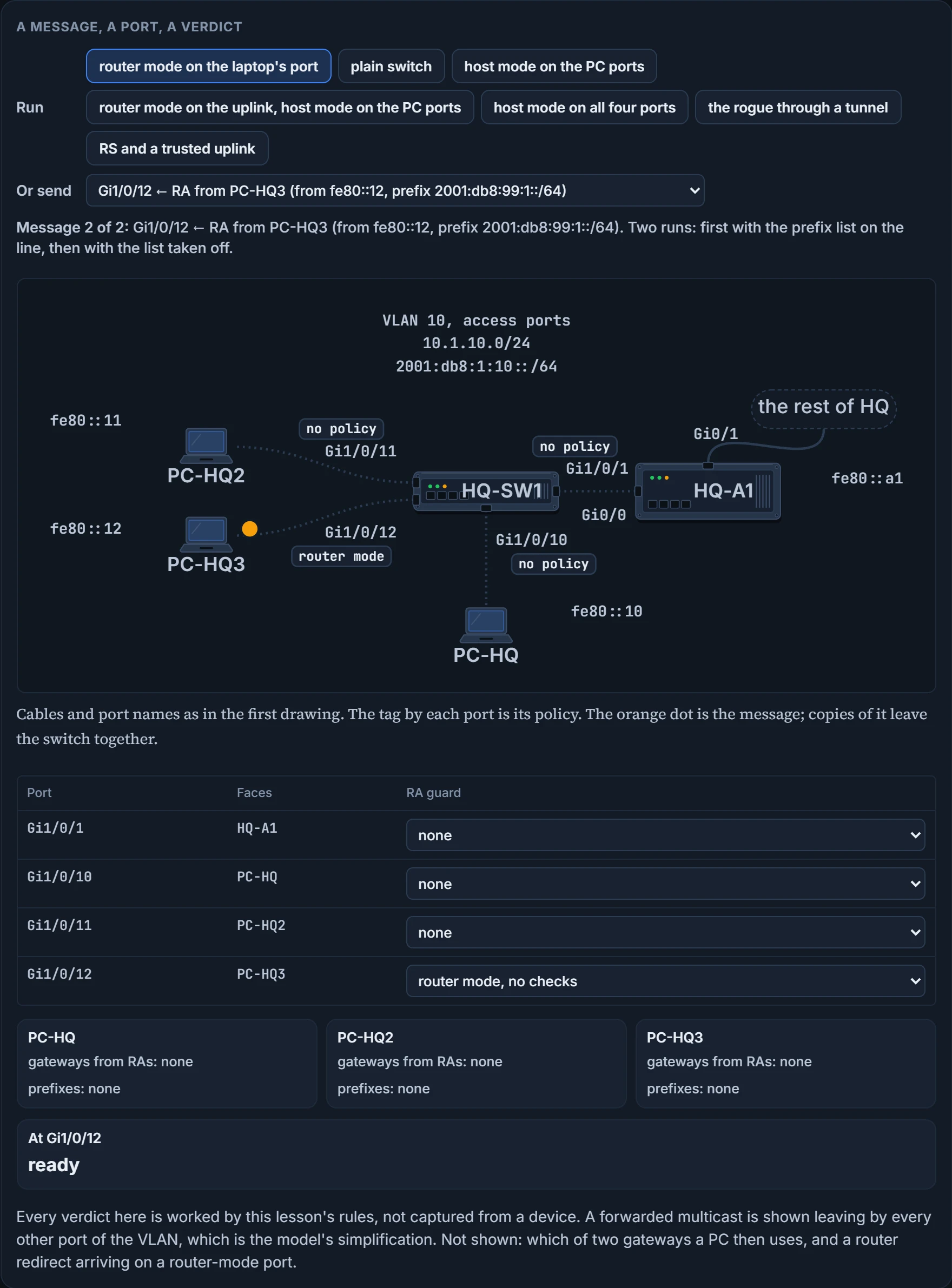
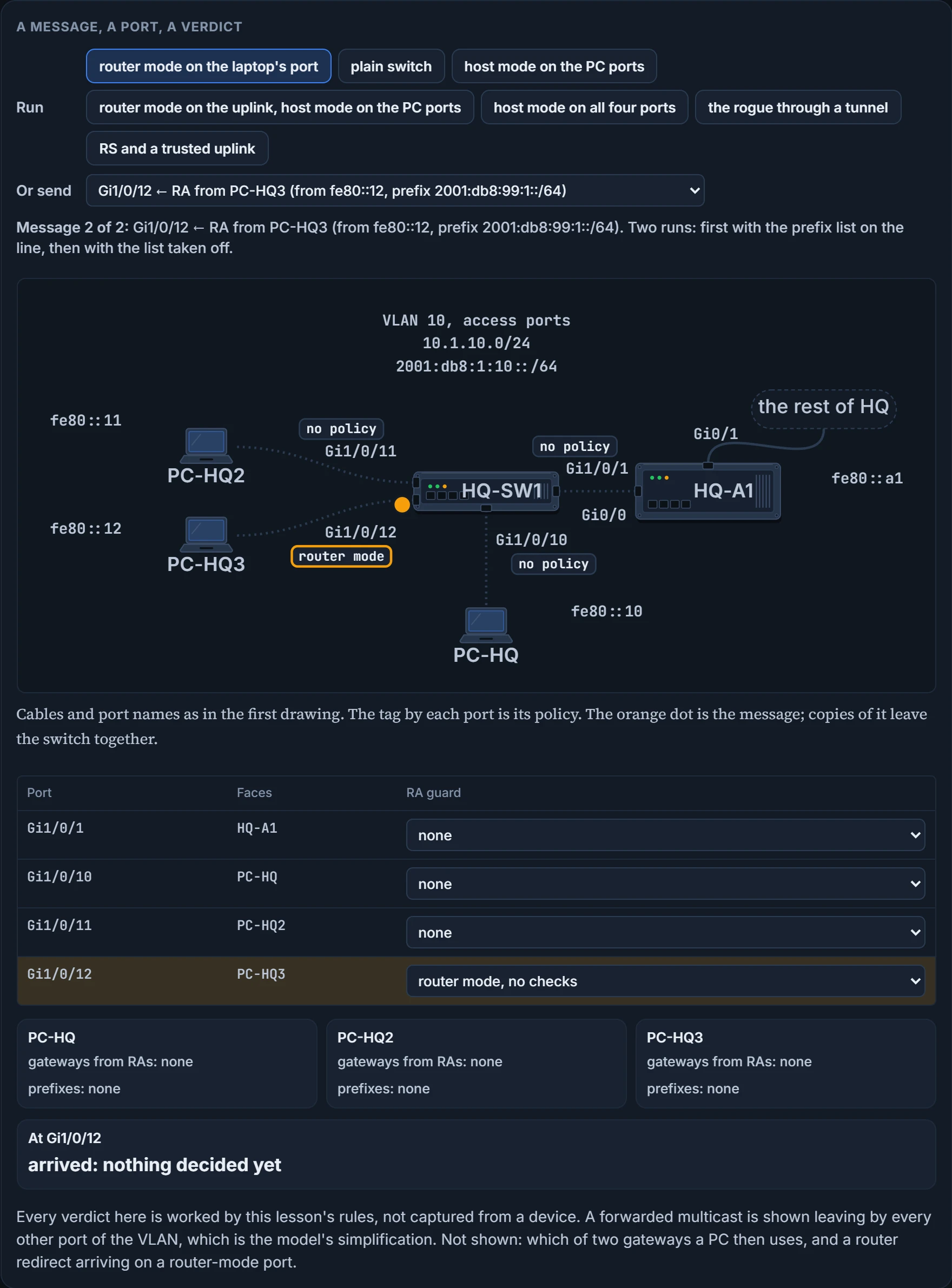
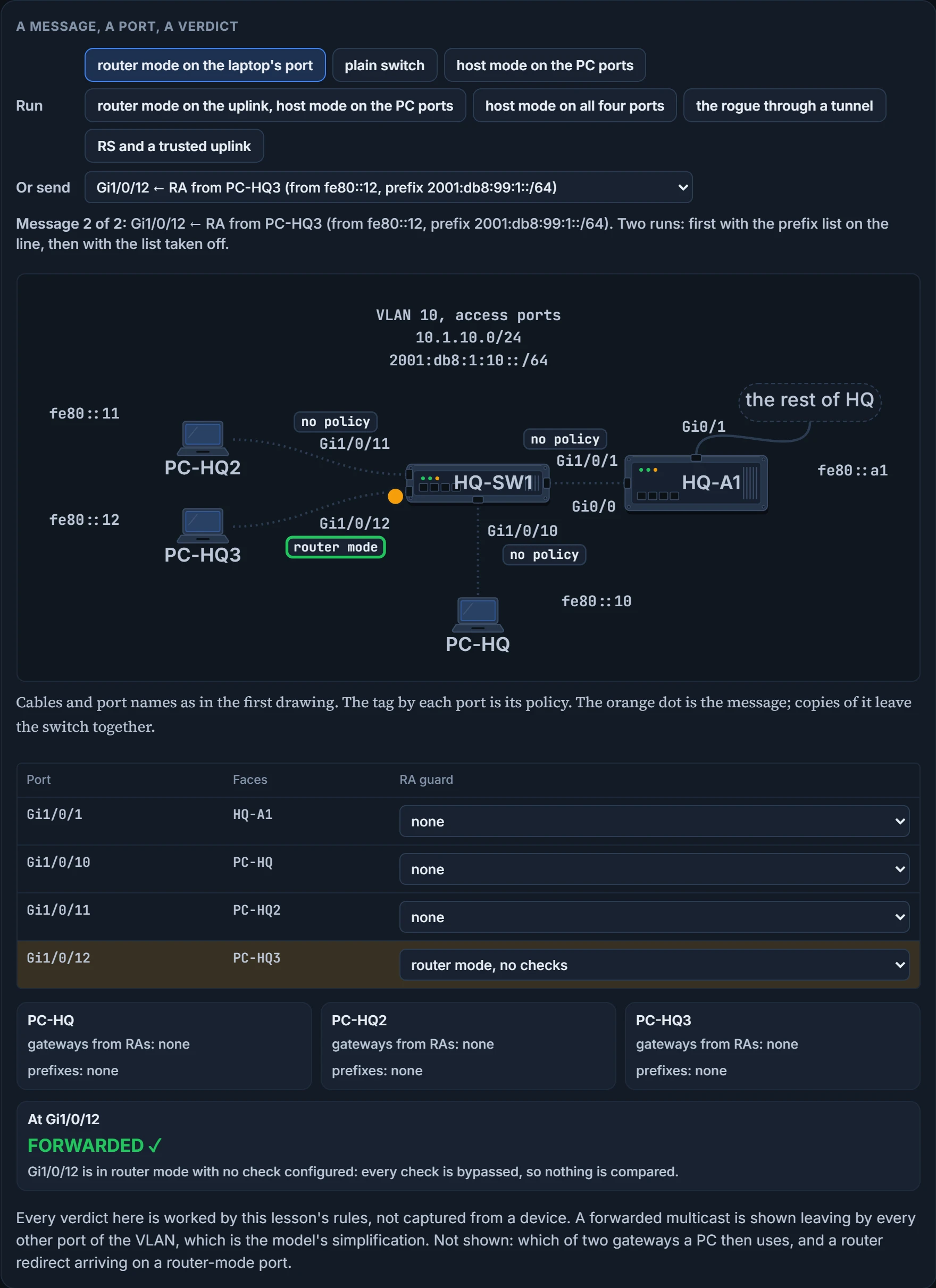
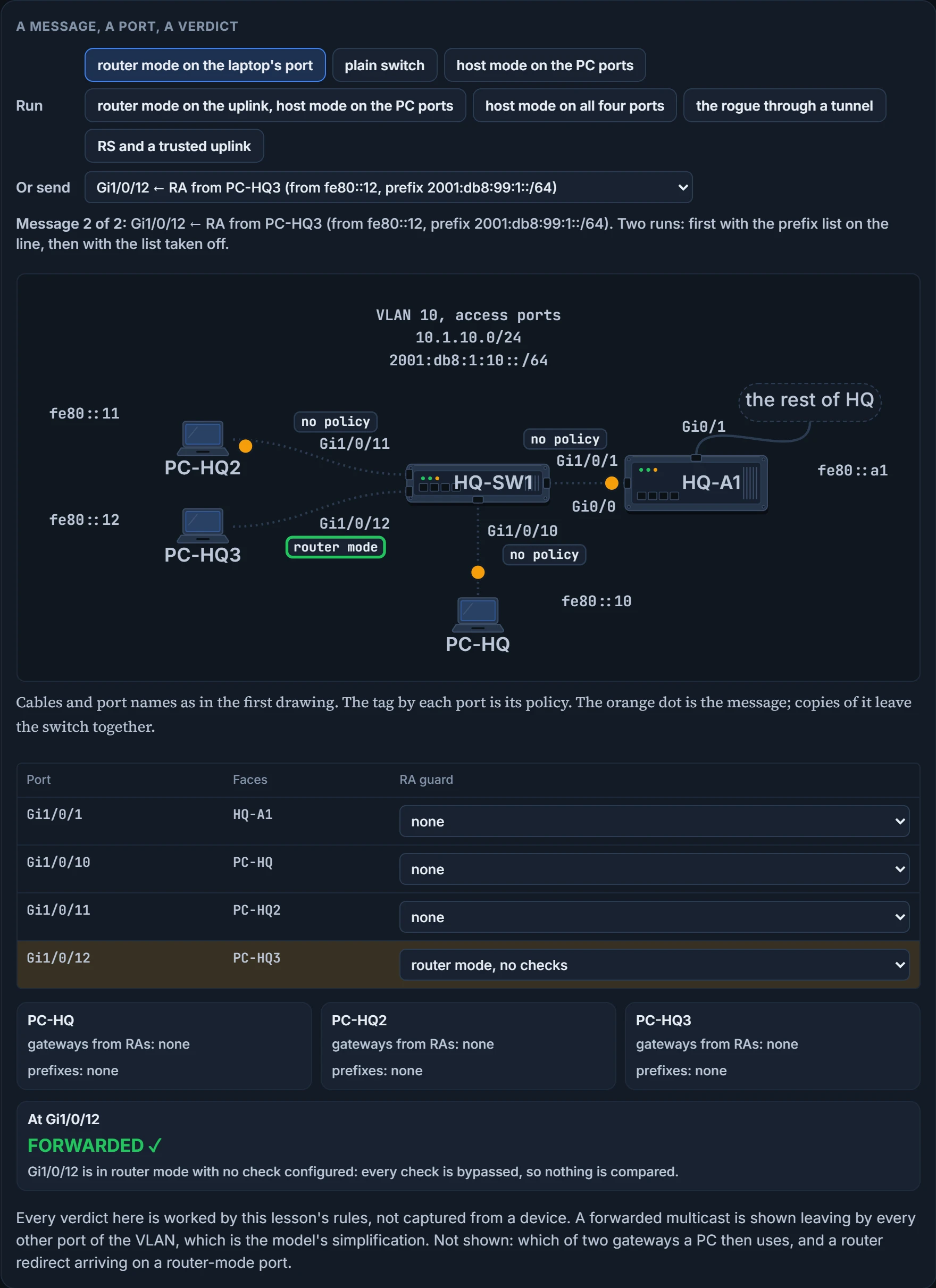
On our LAN that makes two policies. ACCT-HOSTS states the host role and goes on the three PC ports. ACCT-ROUTER states the router role and carries one check, match ra prefix-list, naming a prefix list, ACCT-PREFIX, that permits 2001:db8:1:10::/64; it goes on Gi1/0/1.
The attachment is the command to know. RA guard is enabled on an interface-by-interface basis by applying the policy with ipv6 nd raguard attach-policy [policy-name [vlan {add | except | none | remove | all} vlan [vlan1, vlan2, vlan3...]]]. The policy name is optional in that syntax. Name yours anyway, and state the role.
Three limits. RA guard does not offer any protection when IPv6 traffic is tunneled; this lesson's model lets a tunneled RA through and claims no more. It is only supported in hardware when the Ternary Content Addressable Memory (TCAM) is programmed. And it is not supported on EtherChannel members or on trunk ports with merge mode.
We haven't confirmed on a device, for this section: that the two router-mode checks not named here are bypassed when they aren't configured; whether trusted-port alone lets a router solicitation through; what a policy attached without a name contains; and why the last two limits exist.
DHCPv6 guard: the same question, the other server
An RA isn't the only way a host is told its settings. A DHCPv6 server can hand them out, in four messages you'll meet properly in a later lesson: the client's SOLICIT, the server's ADVERTISE, the client's REQUEST, the server's REPLY. A laptop that answers SOLICITs it shouldn't is the same problem as a laptop that sends RAs.
DHCPv6 guard is a feature very similar to DHCP snooping for IPv4. It is designed to ensure that rogue DHCPv6 servers are not able to hand out IPv6 addressing information to clients, redirect client traffic, or starve out the DHCPv6 server and cause a denial of service (DoS) attack. It can block reply and advertisement messages that come from unauthorized DHCPv6 servers and relay agents.
The decision has the shape you already know. DHCPv6 guard decides whether to switch or block a DHCP message from information found in the message together with the device role configuration, and the role that counts is the one assigned to the receiving port. It classifies each message into one of three DHCP types: client, server and relay. Then two rules:
- All client messages are switched, regardless of the device role.
- Server messages are processed further only if the device role is set to server.
The SOLICIT is switched: it's a client message, and those always are. The ADVERTISE is a server message arriving on a port whose role isn't server, so it goes no further. One port, one laptop, two different answers, and the switch never asked who PC-HQ3 is.
On a port whose role is server, "processed further" means checks you may configure: for a server's advertisement, source validation and server preference; for a server's reply, the permitted prefixes. The reply check is the line match reply prefix-list, and like RA guard's checks it is bypassed if it isn't configured.
DHCPv6 guard requires a policy, configured in DHCP guard configuration mode, and it is enabled interface by interface by applying the policy with ipv6 dhcp guard attach-policy [policy-name [vlan {add | except | none | remove | all} vlan [vlan1, vlan2, vlan3...]]]. The policy is created with ipv6 dhcp guard policy name and takes device-role {client | server}: three message types, two role keywords. A switch's display of such a policy has a third role in it: its Device Role field is either client, server or relay.
Stop and look at what both features needed. A role for the port, and the message in front of them. Neither had to know which host lives on which port. The next question can't be answered that way.
We haven't confirmed on a device, for this section: the keyword that would set a relay role; and that the attach command is typed on a router exactly as it is given here.
A table of who lives where
PC-HQ3 sends an ordinary packet and writes 2001:db8:1:10::99 in the source field, an address nobody on this LAN was given. No role setting can catch it, because sending packets is exactly what a host port is for. To object, HQ-SW1 would have to know which addresses really live on this LAN, and on which port.
That knowledge is the binding table. The L2 binding table is a database that lists the IPv6 neighbors connected to a device. It contains information such as the link-layer address and the prefix binding. Other first-hop security features use the information in this table to prevent snooping and redirect attacks. The guard features use the table to validate each neighbor's link-layer address, its IPv4 or IPv6 address and its prefix binding, and so prevent spoofing and redirect attacks. Notice the IPv4 address in there: the table itself isn't limited to one family.
Who writes the table? IPv6 snooping: a feature used to capture IPv6 traffic so that the IPv6 addresses in the packets can be used to populate the binding table. It does it by analyzing IPv6 neighbor discovery messages, which is IPv6 neighbor discovery inspection, as well as DHCPv6 messages.
"Snooping" is a bundle. Inside it: IPv6 neighbor discovery inspection, IPv6 device tracking, IPv6 address glean and IPv6 binding table recovery. The third is the reader: address glean, reading addresses out of ND and DHCP messages on the link and writing them into the binding table. At a policy's defaults, a data packet's source address isn't gleaned. ND inspection is the part the exam names, and you'll see the pair written as one feature, IPv6 neighbor discovery inspection/IPv6 snooping: it learns and populates a binding table for stateless autoconfiguration addresses, analyzing ND messages, placing valid bindings in the table and dropping all messages that do not have valid bindings. A valid ND message is one where the IPv6-to-MAC mapping can be verified.
Watch it on our LAN, with a snooping policy attached to all four ports. PC-HQ sends a neighbor solicitation (NS) for its own address. The switch captures it and writes an entry: 2001:db8:1:10::10, 0200.0010.0010, Gi1/0/10. Now PC-HQ3 sends a neighbor advertisement (NA) saying 2001:db8:1:10::10 is at 0200.0010.0012. That mapping contradicts the entry. In the model the message is dropped and the entry stays as it was. A real switch has one more outcome: an entry may also be updated, and of two colliding bindings the one with the higher preference is kept. Take the snooping policy away and the same false advertisement is forwarded to every port, and nothing is written anywhere.
How hard snooping pushes back is a setting. Depending on the security level, snooping can block unwanted messages such as router advertisements or DHCP replies. There are three levels:
| `security-level` | What the switch does with the address and MAC it extracts from an arriving ND, ARP or DHCP message |
|---|---|
glean | enters them into the binding table without any verification |
guard | checks them against the binding table; the outcome decides whether an entry is added, or updated, or the packet is dropped and the client rejected. The default |
inspect | on the command line, and the advice is not to use it |
That's the newer of two command sets; both are below. In the older set guard means more: glean and inspect together, and in addition RAs and DHCP server messages are rejected unless they are received on a trusted port or another policy authorizes them. The ticket comes back to this.
One sentence is a rule to learn as written: IPv6 snooping is a prerequisite for all the other features covered here. That includes RA guard and DHCPv6 guard. The RA guard and DHCPv6 guard questions above ran without it, and the model doesn't refuse them. Configure snooping first, then, and read its level as you do: it has a price.
The commands, in both spellings. The policy is created with ipv6 snooping policy name and attached on the interface with ipv6 snooping attach-policy name. A current switch does the same job under a newer name, device tracking: device-tracking policy name, attached with device-tracking attach-policy name. On such a switch the snooping commands are the legacy set, the two sets cannot be mixed on one device, and where no legacy configuration exists only the device-tracking commands are available. So the ticket types device-tracking. The exam's word is snooping.
We haven't confirmed on a device, for this section: how a switch would rank those two colliding claims; exactly what the default level rejects, and what counts as another policy authorizing an RA; and whether a switch refuses RA guard or DHCPv6 guard where snooping isn't configured.
Continue the lesson
The whole lesson, with its drawings and its questions. 4 more sections after the ones above.