
Control plane policing
Most packets reaching a router pass through; some are for the router itself, and the CPU that answers them is small next to what the interfaces carry. Control plane policing rations them in four parts: ACLs to identify the traffic, class maps to define classes, a policy map to set a rate and actions for each, and service-policy input under control-plane.
By Arif, founder of Daveth · Updated
The full 20 min walkthrough is in Daveth Pro (Network). See what the plan opens
What this page answers
How do you configure CoPP?
Create ACLs that identify the traffic, class maps that match them, and a policy map that polices each class, then apply it with service-policy input name in control-plane configuration mode. Read it in “Four parts, joined by their names”
What happens to traffic that matches no CoPP class?
It matches class-default. In a policy that sets nothing for class-default, that traffic goes through as is. Read it in “The policy map: an order, and a rate for each class”
Why is CoPP not policing traffic it should?
Look in the four places it is built: the ACLs, which decide whether traffic matches at all; the class maps, including match-all versus match-any; the policy map's order and rates; and how the policy is applied to the control plane. Read it in “The lists: what a line says about a packet”
The packets a router has to answer itself
Most packets that reach a router are somebody else's. They come in one interface and go out another, and the part of the router that does that, the forwarding plane, has its logic kept simple so that hardware can forward fast. You may know it as the data plane.
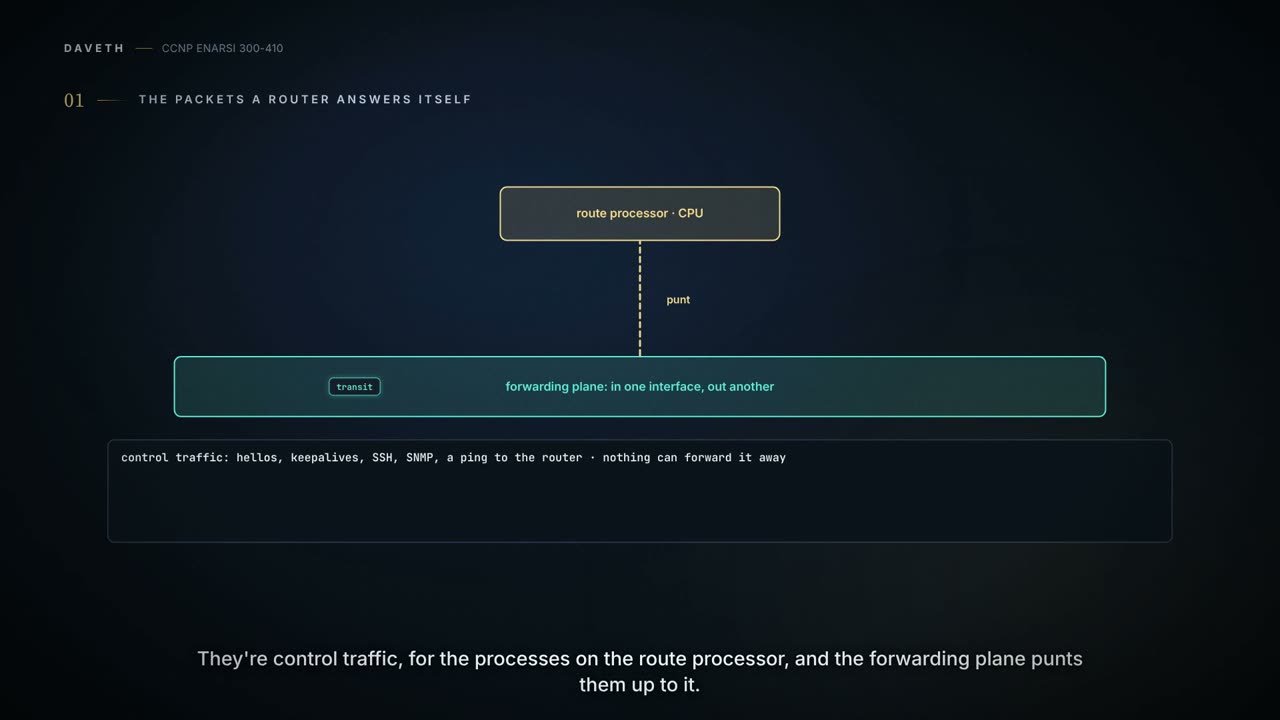
Some packets are for the router. An EIGRP hello. A BGP keepalive. Your SSH session. An SNMP poll. A ping to its own address. Nothing can forward those away, because this is where they were going. The control plane is a collection of processes that run at the process level on the route processor, and the traffic sent to it or sent by it is called control traffic. The forwarding plane punts packets that need that kind of processing up to the route processor. Punt: hand the packet up to the CPU.
And the CPU is small next to what the interfaces can carry. So how do you stop a flood aimed at the router itself from knocking it over?
You can't stop it arriving. What you can do is decide, per kind of traffic, how much of it the CPU will be handed. That's control plane policing, CoPP: a policy applied to traffic destined to or sourced by the router's control plane CPU, to limit known traffic to a given rate while protecting the CPU from unexpected extreme rates of traffic that could impact the stability of the router. Seen from the attacker's side, it protects the control plane against reconnaissance and denial-of-service attacks, so that the control plane can keep packet forwarding and protocol states going despite an attack or heavy load.
Two things CoPP isn't. It isn't a filter on traffic passing through: the rules apply only after a packet has been determined to have the control plane as its destination, or when a packet exits from the control plane. And it isn't an access list for the router, though it is made of access lists.
One caution first: CoPP varies by software version and by platform. What follows are the general elements; for specifics, read the reference for your own version and platform.
Four parts, joined by their names
When configuring CoPP you do four things: create ACLs to identify the traffic you want to police, create class maps to define a traffic class, create policy maps to define a service policy, and apply the service policy to the control plane. When troubleshooting, you look for issues in the same four places: the ACLs, the class maps, the policy maps, and the application of the service policy. A lot of parts need to be configured correctly.
Here is the whole chain once, on a router called R1. Three lists: one for ICMP, one for management traffic, one for routing protocols. Three class maps, each pointing at one list by name. One policy map, COPP-POLICYMAP-EXAMPLE, which lists the three classes in an order and gives each a police line. And one line under control-plane that attaches it.
Nothing joins those four parts except names. The class map names the list. The policy map names the class map. The control plane names the policy map. All three kinds of name are case sensitive: ACL names in a class map, class map names in a policy map, policy map names on the control plane. Each time, double-check that the name matches exactly.
Two facts about the far end of the chain. A packet that doesn't match any of the defined classes isn't forgotten: it is subject to the conditions laid out in the default class. Asked what happens to it, the exam's answer is that such traffic is subject to the policy defined in the default class. And in R1's policy map the default class has no conditions: nobody wrote a line for it. In a policy like that, all other traffic, which matches the class map "class-default", goes through as is.
R1's policy is for demonstration: it's not a perfect example, and it may not contain every element needed to work in the real world.
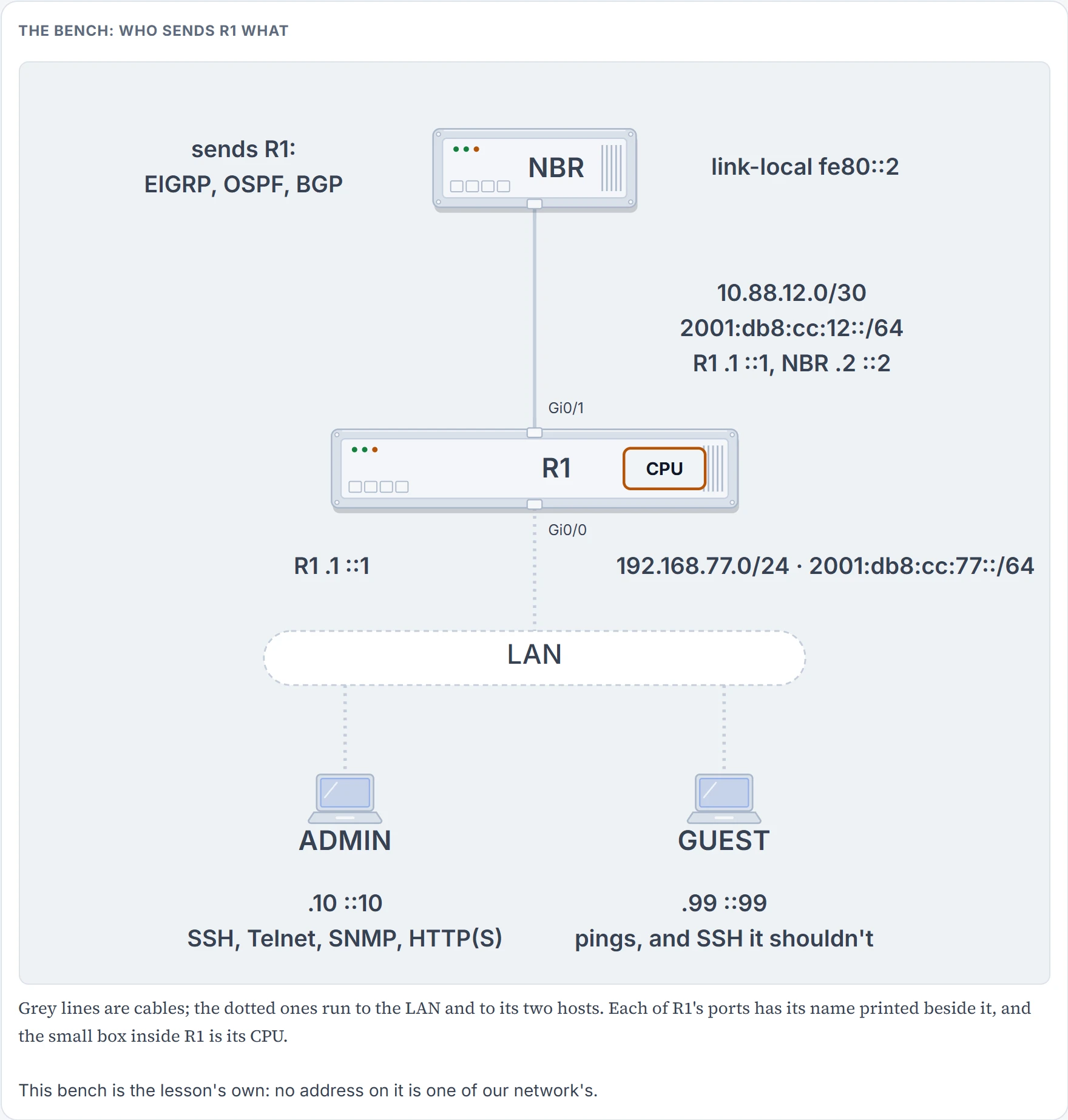
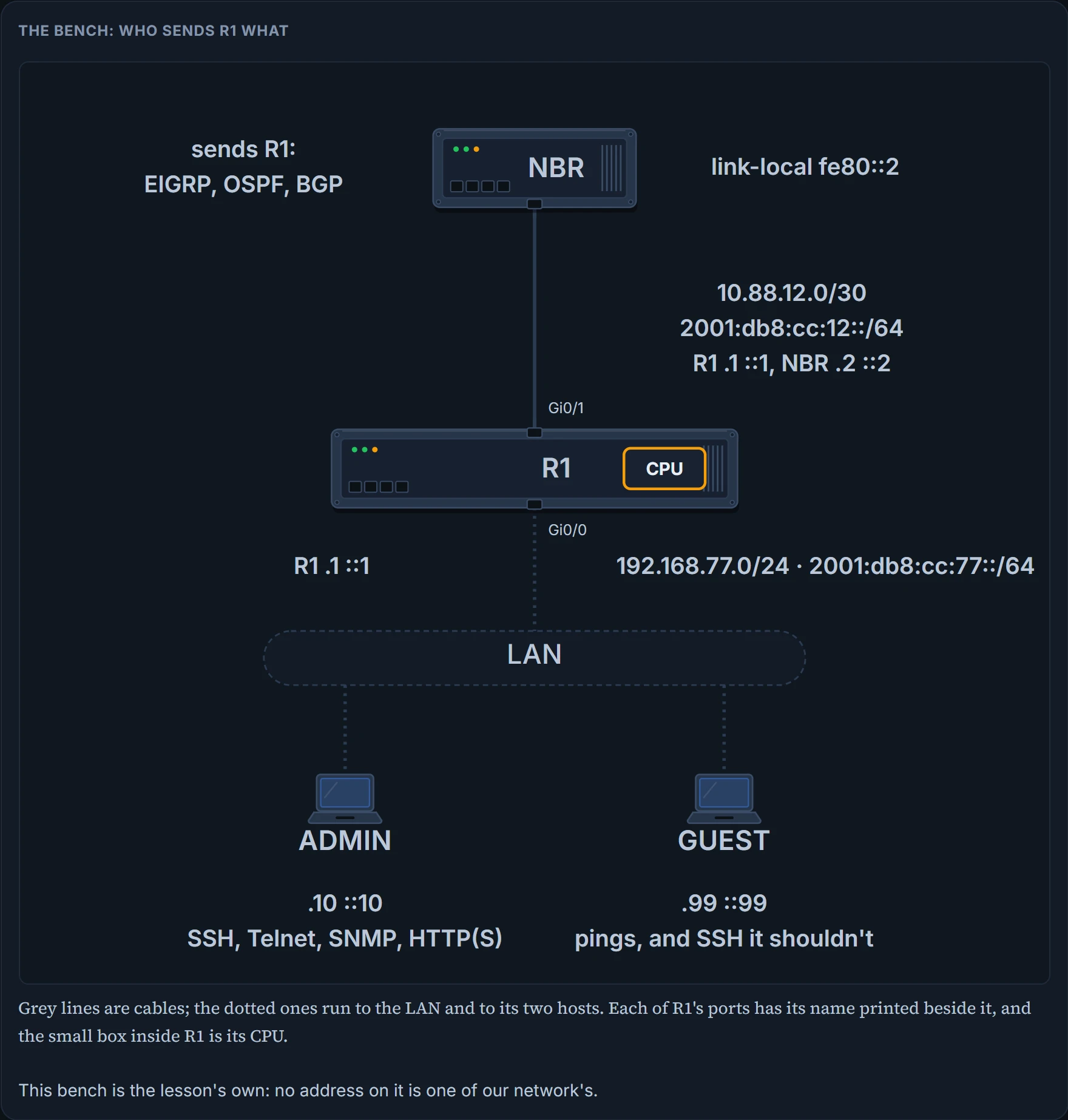
The packets need somewhere to come from. This is our bench around R1: a routing neighbor, NBR, and a LAN with two hosts on it: ADMIN, who manages R1, and GUEST, who shouldn't. This page's figures run on a small model of R1's policy; where the model chooses and a router might differ, the page says so.
The lists: what a line says about a packet
ACLs are used with CoPP for identifying traffic; once the traffic is matched, it becomes the object of the policy action. Defining them is the most critical step: if the ACL isn't created correctly, the traffic won't be matched and the policies won't be correctly applied. The exam objective names seven protocols here, Telnet, SSH, HTTP(S), SNMP, EIGRP, OSPF and BGP, and in all of these cases it is the ACL that makes the difference.
You know the reading: top down, the first entry that matches is the one used, and an invisible deny at the end for whatever matched nothing. On an interface, the list's verdict was the packet's fate. Here the list is applied to a class map, and what its verdict is worth there is the question this section puts to you in a minute.
R1's three lists:
ip access-list extended COPP-ICMP-ACL-EXAMPLE
 permit udp any any range 33434 33463 ttl eq 1
 permit icmp any any unreachable
 permit icmp any any echo
 permit icmp any any echo-reply
 permit icmp any any ttl-exceeded
ip access-list extended COPP-MGMT-TRAFFIC-ACL-EXAMPLE
 permit udp any eq ntp any
 permit udp any any eq snmp
 permit tcp any any eq 22
 permit tcp any eq 22 any established
 permit tcp any any eq 23
ip access-list extended COPP-ROUTING-PROTOCOLS-ACL-EXAMPLE
 permit tcp any eq bgp any established
 permit eigrp any host 224.0.0.10
 permit ospf any host 224.0.0.5
 permit ospf any host 224.0.0.6
 permit pim any host 224.0.0.13
 permit igmp any any
Every line is a permit, and a permit here means: this traffic is in the class. Each list is a description. The ICMP list: UDP to a range of ports with a TTL of 1 (traceroute's probes, by the look of it), then four kinds of ICMP message. The management list: UDP from port 123, which is NTP with the port on the source side; SNMP; TCP to port 22, and TCP from port 22 marked established; TCP to port 23. The routing list: TCP from the BGP port, also established; EIGRP to 224.0.0.10; OSPF to 224.0.0.5 and to 224.0.0.6; PIM to 224.0.0.13; and IGMP from anyone to anyone.
Now a change. GUEST, 192.168.77.99, keeps hammering R1's SSH port, and somebody deals with it the way an interface list would: a new line on top of the management list, numbered to land above the first entry.
ip access-list extended COPP-MGMT-TRAFFIC-ACL-EXAMPLE
 5 deny tcp host 192.168.77.99 any eq 22
The third. The first matching entry is the deny, so the list's answer for this packet is "not this class". The management class doesn't count it, and the other two classes don't describe it. So it's in the default class, and the default class of this policy has no police line: the packet goes up to the CPU and nothing measures it. ADMIN's SSH still passes a policer on the way. GUEST's passes none. You wrote deny for the one host you wanted to stop, and moved it into the one class of this policy that has no policer at all.
The rule in full: for CoPP, permit means to match the traffic and apply the policy, and deny means "to exclude that traffic from the class and move on". Move on to the next class, not to the next entry of the same list. A list written to exempt two trusted hosts proves it. It reads deny tcp host 10.1.1.1 any eq telnet, the same for 10.1.1.2, then permit tcp any any eq telnet, and the result is that the two trusted hosts forward Telnet packets to the control plane without constraint, while all remaining Telnet packets are policed at the specified rate. If a denied packet went on to the next entry, the third line would catch the trusted hosts. There, deny exempts, and only because that policy's default class lets everything through as is. Give the default class a limit of its own, and the same deny moves a host under that limit instead.
So when a class is taking traffic it shouldn't, or missing traffic it should take, check whether the entry is a permit or a deny: a deny means that traffic is ignored, a permit means it is matched.
Four more things to check in a list.
Grouping. Group traffic types by their function in the network: routing protocols (BGP, OSPF, EIGRP) together, management protocols (SSH, Telnet, HTTP(S), TFTP, SNMP, NTP, DNS) together. Mix and match, and the policy you apply later may not work for the type of traffic in question: one class gets one rate. A way to start: do no grouping at first, write a different ACL for each individual traffic flow, see what the results are, and group after the fact.
Protocol. If the wrong protocol is specified in the ACL, the wrong type of traffic will be matched in the class. OSPF or protocol 89 for OSPF; EIGRP or protocol 88 for EIGRP; TCP for SSH, Telnet, FTP, HTTP or HTTPS; UDP for RIP, SNMP, TFTP or NTP.
Source and destination. You can be granular and match only traffic from a specific source or to a specific destination, so the addresses have to be right or the traffic won't be matched when it should be. A test when specific addresses are in doubt: change them to any / any; if the match is then successful, the original addresses were the issue, and if not, they likely weren't the problem.
Operators and ports. Lists take operators such as greater-than, less-than and equal-to, and port numbers: 179 for BGP, 20 and 21 for FTP, 22 for SSH, 23 for Telnet, 80 for HTTP, 443 for HTTPS, 161 and 162 for SNMP, 123 for NTP.
That gives a line for each of the seven protocols. Six are in R1's lists: Telnet and SSH as TCP to ports 23 and 22, SNMP as UDP to snmp, EIGRP and OSPF by protocol and multicast group, BGP as TCP from bgp. The seventh, HTTP(S), is in none of them; composed from its two ports, its lines would be permit tcp any any eq 80 and permit tcp any any eq 443.
Four of R1's lines describe less than they seem to. The BGP line has the port on the source side: segments from port 179, which is what R1 receives on a session R1 opened. The side that opens a BGP session uses a random source port and destination port 179, so a session the neighbor opened arrives addressed to port 179, and on R1 it's in the default class. The management list has both lines of that pair for SSH. And the EIGRP and OSPF lines name the multicast groups only: hellos go there, and the unicast packets of either protocol aren't described.
And every list here is an IPv4 list. EIGRP for IPv6 to FF02::A, OSPFv3 to FF02::5 and FF02::6, SSH to R1's IPv6 address: on R1, all of it is in the default class. That stands on this lesson's working rule, the family rule: an IPv4 list doesn't describe an IPv6 packet, nor an IPv6 list an IPv4 one. An IPv6 list can be matched in a class map by name: ipv6 access-list coppacl-ipv6-icmp-request with permit icmp any any echo-request, matched by match access-group name coppacl-ipv6-icmp-request. The policy that list belongs to is attached in the output direction, and its action is set precedence 6: marking, not policing.
One rule for every list in this lesson: you should never use the log or log-input keywords in ACLs that are used for CoPP. They have been known to cause unexpected results with CoPP functionality.
You verify the lists with show access-lists. On R1, each list's heading, the four entries that carry a count, and two of the twelve that carry none:
R1# show access-lists
Extended IP access list COPP-ICMP-ACL-EXAMPLE
    30 permit icmp any any echo (28641 matches)
Extended IP access list COPP-MGMT-TRAFFIC-ACL-EXAMPLE
    30 permit tcp any any eq 22
    40 permit tcp any eq 22 any established
    50 permit tcp any any eq telnet (73 matches)
Extended IP access list COPP-ROUTING-PROTOCOLS-ACL-EXAMPLE
    20 permit eigrp any host 224.0.0.10 (2499 matches)
    30 permit ospf any host 224.0.0.5 (349 matches)
It proves those four entries each met that many packets: the echo line of the ICMP list, the Telnet line of the management list, the EIGRP line and one OSPF line of the routing list. It doesn't prove what happened to the packets next: no rate, no action and no class appears in this output. Keep 28641 and 73 in mind.
One line changed its spelling on the way. It was typed permit tcp any any eq 23, and the router lists it as eq telnet. Port 22 stays a number in the same output, so don't expect a name every time.
We haven't confirmed on a router, for this section: the family rule; an IPv6 list in an input policy with a policer; what established tests, which the model takes as a segment of a session already under way; the two web lines; and what goes wrong with log.
The class map: how many lists must agree
A class map is a construct used with CoPP and QoS to define a traffic class. It has three elements: a name; one or more match commands that identify the packets that are part of the class; and instructions on how the match commands will be evaluated. R1's three:
class-map match-all COPP-ICMP-CLASSMAP-EXAMPLE
 match access-group name COPP-ICMP-ACL-EXAMPLE
class-map match-all COPP-MGMT-TRAFFIC-CLASSMAP-EXAMPLE
 match access-group name COPP-MGMT-TRAFFIC-ACL-EXAMPLE
class-map match-all COPP-ROUTING-PROTOCOLS-CLASSMAP-EXAMPLE
 match access-group name COPP-ROUTING-PROTOCOLS-ACL-EXAMPLE
The syntax is class-map [match-any | match-all] class-name, then match with one of four things: an access group, a protocol, IP precedence or IP DSCP.
The access group. Is the correct ACL named in the match command? The ACL in the class map defines the interesting traffic; if matched, the packets are classified as members of the class and the correct service policy applies; with the wrong ACL, the desired results aren't achieved. And if the right list is named but has the wrong protocol, address, operator, port or action, the traffic isn't matched by the class map, and you're back to troubleshooting the ACL.
The instruction. A class map may contain one of two instructions, match-any or match-all. With match-any, the traffic must match one of the match commands to be classified as part of the class; with match-all, it must match all of them. And the sentence that makes this easy to get wrong: using the correct instruction is important only if you have multiple match commands; with only one match command in the class map, the instruction does not matter. All three of R1's class maps say match-all, each has one match line, and nothing is wrong with them.
Now three lists of one line each, and one class map over them. Based on the match commands and the ACLs, does this make sense?
ip access-list extended CoPP-ICMP
 permit icmp any any echo
ip access-list extended CoPP-BGP
 permit tcp any eq bgp any established
ip access-list extended CoPP-EIGRP
 permit eigrp any host 224.0.0.10
class-map match-all CoPP-CLASS
 match access-group name CoPP-ICMP
 match access-group name CoPP-BGP
 match access-group name CoPP-EIGRP
None. Is it possible for a packet to be ICMP, BGP and EIGRP at the same time? Of course it's not, so traffic would never match the CoPP-CLASS class map. The correct option here is match-any. This is where people get caught: a match-all sits unnoticed for as long as the class has one line. The three kinds of packet are in the default class.
Protocol. If you choose not to use an ACL, you can use the built-in protocol options of the match command, and you must make sure the correct protocol is specified; to match ARP packets you use match protocol arp. ARP isn't an IP packet, so no IP list can describe it.
IP precedence and DSCP. If you only need to match on IP precedence or DSCP values, the match command has options for them; make sure the correct one is chosen and the correct values are specified. Type the keywords in full, match ip precedence and match ip dscp. One match you can't use in a control-plane class: match input-interface is not supported.
To verify all configured class maps, use show class-map. On R1:
R1# show class-map
 Class Map match-all COPP-MGMT-TRAFFIC-CLASSMAP-EXAMPLE (id 2)
   Match access-group name COPP-MGMT-TRAFFIC-ACL-EXAMPLE
 Class Map match-any class-default (id 0)
   Match any
 Class Map match-all COPP-ROUTING-PROTOCOLS-CLASSMAP-EXAMPLE (id 3)
   Match access-group name COPP-ROUTING-PROTOCOLS-ACL-EXAMPLE
 Class Map match-all COPP-ICMP-CLASSMAP-EXAMPLE (id 1)
   Match access-group name COPP-ICMP-ACL-EXAMPLE
It proves each class map's instruction and its match lines, and it prints the default class in the same form: match-any, Match any. It doesn't prove the order the classes are asked in, that any policy uses them, or that a packet ever matched. Remember as you read it: traffic that matches none of the class maps is classified as a member of the default class.
We haven't confirmed on a router, for this section: what a class map is when you type neither keyword, as in class-map telnet-class; and a list matched by number, match access-group 140, where this lesson matches by name throughout.
The policy map: an order, and a rate for each class
A policy map associates the traffic class, as defined by the class map, with one or more policies, resulting in a service policy. Its three elements are a name, a traffic class and a policy. R1's:
policy-map COPP-POLICYMAP-EXAMPLE
 class COPP-MGMT-TRAFFIC-CLASSMAP-EXAMPLE
  police 32000 conform-action transmit exceed-action transmit
   violate-action transmit
 class COPP-ROUTING-PROTOCOLS-CLASSMAP-EXAMPLE
  police 34000 conform-action transmit exceed-action transmit
   violate-action transmit
 class COPP-ICMP-CLASSMAP-EXAMPLE
  police 8000 conform-action transmit exceed-action transmit
   violate-action drop
The syntax: policy-map service_policy_name, class traffic_class_name, then police [cir | rate] conform-action [transmit | drop] exceed-action [transmit | drop].
That syntax line has two actions. R1's policy has three. Look at where the third one sits: on a line of its own, indented under police. It's typed at a different prompt. After the police line the prompt changes from R1(config-pmap-c)# to R1(config-pmap-c-police)#, and violate-action transmit is typed there as a command of its own.
Order of operations. Policy maps are processed from the top down: the first class listed is evaluated first, then the second, and so on down the list until you reach the default class at the end. If at any point the traffic matches a class, the evaluation stops, no further processing is performed, and that class's policy and its actions are applied. Picture a policy map with seven classes, and a packet that would match the third and the fifth. Only the third is matched and applied, because it is first from the top. So if you expect the fifth class and aren't getting the expected results, check whether an earlier class is being applied instead. Asked how a policy map is processed, the exam's answer is: from the top down, matching the first class map that applies.
First match, twice over: the classes are asked in order, and inside each class its list is read in order. Neither level looks for the best description.
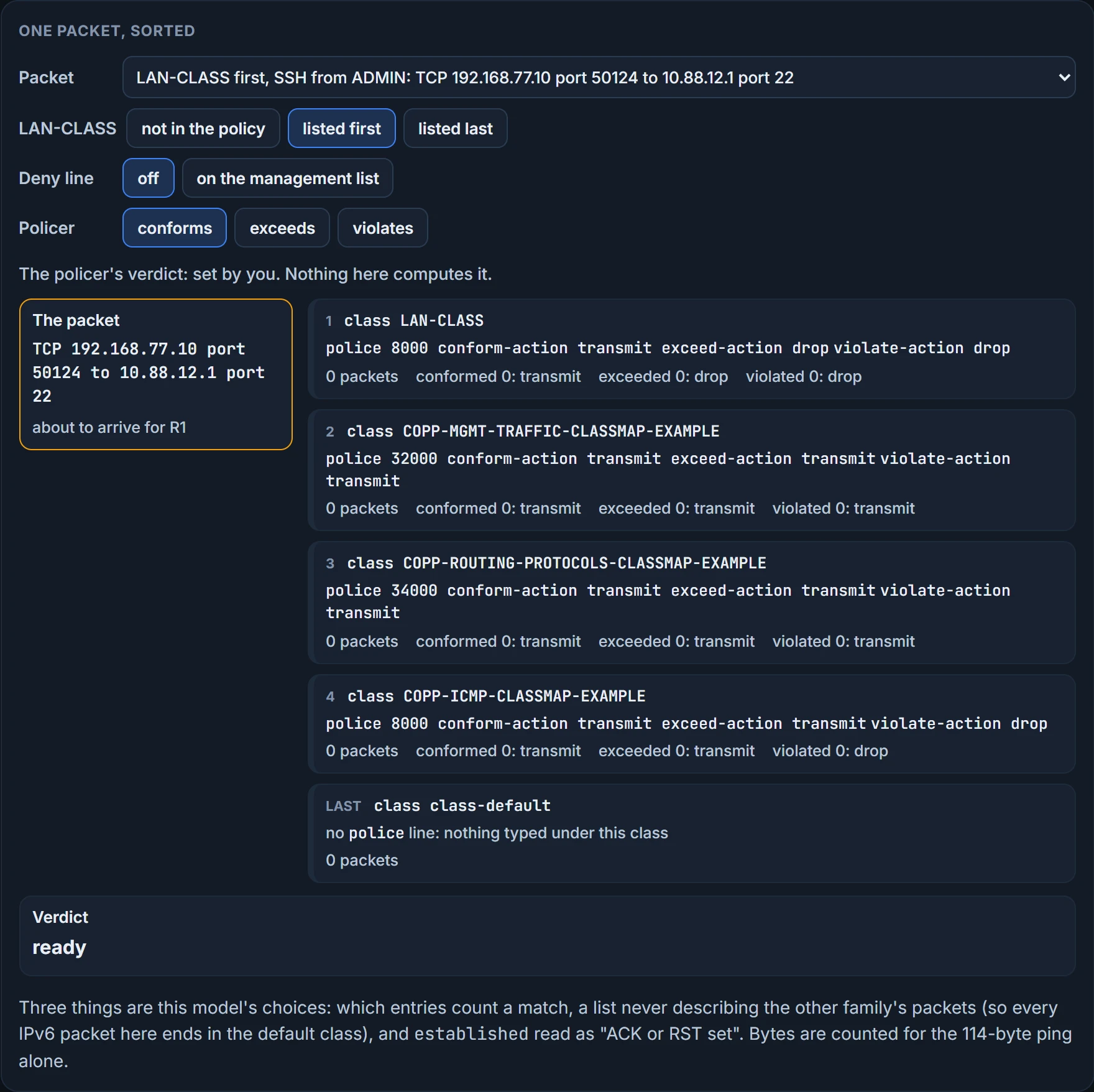
Somebody adds a class for "everything from the office LAN": a list with one line, permit ip 192.168.77.0 0.0.0.255 any, a class map LAN-CLASS that matches it, and a police line at 8000 that transmits what conforms and drops what exceeds or violates.
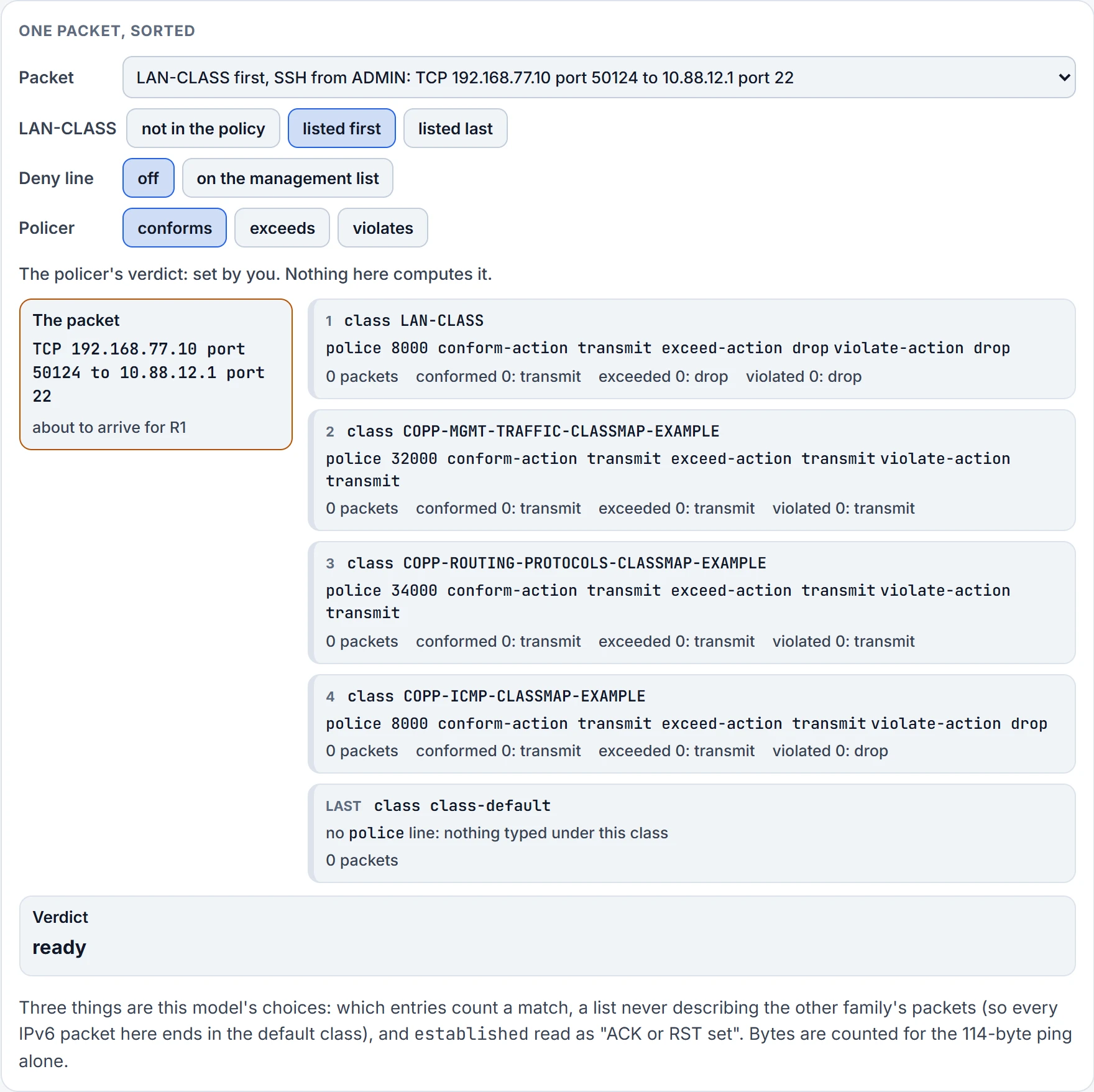
Step 1 of 6 Ready. TCP 192.168.77.10 port 50124 to 10.88.12.1 port 22 is about to arrive. R1's policy, with class LAN-CLASS listed first.
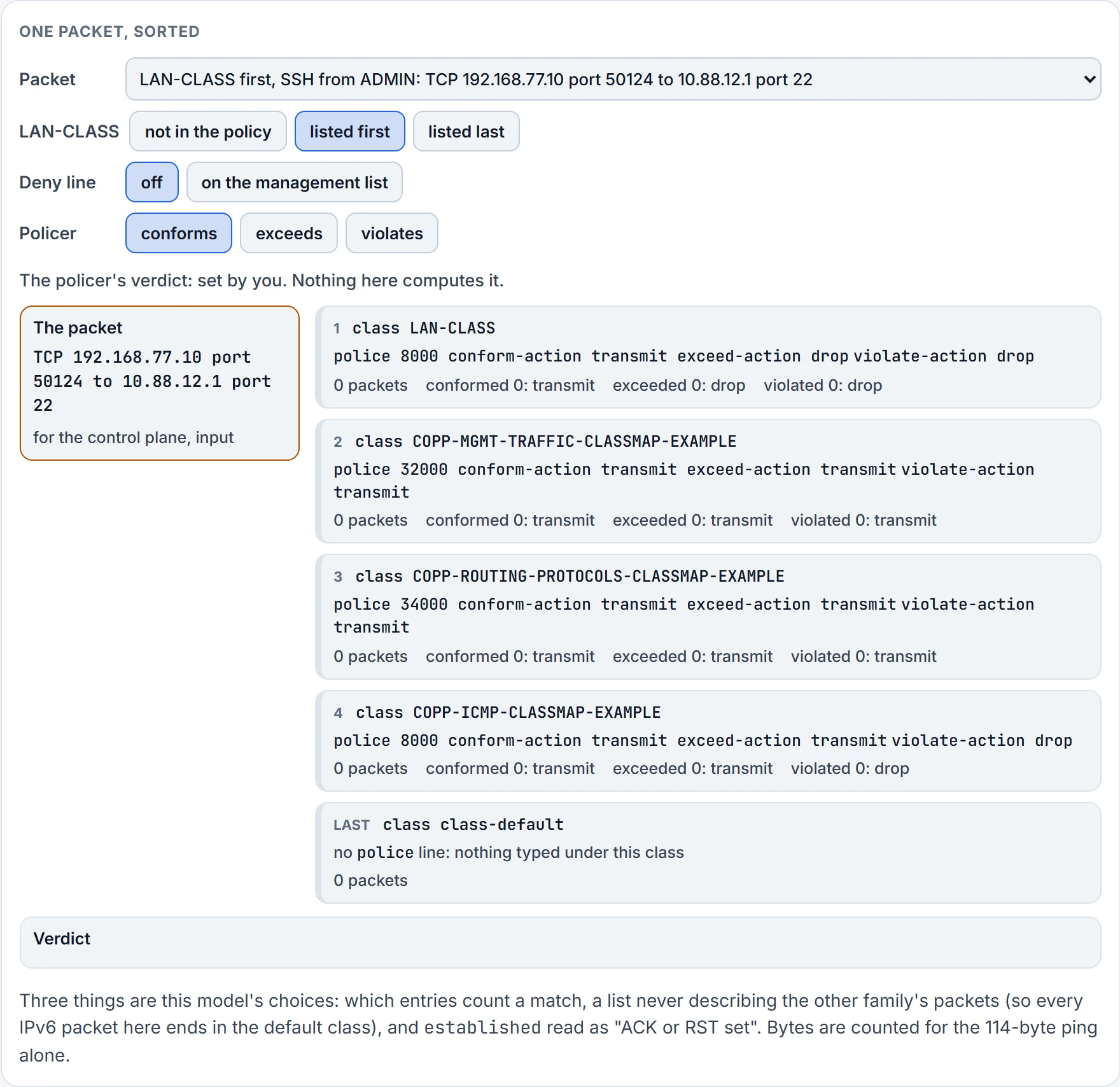
Step 2 of 6 It's for R1 itself, so it's punted toward the CPU: for the control plane, input. The policy attached there is asked, from the top.
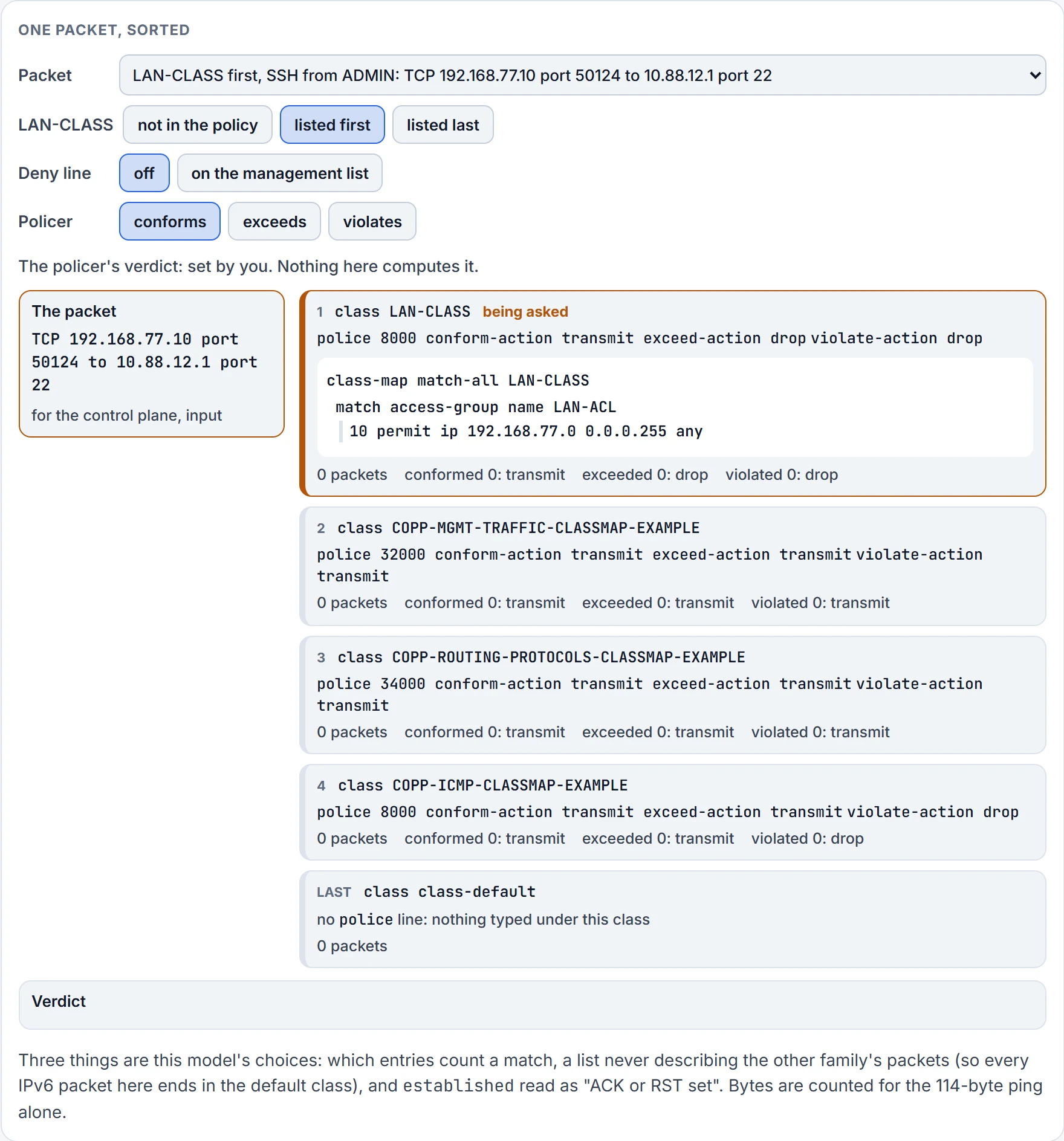
Step 3 of 6 The first class: LAN-CLASS. Its class map is match-all with one match line.
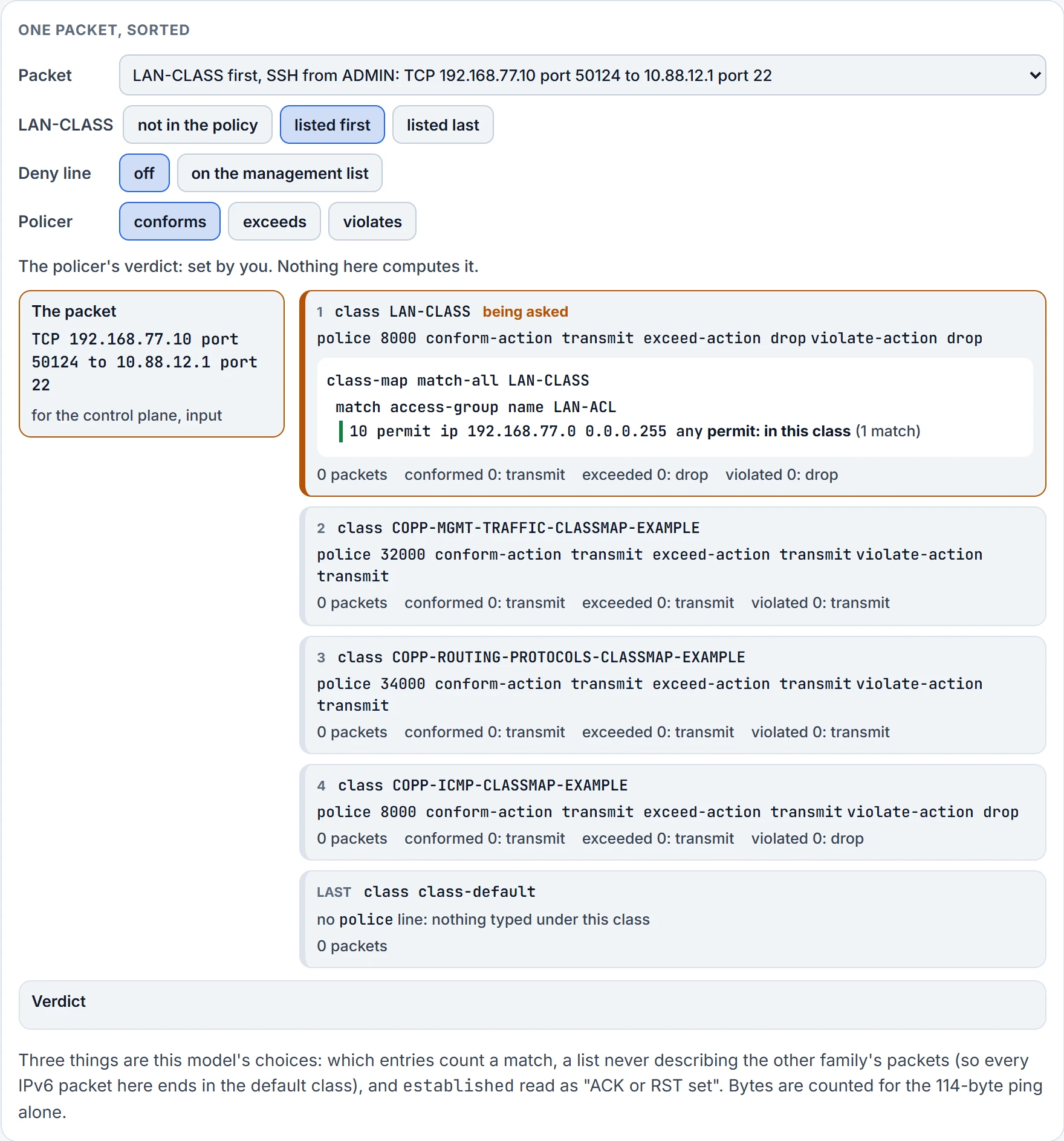
Step 4 of 6 LAN-ACL, read from the top: entry 10 is the first the packet meets, and it's a permit. Permit: in this class.
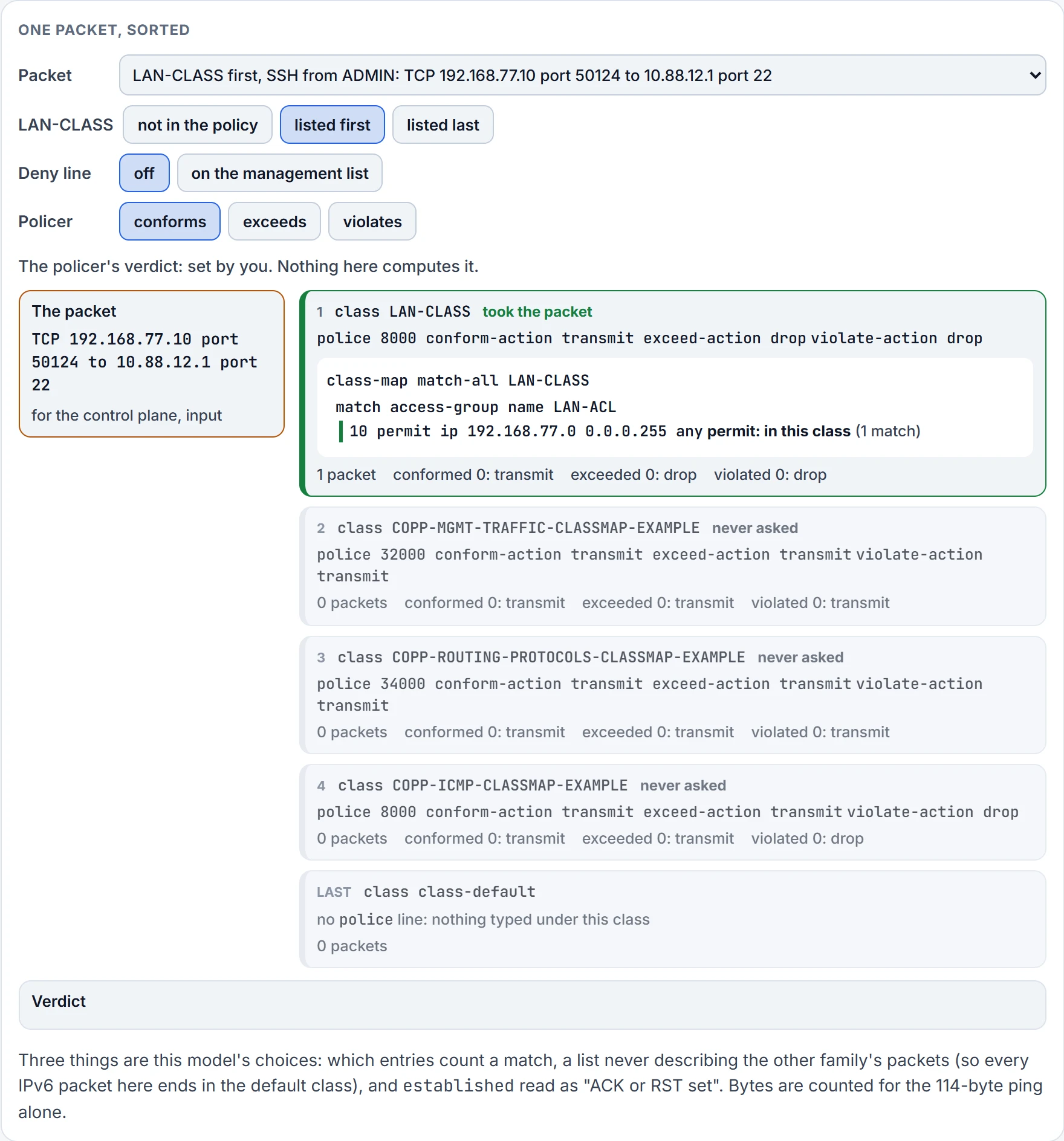
Step 5 of 6 LAN-CLASS takes it: its packet count goes up by one. Top down: the first class that matches, and evaluation stops. No class below it is asked.
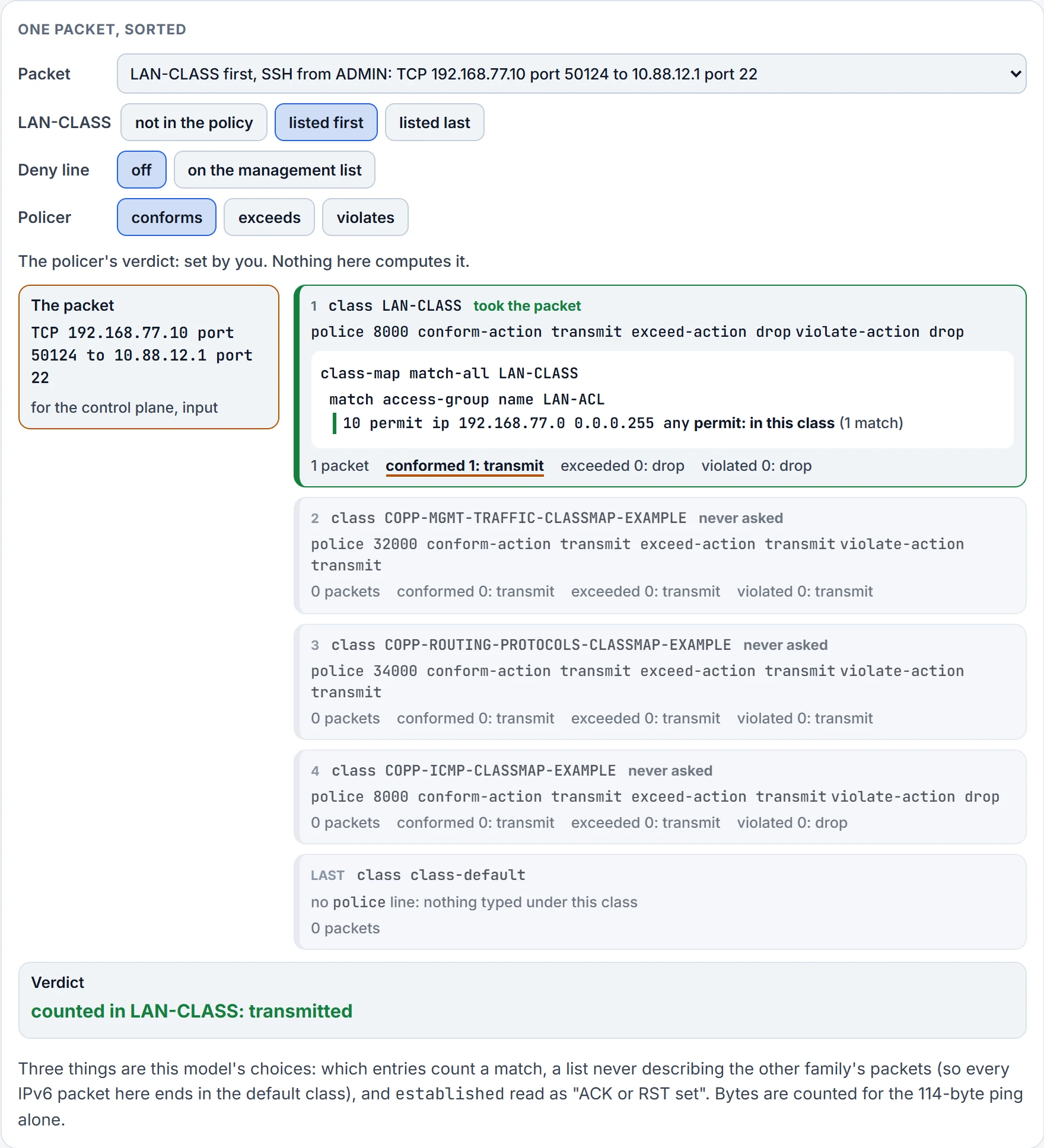
Step 6 of 6 The policer's verdict, set by you: the packet conforms. The conformed count goes up, and that category's action is transmit: handed up to the CPU.
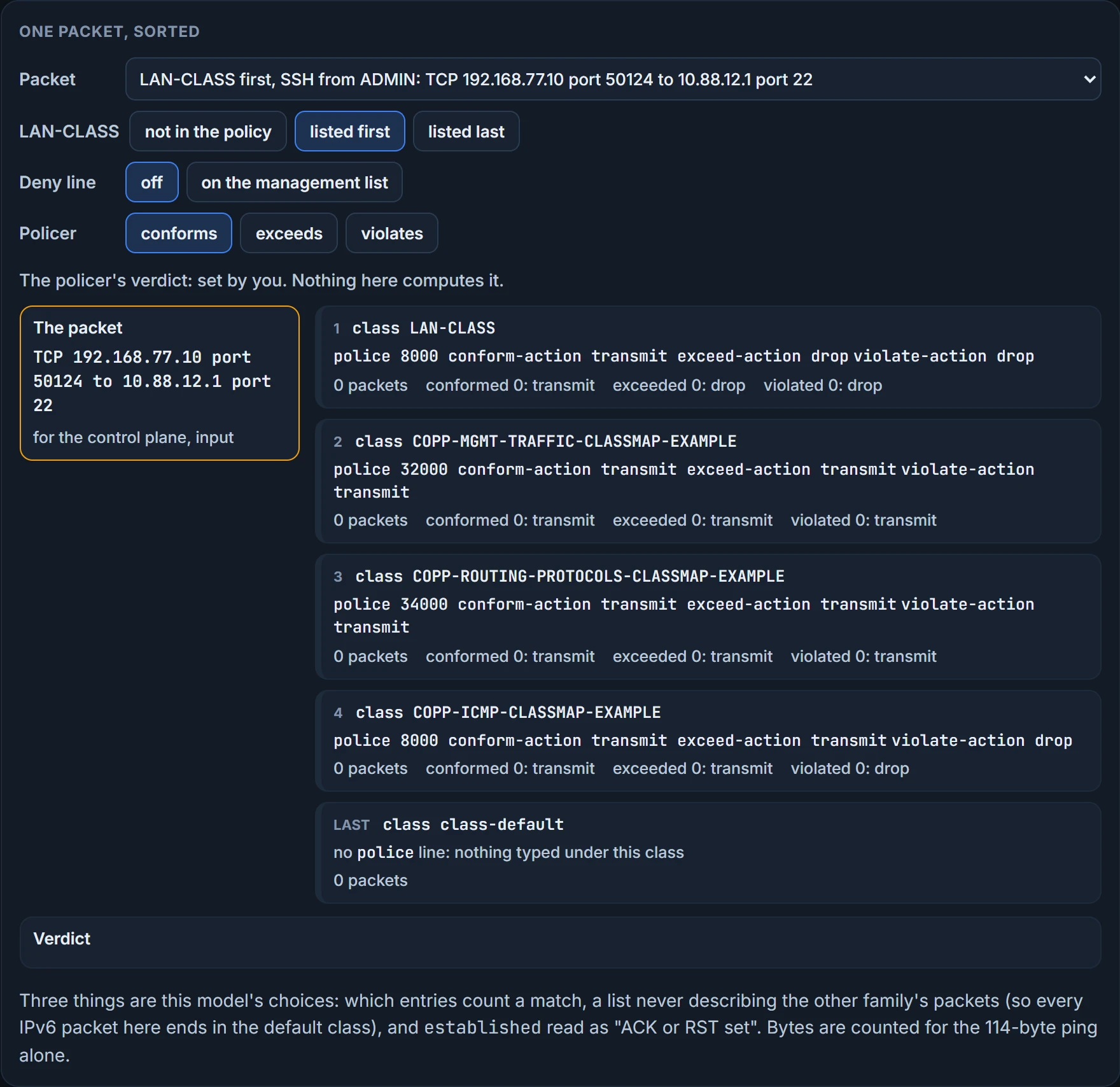
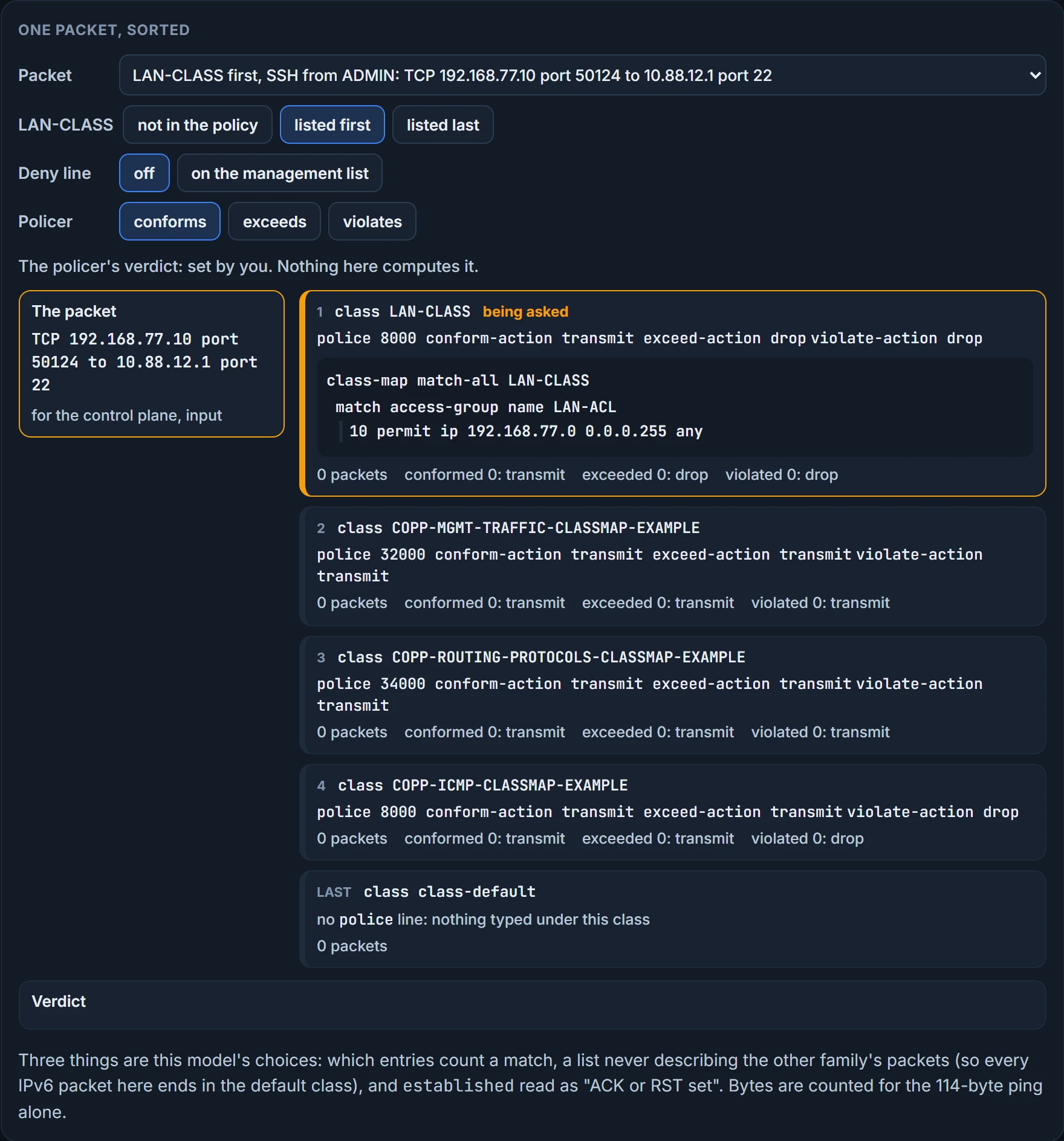
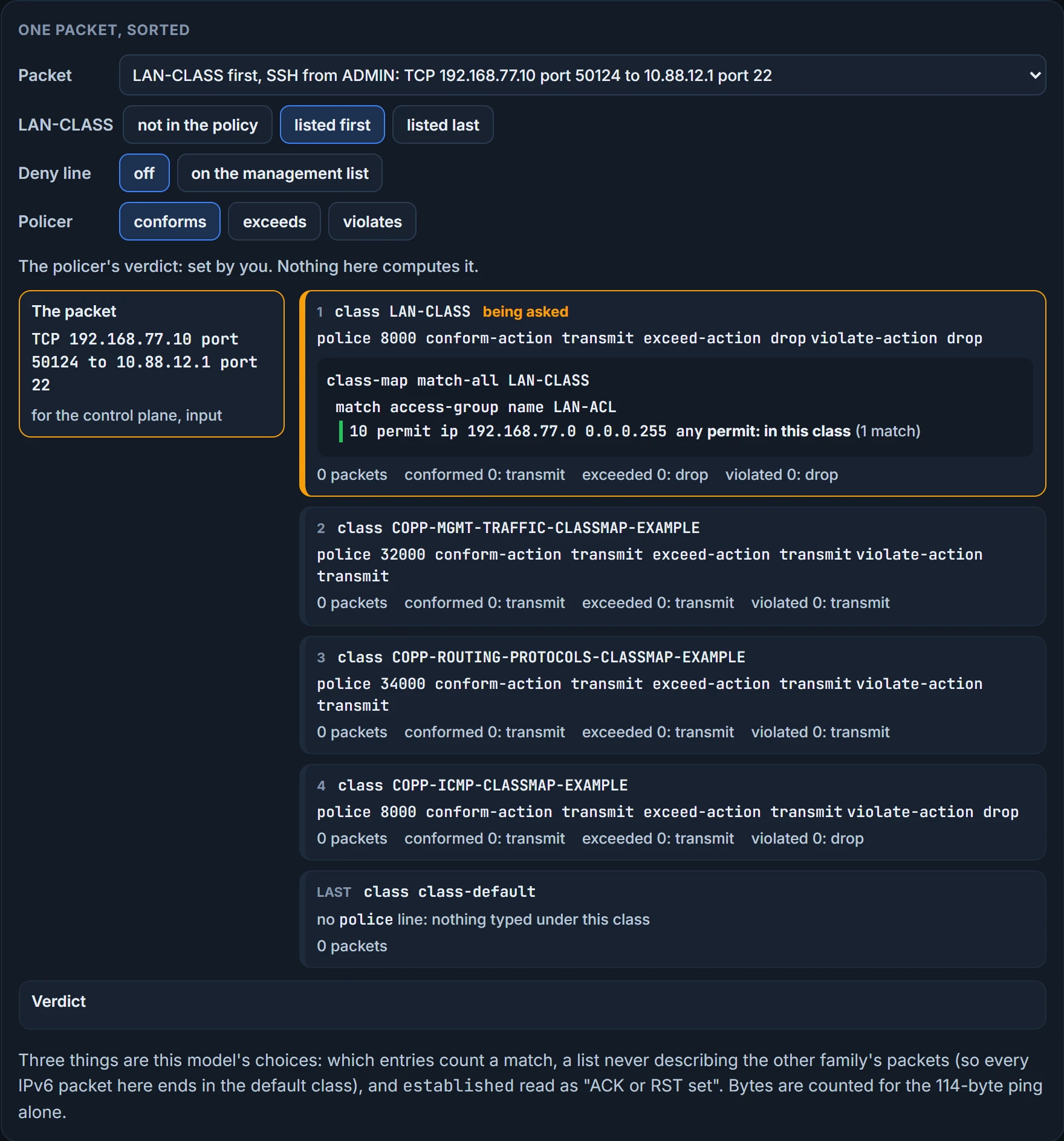
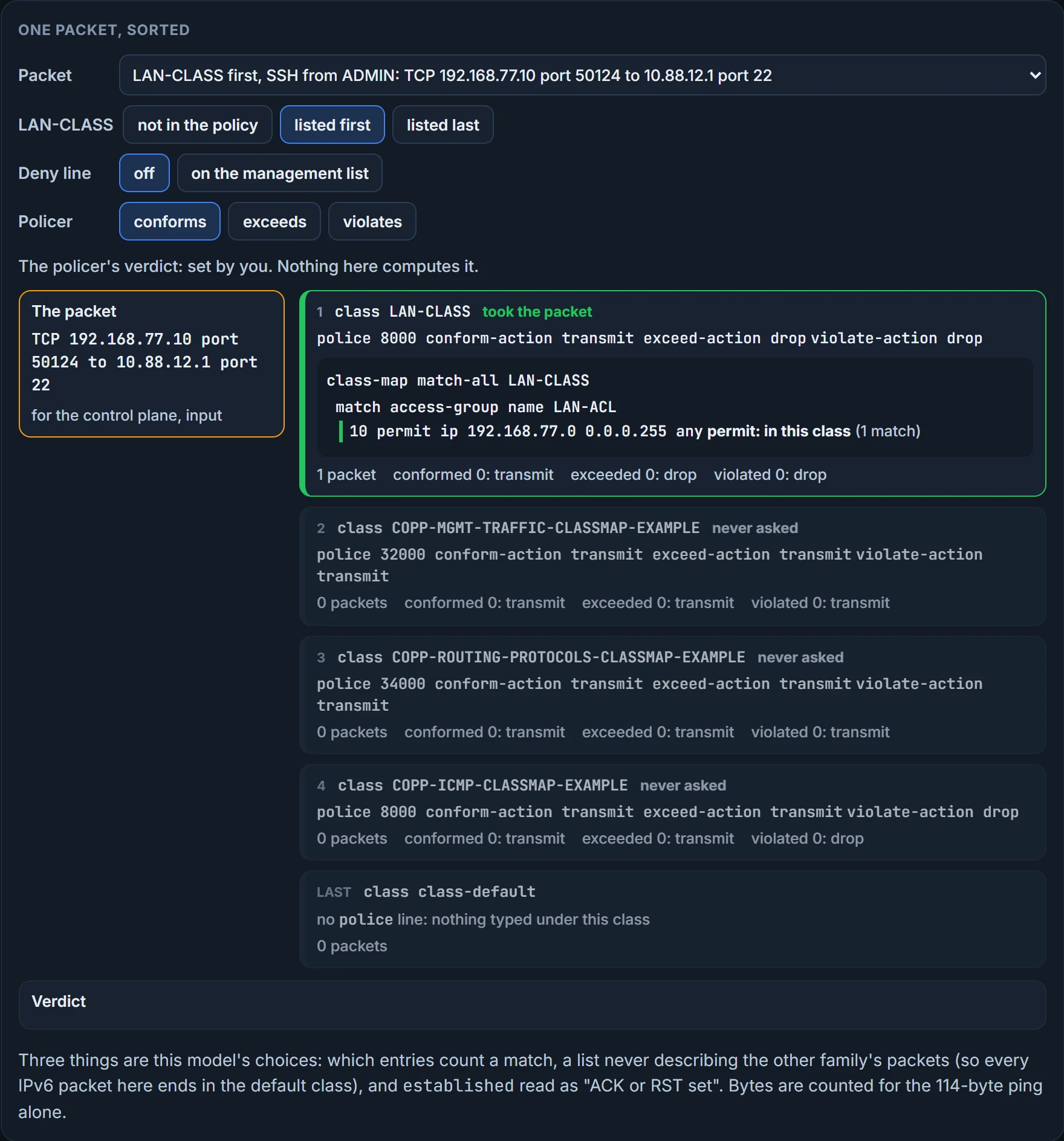
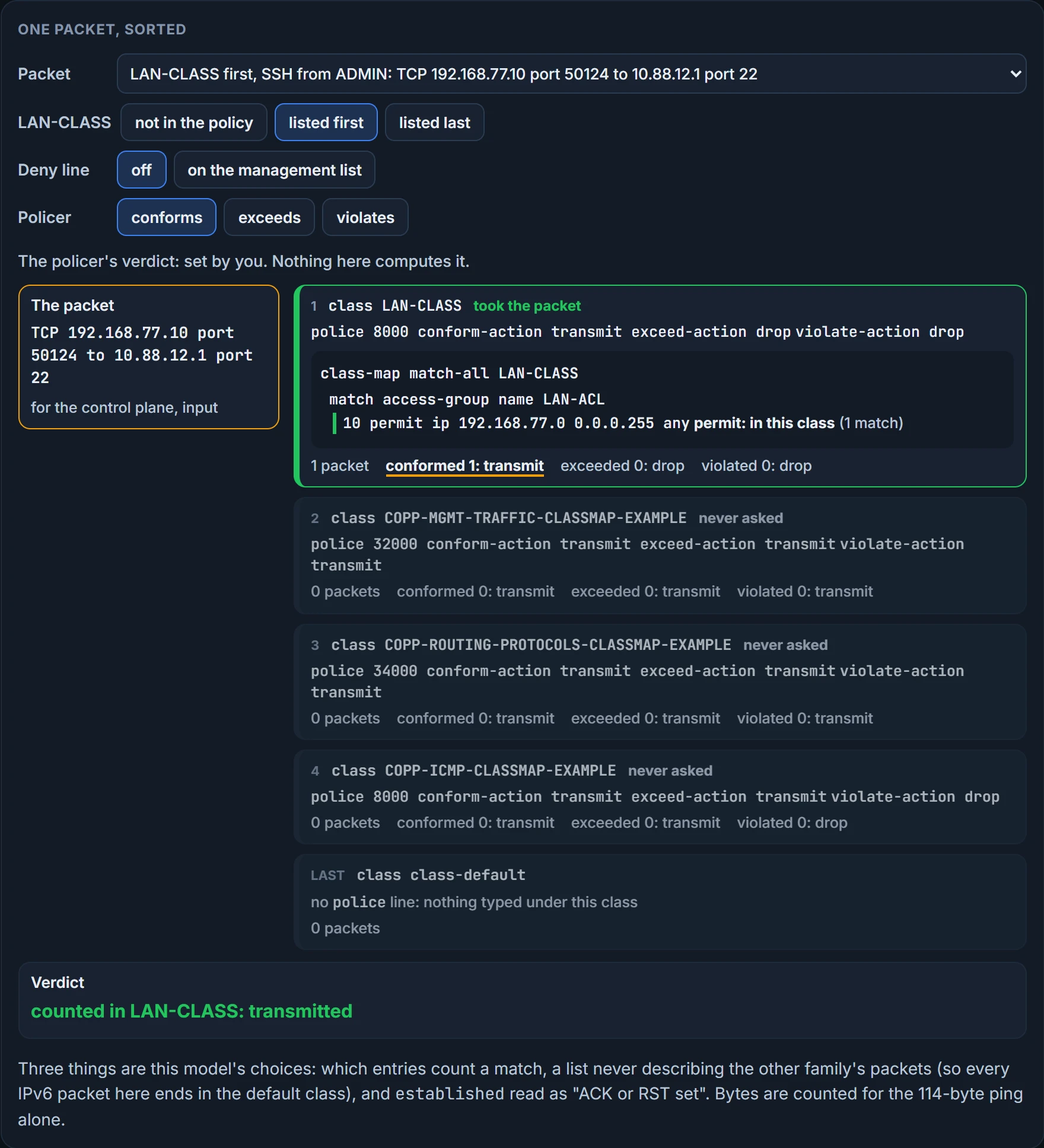
At the top, LAN-CLASS takes ADMIN's SSH, and the session now shares 8000 bits per second with everything else from the LAN. At the bottom, the management class takes the SSH as before, and LAN-CLASS takes only what the three classes above it left: ADMIN's HTTPS, for one, which none of R1's lists describes. Same lines. Only the order changed.
The class map. Has the correct class map been named in the policy map? If it has, you still check that it was built properly, and that its ACLs are crafted for the desired outcome.
The policy. Make sure the correct CIR, in bits per second, or the correct RATE, in packets per second, has been applied. Too low, and you may be dropping packets you don't want to drop; too high, and you may be allowing more packets than you want. A value that is too low for CoPP with BGP or OSPF would cause neighbor flapping and destabilize your routing architecture. A value that is too high for something like SNMP or a ping could cause the router CPU to become overwhelmed and unresponsive. There's no formula: determining the correct value will only be possible with time and testing.
For conform-action you can either transmit or drop, and for exceed-action you can either transmit or drop; make sure the correct one is applied for the desired results. So "exceeded" doesn't mean "dropped". It means the policer put the packet in its second category, and the action you wrote for that category decides. On R1, the management and routing classes transmit in all three categories. They police nothing. They count. Only the ICMP class can drop, and only what the policer calls a violation.
The rate has two more spellings: police rate 10 pps followed by conform-action transmit and exceed-action drop on their own lines, and police 80000 conform transmit exceed drop.
In some software versions, if your plan is to drop all the traffic that matches the class, you can replace the police command with just the keyword drop. To prohibit BGP neighborships from specific addresses, match BGP in the ACL, match the ACL in a class map, and give the class drop, which prevents that traffic from being punted to the CPU and so prevents the neighborships from forming. That is how this chain refuses a packet: a permit, into a class whose action is drop. Never a deny.
The default class. If traffic is falling into the default class, which is likely to occur, make sure the default class is handling it as intended.
To verify all configured policy maps, use show policy-map. On R1, the first of its three classes; the other two follow in the same layout:
R1# show policy-map
  Policy Map COPP-POLICYMAP-EXAMPLE
    Class COPP-MGMT-TRAFFIC-CLASSMAP-EXAMPLE
     police cir 32000 bc 1500 be 1500
       conform-action transmit
       exceed-action transmit
       violate-action transmit
It proves the order of the classes, each rate and each action, as configured. It doesn't prove the policy is attached to anything, and it has no counters. cir is the number typed after police, the rate in bits per second. The other two the router filled in; nobody typed bc 1500 or be 1500. By their usual reading they're burst sizes, the allowance above the steady rate before the policer moves a packet to its next category.
We haven't confirmed on a router, for this section: what bc and be are, beyond that usual reading; what a router does with a violating packet when no violate-action was typed (type all three); and whether a current router accepts drop in place of police.
Continue the lesson
The whole lesson, with its drawings and its questions. 3 more sections after the ones above.