
EIGRP neighbors and authentication
EIGRP swaps full tables once, when routers become neighbours, then sends only changes, over IP protocol 88 to 224.0.0.10. Four things must match for a neighbourship: the K values, the primary subnet, the AS number and the authentication settings. Timers need not match. Authentication uses a key chain, then MD5 or, in named mode, HMAC-SHA-256.
By Arif, founder of Daveth · Updated
The full 9 min walkthrough is in Daveth Pro (Network). See what the plan opens
What this page answers
What must match for EIGRP routers to become neighbours?
Four things: the K values, the primary subnet, the AS number and the authentication settings. Hello and hold timers do not have to match, as long as hellos arrive before the hold time runs out. Read it in “From hello to full table”
How do you configure EIGRP authentication?
Build a key chain: key chain name, key number, key-string password. Then in classic mode use ip authentication key-chain eigrp and ip authentication mode eigrp md5 on the interface; in named mode, authentication key-chain and authentication mode under af-interface. Read it in “Authentication: a key chain, then a mode”
What are the EIGRP hello and hold timers?
A hello every 5 seconds by default, or 60 on slow links of T1 or lower; the hold timer is three times that, 15 or 180 seconds. If it reaches zero, the neighbour is declared unreachable. Read it in “What must match, and what needn't”
How EIGRP routers talk
EIGRP doesn't repeat its whole table every few seconds. Routers swap everything once, when they become neighbors, and after that send only what changes. The neighbor adjacency table keeps track of each neighbor's status and the updates sent to it.
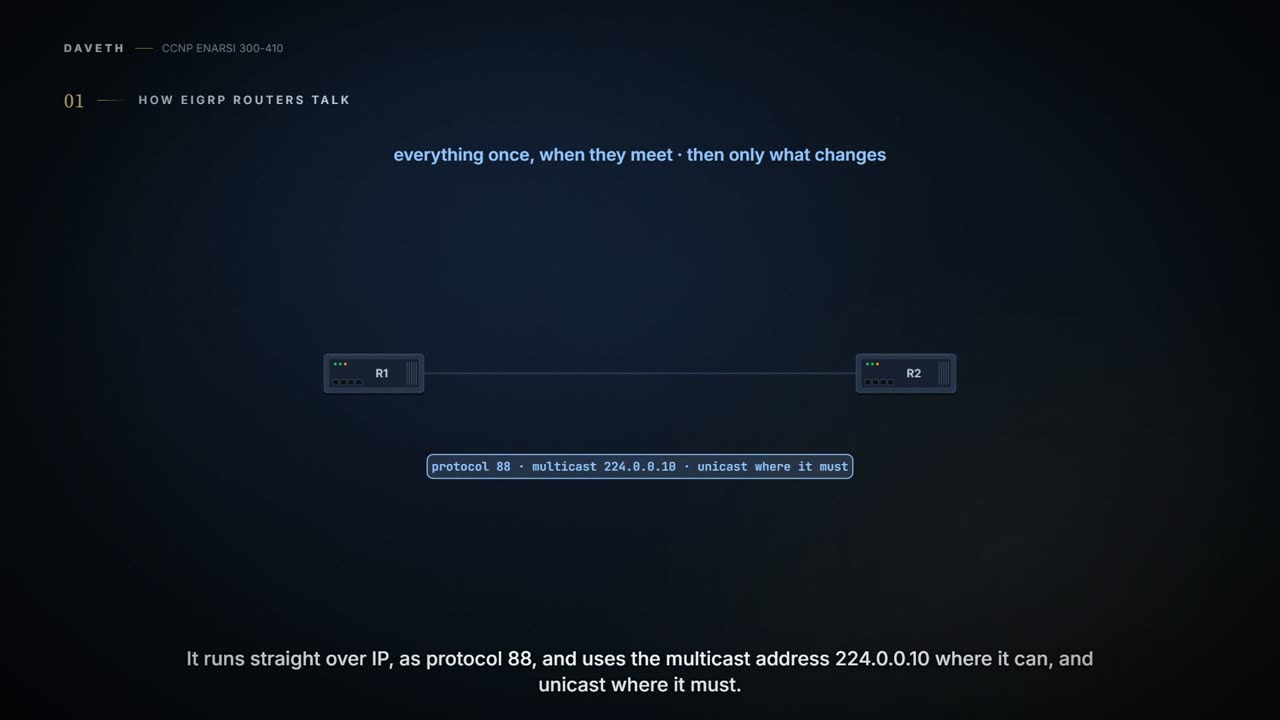
EIGRP runs directly over IP as protocol 88, uses the multicast address 224.0.0.10 (MAC 01:00:5e:00:00:0a) where it can, and unicast where it must. Multicast saves bandwidth, because one packet reaches every router listening; and unlike a broadcast, which every node on the segment processes, a multicast is processed only by the nodes listening for that group. There are five packet types:
- Update: carries routing and reachability information.
- Request: asks one or more neighbors for specific information.
- Query: searches for another path during convergence.
- Reply: answers a query.
- Hello: discovers neighbors, and notices when one is no longer available.
Multicast and reliability don't usually go together; EIGRP's Reliable Transport Protocol (RTP) is what joins them. It delivers packets in order and makes sure particular ones arrive. Every packet carries a sequence number: 0 needs no response, and any other value needs an ACK carrying that same number.
Updates, queries and replies are reliable; hellos and ACKs are not acknowledged. If a neighbor doesn't ACK in time, the sender tells it to stop processing multicast, sends it everything by unicast until it's caught up, then tells it to start processing multicast again. Every unicast packet needs an ACK, and after 16 retries for one packet the neighbor relationship is reset. (This RTP isn't the Real-Time Transport Protocol that carries voice. And TCP couldn't do EIGRP's job, because TCP can't use multicast.)
From hello to full table
No neighbor, no routes: EIGRP forms the relationship first, and only then puts anything into the routing table. Hellos go to 224.0.0.10 out of the interfaces that take part in the process, which is the network statement's job (the last lesson): network 10.1.1.0 0.0.0.255 covers every interface from 10.1.1.0 to 10.1.1.255, and network 10.1.1.65 0.0.0.0 only the interface with that address. This page works on one link:
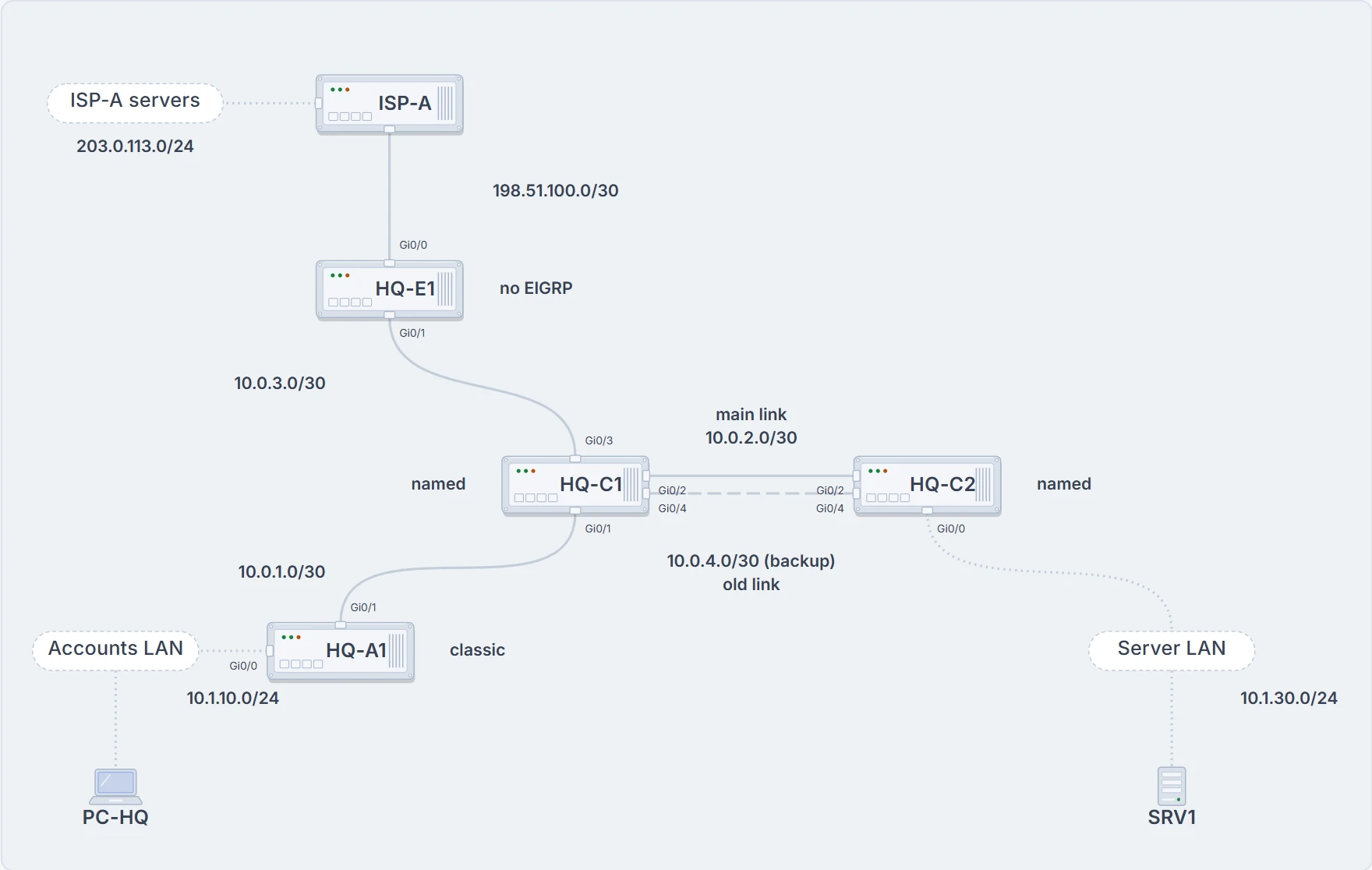
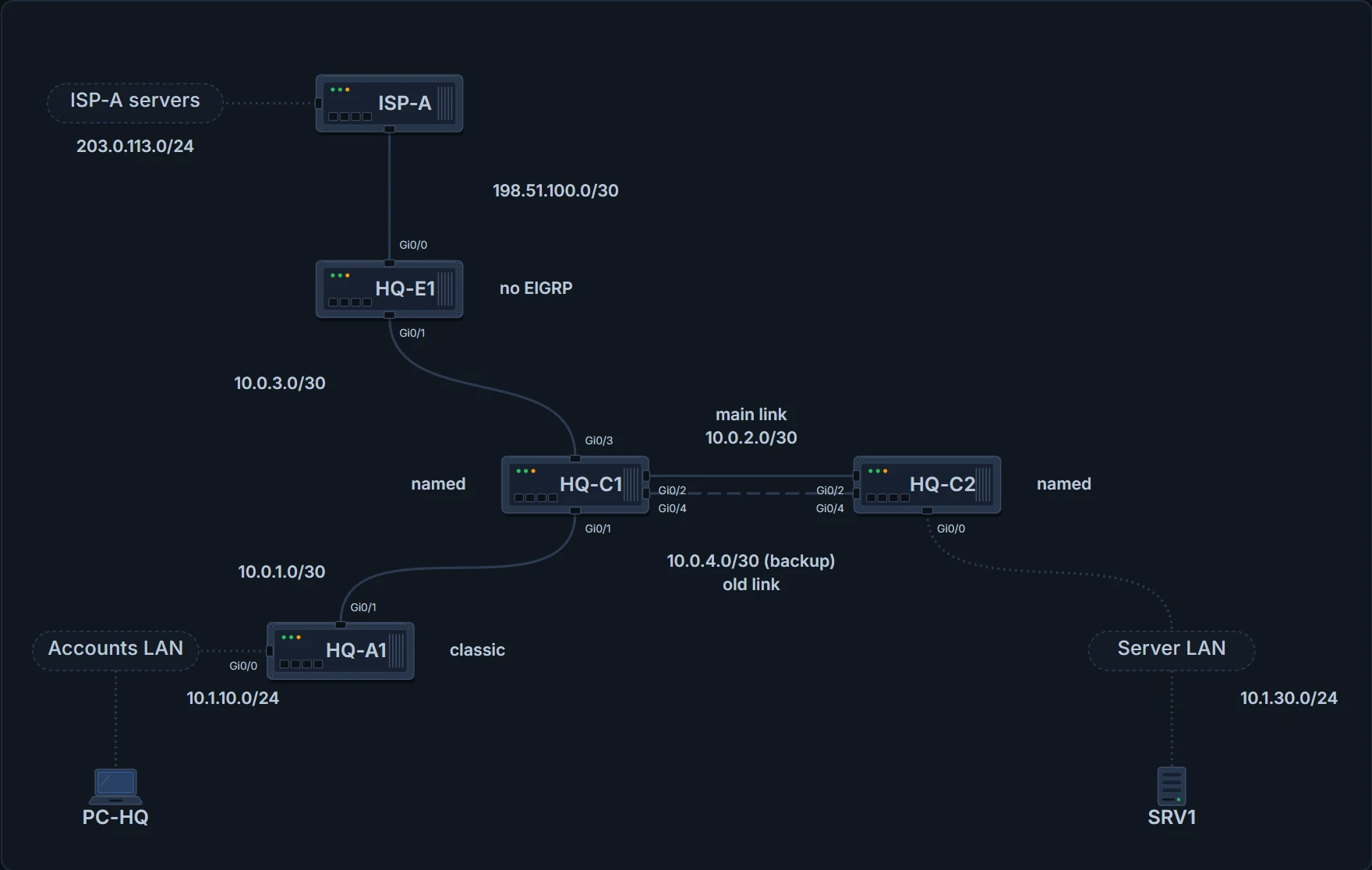
HQ as in the last lesson. This page works on one link: HQ-A1 Gi0/1 to HQ-C1 Gi0/1, 10.0.1.0/30.
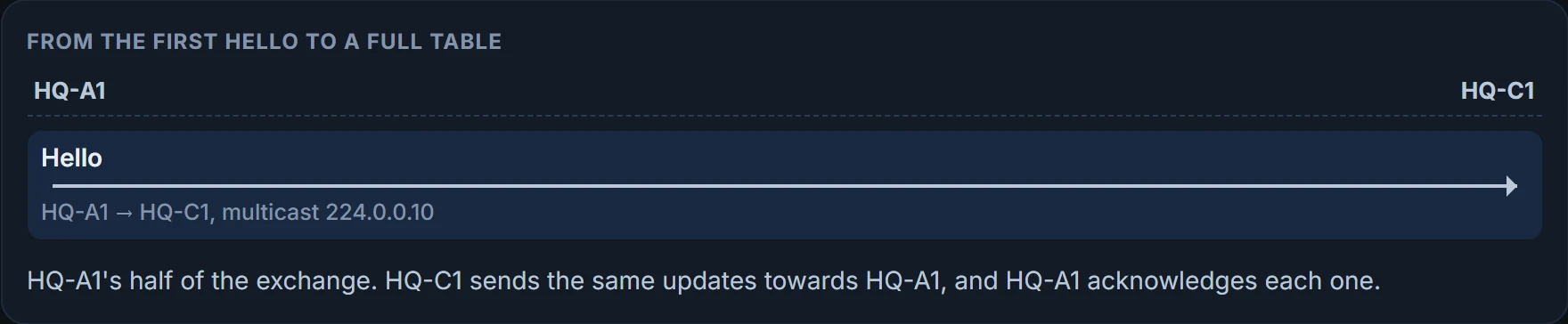
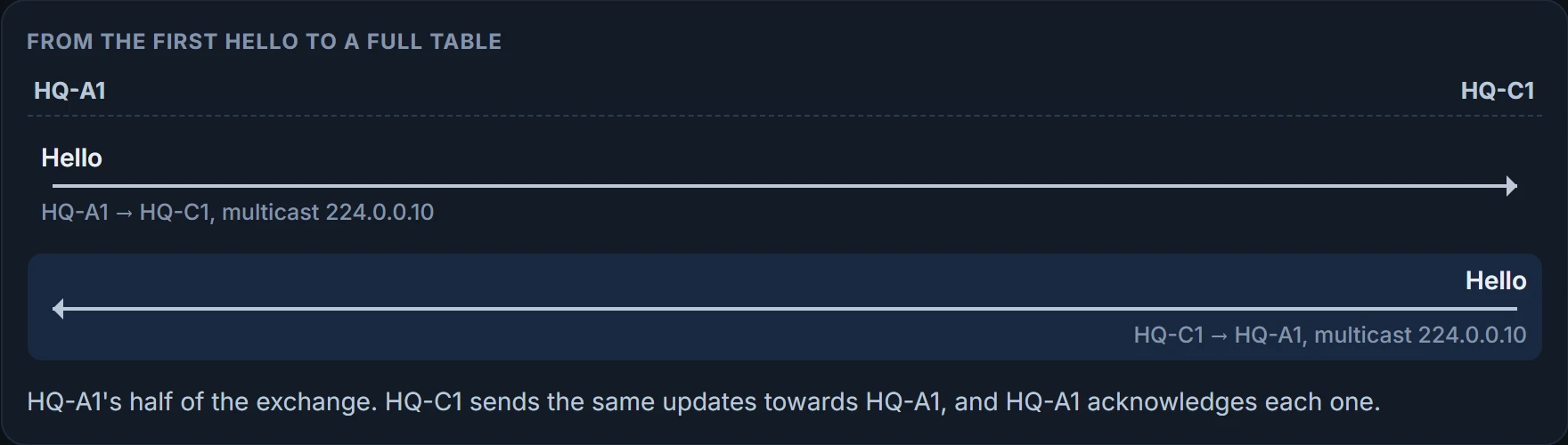
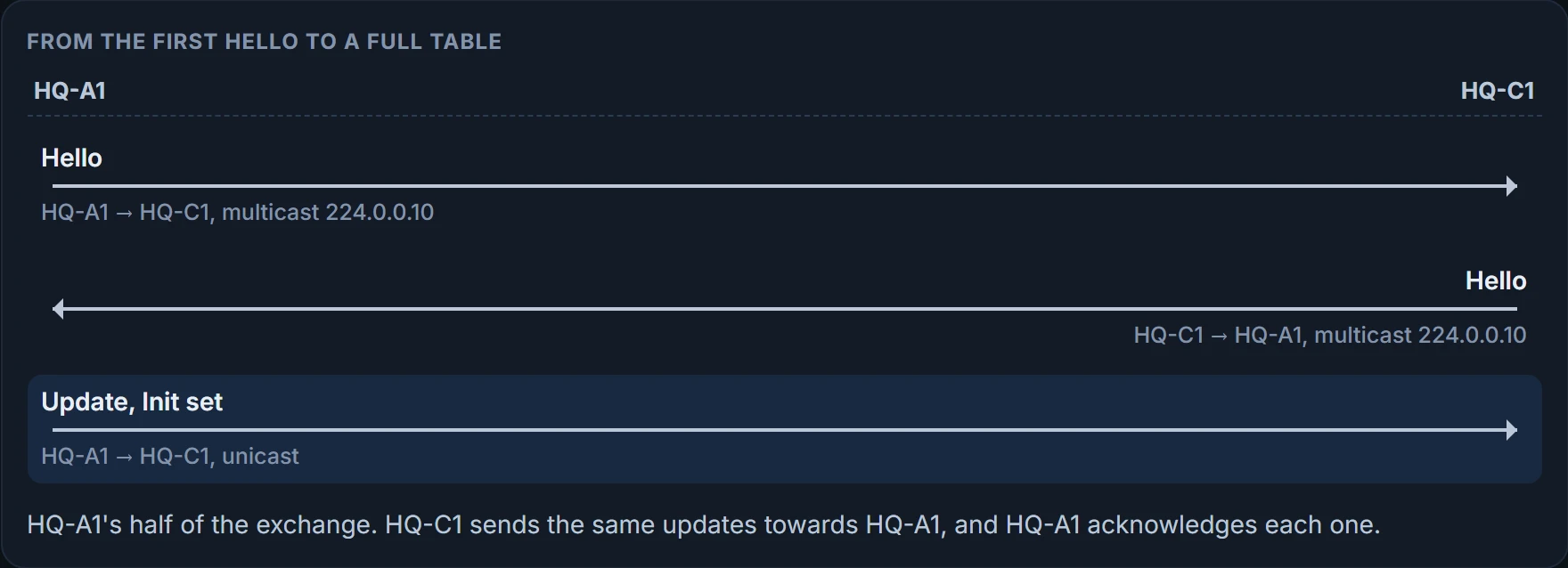
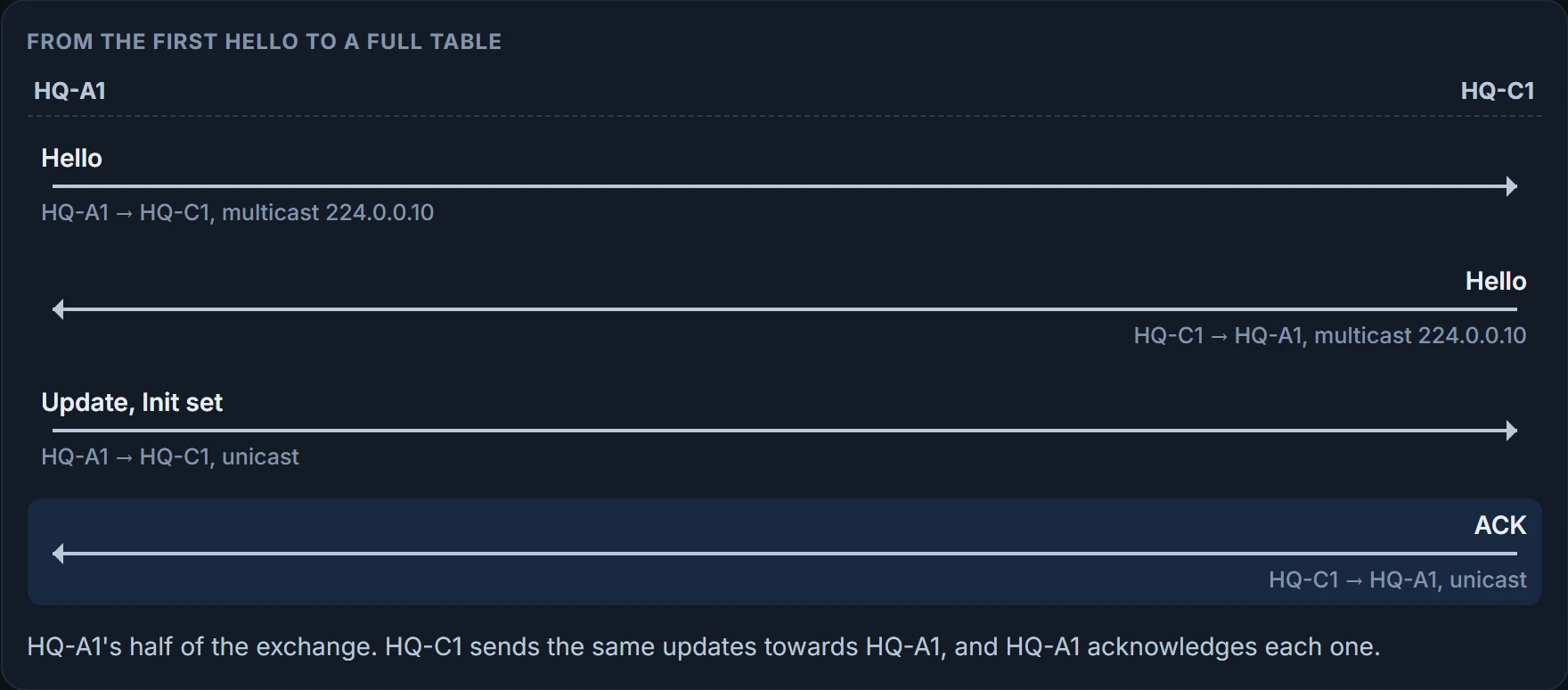
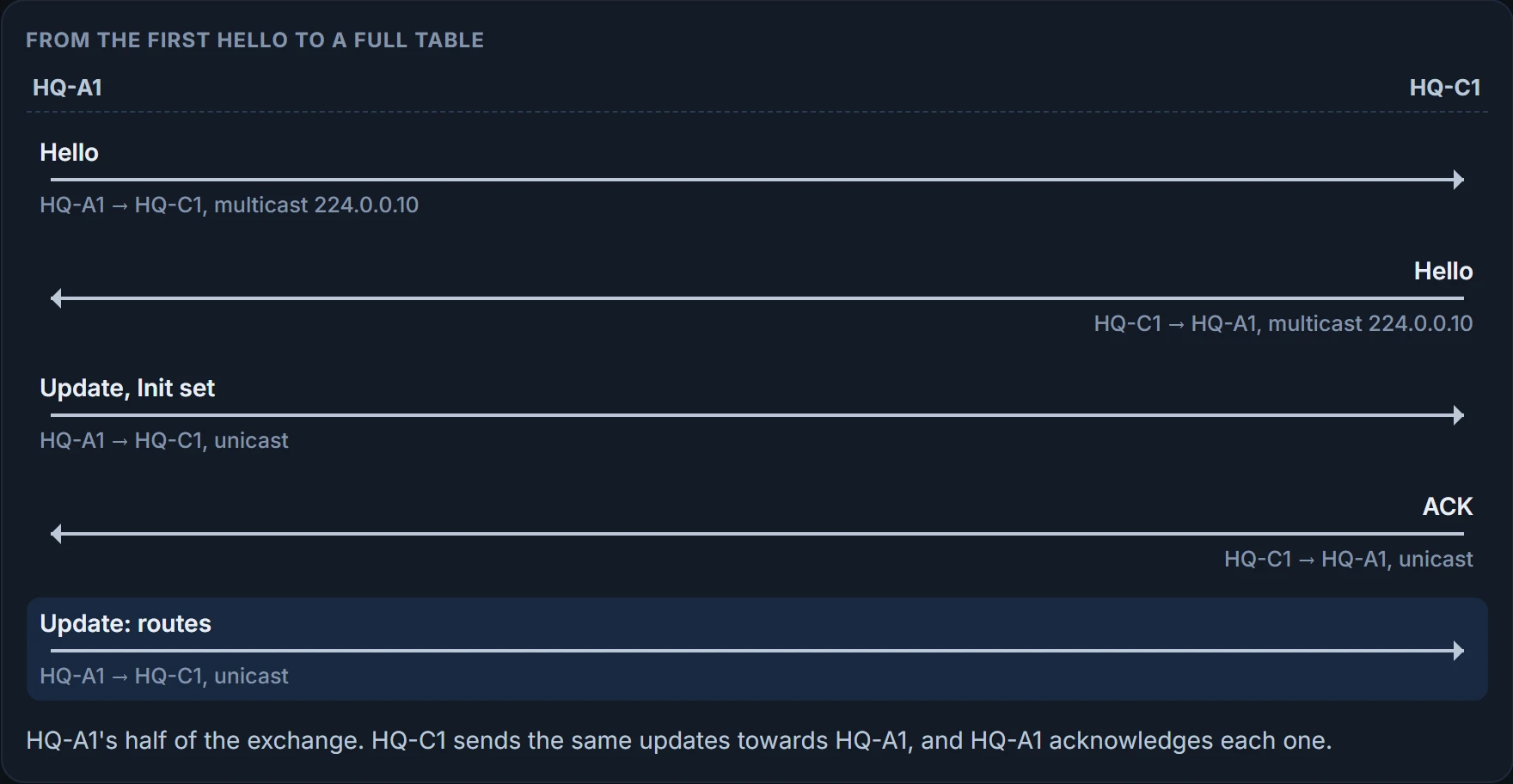
Four things must match for two routers to become neighbors. Hold them in mind, because the rest of the page breaks each one: the K values, the primary subnet, the AS number, and the authentication settings. With all four right, the conversation runs: hellos both ways, then a unicast update with the Init flag set, an ACK, the routes, each acknowledged, and an update marking the end of the table, acknowledged too. Here it is, step by step:

Step 1 of 9 HQ-A1 and HQ-C1, from the first hello to a full table.
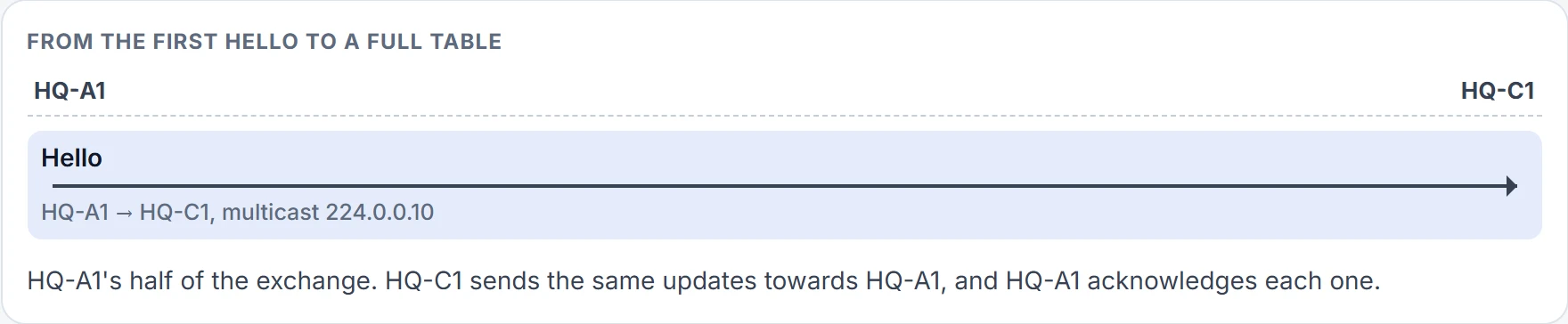
Step 2 of 9 HQ-A1 announces itself out every interface taking part in the process, except passive ones.
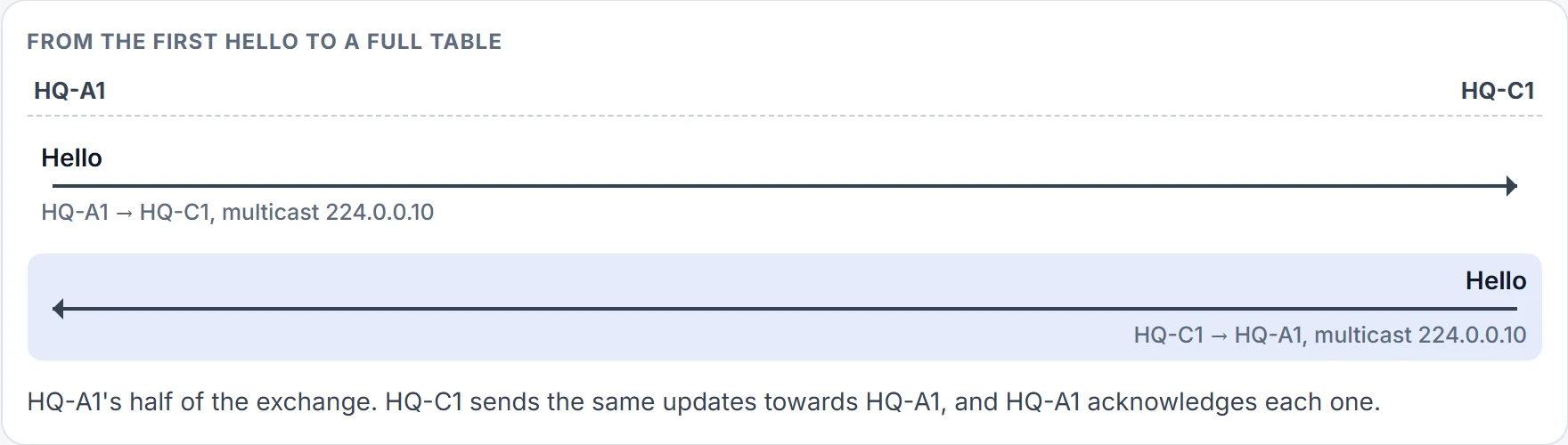
Step 3 of 9 HQ-C1 does the same. Each has now heard the other.
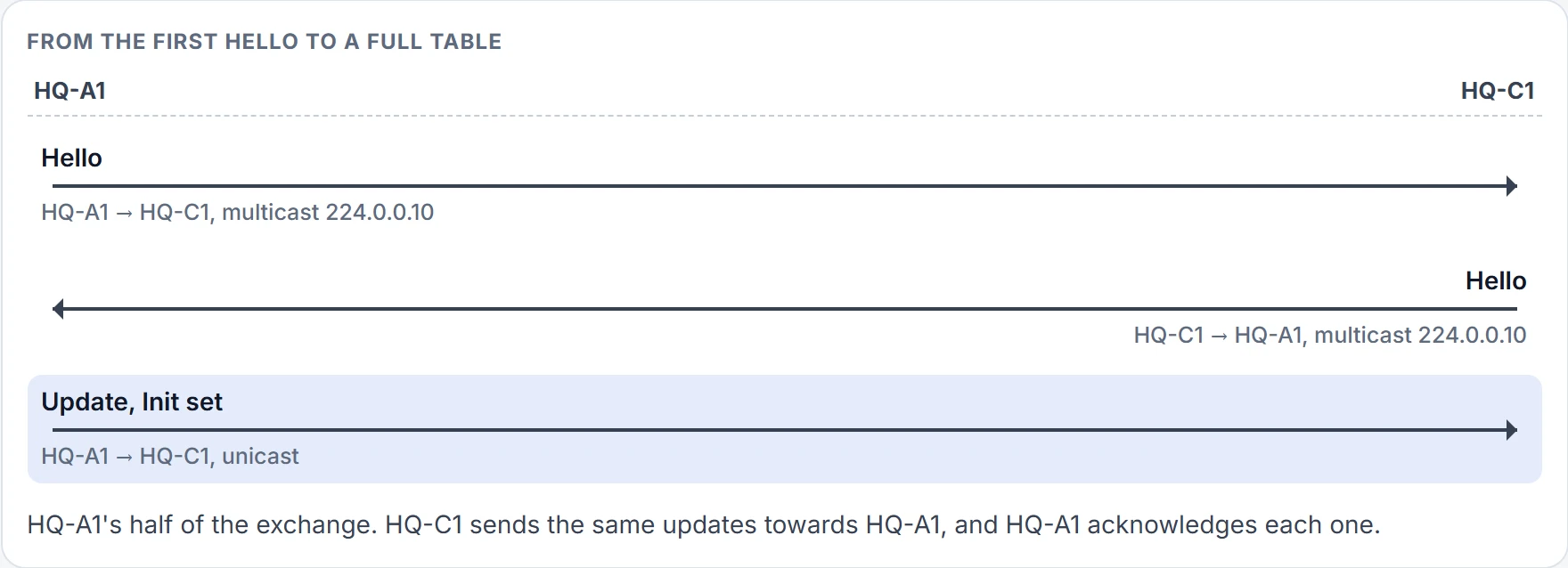
Step 4 of 9 An update with the Init flag set: the start of the relationship. Updates are reliable, so it needs an ACK.
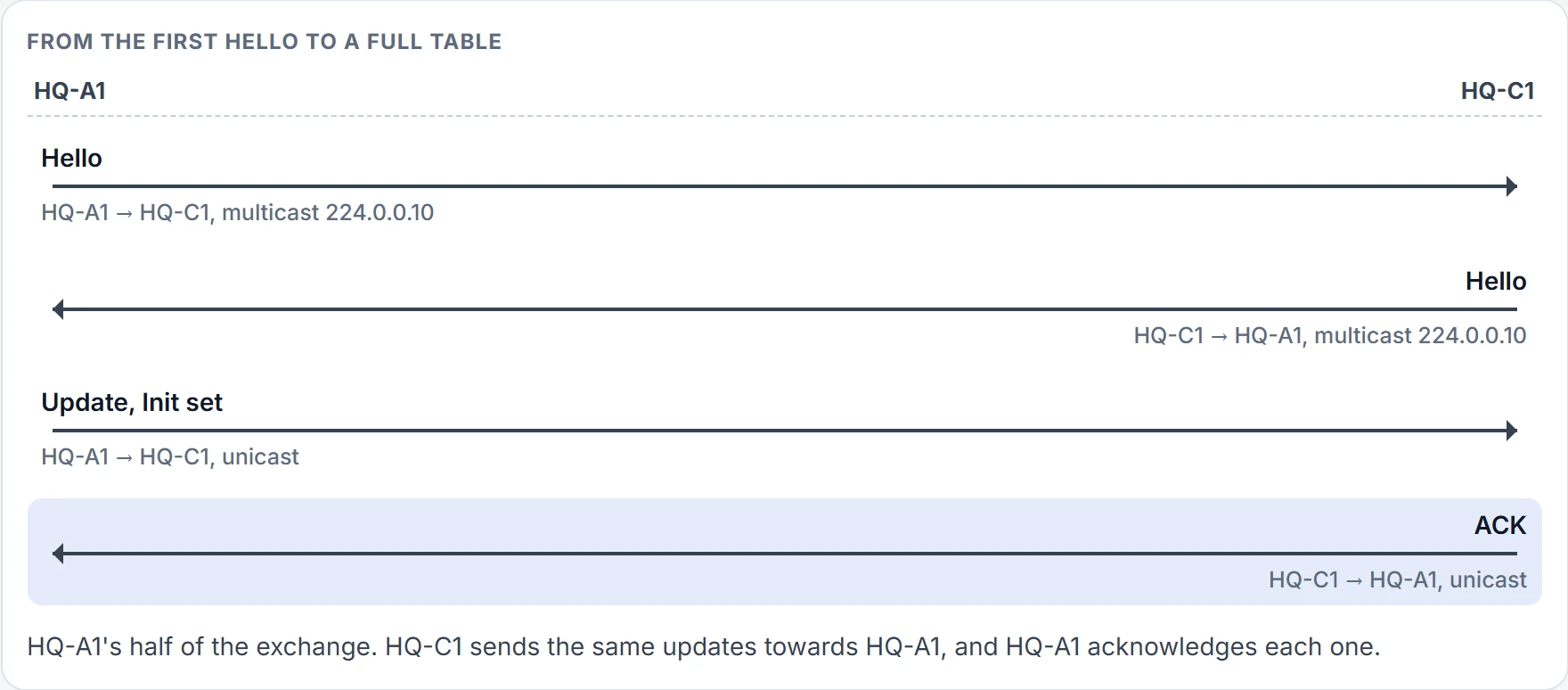
Step 5 of 9 HQ-C1 acknowledges it.
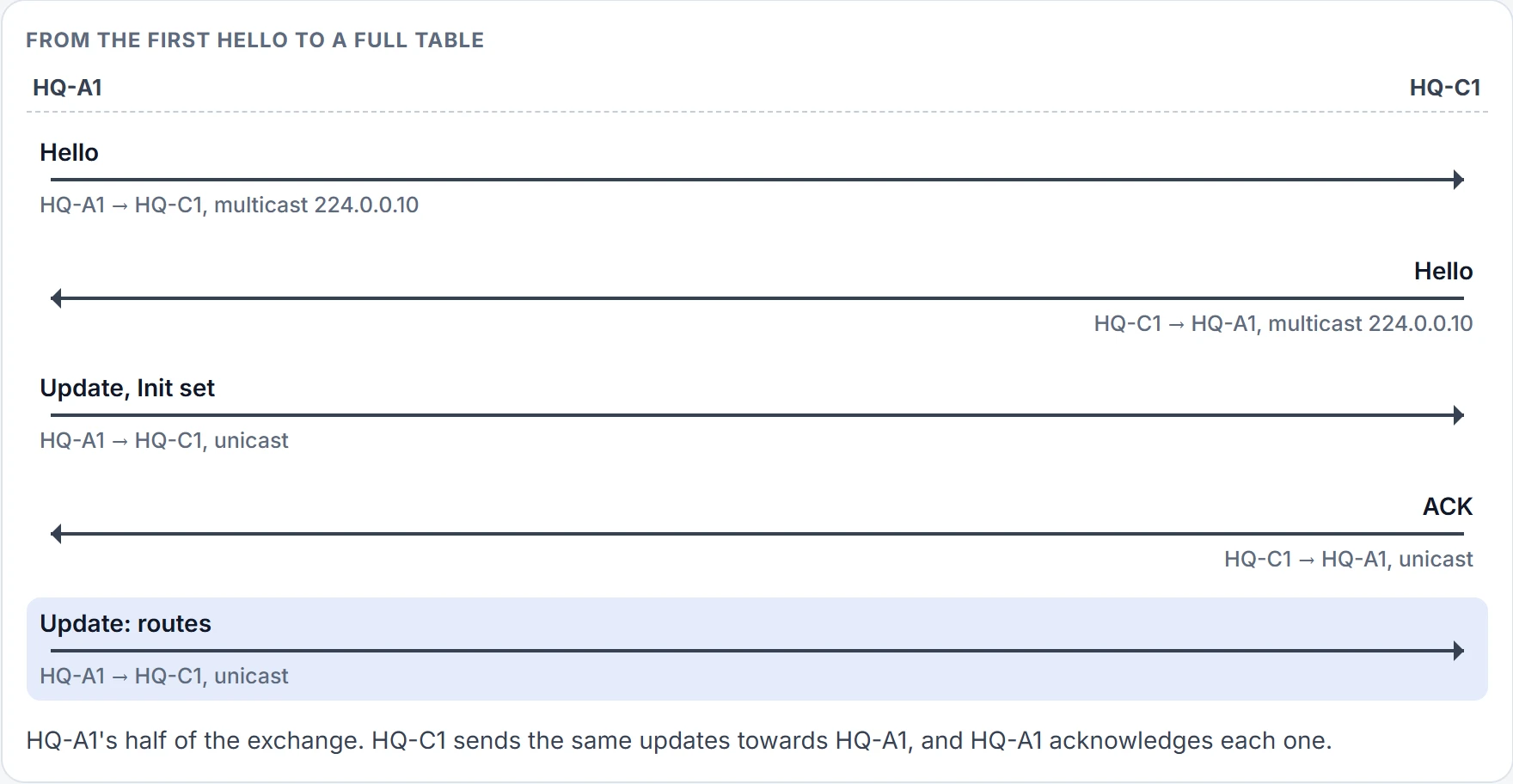
Step 6 of 9 HQ-A1's full table, sent once.
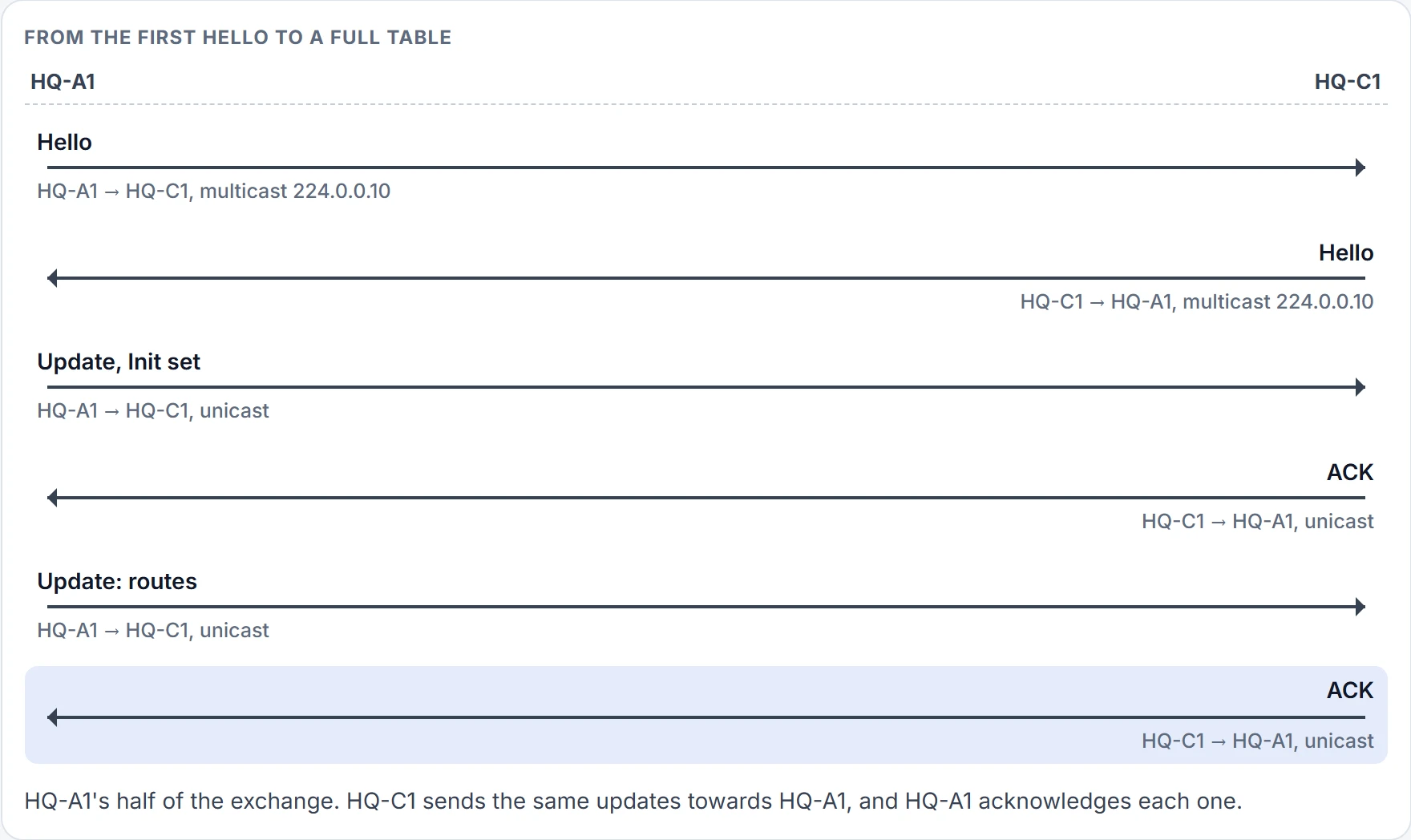
Step 7 of 9 Acknowledged.
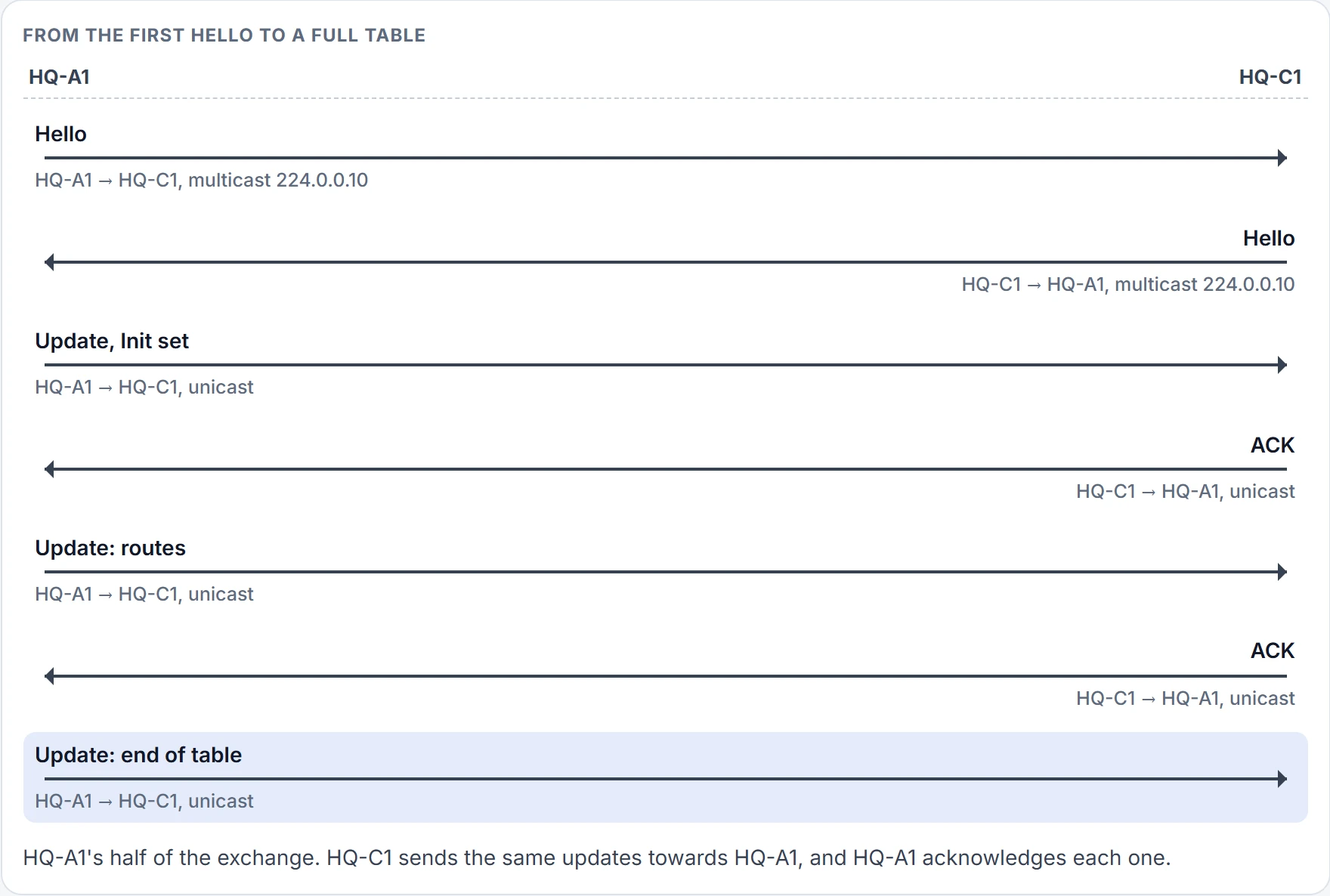
Step 8 of 9 An update marking the end of the table.
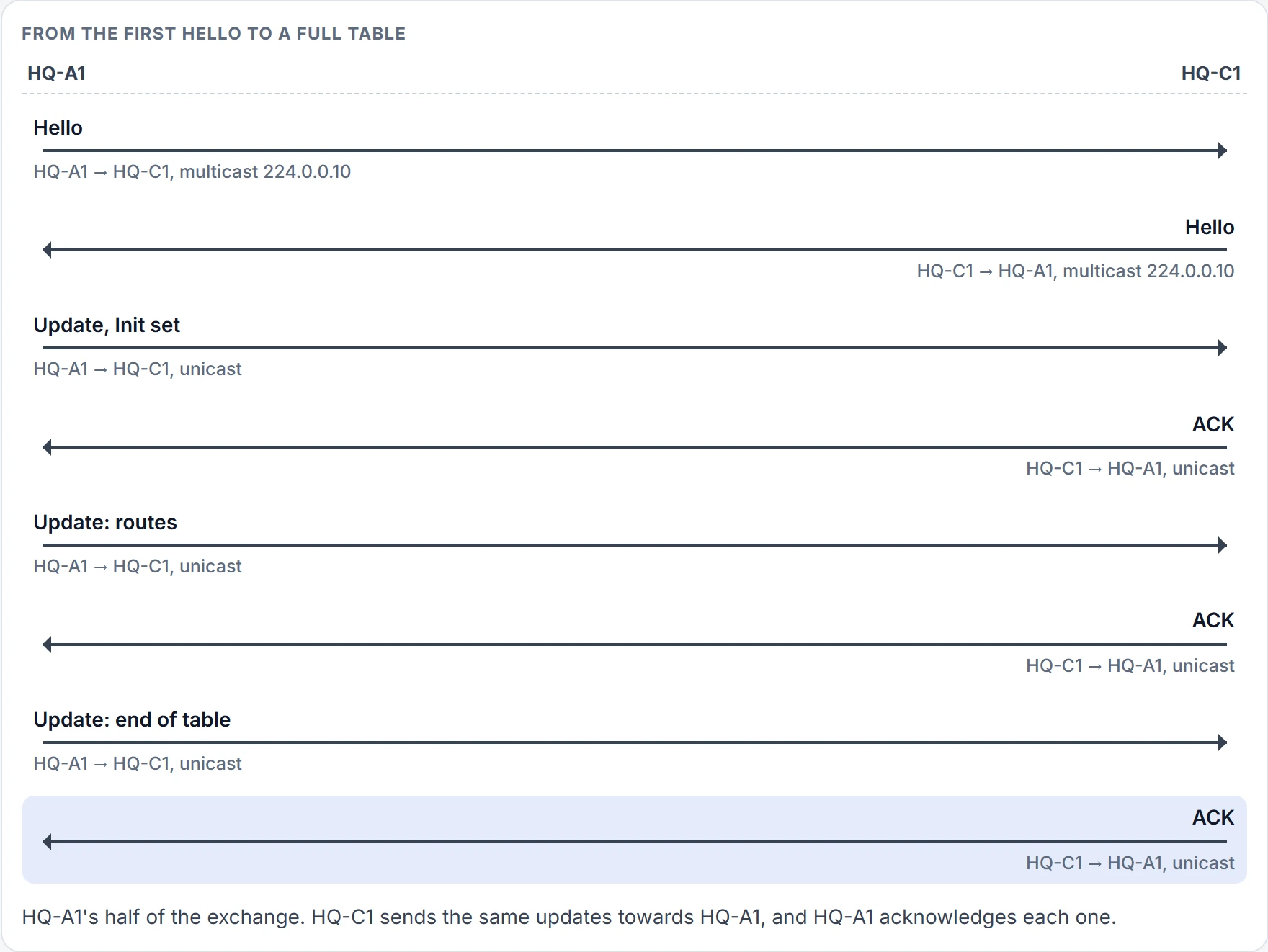
Step 9 of 9 Acknowledged. HQ-C1 runs the same exchange towards HQ-A1. After that, only changes are sent, and hellos keep the relationship alive.

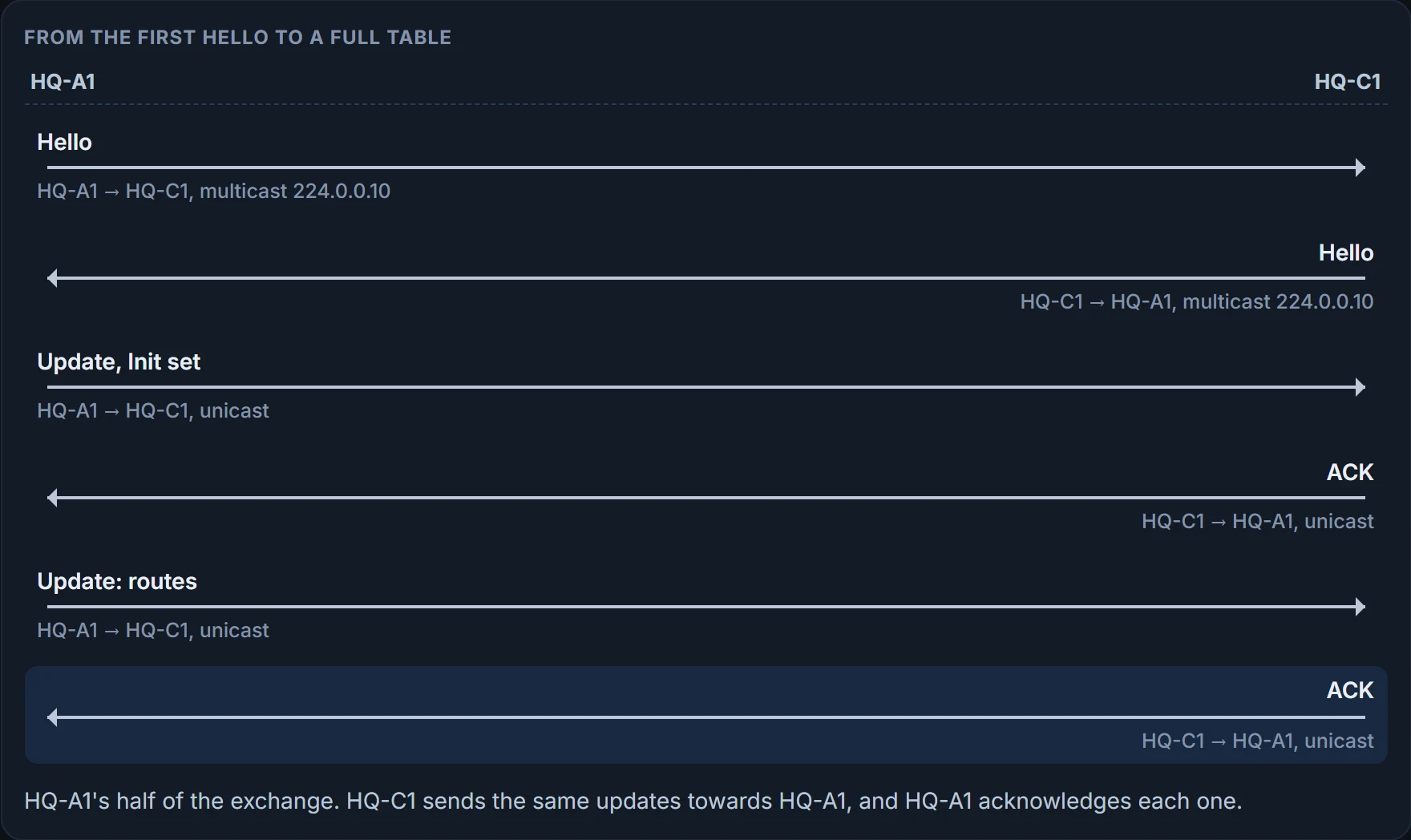
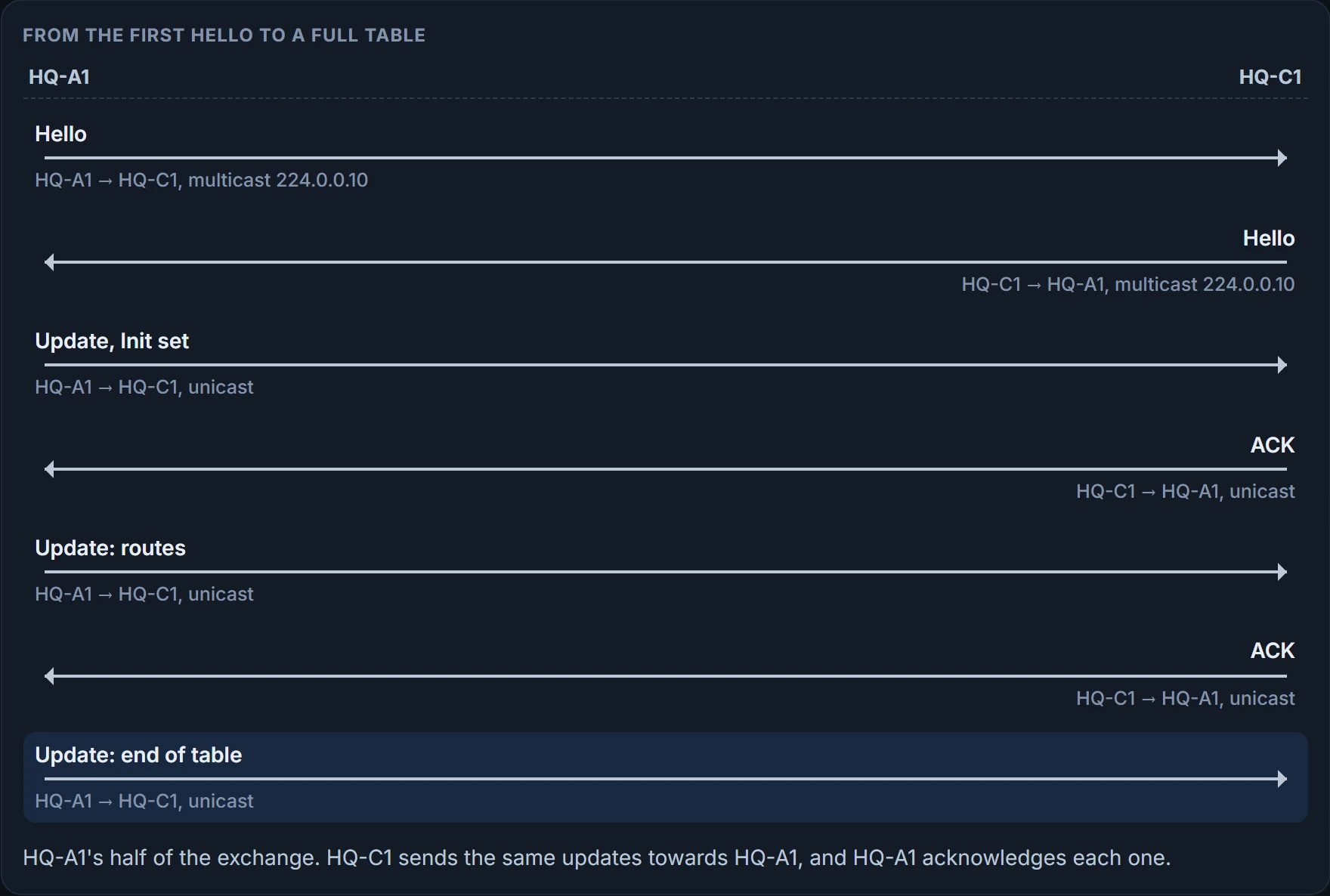
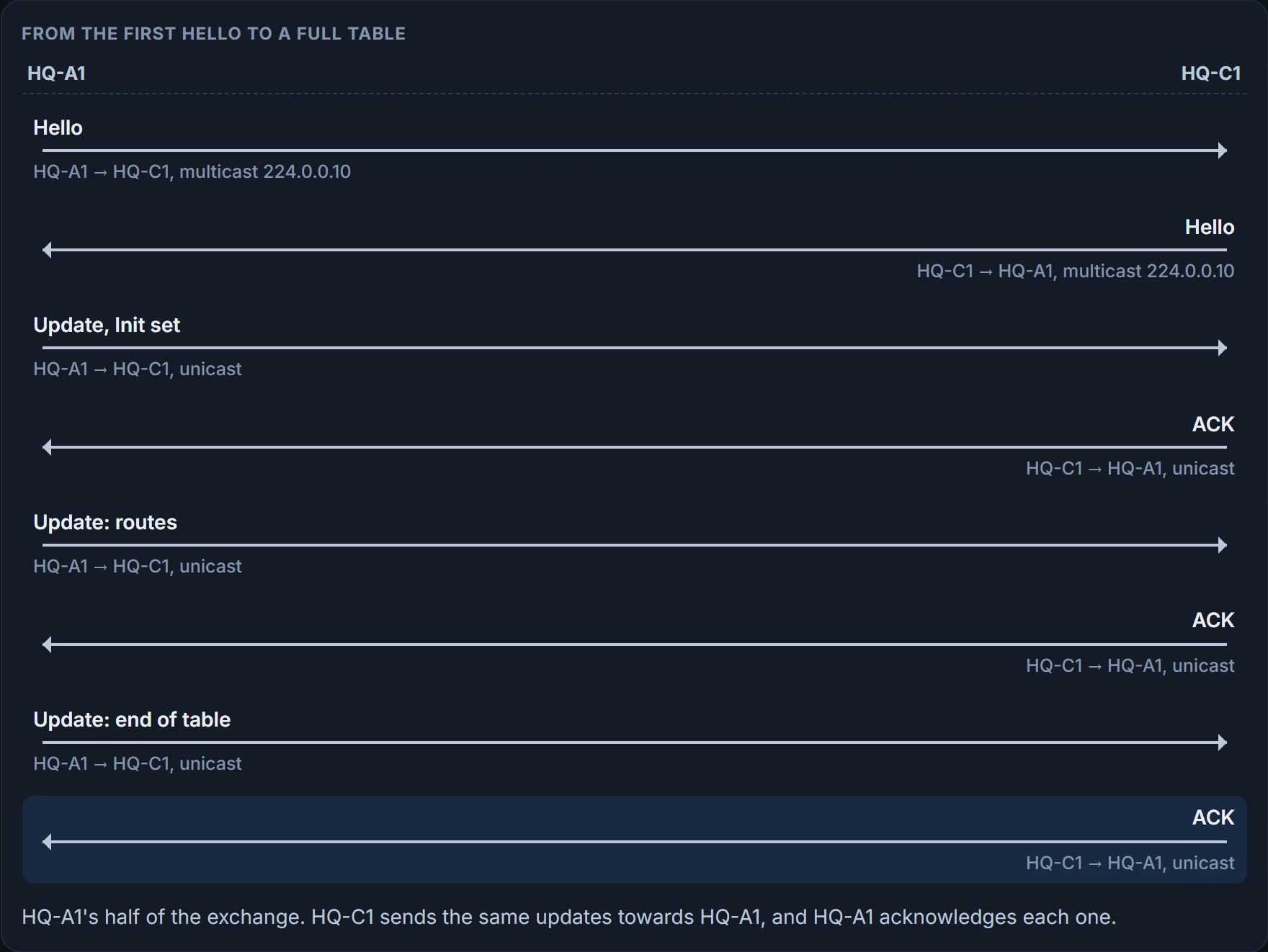
And here's the result from HQ-C1. One neighbor, HQ-A1, on Gi0/1:
HQ-C1# show ip eigrp neighbors
EIGRP-IPv4 VR(ENTERPRISE) Address-Family Neighbors for AS(100)
H   Address                 Interface       Hold Uptime   SRTT   RTO  Q  Seq
                                            (sec)         (ms)       Cnt Num
0   10.0.1.1                 Gi0/1             13 00:00:30 1      100  0  3
! HQ-A1, with a queue of 0
HQ-C1#
Read it left to right: the neighbor's address and your interface to it; Hold, how long your router will still consider it a neighbor; the uptime; SRTT, the average round trip; the queue count, which should be zero; and the sequence number, so that only newer packets are accepted.
show ip eigrp neighbors: which neighbors have formed, on which interface, and that their queues are empty
- which routes arrived: a neighbor proves the neighbor
- who should be a neighbor: a missing one isn't listed at all
What must match, and what needn't
Timers aren't on the list of four. A hello goes out every 5 seconds by default, or every 60 seconds on slow interfaces (T1 or lower). The hold timer defaults to three times that: 15 seconds, or 180 on slow links. Every hello received resets the hold timer, and if it ever reaches zero, the neighbor is declared unreachable and DUAL is told. You change them per interface: in classic mode ip hello-interval eigrp <as> <s> and ip hold-time eigrp <as> <s>; in named mode hello-interval and hold-time under af-interface default or a specific af-interface.
So what happens when the two routers' timers disagree? Watch the hold timer itself:
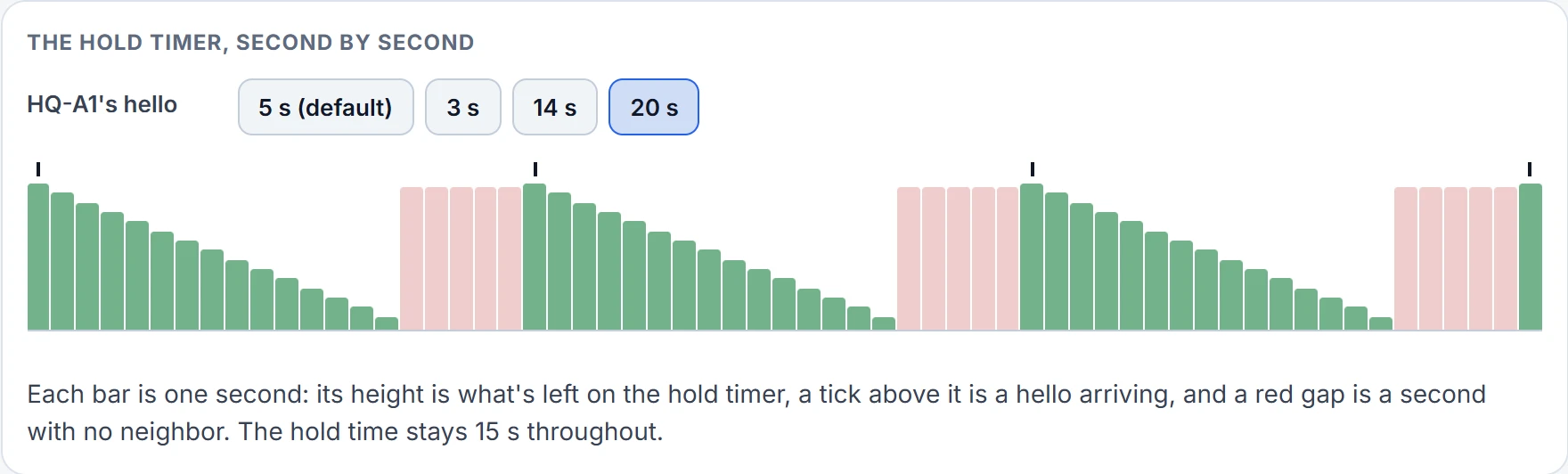
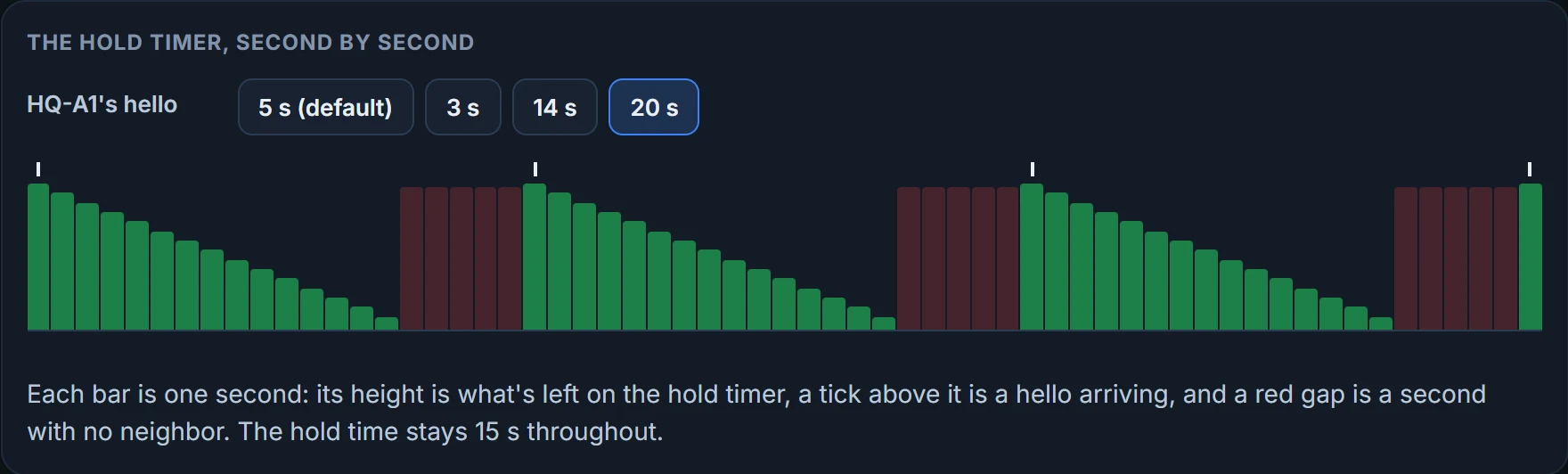
Neighbors form even if the timers differ, as long as hellos arrive before the hold time runs out. Here HQ-A1 sends every 3 seconds and HQ-C1 keeps the default 5:
HQ-A1# configure terminal
HQ-A1(config)# interface GigabitEthernet0/1
HQ-A1(config-if)# ip hello-interval eigrp 100 3
HQ-A1(config-if)# end
HQ-A1#
HQ-A1# show ip eigrp interfaces detail
EIGRP-IPv4 Interfaces for AS(100)
                        Xmit Queue   PeerQ        Mean   Pacing Time   Multicast   Pending
Interface        Peers  Un/Reliable  Un/Reliable  SRTT   Un/Reliable   Flow Timer   Routes
Gi0/1              1        0/0       0/0           1       0/0           50           0
Hello-interval is 3, Hold-time is 15   ! differs from HQ-C1's 5
  Split-horizon is enabled
  Authentication mode is not set
HQ-A1#
HQ-C1# show ip eigrp neighbors
EIGRP-IPv4 VR(ENTERPRISE) Address-Family Neighbors for AS(100)
H Address Interface Hold Uptime SRTT RTO Q Seq
(sec) (ms) Cnt Num
0 10.0.1.1 Gi0/1 13 00:01:00 1 100 0 3
HQ-C1#Still neighbors.
Authentication: a key chain, then a mode
Authentication makes sure only authorized routers become neighbors, so nobody can plug in a router and inject routes. EIGRP hashes the key number together with the password, so both must match, and a packet whose password doesn't match is discarded. Only the password is protected, not the whole packet.
Build the key chain first: key chain <name>, then key <number> (0 to 2147483647), then key-string <password>. Watch for a trailing space after the password: it becomes part of the password. Then turn it on. In classic mode, on the interface: ip authentication key-chain eigrp <as> <name> and ip authentication mode eigrp <as> md5. In named mode, under af-interface default or a specific af-interface: authentication key-chain <name> and authentication mode md5, or authentication mode hmac-sha-256 <password> for SHA-256.
The most expensive key on the keyboard, for EIGRP authentication, is the space bar.
Do one side first and see what happens to HQ-C1:
HQ-A1# configure terminal
HQ-A1(config)# key chain HQ
HQ-A1(config-keychain)# key 1
HQ-A1(config-keychain-key)# key-string S3cret
HQ-A1(config-keychain-key)# interface GigabitEthernet0/1
HQ-A1(config-if)# ip authentication mode eigrp 100 md5
HQ-A1(config-if)# ip authentication key-chain eigrp 100 HQ
HQ-A1(config-if)# end
HQ-A1#
HQ-C1# show ip eigrp neighbors
EIGRP-IPv4 VR(ENTERPRISE) Address-Family Neighbors for AS(100)
H   Address                 Interface       Hold Uptime   SRTT   RTO  Q  Seq
                                            (sec)         (ms)       Cnt Num
HQ-C1#
The neighbor is gone. HQ-A1 now expects authenticated packets and HQ-C1 isn't sending any. Configure HQ-C1 in named mode with the same key:
HQ-C1# configure terminal
HQ-C1(config)# key chain HQ
HQ-C1(config-keychain)# key 1
HQ-C1(config-keychain-key)# key-string S3cret
HQ-C1(config-keychain-key)# router eigrp ENTERPRISE
HQ-C1(config-router)# address-family ipv4 unicast autonomous-system 100
HQ-C1(config-router-af)# af-interface GigabitEthernet0/1
HQ-C1(config-router-af-interface)# authentication mode md5
HQ-C1(config-router-af-interface)# authentication key-chain HQ
HQ-C1(config-router-af-interface)# exit-af-interface
HQ-C1(config-router-af)# end
HQ-C1#
HQ-A1# show ip eigrp neighbors
EIGRP-IPv4 Neighbors for AS(100)
H   Address                 Interface       Hold Uptime   SRTT   RTO  Q  Seq
                                            (sec)         (ms)       Cnt Num
0   10.0.1.2                 Gi0/1             13 00:00:30 1      100  0  3
HQ-A1# show ip eigrp interfaces detail
EIGRP-IPv4 Interfaces for AS(100)
                        Xmit Queue   PeerQ        Mean   Pacing Time   Multicast   Pending
Interface        Peers  Un/Reliable  Un/Reliable  SRTT   Un/Reliable   Flow Timer   Routes
Gi0/1              1        0/0       0/0           1       0/0           50           0
Hello-interval is 5, Hold-time is 15
  Split-horizon is enabled
  Authentication mode is md5,  key-chain is "HQ"
  ! the mode and the key chain in use
HQ-A1#
show ip eigrp interfaces detail is where authentication shows: "Authentication mode is md5, key-chain is" and the chain's name. show key chain shows each key's string and lifetimes. Now give HQ-C1 the same key chain name and key number but a different string, Secret against HQ-A1's S3cret:
HQ-C1# configure terminal
HQ-C1(config)# key chain HQ
HQ-C1(config-keychain)# key 1
HQ-C1(config-keychain-key)# key-string Secret
HQ-C1(config-keychain-key)# router eigrp ENTERPRISE
HQ-C1(config-router)# address-family ipv4 unicast autonomous-system 100
HQ-C1(config-router-af)# af-interface GigabitEthernet0/1
HQ-C1(config-router-af-interface)# authentication mode md5
HQ-C1(config-router-af-interface)# authentication key-chain HQ
HQ-C1(config-router-af-interface)# exit-af-interface
HQ-C1(config-router-af)# end
HQ-C1#
HQ-C1# show ip eigrp neighbors
EIGRP-IPv4 VR(ENTERPRISE) Address-Family Neighbors for AS(100)
H   Address                 Interface       Hold Uptime   SRTT   RTO  Q  Seq
                                            (sec)         (ms)       Cnt Num
HQ-C1#
Three things break authentication in practice: it's on the wrong interface, it's tied to the wrong AS number, or it names the wrong key chain. With rotating keys, both routers must use the same key ID and string at the same moment. debug eigrp packets tells the cases apart: "missing authentication" means the neighbor isn't authenticating at all; "invalid authentication" means the key ID or string differs; and a key ID you haven't defined shows up as, for example, "key id = 2, key not defined".
Continue the lesson
The whole lesson, with its drawings and its questions. The rest of this section and 3 more after it.