
CCNA 200-301 Blueprint Review
Start with the exam version: 200-301 version 1.1, checked on 22 September 2026, is live until 2 February 2027, and version 2.0 follows. Version 1.1 groups its objectives into six domains with weights: Network Fundamentals 20%, Network Access 20%, IP Connectivity 25%, IP Services 10%, Security Fundamentals 15%, and Automation and Programmability.
By Arif, founder of Daveth · Updated
The full 7 min walkthrough is in Daveth Pro (Network). See what the plan opens
What this page answers
What are the CCNA 200-301 exam domains?
Six, each with a share of the exam: Network Fundamentals 20%, Network Access 20%, IP Connectivity 25%, IP Services 10%, Security Fundamentals 15%, and Automation and Programmability. Read it in “Six domains, weighted”
Which CCNA exam version is current?
As checked on 22 September 2026, 200-301 version 1.1, live until 2 February 2027; version 2.0 starts on 3 February 2027 with its own domains. Check the official objectives for the version you are booked on. Read it in “Which exam, which version”
Maya's notebook
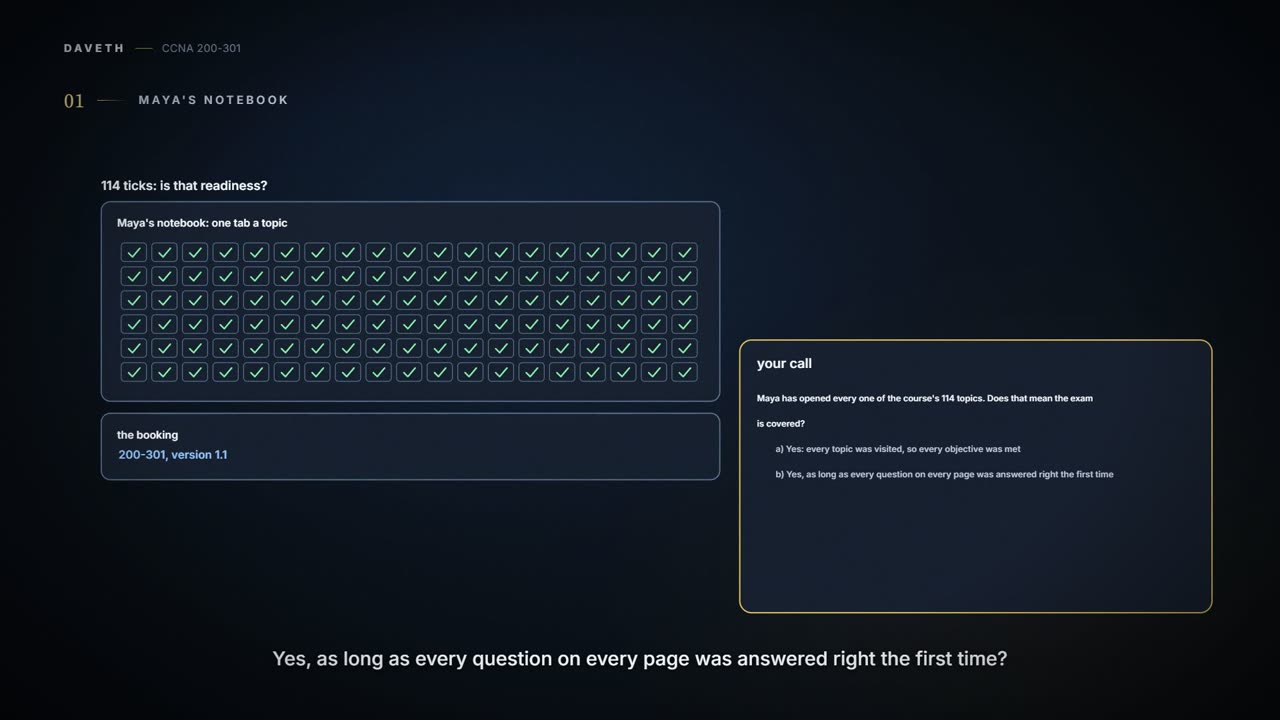
Maya's study notebook has a tab for every topic in this course, 114 of them, and every one is ticked. The booking says exam 200-301, version 1.1.
No. A visited page is a shelf with something on it; a skill is being able to know the idea, do the task and prove the result. (Where it stops: a shelf can still hold the right thing, and a visited page may well have taught something; it just isn't proof.) This page maps the exam's domains onto the course so Maya can check each domain that way, not by counting tabs.
The exam doesn't ask whether you visited the routing page. It asks whether you can make the network work, and show that it does.
Which exam, which version
Exams change, so start with the version. As checked on 22 September 2026:
| Exam | 200-301, version 1.1 |
|---|---|
| Live until | 2 February 2027 |
| After that | version 2.0, from 3 February 2027, with its own list of domains; this map doesn't cover it |
| Before you rely on it | open the exam's current official objectives and check the version you're booked on |
This page's map is fixed to version 1.1. Before you schedule the exam, and again if your date moves, open the exam's current official objectives and check the version and the dates yourself, on the exam's official page: the exam's owner says its objectives can change. One more thing to keep straight: the topic numbers here, like 05.2 or 11.6, are this course's own, not the exam's objective numbers.
Not this map. As checked on 22 September 2026, a booking after 2 February 2027 falls under version 2.0, which has its own domains and needs its own map, checked against its own objectives. Don't squeeze new objectives into old lessons and call it covered.
Six domains, weighted
Version 1.1 groups its objectives into six domains, each with a share of the exam.
| Exam domain | Weight | This course's topics |
|---|---|---|
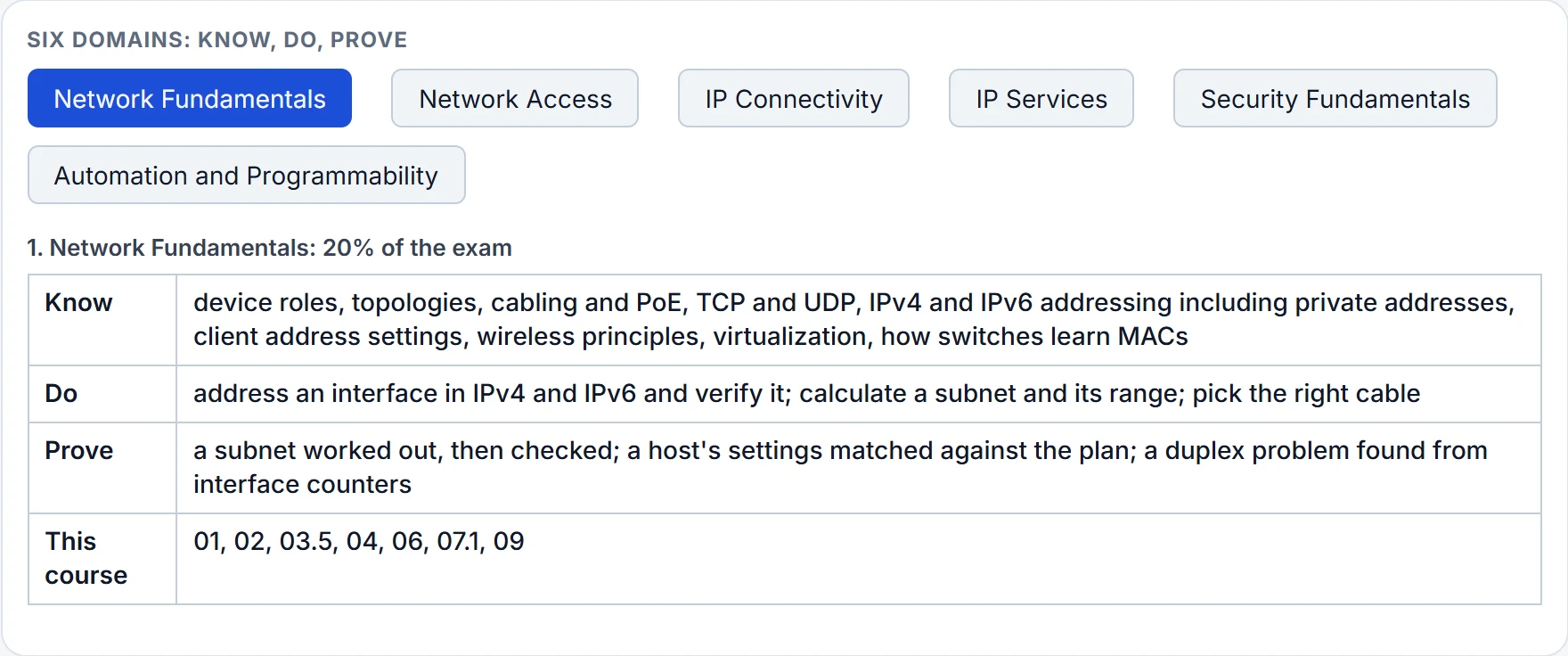
| 1. Network Fundamentals | 20% | 01, 02, 03.5, 04, 06, 07.1, 09 |
| 2. Network Access | 20% | 02, 03, 11.1-11.3, 11.10 |
| 3. IP Connectivity | 25% | 04, 05, 06, 11.4-11.7 |
| 4. IP Services | 10% | 07, 11.8 |
| 5. Security Fundamentals | 15% | 08, 11.9, 11.10 |
| 6. Automation and Programmability | 10% | 10, 11.11 |
IP Connectivity is the heaviest at 25%. The weights say how much of the exam each domain accounts for; they aren't question counts, and they aren't a formula for a score. The topic lists behind the cards below are version 1.0's, which has the same domains and weights; the items only version 1.1 adds, such as AI in operations, come from the 1.1 list as checked on the same date. Nothing on this page, or in this course, promises that a particular score passes.
Now open each domain as three things: what to know, what to do, and what proves it. The proof is the part a tick box can't give you.
| Domain | Know | Do | Prove |
|---|---|---|---|
| 1. Network Fundamentals (20%) | device roles, topologies, cabling and PoE, TCP and UDP, IPv4 and IPv6 addressing including private addresses, client address settings, wireless principles, virtualization, how switches learn MACs | address an interface in IPv4 and IPv6 and verify it; calculate a subnet and its range; pick the right cable | a subnet worked out, then checked; a host's settings matched against the plan; a duplex problem found from interface counters |
| 2. Network Access (20%) | VLANs, trunks, CDP and LLDP, EtherChannel with LACP, Rapid PVST+ and PortFast, wireless architectures and AP modes, WLAN setup in the controller's pages, management access | configure VLANs, a trunk and an EtherChannel; turn on CDP or LLDP and read the neighbours | show vlan brief, show interfaces trunk and show etherchannel summary that match the plan; STP roles read correctly; a WLAN setting's outcome explained |
| 3. IP Connectivity (25%) | routing table fields and route selection, IPv4 and IPv6 static routes, single-area OSPFv2, first hop redundancy as a concept | configure default, network, host and floating static routes; bring up an OSPF neighbour | the longest match chosen correctly; a FULL neighbour and the route installed, as two separate proofs |
| 4. IP Services (10%) | inside source NAT with static entries and pools, NTP, DHCP and DNS, SNMP, syslog, DHCP clients and relay, QoS, SSH, TFTP and FTP | configure static NAT and a NAT pool (PAT is its overload variant), a DHCP relay, NTP and SSH access | an active translation, a synchronised clock, a lease that came through the relay, an SSH login; what a QoS marking means for the traffic |
| 5. Security Fundamentals (15%) | threat terms, security program elements, passwords and MFA, VPN concepts, ACLs, DHCP snooping, DAI, port security, AAA, wireless security | set local passwords; write and apply an ACL; set up port security and snooping; build a WPA2-PSK WLAN in the controller's pages | ACL counters showing first match; a denial that was meant to happen; trusted ports that match the plan; authentication told apart from authorization |
| 6. Automation and Programmability (10%) | traditional and controller-based networking, overlay and underlay, REST, configuration management tools, JSON; in version 1.1, AI in operations | read JSON; choose the HTTP method for a task | a value read by its path; a reply's status read in context; raw telemetry told apart from a tool's suggestion |
Continue the lesson
The whole lesson, with its drawings and its questions. The rest of this section and 1 more after it.