
Appendix C: driver, CUDA, ROCm and framework compatibility matrices
PyTorch wheels carry their own CUDA libraries, so the system's CUDA toolkit does not matter to PyTorch; the driver does, and it can only run CUDA from its own family or older. A wheel must match four things on your machine: the driver, the GPU's generation, the Python version and a minimum Linux.
What this page answers
Why does a fresh PyTorch install not find the GPU?
The default PyTorch 2.14 wheel on PyPI is the CUDA 13.0 build, which needs a driver from the R580 branch or newer, and this driver supports CUDA up to 12.8. Installing the cu126 build, which works from R525 up, fixes it. Read it in “The fresh install that found no GPU”
Does PyTorch need the CUDA toolkit installed?
No. PyTorch packages carry their own copy of the CUDA libraries, so the installed toolkit does not matter to PyTorch at all. What matters is the driver. Read it in “Four things the wheel must match”
The fresh install that found no GPU
A new project on a machine that has trained models for a year. Fresh environment, latest PyTorch, nothing unusual:
$ uv venv && uv pip install torch
 + torch==2.14.1
$ uv run python -c "import torch; print(torch.__version__, torch.cuda.is_available())"
UserWarning: CUDA initialization: The NVIDIA driver on your system is too old (found version 12080). Please update your GPU driver ...
2.14.1+cu130 False
$ nvidia-smi | head -4 | tail -1
| NVIDIA-SMI 570.172.08     Driver Version: 570.172.08     CUDA Version: 12.8     |
The warning is PyTorch's real message (shortened). The driver version is an example from the R570 branch.
PyTorch was built with CUDA 13.0. The driver supports CUDA up to 12.8 (that's what found version 12080 means). What's the quickest fix that keeps this driver?
- Install the CUDA 13 toolkit with apt
- Install the PyTorch build made with CUDA 12.6 instead
- Use an older Python, so pip picks an older PyTorch
Answer.
$ uv pip install torch --index-url https://download.pytorch.org/whl/cu126
$ uv run python -c "import torch; print(torch.__version__, torch.cuda.is_available())"
2.14.1+cu126 True
PyTorch's packages carry their own copy of the CUDA libraries inside them, so the CUDA toolkit installed on the system doesn't matter to PyTorch at all. What matters is the driver, and a driver can only run CUDA from its own family or older. The default PyTorch 2.14 package on PyPI is the CUDA 13.0 build, which needs a driver from the R580 branch or newer. The cu126 build works with any driver from R525 up. So the same pip install torch that worked last year, on the same machine, now quietly picks a build this driver can't run.
Four things the wheel must match
A PyTorch package (a wheel, Python's word for a ready-built package file) is a fixed object: it was built once, with one CUDA version, for a list of GPU generations, for one Python version, on a particular minimum Linux. When you install it, four things on your machine have to fit around it. Think of the wheel in the middle with four connections, each with its own rule:
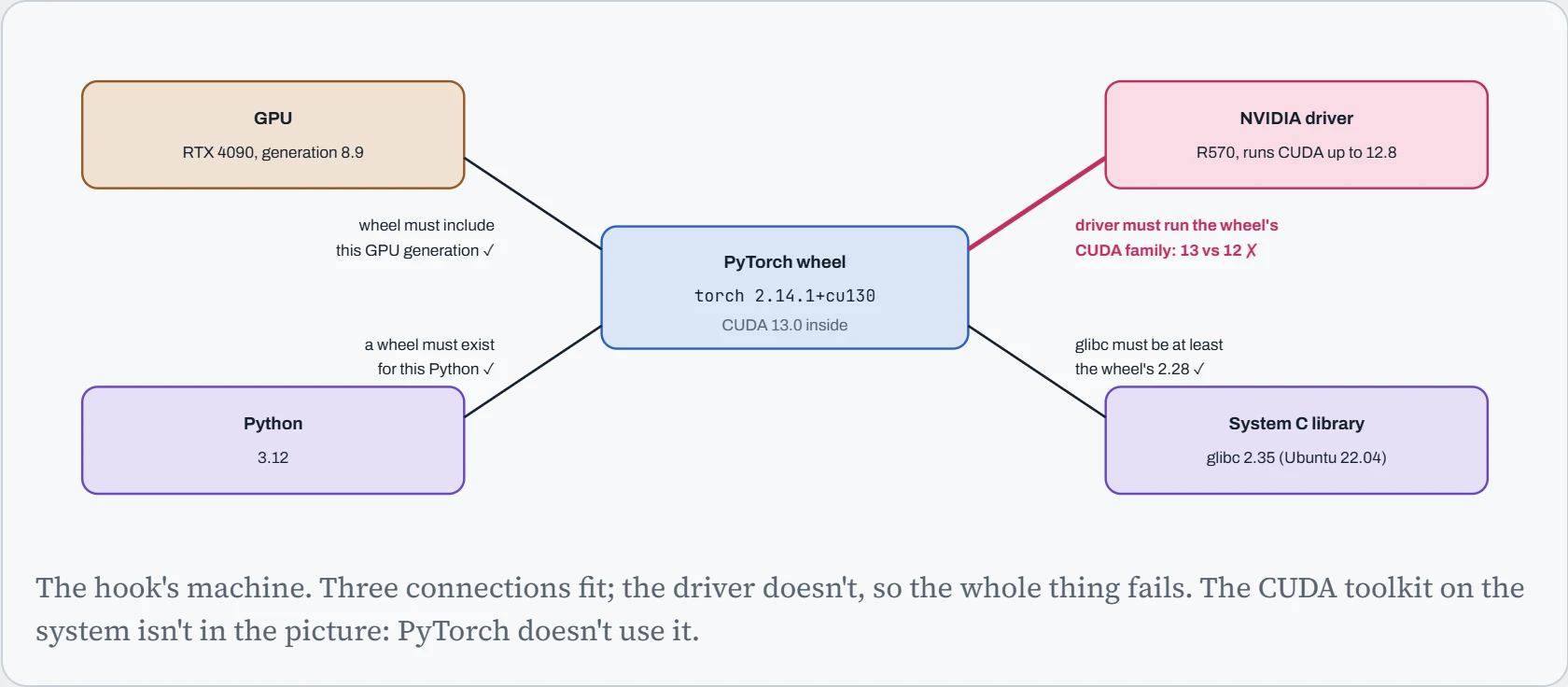
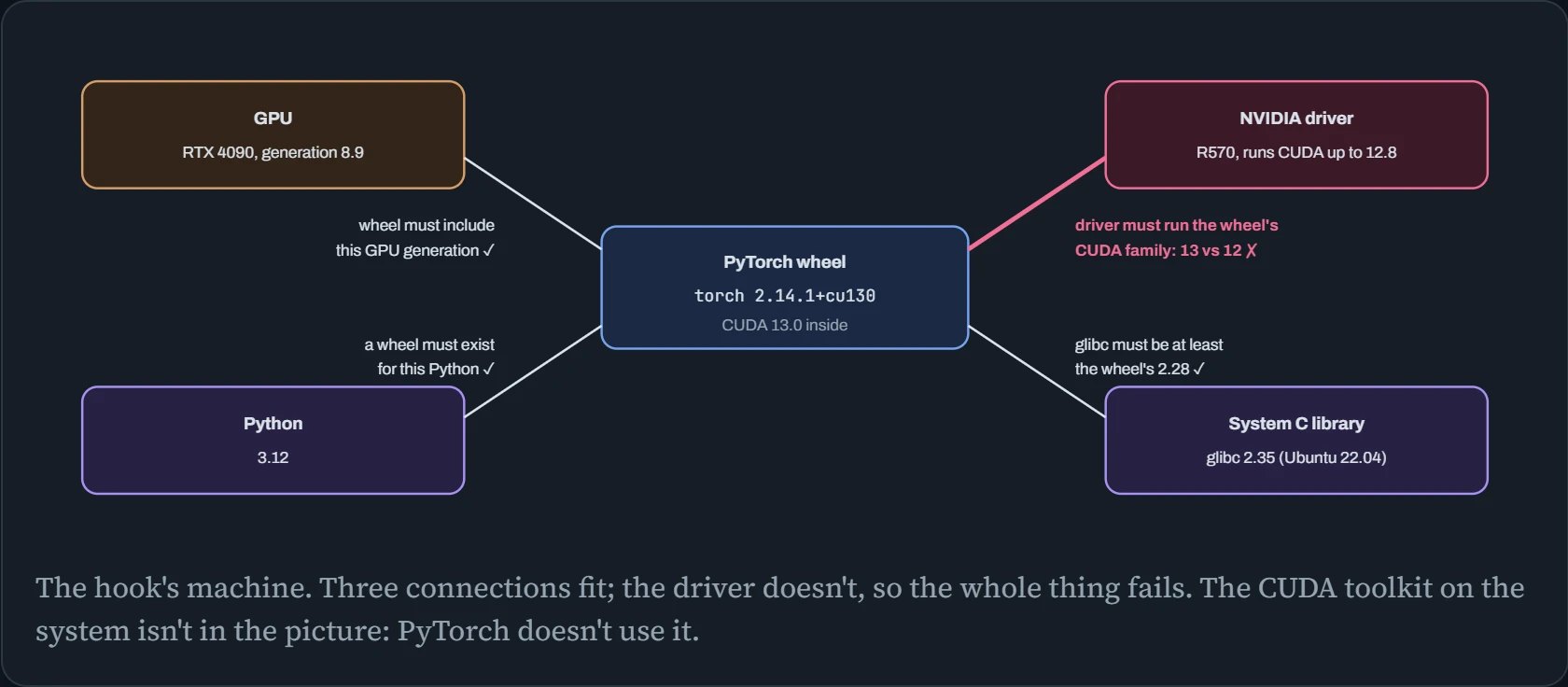
Each rule points in a fixed direction. The driver must be new enough for the wheel's CUDA. The wheel must be new enough to know your GPU's generation (and, for very old GPUs, old enough to still include it). Python must be one the wheel was built for. And the system C library (glibc) must be at least as new as the one the wheel was built against. Notice that only one of the four is about CUDA at all, and it's about the driver, not the toolkit.
Checking every version
Before you install or blame anything, read the actual numbers. This takes under a minute, and every command only looks, so it can't break anything. Run these in the environment your code really uses (activate the venv first):
$ nvidia-smi --query-gpu=name,compute_cap,driver_version --format=csv,noheader
NVIDIA GeForce RTX 4090, 8.9, 570.172.08
$ nvidia-smi | grep -o 'CUDA Version: [0-9.]*'
CUDA Version: 12.8
$ python -c "import torch; print(torch.__version__, torch.version.cuda); print(torch.cuda.get_arch_list())"
2.14.1+cu126 12.6
['sm_50', 'sm_60', 'sm_70', 'sm_75', 'sm_80', 'sm_86', 'sm_90']
$ python -c "import torch; print(torch.backends.cudnn.version(), torch.cuda.nccl.version())"
91002 (2, 29, 3)
$ python --version; ldd --version | head -1
Python 3.12.3
ldd (Ubuntu GLIBC 2.35-0ubuntu3.11) 2.35
$ nvcc --version | tail -2
# only matters if you compile CUDA code yourself
Here's how to read each line, and when each number matters. The arch list deserves a closer look: sm_89 isn't in it, yet the RTX 4090 (8.9) works, because GPU code built for sm_86 also runs on 8.9. Code runs on the generation it was built for and on newer ones with the same first number, never across a change of first number.
| Number | Where it comes from | Matters when |
|---|---|---|
| Compute capability (8.9) | The GPU chip itself. Never changes. | Choosing a PyTorch build, and building extensions. |
| Driver version (570.172.08) | The driver package you installed. | Always: it decides the newest CUDA anything can use. |
| “CUDA Version” in nvidia-smi | The driver: the newest CUDA it can run. | Comparing with torch.version.cuda. It is not an installed CUDA. |
torch.version.cuda | The CUDA libraries packed inside the wheel. | Must be in a family the driver supports. |
| Arch list | Which GPU generations the wheel was compiled for. | Brand-new or very old GPUs. |
| glibc (2.35) | The Linux distribution. | Installing any pre-built binary or wheel. |
nvcc (CUDA toolkit) | A separate system install. | Only when compiling: flash-attn from source, llama.cpp, custom kernels. |
The two lines people mix up most are nvidia-smi's “CUDA Version” and nvcc. The first is a limit set by the driver. The second is a tool you may not even have installed. Neither one is the CUDA PyTorch uses; that's torch.version.cuda.
Predict. nvcc --version says 12.4, nvidia-smi says CUDA 13.0, and torch.version.cuda says 13.0. Training works. Then you pip install a package that compiles a CUDA extension during install, and it fails. Which number caused it?
Answer. The 12.4 from nvcc. Building an extension uses the system's CUDA toolkit, and PyTorch checks that it matches the CUDA PyTorch was built with. You'll see something like “The detected CUDA version (12.4) mismatches the version that was used to compile PyTorch (13.0)”.
Install a toolkit in the same family as torch.version.cuda (or look for a pre-built wheel of that package for your torch and CUDA). Training didn't care about nvcc; compiling does.
Will this combination work?
Now the four rules as a checker. It checks each connection from the diagram above: the GPU, the driver branch, the PyTorch build, Python and Linux. It starts on the hook's machine, where the cu126 build turns the driver line blue. A V100 or an RTX 5090 each leave you only some of the builds.
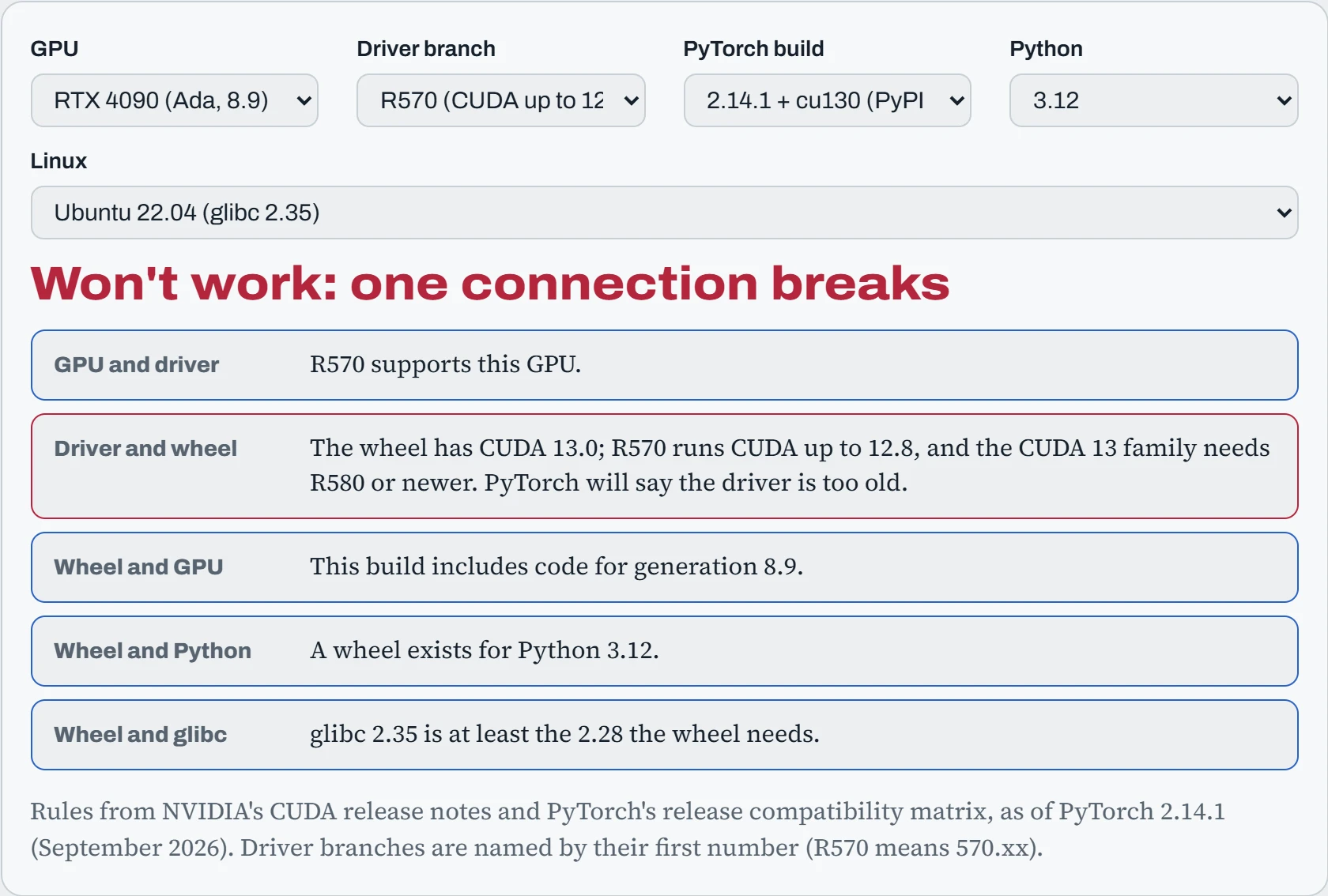
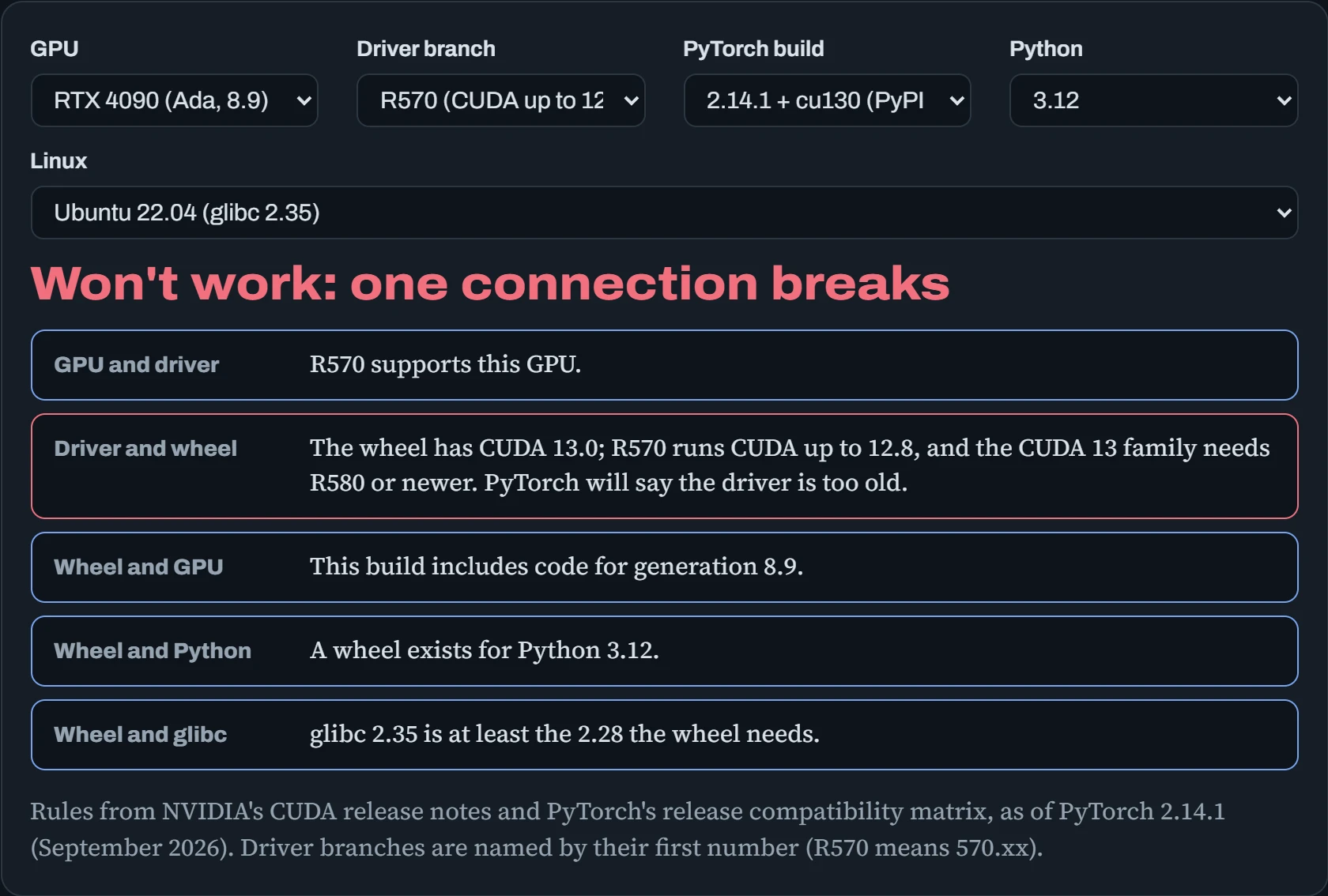
Two combinations are worth trying on purpose. A Tesla V100 with the cu130 build fails on the GPU line, because CUDA 13 dropped every generation before Turing (7.5). And the V100 also fails on drivers newer than R580, the last branch that supports it. So a V100 is stuck with a R580-or-older driver and the cu126 build, a corner that gets smaller with every release. An RTX 5090 is the opposite corner: it needs a driver from R570 or newer and a build with CUDA 12.8 or later, so cu126 can never run on it.
The tables
These are the tables behind the checker, for when you need the facts directly. First, PyTorch's recent releases: which Python versions each supports, and which CUDA builds it ships. The PyPI default is the build you get from a plain pip install torch. Every other build comes from https://download.pytorch.org/whl/cuXXX.
| PyTorch | Python | CUDA builds | ROCm |
|---|---|---|---|
| 2.14 (Sep 2026) | 3.10 to 3.15 | cu126, cu130, cu132 | 7.14 |
| 2.13 | 3.10 to 3.15 | cu126, cu130 (cu132 experimental) | 7.2 |
| 2.12 | 3.10 to 3.14 | cu126, cu130 (cu132 experimental) | 7.2 |
| 2.11 | 3.10 to 3.14 | cu126, cu128, cu130 | 7.2 |
| 2.10 | 3.10 to 3.14 | cu126, cu128 (cu130 experimental) | 7.1 |
| 2.9 | 3.10 to 3.14 | cu126, cu128 (cu130 experimental) | 6.4 |
Read down the CUDA column and you can see the pattern: each build lives for a few releases, and the oldest one, cu126, is kept around precisely for machines with older drivers. Notice too that cu128 disappeared after 2.11, so anyone who pinned that index has to move to cu126 or cu130. In 2.14, Python 3.15 wheels exist only on PyTorch's own index, and torch.compile doesn't work on them yet.
Second, GPU generations. The compute capability is the number that matters, and the last two columns say which drivers and which PyTorch 2.14 builds will still run each one:
| Generation | Examples | Compute capability | Driver branches | PyTorch 2.14 builds |
|---|---|---|---|---|
| Pascal | GTX 1080 Ti, P100 | 6.x | Up to R580 | cu126 only (check the arch list) |
| Volta | V100 | 7.0 | Up to R580 | cu126 only |
| Turing | T4, RTX 2080 | 7.5 | All current | All |
| Ampere | A100 (8.0), RTX 3090, A10 (8.6) | 8.0, 8.6 | All current | All |
| Ada | RTX 4090, L4, L40S | 8.9 | All current | All |
| Hopper | H100, H200 | 9.0 | All current | All |
| Blackwell, data center | B200 | 10.0 | R570 and newer | cu130, cu132 |
| Blackwell, desktop | RTX 5090, RTX PRO 6000 | 12.0 | R570 and newer | cu130, cu132 |
The top and bottom of that table are where people get stuck. Old GPUs are being squeezed out from two sides at once: new drivers stop supporting them, and new CUDA versions stop compiling for them. New GPUs have the reverse problem for a few months after launch: until a build includes their generation, nothing pre-built runs on them. In both cases torch.cuda.get_arch_list() gives the final answer for the build you have.
Continue the lesson
The whole lesson, with its drawings and its questions. 4 more sections after the ones above.