
Device access: lines, local users, privilege levels, SSH
There are three ways into an IOS CLI: the console line, the aux line built for a modem, and the virtual vty lines that carry Telnet and SSH. Lock each one: named local users with strong secrets, the right privilege level for each user, only SSH on the vty lines and only from the right addresses, and sessions that time out.
By Arif, founder of Daveth · Updated
The full 9 min walkthrough is in Daveth Pro (Network). See what the plan opens
What this page answers
What are Cisco IOS privilege levels?
Levels from 0 to 15 that decide which commands a user may run; level 15 is privileged EXEC with everything. A user reaches a level through a username that carries it, through enable with a level's secret, or through the line's default level. Read it in “4.1 Three ways in, and a lock for each”
What are the console, aux and vty lines?
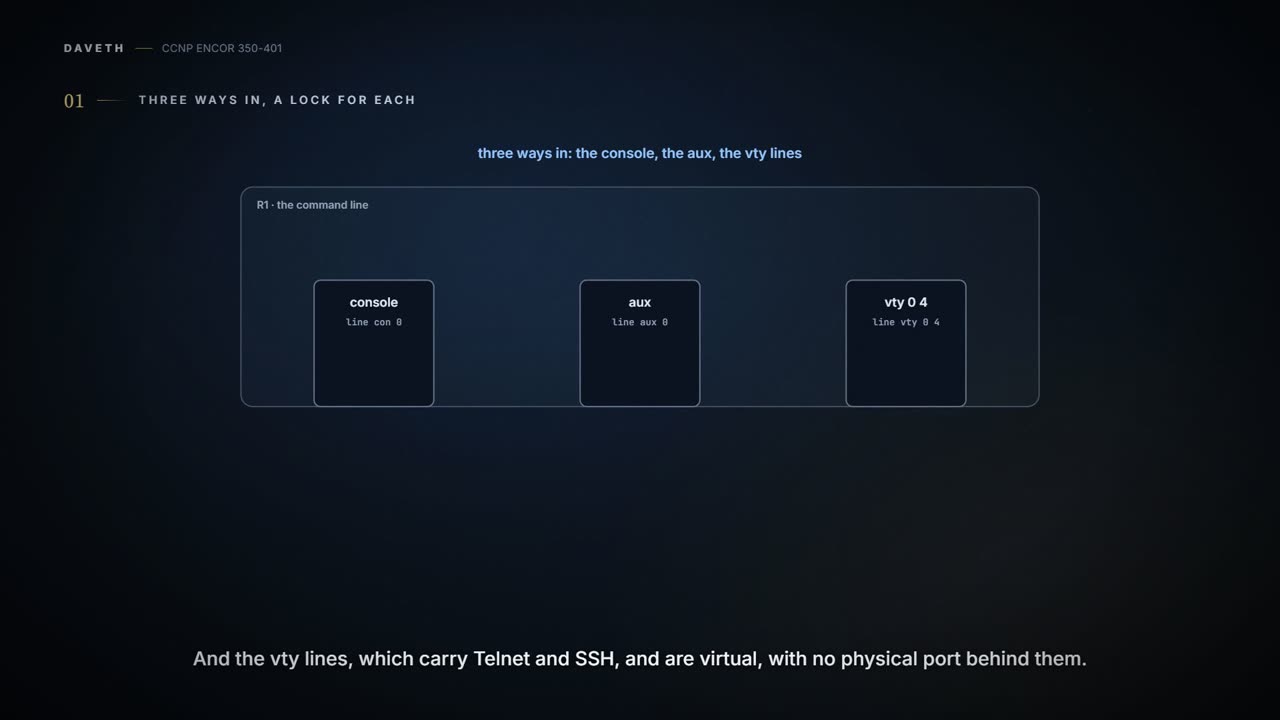
The console line, line con 0, is for someone at the box; the aux line, line aux 0, was built for a modem; the vty lines, line vty 0 4 by default, carry Telnet and SSH and have no physical port behind them. Read it in “4.1 Three ways in, and a lock for each”
4.1 Three ways in, and a lock for each
line vty 0 4 gives R1 five vty lines. How many remote sessions can it hold at once, and what does the sixth see? Keep that one for section 4.4.
There are three ways into the CLI. The console line is line con 0 in the configuration and cty in show line, for someone standing at the box. The aux line, line aux 0, was built for a modem. The vty lines, line vty 0 4 by default, carry Telnet and SSH, and they're virtual: no physical port behind them. A fresh configuration lists all three with nothing shown underneath (Example 26-6). Nothing shown isn't the same as nothing there: which protocols a fresh vty line accepts, and whether it asks for a login, depend on the release, so check yours before assuming a door is open or locked (Lab).
Each can be protected three ways: a password on the line ("Not recommended"), usernames ("Recommended as a fallback"), or an AAA server ("Highly recommended", which is 08-2). A line password takes two commands, password to set it and login to check it (Example 26-7). It works like a shared office door code: everyone knows the same digits, and when one person leaves, everybody's code has to change.
Usernames fix that. Create them with username, then put login local on the line, and the line asks for a name and a password (Examples 26-9 and 26-10). Now everyone carries their own badge, like a staff pass at an office turnstile, and the device knows whose badge it was: in Example 26-12 the log reads "Configured from console by noc on vty0 (1.2.3.4)". Don't let "console" there fool you: "vty0 (1.2.3.4)" is the part that says the session came over the network. The guide notes that some releases support usernames on the aux and console lines only with AAA. And the local list is the thing you fall back to: the guide's scalable answer is AAA, keeping local users for when the servers can't be reached.
password without login is a lock fitted to a door that nobody turns: the guide needs both, because login is what enables "password checking at login".
A configuration file gets copied, backed up and pasted into tickets. So the question for each password is what somebody learns from reading it:
| Type | How it's stored | Created by | Verdict |
|---|---|---|---|
| 0 | plain text | enable password, username ... password, line password | readable by anyone with the file |
| 7 | Cisco's Vigenère cipher | service password-encryption applied to type 0 | reversible "in less than a second" by online tools |
| 5 | MD5-based hash | enable secret, username ... secret (the guide; on 17.9 a secret given without a type becomes type 9) | can't be reversed; can be brute-forced |
| 8 | PBKDF2 with SHA-256 | username ... algorithm-type sha256 secret | recommended over 5 |
| 9 | scrypt | username ... algorithm-type scrypt secret; enable algorithm-type scrypt secret | recommended over 5 |
| 6 | AES, reversible with a key | password encryption aes with key config-key password-encrypt | on 17.9, replaces 0 and 7 for administrator logins |
Type 4 existed before IOS 15.3(3), was deprecated for a flaw in its implementation, and should never be used. When enable secret and enable password are both configured, enable secret wins.
service password-encryption turns type 0 passwords into type 7 in the configuration: line passwords, username ... password, authentication keys, BGP neighbour passwords. It keeps casual readers from seeing them on a screen, in a Telnet capture or in a copied configuration file, and nothing more, like a diary with a toy lock: it keeps out honest eyes and opens to a hairpin. The 17.9 guide says it encrypts "when the password is defined or when the configuration is written"; the older guide says passwords set beforehand must be re-entered. Check which yours does in the lab.
A hash is different in kind. Type 5, 8 and 9 store the result of a one-way function, and a fingerprint is the right picture: you can check whether a finger matches, but you can't grow the finger from the print. What an attacker can do is guess, hash the guess, and compare. That's why the newer types are slow on purpose. PBKDF2 repeats its function an iteration count of times, a cost that's small for you once and "a significant burden for opponents" trying millions. scrypt adds memory to the bill: it's "memory-hard", with "added protection against attacks using custom hardware". You can think of it as a combination lock that takes ten seconds per try: slow for a guesser, but no help at all if the combination is cisco123, which is among the first things a guesser tries.
The username command has three forms: password (type 0), secret (type 5) and algorithm-type {md5 | sha256 | scrypt} secret (type 5, 8 or 9); the guide recommends the last. On a Catalyst 9300 running 17.9, Cisco goes further: type 5 username and enable secrets "must be migrated to the stronger password type 8 or 9", and types 0 and 7 used for administrator logins "must be migrated to password type 6". And on that platform an enable secret given without a type is already stored as type 9; the guide's answer, and the exam's, is type 5.
service password-encryption is the configuration's net curtain: the neighbours can't glance in, and anyone with a type 7 decoder page walks straight through the front door.
IOS starts with three levels. Level 0 has disable, enable, exit, help and logout. Level 1 is user EXEC, the R1> prompt, where configure terminal doesn't exist. Level 15 is privileged EXEC, R1#, with everything. Don't read the level off the prompt, though: the level-5 user in Example 26-12 gets R1# too. Levels 2 to 14 are yours to fill, with privilege {mode} level {level} {command string}; A1 counts "up to 16 hierarchical levels". A level works like a hotel key card: yours opens your floor and the gym, not the plant room.
The guide's NOC team get level 5 and just enough to bounce an interface and give it an address (Example 26-11):
username noc privilege 5 algorithm-type scrypt secret cisco123
privilege exec level 5 configure terminal
privilege configure level 5 interface
privilege interface level 5 shutdown
privilege interface level 5 no shutdown
privilege interface level 5 ip address
Raising a multi-word command raises the shorter commands it starts with: set no shutdown to level 5 and no comes along, because you can't run no shutdown without no. It's a bit like a key to an office that also has to open the corridor leading to it. The rule accounts for eight of the running configuration's ten privilege lines in Example 26-12: your five plus privilege exec level 5 configure, privilege interface level 5 no and privilege interface level 5 ip. The guide's output also shows no ip address and no ip, which the sources don't explain.
The rule works against you too. Set show ip traffic to level 15 and show and show ip go to 15 with it, so a level-1 user loses show altogether unless you set those back individually. A corridor key cut for the executive floor locks everyone else out of the corridor.
There are three ways onto a level: a username that carries it (username noc privilege 5 ...); enable 5, against a password set with enable secret level 5 ..., which is the guide's "share the login information for that level"; or the line's default level, which the guide sets with privilege level 15 under line con 0 (Example 26-19).
Logged in as noc, show privilege says "Current privilege level is 5", and in interface mode ? lists only default, exit, help, ip, no and shutdown; no ? offers only ip and shutdown. show privilege proves the level you're at. It doesn't show what the level can do: the ? output and the privilege lines in the running configuration do. If you've ever been handed a guest wifi password that opens nothing but the printer, you know the feeling of a level-5 prompt.
Raise no shutdown to level 5 and IOS quietly hands over no as well, which sounds generous until you notice no ? still offers only two things.
Back to the first question. Each vty line takes one user, and lines are tried from vty 0 upward. Five lines, five sessions at most; the sixth is refused, whatever the protocol. The guide's lines allow Telnet (Example 26-15); don't assume a current release's do until you've checked.
Two things narrow it further. An access-class {number | name} {in | out} on the line takes a standard or extended ACL: in filters who may connect in, by source address; out filters where users on the line may connect out to. In Example 26-13, R2 applies access-list 1 deny 10.12.1.1 and permit any to line vty 0 4, and R1's Telnet gets "% Connection refused by remote host". The lines are dual-stack only if you make them so: IPv6 sources are filtered with ipv6 access-class name {in | out}, which takes a named IPv6 ACL only (IPv6 ACLs themselves: 08-3), and Cisco's advice is to put "Identical restrictions" on every vty line, "because a user can connect to any of them".
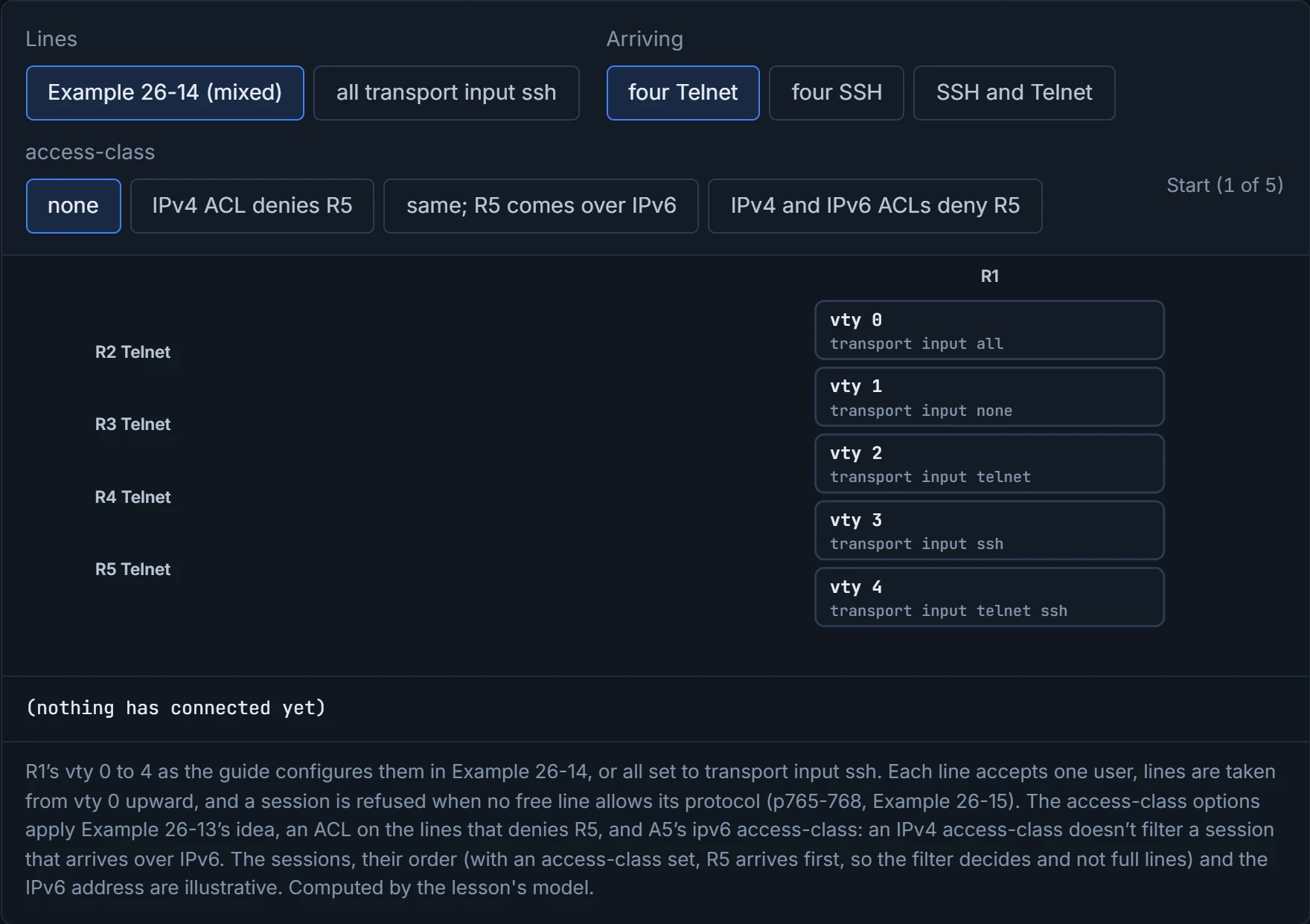
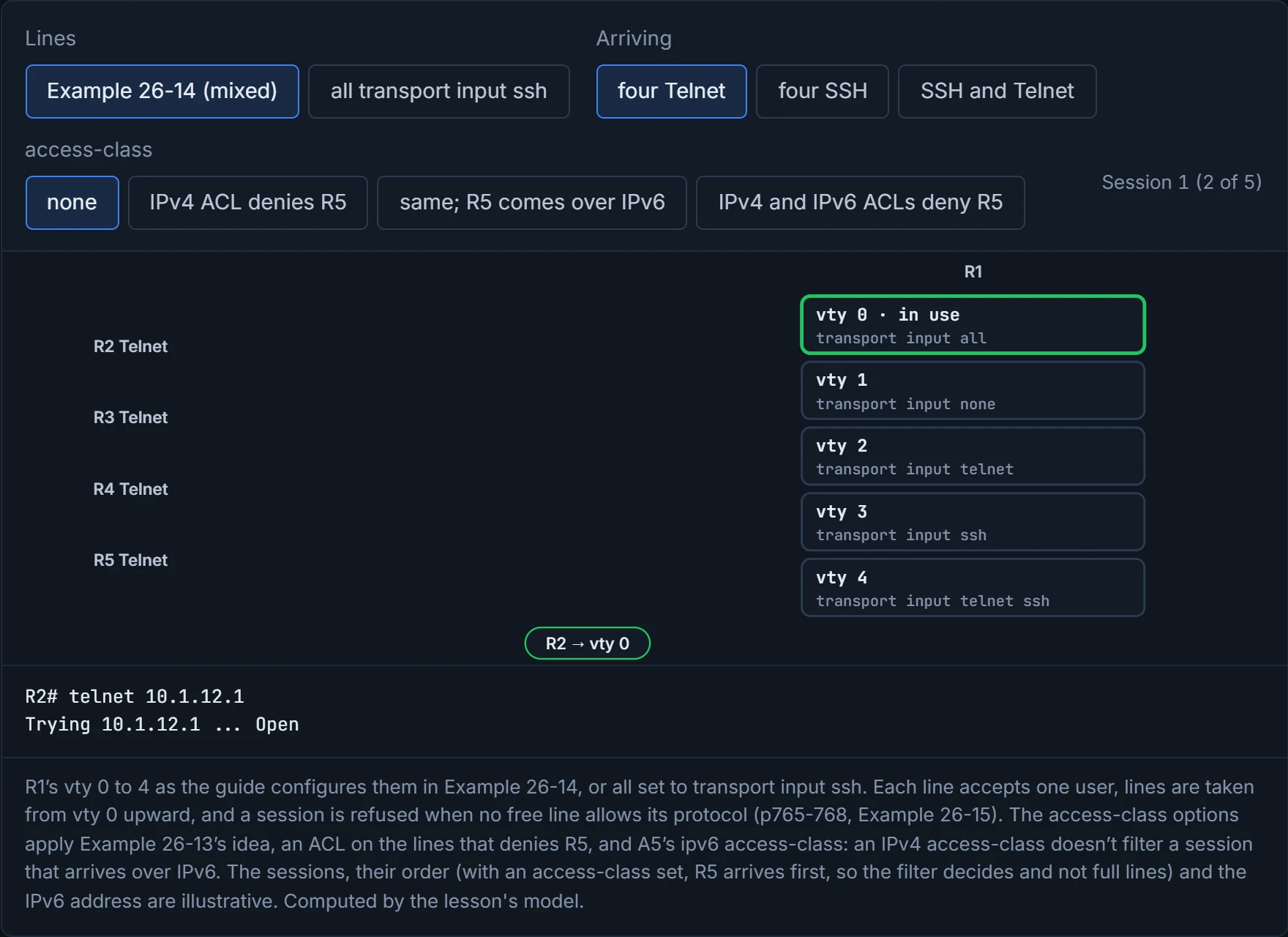
The other is transport input, which says which protocols a line accepts: all and telnet ssh allow both, telnet and ssh one each, none neither. Example 26-14 sets vty 0 to 4 to all, none, telnet, ssh and telnet ssh. Picture yourself in a car park where some bays are marked for motorbikes: you take the first free bay you're allowed in, and when the car bays are full you're turned away with motorbike bays standing empty. The guide also puts transport input none on the console, to block reverse Telnet into it.
Predict before D1: four SSH sessions arrive at Example 26-14's lines. Which lines do they get?
D1
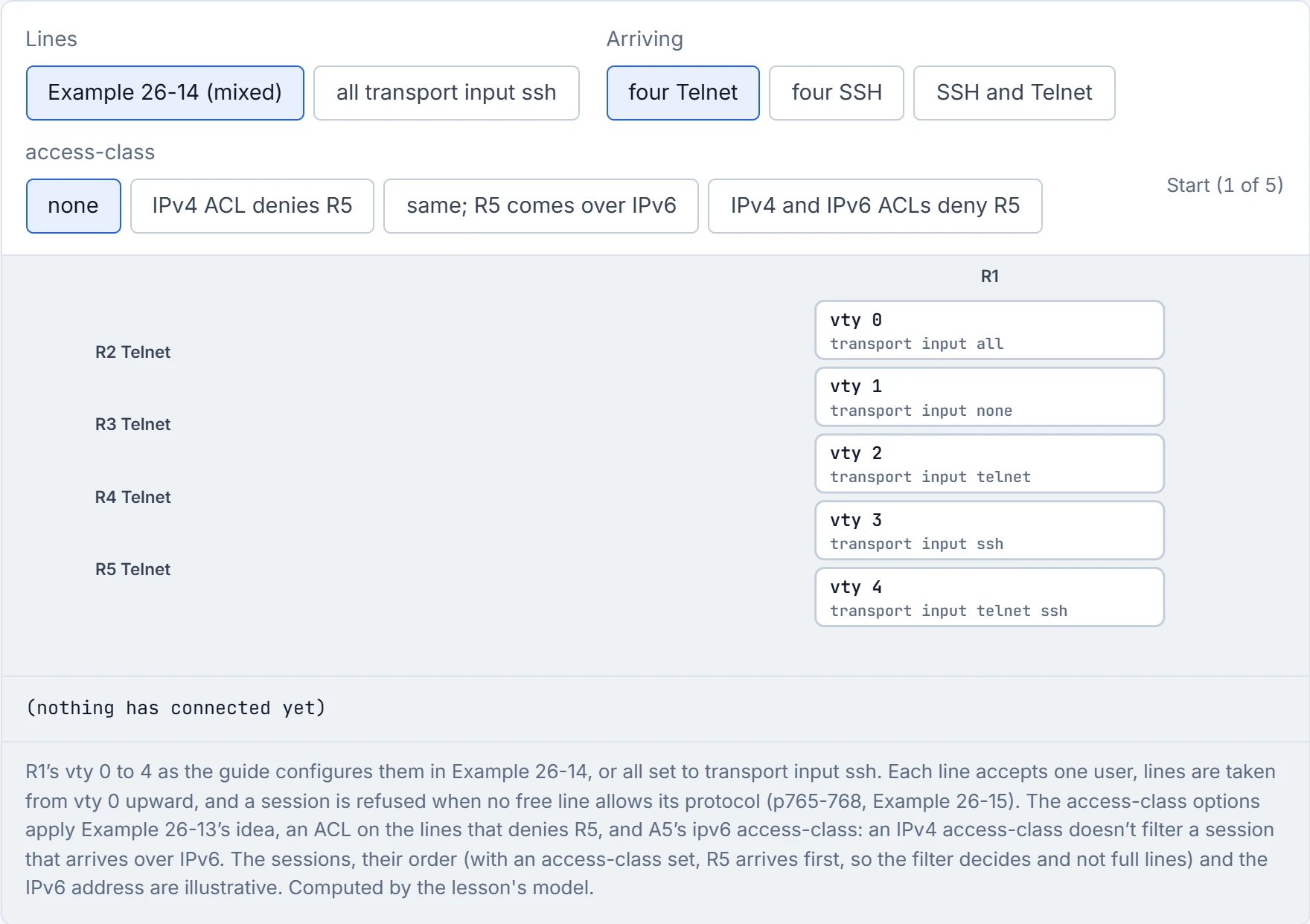
Step 1 of 5 Four Telnet sessions, from R2, R3, R4 and R5, are about to arrive at R1's five vty lines.
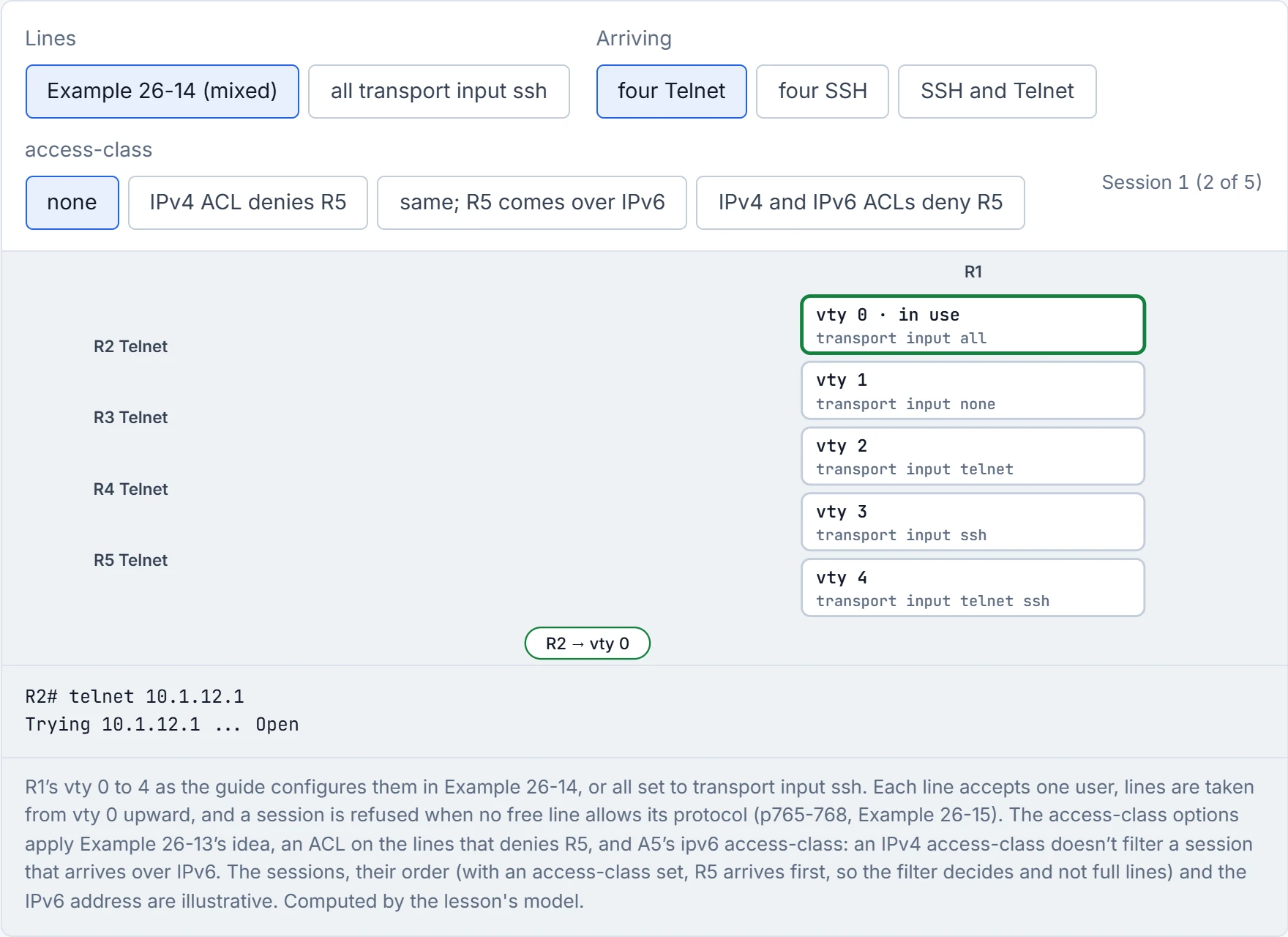
Step 2 of 5 R2 (Telnet): vty 0, because vty 0 is free and allows telnet.
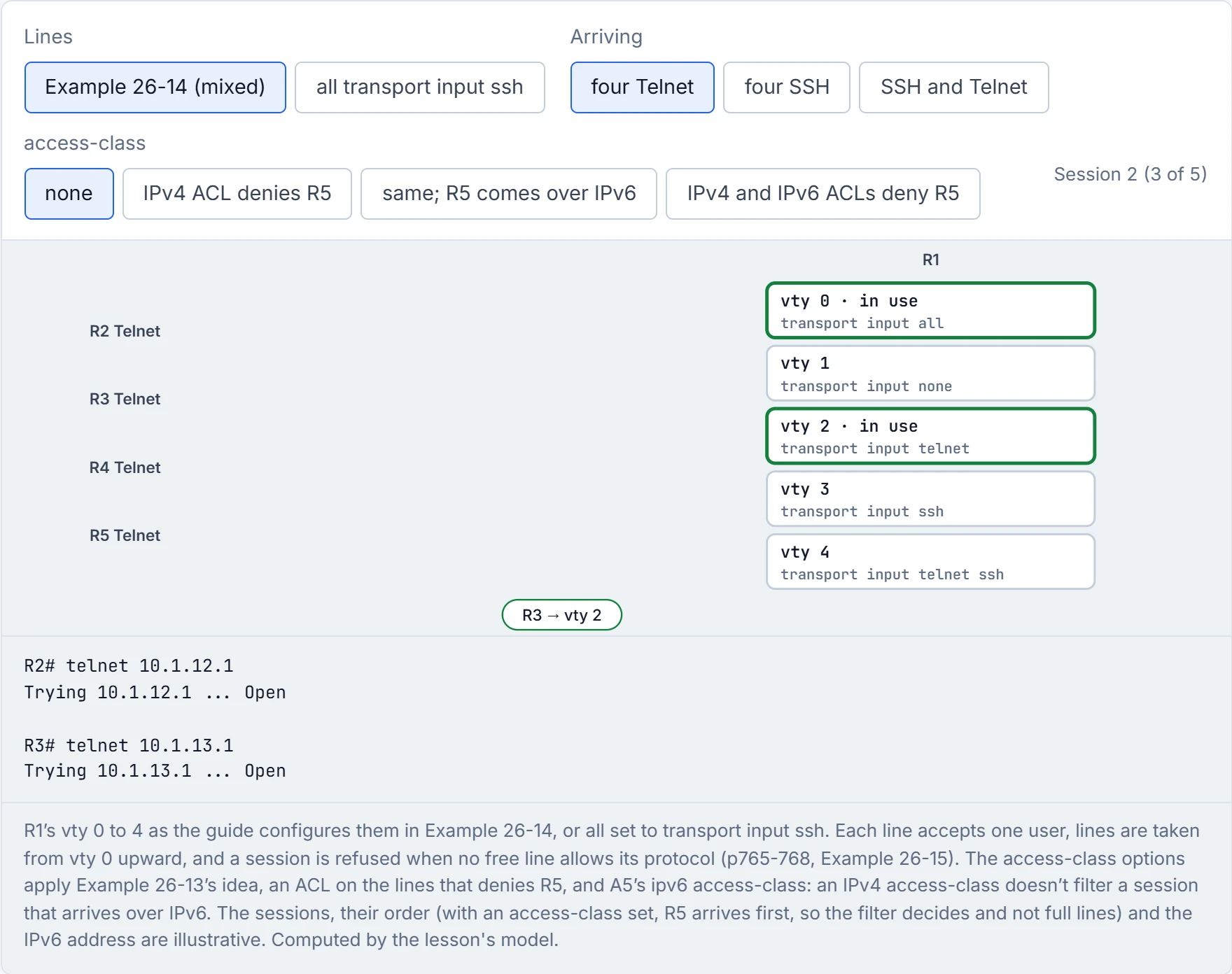
Step 3 of 5 R3 (Telnet): vty 2, because vty 2 is free and allows telnet.
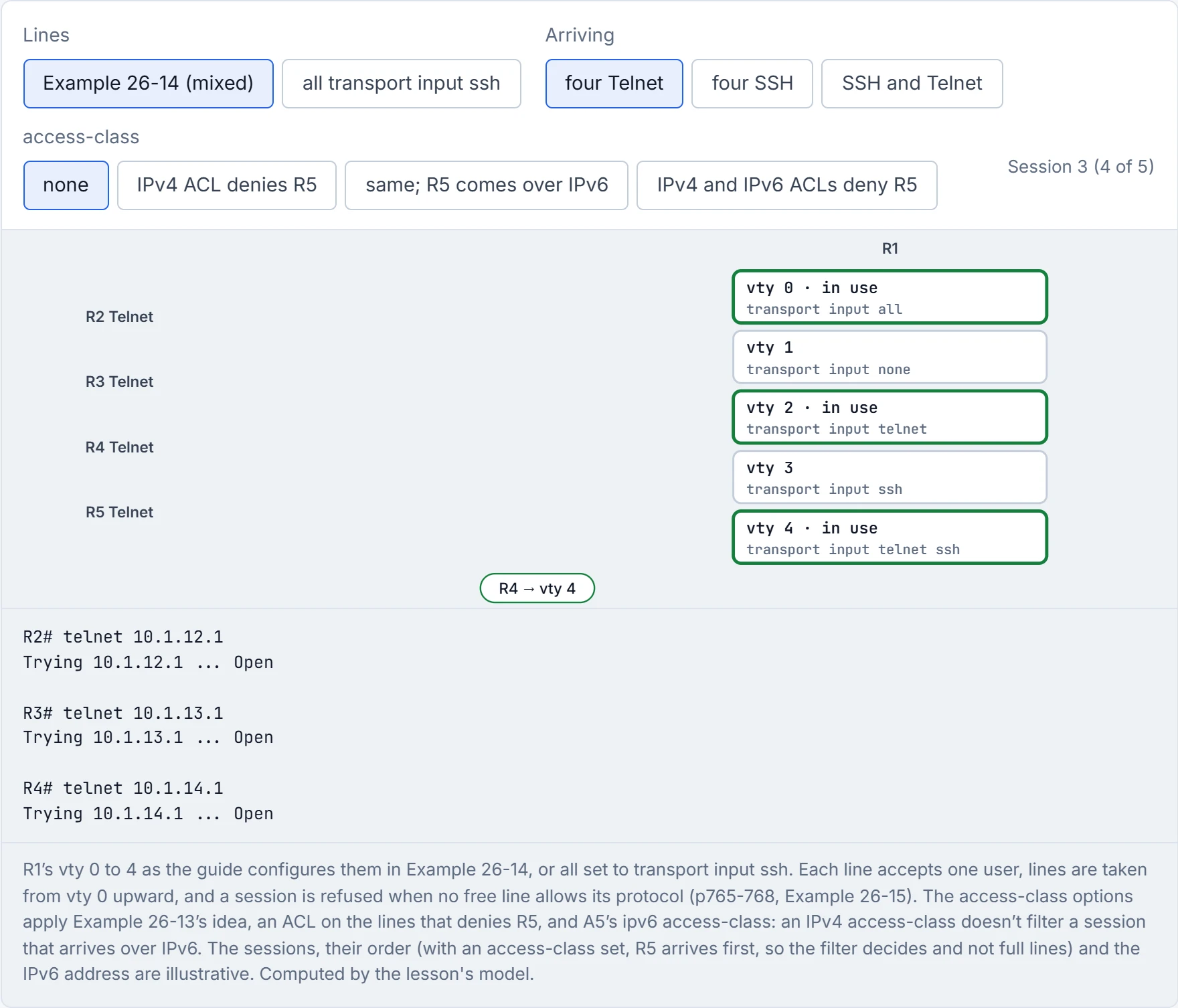
Step 4 of 5 R4 (Telnet): vty 4, because vty 4 is free and allows telnet.
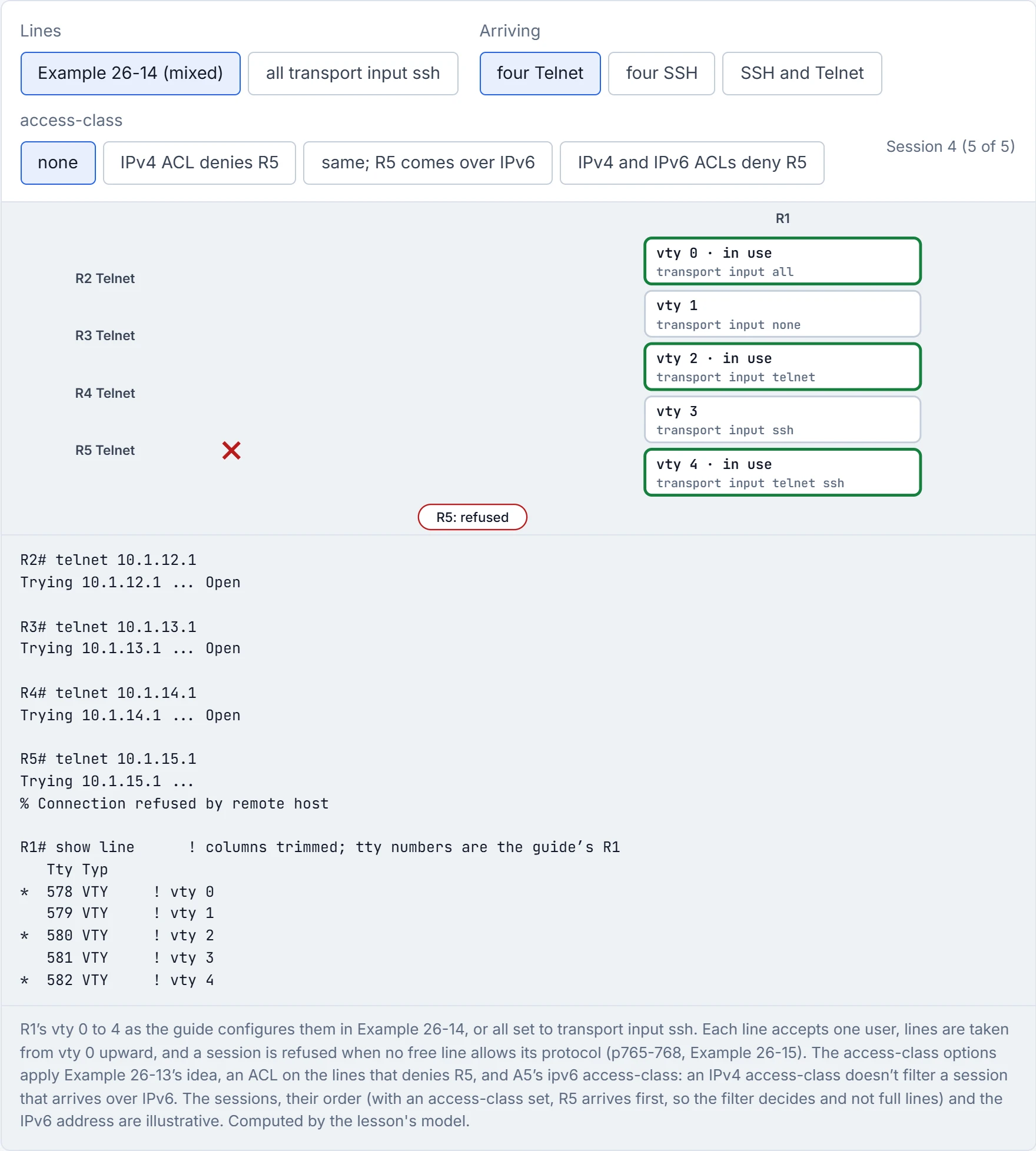
Step 5 of 5 R5 (Telnet): % Connection refused by remote host, because no free vty line allows telnet.
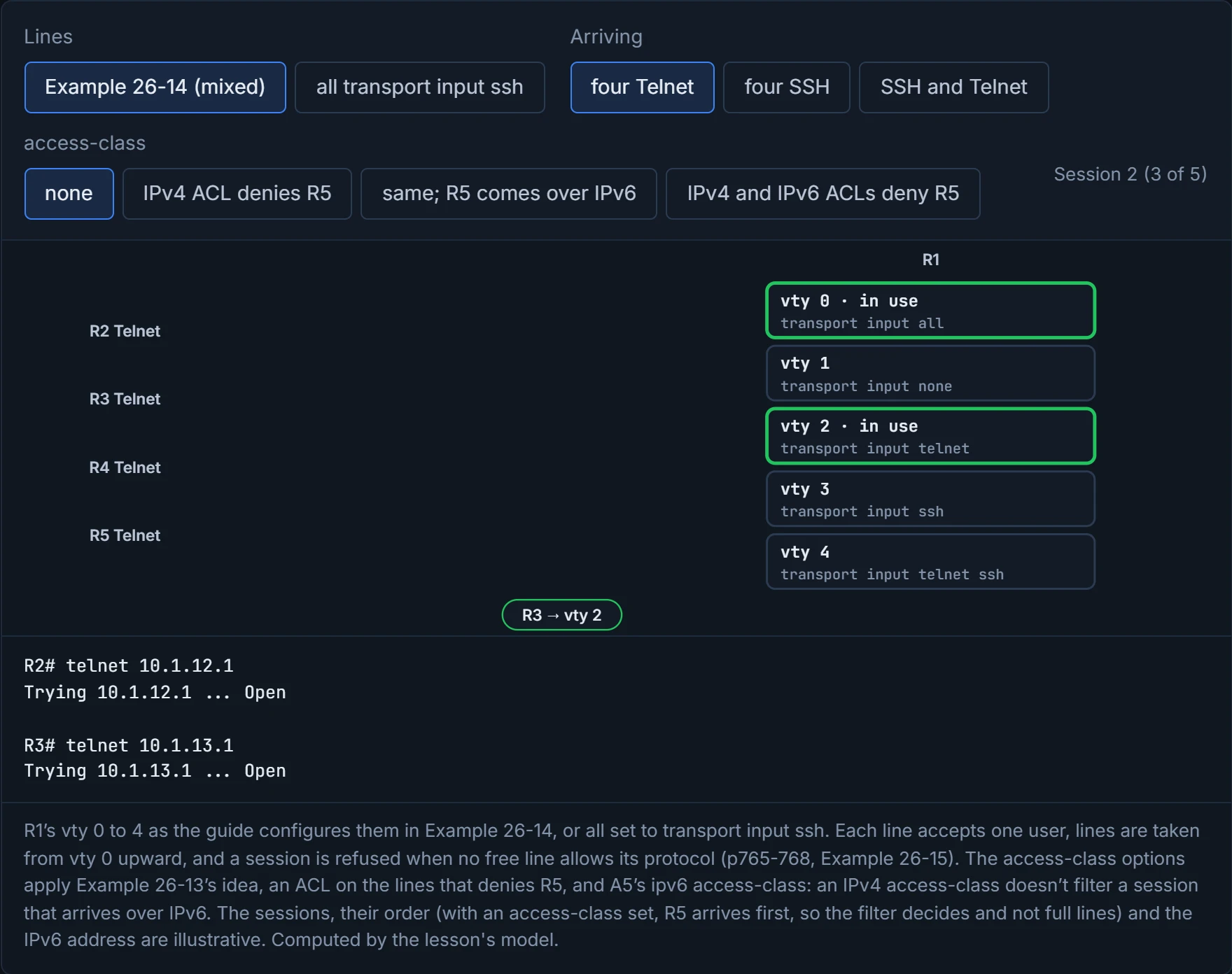
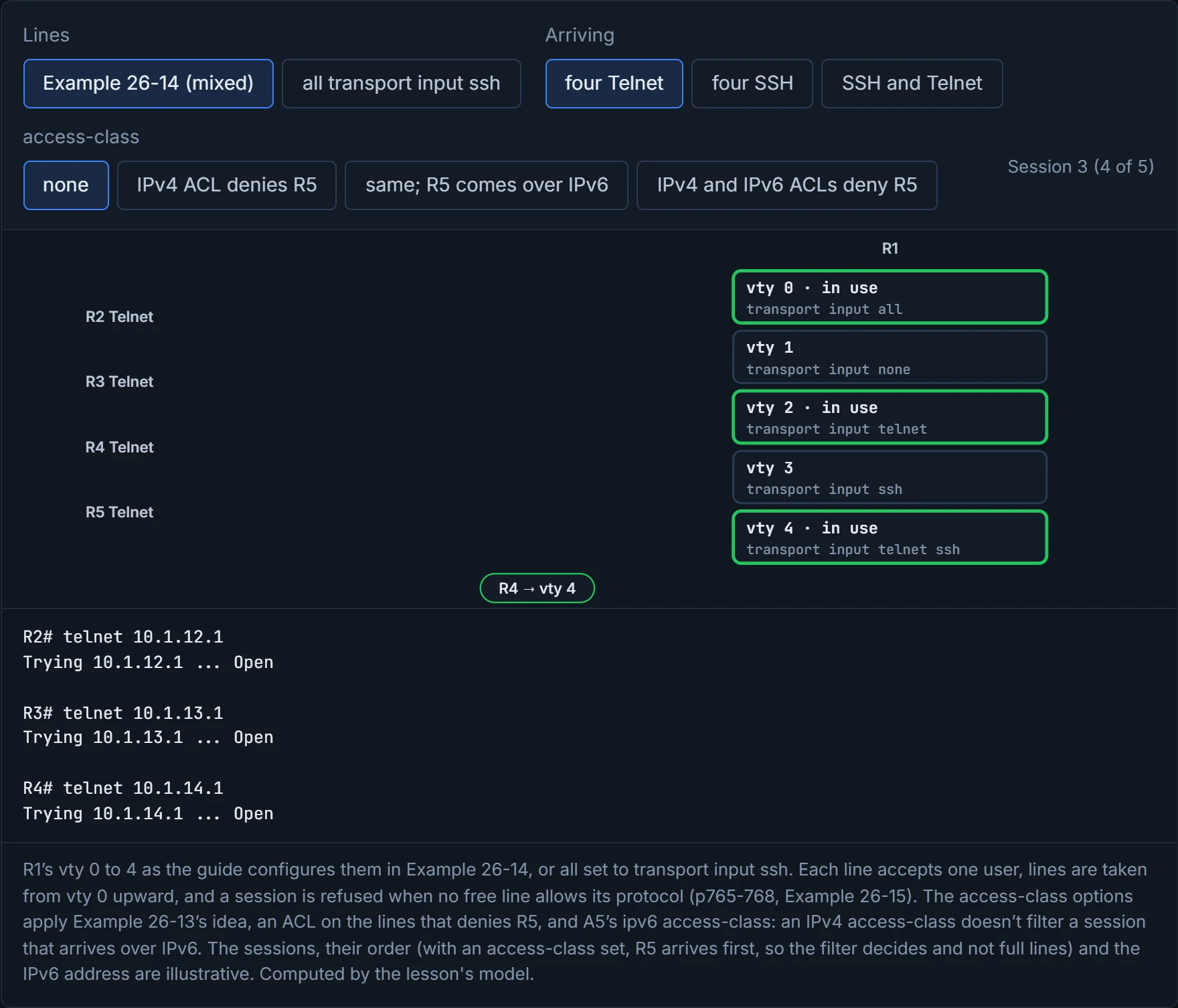
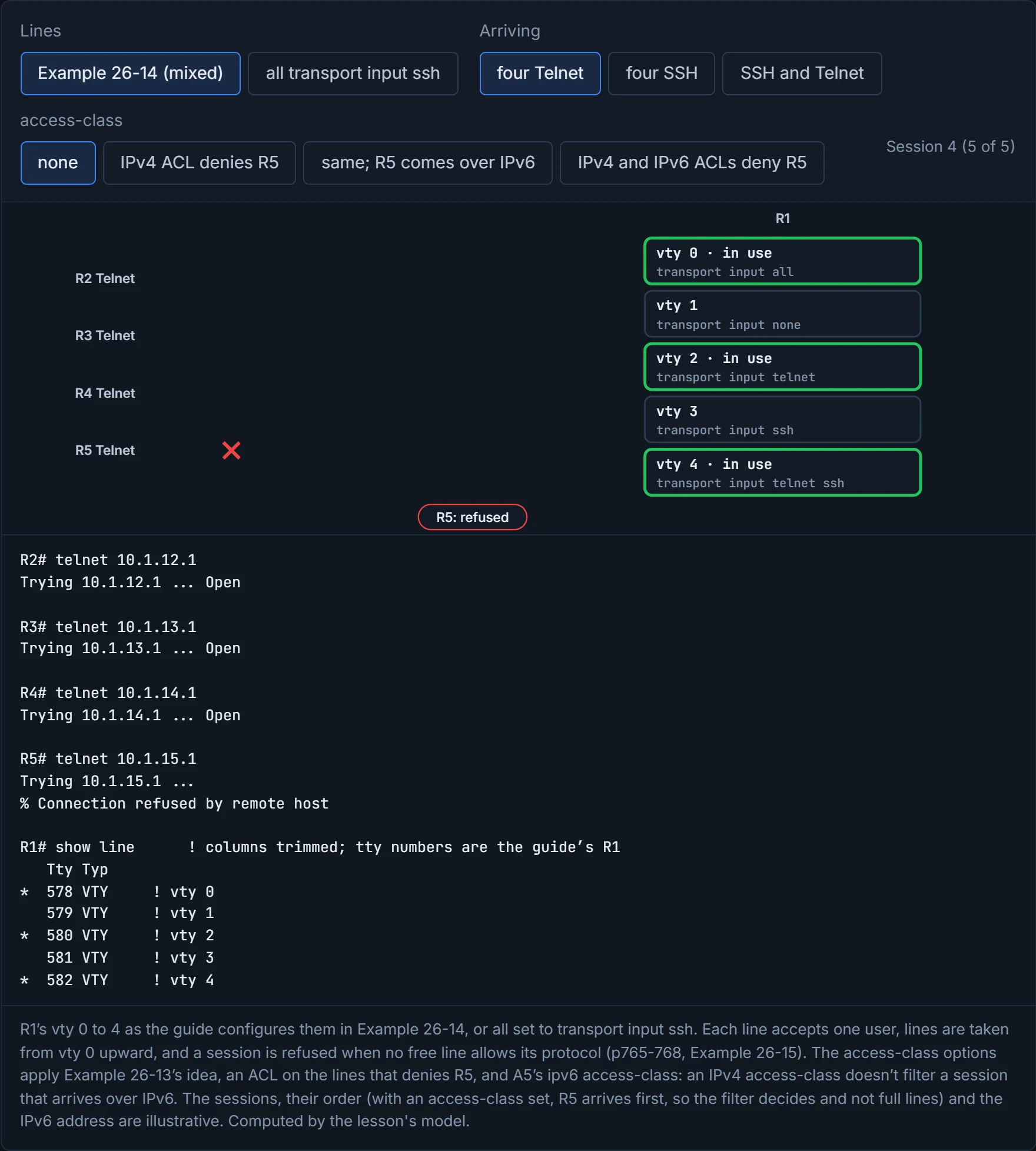
vty 0, 3 and 4, and the fourth is refused. With Telnet, the guide's own run: vty 0, 2 and 4, shown in show line as ttys 578, 580 and 582 with an asterisk, and R5 refused (Example 26-15). Now look at the two refusals: the ACL in Example 26-13 and the full lines in Example 26-15 print the same "% Connection refused by remote host". The message tells you that you were turned away; it acts kind of like a closed shutter, which looks the same whether the shop is shut or just full.
Example 26-14 gives vty 1 transport input none, a perfectly good line whose whole job is to be skipped.
Telnet sends everything in plain text, so a capture shows the session, password included. It's the postcard of management protocols: everyone who handles it can read it. SSH encrypts and authenticates. SSHv1 has known flaws; SSHv2 is a rework that isn't compatible with it.
The guide's three steps: a hostname other than Router, a domain name, and crypto key generate rsa (Example 26-16). The key pair is named from the two, R1.cisco.com, like a name pressed into a wax seal, and generating it "automatically enables SSH". The modulus must be at least 768 bits for SSHv2; the 17.9 guide recommends at least 1024. The guide's example accepts 768; use 1024 or more. Deleting the key pair with crypto key zeroize rsa disables the SSH server.
Example 26-16 then logs "%SSH-5-ENABLED: SSH 1.99 has been enabled". 1.99 isn't a release. It's what an SSH server reports in compatibility mode, accepting both versions; IOS runs that way unless you configure ip ssh version 2. Then login local on the lines, and transport input ssh if Telnet should stop.
show ip ssh shows whether the server is enabled and its version; show ssh shows the connections.
| Output | Proves | Doesn't prove |
|---|---|---|
| a login prompt asking for a username | the line uses login local (or AAA) | how the passwords are stored |
an R1# prompt | a level above 1 | level 15: show privilege says which |
username ... secret 9 $9$... in the configuration | that user's secret is scrypt | anything about other users or enable |
show privilege: "Current privilege level is 5" | the level you're at | what level 5 can run: ? and the privilege lines show that |
show ssh | the SSH connections open now | that Telnet is off: transport input on the lines decides that |
an asterisk in show line | that line is in use | who is on it or by which protocol |
| "% Connection refused by remote host" | you were turned away | why: an access-class and full lines look the same |
| an IPv4 client refused, the same host let in over IPv6 | the IPv4 access-class works | that the lines are filtered: IPv6 needs its own ipv6 access-class |
| "SSH 1.99 has been enabled" | the SSH server is up, accepting v1 and v2 | that any vty line accepts SSH (transport input) or that logins work |
show ip ssh reporting version 2 only | v1 is off | that the key is 1024 bits or more: A2 doesn't list the key size among what it shows |
Continue the lesson
The whole lesson, with its drawings and its questions. The rest of this section and 9 more after it.