
NDP, Link-Local Addresses and Solicited-Node Multicast
IPv6 has no ARP. The Neighbor Discovery Protocol, part of ICMPv6, learns neighbours' MAC addresses and lets hosts discover the routers on their subnet. Its questions go to a solicited-node multicast address, built for each unicast address from FF02::1:FF plus the address's last six hex digits, so only the right host does much work.
By Arif, founder of Daveth · Updated
The full 15 min walkthrough is in Daveth Pro (Network). See what the plan opens
What this page answers
What is the IPv6 Neighbor Discovery Protocol (NDP)?
Part of ICMPv6, defined in RFC 4861. It does what ARP did in IPv4, learning another host's MAC address, and also lets hosts discover routers. Blocking all ICMPv6 breaks it. Read it in “NDP: what ARP used to do”
What is a solicited-node multicast address?
A multicast group made for each unicast address: the fixed /104 prefix FF02::1:FF followed by the last six hex digits of the unicast address. Only the right host processes a message sent there. Read it in “A group built for one address”
How does an IPv6 host find its default router?
It sends a Router Solicitation to FF02::2, the all-routers group, and each router answers with a Router Advertisement. Read it in “Finding the routers”
Monday's links
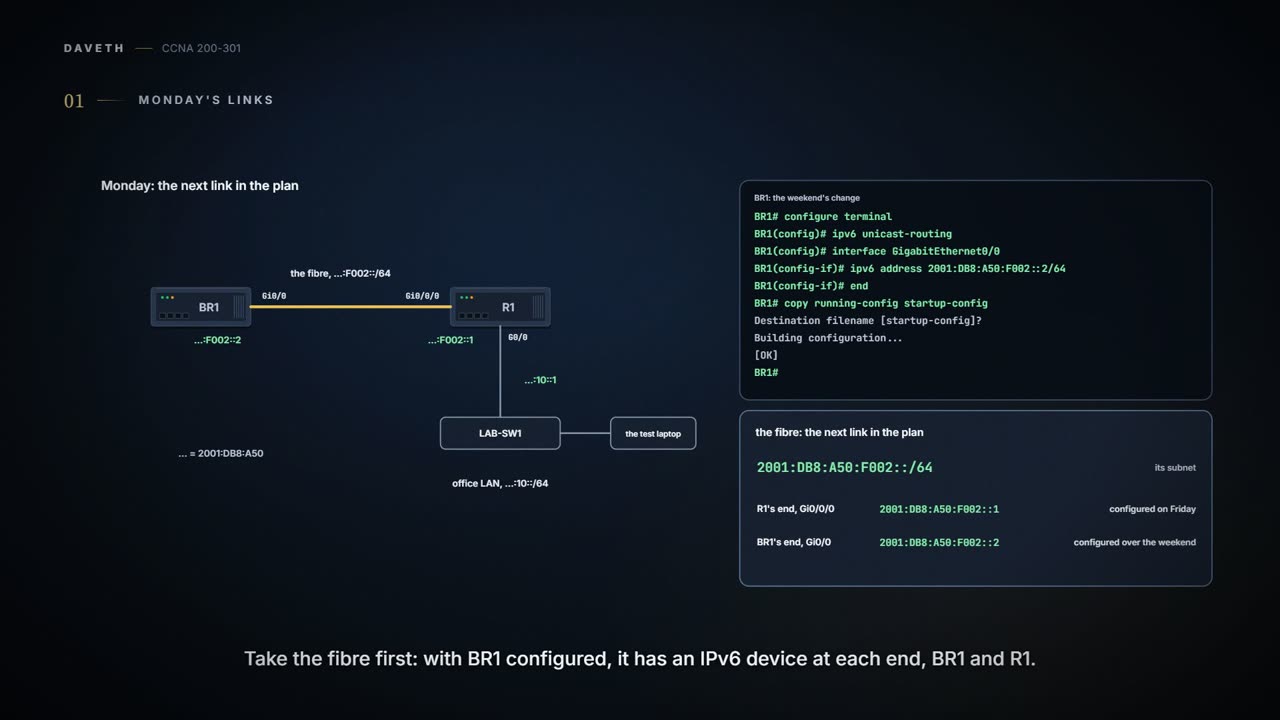
Monday, month five, week two. Over the weekend Ravi gave BR1 its side of the fibre, the next link in the plan: 2001:DB8:A50:F002::2/64 on Gi0/0, IPv6 routing on, configuration saved. Ravi has also brought a test laptop, with IPv6 turned on, to plug into the office LAN.
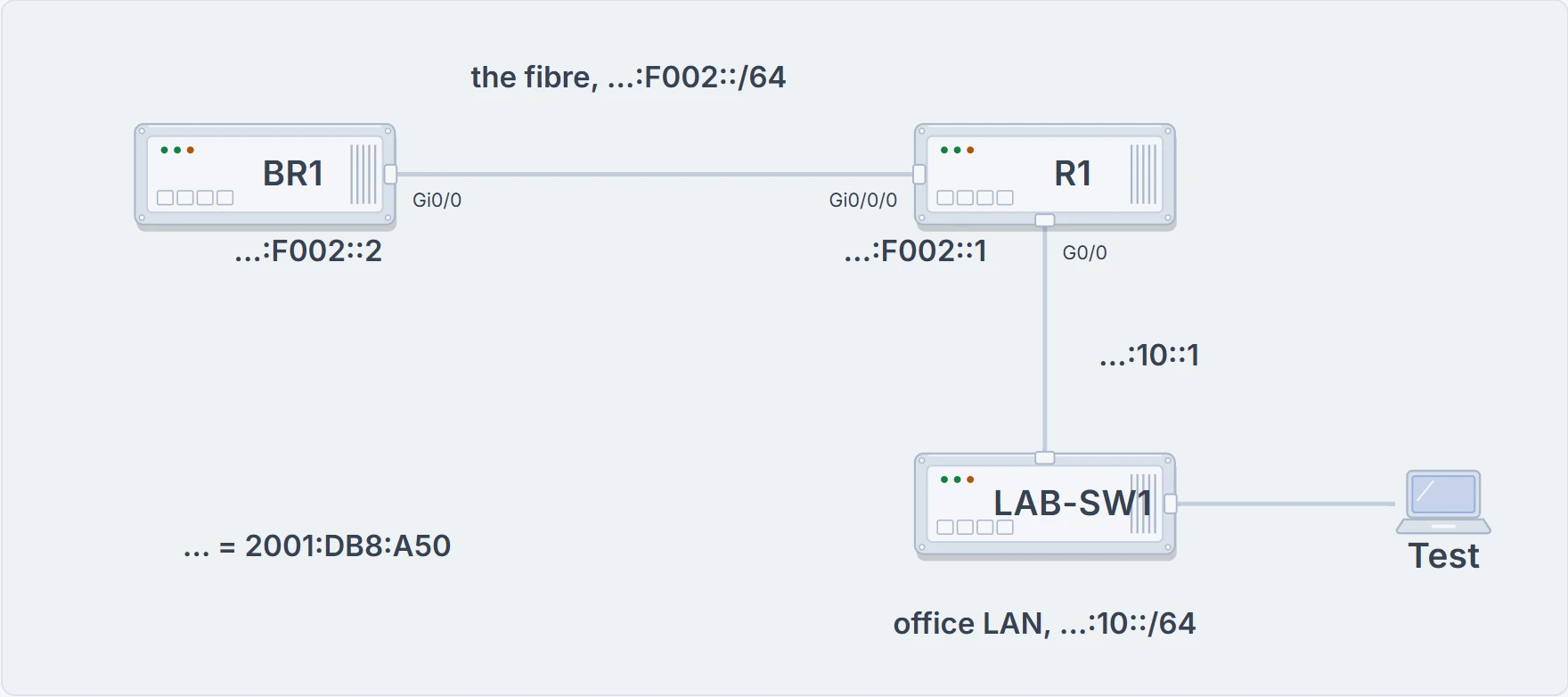
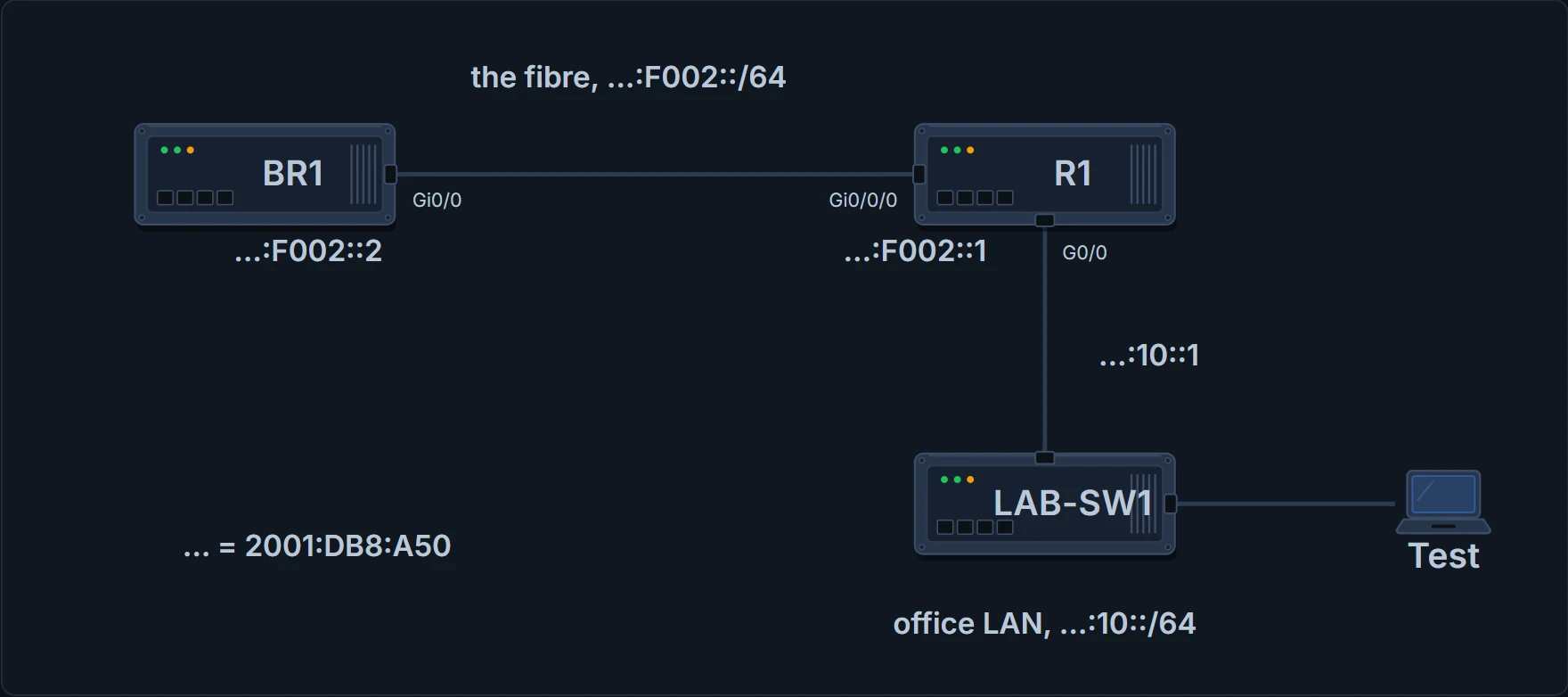
Monday's two links: the fibre between BR1 and R1, and the office LAN where Ravi's test laptop plugs in.
BR1# configure terminal
BR1(config)# ipv6 unicast-routing
BR1(config)# interface GigabitEthernet0/0
BR1(config-if)# ipv6 address 2001:DB8:A50:F002::2/64
BR1(config-if)# end
BR1# copy running-config startup-config
Destination filename [startup-config]?
Building configuration...
[OK]
BR1#
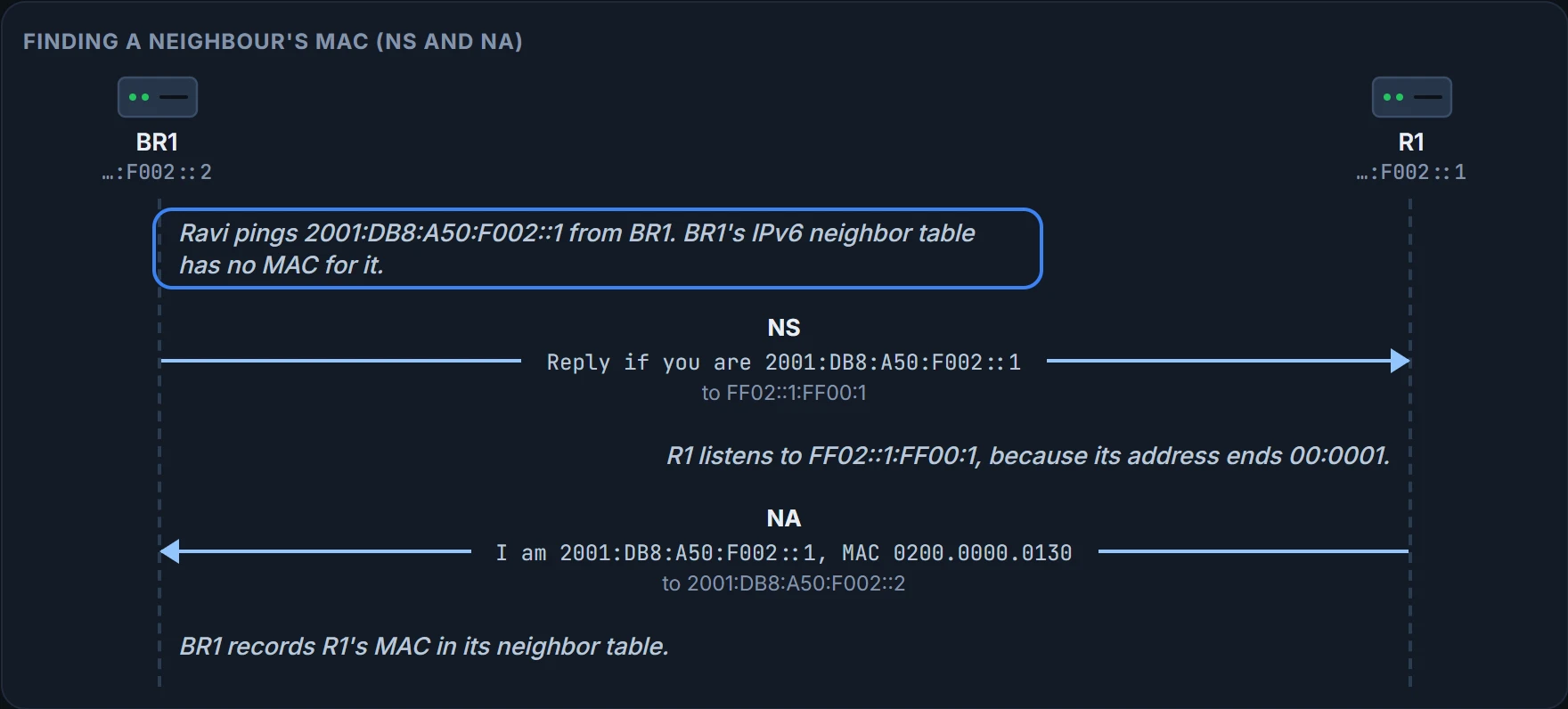
Two IPv6 devices on the same link now, BR1 and R1. BR1's ARP cache has known R1's MAC since month three, but IPv6 doesn't use ARP or its cache: for IPv6, BR1 knows nothing about R1 yet. In IPv4, ARP would sort that out with a broadcast. IPv6 has no broadcasts (06.3), so it needs another way.
A group built for one address
An IPv4 ARP request goes to every host on the VLAN, and every one of them works through it, only for all but one to throw it away. IPv6 does better with a special multicast group made for each unicast address: the solicited-node multicast address. A message sent there is processed by the right host, and the others discard it with less processing.
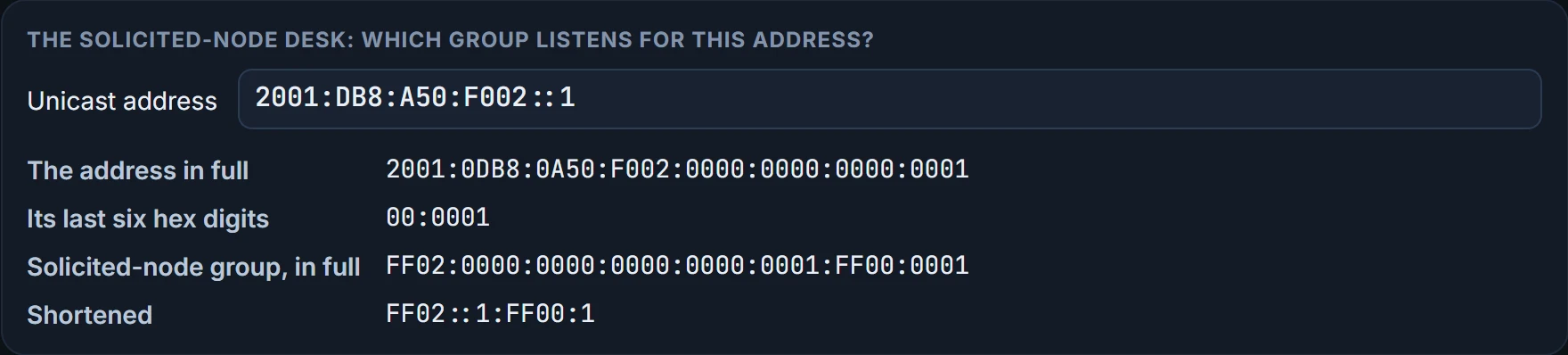
Building it takes one rule. Start with the fixed /104 prefix, 26 hex digits written in full as FF02:0000:0000:0000:0000:0001:FF, or FF02::1:FF in short. Then copy the last six hex digits (24 bits) of the unicast address onto the end.
R1's fibre address, 2001:DB8:A50:F002::1, ends 00:0001 in full, so its group is FF02:0000:0000:0000:0000:0001:FF00:0001, or FF02::1:FF00:1.
A host or router calculates one of these groups for every unicast address on an interface, link-local included, and listens for each. On G0/0, R1 has 2001:DB8:A50:10::1 and the link-local FE80::FF:FE00:110, so it listens for FF02::1:FF00:1 and FF02::1:FF00:110: the two FF02::1:FF lines in R1's show ipv6 interface output in 06.5. And because the group uses only six hex digits, different addresses can share one: 2001:DB8:A50:10::1 ends in the same digits as the fibre address. Those two are on different links, so they never meet; sharing matters when two addresses on the same link match.
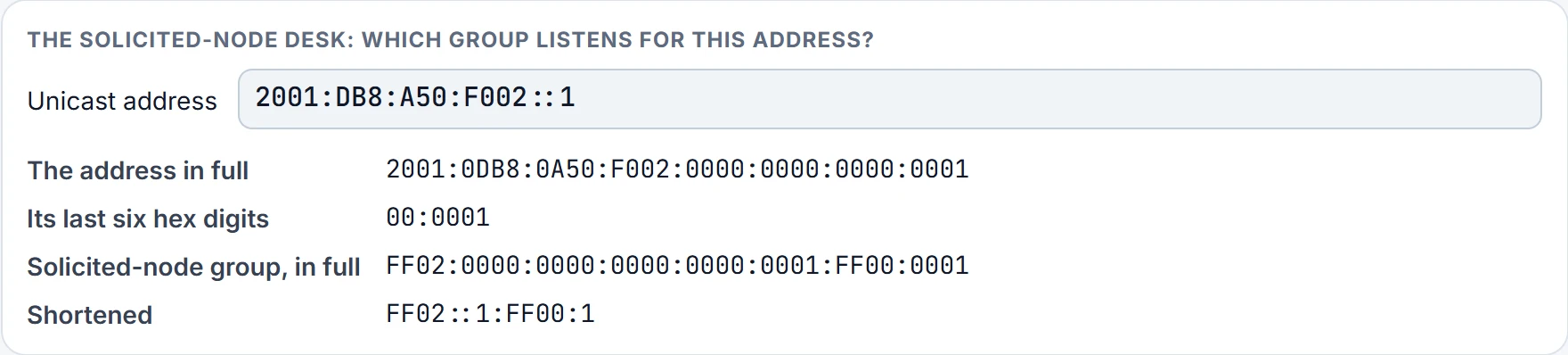
The group narrows the crowd. It doesn't promise a crowd of one.
NDP: what ARP used to do
IPv4 has ICMP; IPv6 has ICMPv6, which reaches further, taking over jobs that separate protocols did in IPv4. ARP, for one: in IPv6 its work is done by the Neighbor Discovery Protocol (NDP), part of ICMPv6 and defined in RFC 4861. So a filter that blocks all ICMPv6 doesn't just stop ping: it breaks neighbor and router discovery too. Routers play a key role in several of NDP's functions:
- Neighbor MAC discovery: learning the MAC address of another device in the same subnet, replacing ARP's request and reply.
- Router discovery: learning which IPv6 routers are on the subnet.
- Prefix discovery: learning the prefix and prefix length used on the link, which 06.7 builds on.
- Duplicate Address Detection (DAD): making sure no other device already uses an address before using it.
In NDP, a neighbor is a device on the same data link, such as the same VLAN; the groups it uses, FF02::1, FF02::2 and the solicited-node groups, all have link-local scope.
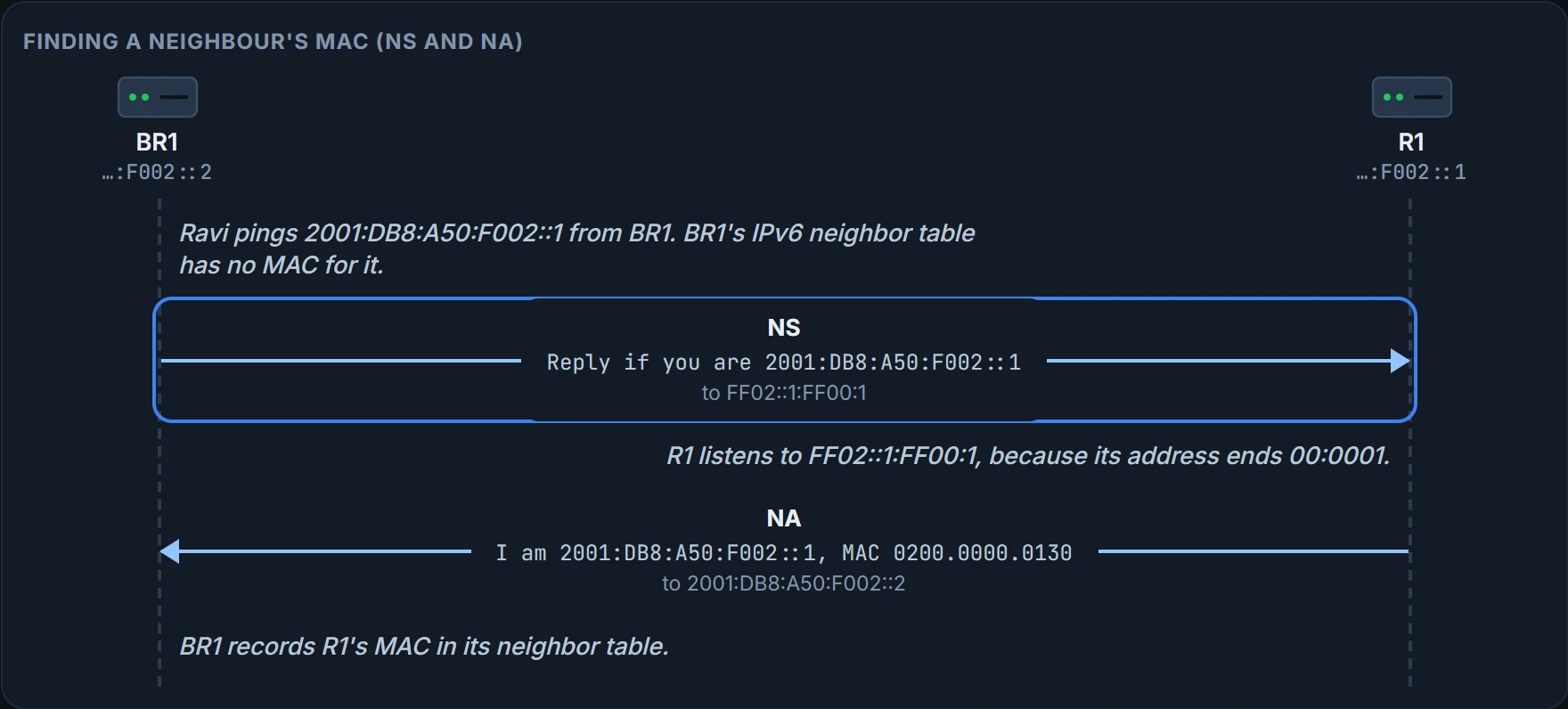
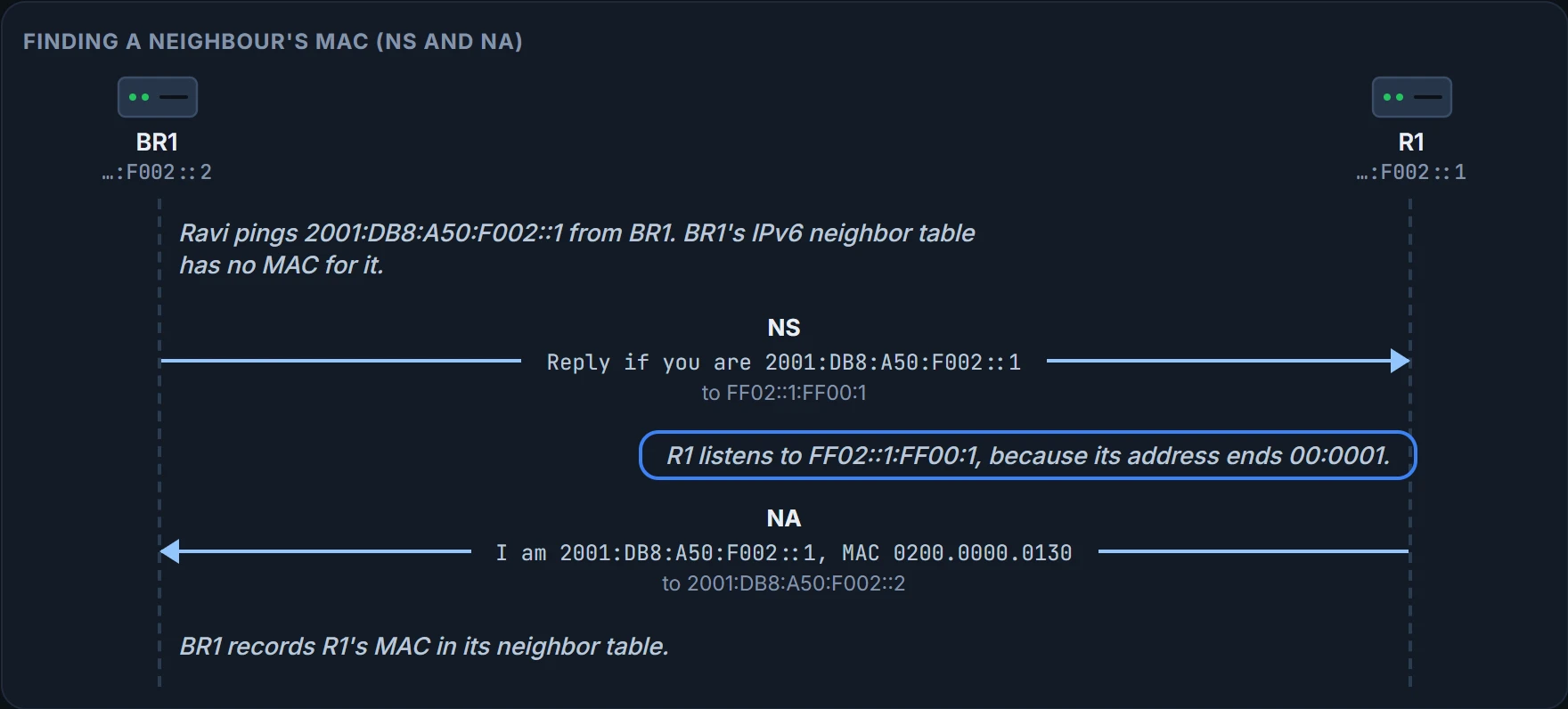
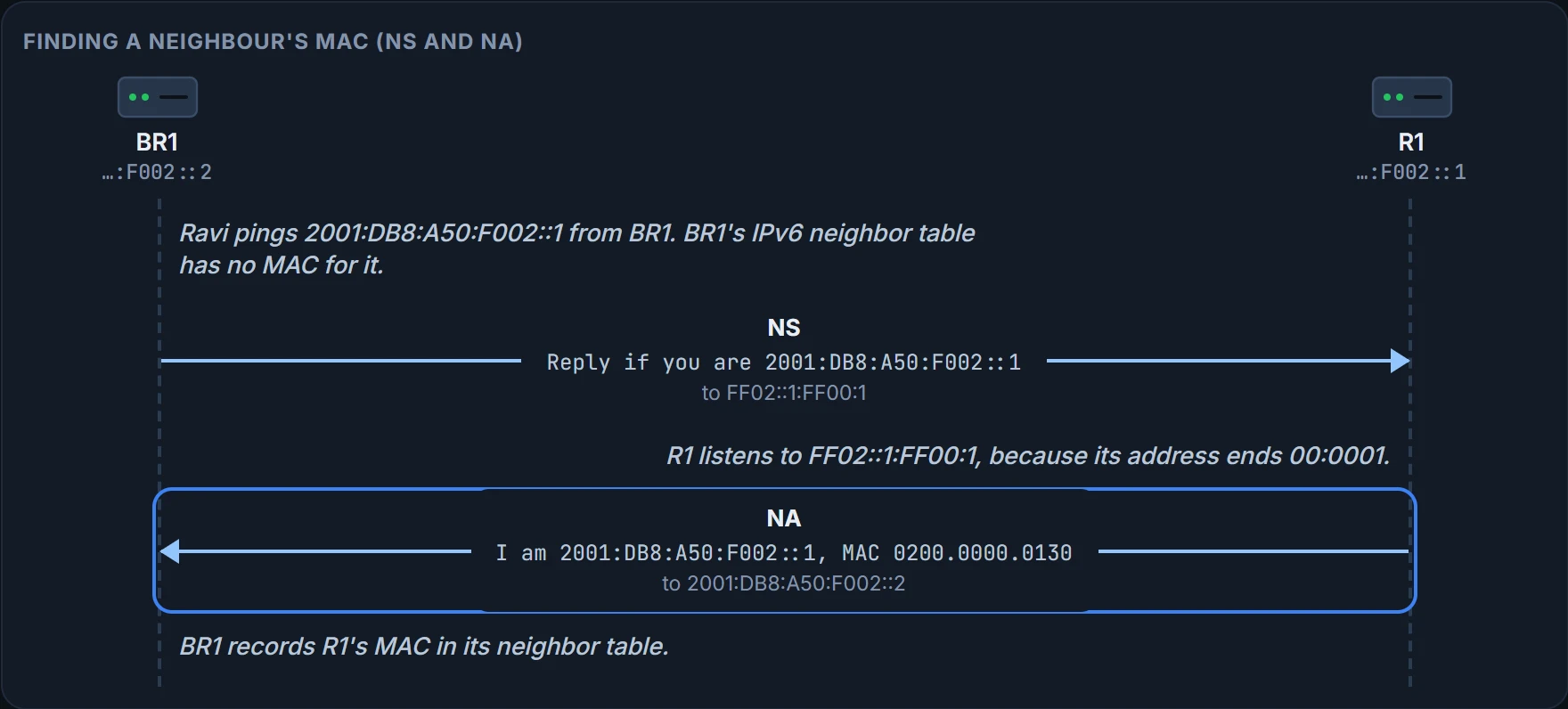
NDP replaces ARP with a matched pair of messages. A Neighbor Solicitation (NS) asks the device with a particular IPv6 address, the target, to reply with its MAC address, as an ARP request does. It goes to the target address's solicited-node group, so only devices whose addresses end in the same six hex digits process it. A Neighbor Advertisement (NA) lists the sender's IPv6 address and MAC, as an ARP reply does. Sent in reply to an NS, it goes to the unicast address of the device that asked. A device can also send an NA nobody asked for, announcing its addresses, to FF02::1.
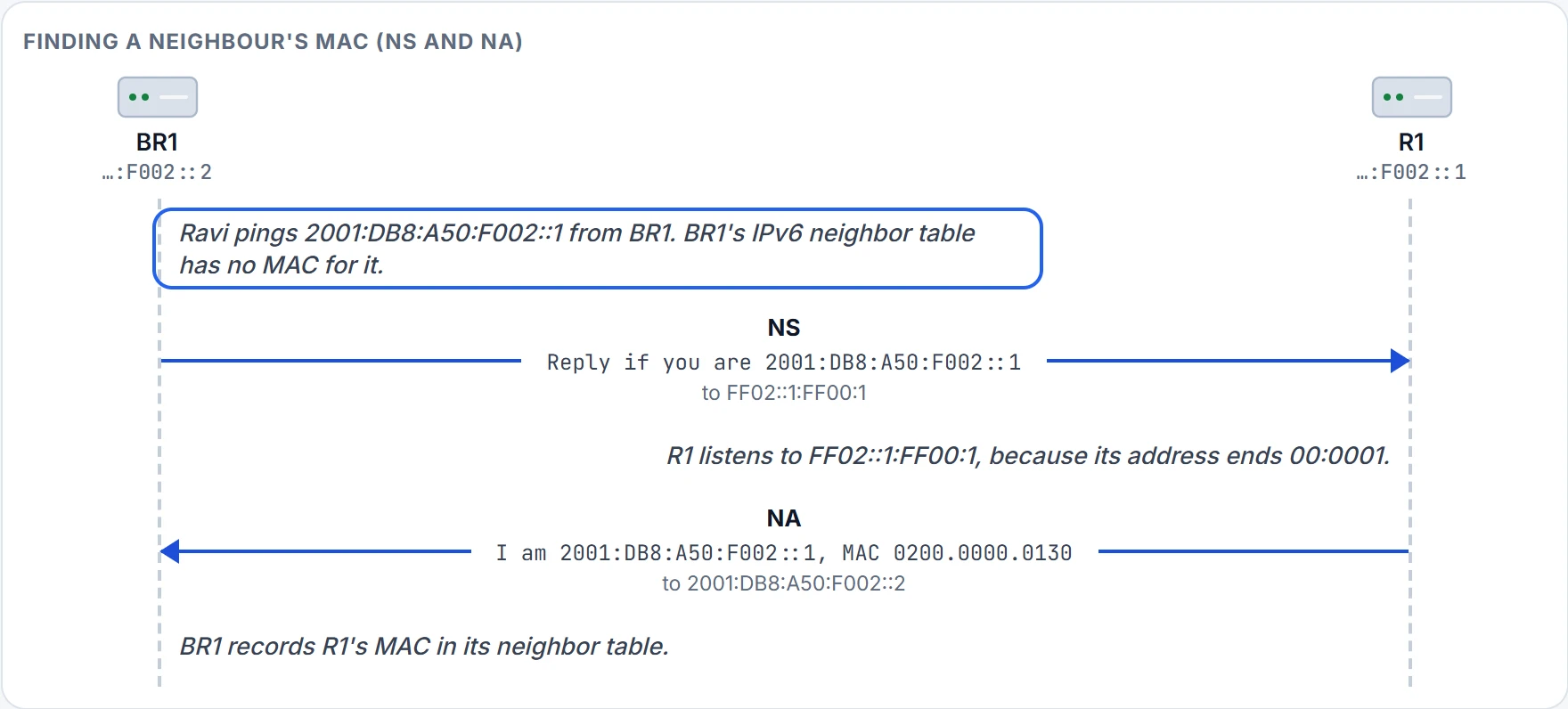
Step 1 of 5 BR1 checks its neighbor table first, as an IPv4 host checks its ARP cache. Its ARP cache knows R1's MAC, but IPv6 doesn't use it, and the neighbor table is empty.
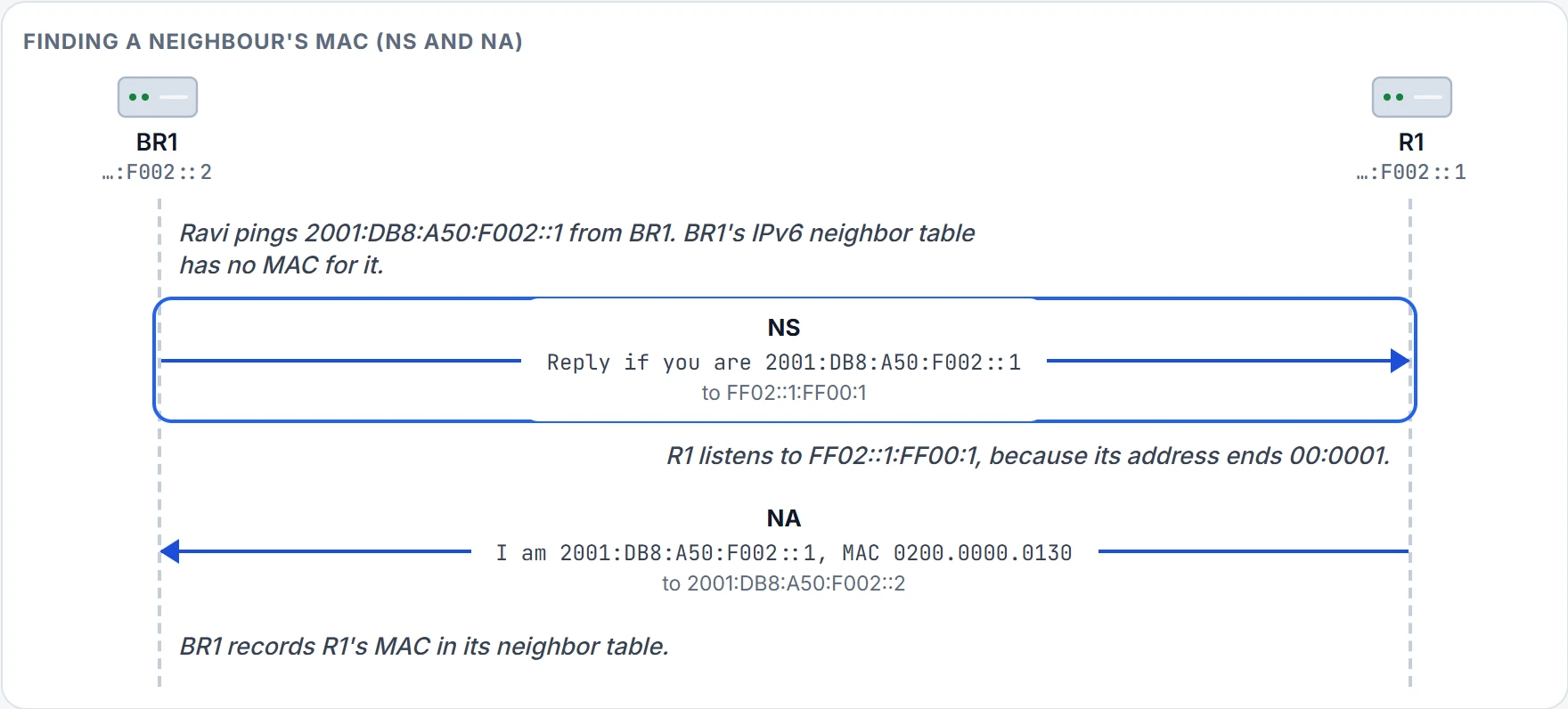
Step 2 of 5 The Neighbor Solicitation goes to the target's solicited-node group, FF02::1:FF00:1, not to everyone.
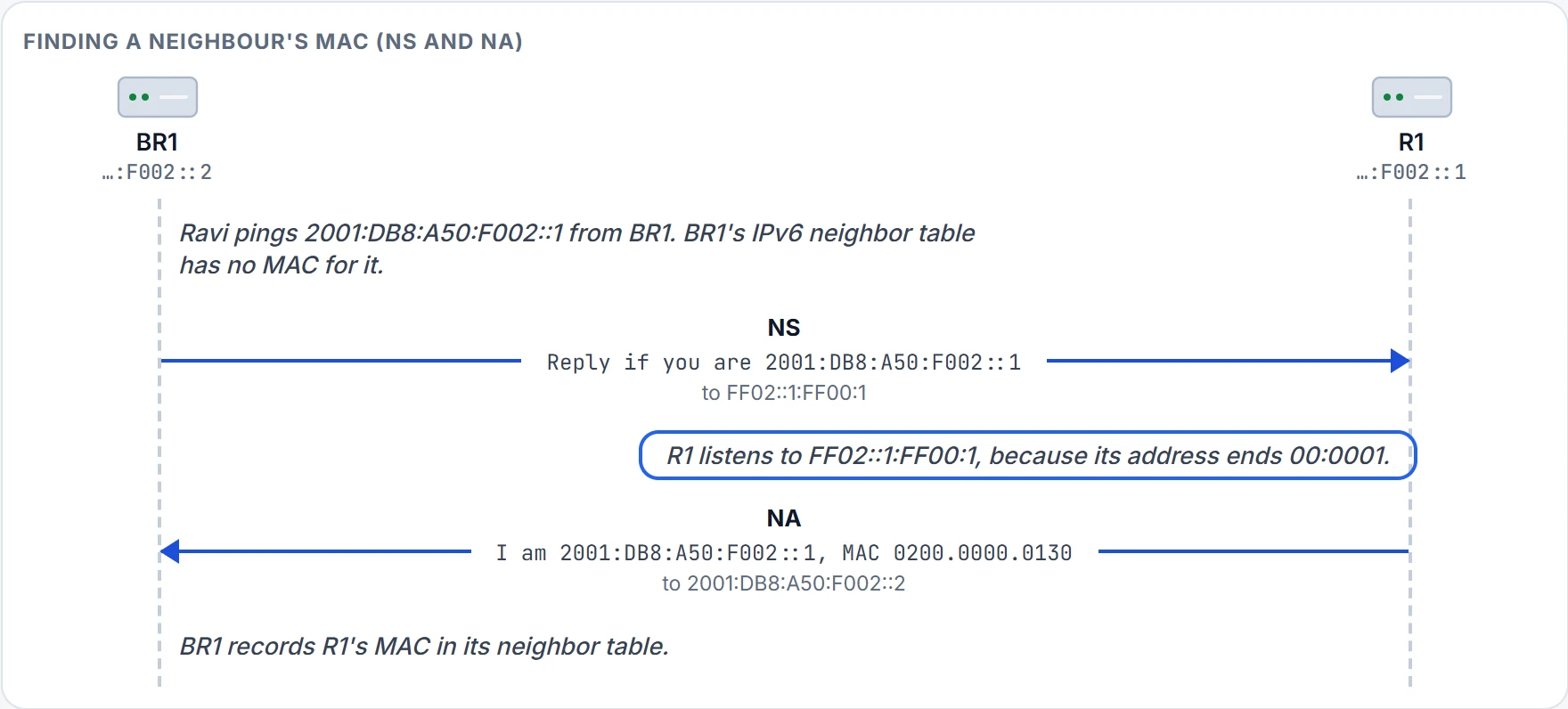
Step 3 of 5 Only interfaces whose addresses end in the same six hex digits listen for that group, so only they process the NS.
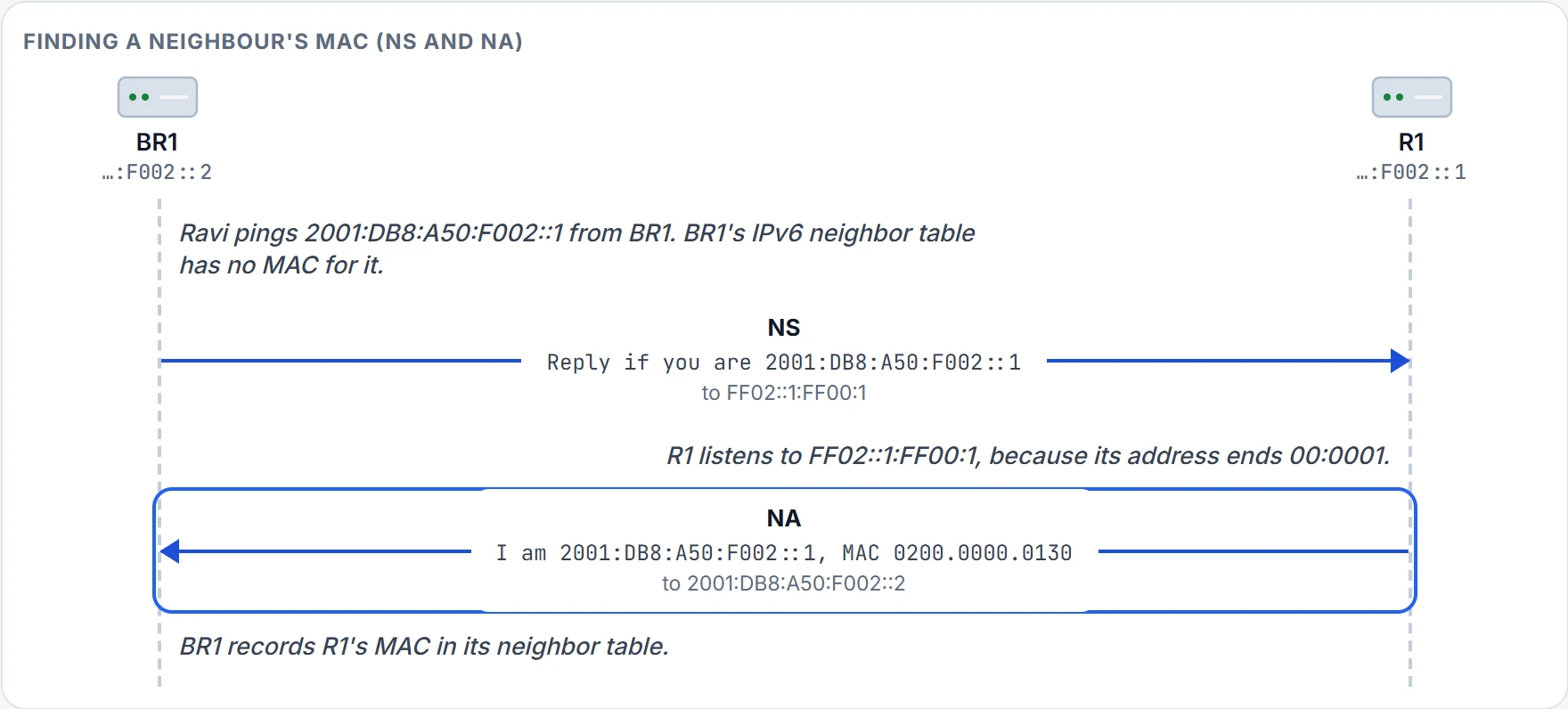
Step 4 of 5 The Neighbor Advertisement lists R1's IPv6 address and MAC, sent back to BR1's own unicast address.
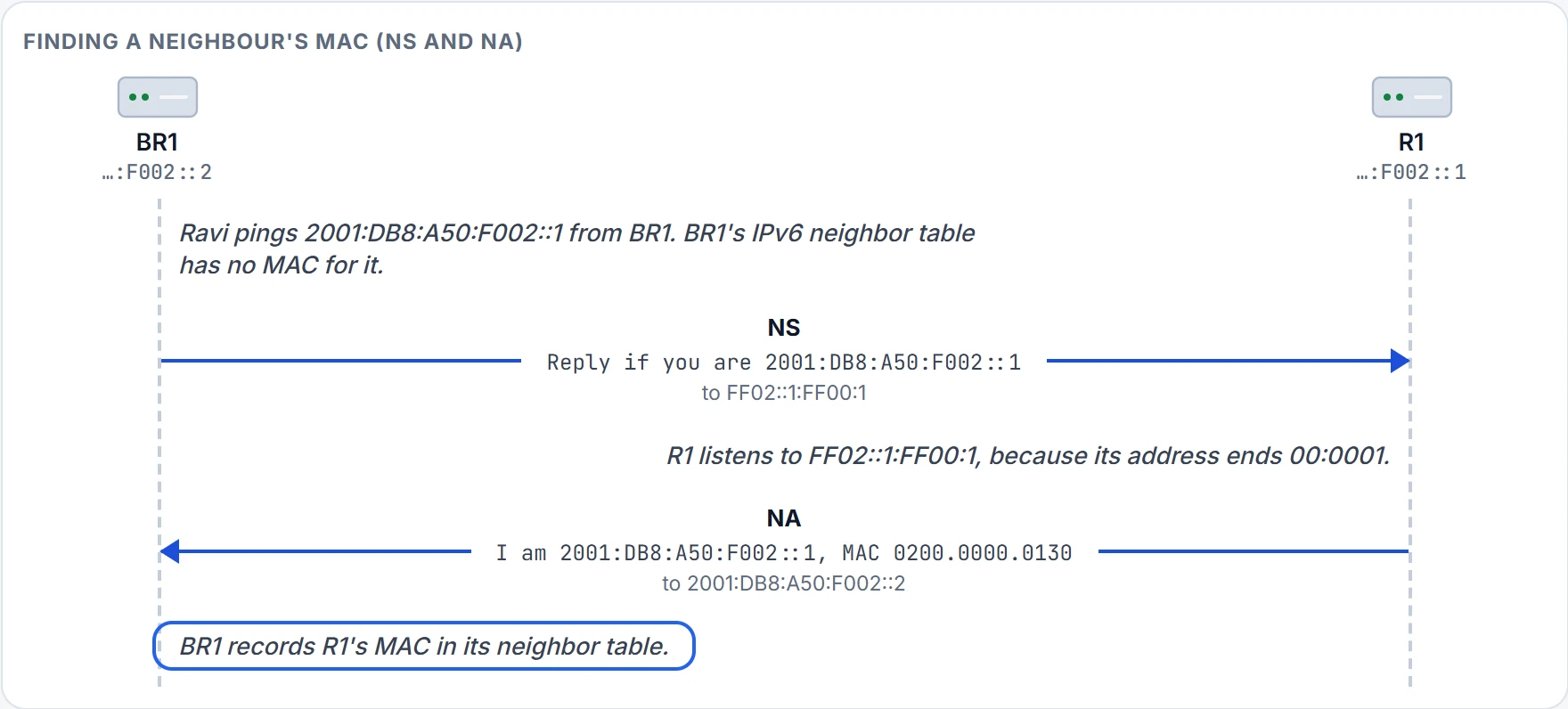
Step 5 of 5 Next time, BR1 finds the MAC in its table and asks nobody.
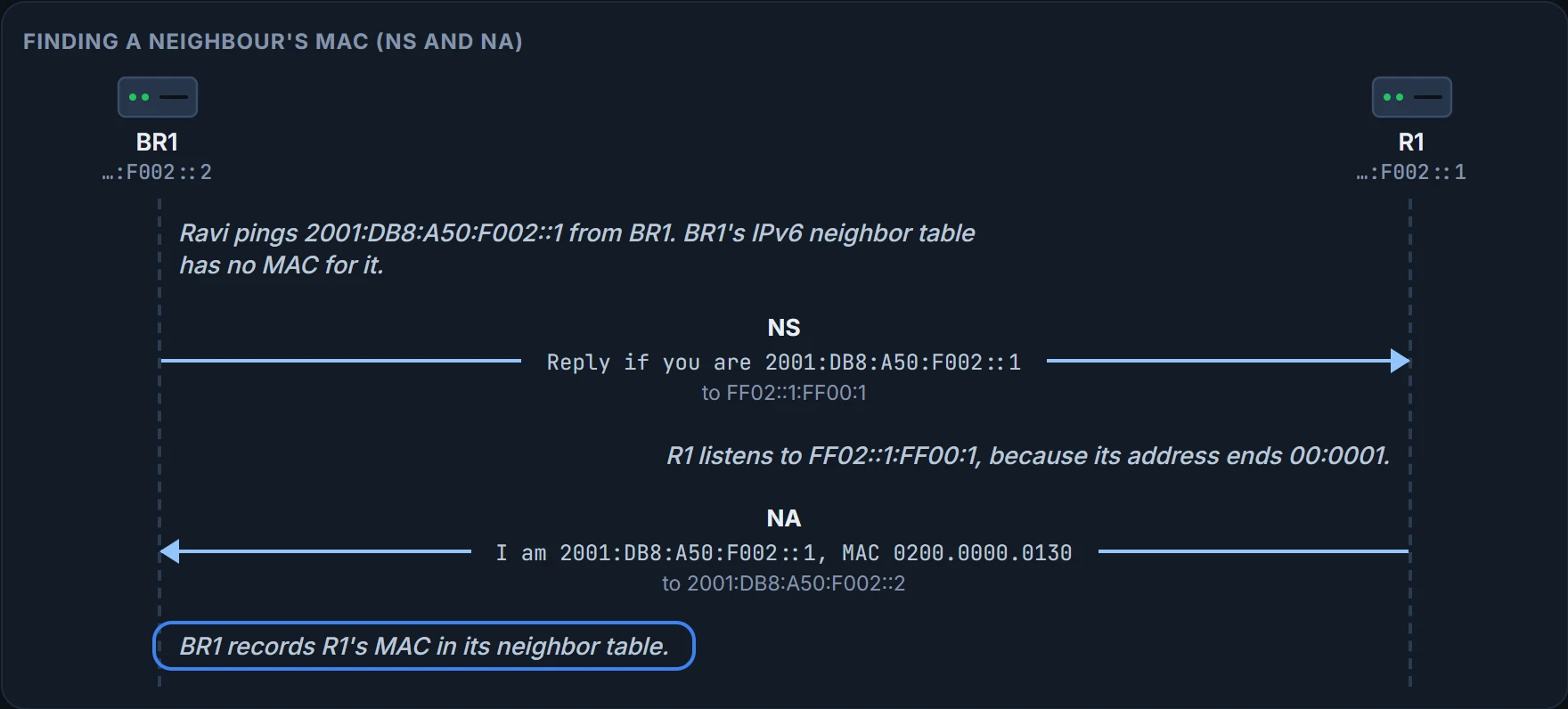
BR1 keeps what it learned in its neighbor table, IPv6's version of the ARP cache. After Ravi's ping, it lists R1, with the link-layer address (the MAC) it learned:
BR1# show ipv6 neighbors
IPv6 Address                              Age Link-layer Addr State Interface
2001:DB8:A50:F002::1                        0 0200.0000.0130  REACH Gi0/0
BR1#
What this output proves: BR1 has learned 2001:DB8:A50:F002::1 on Gi0/0, at MAC 0200.0000.0130. What it doesn't: anything about devices BR1 hasn't talked to yet, or whether R1 can route BR1's packets any further. Once the two routers also exchange messages from their link-local addresses, the table lists R1's link-local address too, with the same MAC.
NS and NA work kind of like asking for a colleague over the office intercom set to their own team's speakers only. (Where it stops: an intercom team is chosen by people; a solicited-node group is chosen by six hex digits, and anyone who happens to match hears the call too.)
Finding the routers
IPv4 hosts use a default router, typed in or learned from a DHCP server. IPv6 keeps the idea of a default router, but NDP lets a host discover every router on its subnet for itself. Ravi's test laptop, freshly plugged into the office LAN, has IPv6 on and knows no router.
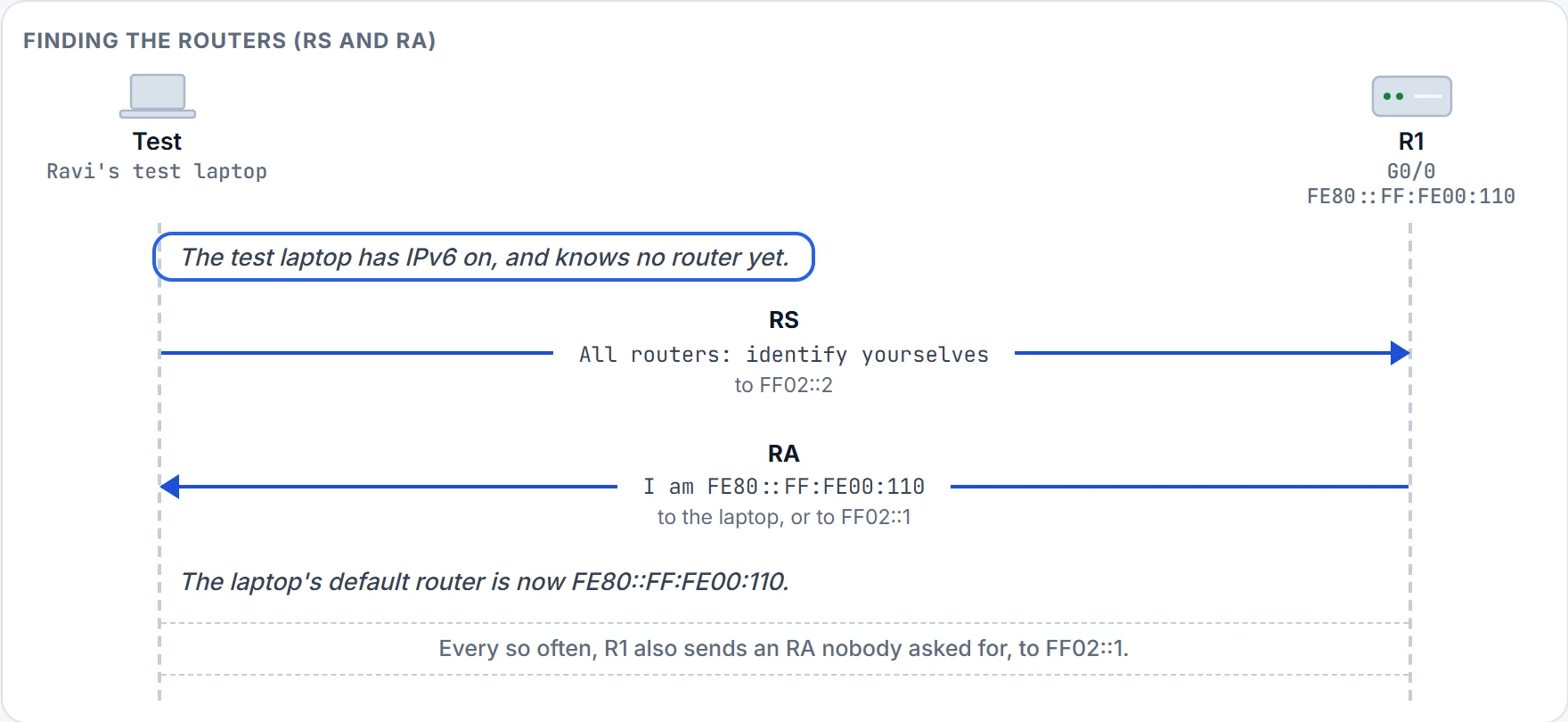
Two messages do it. A Router Solicitation (RS) goes to FF02::2, the all-routers group, asking every router on the link to identify itself; only routers spend any effort on it, and hosts ignore it. That has the good effect of a broadcast without the cost. A Router Advertisement (RA) from each router lists many facts, including the router's own link-local address. In reply to an RS, it goes back to the host that asked, or to FF02::1. RAs can list more than one prefix and more than one router.
Step 1 of 5 A host needs a default router for anything off its own subnet.
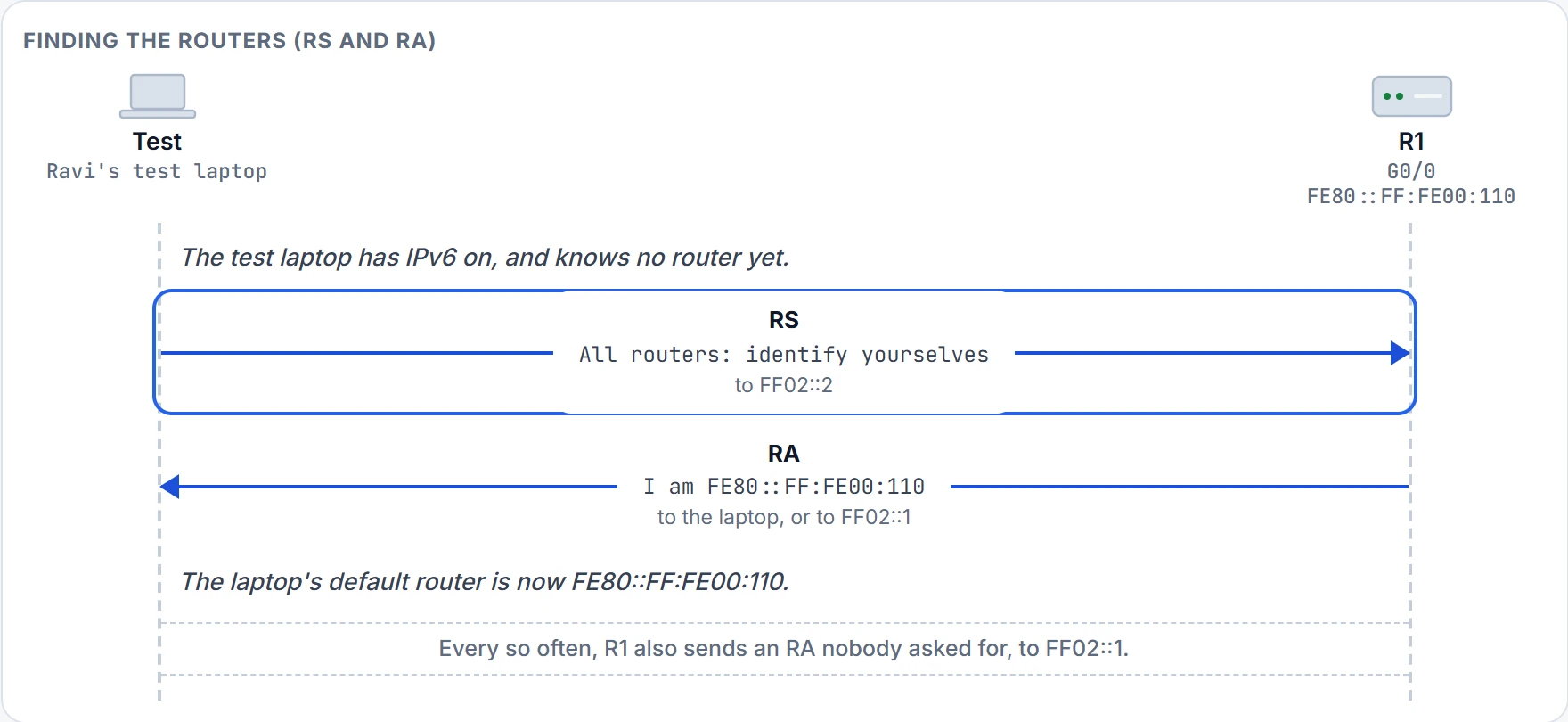
Step 2 of 5 The Router Solicitation goes to FF02::2, the all-routers group: every router on the link gets it, and hosts ignore it.
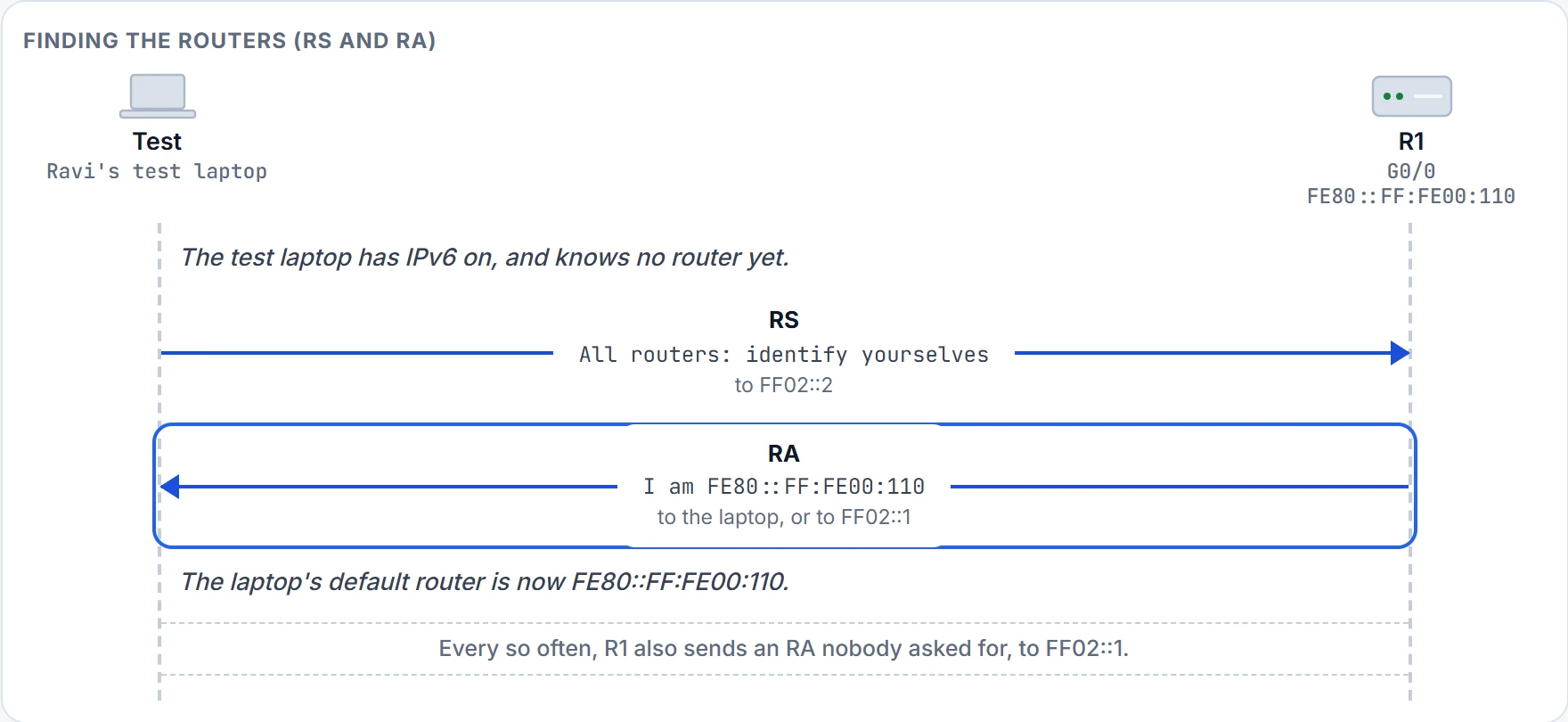
Step 3 of 5 The Router Advertisement lists, among other things, R1's link-local address. It goes back to the laptop, or to all nodes.
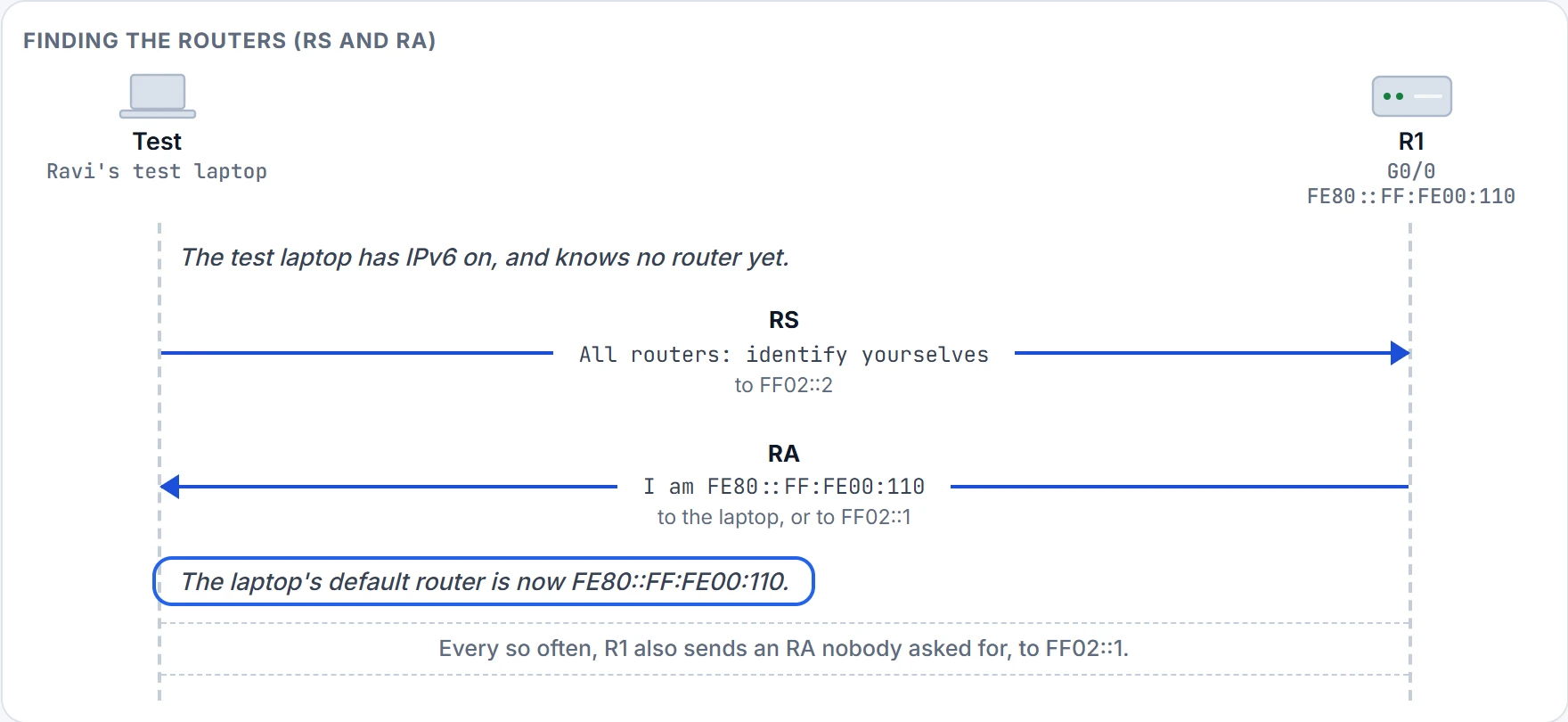
Step 4 of 5 The default router is R1's link-local address (06.3), learned without anyone typing it.
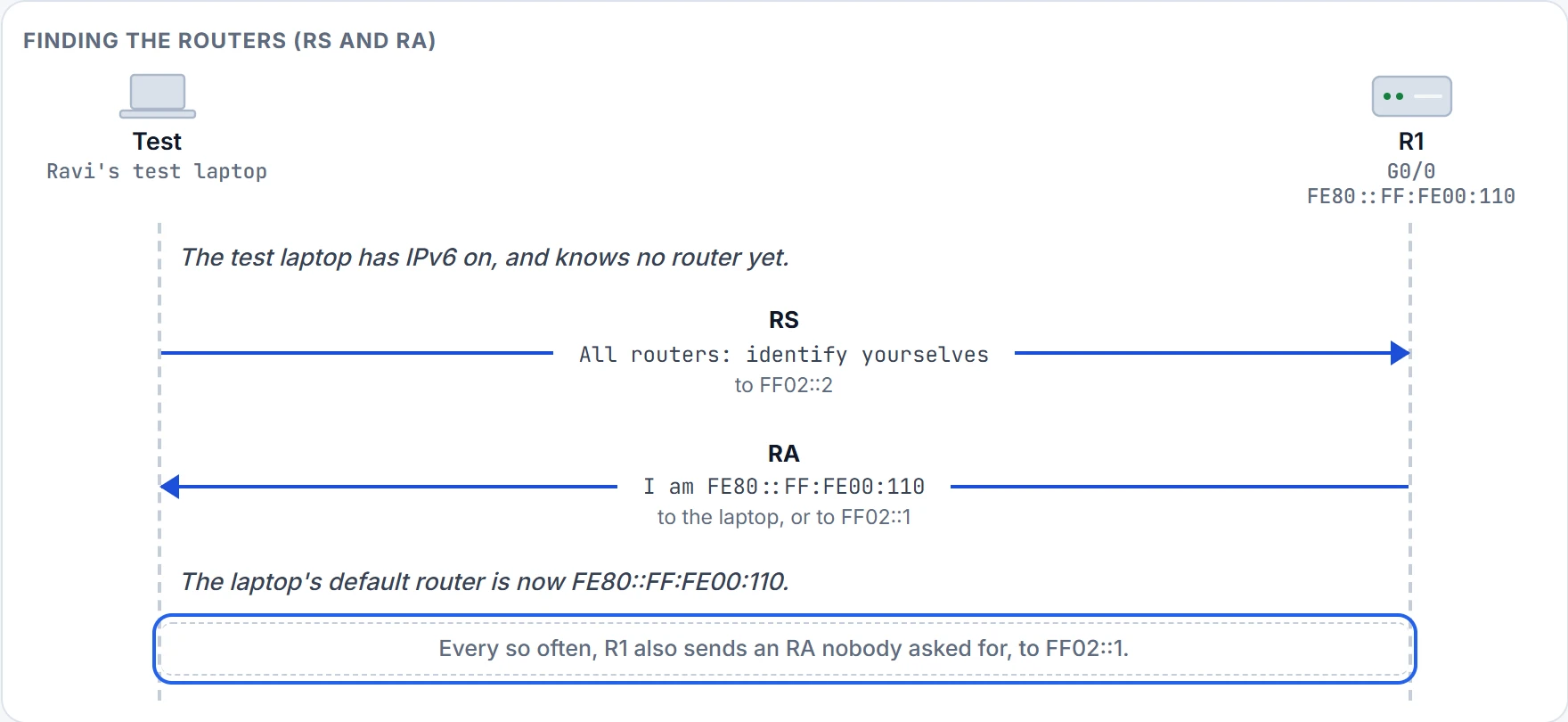
Step 5 of 5 Routers send periodic RAs unasked, to the all-nodes group, advertising details about IPv6 on the link.
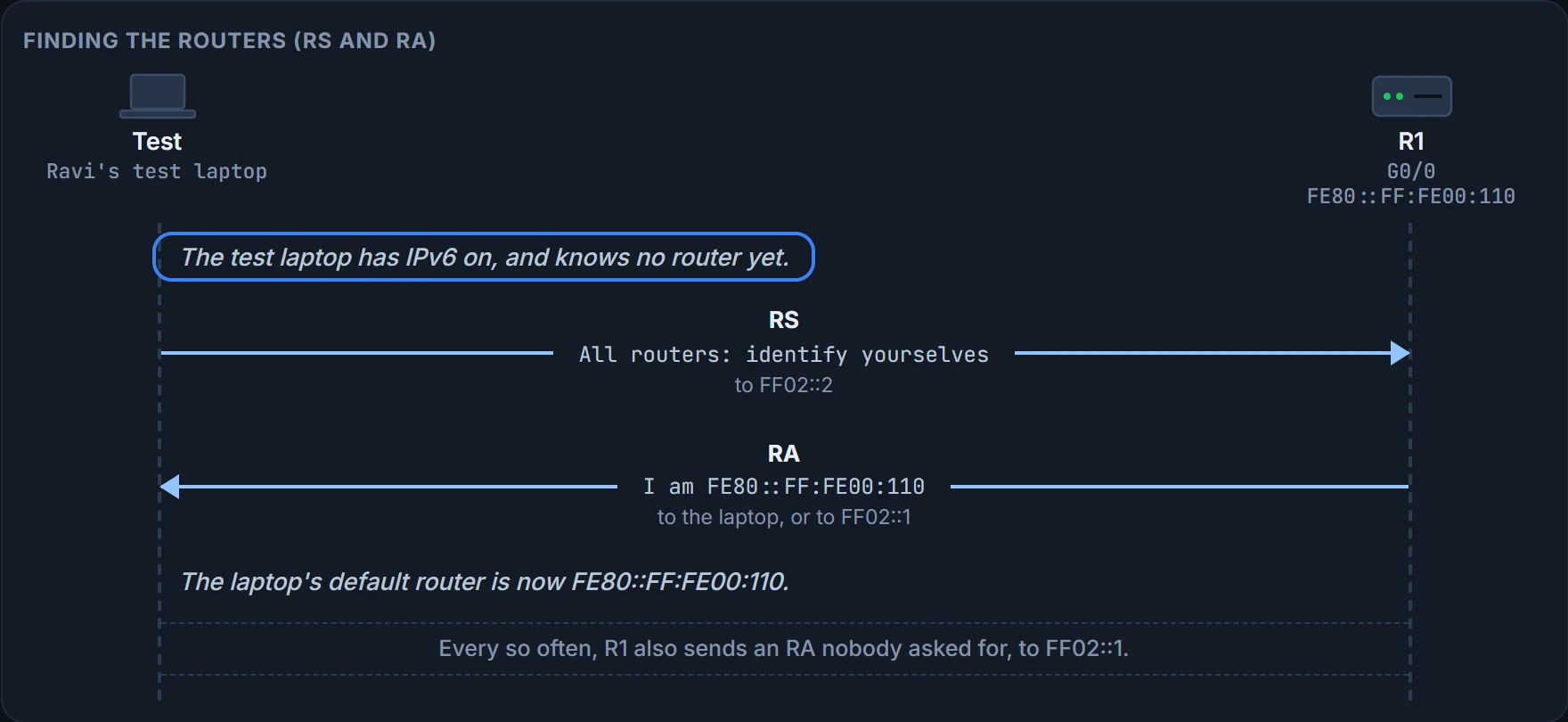
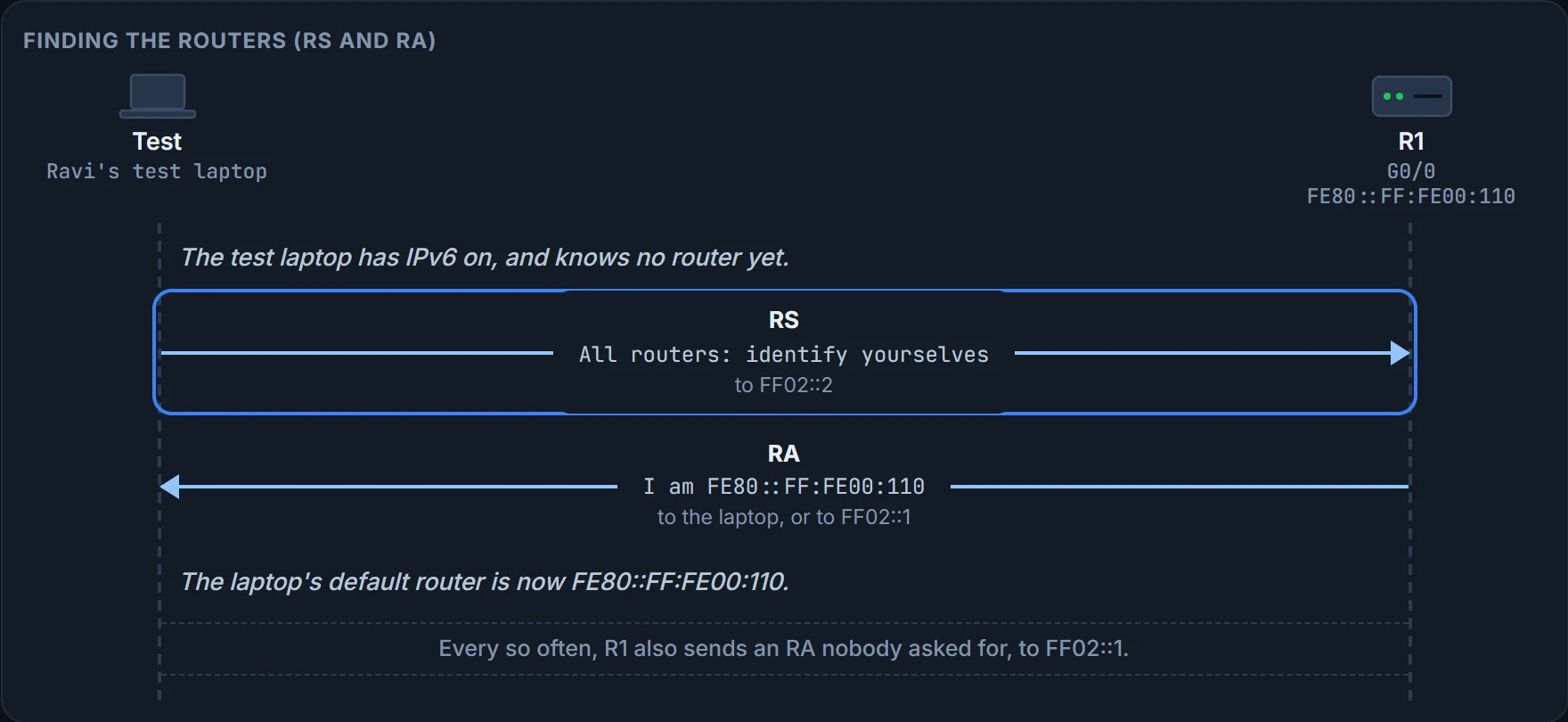
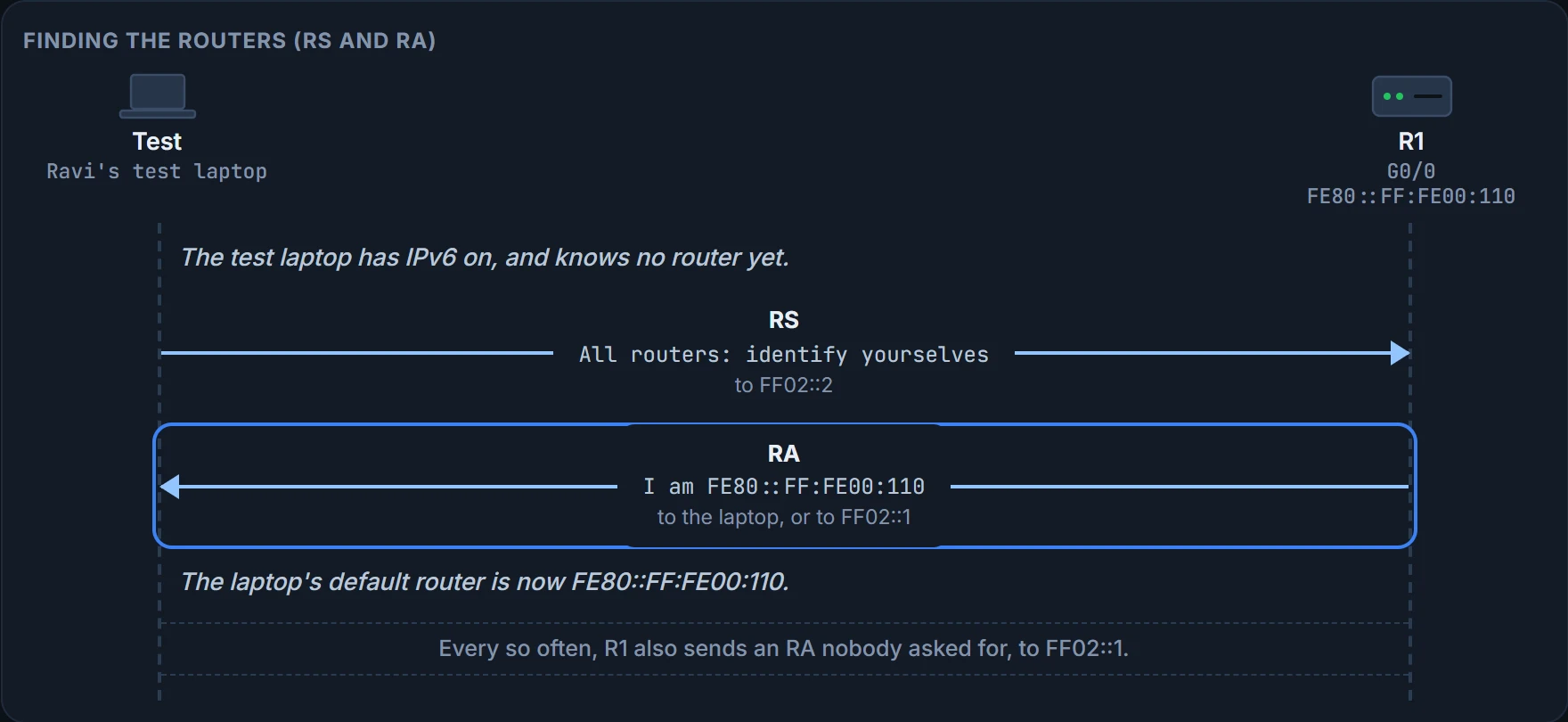
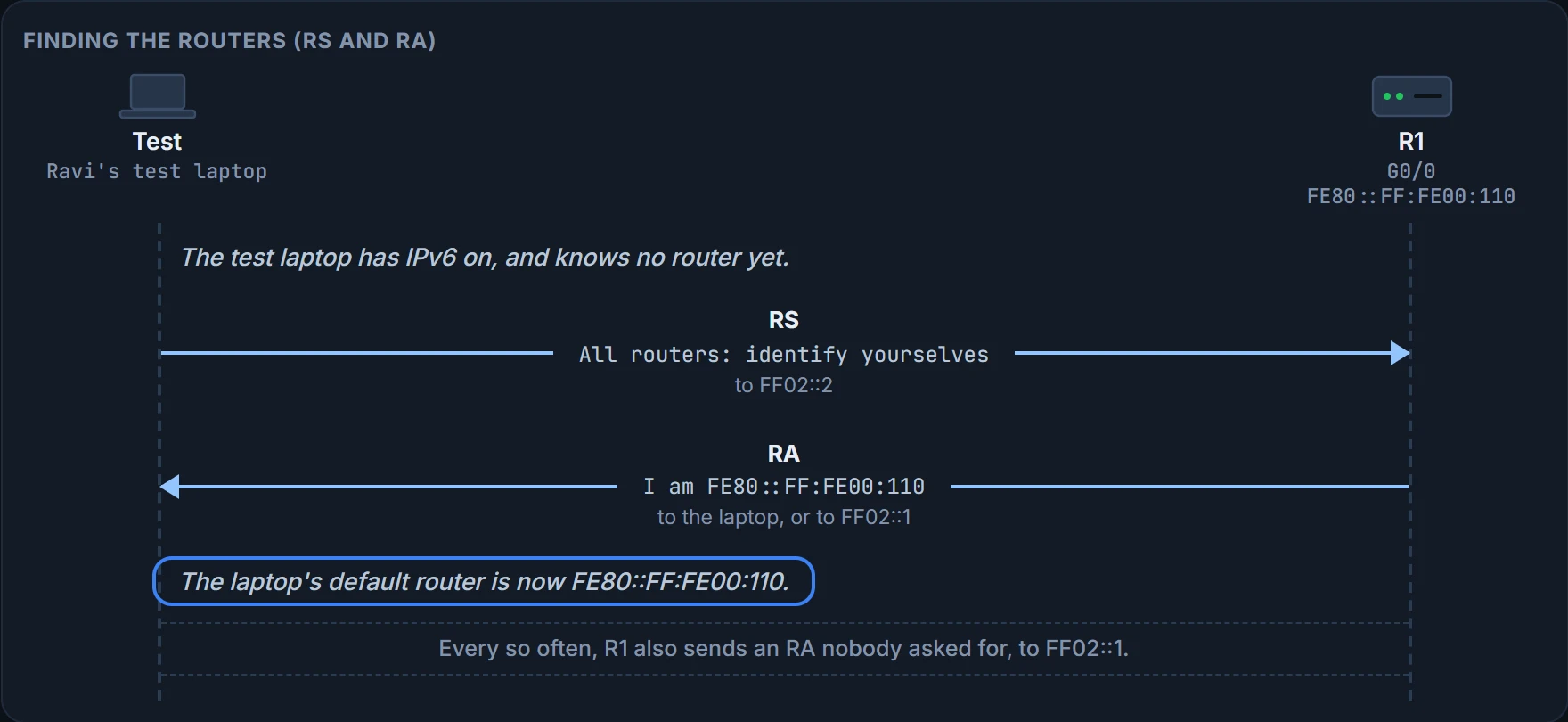
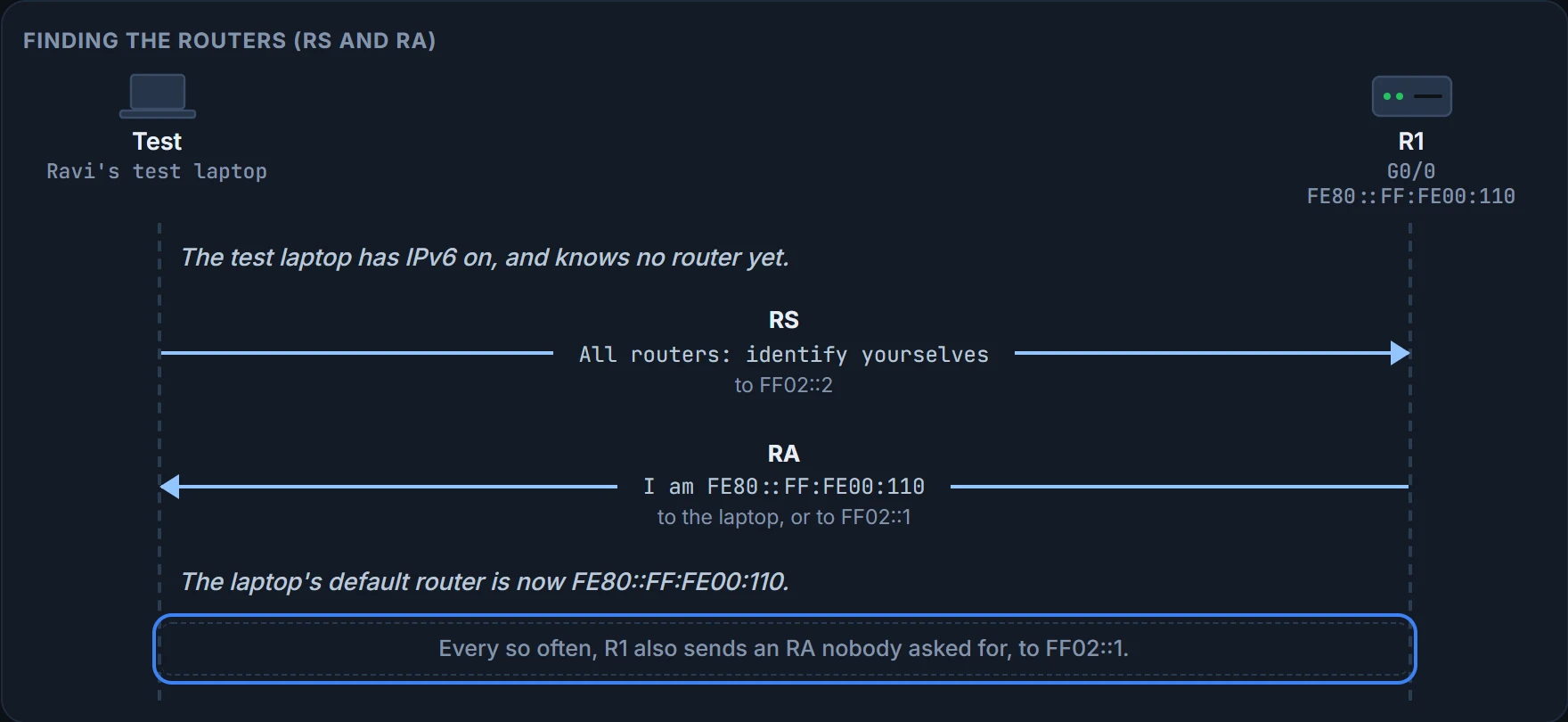
Routers don't wait to be asked, either: they also send RAs periodically, to FF02::1, advertising details about IPv6 on the link. Only R1 answers on the office LAN today, because the standby router (05.3.1) has no IPv6 yet. Knowing the router's address isn't the end, either: to send it a packet, the laptop still needs the MAC behind FE80::FF:FE00:110, and gets it with its own NS and NA, to FF02::1:FF00:110. Two lookups, two jobs: RS and RA find the router, NS and NA find its MAC.
Continue the lesson
The whole lesson, with its drawings and its questions. The rest of this section and 3 more after it.